Git: Git'ing the Basic
Gerald Villorente
Kite Systems Inc.
Drupal.IT / 06-01-2013 / Microsoft PH Makati City
Kite Systems Git me
What is Git?
Git (/ t/) is a distributed revision control andɡɪ
source code management (SCM) system with
an emphasis on speed.[3] Initially designed and
developed by Linus Torvalds for Linux kernel
development, Git has since been adopted by
many other projects.
http://en.wikipedia.org/wiki/Git_(software)
Why Git?
● Distributed (upstream/downstream)
● Git has integrity (SHA-1)
● Local and remote revisioning
● Full history
● Push/pull only requires internet
● Fast
● It's awesome!
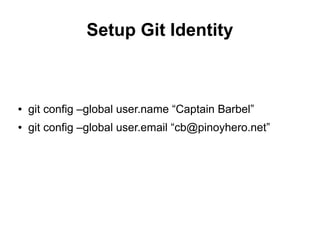
Setup Git Identity
● git config –global user.name “Captain Barbel”
● git config –global user.email “cb@pinoyhero.net”
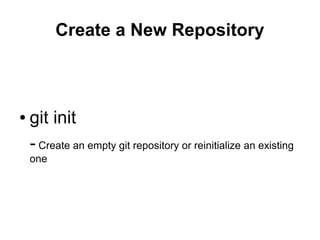
Create a New Repository
● git init
- Create an empty git repository or reinitialize an existing
one
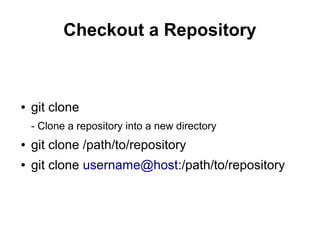
Checkout a Repository
● git clone
- Clone a repository into a new directory
● git clone /path/to/repository
● git clone username@host:/path/to/repository
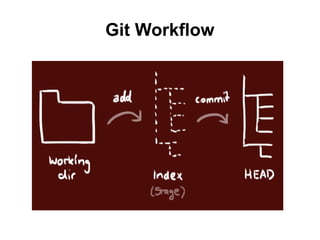
Git Workflow
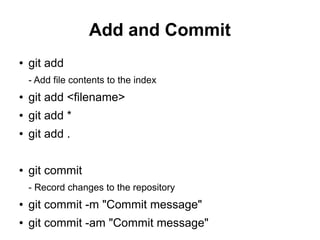
Add and Commit
● git add
- Add file contents to the index
● git add <filename>
● git add *
● git add .
● git commit
- Record changes to the repository
● git commit -m "Commit message"
● git commit -am "Commit message"
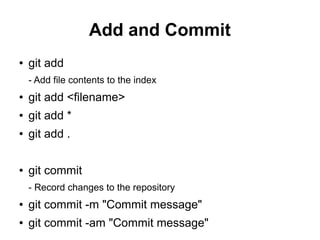
Add and Commit
● git add
- Add file contents to the index
● git add <filename>
● git add *
● git add .
● git commit
- Record changes to the repository
● git commit -m "Commit message"
● git commit -am "Commit message"
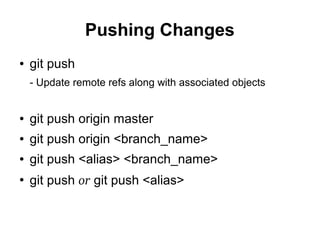
Pushing Changes
● git push
- Update remote refs along with associated objects
● git push origin master
● git push origin <branch_name>
● git push <alias> <branch_name>
●
git push or git push <alias>
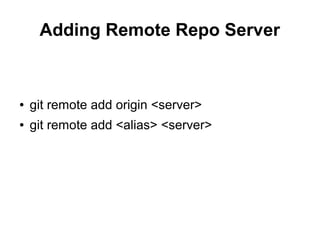
Adding Remote Repo Server
● git remote add origin <server>
● git remote add <alias> <server>
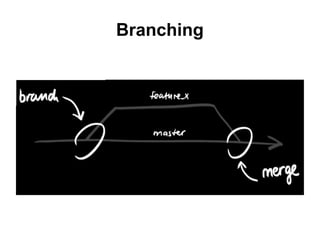
Branching
Branching
● git checkout -b bayabas
Switching branch
● git checkout okra
● git branch -d alugbati
NOTE: a branch is not available to others unless you
push the branch to your remote repository
● git push origin talong
Update and Merge
● git pull
- Fetch from and merge with another repository or a local branch
● git pull origin
● git pull origin <branch_name> or git pull –all
● git fetch origin
- Download objects and refs from another repository
● git diff <source_branch> <target_branch>
● git merge <branch_name>
● git merge <branch_name> -m “Message”
Conflict during Merge
● Use diff tool or “git diff” command
● git add <filename>
Tagging
● git tag 1.0.0 1b2e1d63ff
Replace Local Changes
● git checkout -- <filename>
● git pull –rebase
● git reset –hard origin/<branch_name>
● git clean -f
Git Useful Commands
● git status
- Show the working tree status
● git log
- Show commit logs
● git show
- Show various types of objects
● git fetch
- Download objects and refs from another repository
● git log --oneline
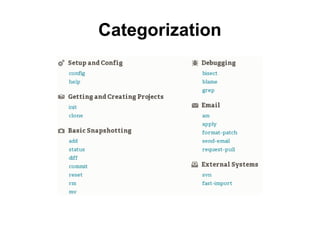
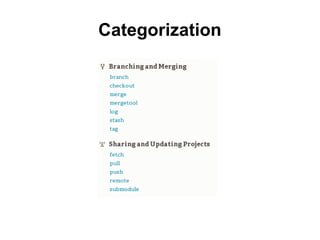
Categorization
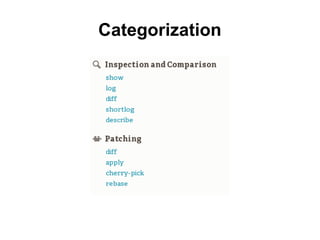
Categorization
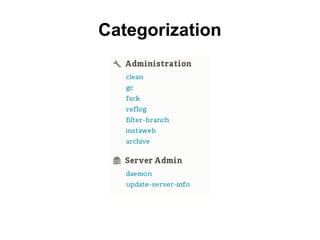
Categorization
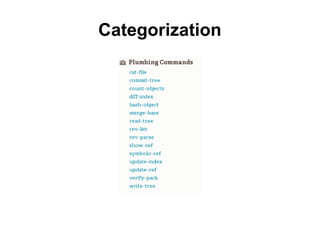
Categorization
Categorization
Questions?
References
● http://rogerdudler.github.io/git-guide/
● http://git-scm.com/book
● https://na1.salesforce.com/help/doc/en/salesforce_
● http://ndpsoftware.com/git-cheatsheet.html

Git: Git'ing the Basic

  • 1.
    Git: Git'ing theBasic Gerald Villorente Kite Systems Inc. Drupal.IT / 06-01-2013 / Microsoft PH Makati City
  • 2.
  • 3.
    What is Git? Git(/ t/) is a distributed revision control andɡɪ source code management (SCM) system with an emphasis on speed.[3] Initially designed and developed by Linus Torvalds for Linux kernel development, Git has since been adopted by many other projects. http://en.wikipedia.org/wiki/Git_(software)
  • 4.
    Why Git? ● Distributed(upstream/downstream) ● Git has integrity (SHA-1) ● Local and remote revisioning ● Full history ● Push/pull only requires internet ● Fast ● It's awesome!
  • 5.
    Setup Git Identity ●git config –global user.name “Captain Barbel” ● git config –global user.email “cb@pinoyhero.net”
  • 6.
    Create a NewRepository ● git init - Create an empty git repository or reinitialize an existing one
  • 7.
    Checkout a Repository ●git clone - Clone a repository into a new directory ● git clone /path/to/repository ● git clone username@host:/path/to/repository
  • 8.
  • 9.
    Add and Commit ●git add - Add file contents to the index ● git add <filename> ● git add * ● git add . ● git commit - Record changes to the repository ● git commit -m "Commit message" ● git commit -am "Commit message"
  • 10.
    Add and Commit ●git add - Add file contents to the index ● git add <filename> ● git add * ● git add . ● git commit - Record changes to the repository ● git commit -m "Commit message" ● git commit -am "Commit message"
  • 11.
    Pushing Changes ● gitpush - Update remote refs along with associated objects ● git push origin master ● git push origin <branch_name> ● git push <alias> <branch_name> ● git push or git push <alias>
  • 12.
    Adding Remote RepoServer ● git remote add origin <server> ● git remote add <alias> <server>
  • 13.
  • 14.
    Branching ● git checkout-b bayabas Switching branch ● git checkout okra ● git branch -d alugbati NOTE: a branch is not available to others unless you push the branch to your remote repository ● git push origin talong
  • 15.
    Update and Merge ●git pull - Fetch from and merge with another repository or a local branch ● git pull origin ● git pull origin <branch_name> or git pull –all ● git fetch origin - Download objects and refs from another repository ● git diff <source_branch> <target_branch> ● git merge <branch_name> ● git merge <branch_name> -m “Message”
  • 16.
    Conflict during Merge ●Use diff tool or “git diff” command ● git add <filename>
  • 17.
    Tagging ● git tag1.0.0 1b2e1d63ff
  • 18.
    Replace Local Changes ●git checkout -- <filename> ● git pull –rebase ● git reset –hard origin/<branch_name> ● git clean -f
  • 19.
    Git Useful Commands ●git status - Show the working tree status ● git log - Show commit logs ● git show - Show various types of objects ● git fetch - Download objects and refs from another repository ● git log --oneline
  • 20.
  • 21.
  • 22.
  • 23.
  • 24.
  • 25.
  • 26.
    References ● http://rogerdudler.github.io/git-guide/ ● http://git-scm.com/book ●https://na1.salesforce.com/help/doc/en/salesforce_ ● http://ndpsoftware.com/git-cheatsheet.html