GIT
- Shadab Khan
SDS Lecture Series
About me
Shadab Khan
Overview
Rules of this talk
● Free to enter/ leave
● No need to take notes
● You can’t ask questions…
unless it’s the end…
of the slide
●
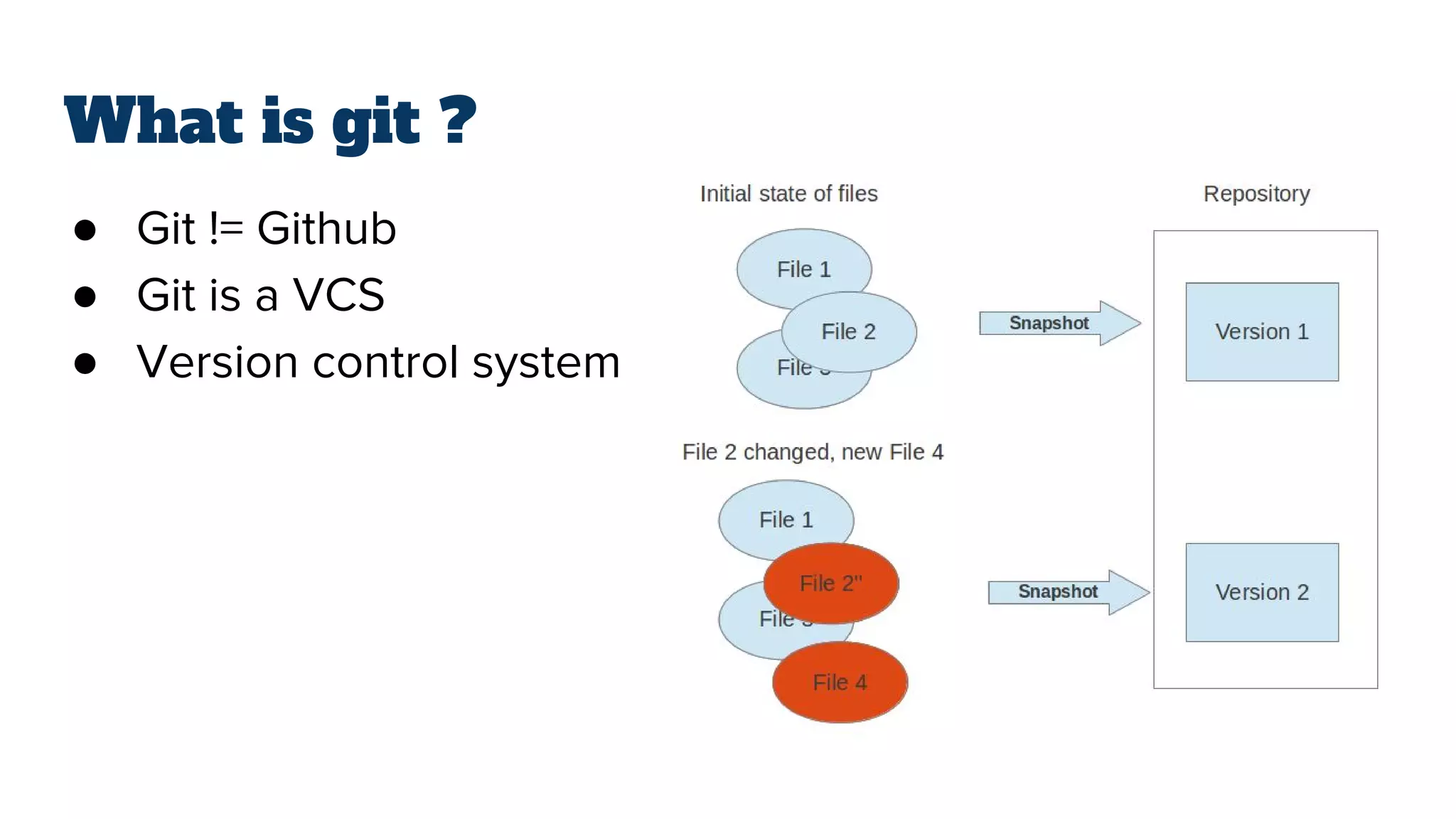
What is git ?
● Git != Github
● Git is a VCS
● Version control system
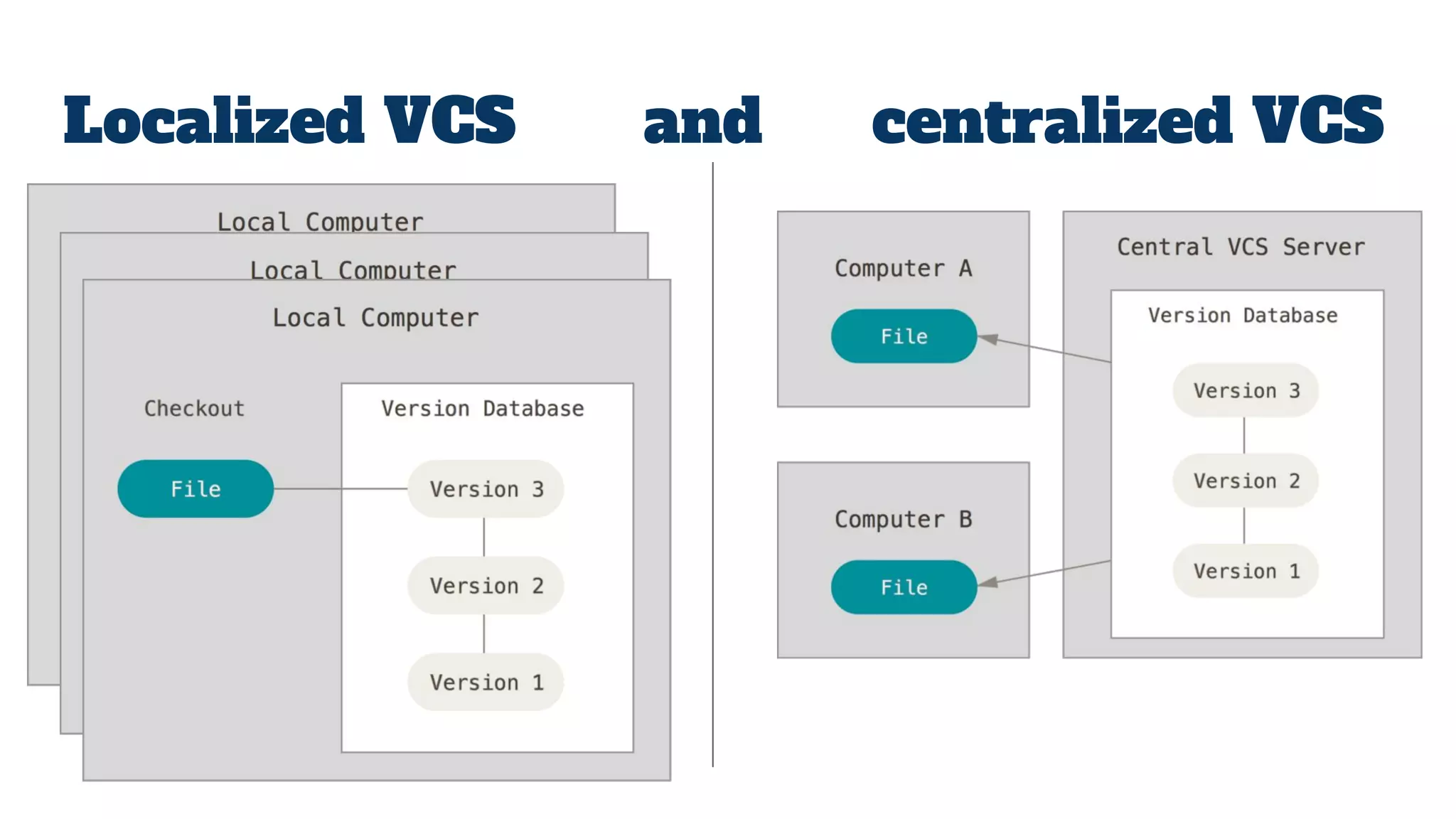
Localized VCS and centralized VCS
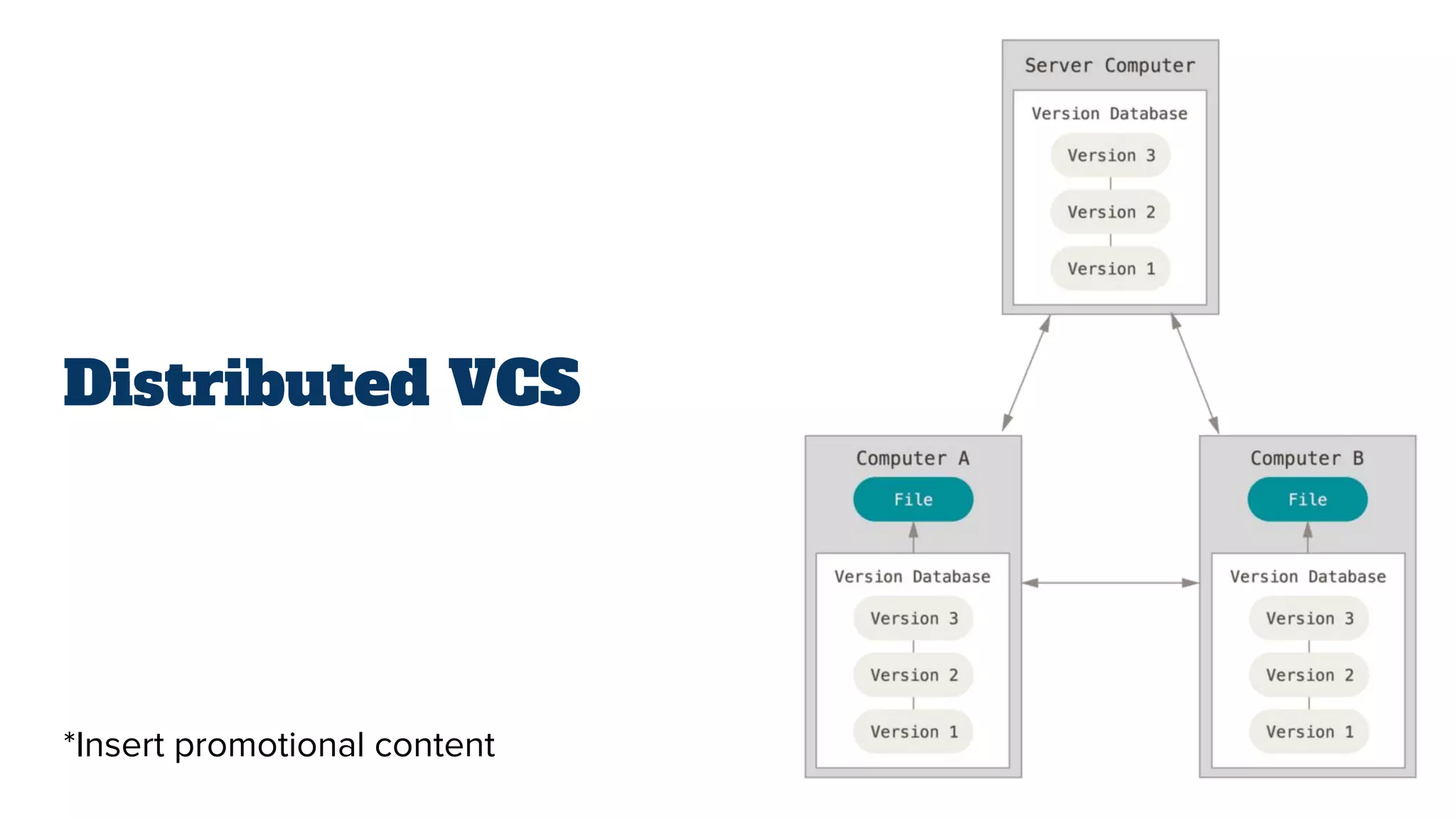
Distributed VCS
*Insert promotional content
What is git ?
● “Repository”
● “Working tree”
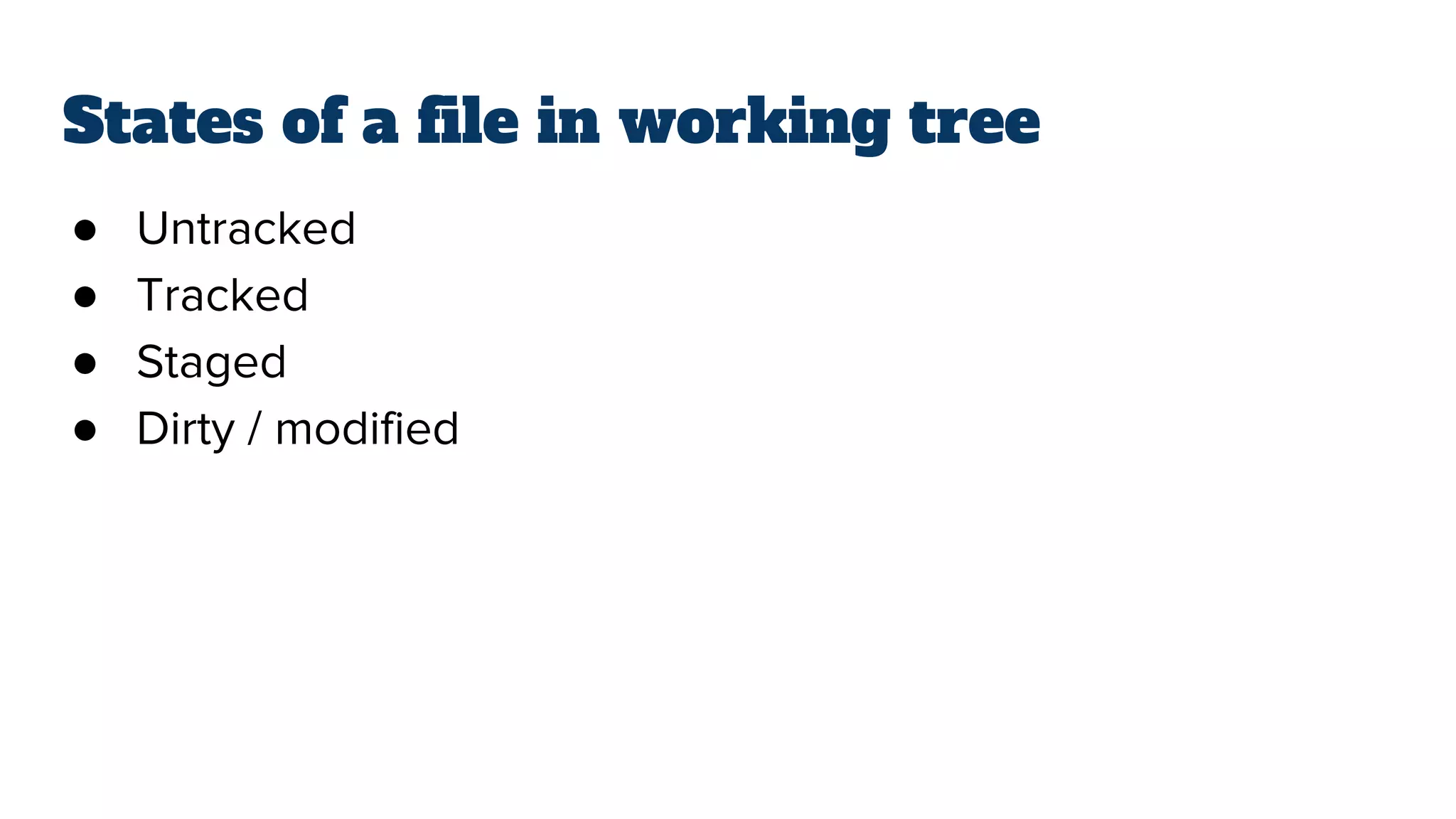
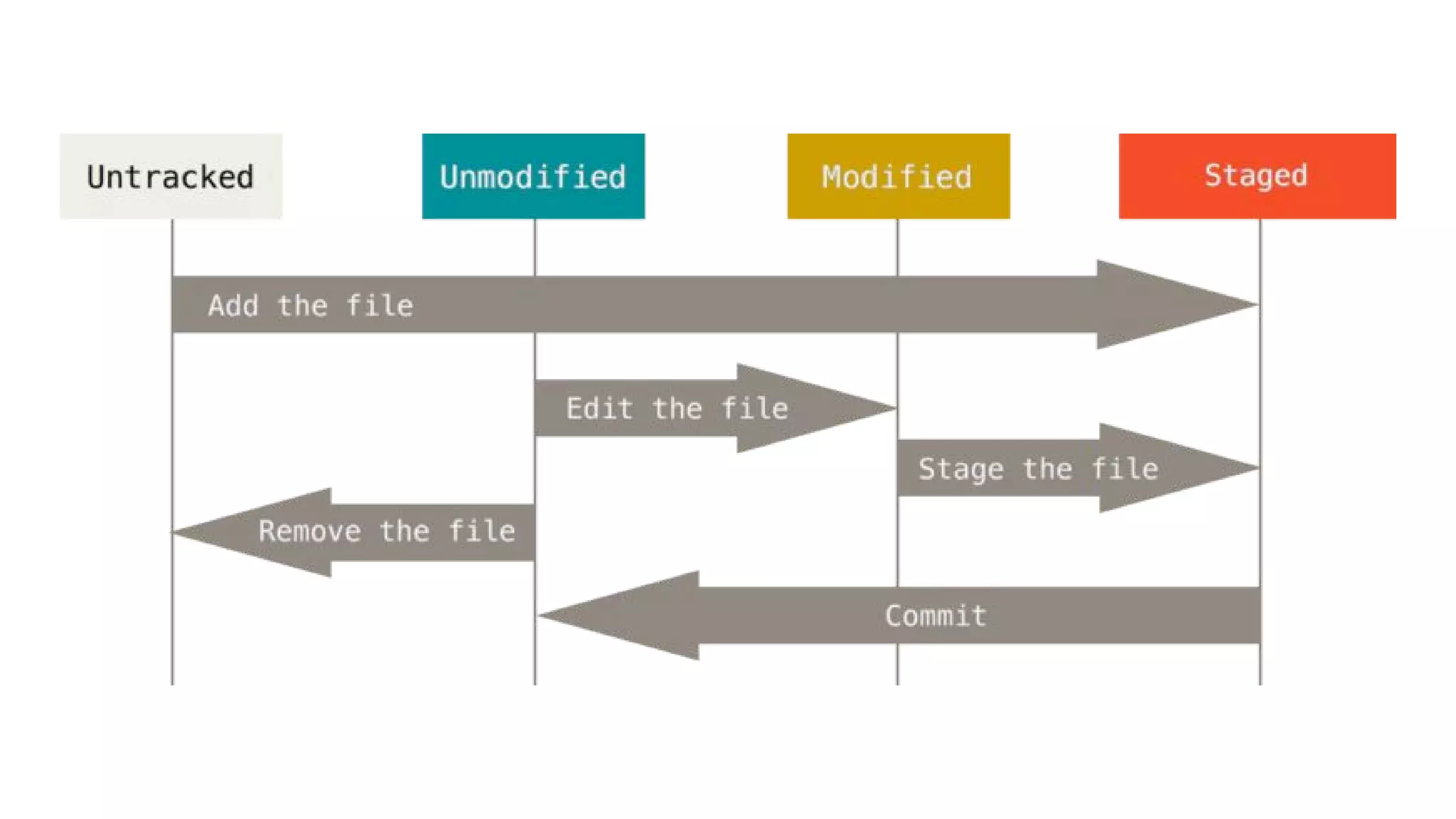
States of a file in working tree
● Untracked
● Tracked
● Staged
● Dirty / modified
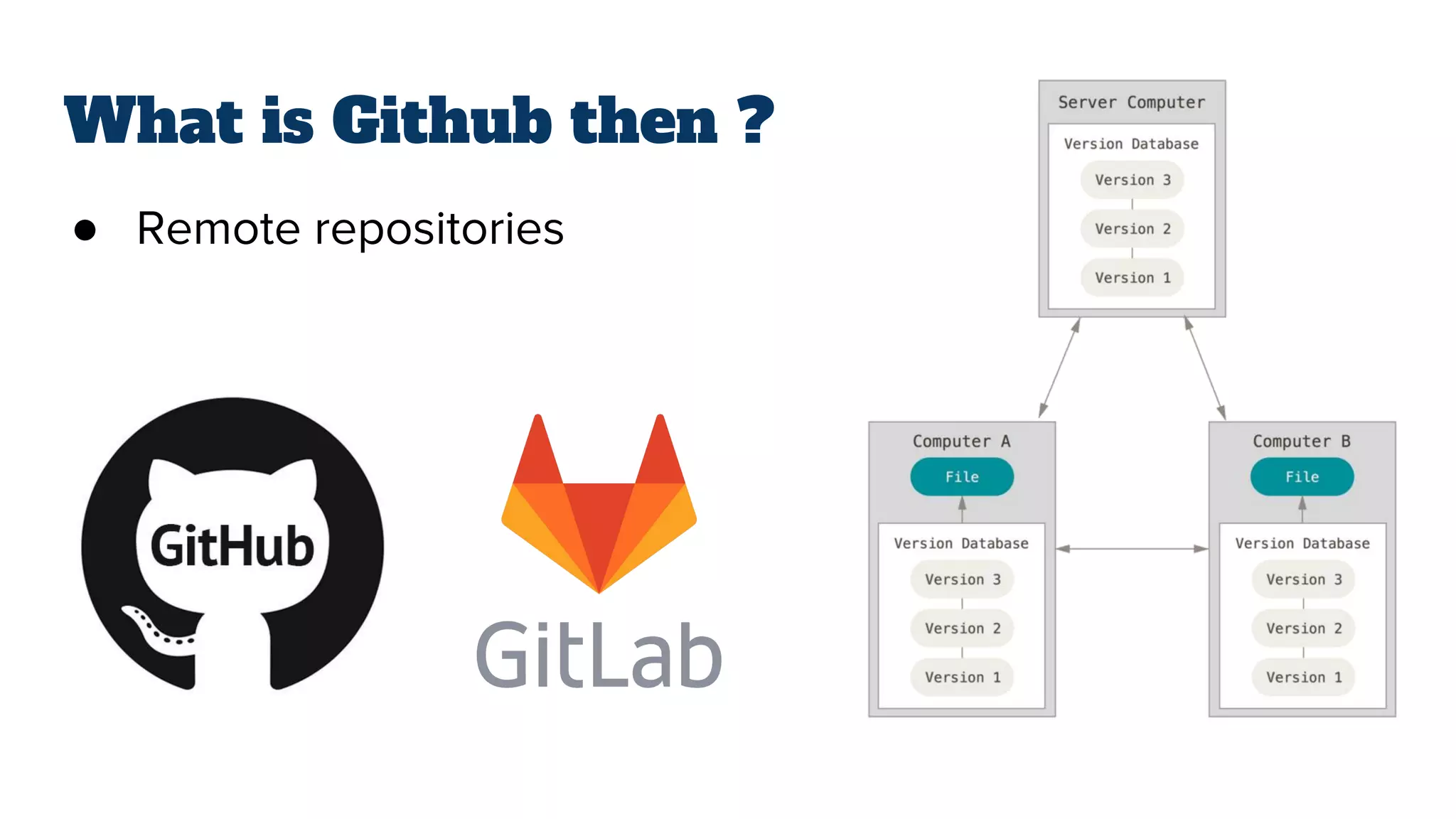
What is Github then ?
● Remote repositories
Git in
6 commands
git init
Use the git init command to create a Git repository in the
current directory. Git does not care whether you start with an
empty directory or if it contains already files.
git add <file>
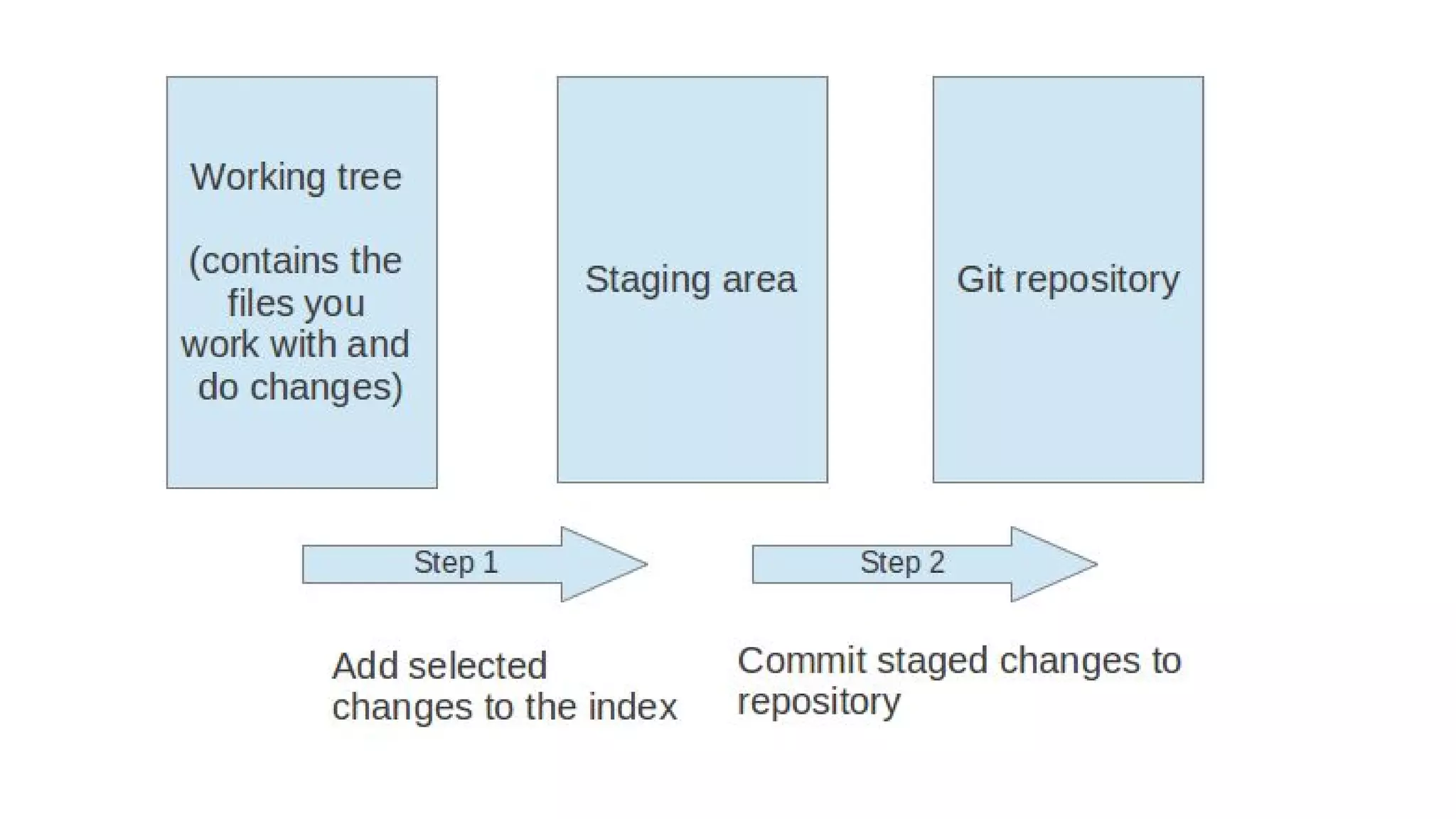
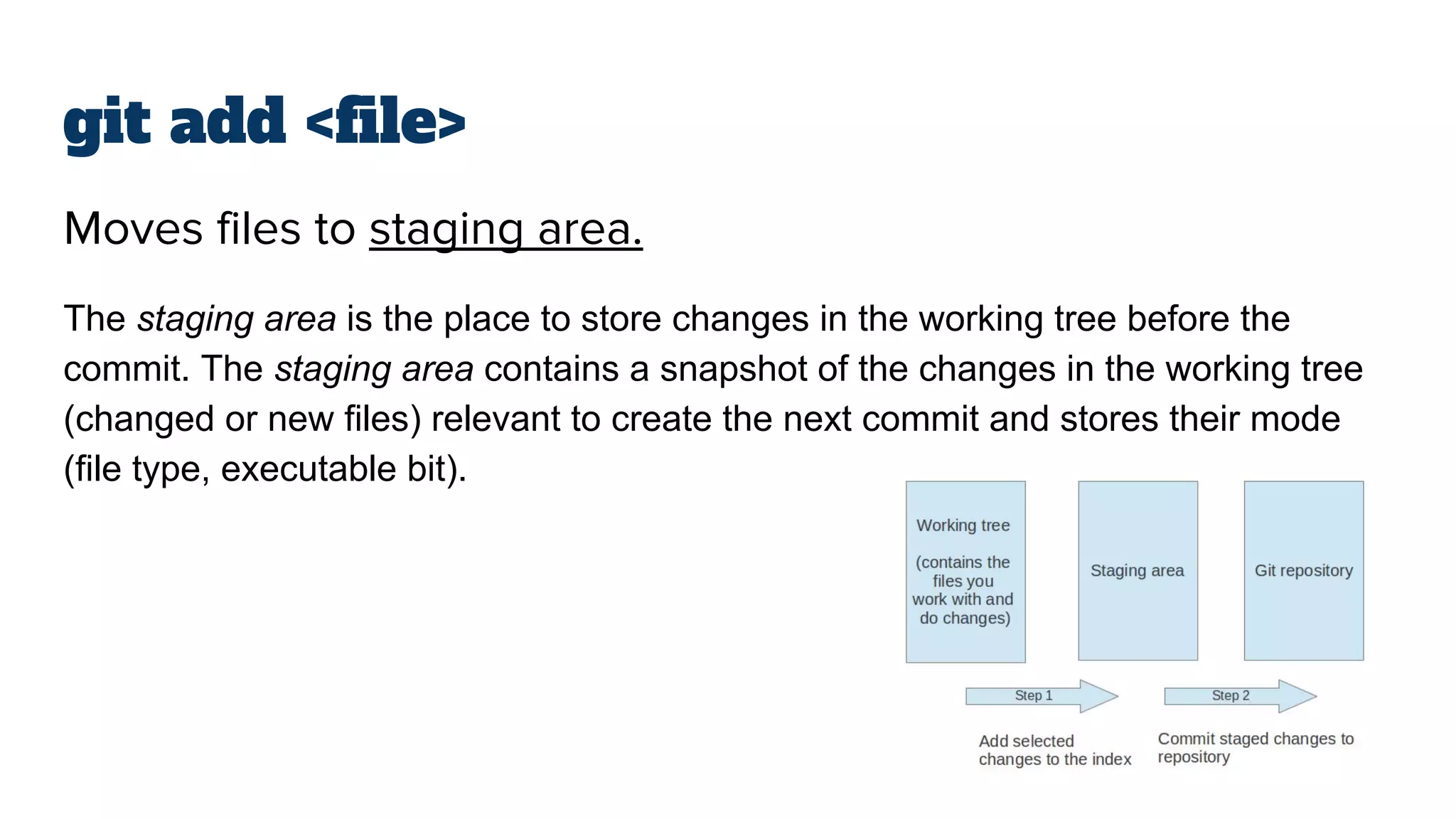
Moves files to staging area.
The staging area is the place to store changes in the working tree before the
commit. The staging area contains a snapshot of the changes in the working tree
(changed or new files) relevant to create the next commit and stores their mode
(file type, executable bit).
git commit
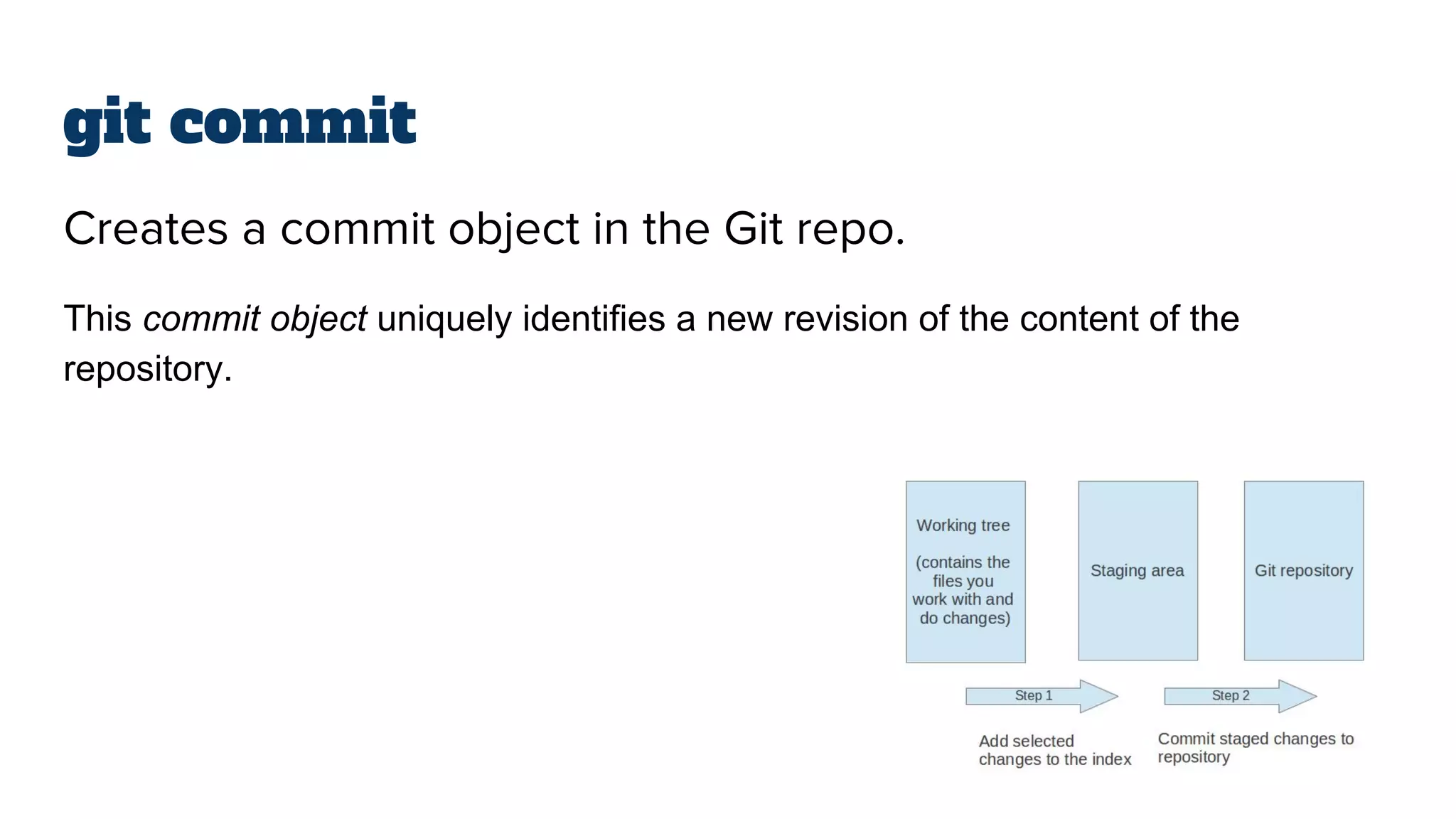
Creates a commit object in the Git repo.
This commit object uniquely identifies a new revision of the content of the
repository.
git clone <url>
Copies an existing repository.
This copying process is typically called cloning and the resulting repository can be
referred to as a clone.
git pull
The git pull command allows you to get the latest changes
from another repository for the current branch.
git push
The git push command allows you to send data to other
repositories. By default it sends data from your current branch
to the same branch of the remote repository.
By default you can only push to bare repositories (repositories without working
tree).
git <everything>
● git status
● git log
● git diff
● git fetch
● git merge
● git blame
A tree has
branches
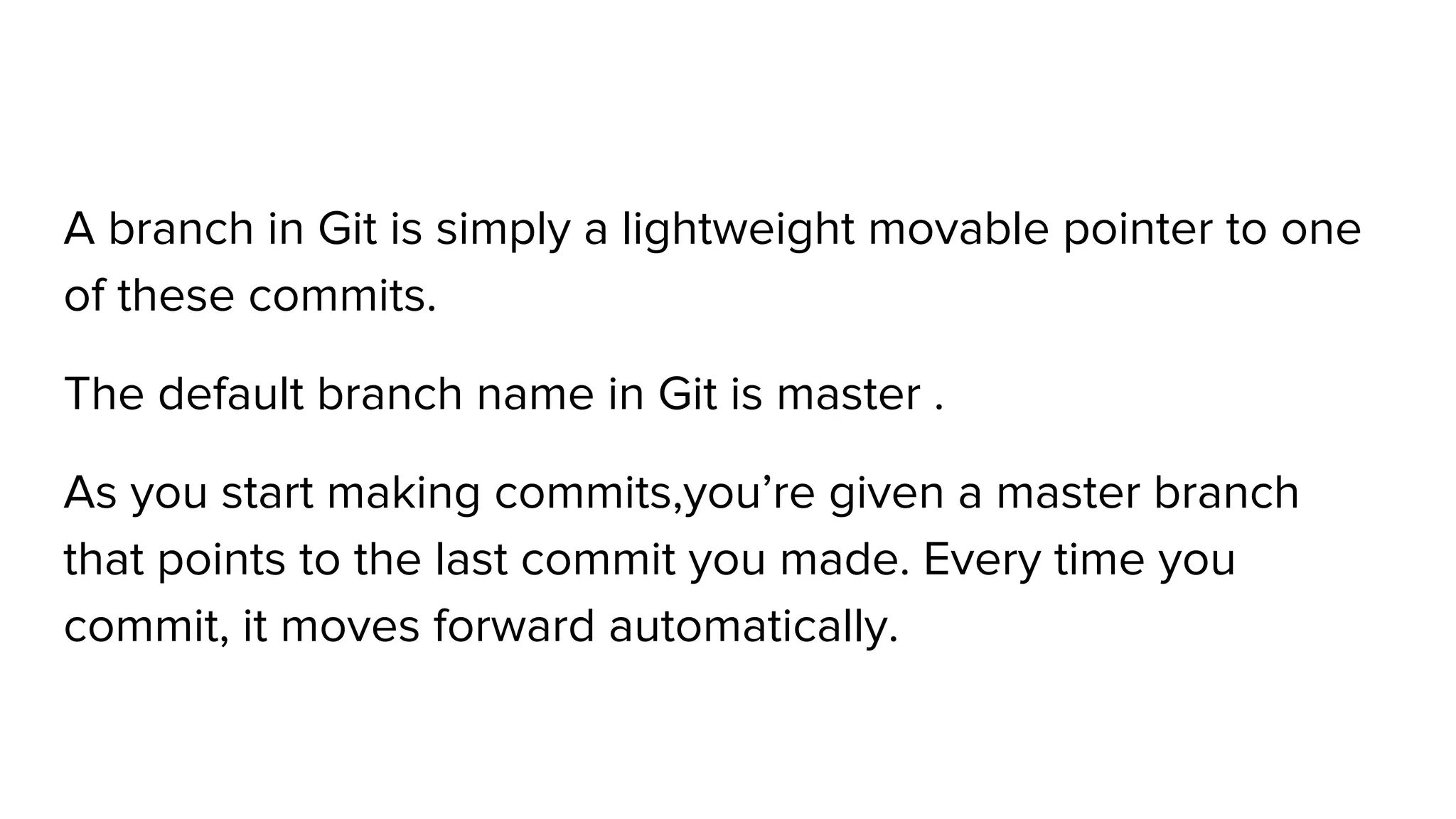
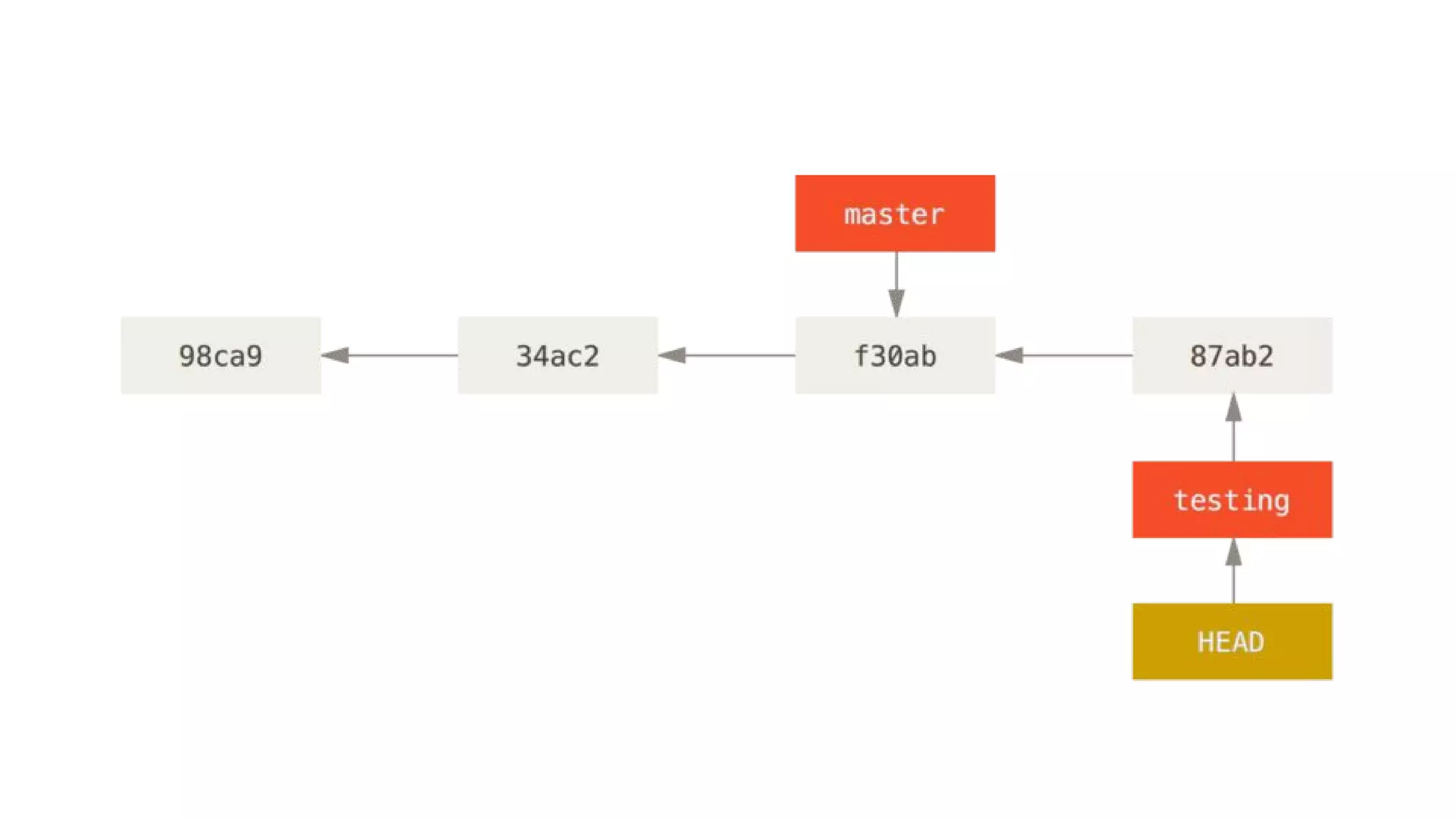
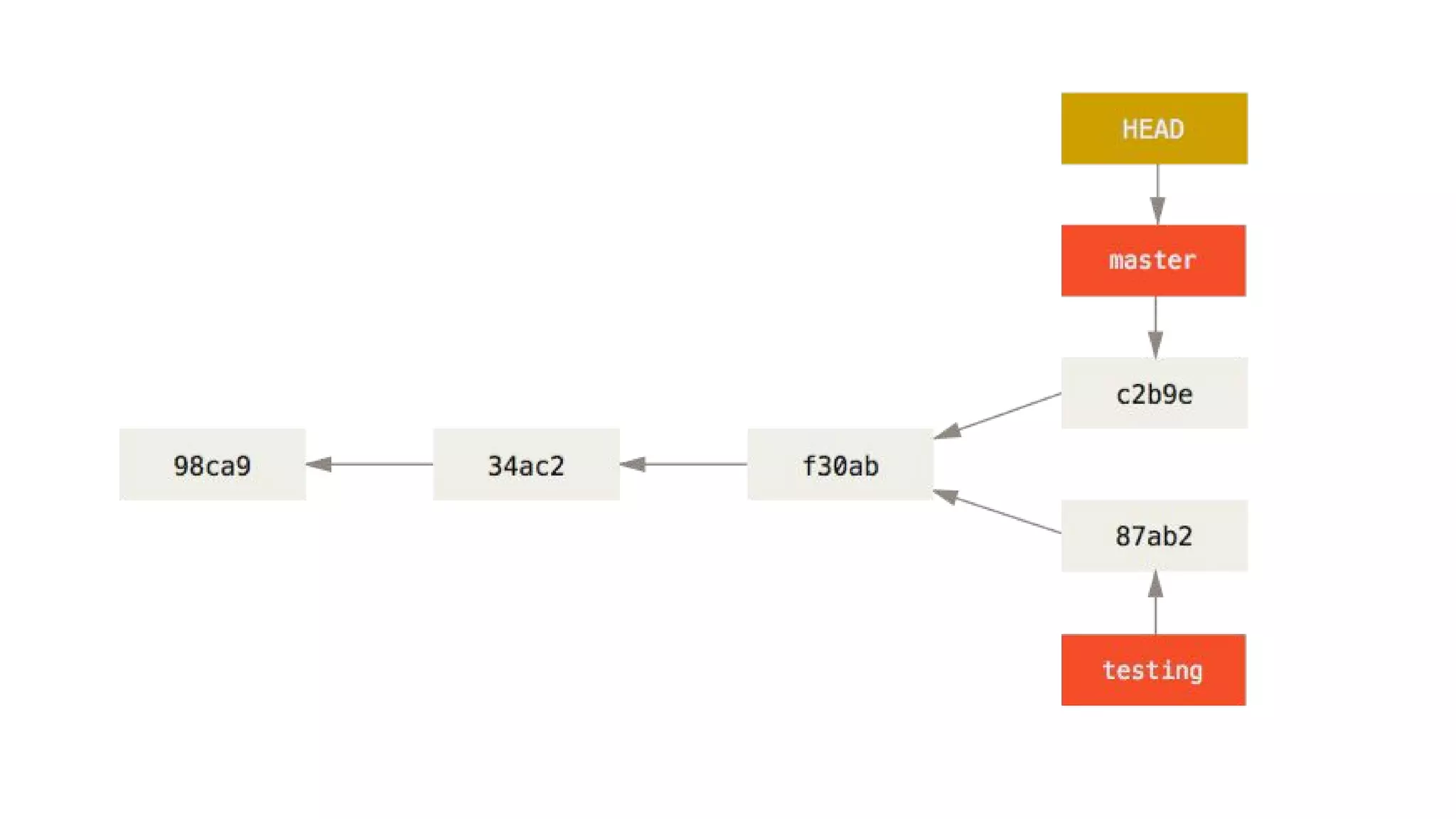
A branch in Git is simply a lightweight movable pointer to one
of these commits.
The default branch name in Git is master .
As you start making commits,you’re given a master branch
that points to the last commit you made. Every time you
commit, it moves forward automatically.
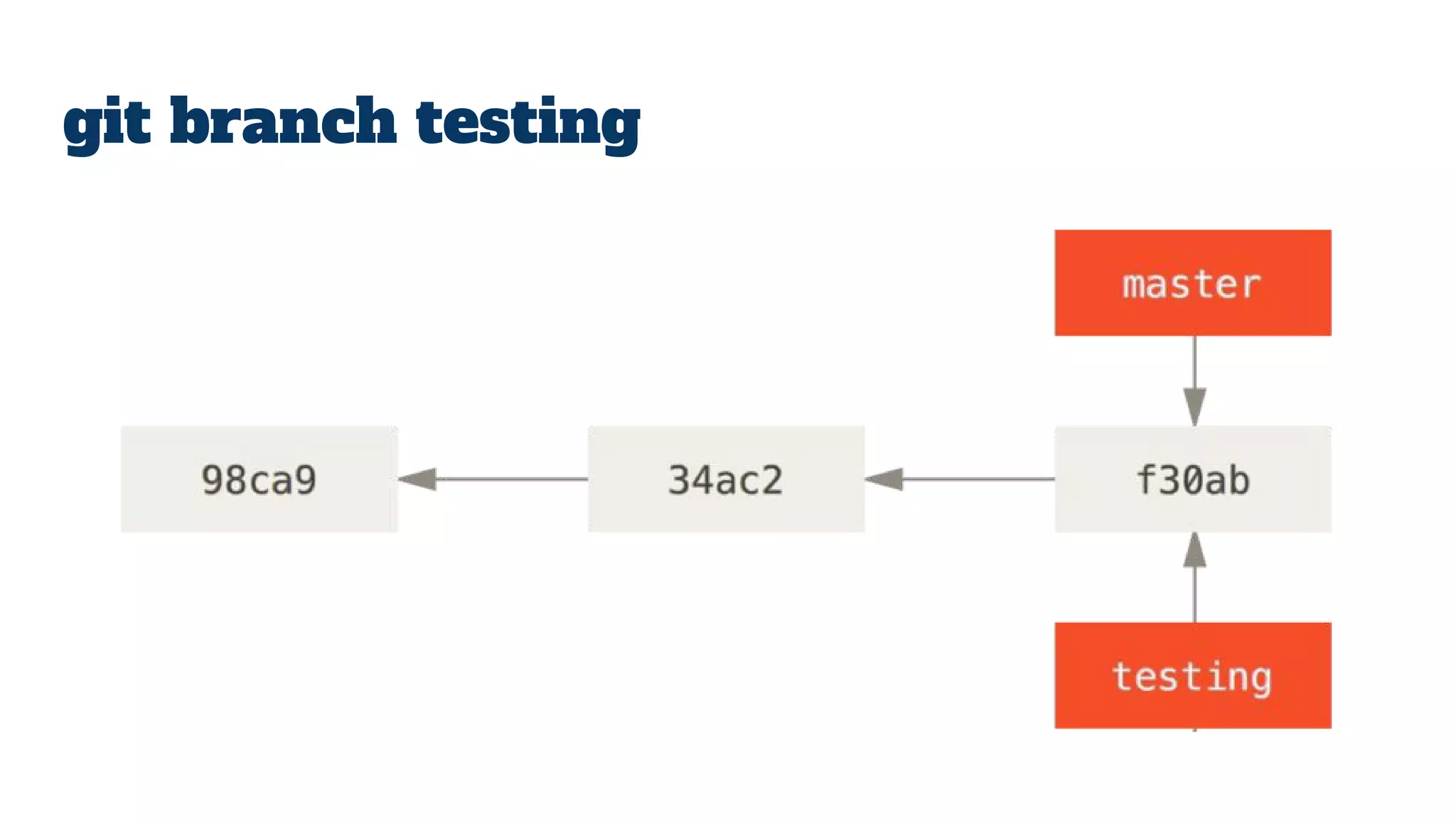
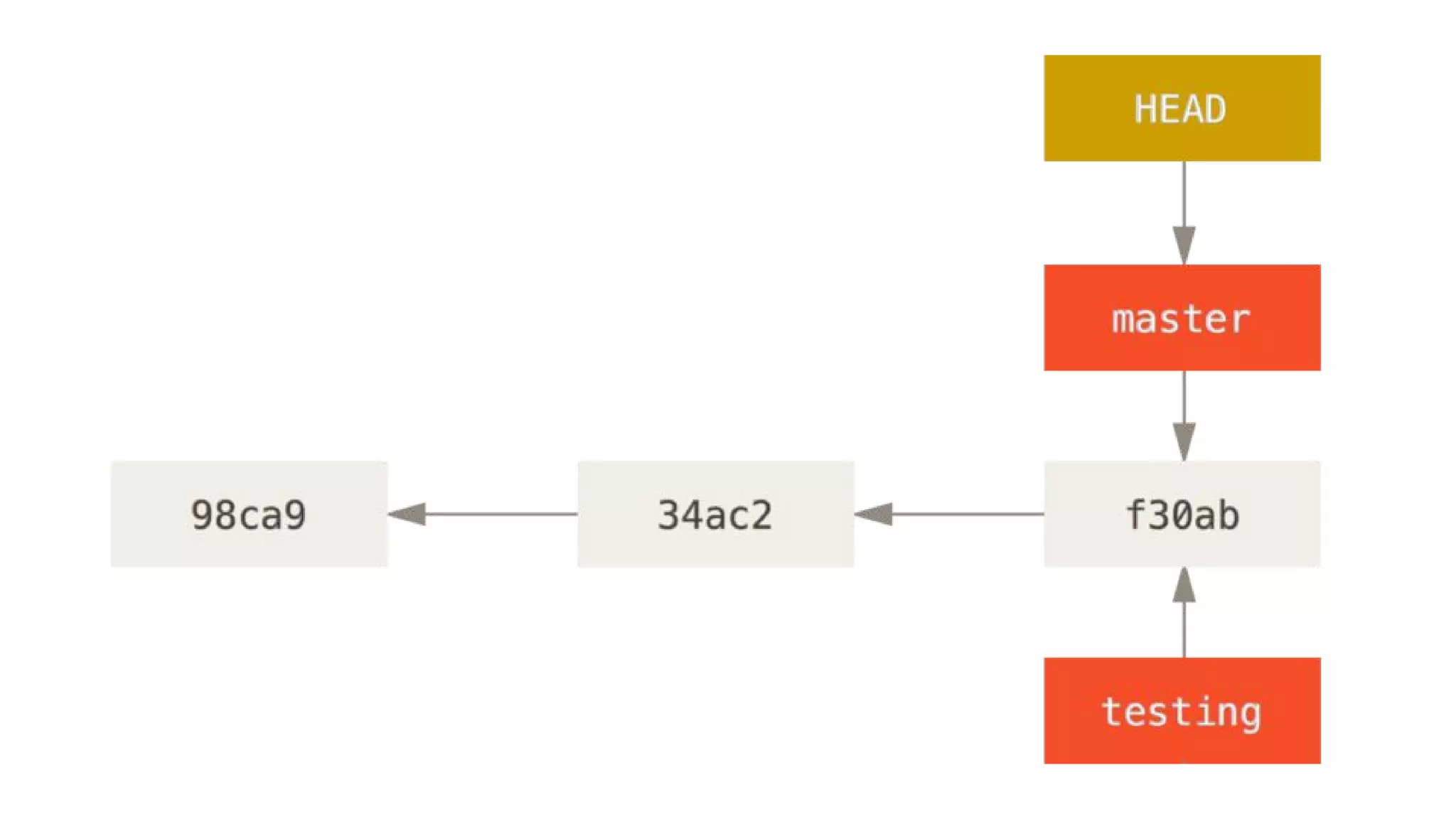
git branch testing
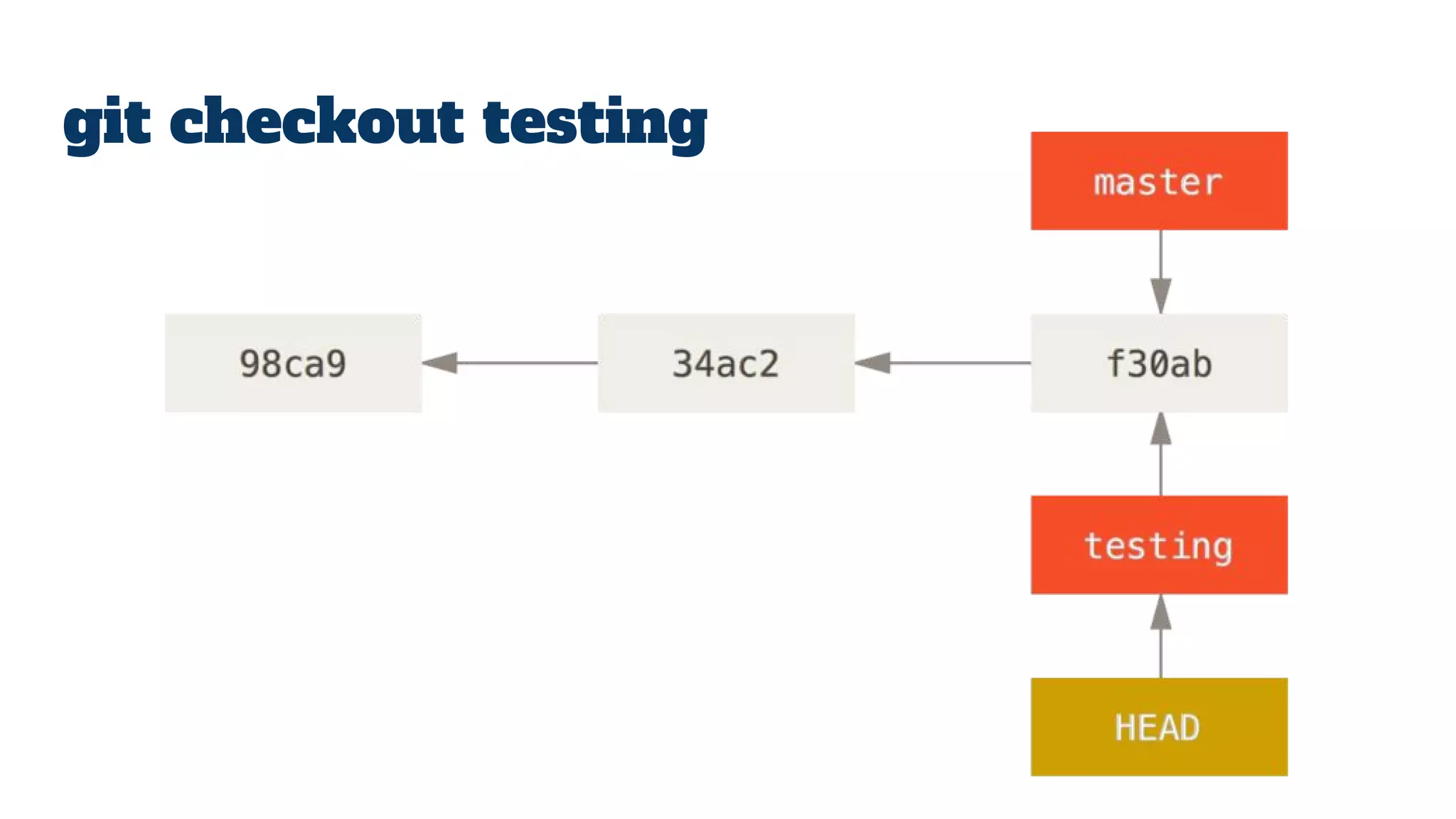
git checkout testing
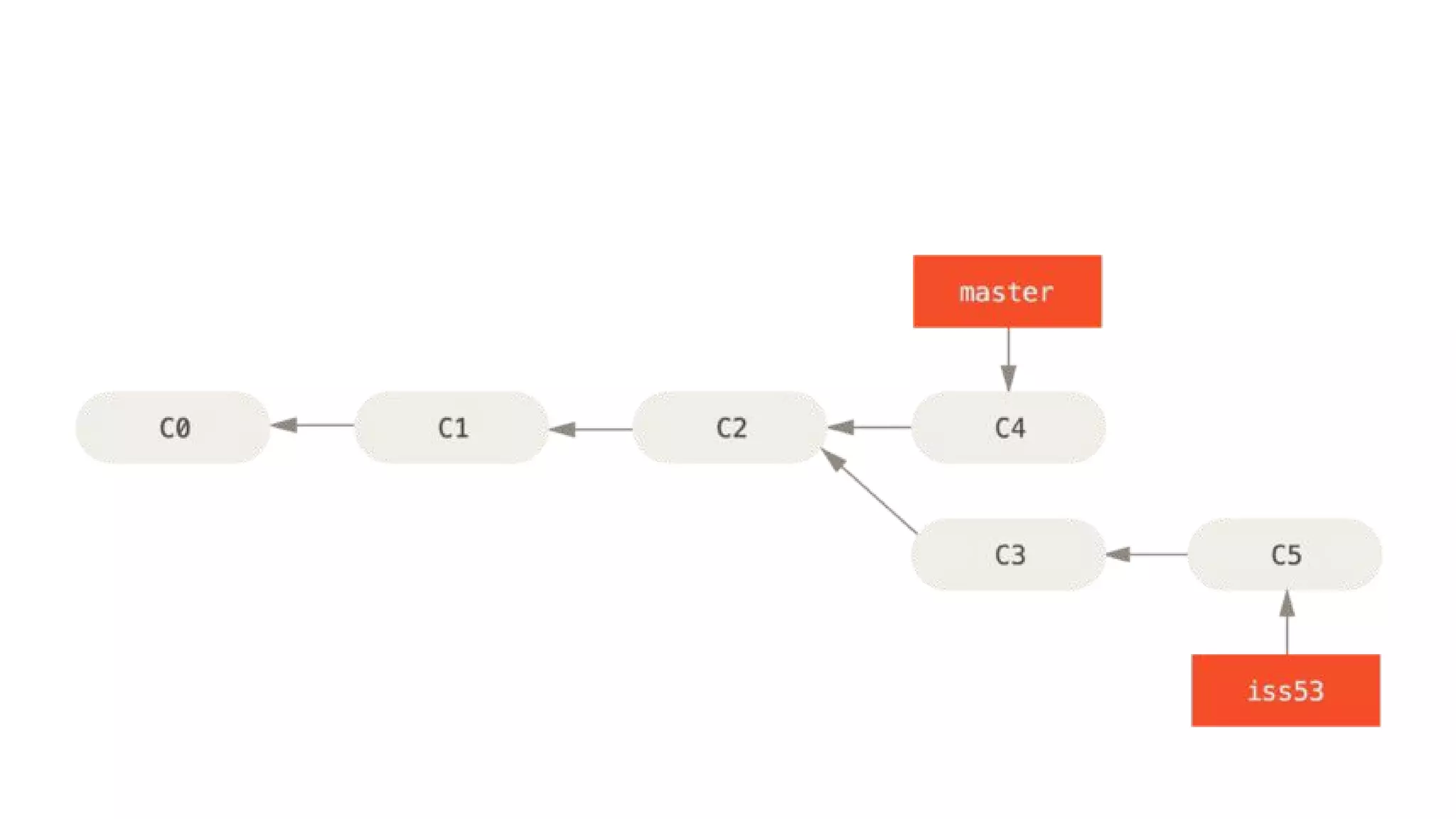
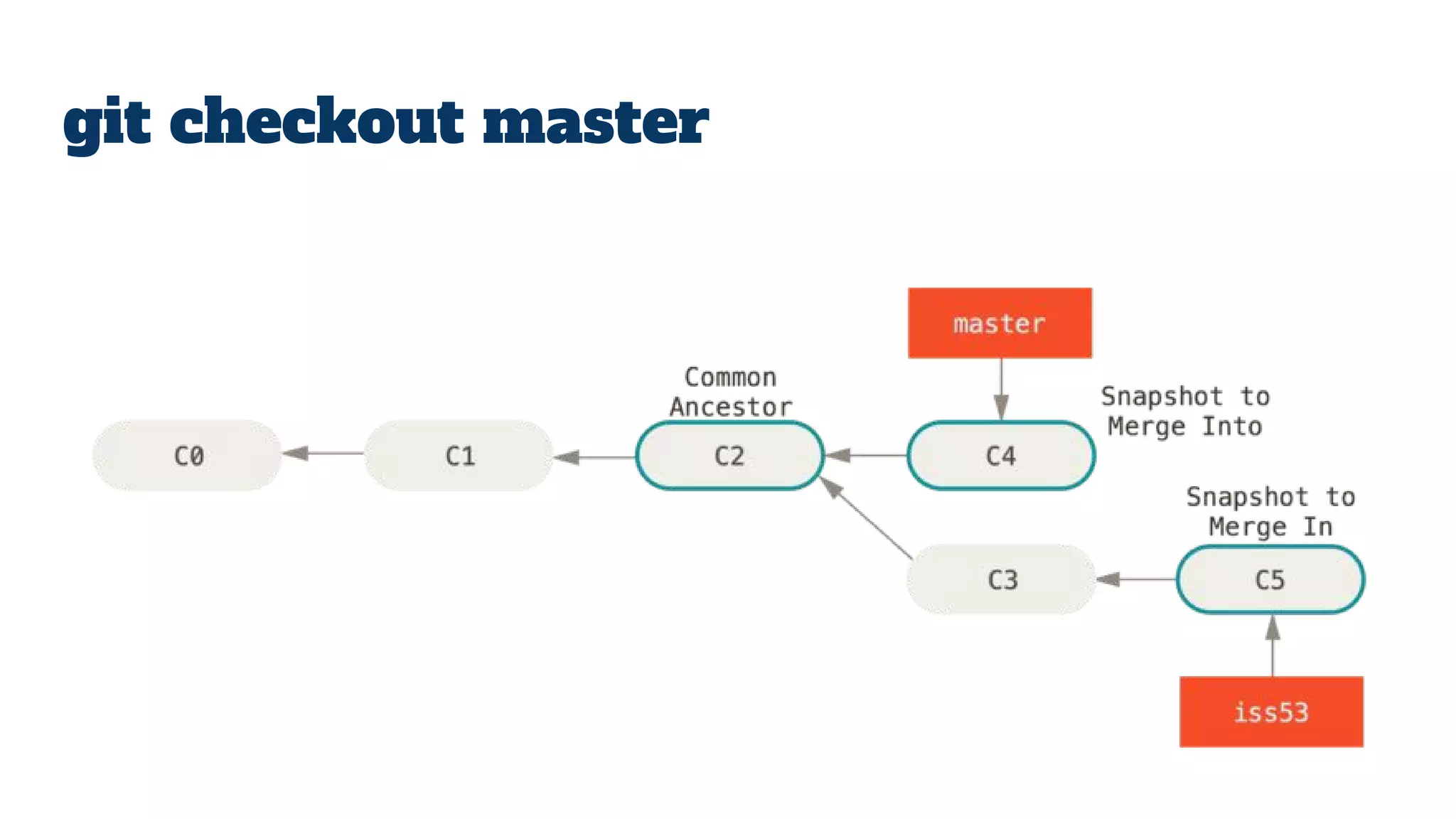
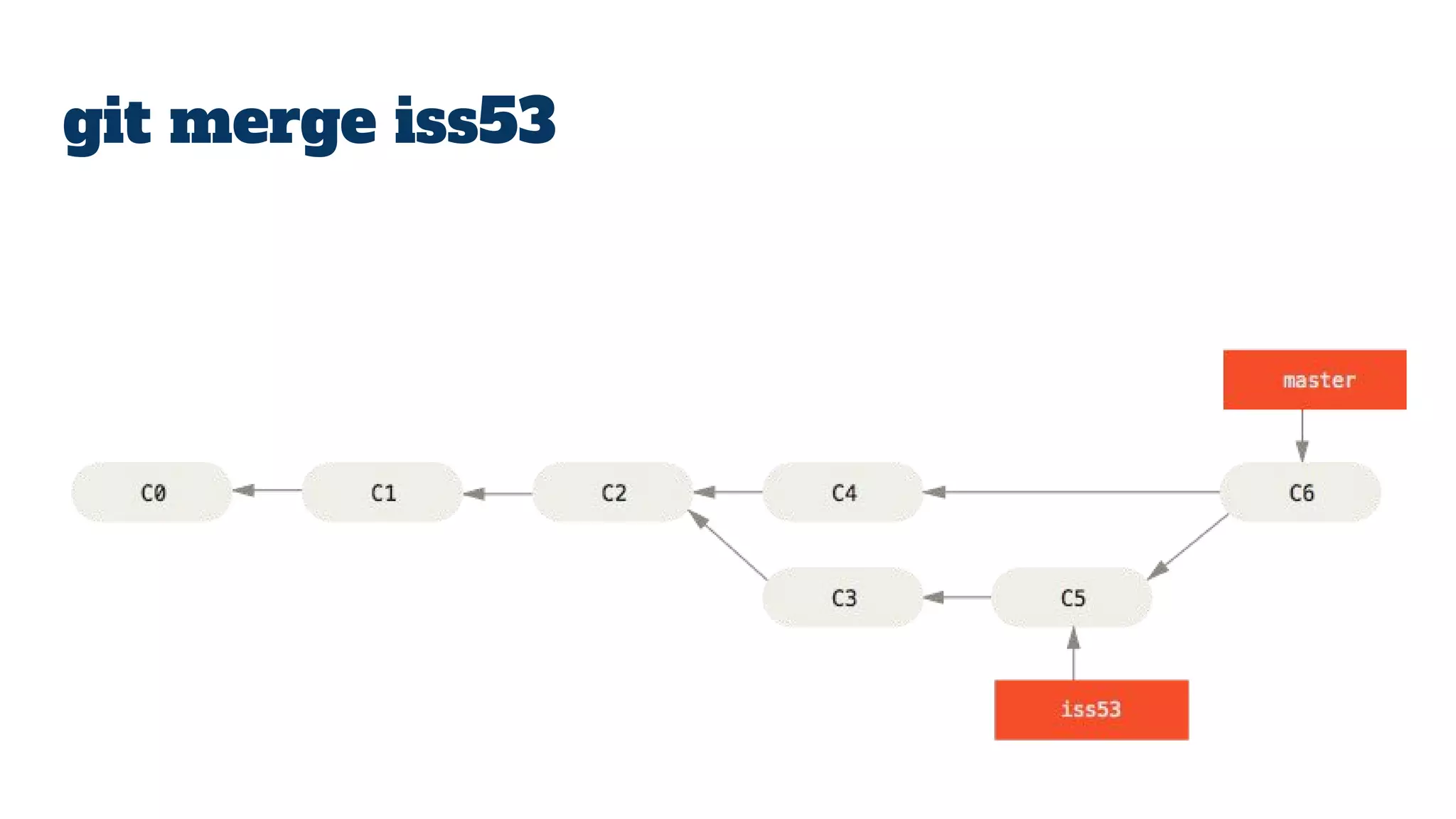
Merging
branches
git checkout master
git merge iss53
Conclusion
What to do next
● Try git - Code School
● Github
● Vogella git tutorial
● Pro Git book
● DDG
Thank you
Feedback :-
Find me on:
LinkedIn
Gmail shadabk96
Facebook
Github
Medium
Thank you

Intro to Git

  • 1.
    GIT - Shadab Khan SDSLecture Series
  • 2.
  • 3.
  • 4.
    Rules of thistalk ● Free to enter/ leave ● No need to take notes ● You can’t ask questions… unless it’s the end… of the slide ●
  • 5.
    What is git? ● Git != Github ● Git is a VCS ● Version control system
  • 6.
    Localized VCS andcentralized VCS
  • 7.
  • 8.
    What is git? ● “Repository” ● “Working tree”
  • 9.
    States of afile in working tree ● Untracked ● Tracked ● Staged ● Dirty / modified
  • 12.
    What is Githubthen ? ● Remote repositories
  • 13.
  • 14.
    git init Use thegit init command to create a Git repository in the current directory. Git does not care whether you start with an empty directory or if it contains already files.
  • 15.
    git add <file> Movesfiles to staging area. The staging area is the place to store changes in the working tree before the commit. The staging area contains a snapshot of the changes in the working tree (changed or new files) relevant to create the next commit and stores their mode (file type, executable bit).
  • 16.
    git commit Creates acommit object in the Git repo. This commit object uniquely identifies a new revision of the content of the repository.
  • 17.
    git clone <url> Copiesan existing repository. This copying process is typically called cloning and the resulting repository can be referred to as a clone.
  • 18.
    git pull The gitpull command allows you to get the latest changes from another repository for the current branch.
  • 19.
    git push The gitpush command allows you to send data to other repositories. By default it sends data from your current branch to the same branch of the remote repository. By default you can only push to bare repositories (repositories without working tree).
  • 20.
    git <everything> ● gitstatus ● git log ● git diff ● git fetch ● git merge ● git blame
  • 21.
  • 22.
    A branch inGit is simply a lightweight movable pointer to one of these commits. The default branch name in Git is master . As you start making commits,you’re given a master branch that points to the last commit you made. Every time you commit, it moves forward automatically.
  • 23.
  • 25.
  • 28.
  • 30.
  • 31.
  • 32.
  • 34.
    What to donext ● Try git - Code School ● Github ● Vogella git tutorial ● Pro Git book ● DDG
  • 35.
    Thank you Feedback :- Findme on: LinkedIn Gmail shadabk96 Facebook Github Medium
  • 36.