GETTING WIRED AT CSM
Joel Kinison
joelk@csmd.edu
301 539-4739
OVERVIEW
 We are…
 CSM Training Opportunities
 Website Tour
 MyCSMD
 Blackboard
 Groupwise
 Network
 Other Services
 Social Networking
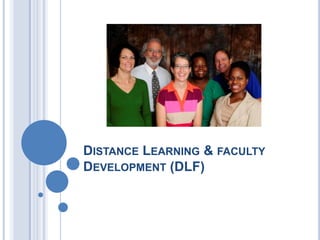
DISTANCE LEARNING & FACULTY
DEVELOPMENT (DLF)
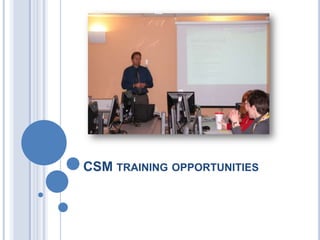
CSM TRAINING OPPORTUNITIES
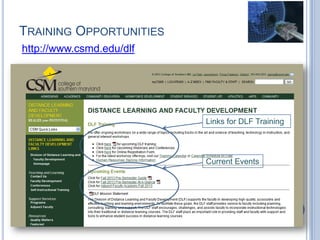
TRAINING OPPORTUNITIES
http://www.csmd.edu/dlf
Links for DLF Training
Current Events
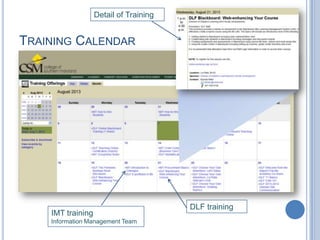
TRAINING CALENDAR
DLF training
IMT training
Information Management Team
Detail of Training
OTHER TRAINING
 HR
 (FERPA)
 Sexual Harassment and Awareness Training
 Defensive Driver
 IMT
 Information Technology Services (ITS) Overview
ITS is your one-stop-shop for all your technology needs, whether you need PC support, software
development, telephone/voice mail assistance, audio/ visual equipment, software installs or network
access.
 Information Security Basics
Join the Assistant Director of Enterprise System Administration to hear an overview
of various types of security threats and vulnerabilities. Learn about what you need to
know to protect yourself and the college. All employees are urged to attend.
 GroupWise Basics
This hands-on course is just what you need to master many GroupWise functions
you can use everyday to easily manage your mailbox and calendar. For example,
you will learn how to organize your mailbox and set clean up parameters to keep
your mail environment clutter-free and orderly.
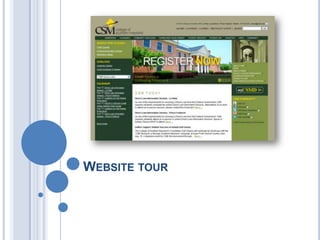
WEBSITE TOUR
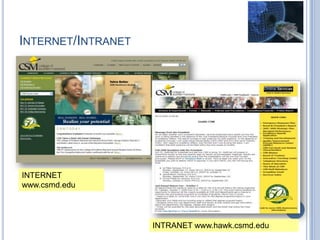
INTERNET/INTRANET
INTERNET
www.csmd.edu
INTRANET www.hawk.csmd.edu
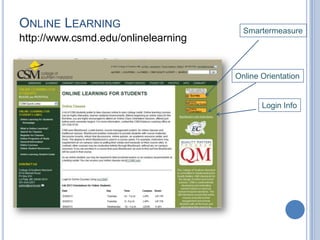
ONLINE LEARNING
http://www.csmd.edu/onlinelearning
Smartermeasure
Online Orientation
Login Info
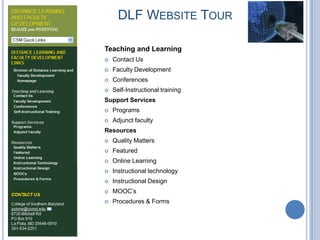
DLF WEBSITE TOUR
Teaching and Learning
 Contact Us
 Faculty Development
 Conferences
 Self-Instructional training
Support Services
 Programs
 Adjunct faculty
Resources
 Quality Matters
 Featured
 Online Learning
 Instructional technology
 Instructional Design
 MOOC’s
 Procedures & Forms
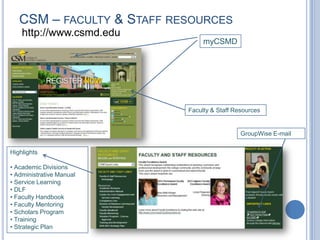
CSM – FACULTY & STAFF RESOURCES
http://www.csmd.edu
myCSMD
Faculty & Staff Resources
GroupWise E-mail
Highlights
• Academic Divisions
• Administrative Manual
• Service Learning
• DLF
• Faculty Handbook
• Faculty Mentoring
• Scholars Program
• Training
• Strategic Plan
MYCSMD
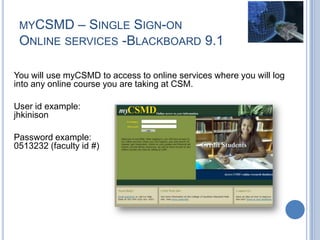
MYCSMD – SINGLE SIGN-ON
ONLINE SERVICES -BLACKBOARD 9.1
You will use myCSMD to access to online services where you will log
into any online course you are taking at CSM.
User id example:
jhkinison
Password example:
0513232 (faculty id #)
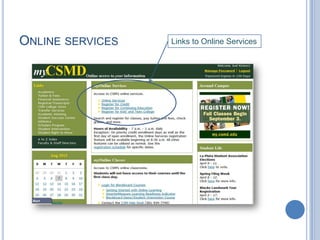
ONLINE SERVICES Links to Online Services
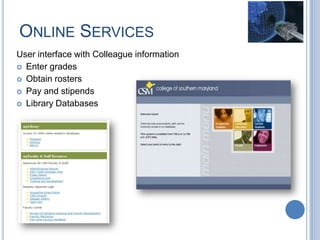
ONLINE SERVICES
User interface with Colleague information
 Enter grades
 Obtain rosters
 Pay and stipends
 Library Databases
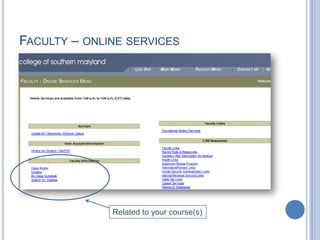
FACULTY – ONLINE SERVICES
Related to your course(s)
BLACKBOARD
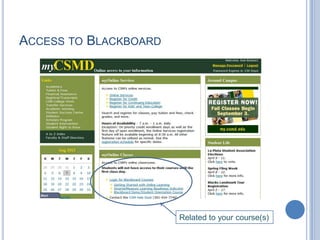
ACCESS TO BLACKBOARD
Related to your course(s)
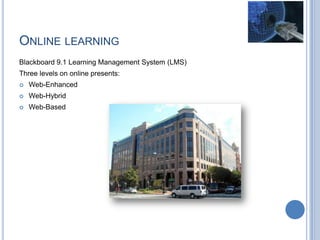
ONLINE LEARNING
Blackboard 9.1 Learning Management System (LMS)
Three levels on online presents:
 Web-Enhanced
 Web-Hybrid
 Web-Based
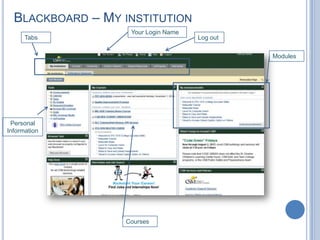
BLACKBOARD – MY INSTITUTION
Log out
Your Login Name
Tabs
Modules
Personal
Information
Courses
GROUPWISE
GROUPWISE FUNDAMENTALS
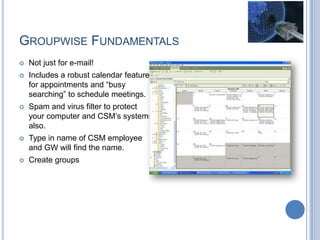
 Not just for e-mail!
 Includes a robust calendar feature
for appointments and “busy
searching” to schedule meetings.
 Spam and virus filter to protect
your computer and CSM’s systems
also.
 Type in name of CSM employee
and GW will find the name.
 Create groups
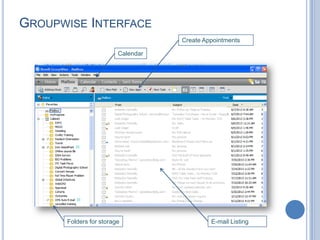
GROUPWISE INTERFACE
Folders for storage
Calendar
Create Appointments
E-mail Listing
GROUPWISE FUNDAMENTALS –
SPAM AND VIRUS FILTER
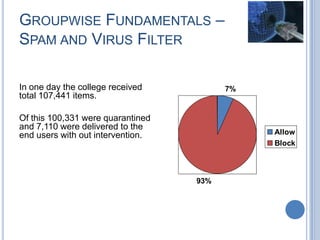
In one day the college received
total 107,441 items.
Of this 100,331 were quarantined
and 7,110 were delivered to the
end users with out intervention.
7%
93%
Allow
Block
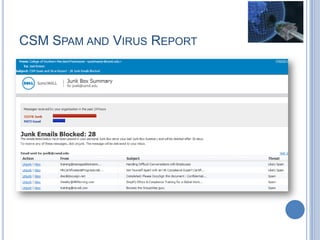
CSM SPAM AND VIRUS REPORT
NETWORK
HELP DESK (ITS)
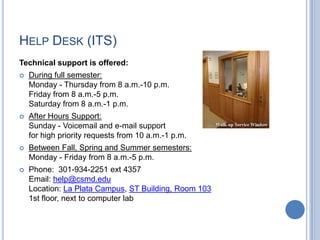
Technical support is offered:
 During full semester:
Monday - Thursday from 8 a.m.-10 p.m.
Friday from 8 a.m.-5 p.m.
Saturday from 8 a.m.-1 p.m.
 After Hours Support:
Sunday - Voicemail and e-mail support
for high priority requests from 10 a.m.-1 p.m.
 Between Fall, Spring and Summer semesters:
Monday - Friday from 8 a.m.-5 p.m.
 Phone: 301-934-2251 ext 4357
Email: help@csmd.edu
Location: La Plata Campus, ST Building, Room 103
1st floor, next to computer lab
SOFTWARE INSTALLATION
Software Installation Request
Http://csmd.edu/webforms/softwareRequest/
List of Software Owned by CSM
 Adobe: Acrobat Professional
 Adobe Flash Player w/Plugins
 Datatel: Datatel UI Web Access
 Datatel Desktop/Client (only for approved users)
 Filezilla: FileZilla (replaces WS_FTP)
 Google: Google Chrome
 Microsoft: Word 2010
 Excel 2010, Powerpoint 2010, OneNote 2010, Outlook 2010, Access 2010, Publisher 2010
 Microsoft Silverlight
 Project
 Visio
 Frontpage
 Novell: Novell Messenger
 Novell Groupwise
 Oracle: Java x Update xx
 Mozilla: Mozilla Firefox
 Endpoint: Checkpoint Antivirus
EQUIPMENT FOR CHECKOUT
ITS has an equipment pool of technology items available for
checkout to staff and faculty. The following list contains the items
available for checkout.
 Laptops
 LCD Projectors
 Remote Presenters
 Video Cameras (DVD, Mini DV)
 Tripods
 CD Player/Cassette Recorder
 Projection Screens
 Flipcharts
 Easels
DLF
 Voice Recorders
 Web cams
 Flip cameras
 Pointers
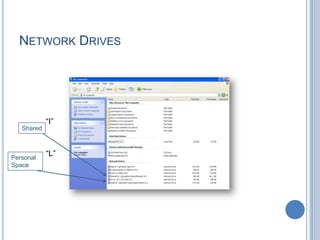
NETWORK DRIVES
Shared
Personal
Space
“I”
“L”
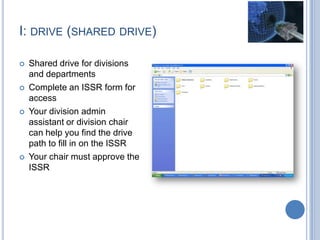
I: DRIVE (SHARED DRIVE)
 Shared drive for divisions
and departments
 Complete an ISSR form for
access
 Your division admin
assistant or division chair
can help you find the drive
path to fill in on the ISSR
 Your chair must approve the
ISSR
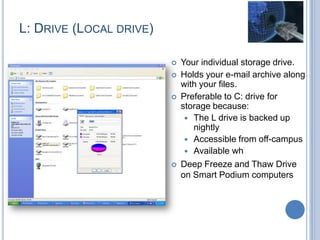
L: DRIVE (LOCAL DRIVE)
 Your individual storage drive.
 Holds your e-mail archive along
with your files.
 Preferable to C: drive for
storage because:
 The L drive is backed up
nightly
 Accessible from off-campus
 Available wh
 Deep Freeze and Thaw Drive
on Smart Podium computers
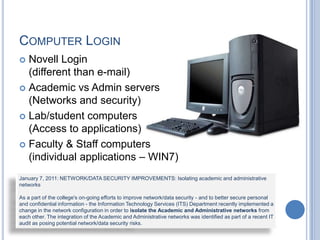
COMPUTER LOGIN
 Novell Login
(different than e-mail)
 Academic vs Admin servers
(Networks and security)
 Lab/student computers
(Access to applications)
 Faculty & Staff computers
(individual applications – WIN7)
January 7, 2011: NETWORK/DATA SECURITY IMPROVEMENTS: Isolating academic and administrative
networks
As a part of the college's on-going efforts to improve network/data security - and to better secure personal
and confidential information - the Information Technology Services (ITS) Department recently implemented a
change in the network configuration in order to isolate the Academic and Administrative networks from
each other. The integration of the Academic and Administrative networks was identified as part of a recent IT
audit as posing potential network/data security risks.
OTHER SERVICES
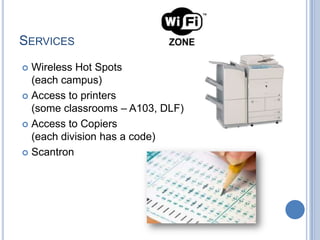
SERVICES
 Wireless Hot Spots
(each campus)
 Access to printers
(some classrooms – A103, DLF)
 Access to Copiers
(each division has a code)
 Scantron
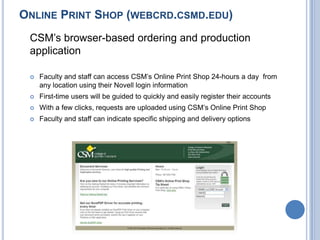
ONLINE PRINT SHOP (WEBCRD.CSMD.EDU)
CSM’s browser-based ordering and production
application
 Faculty and staff can access CSM’s Online Print Shop 24-hours a day from
any location using their Novell login information
 First-time users will be guided to quickly and easily register their accounts
 With a few clicks, requests are uploaded using CSM’s Online Print Shop
 Faculty and staff can indicate specific shipping and delivery options
SOCIAL NETWORKING
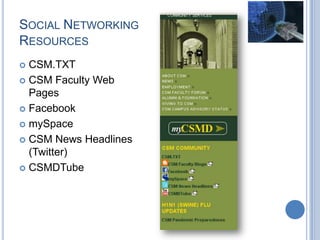
SOCIAL NETWORKING
RESOURCES
 CSM.TXT
 CSM Faculty Web
Pages
 Facebook
 mySpace
 CSM News Headlines
(Twitter)
 CSMDTube
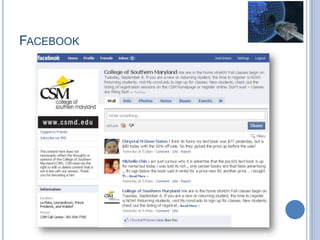
FACEBOOK
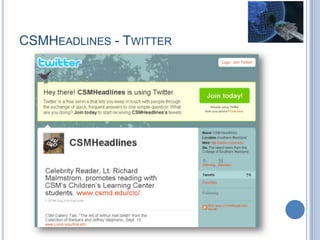
CSMHEADLINES - TWITTER
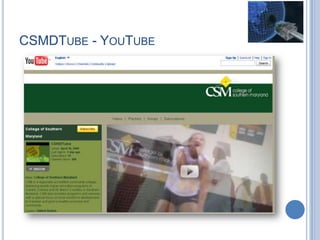
CSMDTUBE - YOUTUBE
Thank You!

Getting wired at csm spring2013

  • 1.
    GETTING WIRED ATCSM Joel Kinison joelk@csmd.edu 301 539-4739
  • 2.
    OVERVIEW  We are… CSM Training Opportunities  Website Tour  MyCSMD  Blackboard  Groupwise  Network  Other Services  Social Networking
  • 3.
    DISTANCE LEARNING &FACULTY DEVELOPMENT (DLF)
  • 5.
  • 6.
  • 7.
    TRAINING CALENDAR DLF training IMTtraining Information Management Team Detail of Training
  • 8.
    OTHER TRAINING  HR (FERPA)  Sexual Harassment and Awareness Training  Defensive Driver  IMT  Information Technology Services (ITS) Overview ITS is your one-stop-shop for all your technology needs, whether you need PC support, software development, telephone/voice mail assistance, audio/ visual equipment, software installs or network access.  Information Security Basics Join the Assistant Director of Enterprise System Administration to hear an overview of various types of security threats and vulnerabilities. Learn about what you need to know to protect yourself and the college. All employees are urged to attend.  GroupWise Basics This hands-on course is just what you need to master many GroupWise functions you can use everyday to easily manage your mailbox and calendar. For example, you will learn how to organize your mailbox and set clean up parameters to keep your mail environment clutter-free and orderly.
  • 9.
  • 10.
  • 11.
  • 12.
    DLF WEBSITE TOUR Teachingand Learning  Contact Us  Faculty Development  Conferences  Self-Instructional training Support Services  Programs  Adjunct faculty Resources  Quality Matters  Featured  Online Learning  Instructional technology  Instructional Design  MOOC’s  Procedures & Forms
  • 13.
    CSM – FACULTY& STAFF RESOURCES http://www.csmd.edu myCSMD Faculty & Staff Resources GroupWise E-mail Highlights • Academic Divisions • Administrative Manual • Service Learning • DLF • Faculty Handbook • Faculty Mentoring • Scholars Program • Training • Strategic Plan
  • 14.
  • 15.
    MYCSMD – SINGLESIGN-ON ONLINE SERVICES -BLACKBOARD 9.1 You will use myCSMD to access to online services where you will log into any online course you are taking at CSM. User id example: jhkinison Password example: 0513232 (faculty id #)
  • 16.
    ONLINE SERVICES Linksto Online Services
  • 17.
    ONLINE SERVICES User interfacewith Colleague information  Enter grades  Obtain rosters  Pay and stipends  Library Databases
  • 18.
    FACULTY – ONLINESERVICES Related to your course(s)
  • 19.
  • 20.
  • 21.
    ONLINE LEARNING Blackboard 9.1Learning Management System (LMS) Three levels on online presents:  Web-Enhanced  Web-Hybrid  Web-Based
  • 22.
    BLACKBOARD – MYINSTITUTION Log out Your Login Name Tabs Modules Personal Information Courses
  • 23.
  • 24.
    GROUPWISE FUNDAMENTALS  Notjust for e-mail!  Includes a robust calendar feature for appointments and “busy searching” to schedule meetings.  Spam and virus filter to protect your computer and CSM’s systems also.  Type in name of CSM employee and GW will find the name.  Create groups
  • 25.
    GROUPWISE INTERFACE Folders forstorage Calendar Create Appointments E-mail Listing
  • 26.
    GROUPWISE FUNDAMENTALS – SPAMAND VIRUS FILTER In one day the college received total 107,441 items. Of this 100,331 were quarantined and 7,110 were delivered to the end users with out intervention. 7% 93% Allow Block
  • 27.
    CSM SPAM ANDVIRUS REPORT
  • 28.
  • 29.
    HELP DESK (ITS) Technicalsupport is offered:  During full semester: Monday - Thursday from 8 a.m.-10 p.m. Friday from 8 a.m.-5 p.m. Saturday from 8 a.m.-1 p.m.  After Hours Support: Sunday - Voicemail and e-mail support for high priority requests from 10 a.m.-1 p.m.  Between Fall, Spring and Summer semesters: Monday - Friday from 8 a.m.-5 p.m.  Phone: 301-934-2251 ext 4357 Email: help@csmd.edu Location: La Plata Campus, ST Building, Room 103 1st floor, next to computer lab
  • 30.
    SOFTWARE INSTALLATION Software InstallationRequest Http://csmd.edu/webforms/softwareRequest/ List of Software Owned by CSM  Adobe: Acrobat Professional  Adobe Flash Player w/Plugins  Datatel: Datatel UI Web Access  Datatel Desktop/Client (only for approved users)  Filezilla: FileZilla (replaces WS_FTP)  Google: Google Chrome  Microsoft: Word 2010  Excel 2010, Powerpoint 2010, OneNote 2010, Outlook 2010, Access 2010, Publisher 2010  Microsoft Silverlight  Project  Visio  Frontpage  Novell: Novell Messenger  Novell Groupwise  Oracle: Java x Update xx  Mozilla: Mozilla Firefox  Endpoint: Checkpoint Antivirus
  • 31.
    EQUIPMENT FOR CHECKOUT ITShas an equipment pool of technology items available for checkout to staff and faculty. The following list contains the items available for checkout.  Laptops  LCD Projectors  Remote Presenters  Video Cameras (DVD, Mini DV)  Tripods  CD Player/Cassette Recorder  Projection Screens  Flipcharts  Easels DLF  Voice Recorders  Web cams  Flip cameras  Pointers
  • 32.
  • 33.
    I: DRIVE (SHAREDDRIVE)  Shared drive for divisions and departments  Complete an ISSR form for access  Your division admin assistant or division chair can help you find the drive path to fill in on the ISSR  Your chair must approve the ISSR
  • 34.
    L: DRIVE (LOCALDRIVE)  Your individual storage drive.  Holds your e-mail archive along with your files.  Preferable to C: drive for storage because:  The L drive is backed up nightly  Accessible from off-campus  Available wh  Deep Freeze and Thaw Drive on Smart Podium computers
  • 35.
    COMPUTER LOGIN  NovellLogin (different than e-mail)  Academic vs Admin servers (Networks and security)  Lab/student computers (Access to applications)  Faculty & Staff computers (individual applications – WIN7) January 7, 2011: NETWORK/DATA SECURITY IMPROVEMENTS: Isolating academic and administrative networks As a part of the college's on-going efforts to improve network/data security - and to better secure personal and confidential information - the Information Technology Services (ITS) Department recently implemented a change in the network configuration in order to isolate the Academic and Administrative networks from each other. The integration of the Academic and Administrative networks was identified as part of a recent IT audit as posing potential network/data security risks.
  • 36.
  • 37.
    SERVICES  Wireless HotSpots (each campus)  Access to printers (some classrooms – A103, DLF)  Access to Copiers (each division has a code)  Scantron
  • 38.
    ONLINE PRINT SHOP(WEBCRD.CSMD.EDU) CSM’s browser-based ordering and production application  Faculty and staff can access CSM’s Online Print Shop 24-hours a day from any location using their Novell login information  First-time users will be guided to quickly and easily register their accounts  With a few clicks, requests are uploaded using CSM’s Online Print Shop  Faculty and staff can indicate specific shipping and delivery options
  • 39.
  • 40.
    SOCIAL NETWORKING RESOURCES  CSM.TXT CSM Faculty Web Pages  Facebook  mySpace  CSM News Headlines (Twitter)  CSMDTube
  • 41.
  • 42.
  • 43.
  • 44.

Editor's Notes

  • #41 CSM is launching a new and improved system for tracking and submitting all internal printing services. CSM’s Online Print Shop (webcrd.csmd.edu), a browser-based ordering and production application, will now enable faculty and staff to order, manage, and reorder items from the Online Printing Service from any computer. This easy-to-use application supports the entire ordering process, from order placement and file submission through production. The current method for requesting internal printing services at CSM has been, at times, challenging for faculty, staff, and especially the technician. With CSM’s Online Print Shop, this process will be streamlined and simplified. • Faculty and staff can access CSM’s Online Print Shop 24-hours a day from any location using their Novell login information • First-time users will be guided to quickly and easily register their accounts • With a few clicks, requests are uploaded using CSM’s Online Print Shop • Faculty and staff can select a variety of finishing options • All jobs can be previewed in real time for accuracy • Faculty and staff can indicate specific shipping and delivery options • Billing information is handled with authorized account codes • Orders are placed with a simple click of the mouse on or off campus • A confirmation e-mail is sent to users who have placed an order