

   Review and Revision of Computer Lab and
    Technology Classroom Management

   Strategy for Supporting “Bring Your Own
    Device”

   Security Awareness and Data Security/Privacy

   IT Strategic Planning Process
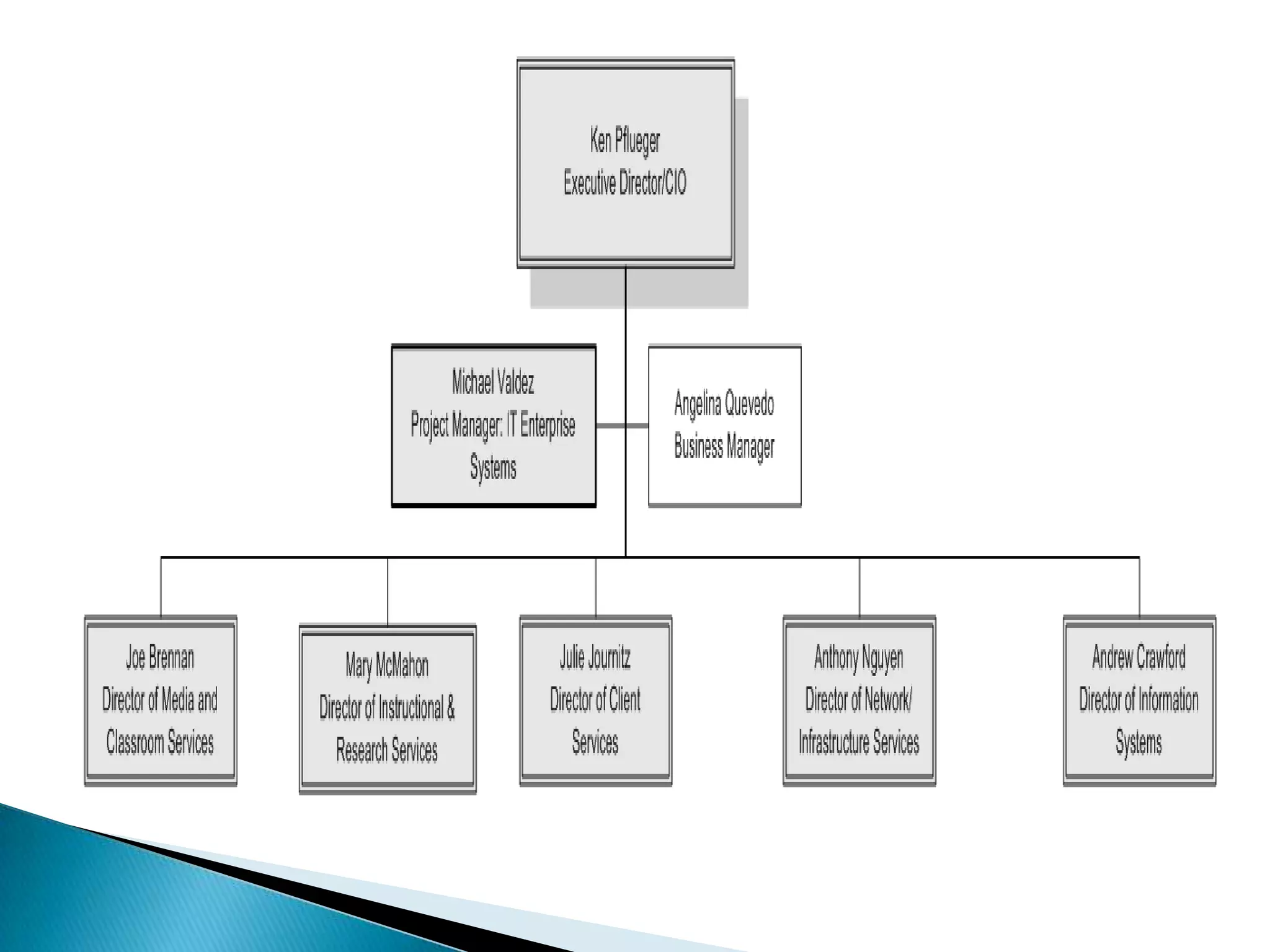
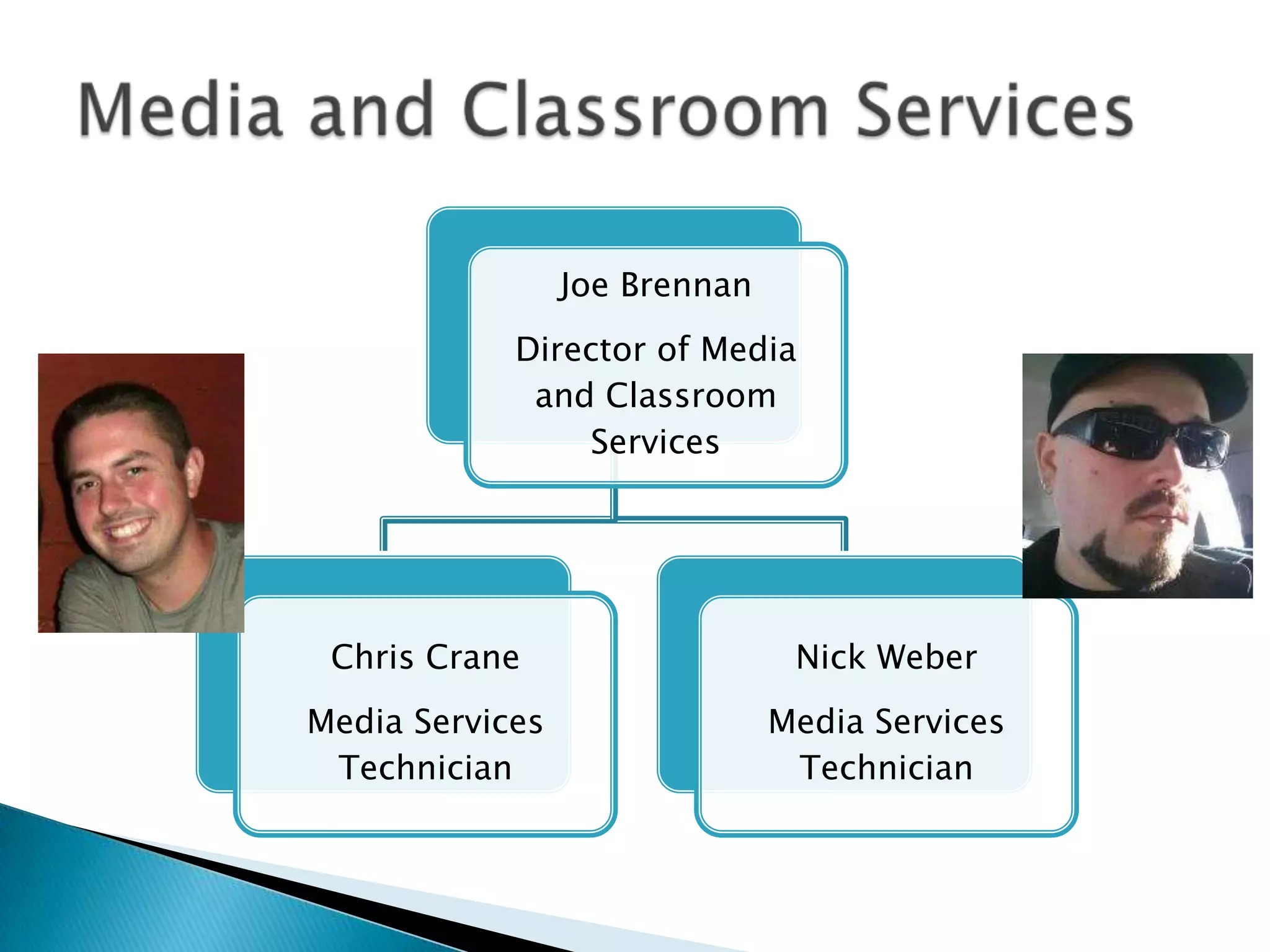
Joe Brennan
            Director of Media
             and Classroom
                Services


 Chris Crane                    Nick Weber
Media Services                 Media Services
 Technician                     Technician
   Support and maintain the College’s technology
    enhanced classrooms and meeting spaces.


   Provide technology services supporting
    curricular and co-curricular activities and
    College events.


   Manage the purchase, design and installation
    of audiovisual hardware campus-wide.
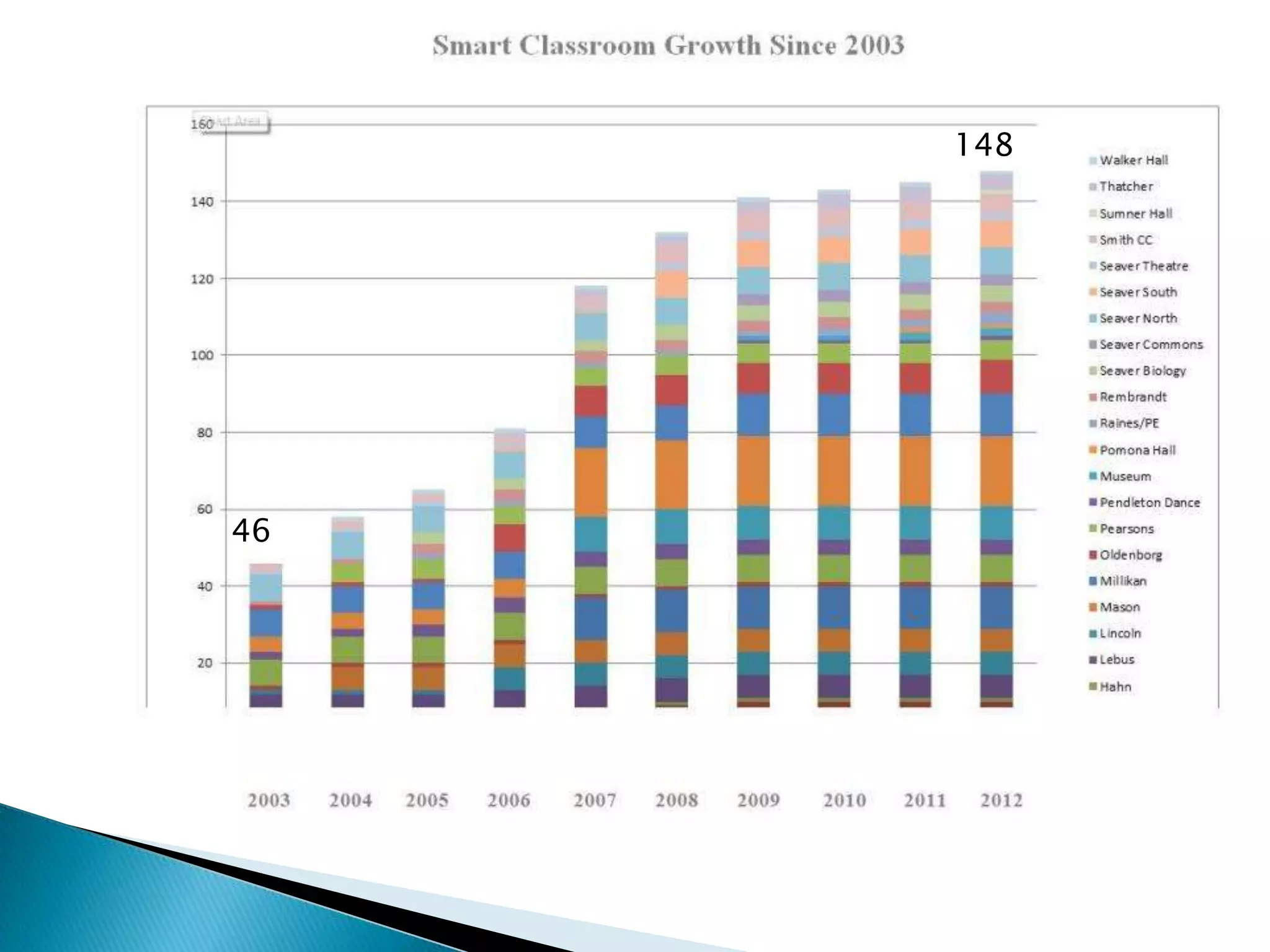
148


46
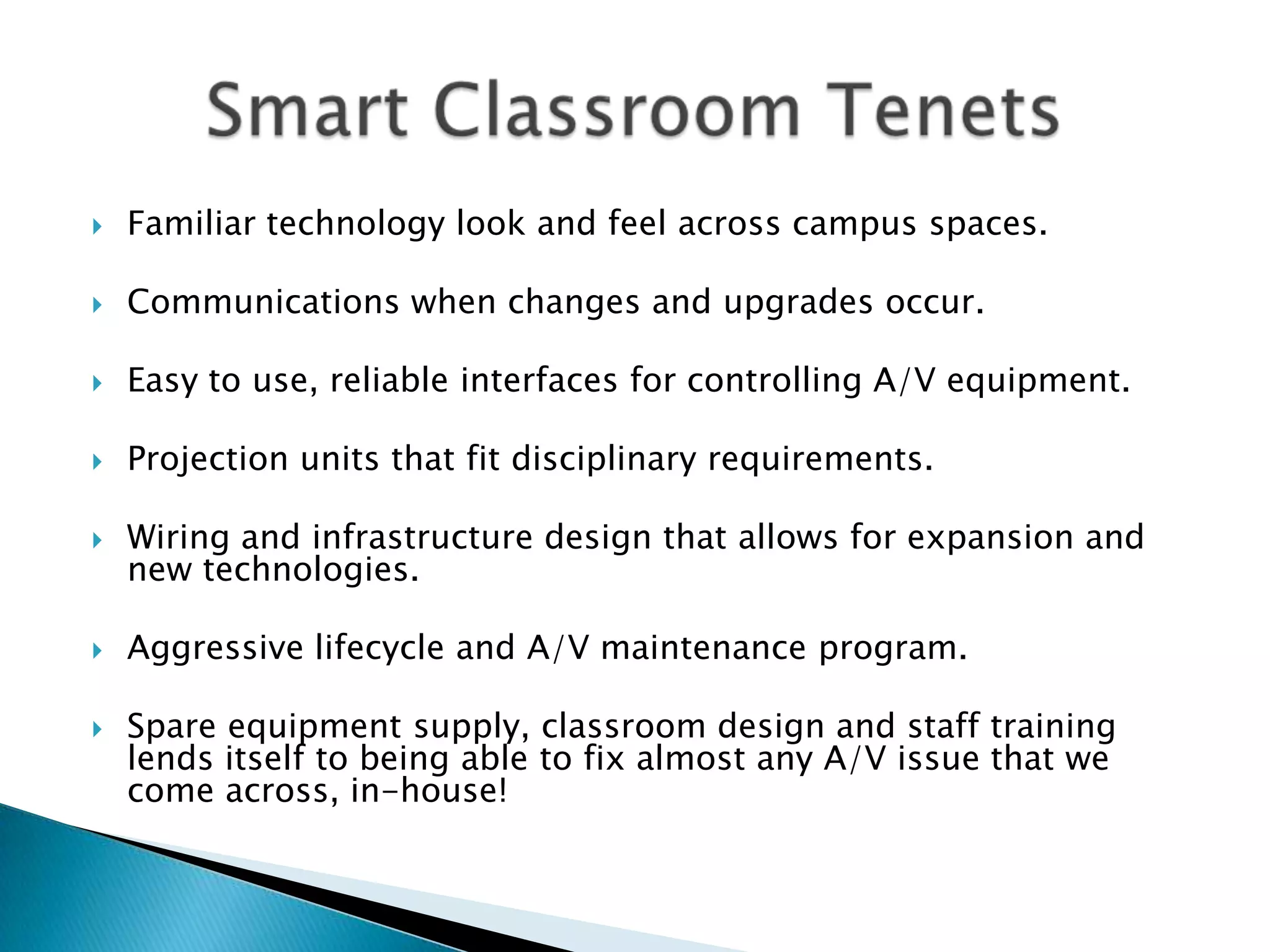
   Familiar technology look and feel across campus spaces.

   Communications when changes and upgrades occur.

   Easy to use, reliable interfaces for controlling A/V equipment.

   Projection units that fit disciplinary requirements.

   Wiring and infrastructure design that allows for expansion and
    new technologies.

   Aggressive lifecycle and A/V maintenance program.

   Spare equipment supply, classroom design and staff training
    lends itself to being able to fix almost any A/V issue that we
    come across, in-house!
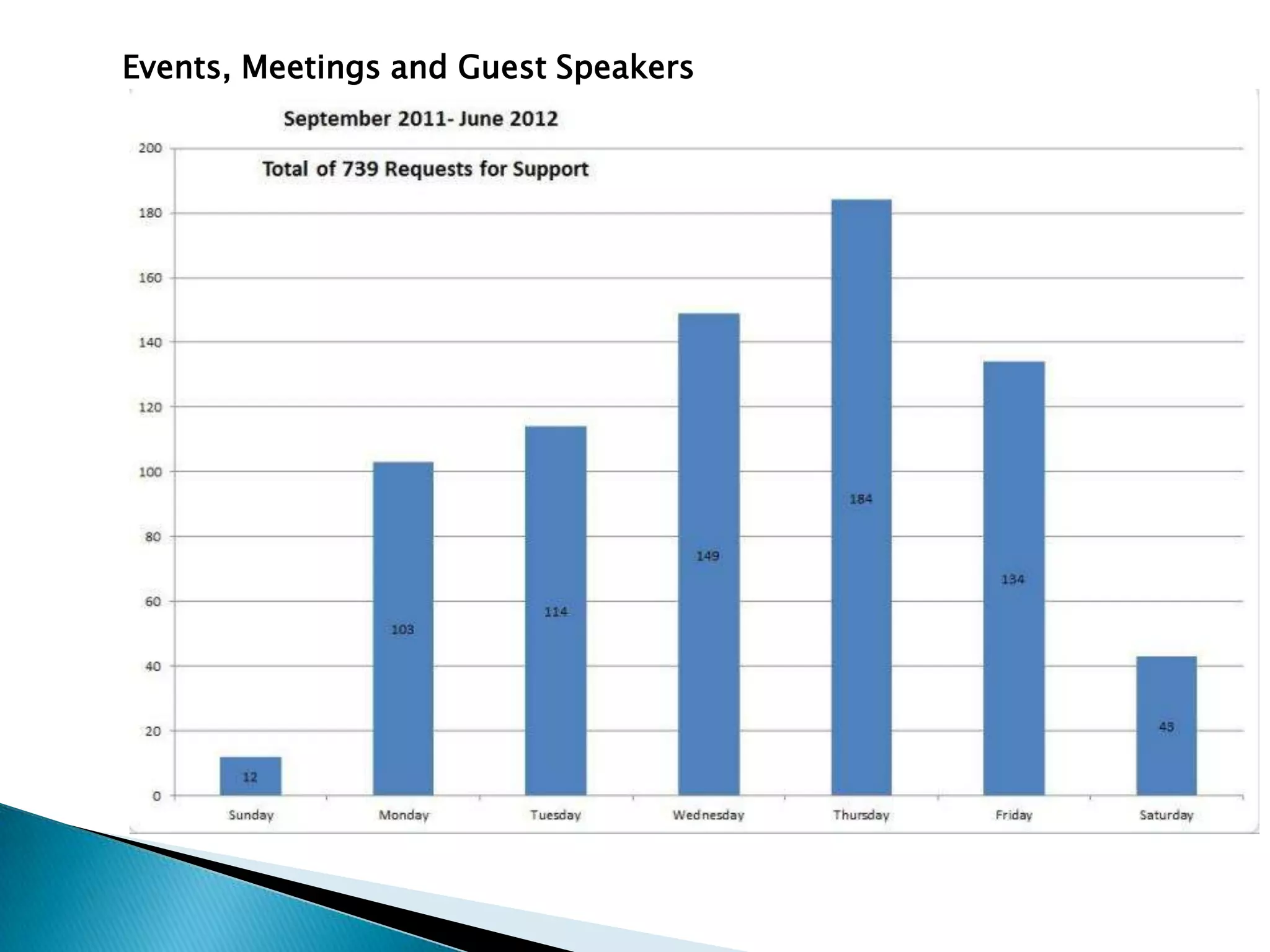
Events, Meetings and Guest Speakers
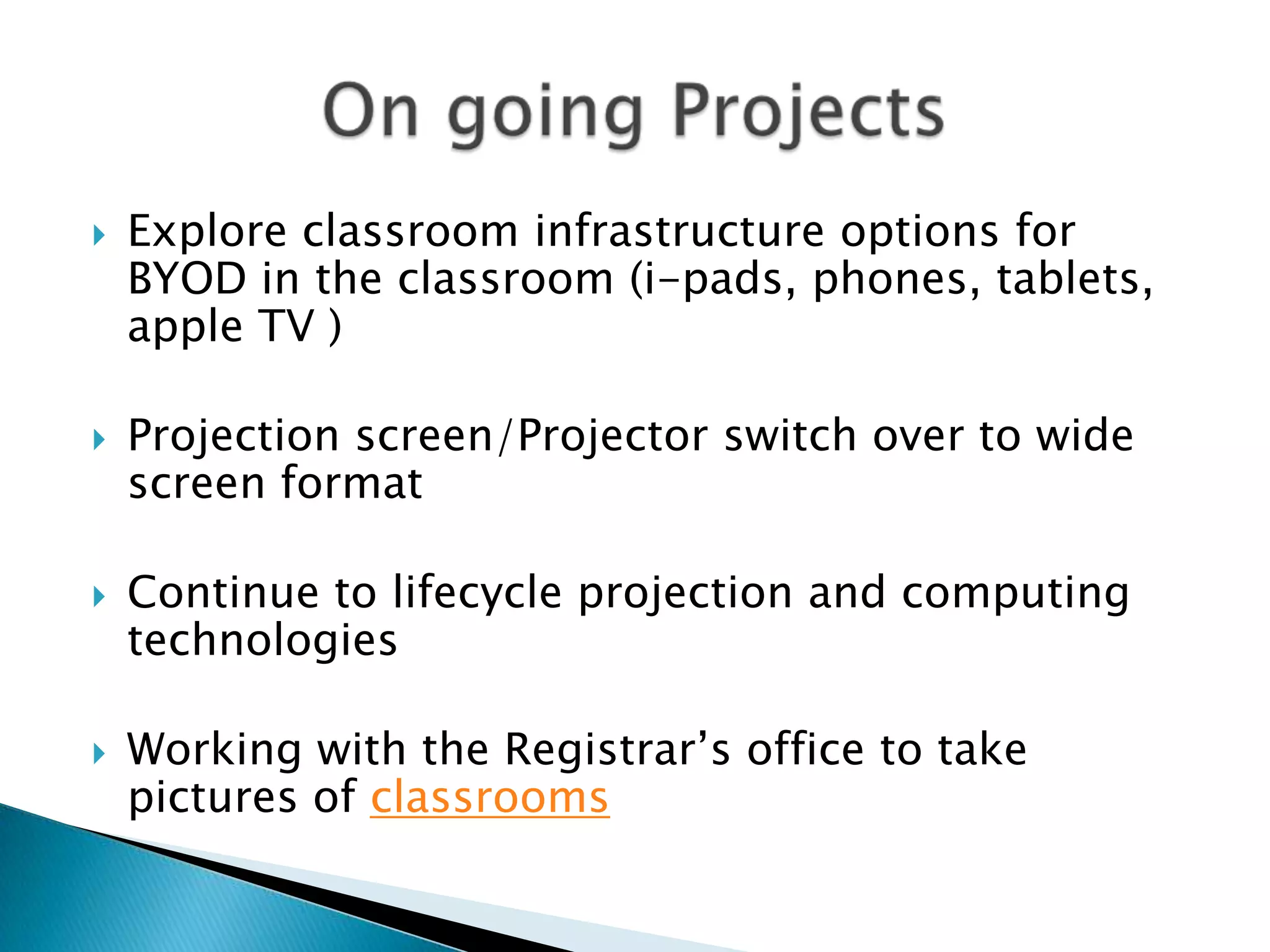
   Explore classroom infrastructure options for
    BYOD in the classroom (i-pads, phones, tablets,
    apple TV )

   Projection screen/Projector switch over to wide
    screen format

   Continue to lifecycle projection and computing
    technologies

   Working with the Registrar’s office to take
    pictures of classrooms
   VCRs-almost unavailable to purchase

   Optical drives (CD/DVD)-Apple has already
    phased them out of their products

   Blu-ray-here, but for how long?

   Wide screen format changes (4:3 to 16:10-
    square to rectangle)
Classroom Emergencies:
   Servicedesk@pomona.edu or ex.18061

 Event Support scheduling, questions
 about spaces, couldja, wouldja
 questions…
MediaServices@Pomona.edu, ex.78333


  Joe Brennan: Jbrennan@pomona.edu, 77355
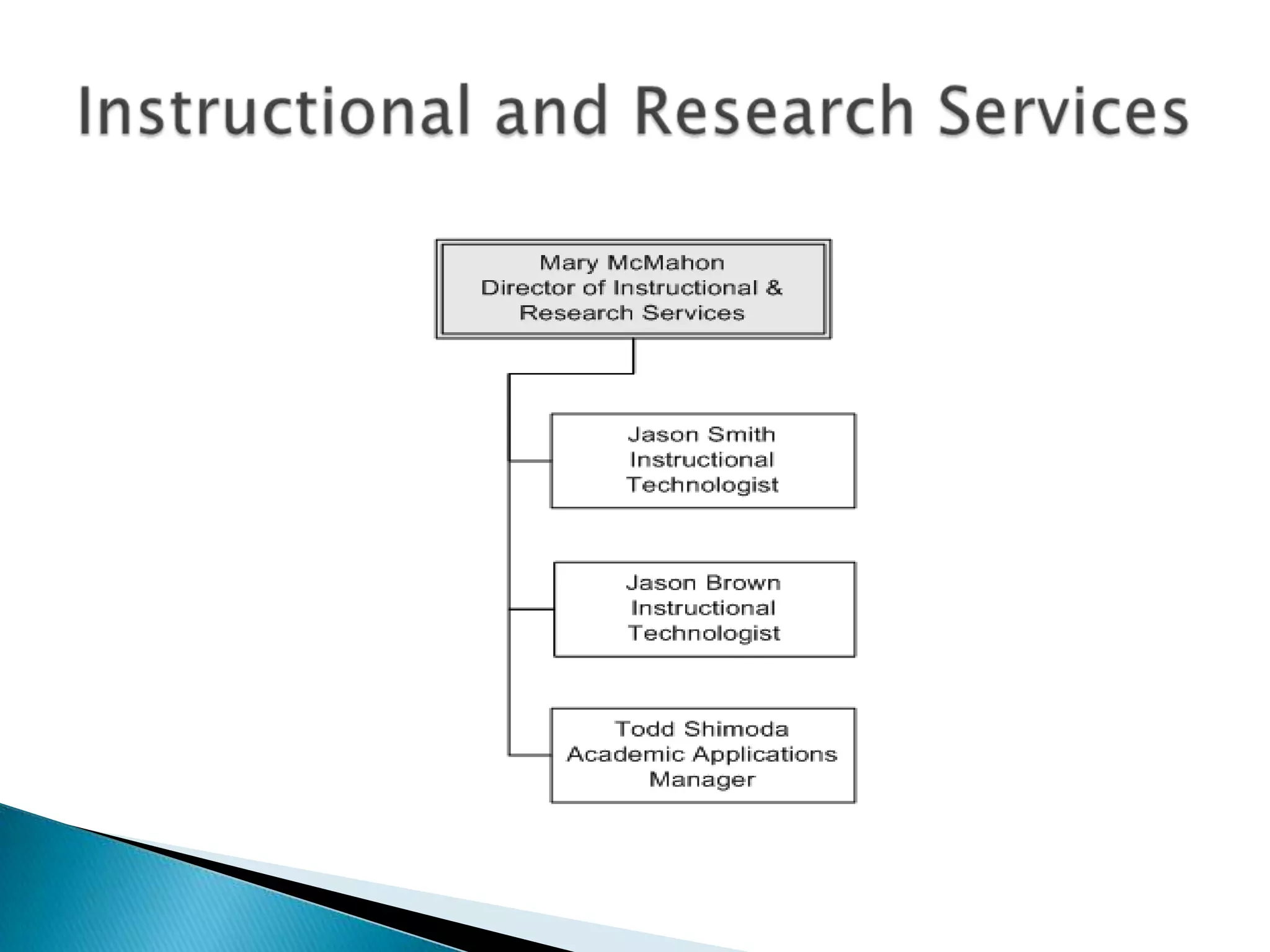
 Advise the campus on current and
  emerging learning technologies.
 Assist the faculty in developing and
  enhancing their use of instructional
  technologies.
 Provide support for the use of
  digital media within classroom
  instruction.
 Provide support for faculty/student
  research.
   988 Pomona Course Sites

   639 Pomona Project Sites:
    ◦ Committees
    ◦ Research groups
    ◦ Task Forces
   Number of course playlists Fall
    2012: 80

   Media items within Video47: 3381

   Number of active items in
    workflow: 6
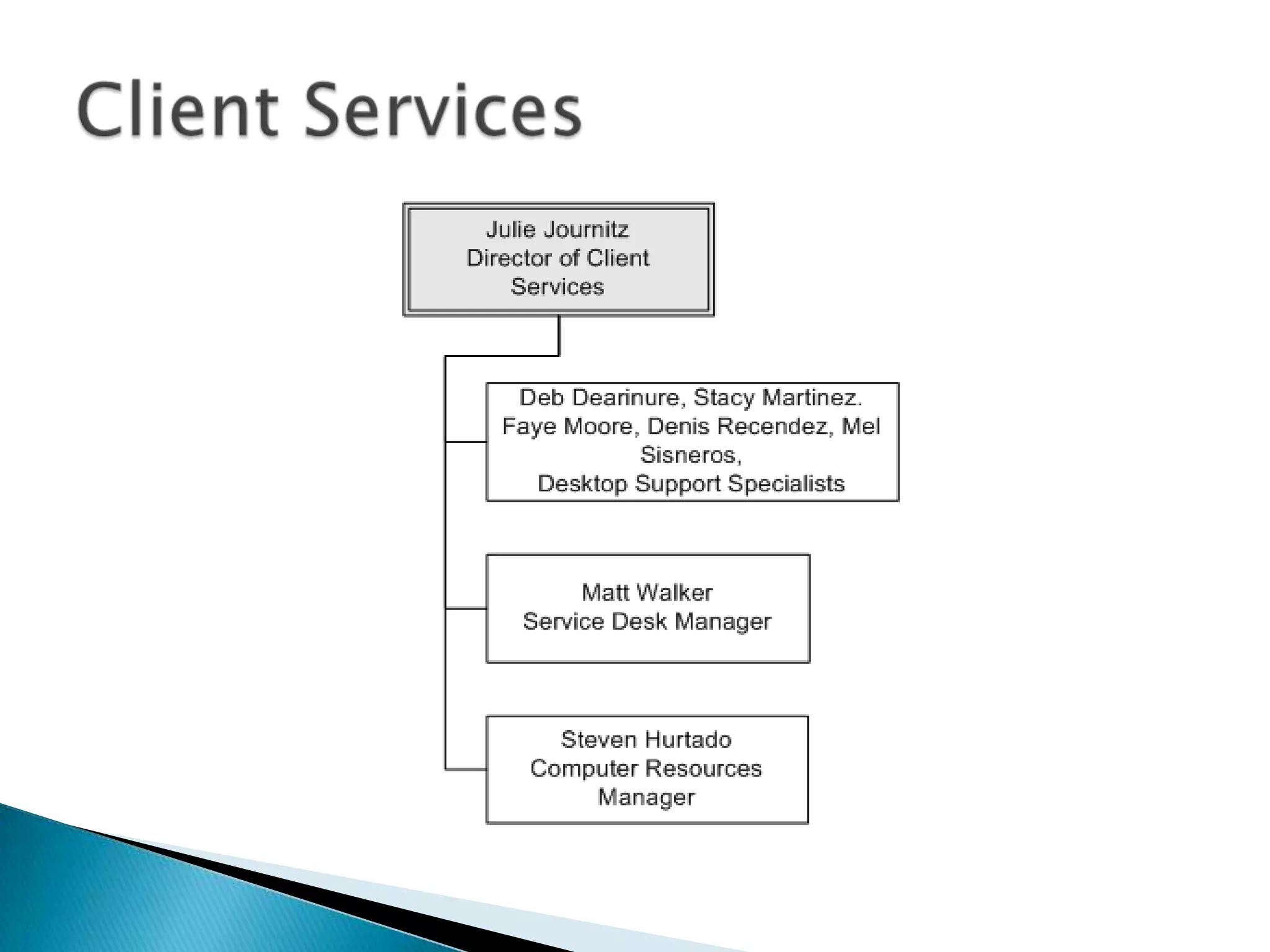
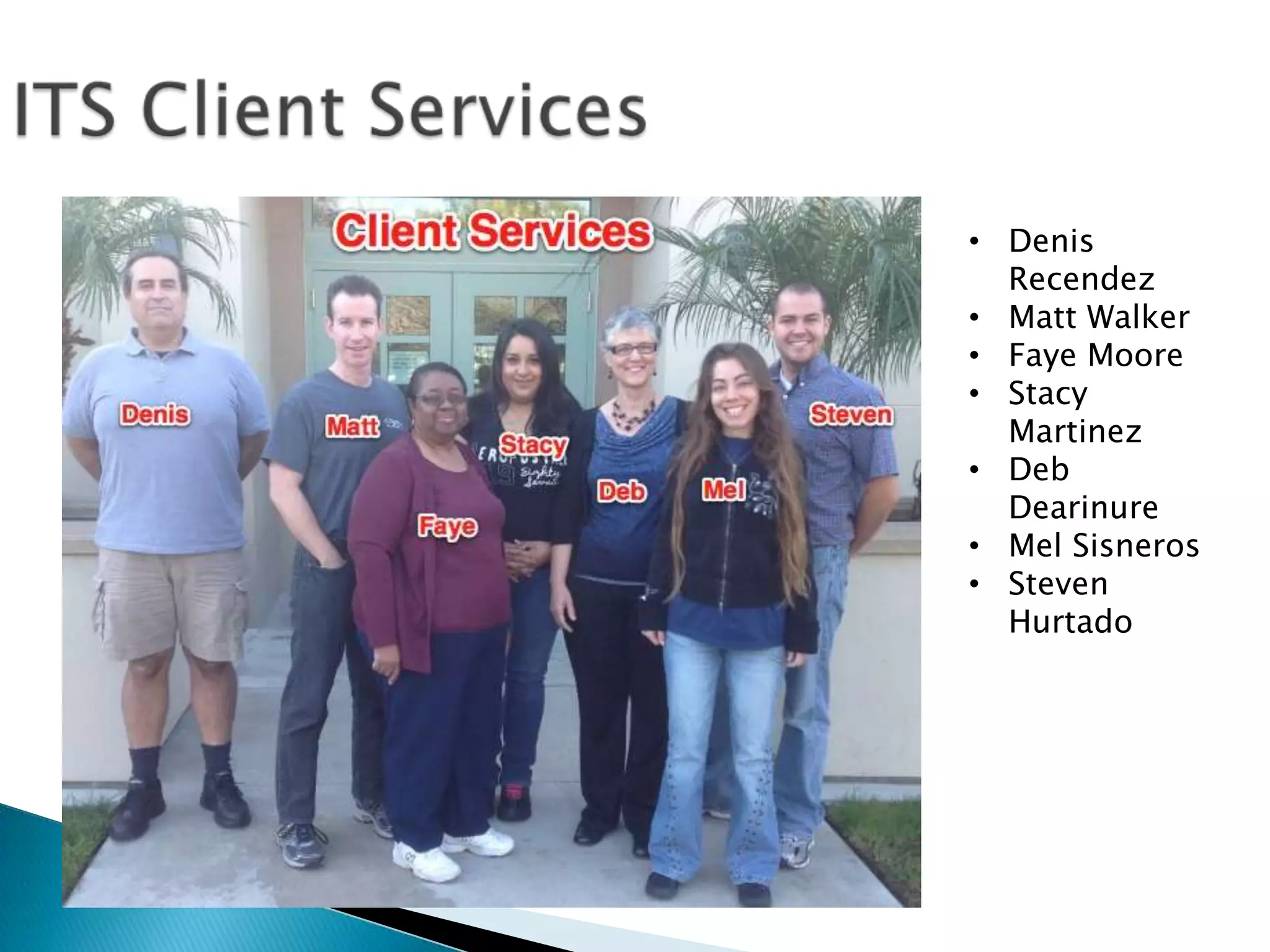
• Denis
  Recendez
• Matt Walker
• Faye Moore
• Stacy
  Martinez
• Deb
  Dearinure
• Mel Sisneros
• Steven
  Hurtado
   Desktop Support
   Service Desk
   Residence Hall computing
   Lab & Classroom Computer Management
   Knowledge Base (http://kb.pomona.edu)
   Software delivery
   Inventory
   Hardware replacement
   Training
   The Service Desk (formerly the Help Desk) provides
    phone, email and in-person support to faculty, staff,
    students, alumni, consortial partners, emeriti

   We provide not only service fulfillment (“I need a new
    computer”) but service assistance (“how do I set up a
    spreadsheet”, “My printer is broken”)

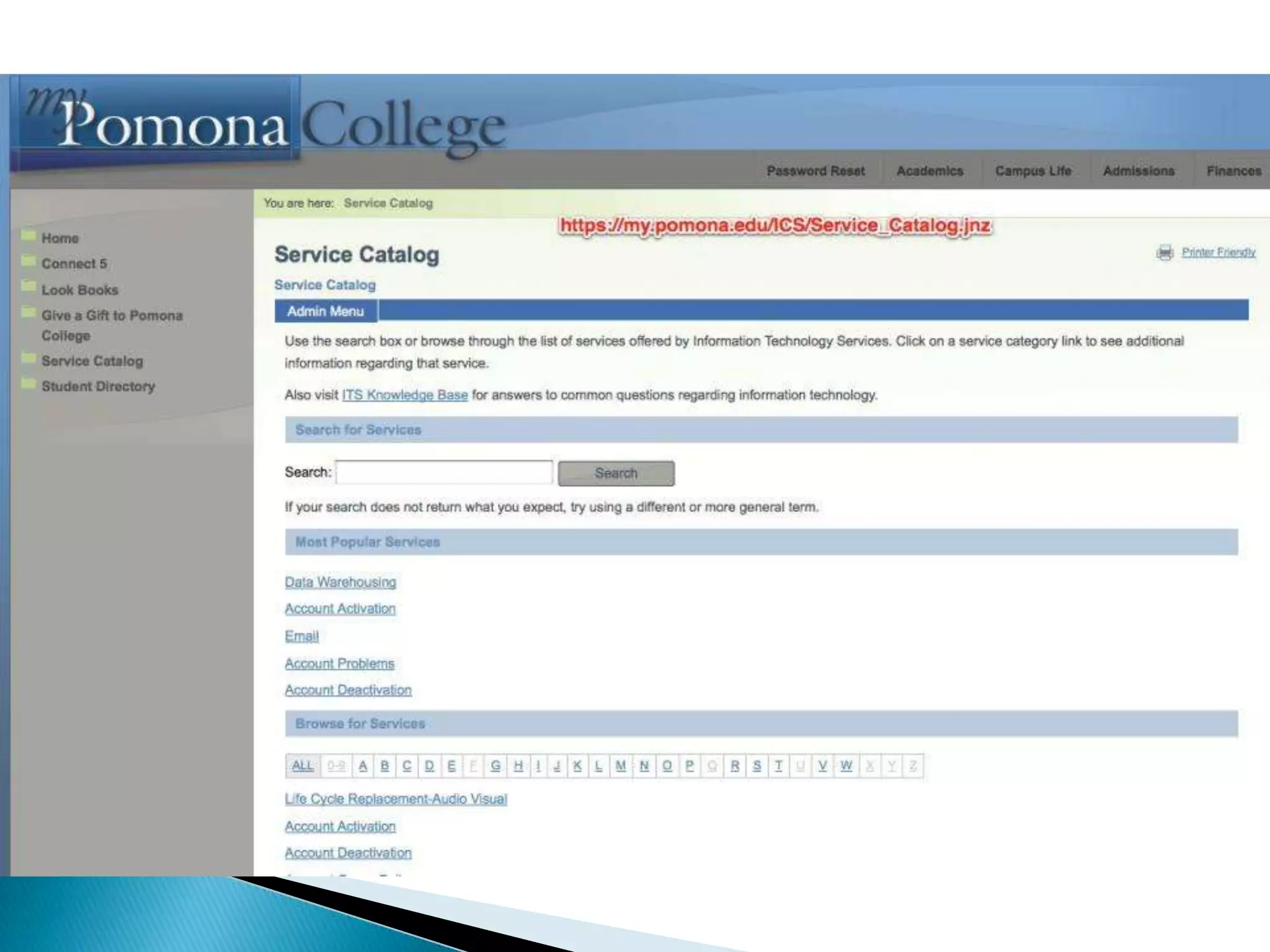
   We work within a “Service Catalog”– a list of services
    ITS provides to the College.
    https://my.pomona.edu/ICS/Service_Catalog.jnz
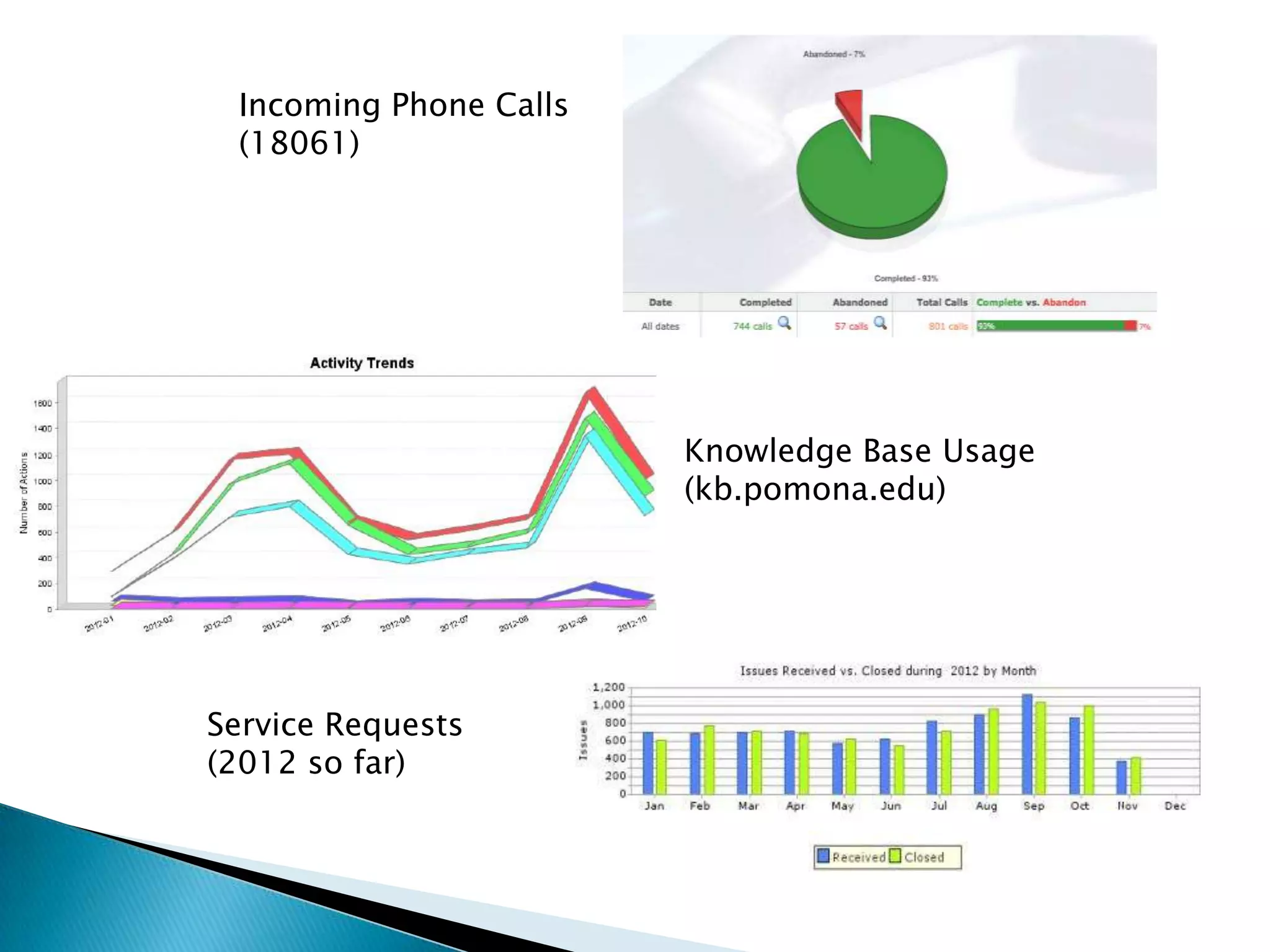
Incoming Phone Calls
 (18061)


                        Knowledge Base Usage
                        (kb.pomona.edu)


Service Requests
(2012 so far)
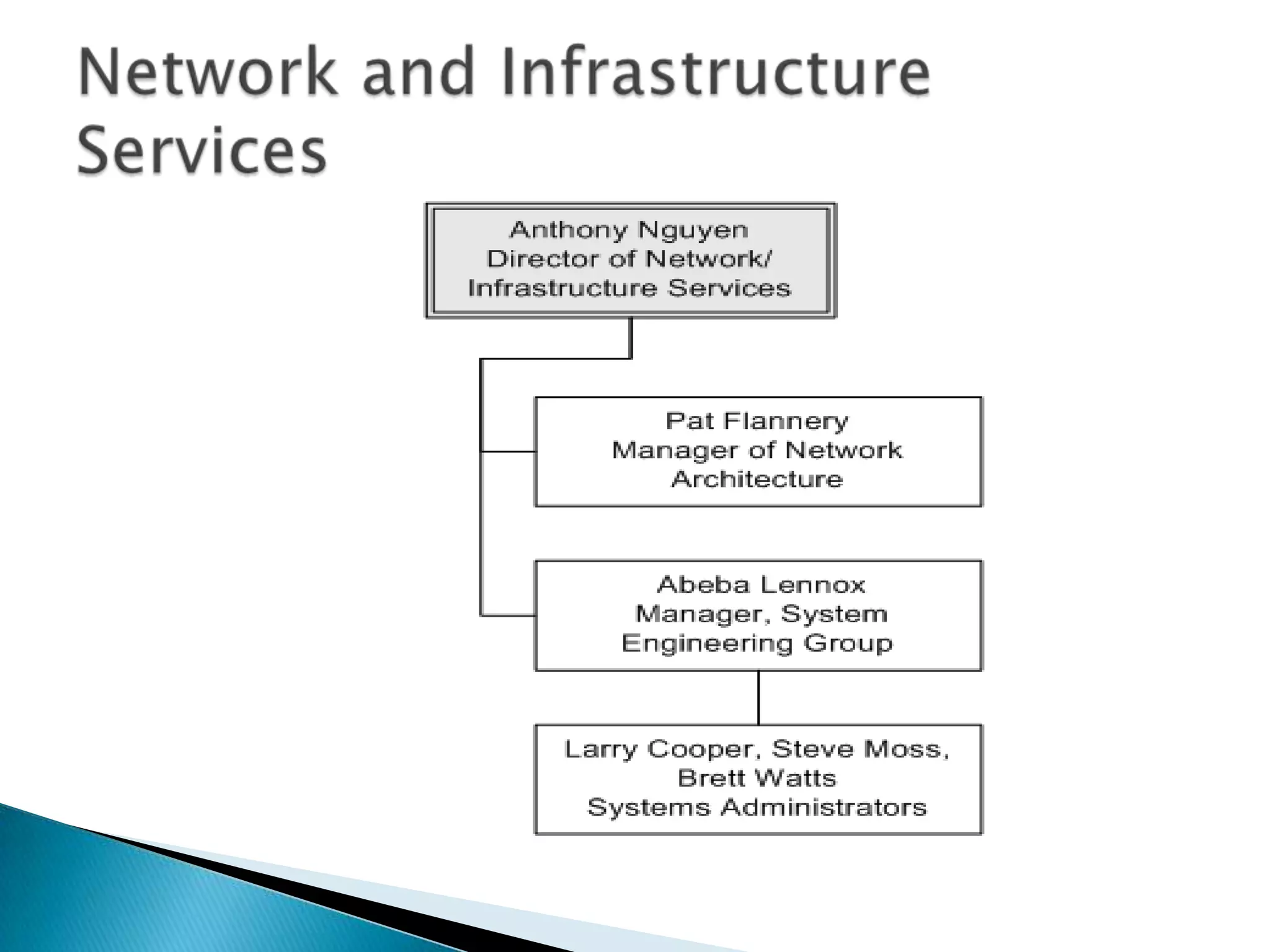
Anthony Nguyen
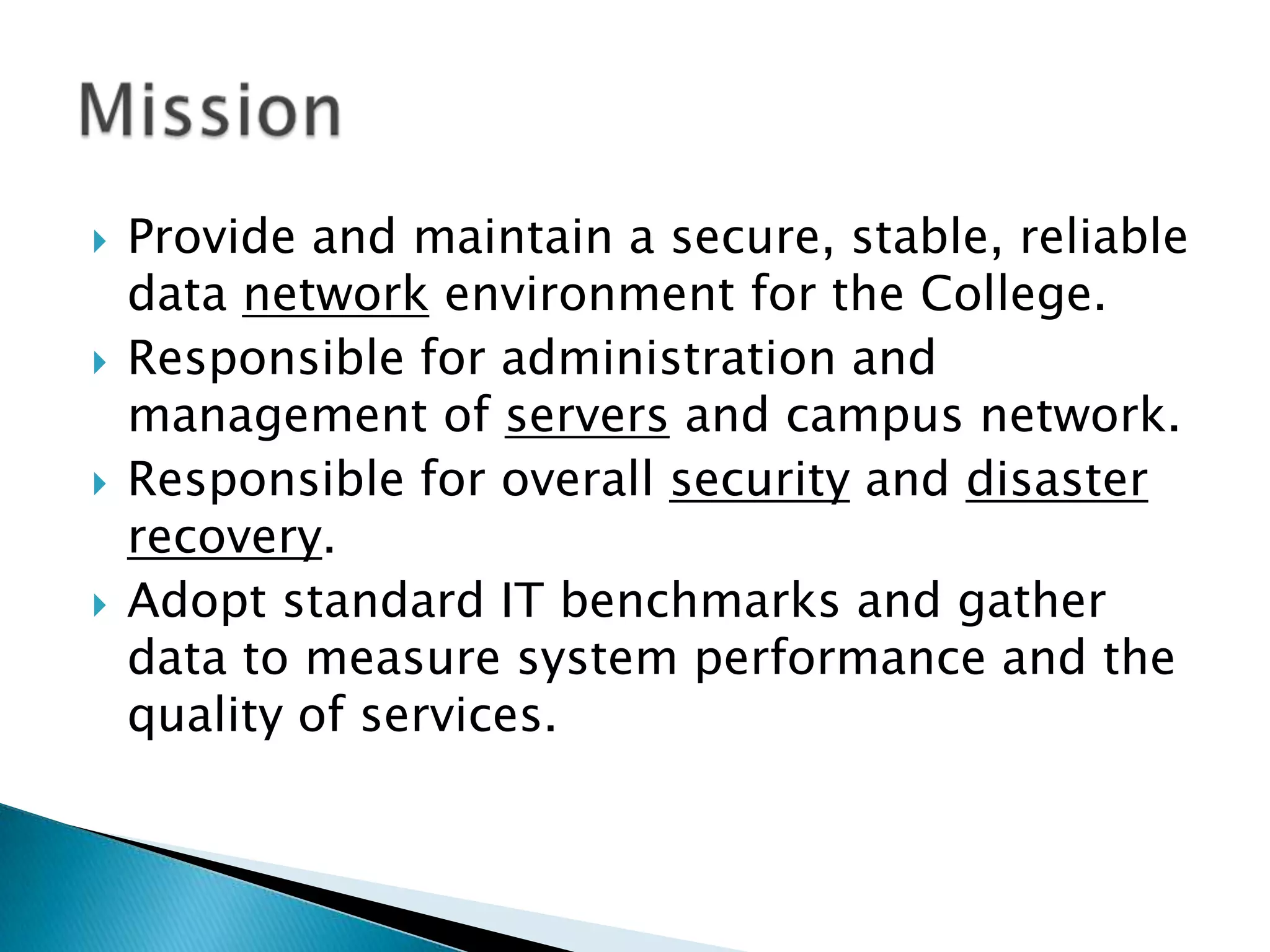
   Provide and maintain a secure, stable, reliable
    data network environment for the College.
   Responsible for administration and
    management of servers and campus network.
   Responsible for overall security and disaster
    recovery.
   Adopt standard IT benchmarks and gather
    data to measure system performance and the
    quality of services.
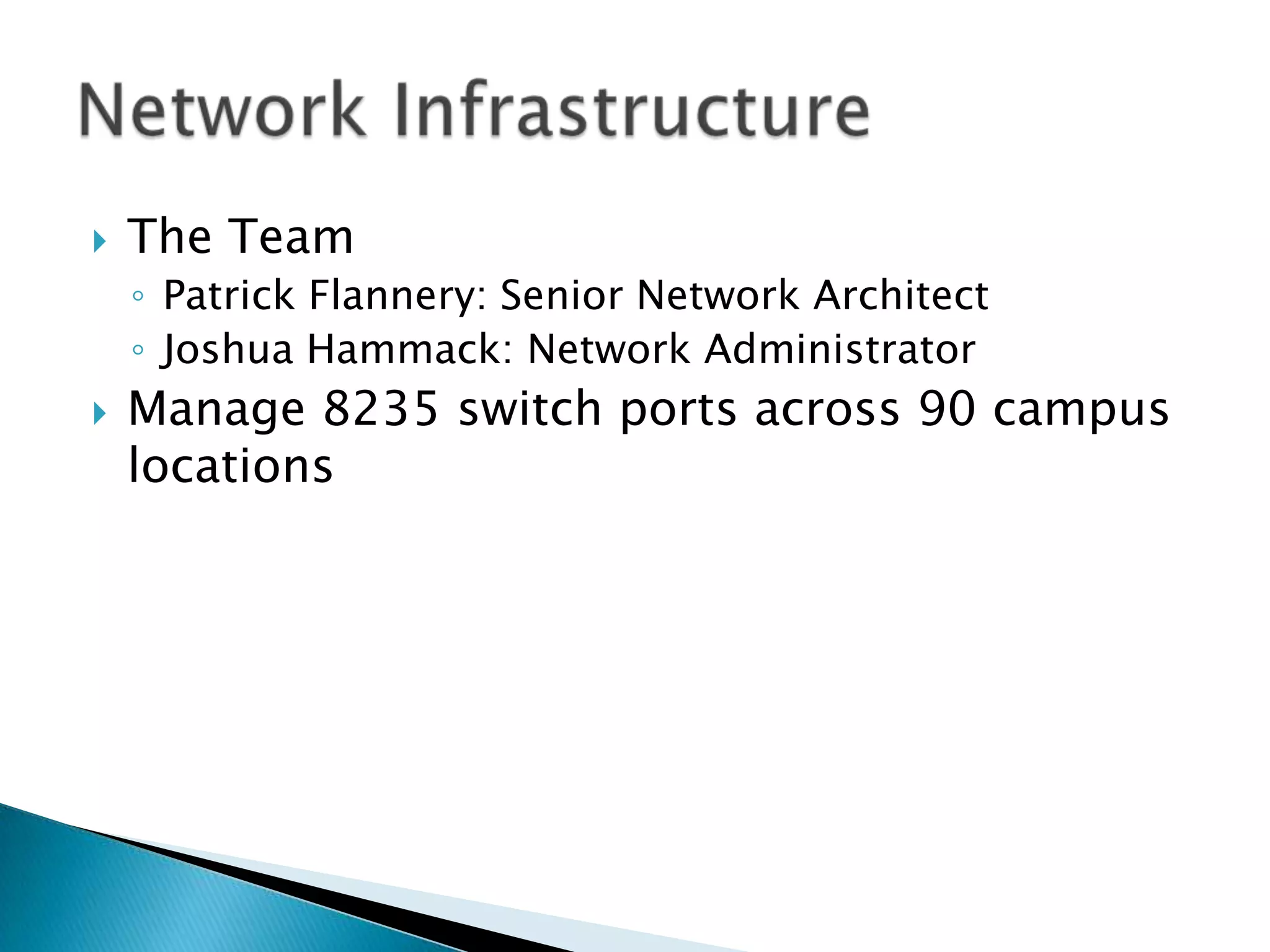
   The Team
    ◦ Patrick Flannery: Senior Network Architect
    ◦ Joshua Hammack: Network Administrator
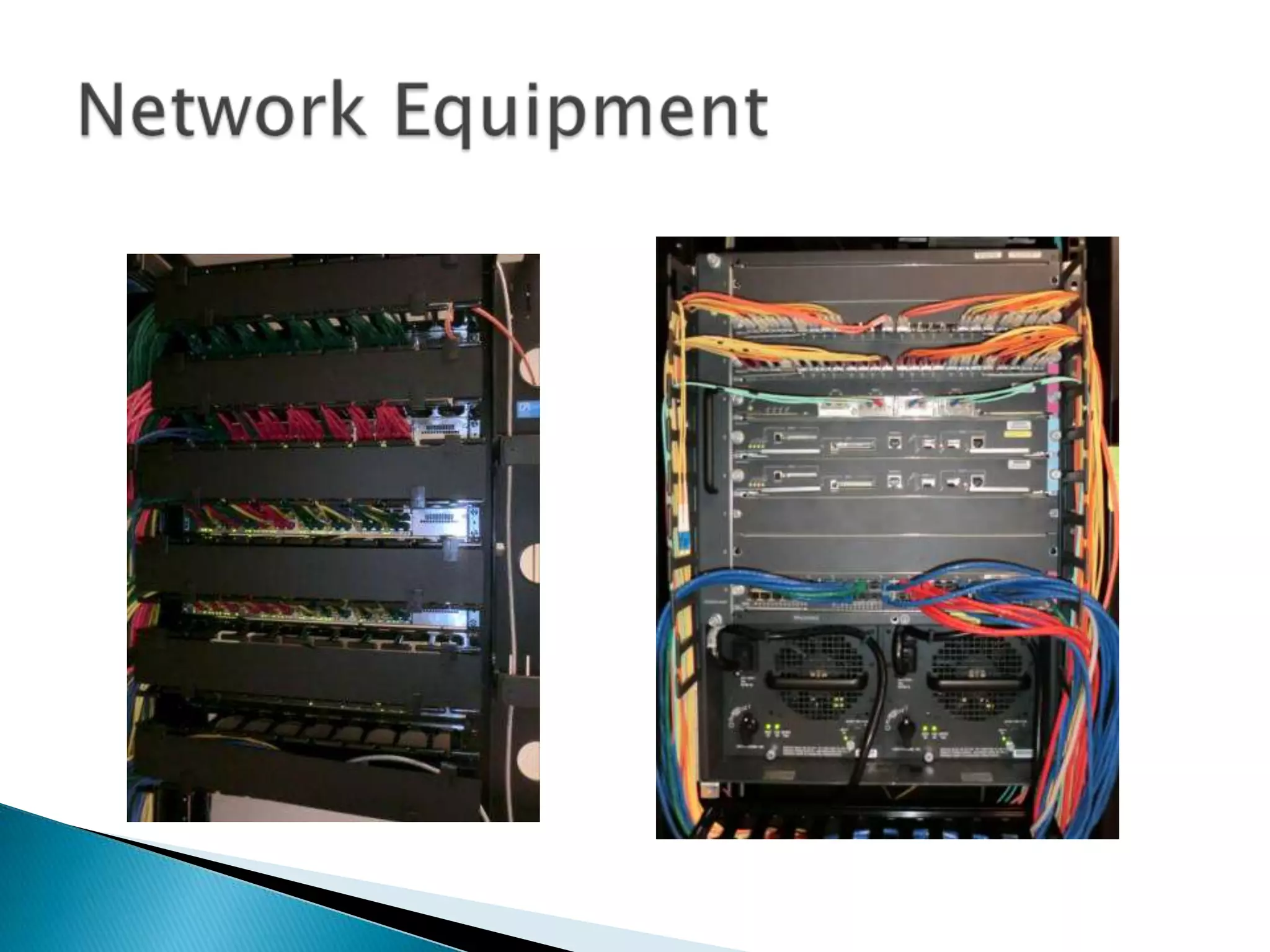
   Manage 8235 switch ports across 90 campus
    locations
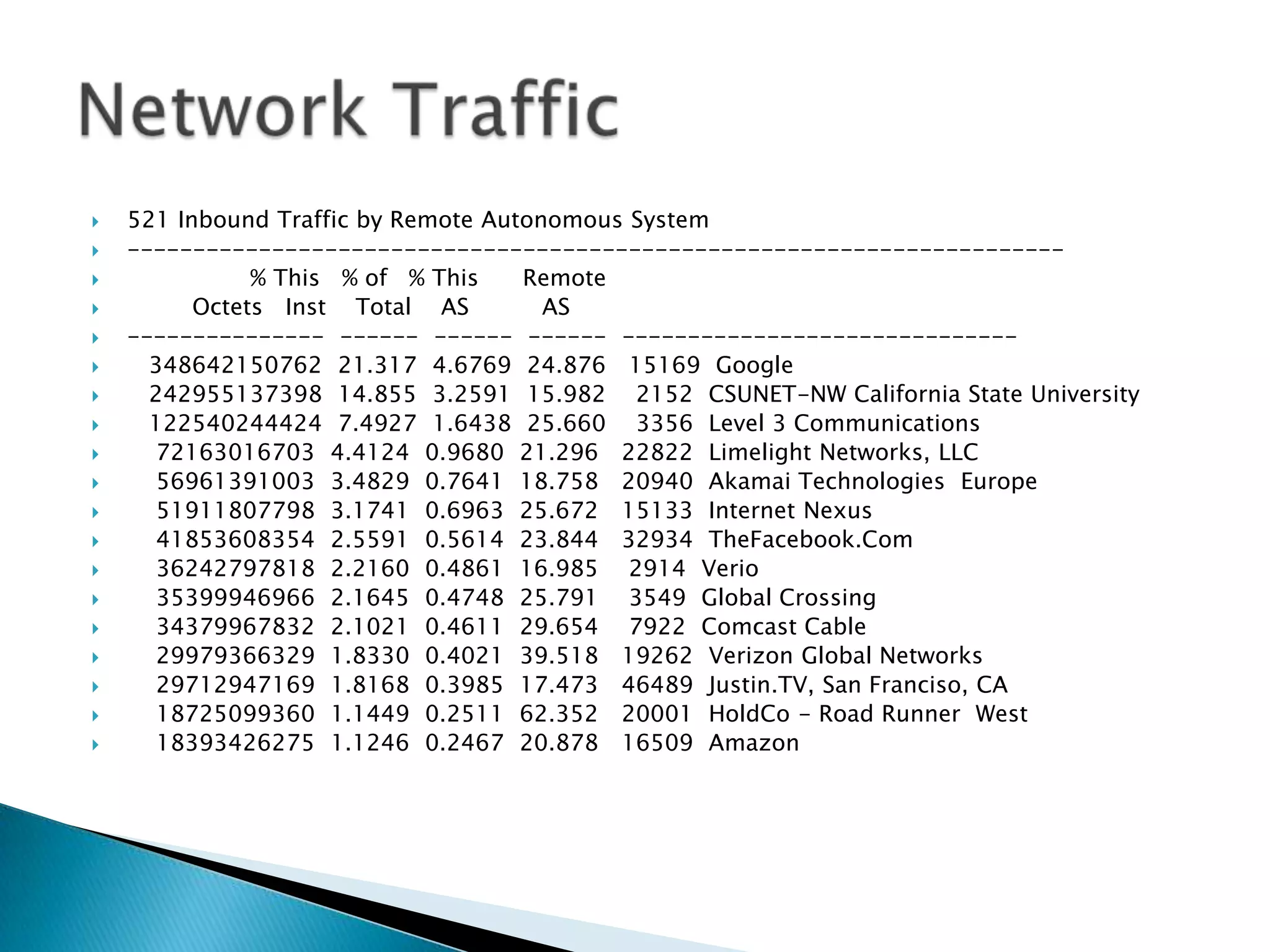
   521 Inbound Traffic by Remote Autonomous System
   -----------------------------------------------------------------------
              % This % of % This    Remote
         Octets Inst Total AS         AS
   --------------- ------ ------ ------ ------------------------------
     348642150762 21.317 4.6769 24.876 15169 Google
     242955137398 14.855 3.2591 15.982 2152 CSUNET-NW California State University
     122540244424 7.4927 1.6438 25.660 3356 Level 3 Communications
     72163016703 4.4124 0.9680 21.296 22822 Limelight Networks, LLC
     56961391003 3.4829 0.7641 18.758 20940 Akamai Technologies Europe
     51911807798 3.1741 0.6963 25.672 15133 Internet Nexus
     41853608354 2.5591 0.5614 23.844 32934 TheFacebook.Com
     36242797818 2.2160 0.4861 16.985 2914 Verio
     35399946966 2.1645 0.4748 25.791 3549 Global Crossing
     34379967832 2.1021 0.4611 29.654 7922 Comcast Cable
     29979366329 1.8330 0.4021 39.518 19262 Verizon Global Networks
     29712947169 1.8168 0.3985 17.473 46489 Justin.TV, San Franciso, CA
     18725099360 1.1449 0.2511 62.352 20001 HoldCo - Road Runner West
     18393426275 1.1246 0.2467 20.878 16509 Amazon
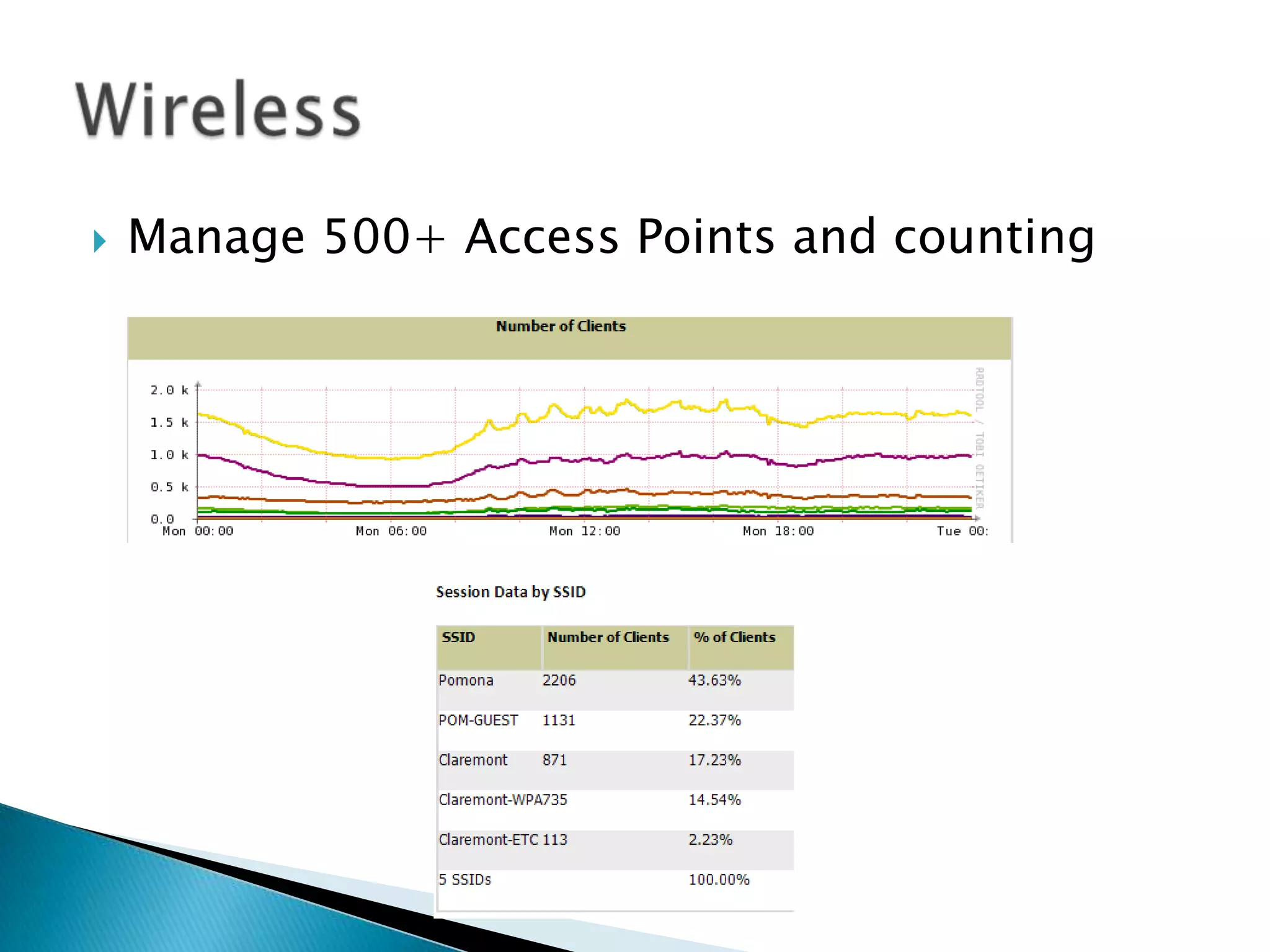
   Manage 500+ Access Points and counting
   Balancing security requirements with usability
   More than keeping the criminals out
    ◦ Criminals are getting more sophisticated
    ◦ Social Engineering,
      phishing emails and infected websites
   Focusing on security awareness training
   The Team
    ◦   Abbie Lennox: Manager of System Engineering
    ◦   Larry Cooper: Senior System Administrator
    ◦   Steve Moss: Senior System Administrator
    ◦   Brett Watts: Senior System Administrator
   Managing ~ 200 servers and services
   Secret – we do not have 200 physical servers
   They have been “virtualized”
    ◦ In computing, virtualization (or virtualisation) is the
      creation of a virtual (rather than actual) version of
      something, such as a hardware platform, operating
      system (OS), storage device, or network resources.
      Wikipedia
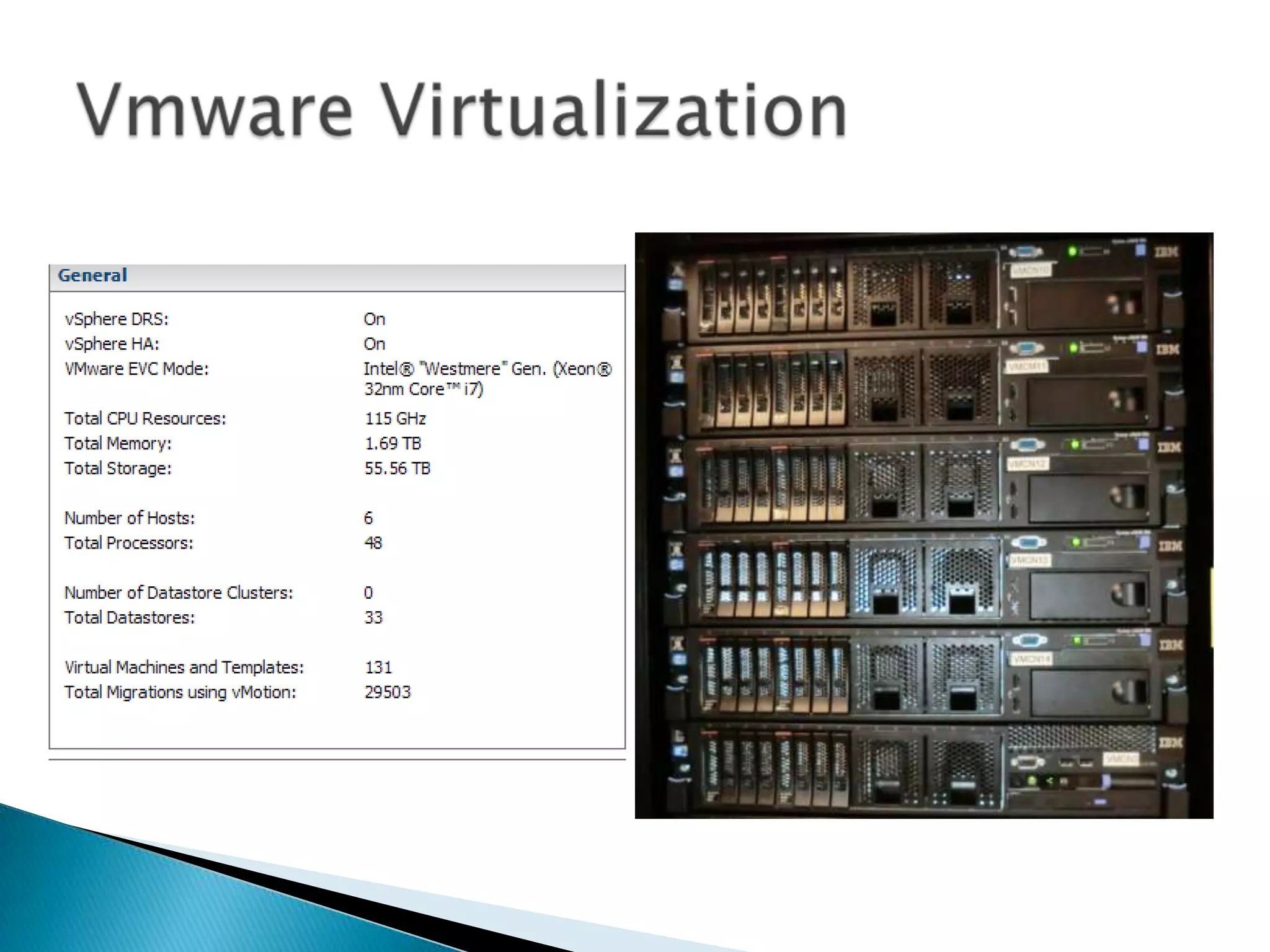
   Sustainability
    ◦ Saves on power and cooling
    ◦ 131 Virtual Servers running on 6 physical hosts
   Disaster Recovery
    ◦ Virtual servers are easy to backup and move around
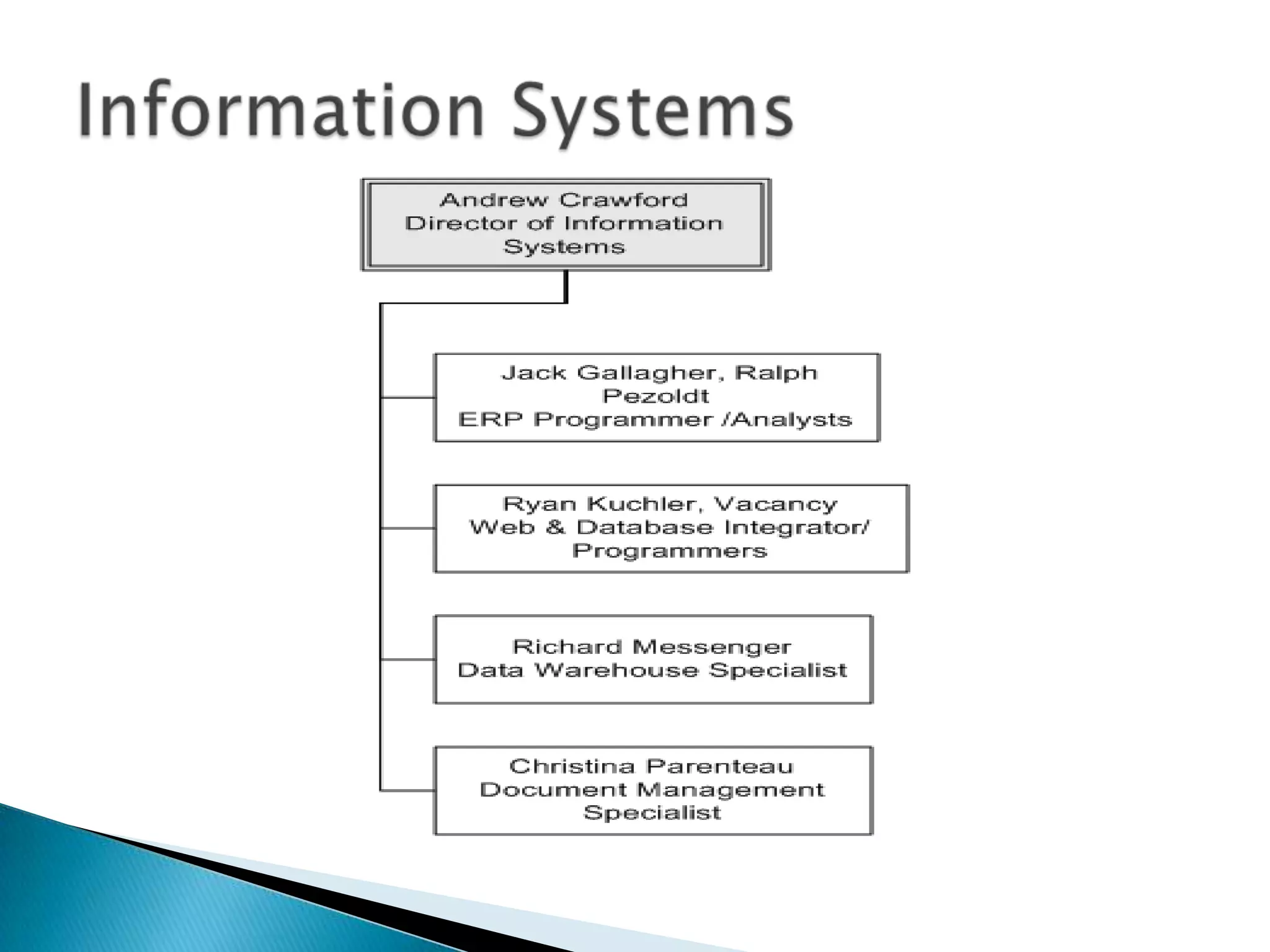
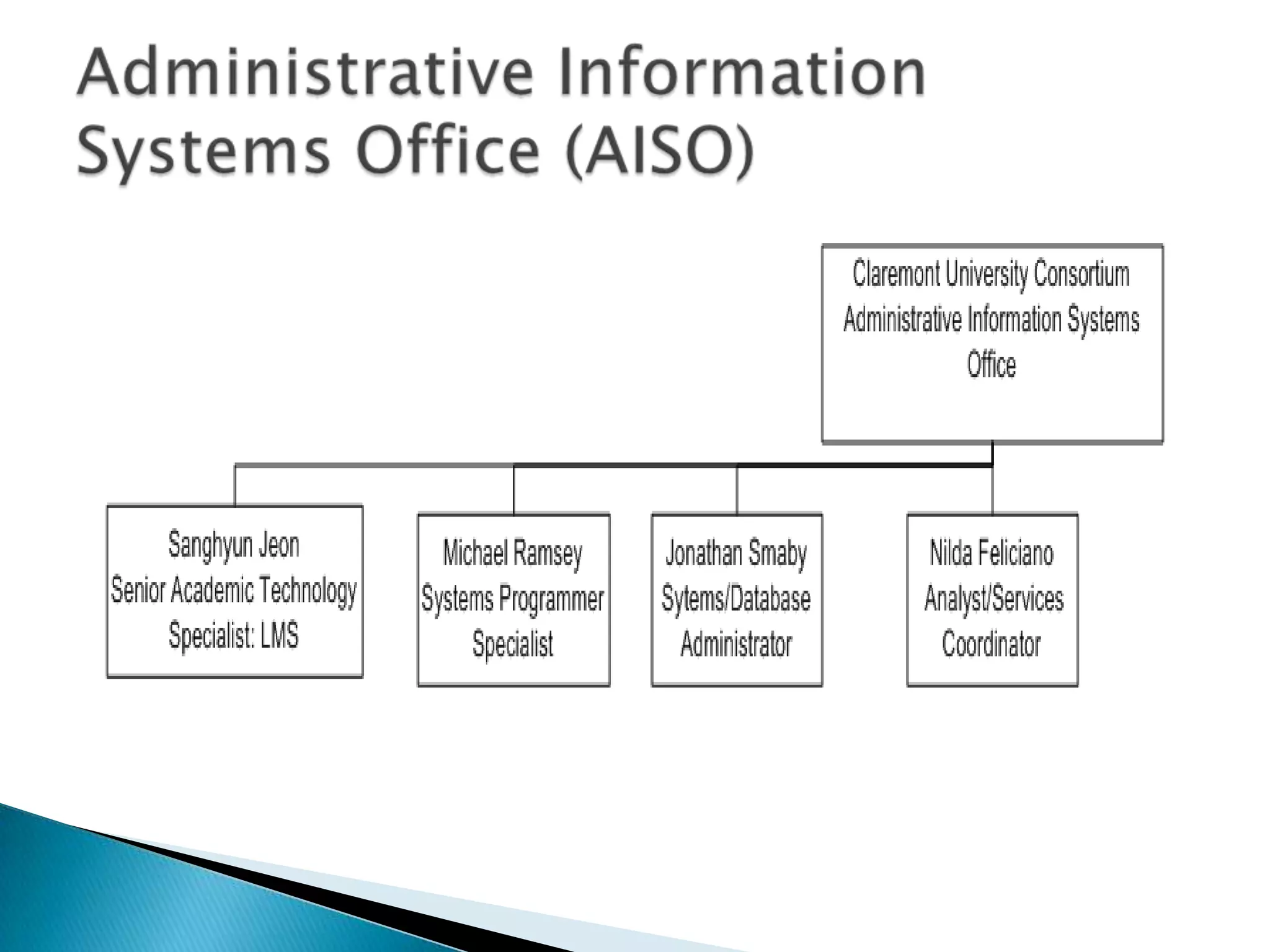
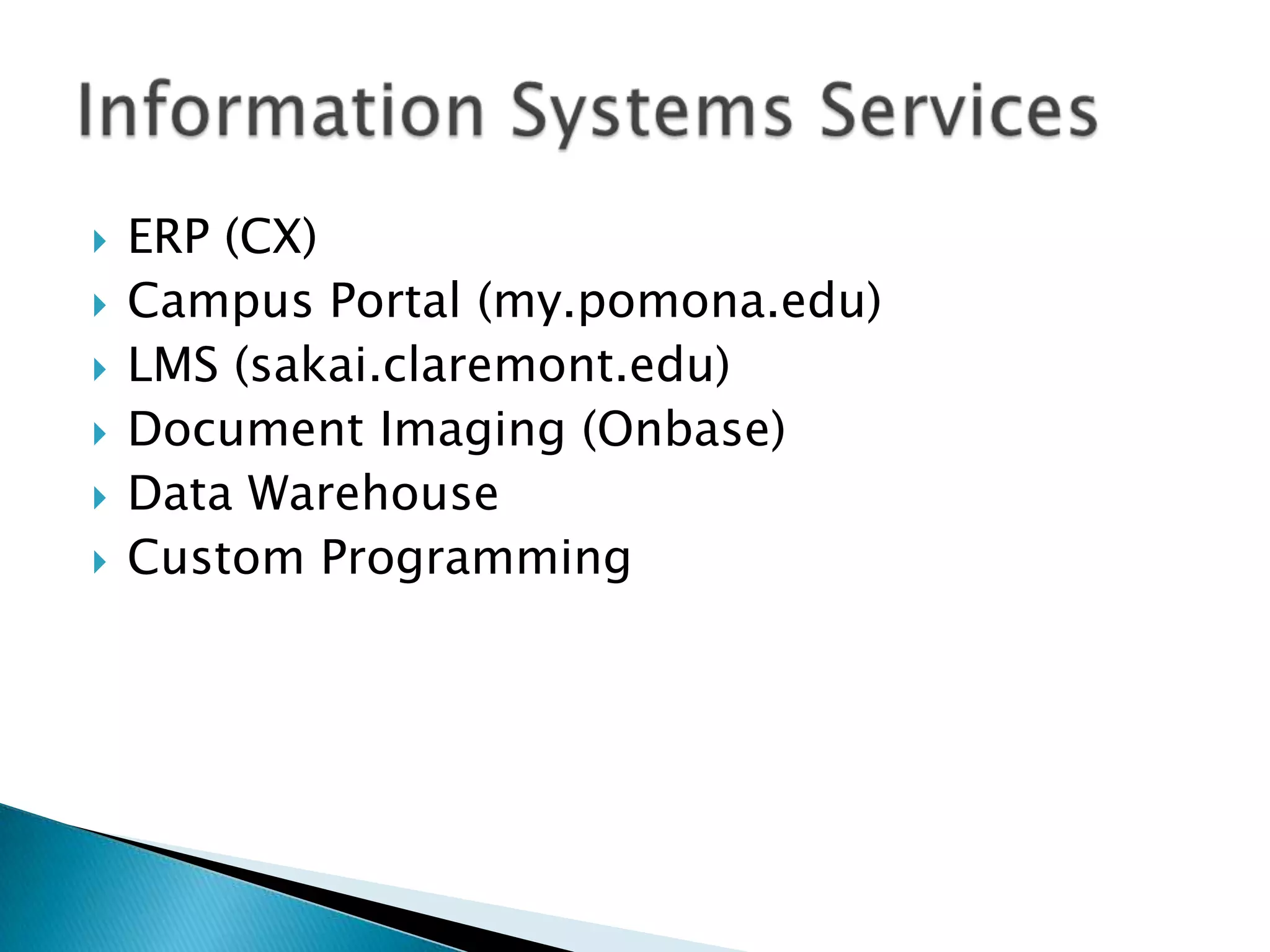
   ERP (CX)
   Campus Portal (my.pomona.edu)
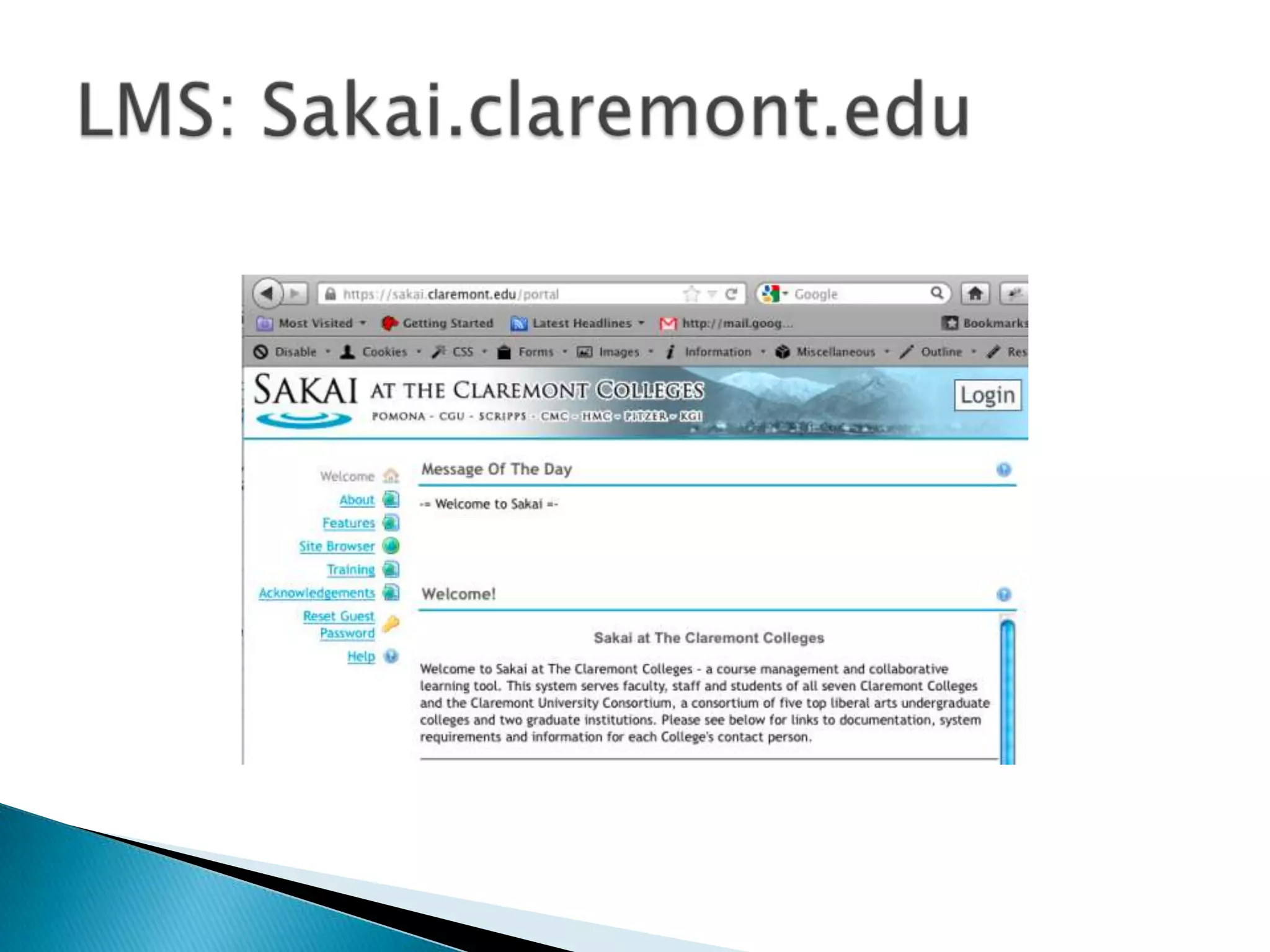
   LMS (sakai.claremont.edu)
   Document Imaging (Onbase)
   Data Warehouse
   Custom Programming
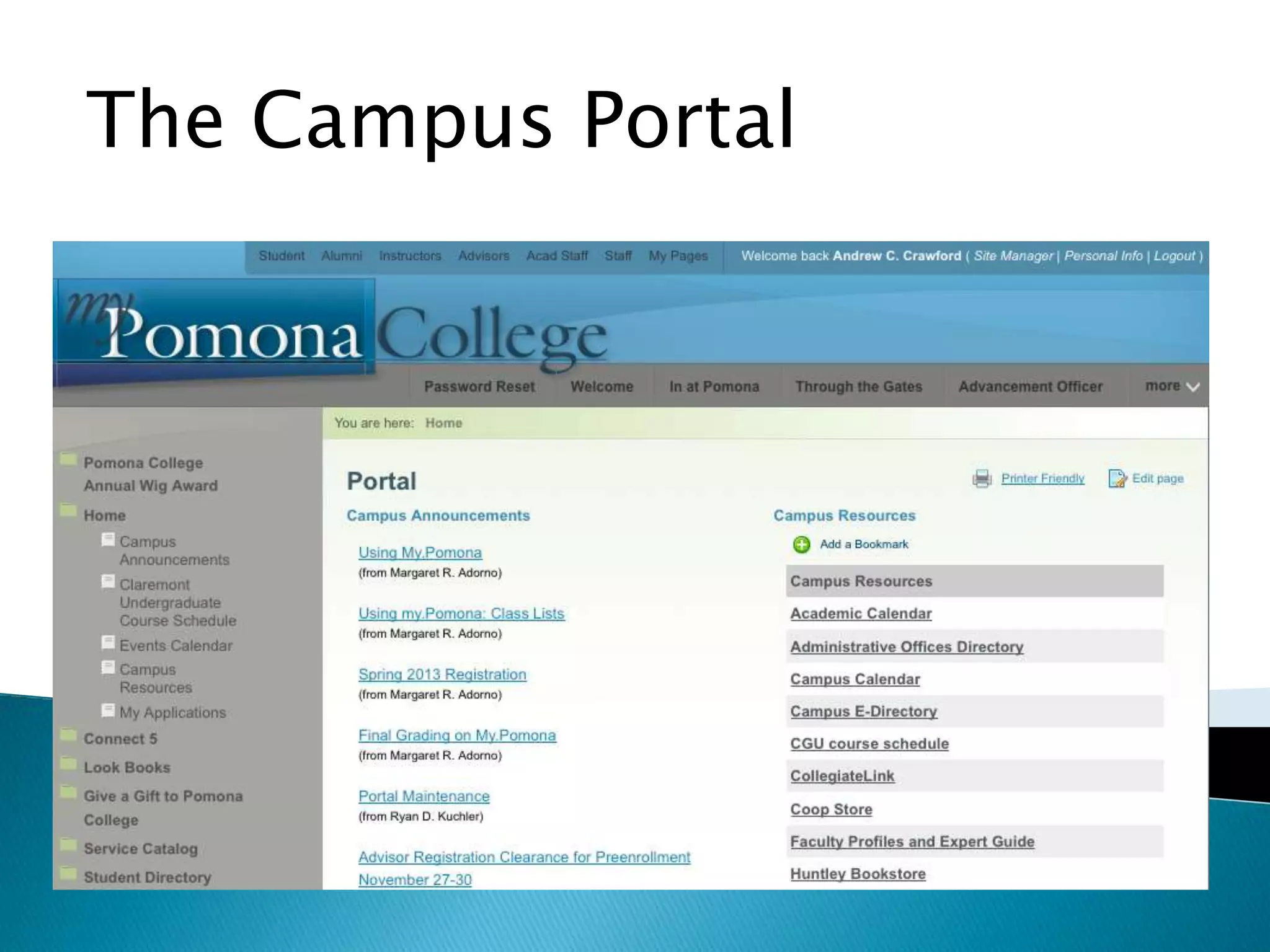
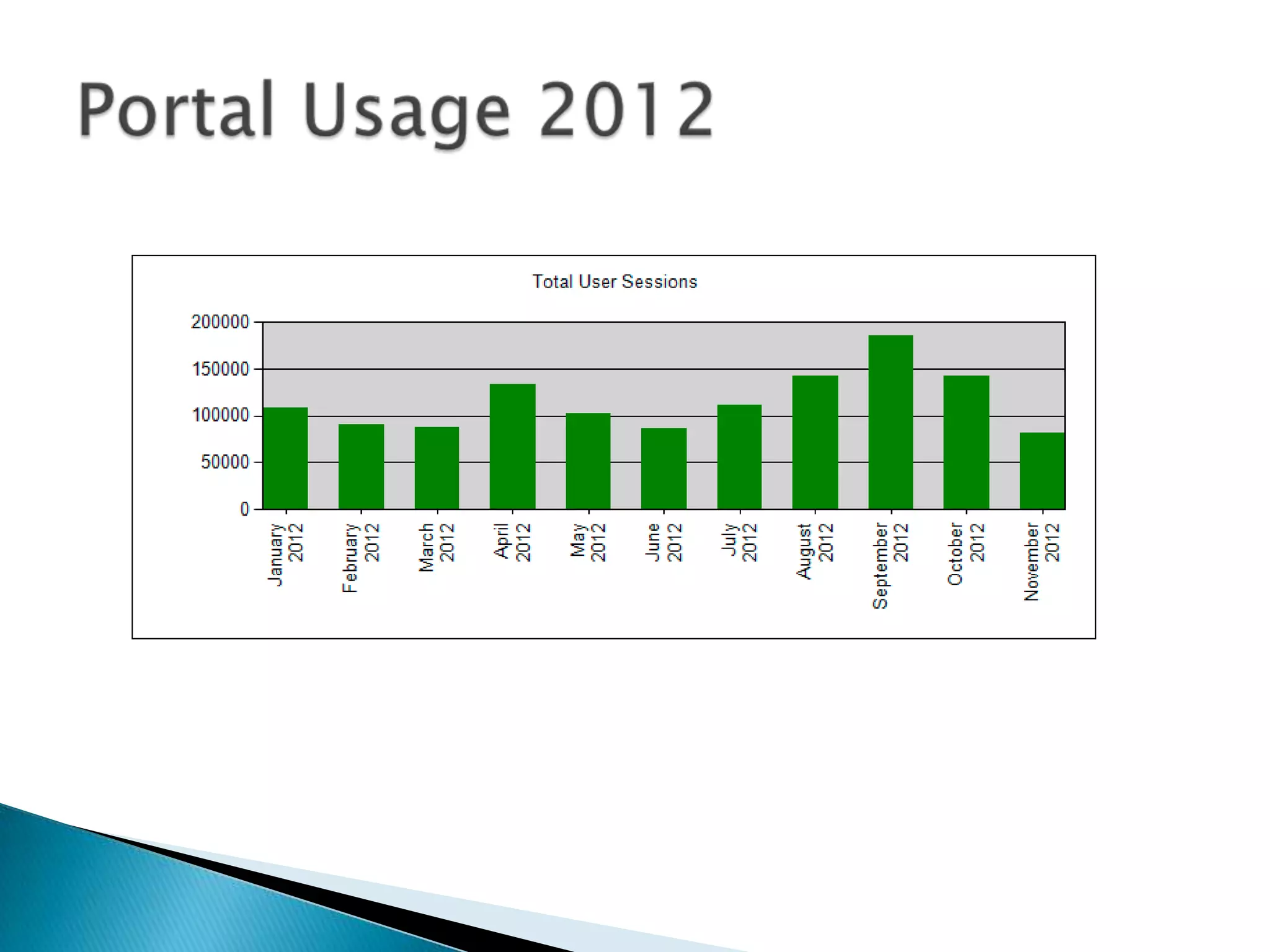
The Campus Portal
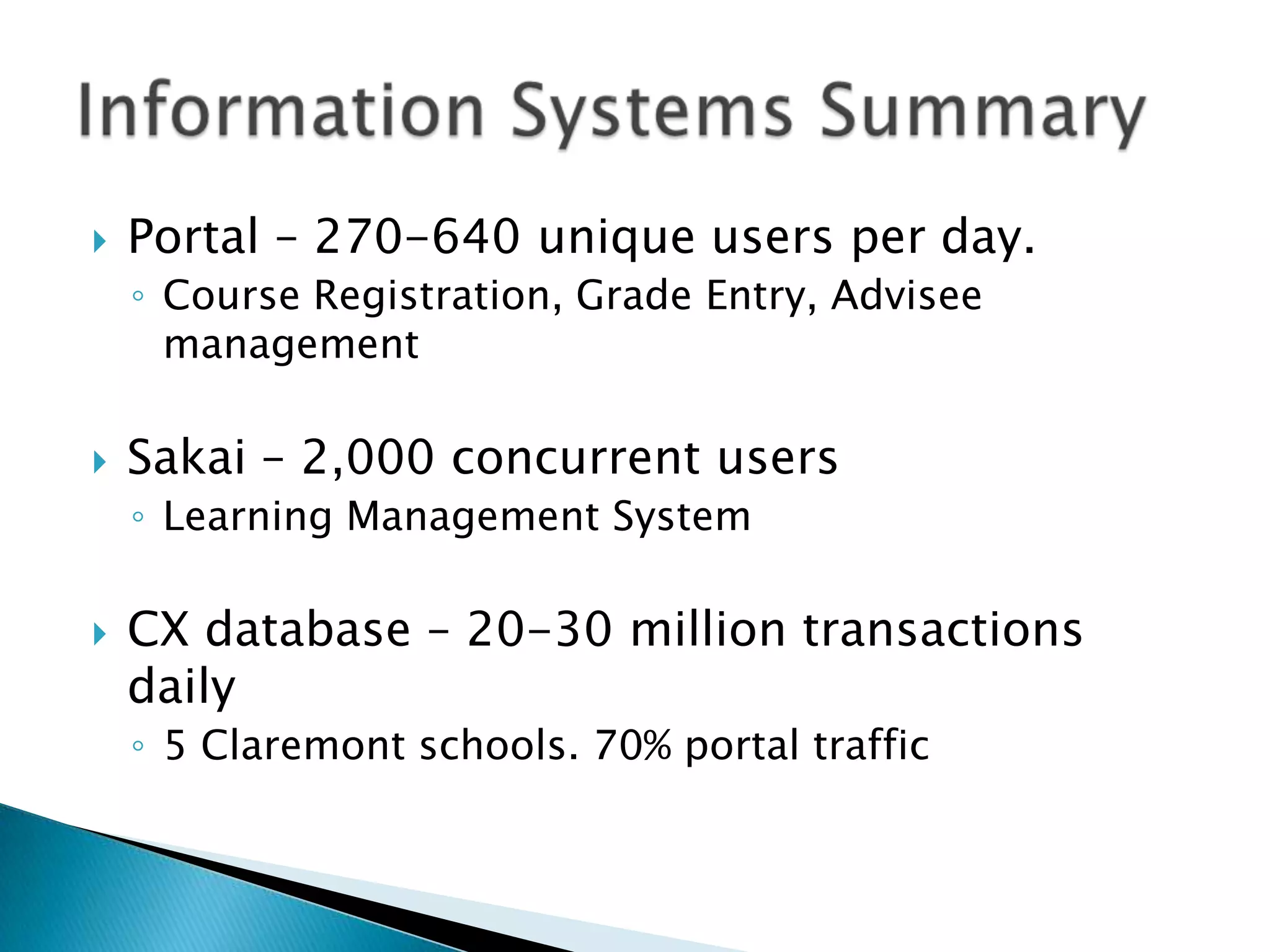
   Portal – 270-640 unique users per day.
    ◦ Course Registration, Grade Entry, Advisee
      management

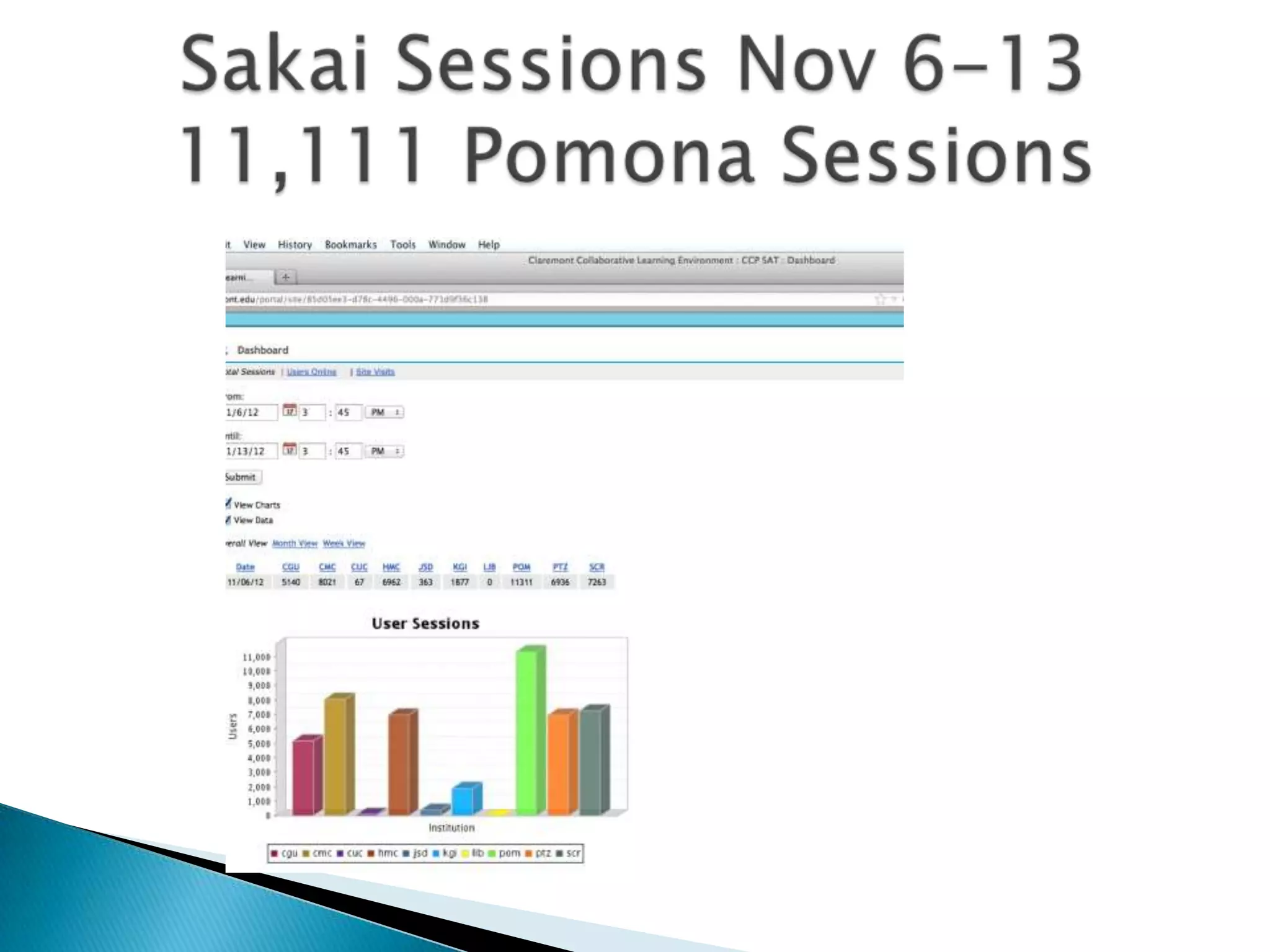
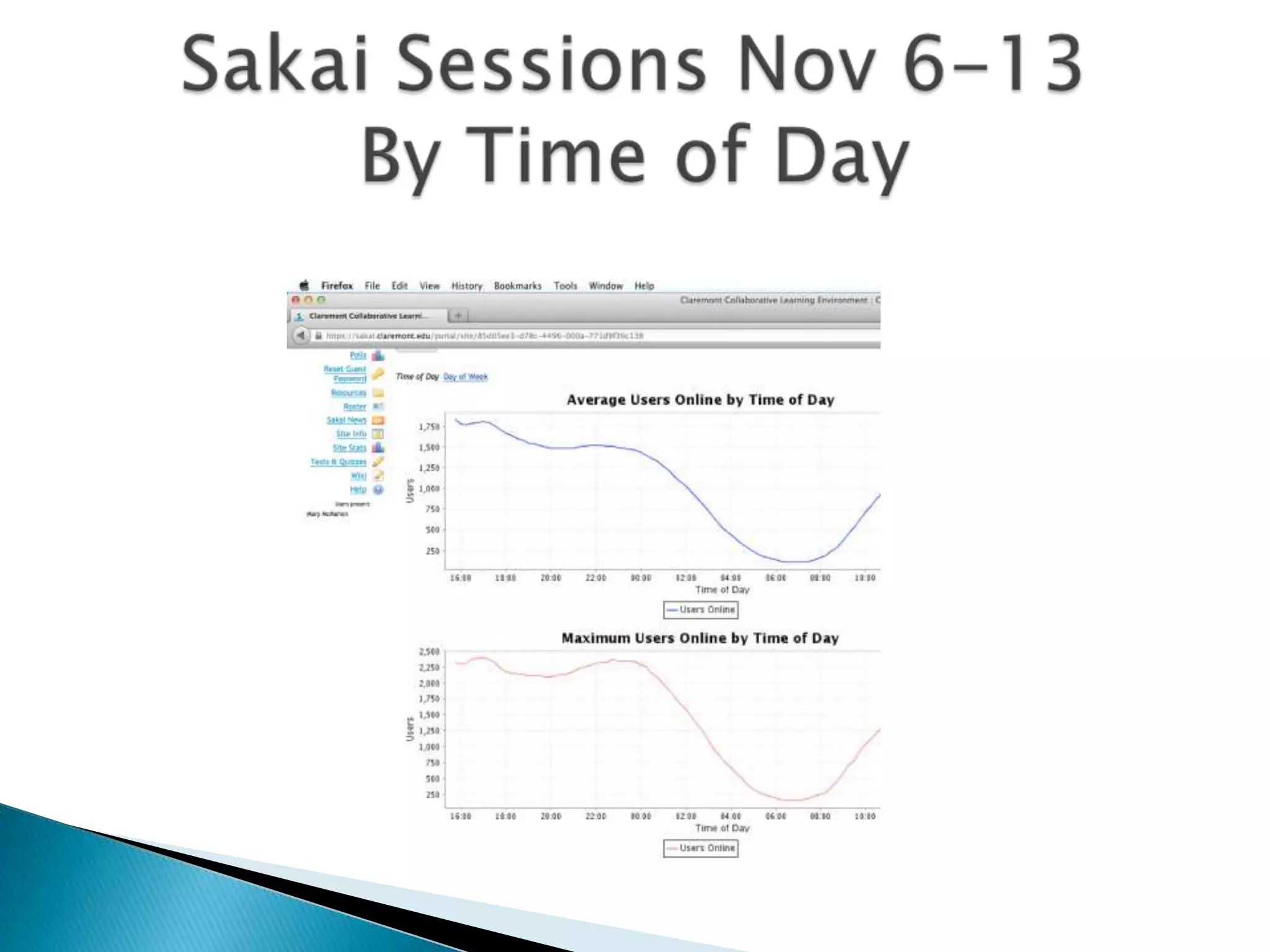
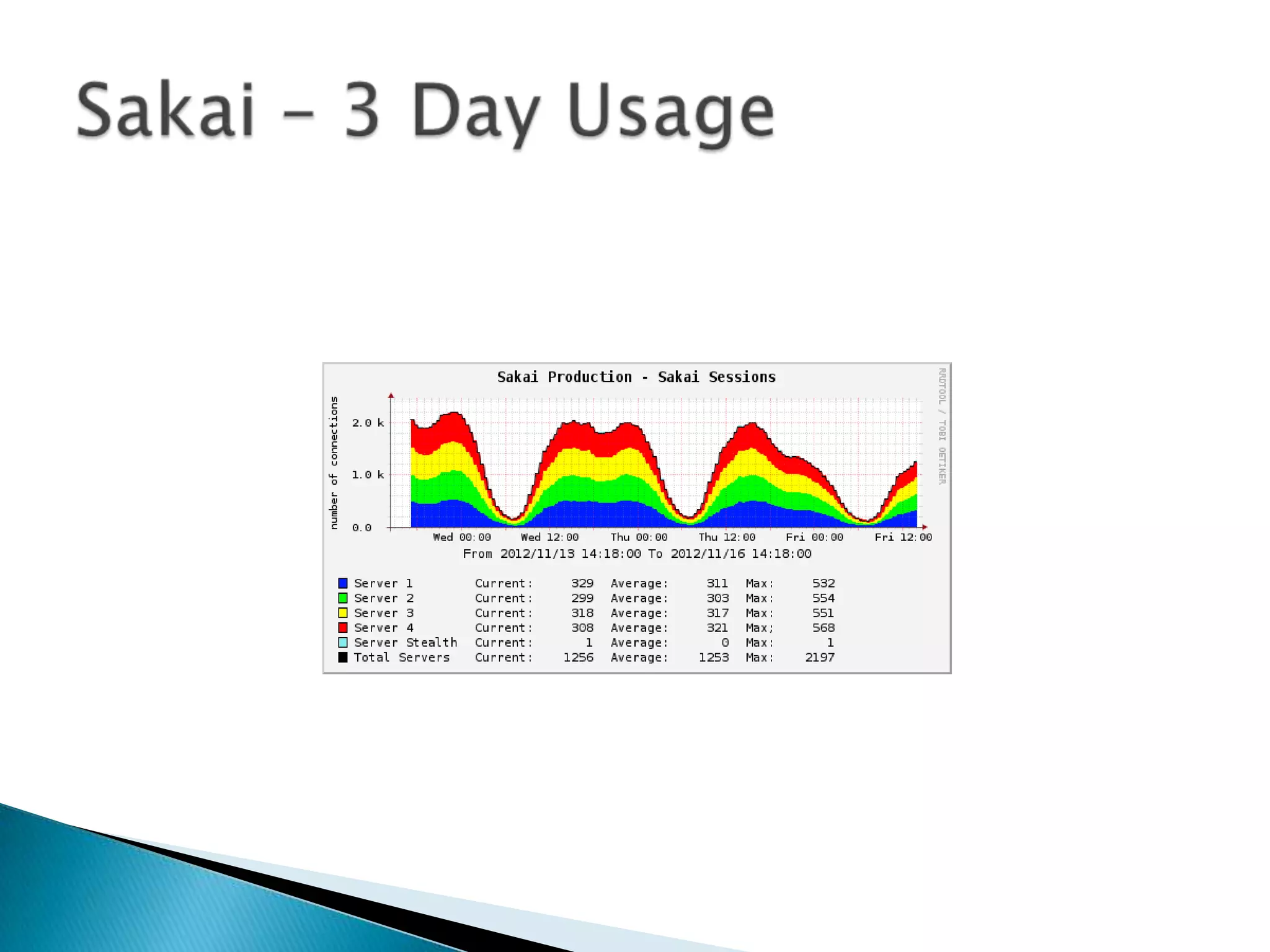
   Sakai – 2,000 concurrent users
    ◦ Learning Management System

   CX database – 20-30 million transactions
    daily
    ◦ 5 Claremont schools. 70% portal traffic
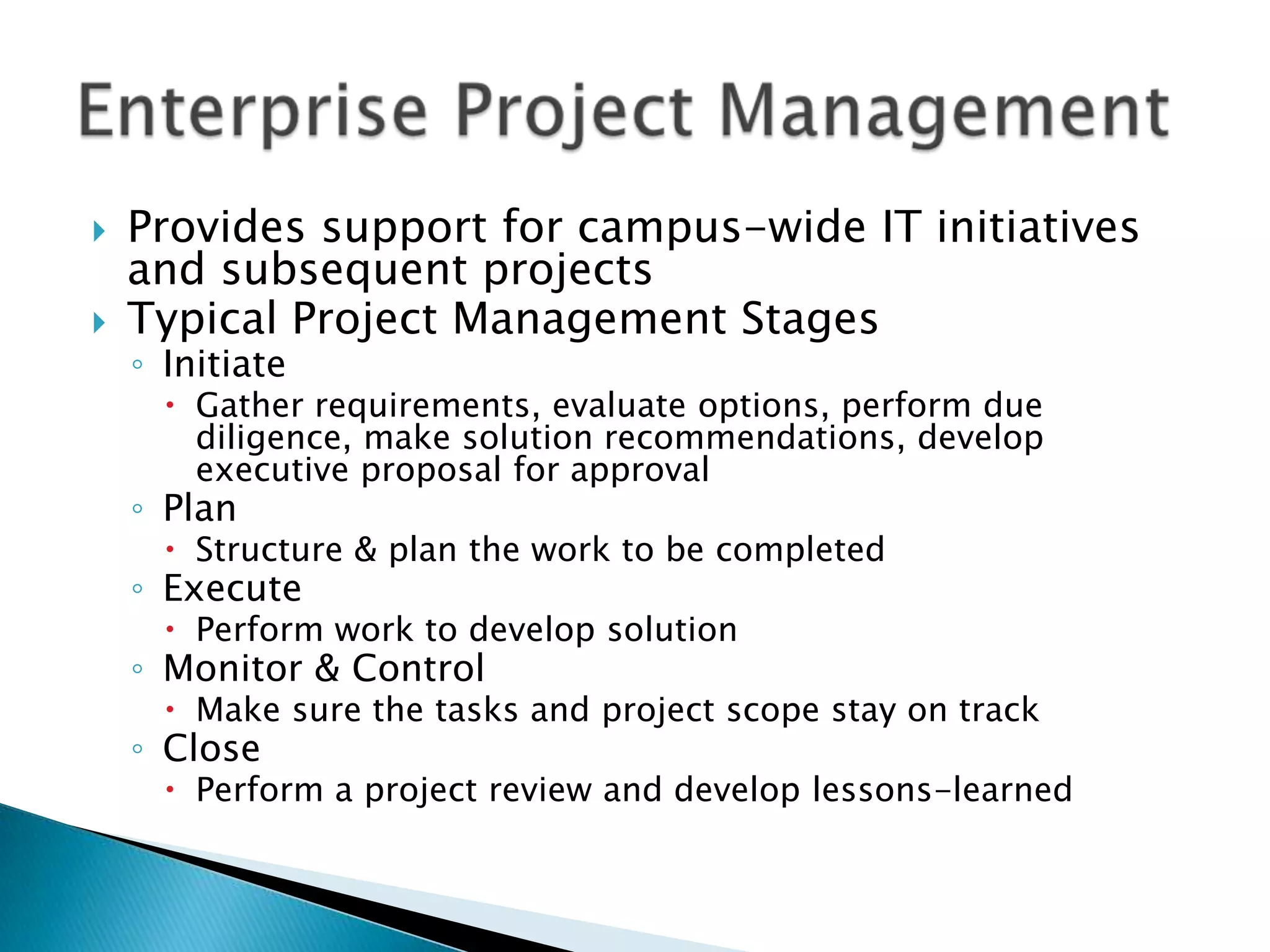
   Provides support for campus-wide IT initiatives
    and subsequent projects
   Typical Project Management Stages
    ◦ Initiate
       Gather requirements, evaluate options, perform due
        diligence, make solution recommendations, develop
        executive proposal for approval
    ◦ Plan
       Structure & plan the work to be completed
    ◦ Execute
       Perform work to develop solution
    ◦ Monitor & Control
       Make sure the tasks and project scope stay on track
    ◦ Close
       Perform a project review and develop lessons-learned
ITS Contact Info:

   Servicedesk: email ServiceDesk@pomona.edu
   For 24x7 assistance via the Knowledge Base,
    http://kb.pomona.edu
   ITS Website: http://its.pomona.edu
   ITS on Facebook:
    http://www.facebook.com/ITS.PomonaColleg
    e
   ITS on Twitter:
    https://twitter.com/PomonaHelp

Faculty lunch slides 121127 v5 1

  • 3.
    Review and Revision of Computer Lab and Technology Classroom Management  Strategy for Supporting “Bring Your Own Device”  Security Awareness and Data Security/Privacy  IT Strategic Planning Process
  • 4.
    Joe Brennan Director of Media and Classroom Services Chris Crane Nick Weber Media Services Media Services Technician Technician
  • 5.
    Support and maintain the College’s technology enhanced classrooms and meeting spaces.  Provide technology services supporting curricular and co-curricular activities and College events.  Manage the purchase, design and installation of audiovisual hardware campus-wide.
  • 6.
  • 7.
    Familiar technology look and feel across campus spaces.  Communications when changes and upgrades occur.  Easy to use, reliable interfaces for controlling A/V equipment.  Projection units that fit disciplinary requirements.  Wiring and infrastructure design that allows for expansion and new technologies.  Aggressive lifecycle and A/V maintenance program.  Spare equipment supply, classroom design and staff training lends itself to being able to fix almost any A/V issue that we come across, in-house!
  • 8.
    Events, Meetings andGuest Speakers
  • 9.
    Explore classroom infrastructure options for BYOD in the classroom (i-pads, phones, tablets, apple TV )  Projection screen/Projector switch over to wide screen format  Continue to lifecycle projection and computing technologies  Working with the Registrar’s office to take pictures of classrooms
  • 10.
    VCRs-almost unavailable to purchase  Optical drives (CD/DVD)-Apple has already phased them out of their products  Blu-ray-here, but for how long?  Wide screen format changes (4:3 to 16:10- square to rectangle)
  • 11.
    Classroom Emergencies: Servicedesk@pomona.edu or ex.18061 Event Support scheduling, questions about spaces, couldja, wouldja questions… MediaServices@Pomona.edu, ex.78333 Joe Brennan: Jbrennan@pomona.edu, 77355
  • 14.
     Advise thecampus on current and emerging learning technologies.  Assist the faculty in developing and enhancing their use of instructional technologies.  Provide support for the use of digital media within classroom instruction.  Provide support for faculty/student research.
  • 15.
    988 Pomona Course Sites  639 Pomona Project Sites: ◦ Committees ◦ Research groups ◦ Task Forces
  • 18.
    Number of course playlists Fall 2012: 80  Media items within Video47: 3381  Number of active items in workflow: 6
  • 21.
    • Denis Recendez • Matt Walker • Faye Moore • Stacy Martinez • Deb Dearinure • Mel Sisneros • Steven Hurtado
  • 22.
    Desktop Support  Service Desk  Residence Hall computing  Lab & Classroom Computer Management  Knowledge Base (http://kb.pomona.edu)  Software delivery  Inventory  Hardware replacement  Training
  • 23.
    The Service Desk (formerly the Help Desk) provides phone, email and in-person support to faculty, staff, students, alumni, consortial partners, emeriti  We provide not only service fulfillment (“I need a new computer”) but service assistance (“how do I set up a spreadsheet”, “My printer is broken”)  We work within a “Service Catalog”– a list of services ITS provides to the College. https://my.pomona.edu/ICS/Service_Catalog.jnz
  • 25.
    Incoming Phone Calls (18061) Knowledge Base Usage (kb.pomona.edu) Service Requests (2012 so far)
  • 27.
  • 28.
    Provide and maintain a secure, stable, reliable data network environment for the College.  Responsible for administration and management of servers and campus network.  Responsible for overall security and disaster recovery.  Adopt standard IT benchmarks and gather data to measure system performance and the quality of services.
  • 29.
    The Team ◦ Patrick Flannery: Senior Network Architect ◦ Joshua Hammack: Network Administrator  Manage 8235 switch ports across 90 campus locations
  • 31.
    521 Inbound Traffic by Remote Autonomous System  -----------------------------------------------------------------------  % This % of % This Remote  Octets Inst Total AS AS  --------------- ------ ------ ------ ------------------------------  348642150762 21.317 4.6769 24.876 15169 Google  242955137398 14.855 3.2591 15.982 2152 CSUNET-NW California State University  122540244424 7.4927 1.6438 25.660 3356 Level 3 Communications  72163016703 4.4124 0.9680 21.296 22822 Limelight Networks, LLC  56961391003 3.4829 0.7641 18.758 20940 Akamai Technologies Europe  51911807798 3.1741 0.6963 25.672 15133 Internet Nexus  41853608354 2.5591 0.5614 23.844 32934 TheFacebook.Com  36242797818 2.2160 0.4861 16.985 2914 Verio  35399946966 2.1645 0.4748 25.791 3549 Global Crossing  34379967832 2.1021 0.4611 29.654 7922 Comcast Cable  29979366329 1.8330 0.4021 39.518 19262 Verizon Global Networks  29712947169 1.8168 0.3985 17.473 46489 Justin.TV, San Franciso, CA  18725099360 1.1449 0.2511 62.352 20001 HoldCo - Road Runner West  18393426275 1.1246 0.2467 20.878 16509 Amazon
  • 32.
    Manage 500+ Access Points and counting
  • 33.
    Balancing security requirements with usability  More than keeping the criminals out ◦ Criminals are getting more sophisticated ◦ Social Engineering,  phishing emails and infected websites  Focusing on security awareness training
  • 35.
    The Team ◦ Abbie Lennox: Manager of System Engineering ◦ Larry Cooper: Senior System Administrator ◦ Steve Moss: Senior System Administrator ◦ Brett Watts: Senior System Administrator  Managing ~ 200 servers and services
  • 36.
    Secret – we do not have 200 physical servers  They have been “virtualized” ◦ In computing, virtualization (or virtualisation) is the creation of a virtual (rather than actual) version of something, such as a hardware platform, operating system (OS), storage device, or network resources. Wikipedia
  • 38.
    Sustainability ◦ Saves on power and cooling ◦ 131 Virtual Servers running on 6 physical hosts  Disaster Recovery ◦ Virtual servers are easy to backup and move around
  • 41.
    ERP (CX)  Campus Portal (my.pomona.edu)  LMS (sakai.claremont.edu)  Document Imaging (Onbase)  Data Warehouse  Custom Programming
  • 42.
  • 46.
    Portal – 270-640 unique users per day. ◦ Course Registration, Grade Entry, Advisee management  Sakai – 2,000 concurrent users ◦ Learning Management System  CX database – 20-30 million transactions daily ◦ 5 Claremont schools. 70% portal traffic
  • 47.
    Provides support for campus-wide IT initiatives and subsequent projects  Typical Project Management Stages ◦ Initiate  Gather requirements, evaluate options, perform due diligence, make solution recommendations, develop executive proposal for approval ◦ Plan  Structure & plan the work to be completed ◦ Execute  Perform work to develop solution ◦ Monitor & Control  Make sure the tasks and project scope stay on track ◦ Close  Perform a project review and develop lessons-learned
  • 48.
    ITS Contact Info:  Servicedesk: email ServiceDesk@pomona.edu  For 24x7 assistance via the Knowledge Base, http://kb.pomona.edu  ITS Website: http://its.pomona.edu  ITS on Facebook: http://www.facebook.com/ITS.PomonaColleg e  ITS on Twitter: https://twitter.com/PomonaHelp

Editor's Notes

  • #29 4 core functions that we perform
  • #33 Wireless is very popular with the students, look at the numbers after 6pm
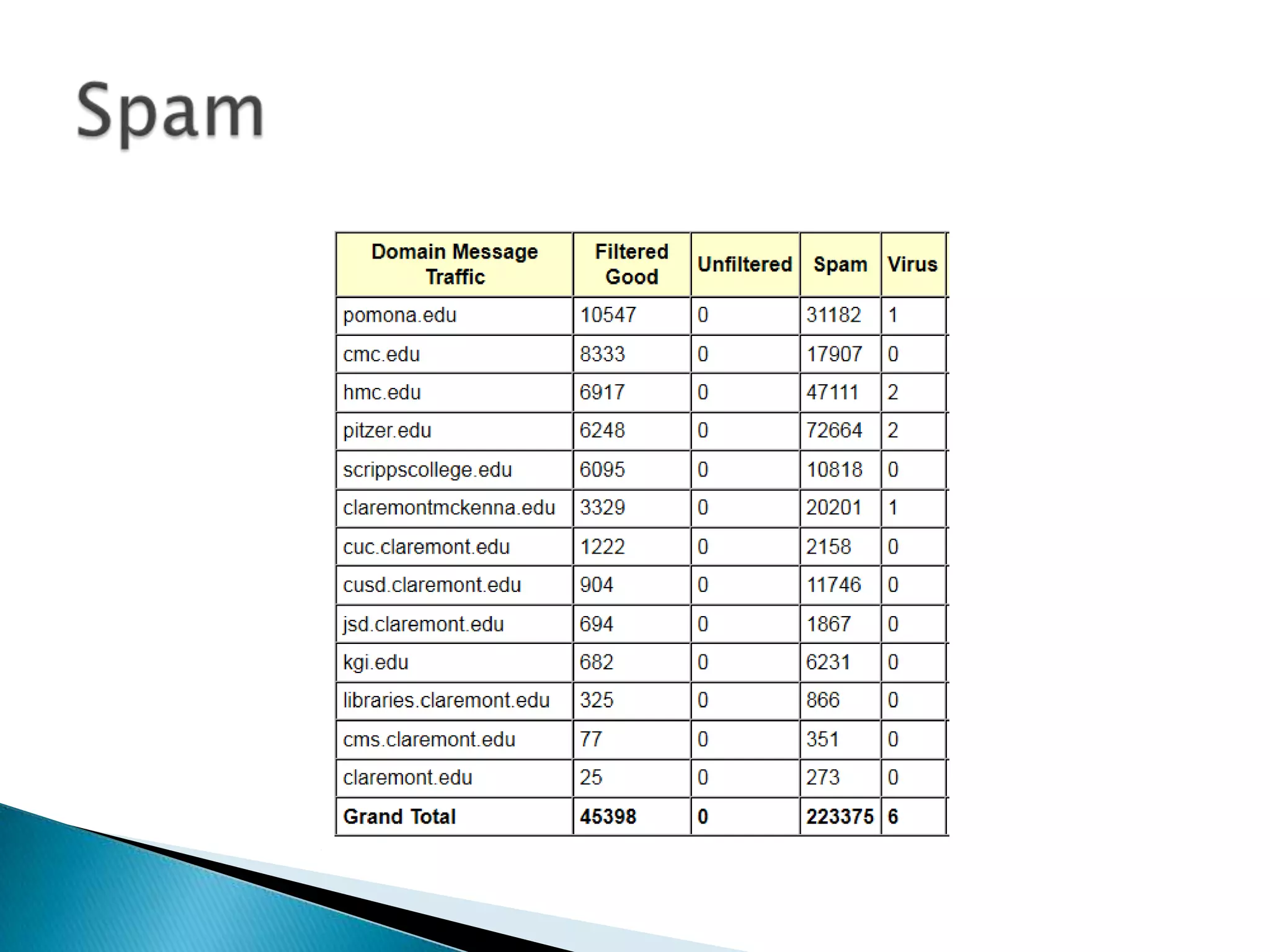
  • #35 75% spam
  • #39 There are many benefits to virtualization and I can spend hours on just this topic. However I’ll just highlight two of the key benefits for you.