Introduction to Google+ getting started with the new social networking site Laurie Mahoney, Product Marketing Manager Brandon Andersen, Global Product Development Manager
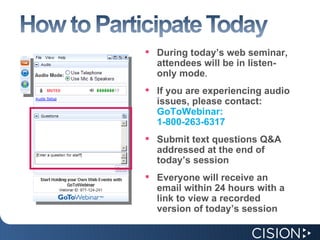
During today’s web seminar, attendees will be in listen-only mode . If you are experiencing audio issues, please contact: GoToWebinar: 1-800-263-6317 Submit text questions Q&A addressed at the end of today’s session Everyone will receive an email within 24 hours with a link to view a recorded version of today’s session
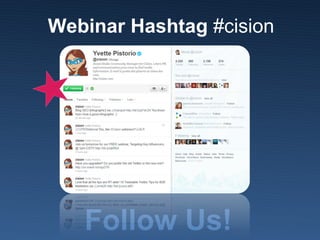
Webinar Hashtag  #cision Follow Us!
Agenda What is Google+ and how do I get started? Features of Google+ Filtering the news that you want Engaging in the conversation Collaboration The Future of Google+ and some predictions from us...  
What is Google+? The newest Social Media site to come on the scene. Think Twitter or Facebook, but easier to share with smaller groups of people. Create groups (aka Circles) on the fly and share links, images, and videos easily with a few people or the world. For a quick overview: http://www.youtube.com/embed/xwnJ5Bl4kLI?autoplay=1
Creating a Profile Circles Sparks  Hangouts  Mobile Location  Instant Photo Uploads  Messenger Where do I start?    
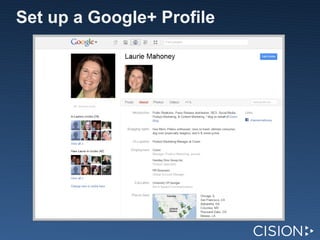
Set up a Google+ Profile
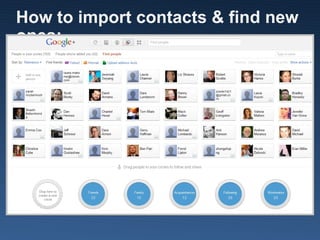
How to import contacts & find new ones:  
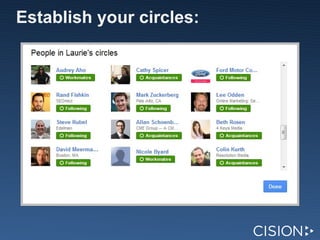
Establish your circles:  
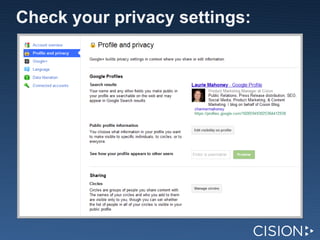
Check your privacy settings:  
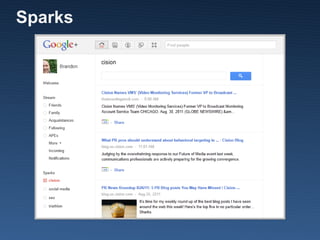
Sparks  
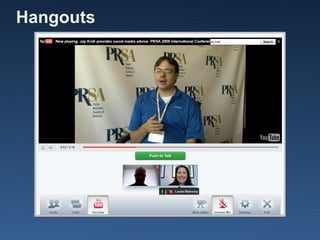
Hangouts  
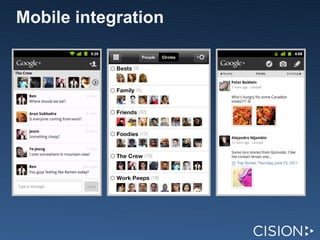
Mobile integration
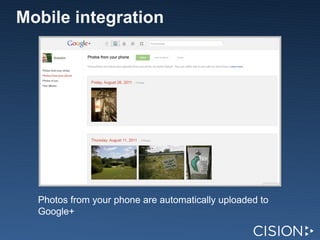
Mobile integration Photos from your phone are automatically uploaded to Google+
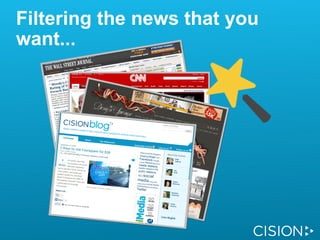
Filtering the news that you want...
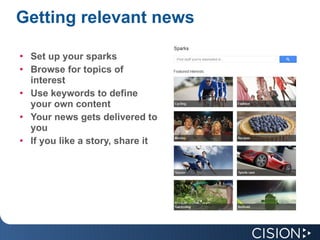
Getting relevant news Set up your sparks Browse for topics of interest Use keywords to define your own content Your news gets delivered to you If you like a story, share it
Organize influencers by topic Create topic circles (Social Media, PR, SEO, etc.) Add influencers to each topic.  Some influencers will be in multiple circles. Easily digest information from each stream when you log in. Share your own content by topic circles Send relevant information to the relevant people without bothering everyone else
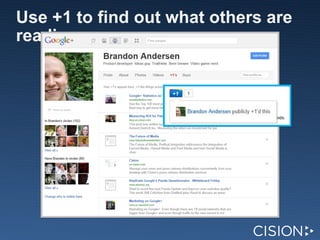
Use +1 to find out what others are reading
Engaging in the conversation...
Features Unlike Twitter, no character limit  Filter your stream by circles Edit your post Delete your post Link to this post View your profile as others see it  How to Disable: re-shares, comments How to Share: Links, Photos, Location, Videos
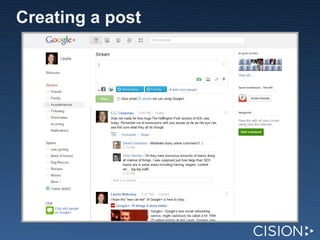
Creating a post  
Engage with relevant circles Share content with people who are interested in it Don't muddy up your stream with irreverent posts to the world
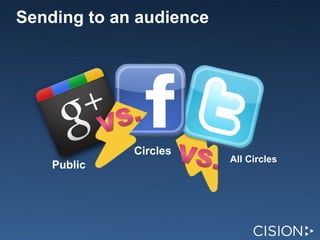
Sending to an audience Public Circles All Circles
Be part of the conversation +1 posts that you like  Share other people's posts Comment on their posts Browse other people's posts for commenters who seem to have similar interests as you
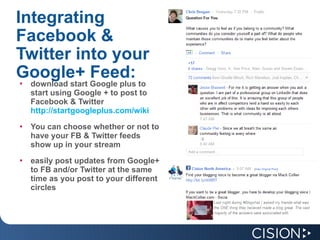
Integrating Facebook & Twitter into your Google+ Feed: download start Google plus to start using Google + to post to Facebook & Twitter  http://startgoogleplus.com/wiki You can choose whether or not to have your FB & Twitter feeds show up in your stream easily post updates from Google+ to FB and/or Twitter at the same time as you post to your different circles
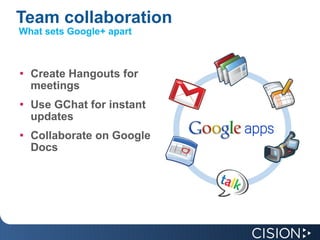
Team collaboration Create Hangouts for meetings Use GChat for instant updates Collaborate on Google Docs What sets Google+ apart
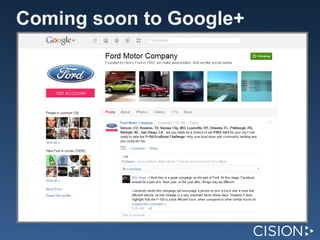
Coming soon to Google+
Content   Strategy Start thinking about your content strategy before the launch of business profiles or company pages What types of content do you want to share? Which social network is most appropriate for each piece of branded content? Does it make more sense to share a recipe on Twitter or Google +? Where do I want to share my multimedia assets?
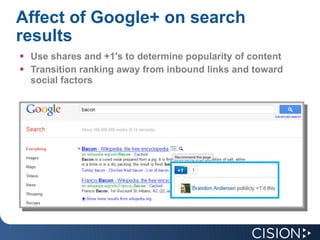
Affect of Google+ on search results Use shares and +1's to determine popularity of content Transition ranking away from inbound links and toward social factors
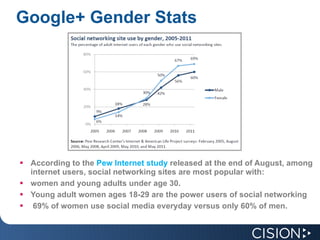
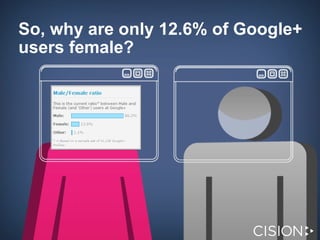
Google+ Gender Stats     According to the  Pew Internet study  released at the end of August, among internet users, social networking sites are most popular with:  women and young adults under age 30.  Young adult women ages 18-29 are the power users of social networking    69% of women use social media everyday versus only 60% of men.
So, why are only 12.6% of Google+ users female?  
Introduction to Google+ getting started with the new social networking site Laurie Mahoney  @ChannerMahoney Product Marketing Manager Brandon Andersen,  @BrandonChicago Global Product Development Manager

Getting to Know Google+

  • 1.
    Introduction to Google+getting started with the new social networking site Laurie Mahoney, Product Marketing Manager Brandon Andersen, Global Product Development Manager
  • 2.
    During today’s webseminar, attendees will be in listen-only mode . If you are experiencing audio issues, please contact: GoToWebinar: 1-800-263-6317 Submit text questions Q&A addressed at the end of today’s session Everyone will receive an email within 24 hours with a link to view a recorded version of today’s session
  • 3.
    Webinar Hashtag #cision Follow Us!
  • 4.
    Agenda What isGoogle+ and how do I get started? Features of Google+ Filtering the news that you want Engaging in the conversation Collaboration The Future of Google+ and some predictions from us...  
  • 5.
    What is Google+?The newest Social Media site to come on the scene. Think Twitter or Facebook, but easier to share with smaller groups of people. Create groups (aka Circles) on the fly and share links, images, and videos easily with a few people or the world. For a quick overview: http://www.youtube.com/embed/xwnJ5Bl4kLI?autoplay=1
  • 6.
    Creating a ProfileCircles Sparks  Hangouts  Mobile Location  Instant Photo Uploads  Messenger Where do I start?   
  • 7.
    Set up aGoogle+ Profile
  • 8.
    How to importcontacts & find new ones:  
  • 9.
  • 10.
    Check your privacysettings:  
  • 11.
  • 12.
  • 13.
  • 14.
    Mobile integration Photosfrom your phone are automatically uploaded to Google+
  • 15.
    Filtering the newsthat you want...
  • 16.
    Getting relevant newsSet up your sparks Browse for topics of interest Use keywords to define your own content Your news gets delivered to you If you like a story, share it
  • 17.
    Organize influencers bytopic Create topic circles (Social Media, PR, SEO, etc.) Add influencers to each topic.  Some influencers will be in multiple circles. Easily digest information from each stream when you log in. Share your own content by topic circles Send relevant information to the relevant people without bothering everyone else
  • 18.
    Use +1 tofind out what others are reading
  • 19.
    Engaging in theconversation...
  • 20.
    Features Unlike Twitter,no character limit Filter your stream by circles Edit your post Delete your post Link to this post View your profile as others see it How to Disable: re-shares, comments How to Share: Links, Photos, Location, Videos
  • 21.
  • 22.
    Engage with relevantcircles Share content with people who are interested in it Don't muddy up your stream with irreverent posts to the world
  • 23.
    Sending to anaudience Public Circles All Circles
  • 24.
    Be part ofthe conversation +1 posts that you like Share other people's posts Comment on their posts Browse other people's posts for commenters who seem to have similar interests as you
  • 25.
    Integrating Facebook &Twitter into your Google+ Feed: download start Google plus to start using Google + to post to Facebook & Twitter http://startgoogleplus.com/wiki You can choose whether or not to have your FB & Twitter feeds show up in your stream easily post updates from Google+ to FB and/or Twitter at the same time as you post to your different circles
  • 26.
    Team collaboration CreateHangouts for meetings Use GChat for instant updates Collaborate on Google Docs What sets Google+ apart
  • 27.
  • 28.
    Content Strategy Start thinking about your content strategy before the launch of business profiles or company pages What types of content do you want to share? Which social network is most appropriate for each piece of branded content? Does it make more sense to share a recipe on Twitter or Google +? Where do I want to share my multimedia assets?
  • 29.
    Affect of Google+on search results Use shares and +1's to determine popularity of content Transition ranking away from inbound links and toward social factors
  • 30.
    Google+ Gender Stats    According to the Pew Internet study released at the end of August, among internet users, social networking sites are most popular with:  women and young adults under age 30.  Young adult women ages 18-29 are the power users of social networking    69% of women use social media everyday versus only 60% of men.
  • 31.
    So, why areonly 12.6% of Google+ users female?  
  • 32.
    Introduction to Google+getting started with the new social networking site Laurie Mahoney @ChannerMahoney Product Marketing Manager Brandon Andersen, @BrandonChicago Global Product Development Manager

Editor's Notes

  • #2 Complete with company name, your name, and date. Can also include their company logo.
  • #3 Move mouse over the Grab Tab Clicks 1, 2, and 3 By clicking the orange arrow, you can open and close your control Panel Click 4 From the View Menu you can also set the Control Panel not to auto-hide when inactive if you prefer to keep it always open. Click 5 The Audio pane provides audio information. (If the organizer has given attendees a choice) By default you have joined the Webinar via Mic & Speakers. Click 6 Click Audio Setup to select your computer speaker or headset devices. Clicks 4, 5 and 6 If you prefer, you can join the audio via telephone by selecting Use Telephone, and the dial-in information will be displayed, including an Audio PIN. If you would like to ask any questions of today’s presenters over the phone, you must enter your Audio PIN in order to have your line unmuted. Click 7 During (at the end, etc.) the presentation, you have the ability to send questions to our Webinar staff through the Questions pane. Simply type in your question and click send. (Optional) At the end of the presentation we will do a Q&A session to answer as many questions as we have time for. Click 8 During the presentation we may ask you to answer a question by raising your hand. This option is located on the Grab Tab. (Optional) You can also indicate that you have a question and would like your line unmuted by raising your hand. Click 9 and 10 We will address Q&A at the end of today’s session, and as a final reminder, today’s Webinar is being recorded, and everyone will receive an email within 24 hours with a link to view a recording of today’s event.
  • #4 Change picture to new @cision profile (Social Media Community Manager)
  • #33 Complete with company name, your name, and date. Can also include their company logo.