Getting Your Business Online
Statewide Broadband
Business Advisor
Patrick Ripley
A Service of The Vermont Small Business Development Center and e-Vermont
What Do We Do ?
VtSBDC MISSION STATEMENT:
“VtSBDC’s mission is to strengthen existing
businesses and assist start-ups through high
quality, no cost counseling, and high quality,
affordable training programs.”
More at: www.vtsbdc.org
Should My Business Be Online?
The Quick Answer – Yes!
Your Customers Are Online,
So You Should Be Too.
But It’s Never That Easy …
Things To Consider:
• Cost
• Time
• Benefits
• Goals/Expectations
More Things To Consider:
 Competition (Are others in your industry
online?)
 Sales (Can you increase your market size?)
 Image / Branding (Are you hip, modern, do you
‘get it?’)
 Productivity (Increased efficiency, e-mail,
cheap online brochure, etc.)
How Much Will This Cost Me?
Buying A website is like buying a car. Do You Want A
Cadillac or a Pinto?
• High End – $20,000+ (Includes CMS, Database,
Forms, Etc.)
• Middle – $5,000-$8,000 (CMS, e-Commerce, Etc.)
• Low End – $700-$2,500 (No CMS, Risk, Etc.)
• Don’t Forget Hosting – $50-$20 A Month or Less
So Where Do I Fit In?
Most Small Businesses Do Not Need To
Spend More Than $5,000 – $8,000
Unless:
 Dynamic Site With Multiple Content Producers (media site)
 Pageview Driven Revenue
 Very Large and Diverse Product Inventory
 Heavy Traffic Load
 Database Dependent
What You Get For $5,000 – $8,000
 Quality Assurance
– Effective and Appealing Design
– Consistent Branding and Content
– Content Management System
– Basic E-Commerce
– Search Engine Optimization
– Forms, e-mail, etc.
I Can’t Afford That!
For $1,500 – $3,000:
 Branded Online Presence That Works 24 Hours A Day
 A Searchable Online Presence (You Exist!)
 Marketing/Informational Tool For Customers
 A Social Media Link (Facebook, Twitter, Etc.)
 Modern Image (You ‘Get It)
 New Customer Base
 Something to Build From
Low-End Site Cost Concerns
 Dynamic Content (CMS limited or nonexistent)
 Search Engine Optimization (Can I Be Found?)
 ‘Look’ appeal of Branding and design
 User-Friendly E-Commerce
 Forms/E-Mail/Interactivity (Can Buyers Reach Me
Online Easily?)
 Can I Trust My Designer?
 Does This Site Accomplish My Goals?
I Still Can’t Afford That!!
There Are Other Options:
 Wordpress www.wordpress.com
 Joomla www.joomla.com
 Intuit www.intuit.com
 http://www.fatcow.com
Benefit = Cost
Drawback = Time, Ability, ‘Look,’ Usability, Etc.
Further Cost Considerations
In addition to the monthly or annual
hosting fees, you can be charged
for site maintenance if you are not
managing your own site.
Reasonable Rates:
Between $75 and $125 per hour for
site updates and maintenance.
What Do I Need On My Site?
What Do You Want To Do With It? Set
Reasonable Goals and Expectations
 Will I Sell From My Site?
 Do I Need To Regularly Change Content?
 Is This A Marketing/Informational Platform?
 How Much Do I Care How It Looks?
 Do I Have Time To Manage It?
Determining the Site’s Purpose
• Gathering information
• Will the site provide in-depth information about a
topic, product or service?
• Will the site be someone’s professional portfolio?
• Will the site sell products (and what kinds)?
• Will the site market services (and what kinds)?
• Keeping up with the competition
• Develop a purpose statement
Do I Need A Database?
Determining database content; ask these questions:
• How often is content updated?
• Are more than 20 products being sold?
• What kind of growth is expected in one year? Three years?
Five years?
• Need to collect and use visitor data?
• Is there enough dynamic content to justify cost?
Determining Site Content
Requirements
Don’t Let Cost Dictate Form and Function While
Planning Site Needs, Goals
The bare minimum:
• Contact info. (address, phone number, e-mail)
• Home page info. and Dynamic Lede (What Do You Do?)
• Branding, tag line
• Footer
• Navigation
• Social Media Links if Available
Looking at Competitors’ Web Sites
Consult The Google Monster!
• Evaluate competitors for their successes and failures.
• Use keyword searches to research competitors’ Web sites in
various markets (local, regional, state, national, and global).
• Review content of Web sites found in keyword searches.
• Pay attention to colors, shapes, fonts, photos, and other design
elements.
Your Web designer’s role in demographic market research is to gather and distill the
research provided by the client to help define the ideal site visitor. Conduct
“research by proxy” (by harvesting information from competitors’ sites) if there is
insufficient research for the demographic profile. Define the ideal site visitor.
Lets Get Started!
Decide on a domain name for the site
Your URL should:
• Be Easy To Say, Write and Remember
• Reflect Your Business/Brand
• Not Contain dashes or other characters
• Preferably a .com
• Verify that the name is available.
See If Your Name Is Available
There Are Countless Providers, So Shop Around.
Some Well-Known Domain Search Engines:
http://instantdomainsearch.com (Free Search)
http://www.godaddy.com
http://www.whois.net
I Found My Domain
Buy It Now! Register the name with a domain
registrar or host provider.
Why?
• It’s Cheap ($10-$15 Annually)
• It May Get Snatched Up
• You Can Always Change It Later Or Add More
• It Drives Site Production Cost Down
How Else Can I Drive Cost Down?
 Harvest Pre-Existing Marketing Research To
Help Identify Ideal Site Visitor, But Be Sure Not
To Rule Out New Customer Base
 Write Your Own Copy For The Site Or Have An
Employee Do So
 Utilize Pre-Existing Graphic Materials
 Have A Good Idea What You Want Before You
Contact A Designer (Site Research)
Finding A Site Designer
There are Website Designers Throughout The
Region. Shop Around!
Tips:
 Look For Reputable Design Firms (Google)
 Avoid Start-ups Or Unknown Freelancers
 Consult Your Local SBDC Advisor
What Questions To Ask
Good Designers Should Be Able to Answer
These Questions Quickly And Easily
 Can You Show Me Some Other Sites You
Designed?
 Are Your Sites WC3 Compliant?
 How Do You Handle SEO?
 Can You Provide Me With A Site Proposal?
More Questions To Ask
 How Will the Site Be Hosted?
 What Is The Hosting Fee? ($50 +/- Per Month)
 What Is The “Up-Time” Percentage
 How Much Traffic Can Hosting Plan Handle
 How Will You Handle The CMS?
 Can I Speak With Some Of Your Other
Clients?
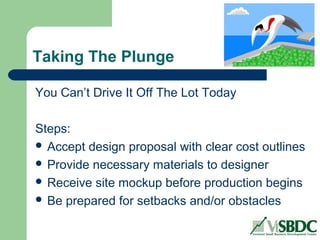
Taking The Plunge
You Can’t Drive It Off The Lot Today
Steps:
 Accept design proposal with clear cost outlines
 Provide necessary materials to designer
 Receive site mockup before production begins
 Be prepared for setbacks and/or obstacles
How Long Should It Take?
$20,000+ = As long as it takes, but clear
milestones should be set with
payment parameters
$5,000-$8,000 = Eight to Twelve Weeks
$2,500- = No More Than A Month
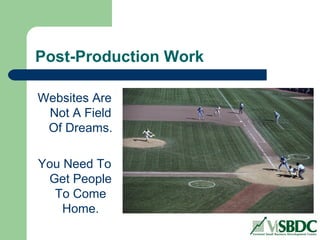
Post-Production Work
Websites Are
Not A Field
Of Dreams.
You Need To
Get People
To Come
Home.
Search Engine Optimization (SEO)
Be Sure Your Site Is Optimized For Search
• Research High Searchable Sites In Your
Industry
• Start Global, Then Regional, Then Local
• View Page Source Code for “title,” “keywords”
and “description” (meta tags or meta info.)
Defining Ways to Drive
Traffic to a Site
• E-newsletters
• Blogs
• Polls
• Contests and
sweepstakes
• Coupons
• Integrated Advertising
• Useful Content
• E-Mail Marketing
• Social Media
Social Media Marketing
Protect Your Investment
• Get On Facebook (profile page, “Like” page)
• Raise comfort level and move on (Twitter, etc.)
• Be consistent with posts
• Don’t Be Annoying (too many posts hurt you)
• Link Back To Your Site
• Personality
To Contact Us
Statewide Broadband Business Advisor
Patrick Ripley
802-595-3388
pripley@vtsbdc.org
www.vtsbdc.org
Thanks so much for your time!

Get Your Business Online

  • 1.
    Getting Your BusinessOnline Statewide Broadband Business Advisor Patrick Ripley A Service of The Vermont Small Business Development Center and e-Vermont
  • 2.
    What Do WeDo ? VtSBDC MISSION STATEMENT: “VtSBDC’s mission is to strengthen existing businesses and assist start-ups through high quality, no cost counseling, and high quality, affordable training programs.” More at: www.vtsbdc.org
  • 3.
    Should My BusinessBe Online? The Quick Answer – Yes! Your Customers Are Online, So You Should Be Too. But It’s Never That Easy … Things To Consider: • Cost • Time • Benefits • Goals/Expectations
  • 4.
    More Things ToConsider:  Competition (Are others in your industry online?)  Sales (Can you increase your market size?)  Image / Branding (Are you hip, modern, do you ‘get it?’)  Productivity (Increased efficiency, e-mail, cheap online brochure, etc.)
  • 5.
    How Much WillThis Cost Me? Buying A website is like buying a car. Do You Want A Cadillac or a Pinto? • High End – $20,000+ (Includes CMS, Database, Forms, Etc.) • Middle – $5,000-$8,000 (CMS, e-Commerce, Etc.) • Low End – $700-$2,500 (No CMS, Risk, Etc.) • Don’t Forget Hosting – $50-$20 A Month or Less
  • 6.
    So Where DoI Fit In? Most Small Businesses Do Not Need To Spend More Than $5,000 – $8,000 Unless:  Dynamic Site With Multiple Content Producers (media site)  Pageview Driven Revenue  Very Large and Diverse Product Inventory  Heavy Traffic Load  Database Dependent
  • 7.
    What You GetFor $5,000 – $8,000  Quality Assurance – Effective and Appealing Design – Consistent Branding and Content – Content Management System – Basic E-Commerce – Search Engine Optimization – Forms, e-mail, etc.
  • 8.
    I Can’t AffordThat! For $1,500 – $3,000:  Branded Online Presence That Works 24 Hours A Day  A Searchable Online Presence (You Exist!)  Marketing/Informational Tool For Customers  A Social Media Link (Facebook, Twitter, Etc.)  Modern Image (You ‘Get It)  New Customer Base  Something to Build From
  • 9.
    Low-End Site CostConcerns  Dynamic Content (CMS limited or nonexistent)  Search Engine Optimization (Can I Be Found?)  ‘Look’ appeal of Branding and design  User-Friendly E-Commerce  Forms/E-Mail/Interactivity (Can Buyers Reach Me Online Easily?)  Can I Trust My Designer?  Does This Site Accomplish My Goals?
  • 10.
    I Still Can’tAfford That!! There Are Other Options:  Wordpress www.wordpress.com  Joomla www.joomla.com  Intuit www.intuit.com  http://www.fatcow.com Benefit = Cost Drawback = Time, Ability, ‘Look,’ Usability, Etc.
  • 11.
    Further Cost Considerations Inaddition to the monthly or annual hosting fees, you can be charged for site maintenance if you are not managing your own site. Reasonable Rates: Between $75 and $125 per hour for site updates and maintenance.
  • 12.
    What Do INeed On My Site? What Do You Want To Do With It? Set Reasonable Goals and Expectations  Will I Sell From My Site?  Do I Need To Regularly Change Content?  Is This A Marketing/Informational Platform?  How Much Do I Care How It Looks?  Do I Have Time To Manage It?
  • 13.
    Determining the Site’sPurpose • Gathering information • Will the site provide in-depth information about a topic, product or service? • Will the site be someone’s professional portfolio? • Will the site sell products (and what kinds)? • Will the site market services (and what kinds)? • Keeping up with the competition • Develop a purpose statement
  • 14.
    Do I NeedA Database? Determining database content; ask these questions: • How often is content updated? • Are more than 20 products being sold? • What kind of growth is expected in one year? Three years? Five years? • Need to collect and use visitor data? • Is there enough dynamic content to justify cost?
  • 15.
    Determining Site Content Requirements Don’tLet Cost Dictate Form and Function While Planning Site Needs, Goals The bare minimum: • Contact info. (address, phone number, e-mail) • Home page info. and Dynamic Lede (What Do You Do?) • Branding, tag line • Footer • Navigation • Social Media Links if Available
  • 16.
    Looking at Competitors’Web Sites Consult The Google Monster! • Evaluate competitors for their successes and failures. • Use keyword searches to research competitors’ Web sites in various markets (local, regional, state, national, and global). • Review content of Web sites found in keyword searches. • Pay attention to colors, shapes, fonts, photos, and other design elements. Your Web designer’s role in demographic market research is to gather and distill the research provided by the client to help define the ideal site visitor. Conduct “research by proxy” (by harvesting information from competitors’ sites) if there is insufficient research for the demographic profile. Define the ideal site visitor.
  • 17.
    Lets Get Started! Decideon a domain name for the site Your URL should: • Be Easy To Say, Write and Remember • Reflect Your Business/Brand • Not Contain dashes or other characters • Preferably a .com • Verify that the name is available.
  • 18.
    See If YourName Is Available There Are Countless Providers, So Shop Around. Some Well-Known Domain Search Engines: http://instantdomainsearch.com (Free Search) http://www.godaddy.com http://www.whois.net
  • 19.
    I Found MyDomain Buy It Now! Register the name with a domain registrar or host provider. Why? • It’s Cheap ($10-$15 Annually) • It May Get Snatched Up • You Can Always Change It Later Or Add More • It Drives Site Production Cost Down
  • 20.
    How Else CanI Drive Cost Down?  Harvest Pre-Existing Marketing Research To Help Identify Ideal Site Visitor, But Be Sure Not To Rule Out New Customer Base  Write Your Own Copy For The Site Or Have An Employee Do So  Utilize Pre-Existing Graphic Materials  Have A Good Idea What You Want Before You Contact A Designer (Site Research)
  • 21.
    Finding A SiteDesigner There are Website Designers Throughout The Region. Shop Around! Tips:  Look For Reputable Design Firms (Google)  Avoid Start-ups Or Unknown Freelancers  Consult Your Local SBDC Advisor
  • 22.
    What Questions ToAsk Good Designers Should Be Able to Answer These Questions Quickly And Easily  Can You Show Me Some Other Sites You Designed?  Are Your Sites WC3 Compliant?  How Do You Handle SEO?  Can You Provide Me With A Site Proposal?
  • 23.
    More Questions ToAsk  How Will the Site Be Hosted?  What Is The Hosting Fee? ($50 +/- Per Month)  What Is The “Up-Time” Percentage  How Much Traffic Can Hosting Plan Handle  How Will You Handle The CMS?  Can I Speak With Some Of Your Other Clients?
  • 24.
    Taking The Plunge YouCan’t Drive It Off The Lot Today Steps:  Accept design proposal with clear cost outlines  Provide necessary materials to designer  Receive site mockup before production begins  Be prepared for setbacks and/or obstacles
  • 25.
    How Long ShouldIt Take? $20,000+ = As long as it takes, but clear milestones should be set with payment parameters $5,000-$8,000 = Eight to Twelve Weeks $2,500- = No More Than A Month
  • 26.
    Post-Production Work Websites Are NotA Field Of Dreams. You Need To Get People To Come Home.
  • 27.
    Search Engine Optimization(SEO) Be Sure Your Site Is Optimized For Search • Research High Searchable Sites In Your Industry • Start Global, Then Regional, Then Local • View Page Source Code for “title,” “keywords” and “description” (meta tags or meta info.)
  • 28.
    Defining Ways toDrive Traffic to a Site • E-newsletters • Blogs • Polls • Contests and sweepstakes • Coupons • Integrated Advertising • Useful Content • E-Mail Marketing • Social Media
  • 29.
    Social Media Marketing ProtectYour Investment • Get On Facebook (profile page, “Like” page) • Raise comfort level and move on (Twitter, etc.) • Be consistent with posts • Don’t Be Annoying (too many posts hurt you) • Link Back To Your Site • Personality
  • 30.
    To Contact Us StatewideBroadband Business Advisor Patrick Ripley 802-595-3388 pripley@vtsbdc.org www.vtsbdc.org Thanks so much for your time!

Editor's Notes

  • #11 Clarify Environmental Issues Pollution prevention efforts Hazardous materials management Waste reduction procedures Strategies to meet regulatory requirements Energy Efficiency Audits Cost/benefits analysis to lower energy bills Environmental Health & Safety Planning Workforce Occupational Safety & Health Training Clarify Environmental Issues Pollution prevention efforts Hazardous materials management Waste reduction procedures Strategies to meet regulatory requirements Energy Efficiency Audits Cost/benefits analysis to lower energy bills Environmental Health & Safety Planning Workforce Occupational Safety & Health Training