

AdWords forBed and BreakfastsAugust 29, 2011
Let’s Get AcquaintedEd Tankersley
Principal of Eight Trails
Smarter websites and online marketing
20+ years advertising and marketing
Interactive director
Creative director
WriterLet’s Get AcquaintedEd TankersleyGoogle AdWords Qualified Individual
What is AdWords?AdWords is Google’s paid search advertising programPaid search is also known as pay-per-click or PPCPPC is one component of SEM
What is SEM?
Connect with potentialcustomers while they’reactively searching foryour service!
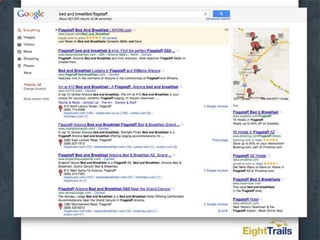
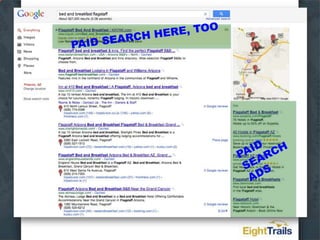
Natural search vs paid search(SEO vs PPC)
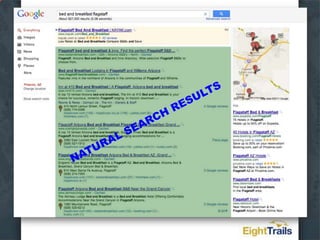
NATURAL SEARCH RESULTS
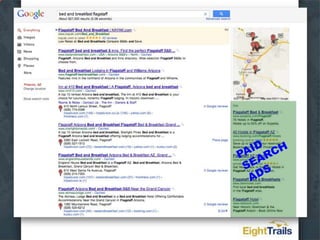
PAID SEARCH ADS
PAID SEARCH HERE, TOOPAID SEARCH ADS
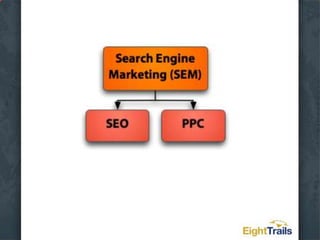
SEO vs PPCSEO helps you with your organic search rankingsPPC is a way to pay for position on the search results pages (and other websites, too)PPC is not affected by what you do with SEOSEO is not affected by what you do with PPC
AdWords Nitty GrittyBenefits of AdWordsReachTargetingFlexibilityMeasurability
AdWords Nitty GrittyAdWords is an auctionThe higher you bid, the higher your ads appear (generally)
AdWords Nitty GrittyYou pay only when someone clicks on your adHence, pay-per-clickThere is no minimum budget requirementSpend as much or as little as works for you
AdWords Nitty GrittyYour bid price for a given position is determined by competition AND your Quality ScoreWith a good Quality Score, you could rank higher than a competitor for a lower bid price
AdWords Nitty GrittyYour Quality Score is determined byThe relevance of your adThe relevance of your landing pageYour clickthrough rateOther mysterious factors
AdWords Nitty GrittyAdWords comprises:Search NetworkGoogle searchSearch partners (AOL, Earthlink)Display NetworkHundreds of thousands of websites
Set Up Your First AdWords Campaign, Step by StepCreate an Account the Right Way the First TimeYour Secret Advantage – Irresistible AdsThe Lowdown on KeywordsOrganize Your Ad Groups for Success3 Defaults That Can Bite YouBonus Tips for Insiders Only
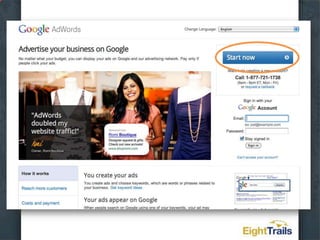
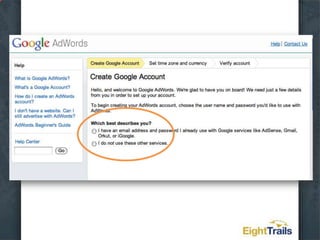
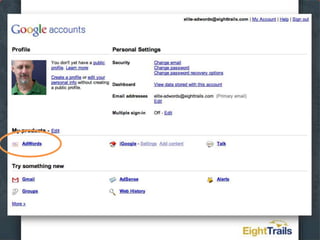
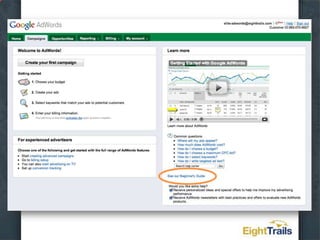
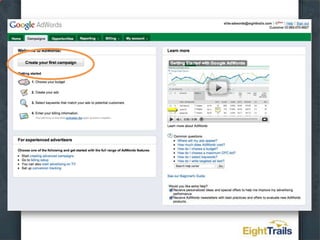
Create an Account the Right Way the First TimeStart at adwords.google.com
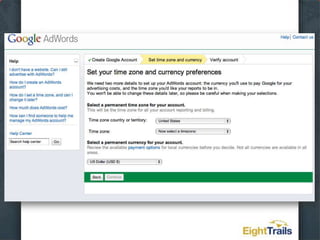
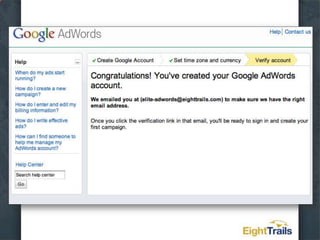
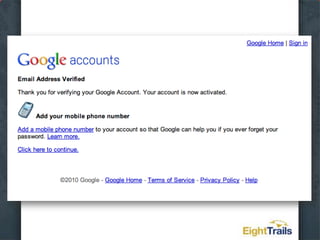
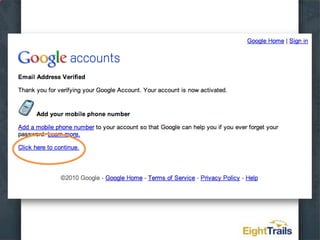
Create an Account the Right Way the First TimeUse an existing email tied to your Google accounts or create a new oneSet your time zone – can’t be changedSet your currency – can’t be changedConfirm your email
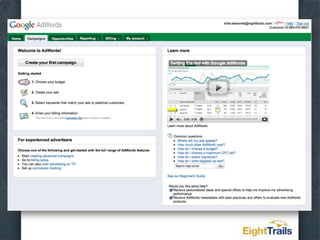
Create an Account the Right Way the First TimeThat’s it! You have an AdWords account(sort of…)
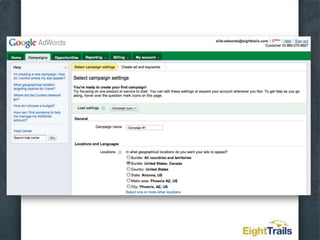
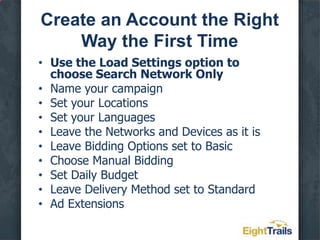
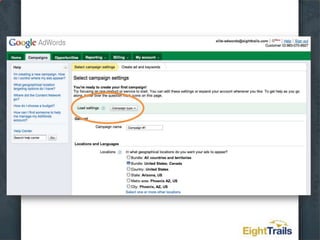
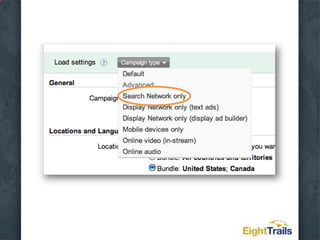
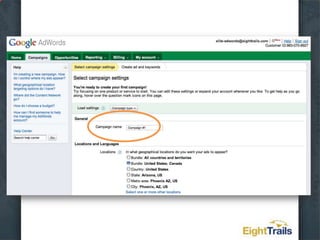
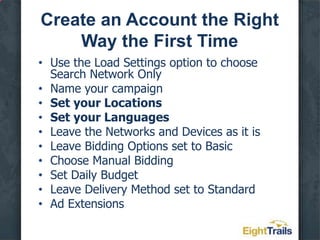
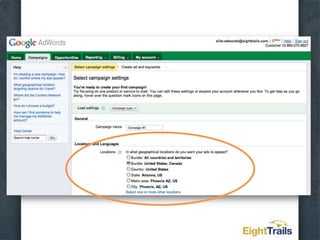
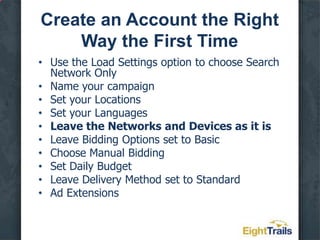
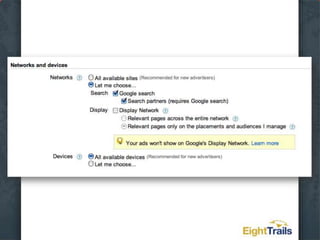
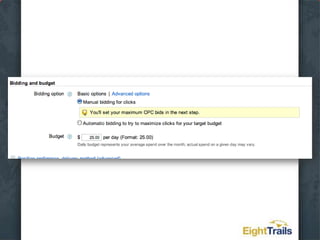
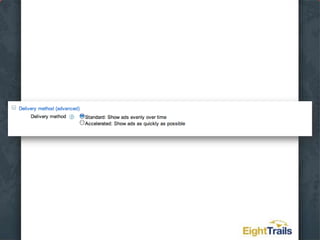
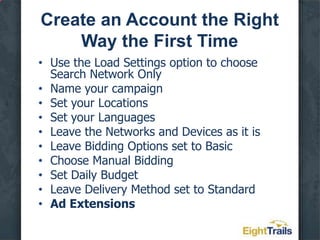
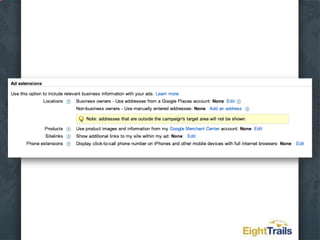
Create an Account the Right Way the First TimeUse the Load Settings option to choose Search Network OnlyName your campaignSet your LocationsSet your LanguagesLeave the Networks and Devices as it isLeave Bidding Options set to BasicChoose Manual BiddingSet Daily BudgetLeave Delivery Method set to StandardAd Extensions
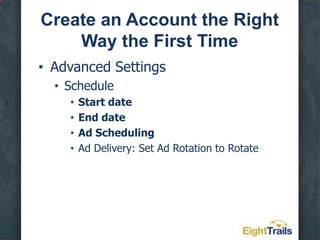
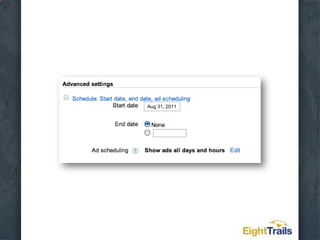
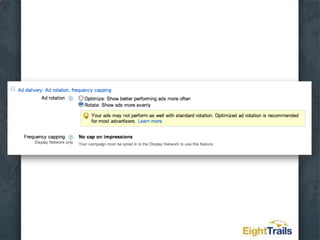
Create an Account the Right Way the First TimeAdvanced SettingsScheduleStart dateEnd dateAd SchedulingAd Delivery: Set Ad Rotation to Rotate
Aug 31, 2011
Create an Account the Right Way the First TimeAdvanced SettingsScheduleStart dateEnd dateAd SchedulingAd Delivery: Set Ad Rotation to Rotate
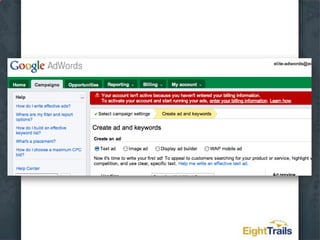
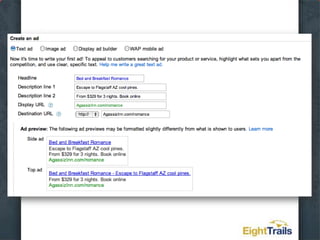
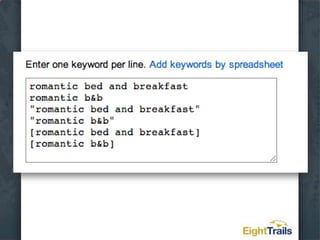
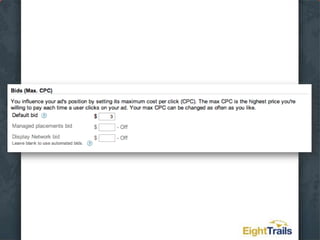
Create an Account the Right Way the First TimeCreate an adSelect keywordsSet your maximum bidSave and continue to billing
Create an Account the Right Way the First TimeEnter your billing informationSelect automatic payments or manual paymentsPay a one-time AdWords activation fee of $5
Create an Account the Right Way the First TimeNOW you have an AdWords account
CAUTION!Unless you chose a start date in the future, your ads will now start displaying and you’ll be spending money!
Your Secret Advantage – Irresistible Ads
Your Secret Advantage – Irresistible AdsThe purpose of your ad is to get people to click on your ad!
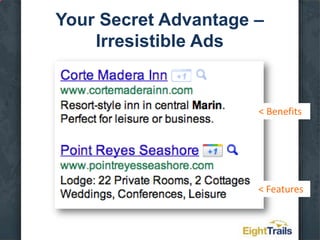
Your Secret Advantage – Irresistible AdsPeople don’t need a drill… …they need a hole.Sell your benefits!
Your Secret Advantage – Irresistible Ads< Benefits< Features
Hands-On -Explore Your BenefitsCreate a list of featuresExtend those to benefitsAdd emotional promise if you can
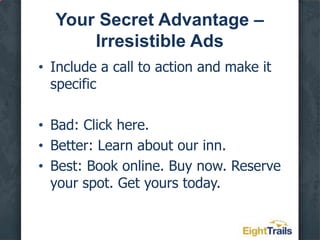
Your Secret Advantage – Irresistible AdsInclude a call to action and make it specificBad: Click here.Better: Learn about our inn.Best: Book online. Buy now. Reserve your spot. Get yours today.
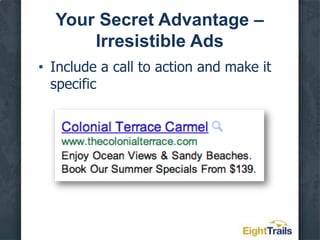
Your Secret Advantage – Irresistible AdsInclude a call to action and make it specific
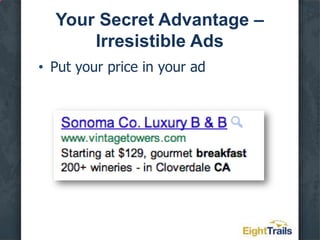
Your Secret Advantage – Irresistible AdsPut your price in your ad
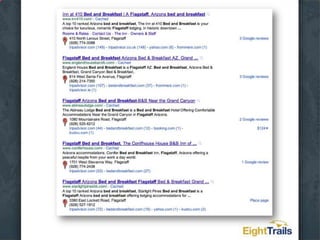
Your Secret Advantage – Irresistible AdsSpy on your competitors, then differentiate
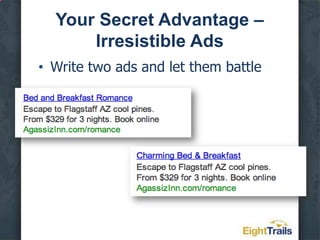
Your Secret Advantage – Irresistible AdsWrite two ads and let them battle
Hands-On –What Can You Test?HeadlinesOffersFeaturesBenefitsAppeal/PromiseURLsCapitalization
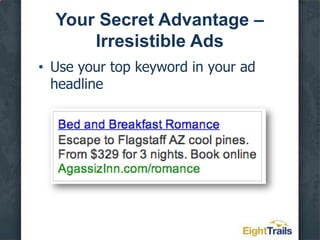
Your Secret Advantage – Irresistible AdsUse your top keyword in your ad headline
The Lowdown on Keywords
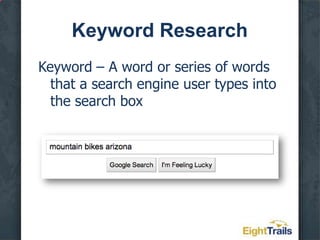
Keyword ResearchKeyword – A word or series of words that a search engine user types into the search box
Keyword ResearchGenerate a seed listAsk your customersAsk your front-line employeesLook at analytics or server logs
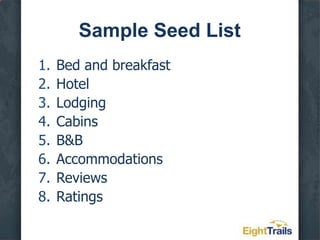
Sample Seed ListBed and breakfastHotelLodgingCabinsB&BAccommodationsReviewsRatings
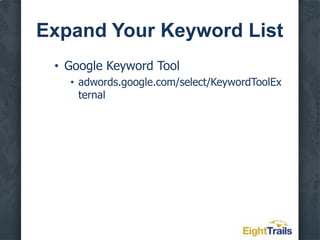
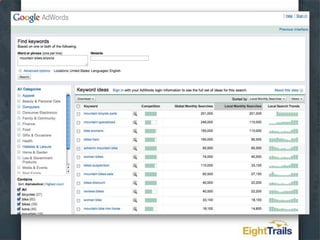
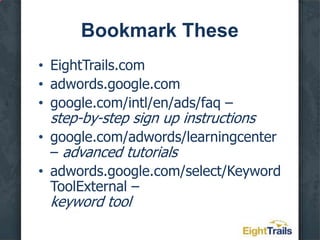
Expand Your Keyword ListGoogle Keyword Tooladwords.google.com/select/KeywordToolExternal
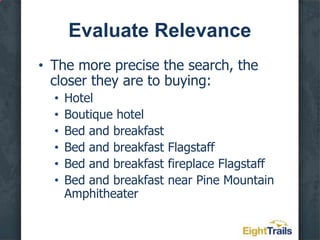
Evaluate RelevanceThe more precise the search, the closer they are to buying:HotelBoutique hotelBed and breakfastBed and breakfast FlagstaffBed and breakfast fireplace FlagstaffBed and breakfast near Pine Mountain Amphitheater
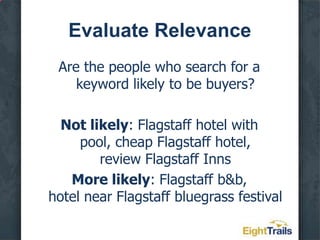
Evaluate RelevanceAre the people who search for a keyword likely to be buyers?Not likely: Flagstaff hotel with pool, cheap Flagstaff hotel, review Flagstaff InnsMore likely: Flagstaff b&b, hotel near Flagstaff bluegrass festival
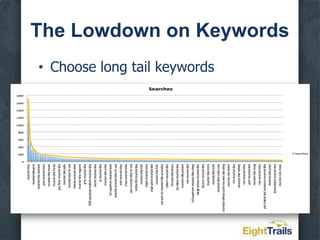
The Lowdown on KeywordsChoose long tail keywords
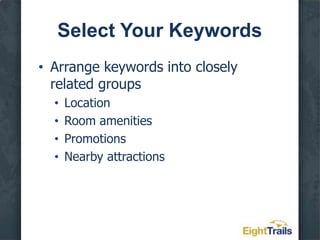
Select Your KeywordsArrange keywords into closely related groupsLocationRoom amenitiesPromotionsNearby attractions
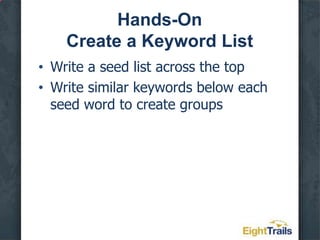
Hands-OnCreate a Keyword ListWrite a seed list across the topWrite similar keywords below each seed word to create groups
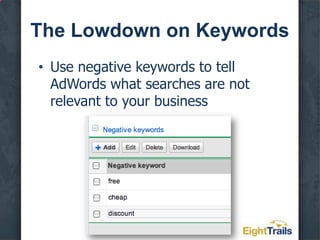
The Lowdown on KeywordsUse negative keywords to tell AdWords what searches are not relevant to your business
The Lowdown on KeywordsPut your most popular keywords in their own groupPut lots of keywords in your campaignAdd new keywords regularly
Optimize Your Ad Groups for Success
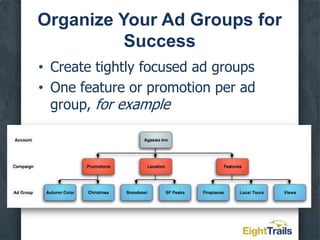
Organize Your Ad Groups for SuccessCreate tightly focused ad groupsOne feature or promotion per ad group, for example
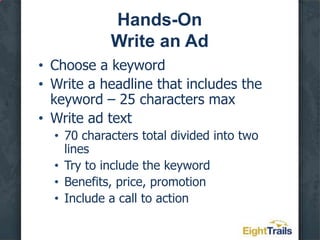
Hands-OnWrite an AdChoose a keywordWrite a headline that includes the keyword – 25 characters maxWrite ad text70 characters total divided into two linesTry to include the keywordBenefits, price, promotionInclude a call to action

AdWords for B&Bs

  • 1.
    AdWords forBed andBreakfastsAugust 29, 2011
  • 2.
  • 3.
  • 4.
    Smarter websites andonline marketing
  • 5.
  • 6.
  • 7.
  • 8.
    WriterLet’s Get AcquaintedEdTankersleyGoogle AdWords Qualified Individual
  • 9.
    What is AdWords?AdWordsis Google’s paid search advertising programPaid search is also known as pay-per-click or PPCPPC is one component of SEM
  • 10.
  • 12.
    Connect with potentialcustomerswhile they’reactively searching foryour service!
  • 13.
    Natural search vspaid search(SEO vs PPC)
  • 15.
  • 16.
  • 17.
    PAID SEARCH HERE,TOOPAID SEARCH ADS
  • 18.
    SEO vs PPCSEOhelps you with your organic search rankingsPPC is a way to pay for position on the search results pages (and other websites, too)PPC is not affected by what you do with SEOSEO is not affected by what you do with PPC
  • 19.
    AdWords Nitty GrittyBenefitsof AdWordsReachTargetingFlexibilityMeasurability
  • 20.
    AdWords Nitty GrittyAdWordsis an auctionThe higher you bid, the higher your ads appear (generally)
  • 21.
    AdWords Nitty GrittyYoupay only when someone clicks on your adHence, pay-per-clickThere is no minimum budget requirementSpend as much or as little as works for you
  • 22.
    AdWords Nitty GrittyYourbid price for a given position is determined by competition AND your Quality ScoreWith a good Quality Score, you could rank higher than a competitor for a lower bid price
  • 23.
    AdWords Nitty GrittyYourQuality Score is determined byThe relevance of your adThe relevance of your landing pageYour clickthrough rateOther mysterious factors
  • 24.
    AdWords Nitty GrittyAdWordscomprises:Search NetworkGoogle searchSearch partners (AOL, Earthlink)Display NetworkHundreds of thousands of websites
  • 25.
    Set Up YourFirst AdWords Campaign, Step by StepCreate an Account the Right Way the First TimeYour Secret Advantage – Irresistible AdsThe Lowdown on KeywordsOrganize Your Ad Groups for Success3 Defaults That Can Bite YouBonus Tips for Insiders Only
  • 26.
    Create an Accountthe Right Way the First TimeStart at adwords.google.com
  • 28.
    Create an Accountthe Right Way the First TimeUse an existing email tied to your Google accounts or create a new oneSet your time zone – can’t be changedSet your currency – can’t be changedConfirm your email
  • 30.
    Create an Accountthe Right Way the First TimeUse an existing email tied to your Google accounts or create a new oneSet your time zone – can’t be changedSet your currency – can’t be changedConfirm your email
  • 32.
    Create an Accountthe Right Way the First TimeUse an existing email tied to your Google accounts or create a new oneSet your time zone – can’t be changedSet your currency – can’t be changedConfirm your email
  • 35.
    Create an Accountthe Right Way the First TimeThat’s it! You have an AdWords account(sort of…)
  • 44.
    Create an Accountthe Right Way the First TimeUse the Load Settings option to choose Search Network OnlyName your campaignSet your LocationsSet your LanguagesLeave the Networks and Devices as it isLeave Bidding Options set to BasicChoose Manual BiddingSet Daily BudgetLeave Delivery Method set to StandardAd Extensions
  • 47.
    Create an Accountthe Right Way the First TimeUse the Load Settings option to choose Search Network OnlyName your campaignSet your LocationsSet your LanguagesLeave the Networks and Devices as it isLeave Bidding Options set to BasicChoose Manual BiddingSet Daily BudgetLeave Delivery Method set to StandardAd Extensions
  • 49.
    Create an Accountthe Right Way the First TimeUse the Load Settings option to choose Search Network OnlyName your campaignSet your LocationsSet your LanguagesLeave the Networks and Devices as it isLeave Bidding Options set to BasicChoose Manual BiddingSet Daily BudgetLeave Delivery Method set to StandardAd Extensions
  • 51.
    Create an Accountthe Right Way the First TimeUse the Load Settings option to choose Search Network OnlyName your campaignSet your LocationsSet your LanguagesLeave the Networks and Devices as it isLeave Bidding Options set to BasicChoose Manual BiddingSet Daily BudgetLeave Delivery Method set to StandardAd Extensions
  • 53.
    Create an Accountthe Right Way the First TimeUse the Load Settings option to choose Search Network OnlyName your campaignSet your LocationsSet your LanguagesLeave the Networks and Devices as it isLeave Bidding Options set to BasicChoose Manual BiddingSet Daily BudgetLeave Delivery Method set to StandardAd Extensions
  • 55.
    Create an Accountthe Right Way the First TimeUse the Load Settings option to choose Search Network OnlyName your campaignSet your LocationsSet your LanguagesLeave the Networks and Devices as it isLeave Bidding Options set to BasicChoose Manual BiddingSet Daily BudgetLeave Delivery Method set to StandardAd Extensions
  • 57.
    Create an Accountthe Right Way the First TimeUse the Load Settings option to choose Search Network OnlyName your campaignSet your LocationsSet your LanguagesLeave the Networks and Devices as it isLeave Bidding Options set to BasicChoose Manual BiddingSet Daily BudgetLeave Delivery Method set to StandardAd Extensions
  • 59.
    Create an Accountthe Right Way the First TimeAdvanced SettingsScheduleStart dateEnd dateAd SchedulingAd Delivery: Set Ad Rotation to Rotate
  • 60.
  • 61.
    Create an Accountthe Right Way the First TimeAdvanced SettingsScheduleStart dateEnd dateAd SchedulingAd Delivery: Set Ad Rotation to Rotate
  • 64.
    Create an Accountthe Right Way the First TimeCreate an adSelect keywordsSet your maximum bidSave and continue to billing
  • 66.
    Create an Accountthe Right Way the First TimeCreate an adSelect keywordsSet your maximum bidSave and continue to billing
  • 68.
    Create an Accountthe Right Way the First TimeCreate an adSelect keywordsSet your maximum bidSave and continue to billing
  • 70.
    Create an Accountthe Right Way the First TimeCreate an adSelect keywordsSet your maximum bidSave and continue to billing
  • 71.
    Create an Accountthe Right Way the First TimeEnter your billing informationSelect automatic payments or manual paymentsPay a one-time AdWords activation fee of $5
  • 72.
    Create an Accountthe Right Way the First TimeNOW you have an AdWords account
  • 73.
    CAUTION!Unless you chosea start date in the future, your ads will now start displaying and you’ll be spending money!
  • 74.
    Your Secret Advantage– Irresistible Ads
  • 75.
    Your Secret Advantage– Irresistible AdsThe purpose of your ad is to get people to click on your ad!
  • 76.
    Your Secret Advantage– Irresistible AdsPeople don’t need a drill… …they need a hole.Sell your benefits!
  • 77.
    Your Secret Advantage– Irresistible Ads< Benefits< Features
  • 78.
    Hands-On -Explore YourBenefitsCreate a list of featuresExtend those to benefitsAdd emotional promise if you can
  • 79.
    Your Secret Advantage– Irresistible AdsInclude a call to action and make it specificBad: Click here.Better: Learn about our inn.Best: Book online. Buy now. Reserve your spot. Get yours today.
  • 80.
    Your Secret Advantage– Irresistible AdsInclude a call to action and make it specific
  • 81.
    Your Secret Advantage– Irresistible AdsPut your price in your ad
  • 82.
    Your Secret Advantage– Irresistible AdsSpy on your competitors, then differentiate
  • 84.
    Your Secret Advantage– Irresistible AdsWrite two ads and let them battle
  • 85.
    Hands-On –What CanYou Test?HeadlinesOffersFeaturesBenefitsAppeal/PromiseURLsCapitalization
  • 86.
    Your Secret Advantage– Irresistible AdsUse your top keyword in your ad headline
  • 87.
  • 88.
    Keyword ResearchKeyword –A word or series of words that a search engine user types into the search box
  • 89.
    Keyword ResearchGenerate aseed listAsk your customersAsk your front-line employeesLook at analytics or server logs
  • 90.
    Sample Seed ListBedand breakfastHotelLodgingCabinsB&BAccommodationsReviewsRatings
  • 91.
    Expand Your KeywordListGoogle Keyword Tooladwords.google.com/select/KeywordToolExternal
  • 93.
    Evaluate RelevanceThe moreprecise the search, the closer they are to buying:HotelBoutique hotelBed and breakfastBed and breakfast FlagstaffBed and breakfast fireplace FlagstaffBed and breakfast near Pine Mountain Amphitheater
  • 94.
    Evaluate RelevanceAre thepeople who search for a keyword likely to be buyers?Not likely: Flagstaff hotel with pool, cheap Flagstaff hotel, review Flagstaff InnsMore likely: Flagstaff b&b, hotel near Flagstaff bluegrass festival
  • 95.
    The Lowdown onKeywordsChoose long tail keywords
  • 96.
    Select Your KeywordsArrangekeywords into closely related groupsLocationRoom amenitiesPromotionsNearby attractions
  • 97.
    Hands-OnCreate a KeywordListWrite a seed list across the topWrite similar keywords below each seed word to create groups
  • 98.
    The Lowdown onKeywordsUse negative keywords to tell AdWords what searches are not relevant to your business
  • 99.
    The Lowdown onKeywordsPut your most popular keywords in their own groupPut lots of keywords in your campaignAdd new keywords regularly
  • 100.
    Optimize Your AdGroups for Success
  • 101.
    Organize Your AdGroups for SuccessCreate tightly focused ad groupsOne feature or promotion per ad group, for example
  • 102.
    Hands-OnWrite an AdChoosea keywordWrite a headline that includes the keyword – 25 characters maxWrite ad text70 characters total divided into two linesTry to include the keywordBenefits, price, promotionInclude a call to action

Editor's Notes

  • #2 Make sure signup sheet is circulating.Phones on vibrate.
  • #3 Makesure signup sheet is circulating.
  • #4 Tell me about you: Doing AdWords now? For how long?
  • #7 We’re not going to talk about PPC today, as our focus is SEO. SEO also has two main components (change)
  • #74 First page of handout packet
  • #79 Are any of these B&amp;Bs here today?
  • #81 Use last sheet of packet to list opportunities for testing
  • #88 Example sheet provided for Flagstaff bed and breakfast
  • #93 Use the worksheet on page 2 of the packet, refer to your benefits for ideas