Small Business
Website Design
What Every Business Owner Needs to Know
about Participating in the Process, Working
with a Designer and Producing a Site that
Works for Your Business
What we’ll cover
ļ‚¢ Planning the site
structure & content
ļ‚¢ Types of sites
ļ‚¢ Budget
ļ‚¢ Domain names
ļ‚¢ Hosting
ļ‚¢ Finding a
designer/developer
ļ‚¢ Contracts
ļ‚¢ Design &
development process
ļ‚¢ Pre-launch check
ļ‚¢ Maintenance/
updates
ļ‚¢ Marketing
Planning
ļ‚¢ The more you have planned ahead of
time, the better!
ļ‚¢ Things you should know:
 Your business model
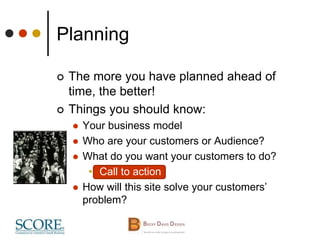
 Who are your customers or Audience?
 What do you want your customers to do?
• Call to action
 How will this site solve your customers’
problem?
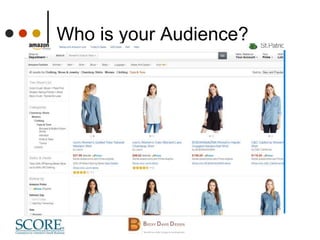
Who is your Audience?
Site Types
ļ‚¢ Brochure - Set it and Forget it, (but don’t)
 Basic static pages, simple form
ļ‚¢ Informational - Regularly Updated
 Needs a database and/or blogging capability
ļ‚¢ E-commerce (Can be used for services, too)
 Requires shopping cart (customer, order and
product information storage and retrieval)
Planning
ļ‚¢ Things you should have an idea about:
 Branding
• visual interface to ā€˜set tone/expectations’,
based on your audience and corporate
culture
• Logo, Colors, Look and Feel
• Focus on good design, not clutter
 Content (Message or ā€˜Pitch’)
• Written copy (Optimized for Search Engines
Humans with keywords)
• Product photos or other images
• Video or Audio
Planning
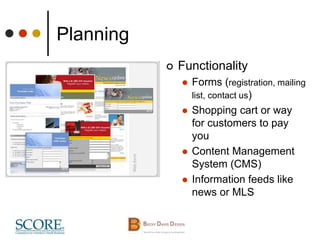
ļ‚¢ Functionality
 Forms (registration, mailing
list, contact us)
 Shopping cart or way
for customers to pay
you
 Content Management
System (CMS)
 Information feeds like
news or MLS
Planning
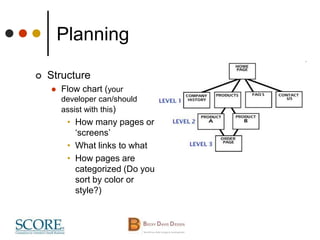
ļ‚¢ Structure
 Flow chart (your
developer can/should
assist with this)
• How many pages or
ā€˜screens’
• What links to what
• How pages are
categorized (Do you
sort by color or
style?)
MORE Planning!
ļ‚¢ Examples
 Competition
 What you love (functionality, color, style, etc.)
 What you hate
ļ‚¢ What you NEED now, what would be nice later
 Sites can be built in stages, as long as it’s planned for
ļ‚¢ Questionnaire is a good place to start
ļ‚¢ Whew! Now that all the planning is done….
How Much Will This Cost?
ļ‚¢ How much do you project
making?
 10-20% of what you will make in the first year
is a good baseline
ļ‚¢ How much can you do yourself?
 Writing, photography etc.
 What is your time worth?
ļ‚¢ It Depends….
 Website is an ongoing
investment
 ā€œAverageā€ small business should
expect low to mid 4 figures.
How Much Will This Cost?
ļ‚¢ What type of site do you need?
 Blog (minimal design capability) = Free
(remember your time…)
 Brochure = $2500-$4500 (Estimated labor
20 to 60 hours)
 Infomational or E-Commerce = $4500-
$8500++
ļ‚¢ Maintenance and marketing are key to
success and not included in these
estimates!
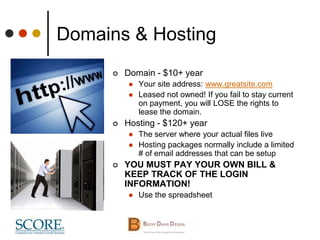
Domains & Hosting
ļ‚¢ Domain - $10+ year
 Your site address: www.greatsite.com
 Leased not owned! If you fail to stay current
on payment, you will LOSE the rights to
lease the domain.
ļ‚¢ Hosting - $120+ year
 The server where your actual files live
 Hosting packages normally include a limited
# of email addresses that can be setup
ļ‚¢ YOU MUST PAY YOUR OWN BILL &
KEEP TRACK OF THE LOGIN
INFORMATION!
 Use the spreadsheet
Finding a
Designer/Developer
ļ‚¢ Not all designers know how to code, not all developers
know how to design
 $Designer/developer, small company, freelance, home office
 $$-$$$Advertising/Design firm
• Designer, developer, writer, photographer, ad placement,
fancy office
ļ‚¢ Ask your friends & family
 (If you have a friend actually do the site, do you care about
deadlines and quality? Professionals are much more
accountable.)
ļ‚¢ Who developed the sites in your industry that you
admire?
 Look for functionality, not ā€˜Flash Bang’
ļ‚¢ LinkedIn, Google
Finding a
Designer/Developer
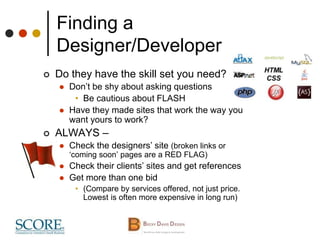
ļ‚¢ Do they have the skill set you need?
 Don’t be shy about asking questions
• Be cautious about FLASH
 Have they made sites that work the way you
want yours to work?
ļ‚¢ ALWAYS –
 Check the designers’ site (broken links or
ā€˜coming soon’ pages are a RED FLAG)
 Check their clients’ sites and get references
 Get more than one bid
• (Compare by services offered, not just price.
Lowest is often more expensive in long run)
The Proposal & Contract
ļ‚¢ Don’t leave home without it
 Protects the owner and designer
 Defines the scope of work
 Define WHO is responsible for
WHAT
• Who is providing content
 Deadlines go both ways
 Who ā€œownsā€ what at the end
• Content, artwork, code
 Payment structure
• Typically 33% or 50% up front
 Is maintenance covered?
• Negotiate!
 Can you get out?
The Proposal & Contract
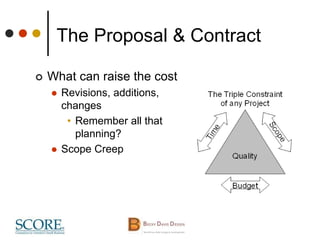
ļ‚¢ What can raise the cost
 Revisions, additions,
changes
• Remember all that
planning?
 Scope Creep
The Process
Yay! We’re finally creating something!
ļ‚¢ You’ve planned, now
designer does
discovery
 Share all of your
planning
 Be prepared for more
questions!
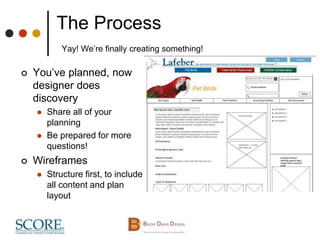
ļ‚¢ Wireframes
 Structure first, to include
all content and plan
layout
The Process
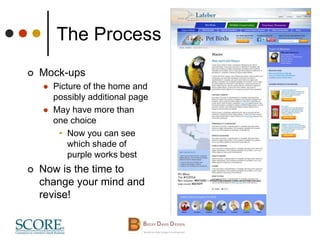
ļ‚¢ Mock-ups
 Picture of the home and
possibly additional page
 May have more than
one choice
• Now you can see
which shade of
purple works best
ļ‚¢ Now is the time to
change your mind and
revise!
The Process
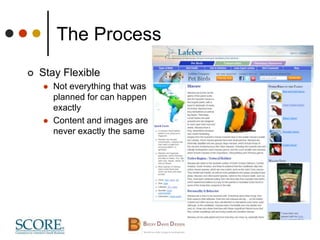
ļ‚¢ Stay Flexible
 Not everything that was
planned for can happen
exactly
 Content and images are
never exactly the same
The Process
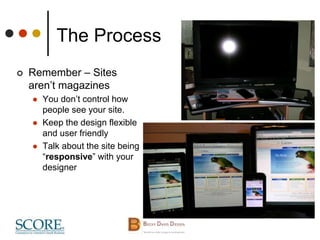
ļ‚¢ Remember – Sites
aren’t magazines
 You don’t control how
people see your site.
 Keep the design flexible
and user friendly
 Talk about the site being
ā€œresponsiveā€ with your
designer
The Process
ļ‚¢ Development
 The coding that actually creates the site
 Includes functionality that makes the site ā€˜go’ and can
include Galleries, Slide Shows, Email forms,
Shopping Carts, Blog installations . . .
<!DOCTYPE html PUBLIC "-//W3C//DTD XHTML 1.0 Transitional//EN"
"http://www.w3.org/TR/xhtml1/DTD/xhtml1-transitional.dtd"> <html xmlns="http://www.w3.org/1999/xhtml">
<head profile="http://gmpg.org/xfn/11"> <title>Designing Your Site, Things Every Business Owner Should
Know</title> <meta http-equiv="Content-Type" content="text/html; charset=UTF-8" /> <meta
name="generator" content="WordPress 2.9.2" /> <!-- leave this for stats please --> <link rel="stylesheet"
href="http://www.beckydavisdesign.com/seminar/wp-content/themes/BDD_Su/style.css" type="text/css"
media="screen" /> <link rel="alternate" type="application/rss+xml" title="RSS 2.0"
href="http://www.beckydavisdesign.com/seminar/feed/" /> <link rel="alternate" type="text/xml" title="RSS .92"
href="http://www.beckydavisdesign.com/seminar/feed/rss/" /> <link rel="alternate" type="application/atom+xml"
title="Atom 0.3" href="http://www.beckydavisdesign.com/seminar/feed/atom/" /> <link rel="pingback"
href="http://www.beckydavisdesign.com/seminar/xmlrpc.php" />
The Process
ļ‚¢ Each stage needs YOUR approval
 Layout, design, development, launch
 Delays in content delivery, approval and
payment schedule all directly affect your
deadline
ļ‚¢ Design changes or added
functionality requests during
development will be extra $$
Pre-launch Check
ļ‚¢ Use more than one tester
 Preferably someone who has not seen the site before
ļ‚¢ Does every link work?
ļ‚¢ Do the forms work?
ļ‚¢ Does the shopping cart work?
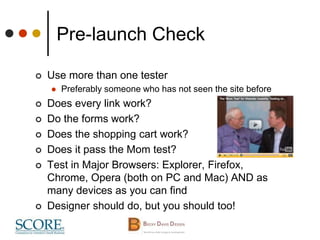
ļ‚¢ Does it pass the Mom test?
ļ‚¢ Test in Major Browsers: Explorer, Firefox,
Chrome, Opera (both on PC and Mac) AND as
many devices as you can find
ļ‚¢ Designer should do, but you should too!
Maintenance & Updates
ļ‚¢ You planned for this, right?
 Monthly fee?
 CMS training?
 Publishing schedule for blog or events?
 Updating products or inventory?
ļ‚¢ You’re NEVER done.
 Relevant and current content wins in search
Marketing
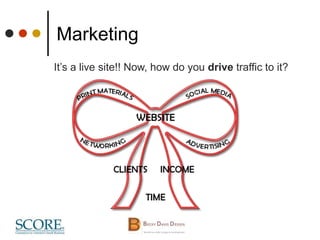
It’s a live site!! Now, how do you drive traffic to it?
Marketing
 Social Media (easier for some business types
than others)
• Facebook fan page
• Your LinkedIn Profile
• Twitter
• Use what works for you!
 Email marketing
• MailChimp
• Constant Contact
• AWeber
• Active Campaign
 Printed material
• Your Email Address should be you@company.com
NOT gmail, and NOT aol. (Support your domain!)
Marketing
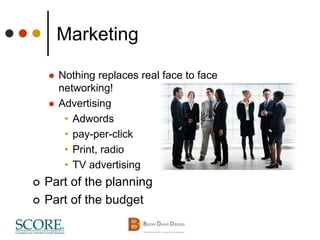
 Nothing replaces real face to face
networking!
 Advertising
• Adwords
• pay-per-click
• Print, radio
• TV advertising
ļ‚¢ Part of the planning
ļ‚¢ Part of the budget
Contact Information
ļ‚¢ Becky Davis
 becky@beckydavisdesign.com
 773-809-5640
ļ‚¢ These slides and MORE!
 http://beckydavisdesign.com/seminar-
schedule/

Successful Website Design

  • 1.
    Small Business Website Design WhatEvery Business Owner Needs to Know about Participating in the Process, Working with a Designer and Producing a Site that Works for Your Business
  • 2.
    What we’ll cover ļ‚¢Planning the site structure & content ļ‚¢ Types of sites ļ‚¢ Budget ļ‚¢ Domain names ļ‚¢ Hosting ļ‚¢ Finding a designer/developer ļ‚¢ Contracts ļ‚¢ Design & development process ļ‚¢ Pre-launch check ļ‚¢ Maintenance/ updates ļ‚¢ Marketing
  • 3.
    Planning ļ‚¢ The moreyou have planned ahead of time, the better! ļ‚¢ Things you should know:  Your business model  Who are your customers or Audience?  What do you want your customers to do? • Call to action  How will this site solve your customers’ problem?
  • 4.
    Who is yourAudience?
  • 5.
    Site Types ļ‚¢ Brochure- Set it and Forget it, (but don’t)  Basic static pages, simple form ļ‚¢ Informational - Regularly Updated  Needs a database and/or blogging capability ļ‚¢ E-commerce (Can be used for services, too)  Requires shopping cart (customer, order and product information storage and retrieval)
  • 6.
    Planning ļ‚¢ Things youshould have an idea about:  Branding • visual interface to ā€˜set tone/expectations’, based on your audience and corporate culture • Logo, Colors, Look and Feel • Focus on good design, not clutter  Content (Message or ā€˜Pitch’) • Written copy (Optimized for Search Engines Humans with keywords) • Product photos or other images • Video or Audio
  • 7.
    Planning ļ‚¢ Functionality  Forms(registration, mailing list, contact us)  Shopping cart or way for customers to pay you  Content Management System (CMS)  Information feeds like news or MLS
  • 8.
    Planning ļ‚¢ Structure  Flowchart (your developer can/should assist with this) • How many pages or ā€˜screens’ • What links to what • How pages are categorized (Do you sort by color or style?)
  • 9.
    MORE Planning! ļ‚¢ Examples Competition  What you love (functionality, color, style, etc.)  What you hate ļ‚¢ What you NEED now, what would be nice later  Sites can be built in stages, as long as it’s planned for ļ‚¢ Questionnaire is a good place to start ļ‚¢ Whew! Now that all the planning is done….
  • 10.
    How Much WillThis Cost? ļ‚¢ How much do you project making?  10-20% of what you will make in the first year is a good baseline ļ‚¢ How much can you do yourself?  Writing, photography etc.  What is your time worth? ļ‚¢ It Depends….  Website is an ongoing investment  ā€œAverageā€ small business should expect low to mid 4 figures.
  • 11.
    How Much WillThis Cost? ļ‚¢ What type of site do you need?  Blog (minimal design capability) = Free (remember your time…)  Brochure = $2500-$4500 (Estimated labor 20 to 60 hours)  Infomational or E-Commerce = $4500- $8500++ ļ‚¢ Maintenance and marketing are key to success and not included in these estimates!
  • 12.
    Domains & Hosting ļ‚¢Domain - $10+ year  Your site address: www.greatsite.com  Leased not owned! If you fail to stay current on payment, you will LOSE the rights to lease the domain. ļ‚¢ Hosting - $120+ year  The server where your actual files live  Hosting packages normally include a limited # of email addresses that can be setup ļ‚¢ YOU MUST PAY YOUR OWN BILL & KEEP TRACK OF THE LOGIN INFORMATION!  Use the spreadsheet
  • 13.
    Finding a Designer/Developer ļ‚¢ Notall designers know how to code, not all developers know how to design  $Designer/developer, small company, freelance, home office  $$-$$$Advertising/Design firm • Designer, developer, writer, photographer, ad placement, fancy office ļ‚¢ Ask your friends & family  (If you have a friend actually do the site, do you care about deadlines and quality? Professionals are much more accountable.) ļ‚¢ Who developed the sites in your industry that you admire?  Look for functionality, not ā€˜Flash Bang’ ļ‚¢ LinkedIn, Google
  • 14.
    Finding a Designer/Developer ļ‚¢ Dothey have the skill set you need?  Don’t be shy about asking questions • Be cautious about FLASH  Have they made sites that work the way you want yours to work? ļ‚¢ ALWAYS –  Check the designers’ site (broken links or ā€˜coming soon’ pages are a RED FLAG)  Check their clients’ sites and get references  Get more than one bid • (Compare by services offered, not just price. Lowest is often more expensive in long run)
  • 15.
    The Proposal &Contract ļ‚¢ Don’t leave home without it  Protects the owner and designer  Defines the scope of work  Define WHO is responsible for WHAT • Who is providing content  Deadlines go both ways  Who ā€œownsā€ what at the end • Content, artwork, code  Payment structure • Typically 33% or 50% up front  Is maintenance covered? • Negotiate!  Can you get out?
  • 16.
    The Proposal &Contract ļ‚¢ What can raise the cost  Revisions, additions, changes • Remember all that planning?  Scope Creep
  • 17.
    The Process Yay! We’refinally creating something! ļ‚¢ You’ve planned, now designer does discovery  Share all of your planning  Be prepared for more questions! ļ‚¢ Wireframes  Structure first, to include all content and plan layout
  • 18.
    The Process ļ‚¢ Mock-ups Picture of the home and possibly additional page  May have more than one choice • Now you can see which shade of purple works best ļ‚¢ Now is the time to change your mind and revise!
  • 19.
    The Process ļ‚¢ StayFlexible  Not everything that was planned for can happen exactly  Content and images are never exactly the same
  • 20.
    The Process ļ‚¢ Remember– Sites aren’t magazines  You don’t control how people see your site.  Keep the design flexible and user friendly  Talk about the site being ā€œresponsiveā€ with your designer
  • 21.
    The Process ļ‚¢ Development The coding that actually creates the site  Includes functionality that makes the site ā€˜go’ and can include Galleries, Slide Shows, Email forms, Shopping Carts, Blog installations . . . <!DOCTYPE html PUBLIC "-//W3C//DTD XHTML 1.0 Transitional//EN" "http://www.w3.org/TR/xhtml1/DTD/xhtml1-transitional.dtd"> <html xmlns="http://www.w3.org/1999/xhtml"> <head profile="http://gmpg.org/xfn/11"> <title>Designing Your Site, Things Every Business Owner Should Know</title> <meta http-equiv="Content-Type" content="text/html; charset=UTF-8" /> <meta name="generator" content="WordPress 2.9.2" /> <!-- leave this for stats please --> <link rel="stylesheet" href="http://www.beckydavisdesign.com/seminar/wp-content/themes/BDD_Su/style.css" type="text/css" media="screen" /> <link rel="alternate" type="application/rss+xml" title="RSS 2.0" href="http://www.beckydavisdesign.com/seminar/feed/" /> <link rel="alternate" type="text/xml" title="RSS .92" href="http://www.beckydavisdesign.com/seminar/feed/rss/" /> <link rel="alternate" type="application/atom+xml" title="Atom 0.3" href="http://www.beckydavisdesign.com/seminar/feed/atom/" /> <link rel="pingback" href="http://www.beckydavisdesign.com/seminar/xmlrpc.php" />
  • 22.
    The Process ļ‚¢ Eachstage needs YOUR approval  Layout, design, development, launch  Delays in content delivery, approval and payment schedule all directly affect your deadline ļ‚¢ Design changes or added functionality requests during development will be extra $$
  • 23.
    Pre-launch Check ļ‚¢ Usemore than one tester  Preferably someone who has not seen the site before ļ‚¢ Does every link work? ļ‚¢ Do the forms work? ļ‚¢ Does the shopping cart work? ļ‚¢ Does it pass the Mom test? ļ‚¢ Test in Major Browsers: Explorer, Firefox, Chrome, Opera (both on PC and Mac) AND as many devices as you can find ļ‚¢ Designer should do, but you should too!
  • 24.
    Maintenance & Updates ļ‚¢You planned for this, right?  Monthly fee?  CMS training?  Publishing schedule for blog or events?  Updating products or inventory? ļ‚¢ You’re NEVER done.  Relevant and current content wins in search
  • 25.
    Marketing It’s a livesite!! Now, how do you drive traffic to it?
  • 26.
    Marketing  Social Media(easier for some business types than others) • Facebook fan page • Your LinkedIn Profile • Twitter • Use what works for you!  Email marketing • MailChimp • Constant Contact • AWeber • Active Campaign  Printed material • Your Email Address should be you@company.com NOT gmail, and NOT aol. (Support your domain!)
  • 27.
    Marketing  Nothing replacesreal face to face networking!  Advertising • Adwords • pay-per-click • Print, radio • TV advertising ļ‚¢ Part of the planning ļ‚¢ Part of the budget
  • 28.
    Contact Information ļ‚¢ BeckyDavis  becky@beckydavisdesign.com  773-809-5640 ļ‚¢ These slides and MORE!  http://beckydavisdesign.com/seminar- schedule/

Editor's Notes

  • #6Ā This is where example sites are shown
  • #12Ā WORDPRESS.COM