EDUC 621 Creating an
Ideal Technology
Environment
The Seven Technologies That I Cannot Live
Without
By Amelia Adkins
Absolutely Necessary for
the K-12 Classroom
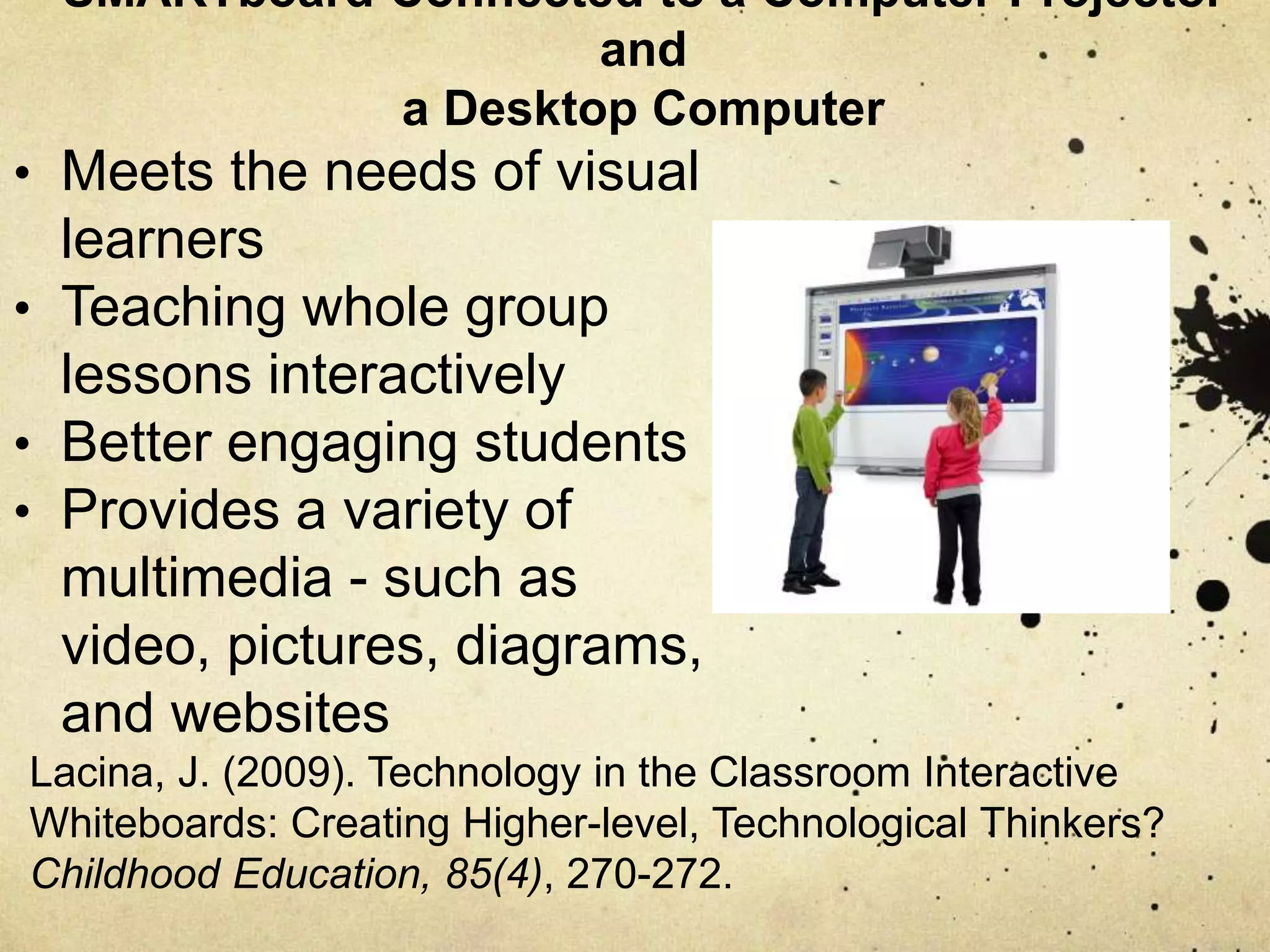
SMARTboard connected to a computer projector
and a desktop computer
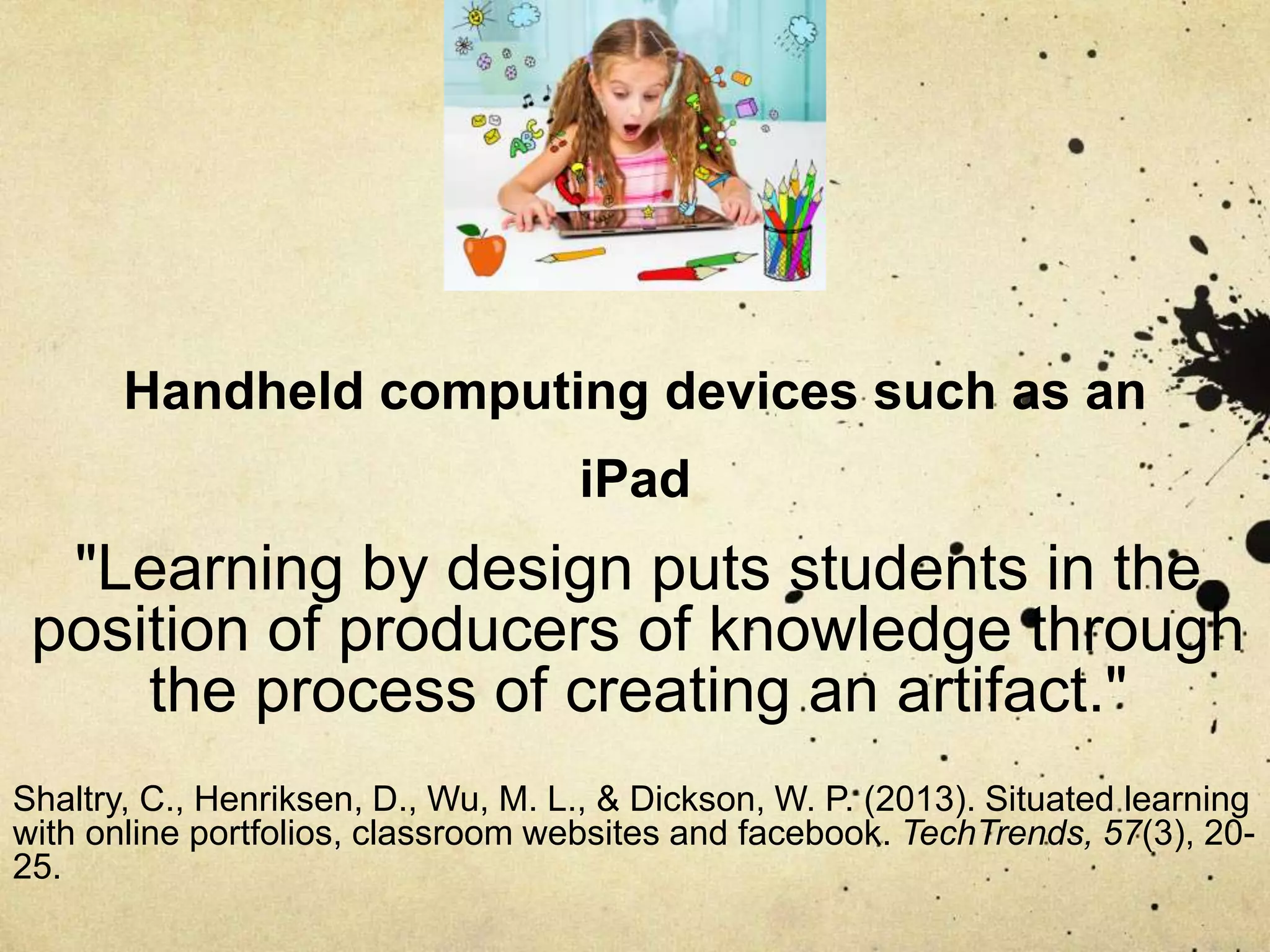
Handheld computing devices such as an iPad
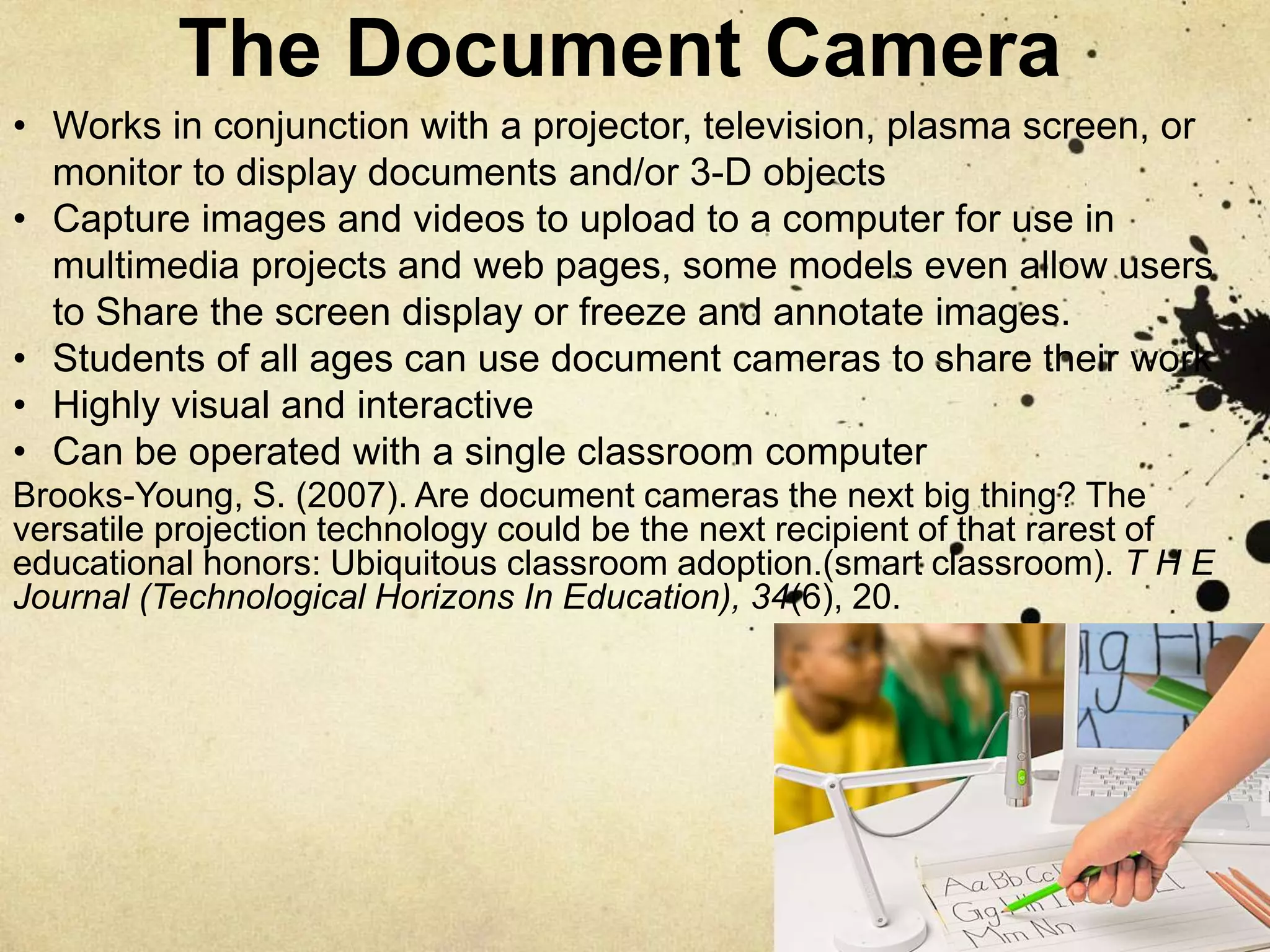
A document camera such as ELMO
A webpage (teacher created)
Wikis
SMARTboard Connected to a Computer
Projector and a Desktop Computer
Meyer, L. (2014). 5 Reasons Schools Still Need Desktop Computers -- THE
Journal. Retrieved from https://thejournal.com/Articles/2014/04/24/5-
Reasons-Schools-Still-Need-Desktop-Computers.aspx?p=1
• Wired Connectivity
• Dedicated Usage
SMARTboard Connected to a Computer
Projector and a Desktop Computer
Technologies, SMART (2011). Leveraging Interactive Whiteboards as a Core
Classroom Technology. THE Journal. Retrieved from
http://downloads.smarttech.com/media/sitecore/en/pdf/research_library/k-
12/leveraging_ibws.pdf
• Form the core of classroom technology
• Most effective technologies for improving
student learning
• Improves teaching effectiveness
• Giving students access to more information
• Boosting overall classroom communication
SMARTboard Connected to a Computer Projector
and
a Desktop Computer
• Meets the needs of visual
learners
• Teaching whole group
lessons interactively
• Better engaging students
• Provides a variety of
multimedia - such as
video, pictures, diagrams,
and websites
Lacina, J. (2009). Technology in the Classroom Interactive
Whiteboards: Creating Higher-level, Technological Thinkers?
Childhood Education, 85(4), 270-272.
Handheld computing
devices such as an iPad
• Increase on-task behavior with
a child that has emotional and
behavior disorders
• Multimedia access tools that
provide video, audio, access
to the Internet and various types
of software such as Adobe PDF, Microsoft PowerPoint,
Microsoft Word, Microsoft Excel, and Macromedia Flash
• Connectivity tools that students can use to ask questions,
get in touch with others, and engage in discussions
• Capture tools that students can use to take photos of work
Maldonado, N. & Morgan, H. (2011) Technology in the Classroom: Using
Handheld Wireless Technologies in School. Childhood Education, 87(2),
139-142.
Handheld computing devices such as an
iPad
• “Green" technology
• Can provide for the new digital literacies that are
developing
• File sharing made easier with
ability to access content
frequently and leave comments
• Can lead to enhanced quality
of written work with opportunity
for immediate feedback
• Creation tools and software for students
Maldonado, N. & Morgan, H. (2011) Technology in the Classroom: Using
Handheld Wireless Technologies in School. Childhood Education, 87(2),
139-142.
Handheld computing devices such as an
iPad
"Learning by design puts students in the
position of producers of knowledge through
the process of creating an artifact."
Shaltry, C., Henriksen, D., Wu, M. L., & Dickson, W. P. (2013). Situated learning
with online portfolios, classroom websites and facebook. TechTrends, 57(3), 20-
25.
The Document Camera
Brooks-Young, S. (2007). Are document cameras the next big thing? The
versatile projection technology could be the next recipient of that rarest of
educational honors: Ubiquitous classroom adoption.(smart classroom). T H E
Journal (Technological Horizons In Education), 34(6), 20.
• Works in conjunction with a projector, television, plasma screen, or
monitor to display documents and/or 3-D objects
• Capture images and videos to upload to a computer for use in
multimedia projects and web pages, some models even allow users
to Share the screen display or freeze and annotate images.
• Students of all ages can use document cameras to share their work
• Highly visual and interactive
• Can be operated with a single classroom computer
The Document Camera
Brooks-Young, S. (2007). Are document cameras the next big thing? The
versatile projection technology could be the next recipient of that rarest of
educational honors: Ubiquitous classroom adoption.(smart classroom). T H E
Journal (Technological Horizons In Education), 34(6), 20.
• More class time is devoted to
discussions of students' written
work and thought processes
• Increased numbers of students,
especially English language
learners, sharing and explaining
their work
• Growing student confidence
in their mathematical abilities
and better comprehension
of concepts
• Increased teacher understanding
of students' thought processes
Webpages (Teacher Created)
Unal, Zafer. (2008). Going the Extra Step for Parental Involvement:
Connecting Family and School with the Power of Teacher Websites.
Journal of College Teaching & Learning, 5(6), 43-50.
• Parents are supportive and engaged in their child’s schooling
when two-way communication with teachers is established
• Parents are more able to help their children at home and feel
more comfortable with the teacher and their teaching
strategies
• Communication tools can play a vital link in increasing
parental involvement
• Parents want to be able to communicate online with teachers
Web pages (Teacher Created)
Unal, Zafer. (2008). Going the Extra Step for Parental Involvement:
Connecting Family and School with the Power of Teacher Websites.
Journal of College Teaching & Learning, 5(6), 43-50.
• Parents want to view their
children’s schoolwork online
• Easier communication from
school to home and home
to school
• Easiest way to make
contact with parents
• Fast way for parents to
obtain accurate information
about what is happening in
their students’ daily life
Webpages (Teacher Created)
Unal, Zafer. (2008). Going the Extra Step for Parental Involvement:
Connecting Family and School with the Power of Teacher Websites.
Journal of College Teaching & Learning, 5(6), 43-50.
• Parents learn about the goals and achievements of their children by levels
• Parents learn about the current classroom news,
• Families can check the classroom calendar and homework and (some can
look at) grades
• Can keep parents involved in their children’s education
• Allows teachers and parents to break the place and time requirements
and limits of the physical classroom
Wikis
Collier J.(2010). Wiki Technology in the Classroom: Building
Collaboration Skills. Journal of Nursing Education. 49(12)
• Has potential uses in the work world
• Promotes collaborative learning as a
valuable teaching strategy
• Create opportunities to learn with
understanding and develop constructs that
are used to recall and apply learned
• Increases the likelihood students will be
able to recall the information for use in the
future
Wikis
Marcia Conner, renown author and business
mentor, defines social learning as “participating with
others to make sense of new ideas.” She goes on
to say what social learning is not.
Social learning is not just the technology of
social media, although it makes use of it. It
is not merely the ability to express yourself in
group of opt-in friends. Social learning
combines social media tools with a shift in the
corporate culture, a shift that
encourages ongoing knowledge transfer
and connects people in ways that make
learning a joy.
Conner, M. (2012). Defining Social Learning. Retrieved April 29, 2016,
from http://marciaconner.com/blog/defining-social-learning/
References:
Meyer, L. (2014). 5 Reasons Schools Still Need Desktop Computers -- THE Journal.
Retrieved from https://thejournal.com/Articles/2014/04/24/5-Reasons-Schools-
Still-Need-Desktop- Computers.aspx?p=1
Technologies, SMART (2011). Leveraging Interactive Whiteboards as a Core Classroom
Technology. THE Journal. Retrieved from
http://downloads.smarttech.com/media/sitecore/en/pdf/research_library/k-
12/leveraging_ibws.pdf
Lacina, J. (2009). Technology in the Classroom Interactive Whiteboards: Creating
Higher-level, Technological Thinkers? Childhood Education, 85(4), 270-272.
Maldonado, N. & Morgan, H. (2011) Technology in the Classroom: Using Handheld Wireless
Technologies in School. Childhood Education, 87(2), 139-142.
Shaltry, C., Henriksen, D., Wu, M. L., & Dickson, W. P. (2013). Situated learning with online
portfolios, classroom websites and facebook. TechTrends, 57(3), 20-25.
Brooks-Young, S. (2007). Are document cameras the next big thing? The versatile projection
technology could be the next recipient of that rarest of educational honors: Ubiquitous
classroom adoption.(smart classroom). T H E Journal (Technological Horizons In Education),
34(6), 20.
Unal, Zafer. (2008). Going the Extra Step for Parental Involvement: Connecting Family and School
with the Power of Teacher Websites. Journal of College Teaching & Learning, 5(6), 43-50.
Collier J.(2010). Wiki Technology in the Classroom: Building Collaboration Skills. Journal of Nursing
Education. 49(12)
Conner, M. (2012). Defining Social Learning. Retrieved April 29, 2016, from
http://marciaconner.com/blog/defining-social-learning/

Educ 621 Creating an Ideal Technology Environment

  • 1.
    EDUC 621 Creatingan Ideal Technology Environment The Seven Technologies That I Cannot Live Without By Amelia Adkins
  • 2.
    Absolutely Necessary for theK-12 Classroom SMARTboard connected to a computer projector and a desktop computer Handheld computing devices such as an iPad A document camera such as ELMO A webpage (teacher created) Wikis
  • 3.
    SMARTboard Connected toa Computer Projector and a Desktop Computer Meyer, L. (2014). 5 Reasons Schools Still Need Desktop Computers -- THE Journal. Retrieved from https://thejournal.com/Articles/2014/04/24/5- Reasons-Schools-Still-Need-Desktop-Computers.aspx?p=1 • Wired Connectivity • Dedicated Usage
  • 4.
    SMARTboard Connected toa Computer Projector and a Desktop Computer Technologies, SMART (2011). Leveraging Interactive Whiteboards as a Core Classroom Technology. THE Journal. Retrieved from http://downloads.smarttech.com/media/sitecore/en/pdf/research_library/k- 12/leveraging_ibws.pdf • Form the core of classroom technology • Most effective technologies for improving student learning • Improves teaching effectiveness • Giving students access to more information • Boosting overall classroom communication
  • 5.
    SMARTboard Connected toa Computer Projector and a Desktop Computer • Meets the needs of visual learners • Teaching whole group lessons interactively • Better engaging students • Provides a variety of multimedia - such as video, pictures, diagrams, and websites Lacina, J. (2009). Technology in the Classroom Interactive Whiteboards: Creating Higher-level, Technological Thinkers? Childhood Education, 85(4), 270-272.
  • 6.
    Handheld computing devices suchas an iPad • Increase on-task behavior with a child that has emotional and behavior disorders • Multimedia access tools that provide video, audio, access to the Internet and various types of software such as Adobe PDF, Microsoft PowerPoint, Microsoft Word, Microsoft Excel, and Macromedia Flash • Connectivity tools that students can use to ask questions, get in touch with others, and engage in discussions • Capture tools that students can use to take photos of work Maldonado, N. & Morgan, H. (2011) Technology in the Classroom: Using Handheld Wireless Technologies in School. Childhood Education, 87(2), 139-142.
  • 7.
    Handheld computing devicessuch as an iPad • “Green" technology • Can provide for the new digital literacies that are developing • File sharing made easier with ability to access content frequently and leave comments • Can lead to enhanced quality of written work with opportunity for immediate feedback • Creation tools and software for students Maldonado, N. & Morgan, H. (2011) Technology in the Classroom: Using Handheld Wireless Technologies in School. Childhood Education, 87(2), 139-142.
  • 8.
    Handheld computing devicessuch as an iPad "Learning by design puts students in the position of producers of knowledge through the process of creating an artifact." Shaltry, C., Henriksen, D., Wu, M. L., & Dickson, W. P. (2013). Situated learning with online portfolios, classroom websites and facebook. TechTrends, 57(3), 20- 25.
  • 9.
    The Document Camera Brooks-Young,S. (2007). Are document cameras the next big thing? The versatile projection technology could be the next recipient of that rarest of educational honors: Ubiquitous classroom adoption.(smart classroom). T H E Journal (Technological Horizons In Education), 34(6), 20. • Works in conjunction with a projector, television, plasma screen, or monitor to display documents and/or 3-D objects • Capture images and videos to upload to a computer for use in multimedia projects and web pages, some models even allow users to Share the screen display or freeze and annotate images. • Students of all ages can use document cameras to share their work • Highly visual and interactive • Can be operated with a single classroom computer
  • 10.
    The Document Camera Brooks-Young,S. (2007). Are document cameras the next big thing? The versatile projection technology could be the next recipient of that rarest of educational honors: Ubiquitous classroom adoption.(smart classroom). T H E Journal (Technological Horizons In Education), 34(6), 20. • More class time is devoted to discussions of students' written work and thought processes • Increased numbers of students, especially English language learners, sharing and explaining their work • Growing student confidence in their mathematical abilities and better comprehension of concepts • Increased teacher understanding of students' thought processes
  • 11.
    Webpages (Teacher Created) Unal,Zafer. (2008). Going the Extra Step for Parental Involvement: Connecting Family and School with the Power of Teacher Websites. Journal of College Teaching & Learning, 5(6), 43-50. • Parents are supportive and engaged in their child’s schooling when two-way communication with teachers is established • Parents are more able to help their children at home and feel more comfortable with the teacher and their teaching strategies • Communication tools can play a vital link in increasing parental involvement • Parents want to be able to communicate online with teachers
  • 12.
    Web pages (TeacherCreated) Unal, Zafer. (2008). Going the Extra Step for Parental Involvement: Connecting Family and School with the Power of Teacher Websites. Journal of College Teaching & Learning, 5(6), 43-50. • Parents want to view their children’s schoolwork online • Easier communication from school to home and home to school • Easiest way to make contact with parents • Fast way for parents to obtain accurate information about what is happening in their students’ daily life
  • 13.
    Webpages (Teacher Created) Unal,Zafer. (2008). Going the Extra Step for Parental Involvement: Connecting Family and School with the Power of Teacher Websites. Journal of College Teaching & Learning, 5(6), 43-50. • Parents learn about the goals and achievements of their children by levels • Parents learn about the current classroom news, • Families can check the classroom calendar and homework and (some can look at) grades • Can keep parents involved in their children’s education • Allows teachers and parents to break the place and time requirements and limits of the physical classroom
  • 14.
    Wikis Collier J.(2010). WikiTechnology in the Classroom: Building Collaboration Skills. Journal of Nursing Education. 49(12) • Has potential uses in the work world • Promotes collaborative learning as a valuable teaching strategy • Create opportunities to learn with understanding and develop constructs that are used to recall and apply learned • Increases the likelihood students will be able to recall the information for use in the future
  • 15.
    Wikis Marcia Conner, renownauthor and business mentor, defines social learning as “participating with others to make sense of new ideas.” She goes on to say what social learning is not. Social learning is not just the technology of social media, although it makes use of it. It is not merely the ability to express yourself in group of opt-in friends. Social learning combines social media tools with a shift in the corporate culture, a shift that encourages ongoing knowledge transfer and connects people in ways that make learning a joy. Conner, M. (2012). Defining Social Learning. Retrieved April 29, 2016, from http://marciaconner.com/blog/defining-social-learning/
  • 16.
    References: Meyer, L. (2014).5 Reasons Schools Still Need Desktop Computers -- THE Journal. Retrieved from https://thejournal.com/Articles/2014/04/24/5-Reasons-Schools- Still-Need-Desktop- Computers.aspx?p=1 Technologies, SMART (2011). Leveraging Interactive Whiteboards as a Core Classroom Technology. THE Journal. Retrieved from http://downloads.smarttech.com/media/sitecore/en/pdf/research_library/k- 12/leveraging_ibws.pdf Lacina, J. (2009). Technology in the Classroom Interactive Whiteboards: Creating Higher-level, Technological Thinkers? Childhood Education, 85(4), 270-272. Maldonado, N. & Morgan, H. (2011) Technology in the Classroom: Using Handheld Wireless Technologies in School. Childhood Education, 87(2), 139-142. Shaltry, C., Henriksen, D., Wu, M. L., & Dickson, W. P. (2013). Situated learning with online portfolios, classroom websites and facebook. TechTrends, 57(3), 20-25. Brooks-Young, S. (2007). Are document cameras the next big thing? The versatile projection technology could be the next recipient of that rarest of educational honors: Ubiquitous classroom adoption.(smart classroom). T H E Journal (Technological Horizons In Education), 34(6), 20. Unal, Zafer. (2008). Going the Extra Step for Parental Involvement: Connecting Family and School with the Power of Teacher Websites. Journal of College Teaching & Learning, 5(6), 43-50. Collier J.(2010). Wiki Technology in the Classroom: Building Collaboration Skills. Journal of Nursing Education. 49(12) Conner, M. (2012). Defining Social Learning. Retrieved April 29, 2016, from http://marciaconner.com/blog/defining-social-learning/