THINKING AHEAD


Digital + print systems
      to revolutionise
   the way you work
   A portfolio of powerful online modules designed
      to save your business time, money and effort


  Marketing Communications Portal
MCP comprises a series of customisable modules,
each easily accessed from any computer worldwide,
without the need for specialised software.
Information on each module is outlined on the
following pages within this brochure.


Digital Asset Management                                        4
Secure, web-based digital asset library. MCP DAM.

Internet proof                                                  6
Electronic proofing and collaboration

Ticketing
Templates, tickets and point of sale material                   7

Stationery
Easy to manage customised stationery                            8

Email Newsletter
Managing direct marketing programmes through email              9

Video Proofing
Faster decision making, fewer errors, lower cost               10

Online Ordering
Easy to manage shopping-basket style ordering system           11

Database Publishing
Synchronise across print, web and email                        12

Digital Signage
Schedule and deliver content remotely for targeted messaging   14
Marketing Communications Portal


         MCP is a portfolio of powerful online modules that will
         save your business time, money and effort.

         Representing the latest in digital and print management
         technology, MCP can help drive efficiencies and cost
         savings from basic digital asset management through to
         materials production, making it easier than ever before
         to tailor a workflow system relevant to your particular
         business requirements.


MCP helps drive efficiencies
and cost savings from digital asset
management to materials production,
making it easier than ever before
to tailor workflow systems
         With MCP you can customise individual modules to ensure
         they work even harder for your business at minimal additional
         expense. Each module is easily accessed from any computer
         worldwide, without the need for specialised software.

         Featuring an intuitive, user-friendly operating system,
         MCP can be quickly deployed in your business without
         the need for time-consuming training, so your business
         can perform more efficiently, economically and
         productively from the get-go.


                                                                         3
Digital Asset Management
Secure, web-based digital asset library.                                 DAM.


               DAM is a secure, web-based digital asset
       library, capable of managing and re-purposing
       files for alternate use.     DAM allows users to
       quickly upload and view images without the need for
       time-consuming formatting or third-party software.
       An intuitive operating environment      Preserving brand/corporate identity    And because files are re-purposed
       means that even inexperienced           for global companies has never been    during the download process,
       users can easily navigate the system.   easier. MCP DAM’s cutting edge         there is no need for multiple files
       And because MCP’s DAM is web-           technology means that managing         to be stored – which means fewer
       based, it can be accessed from any      duplicate files, changes and            duplicated files and less confusion.
       computer, anywhere in the world.        updates, file tracking and large file    From single photographs to inter-
       Improved productivity. Greater          transfers are no longer the headache   related components containing
       internal transparency. Streamlined      they once were.                        audio and video data, MCP’s DAM
       communication. MCP’s DAM means          MCP DAM’s fast and powerful            is compatible with all popular image
       better business for your company.       search tool means that users can       and video file formats. With MCP
                                               quickly access the exact image         DAM, emailing large files, tracking
                                               required. Built-in customisable        master copies and converting files
                                               presets allow users to convert to      between formats will become a
                                               web compatible files, high resolution   thing of the past.
                                               CMYK files or anything in between.


       4
Using MCP’s DAM
                                      MCP DAM uses a simple Windows-           Once the file has been uploaded
                                      style file system which makes it very     to MCP DAM, users can perform
                                      easy to navigate, categorise and store   simple searches using keywords or
                                      assets. When assets are uploaded to      preform advanced searches based
                                      the server, MCP DAM automatically        on specific details. MCP DAM also
                                      extracts standard information about      provides full management to the end
                                      the file before asking the user if they   user and includes an easy to use
                                      wish to provide any additional details   ‘collection basket’ process for single
                                      such as a job number, campaign title     or multiple file downloads.
                                      or descriptive text.


Easy to use                           Increase your productivity
MCP DAM’s point-and-click             Because MCP DAM streamlines
functionality is incredibly easy      your file sharing and updating
to use and operate. Because MCP’s     process, you’ll save precious time
DAM is web-based, there is no need    and improve business efficiency
for any extra software and it works   and productivity. Improved workflow
within any IT environment, on any     and processes mean a reduced
platform.                             margin of error, faster decision
Because DAM streamlines your          making and faster turnaround on
file sharing, MCP DAM’s features       changes and approvals.
allow businesses to streamline a
                                      Improve internal
traditionally slow and error-prone    transparency
process within a feature rich,
user-friendly web environment;        MCP DAM allows greater visibility
                                      and control over file sharing
■ version control
                                      and editing. Because all file
■ image manipulation
                                      interactions are recorded, individual
■ re-purpose files                     accountability and clarity over who
■ bulk uploads                        controls each document is increased.
■ extensive user control              And because file sharing becomes so
■ meta-data association               simple, it’s so much easier for brand
                                      representation to be consistent.
■ commencement and
  expiry date
■ User Licence Agreement
  (UCLA) Control


                                                                                                                5
Internet proof
Electronic proofing and collaboration


       Take full control of your business’s creation and
       production jobs by proofing and collaborating                                   Using Internet Proof

       electronically.        Internet Proof allows users to                          When users are set up on the
                                                                                      system, they are assigned their
       provide their input on files of popular graphic format                          own unique ‘mark-up’ colour so
       (including hi-res graphics and specialty printing                              that any notes or comments can
                                                                                      be referenced to each user.
       files) from virtually any computer in the world,
                                                                                      Once a document is uploaded,
       without having to install specialised software.                                the relevant users are notified
                                                                                      by email that the proofing stage
                                                                                      is ready.
                                                                                      They can then log-on to the
                                                                                      server and begin making
                                                                                      comments and notes using the
                                                                                      tools from the toolbar. All notes
                                                                                      and comments are saved on
                                                                                      the system.
                                                                                      When printed, annotations made
                                                                                      on the document will be visible,
                                                                                      along with a detailed list of
                                                                                      textual notes. The document can
                                                                                      then be revised according to
                                                                                      these notes and annotations and
                                                                                      uploaded again as a revision
       MCP Internet Proof allows users to       differences can slow the process
                                                                                      under the same file name.
       provide their input on files of popular   even further. Making changes and
       graphic format (including hi-res         comments can become confusing         Next, an email is sent to notify
       graphics and specialty printing          and frustrating. Variations in        those involved that a new
       files) from virtually any computer in     document versions and updates         revision is now available for
       the world, without having to install     can become lost or overlooked.        viewing. All revisions are saved
       specialised software.                                                          and associated together, building
                                                MCP Internet Proof streamlines the
                                                                                      a detailed history for the project.
       MCP Internet Proof allows you to         proofing process also by allowing
       make decisions and produce material      everyone involved access to the       Internet Proof allows users
       faster, with fewer errors and lower      same file at the same time. Real       greater control over the proofing
       costs than conventional proofing          time input allows multiple users to   procedure whilst saving time and
       approaches. Using an intuitive point-    make changes quickly and easily       money. Geographical barriers are
       and-click interface, multiple users      without delays. A variety of tools    eliminated along with the need
       can collaborate online in real-time,     make input clear (video, audio,       for costly, slow delivery methods
       using text chat, audio and/or video,     markers, text and chat).              such as couriers, faxing, CD
       making annotations, applying notes                                             burning and printing. Accuracy
                                                Each comment is captured
       and recording additional changes to                                            and accountability are increased
                                                electronically and can be viewed
       any document or image.                                                         with 100% of all input being
                                                from any computer (PC or Mac)
                                                                                      captured electronically and
       Traditionally, the proofing process is    that has a web-browser. Staff who
                                                                                      stored in the system.
       time-consuming and often requires        are overseas, on leave, or working
       multiple ‘rounds’ as updates and         from home can be involved in vital
       changes are made and approved.           changes or updates without having
       Travel schedules and time zone           to commit significant time.


       6
Ticketing
Templates, tickets and point of sale material


       Ticketing helps save you time and money
in the creation of print-ready PDFs. You can now
populate templates, tickets and point of sale (POS)
material with your own data whilst adhering to set
specifications for fonts, sizes and colours.
With MCP Ticketing, you can             Producing professional POS material        A common problem for chain stores
quickly and easily create               and tickets used to be an expensive,       is that production of printed material
professionally formatted material       lengthy process. Inconsistencies, poor     such as price tickets, window posters
without relying on external             formatting and incorrect colours and       and shelf talkers are usually produced
suppliers. Because the system is        fonts, slowed the process and could        in a mass-run through an agency.
so fast and easy to use, very little    give amateurish results.                   Once a store runs out of material,
training is required to produce         MCP Ticketing is the ideal solution for    they often have to produce their own
consistently high quality material      clients who require POS consistency        ‘in-house’ versions. In the majority of
that adheres to corporate guidelines.   throughout their branches. Chains of       cases, stores have to try and access
Files can be produced quickly           retail stores generally have branches      up-to-date logos, find correct fonts and
without the need for desktop            located far and wide across the country.   colours and try to create a result that
publishing software, and because        The corporate identity of these stores     looks as close as possible to the
all tickets are logged, reporting and   is a key asset and something that          professional version. Not only does this
statistic gathering is easy.            usually takes considerable time and        cost the business time and money, but
                                        money to develop.                          the end result can look sub-standard
                                                                                   and impact on customer perception.
MCP Ticketing makes
customisation easy
■ Content can be easily modified
■ Templates can be viewed from
  any computer                          Using MCP Ticketing
■ Even inexperienced users find          MCP Ticketing keeps your POS ticket        MCP Ticketing follows a very simple
  the system easy to use                files secure and accessible.                and user friendly online process.
                                        Templates can be created, either           Clients simply login to the site and
Greater quality control
                                        within your own company, through           enter a username and password.
■ The system allows for                                                            Users are then taken to their own
                                        your ad agency or directly by MCP.
  individual accountability                                                        company branded website where
■ Everything is recorded –              Text and images can then be easily         they can select templates for
  who printed what and when             inserted and adjusted using a range        modification and ordering.
■ Only authorised individuals           of formatting and cropping tools.
                                        And because the system is web-             Once the modifiable fields
  can customise material
                                        based, proofing and approval can            (e.g. promotion, product description,
■ Opportunity for error is reduced
                                        be done by anyone, anywhere                product number, price) etc. are set,
■ Consistency of images, logos,                                                    the user will then have the option
  colour and fonts is assured           in the world.
                                                                                   to correct or accept the proof. This is
                                        Finished high resolution files can          then sent on to an authoriser who will
                                        then be electronically sent to your        either approve or decline the order.
                                        printer and the job is done. Fast,         Alternatively, the user can download
                                        professional, consistent. It all adds      the PDF file and print tickets in store.
                                        up to greater savings and a better
                                        image for your business.


                                                                                                                    7
Stationery
Easy to manage customised stationery


      Now you can quickly create your own customised
      stationery from anywhere across the globe with
             Stationery.

      MCP Stationery allows you to quickly and easily produce    Traditionally, this process involved the HR department
      professional standard stationery without having to rely    contacting each individual staff member and obtaining
      on external suppliers. Because the system is so fast and   updated details, having new staff fill in details, checking
      easy to use, very little training is required to produce   for spelling errors and making corrections. Proofs and re-
      consistently high quality stationery that adheres to       proofs would then be required before the card could finally
      corporate guidelines. Files can be produced quickly        be signed off and sent through to the printer.
      without the need for desktop publishing software,          MCP Stationery streamlines and simplifies the process,
      and because all items are logged, reporting and            saving time, money and effort. Clients can create business
      statistic gathering is easy.                               card templates which are formatted with the company
                                                                 logo, colours, fonts etc. Users can easily change details
      Using MCP Stationery                                       and approve online within minutes. Super Templates can
      Templates can be created, either within your own           also be produced to automatically populate the template
      company, through your ad agency or directly by MCP.        using advanced logic.
      Text and images can then be easily inserted and
      adjusted using a range of formatting and cropping tools.
      And because the system is web-based, proofing and
      approval can be done by anyone, anywhere in the world.
      Files can then be electronically sent to your printer
      and the job is done. Creating professional, consistently
      produced stationery no longer requires a lengthy
      time commitment from your staff, MCP’s advanced
      technology makes it easy and saves you money.

      For most companies, large or small, updating,
      creating and reproducing business cards can be a
      time-consuming and expensive exercise. Collating
      information, seeking approval, and print processing
      can take weeks.


      Faster time to market                    Higher degree of                       Greater quality control
      ■ Enjoy a faster production cycle
                                               customisation                          ■ The system allows for individual
        with pre-designed templates            ■ Content can be easily modified          accountability
      ■ Save time by printing locally          ■ Templates can be viewed from         ■ Everything is recorded – who
        using pre-approved templates             any computer                           printed what and when
      ■ Staff can quickly proof/approve        ■ Even inexperienced users find         ■ Only authorised individuals can
        stationery from virtually                the system easy to use                 customise material
        anywhere in the world                                                         ■ Save time and money by
                                                                                        printing in-house or locally
                                                                                      ■ Consistency of images, logos,
                                                                                        colour and fonts is assured


       8
Email Newsletter
Managing direct marketing programmes through email


Fast. Economical. Simple.       Email Newsletter
will transform the way your company manages
direct marketing programmes through email.

MCP Email Newsletter provides users with multiple         newsletters and whether the email was actually used to
newsletter templates                                      drive traffic to the company website.
that can be easily customised with company logos and      In the age of electronic publishing, companies are looking
imagery. An easy to use WYSIWYG (What You See Is          for fast, simple ways to get their message delivered
What You Get) editor or standard HTML system makes        and noticed. Email newsletters are one of the most
content loading simple.                                   popular methods of achieving this, however creating and
Create mailing list driven campaigns and target           maintaining email templates, mailing lists and product
newsletters by demographic. Users can quickly see if      information can quickly become a headache without a
newsletters are being opened and also gain valuable       streamlined system.
statistics to ensure databases are current.               Poorly formatted, unprofessional newsletter emails can
                                                          do more harm than good to your business. The MCP Email
Using MCP Email Newsletter
                                                          Newsletter allows you to create consistently high quality
Traditionally, email newsletters are produced by a        newsletters that reflect your corporate identity. Powerful
single staff member who has the technical know-how        reporting features provide vital feedback and allow you to
to produce a newsletter and adhere to the company’s       test and measure your marketing campaigns. Mailing lists
corporate identity. This is typically undertaken from     can be maintained from existing third-party websites and
a specific workstation with graphics and imagery           there are no limits to email recipients.
loaded on the computer’s hard drive, therefore tying
the process to one static location. Other staff members
may be responsible for developing and updating
the database and sorting these into various groups        How it works
depending on the company’s target demographics.           MCP Email Newsletter allows you to create professional
Another staff member may be responsible for               newsletters quickly and easily. The user-friendly template
gathering promotional information and creating            system can be accessed from any computer, anywhere.
suitable newsletter content. These processes are          Upload and manage files, view statistics and reports,
then brought together and the email newsletters are       eliminate repetitive tasks, reduce errors and save valuable
sent to the recipients without any method of tracking     time and money.
delivery or checking for redundant email addresses,
let alone obtaining information about who opened the


Easy to use                    Dynamic                    Dynamic email                  Mailing list
templates                      mailing lists              content                        management
The MCP Email                  Code placed into an        Used in conjunction            Once set up, the mailing
Newsletter allows users        existing website can       with MCP Database              lists are maintained
to quickly create and          automatically add          Publishing, email content      automatically via web page
send newsletters using a       user names and email       can be tailored to the         links. Using the reports
template system. Multiple      addresses into mailing     target audience.               received from the system,
templates can be created       lists residing on the                                     redundant email addresses
and stored for future use.     MCP system. Users can                                     can be removed ensuring
                               also subscribe to other                                   the database is relevant
                               newsletters and invite                                    and up to date.
                               others using this method


                                                                                                                 9
Video Proofing
Faster decision making, fewer errors, lower cost


       Proofing video files has never been easier.
              Video Proofing enables your business to digitally
       proof video files frame-by-frame. The result is faster
       decision making process, fewer errors and lower costs
       than other conventional proofing approaches.

       Using an intuitive point-and-click interface, multiple
       users can collaborate online in real-time, using text chat,
       audio and/or video, making annotations, applying notes
       and recording additional changes to each frame of a
       video. Users can provide their input from virtually
       any computer, anywhere around the world without the
       need for specialised software.

       How can MCP Video Proofing
       help your company?

       Faster Decisions
       Because multiple users can collaborate online at the same
       time, in real time, the speed of the proofing process is
       greatly increased. A well structured workflow streamlines
       the process, reduces the complexity and allows for clear
       and final deadlines.                                           Travel schedules and time-zone differences can slow
                                                                     the process even further. Input is not always clear and
       Reduced Errors                                                conflicting messages can make changes difficult to
       MCP Video Proofing has a wide range of tools to simplify       reconcile. Frame by frame comments can also be very
       communication and input. Because every frame that has         difficult to capture if the CDs and/or tapes are sent out.
       a comment is flagged, accuracy standards are increased.        MCP Video Proofing streamlines the proofing process by
                                                                     allowing everyone involved access to the same video file
       Greater Transparency                                          at the same time. Real time input and advanced frame by
       The Video Proofing tool allows one person to set clear         frame screening capability allows multiple users to suggest
       rules regarding the proofing process. 100% of all input is     changes quickly and easily without delays. A variety of tools
       captured digitally and stored in the system. This provides    make input clear (video, audio, markers, text and chat).
       greater control over the entire procedure and improves        Each comment is captured and can be viewed from any
       accountability and transparency.                              computer (PC or Mac) that has a web-browser.

       Traditionally, the proofing process requires each relevant     No Geographical Barriers
       individual to be present within a screening room to
                                                                     Because those required in the proofing process can be
       discuss the video/TVC. Their input is then noted during
                                                                     involved regardless of their location, time and costs are
       the meeting after which CDs and/or tapes are sent out
                                                                     significantly reduced – what used to take days or weeks
       to those who are required to provide further input or
                                                                     can now be done within hours.
       feedback. This process can be very time-consuming and
       often requires multiple ‘rounds’ as updates and changes       Reduced Costs
       are made and approved.
                                                                     The Video Proofing tool eliminates the need for costly,
                                                                     slow delivery methods such as couriers, faxing, CD
                                                                     burning and printing.


       10
Online Ordering
Easy to manage shopping-basket style ordering system


       Online Ordering provides a fast and easy
shopping-basket style ordering system. Clients
can order stock items from an internal warehouse
or direct from a supplier in one simple process.
Items typically include customisable stationery,
point of sale and marketing items.

The feature-rich system manages the entire order
process, from reminders about low stock to reporting
and payment.
Because the system can be configured to allow
for restrictions such as budget constraints, order
limitations, authorisation, and user access, errors and
budget overspends are greatly reduced.
MCP Online Ordering includes a number of automated
features that can be customised to reduce staff
workload and improve business efficiency.
These include:
■ Emails to warn of low stock                             Using Online Ordering
■ Authorisation of orders                                 MCP Online Ordering allows clients to quickly and
■ Completion of store information                         easily place orders at any time of the day or night. The
■ Integrates with other database systems                  user-friendly system allows for individual addresses or
  and MIS and POS                                         special requests to be added before the order is sent
■ Super Template options for highly                       directly to the printer or warehouse for immediate
  sophisticated templates requirement                     dispatch. Items that require updating or modification,
■ Automated payment gateways                              such as business cards, can be created, proofed, and
                                                          ordered at the same time, saving your business and
■ Custom reports generation
                                                          significant amount of time and money. Clients can even
                                                          pay at the time of ordering by using the secure online
                                                          payment facility.
                                                          MCP Online Ordering also allows clients to control and
                                                          preview stock levels and pricing. An archive feature
                                                          records all orders, including editable items, which
                                                          allows for fast re-ordering of repeat items as well as
                                                          reporting on order status and history.


                                                                                                               11
Database Publishing
Synchronise across print, web and email


       With       Database Publishing, your company
       can streamline the creation and modification of
       any publication.


       Database Publishing is ideal for retailers who need a fast      MCP Database Publishing utilises a database containing
       turnaround, wish to synchronise across various media,           product descriptions and associated images. This data
       such as print, web and email, and reduce costly errors          is placed in predefined templates in Adobe InDesign
       during production of marketing material.                        or QuarkXPress. The information is then automatically
       MCP Database Publishing links the single source of data         formatted. Photos are resized to fit the document layout
       with the layout application, ensuring that changes made         and fonts are allocated to the different text fields. Once
       at either end of the workflow are captured throughout all        images and text have been imported, the system allows
       publications in real-time.                                      for adjustments and changes to the layout. Because the
                                                                       system links the database with the layout application,
       By utilising an interface between a database and a              changes made at either end are automatically updated
       layout application, such as Adobe InDesign, MCP                 at the other. As the layout format is flexible, publication
       Database Publishing creates a semi-complete publication         design can be rigid or free-form. Images in the database
       (a ‘template’) that can be used repeatedly with new data.       can be automatically converted as required; high
       Because the majority of the process is automated, you’ll        resolution for printing, low resolution for the web.
       save considerable time and effort in the publication process.   MCP Database Publishing can also work with other
                                                                       modules to help streamline workflow and provide faster,
                                                                       more accurate results.


       12
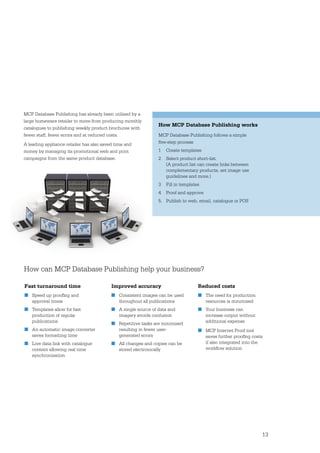
MCP Database Publishing has already been utilised by a
large homeware retailer to move from producing monthly
                                                               How MCP Database Publishing works
catalogues to publishing weekly product brochures with
fewer staff, fewer errors and at reduced costs.                MCP Database Publishing follows a simple
A leading appliance retailer has also saved time and           five-step process
money by managing its promotional web and print                1   Create templates
campaigns from the same product database.                      2   Select product short-list.
                                                                   (A product list can create links between
                                                                   complementary products, set image use
                                                                   guidelines and more.)
                                                               3   Fill in templates
                                                               4   Proof and approve
                                                               5. Publish to web, email, catalogue or POS


How can MCP Database Publishing help your business?

Fast turnaround time                      Improved accuracy                        Reduced costs
■ Speed up proofing and                    ■ Consistent images can be used          ■ The need for production
  approval times                            throughout all publications              resources is minimised
■ Templates allow for fast                ■ A single source of data and            ■ Your business can
  production of regular                     imagery avoids confusion                 increase output without
  publications                            ■ Repetitive tasks are minimised           additional expense
■ An automatic image converter              resulting in fewer user-               ■ MCP Internet Proof tool
  saves formatting time                     generated errors                         saves further proofing costs
■ Live data link with catalogue           ■ All changes and copies can be            if also integrated into the
  content allowing real time                stored electronically                    workflow solution
  synchronisation


                                                                                                               13
Digital Signage
Schedule and deliver content remotely for targeted messaging


             digital signage is a form of electronic display that
       shows information, advertising and other messages on
       screen displays or touchscreens in retail stores, airports,
       banks or other public places.

       MCP Digital Signage (MCPDS) is able to manage video
       and text assets and deliver content to a network of
       customisable digital displays. MCPDS allows customers
       to schedule and deliver content remotely for the most
       efficient, effective, targeted messaging possible.
       These cutting edge communication networks allow you
       to create and deliver timely, targeted messages that
       inform, educate and motivate your audiences.
       Fujifilm can deliver quality retail technology solutions
       that provide marketing and go-to-market teams with
       flexibility and scalability. MCPDS is available as a cloud
       services architecture delivering vastly increased security,
       reliability, scalability and importantly – speed to market.


       14
Cloudnet
Data, network and software integration solutions


       MCP has been developed in collaboration
       with CloudNET – the data, network and
       software integration solutions provider of
       FujiFilm Australia. Working collaboratively
       with key internal and external business
       partners; CloudNET designs, deploys and
       manages cloud-based business models,
       networked solutions and marketing services
       for partners throughout the world.
For more information contact us at: www.fujifilm.com.au/cloudnet
         or our Customer Service Team on 1300 650 504

Fujifilm Cloudnet Mcp Brochure

  • 1.
    THINKING AHEAD Digital +print systems to revolutionise the way you work A portfolio of powerful online modules designed to save your business time, money and effort Marketing Communications Portal
  • 2.
    MCP comprises aseries of customisable modules, each easily accessed from any computer worldwide, without the need for specialised software. Information on each module is outlined on the following pages within this brochure. Digital Asset Management 4 Secure, web-based digital asset library. MCP DAM. Internet proof 6 Electronic proofing and collaboration Ticketing Templates, tickets and point of sale material 7 Stationery Easy to manage customised stationery 8 Email Newsletter Managing direct marketing programmes through email 9 Video Proofing Faster decision making, fewer errors, lower cost 10 Online Ordering Easy to manage shopping-basket style ordering system 11 Database Publishing Synchronise across print, web and email 12 Digital Signage Schedule and deliver content remotely for targeted messaging 14
  • 3.
    Marketing Communications Portal MCP is a portfolio of powerful online modules that will save your business time, money and effort. Representing the latest in digital and print management technology, MCP can help drive efficiencies and cost savings from basic digital asset management through to materials production, making it easier than ever before to tailor a workflow system relevant to your particular business requirements. MCP helps drive efficiencies and cost savings from digital asset management to materials production, making it easier than ever before to tailor workflow systems With MCP you can customise individual modules to ensure they work even harder for your business at minimal additional expense. Each module is easily accessed from any computer worldwide, without the need for specialised software. Featuring an intuitive, user-friendly operating system, MCP can be quickly deployed in your business without the need for time-consuming training, so your business can perform more efficiently, economically and productively from the get-go. 3
  • 4.
    Digital Asset Management Secure,web-based digital asset library. DAM. DAM is a secure, web-based digital asset library, capable of managing and re-purposing files for alternate use. DAM allows users to quickly upload and view images without the need for time-consuming formatting or third-party software. An intuitive operating environment Preserving brand/corporate identity And because files are re-purposed means that even inexperienced for global companies has never been during the download process, users can easily navigate the system. easier. MCP DAM’s cutting edge there is no need for multiple files And because MCP’s DAM is web- technology means that managing to be stored – which means fewer based, it can be accessed from any duplicate files, changes and duplicated files and less confusion. computer, anywhere in the world. updates, file tracking and large file From single photographs to inter- Improved productivity. Greater transfers are no longer the headache related components containing internal transparency. Streamlined they once were. audio and video data, MCP’s DAM communication. MCP’s DAM means MCP DAM’s fast and powerful is compatible with all popular image better business for your company. search tool means that users can and video file formats. With MCP quickly access the exact image DAM, emailing large files, tracking required. Built-in customisable master copies and converting files presets allow users to convert to between formats will become a web compatible files, high resolution thing of the past. CMYK files or anything in between. 4
  • 5.
    Using MCP’s DAM MCP DAM uses a simple Windows- Once the file has been uploaded style file system which makes it very to MCP DAM, users can perform easy to navigate, categorise and store simple searches using keywords or assets. When assets are uploaded to preform advanced searches based the server, MCP DAM automatically on specific details. MCP DAM also extracts standard information about provides full management to the end the file before asking the user if they user and includes an easy to use wish to provide any additional details ‘collection basket’ process for single such as a job number, campaign title or multiple file downloads. or descriptive text. Easy to use Increase your productivity MCP DAM’s point-and-click Because MCP DAM streamlines functionality is incredibly easy your file sharing and updating to use and operate. Because MCP’s process, you’ll save precious time DAM is web-based, there is no need and improve business efficiency for any extra software and it works and productivity. Improved workflow within any IT environment, on any and processes mean a reduced platform. margin of error, faster decision Because DAM streamlines your making and faster turnaround on file sharing, MCP DAM’s features changes and approvals. allow businesses to streamline a Improve internal traditionally slow and error-prone transparency process within a feature rich, user-friendly web environment; MCP DAM allows greater visibility and control over file sharing ■ version control and editing. Because all file ■ image manipulation interactions are recorded, individual ■ re-purpose files accountability and clarity over who ■ bulk uploads controls each document is increased. ■ extensive user control And because file sharing becomes so ■ meta-data association simple, it’s so much easier for brand representation to be consistent. ■ commencement and expiry date ■ User Licence Agreement (UCLA) Control 5
  • 6.
    Internet proof Electronic proofingand collaboration Take full control of your business’s creation and production jobs by proofing and collaborating Using Internet Proof electronically. Internet Proof allows users to When users are set up on the system, they are assigned their provide their input on files of popular graphic format own unique ‘mark-up’ colour so (including hi-res graphics and specialty printing that any notes or comments can be referenced to each user. files) from virtually any computer in the world, Once a document is uploaded, without having to install specialised software. the relevant users are notified by email that the proofing stage is ready. They can then log-on to the server and begin making comments and notes using the tools from the toolbar. All notes and comments are saved on the system. When printed, annotations made on the document will be visible, along with a detailed list of textual notes. The document can then be revised according to these notes and annotations and uploaded again as a revision MCP Internet Proof allows users to differences can slow the process under the same file name. provide their input on files of popular even further. Making changes and graphic format (including hi-res comments can become confusing Next, an email is sent to notify graphics and specialty printing and frustrating. Variations in those involved that a new files) from virtually any computer in document versions and updates revision is now available for the world, without having to install can become lost or overlooked. viewing. All revisions are saved specialised software. and associated together, building MCP Internet Proof streamlines the a detailed history for the project. MCP Internet Proof allows you to proofing process also by allowing make decisions and produce material everyone involved access to the Internet Proof allows users faster, with fewer errors and lower same file at the same time. Real greater control over the proofing costs than conventional proofing time input allows multiple users to procedure whilst saving time and approaches. Using an intuitive point- make changes quickly and easily money. Geographical barriers are and-click interface, multiple users without delays. A variety of tools eliminated along with the need can collaborate online in real-time, make input clear (video, audio, for costly, slow delivery methods using text chat, audio and/or video, markers, text and chat). such as couriers, faxing, CD making annotations, applying notes burning and printing. Accuracy Each comment is captured and recording additional changes to and accountability are increased electronically and can be viewed any document or image. with 100% of all input being from any computer (PC or Mac) captured electronically and Traditionally, the proofing process is that has a web-browser. Staff who stored in the system. time-consuming and often requires are overseas, on leave, or working multiple ‘rounds’ as updates and from home can be involved in vital changes are made and approved. changes or updates without having Travel schedules and time zone to commit significant time. 6
  • 7.
    Ticketing Templates, tickets andpoint of sale material Ticketing helps save you time and money in the creation of print-ready PDFs. You can now populate templates, tickets and point of sale (POS) material with your own data whilst adhering to set specifications for fonts, sizes and colours. With MCP Ticketing, you can Producing professional POS material A common problem for chain stores quickly and easily create and tickets used to be an expensive, is that production of printed material professionally formatted material lengthy process. Inconsistencies, poor such as price tickets, window posters without relying on external formatting and incorrect colours and and shelf talkers are usually produced suppliers. Because the system is fonts, slowed the process and could in a mass-run through an agency. so fast and easy to use, very little give amateurish results. Once a store runs out of material, training is required to produce MCP Ticketing is the ideal solution for they often have to produce their own consistently high quality material clients who require POS consistency ‘in-house’ versions. In the majority of that adheres to corporate guidelines. throughout their branches. Chains of cases, stores have to try and access Files can be produced quickly retail stores generally have branches up-to-date logos, find correct fonts and without the need for desktop located far and wide across the country. colours and try to create a result that publishing software, and because The corporate identity of these stores looks as close as possible to the all tickets are logged, reporting and is a key asset and something that professional version. Not only does this statistic gathering is easy. usually takes considerable time and cost the business time and money, but money to develop. the end result can look sub-standard and impact on customer perception. MCP Ticketing makes customisation easy ■ Content can be easily modified ■ Templates can be viewed from any computer Using MCP Ticketing ■ Even inexperienced users find MCP Ticketing keeps your POS ticket MCP Ticketing follows a very simple the system easy to use files secure and accessible. and user friendly online process. Templates can be created, either Clients simply login to the site and Greater quality control within your own company, through enter a username and password. ■ The system allows for Users are then taken to their own your ad agency or directly by MCP. individual accountability company branded website where ■ Everything is recorded – Text and images can then be easily they can select templates for who printed what and when inserted and adjusted using a range modification and ordering. ■ Only authorised individuals of formatting and cropping tools. And because the system is web- Once the modifiable fields can customise material based, proofing and approval can (e.g. promotion, product description, ■ Opportunity for error is reduced be done by anyone, anywhere product number, price) etc. are set, ■ Consistency of images, logos, the user will then have the option colour and fonts is assured in the world. to correct or accept the proof. This is Finished high resolution files can then sent on to an authoriser who will then be electronically sent to your either approve or decline the order. printer and the job is done. Fast, Alternatively, the user can download professional, consistent. It all adds the PDF file and print tickets in store. up to greater savings and a better image for your business. 7
  • 8.
    Stationery Easy to managecustomised stationery Now you can quickly create your own customised stationery from anywhere across the globe with Stationery. MCP Stationery allows you to quickly and easily produce Traditionally, this process involved the HR department professional standard stationery without having to rely contacting each individual staff member and obtaining on external suppliers. Because the system is so fast and updated details, having new staff fill in details, checking easy to use, very little training is required to produce for spelling errors and making corrections. Proofs and re- consistently high quality stationery that adheres to proofs would then be required before the card could finally corporate guidelines. Files can be produced quickly be signed off and sent through to the printer. without the need for desktop publishing software, MCP Stationery streamlines and simplifies the process, and because all items are logged, reporting and saving time, money and effort. Clients can create business statistic gathering is easy. card templates which are formatted with the company logo, colours, fonts etc. Users can easily change details Using MCP Stationery and approve online within minutes. Super Templates can Templates can be created, either within your own also be produced to automatically populate the template company, through your ad agency or directly by MCP. using advanced logic. Text and images can then be easily inserted and adjusted using a range of formatting and cropping tools. And because the system is web-based, proofing and approval can be done by anyone, anywhere in the world. Files can then be electronically sent to your printer and the job is done. Creating professional, consistently produced stationery no longer requires a lengthy time commitment from your staff, MCP’s advanced technology makes it easy and saves you money. For most companies, large or small, updating, creating and reproducing business cards can be a time-consuming and expensive exercise. Collating information, seeking approval, and print processing can take weeks. Faster time to market Higher degree of Greater quality control ■ Enjoy a faster production cycle customisation ■ The system allows for individual with pre-designed templates ■ Content can be easily modified accountability ■ Save time by printing locally ■ Templates can be viewed from ■ Everything is recorded – who using pre-approved templates any computer printed what and when ■ Staff can quickly proof/approve ■ Even inexperienced users find ■ Only authorised individuals can stationery from virtually the system easy to use customise material anywhere in the world ■ Save time and money by printing in-house or locally ■ Consistency of images, logos, colour and fonts is assured 8
  • 9.
    Email Newsletter Managing directmarketing programmes through email Fast. Economical. Simple. Email Newsletter will transform the way your company manages direct marketing programmes through email. MCP Email Newsletter provides users with multiple newsletters and whether the email was actually used to newsletter templates drive traffic to the company website. that can be easily customised with company logos and In the age of electronic publishing, companies are looking imagery. An easy to use WYSIWYG (What You See Is for fast, simple ways to get their message delivered What You Get) editor or standard HTML system makes and noticed. Email newsletters are one of the most content loading simple. popular methods of achieving this, however creating and Create mailing list driven campaigns and target maintaining email templates, mailing lists and product newsletters by demographic. Users can quickly see if information can quickly become a headache without a newsletters are being opened and also gain valuable streamlined system. statistics to ensure databases are current. Poorly formatted, unprofessional newsletter emails can do more harm than good to your business. The MCP Email Using MCP Email Newsletter Newsletter allows you to create consistently high quality Traditionally, email newsletters are produced by a newsletters that reflect your corporate identity. Powerful single staff member who has the technical know-how reporting features provide vital feedback and allow you to to produce a newsletter and adhere to the company’s test and measure your marketing campaigns. Mailing lists corporate identity. This is typically undertaken from can be maintained from existing third-party websites and a specific workstation with graphics and imagery there are no limits to email recipients. loaded on the computer’s hard drive, therefore tying the process to one static location. Other staff members may be responsible for developing and updating the database and sorting these into various groups How it works depending on the company’s target demographics. MCP Email Newsletter allows you to create professional Another staff member may be responsible for newsletters quickly and easily. The user-friendly template gathering promotional information and creating system can be accessed from any computer, anywhere. suitable newsletter content. These processes are Upload and manage files, view statistics and reports, then brought together and the email newsletters are eliminate repetitive tasks, reduce errors and save valuable sent to the recipients without any method of tracking time and money. delivery or checking for redundant email addresses, let alone obtaining information about who opened the Easy to use Dynamic Dynamic email Mailing list templates mailing lists content management The MCP Email Code placed into an Used in conjunction Once set up, the mailing Newsletter allows users existing website can with MCP Database lists are maintained to quickly create and automatically add Publishing, email content automatically via web page send newsletters using a user names and email can be tailored to the links. Using the reports template system. Multiple addresses into mailing target audience. received from the system, templates can be created lists residing on the redundant email addresses and stored for future use. MCP system. Users can can be removed ensuring also subscribe to other the database is relevant newsletters and invite and up to date. others using this method 9
  • 10.
    Video Proofing Faster decisionmaking, fewer errors, lower cost Proofing video files has never been easier. Video Proofing enables your business to digitally proof video files frame-by-frame. The result is faster decision making process, fewer errors and lower costs than other conventional proofing approaches. Using an intuitive point-and-click interface, multiple users can collaborate online in real-time, using text chat, audio and/or video, making annotations, applying notes and recording additional changes to each frame of a video. Users can provide their input from virtually any computer, anywhere around the world without the need for specialised software. How can MCP Video Proofing help your company? Faster Decisions Because multiple users can collaborate online at the same time, in real time, the speed of the proofing process is greatly increased. A well structured workflow streamlines the process, reduces the complexity and allows for clear and final deadlines. Travel schedules and time-zone differences can slow the process even further. Input is not always clear and Reduced Errors conflicting messages can make changes difficult to MCP Video Proofing has a wide range of tools to simplify reconcile. Frame by frame comments can also be very communication and input. Because every frame that has difficult to capture if the CDs and/or tapes are sent out. a comment is flagged, accuracy standards are increased. MCP Video Proofing streamlines the proofing process by allowing everyone involved access to the same video file Greater Transparency at the same time. Real time input and advanced frame by The Video Proofing tool allows one person to set clear frame screening capability allows multiple users to suggest rules regarding the proofing process. 100% of all input is changes quickly and easily without delays. A variety of tools captured digitally and stored in the system. This provides make input clear (video, audio, markers, text and chat). greater control over the entire procedure and improves Each comment is captured and can be viewed from any accountability and transparency. computer (PC or Mac) that has a web-browser. Traditionally, the proofing process requires each relevant No Geographical Barriers individual to be present within a screening room to Because those required in the proofing process can be discuss the video/TVC. Their input is then noted during involved regardless of their location, time and costs are the meeting after which CDs and/or tapes are sent out significantly reduced – what used to take days or weeks to those who are required to provide further input or can now be done within hours. feedback. This process can be very time-consuming and often requires multiple ‘rounds’ as updates and changes Reduced Costs are made and approved. The Video Proofing tool eliminates the need for costly, slow delivery methods such as couriers, faxing, CD burning and printing. 10
  • 11.
    Online Ordering Easy tomanage shopping-basket style ordering system Online Ordering provides a fast and easy shopping-basket style ordering system. Clients can order stock items from an internal warehouse or direct from a supplier in one simple process. Items typically include customisable stationery, point of sale and marketing items. The feature-rich system manages the entire order process, from reminders about low stock to reporting and payment. Because the system can be configured to allow for restrictions such as budget constraints, order limitations, authorisation, and user access, errors and budget overspends are greatly reduced. MCP Online Ordering includes a number of automated features that can be customised to reduce staff workload and improve business efficiency. These include: ■ Emails to warn of low stock Using Online Ordering ■ Authorisation of orders MCP Online Ordering allows clients to quickly and ■ Completion of store information easily place orders at any time of the day or night. The ■ Integrates with other database systems user-friendly system allows for individual addresses or and MIS and POS special requests to be added before the order is sent ■ Super Template options for highly directly to the printer or warehouse for immediate sophisticated templates requirement dispatch. Items that require updating or modification, ■ Automated payment gateways such as business cards, can be created, proofed, and ordered at the same time, saving your business and ■ Custom reports generation significant amount of time and money. Clients can even pay at the time of ordering by using the secure online payment facility. MCP Online Ordering also allows clients to control and preview stock levels and pricing. An archive feature records all orders, including editable items, which allows for fast re-ordering of repeat items as well as reporting on order status and history. 11
  • 12.
    Database Publishing Synchronise acrossprint, web and email With Database Publishing, your company can streamline the creation and modification of any publication. Database Publishing is ideal for retailers who need a fast MCP Database Publishing utilises a database containing turnaround, wish to synchronise across various media, product descriptions and associated images. This data such as print, web and email, and reduce costly errors is placed in predefined templates in Adobe InDesign during production of marketing material. or QuarkXPress. The information is then automatically MCP Database Publishing links the single source of data formatted. Photos are resized to fit the document layout with the layout application, ensuring that changes made and fonts are allocated to the different text fields. Once at either end of the workflow are captured throughout all images and text have been imported, the system allows publications in real-time. for adjustments and changes to the layout. Because the system links the database with the layout application, By utilising an interface between a database and a changes made at either end are automatically updated layout application, such as Adobe InDesign, MCP at the other. As the layout format is flexible, publication Database Publishing creates a semi-complete publication design can be rigid or free-form. Images in the database (a ‘template’) that can be used repeatedly with new data. can be automatically converted as required; high Because the majority of the process is automated, you’ll resolution for printing, low resolution for the web. save considerable time and effort in the publication process. MCP Database Publishing can also work with other modules to help streamline workflow and provide faster, more accurate results. 12
  • 13.
    MCP Database Publishinghas already been utilised by a large homeware retailer to move from producing monthly How MCP Database Publishing works catalogues to publishing weekly product brochures with fewer staff, fewer errors and at reduced costs. MCP Database Publishing follows a simple A leading appliance retailer has also saved time and five-step process money by managing its promotional web and print 1 Create templates campaigns from the same product database. 2 Select product short-list. (A product list can create links between complementary products, set image use guidelines and more.) 3 Fill in templates 4 Proof and approve 5. Publish to web, email, catalogue or POS How can MCP Database Publishing help your business? Fast turnaround time Improved accuracy Reduced costs ■ Speed up proofing and ■ Consistent images can be used ■ The need for production approval times throughout all publications resources is minimised ■ Templates allow for fast ■ A single source of data and ■ Your business can production of regular imagery avoids confusion increase output without publications ■ Repetitive tasks are minimised additional expense ■ An automatic image converter resulting in fewer user- ■ MCP Internet Proof tool saves formatting time generated errors saves further proofing costs ■ Live data link with catalogue ■ All changes and copies can be if also integrated into the content allowing real time stored electronically workflow solution synchronisation 13
  • 14.
    Digital Signage Schedule anddeliver content remotely for targeted messaging digital signage is a form of electronic display that shows information, advertising and other messages on screen displays or touchscreens in retail stores, airports, banks or other public places. MCP Digital Signage (MCPDS) is able to manage video and text assets and deliver content to a network of customisable digital displays. MCPDS allows customers to schedule and deliver content remotely for the most efficient, effective, targeted messaging possible. These cutting edge communication networks allow you to create and deliver timely, targeted messages that inform, educate and motivate your audiences. Fujifilm can deliver quality retail technology solutions that provide marketing and go-to-market teams with flexibility and scalability. MCPDS is available as a cloud services architecture delivering vastly increased security, reliability, scalability and importantly – speed to market. 14
  • 15.
    Cloudnet Data, network andsoftware integration solutions MCP has been developed in collaboration with CloudNET – the data, network and software integration solutions provider of FujiFilm Australia. Working collaboratively with key internal and external business partners; CloudNET designs, deploys and manages cloud-based business models, networked solutions and marketing services for partners throughout the world.
  • 16.
    For more informationcontact us at: www.fujifilm.com.au/cloudnet or our Customer Service Team on 1300 650 504