Turning OpenStack Swift into a rich
business ready Cloud Service


                                      1
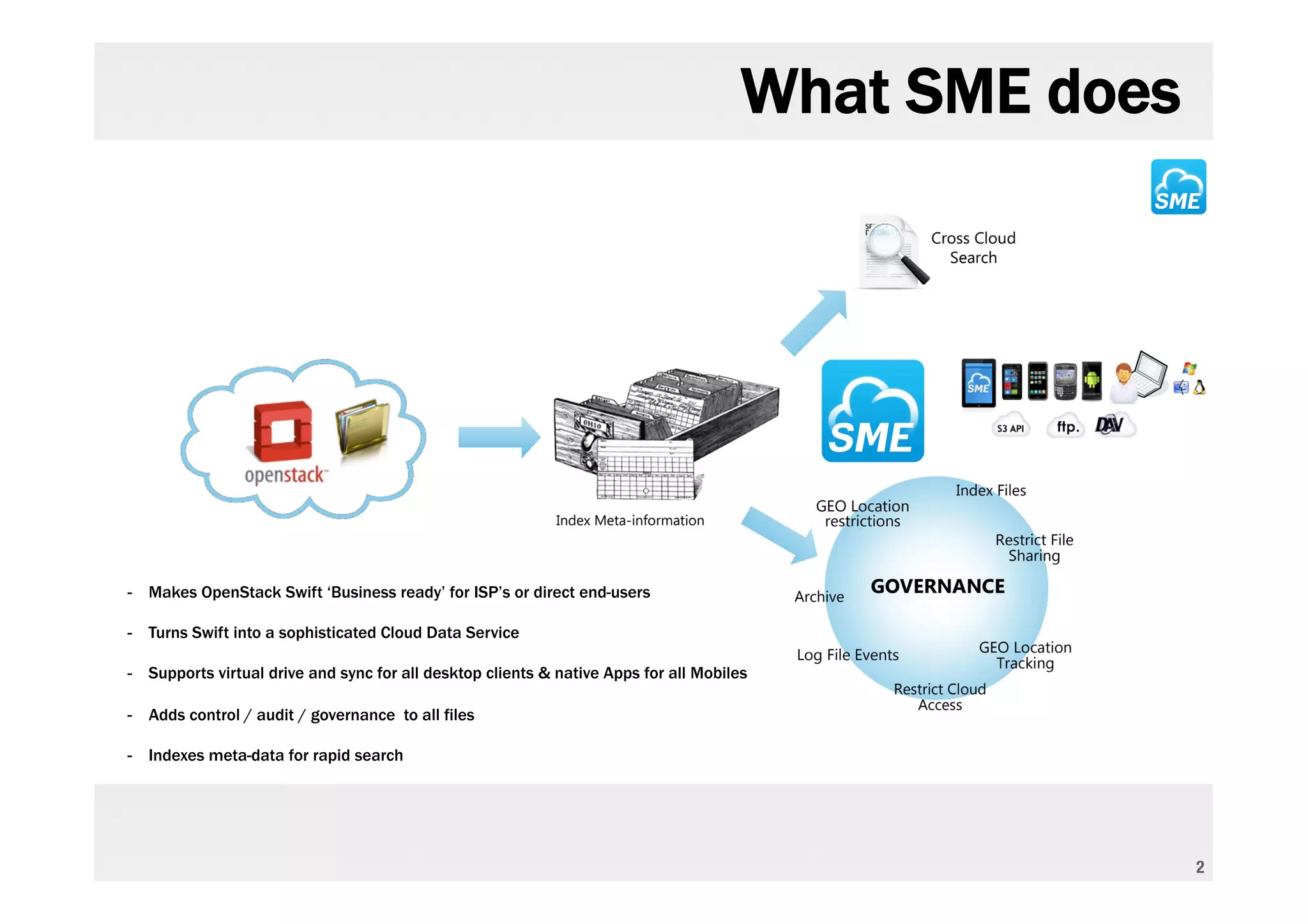
What SME does


- Makes OpenStack Swift ‘Business ready’ for ISP’s or direct end-users

- Turns Swift into a sophisticated Cloud Data Service

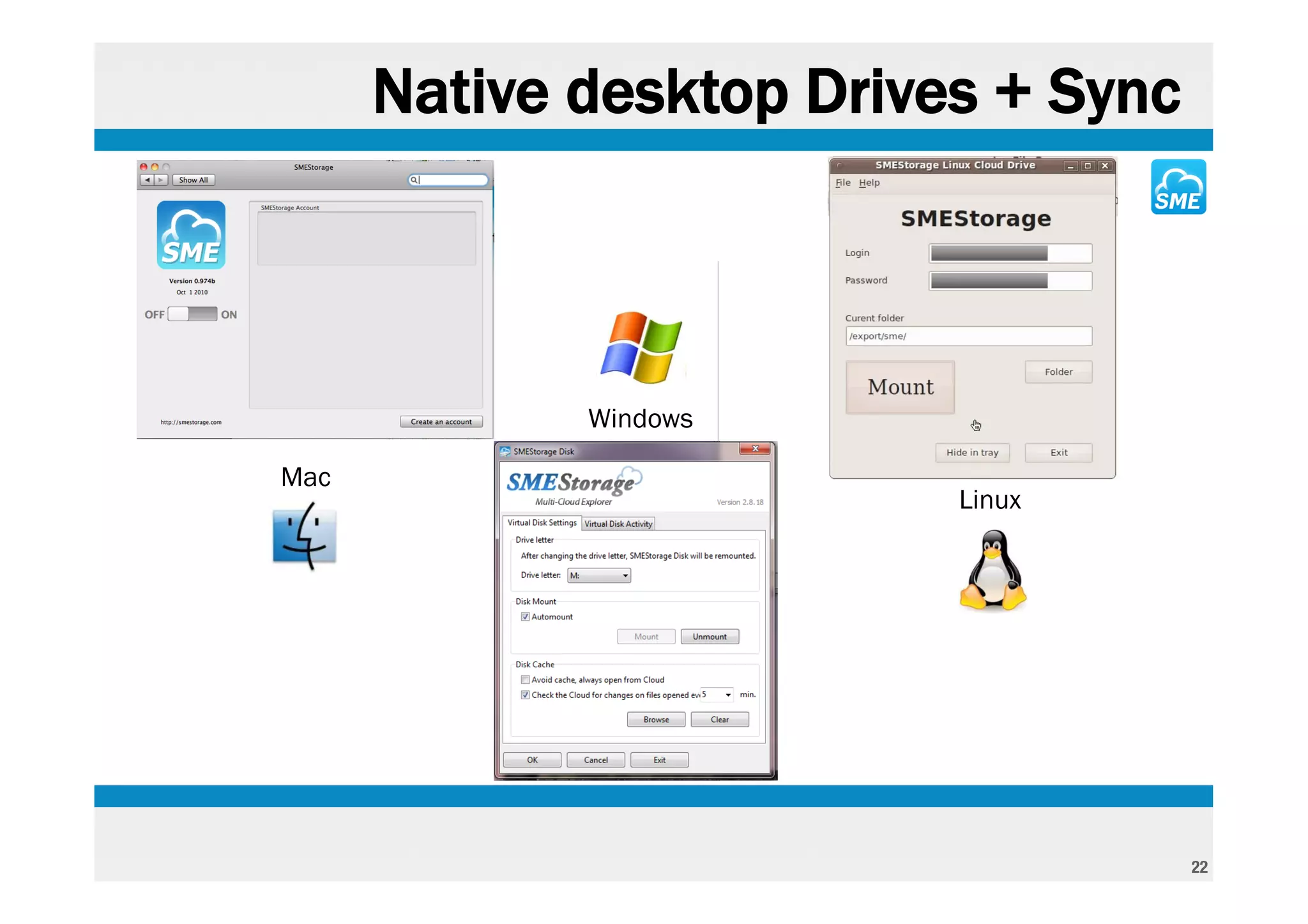
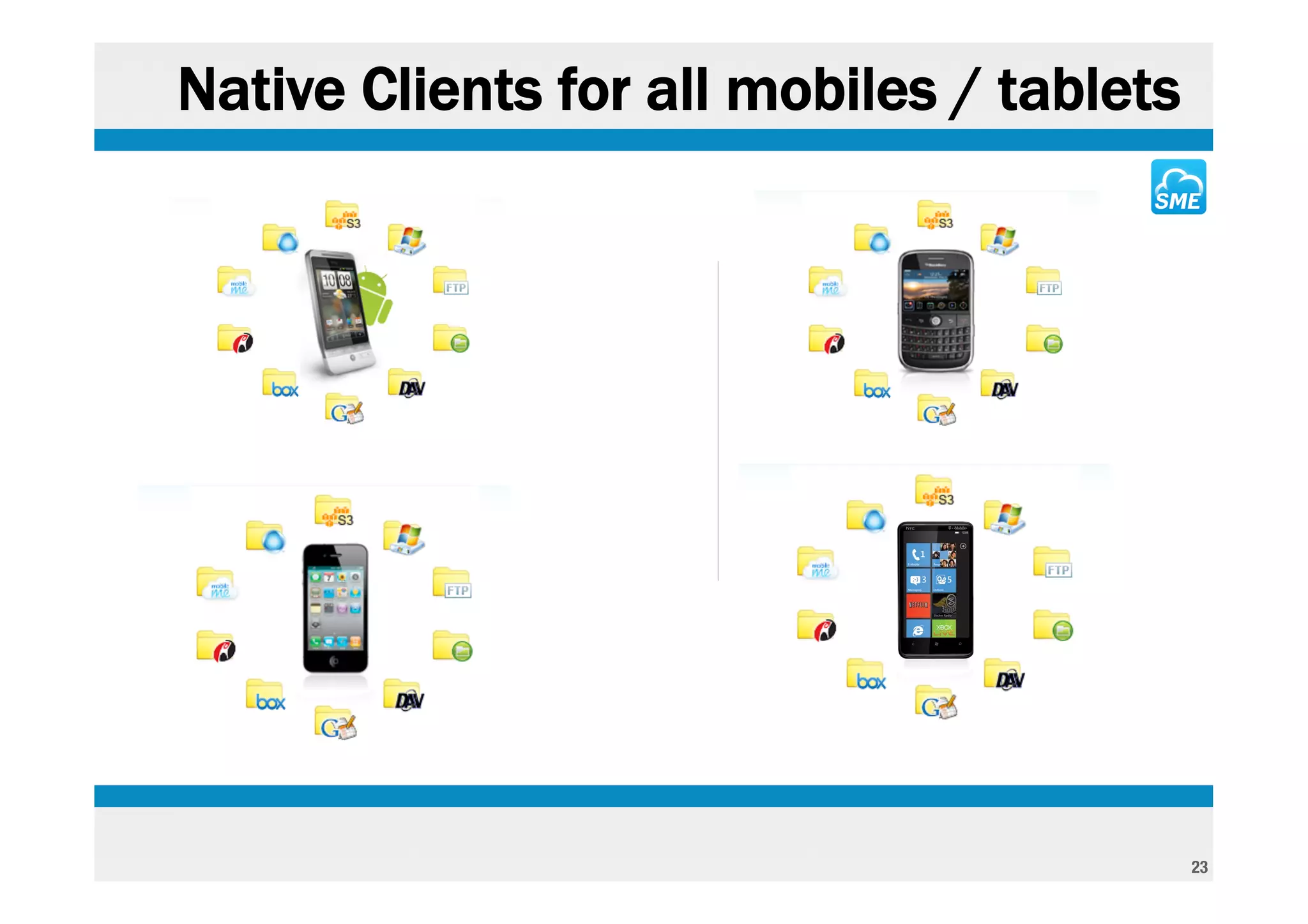
- Supports virtual drive and sync for all desktop clients & native Apps for all Mobiles

- Adds control / audit / governance to all files

- Indexes meta-data for rapid search


                                                                                                      2
Initial sign in

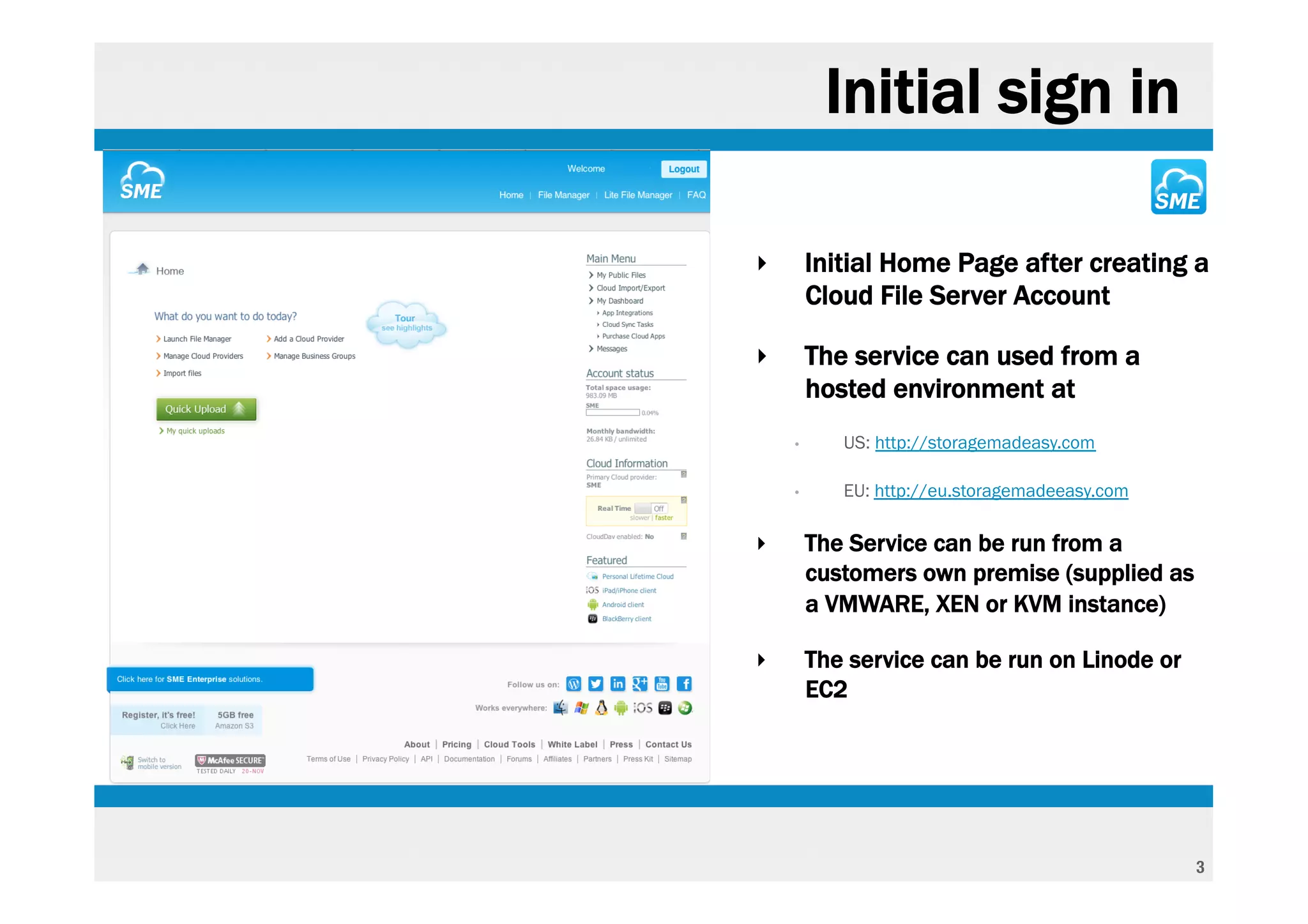
‣       Initial Home Page after creating a
        Cloud File Server Account

‣       The service can used from a
        hosted environment at
    •      US: http://storagemadeasy.com

    •      EU: http://eu.storagemadeeasy.com

‣       The Service can be run from a
        customers own premise (supplied as
        a VMWARE, XEN or KVM instance)

‣       The service can be run on Linode or
        EC2


                                               3
Custom Branding

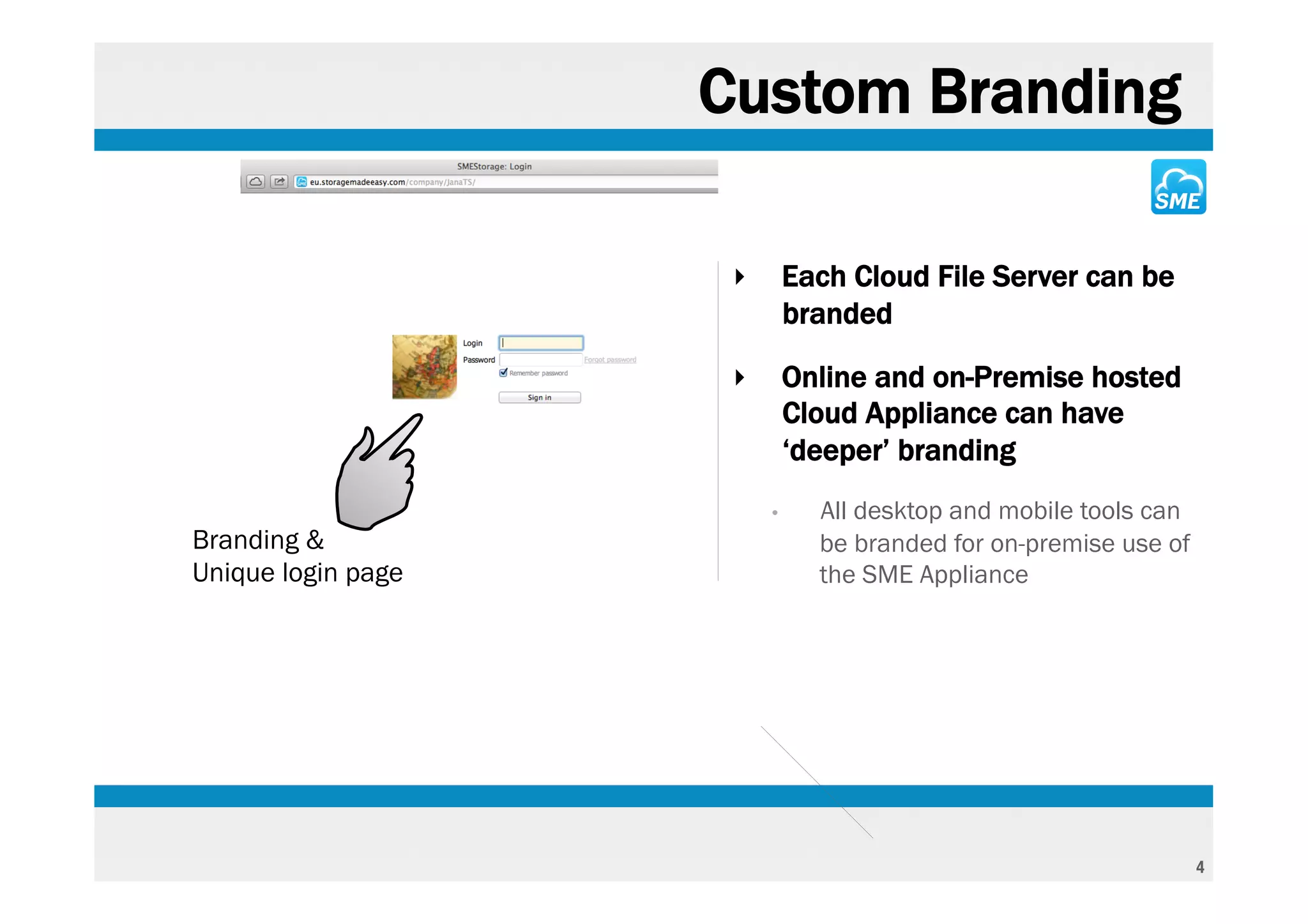
                     ‣       Each Cloud File Server can be
                             branded

                     ‣       Online and on-Premise hosted
                             Cloud Appliance can have
                             ‘deeper’ branding
                         •     All desktop and mobile tools can
Branding &                     be branded for on-premise use of
Unique login page              the SME Appliance


                                                                  4
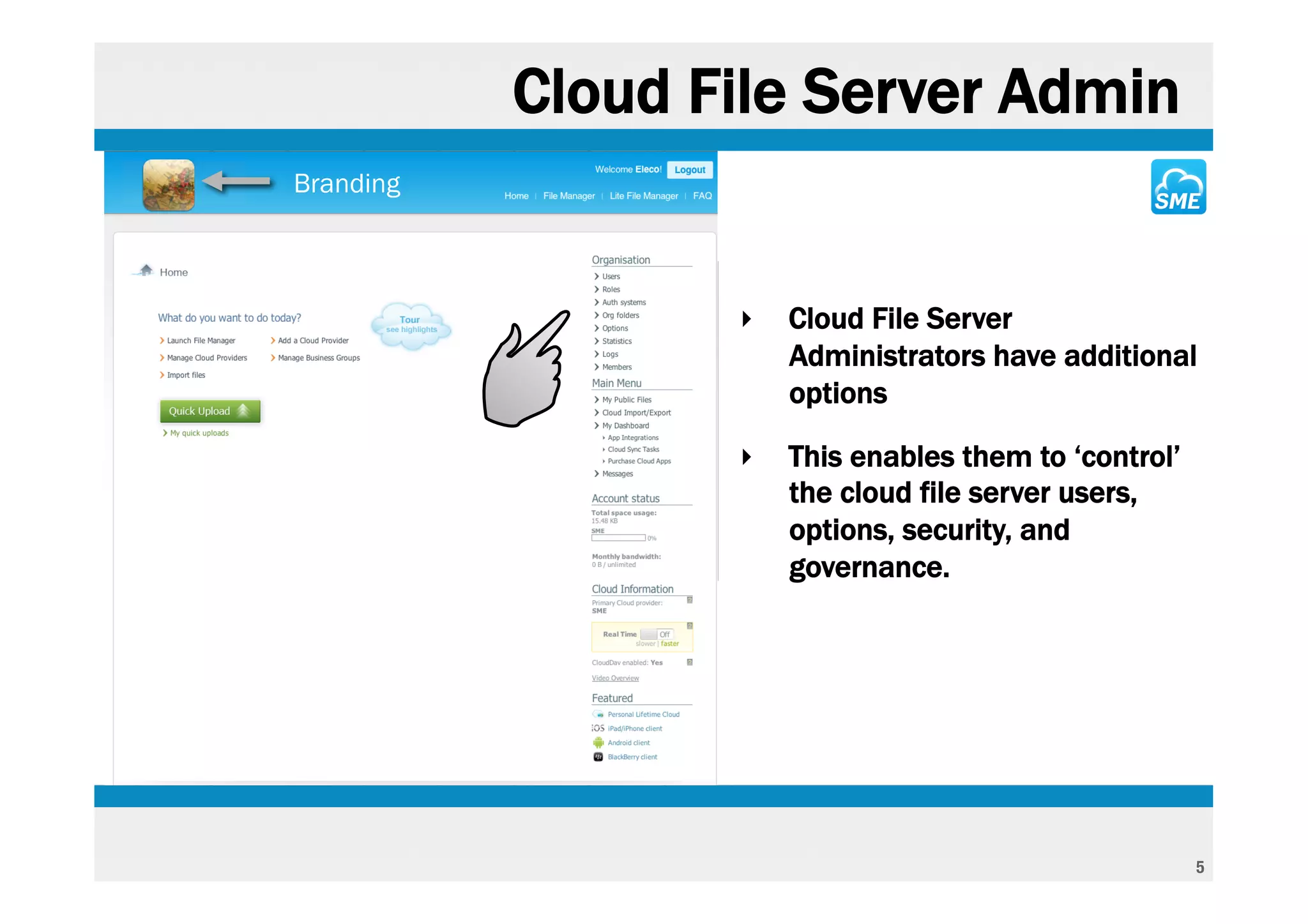
Cloud File Server Admin
Branding


                  ‣   Cloud File Server
                      Administrators have additional
                      options

                  ‣   This enables them to ‘control’
                      the cloud file server users,
                      options, security, and
                      governance.


                                                       5
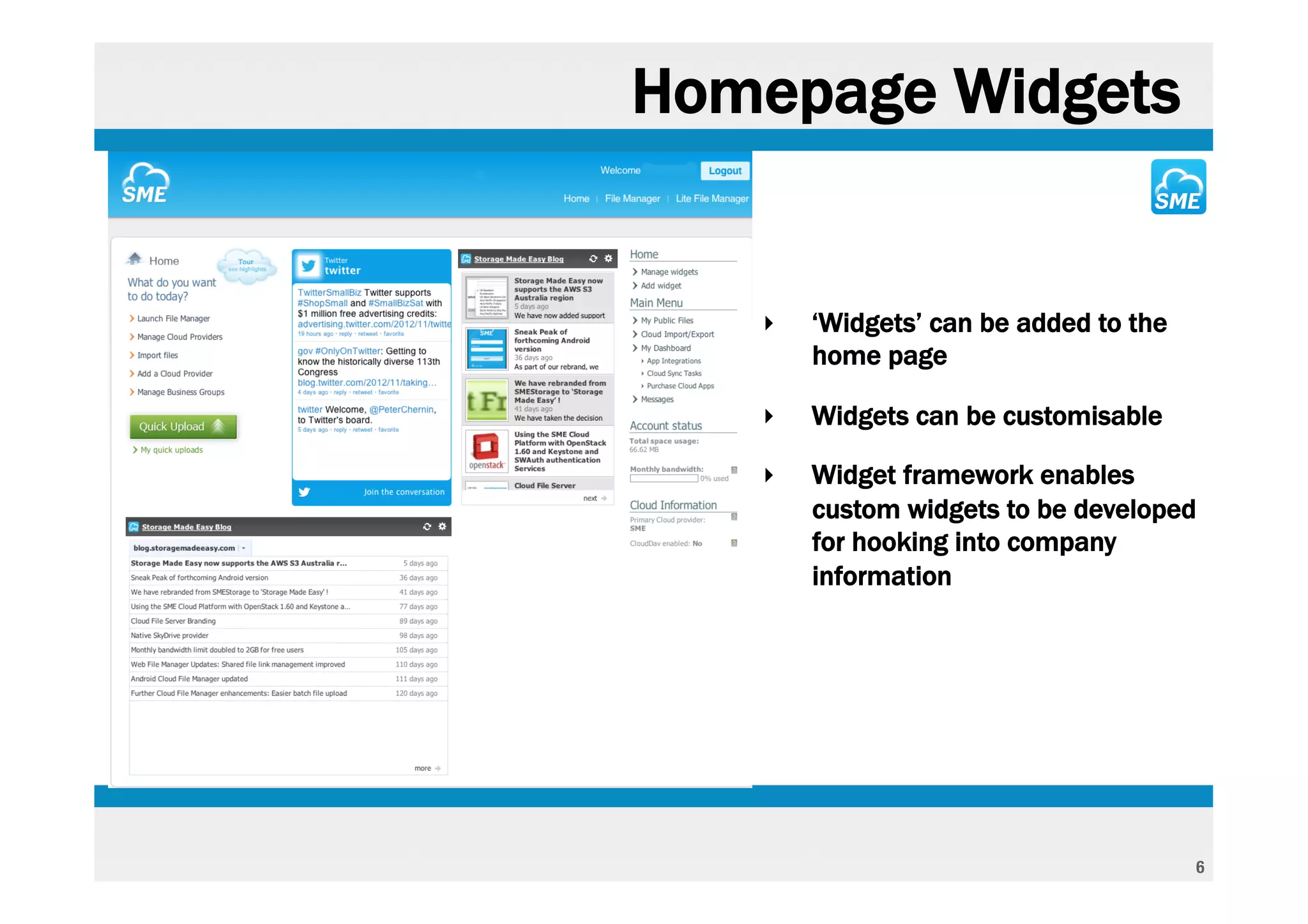
Homepage Widgets


   ‣   ‘Widgets’ can be added to the
       home page

   ‣   Widgets can be customisable

   ‣   Widget framework enables
       custom widgets to be developed
       for hooking into company
       information


                                       6
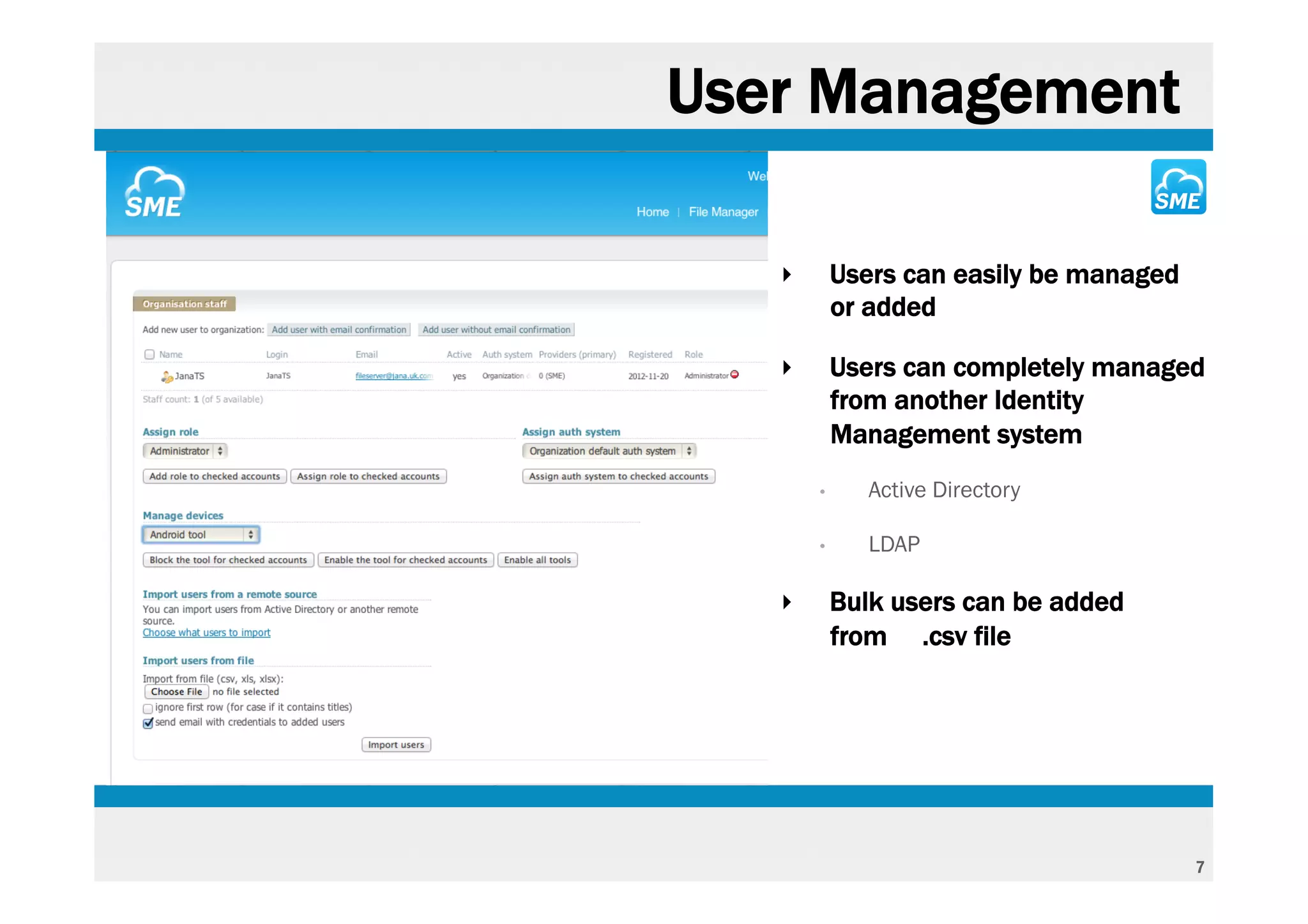
User Management

   ‣       Users can easily be managed
           or added

   ‣       Users can completely managed
           from another Identity
           Management system
       •      Active Directory

       •      LDAP

   ‣       Bulk users can be added
           from .csv file


                                         7
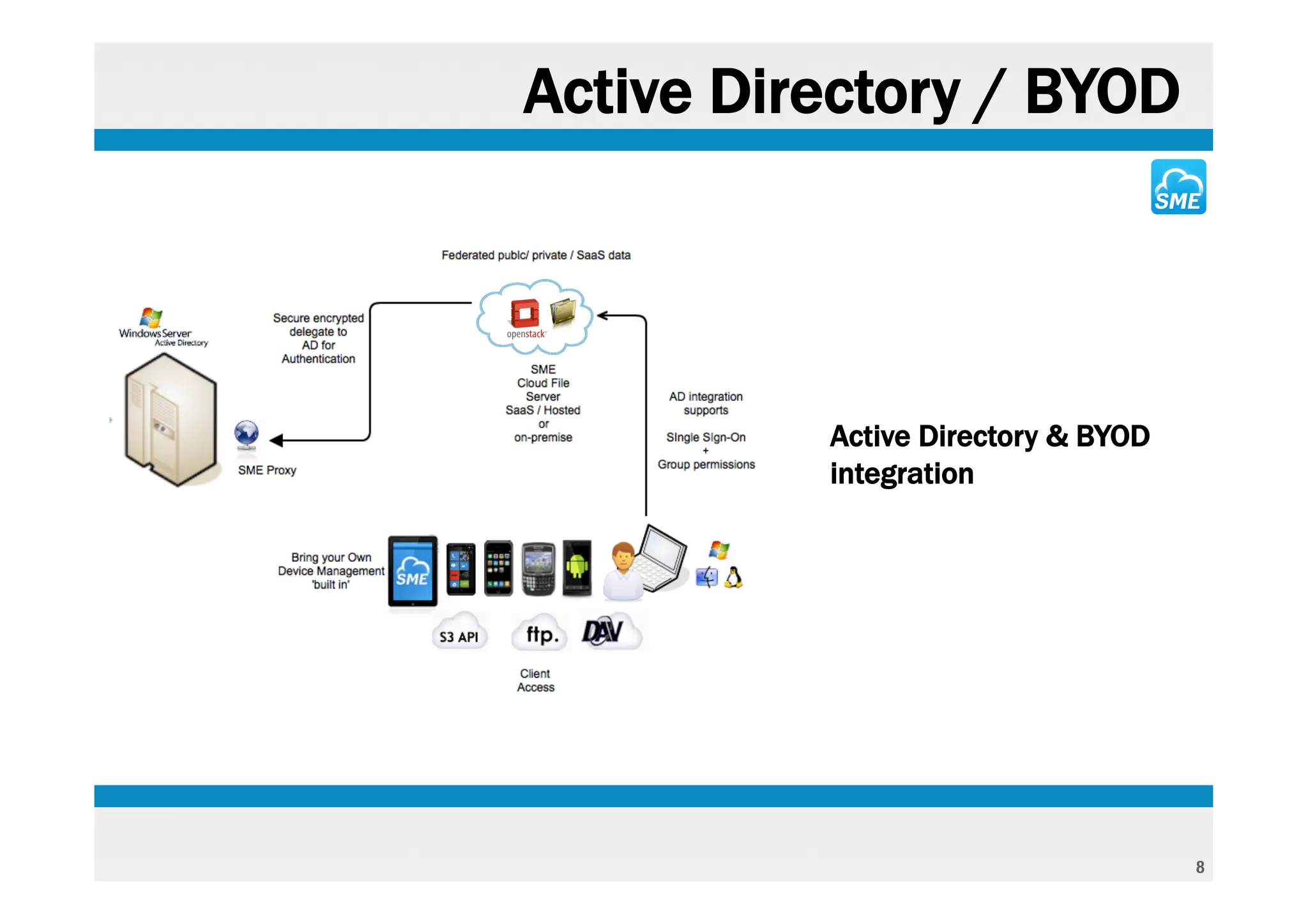
Active Directory / BYOD


          Active Directory & BYOD
          integration


                                    8
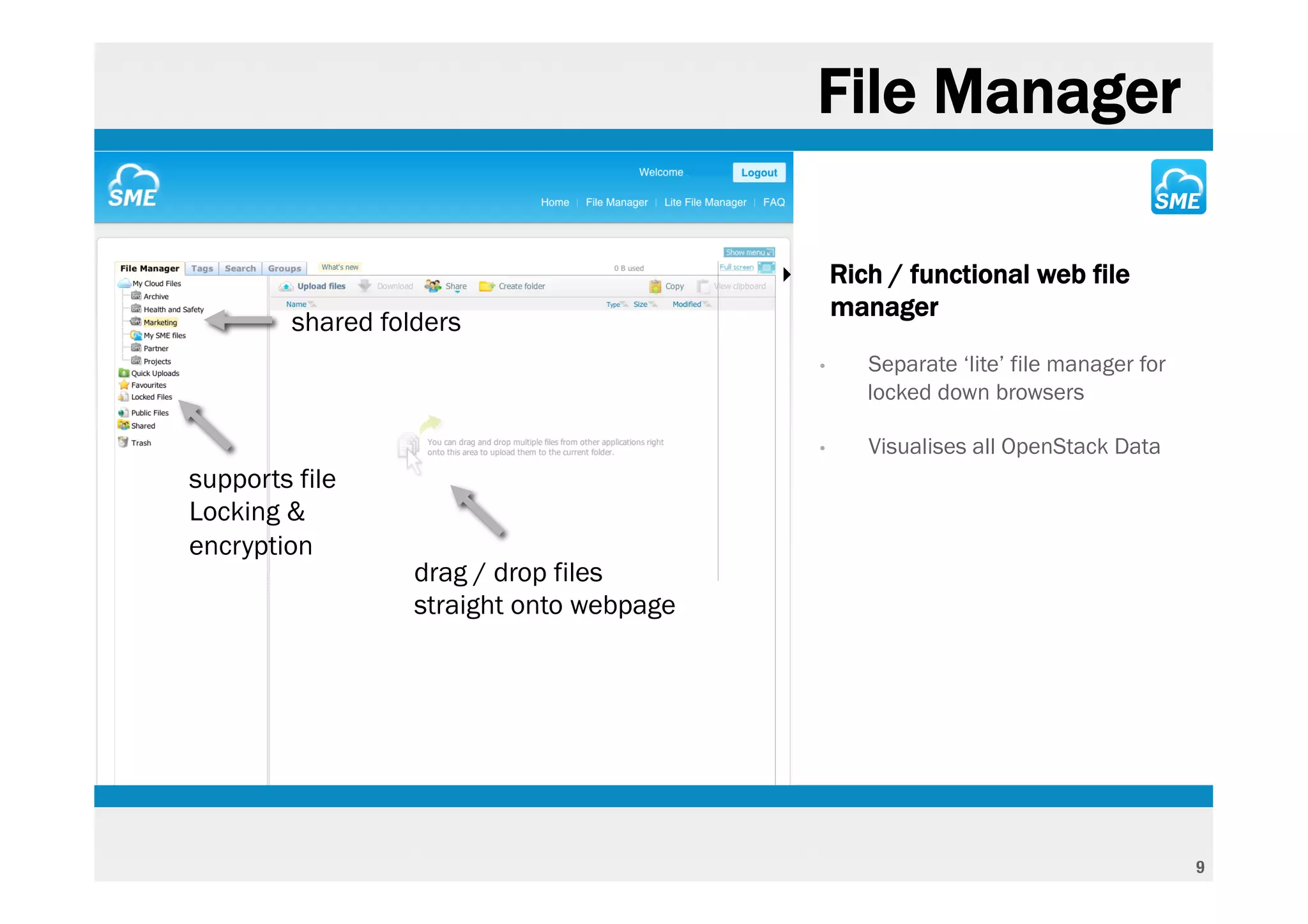
File Manager

                                           ‣       Rich / functional web file
                                                   manager
         shared folders
                                               •      Separate ‘lite’ file manager for
                                                      locked down browsers

                                               •      Visualises all OpenStack Data
supports file
Locking &
encryption
                   drag / drop files
                   straight onto webpage


                                                                                         9
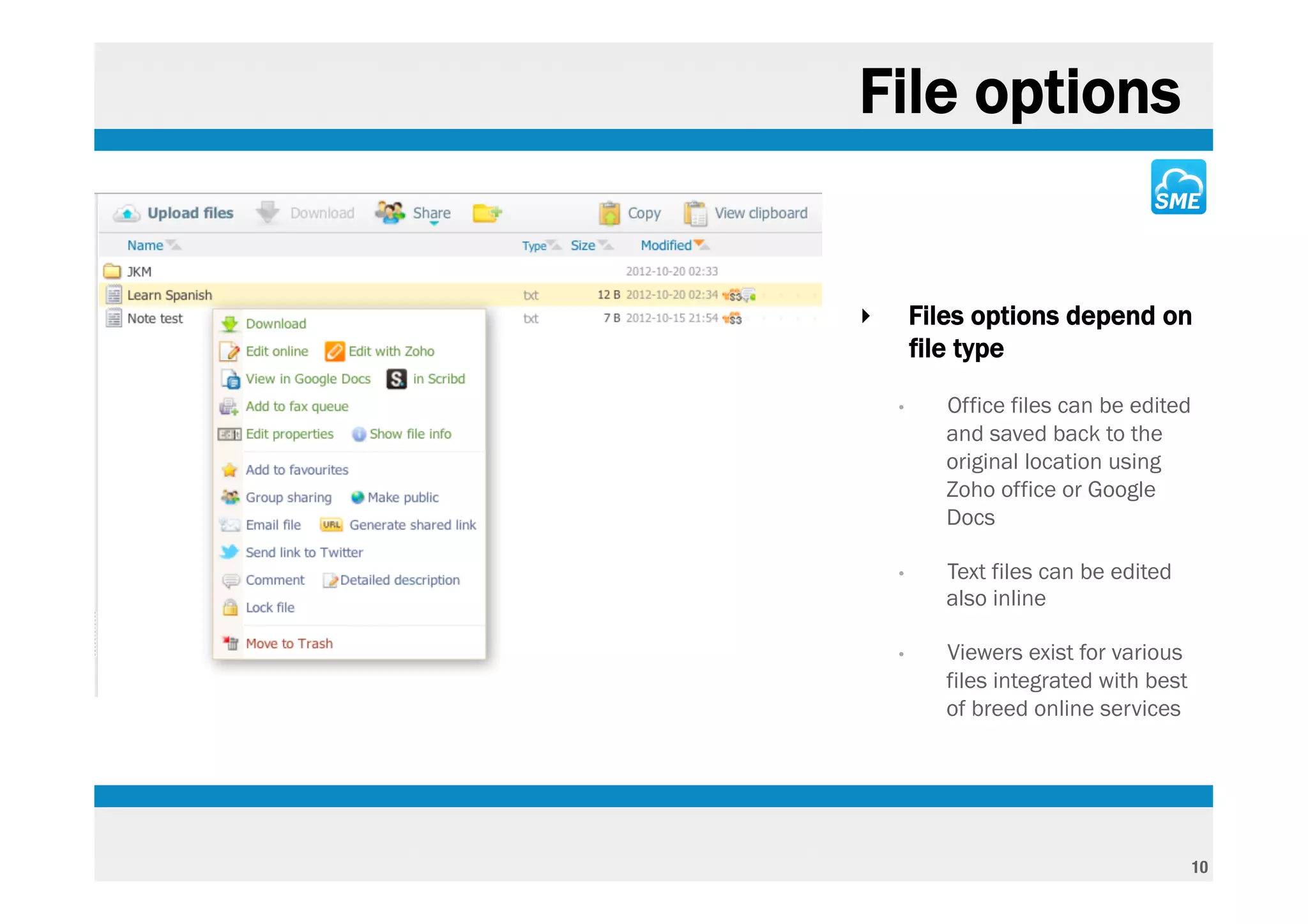
File options


‣       Files options depend on
        file type
    •      Office files can be edited
           and saved back to the
           original location using
           Zoho office or Google
           Docs

    •      Text files can be edited
           also inline

    •      Viewers exist for various
           files integrated with best
           of breed online services


                                        10
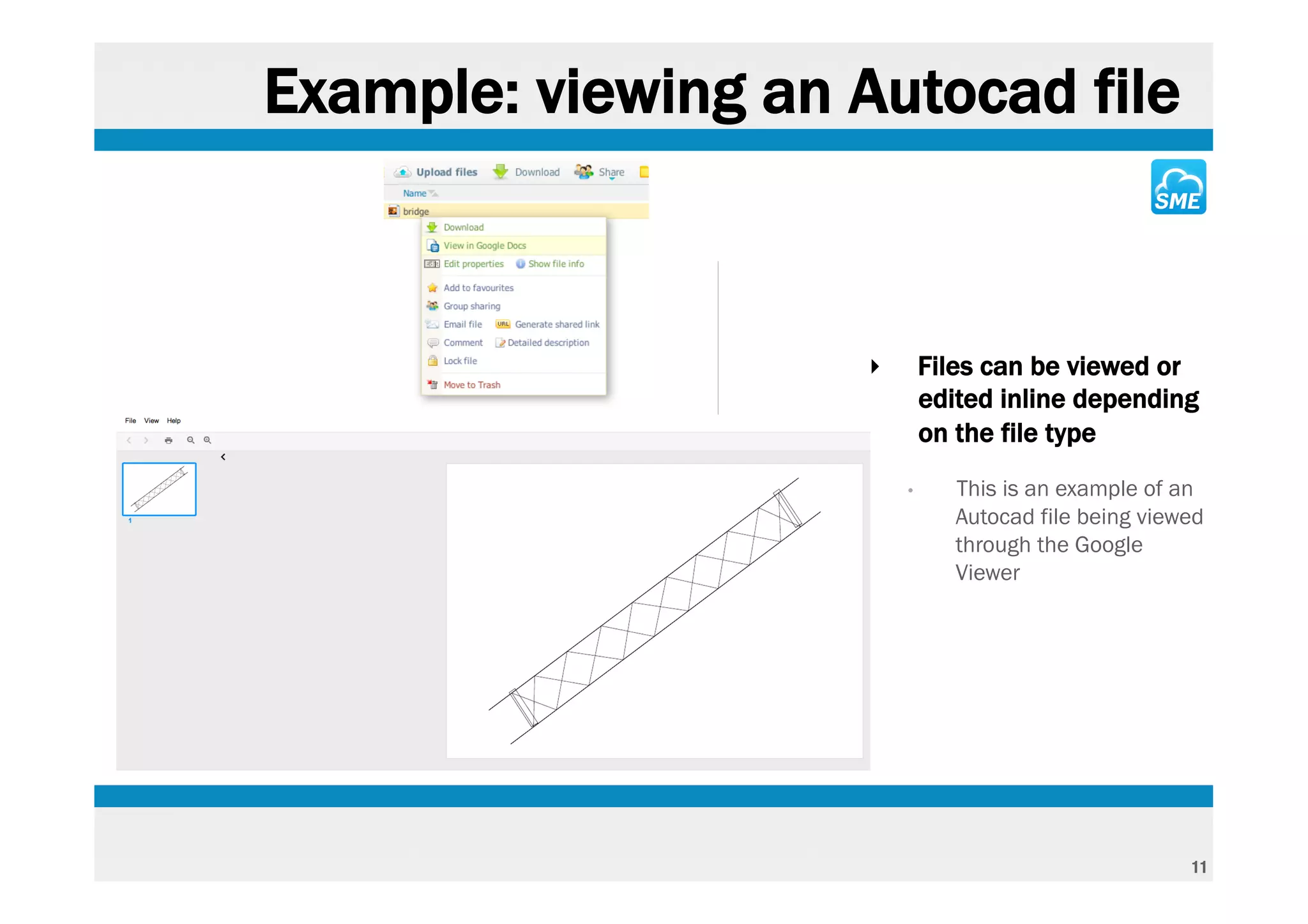
Example: viewing an Autocad file


                     ‣       Files can be viewed or
                             edited inline depending
                             on the file type
                         •      This is an example of an
                                Autocad file being viewed
                                through the Google
                                Viewer


                                                       11
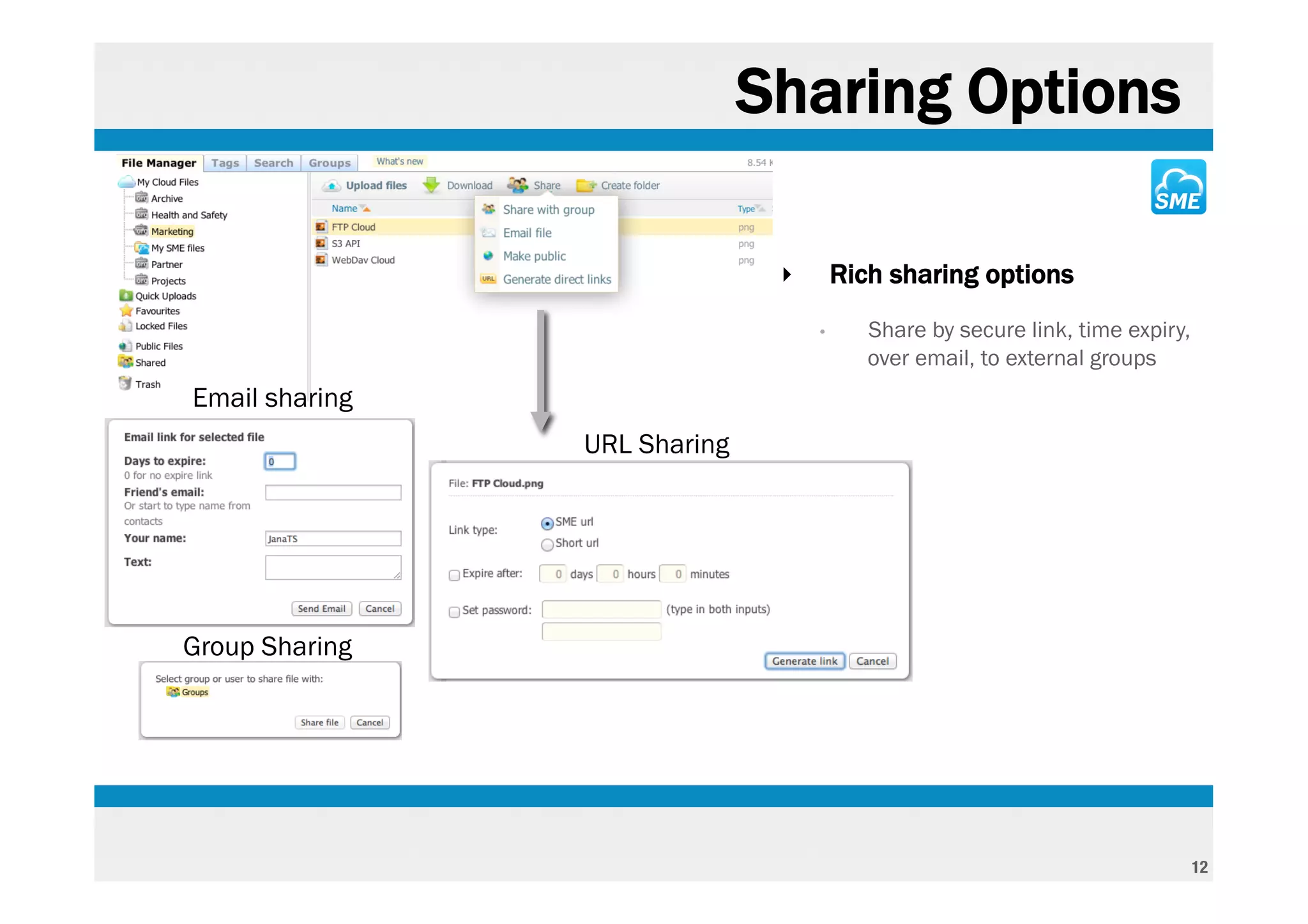
Sharing Options

                               ‣       Rich sharing options
                                   •      Share by secure link, time expiry,
                                          over email, to external groups
Email sharing
                URL Sharing


Group Sharing


                                                                               12
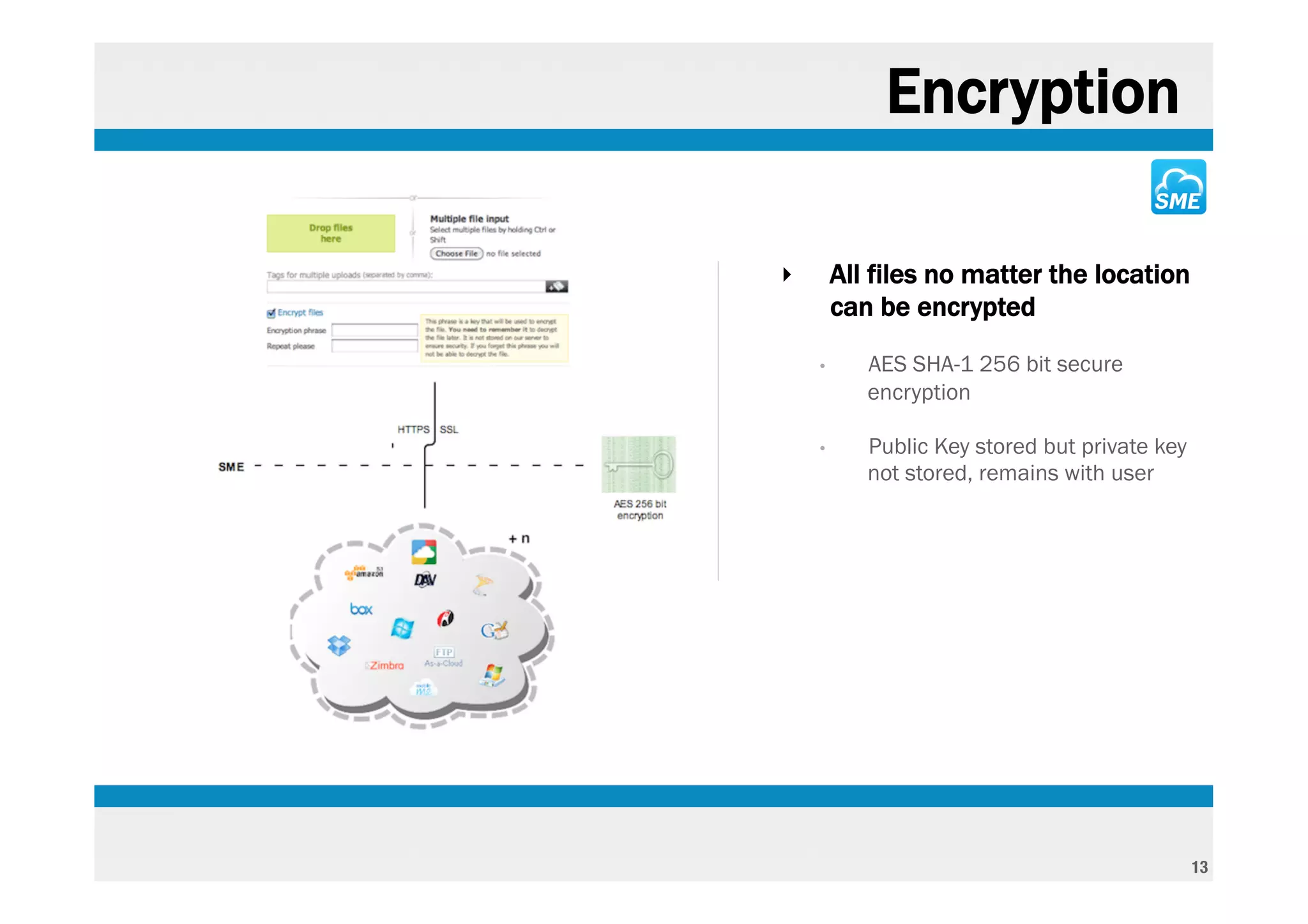
Encryption

‣       All files no matter the location
        can be encrypted
    •      AES SHA-1 256 bit secure
           encryption

    •      Public Key stored but private key
           not stored, remains with user


                                               13
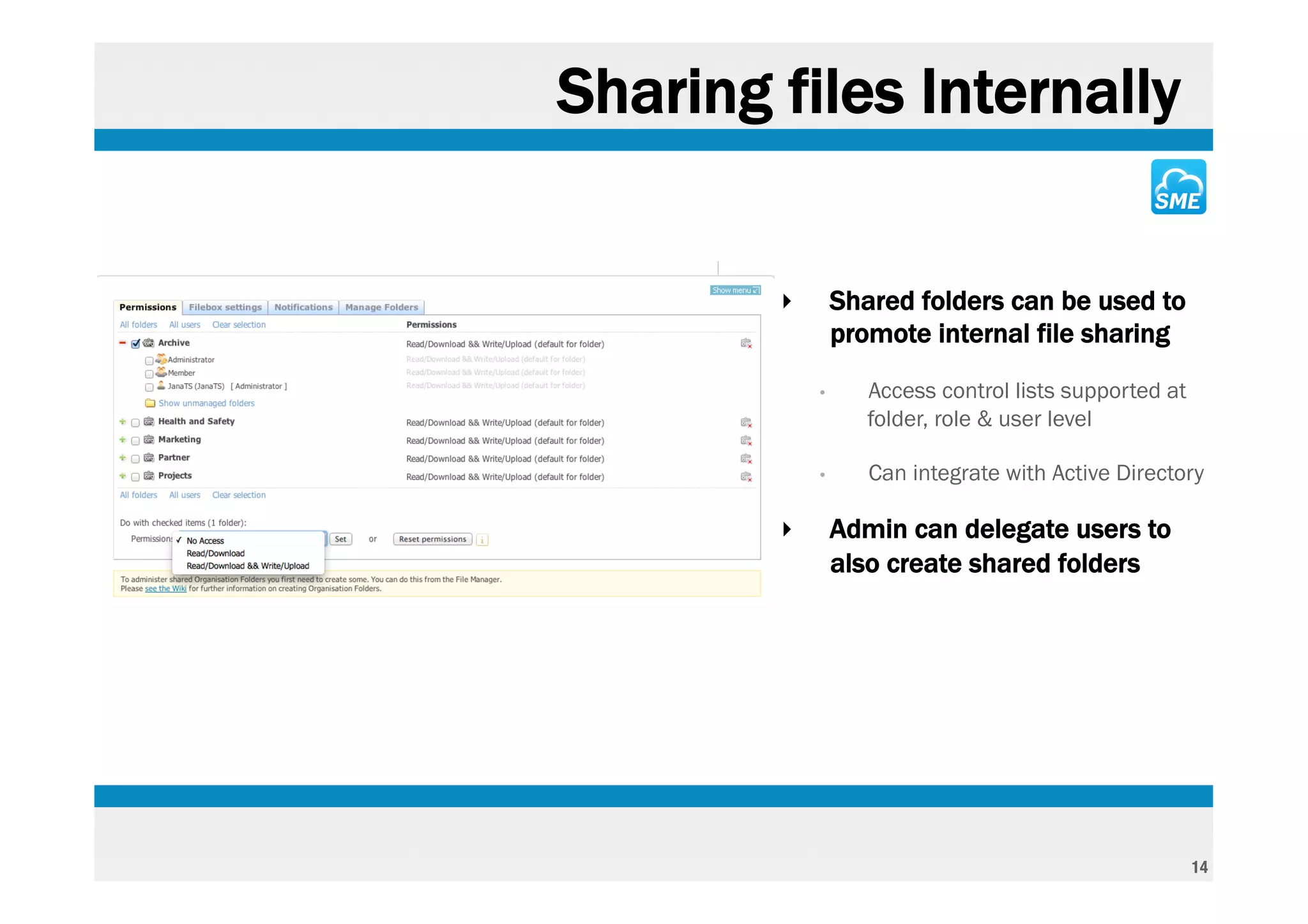
Sharing files Internally


        ‣       Shared folders can be used to
                promote internal file sharing
            •      Access control lists supported at
                   folder, role & user level

            •      Can integrate with Active Directory

        ‣       Admin can delegate users to
                also create shared folders


                                                       14
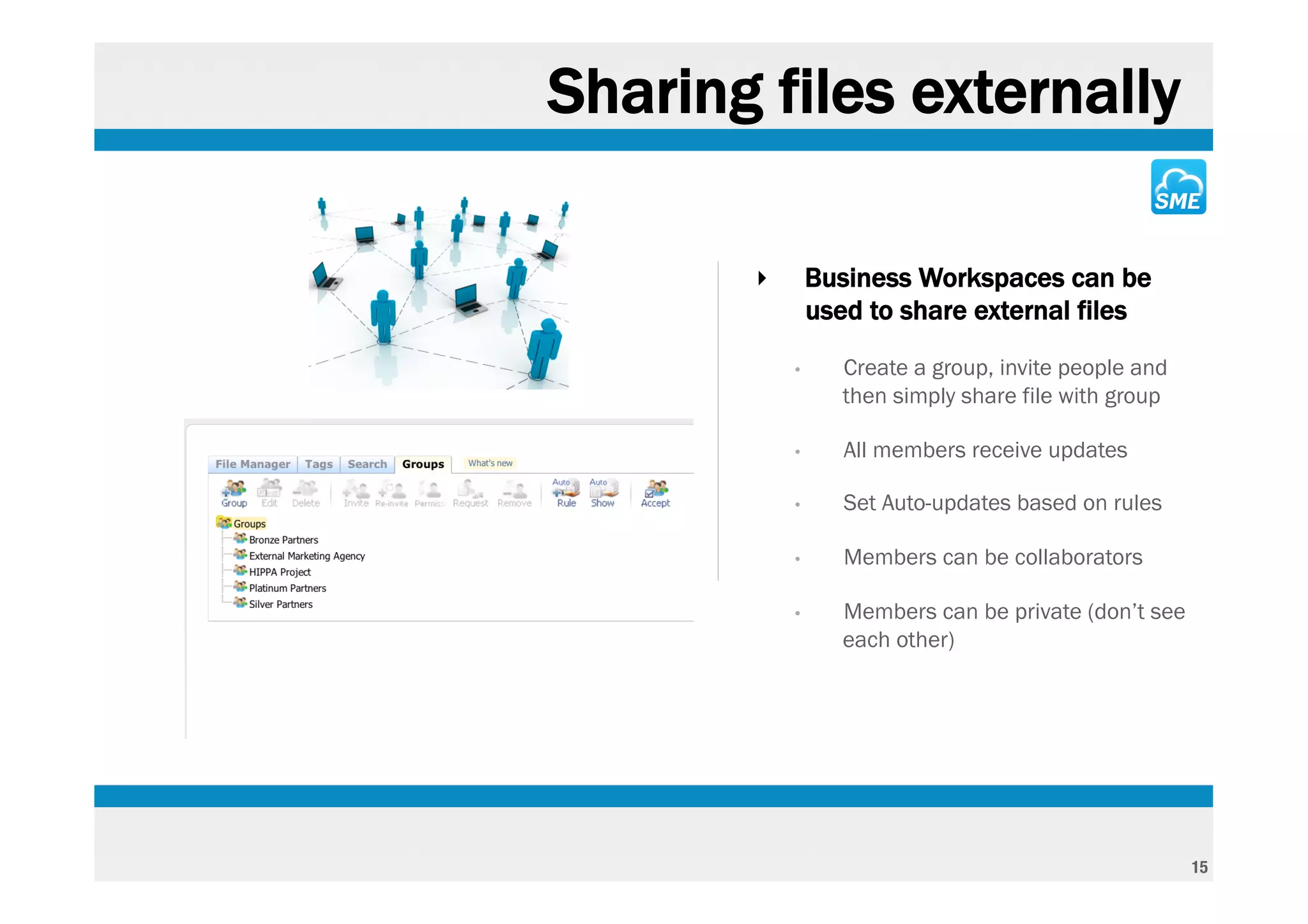
Sharing files externally

       ‣       Business Workspaces can be
               used to share external files
           •      Create a group, invite people and
                  then simply share file with group

           •      All members receive updates

           •      Set Auto-updates based on rules

           •      Members can be collaborators

           •      Members can be private (don’t see
                  each other)


                                                      15
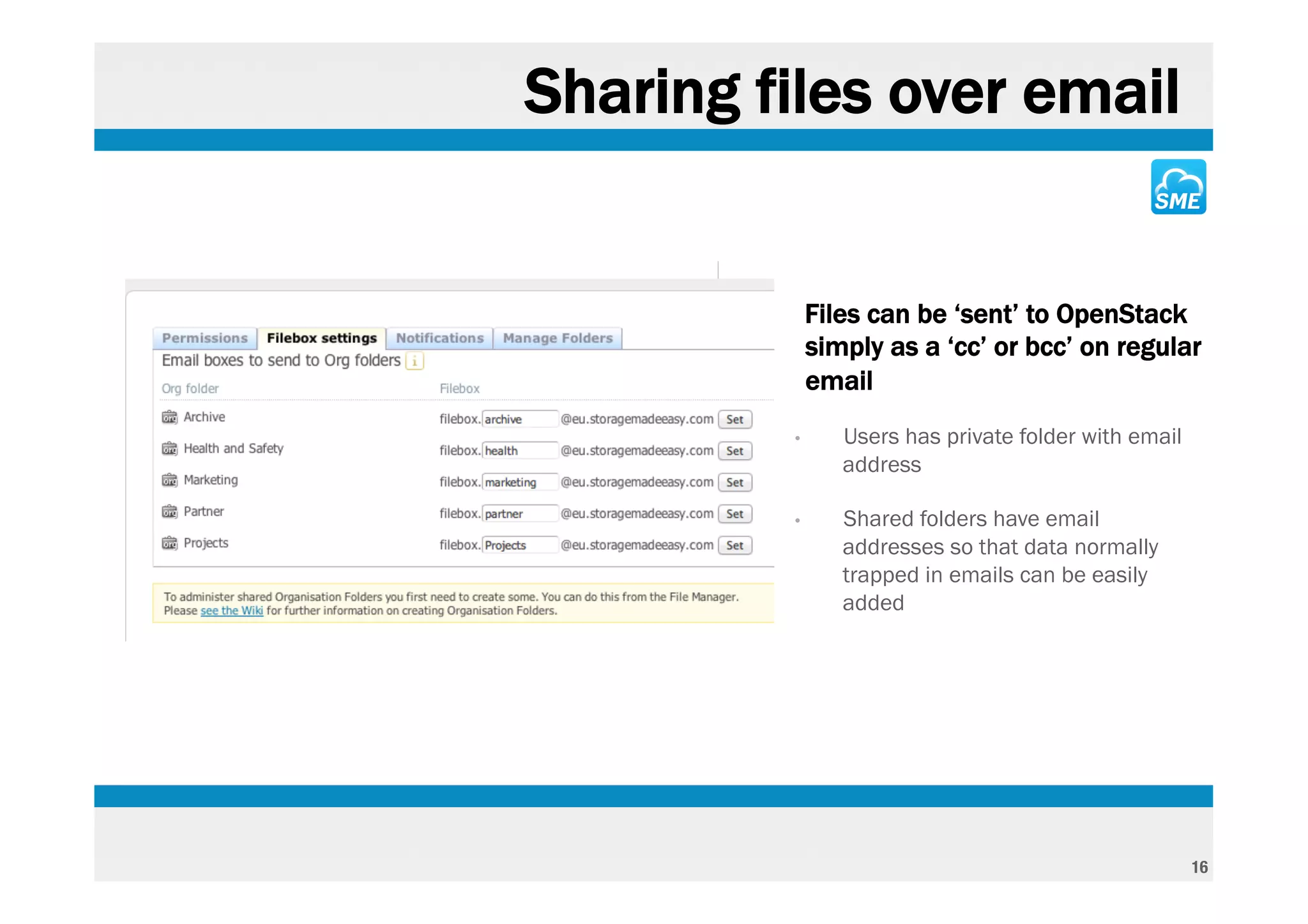
Sharing files over email


        ‣       Files can be ‘sent’ to OpenStack
                simply as a ‘cc’ or bcc’ on regular
                email
            •      Users has private folder with email
                   address

            •      Shared folders have email
                   addresses so that data normally
                   trapped in emails can be easily
                   added


                                                         16
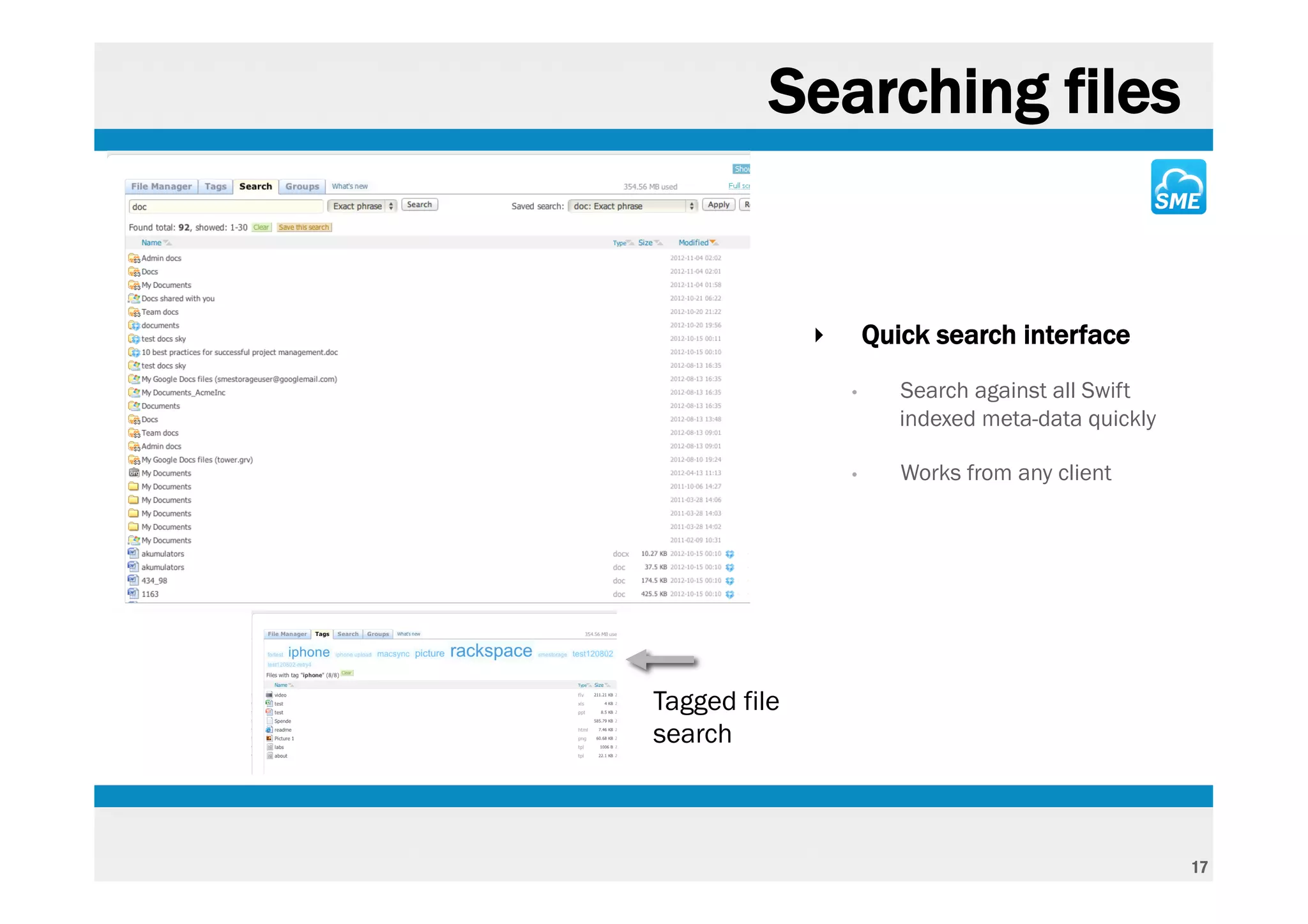
Searching files


              ‣       Quick search interface
                  •      Search against all Swift
                         indexed meta-data quickly

                  •      Works from any client


Tagged file
search


                                                     17
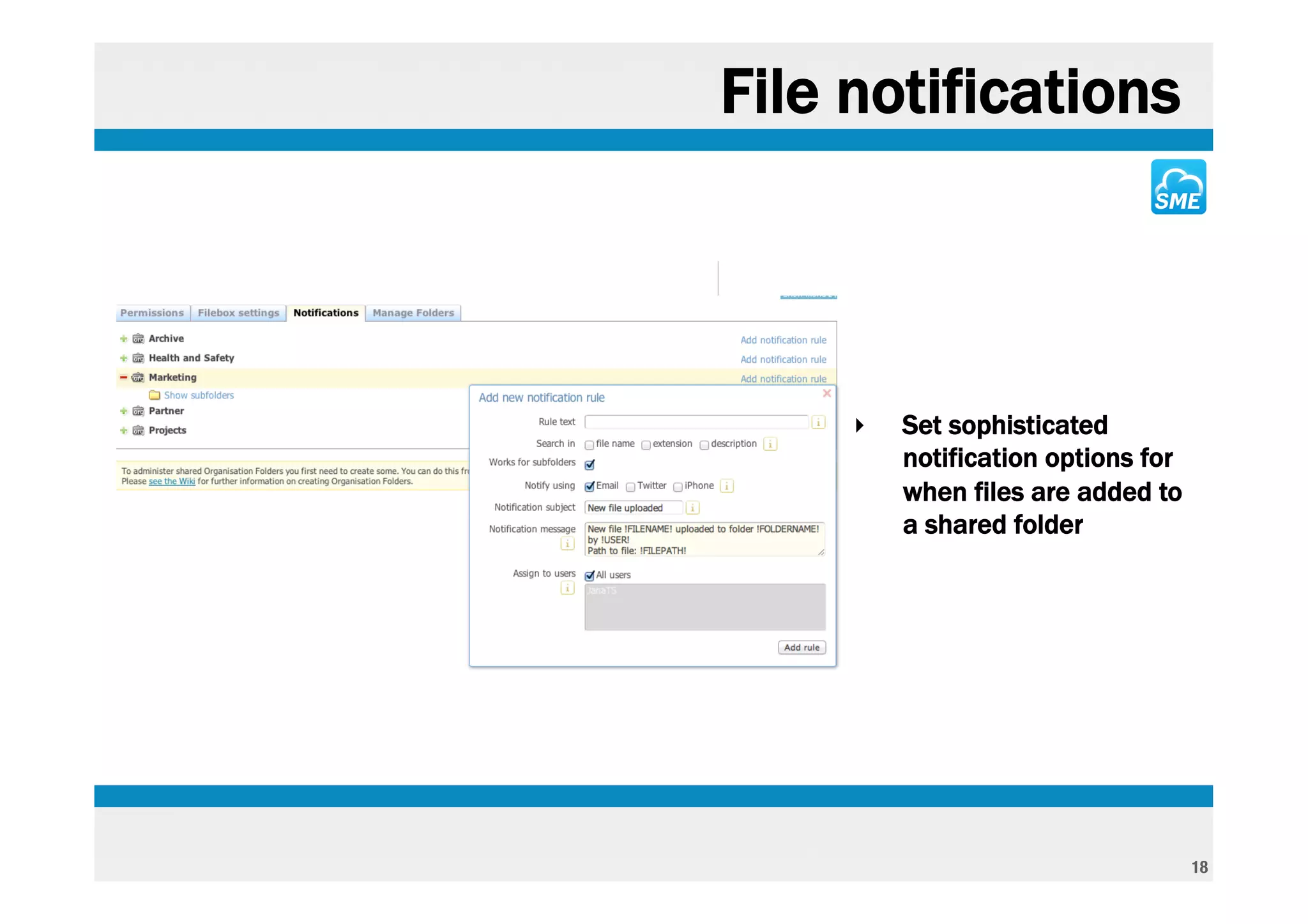
File notifications


     ‣   Set sophisticated
         notification options for
         when files are added to
         a shared folder


                                    18
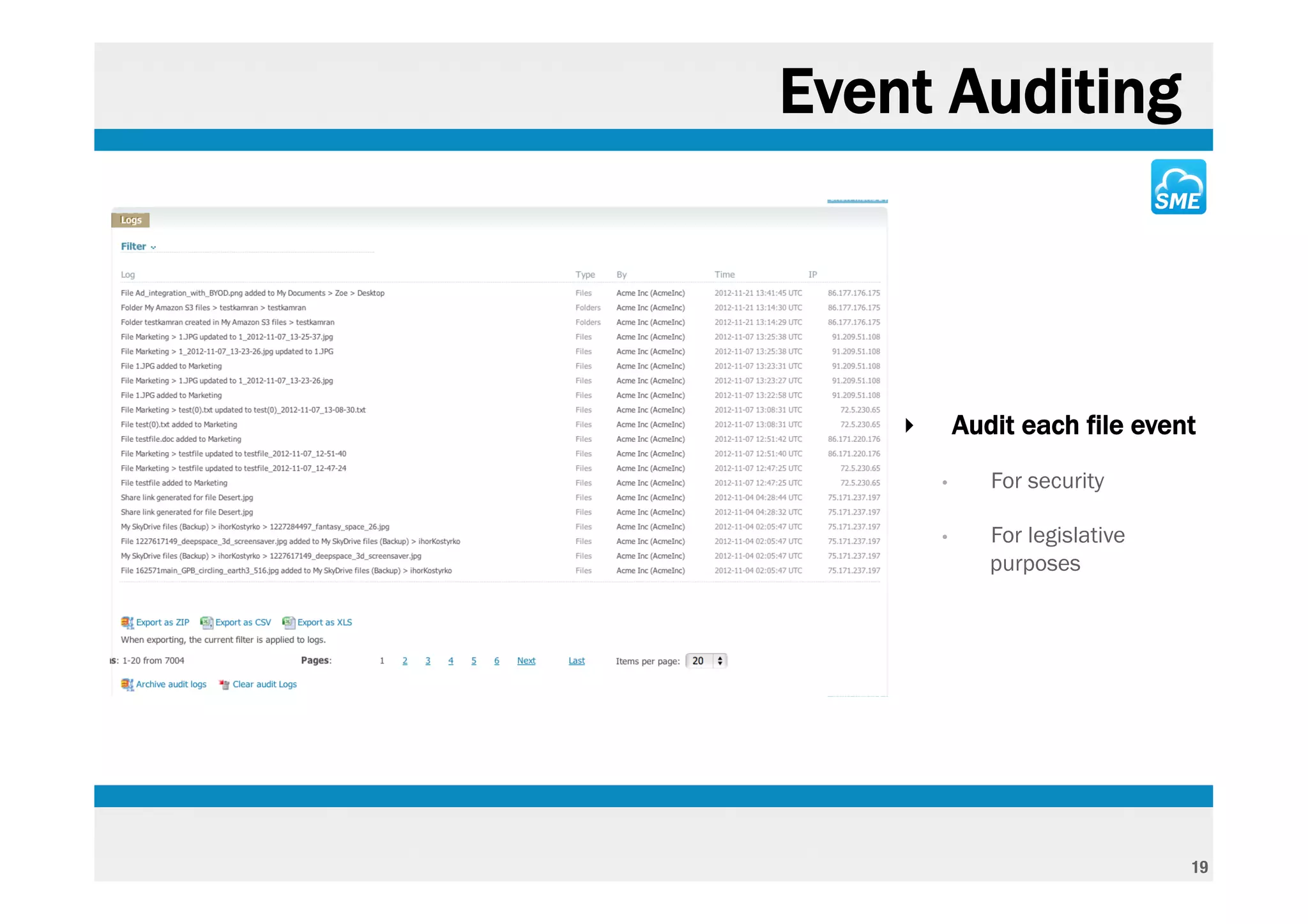
Event Auditing


    ‣       Audit each file event
        •      For security

        •      For legislative
               purposes


                                 19
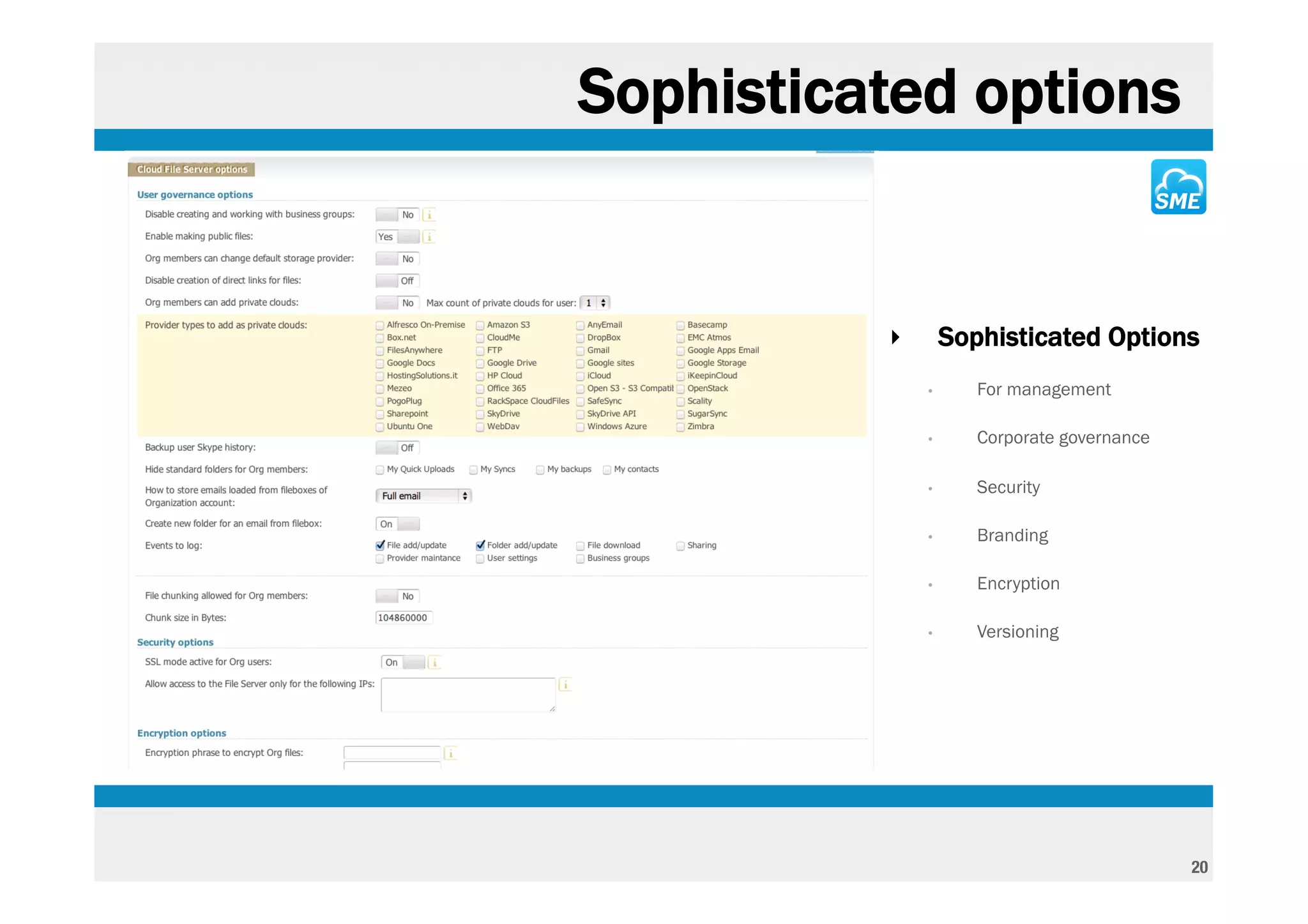
Sophisticated options


          ‣       Sophisticated Options
              •      For management

              •      Corporate governance

              •      Security

              •      Branding

              •      Encryption

              •      Versioning


                                            20
That was just a brief look at the
Web platform of a Cloud File Server
 based on using with OpenStack
              Swift


                                      21
Native desktop Drives + Sync


             Windows

Mac
                          Linux


                                     22
Native Clients for all mobiles / tablets


                                           23
Thanks !
info@storagemadeeasy.com !


                             22

Turning Open Stack Swift Into A Rich Business Ready Cloud Service

  • 1.
    Turning OpenStack Swiftinto a rich business ready Cloud Service 1
  • 2.
    What SME does -Makes OpenStack Swift ‘Business ready’ for ISP’s or direct end-users - Turns Swift into a sophisticated Cloud Data Service - Supports virtual drive and sync for all desktop clients & native Apps for all Mobiles - Adds control / audit / governance to all files - Indexes meta-data for rapid search 2
  • 3.
    Initial sign in ‣ Initial Home Page after creating a Cloud File Server Account ‣ The service can used from a hosted environment at • US: http://storagemadeasy.com • EU: http://eu.storagemadeeasy.com ‣ The Service can be run from a customers own premise (supplied as a VMWARE, XEN or KVM instance) ‣ The service can be run on Linode or EC2 3
  • 4.
    Custom Branding ‣ Each Cloud File Server can be branded ‣ Online and on-Premise hosted Cloud Appliance can have ‘deeper’ branding • All desktop and mobile tools can Branding & be branded for on-premise use of Unique login page the SME Appliance 4
  • 5.
    Cloud File ServerAdmin Branding ‣ Cloud File Server Administrators have additional options ‣ This enables them to ‘control’ the cloud file server users, options, security, and governance. 5
  • 6.
    Homepage Widgets ‣ ‘Widgets’ can be added to the home page ‣ Widgets can be customisable ‣ Widget framework enables custom widgets to be developed for hooking into company information 6
  • 7.
    User Management ‣ Users can easily be managed or added ‣ Users can completely managed from another Identity Management system • Active Directory • LDAP ‣ Bulk users can be added from .csv file 7
  • 8.
    Active Directory /BYOD Active Directory & BYOD integration 8
  • 9.
    File Manager ‣ Rich / functional web file manager shared folders • Separate ‘lite’ file manager for locked down browsers • Visualises all OpenStack Data supports file Locking & encryption drag / drop files straight onto webpage 9
  • 10.
    File options ‣ Files options depend on file type • Office files can be edited and saved back to the original location using Zoho office or Google Docs • Text files can be edited also inline • Viewers exist for various files integrated with best of breed online services 10
  • 11.
    Example: viewing anAutocad file ‣ Files can be viewed or edited inline depending on the file type • This is an example of an Autocad file being viewed through the Google Viewer 11
  • 12.
    Sharing Options ‣ Rich sharing options • Share by secure link, time expiry, over email, to external groups Email sharing URL Sharing Group Sharing 12
  • 13.
    Encryption ‣ All files no matter the location can be encrypted • AES SHA-1 256 bit secure encryption • Public Key stored but private key not stored, remains with user 13
  • 14.
    Sharing files Internally ‣ Shared folders can be used to promote internal file sharing • Access control lists supported at folder, role & user level • Can integrate with Active Directory ‣ Admin can delegate users to also create shared folders 14
  • 15.
    Sharing files externally ‣ Business Workspaces can be used to share external files • Create a group, invite people and then simply share file with group • All members receive updates • Set Auto-updates based on rules • Members can be collaborators • Members can be private (don’t see each other) 15
  • 16.
    Sharing files overemail ‣ Files can be ‘sent’ to OpenStack simply as a ‘cc’ or bcc’ on regular email • Users has private folder with email address • Shared folders have email addresses so that data normally trapped in emails can be easily added 16
  • 17.
    Searching files ‣ Quick search interface • Search against all Swift indexed meta-data quickly • Works from any client Tagged file search 17
  • 18.
    File notifications ‣ Set sophisticated notification options for when files are added to a shared folder 18
  • 19.
    Event Auditing ‣ Audit each file event • For security • For legislative purposes 19
  • 20.
    Sophisticated options ‣ Sophisticated Options • For management • Corporate governance • Security • Branding • Encryption • Versioning 20
  • 21.
    That was justa brief look at the Web platform of a Cloud File Server based on using with OpenStack Swift 21
  • 22.
    Native desktop Drives+ Sync Windows Mac Linux 22
  • 23.
    Native Clients forall mobiles / tablets 23
  • 24.