Click to edit Master title style


Application-oriented IT
Research:
Challenges & Trends for Next-
generation Smartphone Apps


FRANK ALLAN HANSEN
PRODUCT MANAGER ALEXANDRA MOBILE APPS
RESEARCH AND INNOVATION SCIENTIST,
PHD
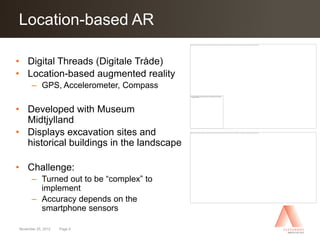
INTERACTIVE SPACES LAB
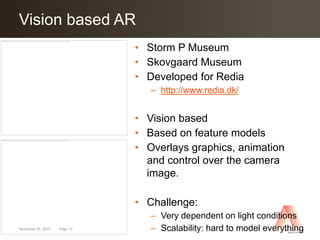
THE ALEXANDRA
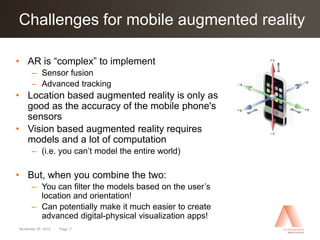
INSTITUTE LTD.
frank.allan.hansen@alexandra.dk
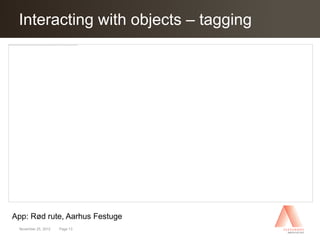
Agenda
Click to edit Master title style

Challenges & Trends for Next-generation smartphone apps

• Introduction
• The current app paradigm
• Three perspectives on next generation smartphone apps
      – Overlaying the world
      – Interacting with objects and controlling the environment
      – Apps as glue for digital activities
• Wrap up and conclusion


November 25, 2012   Page 2
Click Alexandra Institute
The to edit Master title style

• Private research institute founded in 1999
• Part of the GTS network (Godkendt teknologisk service)
• Focus on applied, research-based innovation in pervasive
  computing
      – Pervasive Healthcare, Interactive Spaces, Advanced visualization,
        New Ways of Working, Software, Pervasive Positioning, It-security
        and Business and processes
• Non-profit company that works with application-oriented IT
  research and development and sells IT services and products
  to the Danish industry.
• Bridge-builder between research, private corporations, public
  institutions and citizens.

• Based in the IT-city Katrinebjerg in Aarhus and the IT-University
  in Copenhagen.

November 25, 2012   Page 3
Click to edit Masterparadigm
The current app title style

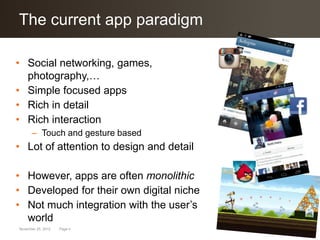
• Social networking, games,
  photography,…
• Simple focused apps
• Rich in detail
• Rich interaction
      – Touch and gesture based
• Lot of attention to design and detail

• However, apps are often monolithic
• Developed for their own digital niche
• Not much integration with the user’s
  world
November 25, 2012   Page 4
Click to edit Master “smart” devices
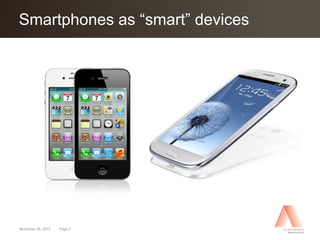
Smartphones as title style


November 25, 2012   Page 5
Click to edit Master “smart” devices
Smartphones as title style
• Very powerful devices
      – Quad core CPUs, Dedicated GPUs, etc

• Many physical sensors:
      –     Camera (ID, Object tracking, light levels)
      –     Microphone (audio levels, voice commands)
      –     3G/4G (location, proximity)
      –     Bluetooth (location, proximity)
      –     Wi-Fi (location, proximity)
      –     Accelerometer (movement)
      –     Compass (direction)
      –     GPS (location)
      –     Gyroscope (movement)
      –     NFC/RFID (identification)
      –     …


November 25, 2012   Page 6
Digital-physical apps
Click to edit Master title style

• Next generation apps should utilize this technology

• Apps should be aware of the user’s context
      – Adapt functionality and application behavior
      – Present and filter relevant information
      – Allow the user to control and interact with the surroundings

• Not an “easy” task of course…
• So new software tools and ideas are needed


November 25, 2012   Page 7
1. Overlaying the world
Click to edit Master title style


November 25, 2012   Page 8
                                   Minority Report (2002)
Location-based AR
Click to edit Master title style

• Digital Threads (Digitale Tråde)
• Location-based augmented reality
      – GPS, Accelerometer, Compass

• Developed with Museum
  Midtjylland
• Displays excavation sites and
  historical buildings in the landscape

• Challenge:
      – Turned out to be “complex” to
        implement
      – Accuracy depends on the
        smartphone sensors

November 25, 2012   Page 9
Vision based AR
Click to edit Master title style
                     Storm P Museum   • Storm P Museum
                                      • Skovgaard Museum
                                      • Developed for Redia
                                         – http://www.redia.dk/


                                      • Vision based
                                      • Based on feature models
                Skovgaard Museum      • Overlays graphics, animation
                                        and control over the camera
                                        image.

                                      • Challenge:
                                         – Very dependent on light conditions
November 25, 2012   Page 10              – Scalability: hard to model everything
Challenges for mobile augmented reality
Click to edit Master title style

• AR is “complex” to implement
      – Sensor fusion
      – Advanced tracking
• Location based augmented reality is only as
  good as the accuracy of the mobile phone's
  sensors
• Vision based augmented reality requires
  models and a lot of computation
      – (i.e. you can’t model the entire world)

• But, when you combine the two:
      – You can filter the models based on the user’s
        location and orientation!
      – Can potentially make it much easier to create
        advanced digital-physical visualization apps!
November 25, 2012   Page 11
2. Interacting with objects and
Click to edit Master title style
controlling the environment

• Idea: using the smartphone as a information and control
  device for the environment.

      – Smartphones can be used to identify physical objects
      – Using the camera, GPS, NFC, etc

      – Apps can present relevant information to the user


      – Smartphones can adapt to the environment,
      – eg. as an advanced and dynamic remote control


November 25, 2012   Page 12
Interacting with objects –
 Click to edit Master title style tagging


App: Rød rute, Aarhus Festuge
 November 25, 2012   Page 13
Interacting with objects –
Click to edit Master title style next generation

•       RFID (Radio Frequence Identifier)
•       Radio based tag
•       Can be hidden inside object
          – No camera needed
• Support simple “swipe”-based
  interaction
• Killer app: mobile payment

• App: AudioMove.org
• Developed for Katapult and KMD
• Audio-based theater for system
  developers
• User scans props to hear the story
    November 25, 2012   Page 14
Controlling the environment
Click to edit Master title style

• Car controller, Mercedes and B&O
• Mercedes-Benz Viano Vision Diamond

• Standard iPhone / iPad is used as
  control device
      – Television, audio system, lights, …
      – Different scenes:
               • Office,
                 cinema,
                 concert,
                 internet,
                 live or relax


November 25, 2012   Page 15
Click to edit Master title style activities
3. Apps as glue for digital

• Not all interaction has to go through the smartphone
• Other forms of interaction:
      – Interactive installations in the city
      – Installations in the home (heat control)
      – Fitness or life style equipment

• But smartphone apps may be the glue or hub that
  connects it all…


November 25, 2012   Page 16
Health monitors
Click to edit Master title style

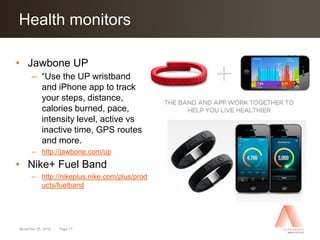
• Jawbone UP
      – “Use the UP wristband
        and iPhone app to track
        your steps, distance,
        calories burned, pace,
        intensity level, active vs
        inactive time, GPS routes
        and more.
      – http://jawbone.com/up
• Nike+ Fuel Band
      – http://nikeplus.nike.com/plus/prod
        ucts/fuelband


November 25, 2012   Page 17
Click to edit Master title style activities
3. Apps as glue for digital

• Not all interaction has to go through the smartphone
• Other forms of interaction:
      – Interactive installations in the city
      – Installations in the home (heat control)
      – Fitness or life style equipment

• But smartphone apps may be the glue or hub that
  connects it all…

• All interaction is through a more natural interface but
  heavy lifting and data communication is handled by the
  smartphone apps
November 25, 2012   Page 18
Click toup Master title style
Wrap edit

More information:

      – MarketIT article:
        Next generation smartphone apps: sensor-based interaction
      –     http://www.marketit.dk/Forside/Indhold/Artikler/6---Tablets-smartphones--APPs/N%C3%A6ste-generation-
            smartphones--Sensorbaseret-interaktion

      – Bedre Innovation:
        Næste generations SmartPhone Apps til professionelle
        anvendelser
      –     http://www.bedreinnovation.dk/aktivitet/n%C3%A6ste-generations-smartphone-apps-til-professionelle-
            anvendelser

      – The Alexandra Institute
        Pending research application about professional smartphone apps
            http://alexandra.dk/


November 25, 2012   Page 19

Application-oriented IT Research af Frank Allan Hansen, Alexandra Instituttet

  • 1.
    Click to editMaster title style Application-oriented IT Research: Challenges & Trends for Next- generation Smartphone Apps FRANK ALLAN HANSEN PRODUCT MANAGER ALEXANDRA MOBILE APPS RESEARCH AND INNOVATION SCIENTIST, PHD
INTERACTIVE SPACES LAB
THE ALEXANDRA INSTITUTE LTD. frank.allan.hansen@alexandra.dk
  • 2.
    Agenda Click to editMaster title style Challenges & Trends for Next-generation smartphone apps • Introduction • The current app paradigm • Three perspectives on next generation smartphone apps – Overlaying the world – Interacting with objects and controlling the environment – Apps as glue for digital activities • Wrap up and conclusion November 25, 2012 Page 2
  • 3.
    Click Alexandra Institute Theto edit Master title style • Private research institute founded in 1999 • Part of the GTS network (Godkendt teknologisk service) • Focus on applied, research-based innovation in pervasive computing – Pervasive Healthcare, Interactive Spaces, Advanced visualization, New Ways of Working, Software, Pervasive Positioning, It-security and Business and processes • Non-profit company that works with application-oriented IT research and development and sells IT services and products to the Danish industry. • Bridge-builder between research, private corporations, public institutions and citizens. • Based in the IT-city Katrinebjerg in Aarhus and the IT-University in Copenhagen. November 25, 2012 Page 3
  • 4.
    Click to editMasterparadigm The current app title style • Social networking, games, photography,… • Simple focused apps • Rich in detail • Rich interaction – Touch and gesture based • Lot of attention to design and detail • However, apps are often monolithic • Developed for their own digital niche • Not much integration with the user’s world November 25, 2012 Page 4
  • 5.
    Click to editMaster “smart” devices Smartphones as title style November 25, 2012 Page 5
  • 6.
    Click to editMaster “smart” devices Smartphones as title style • Very powerful devices – Quad core CPUs, Dedicated GPUs, etc • Many physical sensors: – Camera (ID, Object tracking, light levels) – Microphone (audio levels, voice commands) – 3G/4G (location, proximity) – Bluetooth (location, proximity) – Wi-Fi (location, proximity) – Accelerometer (movement) – Compass (direction) – GPS (location) – Gyroscope (movement) – NFC/RFID (identification) – … November 25, 2012 Page 6
  • 7.
    Digital-physical apps Click toedit Master title style • Next generation apps should utilize this technology • Apps should be aware of the user’s context – Adapt functionality and application behavior – Present and filter relevant information – Allow the user to control and interact with the surroundings • Not an “easy” task of course… • So new software tools and ideas are needed November 25, 2012 Page 7
  • 8.
    1. Overlaying theworld Click to edit Master title style November 25, 2012 Page 8 Minority Report (2002)
  • 9.
    Location-based AR Click toedit Master title style • Digital Threads (Digitale Tråde) • Location-based augmented reality – GPS, Accelerometer, Compass • Developed with Museum Midtjylland • Displays excavation sites and historical buildings in the landscape • Challenge: – Turned out to be “complex” to implement – Accuracy depends on the smartphone sensors November 25, 2012 Page 9
  • 10.
    Vision based AR Clickto edit Master title style Storm P Museum • Storm P Museum • Skovgaard Museum • Developed for Redia – http://www.redia.dk/ • Vision based • Based on feature models Skovgaard Museum • Overlays graphics, animation and control over the camera image. • Challenge: – Very dependent on light conditions November 25, 2012 Page 10 – Scalability: hard to model everything
  • 11.
    Challenges for mobileaugmented reality Click to edit Master title style • AR is “complex” to implement – Sensor fusion – Advanced tracking • Location based augmented reality is only as good as the accuracy of the mobile phone's sensors • Vision based augmented reality requires models and a lot of computation – (i.e. you can’t model the entire world) • But, when you combine the two: – You can filter the models based on the user’s location and orientation! – Can potentially make it much easier to create advanced digital-physical visualization apps! November 25, 2012 Page 11
  • 12.
    2. Interacting withobjects and Click to edit Master title style controlling the environment • Idea: using the smartphone as a information and control device for the environment. – Smartphones can be used to identify physical objects – Using the camera, GPS, NFC, etc – Apps can present relevant information to the user – Smartphones can adapt to the environment, – eg. as an advanced and dynamic remote control November 25, 2012 Page 12
  • 13.
    Interacting with objects– Click to edit Master title style tagging App: Rød rute, Aarhus Festuge November 25, 2012 Page 13
  • 14.
    Interacting with objects– Click to edit Master title style next generation • RFID (Radio Frequence Identifier) • Radio based tag • Can be hidden inside object – No camera needed • Support simple “swipe”-based interaction • Killer app: mobile payment • App: AudioMove.org • Developed for Katapult and KMD • Audio-based theater for system developers • User scans props to hear the story November 25, 2012 Page 14
  • 15.
    Controlling the environment Clickto edit Master title style • Car controller, Mercedes and B&O • Mercedes-Benz Viano Vision Diamond • Standard iPhone / iPad is used as control device – Television, audio system, lights, … – Different scenes: • Office, cinema, concert, internet, live or relax November 25, 2012 Page 15
  • 16.
    Click to editMaster title style activities 3. Apps as glue for digital • Not all interaction has to go through the smartphone • Other forms of interaction: – Interactive installations in the city – Installations in the home (heat control) – Fitness or life style equipment • But smartphone apps may be the glue or hub that connects it all… November 25, 2012 Page 16
  • 17.
    Health monitors Click toedit Master title style • Jawbone UP – “Use the UP wristband and iPhone app to track your steps, distance, calories burned, pace, intensity level, active vs inactive time, GPS routes and more. – http://jawbone.com/up • Nike+ Fuel Band – http://nikeplus.nike.com/plus/prod ucts/fuelband November 25, 2012 Page 17
  • 18.
    Click to editMaster title style activities 3. Apps as glue for digital • Not all interaction has to go through the smartphone • Other forms of interaction: – Interactive installations in the city – Installations in the home (heat control) – Fitness or life style equipment • But smartphone apps may be the glue or hub that connects it all… • All interaction is through a more natural interface but heavy lifting and data communication is handled by the smartphone apps November 25, 2012 Page 18
  • 19.
    Click toup Mastertitle style Wrap edit More information: – MarketIT article: Next generation smartphone apps: sensor-based interaction – http://www.marketit.dk/Forside/Indhold/Artikler/6---Tablets-smartphones--APPs/N%C3%A6ste-generation- smartphones--Sensorbaseret-interaktion – Bedre Innovation: Næste generations SmartPhone Apps til professionelle anvendelser – http://www.bedreinnovation.dk/aktivitet/n%C3%A6ste-generations-smartphone-apps-til-professionelle- anvendelser – The Alexandra Institute Pending research application about professional smartphone apps http://alexandra.dk/ November 25, 2012 Page 19

Editor's Notes

  • #4 Pervasive Healthcare, Interactive Spaces, AvanceretVisualiseringogInteraktion, New Ways of Working, Software, Pervasive Positioning, It-sikkerhedogForretningsforståelse for pervasive computing.Instituttetharhovedkontori IT-byenKatrinebjergiÅrhus med en afdelingpå It-universitetetiØrestaden.
  • #18 Think of it as a Livestrong bracelet that keeps track of your body’s inner goings-on while you wear it. Working in conjunction with your iPhone, Up tracks your daily physical activity, monitors your sleep habits and quality, and also acts as a meal tracking aide. All of the data is stored within the app on your phone, synced by plugging Up’s 3.5mm jack into the iPhone earbud port.