Unit 3.2
Understand Loop Control Structures
   At the end of this presentation, students will be
    able to:
    ◦ Understand looping control structures
    ◦ Describe the structure and working of for, while and
      do-while loops
    ◦ Explain the need for break, continue, return and goto
      statements
   Looping statements are used to :
    ◦ execute a set of instructions repeatedly, as long as the
      specific condition is satisfied.

   The loop in C++ comes in 3 forms:
    ◦ for
    ◦ while
    ◦ do-while
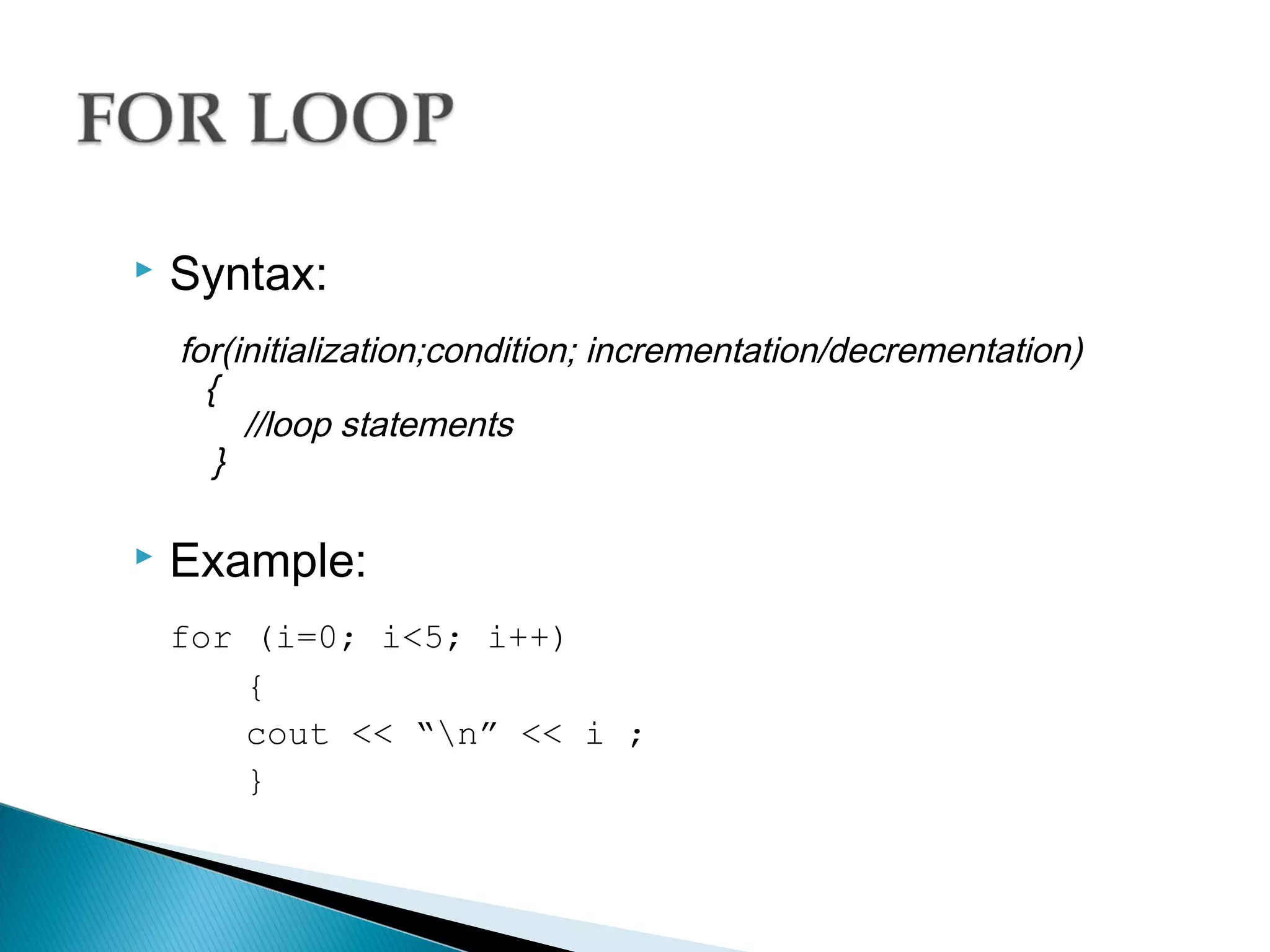
   Syntax:
    for(initialization;condition; incrementation/decrementation)
      {
         //loop statements
       }

   Example:
    for (i=0; i<5; i++)
        {
        cout << “n” << i ;
        }
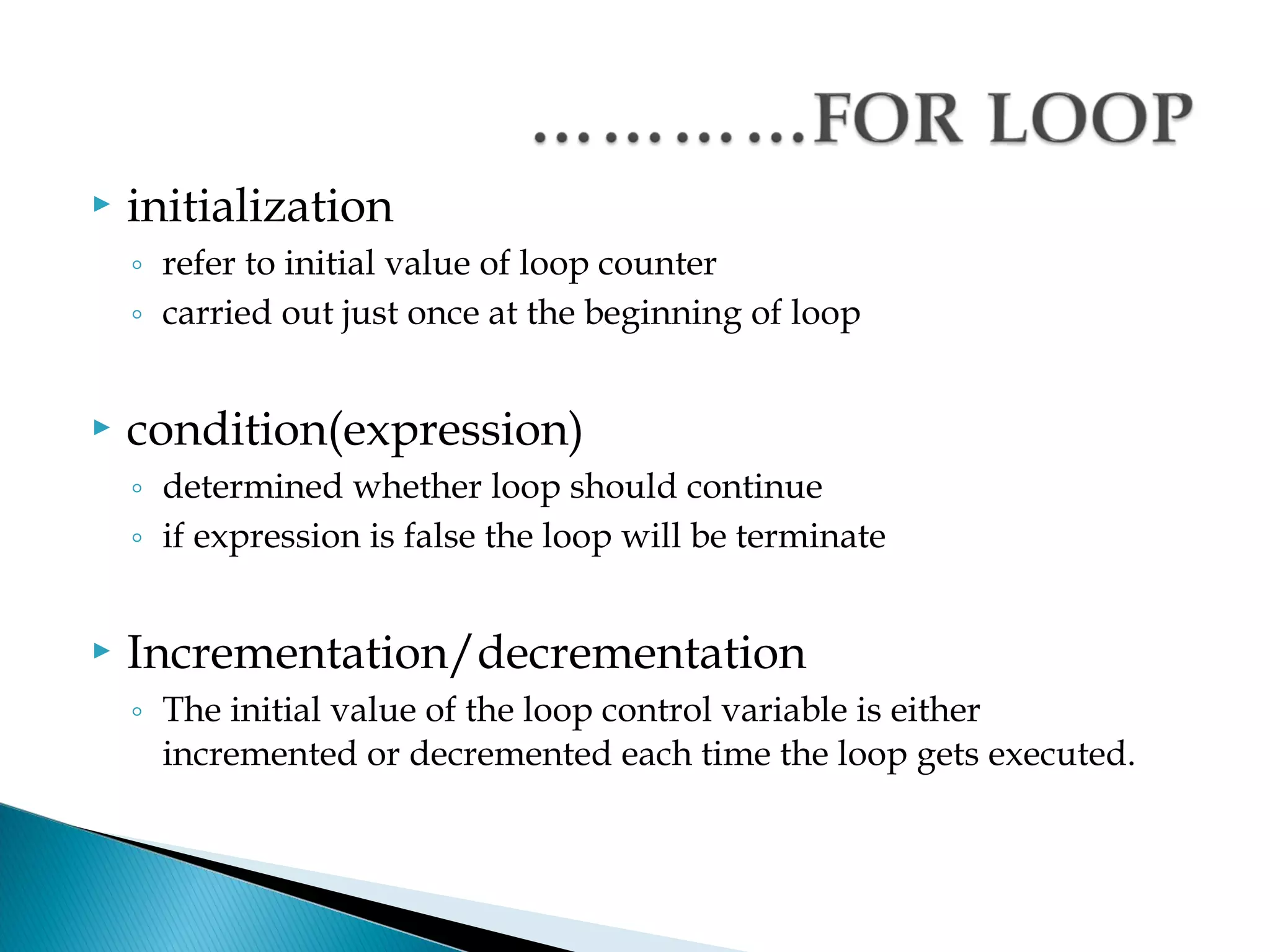
   initialization
    ◦ refer to initial value of loop counter
    ◦ carried out just once at the beginning of loop


   condition(expression)
    ◦ determined whether loop should continue
    ◦ if expression is false the loop will be terminate


   Incrementation/decrementation
    ◦ The initial value of the loop control variable is either
      incremented or decremented each time the loop gets executed.
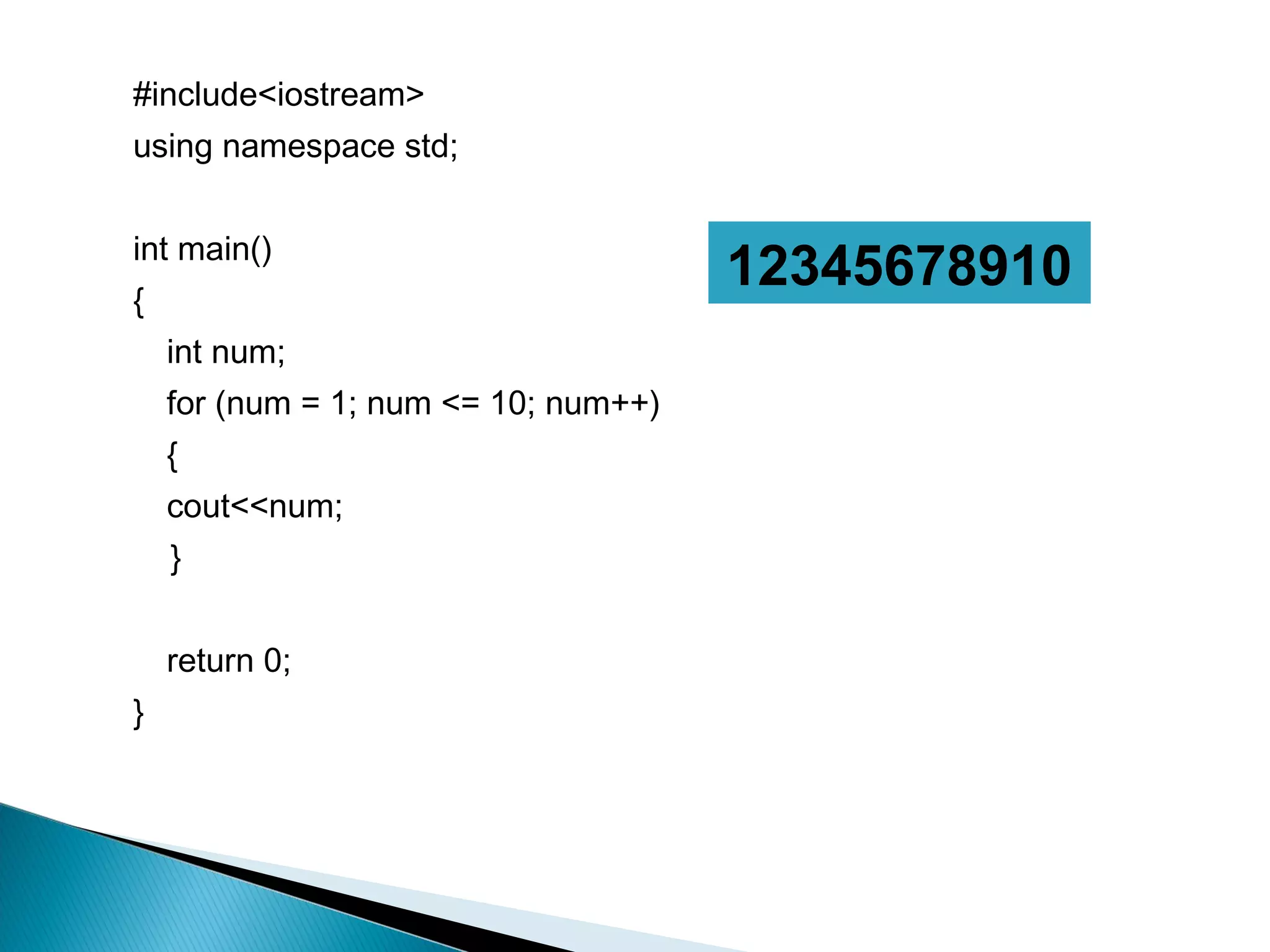
   The program LoopDemo.cpp illustrates the working
    of a for loop.
#include<iostream>
using namespace std;


int main()
{
                                      12345678910
    int num;
    for (num = 1; num <= 10; num++)
    {
    cout<<num;
    }


    return 0;
}
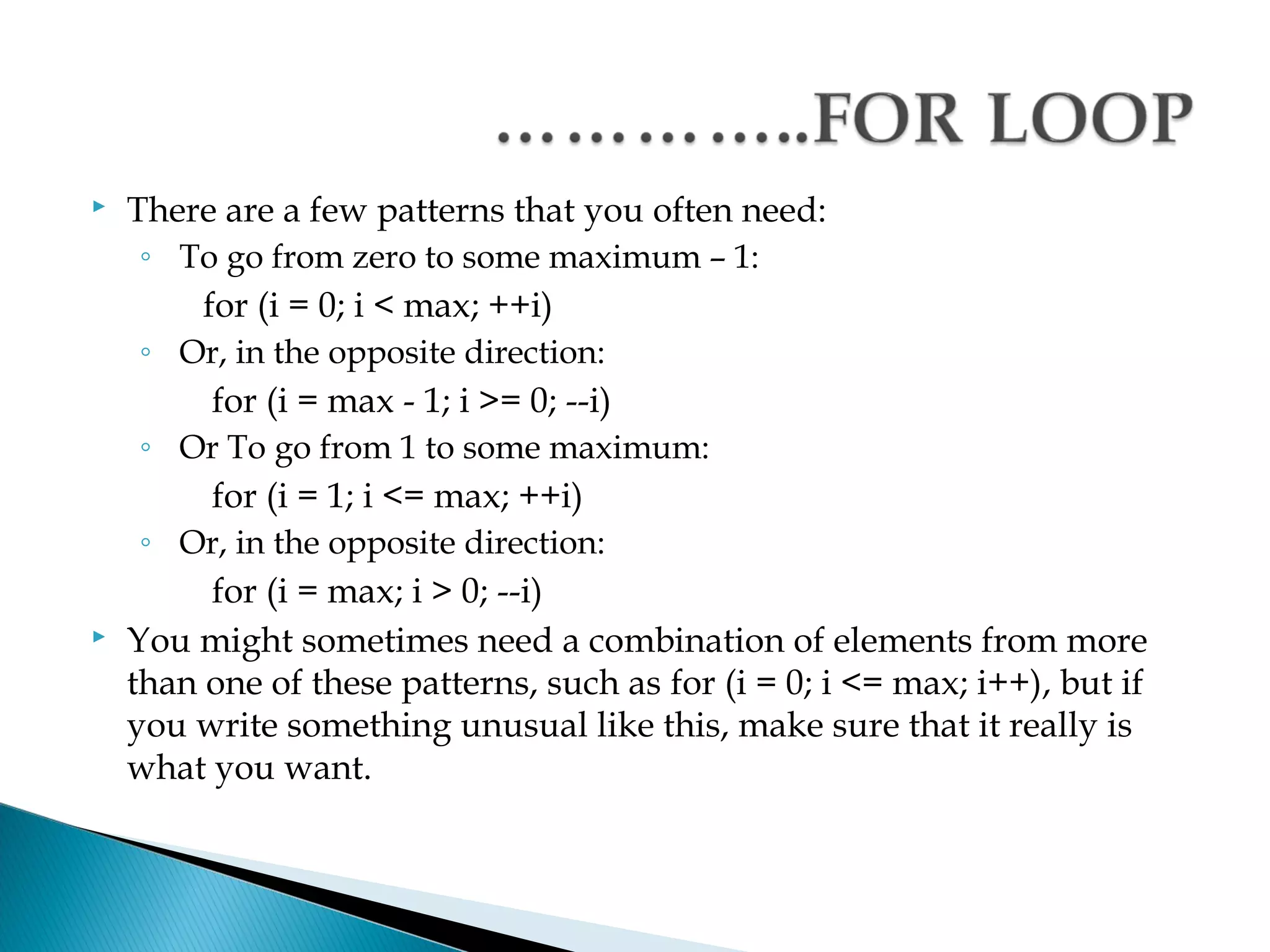
   There are a few patterns that you often need:
     ◦ To go from zero to some maximum – 1:
         for (i = 0; i < max; ++i)
     ◦ Or, in the opposite direction:
          for (i = max - 1; i >= 0; --i)
     ◦ Or To go from 1 to some maximum:
          for (i = 1; i <= max; ++i)
     ◦ Or, in the opposite direction:
          for (i = max; i > 0; --i)
   You might sometimes need a combination of elements from more
    than one of these patterns, such as for (i = 0; i <= max; i++), but if
    you write something unusual like this, make sure that it really is
    what you want.
   Is a looping statement that enables you to repeat a set
    of instructions based on a condition.
   If the condition is TRUE executes loop statement(s) in
    the while block and executing its block until the
    condition is FALSE.
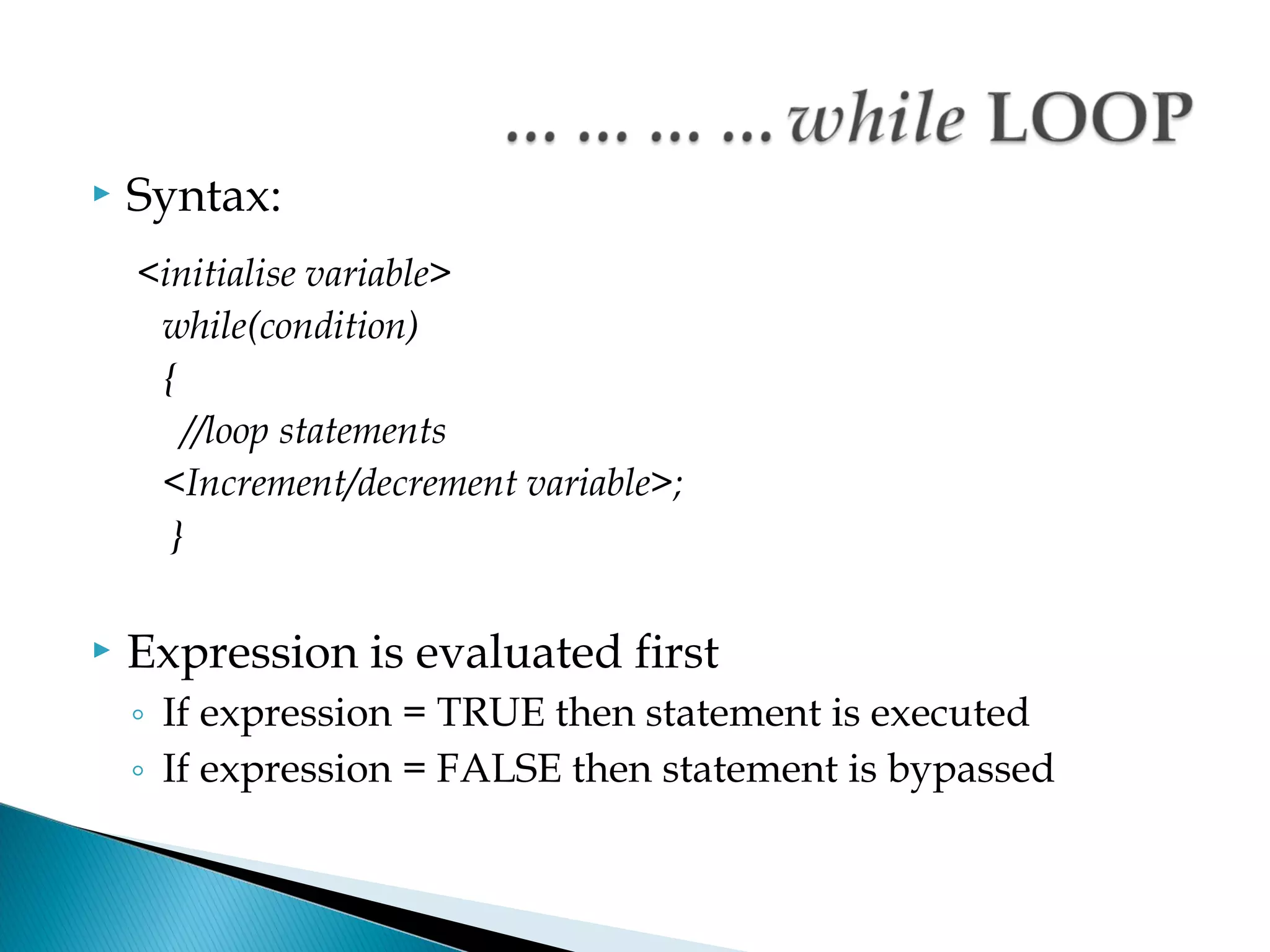
   Syntax:
    <initialise variable>
     while(condition)
     {
       //loop statements
     <Increment/decrement variable>;
      }

   Expression is evaluated first
    ◦ If expression = TRUE then statement is executed
    ◦ If expression = FALSE then statement is bypassed
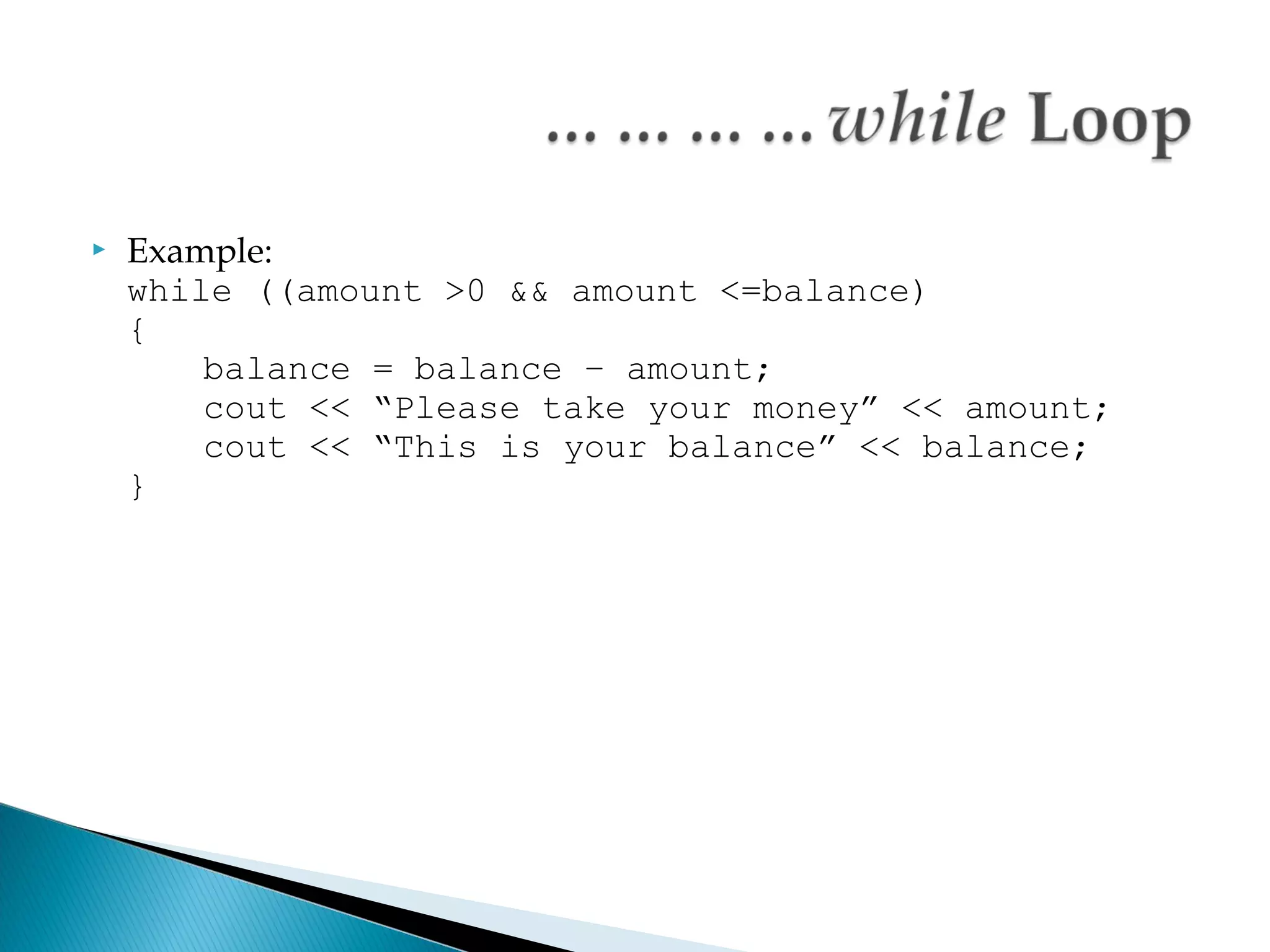
   Example:
    while ((amount >0 && amount <=balance)
    {
        balance = balance – amount;
        cout << “Please take your money” << amount;
        cout << “This is your balance” << balance;
    }
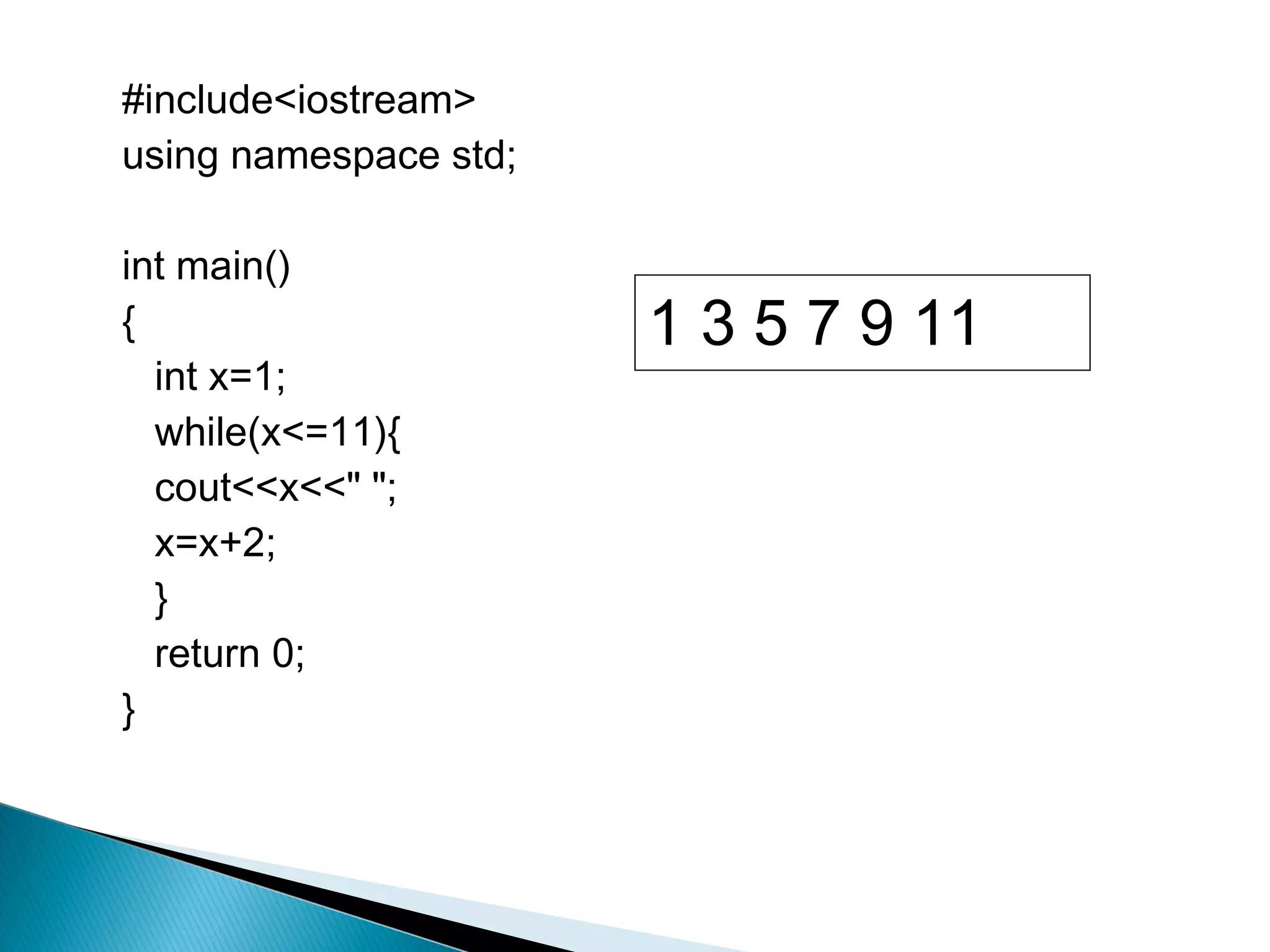
   Program While1.cpp illustrates the working of a
    while loop.
#include<iostream>
using namespace std;

int main()
{                      1 3 5 7 9 11
  int x=1;
  while(x<=11){
  cout<<x<<" ";
  x=x+2;
  }
  return 0;
}
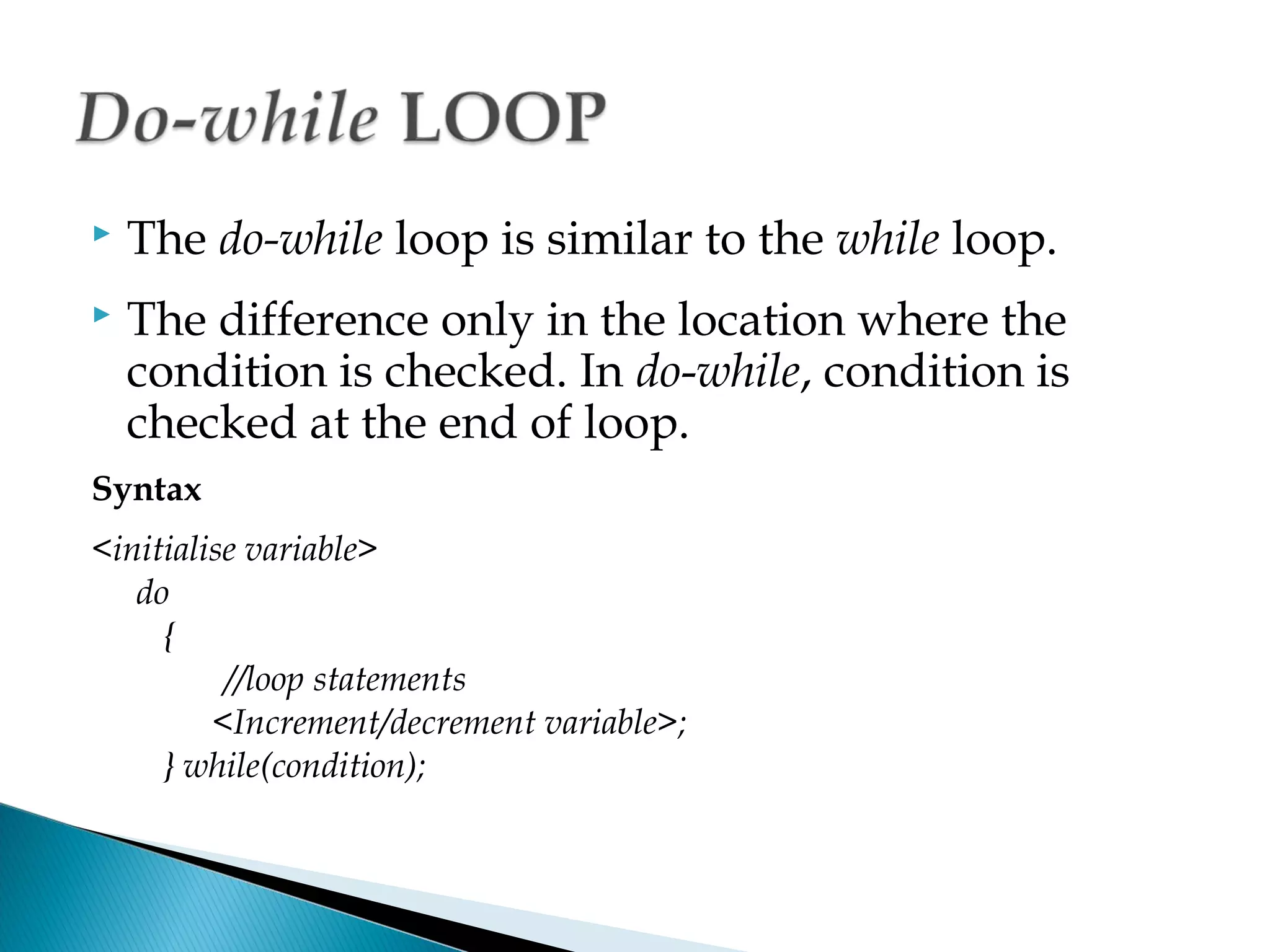
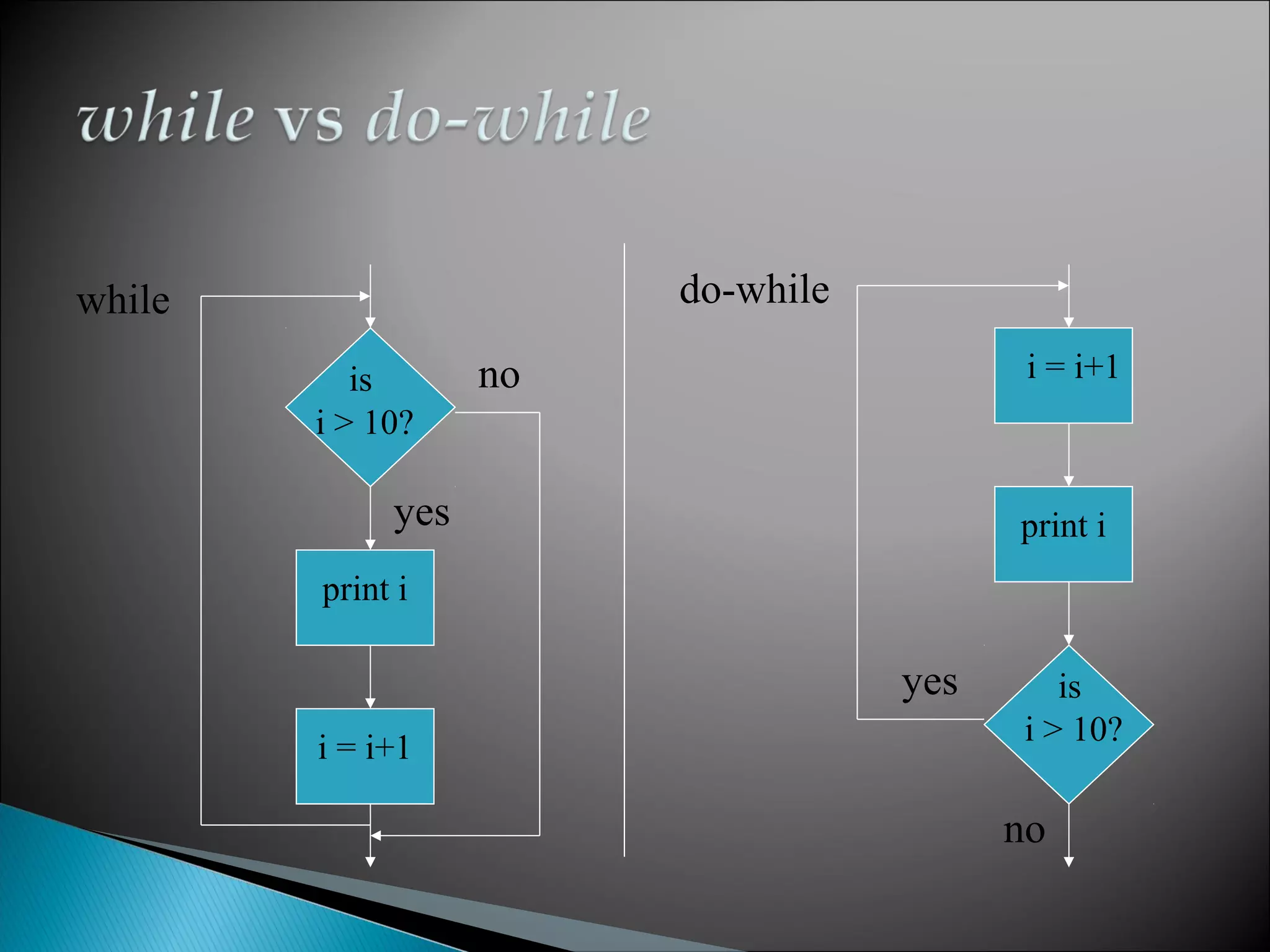
   The do-while loop is similar to the while loop.
   The difference only in the location where the
    condition is checked. In do-while, condition is
    checked at the end of loop.
Syntax
<initialise variable>
   do
     {
          //loop statements
         <Increment/decrement variable>;
     } while(condition);
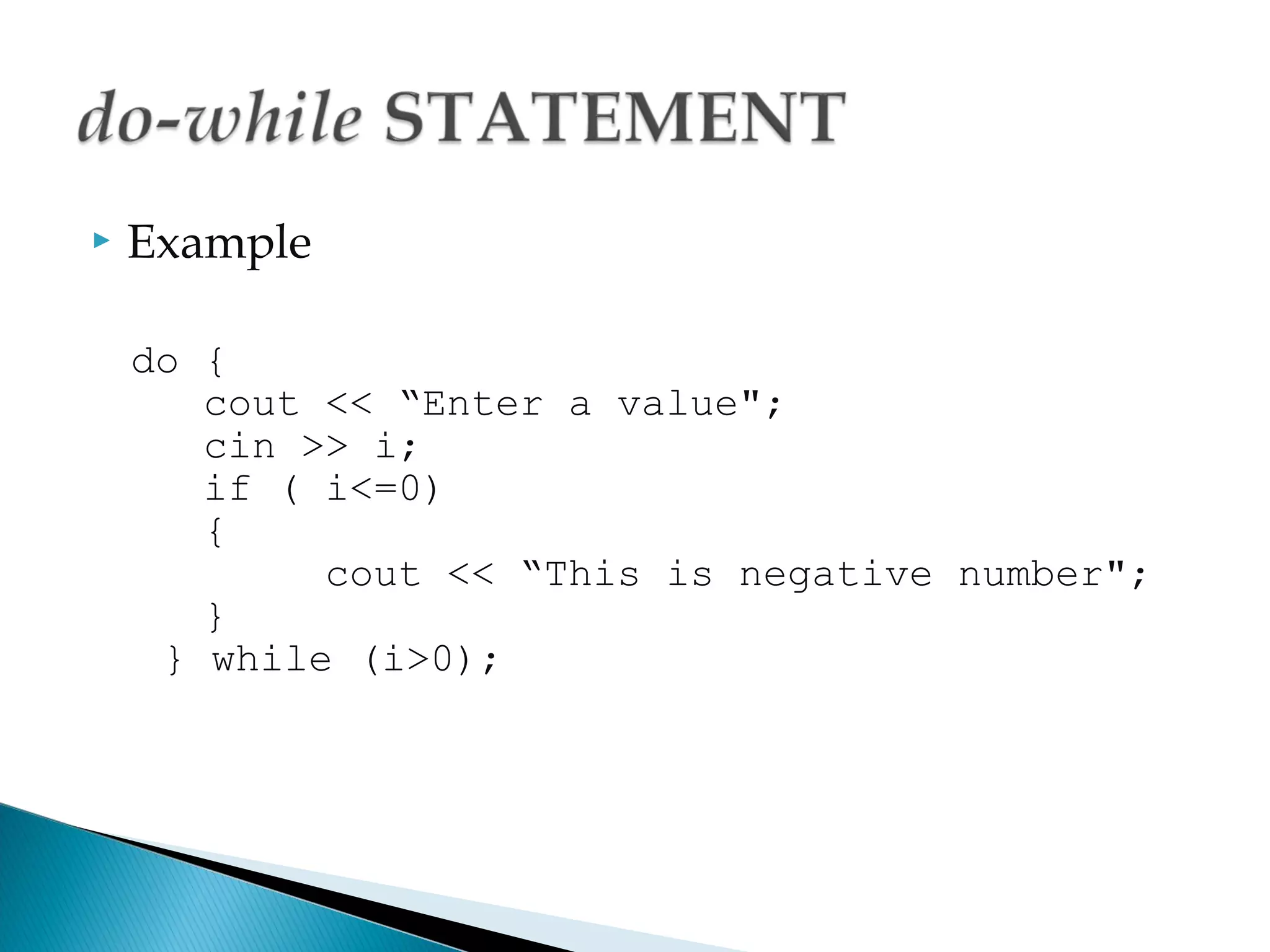
   Example

    do {
       cout << “Enter a value";
       cin >> i;
       if ( i<=0)
       {
            cout << “This is negative number";
       }
     } while (i>0);
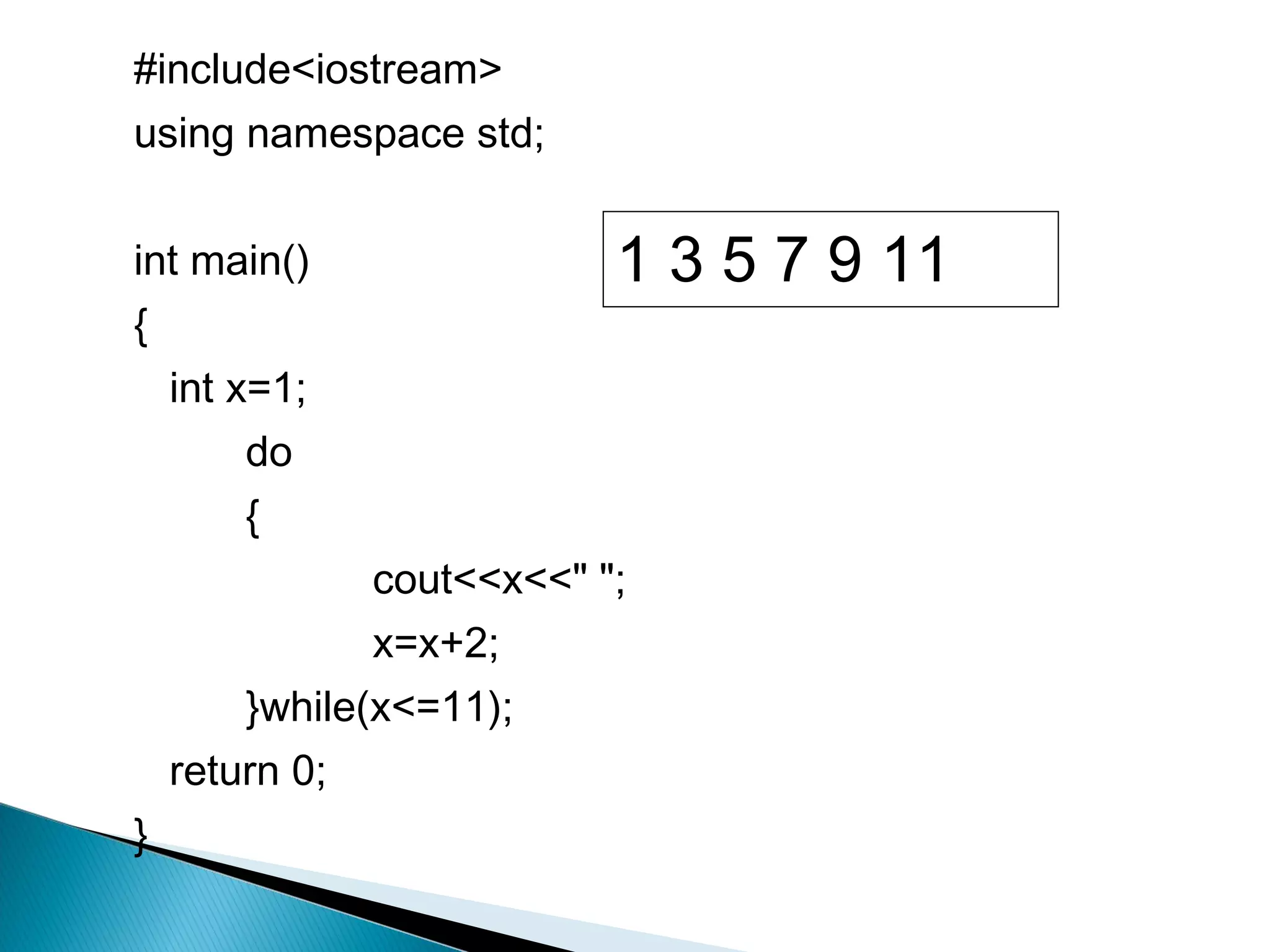
   Program DoWhileDemo.cpp illustrates the
    working of a do-while loop.
#include<iostream>
using namespace std;


int main()                  1 3 5 7 9 11
{
    int x=1;
        do
        {
                cout<<x<<" ";
                x=x+2;
        }while(x<=11);
    return 0;
}
while                   do-while

           is      no                     i = i+1
        i > 10?

             yes                         print i
        print i

                                   yes      is
                                         i > 10?
        i = i+1

                                         no
   Allow program controls to transfer from one part to
    another part of program unconditionally

   4 types of jump statement:
    ◦   break
    ◦   continue
    ◦   return
    ◦   goto
   break
    ◦ The break statement causes termination of the loop
      and transfers the control outside the loop.
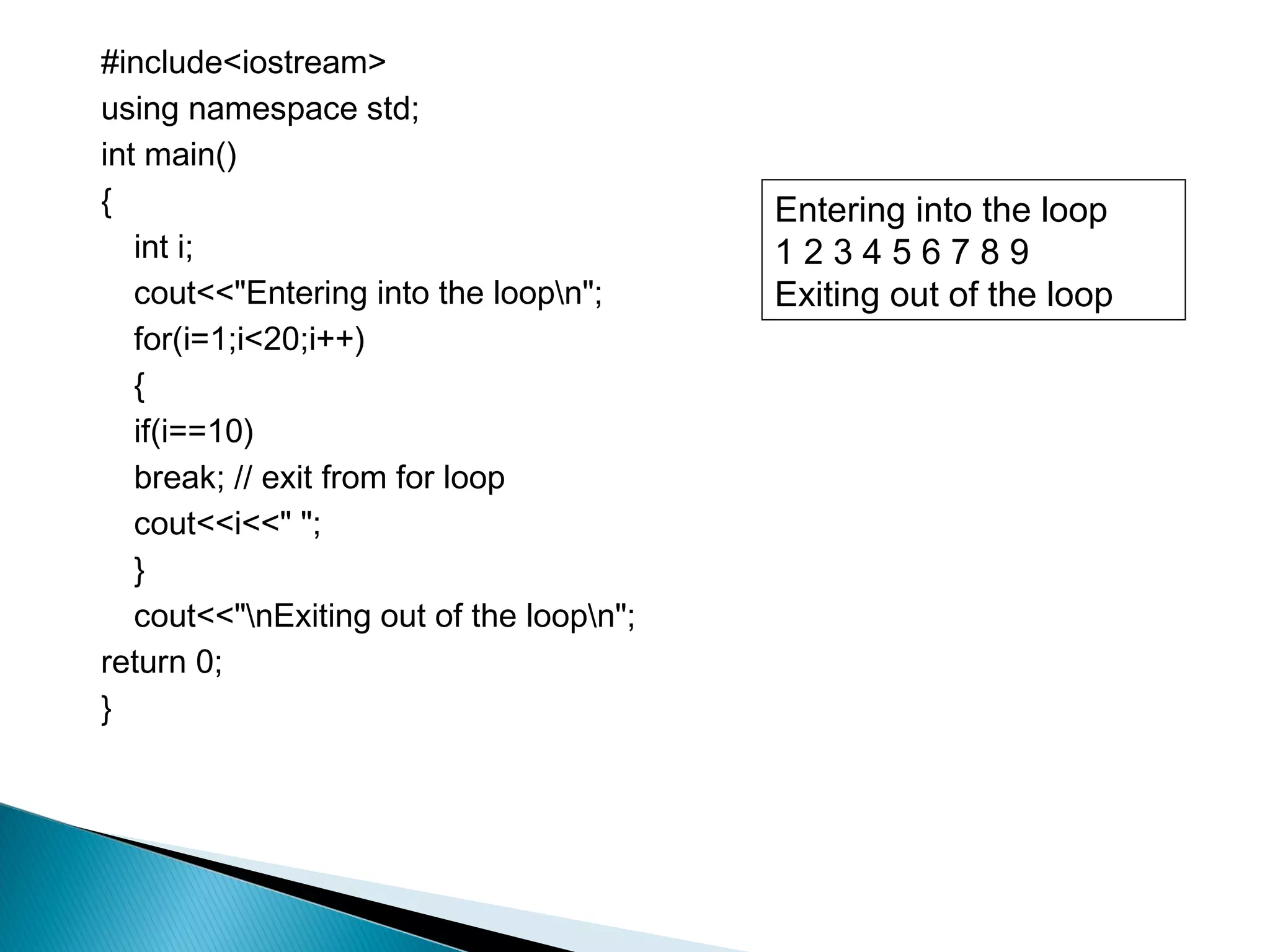
    ◦ Program BreakDemo.cpp illustrates the use of break
      statement.
#include<iostream>
using namespace std;
int main()
{                                         Entering into the loop
   int i;                                 123456789
   cout<<"Entering into the loopn";      Exiting out of the loop
   for(i=1;i<20;i++)
   {
   if(i==10)
   break; // exit from for loop
   cout<<i<<" ";
   }
   cout<<"nExiting out of the loopn";
return 0;
}
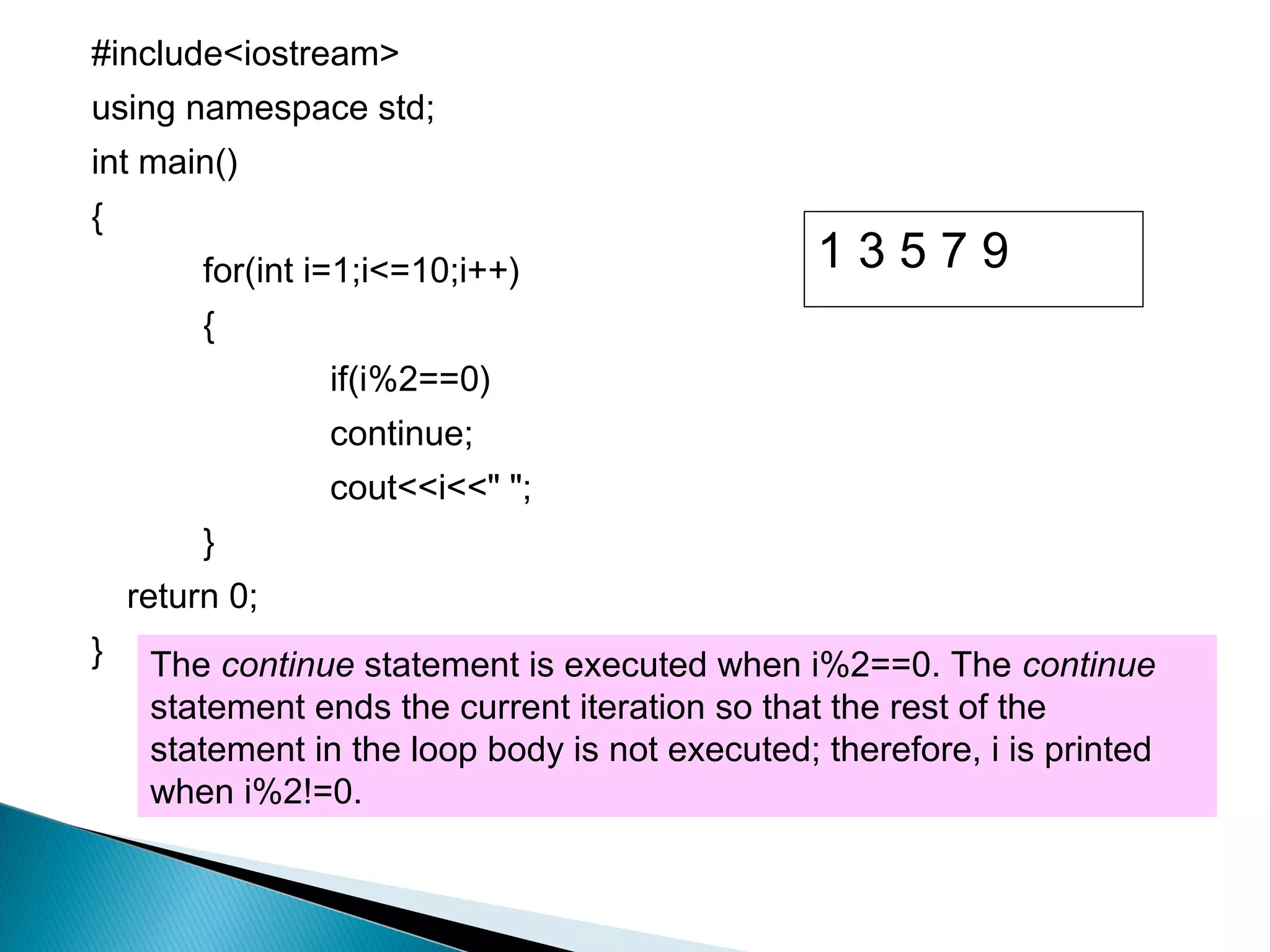
   continue
    ◦ can only be used inside a loop.
    ◦ The continue statement will transfer the control to the
      beginning of the loop.
    ◦ Program ContinueDemo.java illustrates the use of
      continue statement.
#include<iostream>
using namespace std;
int main()
{
         for(int i=1;i<=10;i++)                  13579
         {
                 if(i%2==0)
                 continue;
                 cout<<i<<" ";
         }
    return 0;
}    The continue statement is executed when i%2==0. The continue
     statement ends the current iteration so that the rest of the
     statement in the loop body is not executed; therefore, i is printed
     when i%2!=0.
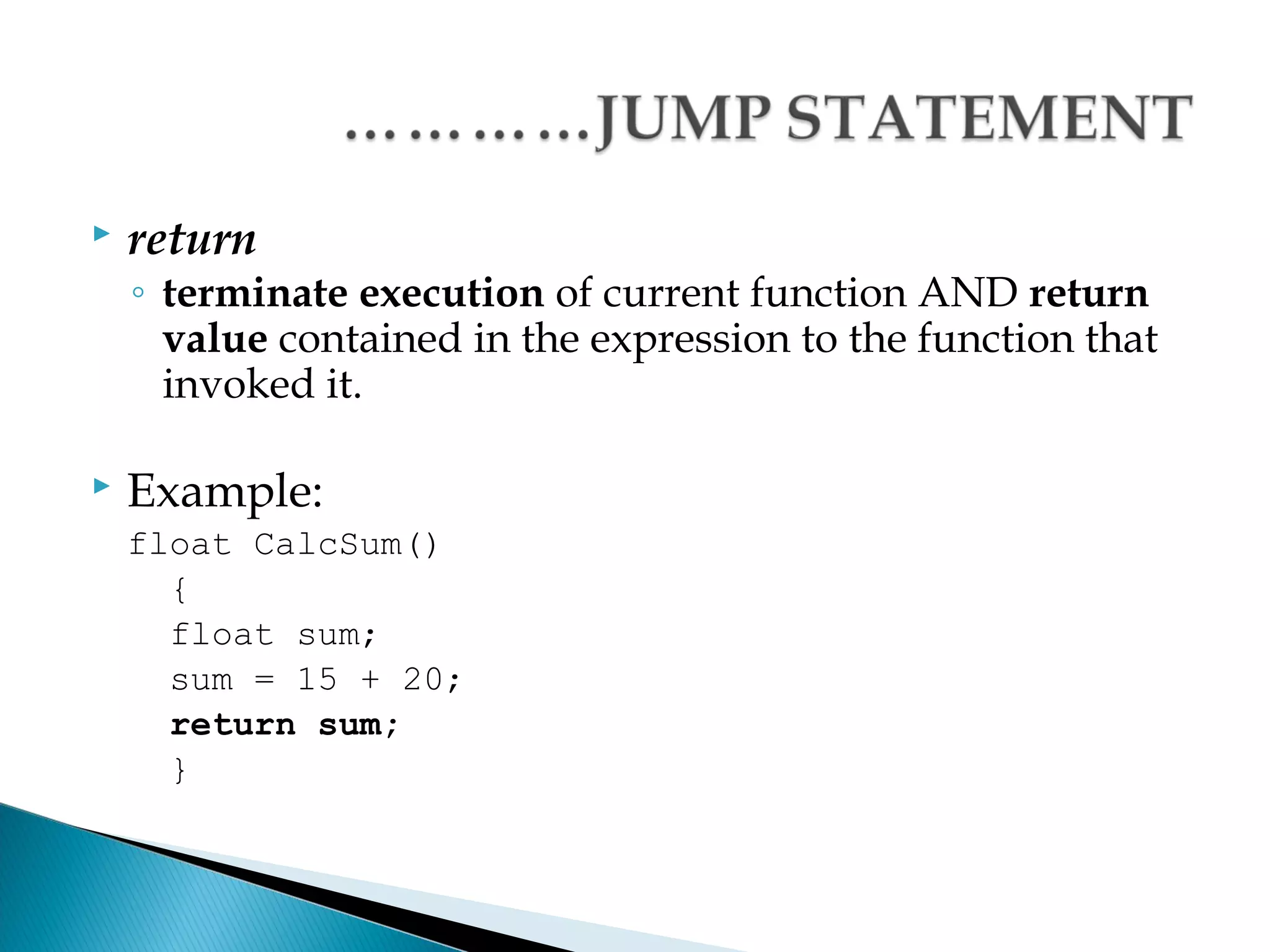
   return
    ◦ terminate execution of current function AND return
      value contained in the expression to the function that
      invoked it.

   Example:
    float CalcSum()
      {
      float sum;
      sum = 15 + 20;
      return sum;
      }
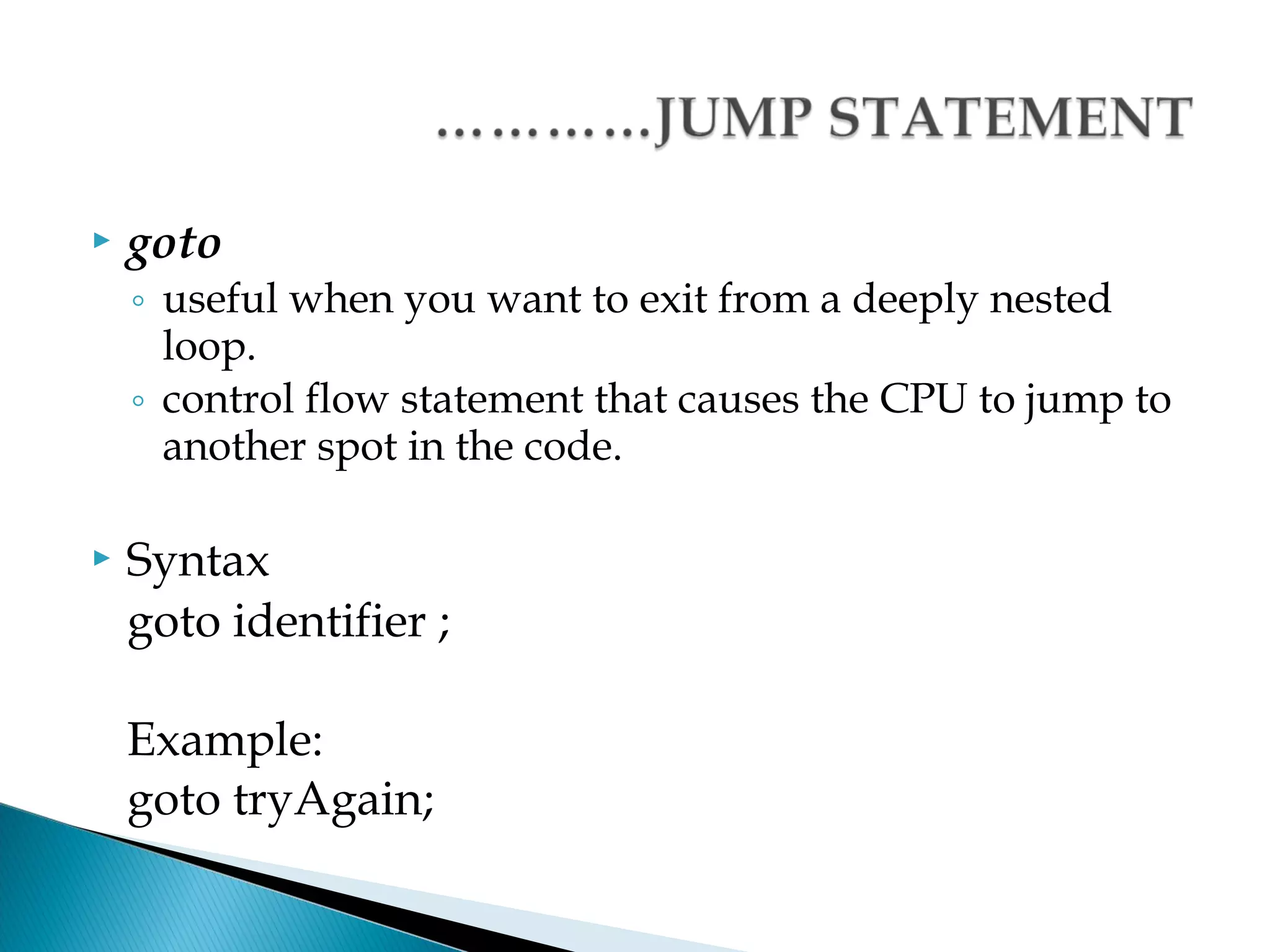
   goto
    ◦ useful when you want to exit from a deeply nested
      loop.
    ◦ control flow statement that causes the CPU to jump to
      another spot in the code.

   Syntax
    goto identifier ;

    Example:
    goto tryAgain;
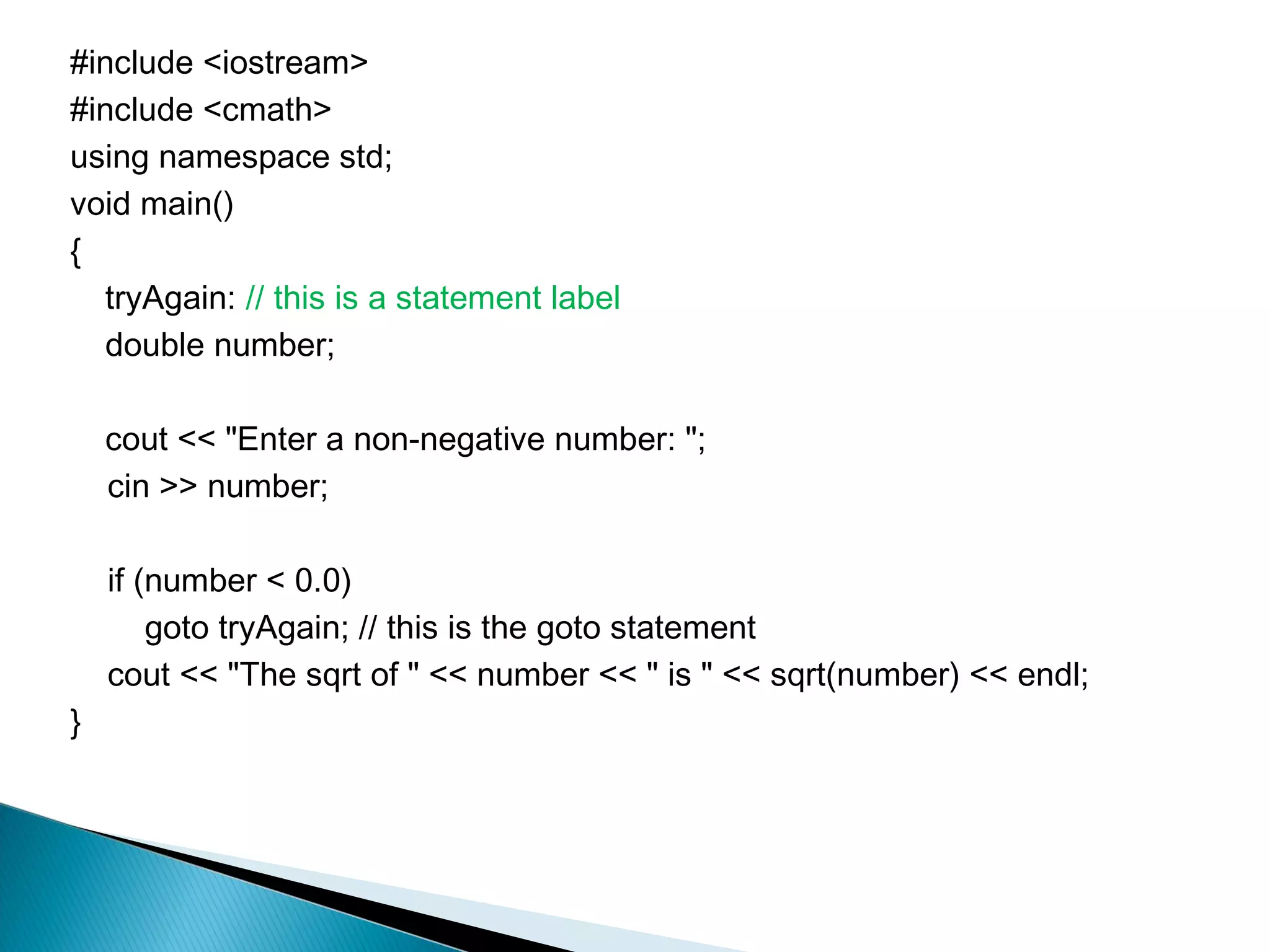
#include <iostream>
#include <cmath>
using namespace std;
void main()
{
   tryAgain: // this is a statement label
   double number;

    cout << "Enter a non-negative number: ";
    cin >> number;

    if (number < 0.0)
        goto tryAgain; // this is the goto statement
    cout << "The sqrt of " << number << " is " << sqrt(number) << endl;
}
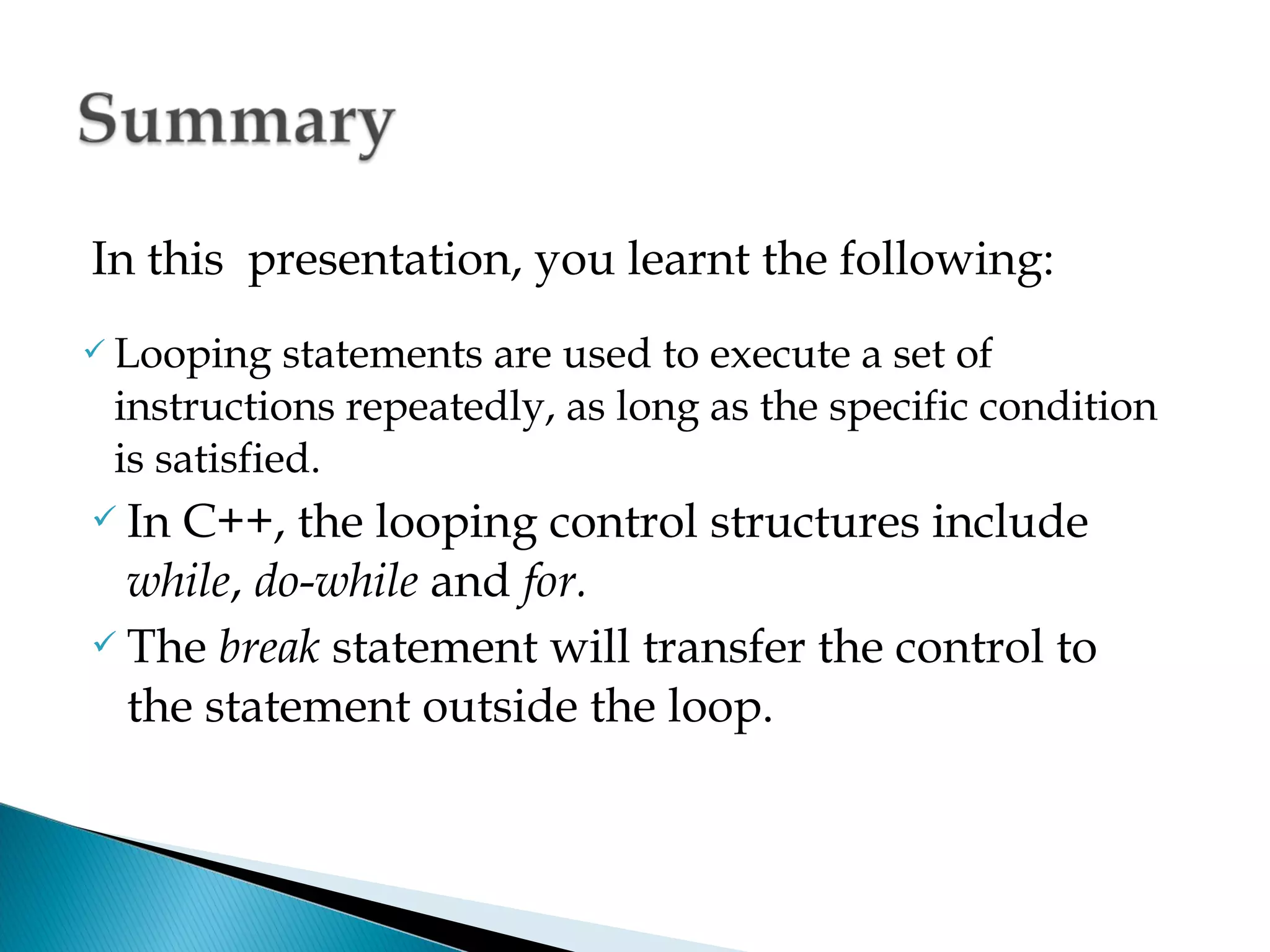
In this presentation, you learnt the following:
 Looping   statements are used to execute a set of
 instructions repeatedly, as long as the specific condition
 is satisfied.
 In C++, the looping control structures include
  while, do-while and for.
 The break statement will transfer the control to

  the statement outside the loop.
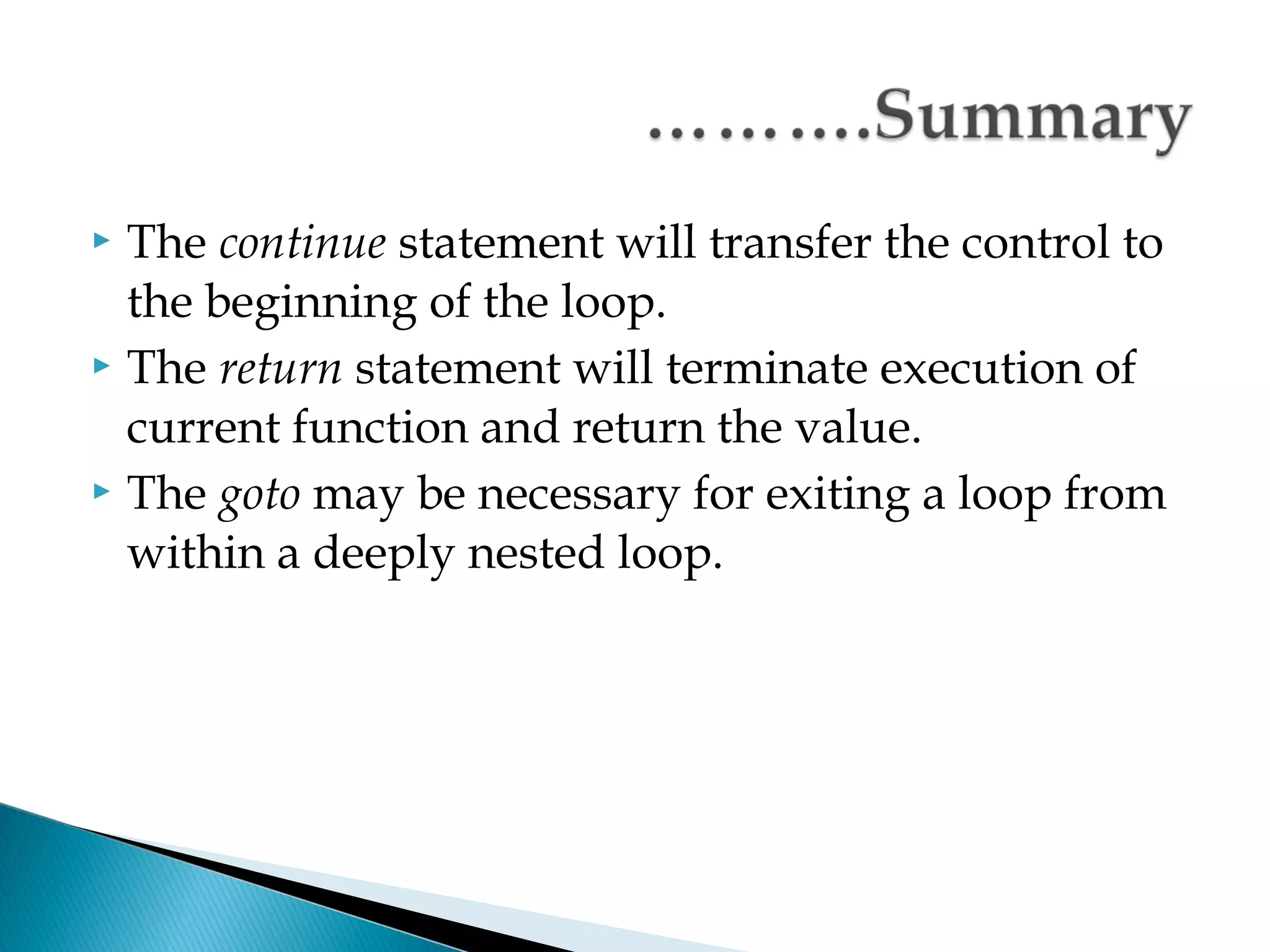
 The continue statement will transfer the control to
  the beginning of the loop.
 The return statement will terminate execution of

  current function and return the value.
 The goto may be necessary for exiting a loop from

  within a deeply nested loop.
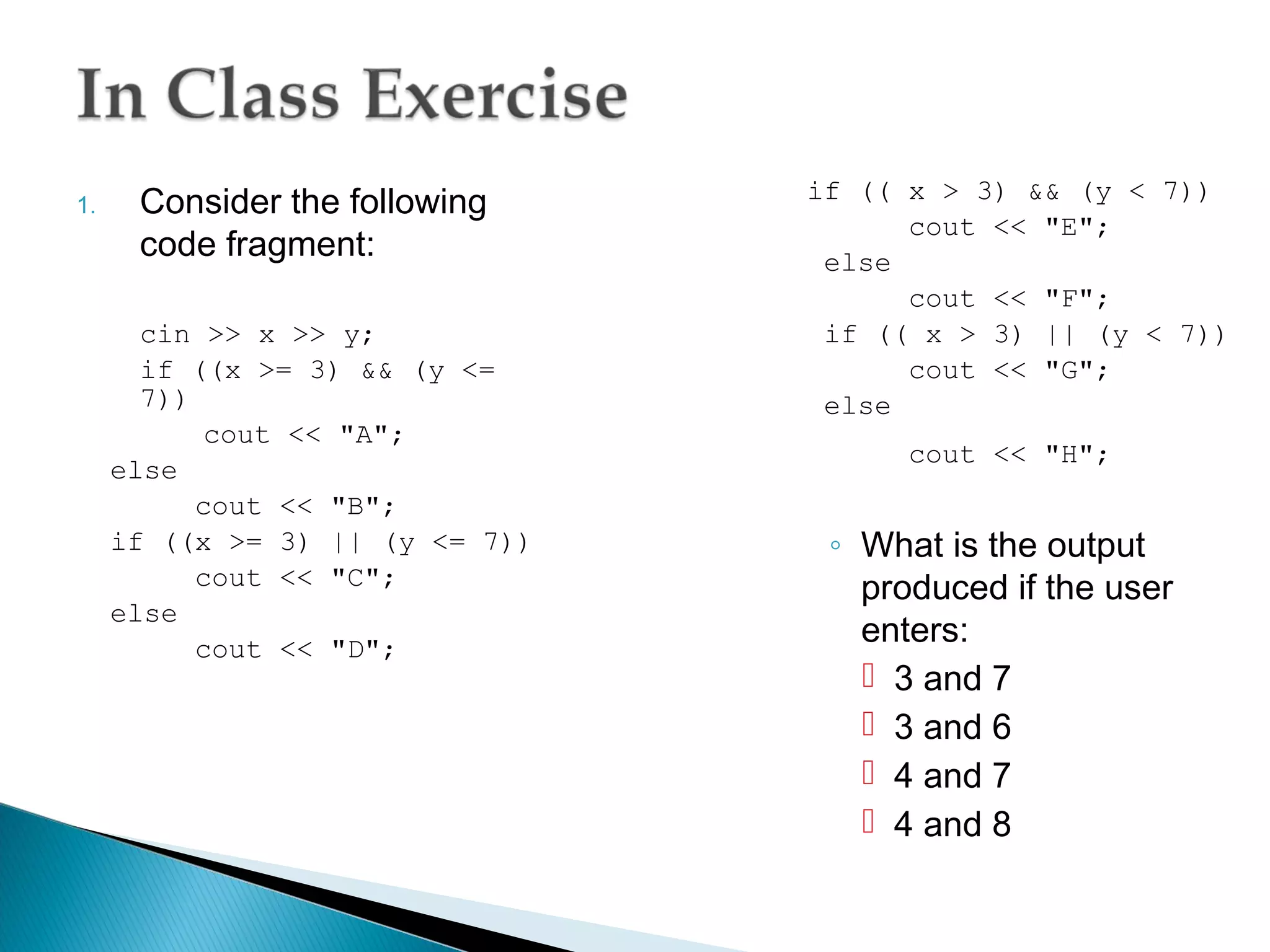
if (( x > 3) && (y < 7))
1.    Consider the following
                                       cout << "E";
      code fragment:              else
                                       cout << "F";
       cin >> x >> y;             if (( x > 3) || (y < 7))
       if ((x >= 3) && (y <=           cout << "G";
       7))                        else
            cout << "A";
                                       cout << "H";
     else
           cout << "B";
     if ((x >= 3) || (y <= 7))    ◦ What is the output
           cout << "C";             produced if the user
     else
           cout << "D";
                                    enters:
                                     3 and 7
                                     3 and 6
                                     4 and 7
                                     4 and 8
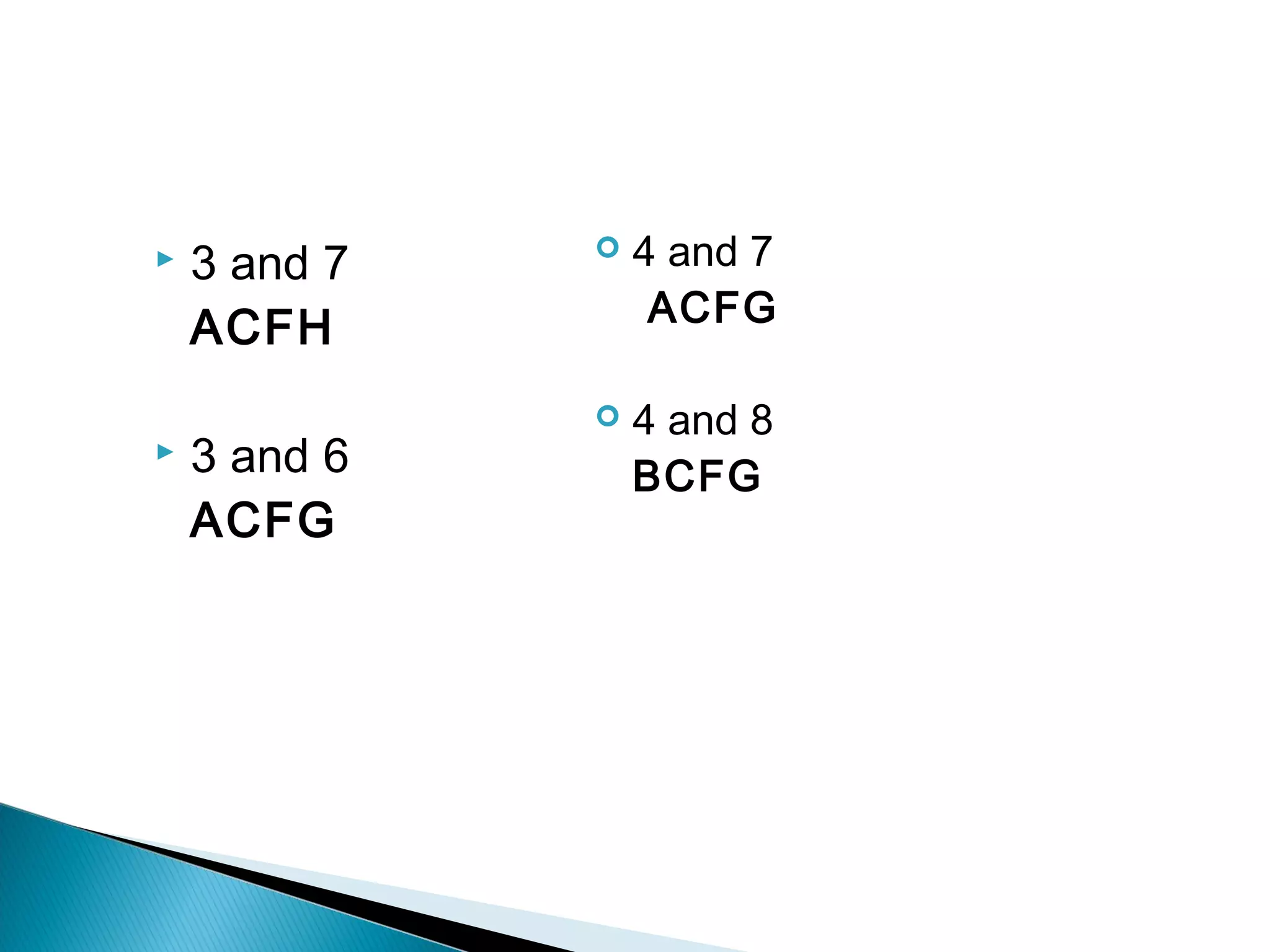
   3 and 7      4 and 7
                   ACFG
    ACFH
                 4 and 8
   3 and 6       BCFG
    ACFG
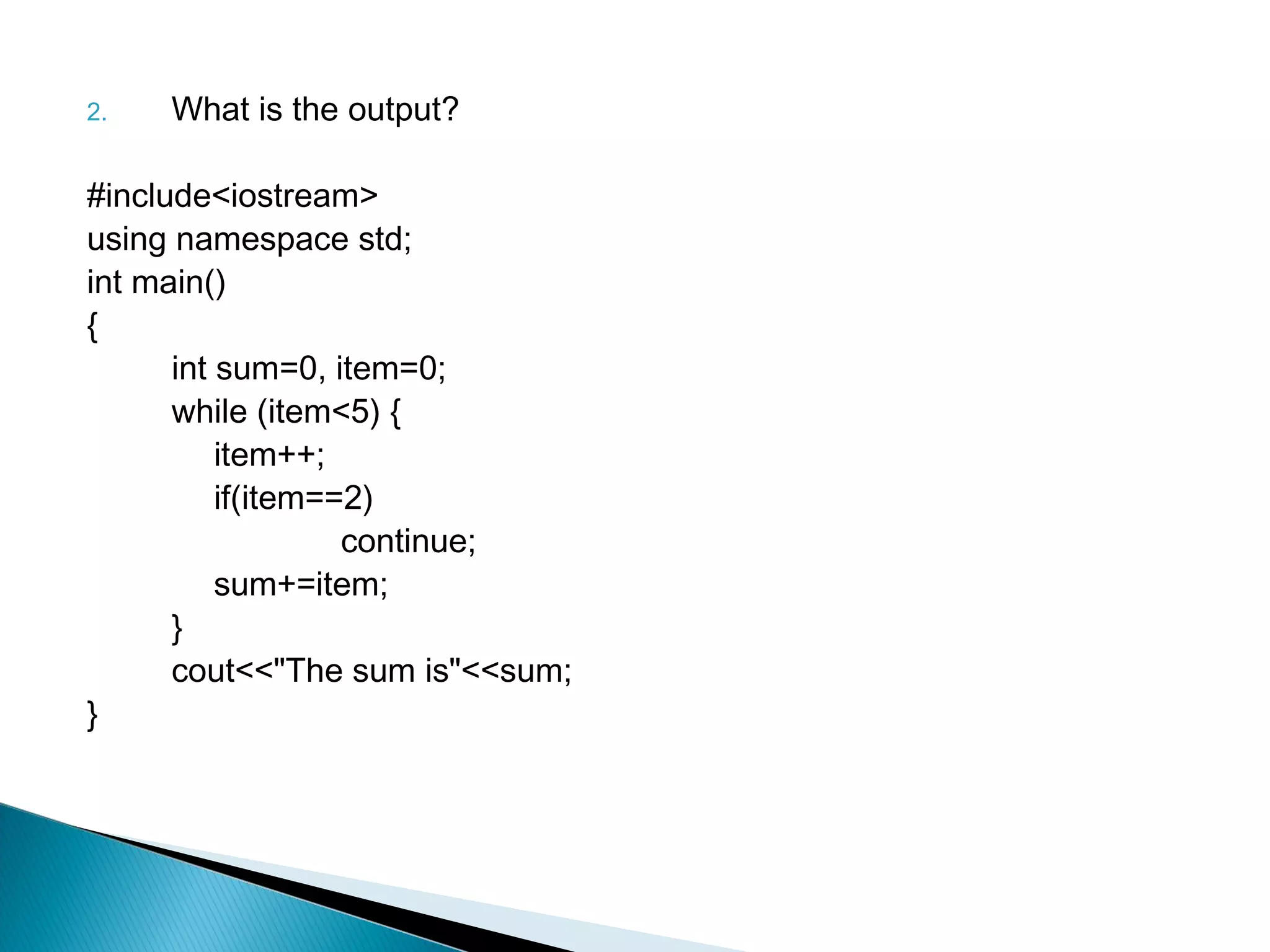
2.   What is the output?

#include<iostream>
using namespace std;
int main()
{
      int sum=0, item=0;
      while (item<5) {
          item++;
          if(item==2)
                   continue;
          sum+=item;
      }
      cout<<"The sum is"<<sum;
}
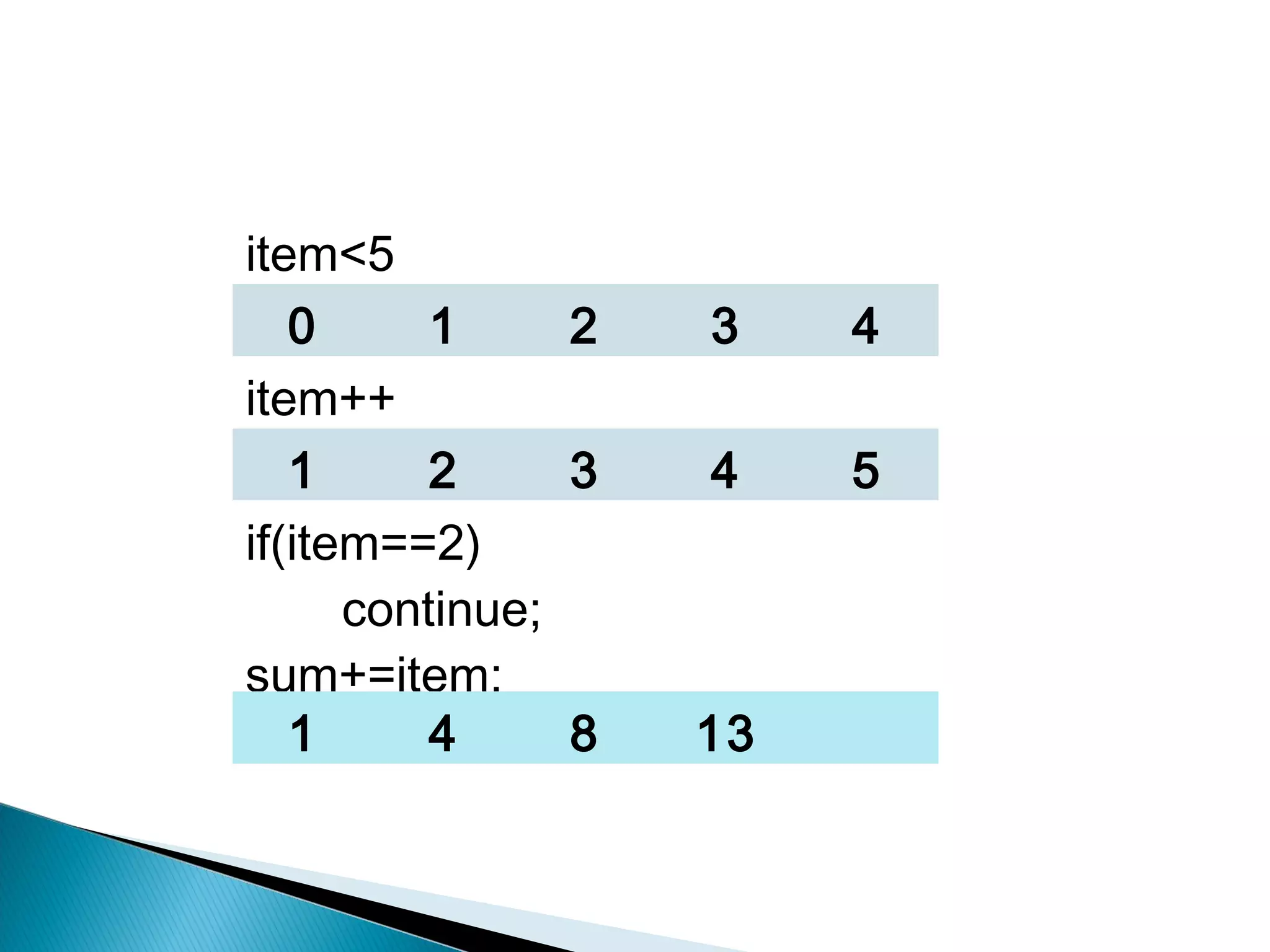
item<5
   0      1     2   3    4
item++
   1      2     3   4    5
if(item==2)
      continue;
sum+=item;
   1      4     8   13
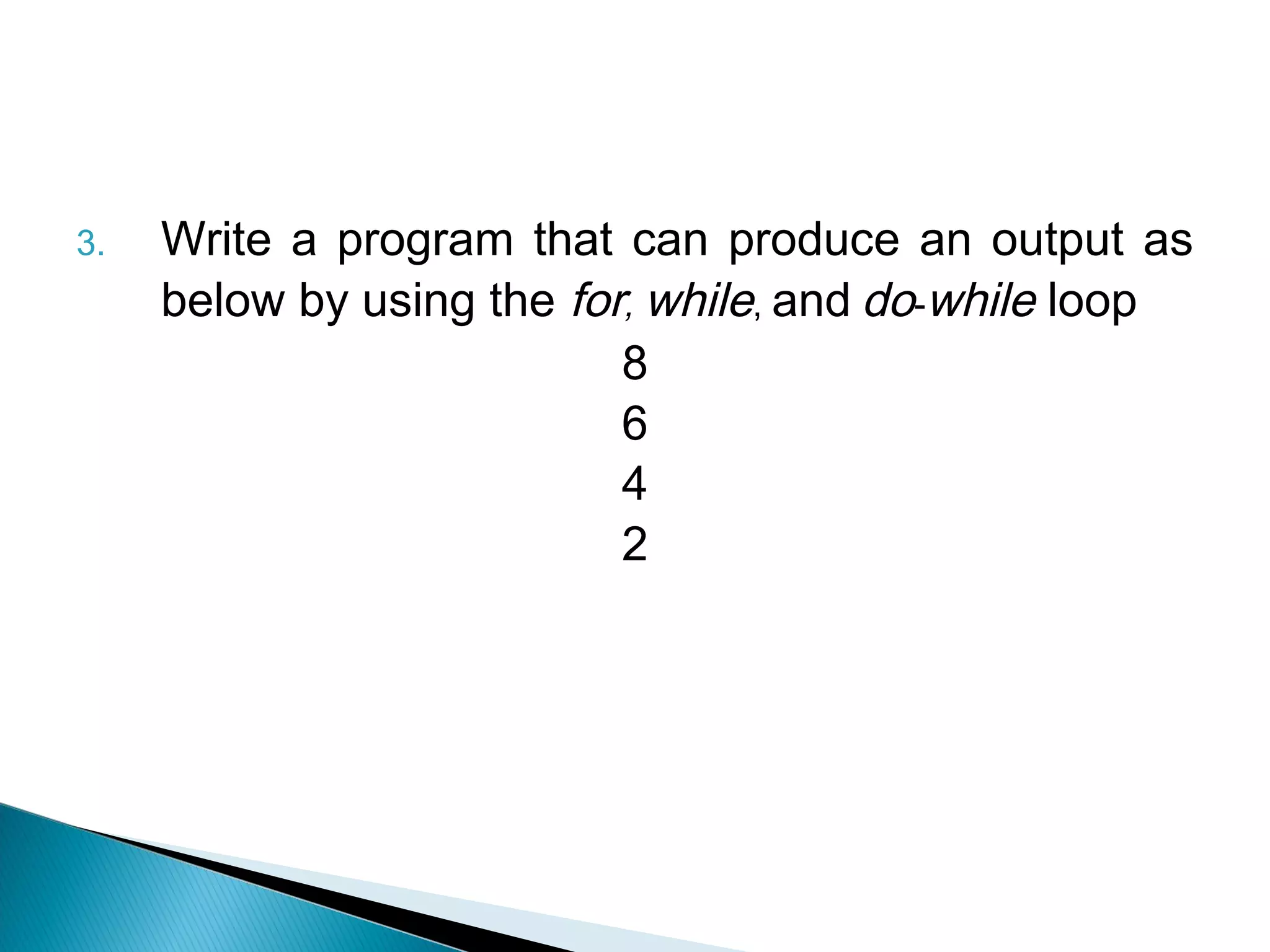
3.   Write a program that can produce an output as
     below by using the for, while, and do-while loop
                           8
                           6
                           4
                           2
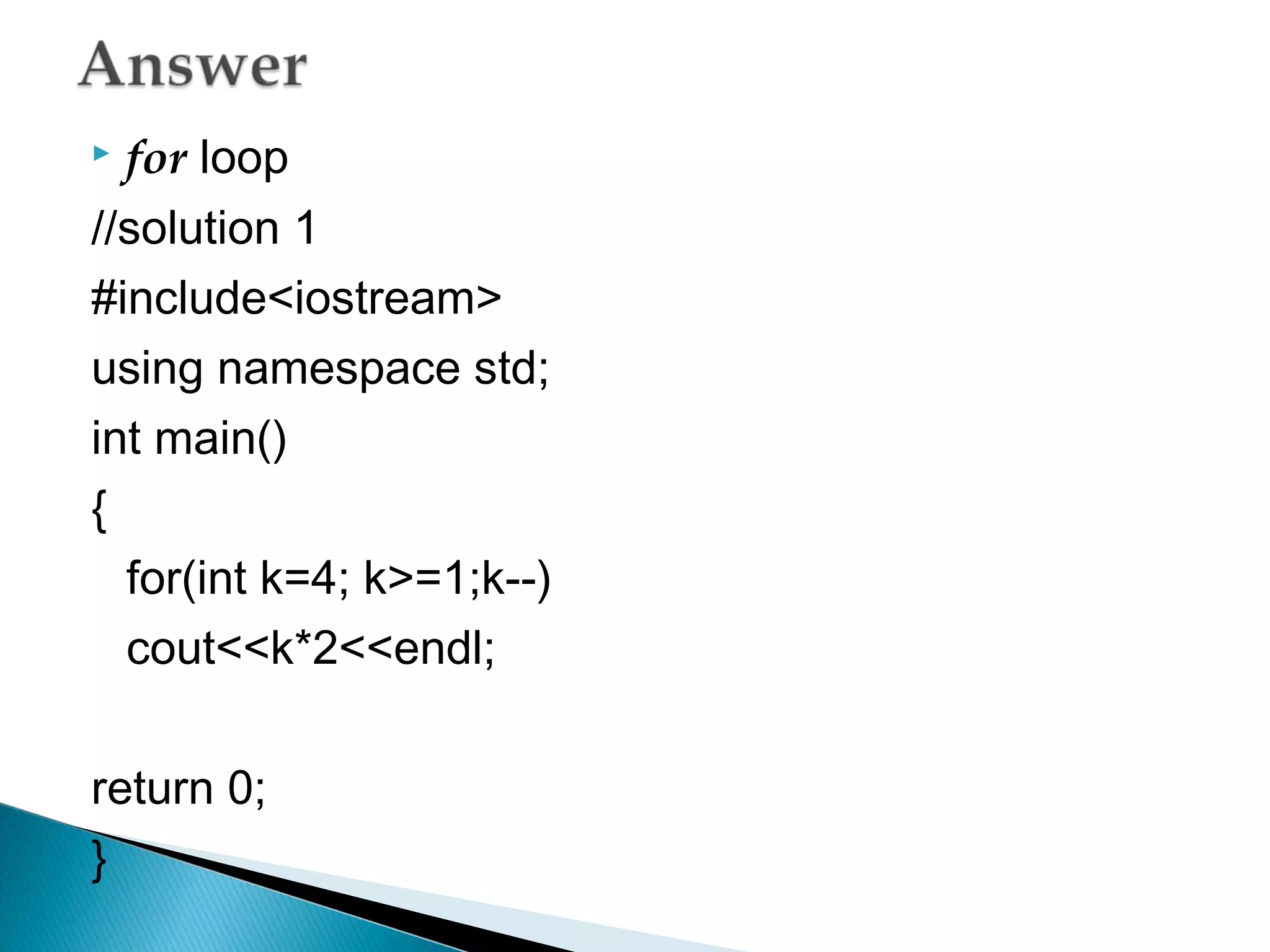
   for loop
//solution 1
#include<iostream>
using namespace std;
int main()
{
  for(int k=4; k>=1;k--)
  cout<<k*2<<endl;

return 0;
}
//solution 2
#include<iostream>
using namespace std;
int main()
{
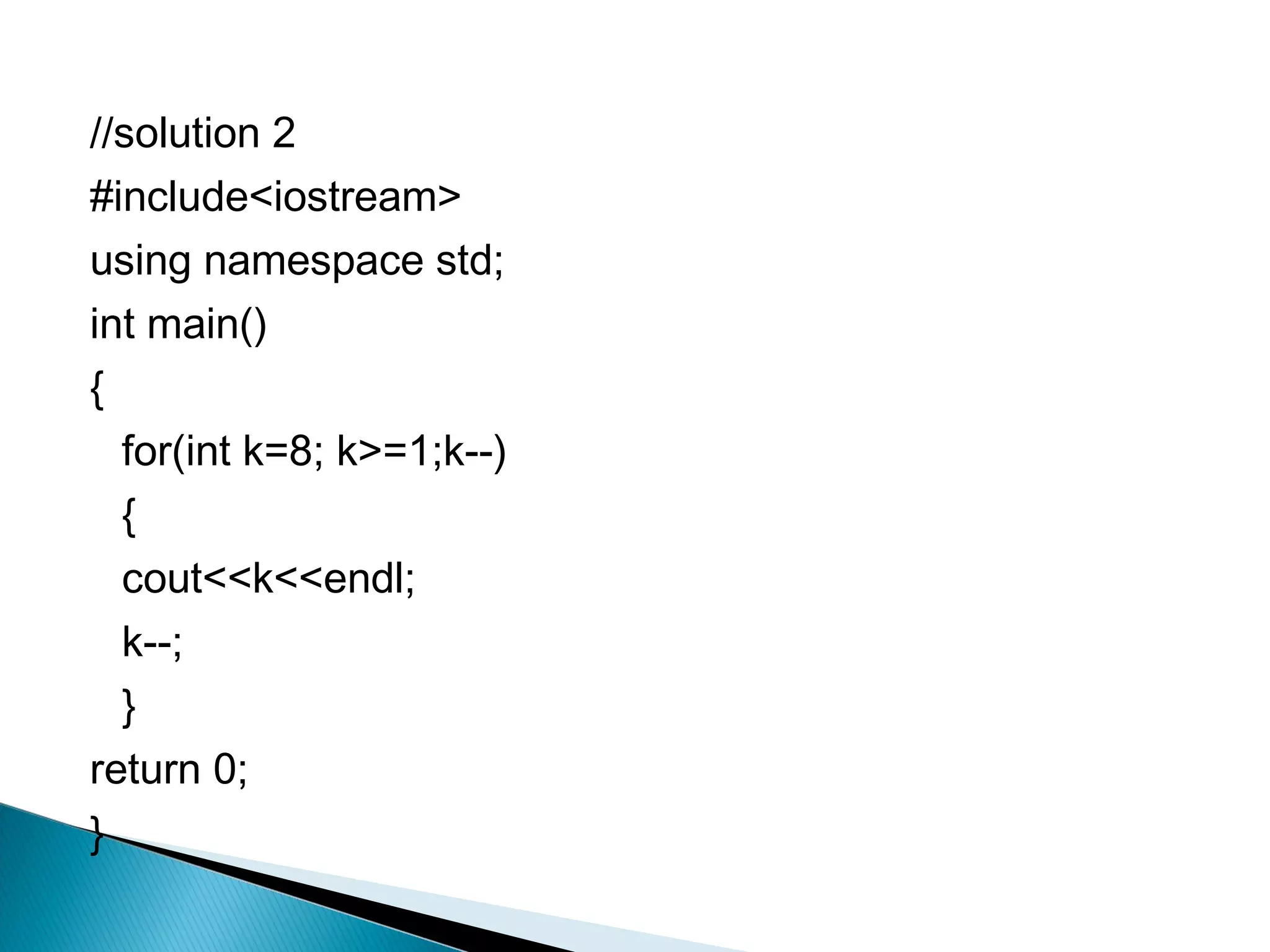
  for(int k=8; k>=1;k--)
  {
  cout<<k<<endl;
  k--;
  }
return 0;
}
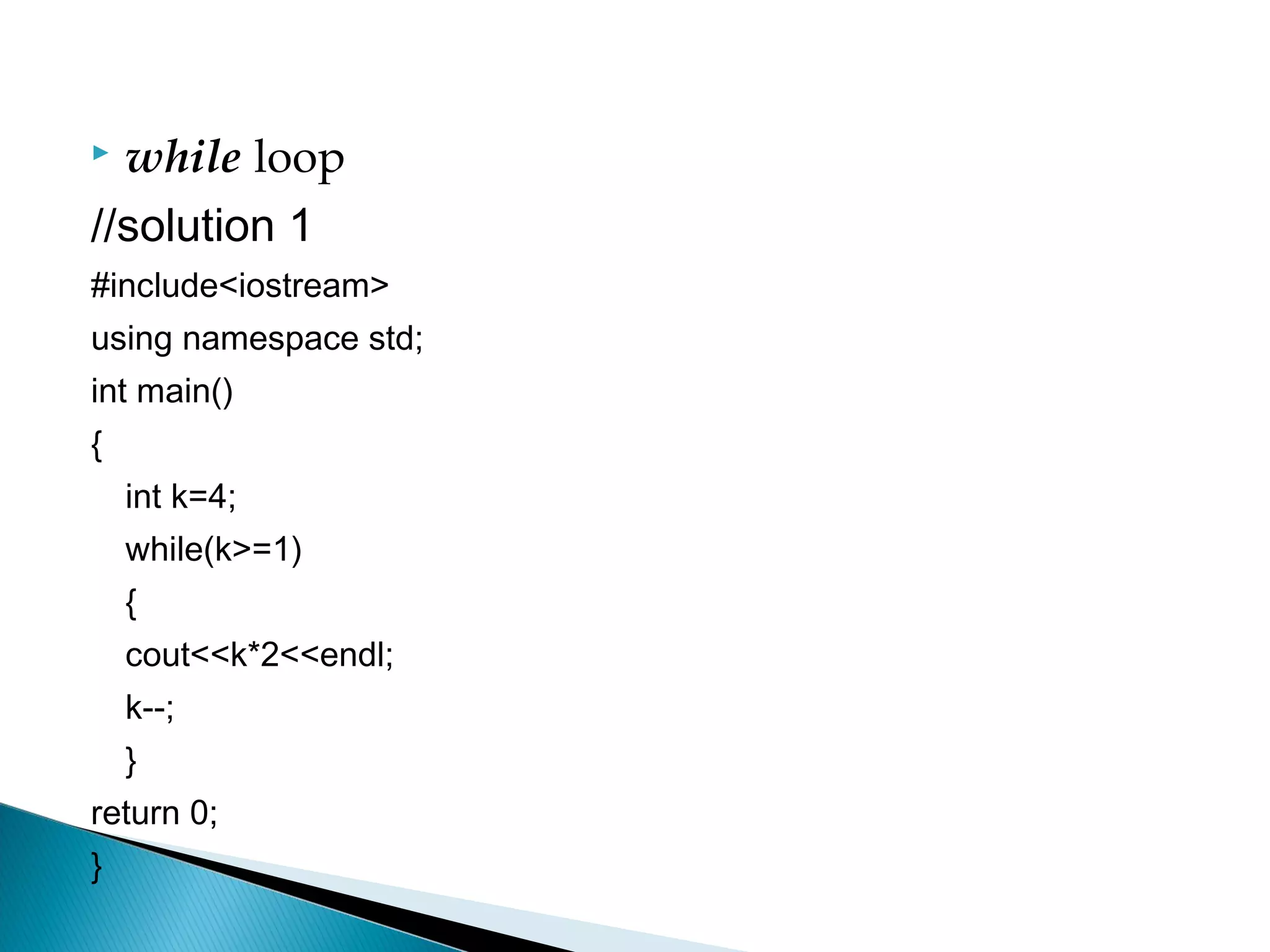
 while loop
//solution 1
#include<iostream>
using namespace std;
int main()
{
    int k=4;
    while(k>=1)
    {
    cout<<k*2<<endl;
    k--;
    }
return 0;
}
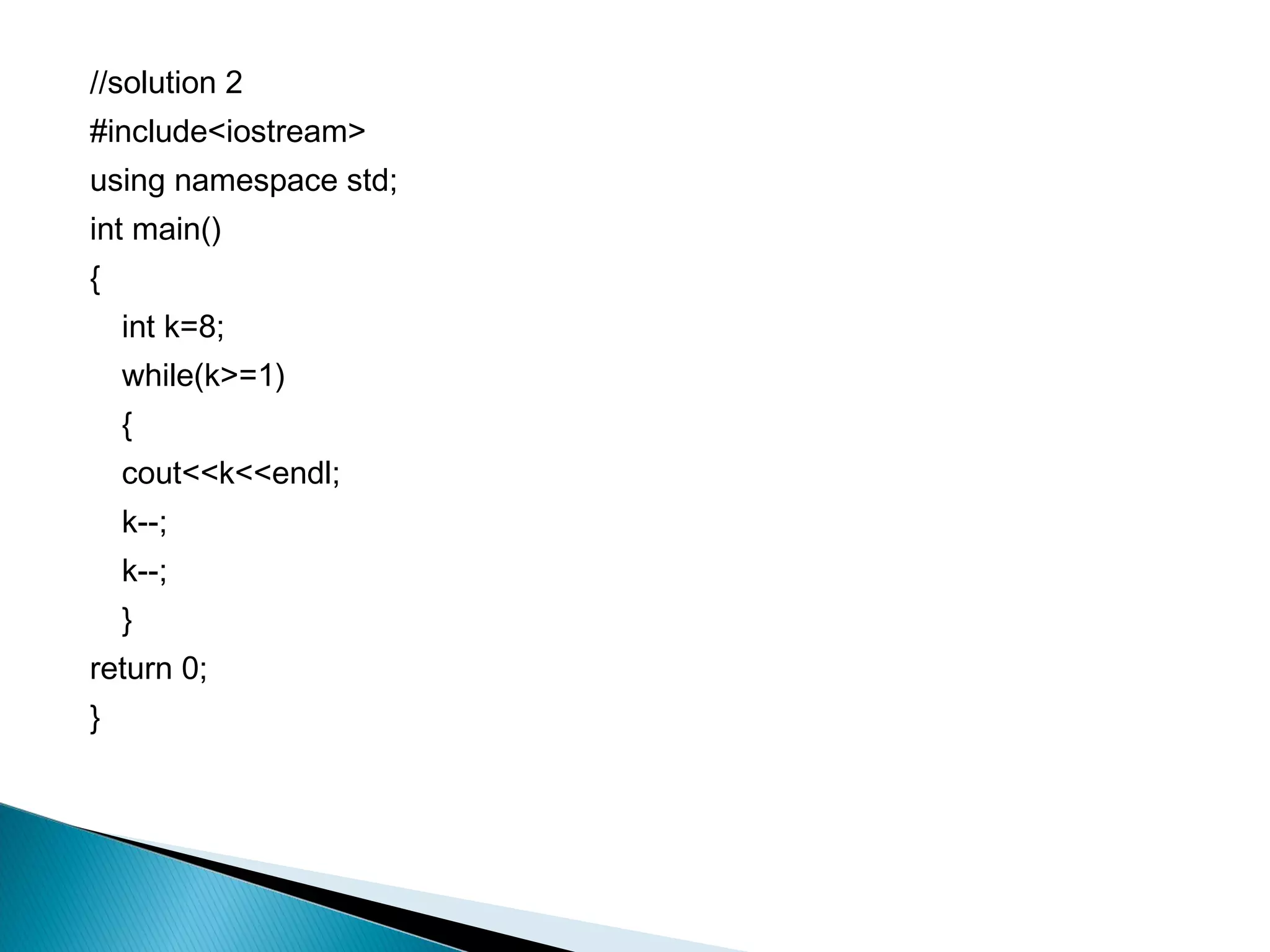
//solution 2
#include<iostream>
using namespace std;
int main()
{
    int k=8;
    while(k>=1)
    {
    cout<<k<<endl;
    k--;
    k--;
    }
return 0;
}
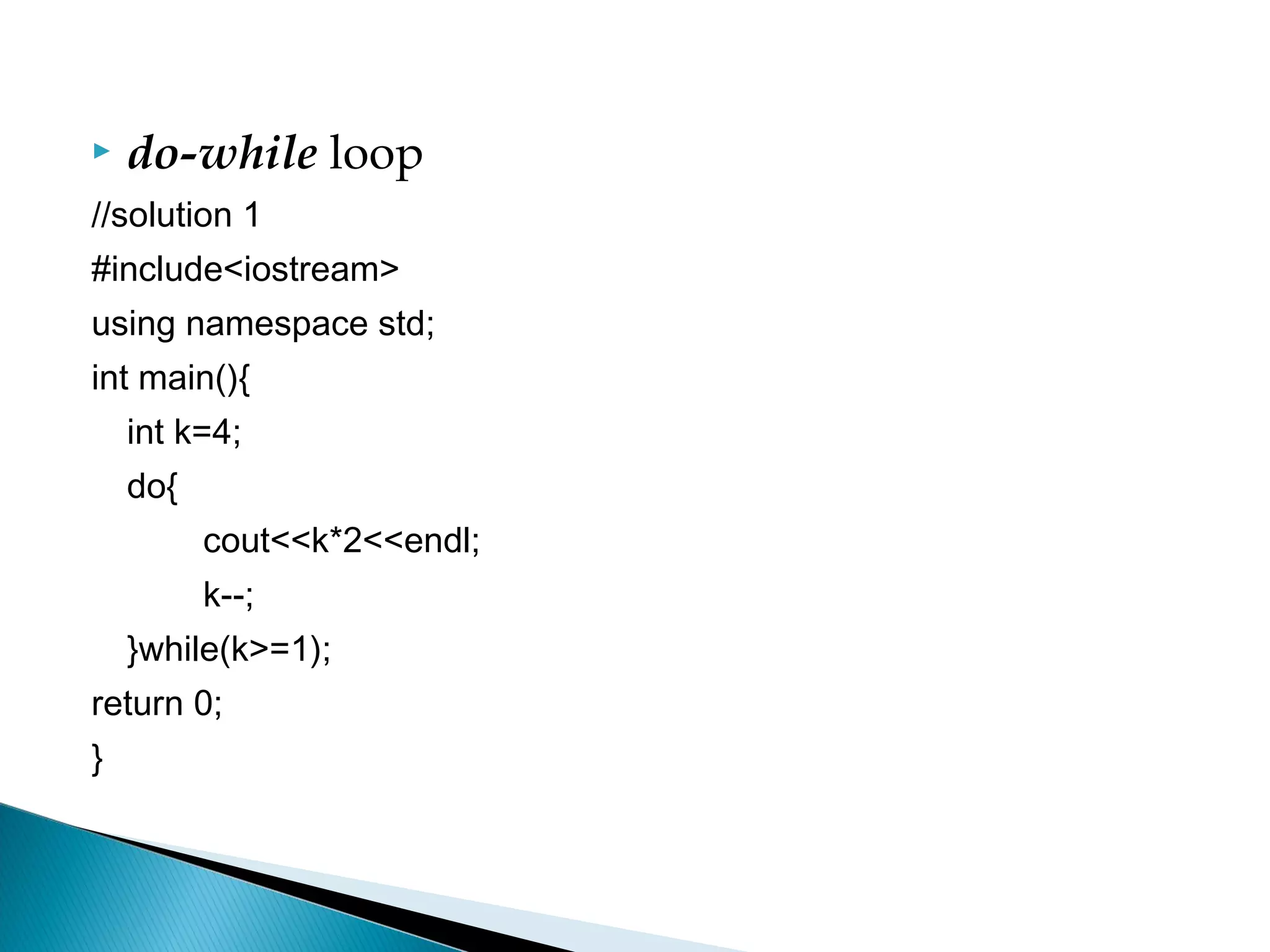
   do-while loop
//solution 1
#include<iostream>
using namespace std;
int main(){
    int k=4;
    do{
          cout<<k*2<<endl;
          k--;
    }while(k>=1);
return 0;
}
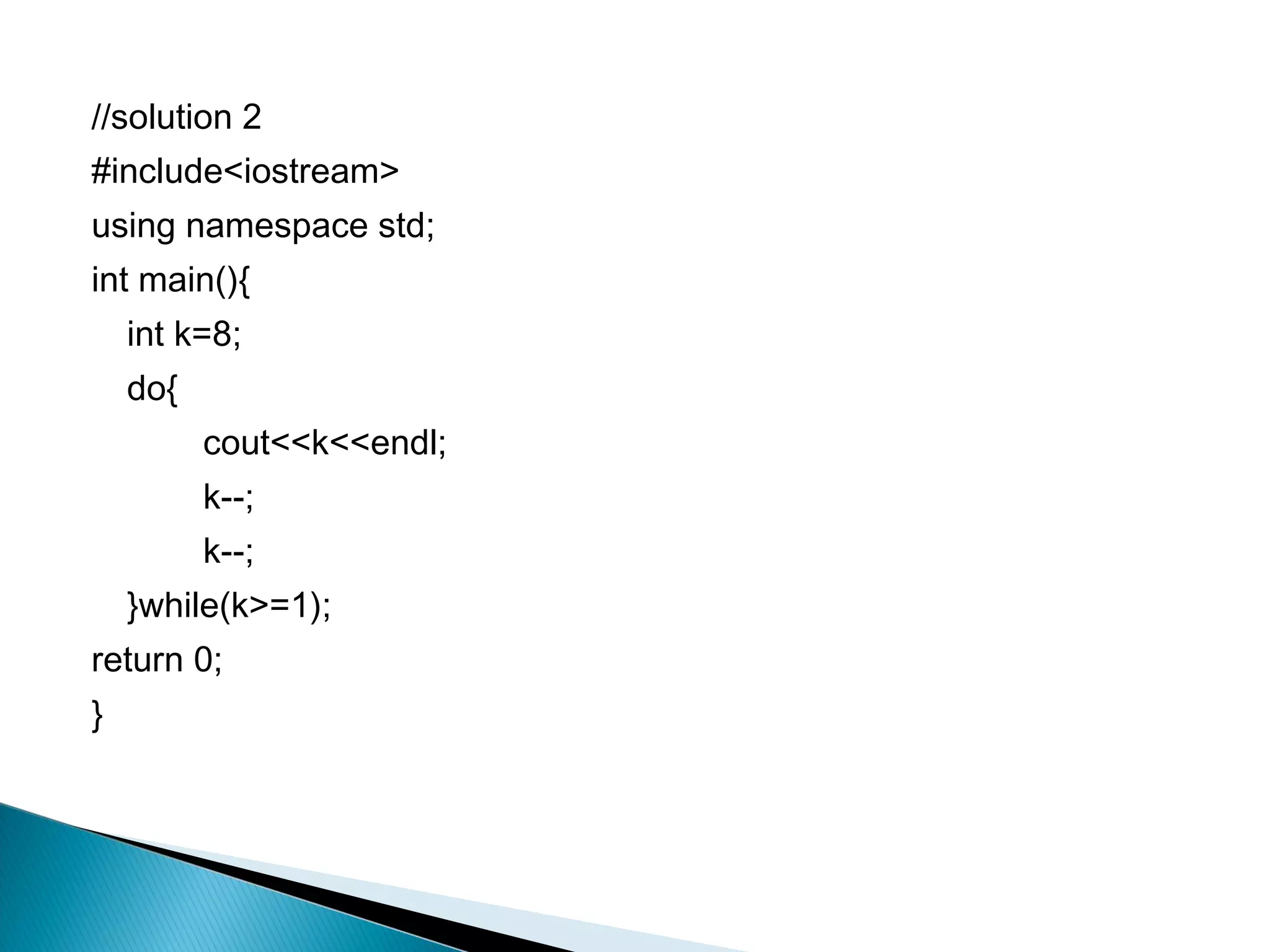
//solution 2
#include<iostream>
using namespace std;
int main(){
    int k=8;
    do{
          cout<<k<<endl;
          k--;
          k--;
    }while(k>=1);
return 0;
}

FP 201 - Unit 3 Part 2

  • 1.
    Unit 3.2 Understand LoopControl Structures
  • 2.
    At the end of this presentation, students will be able to: ◦ Understand looping control structures ◦ Describe the structure and working of for, while and do-while loops ◦ Explain the need for break, continue, return and goto statements
  • 3.
    Looping statements are used to : ◦ execute a set of instructions repeatedly, as long as the specific condition is satisfied.  The loop in C++ comes in 3 forms: ◦ for ◦ while ◦ do-while
  • 4.
    Syntax: for(initialization;condition; incrementation/decrementation) { //loop statements }  Example: for (i=0; i<5; i++) { cout << “n” << i ; }
  • 5.
    initialization ◦ refer to initial value of loop counter ◦ carried out just once at the beginning of loop  condition(expression) ◦ determined whether loop should continue ◦ if expression is false the loop will be terminate  Incrementation/decrementation ◦ The initial value of the loop control variable is either incremented or decremented each time the loop gets executed.
  • 6.
    The program LoopDemo.cpp illustrates the working of a for loop.
  • 7.
    #include<iostream> using namespace std; intmain() { 12345678910 int num; for (num = 1; num <= 10; num++) { cout<<num; } return 0; }
  • 8.
    There are a few patterns that you often need: ◦ To go from zero to some maximum – 1: for (i = 0; i < max; ++i) ◦ Or, in the opposite direction: for (i = max - 1; i >= 0; --i) ◦ Or To go from 1 to some maximum: for (i = 1; i <= max; ++i) ◦ Or, in the opposite direction: for (i = max; i > 0; --i)  You might sometimes need a combination of elements from more than one of these patterns, such as for (i = 0; i <= max; i++), but if you write something unusual like this, make sure that it really is what you want.
  • 9.
    Is a looping statement that enables you to repeat a set of instructions based on a condition.  If the condition is TRUE executes loop statement(s) in the while block and executing its block until the condition is FALSE.
  • 10.
    Syntax: <initialise variable> while(condition) { //loop statements <Increment/decrement variable>; }  Expression is evaluated first ◦ If expression = TRUE then statement is executed ◦ If expression = FALSE then statement is bypassed
  • 11.
    Example: while ((amount >0 && amount <=balance) { balance = balance – amount; cout << “Please take your money” << amount; cout << “This is your balance” << balance; }
  • 12.
    Program While1.cpp illustrates the working of a while loop.
  • 13.
    #include<iostream> using namespace std; intmain() { 1 3 5 7 9 11 int x=1; while(x<=11){ cout<<x<<" "; x=x+2; } return 0; }
  • 14.
    The do-while loop is similar to the while loop.  The difference only in the location where the condition is checked. In do-while, condition is checked at the end of loop. Syntax <initialise variable> do { //loop statements <Increment/decrement variable>; } while(condition);
  • 15.
    Example do { cout << “Enter a value"; cin >> i; if ( i<=0) { cout << “This is negative number"; } } while (i>0);
  • 16.
    Program DoWhileDemo.cpp illustrates the working of a do-while loop.
  • 17.
    #include<iostream> using namespace std; intmain() 1 3 5 7 9 11 { int x=1; do { cout<<x<<" "; x=x+2; }while(x<=11); return 0; }
  • 18.
    while do-while is no i = i+1 i > 10? yes print i print i yes is i > 10? i = i+1 no
  • 19.
    Allow program controls to transfer from one part to another part of program unconditionally  4 types of jump statement: ◦ break ◦ continue ◦ return ◦ goto
  • 20.
    break ◦ The break statement causes termination of the loop and transfers the control outside the loop. ◦ Program BreakDemo.cpp illustrates the use of break statement.
  • 21.
    #include<iostream> using namespace std; intmain() { Entering into the loop int i; 123456789 cout<<"Entering into the loopn"; Exiting out of the loop for(i=1;i<20;i++) { if(i==10) break; // exit from for loop cout<<i<<" "; } cout<<"nExiting out of the loopn"; return 0; }
  • 22.
    continue ◦ can only be used inside a loop. ◦ The continue statement will transfer the control to the beginning of the loop. ◦ Program ContinueDemo.java illustrates the use of continue statement.
  • 23.
    #include<iostream> using namespace std; intmain() { for(int i=1;i<=10;i++) 13579 { if(i%2==0) continue; cout<<i<<" "; } return 0; } The continue statement is executed when i%2==0. The continue statement ends the current iteration so that the rest of the statement in the loop body is not executed; therefore, i is printed when i%2!=0.
  • 24.
    return ◦ terminate execution of current function AND return value contained in the expression to the function that invoked it.  Example: float CalcSum() { float sum; sum = 15 + 20; return sum; }
  • 25.
    goto ◦ useful when you want to exit from a deeply nested loop. ◦ control flow statement that causes the CPU to jump to another spot in the code.  Syntax goto identifier ; Example: goto tryAgain;
  • 26.
    #include <iostream> #include <cmath> usingnamespace std; void main() { tryAgain: // this is a statement label double number; cout << "Enter a non-negative number: "; cin >> number; if (number < 0.0) goto tryAgain; // this is the goto statement cout << "The sqrt of " << number << " is " << sqrt(number) << endl; }
  • 27.
    In this presentation,you learnt the following:  Looping statements are used to execute a set of instructions repeatedly, as long as the specific condition is satisfied.  In C++, the looping control structures include while, do-while and for.  The break statement will transfer the control to the statement outside the loop.
  • 28.
     The continuestatement will transfer the control to the beginning of the loop.  The return statement will terminate execution of current function and return the value.  The goto may be necessary for exiting a loop from within a deeply nested loop.
  • 29.
    if (( x> 3) && (y < 7)) 1. Consider the following cout << "E"; code fragment: else cout << "F"; cin >> x >> y; if (( x > 3) || (y < 7)) if ((x >= 3) && (y <= cout << "G"; 7)) else cout << "A"; cout << "H"; else cout << "B"; if ((x >= 3) || (y <= 7)) ◦ What is the output cout << "C"; produced if the user else cout << "D"; enters:  3 and 7  3 and 6  4 and 7  4 and 8
  • 30.
    3 and 7  4 and 7 ACFG ACFH  4 and 8  3 and 6 BCFG ACFG
  • 31.
    2. What is the output? #include<iostream> using namespace std; int main() { int sum=0, item=0; while (item<5) { item++; if(item==2) continue; sum+=item; } cout<<"The sum is"<<sum; }
  • 32.
    item<5 0 1 2 3 4 item++ 1 2 3 4 5 if(item==2) continue; sum+=item; 1 4 8 13
  • 33.
    3. Write a program that can produce an output as below by using the for, while, and do-while loop 8 6 4 2
  • 34.
    for loop //solution 1 #include<iostream> using namespace std; int main() { for(int k=4; k>=1;k--) cout<<k*2<<endl; return 0; }
  • 35.
    //solution 2 #include<iostream> using namespacestd; int main() { for(int k=8; k>=1;k--) { cout<<k<<endl; k--; } return 0; }
  • 36.
     while loop //solution1 #include<iostream> using namespace std; int main() { int k=4; while(k>=1) { cout<<k*2<<endl; k--; } return 0; }
  • 37.
    //solution 2 #include<iostream> using namespacestd; int main() { int k=8; while(k>=1) { cout<<k<<endl; k--; k--; } return 0; }
  • 38.
    do-while loop //solution 1 #include<iostream> using namespace std; int main(){ int k=4; do{ cout<<k*2<<endl; k--; }while(k>=1); return 0; }
  • 39.
    //solution 2 #include<iostream> using namespacestd; int main(){ int k=8; do{ cout<<k<<endl; k--; k--; }while(k>=1); return 0; }