F P 201 - PROGRAMMING FUNDAMENTAL


    LAB 1: VARIABLE, KEYWORD AND DATA TYPES

    Objectives

    By the end of this lab, students should be able to :
    • Describe the structure of C++ programmes
    •   Write, compile and run simple C++ programmes
    •   Identify and list keywords
    •   List and define the various data types
    •   Define variables and constants

    Theory/ Topics

    •   A program must have the function named main().
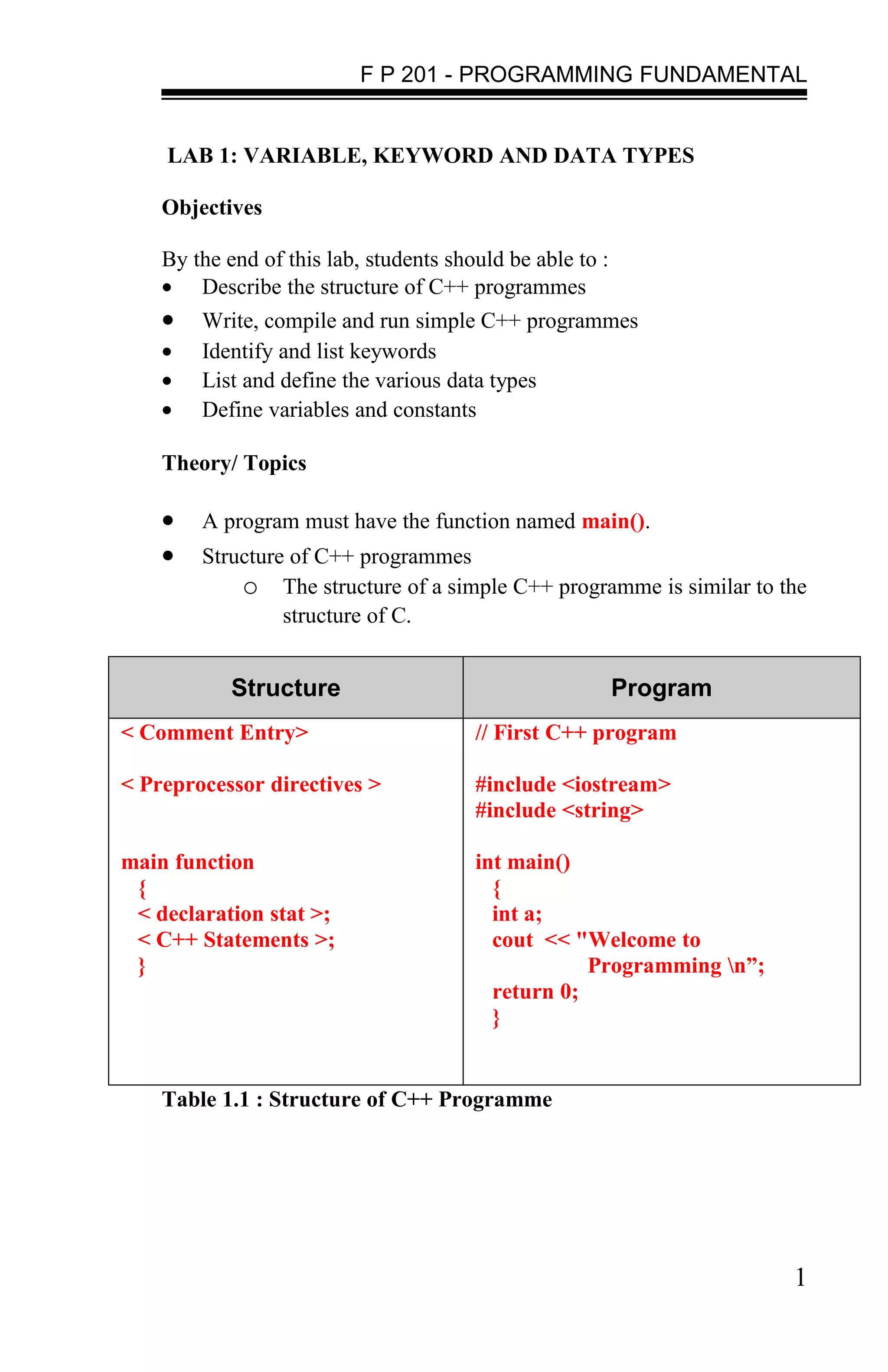
    •   Structure of C++ programmes
            o The structure of a simple C++ programme is similar to the
                 structure of C.


            Structure                                      Program
< Comment Entry>                        // First C++ program

< Preprocessor directives >             #include <iostream>
                                        #include <string>

main function                           int main()
 {                                        {
 < declaration stat >;                    int a;
 < C++ Statements >;                      cout << "Welcome to
 }                                                  Programming n”;
                                          return 0;
                                          }


    Table 1.1 : Structure of C++ Programme


                                                                       1
F P 201 - PROGRAMMING FUNDAMENTAL


    Consider the code in the given program:
    1. // is used to comment a single line. In addition to // symbol,
          C++ supports /* */ for comment entry operation. /* */ is
          used to comment a set of statements.
    2. #include <iostream> includes the header file for the
          program.
    3. main() is the function where the program is written.
    4. int a; is the variable declaration.
    5. cout is used to display the output statements.
    6.    Every statement is terminated with a semi-colon, similar to
          C.

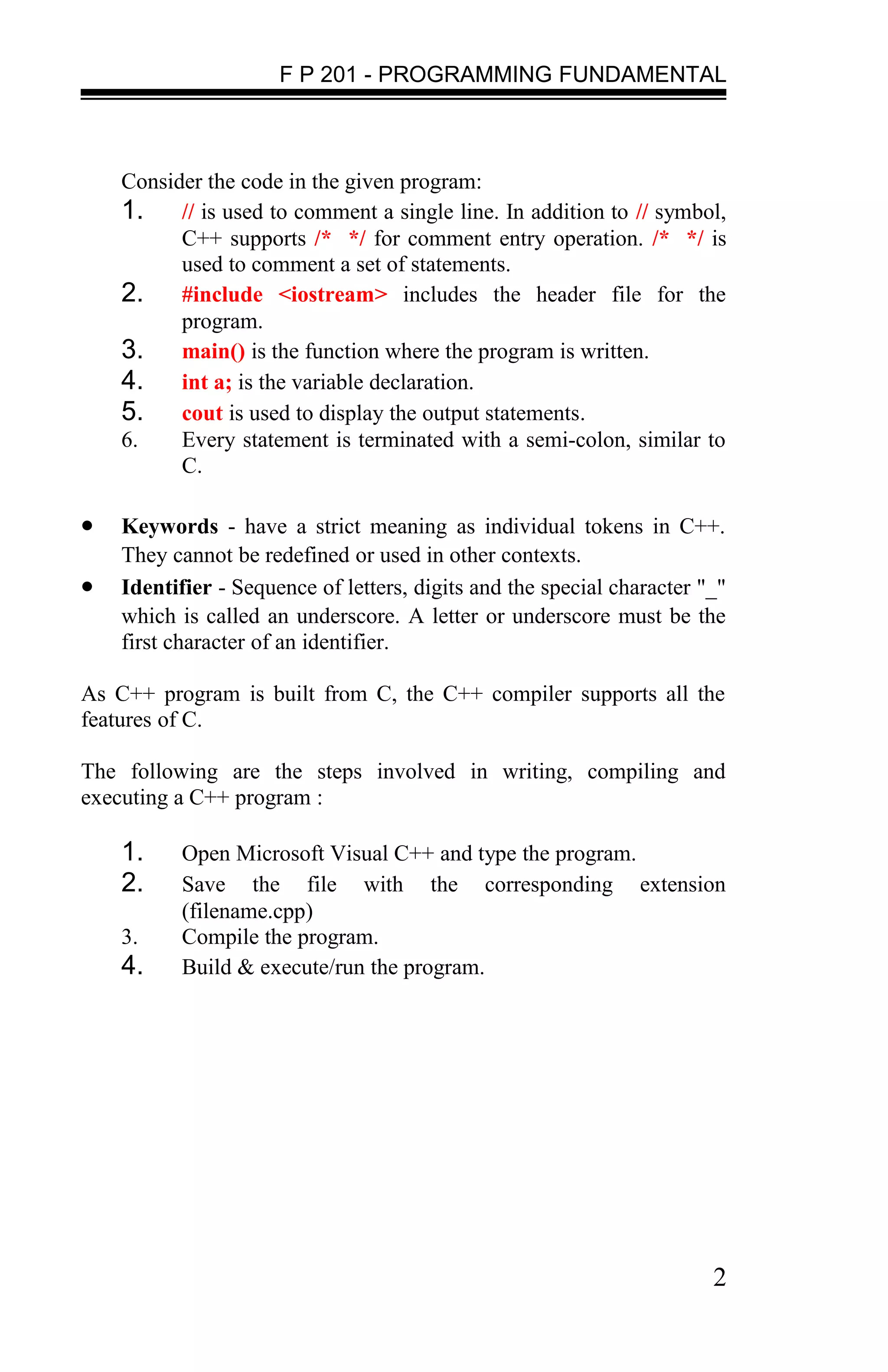
•   Keywords - have a strict meaning as individual tokens in C++.
    They cannot be redefined or used in other contexts.
•   Identifier - Sequence of letters, digits and the special character "_"
    which is called an underscore. A letter or underscore must be the
    first character of an identifier.

As C++ program is built from C, the C++ compiler supports all the
features of C.

The following are the steps involved in writing, compiling and
executing a C++ program :

    1.     Open Microsoft Visual C++ and type the program.
    2.     Save the file with the corresponding extension
           (filename.cpp)
    3.     Compile the program.
    4.     Build & execute/run the program.


                                                                        2
F P 201 - PROGRAMMING FUNDAMENTAL


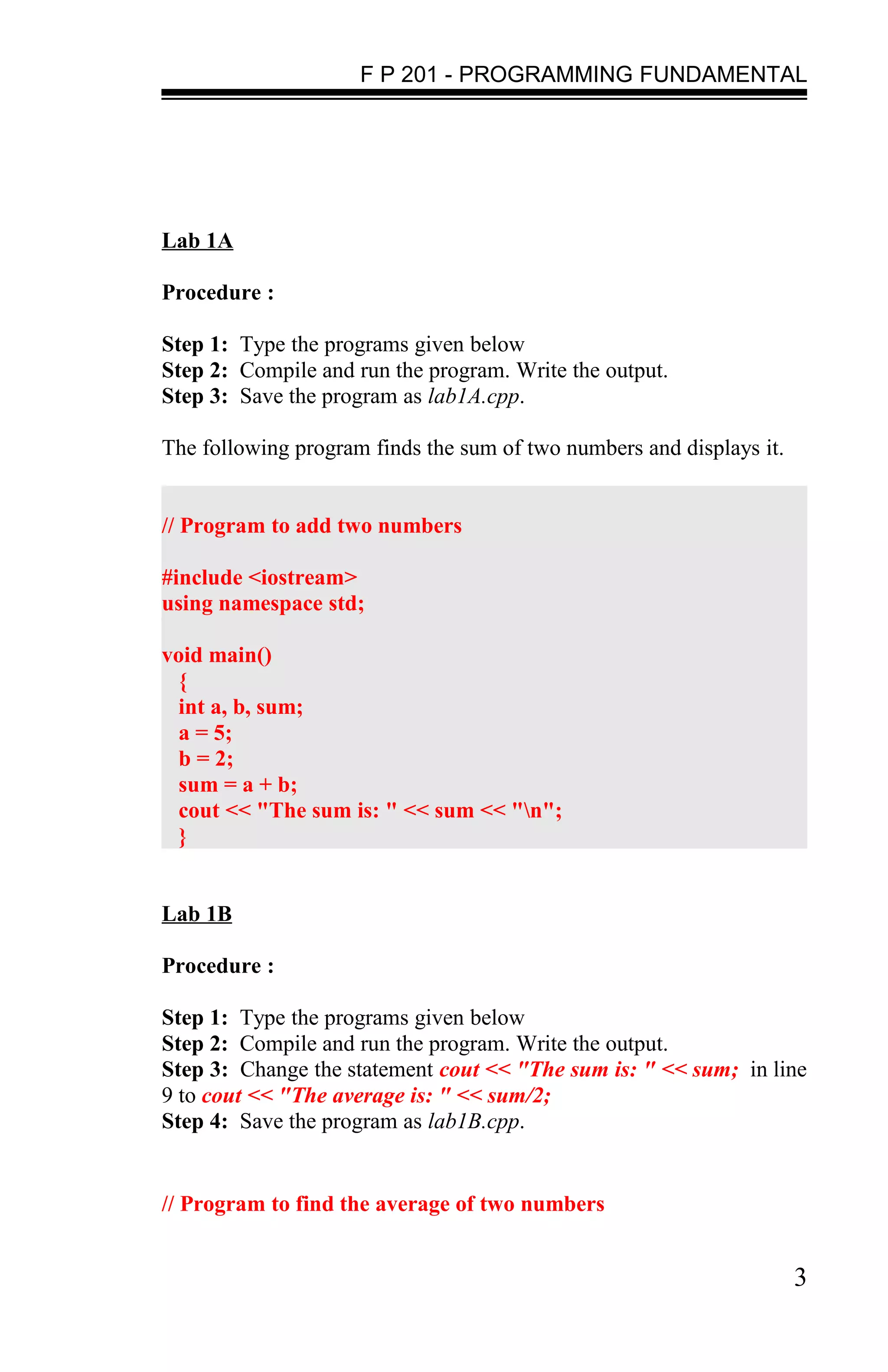
Lab 1A

Procedure :

Step 1: Type the programs given below
Step 2: Compile and run the program. Write the output.
Step 3: Save the program as lab1A.cpp.

The following program finds the sum of two numbers and displays it.


// Program to add two numbers

#include <iostream>
using namespace std;

void main()
  {
  int a, b, sum;
  a = 5;
  b = 2;
  sum = a + b;
  cout << "The sum is: " << sum << "n";
  }


Lab 1B

Procedure :

Step 1: Type the programs given below
Step 2: Compile and run the program. Write the output.
Step 3: Change the statement cout << "The sum is: " << sum; in line
9 to cout << "The average is: " << sum/2;
Step 4: Save the program as lab1B.cpp.


// Program to find the average of two numbers


                                                                      3
F P 201 - PROGRAMMING FUNDAMENTAL


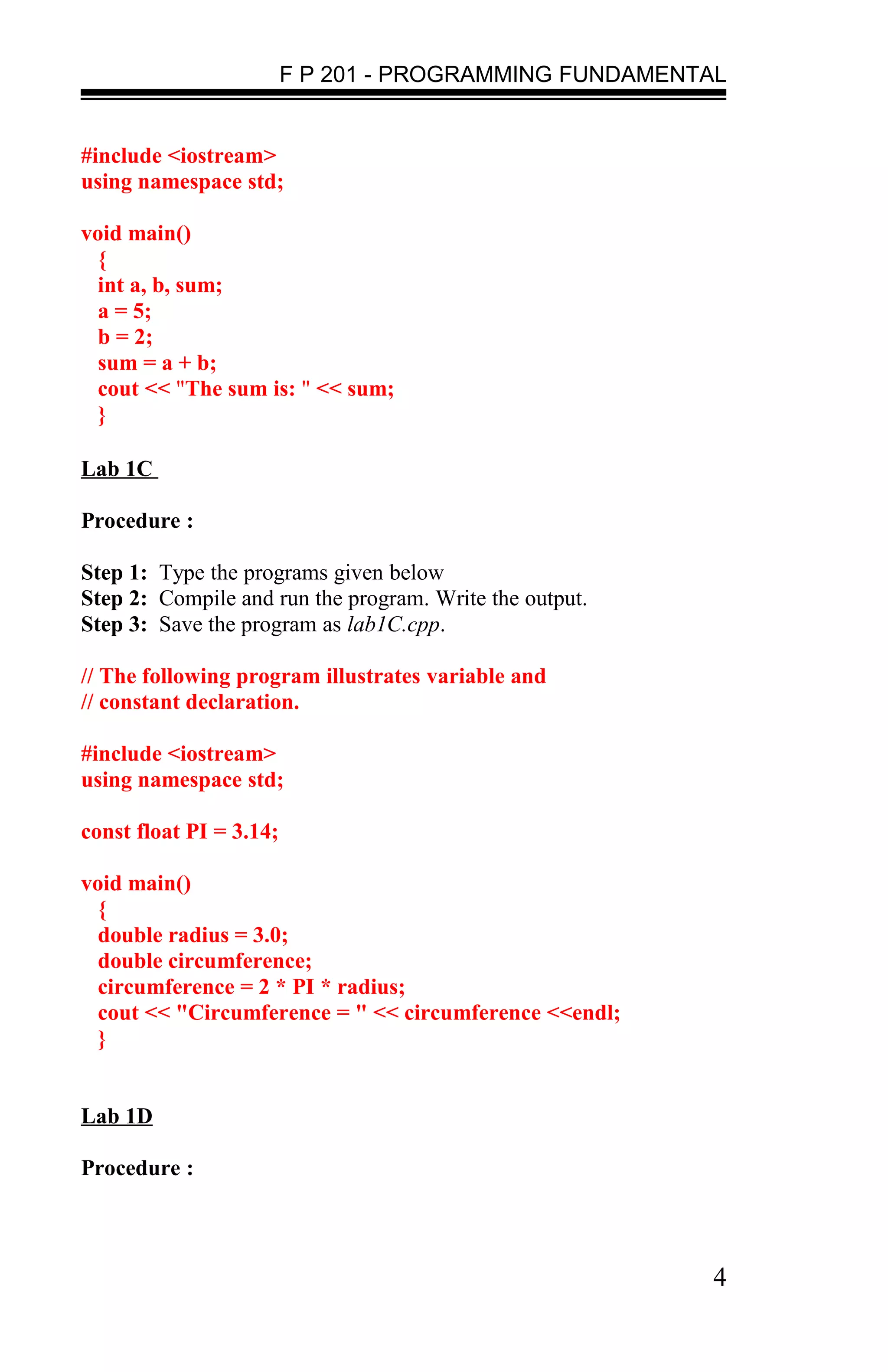
#include <iostream>
using namespace std;

void main()
  {
  int a, b, sum;
  a = 5;
  b = 2;
  sum = a + b;
  cout << "The sum is: " << sum;
  }

Lab 1C

Procedure :

Step 1: Type the programs given below
Step 2: Compile and run the program. Write the output.
Step 3: Save the program as lab1C.cpp.

// The following program illustrates variable and
// constant declaration.

#include <iostream>
using namespace std;

const float PI = 3.14;

void main()
  {
  double radius = 3.0;
  double circumference;
  circumference = 2 * PI * radius;
  cout << "Circumference = " << circumference <<endl;
  }


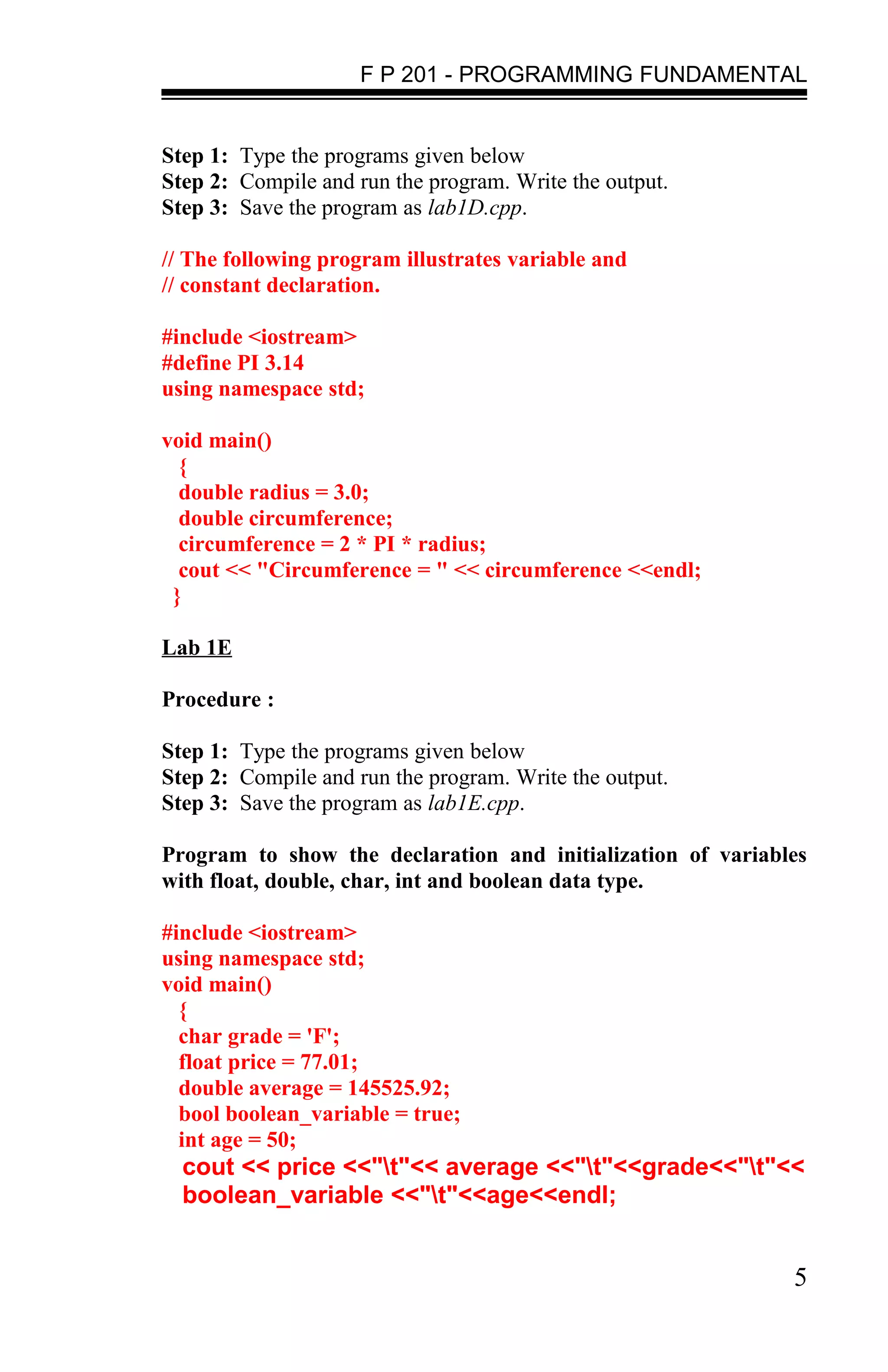
Lab 1D

Procedure :


                                                         4
F P 201 - PROGRAMMING FUNDAMENTAL


Step 1: Type the programs given below
Step 2: Compile and run the program. Write the output.
Step 3: Save the program as lab1D.cpp.

// The following program illustrates variable and
// constant declaration.

#include <iostream>
#define PI 3.14
using namespace std;

void main()
  {
  double radius = 3.0;
  double circumference;
  circumference = 2 * PI * radius;
  cout << "Circumference = " << circumference <<endl;
 }

Lab 1E

Procedure :

Step 1: Type the programs given below
Step 2: Compile and run the program. Write the output.
Step 3: Save the program as lab1E.cpp.

Program to show the declaration and initialization of variables
with float, double, char, int and boolean data type.

#include <iostream>
using namespace std;
void main()
  {
  char grade = 'F';
  float price = 77.01;
  double average = 145525.92;
  bool boolean_variable = true;
  int age = 50;
  cout << price <<"t"<< average <<"t"<<grade<<"t"<<
  boolean_variable <<"t"<<age<<endl;


                                                             5
F P 201 - PROGRAMMING FUNDAMENTAL


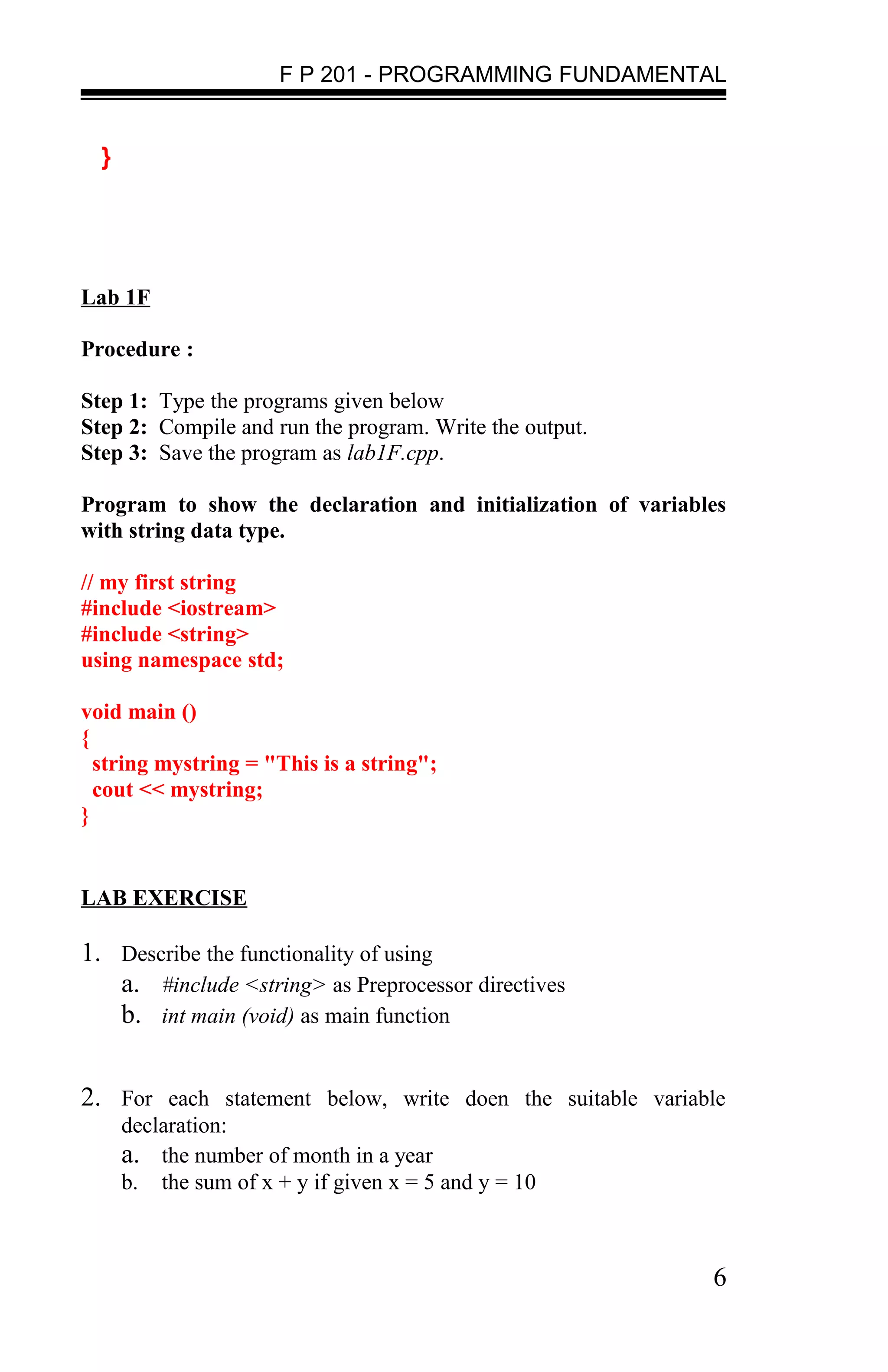
  }


Lab 1F

Procedure :

Step 1: Type the programs given below
Step 2: Compile and run the program. Write the output.
Step 3: Save the program as lab1F.cpp.

Program to show the declaration and initialization of variables
with string data type.

// my first string
#include <iostream>
#include <string>
using namespace std;

void main ()
{
  string mystring = "This is a string";
  cout << mystring;
}


LAB EXERCISE

1. Describe the functionality of using
   a. #include <string> as Preprocessor directives
   b. int main (void) as main function


2. For each statement below, write doen the suitable variable
      declaration:
      a. the number of month in a year
      b. the sum of x + y if given x = 5 and y = 10


                                                             6
F P 201 - PROGRAMMING FUNDAMENTAL


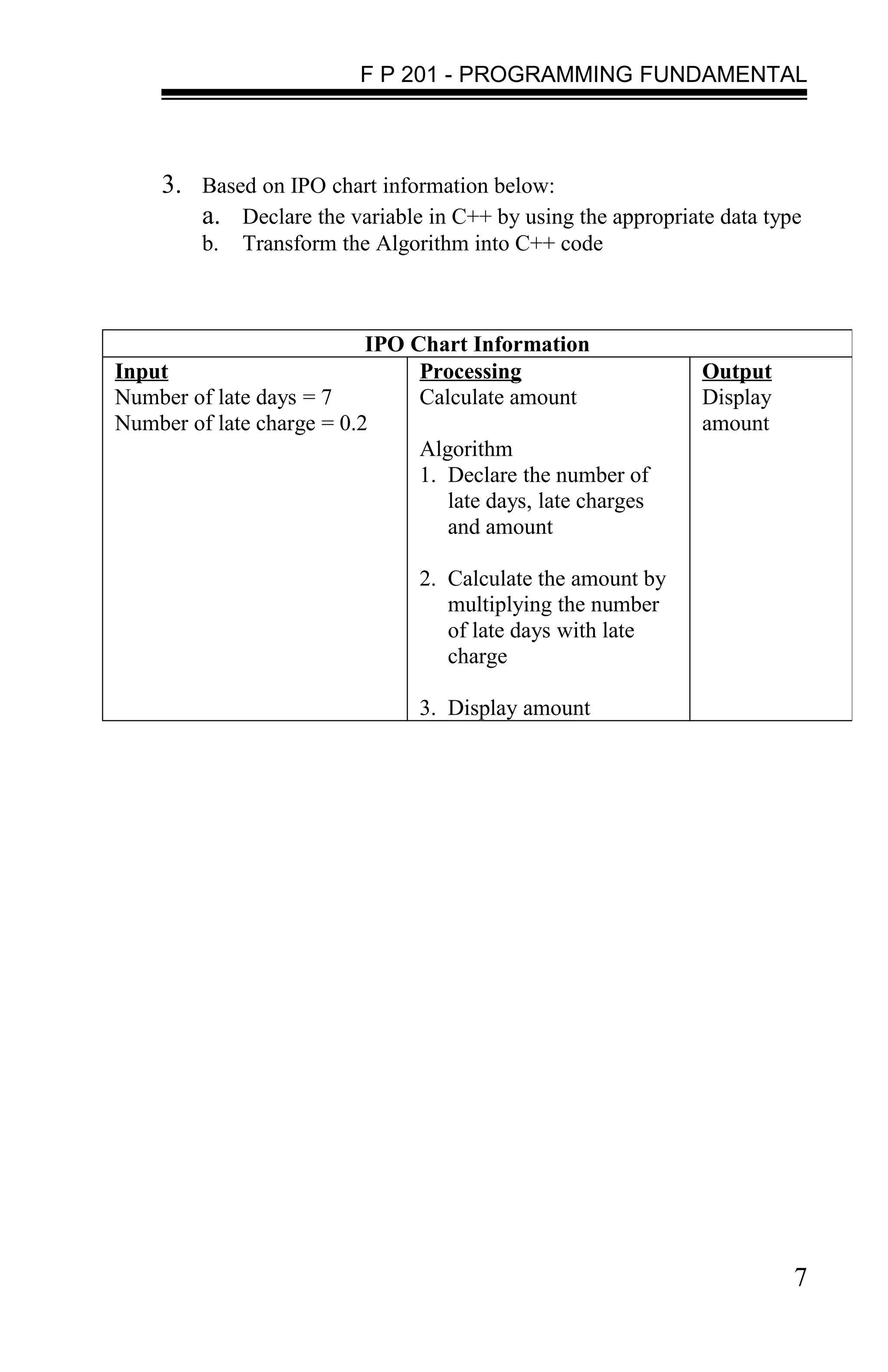
     3. Based on IPO chart information below:
        a. Declare the variable in C++ by using the appropriate data type
         b.   Transform the Algorithm into C++ code


                           IPO Chart Information
Input                           Processing                    Output
Number of late days = 7         Calculate amount              Display
Number of late charge = 0.2                                   amount
                                Algorithm
                                1. Declare the number of
                                   late days, late charges
                                   and amount

                                 2. Calculate the amount by
                                    multiplying the number
                                    of late days with late
                                    charge

                                 3. Display amount


                                                                        7

Labsheet1 stud

  • 1.
    F P 201- PROGRAMMING FUNDAMENTAL LAB 1: VARIABLE, KEYWORD AND DATA TYPES Objectives By the end of this lab, students should be able to : • Describe the structure of C++ programmes • Write, compile and run simple C++ programmes • Identify and list keywords • List and define the various data types • Define variables and constants Theory/ Topics • A program must have the function named main(). • Structure of C++ programmes o The structure of a simple C++ programme is similar to the structure of C. Structure Program < Comment Entry> // First C++ program < Preprocessor directives > #include <iostream> #include <string> main function int main() { { < declaration stat >; int a; < C++ Statements >; cout << "Welcome to } Programming n”; return 0; } Table 1.1 : Structure of C++ Programme 1
  • 2.
    F P 201- PROGRAMMING FUNDAMENTAL Consider the code in the given program: 1. // is used to comment a single line. In addition to // symbol, C++ supports /* */ for comment entry operation. /* */ is used to comment a set of statements. 2. #include <iostream> includes the header file for the program. 3. main() is the function where the program is written. 4. int a; is the variable declaration. 5. cout is used to display the output statements. 6. Every statement is terminated with a semi-colon, similar to C. • Keywords - have a strict meaning as individual tokens in C++. They cannot be redefined or used in other contexts. • Identifier - Sequence of letters, digits and the special character "_" which is called an underscore. A letter or underscore must be the first character of an identifier. As C++ program is built from C, the C++ compiler supports all the features of C. The following are the steps involved in writing, compiling and executing a C++ program : 1. Open Microsoft Visual C++ and type the program. 2. Save the file with the corresponding extension (filename.cpp) 3. Compile the program. 4. Build & execute/run the program. 2
  • 3.
    F P 201- PROGRAMMING FUNDAMENTAL Lab 1A Procedure : Step 1: Type the programs given below Step 2: Compile and run the program. Write the output. Step 3: Save the program as lab1A.cpp. The following program finds the sum of two numbers and displays it. // Program to add two numbers #include <iostream> using namespace std; void main() { int a, b, sum; a = 5; b = 2; sum = a + b; cout << "The sum is: " << sum << "n"; } Lab 1B Procedure : Step 1: Type the programs given below Step 2: Compile and run the program. Write the output. Step 3: Change the statement cout << "The sum is: " << sum; in line 9 to cout << "The average is: " << sum/2; Step 4: Save the program as lab1B.cpp. // Program to find the average of two numbers 3
  • 4.
    F P 201- PROGRAMMING FUNDAMENTAL #include <iostream> using namespace std; void main() { int a, b, sum; a = 5; b = 2; sum = a + b; cout << "The sum is: " << sum; } Lab 1C Procedure : Step 1: Type the programs given below Step 2: Compile and run the program. Write the output. Step 3: Save the program as lab1C.cpp. // The following program illustrates variable and // constant declaration. #include <iostream> using namespace std; const float PI = 3.14; void main() { double radius = 3.0; double circumference; circumference = 2 * PI * radius; cout << "Circumference = " << circumference <<endl; } Lab 1D Procedure : 4
  • 5.
    F P 201- PROGRAMMING FUNDAMENTAL Step 1: Type the programs given below Step 2: Compile and run the program. Write the output. Step 3: Save the program as lab1D.cpp. // The following program illustrates variable and // constant declaration. #include <iostream> #define PI 3.14 using namespace std; void main() { double radius = 3.0; double circumference; circumference = 2 * PI * radius; cout << "Circumference = " << circumference <<endl; } Lab 1E Procedure : Step 1: Type the programs given below Step 2: Compile and run the program. Write the output. Step 3: Save the program as lab1E.cpp. Program to show the declaration and initialization of variables with float, double, char, int and boolean data type. #include <iostream> using namespace std; void main() { char grade = 'F'; float price = 77.01; double average = 145525.92; bool boolean_variable = true; int age = 50; cout << price <<"t"<< average <<"t"<<grade<<"t"<< boolean_variable <<"t"<<age<<endl; 5
  • 6.
    F P 201- PROGRAMMING FUNDAMENTAL } Lab 1F Procedure : Step 1: Type the programs given below Step 2: Compile and run the program. Write the output. Step 3: Save the program as lab1F.cpp. Program to show the declaration and initialization of variables with string data type. // my first string #include <iostream> #include <string> using namespace std; void main () { string mystring = "This is a string"; cout << mystring; } LAB EXERCISE 1. Describe the functionality of using a. #include <string> as Preprocessor directives b. int main (void) as main function 2. For each statement below, write doen the suitable variable declaration: a. the number of month in a year b. the sum of x + y if given x = 5 and y = 10 6
  • 7.
    F P 201- PROGRAMMING FUNDAMENTAL 3. Based on IPO chart information below: a. Declare the variable in C++ by using the appropriate data type b. Transform the Algorithm into C++ code IPO Chart Information Input Processing Output Number of late days = 7 Calculate amount Display Number of late charge = 0.2 amount Algorithm 1. Declare the number of late days, late charges and amount 2. Calculate the amount by multiplying the number of late days with late charge 3. Display amount 7