Unit 3
Understand selection control structures
   At the end of this presentation, students will be
    able to:
     • Understand selection control structures
     • Describe the structure and working of simple if
       statements
     • Describe the structure and working of nested if
       statements
     • Describe the structure and working of switch
       statements
   Statements executed one by one.
   Simplest
   Example :

     int x = 5;               [S1]
     int power = x*x;         [S2]
     cout << “n” << power;   [S3]


      Entry    S1      S2     S3      Exit
   C++ supports two types of program
    control:
    • selection control structures
    • looping control structures
   Purpose:
    • to evaluate expressions/condition
    • to direct the execution of the program (depending on the
        result of the evaluation).
   The most commonly used selection statements
    are:
    •   if statement
    •   if-else statement
    •   nested-if statement
    •   switch statement
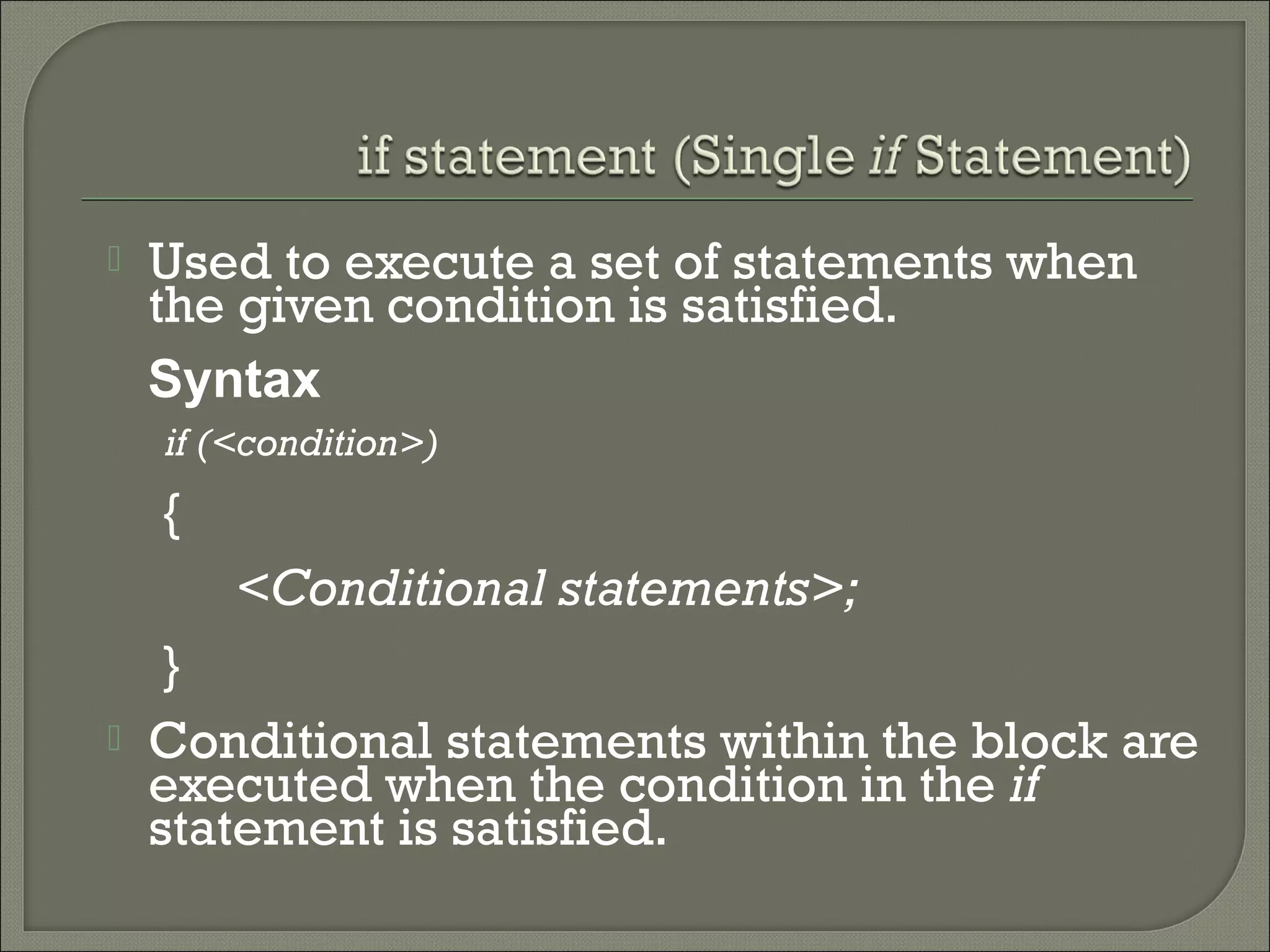
   Used to execute a set of statements when
    the given condition is satisfied.
    Syntax
    if (<condition>)
    {
        <Conditional statements>;
     }
   Conditional statements within the block are
    executed when the condition in the if
    statement is satisfied.
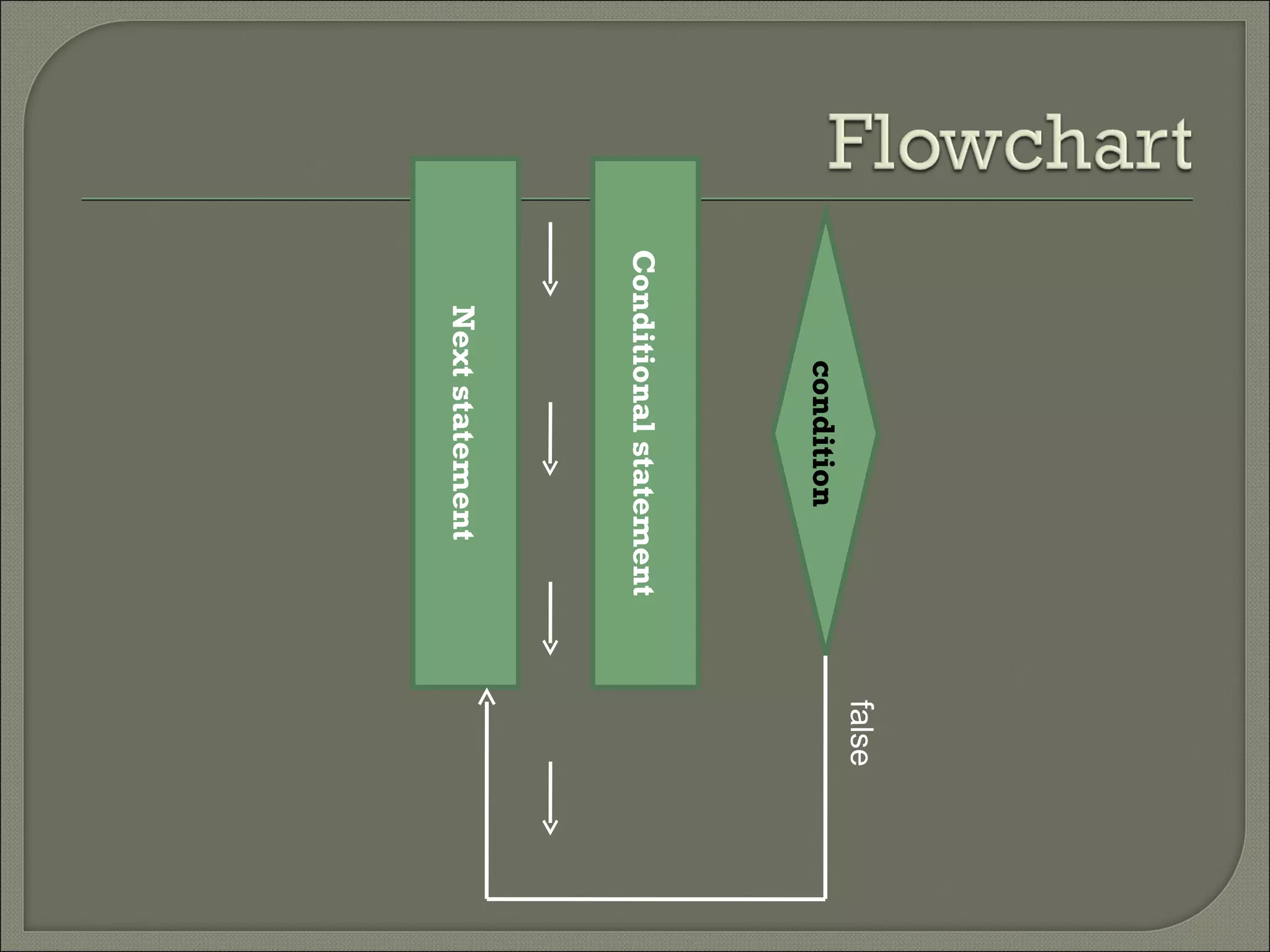
false
       condition
Conditional statement
     true

   Next statement
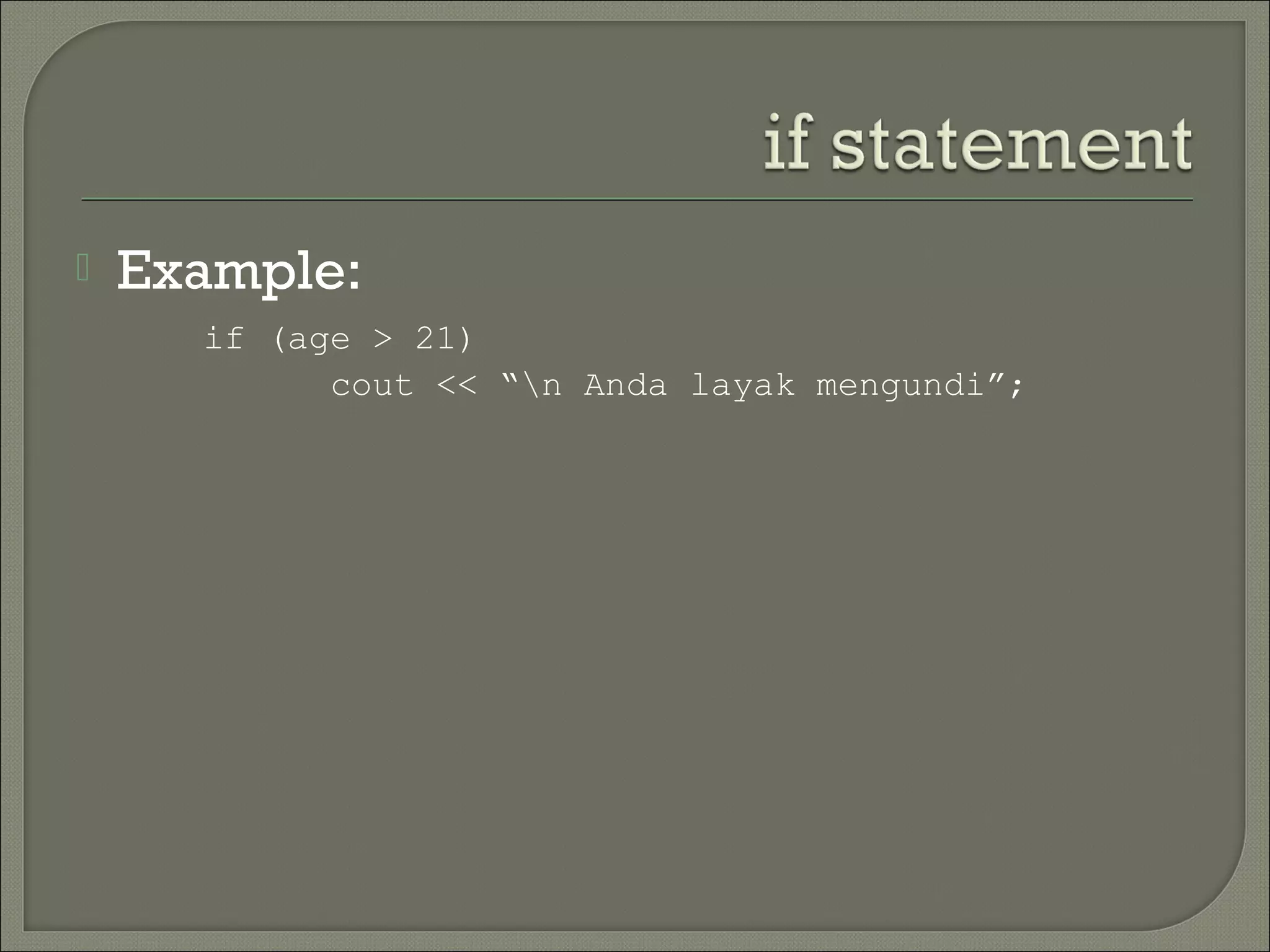
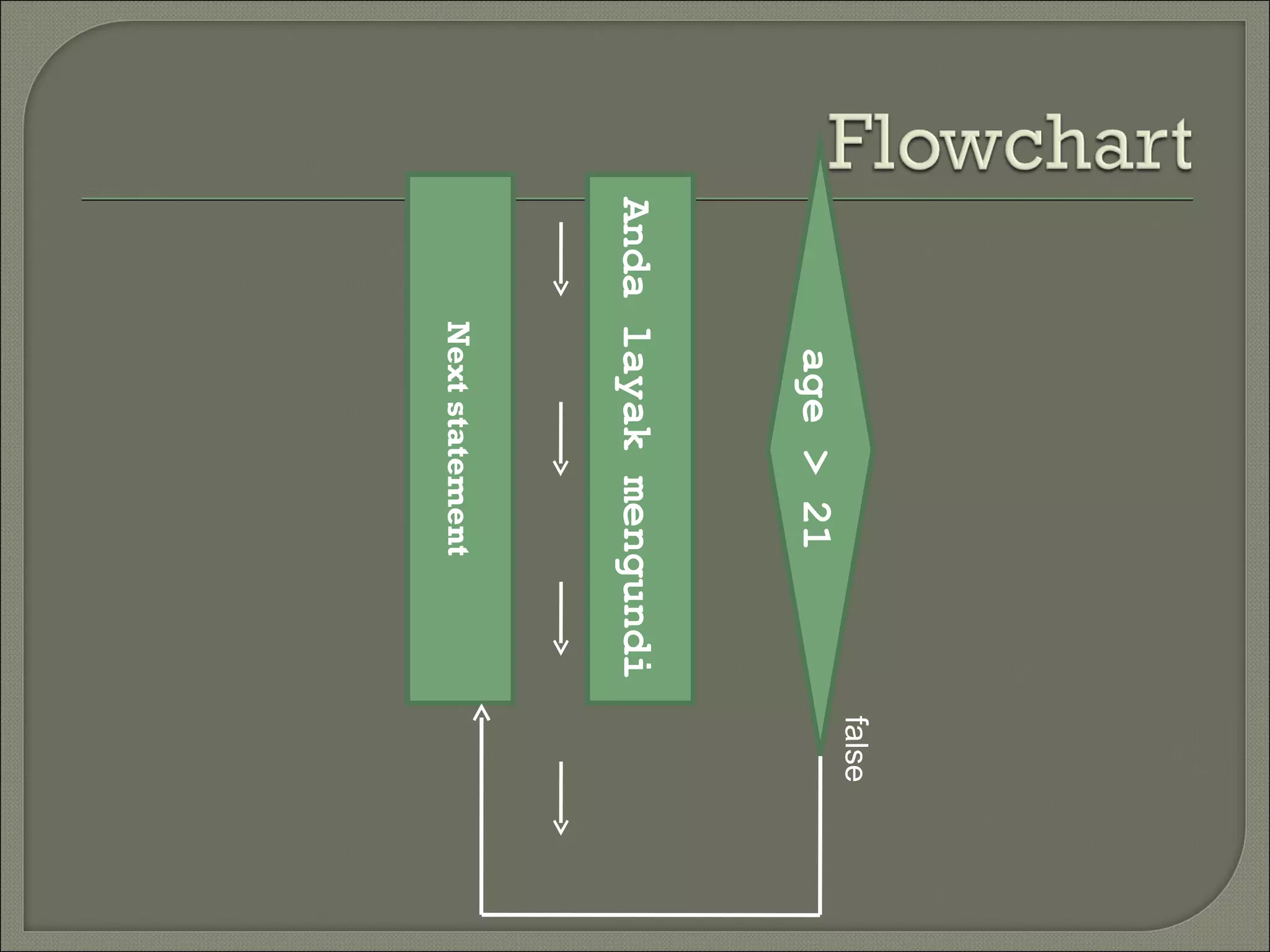
   Example:
      if (age > 21)
            cout << “n Anda layak mengundi”;
false
      age > 21
Anda layak mengundi
     true

    Next statement
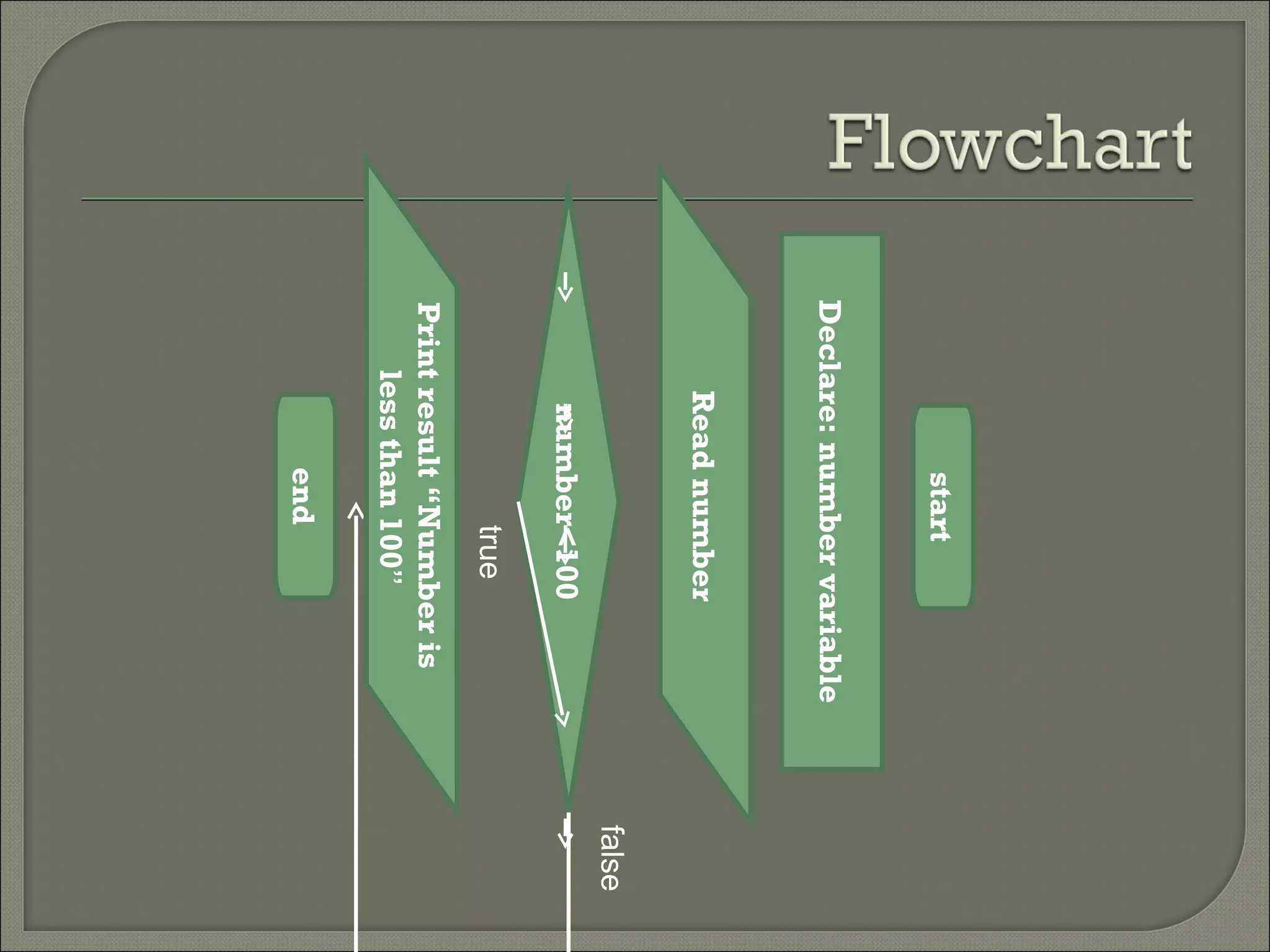
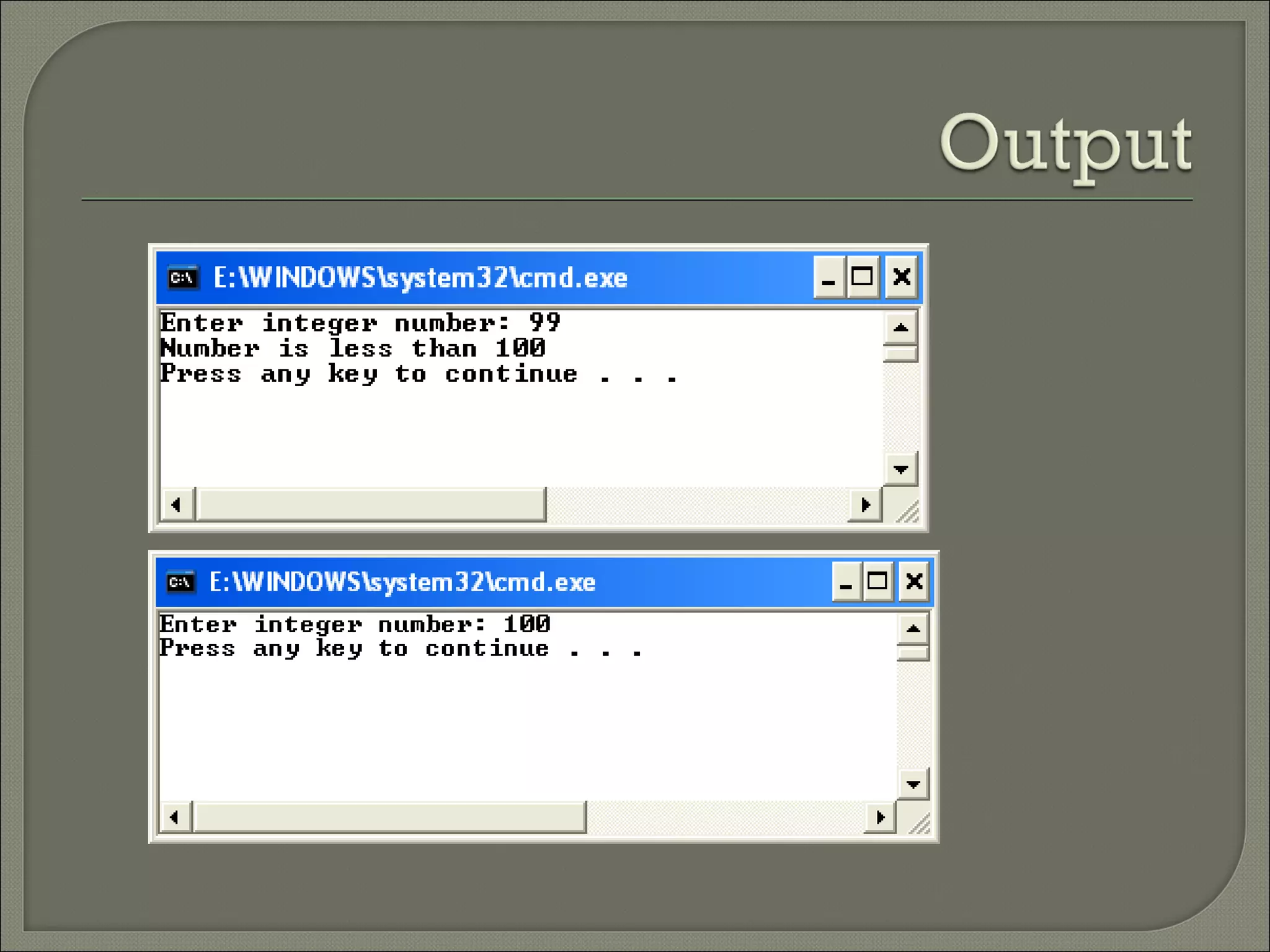
   Program InputValue.cpp illustrates the
    execution of a simple if statement. The
    program checks whether the given
    number is greater than 100.
start
Declare: number variable
     Read number
                           false
      number<100
             true
Print result “Number is
    less than 100”
          end
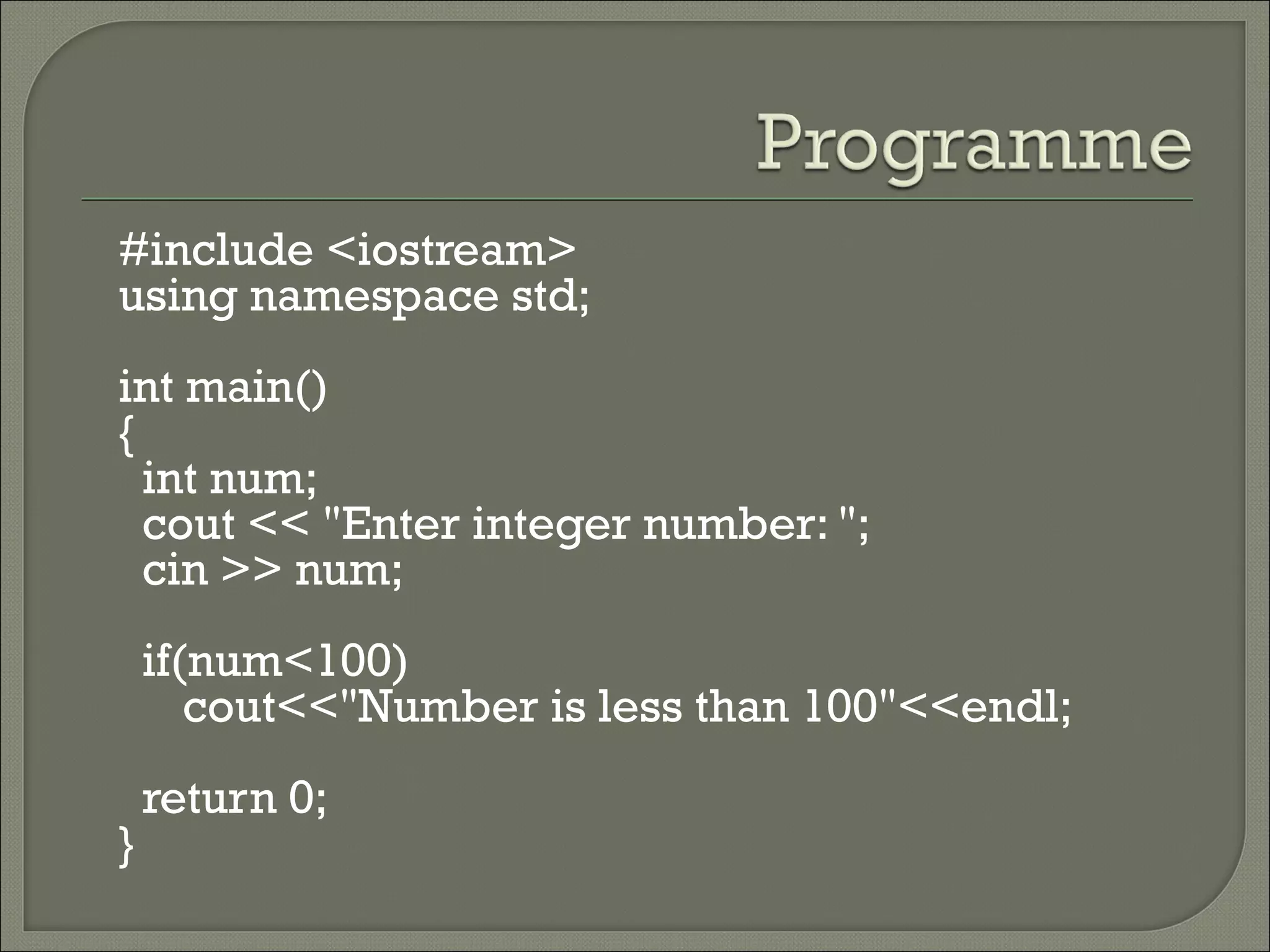
#include <iostream>
using namespace std;
int main()
{
  int num;
  cout << "Enter integer number: ";
  cin >> num;
    if(num<100)
       cout<<"Number is less than 100"<<endl;
    return 0;
}
   Executes the set of statements in if block,
    when the given condition is satisfied.
   Executes the statements in the else block,
    when the condition is not satisfied.
Syntax
      if (<condition>)
      {
         <Conditional statements1>;
      }
      else
      {
         <Conditional statements2>;
      }
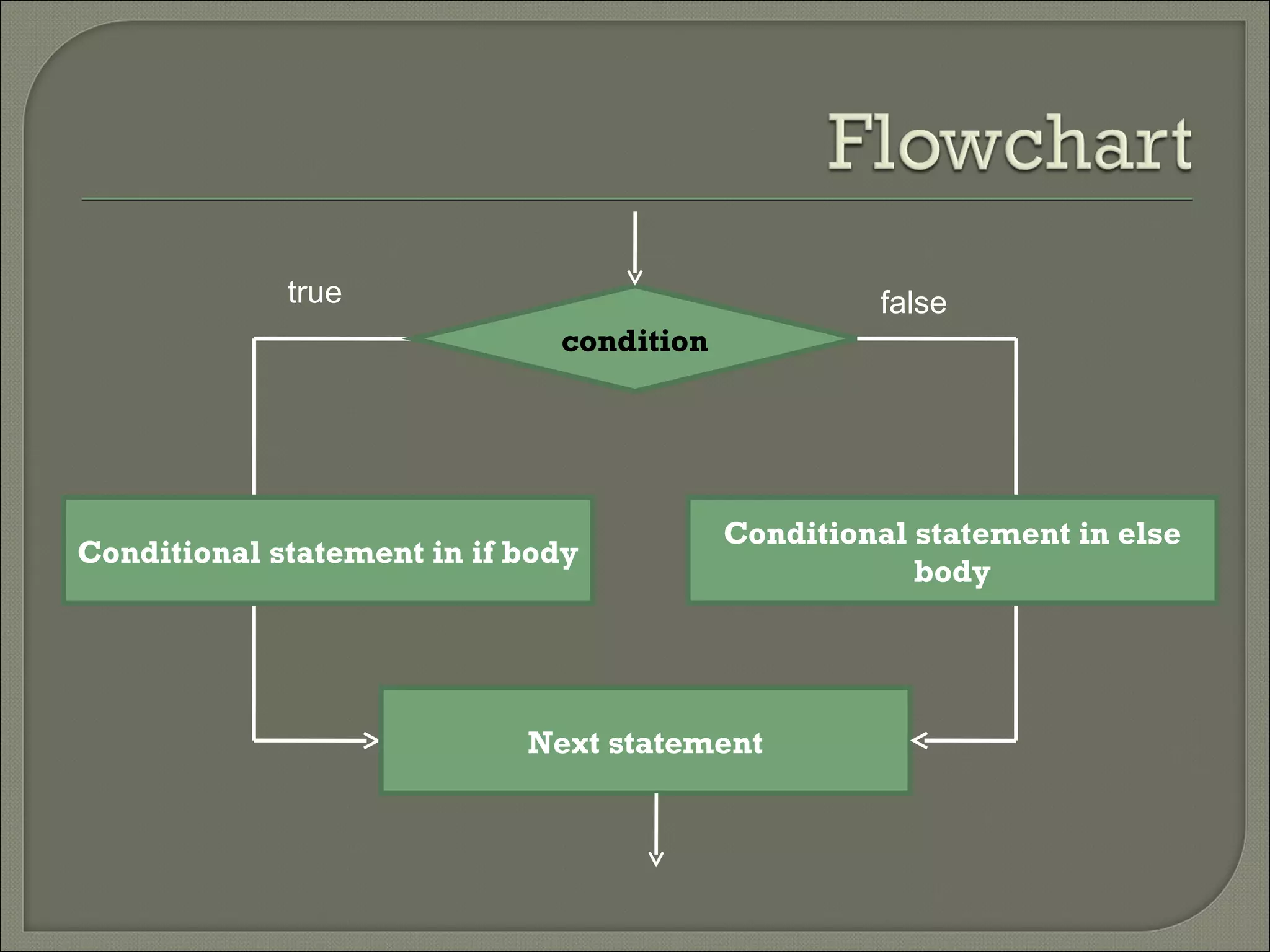
true                                  false
                              condition


                                          Conditional statement in else
Conditional statement in if body
                                                      body


                            Next statement
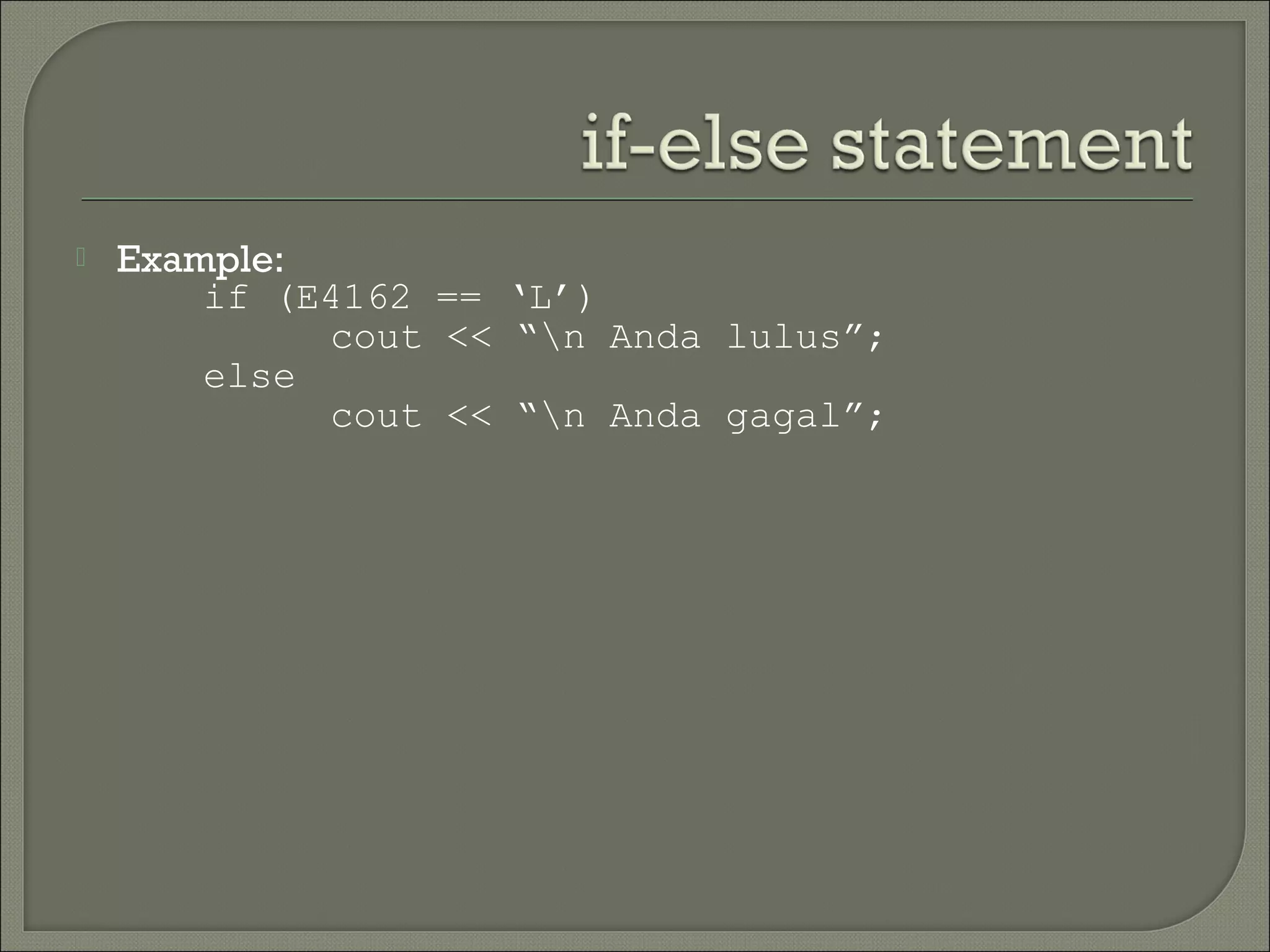
   Example:
        if (E4162 == ‘L’)
             cout << “n Anda lulus”;
        else
             cout << “n Anda gagal”;
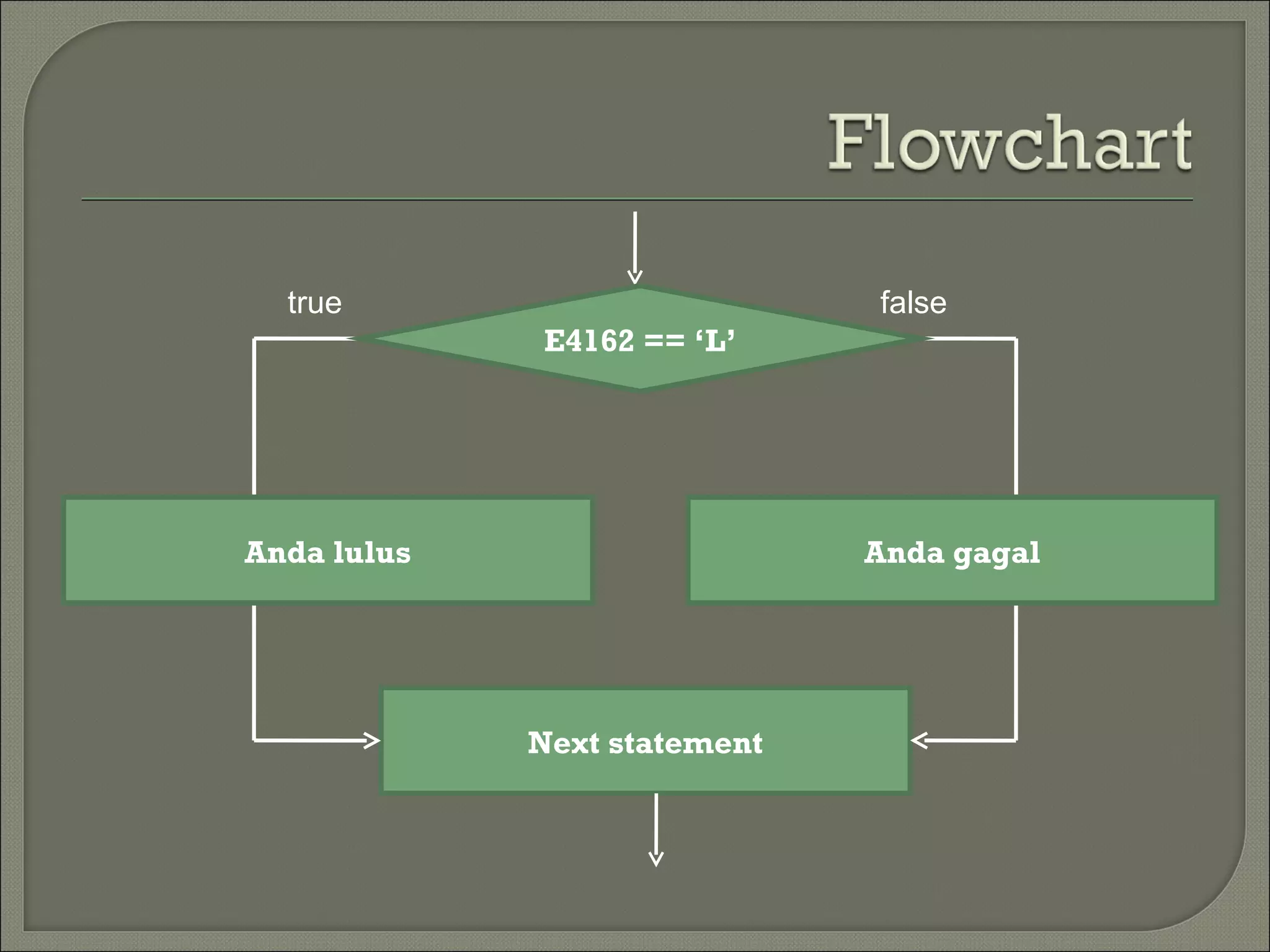
true                        false
             E4162 == ‘L’


Anda lulus                    Anda gagal


             Next statement
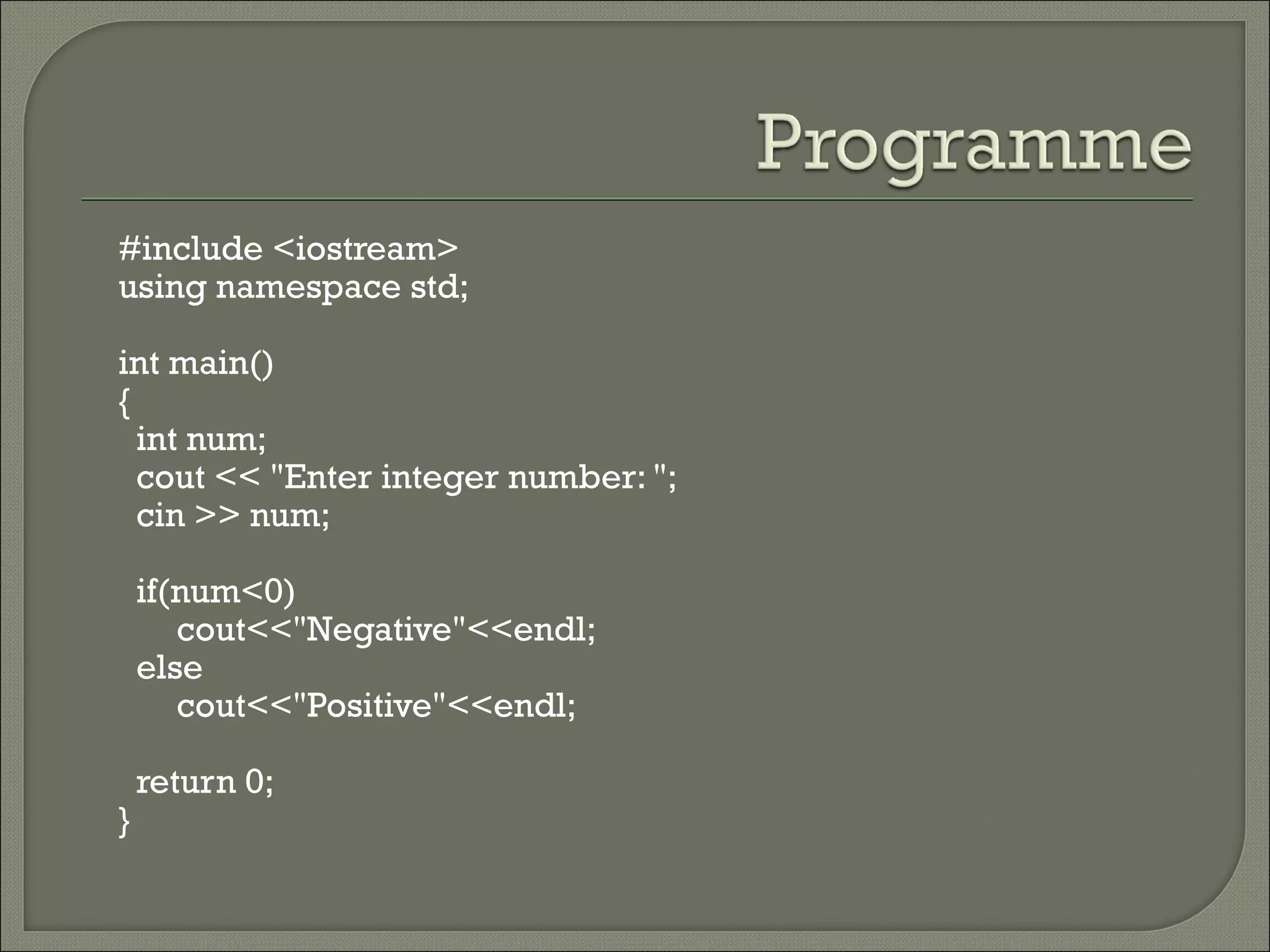
   Program Checks.cpp illustrates the use of
    the if-else statement. This program accepts a
    number, checks whether it is less than 0 and
    displays an appropriate message.
start


             Declare: number variable


                  Read number


      true                              false
                    number<0

  Print                                     Print
“Negative”                               “Positive”


                       end
#include <iostream>
using namespace std;

int main()
{
  int num;
  cout << "Enter integer number: ";
  cin >> num;

    if(num<0)
       cout<<"Negative"<<endl;
    else
       cout<<"Positive"<<endl;

    return 0;
}
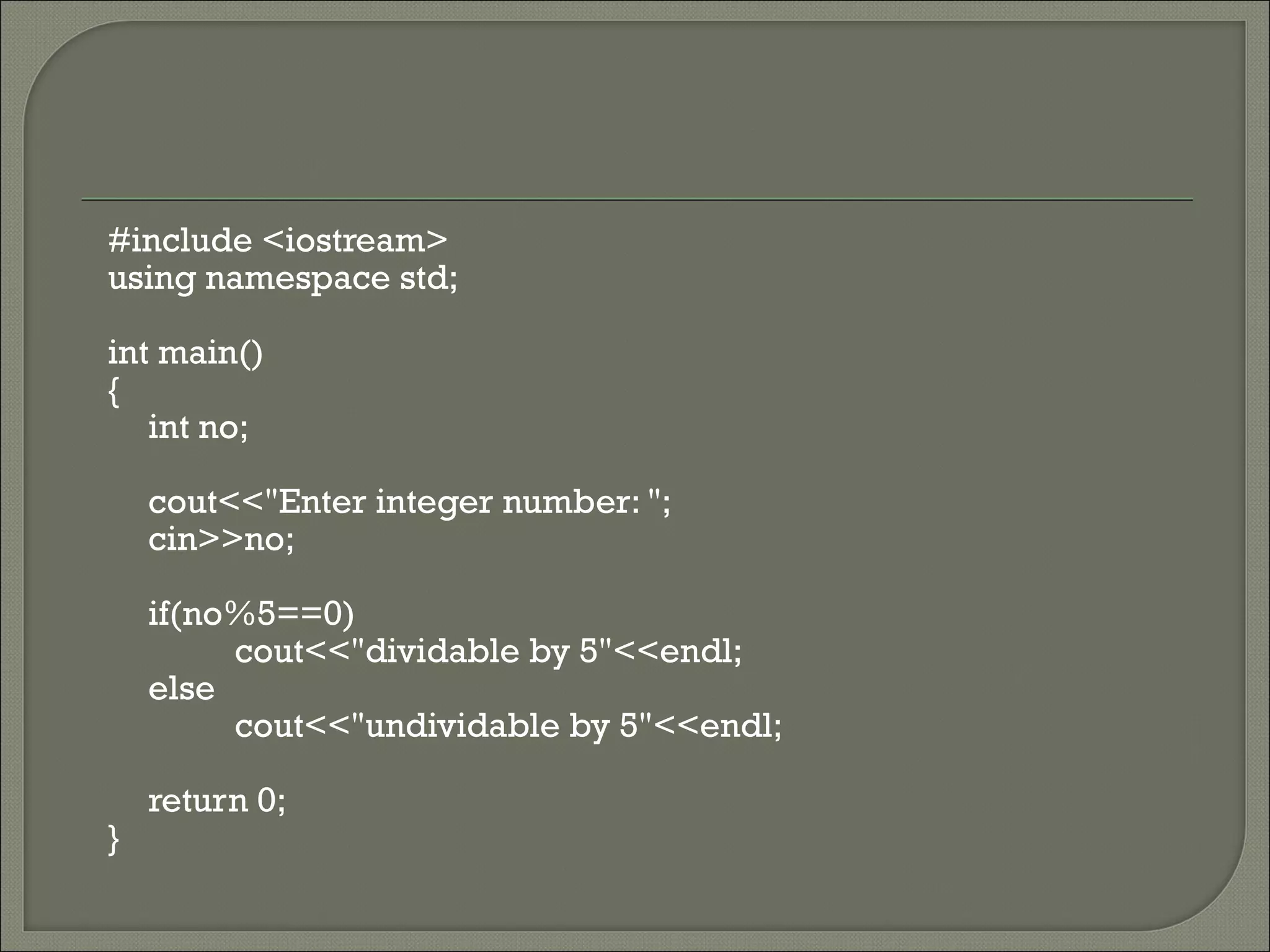
1.   Accept a number from the keyboard
     and check whether it is dividable by 5
     (if else).
     Hint: Use the modulus operator, %, to
     check the divisibility.
#include <iostream>
using namespace std;

int main()
{
   int no;

    cout<<"Enter integer number: ";
    cin>>no;

    if(no%5==0)
         cout<<"dividable by 5"<<endl;
    else
         cout<<"undividable by 5"<<endl;

    return 0;
}
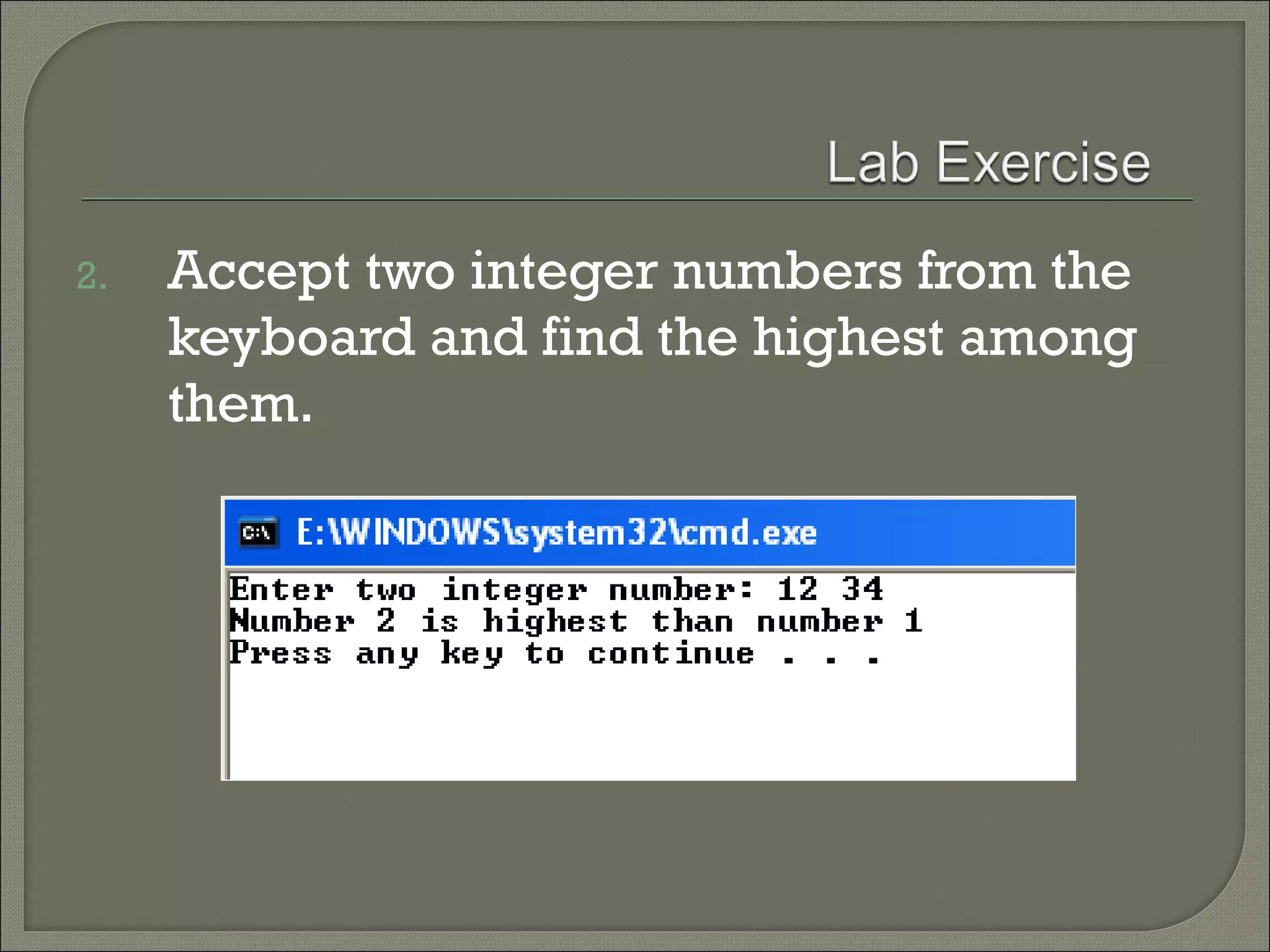
2.   Accept two integer numbers from the
     keyboard and find the highest among
     them.
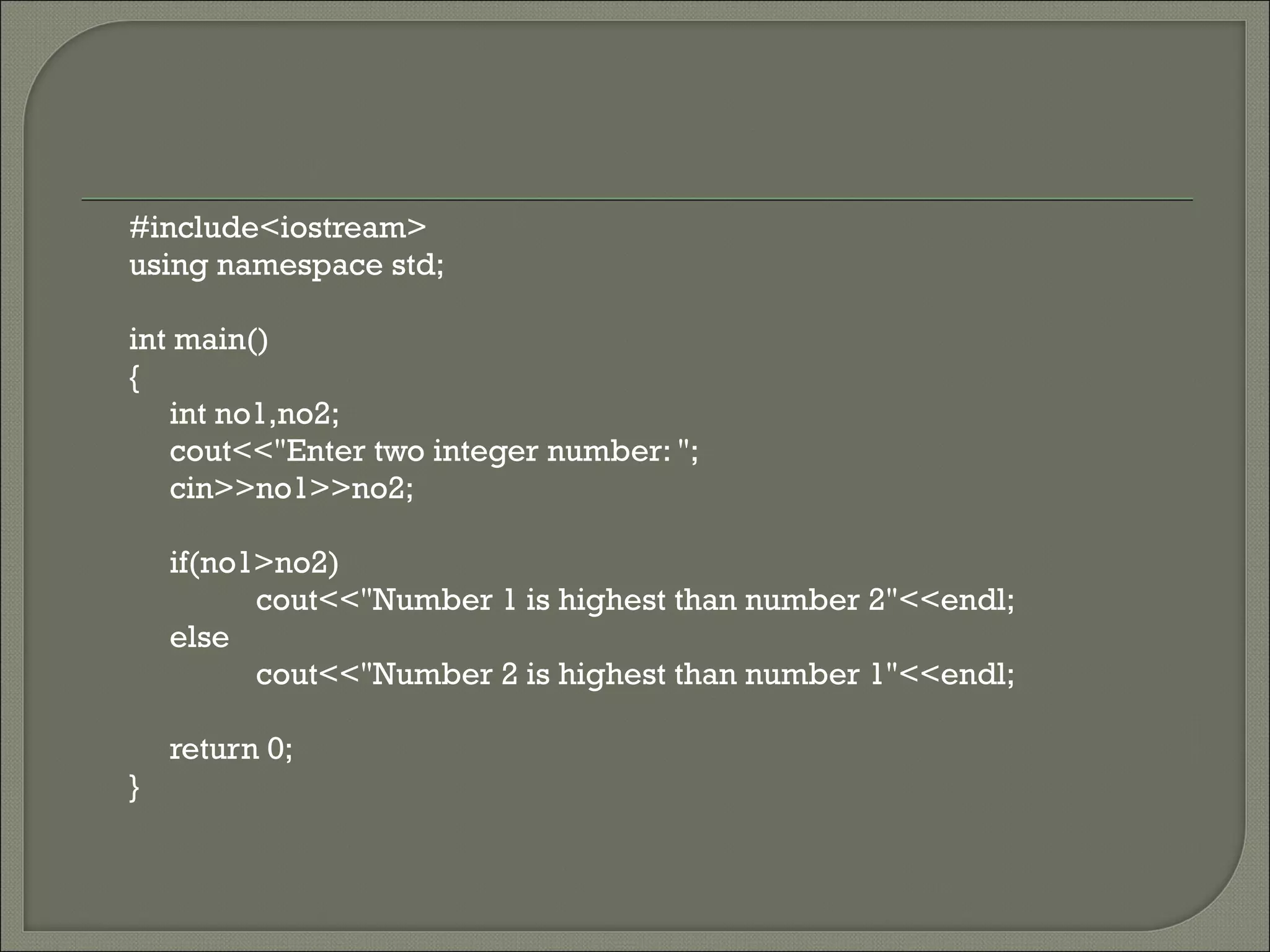
#include<iostream>
using namespace std;

int main()
{
   int no1,no2;
   cout<<"Enter two integer number: ";
   cin>>no1>>no2;

    if(no1>no2)
          cout<<"Number 1 is highest than number 2"<<endl;
    else
          cout<<"Number 2 is highest than number 1"<<endl;

    return 0;
}
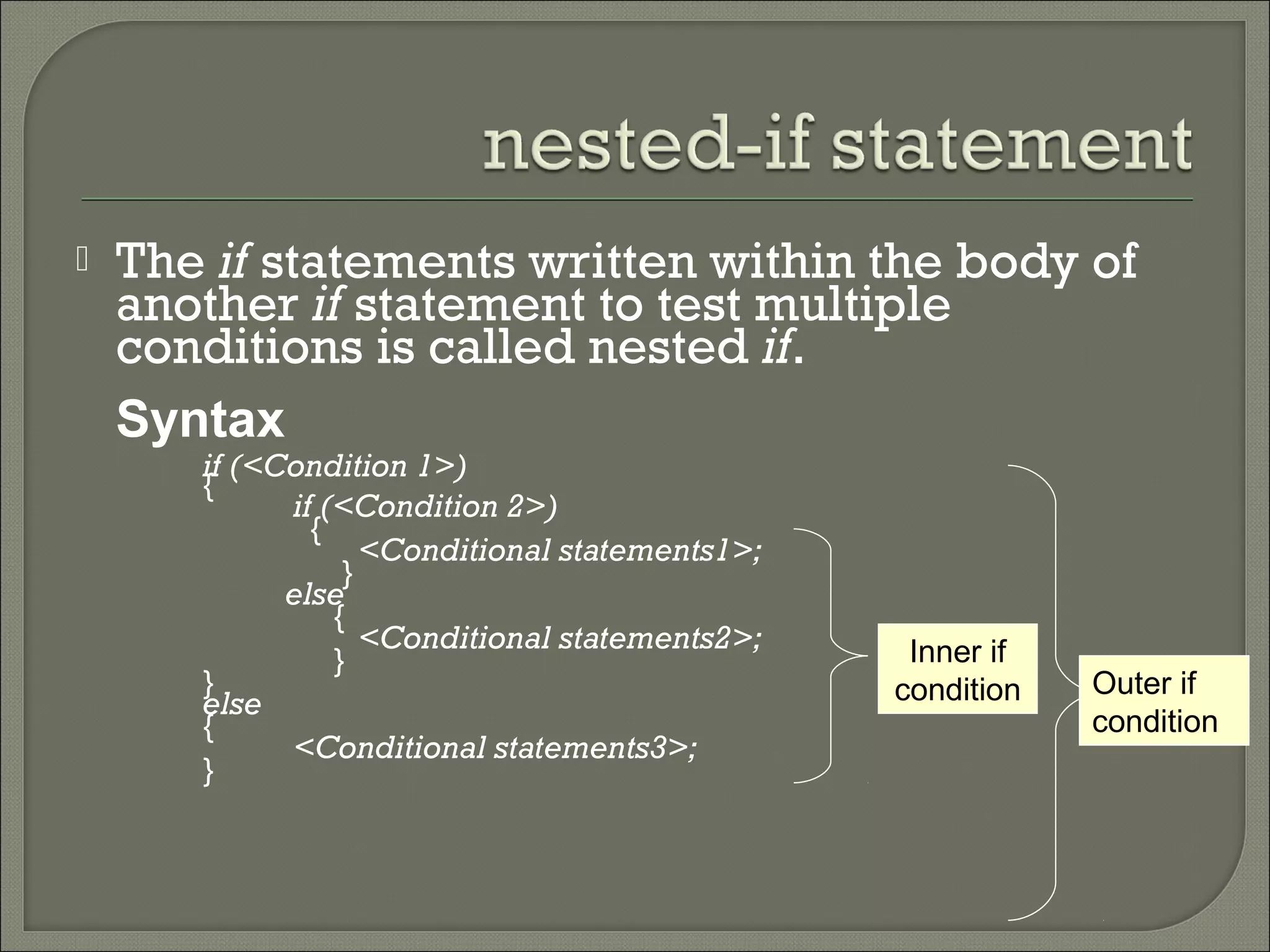
   The if statements written within the body of
    another if statement to test multiple
    conditions is called nested if.
    Syntax
       if (<Condition 1>)
       {
             if (<Condition 2>)
               {
                    <Conditional statements1>;
                  }
             else
                 {
                    <Conditional statements2>;    Inner if
                 }
       }                                         condition   Outer if
       else
       {                                                     condition
             <Conditional statements3>;
       }
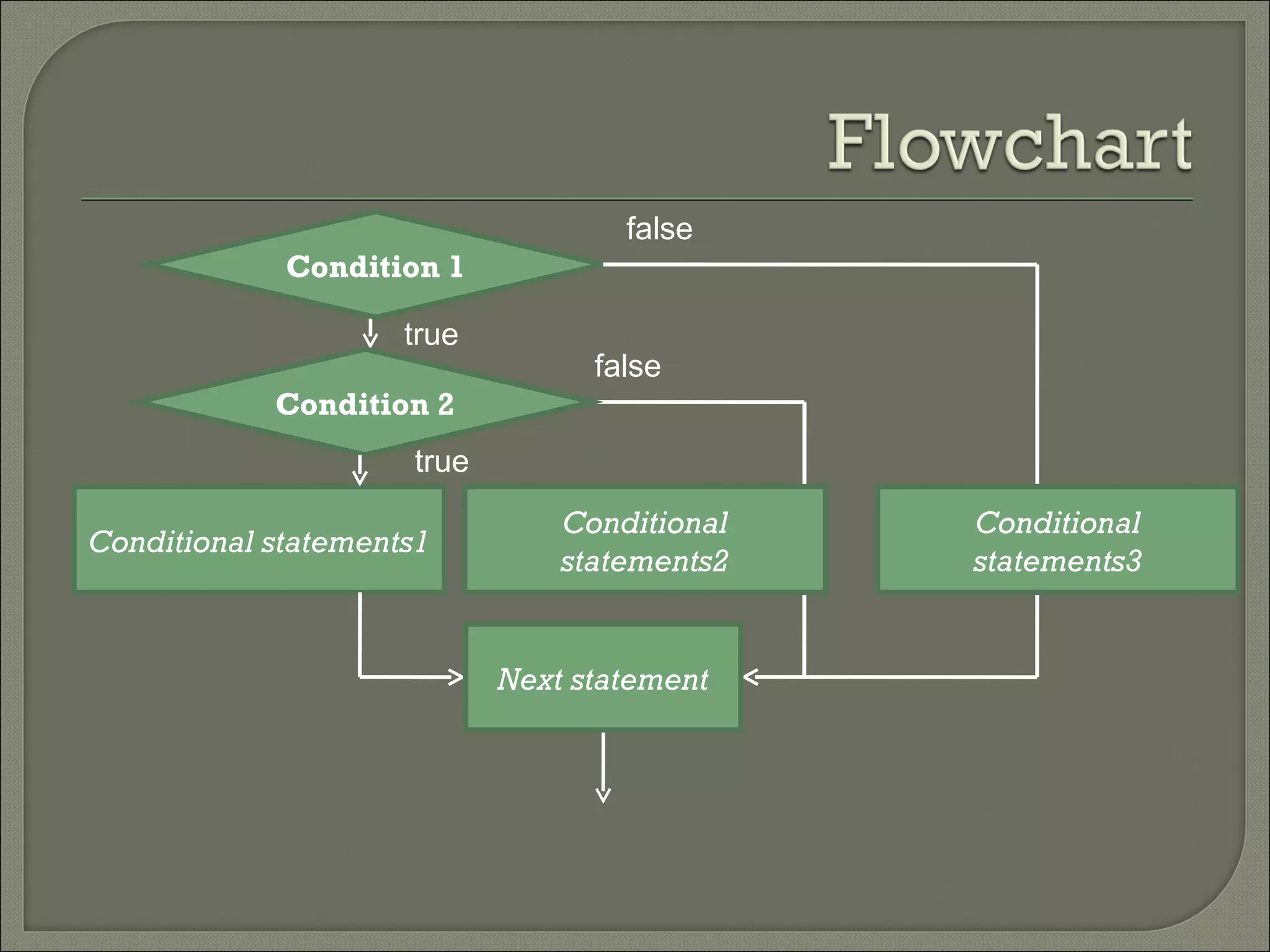
false
             Condition 1

                     true
                                  false
            Condition 2
                     true
                                Conditional   Conditional
Conditional statements1
                                statements2   statements3


                            Next statement
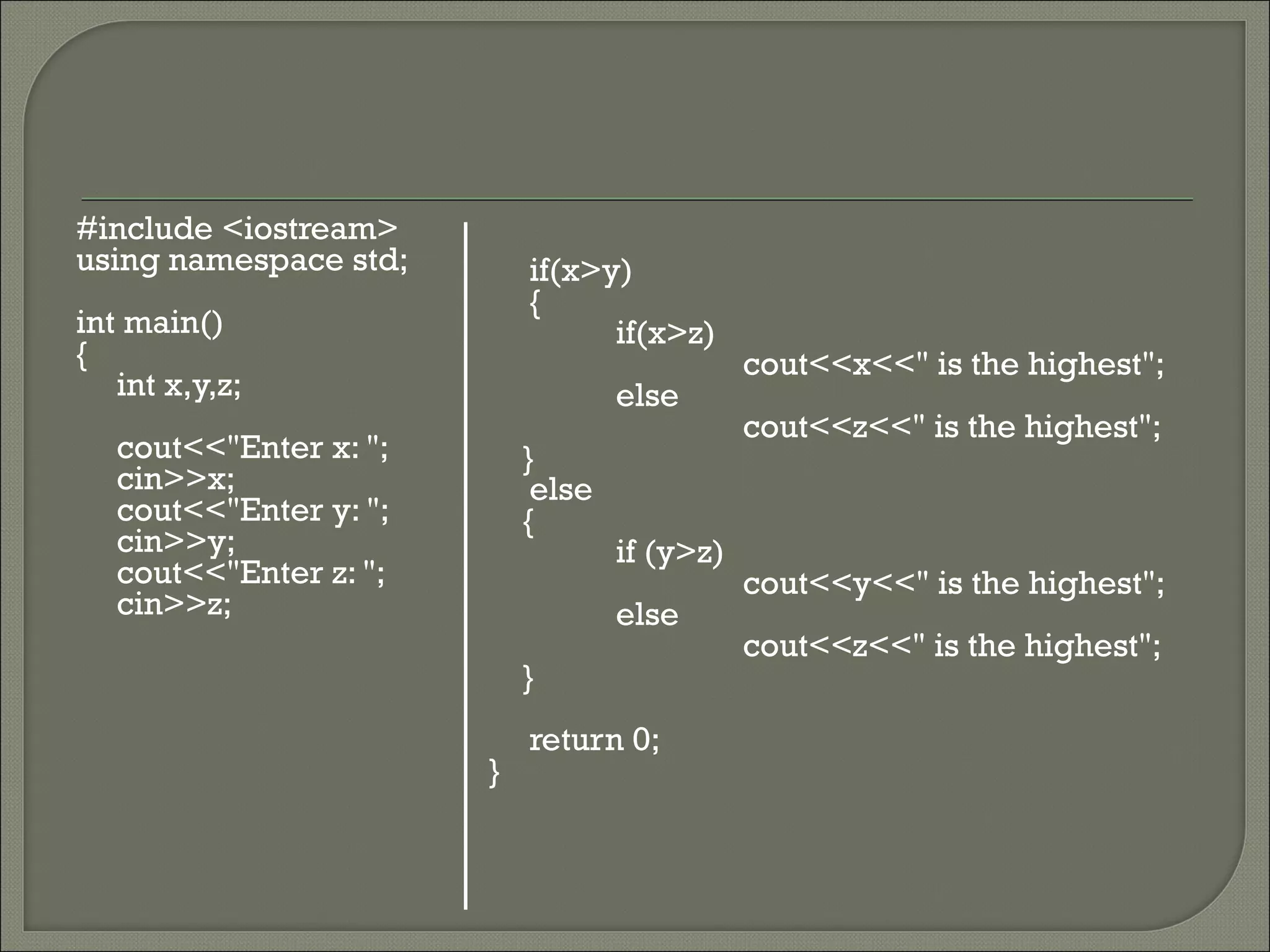
   The program Highest.cpp illustrates the
    use of nested if statements. The program
    accepts three integers from the user and
    finds the highest among the three.
#include <iostream>
using namespace std;        if(x>y)
                            {
int main()                        if(x>z)
{                                              cout<<x<<" is the highest";
   int x,y,z;                       else
                                               cout<<z<<" is the highest";
   cout<<"Enter x: ";       }
   cin>>x;                   else
   cout<<"Enter y: ";       {
   cin>>y;                          if (y>z)
   cout<<"Enter z: ";                          cout<<y<<" is the highest";
   cin>>z;                          else
                                               cout<<z<<" is the highest";
                            }
                            return 0;
                        }
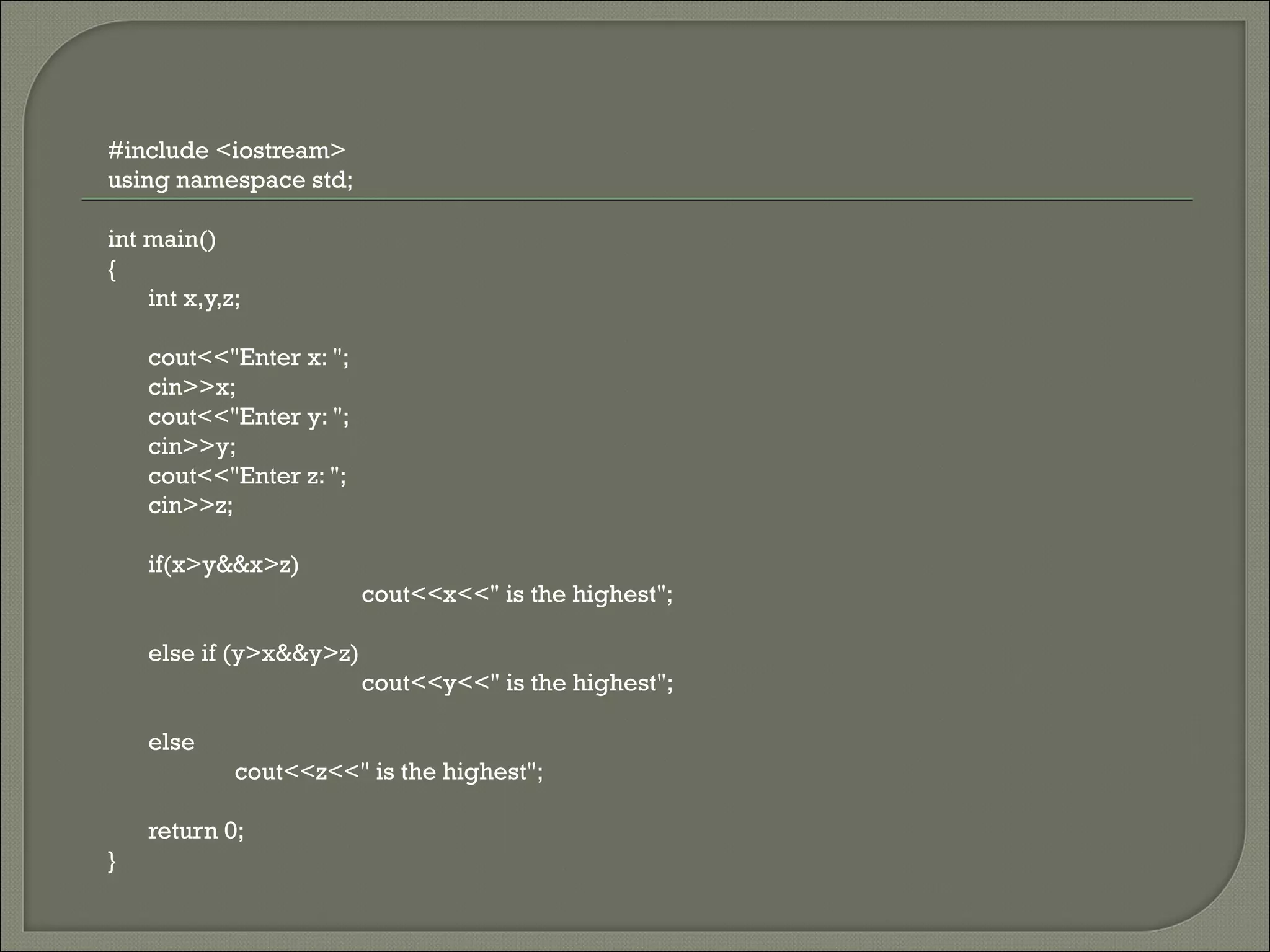
#include <iostream>
using namespace std;

int main()
{
    int x,y,z;

    cout<<"Enter x: ";
    cin>>x;
    cout<<"Enter y: ";
    cin>>y;
    cout<<"Enter z: ";
    cin>>z;

    if(x>y&&x>z)
                         cout<<x<<" is the highest";

    else if (y>x&&y>z)
                         cout<<y<<" is the highest";

    else
             cout<<z<<" is the highest";

    return 0;
}
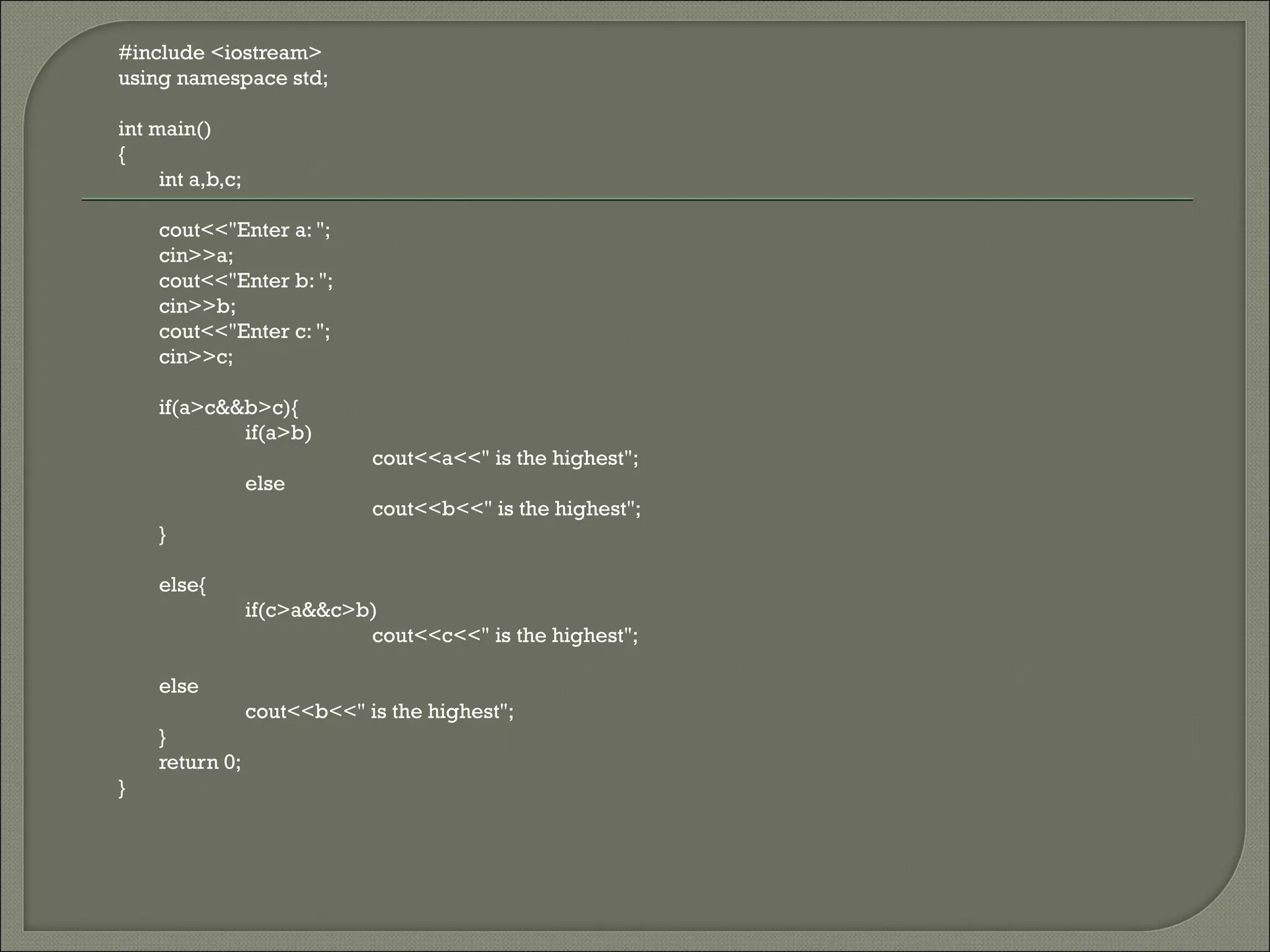
#include <iostream>
using namespace std;

int main()
{
     int a,b,c;

    cout<<"Enter a: ";
    cin>>a;
    cout<<"Enter b: ";
    cin>>b;
    cout<<"Enter c: ";
    cin>>c;

    if(a>c&&b>c){
            if(a>b)
                              cout<<a<<" is the highest";
                  else
                              cout<<b<<" is the highest";
    }

    else{
                  if(c>a&&c>b)
                             cout<<c<<" is the highest";

    else
                  cout<<b<<" is the highest";
    }
    return 0;
}
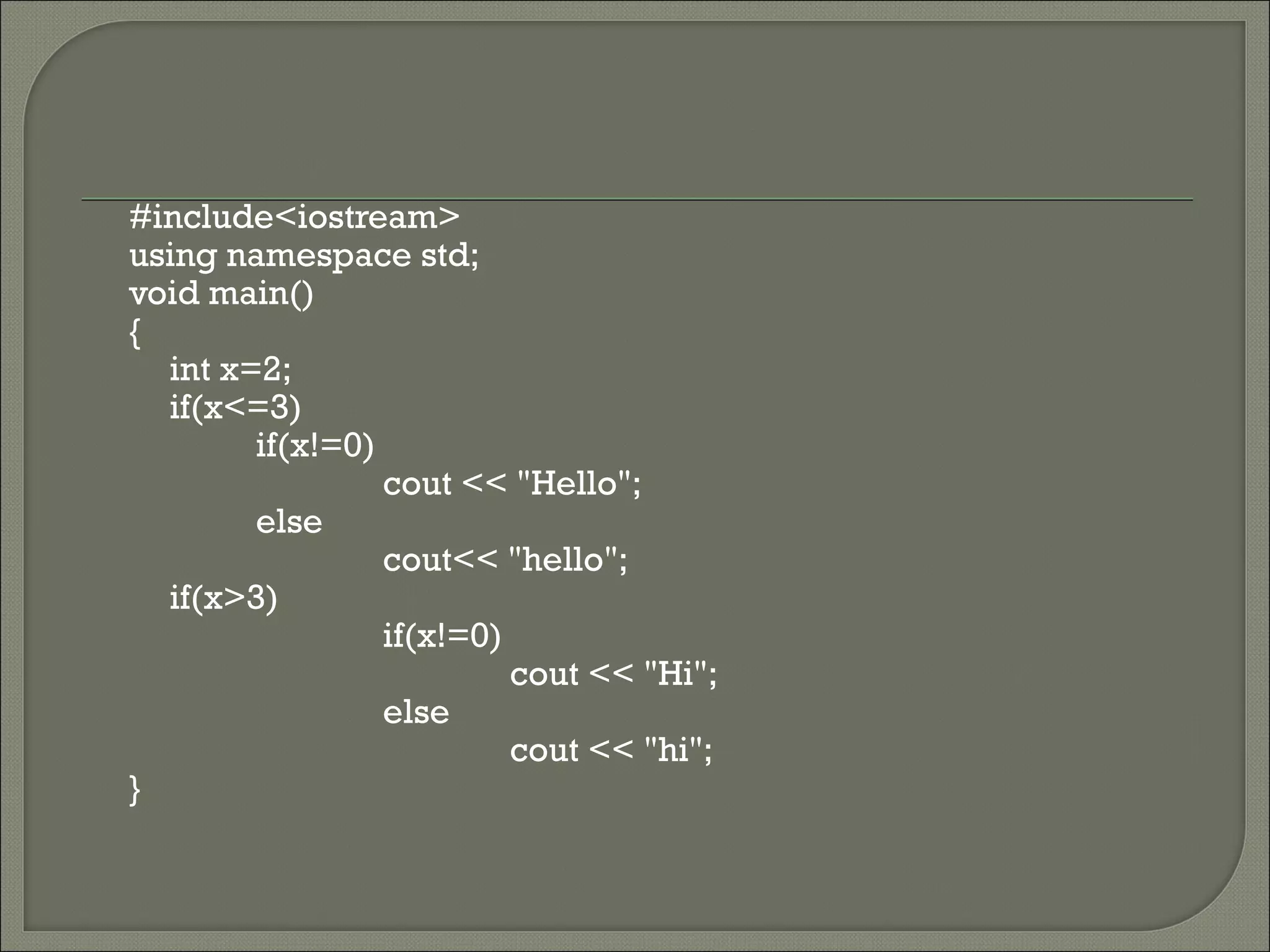
#include<iostream>
using namespace std;
void main()
{
  int x=2;
  if(x<=3)
        if(x!=0)
                 cout << "Hello";
        else
                 cout<< "hello";
  if(x>3)
                 if(x!=0)
                          cout << "Hi";
                 else
                          cout << "hi";
}
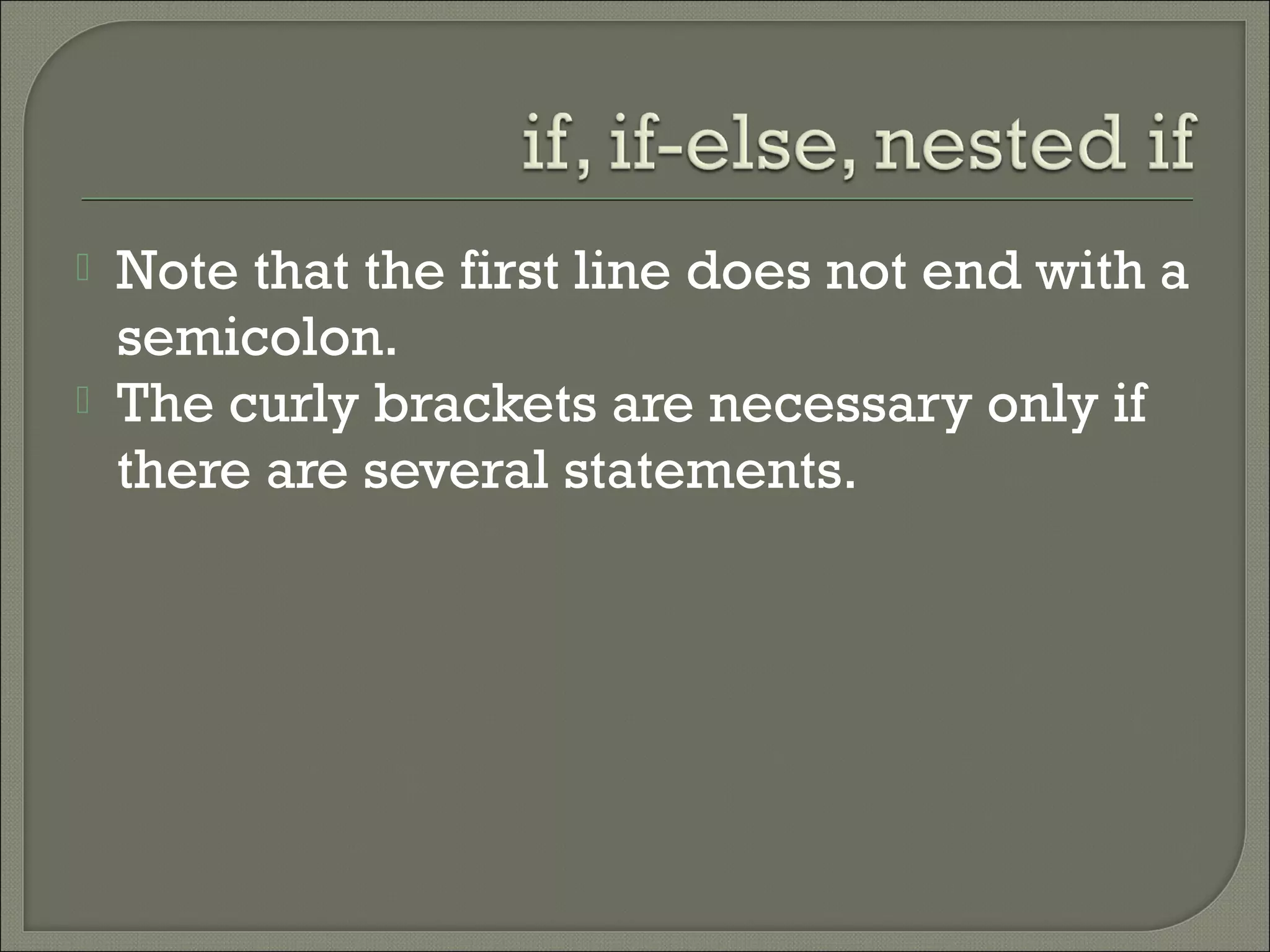
   Note that the first line does not end with a
    semicolon.
   The curly brackets are necessary only if
    there are several statements.
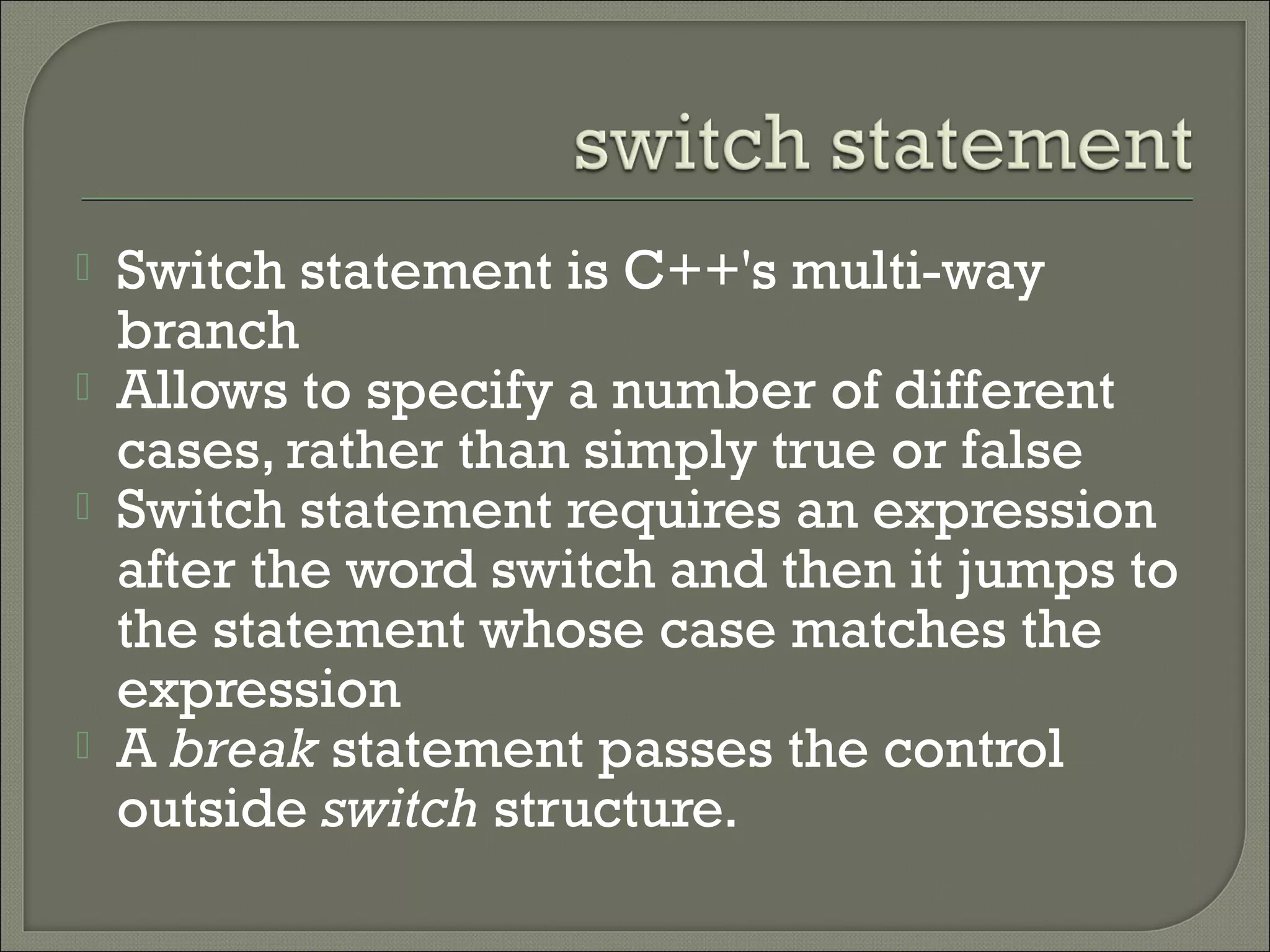
   Switch statement is C++'s multi-way
    branch
   Allows to specify a number of different
    cases, rather than simply true or false
   Switch statement requires an expression
    after the word switch and then it jumps to
    the statement whose case matches the
    expression
   A break statement passes the control
    outside switch structure.
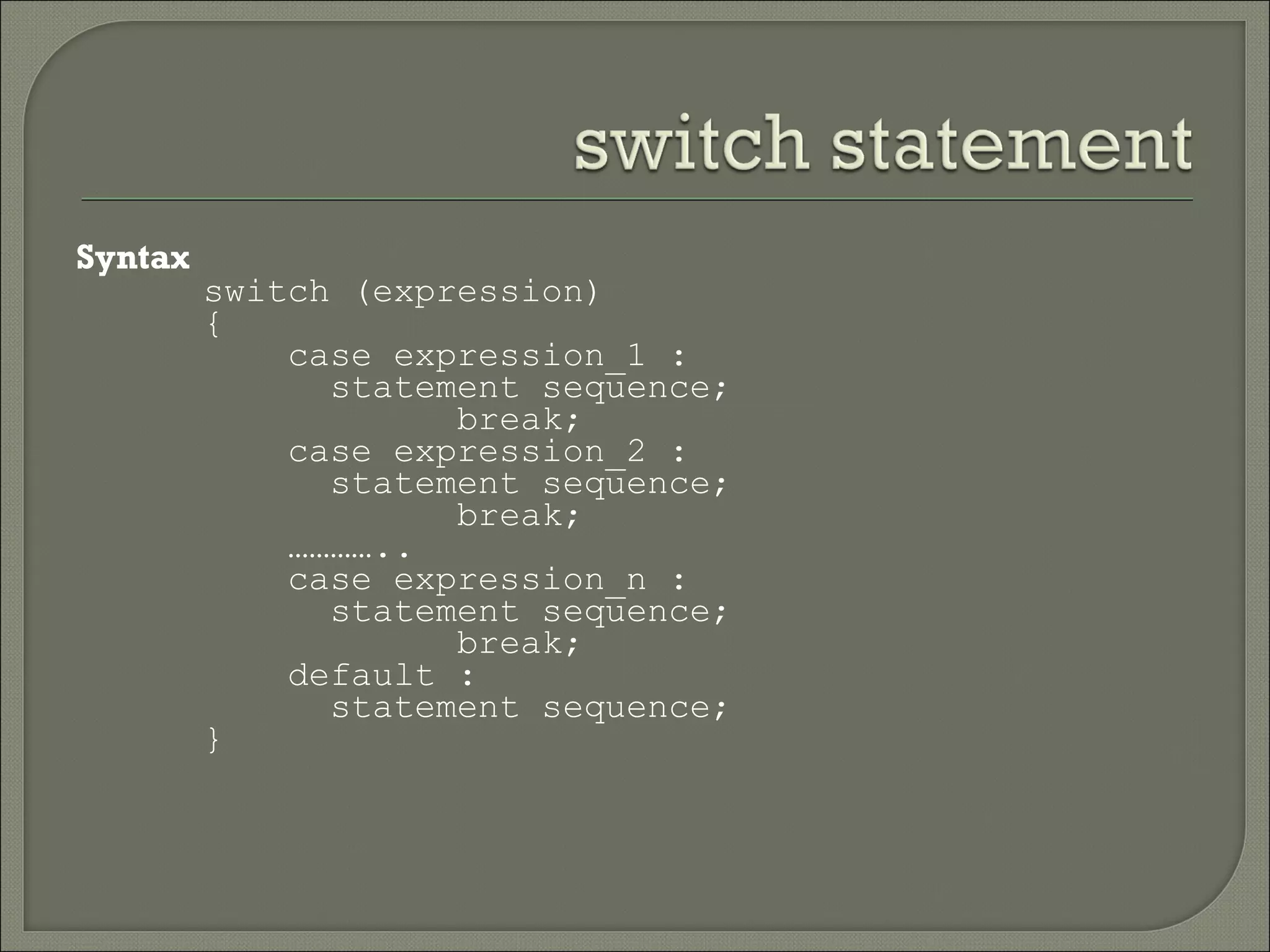
Syntax
         switch (expression)
         {
             case expression_1 :
               statement sequence;
                     break;
             case expression_2 :
               statement sequence;
                     break;
             …………..
             case expression_n :
               statement sequence;
                     break;
             default :
               statement sequence;
         }
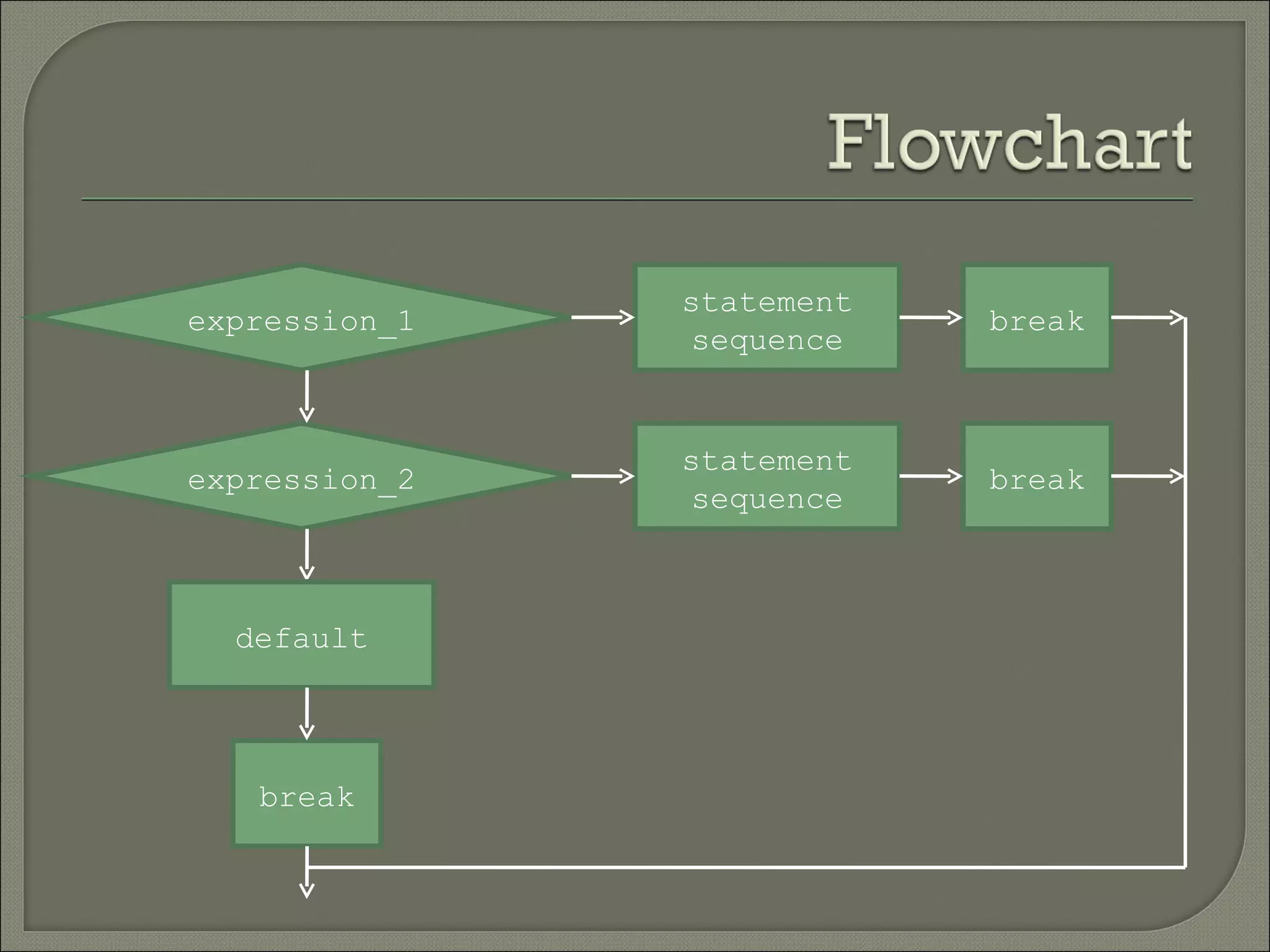
statement
expression_1               break
                sequence


               statement
expression_2               break
                sequence


  default


   break
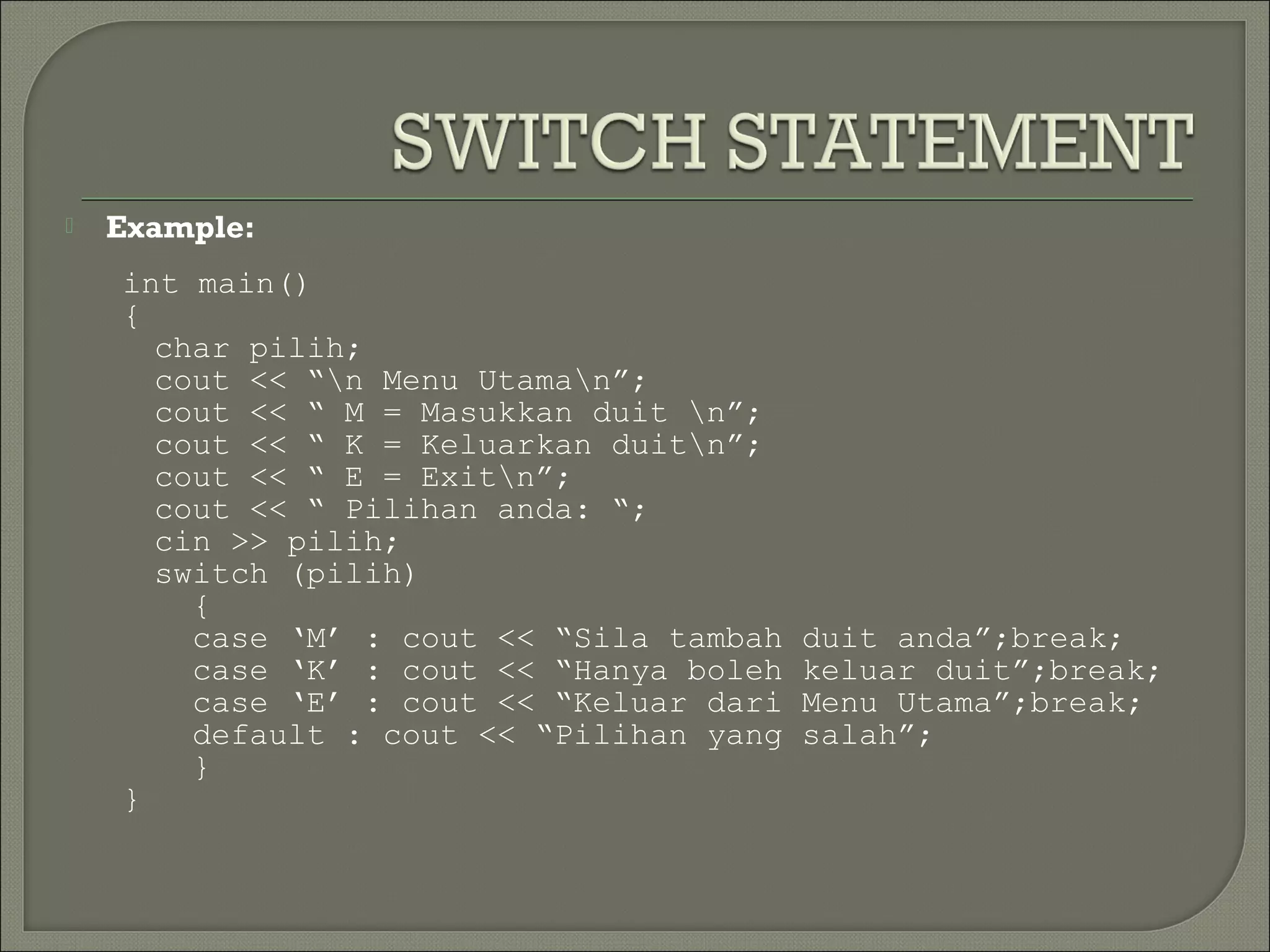
   Example:
    int main()
    {
      char pilih;
      cout << “n Menu Utaman”;
      cout << “ M = Masukkan duit n”;
      cout << “ K = Keluarkan duitn”;
      cout << “ E = Exitn”;
      cout << “ Pilihan anda: “;
      cin >> pilih;
      switch (pilih)
        {
        case ‘M’ : cout << “Sila tambah   duit anda”;break;
        case ‘K’ : cout << “Hanya boleh   keluar duit”;break;
        case ‘E’ : cout << “Keluar dari   Menu Utama”;break;
        default : cout << “Pilihan yang   salah”;
        }
    }
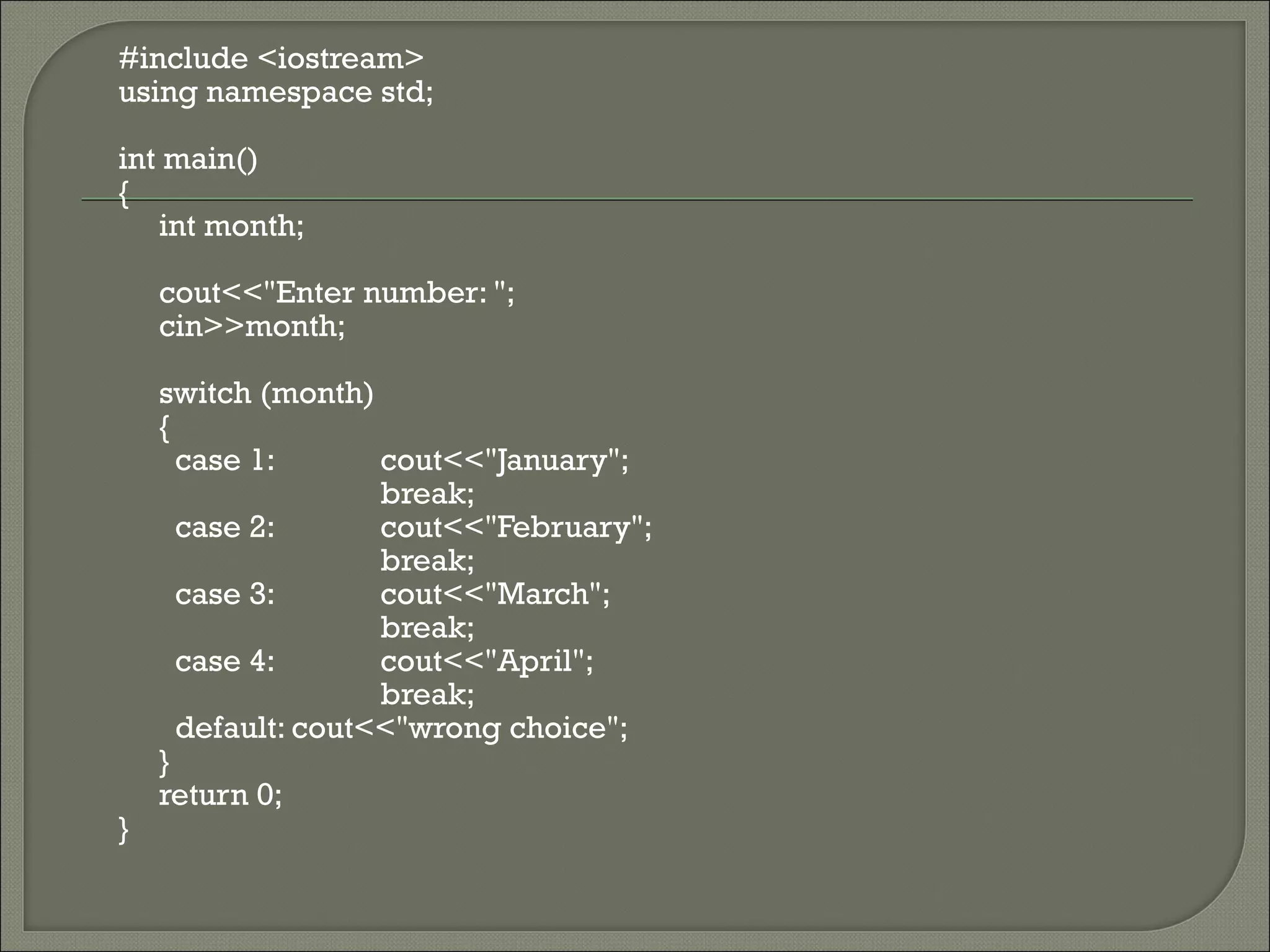
   Program SwitchDemo.cpp illustrates
    switch case execution. In the program,
    the switch takes an integer value as
    input and displays the month based on
    the integer entered.
#include <iostream>
using namespace std;

int main()
{
   int month;

    cout<<"Enter number: ";
    cin>>month;

    switch (month)
    {
      case 1:       cout<<"January";
                    break;
      case 2:       cout<<"February";
                    break;
      case 3:       cout<<"March";
                    break;
      case 4:       cout<<"April";
                    break;
      default: cout<<"wrong choice";
    }
    return 0;
}
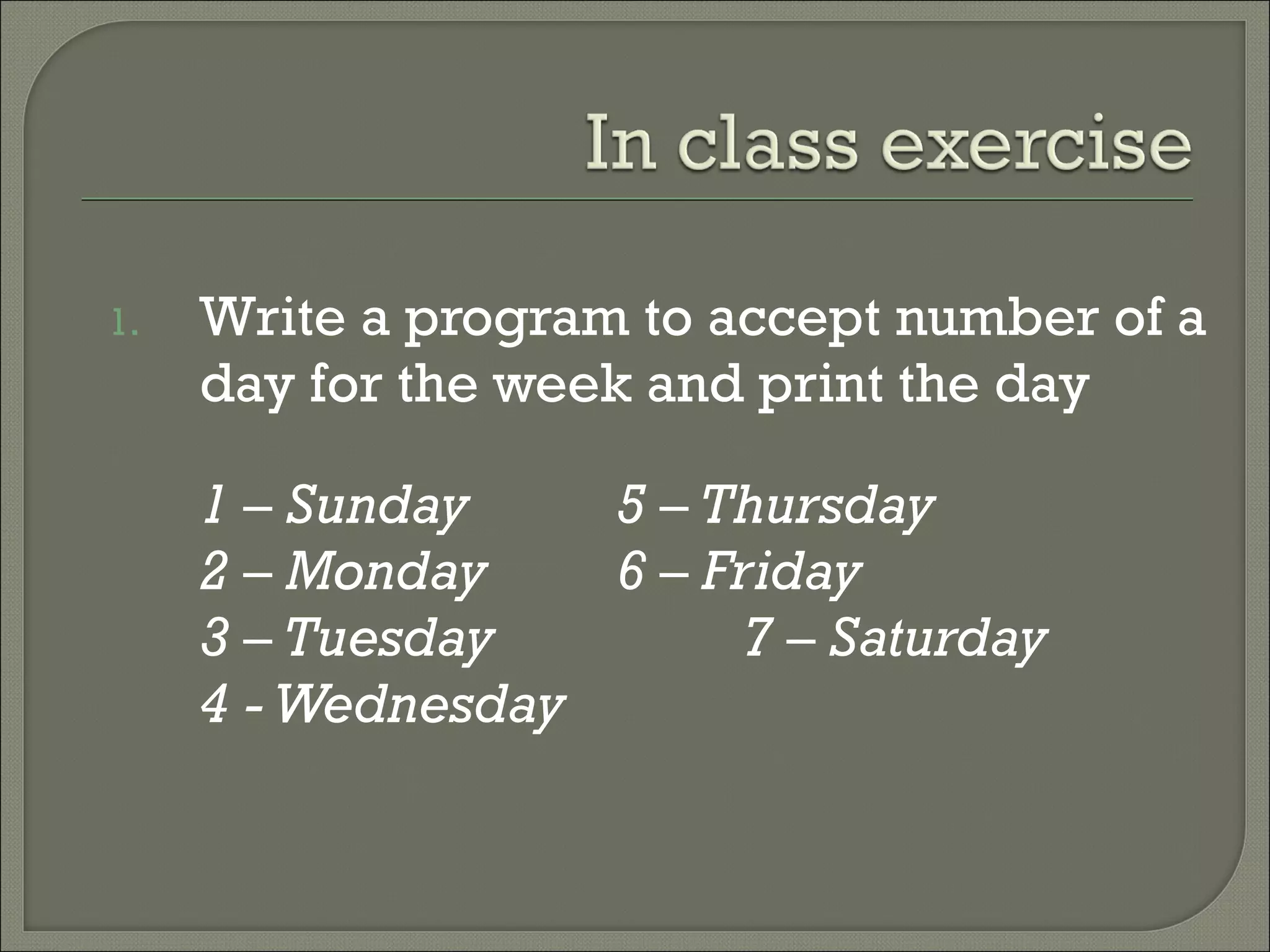
1.   Write a program to accept number of a
     day for the week and print the day

     1 – Sunday    5 – Thursday
     2 – Monday    6 – Friday
     3 – Tuesday         7 – Saturday
     4 - Wednesday
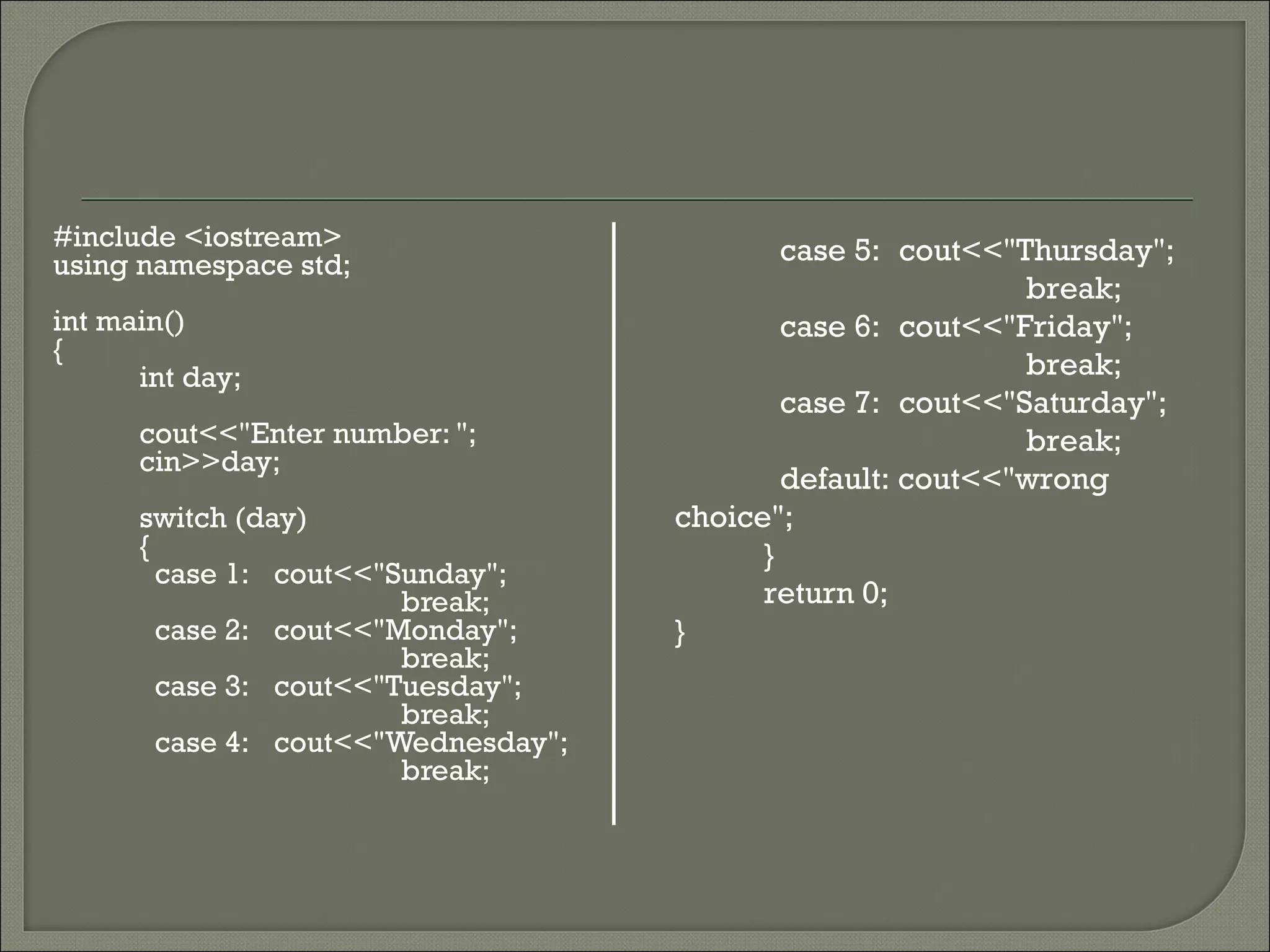
#include <iostream>                          case 5: cout<<"Thursday";
using namespace std;
                                                             break;
int main()                                   case 6: cout<<"Friday";
{
      int day;                                               break;
                                             case 7: cout<<"Saturday";
      cout<<"Enter number: ";                                break;
      cin>>day;
                                             default: cout<<"wrong
      switch (day)                   choice";
      {                                    }
        case 1: cout<<"Sunday";
                        break;             return 0;
        case 2: cout<<"Monday";      }
                        break;
        case 3: cout<<"Tuesday";
                        break;
        case 4: cout<<"Wednesday";
                        break;
   Write a program that able to check either
    a character is a vowel or not by using
    switch statements and if else statement
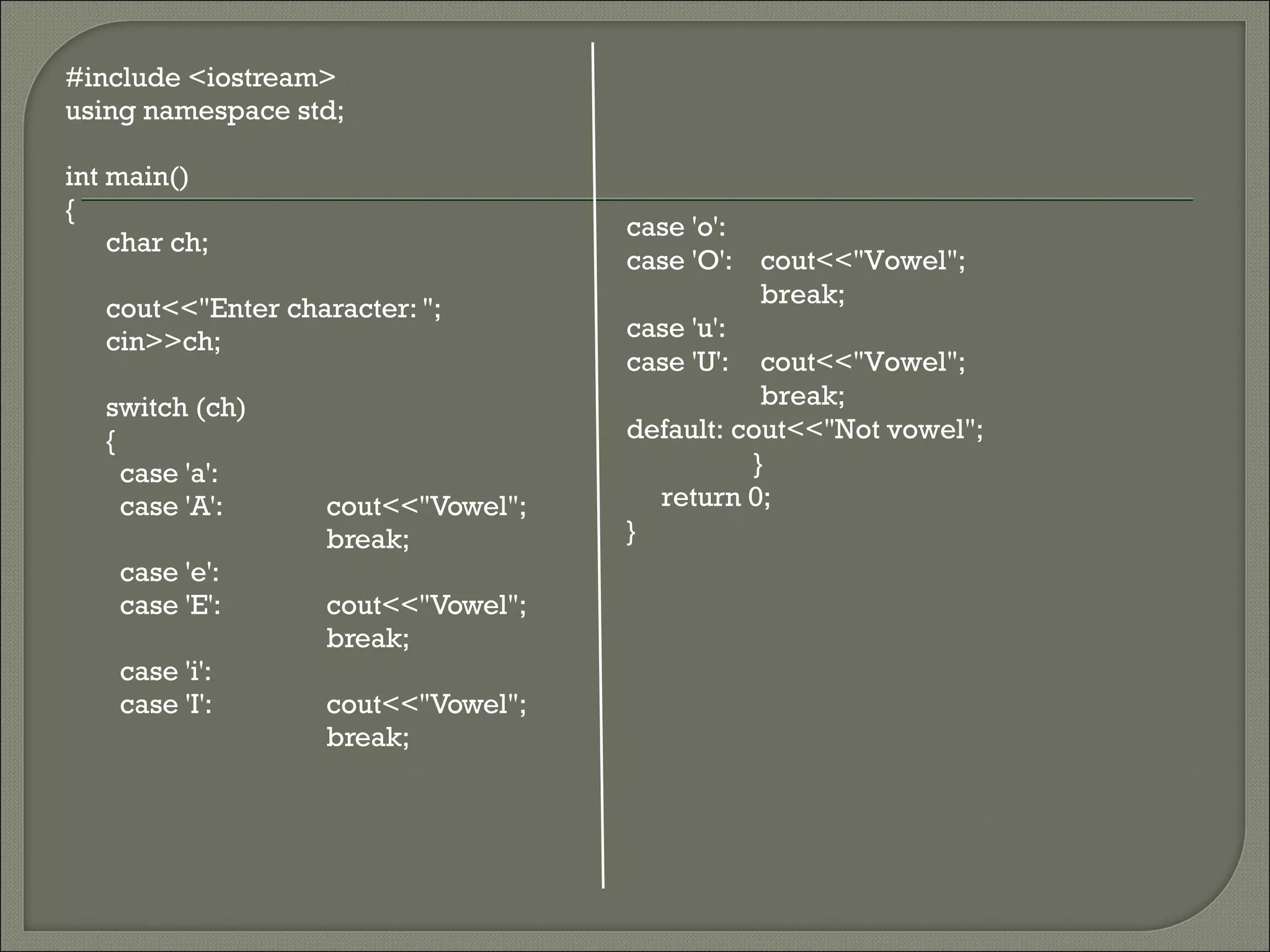
#include <iostream>
using namespace std;

int main()
{
                                     case 'o':
    char ch;
                                     case 'O': cout<<"Vowel";
                                                break;
   cout<<"Enter character: ";
   cin>>ch;                          case 'u':
                                     case 'U': cout<<"Vowel";
   switch (ch)                                  break;
   {                                 default: cout<<"Not vowel";
     case 'a':                                 }
     case 'A':      cout<<"Vowel";     return 0;
                    break;           }
    case 'e':
    case 'E':       cout<<"Vowel";
                    break;
    case 'i':
    case 'I':       cout<<"Vowel";
                    break;
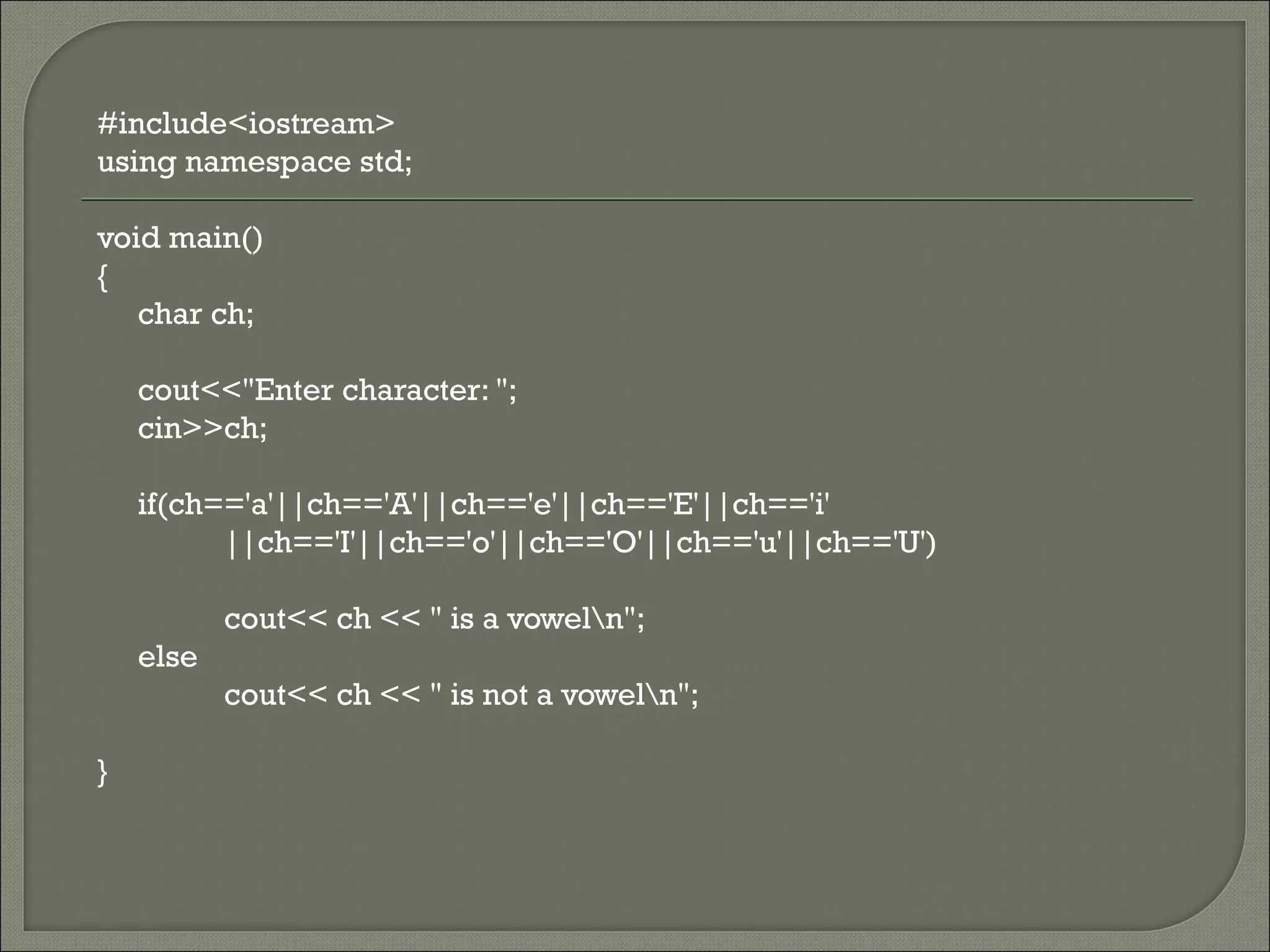
#include<iostream>
using namespace std;

void main()
{
   char ch;

    cout<<"Enter character: ";
    cin>>ch;

    if(ch=='a'||ch=='A'||ch=='e'||ch=='E'||ch=='i'
          ||ch=='I'||ch=='o'||ch=='O'||ch=='u'||ch=='U')

           cout<< ch << " is a voweln";
    else
           cout<< ch << " is not a voweln";

}
In this presentation, you learnt the following:
   Program controls are used to change the
    sequential flow of a program.
   The two types of program controls are
    selection control structures and looping
    control structures
   In C++, the selection control structures
    include if and switch statements.

FP 201 Unit 3

  • 1.
    Unit 3 Understand selectioncontrol structures
  • 2.
    At the end of this presentation, students will be able to: • Understand selection control structures • Describe the structure and working of simple if statements • Describe the structure and working of nested if statements • Describe the structure and working of switch statements
  • 3.
    Statements executed one by one.  Simplest  Example : int x = 5; [S1] int power = x*x; [S2] cout << “n” << power; [S3] Entry S1 S2 S3 Exit
  • 4.
    C++ supports two types of program control: • selection control structures • looping control structures
  • 5.
    Purpose: • to evaluate expressions/condition • to direct the execution of the program (depending on the result of the evaluation).  The most commonly used selection statements are: • if statement • if-else statement • nested-if statement • switch statement
  • 6.
    Used to execute a set of statements when the given condition is satisfied. Syntax if (<condition>) { <Conditional statements>; }  Conditional statements within the block are executed when the condition in the if statement is satisfied.
  • 7.
    false condition Conditional statement true Next statement
  • 8.
    Example: if (age > 21) cout << “n Anda layak mengundi”;
  • 9.
    false age > 21 Anda layak mengundi true Next statement
  • 10.
    Program InputValue.cpp illustrates the execution of a simple if statement. The program checks whether the given number is greater than 100.
  • 11.
    start Declare: number variable Read number false number<100 true Print result “Number is less than 100” end
  • 12.
    #include <iostream> using namespacestd; int main() { int num; cout << "Enter integer number: "; cin >> num; if(num<100) cout<<"Number is less than 100"<<endl; return 0; }
  • 14.
    Executes the set of statements in if block, when the given condition is satisfied.  Executes the statements in the else block, when the condition is not satisfied. Syntax if (<condition>) { <Conditional statements1>; } else { <Conditional statements2>; }
  • 15.
    true false condition Conditional statement in else Conditional statement in if body body Next statement
  • 16.
    Example: if (E4162 == ‘L’) cout << “n Anda lulus”; else cout << “n Anda gagal”;
  • 17.
    true false E4162 == ‘L’ Anda lulus Anda gagal Next statement
  • 18.
    Program Checks.cpp illustrates the use of the if-else statement. This program accepts a number, checks whether it is less than 0 and displays an appropriate message.
  • 19.
    start Declare: number variable Read number true false number<0 Print Print “Negative” “Positive” end
  • 20.
    #include <iostream> using namespacestd; int main() { int num; cout << "Enter integer number: "; cin >> num; if(num<0) cout<<"Negative"<<endl; else cout<<"Positive"<<endl; return 0; }
  • 21.
    1. Accept a number from the keyboard and check whether it is dividable by 5 (if else). Hint: Use the modulus operator, %, to check the divisibility.
  • 22.
    #include <iostream> using namespacestd; int main() { int no; cout<<"Enter integer number: "; cin>>no; if(no%5==0) cout<<"dividable by 5"<<endl; else cout<<"undividable by 5"<<endl; return 0; }
  • 23.
    2. Accept two integer numbers from the keyboard and find the highest among them.
  • 24.
    #include<iostream> using namespace std; intmain() { int no1,no2; cout<<"Enter two integer number: "; cin>>no1>>no2; if(no1>no2) cout<<"Number 1 is highest than number 2"<<endl; else cout<<"Number 2 is highest than number 1"<<endl; return 0; }
  • 25.
    The if statements written within the body of another if statement to test multiple conditions is called nested if. Syntax if (<Condition 1>) { if (<Condition 2>) { <Conditional statements1>; } else { <Conditional statements2>; Inner if } } condition Outer if else { condition <Conditional statements3>; }
  • 26.
    false Condition 1 true false Condition 2 true Conditional Conditional Conditional statements1 statements2 statements3 Next statement
  • 27.
    The program Highest.cpp illustrates the use of nested if statements. The program accepts three integers from the user and finds the highest among the three.
  • 28.
    #include <iostream> using namespacestd; if(x>y) { int main() if(x>z) { cout<<x<<" is the highest"; int x,y,z; else cout<<z<<" is the highest"; cout<<"Enter x: "; } cin>>x; else cout<<"Enter y: "; { cin>>y; if (y>z) cout<<"Enter z: "; cout<<y<<" is the highest"; cin>>z; else cout<<z<<" is the highest"; } return 0; }
  • 29.
    #include <iostream> using namespacestd; int main() { int x,y,z; cout<<"Enter x: "; cin>>x; cout<<"Enter y: "; cin>>y; cout<<"Enter z: "; cin>>z; if(x>y&&x>z) cout<<x<<" is the highest"; else if (y>x&&y>z) cout<<y<<" is the highest"; else cout<<z<<" is the highest"; return 0; }
  • 30.
    #include <iostream> using namespacestd; int main() { int a,b,c; cout<<"Enter a: "; cin>>a; cout<<"Enter b: "; cin>>b; cout<<"Enter c: "; cin>>c; if(a>c&&b>c){ if(a>b) cout<<a<<" is the highest"; else cout<<b<<" is the highest"; } else{ if(c>a&&c>b) cout<<c<<" is the highest"; else cout<<b<<" is the highest"; } return 0; }
  • 31.
    #include<iostream> using namespace std; voidmain() { int x=2; if(x<=3) if(x!=0) cout << "Hello"; else cout<< "hello"; if(x>3) if(x!=0) cout << "Hi"; else cout << "hi"; }
  • 32.
    Note that the first line does not end with a semicolon.  The curly brackets are necessary only if there are several statements.
  • 33.
    Switch statement is C++'s multi-way branch  Allows to specify a number of different cases, rather than simply true or false  Switch statement requires an expression after the word switch and then it jumps to the statement whose case matches the expression  A break statement passes the control outside switch structure.
  • 34.
    Syntax switch (expression) { case expression_1 : statement sequence; break; case expression_2 : statement sequence; break; ………….. case expression_n : statement sequence; break; default : statement sequence; }
  • 35.
    statement expression_1 break sequence statement expression_2 break sequence default break
  • 36.
    Example: int main() { char pilih; cout << “n Menu Utaman”; cout << “ M = Masukkan duit n”; cout << “ K = Keluarkan duitn”; cout << “ E = Exitn”; cout << “ Pilihan anda: “; cin >> pilih; switch (pilih) { case ‘M’ : cout << “Sila tambah duit anda”;break; case ‘K’ : cout << “Hanya boleh keluar duit”;break; case ‘E’ : cout << “Keluar dari Menu Utama”;break; default : cout << “Pilihan yang salah”; } }
  • 37.
    Program SwitchDemo.cpp illustrates switch case execution. In the program, the switch takes an integer value as input and displays the month based on the integer entered.
  • 38.
    #include <iostream> using namespacestd; int main() { int month; cout<<"Enter number: "; cin>>month; switch (month) { case 1: cout<<"January"; break; case 2: cout<<"February"; break; case 3: cout<<"March"; break; case 4: cout<<"April"; break; default: cout<<"wrong choice"; } return 0; }
  • 39.
    1. Write a program to accept number of a day for the week and print the day 1 – Sunday 5 – Thursday 2 – Monday 6 – Friday 3 – Tuesday 7 – Saturday 4 - Wednesday
  • 40.
    #include <iostream> case 5: cout<<"Thursday"; using namespace std; break; int main() case 6: cout<<"Friday"; { int day; break; case 7: cout<<"Saturday"; cout<<"Enter number: "; break; cin>>day; default: cout<<"wrong switch (day) choice"; { } case 1: cout<<"Sunday"; break; return 0; case 2: cout<<"Monday"; } break; case 3: cout<<"Tuesday"; break; case 4: cout<<"Wednesday"; break;
  • 41.
    Write a program that able to check either a character is a vowel or not by using switch statements and if else statement
  • 42.
    #include <iostream> using namespacestd; int main() { case 'o': char ch; case 'O': cout<<"Vowel"; break; cout<<"Enter character: "; cin>>ch; case 'u': case 'U': cout<<"Vowel"; switch (ch) break; { default: cout<<"Not vowel"; case 'a': } case 'A': cout<<"Vowel"; return 0; break; } case 'e': case 'E': cout<<"Vowel"; break; case 'i': case 'I': cout<<"Vowel"; break;
  • 43.
    #include<iostream> using namespace std; voidmain() { char ch; cout<<"Enter character: "; cin>>ch; if(ch=='a'||ch=='A'||ch=='e'||ch=='E'||ch=='i' ||ch=='I'||ch=='o'||ch=='O'||ch=='u'||ch=='U') cout<< ch << " is a voweln"; else cout<< ch << " is not a voweln"; }
  • 44.
    In this presentation,you learnt the following:  Program controls are used to change the sequential flow of a program.  The two types of program controls are selection control structures and looping control structures  In C++, the selection control structures include if and switch statements.