Tushar B. Kute, Department of Information Technology, Sandip Institute of Technology and Research Centre, Nashik An Imperative Study of ‘C’
Outline Basic programming concepts. Decision making statements. Arrays and Strings. Functions. Structures. Pointers.
Why ‘C’ only?
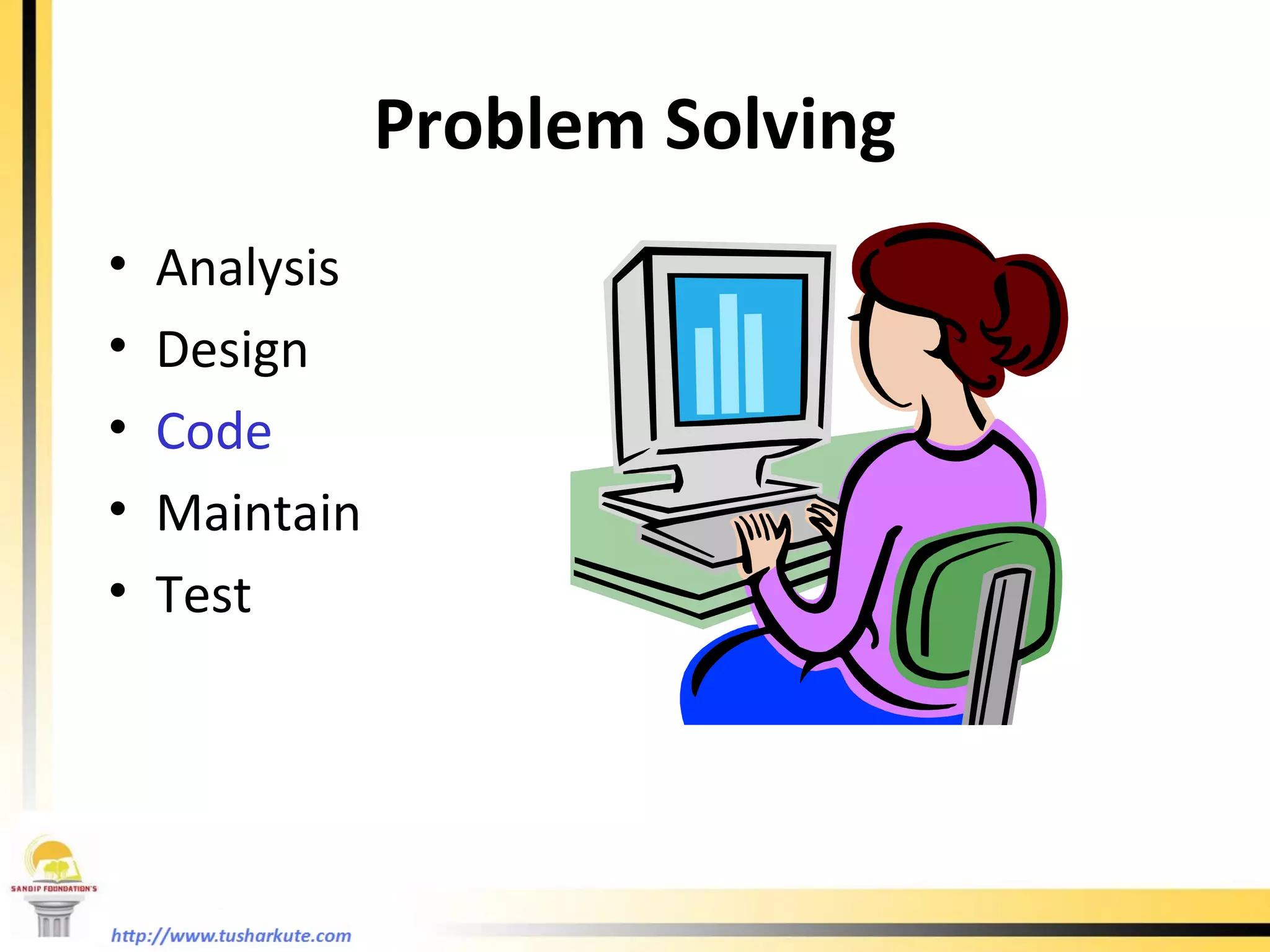
Problem Solving Analysis Design Code Maintain Test
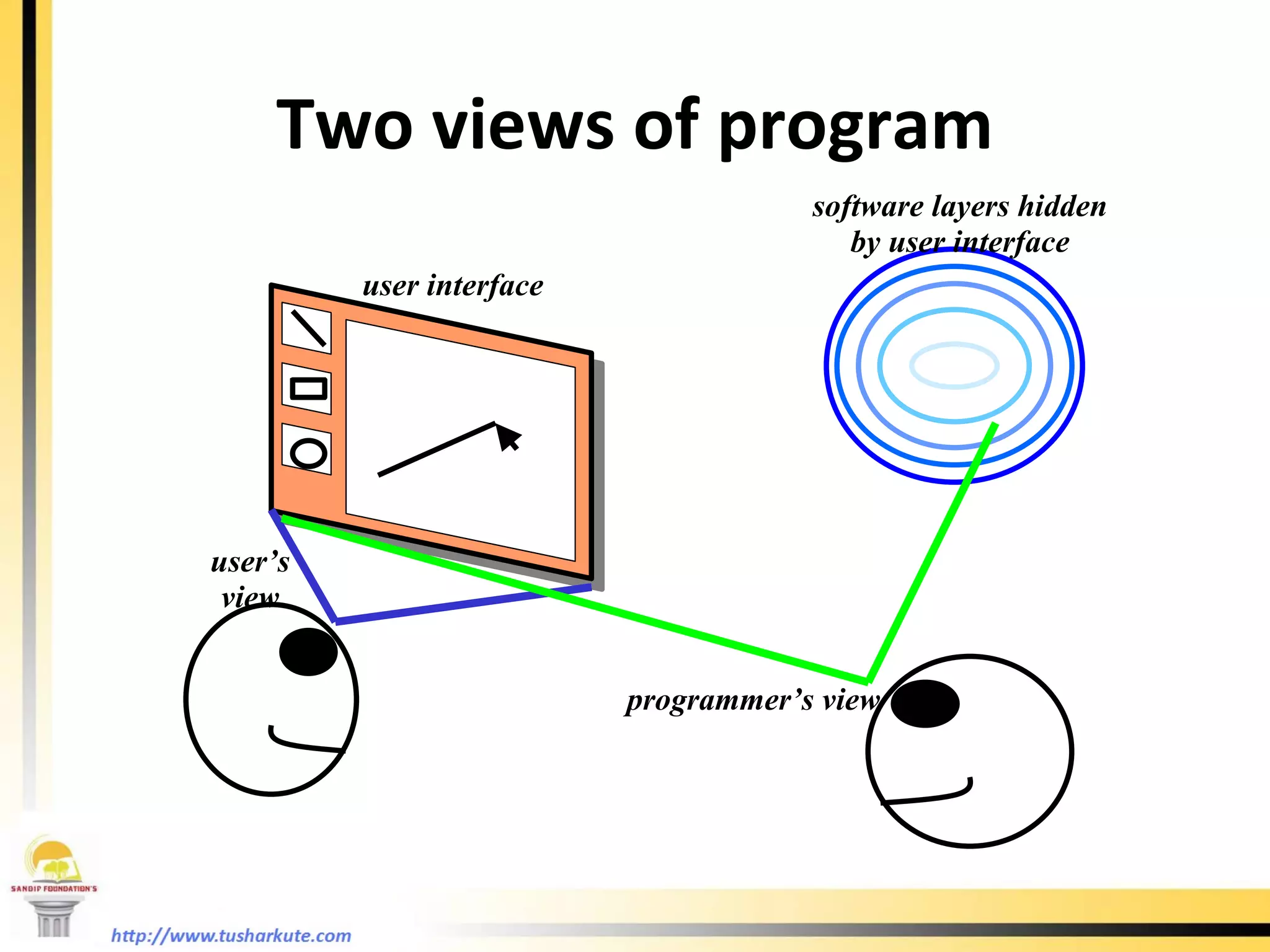
Two views of program user interface software layers hidden by user interface user’s view programmer’s view
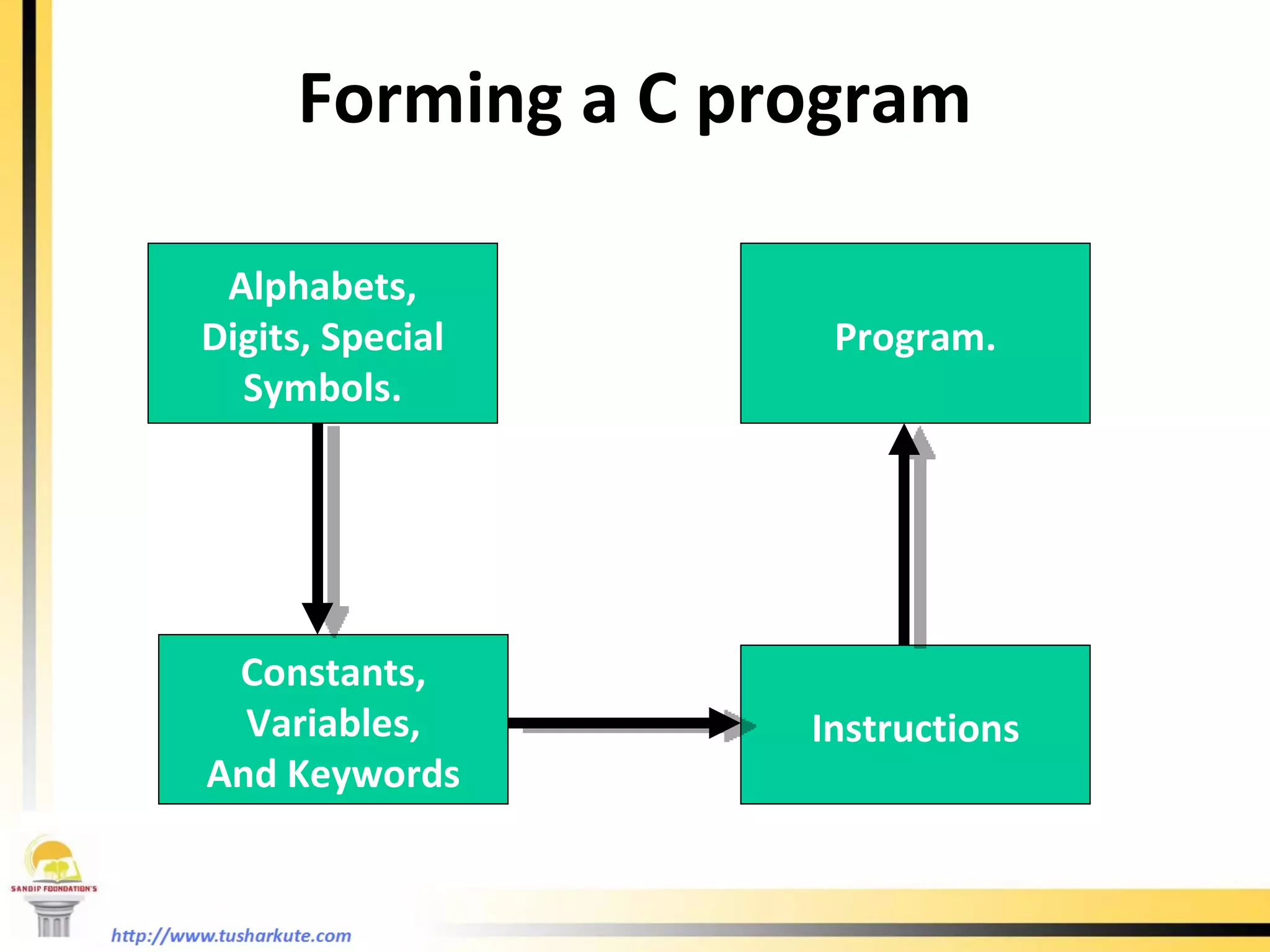
Alphabets, Digits, Special Symbols. Constants, Variables, And Keywords Instructions Program. Forming a C program
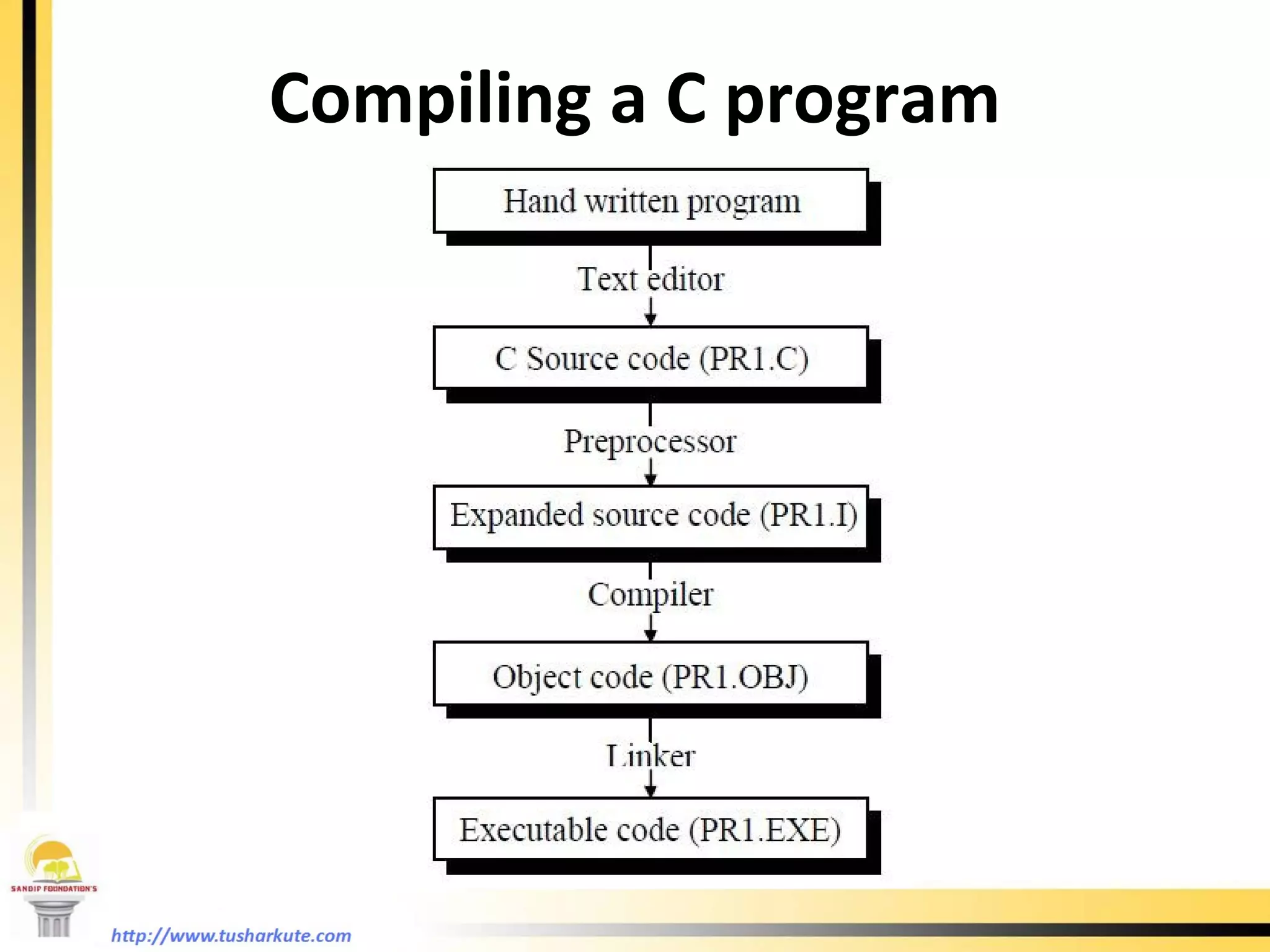
Compiling a C program
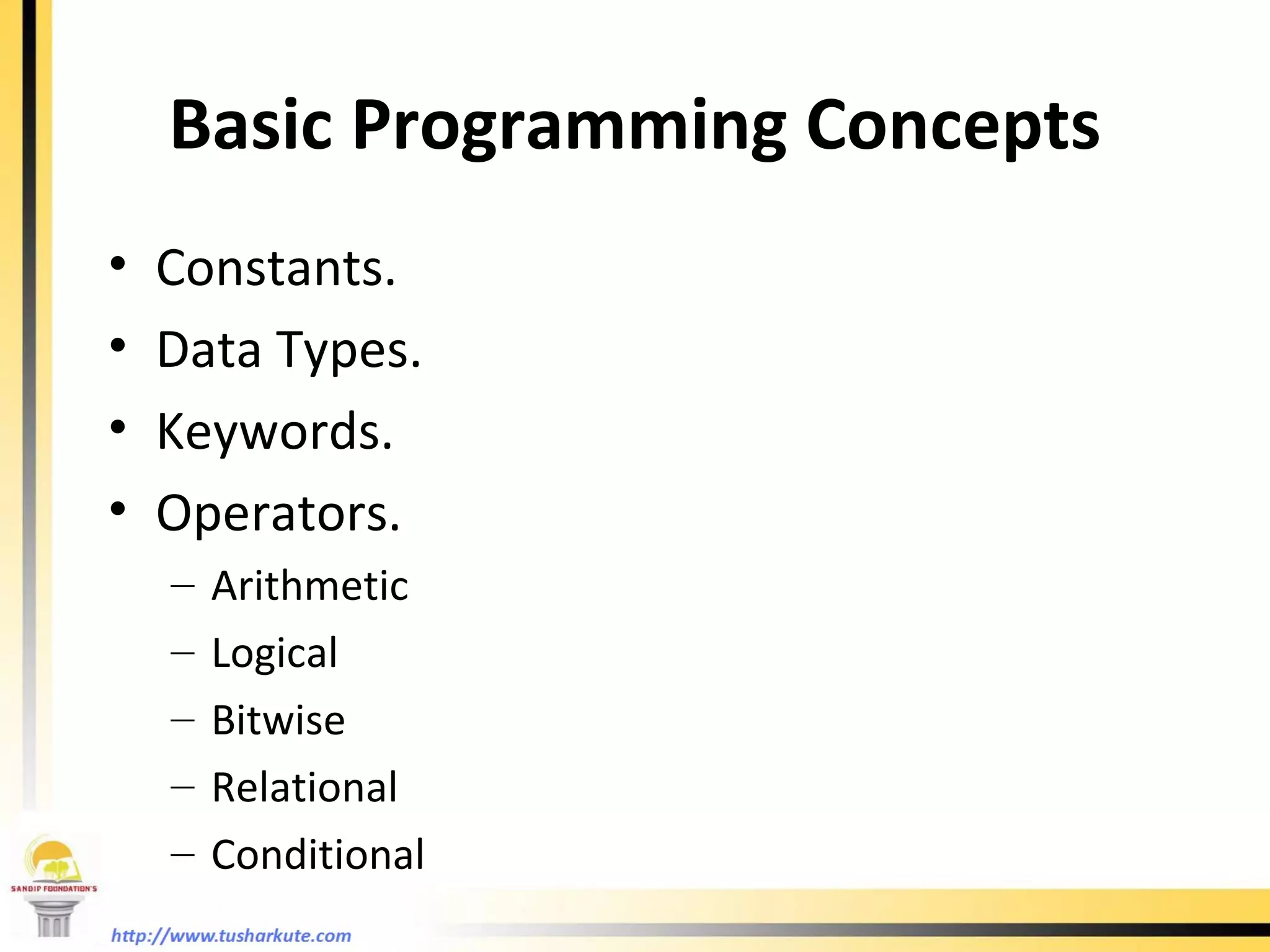
Basic Programming Concepts Constants. Data Types. Keywords. Operators. Arithmetic Logical Bitwise Relational Conditional
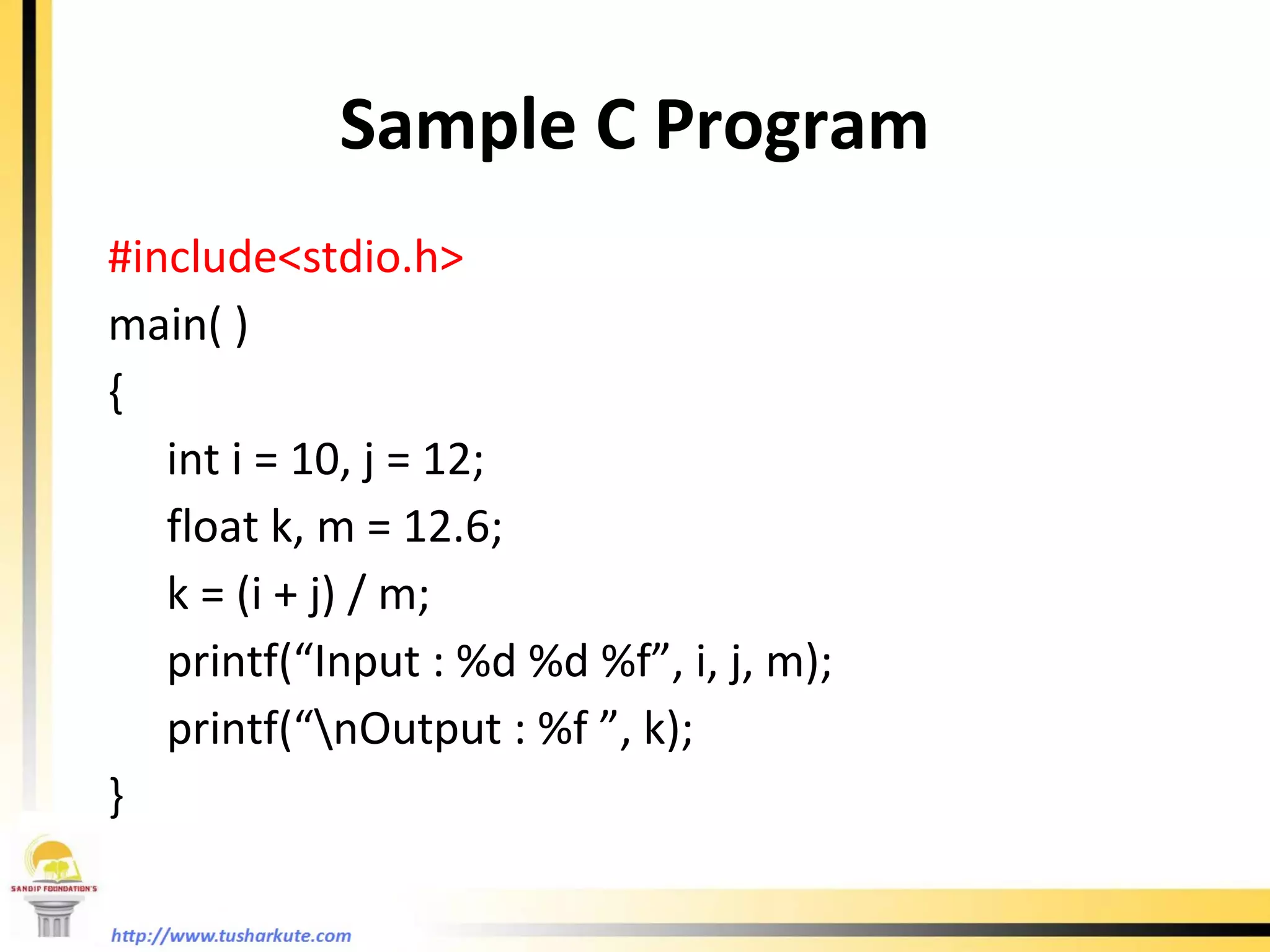
Sample C Program #include<stdio.h> main( ) {   int i = 10, j = 12;   float k, m = 12.6;   k = (i + j) / m;   printf(“Input : %d %d %f”, i, j, m);   printf(“\nOutput : %f ”, k); }
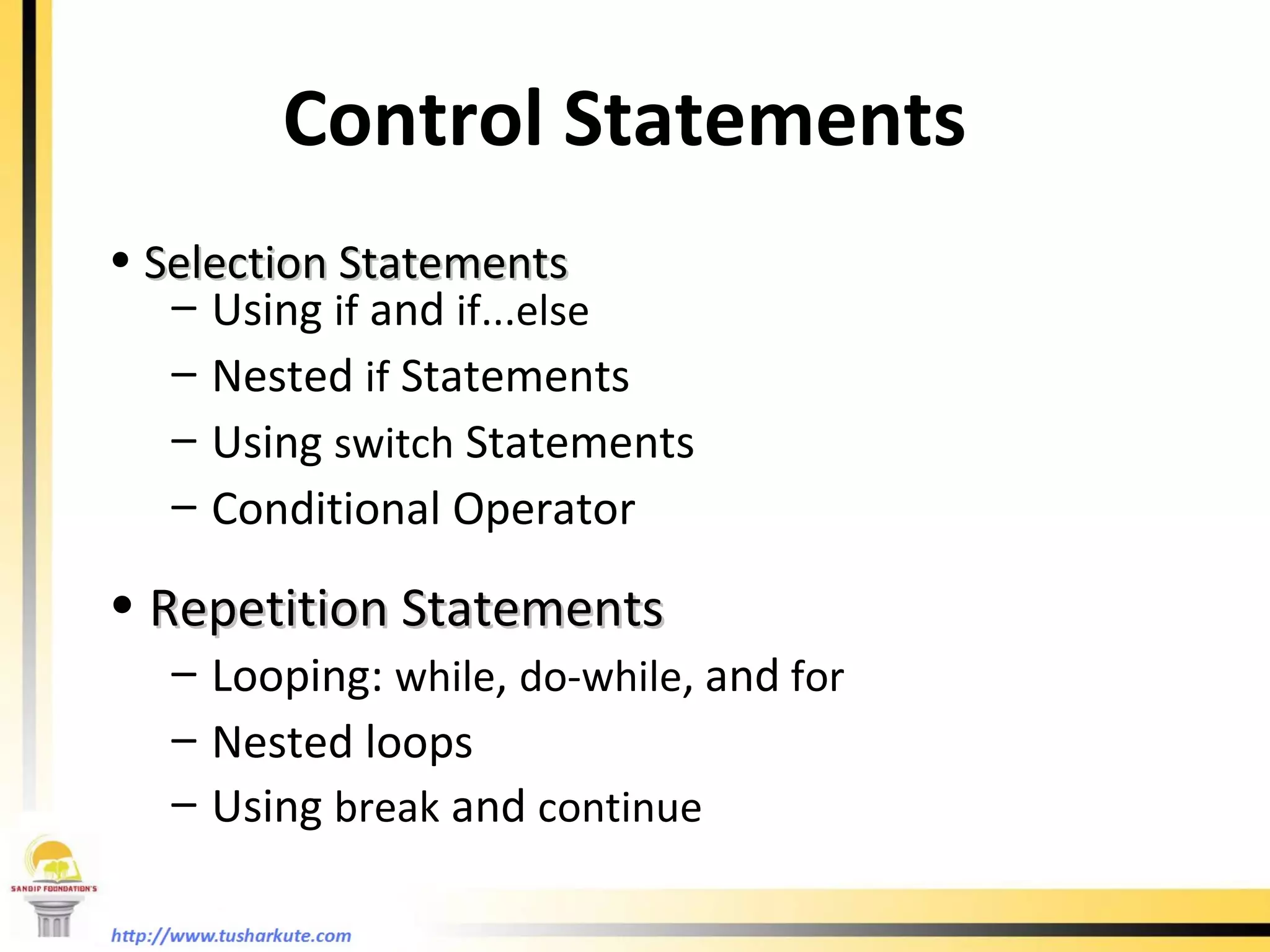
Control Statements Selection Statements Using  if  and  if...else Nested  if  Statements Using  switch  Statements Conditional Operator Repetition Statements Looping:  while ,  do-while ,   and  for Nested loops Using  break  and  continue
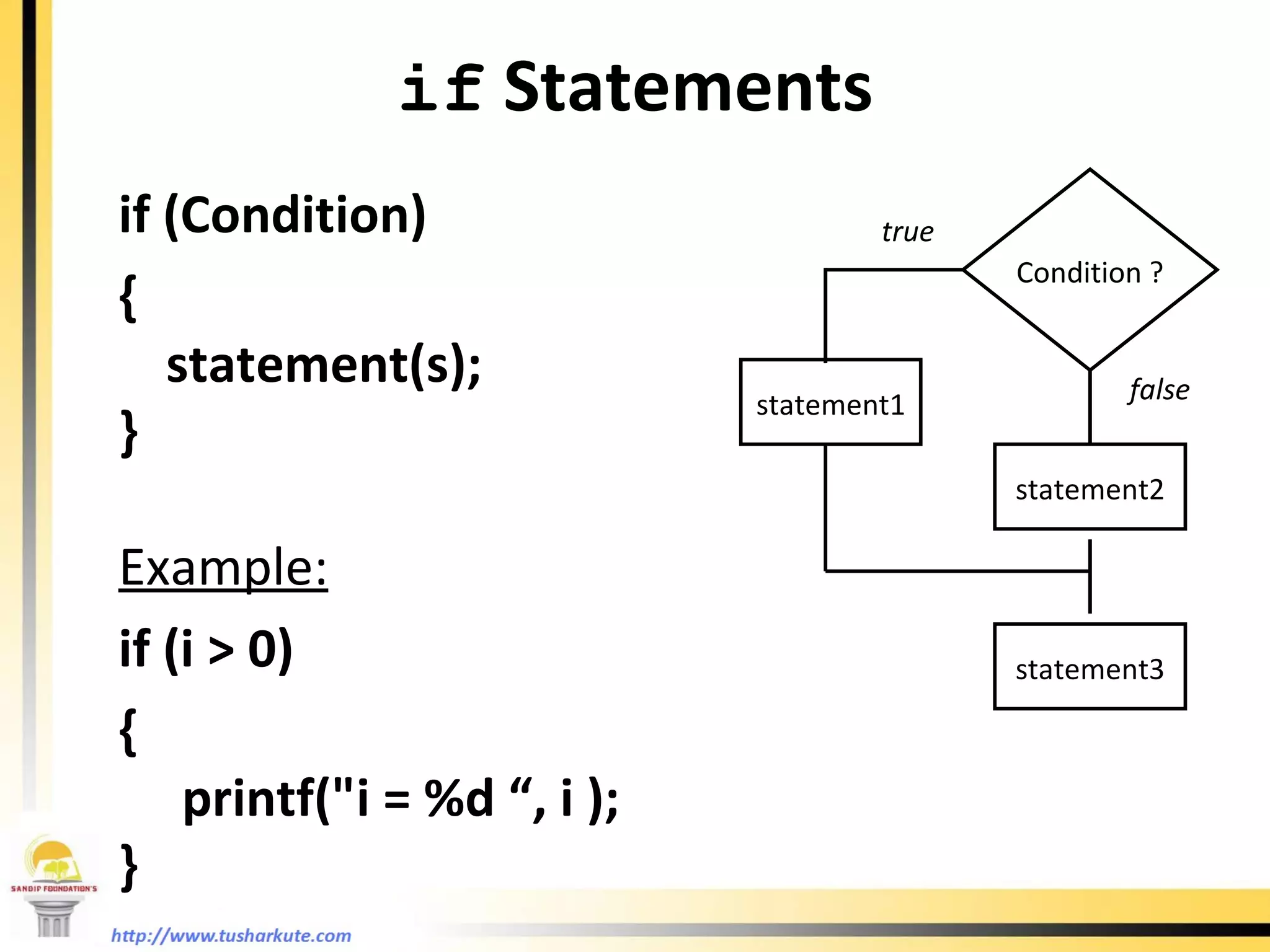
if  Statements if (Condition)  {  statement(s); } Example: if (i > 0)  {  printf(&quot;i = %d “, i ); } Condition ? statement1 statement2 statement3 true false
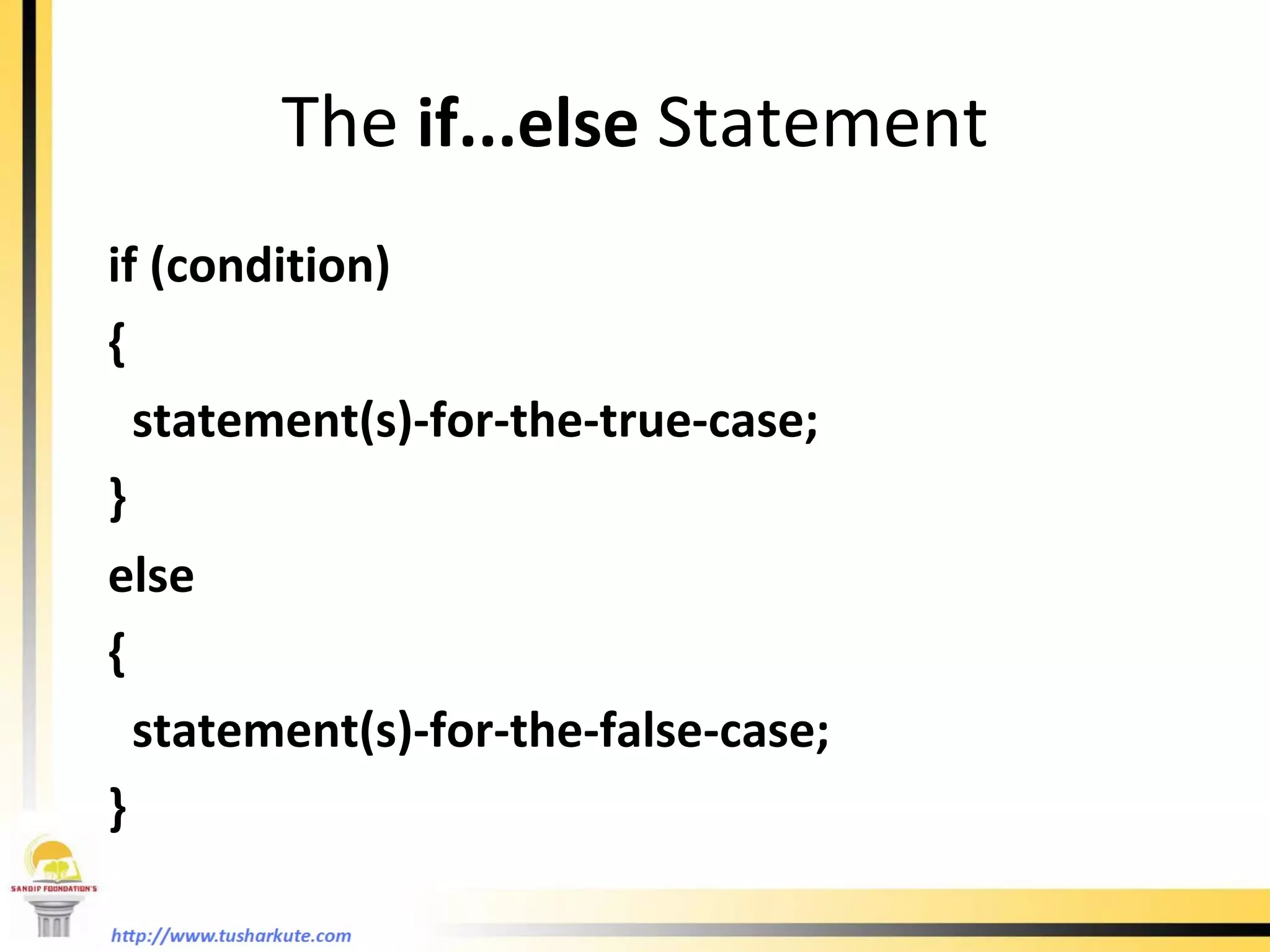
The  if...else  Statement if (condition)  {  statement(s)-for-the-true-case; } else  { statement(s)-for-the-false-case; }
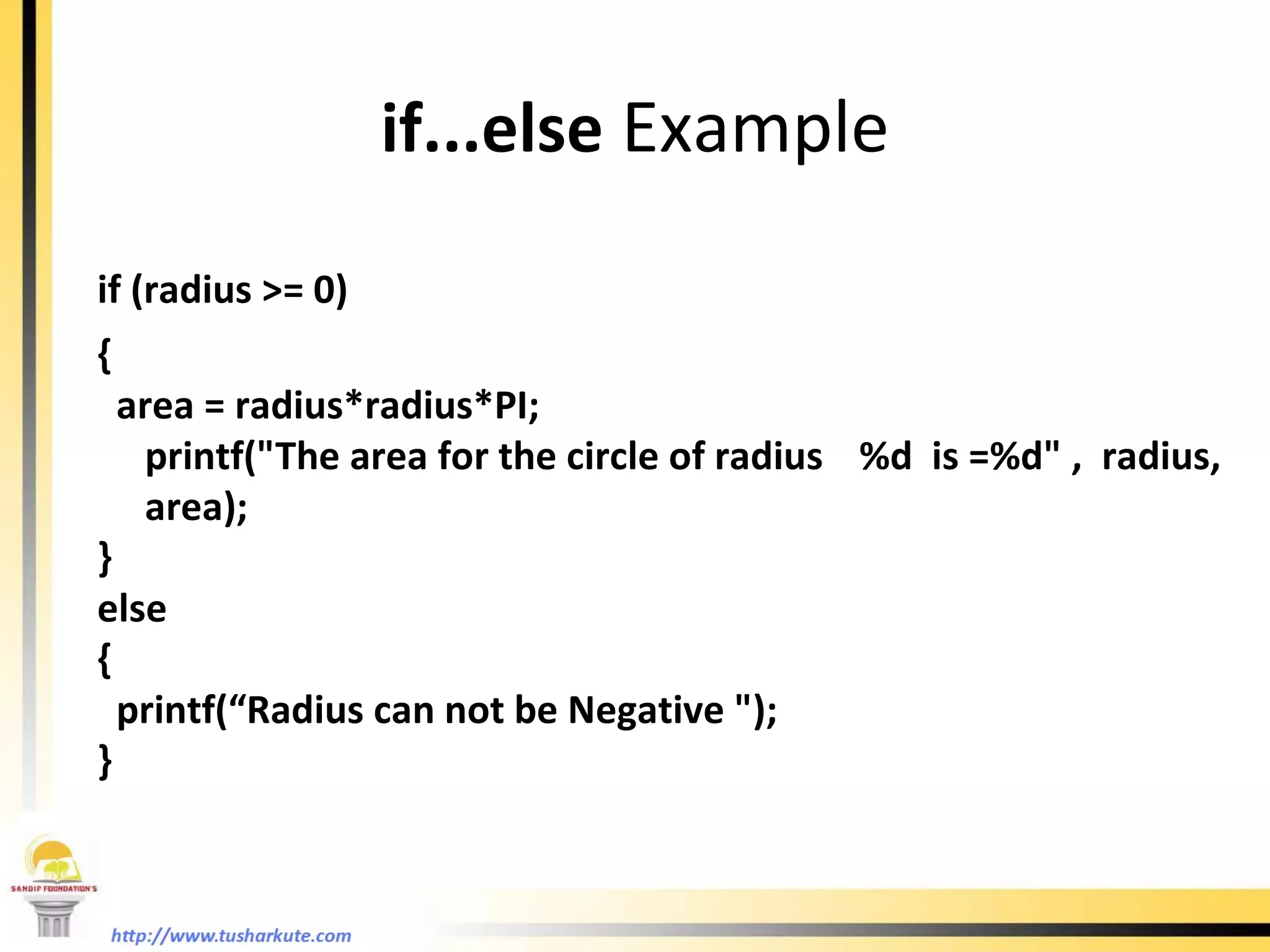
if...else  Example if (radius >= 0)  {  area = radius*radius*PI;  printf(&quot;The area for the circle of radius  %d  is =%d&quot; ,  radius, area); } else  { printf(“Radius can not be Negative &quot;); }
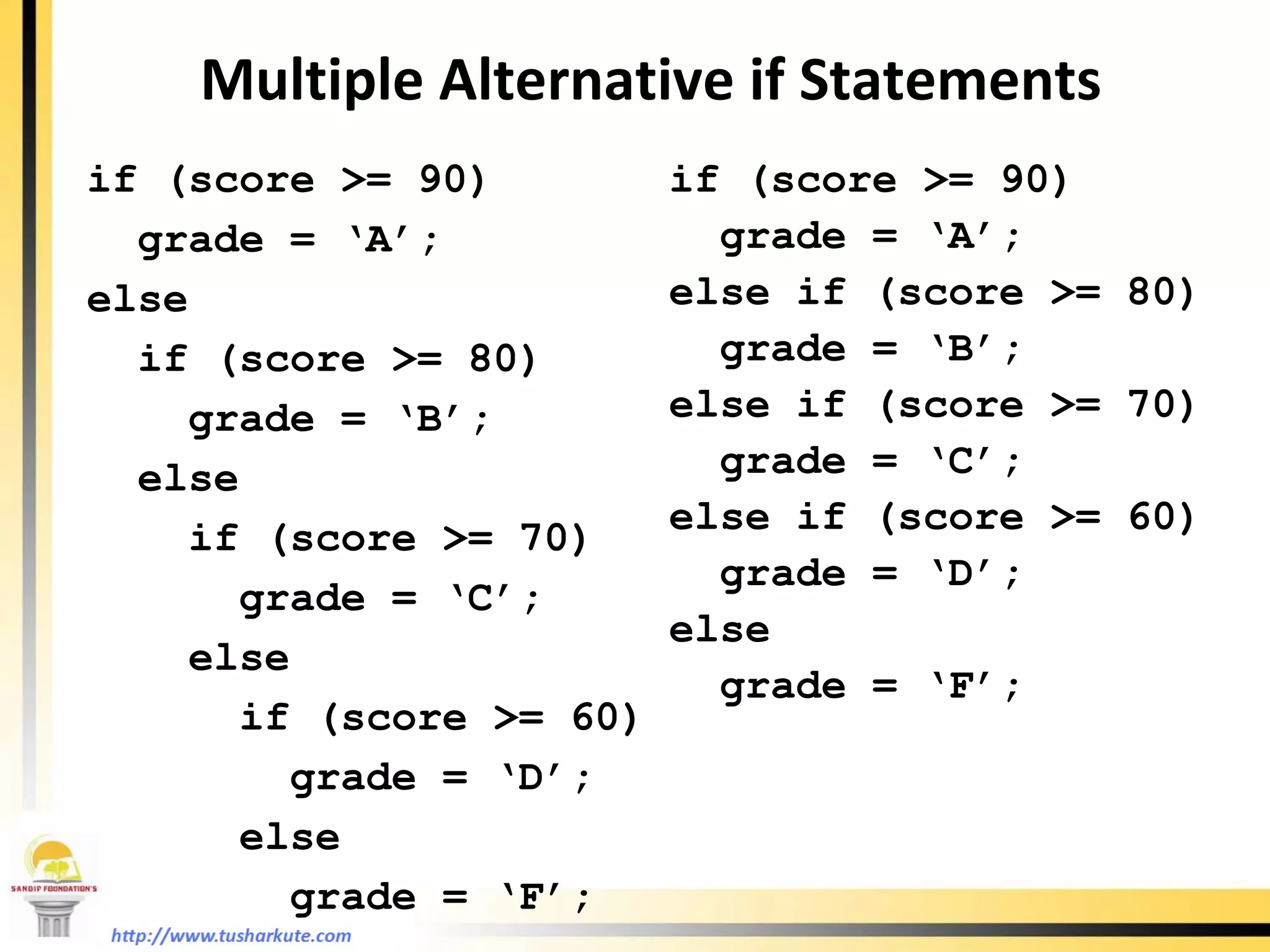
Multiple Alternative if Statements if (score >= 90) grade = ‘A’; else  if (score >= 80) grade = ‘B’; else  if (score >= 70)  grade = ‘C’; else  if (score >= 60) grade = ‘D’; else  grade = ‘F’; if (score >= 90) grade = ‘A’; else if (score >= 80) grade = ‘B’; else if (score >= 70)  grade = ‘C’; else if (score >= 60) grade = ‘D’; else  grade = ‘F’;
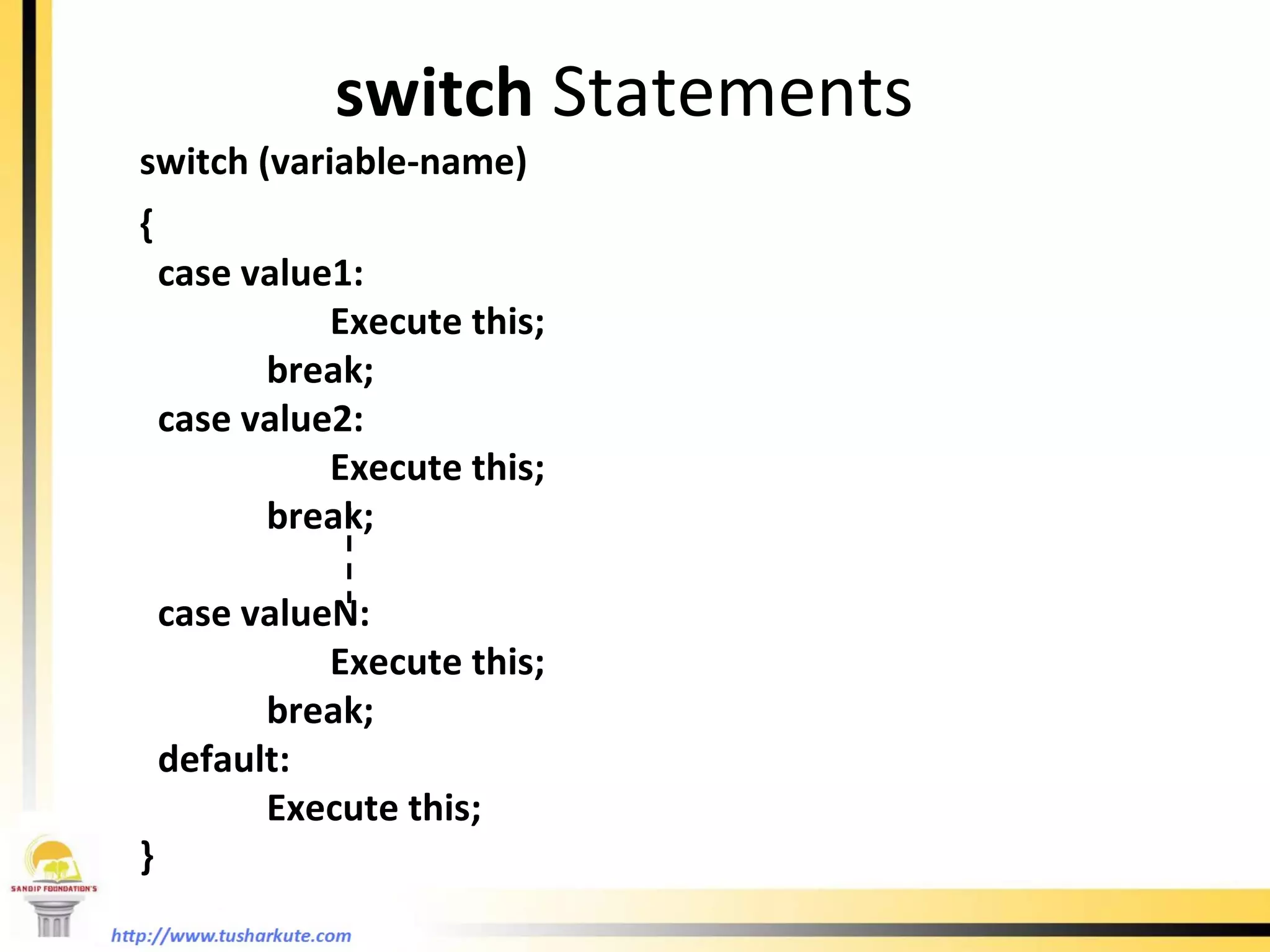
switch   Statements switch (variable-name) {  case value1:    Execute this; break; case value2:    Execute this; break; case valueN:    Execute this; break; default:  Execute this; }
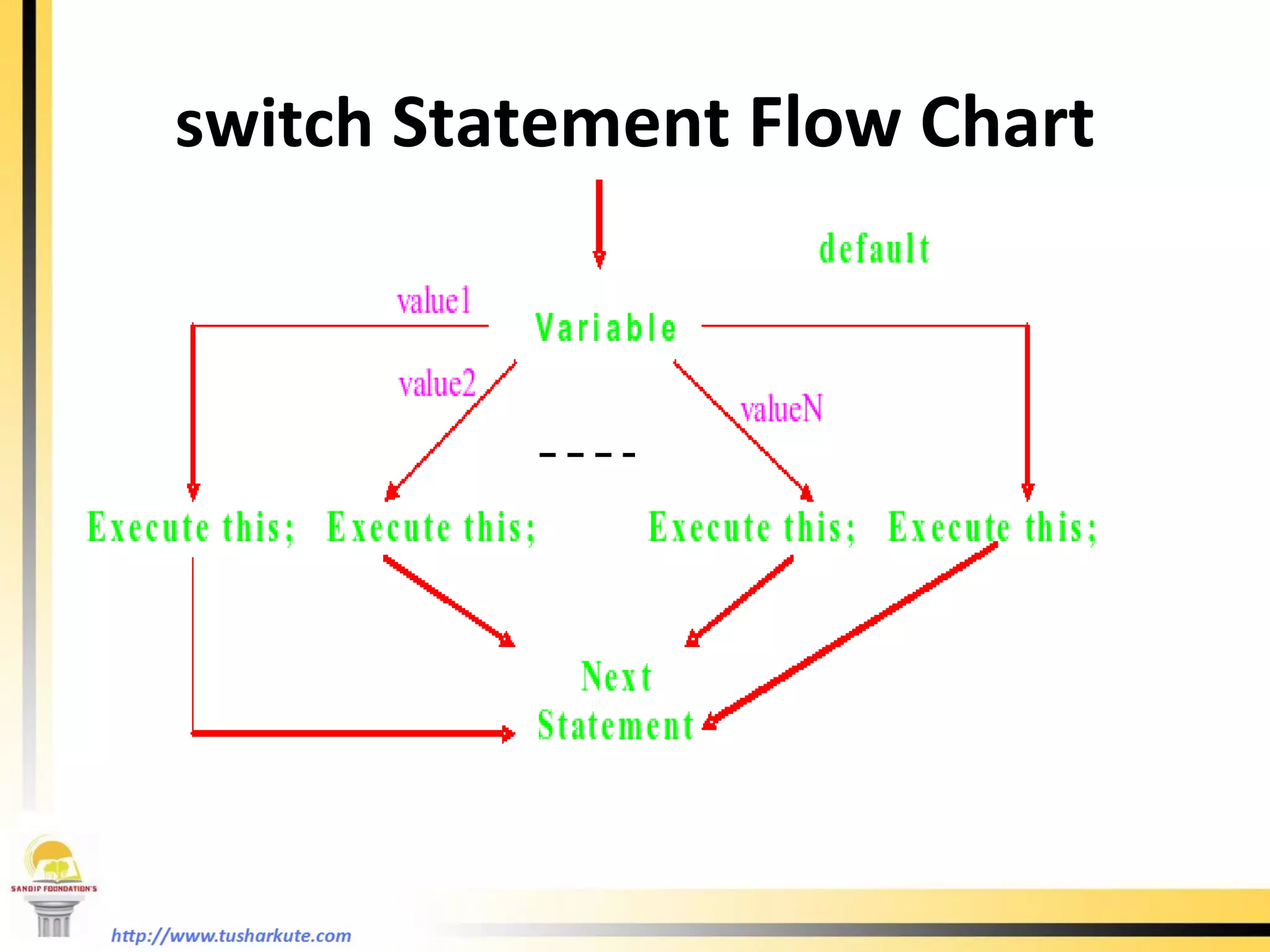
switch  Statement Flow Chart
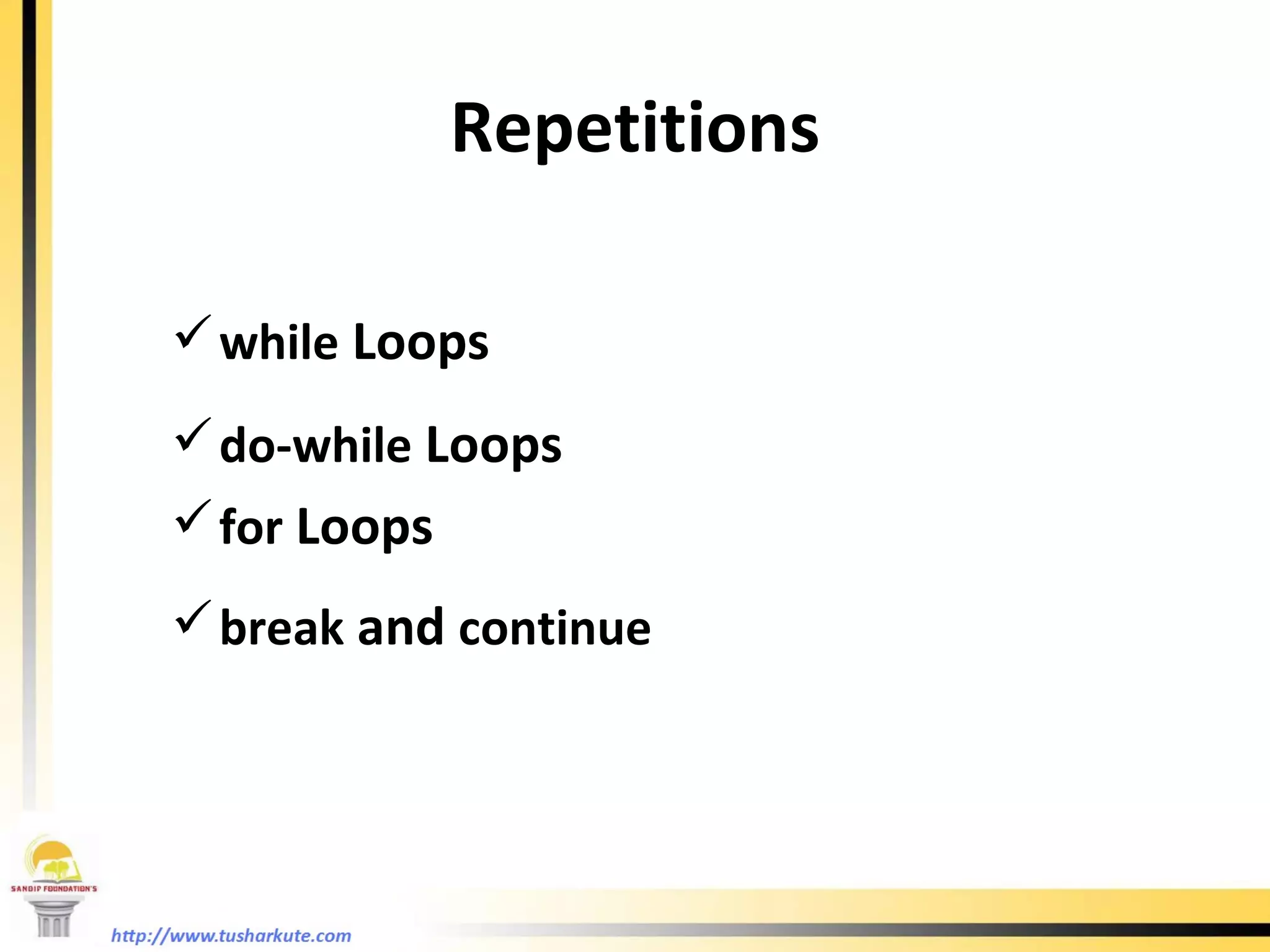
Repetitions while  Loops do-while  Loops for  Loops break  and  continue
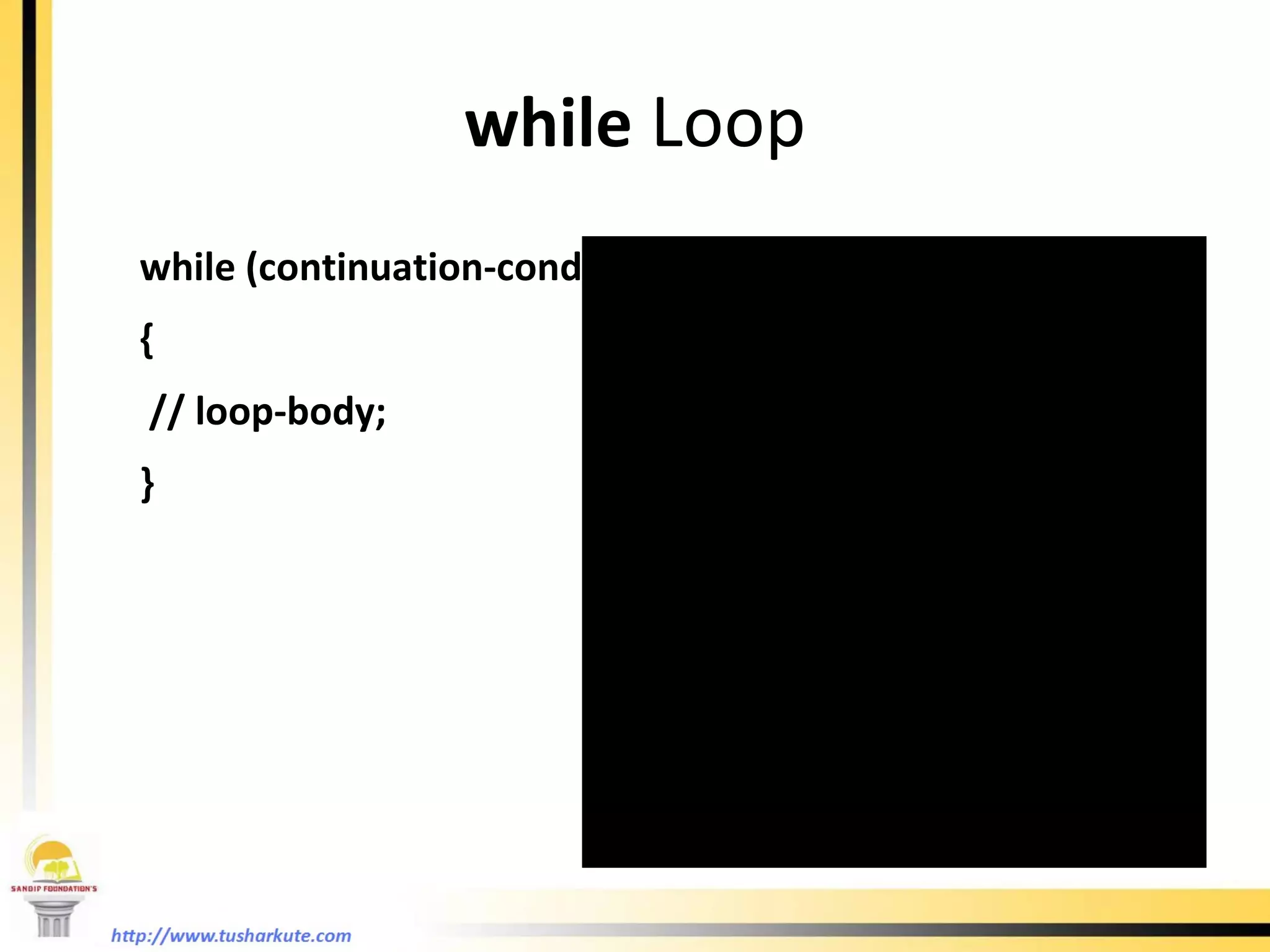
while  Loop while (continuation-condition)  { // loop-body; }
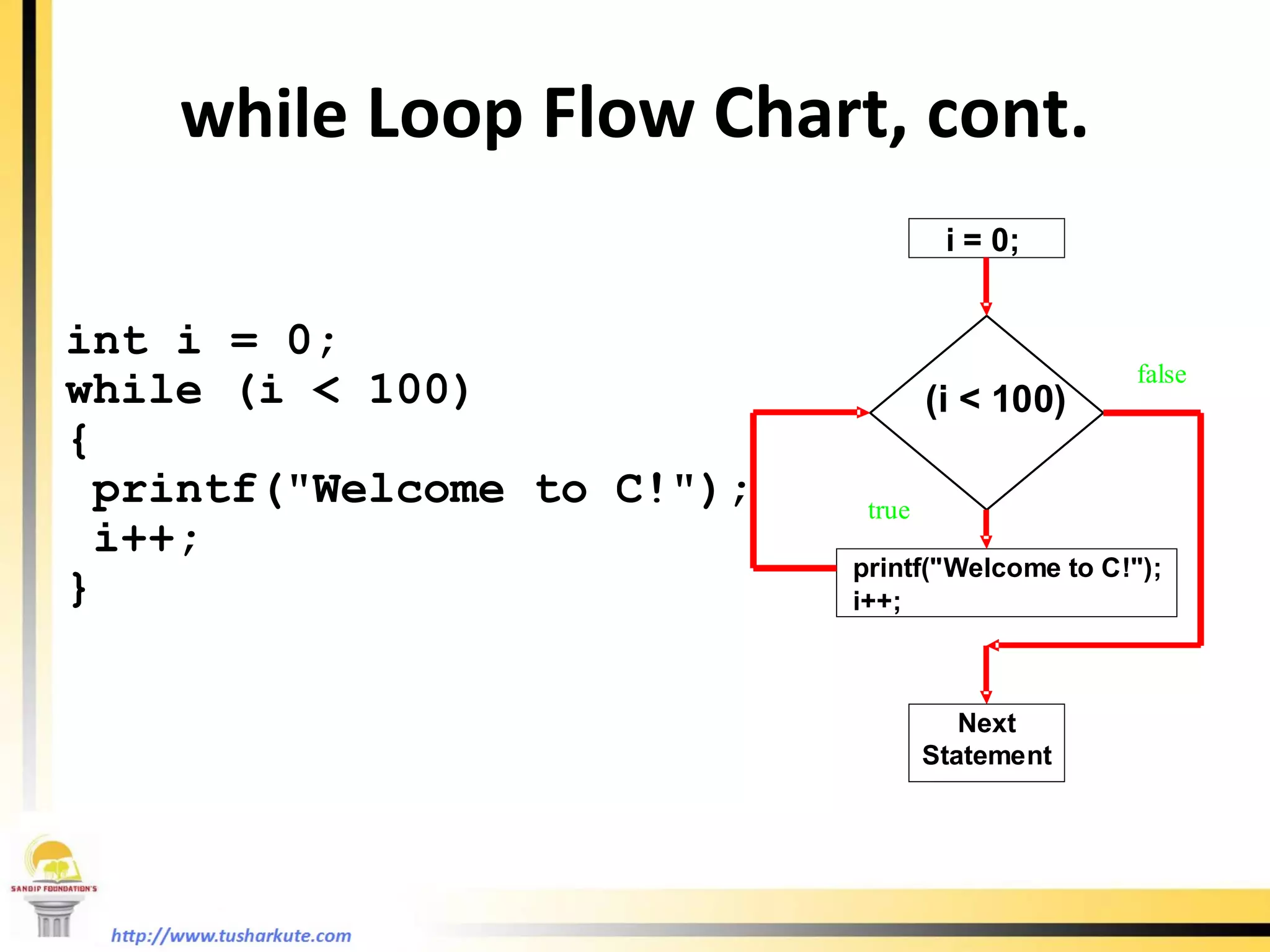
while  Loop Flow Chart, cont. int i = 0; while (i < 100) { printf(&quot;Welcome to C!&quot;); i++; }
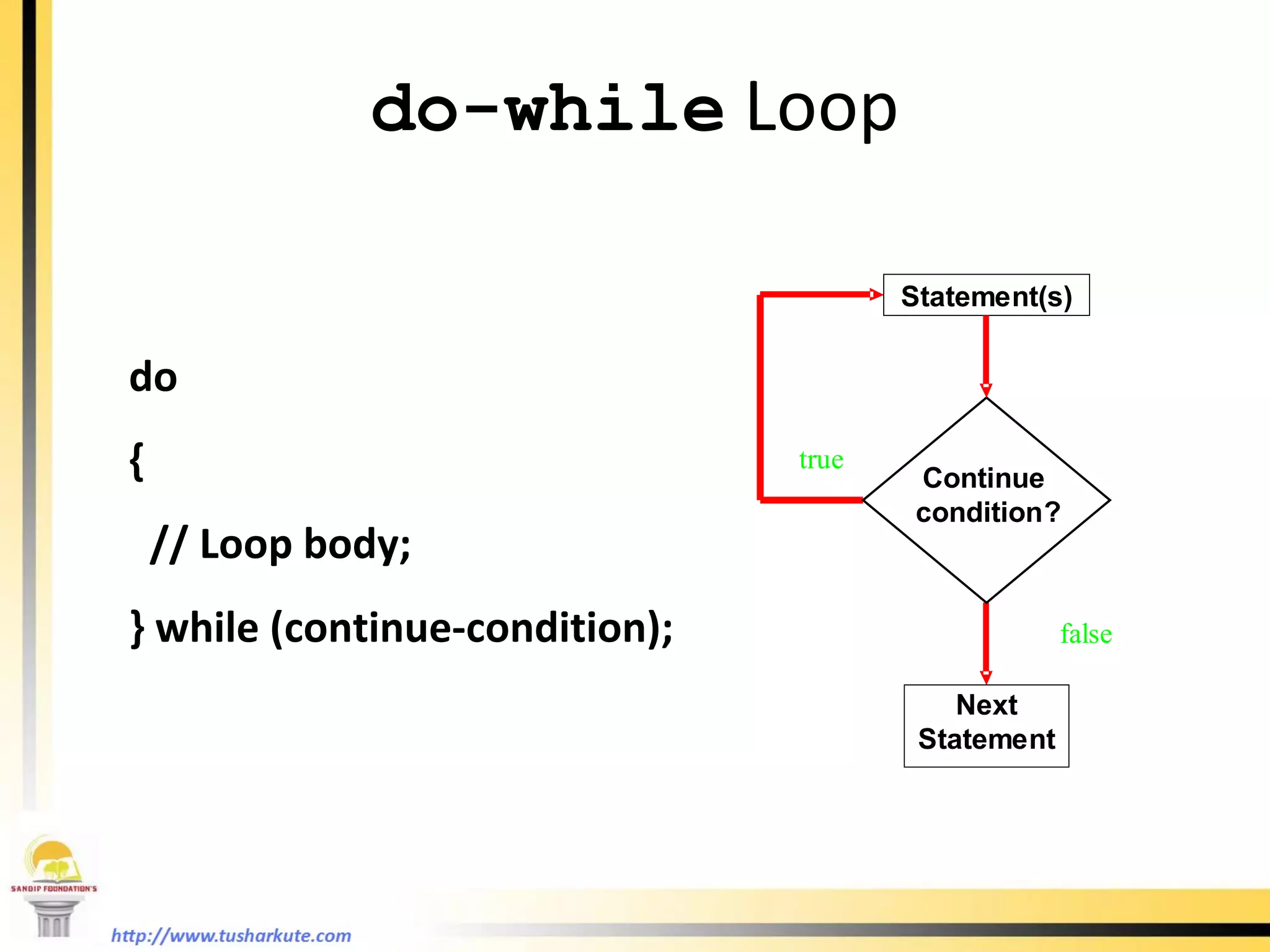
do-while  Loop do { // Loop body; } while (continue-condition);
for  Loop  for (initialization; condition; increment/decrement) { //loop body; }
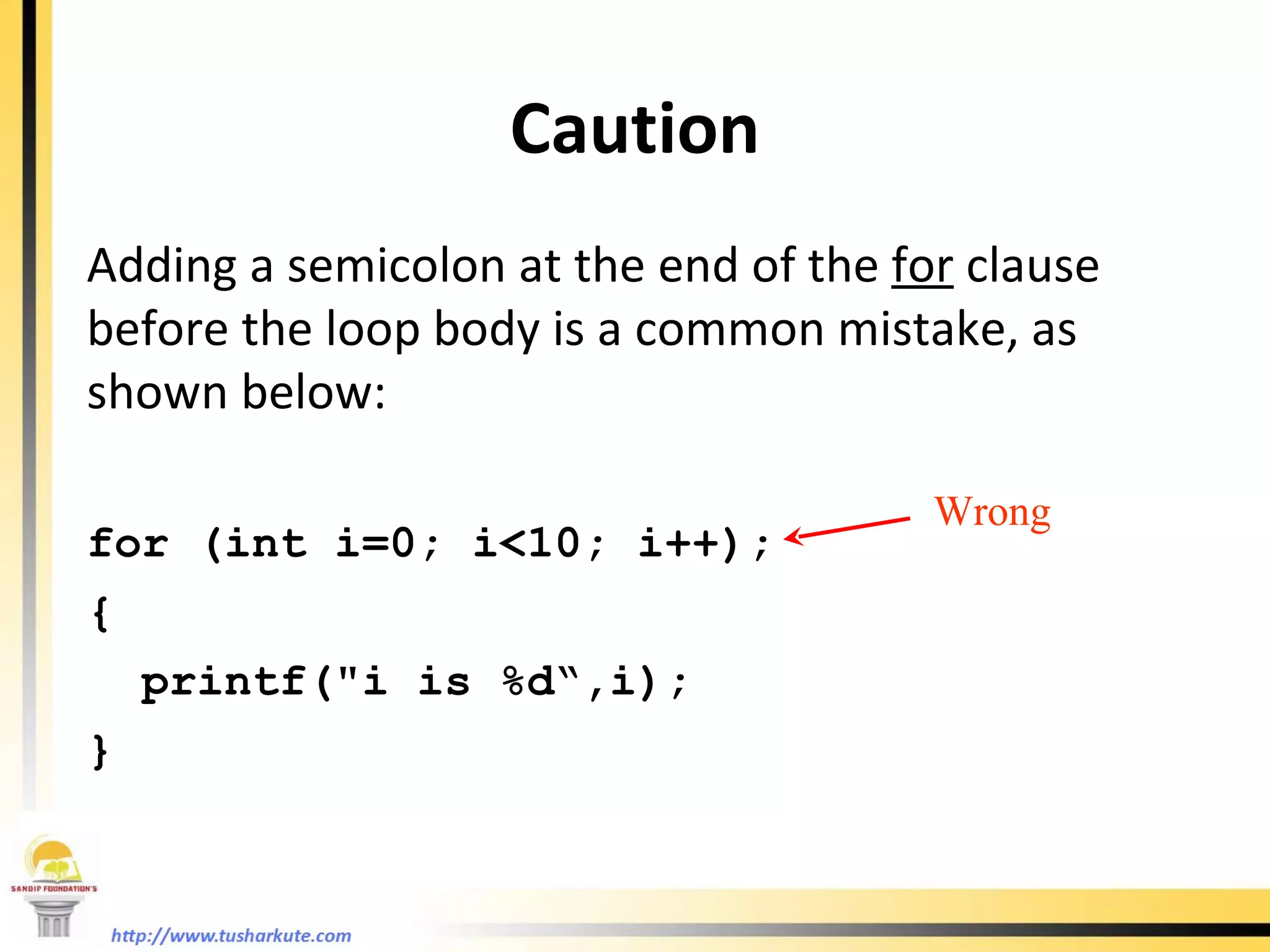
Caution Adding a semicolon at the end of the  for  clause before the loop body is a common mistake, as shown below: for (int i=0; i<10; i++); { printf(&quot;i is %d“,i); } Wrong
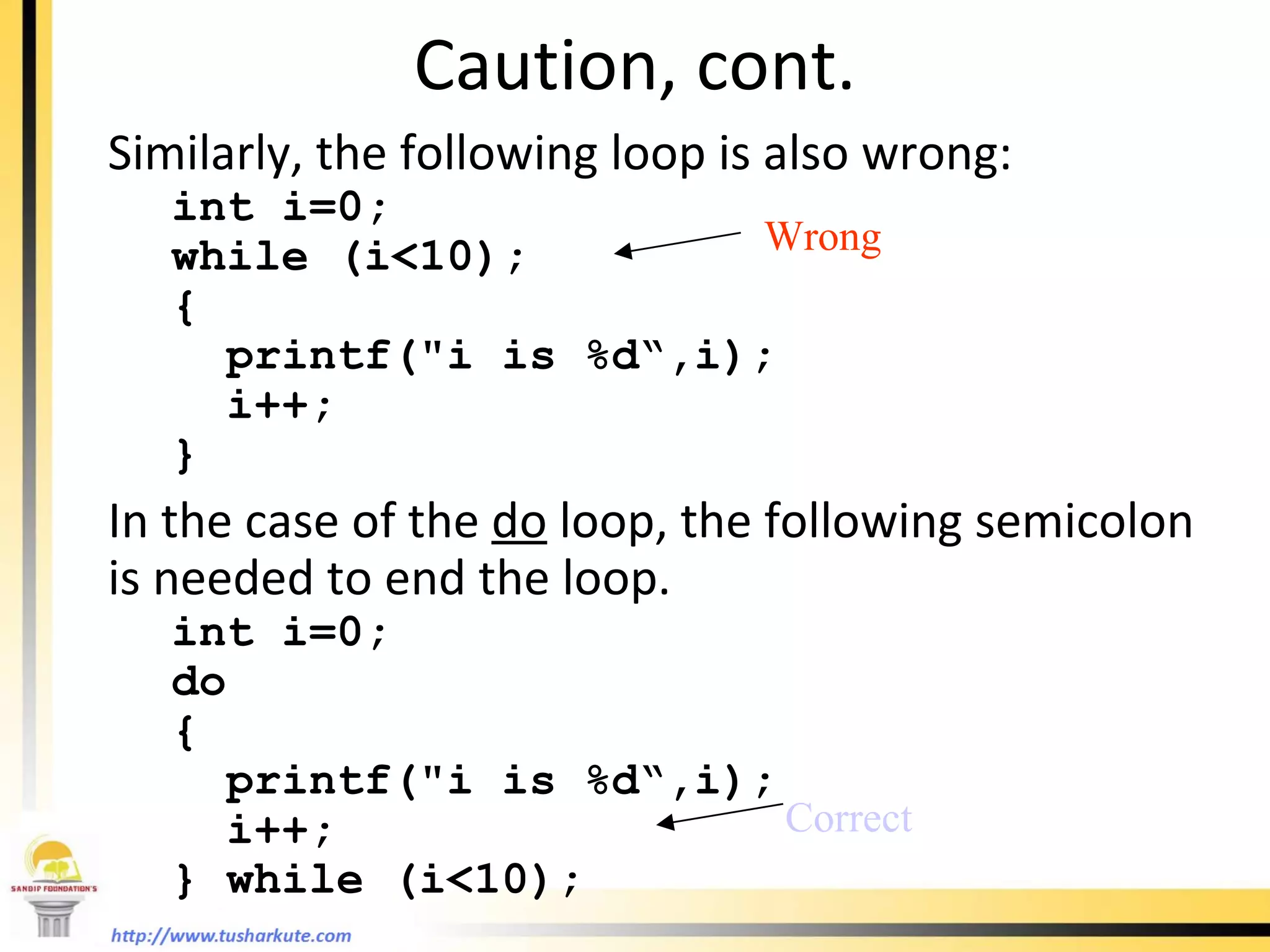
Caution, cont. Similarly, the following loop is also wrong: int i=0;  while (i<10); {   printf(&quot;i is %d“,i);   i++; } In the case of the  do  loop, the following semicolon is needed to end the loop. int i=0;  do {   printf(&quot;i is %d“,i);   i++; } while (i<10); Wrong Correct
Which Loop to Use?
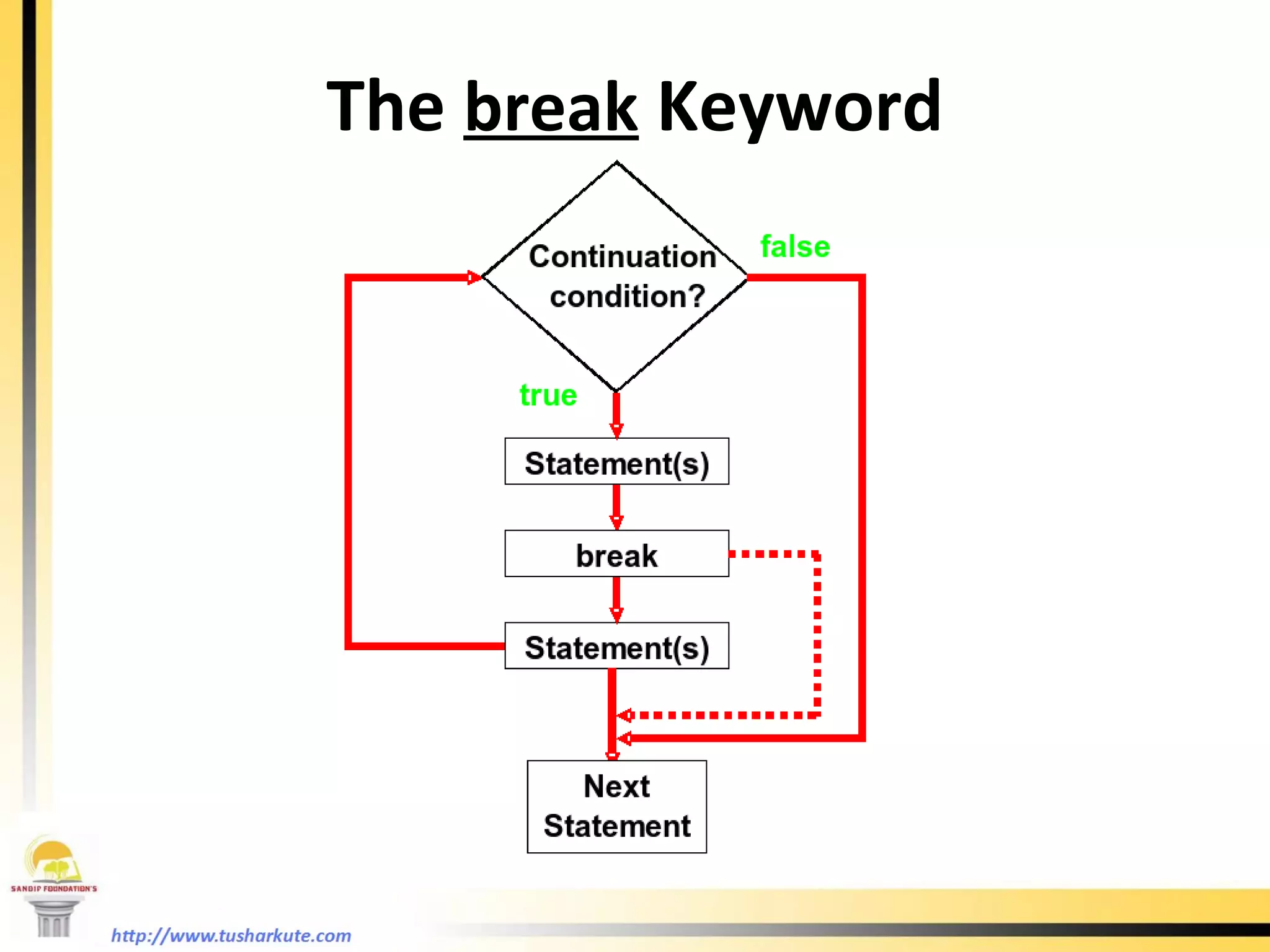
The  break  Keyword
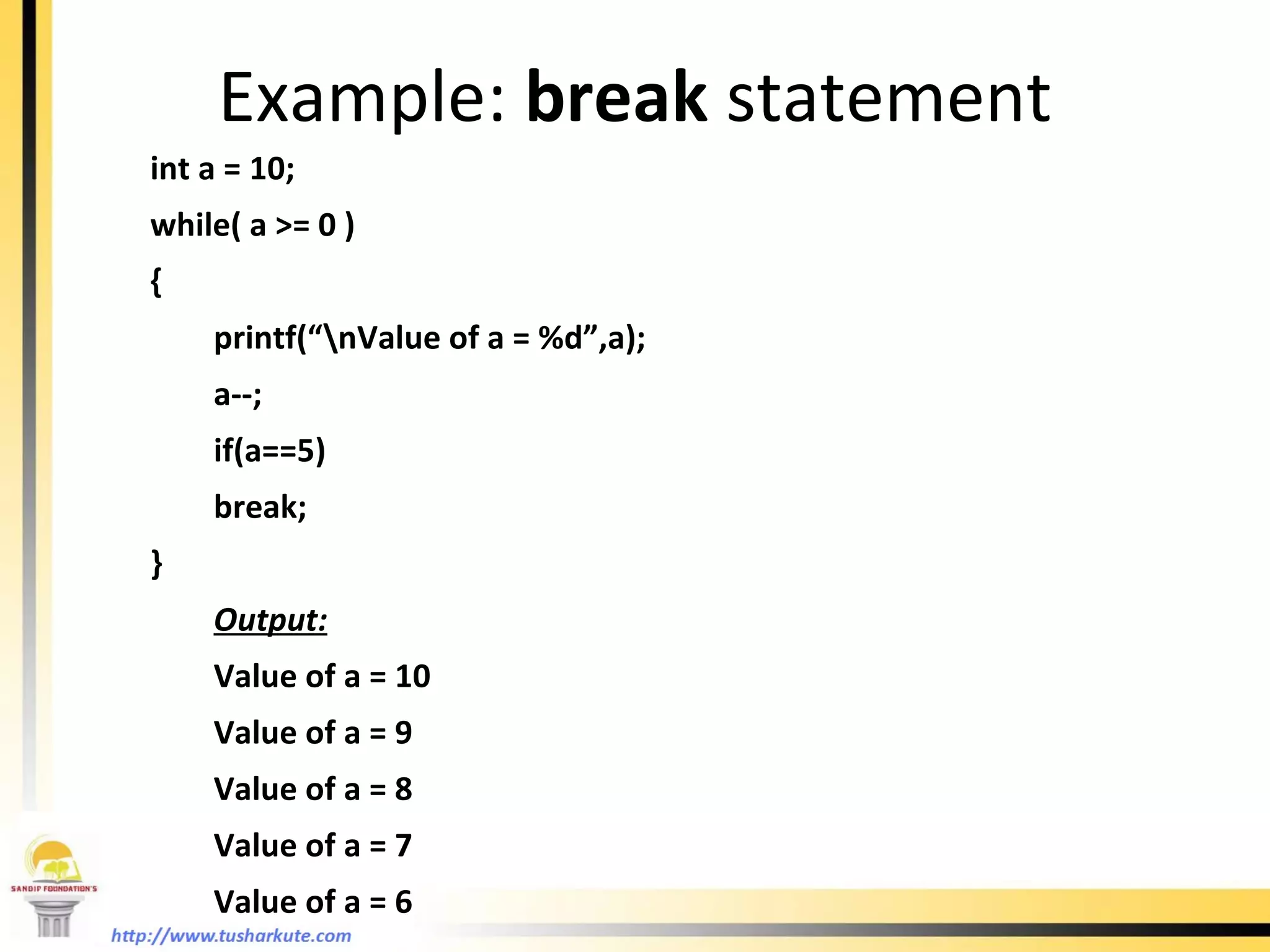
Example:  break  statement int a = 10; while( a >= 0 ) { printf(“\nValue of a = %d”,a); a--; if(a==5) break; } Output: Value of a = 10 Value of a = 9 Value of a = 8 Value of a = 7 Value of a = 6
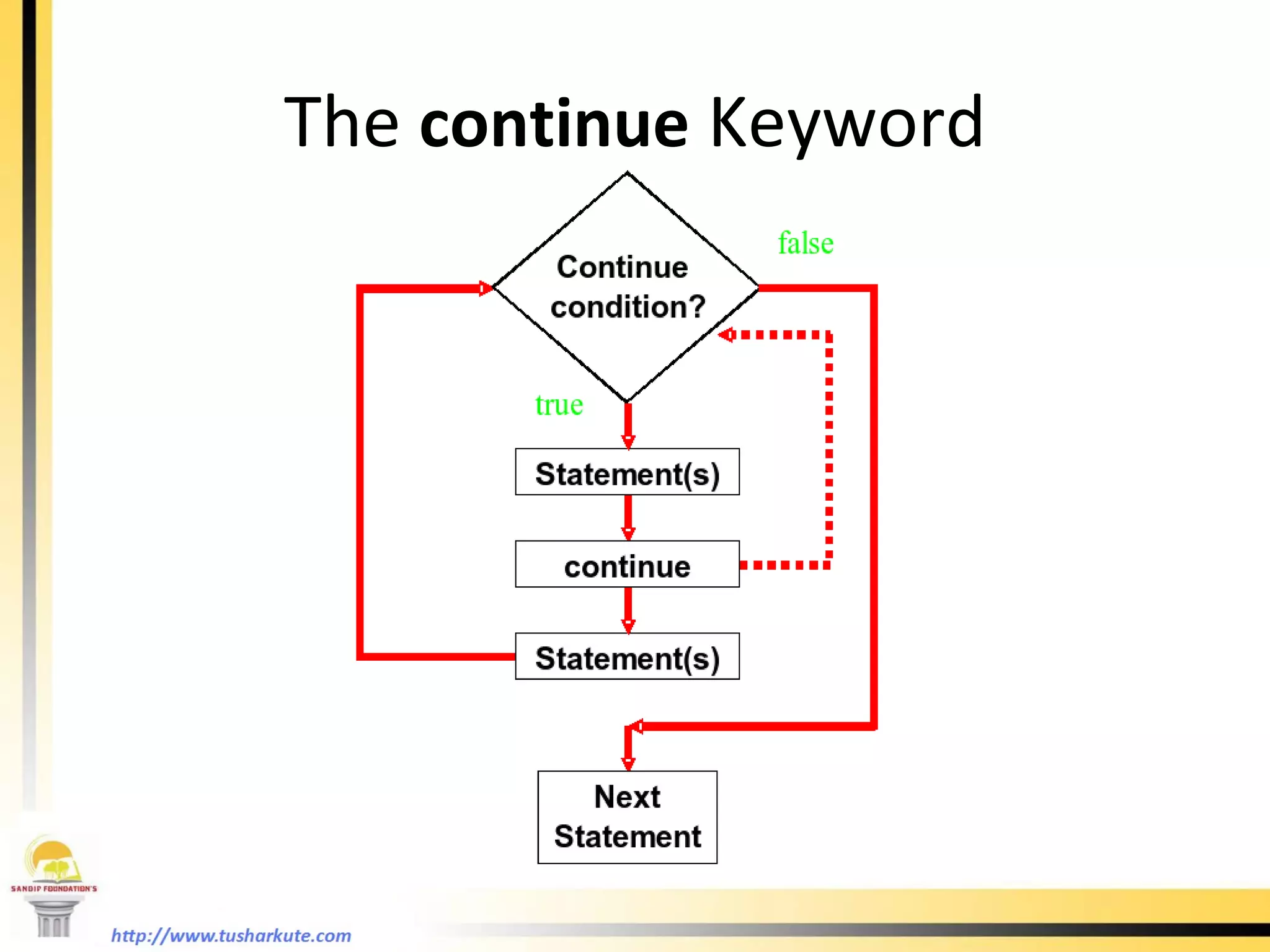
The  continue  Keyword
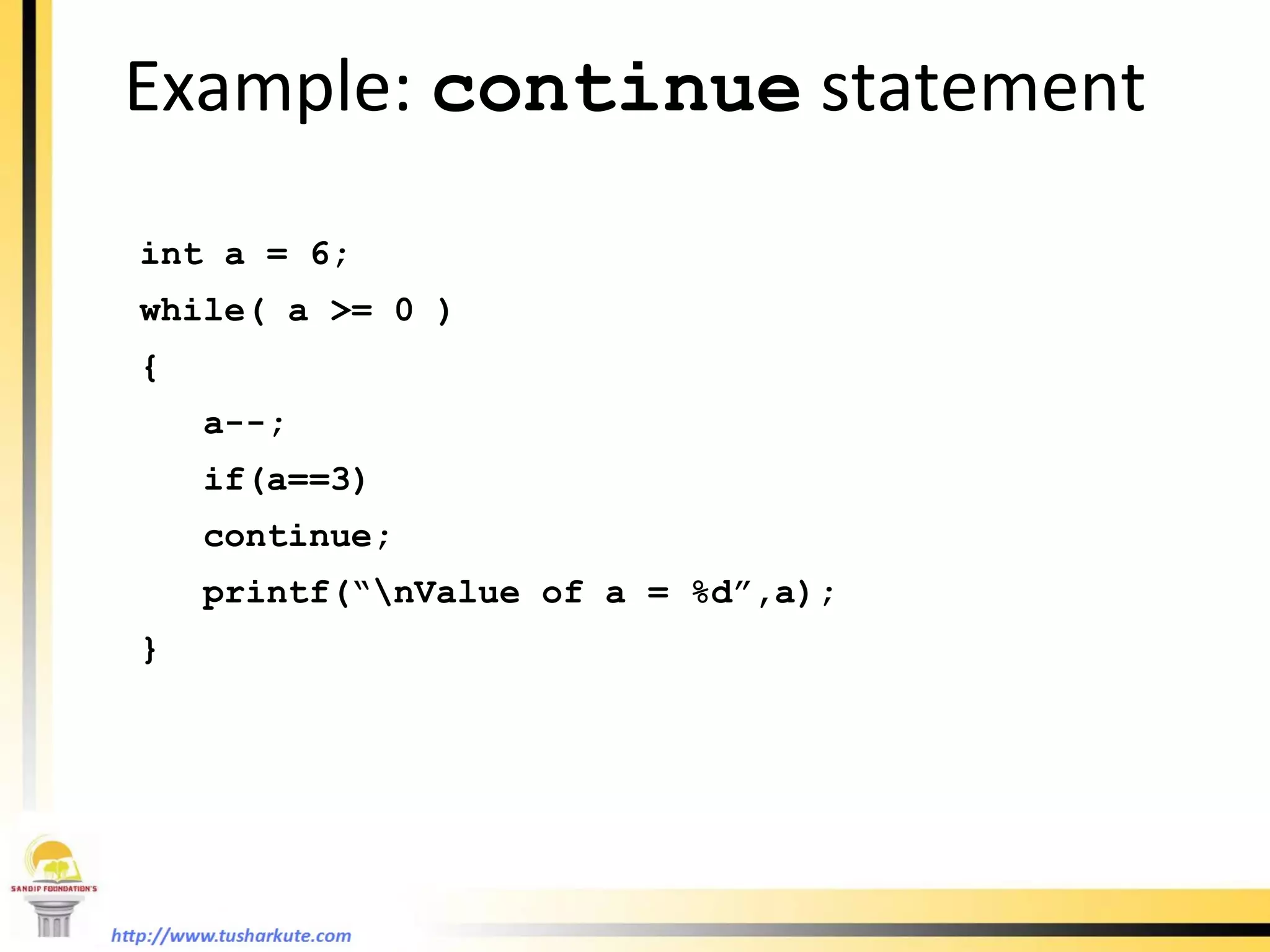
Example:  continue  statement int a = 6; while( a >= 0 ) { a--; if(a==3) continue; printf(“\nValue of a = %d”,a); }
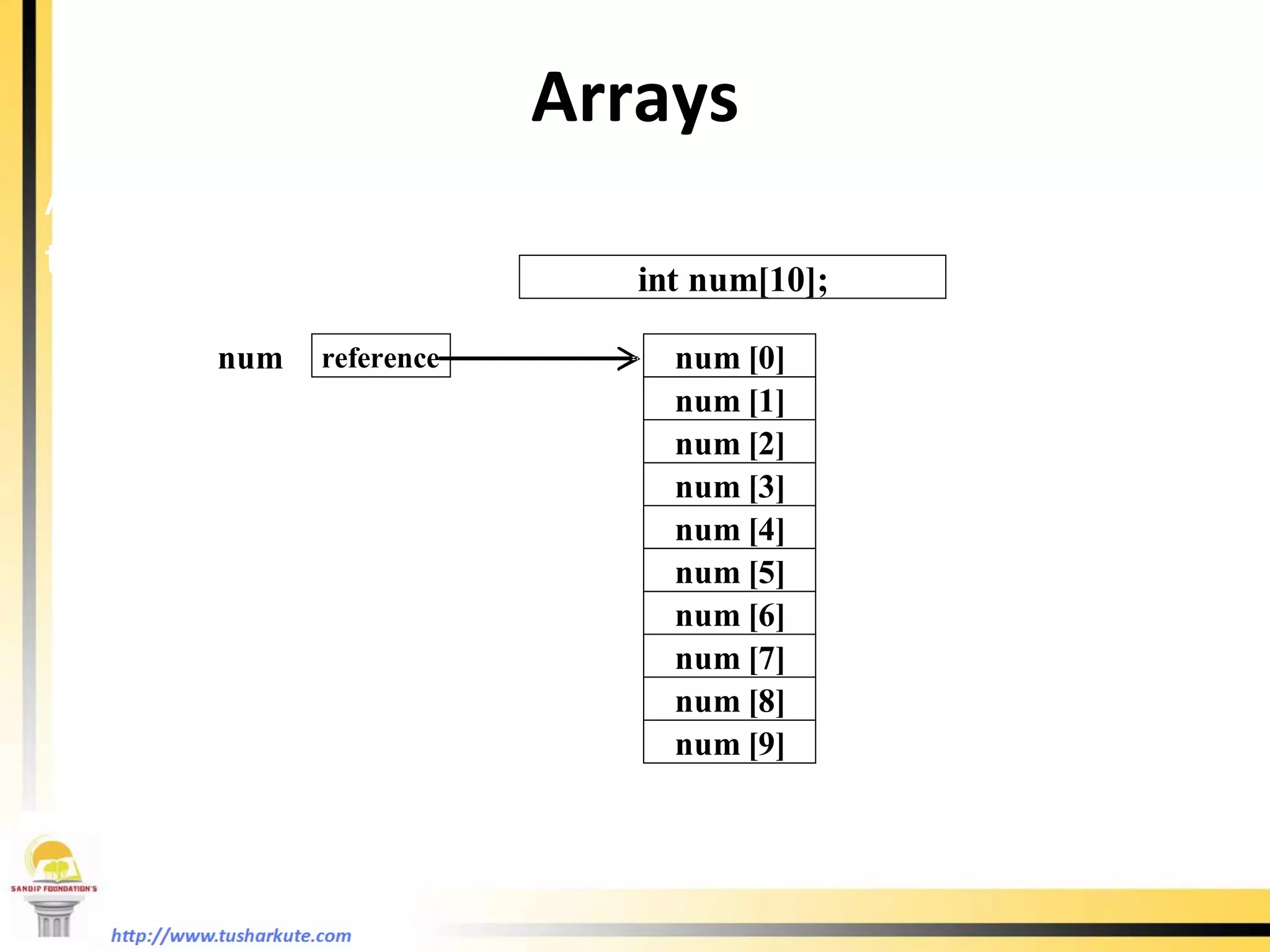
Arrays Array is a data structure that represents a collection of the same types of data.  An Array of 10 Elements of type  int
Declaring Array Variables datatype arrayname[index]; Example:  int list[10];   char num[15]; float hat[20];
Creating Arrays datatype array-name[size]; Example: int num[10]; num[0] references the first element in the array. num[9] references the last element in the array.
Declaring and Creating in One Step datatype arrayname[arraySize]= {values seperated by comma}; Example : char c[5] = {‘a’,‘F’,‘4’,‘=’,‘n’}; int i[4] = {12,15,0,2};
The Length of Arrays Once an array is created, its size is fixed. It cannot be changed. For example , int arr[10]; You can not insert any number to arr[11]  location because it is not initialized.
Declaring, creating, initializing Using the Shorthand Notation float list[4] = {1.9, 2.9, 3.4, 3.5}; This shorthand notation is equivalent to the following statements: float list[4]; list[0] = 1.9; list[1] = 2.9; list[2] = 3.4; list[3] = 3.5;
CAUTION Using the shorthand notation, you have to declare, create, and initialize the array all in one statement. Splitting it would cause a syntax error. For example, the following is wrong: float list; list = {1.9, 2.9, 3.4, 3.5};
Copying Arrays With direct assignment: int array1[5] = {2, 3, 1, 5, 10}; int array2[5]; array2 = array1;
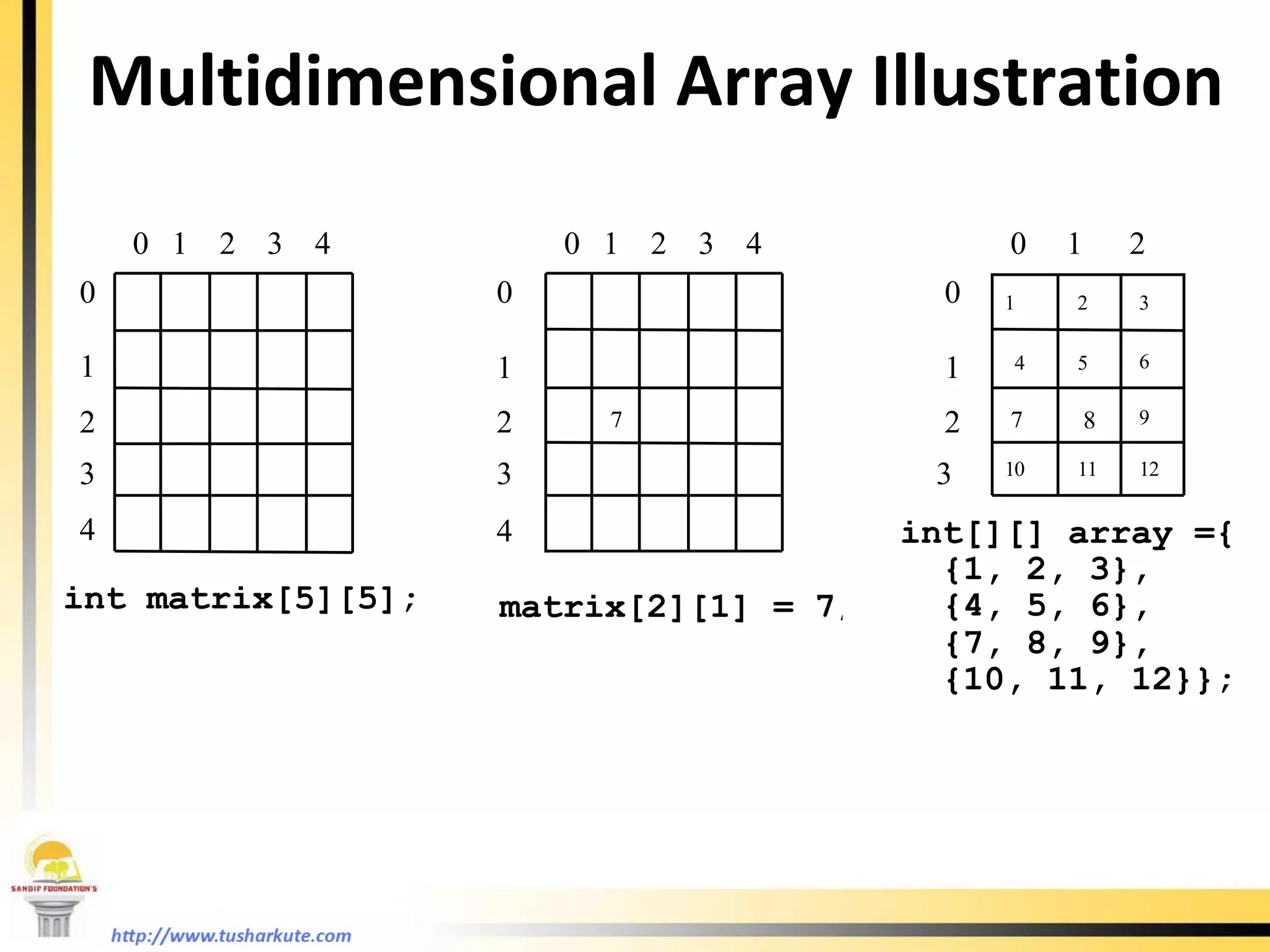
Multidimensional Arrays Declaring Variables of  Multidimensional Arrays and Creating Multidimensional Arrays   int matrix[10][10]; for (i=0; i<10; i++) for (j=0; j<10; j++) {  matrix[i][j] = i * j; } float mat[5][5];
Multidimensional Array Illustration
Function
What is a Function ? Function is a self contained block of statements that perform a coherent task of some kind. Every C program can be a thought of the collection of functions. main( ) is also a function.
Types of Functions Library functions. These are the in-built functions of ‘C’ library. These are already defined in header files. e.g. printf( ); is a function which is used to print at output. It is defined in ‘stdio.h’ file . User defined functions. Programmer can create their own function in C  to perform specific task.
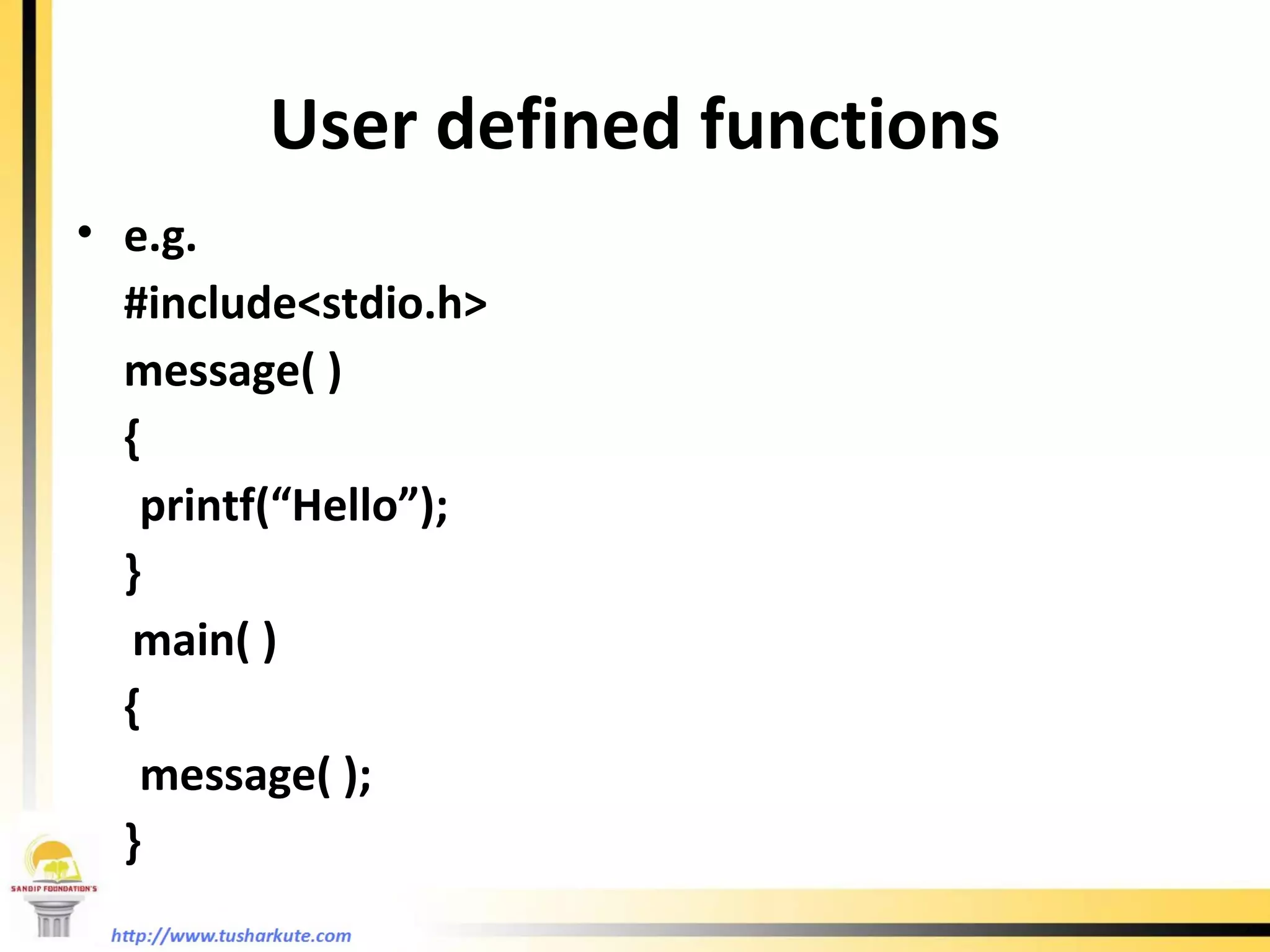
User defined functions e.g.  #include<stdio.h> message( ) { printf(“Hello”); } main( ) { message( ); }
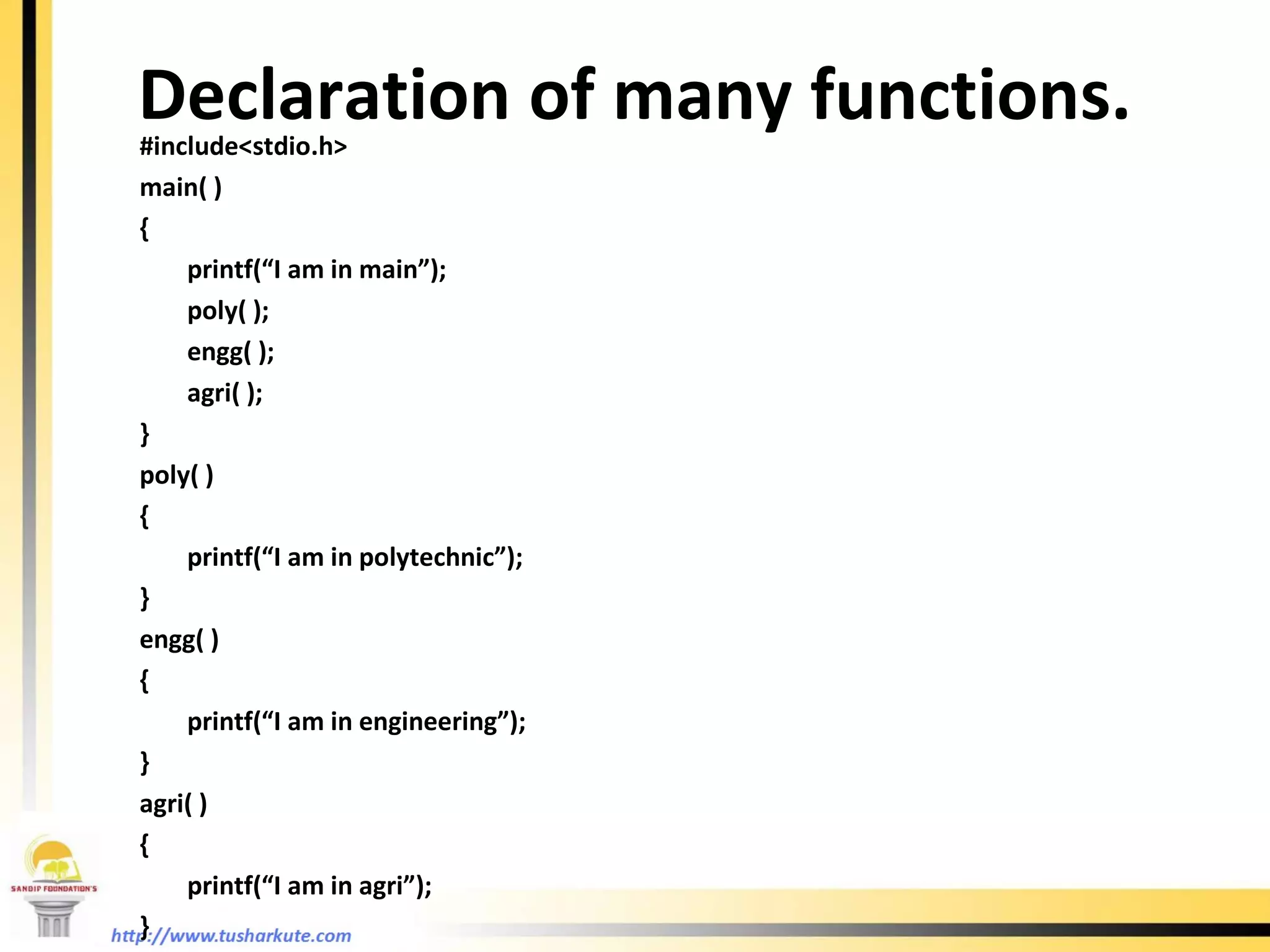
Declaration of many functions. #include<stdio.h> main( ) { printf(“I am in main”); poly( ); engg( ); agri( ); } poly( ) { printf(“I am in polytechnic”); }  engg( ) { printf(“I am in engineering”); } agri( ) { printf(“I am in agri”); }
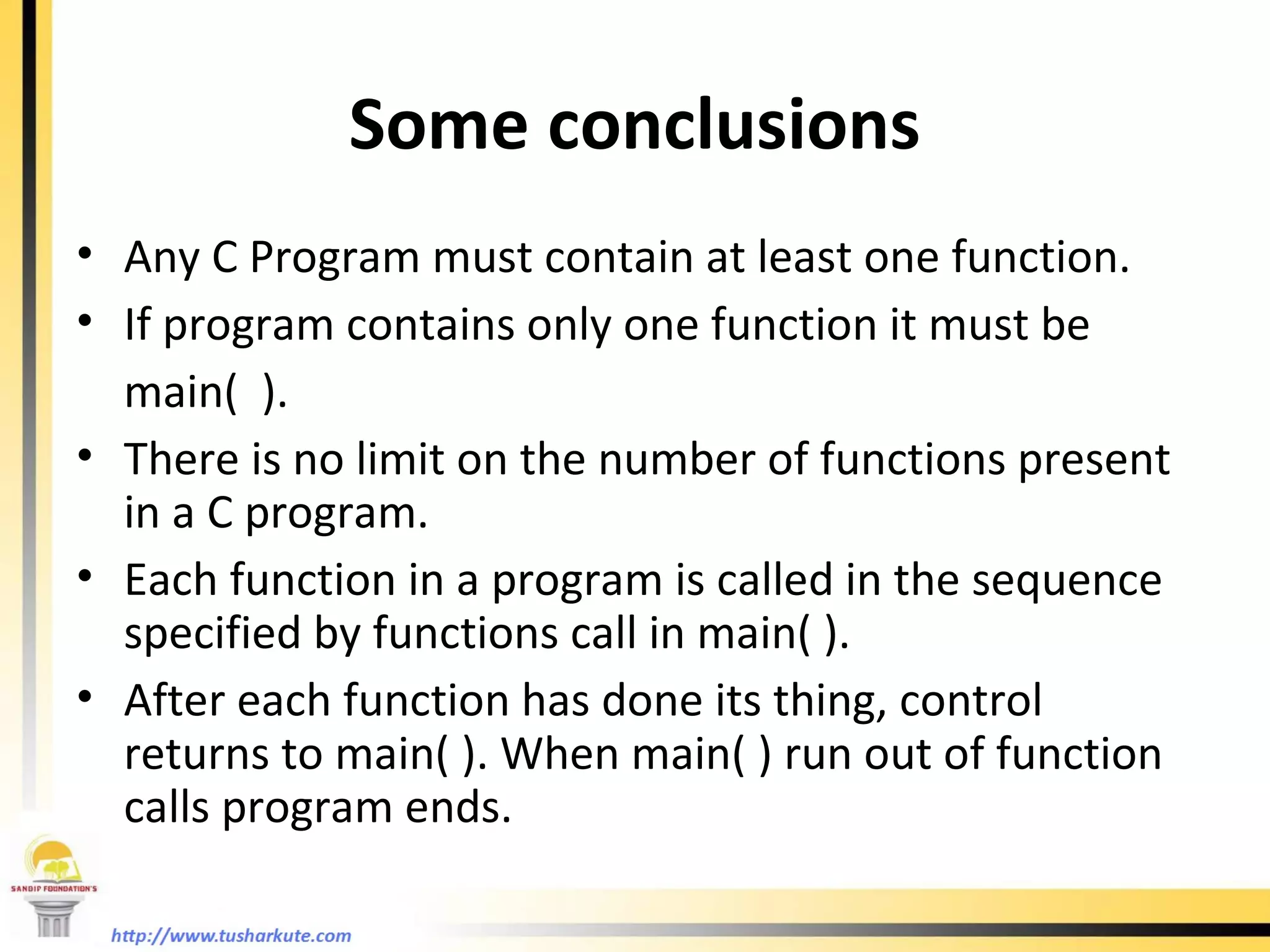
Some conclusions Any C Program must contain at least one function. If program contains only one function it must be  main(  ). There is no limit on the number of functions present in a C program. Each function in a program is called in the sequence specified by functions call in main( ). After each function has done its thing, control returns to main( ). When main( ) run out of function calls program ends.
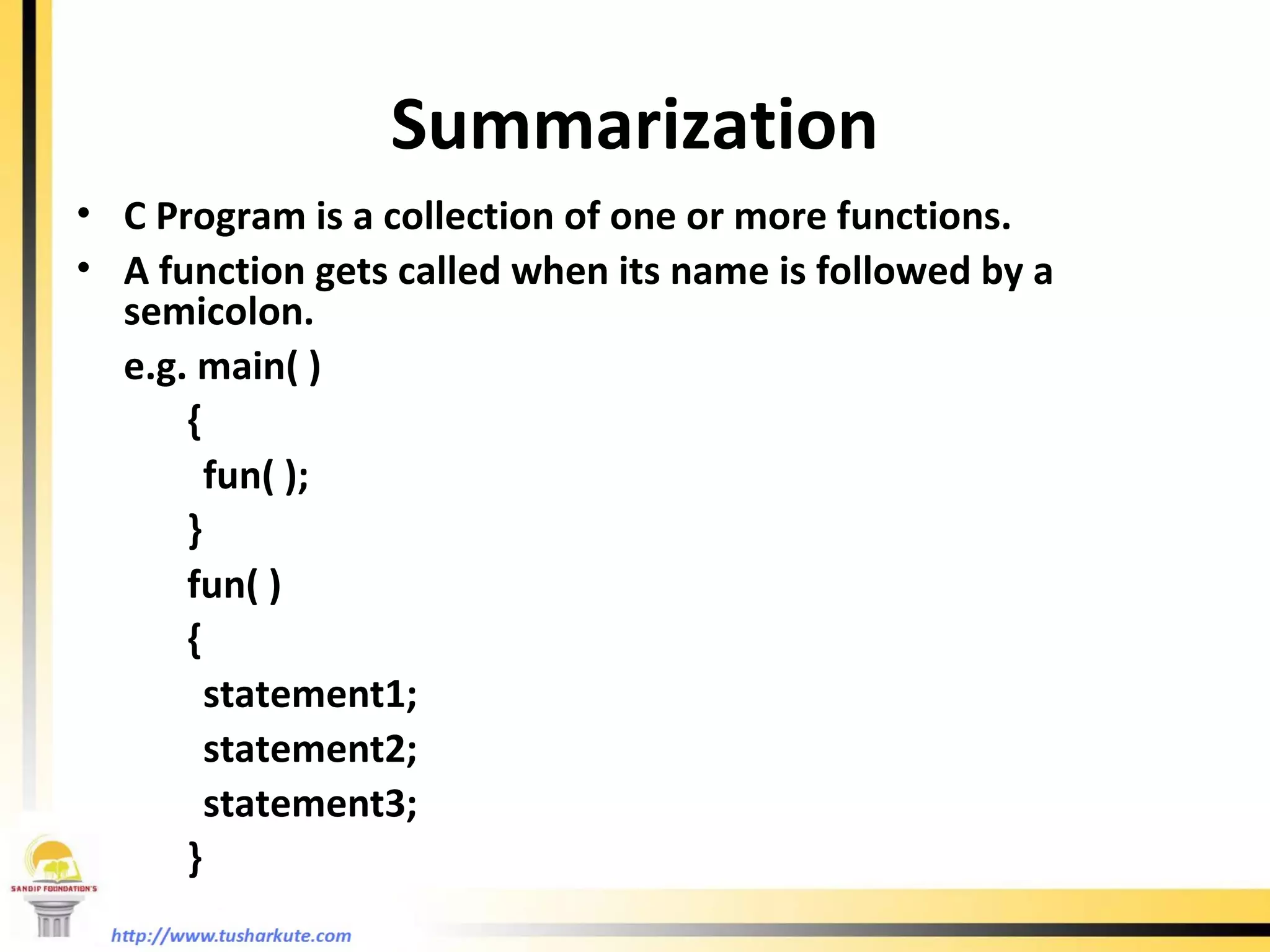
Summarization C Program is a collection of one or more functions. A function gets called when its name is followed by a semicolon. e.g. main( )   { fun( );   }   fun( )   { statement1; statement2; statement3;   }
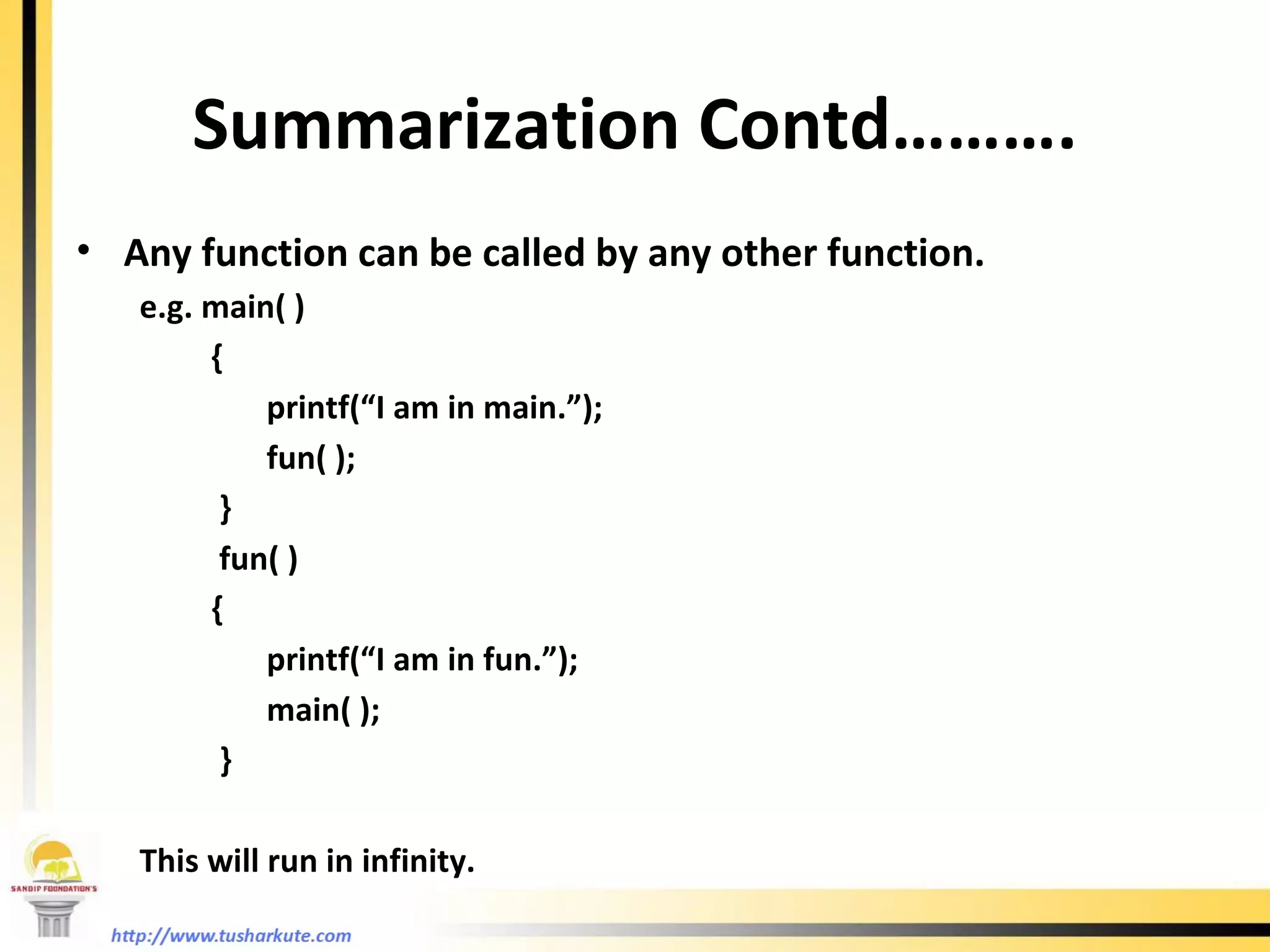
Summarization Contd………. Any function can be called by any other function. e.g. main( )   { printf(“I am in main.”); fun( );   }   fun( )   { printf(“I am in fun.”); main( );   }   This will run in infinity.
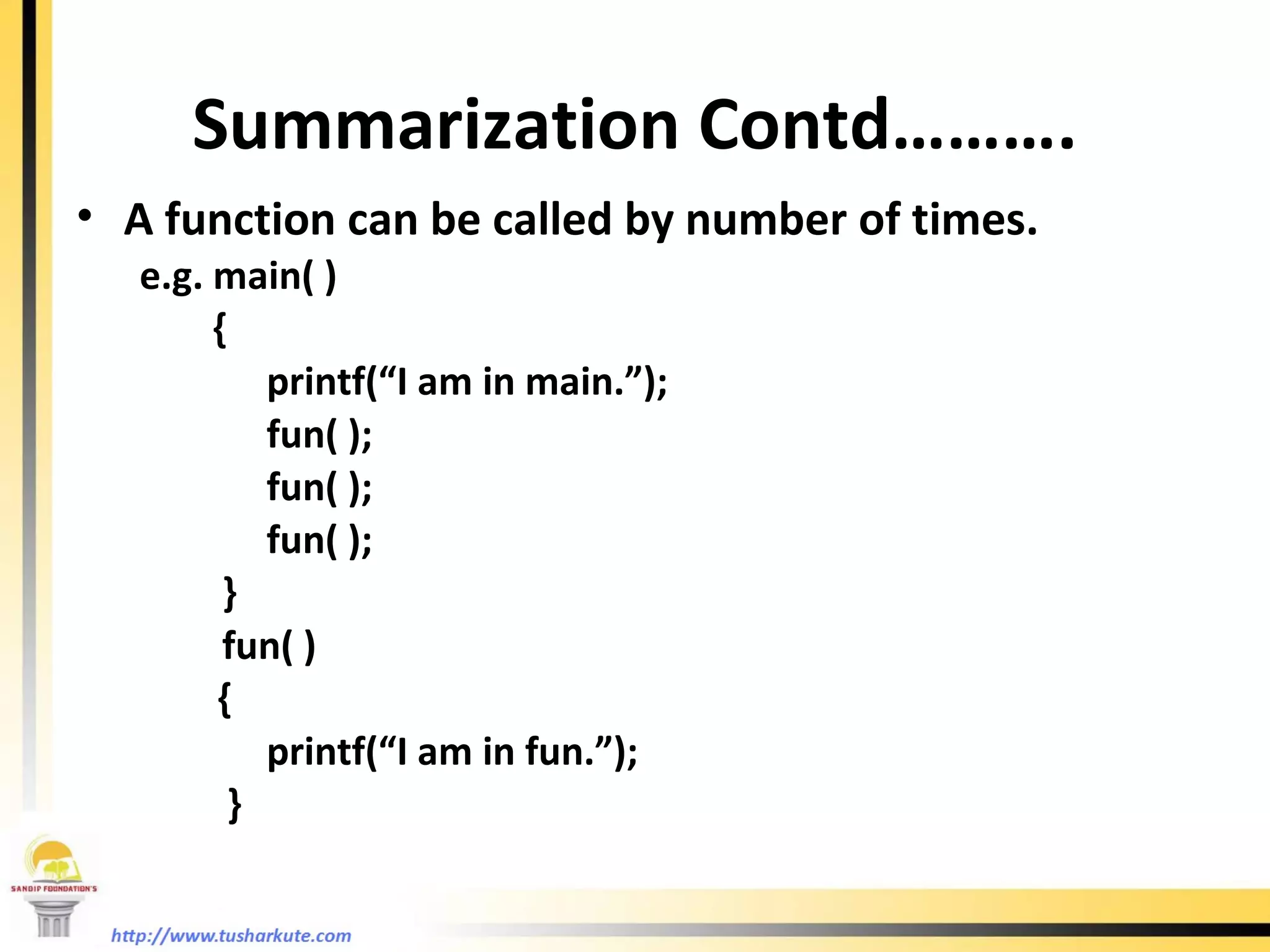
Summarization Contd………. A function can be called by number of times. e.g. main( )   { printf(“I am in main.”); fun( ); fun( ); fun( );   }   fun( )   { printf(“I am in fun.”);   }
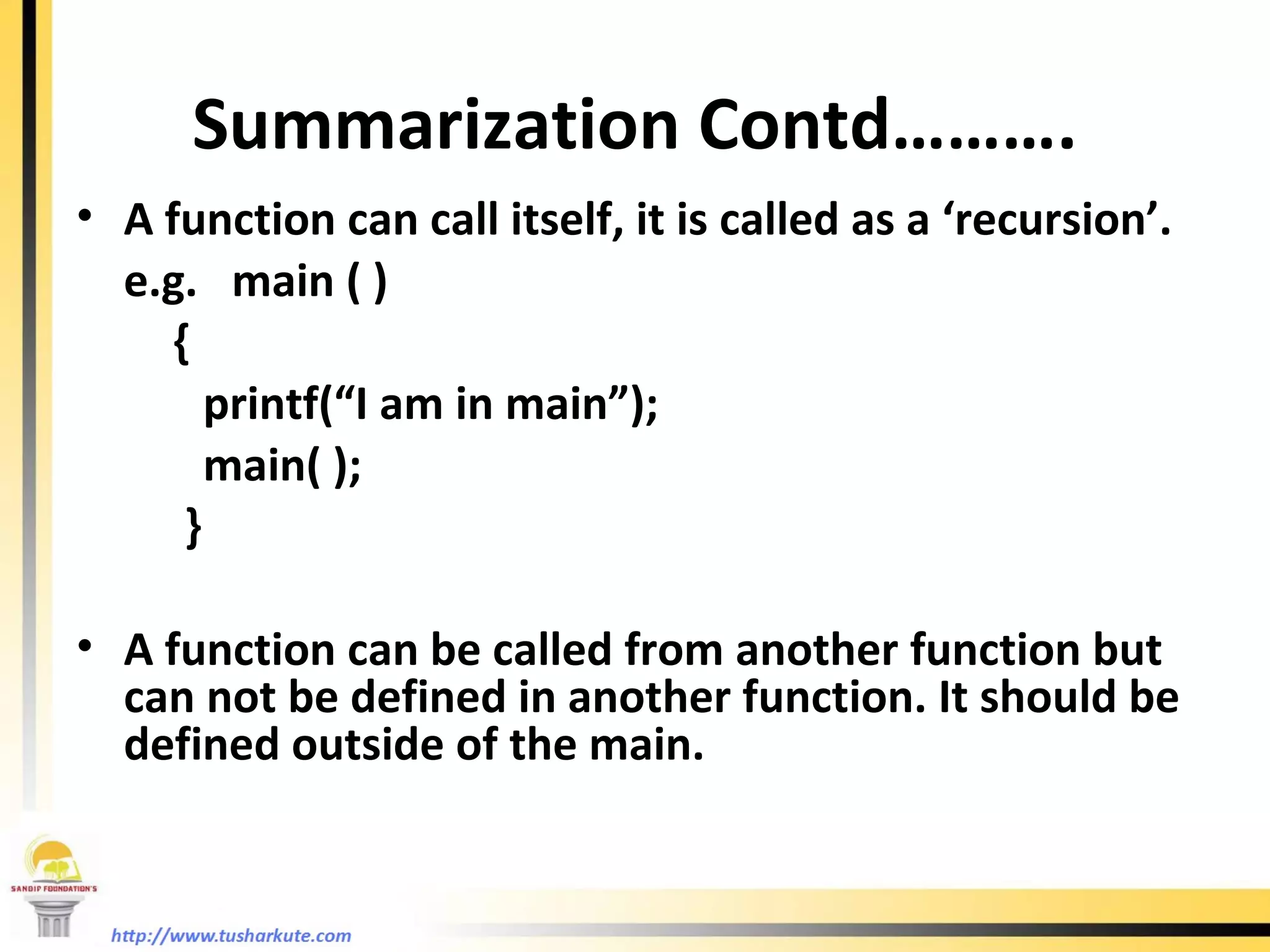
Summarization Contd………. A function can call itself, it is called as a ‘recursion’. e.g.  main ( )   { printf(“I am in main”); main( );   } A function can be called from another function but can not be defined in another function. It should be defined outside of the main.
Why use functions ? Writing functions avoids rewriting of the same code again and again in the program. Using a function it becomes easier to write program to keep track of what they are doing.
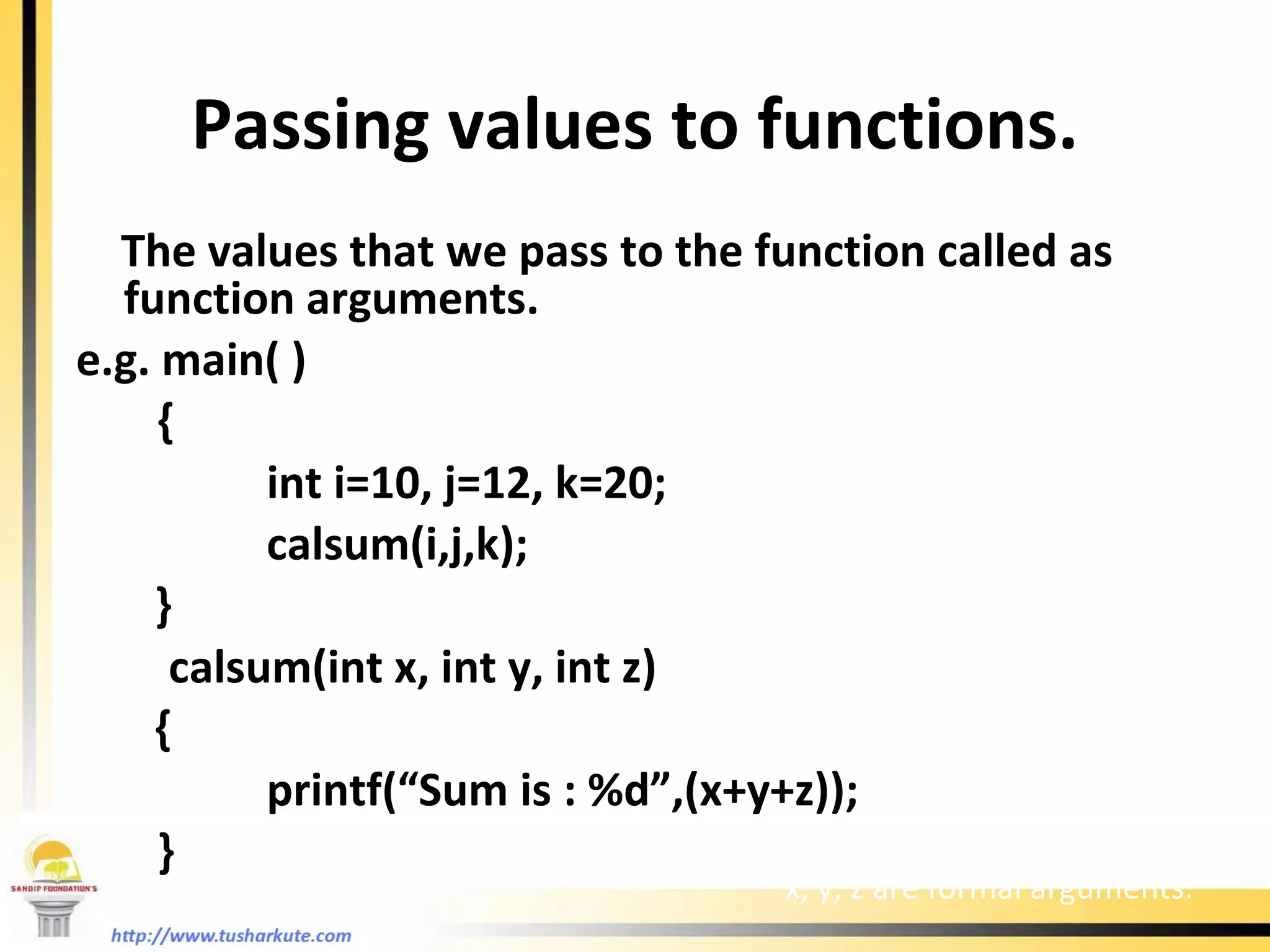
Passing values to functions. The values that we pass to the function called as function arguments. e.g. main( )   { int i=10, j=12, k=20;   calsum(i,j,k); }   calsum(int x, int y, int z) {   printf(“Sum is : %d”,(x+y+z));   } i, j, k are actual arguments x, y, z are formal arguments.
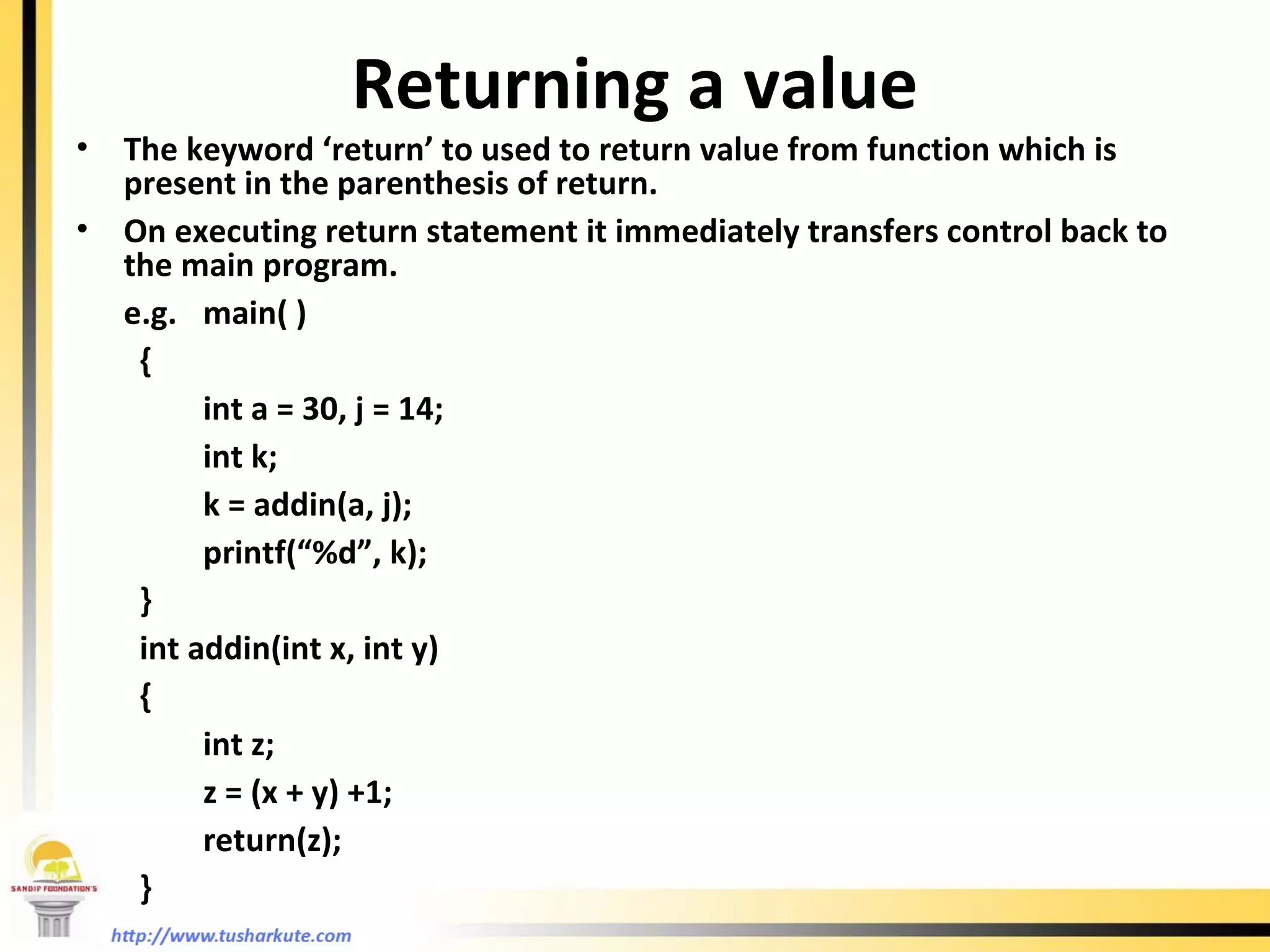
Returning a value The keyword ‘return’ to used to return value from function which is present in the parenthesis of return. On executing return statement it immediately transfers control back to the main program. e.g. main( ) { int a = 30, j = 14; int k; k = addin(a, j); printf(“%d”, k); } int addin(int x, int y) { int z; z = (x + y) +1; return(z); }
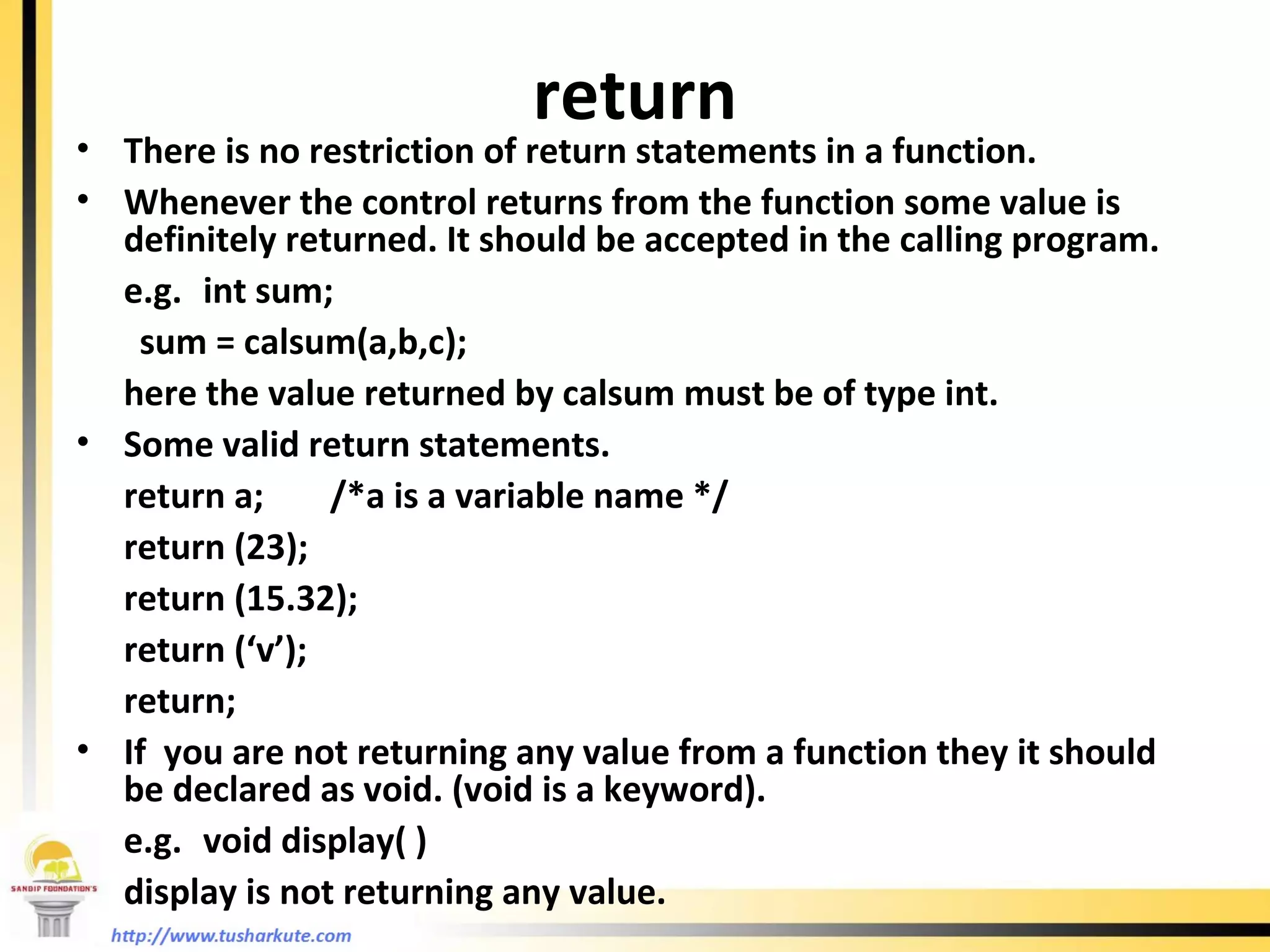
return There is no restriction of return statements in a function. Whenever the control returns from the function some value is definitely returned. It should be accepted in the calling program. e.g. int sum; sum = calsum(a,b,c); here the value returned by calsum must be of type int. Some valid return statements. return a; /*a is a variable name */ return (23); return (15.32); return (‘v’); return; If  you are not returning any value from a function they it should be declared as void. (void is a keyword). e.g. void display( ) display is not returning any value.
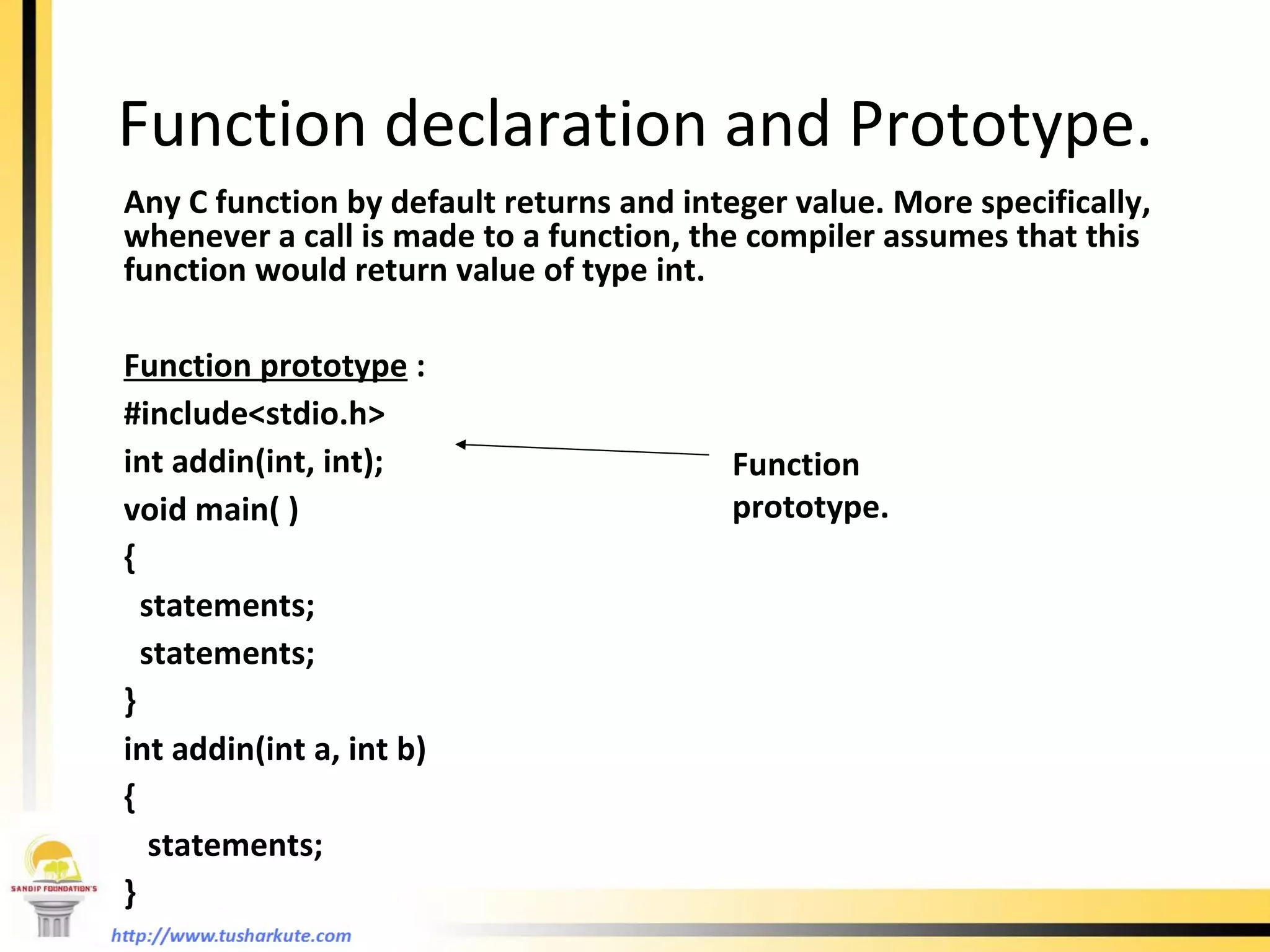
Function declaration and Prototype. Any C function by default returns and integer value. More specifically, whenever a call is made to a function, the compiler assumes that this function would return value of type int. Function prototype  : #include<stdio.h> int addin(int, int); void main( ) { statements; statements; }  int addin(int a, int b) {   statements; } Function prototype.
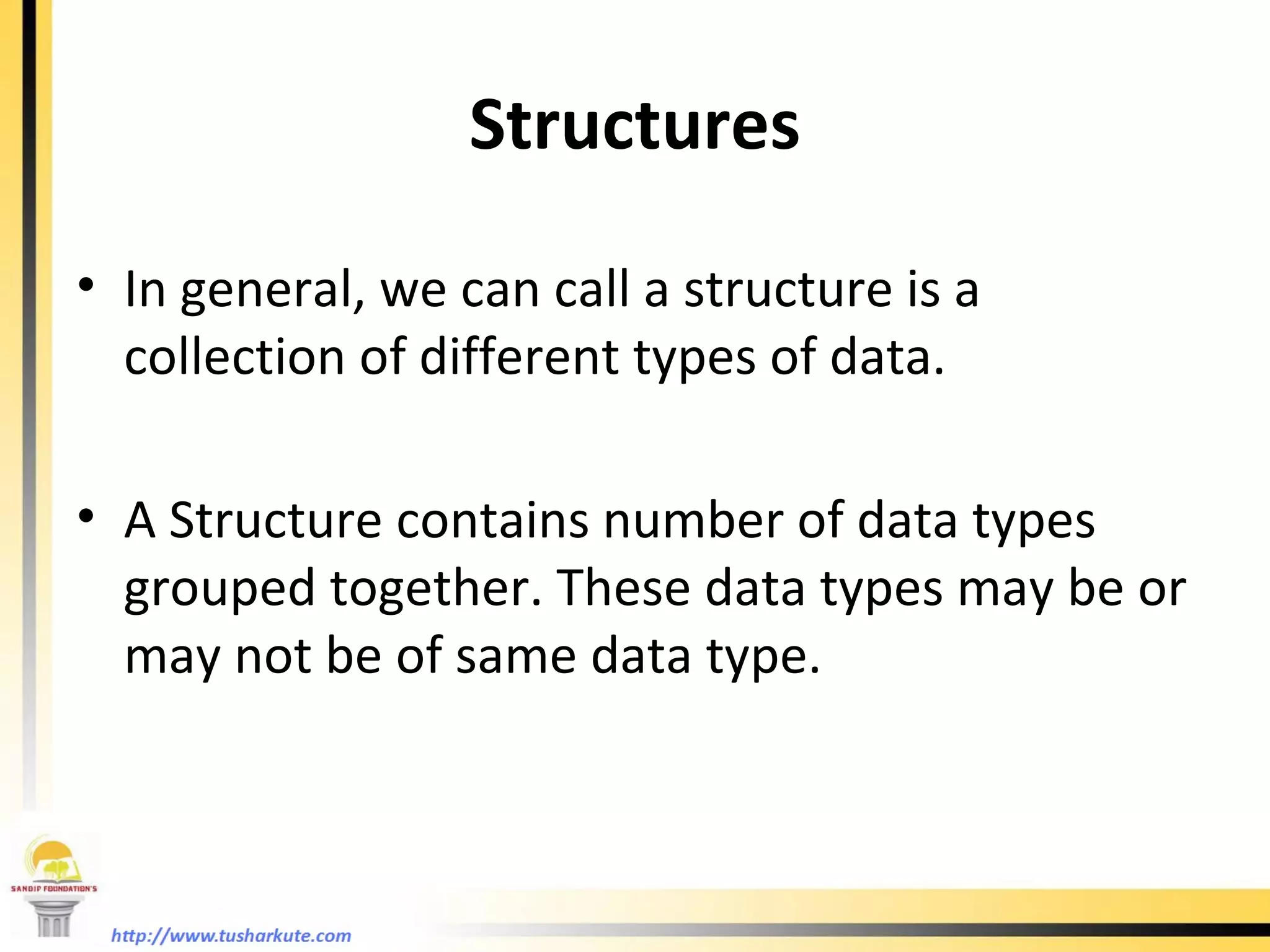
Structures In general, we can call a structure is a collection of different types of data. A Structure contains number of data types grouped together. These data types may be or may not be of same data type.
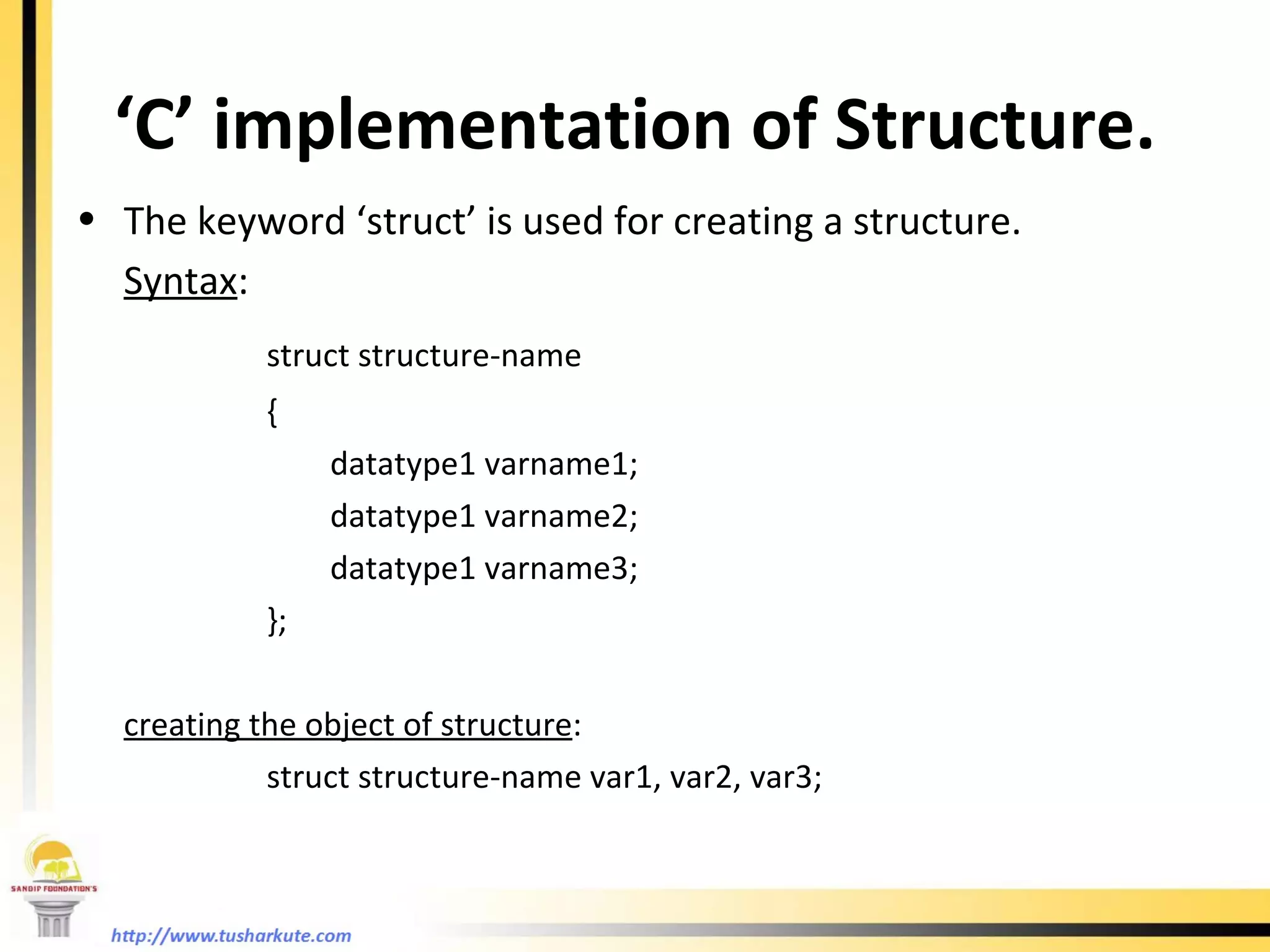
‘ C’ implementation of Structure. The keyword ‘struct’ is used for creating a structure. Syntax : struct structure-name { datatype1 varname1; datatype1 varname2; datatype1 varname3; }; creating the object of structure : struct structure-name var1, var2, var3;
Accessing structure elements . (dot operator) is used to access individual structure element. e.g. struct list {  int roll; char name[10]; float marks; }; struct list a , b , c; a.roll – is the integer element of structure a. a.name – is char array element of structure a b.marks – is a float element of structure b. a.marks – is a float element of structure b. scanf(“%d”, &b.roll); this statement can accept an integer roll of structure b from user. This is applied to all the elements of a structure.
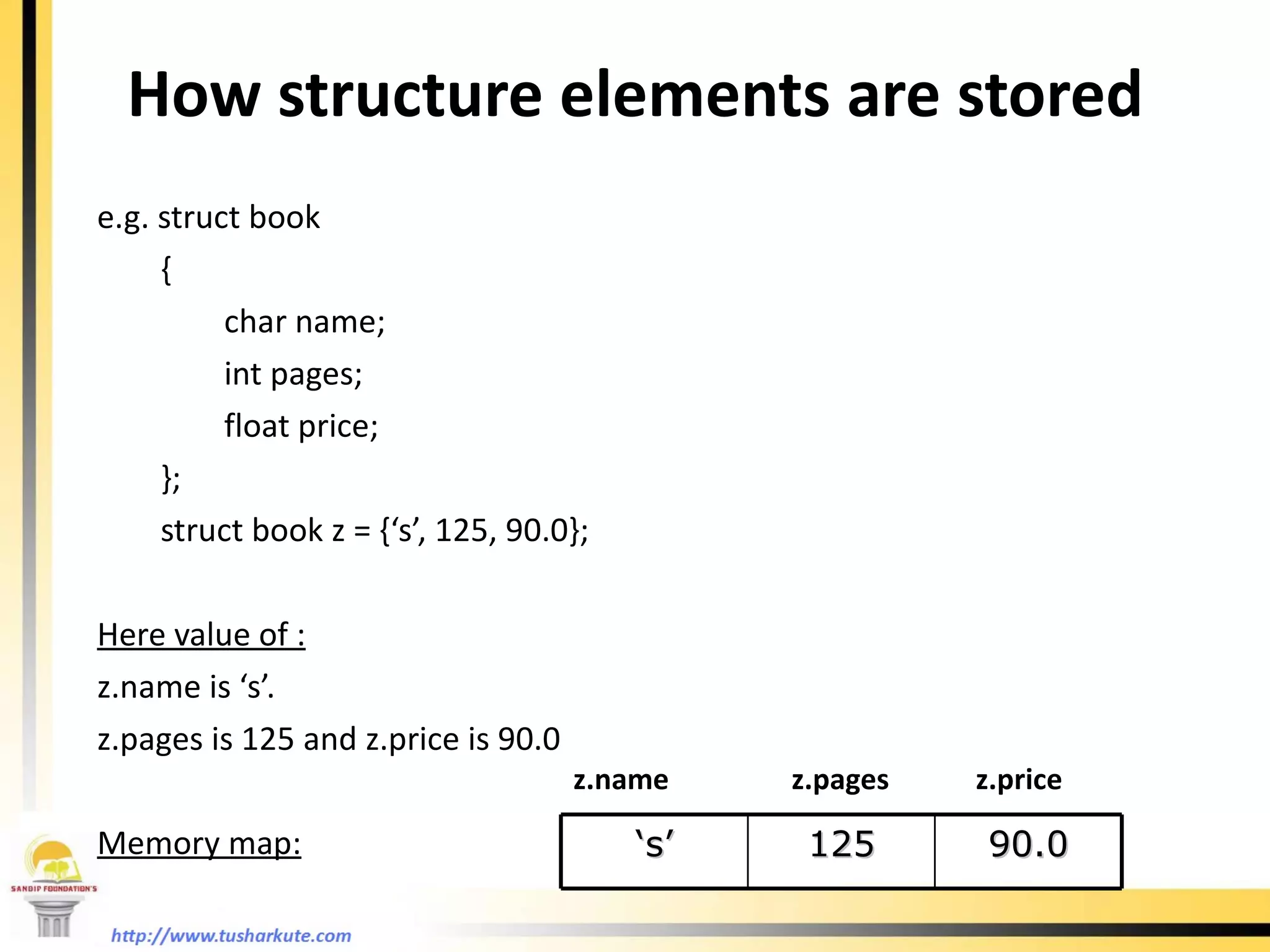
How structure elements are stored e.g. struct book { char name; int pages; float price; }; struct book z = {‘s’, 125, 90.0}; Here value of : z.name is ‘s’. z.pages is 125 and z.price is 90.0 Memory map: z.name  z.pages  z.price   ‘ s’ 125 90.0
Valid declaration struct list  {  int roll; char name[10]; float marks;   }; struct list a , b , c; It is equivalent to  : struct list  {  int roll; char name[10]; float marks;     }a, b, c;
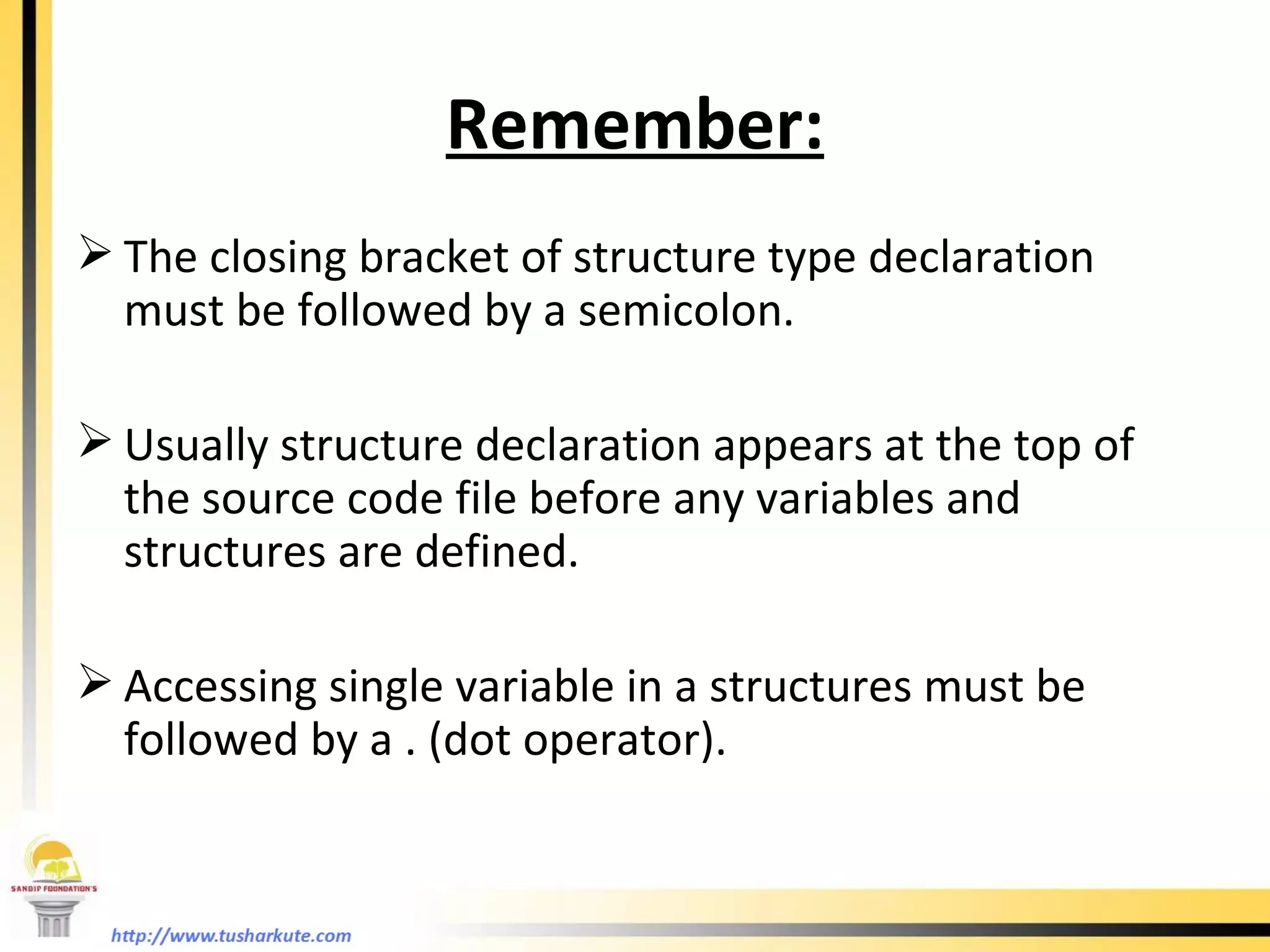
Remember: The closing bracket of structure type declaration must be followed by a semicolon.  Usually structure declaration appears at the top of the source code file before any variables and structures are defined. Accessing single variable in a structures must be followed by a . (dot operator).
Example: Creating a student database of 3 students. #include<stdio.h> void main( ) { struct student { int roll; char name[10]; float marks;   } a, b, c; printf(“Enter all information of students:” ); scanf(“%d %s %f”, &a.roll, a.name, &a.marks); scanf(“%d %s %f”, &b.roll, b.name, &b.marks); scanf(“%d %s %f”, &c.roll, c.name, &c.marks); printf(“You entered this information:”); printf(“\n%d %s %f”, a.roll, a.name, a.marks); printf(“\n%d %s %f”, b.roll, b.name, b.marks); printf(“\n%d %s %f”, c.roll, c.name, c.marks); }
Array of structures We can create the array of structures. Thus, we can use the same structure for more than one variables which adds more flexibility in your program. Let’s view the previous example.  #include<stdio.h> void main( ) { struct student { int roll; char name[10]; float marks;   } a[10]; int j; printf(“Enter all information of students:” ); for(j = 0 ; j < 10 ; j++) scanf(“%d %s %f”, &a.roll[i], a.name[i], &a.marks[i]); for(j = 0 ; j < 10 ; j++) printf(“\n%d %s %f”, a.roll[i], a.name[i], a.marks[i]); }
Memory map for arrays a[i].roll  a[i].name  a[i].marks i 2 1 9 3 0 7 6 5 4 8 a[5].roll a[9].name
Pointers
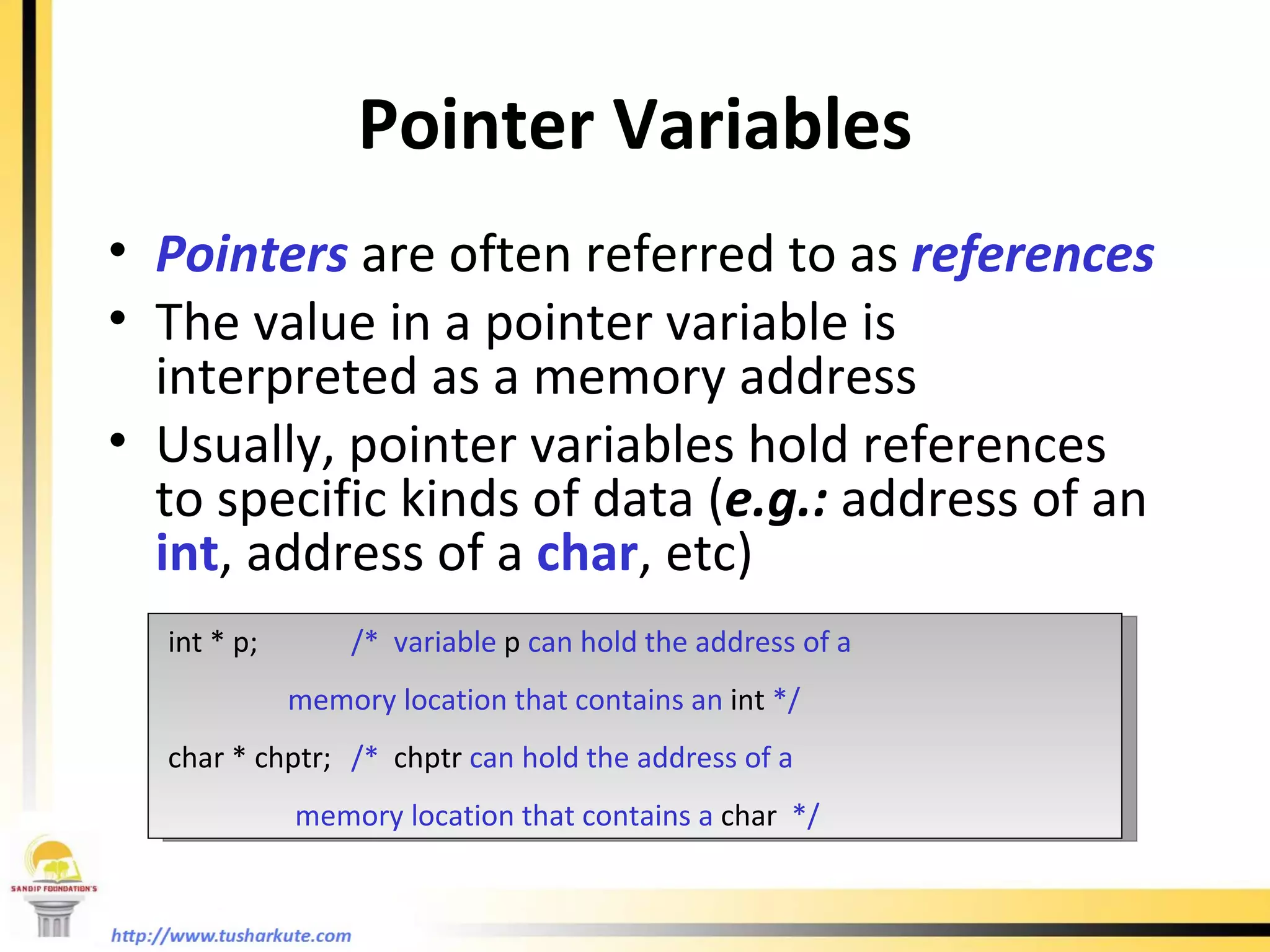
Pointer Variables Pointers  are often referred to as  references The value in a pointer variable is interpreted as a memory address Usually, pointer variables hold references to specific kinds of data ( e.g.:  address of an  int , address of a  char , etc) int * p; /*  variable  p  can hold the address of a   memory location that contains an  int  */ char * chptr; /*  chptr  can hold the address of a   memory location that contains a  char   */
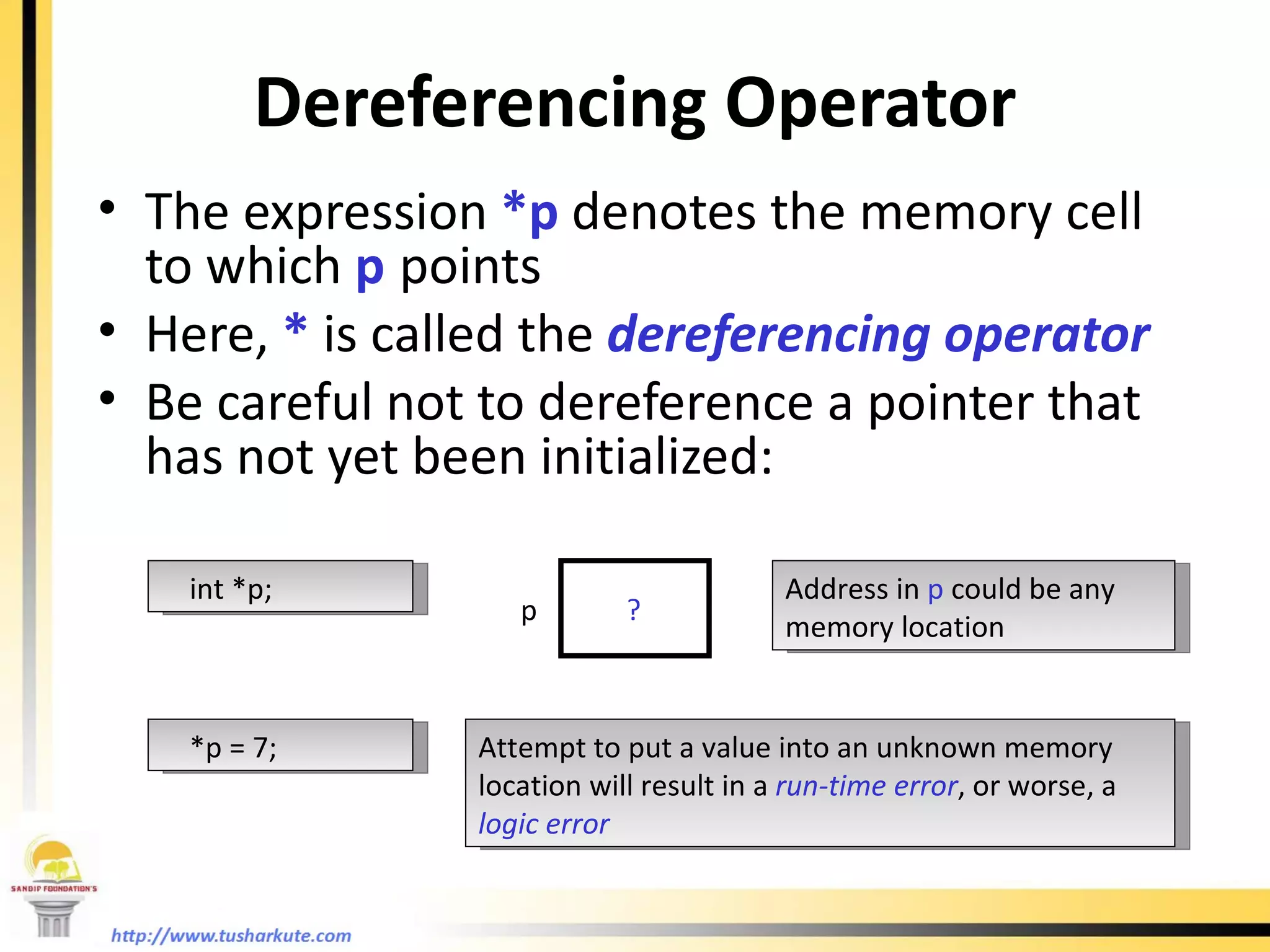
Dereferencing Operator The expression  *p  denotes the memory cell to which  p   points Here,  *  is called the  dereferencing operator Be careful not to dereference a pointer that has not yet been initialized: int *p; p ? *p = 7; Address in  p  could be any memory location Attempt to put a value into an unknown memory location will result in a  run-time error , or worse, a  logic error
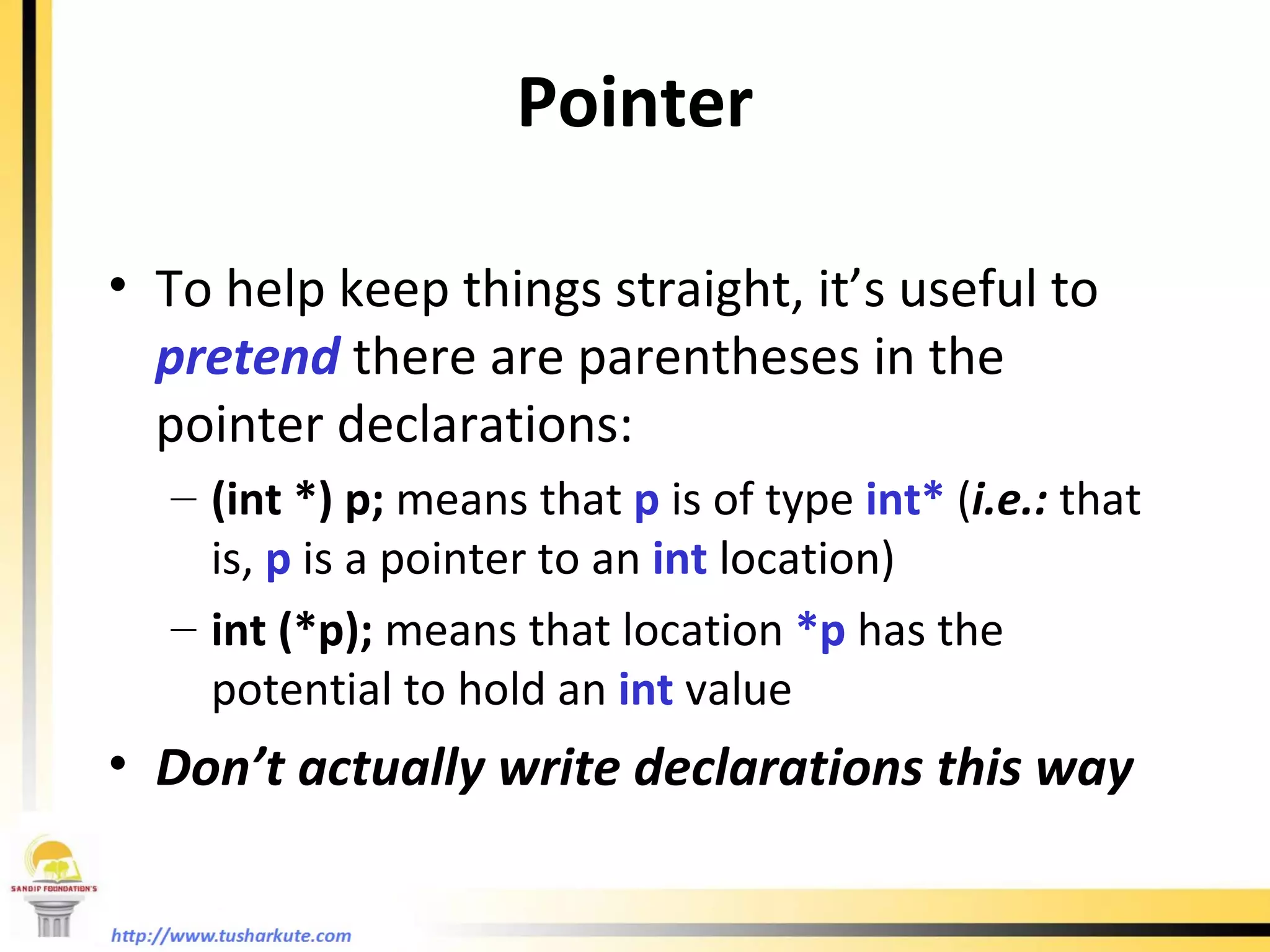
To help keep things straight, it’s useful to  pretend  there are parentheses in the pointer declarations: (int *) p;  means that  p  is of type  int*  ( i.e.:  that is,  p  is a pointer to an  int   location) int (*p);  means that location  *p  has the potential to hold an  int  value Don’t actually write declarations this way Pointer
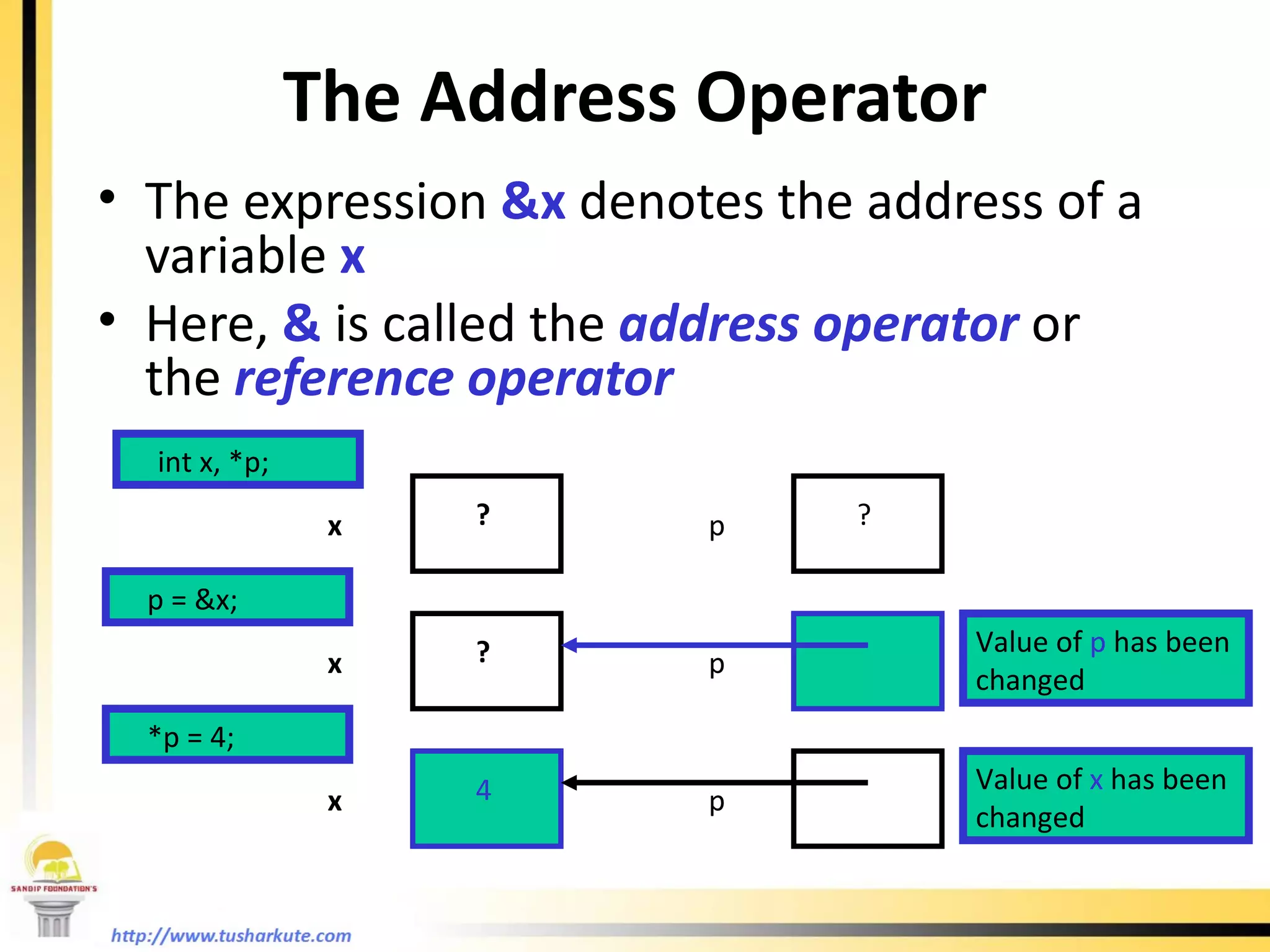
The Address Operator The expression  &x  denotes the address of a variable  x Here,  &  is called the  address operator  or the  reference operator int x, *p; p ? x ? p = &x; *p = 4; p x ? p x 4 Value of  x  has been changed Value of  p  has been changed
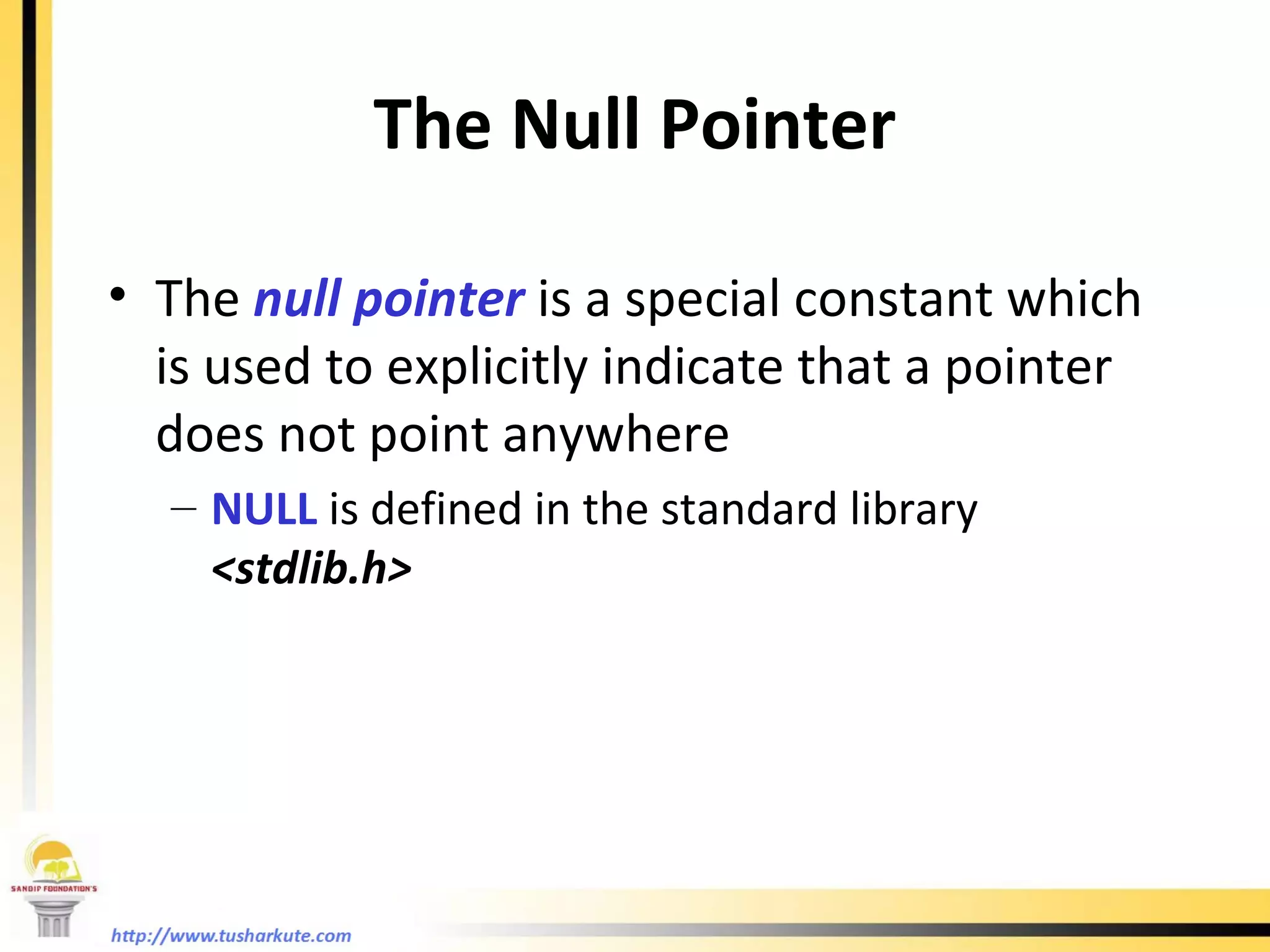
The Null Pointer The  null pointer  is a special constant which is used to explicitly indicate that a pointer does not point anywhere NULL  is defined in the standard library  <stdlib.h>
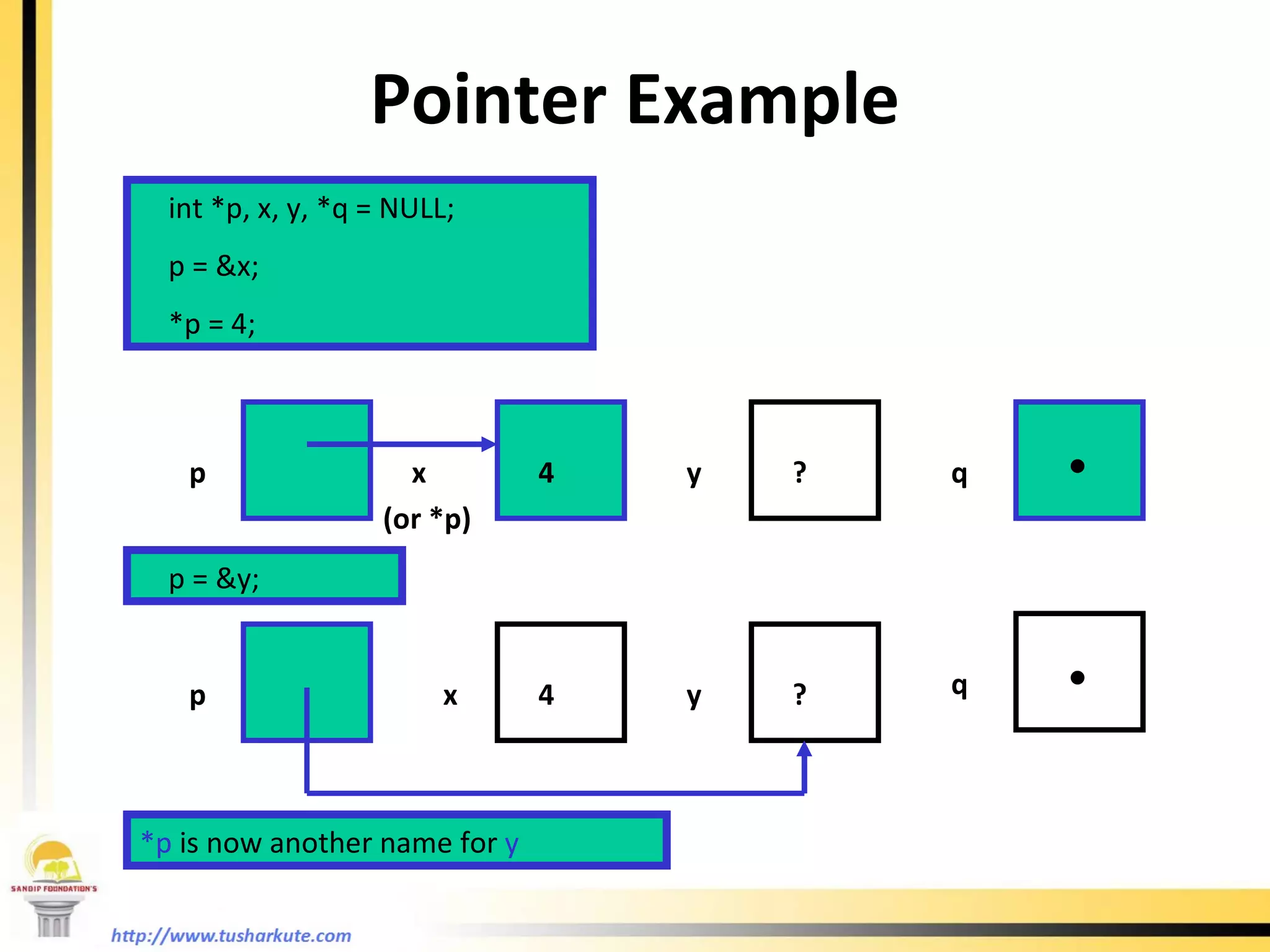
Pointer Example int *p, x, y, *q = NULL; p = &x; *p = 4; p x  (or *p) y 4 ? p = &y; p x  y 4 ? *p   is now another name for   y q q . .
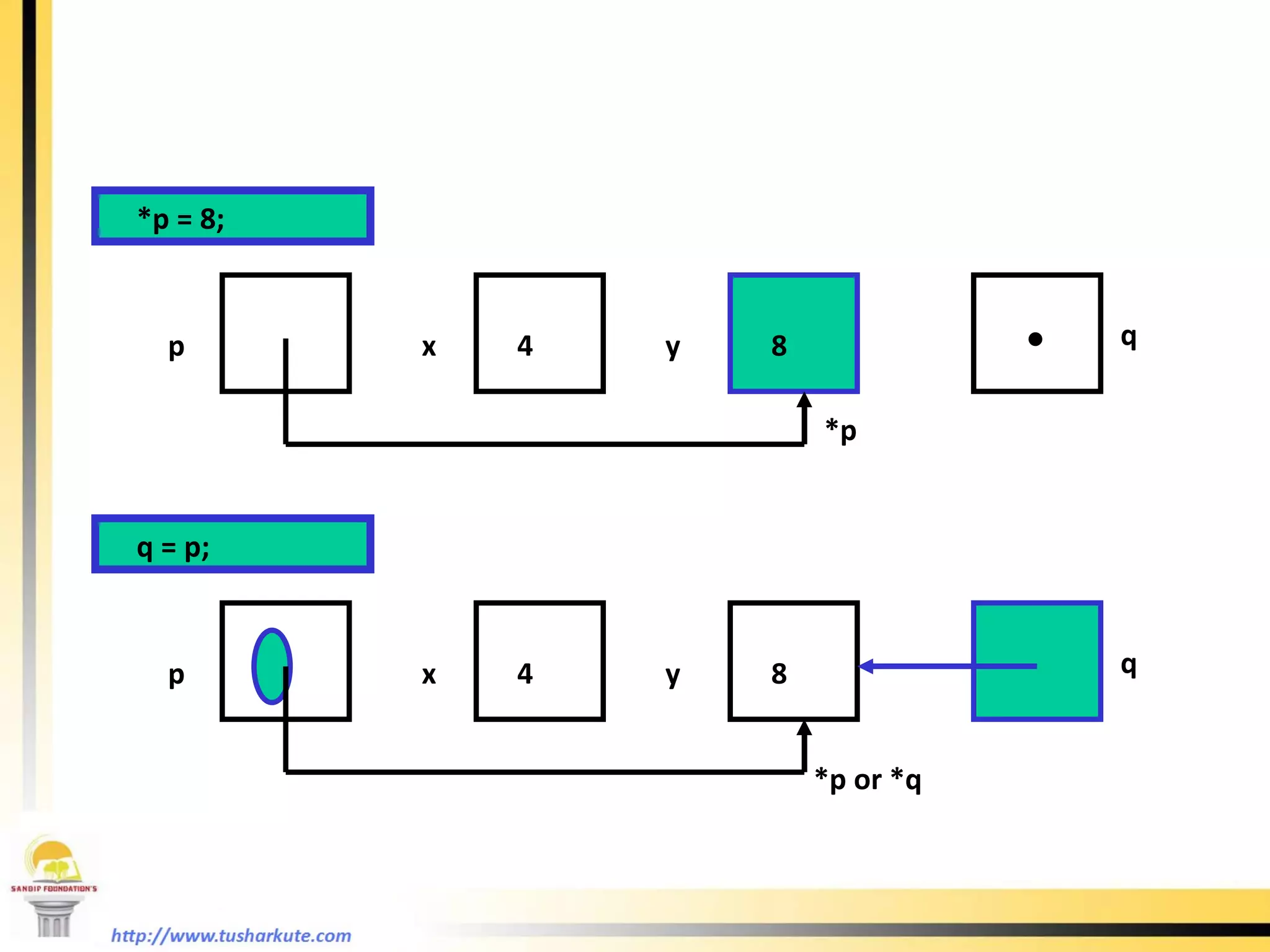
*p = 8; p x  y 4 8 q = p; p x  y 4 8 q *p or *q q *p .
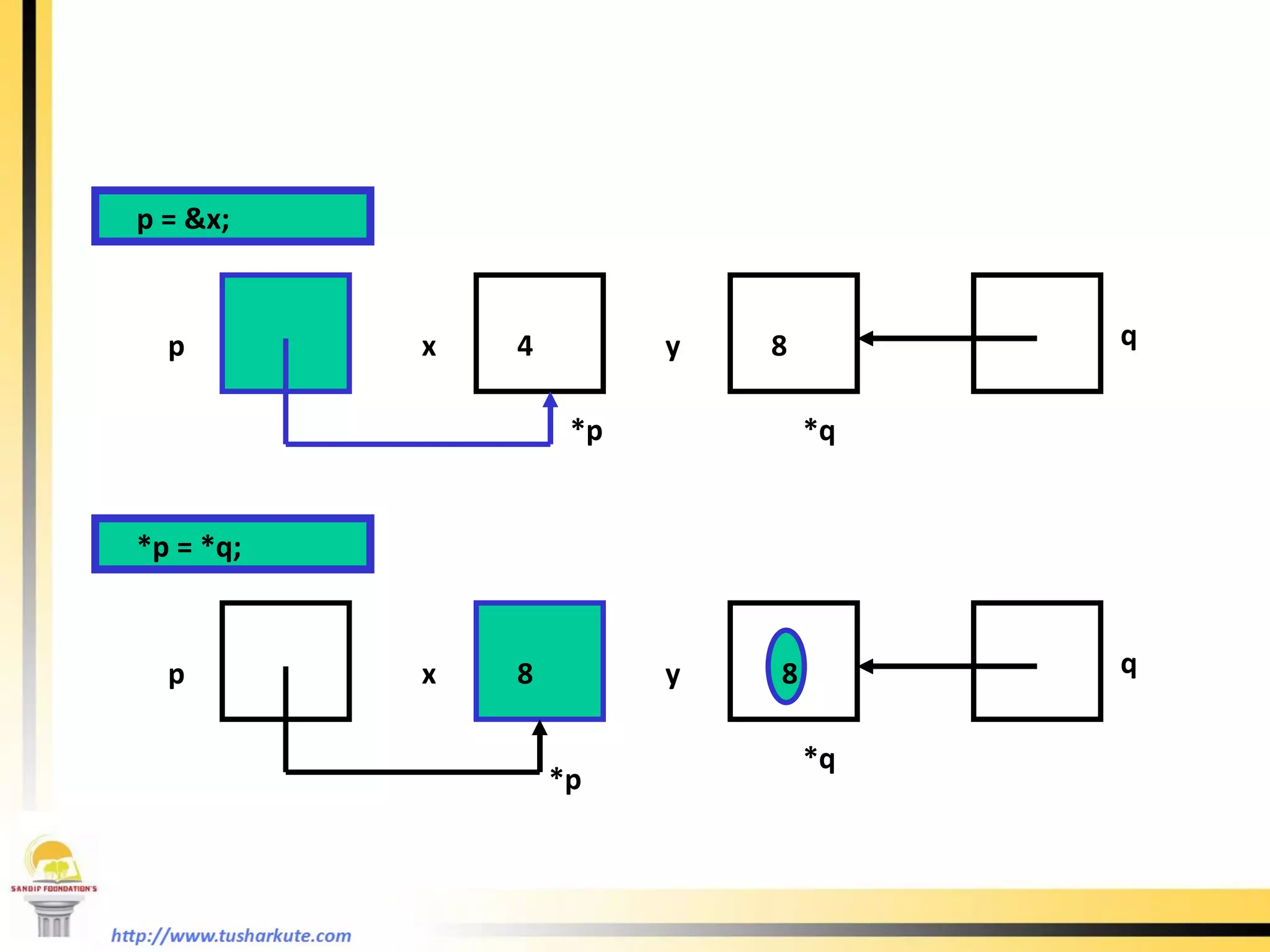
p = &x; p x  y 4 8 *q *p = *q; p x  y 8 8 q *p q *p *q 8
Arrays of Pointers It’s possible to have arrays of pointers The array name is a pointer to an array of pointers: int j = 6; k = 4; int * arrayOfPtr[4]; j k 6 4 arrayOfPtr ? ? ? ? 0 1 2 3 Pointers in array are not initialized yet
arrayOfPtr[0] = &k;  arrayOfPtr[2]=&j;  j k 6 4 arrayOfPtr ? 0 1 2 3 ?
Array Names as Pointers Array name is really a pointer to the first element in the array Consider the declaration  int arr[5]; arr  has the same meaning as  &arr[0] *arr  has the same meaning as  arr[0] Indexing  into an array is really a  pointer dereferencing operation
Functions Calls Call by value. Call by reference.
References “ Let us C” by  Yashwant Kanetkar,  BPB Publications. “ Programming in ANSI C” by  E Balagurusamy,  Tata McGraw Hill Publishing. “ How to Program: C”, by  Deital and Deital,  Prentice Hall of India. “ The Complete Reference: C” by  Herbert Schildt,  McGraw Hill International Publishing.

An imperative study of c

  • 1.
    Tushar B. Kute,Department of Information Technology, Sandip Institute of Technology and Research Centre, Nashik An Imperative Study of ‘C’
  • 2.
    Outline Basic programmingconcepts. Decision making statements. Arrays and Strings. Functions. Structures. Pointers.
  • 3.
  • 4.
    Problem Solving AnalysisDesign Code Maintain Test
  • 5.
    Two views ofprogram user interface software layers hidden by user interface user’s view programmer’s view
  • 6.
    Alphabets, Digits, SpecialSymbols. Constants, Variables, And Keywords Instructions Program. Forming a C program
  • 7.
  • 8.
    Basic Programming ConceptsConstants. Data Types. Keywords. Operators. Arithmetic Logical Bitwise Relational Conditional
  • 9.
    Sample C Program#include<stdio.h> main( ) { int i = 10, j = 12; float k, m = 12.6; k = (i + j) / m; printf(“Input : %d %d %f”, i, j, m); printf(“\nOutput : %f ”, k); }
  • 10.
    Control Statements SelectionStatements Using if and if...else Nested if Statements Using switch Statements Conditional Operator Repetition Statements Looping: while , do-while , and for Nested loops Using break and continue
  • 11.
    if Statementsif (Condition) { statement(s); } Example: if (i > 0) { printf(&quot;i = %d “, i ); } Condition ? statement1 statement2 statement3 true false
  • 12.
    The if...else Statement if (condition) { statement(s)-for-the-true-case; } else { statement(s)-for-the-false-case; }
  • 13.
    if...else Exampleif (radius >= 0) { area = radius*radius*PI; printf(&quot;The area for the circle of radius %d is =%d&quot; , radius, area); } else { printf(“Radius can not be Negative &quot;); }
  • 14.
    Multiple Alternative ifStatements if (score >= 90) grade = ‘A’; else if (score >= 80) grade = ‘B’; else if (score >= 70) grade = ‘C’; else if (score >= 60) grade = ‘D’; else grade = ‘F’; if (score >= 90) grade = ‘A’; else if (score >= 80) grade = ‘B’; else if (score >= 70) grade = ‘C’; else if (score >= 60) grade = ‘D’; else grade = ‘F’;
  • 15.
    switch Statements switch (variable-name) { case value1: Execute this; break; case value2: Execute this; break; case valueN: Execute this; break; default: Execute this; }
  • 16.
    switch StatementFlow Chart
  • 17.
    Repetitions while Loops do-while Loops for Loops break and continue
  • 18.
    while Loopwhile (continuation-condition) { // loop-body; }
  • 19.
    while LoopFlow Chart, cont. int i = 0; while (i < 100) { printf(&quot;Welcome to C!&quot;); i++; }
  • 20.
    do-while Loopdo { // Loop body; } while (continue-condition);
  • 21.
    for Loop for (initialization; condition; increment/decrement) { //loop body; }
  • 22.
    Caution Adding asemicolon at the end of the for clause before the loop body is a common mistake, as shown below: for (int i=0; i<10; i++); { printf(&quot;i is %d“,i); } Wrong
  • 23.
    Caution, cont. Similarly,the following loop is also wrong: int i=0; while (i<10); { printf(&quot;i is %d“,i); i++; } In the case of the do loop, the following semicolon is needed to end the loop. int i=0; do { printf(&quot;i is %d“,i); i++; } while (i<10); Wrong Correct
  • 24.
  • 25.
    The break Keyword
  • 26.
    Example: break statement int a = 10; while( a >= 0 ) { printf(“\nValue of a = %d”,a); a--; if(a==5) break; } Output: Value of a = 10 Value of a = 9 Value of a = 8 Value of a = 7 Value of a = 6
  • 27.
    The continue Keyword
  • 28.
    Example: continue statement int a = 6; while( a >= 0 ) { a--; if(a==3) continue; printf(“\nValue of a = %d”,a); }
  • 29.
    Arrays Array isa data structure that represents a collection of the same types of data. An Array of 10 Elements of type int
  • 30.
    Declaring Array Variablesdatatype arrayname[index]; Example: int list[10]; char num[15]; float hat[20];
  • 31.
    Creating Arrays datatypearray-name[size]; Example: int num[10]; num[0] references the first element in the array. num[9] references the last element in the array.
  • 32.
    Declaring and Creatingin One Step datatype arrayname[arraySize]= {values seperated by comma}; Example : char c[5] = {‘a’,‘F’,‘4’,‘=’,‘n’}; int i[4] = {12,15,0,2};
  • 33.
    The Length ofArrays Once an array is created, its size is fixed. It cannot be changed. For example , int arr[10]; You can not insert any number to arr[11] location because it is not initialized.
  • 34.
    Declaring, creating, initializingUsing the Shorthand Notation float list[4] = {1.9, 2.9, 3.4, 3.5}; This shorthand notation is equivalent to the following statements: float list[4]; list[0] = 1.9; list[1] = 2.9; list[2] = 3.4; list[3] = 3.5;
  • 35.
    CAUTION Using theshorthand notation, you have to declare, create, and initialize the array all in one statement. Splitting it would cause a syntax error. For example, the following is wrong: float list; list = {1.9, 2.9, 3.4, 3.5};
  • 36.
    Copying Arrays Withdirect assignment: int array1[5] = {2, 3, 1, 5, 10}; int array2[5]; array2 = array1;
  • 37.
    Multidimensional Arrays DeclaringVariables of Multidimensional Arrays and Creating Multidimensional Arrays int matrix[10][10]; for (i=0; i<10; i++) for (j=0; j<10; j++) { matrix[i][j] = i * j; } float mat[5][5];
  • 38.
  • 39.
  • 40.
    What is aFunction ? Function is a self contained block of statements that perform a coherent task of some kind. Every C program can be a thought of the collection of functions. main( ) is also a function.
  • 41.
    Types of FunctionsLibrary functions. These are the in-built functions of ‘C’ library. These are already defined in header files. e.g. printf( ); is a function which is used to print at output. It is defined in ‘stdio.h’ file . User defined functions. Programmer can create their own function in C to perform specific task.
  • 42.
    User defined functionse.g. #include<stdio.h> message( ) { printf(“Hello”); } main( ) { message( ); }
  • 43.
    Declaration of manyfunctions. #include<stdio.h> main( ) { printf(“I am in main”); poly( ); engg( ); agri( ); } poly( ) { printf(“I am in polytechnic”); } engg( ) { printf(“I am in engineering”); } agri( ) { printf(“I am in agri”); }
  • 44.
    Some conclusions AnyC Program must contain at least one function. If program contains only one function it must be main( ). There is no limit on the number of functions present in a C program. Each function in a program is called in the sequence specified by functions call in main( ). After each function has done its thing, control returns to main( ). When main( ) run out of function calls program ends.
  • 45.
    Summarization C Programis a collection of one or more functions. A function gets called when its name is followed by a semicolon. e.g. main( ) { fun( ); } fun( ) { statement1; statement2; statement3; }
  • 46.
    Summarization Contd………. Anyfunction can be called by any other function. e.g. main( ) { printf(“I am in main.”); fun( ); } fun( ) { printf(“I am in fun.”); main( ); } This will run in infinity.
  • 47.
    Summarization Contd………. Afunction can be called by number of times. e.g. main( ) { printf(“I am in main.”); fun( ); fun( ); fun( ); } fun( ) { printf(“I am in fun.”); }
  • 48.
    Summarization Contd………. Afunction can call itself, it is called as a ‘recursion’. e.g. main ( ) { printf(“I am in main”); main( ); } A function can be called from another function but can not be defined in another function. It should be defined outside of the main.
  • 49.
    Why use functions? Writing functions avoids rewriting of the same code again and again in the program. Using a function it becomes easier to write program to keep track of what they are doing.
  • 50.
    Passing values tofunctions. The values that we pass to the function called as function arguments. e.g. main( ) { int i=10, j=12, k=20; calsum(i,j,k); } calsum(int x, int y, int z) { printf(“Sum is : %d”,(x+y+z)); } i, j, k are actual arguments x, y, z are formal arguments.
  • 51.
    Returning a valueThe keyword ‘return’ to used to return value from function which is present in the parenthesis of return. On executing return statement it immediately transfers control back to the main program. e.g. main( ) { int a = 30, j = 14; int k; k = addin(a, j); printf(“%d”, k); } int addin(int x, int y) { int z; z = (x + y) +1; return(z); }
  • 52.
    return There isno restriction of return statements in a function. Whenever the control returns from the function some value is definitely returned. It should be accepted in the calling program. e.g. int sum; sum = calsum(a,b,c); here the value returned by calsum must be of type int. Some valid return statements. return a; /*a is a variable name */ return (23); return (15.32); return (‘v’); return; If you are not returning any value from a function they it should be declared as void. (void is a keyword). e.g. void display( ) display is not returning any value.
  • 53.
    Function declaration andPrototype. Any C function by default returns and integer value. More specifically, whenever a call is made to a function, the compiler assumes that this function would return value of type int. Function prototype : #include<stdio.h> int addin(int, int); void main( ) { statements; statements; } int addin(int a, int b) { statements; } Function prototype.
  • 54.
    Structures In general,we can call a structure is a collection of different types of data. A Structure contains number of data types grouped together. These data types may be or may not be of same data type.
  • 55.
    ‘ C’ implementationof Structure. The keyword ‘struct’ is used for creating a structure. Syntax : struct structure-name { datatype1 varname1; datatype1 varname2; datatype1 varname3; }; creating the object of structure : struct structure-name var1, var2, var3;
  • 56.
    Accessing structure elements. (dot operator) is used to access individual structure element. e.g. struct list { int roll; char name[10]; float marks; }; struct list a , b , c; a.roll – is the integer element of structure a. a.name – is char array element of structure a b.marks – is a float element of structure b. a.marks – is a float element of structure b. scanf(“%d”, &b.roll); this statement can accept an integer roll of structure b from user. This is applied to all the elements of a structure.
  • 57.
    How structure elementsare stored e.g. struct book { char name; int pages; float price; }; struct book z = {‘s’, 125, 90.0}; Here value of : z.name is ‘s’. z.pages is 125 and z.price is 90.0 Memory map: z.name z.pages z.price ‘ s’ 125 90.0
  • 58.
    Valid declaration structlist { int roll; char name[10]; float marks; }; struct list a , b , c; It is equivalent to : struct list { int roll; char name[10]; float marks; }a, b, c;
  • 59.
    Remember: The closingbracket of structure type declaration must be followed by a semicolon. Usually structure declaration appears at the top of the source code file before any variables and structures are defined. Accessing single variable in a structures must be followed by a . (dot operator).
  • 60.
    Example: Creating astudent database of 3 students. #include<stdio.h> void main( ) { struct student { int roll; char name[10]; float marks; } a, b, c; printf(“Enter all information of students:” ); scanf(“%d %s %f”, &a.roll, a.name, &a.marks); scanf(“%d %s %f”, &b.roll, b.name, &b.marks); scanf(“%d %s %f”, &c.roll, c.name, &c.marks); printf(“You entered this information:”); printf(“\n%d %s %f”, a.roll, a.name, a.marks); printf(“\n%d %s %f”, b.roll, b.name, b.marks); printf(“\n%d %s %f”, c.roll, c.name, c.marks); }
  • 61.
    Array of structuresWe can create the array of structures. Thus, we can use the same structure for more than one variables which adds more flexibility in your program. Let’s view the previous example. #include<stdio.h> void main( ) { struct student { int roll; char name[10]; float marks; } a[10]; int j; printf(“Enter all information of students:” ); for(j = 0 ; j < 10 ; j++) scanf(“%d %s %f”, &a.roll[i], a.name[i], &a.marks[i]); for(j = 0 ; j < 10 ; j++) printf(“\n%d %s %f”, a.roll[i], a.name[i], a.marks[i]); }
  • 62.
    Memory map forarrays a[i].roll a[i].name a[i].marks i 2 1 9 3 0 7 6 5 4 8 a[5].roll a[9].name
  • 63.
  • 64.
    Pointer Variables Pointers are often referred to as references The value in a pointer variable is interpreted as a memory address Usually, pointer variables hold references to specific kinds of data ( e.g.: address of an int , address of a char , etc) int * p; /* variable p can hold the address of a memory location that contains an int */ char * chptr; /* chptr can hold the address of a memory location that contains a char */
  • 65.
    Dereferencing Operator Theexpression *p denotes the memory cell to which p points Here, * is called the dereferencing operator Be careful not to dereference a pointer that has not yet been initialized: int *p; p ? *p = 7; Address in p could be any memory location Attempt to put a value into an unknown memory location will result in a run-time error , or worse, a logic error
  • 66.
    To help keepthings straight, it’s useful to pretend there are parentheses in the pointer declarations: (int *) p; means that p is of type int* ( i.e.: that is, p is a pointer to an int location) int (*p); means that location *p has the potential to hold an int value Don’t actually write declarations this way Pointer
  • 67.
    The Address OperatorThe expression &x denotes the address of a variable x Here, & is called the address operator or the reference operator int x, *p; p ? x ? p = &x; *p = 4; p x ? p x 4 Value of x has been changed Value of p has been changed
  • 68.
    The Null PointerThe null pointer is a special constant which is used to explicitly indicate that a pointer does not point anywhere NULL is defined in the standard library <stdlib.h>
  • 69.
    Pointer Example int*p, x, y, *q = NULL; p = &x; *p = 4; p x (or *p) y 4 ? p = &y; p x y 4 ? *p is now another name for y q q . .
  • 70.
    *p = 8;p x y 4 8 q = p; p x y 4 8 q *p or *q q *p .
  • 71.
    p = &x;p x y 4 8 *q *p = *q; p x y 8 8 q *p q *p *q 8
  • 72.
    Arrays of PointersIt’s possible to have arrays of pointers The array name is a pointer to an array of pointers: int j = 6; k = 4; int * arrayOfPtr[4]; j k 6 4 arrayOfPtr ? ? ? ? 0 1 2 3 Pointers in array are not initialized yet
  • 73.
    arrayOfPtr[0] = &k; arrayOfPtr[2]=&j; j k 6 4 arrayOfPtr ? 0 1 2 3 ?
  • 74.
    Array Names asPointers Array name is really a pointer to the first element in the array Consider the declaration int arr[5]; arr has the same meaning as &arr[0] *arr has the same meaning as arr[0] Indexing into an array is really a pointer dereferencing operation
  • 75.
    Functions Calls Callby value. Call by reference.
  • 76.
    References “ Letus C” by Yashwant Kanetkar, BPB Publications. “ Programming in ANSI C” by E Balagurusamy, Tata McGraw Hill Publishing. “ How to Program: C”, by Deital and Deital, Prentice Hall of India. “ The Complete Reference: C” by Herbert Schildt, McGraw Hill International Publishing.