UNIT 1
INTRODUCTION TO PROGRAMMING
   Objectives
   Programming Environment
   Compiling Process
   Errors in Programming
   Debugging Strategies
   At the end of this presentation, you will
    be able to :
    • Explain the system development phase that
      involves programming
    • Explain three types of errors
   Critical task in software development
    phase  where to start?
   WHY do the people feel the need to get
    something right early in the project??
   Software ease to change.
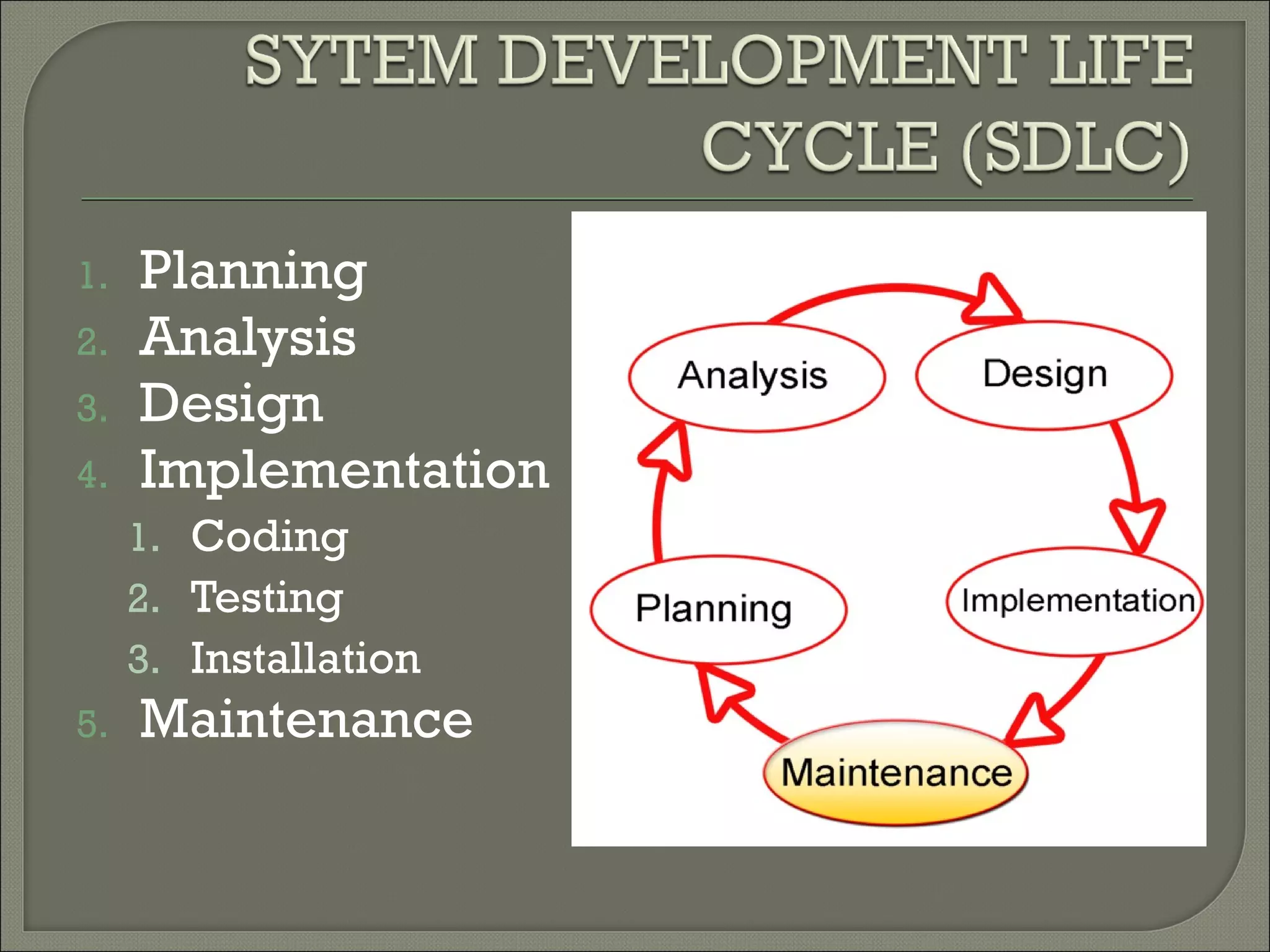
1.   Planning
2.   Analysis
3.   Design
4.   Implementation
     1. Coding
     2. Testing
     3. Installation
5.   Maintenance
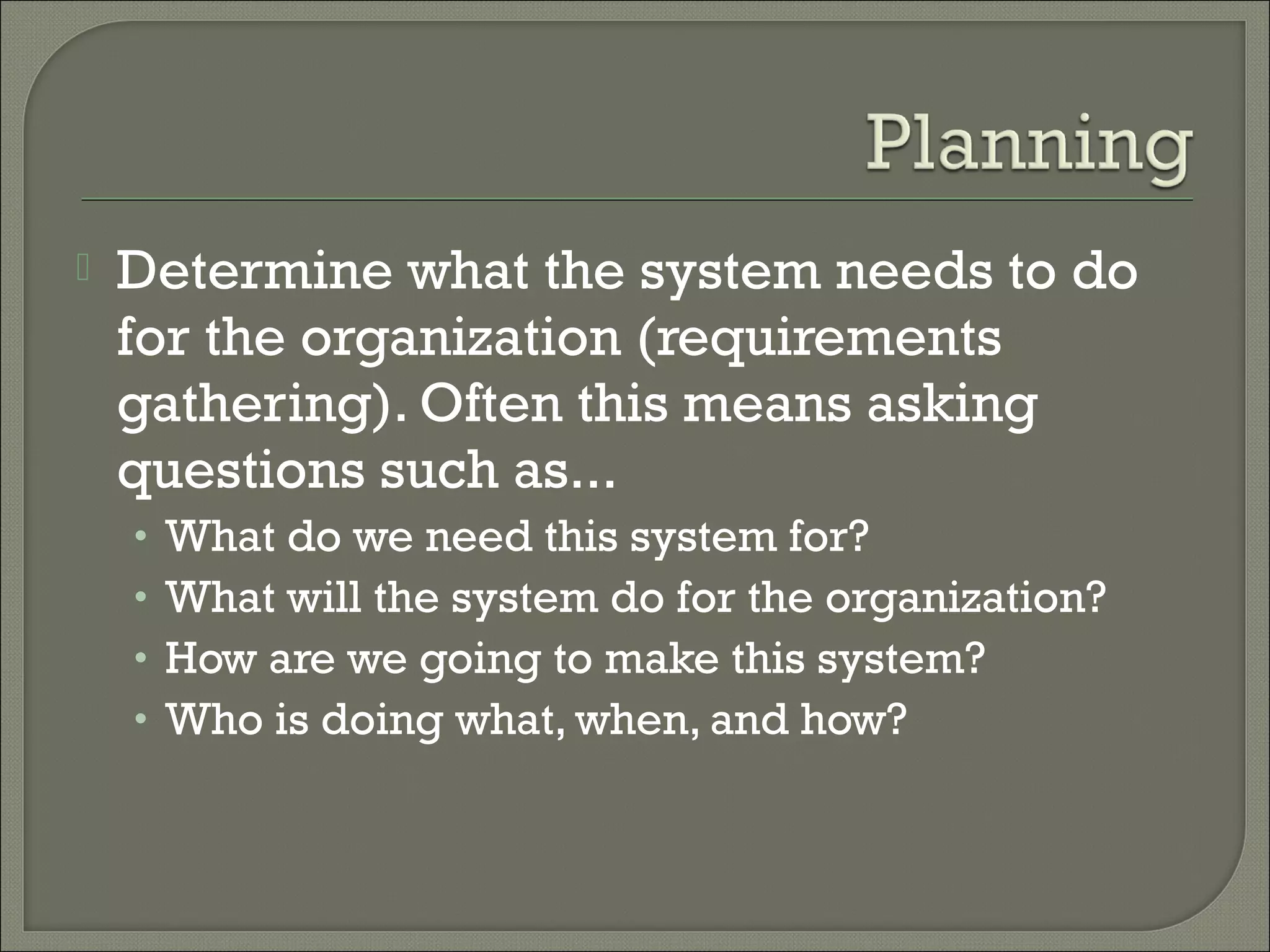
   Determine what the system needs to do
    for the organization (requirements
    gathering). Often this means asking
    questions such as...
    •   What do we need this system for?
    •   What will the system do for the organization?
    •   How are we going to make this system?
    •   Who is doing what, when, and how? 
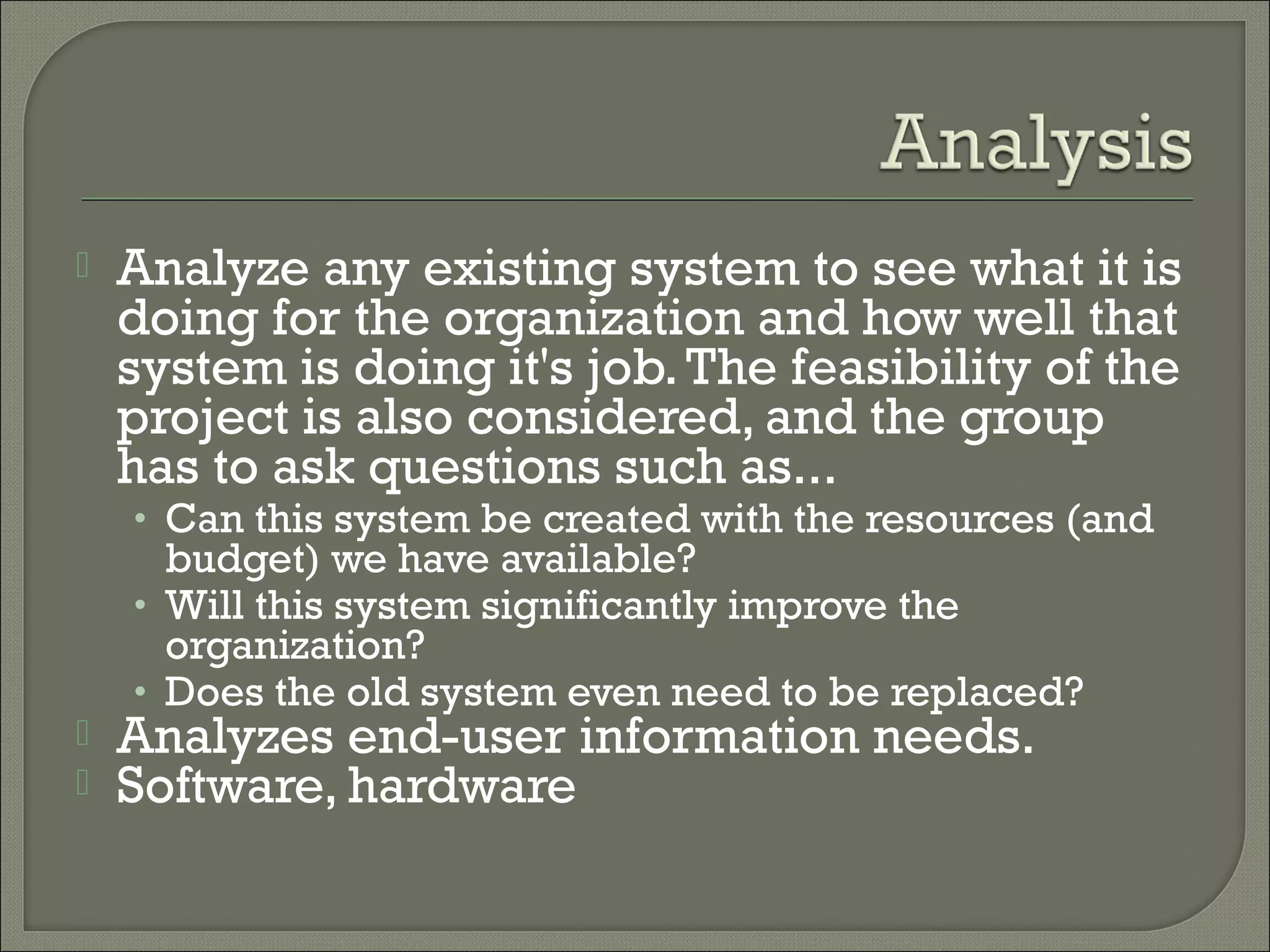
   Analyze any existing system to see what it is
    doing for the organization and how well that
    system is doing it's job. The feasibility of the
    project is also considered, and the group
    has to ask questions such as...
    • Can this system be created with the resources (and
      budget) we have available?
    • Will this system significantly improve the
      organization?
    • Does the old system even need to be replaced?
   Analyzes end-user information needs.
   Software, hardware
   Involves the actual creation and design of
    a system.
   It will include screen layouts, process
    diagrams, pseudocode, flow chart and
    other documentation.
1.   Coding
2.   Testing
3.   Installation
   To ensure the reliability
   Changes and enhancements process
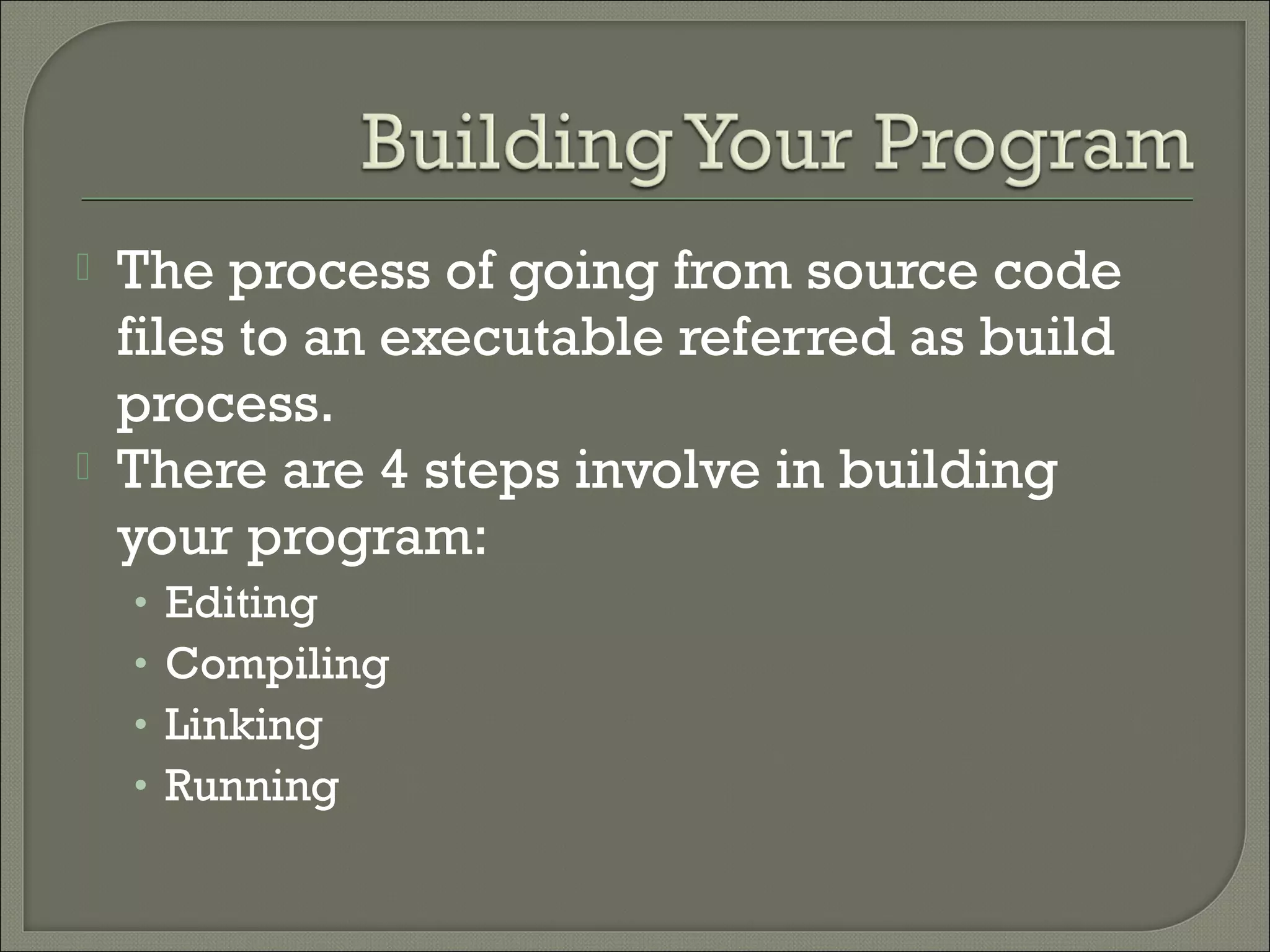
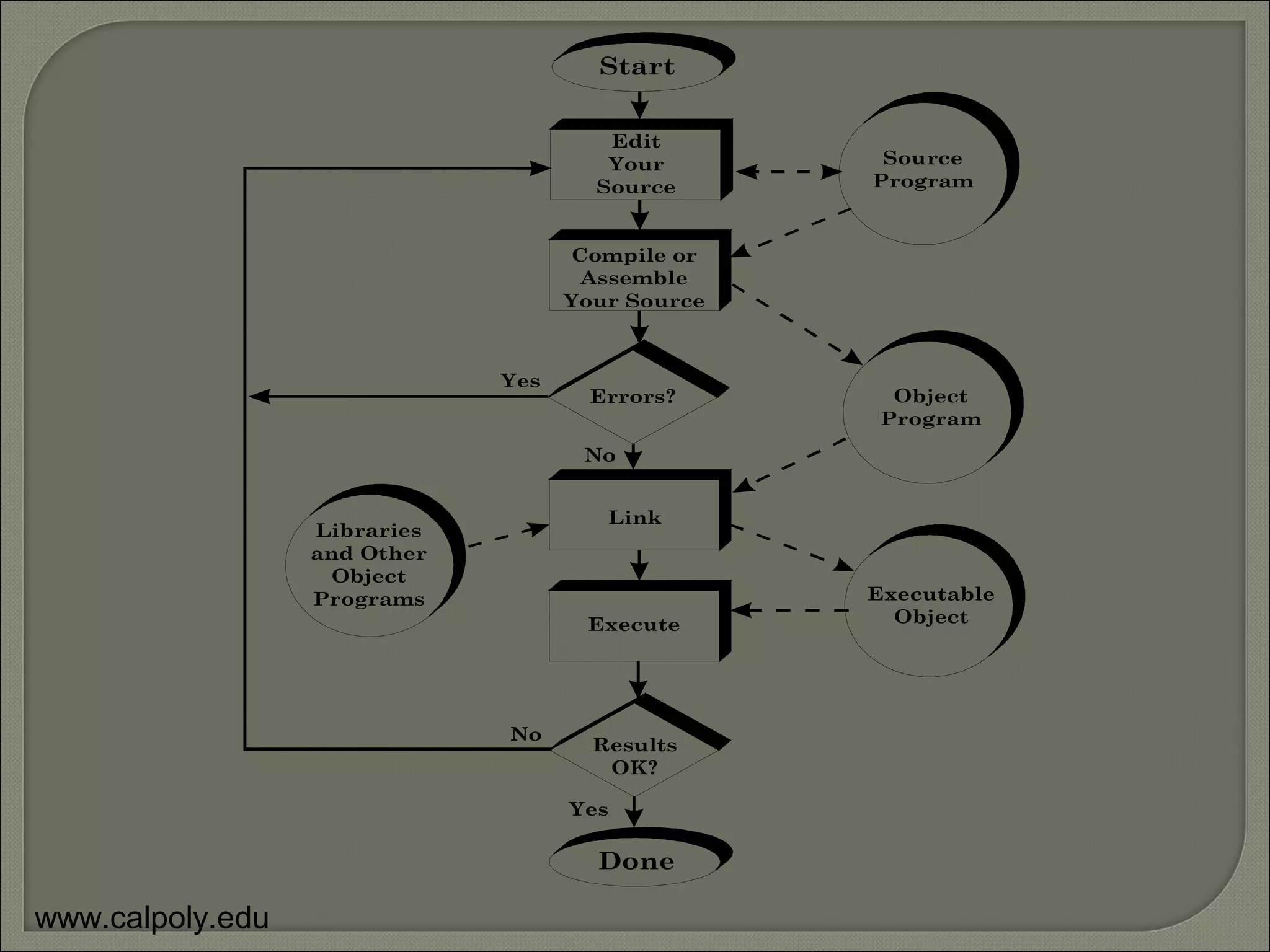
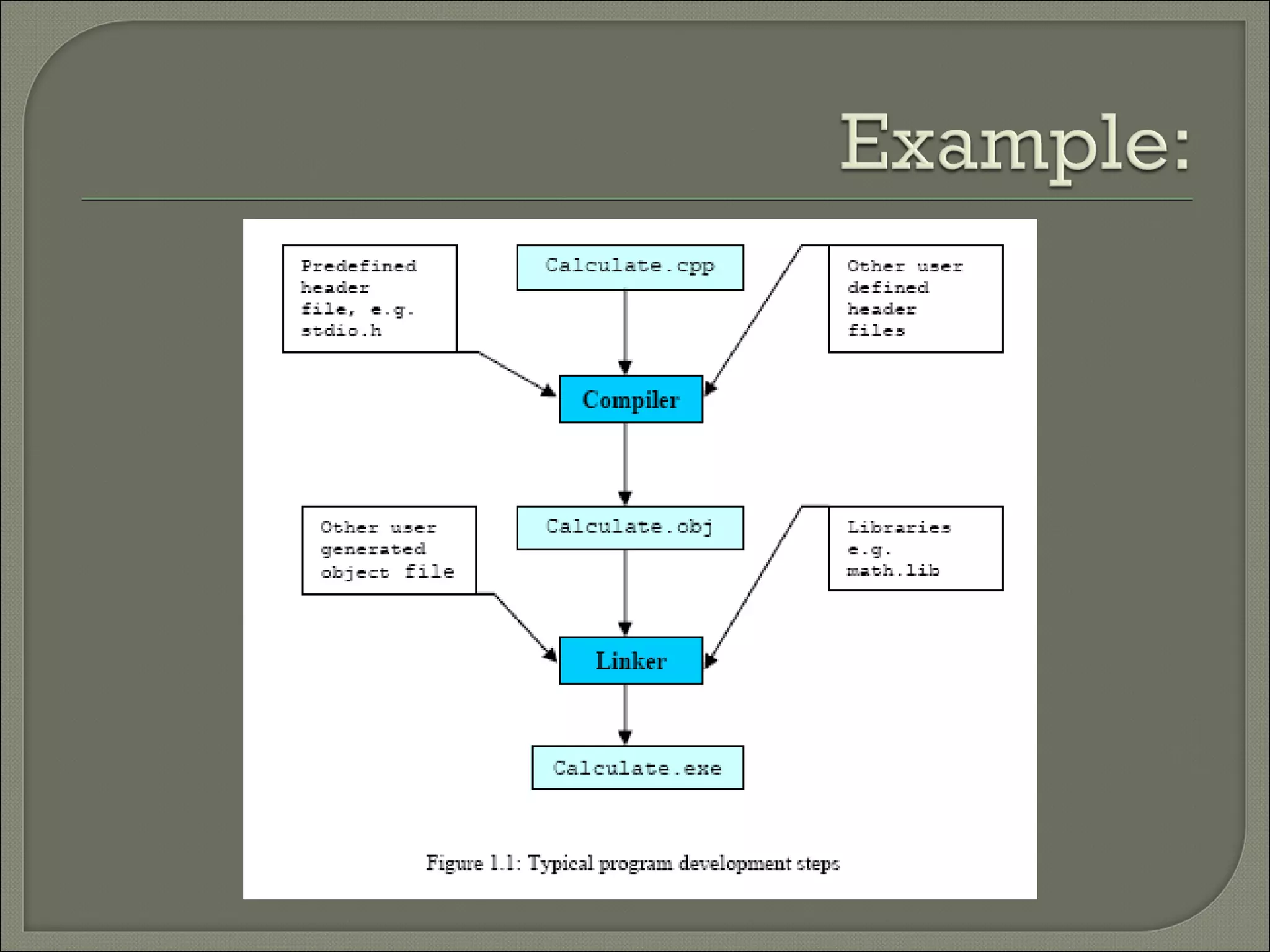
   The process of going from source code
    files to an executable referred as build
    process.
   There are 4 steps involve in building
    your program:
    •   Editing
    •   Compiling
    •   Linking
    •   Running
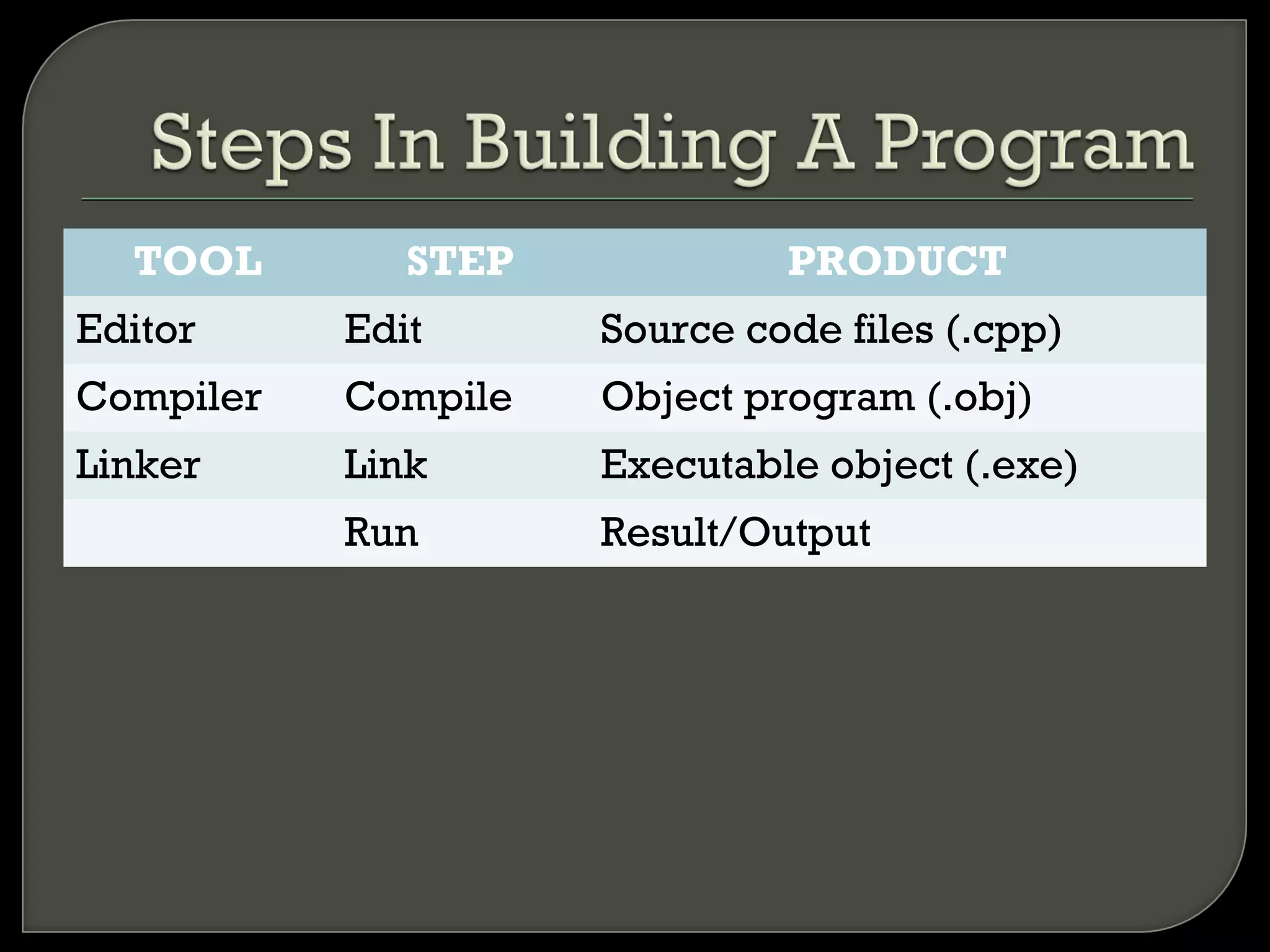
TOOL        STEP            PRODUCT
Editor     Edit      Source code files (.cpp)
Compiler   Compile   Object program (.obj)
Linker     Link      Executable object (.exe)
           Run       Result/Output
Start


                                       Edit
                                       Your        Source
                                      Source      Program


                                    Compile or
                                     Assemble
                                    Your Source


                              Yes
                                      Errors?       Object
                                                   Program
                                     No


                                       Link
                  Libraries
                  and Other
                    Object
                  Programs                        Executable
                                     Execute        Object


                              No
                                      Results
                                       OK?

                                    Yes

                                      Done

www.calpoly.edu
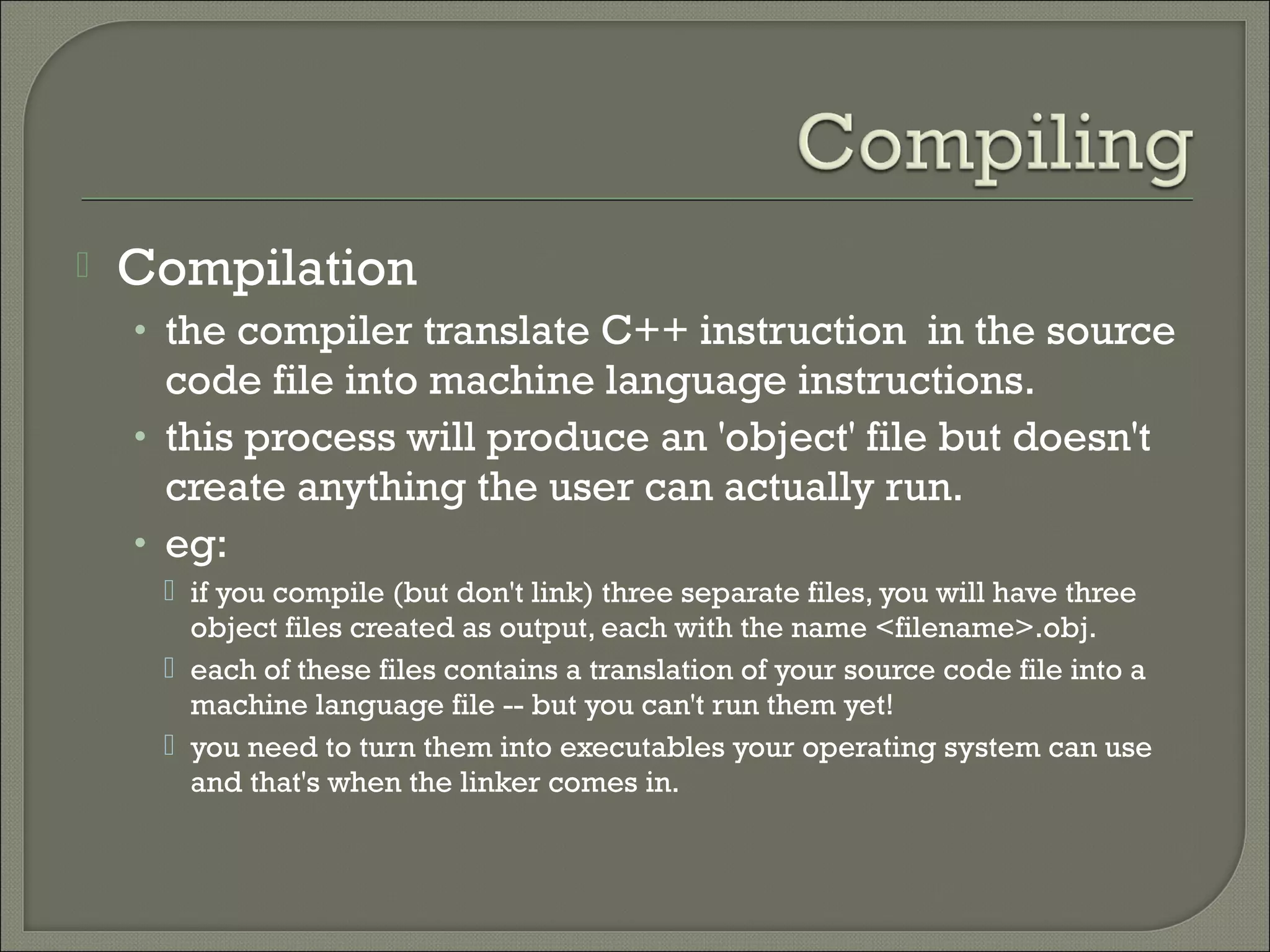
   Compilation
    • the compiler translate C++ instruction in the source
      code file into machine language instructions.
    • this process will produce an 'object' file but doesn't
      create anything the user can actually run.
    • eg:
      if you compile (but don't link) three separate files, you will have three
       object files created as output, each with the name <filename>.obj.
      each of these files contains a translation of your source code file into a
       machine language file -- but you can't run them yet!
      you need to turn them into executables your operating system can use
       and that's when the linker comes in.
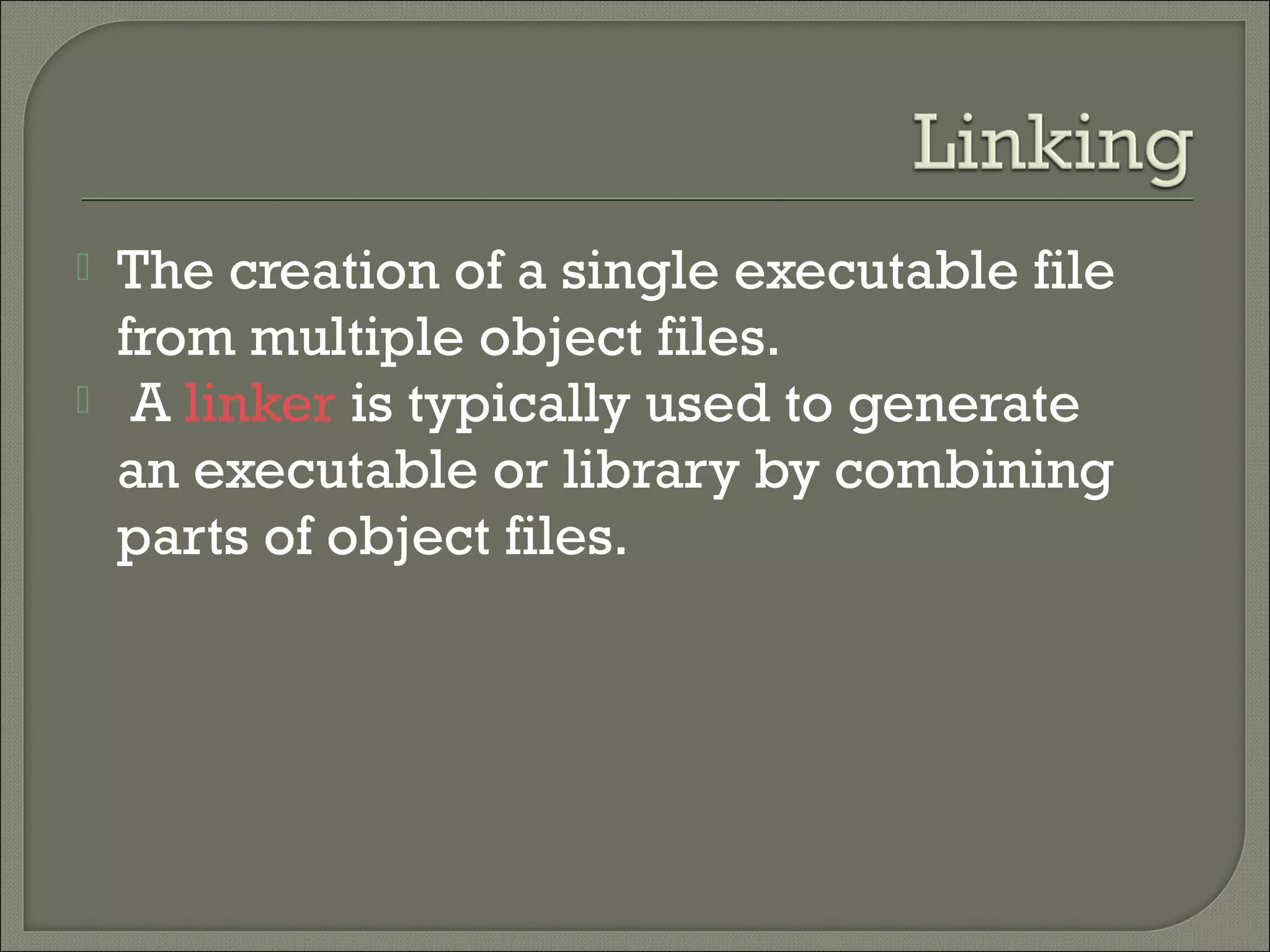
   The creation of a single executable file
    from multiple object files.
    A linker is typically used to generate
    an executable or library by combining
    parts of object files.
   Compile time error
   Run time error
   Logical error
   Syntax errors
    • Errors that prevent your program from running.
    • Also called design-time error.
    • Caused by mistakes that you make when typing
      code such as incorrect grammar, vocabulary, or
      spelling.
    • These are usually easy to find and correct.
    • Common compile errors:
      missing semicolon
      extra parenthesis
      keyword typo error
   Errors that occur while your program runs.
   Occur when your program attempts an operation that is
    impossible to carry out.
   Errors not caught at entry but which involve an incorrect
    statement or bad data.
   The code appear has no syntax errors, but it will not execute.
   More difficult to correct than syntax errors
   You can fix most run-time errors by rewriting the faulty code,
    and then recompiling and rerunning it.
   common run time errors including:
     undefined functions (commonly, main itself).
       during compilation, if the compiler could not find the definition for a particular function, it
        would just assume that the function was defined in another file.
       if this isn't the case, there's no way the compiler would know since it doesn't look at the contents
        of more than one file at a time.
       linker, on the other hand, may look at multiple files and try to find references for the functions
        that weren't mentioned.
     dividing by zero and out of memory.
   Errors that prevent your program from
    doing what you intended it to do.
   Your code may compile and run without
    error, but produce a result that you did
    not expect.
   For example:
    • char name[2]
    • int month = 11
   These are the hardest to find because it is
    not always clear where they originate.
   During the stages of compilation, linking, and
    running, error messages may occur that require
    the programmer to make corrections to the
    program source (debugging).
   Debugging is a black art. Some things to go
    over, though, so they’ll be concrete in our brains:
    •   relation to testing
    •   why debugging is hard
    •   process
    •   techniques
    •   avoiding bugs
   Testing and debugging go together like
    peas in a pod:
    Testing finds errors; debugging repairs
     them.
    Together these form the “testing/debugging
     cycle”: we test, then debug, then repeat.
   There may be no obvious relationship between the external
    manifestation(s) of an error and its internal cause(s).
   Symptom and cause may be in remote parts of the program.
   Changes (new features, bug fixes) in program may mask (or
    modify) bugs.
   Symptom may be due to human mistake or
    misunderstanding that is difficult to trace.
   Bug may be triggered by rare or difficult to reproduce input
    sequence, program timing (threads) or other external
    causes.
   Bug may depend on other software/system state, things
    others did to your systems weeks/months ago.
   Execution tracing
    • running the program
    • print
    • trace utilities
   Interface checking
    • check procedure parameter number/type (if not
      enforced by compiler) and value
    • defensive programming: check inputs/results from
      other modules
   Skipping code: comment out suspect code,
    then check if error remains.
   Coding style: use clear, consistent style and
    useful naming standards.
   Document everything, from architecture and
    interface specification documents to comments
    on code lines.
   Hold code reviews.
   Program defensively.
   Use/implement exception handling liberally;
    think constantly about anomalous conditions.
   Be suspicious of cut/paste.
   Consider using an integrated development
    environment (IDE) with dynamic syntax
    checking.
Fp201 unit1 1

Fp201 unit1 1

  • 1.
  • 2.
    Objectives  Programming Environment  Compiling Process  Errors in Programming  Debugging Strategies
  • 3.
    At the end of this presentation, you will be able to : • Explain the system development phase that involves programming • Explain three types of errors
  • 4.
    Critical task in software development phase  where to start?  WHY do the people feel the need to get something right early in the project??  Software ease to change.
  • 5.
    1. Planning 2. Analysis 3. Design 4. Implementation 1. Coding 2. Testing 3. Installation 5. Maintenance
  • 6.
    Determine what the system needs to do for the organization (requirements gathering). Often this means asking questions such as... • What do we need this system for? • What will the system do for the organization? • How are we going to make this system? • Who is doing what, when, and how? 
  • 7.
    Analyze any existing system to see what it is doing for the organization and how well that system is doing it's job. The feasibility of the project is also considered, and the group has to ask questions such as... • Can this system be created with the resources (and budget) we have available? • Will this system significantly improve the organization? • Does the old system even need to be replaced?  Analyzes end-user information needs.  Software, hardware
  • 8.
    Involves the actual creation and design of a system.  It will include screen layouts, process diagrams, pseudocode, flow chart and other documentation.
  • 9.
    1. Coding 2. Testing 3. Installation
  • 10.
    To ensure the reliability  Changes and enhancements process
  • 11.
    The process of going from source code files to an executable referred as build process.  There are 4 steps involve in building your program: • Editing • Compiling • Linking • Running
  • 12.
    TOOL STEP PRODUCT Editor Edit Source code files (.cpp) Compiler Compile Object program (.obj) Linker Link Executable object (.exe) Run Result/Output
  • 13.
    Start Edit Your Source Source Program Compile or Assemble Your Source Yes Errors? Object Program No Link Libraries and Other Object Programs Executable Execute Object No Results OK? Yes Done www.calpoly.edu
  • 14.
    Compilation • the compiler translate C++ instruction in the source code file into machine language instructions. • this process will produce an 'object' file but doesn't create anything the user can actually run. • eg:  if you compile (but don't link) three separate files, you will have three object files created as output, each with the name <filename>.obj.  each of these files contains a translation of your source code file into a machine language file -- but you can't run them yet!  you need to turn them into executables your operating system can use and that's when the linker comes in.
  • 15.
    The creation of a single executable file from multiple object files.   A linker is typically used to generate an executable or library by combining parts of object files.
  • 17.
    Compile time error  Run time error  Logical error
  • 18.
    Syntax errors • Errors that prevent your program from running. • Also called design-time error. • Caused by mistakes that you make when typing code such as incorrect grammar, vocabulary, or spelling. • These are usually easy to find and correct. • Common compile errors:  missing semicolon  extra parenthesis  keyword typo error
  • 19.
    Errors that occur while your program runs.  Occur when your program attempts an operation that is impossible to carry out.  Errors not caught at entry but which involve an incorrect statement or bad data.  The code appear has no syntax errors, but it will not execute.  More difficult to correct than syntax errors  You can fix most run-time errors by rewriting the faulty code, and then recompiling and rerunning it.  common run time errors including:  undefined functions (commonly, main itself).  during compilation, if the compiler could not find the definition for a particular function, it would just assume that the function was defined in another file.  if this isn't the case, there's no way the compiler would know since it doesn't look at the contents of more than one file at a time.  linker, on the other hand, may look at multiple files and try to find references for the functions that weren't mentioned.  dividing by zero and out of memory.
  • 20.
    Errors that prevent your program from doing what you intended it to do.  Your code may compile and run without error, but produce a result that you did not expect.  For example: • char name[2] • int month = 11  These are the hardest to find because it is not always clear where they originate.
  • 21.
    During the stages of compilation, linking, and running, error messages may occur that require the programmer to make corrections to the program source (debugging).  Debugging is a black art. Some things to go over, though, so they’ll be concrete in our brains: • relation to testing • why debugging is hard • process • techniques • avoiding bugs
  • 22.
    Testing and debugging go together like peas in a pod: Testing finds errors; debugging repairs them. Together these form the “testing/debugging cycle”: we test, then debug, then repeat.
  • 23.
    There may be no obvious relationship between the external manifestation(s) of an error and its internal cause(s).  Symptom and cause may be in remote parts of the program.  Changes (new features, bug fixes) in program may mask (or modify) bugs.  Symptom may be due to human mistake or misunderstanding that is difficult to trace.  Bug may be triggered by rare or difficult to reproduce input sequence, program timing (threads) or other external causes.  Bug may depend on other software/system state, things others did to your systems weeks/months ago.
  • 24.
    Execution tracing • running the program • print • trace utilities  Interface checking • check procedure parameter number/type (if not enforced by compiler) and value • defensive programming: check inputs/results from other modules  Skipping code: comment out suspect code, then check if error remains.
  • 25.
    Coding style: use clear, consistent style and useful naming standards.  Document everything, from architecture and interface specification documents to comments on code lines.  Hold code reviews.  Program defensively.  Use/implement exception handling liberally; think constantly about anomalous conditions.  Be suspicious of cut/paste.  Consider using an integrated development environment (IDE) with dynamic syntax checking.

Editor's Notes

  • #15   object file format  is a computer file format used for the storage of object code and related data typically produced by a compiler or assembler.
  • #16   A linker is typically used to generate an executable or library by combining parts of object files.