Development Diary
Tom Batty
Week1
For my first week of my FMP it began with me researching a graphic designer. This is
because I was given the task of having to research people or theories of our chosen
area. My main area that I have chosen to be in is graphic design, so that meant I
needed to search for some significant figures within that industry. I found one to start
off my work and we have to show off some of their work, what their view is on graphic
design and their own process when it comes to designing something. So far there is a
lot of work to process but I will be getting on top of the work so my time management
works perfectly.
I finished off my first days work whilst at home.
On my second day I began on my second important figure within graphic design. I
made some headway on it that figure but then changed my mind and began to power
through my proposal, because I hadn't made a start yet and it’s a important part of my
FMP. But because I have been through a few of these proposals at college so it isn't
really a stress. I think this first week has gone well so far and I hope I can keep up
with the standard.
To finish off my week, I finished off my proposal by finding multiple sources for my
bibliography. These sources were two primary sources of interviews from my peers,
two websites that will have key information to help me out through my process and
then the rest I collected were books either written by well known graphic designers or
the theories about graphic design.
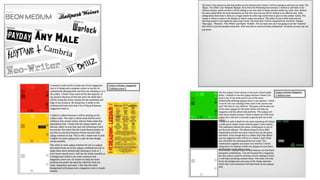
I then finished my research PowerPoint at home by collect more information on more
graphic designers. But for the variety I added in two books linked in with graphic
design.
Week2
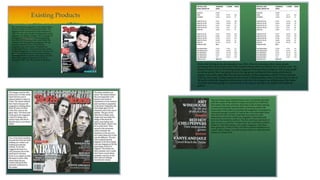
The second week has started and I moved on to the next section of work for my
FMP. What I have managed to complete and begin with today is research and grab
an existing products. With completing this task I began with getting some context
behind my existing product. That involved me finding out what my product actually
is, such as what the product explores or discusses. Who the made the product and
give a bit of background behind who created the product, if its relative. After that,
when was it made and finally who are they targeting their products at and in my
case I collected a demographic. Once completing that I began collecting products
that I'm going to plan on creating when production come around. I picked out a
front cover dissecting it in detail. Breaking off pieces such as the main image on
the front, the cover lines and the mast head. I have to go into mass detail of why
the editors have done this and why they have done something in a certain way to
attract an audience. These would be colours, fonts and types of image. I've
managed to get through half of that and will finish it on my second day.
My second day of my research consisted of me moving onto another existing
product. The existing product I decided to do was a double page spread. I got an
example of one from Rolling Stones so I can link styles and designs elative to how
what I'm going to create. I made some good progress and I will be close to
finishing it on the third day.
Towards the end of the week I finished the double page spread analysis and then
moved onto an album cover. The album cover was from a band called Royal
Blood. I finished that quite quickly just because there was only so much I could talk
about. So far I think I'm keeping up a very high standard and I am dealing with the
mass amount of work perfectly.
Week3
•For the first day of the third week and the second week of production, I carried on with
existing products. I added a festival poster and began to pick it apart and analyse it. Once
powering through that I began analysing then decided to twitch up and begin some
production research. This is because I hadn't even considered beginning this part of the
research. So I began with tutorials and only had time to manage nearly finishing my first
example of a Photoshop tutorial. That concluded the end of my first day of the third week
and I'm completely on time with my work, managing everything well. With my second day
I finished off previous tutorials and began some fresh ones. All of that is going easy and I
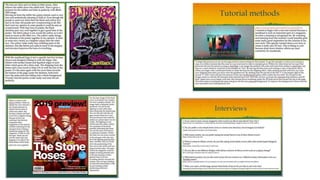
am producing some nice work. I got to finish my four interviews and even wrote up my
summary on that matters and feedback. After finishing the interview feedback, its given
me some ideas and inspiration for me to began shaping my final products.
•With the third day of week three I managed to start on my second front cover and get
some context behind the magazine along side with their media pack. This took me a bit
longer then expected as their really wasn’t that much information out there for Q
magazine but with a little digging I managed to get some relative information. The easiest
art was actually the media pack as it was on their official website. The reason why I
struggled was because there were too many websites that were trust worthy information
wise (wiki). But after that I got straight onto analysing every little detail of the front cover I
picked. I picked the latest issue up of Q magazine because I felt that the newer the front
cover the more up to date skills I could learn. I found difficulty with this as its almost
become second nature from doing it for two years. To finish off the week it was to
complete a double page spread of the Q magazine, that again wasn’t a difficult task and I
believe that I completed it at a really high standard. I complete the power point at home
just by summarising my existing products an what I had found out. That was the end of
week 3 and I personally felt even though I know what I am doing work wise I'm still
learning small little skills that I didn’t know before.
Week4
For the first day of week four it was time for the problem solving part of the project.
This basically is the health and safety with all the things that I don’t know how to do
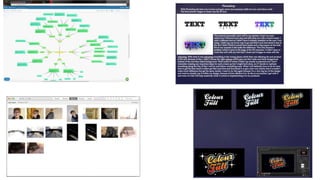
that I want to learn or improve on. So I began with a massive mind map involving
practical and technical problems. This involves stuff relating to what I'm trying to
create and basically stuff that could effect me not the rest of the class. For example,
I spoke about the camera I will be using and what I want to learn to then improve my
final work and then the side of the camera could get destroyed by me dropping.
What I finished off doing is practicing camera angles with the camera which was a
part of my mind map. I did this because we need to show and expand from the mind
map.
For my second day, I wanted to shift a bit from all the writing and focused on
practicing some Photoshop tutorials. I managed to get through one and nearly
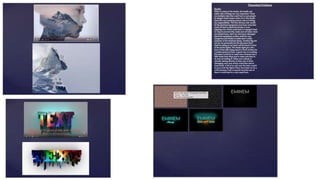
finished a second tutorial. The first tutorial I got through was a 3D text. I would say
the end result wasn’t exactly how I wanted it and didn’t exactly turn out like the
tutorial. It still looked good but I didn’t use the exact font used within the example
given, that was probably the big factor along with my different colour choices but
apart from that very successful. Then I began the typography lettering. This so far
has gone way better then my previous tutorial. First of all it might be that I went and
downloaded the font used within the example and have replicated everything
perfectly and has replicated well due to the stage I'm left at. That concluded the
second day of week four and I'm staying on top of work, leaving me in a comfortable
position to get work in on time.
For my third day of week four was mainly just finishing off my previous Photoshop
tutorial. It ended really well and turned out a success. It was then time again for
another tutorial, which wasn’t really a success. It was a cartoon tutorial that turned
out to be a bit trickier then I expected. I did make some mistakes as in picking a
tricky image to transform into a cartoon styled image. After z bit of trial an error I got
there in the end but didn’t turn out exactly how I wanted but there's something I can
improve on for the future. Even though it was a little set back in my progress I'm still
doing very well, personally
Week5
For the start of the fifth week, I carried on with my problem solving power point. This
involved me doing my last Photoshop tutorial and some more health and safety. The
photoshop was really easy and effective. The techniques used with a double exposure
aren't really for beginners but its easy to follow and catch onto what's happening. I
found it easy but of course getting ahead of my self I made some small mistakes but
nothing I couldn’t overcome. After finishing that which was pretty quick, I moved onto
some theoretical problems with health and safety of the study. Just going over hazards
etc which again didn’t take me very long at all. I was beginning to get worried over my
work last week but after some reassurance and talking I'm back up with confidence with
my work and am very confident. On my second day of week five, it was really only
finishing off some health and safety risks for the camera and trying to begin another
photoshop tutorial. I am finding myself speeding through this section pretty fast and
thought I needed to try add more work to elevate my end grade. I'm still finding
everything fine and my progression is good, even if the stress levels rise.
On my third and final day at college before half term, I just focused on completing
another Photoshop tutorial. The tutorial was a neon lighting effect. The neon lighting
effect is a personal favourite of my and I really love the aesthetic feel any style gives
off. I think with my work it can become something very effective if used correctly which
will lead to an elevation in my work. Even though we have all of half term to work on
this part of the project I have given myself a massive lead in my time management to
finish off my work on a high standard. This leaves me excited and ready to start my
production.
Week6
Week six, straight back into work after half term. This week and next consists of my
planning for production. This is what I'm actually going to involve with my final
work. So far all I have done is collect the majority of my fonts and began
discussing there uses within my work. They're mainly for logos and mastheads for
big designs. With two weeks to complete this segment I would say I have managed
to get a time consuming stage out of the way from the start which will hopefully
benefit me towards the end of the two week period. For my second day, it was
mainly just finishing off little bits to do with my font choices but quickly moved onto
finding some nice colour schemes. I found tow nice colour schemes that will work
really well. I made sure the colour schemes worked well with each other and were
relatable wthin my chosen topics. That’s all that really happened with my second
day but with each colour scheme I had inspiration, so I made sure I added my
inspiration within my colour schemes.
The third day of this week mainly consisted of me touching up on the colour
schemes and finishing off why I'm going to use them. I didn’t do much work to say I
had two lesson, I was slowly losing concentration with my work and found it hard to
get motivation to do more work but these dips in motivation are regular with my
work. I still feel that I am trying my hardest to produce the best work I can but I
know that there is always room for improvement. I will be working hard at home
with this work and also grind harder for the second week of planning just before
production.
Week7
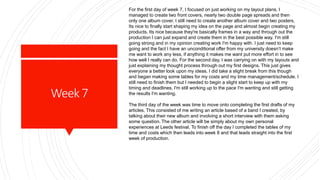
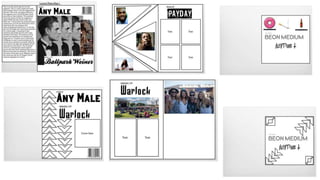
For the first day of week 7, I focused on just working on my layout plans. I
managed to create two front covers, nearly two double page spreads and then
only one album cover. I still need to create another album cover and two posters.
Its nice to finally start shaping my idea on the page and almost begin creating my
products. Its nice because they're basically frames in a way and through out the
production I can just expand and create them in the best possible way. I'm still
going strong and in my opinion creating work I'm happy with. I just need to keep
going and the fact I have an unconditional offer from my university doesn’t make
me want to work any less, if anything it makes me want put more effort in to see
how well I really can do. For the second day, I was carrying on with my layouts and
just explaining my thought process through out my first designs. This just gives
everyone a better look upon my ideas. I did take a slight break from this though
and began making some tables for my costs and my time management/schedule. I
still need to finish them but I needed to begin a slight start to keep up with my
timing and deadlines. I'm still working up to the pace I'm wanting and still getting
the results I'm wanting.
The third day of the week was time to move onto completing the first drafts of my
articles. This consisted of me writing an article based of a band I created, by
talking about their new album and involving a short interview with them asking
some question. The other article will be simply about my own personal
experiences at Leeds festival. To finish off the day I completed the tables of my
time and costs which then leads into week 8 and that leads straight into the first
week of production.
ProductionDay
1
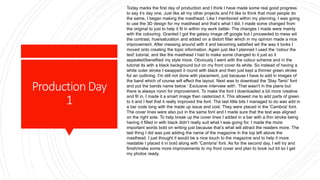
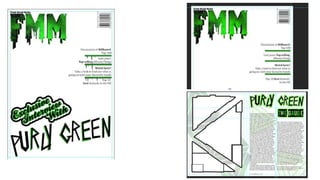
Today marks the first day of production and I think I have made some real good progress
to say it’s day one. Just like all my other projects and I'd like to think that most people do
the same, I began making the masthead. Like I mentioned within my planning, I was going
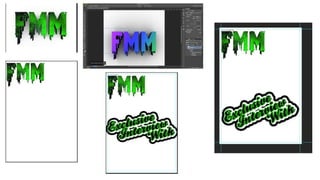
to use the 3D design for my masthead and that’s what I did. I made some changed from
the original to just to help it fit in within my work better. The changes I made were mainly
with the colouring. Granted I got the galaxy image off google but I proceeded to mess wit
the contrast, hue/saturation and added on a distort filter which in my opinion made a nice
improvement. After messing around with it and becoming satisfied wit the way it looks I
moved onto creating the topic information. Again just like I planned I used the 'colour the
text' tutorial, and like the masthead I had to make some changed to it just so it
appealed/benefited my style more. Obviously I went with the colour scheme and in the
tutorial its with a black background but on my front cover its white. So instead of having a
white outer stroke I swapped it round with black and then just kept a thinner green stroke
for an outlining. I'm still not done with placement, just because I have to add in images of
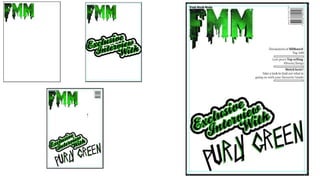
the band which of course will effect the layout. Next was to download the 'Slay Tanic' font
and put the bands name below ' Exclusive interview with'. That wasn't in the plans but
there is always room for improvement. To make the font I downloaded a bit more creative
and fit in, I made it a smart image then rasterized it. This allowed me to add parts of green
to it and I feel that it really improved the font. The last little bits I managed to do was add in
a bar code long with the made up issue and cost. They were placed in the 'Cambria' font.
The cover lines were also put in the same font and I made sure that the text was aligned
on the right side. To help break up the cover lines I added in a bar with a thin stroke being
having it filled in with black didn’t really suit what I was going for. I made the more
important words bold on writing just because that’s what will attract the readers more. The
last thing I did was just adding the name of the magazine in the top left above the
masthead. I just thought it would be a nice touch to the magazine and to help it more
readable I placed it in bold along with 'Cambria' font. As for the second day, I will try and
finish/make some more improvements to my front cover and plan to book out kit so I get
my photos ready.
ProductionDay
2
Day two of production began by just putting some finishing touches with my first front
cover and that was to do sizing and the cover lines.
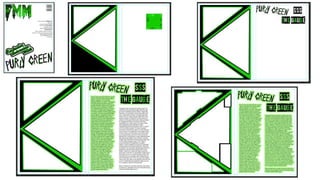
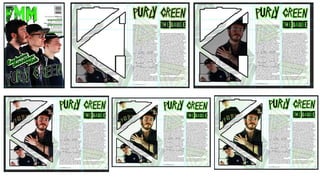
I then began to move onto creating my first double page spread. Firstly I began by
designing the left hand side page. Just like in my planning I went for the three sections
of triangles. This didn’t really take much time and all I needed to do was use the
polygon lasso tool to create the perfect shape needed. Then it was just making them
their own layer so I could design the way I needed to. I made two of the triangles the
colour black and the made the one bigger triangle in green. Doing this leaves a nice
contrasting pattern instead of just having black, green then white, which is tried. I
repeated the process again for the other set to sit on top in each segment. To advance
and make the triangles more creative, so I added a stroke to each one which helped
everything contrast a bit better. Even then I wasn’t really that satisfied with how it
looked so I used the rectangle marquee tool to select segments of each shape to
distort them slightly. I was finally content with what I had created and paused that side
of the page until I get my images. Seems that I have brought up my images I also
managed to get in a booking for kit next Wednesday. For the page in the right, I
thought it would be sensible to place the same band logo form the front at the top and
involve it with the title. For the res to the title though as planned I used the 'Payday'
font for name of the bands new album. Just like the logo for the band I made it made
the name of the album a smart object then rasterized it. Allowing me to edit it how I
wanted and with the dollar signs, I felt that the page needed filling a bit and it looked
good in my opinion. I repeated to same process design wise to help it fit in. To finish
off that title side of the page I grouped them all together and added a stroke on with a
nice lightly coloured shade of lime green. All that I needed to do was place in the text
that I had previously written and make sure the columns worked for the layout. To help
it all link in I added in the same stroke to the text and to think it works well.
ProductionDay
3
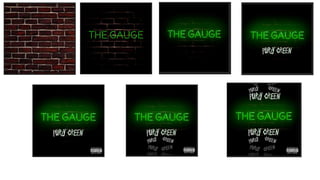
Day three of production consisted of me moving on from my double page spread
and starting my first album cover. With this design I didn’t really stick to the planning
stage as much as my previous products but it wasn’t completely different. Due to
the neon lighting effect with the 'Beon medium' font has the brick wall background
within the tutorial so I thought it would be a nice little touch to the album cover.
What I did with the brick background was give it a radial gradient in reverse. I
coloured it black to help it fit with the colour scheme. That also helped it pair with
the neon lighting effect. I also added in a solid colour layer of black to help with the
background but lowered the opacity by quite a bit just so it wasn’t too overpowering.
It was then time to move onto the neon lighting effect. I have already previously
downloaded the font needed so I got straight onto completing it. I didn’t really
struggle with completing the design but its with the glowing effect. To achieve in my
opinion a satisfactory look, I used a few layers of a paint brush with that lower
opacity. Also wit hthe lettering it has a bevel & emboss paired a long side with a
drop shadow, which gives it that nice white detailing. The part where I didn’t stick to
my original planning was the cartoon style donut, cigarette and beer bottle. Instead I
thought adding the bands name with their logo would have looked better and all
around linked perfectly. I felt there was too much simplicity so, I added in a few
more copies all in white to help them fit in. Then all I did was tilt them in different
ways then lowering the opacity, gave that nice fading away effect. Once I was
happy with that all I did was add in the explicit advisory sticker in the bottom right
corner. I didn’t think of adding it in my planning but it almost become a nice touch to
have on the cover of an album cover.
ProductionDay
4
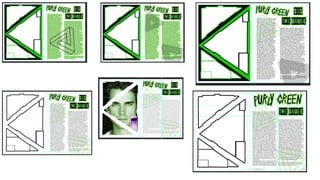
For production day four, I decided to go over work that I created during the first week. I
did this because I felt that I was rushing through my production a little fast and slightly
rushed my work. I only rushed the work because I had a beginning base down for me
to develop, just like today. I first went back to my double page spread. I wasn’t really
satisfied with the design so I wanted to add in a geometric style triangle to just go on
the background. This is makes the page more appealing and helps it fill out the page
more. I coloured it in the relatable colour and added another for a decretive style. I
completely forgot about the hiararchy eith my text so I got rid of the stroke on my text to
give it that hiararchy and proffestional feel. The text also needed re sizing so both
columns actually matched up. By doing this is helps the layout come together and looks
a lot better. I then realised that the green and black background on the left hand page
was very basic. I was being lazy so I got rid of them. So I expanded on the geometric
trinagle but changed up the design by adding a black and green gradient to each
section. Pairing that with changing the linrs to white really chnaged up the design and
made it better. I then just added four of them together attacting to make a patterened
line. I think it looks really well and has raised my double page spread up massivley.
Once I rearranged the columned text it allowed me to make my titles a lot bigger and
deleting the random dollar signs, again making it look more professional. To finish off
with the the page with some detailing by adding in a company website and a page
number which really rings it together. I was then satisfied with the way it looked, I
moved onto looking back at my front cover. I was just looking fro some things that I
wasn’t really happy with. All I really wanted to change was the the coverlines. They
seemed very bland and didn’t really fit in with the rest of my cover. First I wanted to
colour in the bars seperating the text with a similar green to my masthead. Even that
simple change improved that blank area. To help it all piece together, that that was to
link the masthead and the coverlines together. So I just added in some really nice
dripping effects and again it really helped imporve the front covers look. This will lead
me into Wednesday where I will be taking my images in the studio
ProductionDay
5
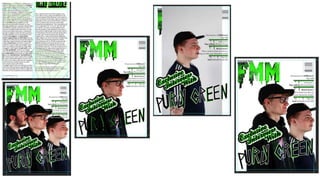
Day five of production consisted of me taking my images within the studio then
beginning to implement them into my work. I took a total of 27 photos with a variety of
different angles and shot types. It took around 20-25 minutes of trying get the correct
imagery which I didn't with some of the images but for the majority they cane out
alright in the end. When I was implementing them removed the background as it was
getting in the way of my other front cover. That was just a simple quick selection tool
with some detailing but apart from that nice and easy. The images them selves were
pretty dark, so I began to add some more brightness and contrast to the three. Due to
some miscommunication with some items of clothing one of the members had a
darker cap on which ended up clashing with some of my cover lines text. But a simple
fix to that was just changing the bit of text that were ruined to white and it ended up
working really well. Because of the darker clothing it also clashed with other texts on
the cover so all I had to do just like before I just added in a white stroke to make it
easier to red. I'm still not finished with my front cover but that’s what I managed to get
to after taking images. The other thing I managed to get done was more
concentration with my double page spread. All I did with that was with the columned
text and just for a more professional look, I just made the more important words.
Makes the reader pay more attention to the more important subjects. For tomorrow I
will be really working hard on fixing the images that I took I'm the studio so they all
look really fitting within my work.
ProductionDay
6
Today for day six of production, I first carried on with looking at the images that I added
to my front cover. This mainly consisted of me moving them about trying to find the best
spots for them. I also added some individual brightness so that it didn’t effect the rest of
the cover. With me having lot of time looking at the front cover I realised that there was a
lot of dead space where the bar code was. So I decides to change the spot for the bar
code to the bottom left corner. Which in my opinion looked better then my previous
placing. This then allowed me to push up my cover lines into the top right corner where
the barcode was previously. Which ended up fixing the blank area and allowing me to
have the text and just black and not a mixture due to the darker imagery. By doing that it
then allowed me to really make the most out of the positioning of the whole front cover
and really completed the cover. Even though I felt that it was complete, I still wasn’t
satisfied the front cover felt that it was lacking one last piece. What I did was just for the
band members, added a green coloured outline to them just to give it some more
relatable features which help them fit nicely with the rest of the colour scheme. Once I
was happy with that to moved onto my double page spread. What I was doing for this
was just adding in the images that I took of the band. Just like I planned I was going to
use a clipping mask to place the images inside the triangles. I feel that I succeeded
exactly as I wanted it all to look. To get that almost detached/broken look, all I had to do
was get a quick selection tool and make those segments separate layers. This was just a
repeating of clipping more images into those separate segments. Once I was pleased
with the imagery, I moved onto improving the look as a whole. So like with the front cover
I used individual brightness on each image to bring them to life a bit and then to really let
them fit in and complete the double page spread, I went onto adjustments and messed
around with the curves. This basically allows me to alter the colour within an image. So
of course I just added some green tinges to each part and that really improved the look.
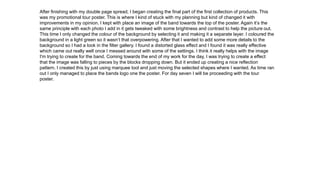
After finishing with my double page spread, I began creating the final part of the first collection of products. This
was my promotional tour poster. This is where I kind of stuck with my planning but kind of changed it with
improvements in my opinion. I kept with place an image of the band towards the top of the poster. Again it’s the
same principle with each photo I add in it gets tweaked with some brightness and contrast to help the picture out.
This time I only changed the colour of the background by selecting it and making it a separate layer. I coloured the
background in a light green so it wasn’t that overpowering. After that I wanted to add some more details to the
background so I had a look in the filter gallery. I found a distorted glass effect and I found it was really effective
which came out really well once I messed around with some of the settings. I think it really helps with the image
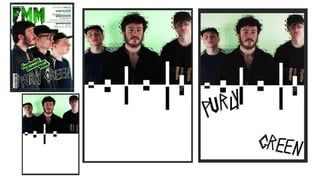
I'm trying to create for the band. Coming towards the end of my work for the day, I was trying to create a effect
that the image was falling to pieces by the blocks dropping down. But it ended up creating a nice reflection
pattern. I created this by just using marquee tool and just moving the selected shapes where I wanted. As time ran
out I only managed to place the bands logo one the poster. For day seven I will be proceeding with the tour
poster.
ProductionDay
7
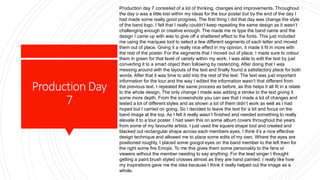
Production day 7 consisted of a lot of thinking, changes and improvements. Throughout
the day o was a little lost within my ideas for the tour poster but by the end of the day I
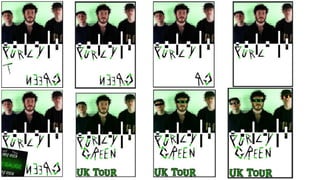
had made some really good progress. The first thing I did that day was change the style
of the band logo. I felt that I really couldn’t keep repeating the same design as it wasn’t
challenging enough or creative enough. The made me re type the band name and the
design I came up with was to give off a shattered effect to the fonts. This just included
me using the marquee tool to select a few different segments of each letter and moved
them out of place. Giving it a really nice effect in my opinion, it made it fit in more with
the rest of the poster. For the segments that I moved out of place, I made sure to colour
them in green for that level of variety within my work. I was able to edit the text by just
converting it to a smart object then following by rasterizing. After doing that I was
messing around with the layouts of the text and finally found a satisfactory place for both
words. After that it was time to add into the rest of the text. The text was just important
information for the tour and the way I edited the information wasn’t that different from
the previous text. I repeated the same process as before, as this helps it all fit in a relate
to the whole design. The only change I made was adding a stroke to the text giving it
some more depth. From the screenshots you can see that I made a lot of changes and
tested a lot of different styles and as shown a lot of them didn’t work as well as I had
hoped but I carried on going. So I decided to leave the text for a bit and focus on the
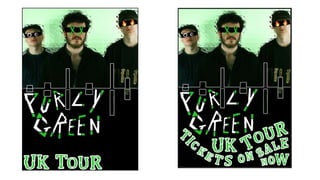
band image at the top. As I felt it really wasn’t finished and needed something to really
elevate it to a tour poster. I had seen this on some album covers throughout the years
from some of my favourite artists. I just used the square shape tool and created and
blacked out rectangular shape across each members eyes. I think it’s a nice effective
design technique and allowed me to place some edits of my own. Where the eyes are
positioned roughly, I placed some googol eyes on the band member to the left then for
the right some fire Emojis. To me this gives them some personality to the fans or
viewers without the member needing to say anything. For the lead singer I thought
getting a paint brush styled crosses almost as they are hand painted. I really like how
my inspirations gave me the idea because I think it really helped out the image as a
whole.
The finishing touch to the image that I almost forgot about was just giving them a nice light green
hue, which made the image come together with the rest of the poster. I then decided to go back
to my previous issues and figure them out. I thought that the white background wasn’t really
working so filled it in black as I have a lot of black on the page, so I made it the primary colour.
This really did improve the whole look which then lead to me changing the primary text colours to
white. This made the text way more eye catching and helped it all stand out more. All I had to do
then was figure out the placement of the text. I went for a wavy layout in layers. So from each
layer I just curved and tilted them in a certain way to give that wave look. That was everything I
managed to complete today and that then set me up to begin my work on my second front
cover.
ProductionDay
8
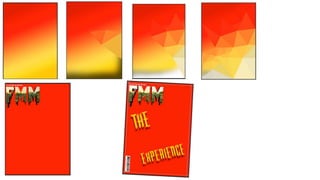
Production day eight wasn’t as productive as day seven. There was some set backs
with my initial designs for the background. I began with trying to add a nice polygon
tool triangular pattern. This consisted of me adding a gradient overlay which consisted
of the appropriate colour scheme. I adding a variety of shade within the gradient to get
a better result out of the pattern. To get the pattern, I used the polygon lasso tool so I
could make the triangles. When making the triangle shape I then went into filters, blur
and then arrange. That is what gave the triangles the nice finish/pattern. I persisted
with it but I needed up agreeing that it really wasn’t working and with everything else
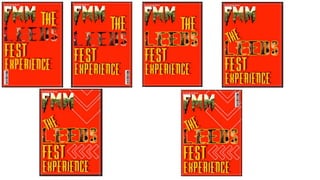
on top, the end product really would work. After scraping that I decided to start by
adding the masthead back in. I changed the design because it’s a different issue
magazine then my last one. So I got rid of the green then added in a image I took as
Leeds Fest then added a clipping mask. I felt it was a nice touch to the front cover and
to help it fit with the colour scheme I edited the images levels to give it a yellow shade.
I decided to then add some text relating to the topic on the front and I ended up using
a different font then my previous fonts. This adds in some fresh variety to my work and
makes it less repetitive. I coloured them in yellow which really contrasts well and
added a nice dark red drop shadow to help elevate the look as a whole and it looks
really nice. I was going to add in some more clipping mask imagery to some of the
words but ran out of time. So for the next day that’s what I'm going to go straight into
and hopefully make some nice head way.
ProductionDay
9
Production day nine was a lot more productive the day eight but again I didn’t make
massive progress compared to other days. I carried on with what I finished with and
that was finishing of the title of the article. I added in 'Leeds Fest' but I made 'Leeds'
a lot larger because of adding in an image I took from Fest and I used a clipping
mask. I wanted to do that because then it linked nicely within the masthead and
gives off a nice pattern with the title as a whole. I felt that it then was a but place and
didn’t work as much even though its hard to see the image in the clipping mask, I
added in a stroke of yellow around 'Leeds' just help it stand out a bit more and it
really improved it. Just like with the image in the masthead I added in the slightest
tinge of red to the image within 'Leeds' and that really just helped it come together.
Once I finished that it was another battle of trying to find the best positioning/layout.
After a while I finally found a nice placement and I think what really makes it seem
different and a nice layout was literally with 'the' at the top. I just made it smaller then
titled into the gap, which fits really well in my opinion. After being satisfied with all
that I wanted to relate the front cover to the topic a but more so I decided to add in
the Leeds Festival poster arrow shapes. How I created them was very simple I just
used the rectangle shape tool and made at least two rectangles for each arrow.
Once I had them in the right positioning, I simply merged them together to create the
arrow. I again gave them a stroke but coloured them white which is part of my colour
scheme and helps break up the intensity of the front cover. To finish them off I just
lowered the opacity to help them blend in to the background. For the next day, I
might leave the front cover then go back to it for any improvements I think of. So far I
think production is going really well and I'm completely on track and track and I'm in
a good time management stage.
ProductionDay
10
This day ten is now the start of week four of production and I began on this day by starting
with my second double page spread. I wasn’t feeling that well so I had a slow start to the
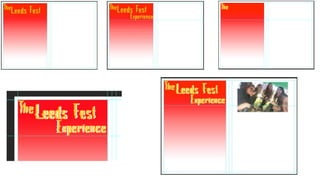
double page spread by just creating a title in the 'Warlock' font. I coloured it yellow as I
planned to have a red background. I did this because it contrasts really well and relates
back to the same style as the front cover. With the background of the left hand page, I
wanted to go back to the gradients because when they're done well they work really well.
So I added in a square to match inside my set templates. I added in three colours to the
gradient, the colours were a strong red, a lighter shade of red and white at the end. I
added in the lighter shade of red to really made the fade of colour more intense which did
improve the gradient. After I did that I went back to the title and thought of ways I could
improve the look. So I decided to make duplicate each word and colour the second set of
wording in white giving that 3D/drop down effect without actually going into blending
options. I also dug down into pre existing skills that I had learnt over the entirety of the
course. It seems this production my favourite tool is the marquee tool, because I used that
on the wording to give it that trippy/glitches look which I feel could be a bit hard for people
to read but on then other hand I think it lifts the title in a massive way. Once finishing that
and being happy with the placements of everything, I focused on creating a nice stylish
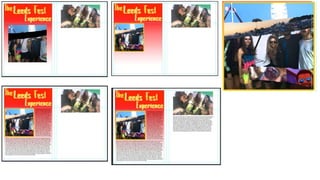
photo to try and capture Leeds Fest as a whole. So this just involved me getting a few
images together, editing them with some colouring, brightness and collecting a torn paper
image. I just added in the torn paper imagery to the base image by using a clipping mask.
Which gives the base image that pieces have been torn away. Then of course I just added
in the other images within the torn paper effect. From there it was just adjustments and re-
sizing of each image and I was then happy with what I created. I added in a yellow
outlining but I might remove it because I'm not sure if it works with he rest of what I'm
trying to create. To finish off the end of the day, I added in another picture but didn’t begin
editing it as I didn’t have enough time. The last thing I managed to do was get some of my
text placed in the correct layout. For the next day I'm going to just carry on and try and
finish this double page spread before the Easter holidays.
ProductionDay
11
Day eleven of production consisted of me just improving where I left off from the
previous day. I began by focusing on my text part of the double page spread and I
managed to split the block of text in half to help it fit in with the layout. I also added in
some different coloured words to red for the importance of the word such as musicians
and dates. After being happy with that layout, I focused on the second image. I was
wondering how I could elevate my work, so I went searching for some relevant
photoshop tutorials. I found a nice pop art tutorial that I have previous tried and felt that I
would really work well within my work. Because I didn’t need to do all of the tutorial as
some parts weren't relevant the main two factors/methods I used were the images
threshold alongside a gradient map. So with the threshold, that’s what gave my image
that pop art style selecting light and dark parts of the image. I messed around to try
catch as many features as I could then move onto the gradient. With the gradient
colours, I thought that having red was necessary with the image as it will relate to the
rest of the double page design. I then thought about adding in more yellow as the
second colour due to there not being a lot of yellow on the pages. Without meaning to,
by adding in the yellow it changed all the background colour to yellow. It was by mistake
and really it paid off in my favour. I felt as if I was missing out with the page and that
something was missing, now I felt that the whole product has come together very well. I
moved on towards the end of the day and only managed to add in another image I took
whilst at fest. With the image of the main stage I only managed to edit it slightly by
getting rid of the blue sky above the stage as it really didn’t fit in with my colour scheme.
I'm not sure what I will be doing to finish the image but I'm sure I will come up with
something. I feel that I'm managing my time perfectly and I'm really on track to finish on
time or even before the deadline. For the first time I would say I can look at most of my
work and actually feel like I've created some decent work. As the last day before Easter I
will try and get the double page spread finished.
ProductionDay
12
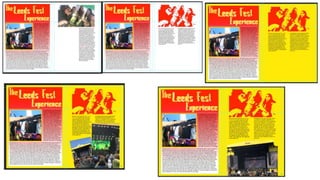
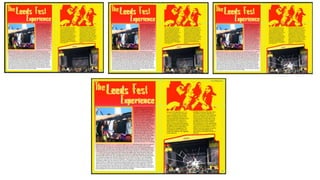
Day twelve of production being the day before Easter I really didn’t find a lot of effort
to smash a lot of work out. So all I ma aged to do was just finish off the double page
spread. All I had to do to finish the page off was add in the page number and website
for a little bit if detailing. With the image of the stage I added a red coloured stroke
around the edges which helped the image fit in with the whole layout. I then thought
adding in a smashed glass image would work well as it kind of relates with music in a
way. I was going to just edit it by lowering the opacity and deleting the background but
the opacity option really didn’t come out on top. Instead I just coloured it in white and
it really worked in a weird way. That’s all that concluded todays work, I have left
myself in a really good position to come back to after Easter. I think I will finish on time
perfectly and get the best out of all my work.
ProductionDay
13
Production day thirteen was the first day back after the Easter holidays and was
pretty productive even though I felt as if I wasn’t going to bet much work done. I
basically inly managed to begin a rough shaping of what my music festival poster. It’s
a nice simple start to something that could be very impressive. I used the arrows from
the front cover to make that outline around the poster. Just for some change in the
design, I changed the sizes and angles. I still used fonts that I used previously but
mixed and matched some together just to try keeping my work looking fresh and
different not all the same copied work. I felt I could try merge a Parklife style line up
with a Leeds Fest line together as its not all a line perfectly or in nice columns, just all
over the place. I think it does have some good promise.
My main focus of the day was just creating my interviews for some feedback off my
peers. I created four questions for three different peers which I asked half and half of
what they liked and disliked. Then I also asked for some improvements, the feedback
was positive and negative which I expected I didn’t think my work was perfect. Even
though I do disagree with some comments I will always try take them on board to
help appeal to as many people as possible. Its coming towards the end of the
production and my course in general and I'm still feeling confident I will complete all
my work in time.
ProductionDay
14
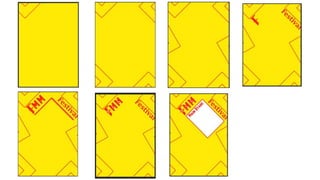
Day 14 of production was just carrying on from the previous day. I think I have nearly
finished this festival poster just some final last touches to it and then I will nearly be
complete. What I managed to do was, add two other stages to the poster exactly the
same as the first one but obviously different names. I downloaded my final two
selected fonts I chose before production and I saved them for this poster. Those two
fonts are 'Neo-Writer' and 'ill skillz' and I nearly didn’t use them but for the sake of not
repeating styles I chucked them in. I used the 'ill skillz' for the word 'Festival' in my
masthead and then used the other one for a main stage act. With the main stage acts
I felt the need to add some blending options as most poster do the same wit the more
famous acts. These blending options were drop down shadows and strokes mainly
but I also used colour overlays. This really gave off a nice look to the names which
makes them look less boring in my opinion, I also feel the other names on the other
stages need some kind of editing as they look out of place and boring.
I really felt as if the background was a bit plain and boring, so what I decided to do
was get a range of paint brush tools to add in a patterned background in white. I feel
that it has really changed the feel of the whole poster and helped it on its way for
improvements. I will still focus on this poster tomorrow and try get it fully finished
before the weekend. I am still confident I will complete everything in time even though
I have a lot of different things to complete.
ProductionDay
15
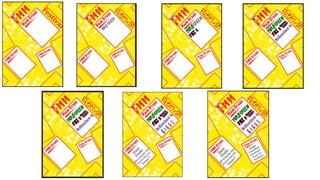
Day fifth teen of production was really me focusing on how I was going to finish my
festival poster. As I mentioned in the previous day to today I felt as the rest of the
text was really boring on the other two stages. So for it al to fit in and come together I
used/repeated the same designs but made slight changes so it still has a nice range.
These were an few different fonts and blending options. Even though I felt doing this
was lazy and maybe I should have gone for something a bit more challenging, I cant
hide the fact that it does have a nice creative factor paired with the fact it works. To
finish it off there were some spare spaces going so I thought adding some
information would help fill out the page more. I decided to add in some dates of
when the tickets would be released on sale. This makes sense as a lot of poster like
mine follow this so the public get the most important info straight away. The three
fonts I used were 'ill skillz' which I personally really like 'any male' and finally
'warlock'. Probably my three favourites throughout my work in production. When
placing them I just felt that tilting them slightly would help follow the feel I was going
for in the rest of the layout. Also my using black for just the last two edits helps them
stand out more as that’s the only part really coloured in black. Black and yellow in
my eyes always contrast really well and pair perfectly.
From today I think its five more days until I complete the long production period and I
have only got the album cover to finish. I feel that I have times this really well but I
do still have other things to do the then my production. But they are only small tasks
that can be completed easily. Even though I have left myself enough time I'm still
getting a bit stressed trying to remember everything and sure everything will be fine
but on the next production day I was thinking of getting the smaller tasks out the
way, I haven't yet decided.
ProductionDay
16
I was straight on with work for production day sixteen. I did get caught up at the start
trying to get into my Wix website but had a lot of trouble tying to load it up. Also I was
trying to make some progress with some feedback from people who are in the
industry. But there were some set back in that also, so I set on to begin my second
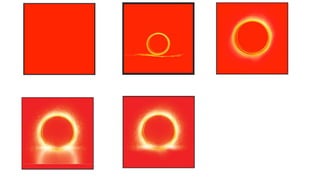
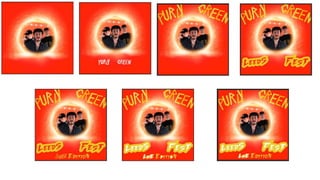
album cover. I first set off with just placing a red background and I thought I really
needed to step up on my creativity for this last product. So I went ad looked for some
inspiration on YouTube. I found a doctor strange themed tutorial that I felt really
looked exactly like something I was going for. I also just thought it only seems right
to use a marvel themed tutorial as its everyone is talking about recently. I
downloaded three of the images that were in the tutorial and they really replicate the
effect well. I used a lot of layer masks for this task as it required a few parts
removing whilst also keeping the original image. I just layered them on top and they
all pieced together. The next stage was to add some levels to them, giving them
more brightness and eye pleasing. Once finishing that I got some inspiration form
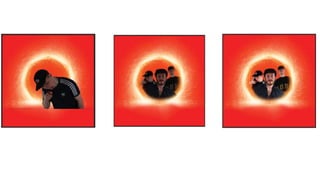
the tutorial by placing images within the circle acting as a portal. This gave me a
chance to place the bands faces on the cover. I found some left over images from
when I used the studio and they worked out perfectly. I edited the individually by
using the quick selection tool, which was just getting rid of the awkward background
and adding some brightness/contrast to them all to bring them together with the rest
of the cover. As the circles are pretty hard for a clipping mask, so I went back to the
layers masks and just inverted it. Just by using the paint brush and selected white, I
shaped along the inside edges to reveal the three band members inside.
That’s everything I managed to get done today and I'm nearly done all my work with
a lot of time to spare which will give me that time to go over all my work and try add
in some improvements.
ProductionDay
17
Production day seventeen contained of me finishing up my final product. I started
by focusing on what I was going to do with the background behind the band. All I
had to do was repeat the process of what I did for the band, so I went and looked
for some spare images I had left. I felt the right image to use would be the main
stage from Leeds fest. And it really did fit in perfectly to my album cover. Once
that was done, it was time to move onto the text side. I obviously I kept the bands
logo the same but changed the colours to match the proper colour scheme. I
wanted to be a little more with the placement of the bands name so I messed
around for a bit trying find the best position and I found the top part held a nice
place for them as a whole design.
The last few bits of text towards the bottom of the cover and I wanted to create
some nice designs for it but as I was following a tutorial there were some set
backs so I just had to get a bit more creative with what happened. I ended
downloading a new font just for some more variety and I feel that it has really
helped my work elevate that bit further. For the designing side of the text, I went
into the blending options and used a stroke for the most of the design side apart
form when I copied the layers the words into a smart object. This allowed me to
to use the bucket tool fill in the words. As a final touch really I will need to add in
a explicit advisory but apart from that I have finished all my production. Even
though again I have finished a week early this allows me to go back over other
work to improve on. That’s why I feel that my time management is so important.
Its coming close to the end of the course and I'm feeling confident that I am
getting my target grade or maybe even above.
ProductionDay
19
Due to missing out on a day because I was really ill so that's why I have skipped form
day seventeen to nineteen. This wasn’t a massive loss as I had already finished my
production last week. What I managed to do today was add in the adult advisory to
my second album which meant I had really just finished my production but then it also
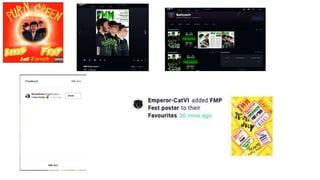
meant I could finally upload my work onto deviant art. I fixed the issues I was having
with deviant art and managed to get my work up. I got sent a few badges which I think
are a positive things and some has already favourited some of my other work which
must mean positive things. So over all its been positive feedback but I'm still getting
my head around the website.
I was going to use reddit as well as deviant art but I was struggling to use and find
relevant pages to my content. Even though I haven't really worked on any
improvements to my work yet, I feel as if my work is good enough as it is for a really
good grade.
ProductionDay
20(handinday)
On hand in day I firstly went straight onto my wix website to hand in my work.
Whilst placing my work into the wix website I made sure everything was
improved and functional for the examiners to look at. This just involved correct
ordering of work and some titles to go with my work. I had been having some
bad luck with wix and actually getting to load it up but after some help from
teachers we got past through the issue. After finishing that and handing in my
work, I moved onto looking at deviant art. There wasn’t much feedback at all
since the last time I checked, so I went looking maybe for some groups of
people relating to my style of work and found 'GraphicArtStudents' which I had
to reply to. I dropped a message to them all and still haven't gone back to
check for replies. Hopefully this will branch my work out further and get some
better opinions.
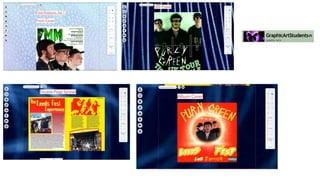
The last thing I did tat day was set up into another website call 'issuu'. I didn’t
manage to get very far with uploading my work so that’s something I can
improve on. Overall I feel I have done really well through the course and the
production in general. I have learnt a lot and just like my teachers mentioned
before, by the end of the courser we will be able to do a lot just on our own
without needing much help and I really feel I'm at that stage. Just a final push
to finish the course and I will try keep up the hard work rate.
Week1
Evaluation
Day 1
The first day of my evaluation firstly contained of me setting up my PowerPoint. I
always like setting up s few slides of what I'm going to be working as it helps with
my time management. All I managed to get done really was putting on my interview
results from a few weeks ago, my final products and a few sentences talking about
my design. I didn’t go any further as I turned my attention towards the Unit 11 we as
a group were told about a few weeks ago. All this really involved was getting past
things such as personal statements, goals and previous work basically anything
that shows off my progression throughout my time in the course. It didn't take the
rest of the day but I did manage to finish it today. This really helped with my stress
levels as its just something less to think about towards the end and it also bulked
up my Wix website nicely which really improved it. I'm still in a very good position
with work and feel that I'm keeping my work up to a really good standard.
Day 2
Day two of my evaluation wasn’t really productive. I was struggling again to find
myself powering through my work but I did manage to expand on quite a lot from
what I was talking about on Monday. I will defiantly get more work done tomorrow
then I will also still have half term along with the followign week to get it all done so
I'm still in a good position.
Day 3
Day three was really only a big push towards the design part as I'm trying to cover
as much information as possible when it comes to what I have created. I am pretty
much done with that section and will begin a lot of progress over half term to put
less stress/pressure on hand in week. I also managed to make some changes that
were requested from my tutor but nothing too hard or time consuming.
Week2
Evaluation
Coming into week two of the evaluation I managed to get my design and
reflections stages done over half term just giving me that extra bit of time to get
the rest of my work complete. Both sections I really just went into depth and tried
to explain my process. Hopefully I have kept up with my the rest of my work being
a merit.
The following day of making some good headway on my evaluation, all I had to
do was take a look at my final concepts and pick out bits and pieces of how and
why I did them. Also giving my own opinion on my work. After completing that, I
had fully completed my evaluation.
Fmp development diary

Fmp development diary

  • 1.
  • 2.
    Week1 For my firstweek of my FMP it began with me researching a graphic designer. This is because I was given the task of having to research people or theories of our chosen area. My main area that I have chosen to be in is graphic design, so that meant I needed to search for some significant figures within that industry. I found one to start off my work and we have to show off some of their work, what their view is on graphic design and their own process when it comes to designing something. So far there is a lot of work to process but I will be getting on top of the work so my time management works perfectly. I finished off my first days work whilst at home. On my second day I began on my second important figure within graphic design. I made some headway on it that figure but then changed my mind and began to power through my proposal, because I hadn't made a start yet and it’s a important part of my FMP. But because I have been through a few of these proposals at college so it isn't really a stress. I think this first week has gone well so far and I hope I can keep up with the standard. To finish off my week, I finished off my proposal by finding multiple sources for my bibliography. These sources were two primary sources of interviews from my peers, two websites that will have key information to help me out through my process and then the rest I collected were books either written by well known graphic designers or the theories about graphic design. I then finished my research PowerPoint at home by collect more information on more graphic designers. But for the variety I added in two books linked in with graphic design.
  • 4.
    Week2 The second weekhas started and I moved on to the next section of work for my FMP. What I have managed to complete and begin with today is research and grab an existing products. With completing this task I began with getting some context behind my existing product. That involved me finding out what my product actually is, such as what the product explores or discusses. Who the made the product and give a bit of background behind who created the product, if its relative. After that, when was it made and finally who are they targeting their products at and in my case I collected a demographic. Once completing that I began collecting products that I'm going to plan on creating when production come around. I picked out a front cover dissecting it in detail. Breaking off pieces such as the main image on the front, the cover lines and the mast head. I have to go into mass detail of why the editors have done this and why they have done something in a certain way to attract an audience. These would be colours, fonts and types of image. I've managed to get through half of that and will finish it on my second day. My second day of my research consisted of me moving onto another existing product. The existing product I decided to do was a double page spread. I got an example of one from Rolling Stones so I can link styles and designs elative to how what I'm going to create. I made some good progress and I will be close to finishing it on the third day. Towards the end of the week I finished the double page spread analysis and then moved onto an album cover. The album cover was from a band called Royal Blood. I finished that quite quickly just because there was only so much I could talk about. So far I think I'm keeping up a very high standard and I am dealing with the mass amount of work perfectly.
  • 6.
    Week3 •For the firstday of the third week and the second week of production, I carried on with existing products. I added a festival poster and began to pick it apart and analyse it. Once powering through that I began analysing then decided to twitch up and begin some production research. This is because I hadn't even considered beginning this part of the research. So I began with tutorials and only had time to manage nearly finishing my first example of a Photoshop tutorial. That concluded the end of my first day of the third week and I'm completely on time with my work, managing everything well. With my second day I finished off previous tutorials and began some fresh ones. All of that is going easy and I am producing some nice work. I got to finish my four interviews and even wrote up my summary on that matters and feedback. After finishing the interview feedback, its given me some ideas and inspiration for me to began shaping my final products. •With the third day of week three I managed to start on my second front cover and get some context behind the magazine along side with their media pack. This took me a bit longer then expected as their really wasn’t that much information out there for Q magazine but with a little digging I managed to get some relative information. The easiest art was actually the media pack as it was on their official website. The reason why I struggled was because there were too many websites that were trust worthy information wise (wiki). But after that I got straight onto analysing every little detail of the front cover I picked. I picked the latest issue up of Q magazine because I felt that the newer the front cover the more up to date skills I could learn. I found difficulty with this as its almost become second nature from doing it for two years. To finish off the week it was to complete a double page spread of the Q magazine, that again wasn’t a difficult task and I believe that I completed it at a really high standard. I complete the power point at home just by summarising my existing products an what I had found out. That was the end of week 3 and I personally felt even though I know what I am doing work wise I'm still learning small little skills that I didn’t know before.
  • 8.
    Week4 For the firstday of week four it was time for the problem solving part of the project. This basically is the health and safety with all the things that I don’t know how to do that I want to learn or improve on. So I began with a massive mind map involving practical and technical problems. This involves stuff relating to what I'm trying to create and basically stuff that could effect me not the rest of the class. For example, I spoke about the camera I will be using and what I want to learn to then improve my final work and then the side of the camera could get destroyed by me dropping. What I finished off doing is practicing camera angles with the camera which was a part of my mind map. I did this because we need to show and expand from the mind map. For my second day, I wanted to shift a bit from all the writing and focused on practicing some Photoshop tutorials. I managed to get through one and nearly finished a second tutorial. The first tutorial I got through was a 3D text. I would say the end result wasn’t exactly how I wanted it and didn’t exactly turn out like the tutorial. It still looked good but I didn’t use the exact font used within the example given, that was probably the big factor along with my different colour choices but apart from that very successful. Then I began the typography lettering. This so far has gone way better then my previous tutorial. First of all it might be that I went and downloaded the font used within the example and have replicated everything perfectly and has replicated well due to the stage I'm left at. That concluded the second day of week four and I'm staying on top of work, leaving me in a comfortable position to get work in on time. For my third day of week four was mainly just finishing off my previous Photoshop tutorial. It ended really well and turned out a success. It was then time again for another tutorial, which wasn’t really a success. It was a cartoon tutorial that turned out to be a bit trickier then I expected. I did make some mistakes as in picking a tricky image to transform into a cartoon styled image. After z bit of trial an error I got there in the end but didn’t turn out exactly how I wanted but there's something I can improve on for the future. Even though it was a little set back in my progress I'm still doing very well, personally
  • 10.
    Week5 For the startof the fifth week, I carried on with my problem solving power point. This involved me doing my last Photoshop tutorial and some more health and safety. The photoshop was really easy and effective. The techniques used with a double exposure aren't really for beginners but its easy to follow and catch onto what's happening. I found it easy but of course getting ahead of my self I made some small mistakes but nothing I couldn’t overcome. After finishing that which was pretty quick, I moved onto some theoretical problems with health and safety of the study. Just going over hazards etc which again didn’t take me very long at all. I was beginning to get worried over my work last week but after some reassurance and talking I'm back up with confidence with my work and am very confident. On my second day of week five, it was really only finishing off some health and safety risks for the camera and trying to begin another photoshop tutorial. I am finding myself speeding through this section pretty fast and thought I needed to try add more work to elevate my end grade. I'm still finding everything fine and my progression is good, even if the stress levels rise. On my third and final day at college before half term, I just focused on completing another Photoshop tutorial. The tutorial was a neon lighting effect. The neon lighting effect is a personal favourite of my and I really love the aesthetic feel any style gives off. I think with my work it can become something very effective if used correctly which will lead to an elevation in my work. Even though we have all of half term to work on this part of the project I have given myself a massive lead in my time management to finish off my work on a high standard. This leaves me excited and ready to start my production.
  • 12.
    Week6 Week six, straightback into work after half term. This week and next consists of my planning for production. This is what I'm actually going to involve with my final work. So far all I have done is collect the majority of my fonts and began discussing there uses within my work. They're mainly for logos and mastheads for big designs. With two weeks to complete this segment I would say I have managed to get a time consuming stage out of the way from the start which will hopefully benefit me towards the end of the two week period. For my second day, it was mainly just finishing off little bits to do with my font choices but quickly moved onto finding some nice colour schemes. I found tow nice colour schemes that will work really well. I made sure the colour schemes worked well with each other and were relatable wthin my chosen topics. That’s all that really happened with my second day but with each colour scheme I had inspiration, so I made sure I added my inspiration within my colour schemes. The third day of this week mainly consisted of me touching up on the colour schemes and finishing off why I'm going to use them. I didn’t do much work to say I had two lesson, I was slowly losing concentration with my work and found it hard to get motivation to do more work but these dips in motivation are regular with my work. I still feel that I am trying my hardest to produce the best work I can but I know that there is always room for improvement. I will be working hard at home with this work and also grind harder for the second week of planning just before production.
  • 14.
    Week7 For the firstday of week 7, I focused on just working on my layout plans. I managed to create two front covers, nearly two double page spreads and then only one album cover. I still need to create another album cover and two posters. Its nice to finally start shaping my idea on the page and almost begin creating my products. Its nice because they're basically frames in a way and through out the production I can just expand and create them in the best possible way. I'm still going strong and in my opinion creating work I'm happy with. I just need to keep going and the fact I have an unconditional offer from my university doesn’t make me want to work any less, if anything it makes me want put more effort in to see how well I really can do. For the second day, I was carrying on with my layouts and just explaining my thought process through out my first designs. This just gives everyone a better look upon my ideas. I did take a slight break from this though and began making some tables for my costs and my time management/schedule. I still need to finish them but I needed to begin a slight start to keep up with my timing and deadlines. I'm still working up to the pace I'm wanting and still getting the results I'm wanting. The third day of the week was time to move onto completing the first drafts of my articles. This consisted of me writing an article based of a band I created, by talking about their new album and involving a short interview with them asking some question. The other article will be simply about my own personal experiences at Leeds festival. To finish off the day I completed the tables of my time and costs which then leads into week 8 and that leads straight into the first week of production.
  • 16.
    ProductionDay 1 Today marks thefirst day of production and I think I have made some real good progress to say it’s day one. Just like all my other projects and I'd like to think that most people do the same, I began making the masthead. Like I mentioned within my planning, I was going to use the 3D design for my masthead and that’s what I did. I made some changed from the original to just to help it fit in within my work better. The changes I made were mainly with the colouring. Granted I got the galaxy image off google but I proceeded to mess wit the contrast, hue/saturation and added on a distort filter which in my opinion made a nice improvement. After messing around with it and becoming satisfied wit the way it looks I moved onto creating the topic information. Again just like I planned I used the 'colour the text' tutorial, and like the masthead I had to make some changed to it just so it appealed/benefited my style more. Obviously I went with the colour scheme and in the tutorial its with a black background but on my front cover its white. So instead of having a white outer stroke I swapped it round with black and then just kept a thinner green stroke for an outlining. I'm still not done with placement, just because I have to add in images of the band which of course will effect the layout. Next was to download the 'Slay Tanic' font and put the bands name below ' Exclusive interview with'. That wasn't in the plans but there is always room for improvement. To make the font I downloaded a bit more creative and fit in, I made it a smart image then rasterized it. This allowed me to add parts of green to it and I feel that it really improved the font. The last little bits I managed to do was add in a bar code long with the made up issue and cost. They were placed in the 'Cambria' font. The cover lines were also put in the same font and I made sure that the text was aligned on the right side. To help break up the cover lines I added in a bar with a thin stroke being having it filled in with black didn’t really suit what I was going for. I made the more important words bold on writing just because that’s what will attract the readers more. The last thing I did was just adding the name of the magazine in the top left above the masthead. I just thought it would be a nice touch to the magazine and to help it more readable I placed it in bold along with 'Cambria' font. As for the second day, I will try and finish/make some more improvements to my front cover and plan to book out kit so I get my photos ready.
  • 19.
    ProductionDay 2 Day two ofproduction began by just putting some finishing touches with my first front cover and that was to do sizing and the cover lines. I then began to move onto creating my first double page spread. Firstly I began by designing the left hand side page. Just like in my planning I went for the three sections of triangles. This didn’t really take much time and all I needed to do was use the polygon lasso tool to create the perfect shape needed. Then it was just making them their own layer so I could design the way I needed to. I made two of the triangles the colour black and the made the one bigger triangle in green. Doing this leaves a nice contrasting pattern instead of just having black, green then white, which is tried. I repeated the process again for the other set to sit on top in each segment. To advance and make the triangles more creative, so I added a stroke to each one which helped everything contrast a bit better. Even then I wasn’t really that satisfied with how it looked so I used the rectangle marquee tool to select segments of each shape to distort them slightly. I was finally content with what I had created and paused that side of the page until I get my images. Seems that I have brought up my images I also managed to get in a booking for kit next Wednesday. For the page in the right, I thought it would be sensible to place the same band logo form the front at the top and involve it with the title. For the res to the title though as planned I used the 'Payday' font for name of the bands new album. Just like the logo for the band I made it made the name of the album a smart object then rasterized it. Allowing me to edit it how I wanted and with the dollar signs, I felt that the page needed filling a bit and it looked good in my opinion. I repeated to same process design wise to help it fit in. To finish off that title side of the page I grouped them all together and added a stroke on with a nice lightly coloured shade of lime green. All that I needed to do was place in the text that I had previously written and make sure the columns worked for the layout. To help it all link in I added in the same stroke to the text and to think it works well.
  • 21.
    ProductionDay 3 Day three ofproduction consisted of me moving on from my double page spread and starting my first album cover. With this design I didn’t really stick to the planning stage as much as my previous products but it wasn’t completely different. Due to the neon lighting effect with the 'Beon medium' font has the brick wall background within the tutorial so I thought it would be a nice little touch to the album cover. What I did with the brick background was give it a radial gradient in reverse. I coloured it black to help it fit with the colour scheme. That also helped it pair with the neon lighting effect. I also added in a solid colour layer of black to help with the background but lowered the opacity by quite a bit just so it wasn’t too overpowering. It was then time to move onto the neon lighting effect. I have already previously downloaded the font needed so I got straight onto completing it. I didn’t really struggle with completing the design but its with the glowing effect. To achieve in my opinion a satisfactory look, I used a few layers of a paint brush with that lower opacity. Also wit hthe lettering it has a bevel & emboss paired a long side with a drop shadow, which gives it that nice white detailing. The part where I didn’t stick to my original planning was the cartoon style donut, cigarette and beer bottle. Instead I thought adding the bands name with their logo would have looked better and all around linked perfectly. I felt there was too much simplicity so, I added in a few more copies all in white to help them fit in. Then all I did was tilt them in different ways then lowering the opacity, gave that nice fading away effect. Once I was happy with that all I did was add in the explicit advisory sticker in the bottom right corner. I didn’t think of adding it in my planning but it almost become a nice touch to have on the cover of an album cover.
  • 23.
    ProductionDay 4 For production dayfour, I decided to go over work that I created during the first week. I did this because I felt that I was rushing through my production a little fast and slightly rushed my work. I only rushed the work because I had a beginning base down for me to develop, just like today. I first went back to my double page spread. I wasn’t really satisfied with the design so I wanted to add in a geometric style triangle to just go on the background. This is makes the page more appealing and helps it fill out the page more. I coloured it in the relatable colour and added another for a decretive style. I completely forgot about the hiararchy eith my text so I got rid of the stroke on my text to give it that hiararchy and proffestional feel. The text also needed re sizing so both columns actually matched up. By doing this is helps the layout come together and looks a lot better. I then realised that the green and black background on the left hand page was very basic. I was being lazy so I got rid of them. So I expanded on the geometric trinagle but changed up the design by adding a black and green gradient to each section. Pairing that with changing the linrs to white really chnaged up the design and made it better. I then just added four of them together attacting to make a patterened line. I think it looks really well and has raised my double page spread up massivley. Once I rearranged the columned text it allowed me to make my titles a lot bigger and deleting the random dollar signs, again making it look more professional. To finish off with the the page with some detailing by adding in a company website and a page number which really rings it together. I was then satisfied with the way it looked, I moved onto looking back at my front cover. I was just looking fro some things that I wasn’t really happy with. All I really wanted to change was the the coverlines. They seemed very bland and didn’t really fit in with the rest of my cover. First I wanted to colour in the bars seperating the text with a similar green to my masthead. Even that simple change improved that blank area. To help it all piece together, that that was to link the masthead and the coverlines together. So I just added in some really nice dripping effects and again it really helped imporve the front covers look. This will lead me into Wednesday where I will be taking my images in the studio
  • 26.
    ProductionDay 5 Day five ofproduction consisted of me taking my images within the studio then beginning to implement them into my work. I took a total of 27 photos with a variety of different angles and shot types. It took around 20-25 minutes of trying get the correct imagery which I didn't with some of the images but for the majority they cane out alright in the end. When I was implementing them removed the background as it was getting in the way of my other front cover. That was just a simple quick selection tool with some detailing but apart from that nice and easy. The images them selves were pretty dark, so I began to add some more brightness and contrast to the three. Due to some miscommunication with some items of clothing one of the members had a darker cap on which ended up clashing with some of my cover lines text. But a simple fix to that was just changing the bit of text that were ruined to white and it ended up working really well. Because of the darker clothing it also clashed with other texts on the cover so all I had to do just like before I just added in a white stroke to make it easier to red. I'm still not finished with my front cover but that’s what I managed to get to after taking images. The other thing I managed to get done was more concentration with my double page spread. All I did with that was with the columned text and just for a more professional look, I just made the more important words. Makes the reader pay more attention to the more important subjects. For tomorrow I will be really working hard on fixing the images that I took I'm the studio so they all look really fitting within my work.
  • 28.
    ProductionDay 6 Today for daysix of production, I first carried on with looking at the images that I added to my front cover. This mainly consisted of me moving them about trying to find the best spots for them. I also added some individual brightness so that it didn’t effect the rest of the cover. With me having lot of time looking at the front cover I realised that there was a lot of dead space where the bar code was. So I decides to change the spot for the bar code to the bottom left corner. Which in my opinion looked better then my previous placing. This then allowed me to push up my cover lines into the top right corner where the barcode was previously. Which ended up fixing the blank area and allowing me to have the text and just black and not a mixture due to the darker imagery. By doing that it then allowed me to really make the most out of the positioning of the whole front cover and really completed the cover. Even though I felt that it was complete, I still wasn’t satisfied the front cover felt that it was lacking one last piece. What I did was just for the band members, added a green coloured outline to them just to give it some more relatable features which help them fit nicely with the rest of the colour scheme. Once I was happy with that to moved onto my double page spread. What I was doing for this was just adding in the images that I took of the band. Just like I planned I was going to use a clipping mask to place the images inside the triangles. I feel that I succeeded exactly as I wanted it all to look. To get that almost detached/broken look, all I had to do was get a quick selection tool and make those segments separate layers. This was just a repeating of clipping more images into those separate segments. Once I was pleased with the imagery, I moved onto improving the look as a whole. So like with the front cover I used individual brightness on each image to bring them to life a bit and then to really let them fit in and complete the double page spread, I went onto adjustments and messed around with the curves. This basically allows me to alter the colour within an image. So of course I just added some green tinges to each part and that really improved the look.
  • 29.
    After finishing withmy double page spread, I began creating the final part of the first collection of products. This was my promotional tour poster. This is where I kind of stuck with my planning but kind of changed it with improvements in my opinion. I kept with place an image of the band towards the top of the poster. Again it’s the same principle with each photo I add in it gets tweaked with some brightness and contrast to help the picture out. This time I only changed the colour of the background by selecting it and making it a separate layer. I coloured the background in a light green so it wasn’t that overpowering. After that I wanted to add some more details to the background so I had a look in the filter gallery. I found a distorted glass effect and I found it was really effective which came out really well once I messed around with some of the settings. I think it really helps with the image I'm trying to create for the band. Coming towards the end of my work for the day, I was trying to create a effect that the image was falling to pieces by the blocks dropping down. But it ended up creating a nice reflection pattern. I created this by just using marquee tool and just moving the selected shapes where I wanted. As time ran out I only managed to place the bands logo one the poster. For day seven I will be proceeding with the tour poster.
  • 32.
    ProductionDay 7 Production day 7consisted of a lot of thinking, changes and improvements. Throughout the day o was a little lost within my ideas for the tour poster but by the end of the day I had made some really good progress. The first thing I did that day was change the style of the band logo. I felt that I really couldn’t keep repeating the same design as it wasn’t challenging enough or creative enough. The made me re type the band name and the design I came up with was to give off a shattered effect to the fonts. This just included me using the marquee tool to select a few different segments of each letter and moved them out of place. Giving it a really nice effect in my opinion, it made it fit in more with the rest of the poster. For the segments that I moved out of place, I made sure to colour them in green for that level of variety within my work. I was able to edit the text by just converting it to a smart object then following by rasterizing. After doing that I was messing around with the layouts of the text and finally found a satisfactory place for both words. After that it was time to add into the rest of the text. The text was just important information for the tour and the way I edited the information wasn’t that different from the previous text. I repeated the same process as before, as this helps it all fit in a relate to the whole design. The only change I made was adding a stroke to the text giving it some more depth. From the screenshots you can see that I made a lot of changes and tested a lot of different styles and as shown a lot of them didn’t work as well as I had hoped but I carried on going. So I decided to leave the text for a bit and focus on the band image at the top. As I felt it really wasn’t finished and needed something to really elevate it to a tour poster. I had seen this on some album covers throughout the years from some of my favourite artists. I just used the square shape tool and created and blacked out rectangular shape across each members eyes. I think it’s a nice effective design technique and allowed me to place some edits of my own. Where the eyes are positioned roughly, I placed some googol eyes on the band member to the left then for the right some fire Emojis. To me this gives them some personality to the fans or viewers without the member needing to say anything. For the lead singer I thought getting a paint brush styled crosses almost as they are hand painted. I really like how my inspirations gave me the idea because I think it really helped out the image as a whole.
  • 33.
    The finishing touchto the image that I almost forgot about was just giving them a nice light green hue, which made the image come together with the rest of the poster. I then decided to go back to my previous issues and figure them out. I thought that the white background wasn’t really working so filled it in black as I have a lot of black on the page, so I made it the primary colour. This really did improve the whole look which then lead to me changing the primary text colours to white. This made the text way more eye catching and helped it all stand out more. All I had to do then was figure out the placement of the text. I went for a wavy layout in layers. So from each layer I just curved and tilted them in a certain way to give that wave look. That was everything I managed to complete today and that then set me up to begin my work on my second front cover.
  • 36.
    ProductionDay 8 Production day eightwasn’t as productive as day seven. There was some set backs with my initial designs for the background. I began with trying to add a nice polygon tool triangular pattern. This consisted of me adding a gradient overlay which consisted of the appropriate colour scheme. I adding a variety of shade within the gradient to get a better result out of the pattern. To get the pattern, I used the polygon lasso tool so I could make the triangles. When making the triangle shape I then went into filters, blur and then arrange. That is what gave the triangles the nice finish/pattern. I persisted with it but I needed up agreeing that it really wasn’t working and with everything else on top, the end product really would work. After scraping that I decided to start by adding the masthead back in. I changed the design because it’s a different issue magazine then my last one. So I got rid of the green then added in a image I took as Leeds Fest then added a clipping mask. I felt it was a nice touch to the front cover and to help it fit with the colour scheme I edited the images levels to give it a yellow shade. I decided to then add some text relating to the topic on the front and I ended up using a different font then my previous fonts. This adds in some fresh variety to my work and makes it less repetitive. I coloured them in yellow which really contrasts well and added a nice dark red drop shadow to help elevate the look as a whole and it looks really nice. I was going to add in some more clipping mask imagery to some of the words but ran out of time. So for the next day that’s what I'm going to go straight into and hopefully make some nice head way.
  • 38.
    ProductionDay 9 Production day ninewas a lot more productive the day eight but again I didn’t make massive progress compared to other days. I carried on with what I finished with and that was finishing of the title of the article. I added in 'Leeds Fest' but I made 'Leeds' a lot larger because of adding in an image I took from Fest and I used a clipping mask. I wanted to do that because then it linked nicely within the masthead and gives off a nice pattern with the title as a whole. I felt that it then was a but place and didn’t work as much even though its hard to see the image in the clipping mask, I added in a stroke of yellow around 'Leeds' just help it stand out a bit more and it really improved it. Just like with the image in the masthead I added in the slightest tinge of red to the image within 'Leeds' and that really just helped it come together. Once I finished that it was another battle of trying to find the best positioning/layout. After a while I finally found a nice placement and I think what really makes it seem different and a nice layout was literally with 'the' at the top. I just made it smaller then titled into the gap, which fits really well in my opinion. After being satisfied with all that I wanted to relate the front cover to the topic a but more so I decided to add in the Leeds Festival poster arrow shapes. How I created them was very simple I just used the rectangle shape tool and made at least two rectangles for each arrow. Once I had them in the right positioning, I simply merged them together to create the arrow. I again gave them a stroke but coloured them white which is part of my colour scheme and helps break up the intensity of the front cover. To finish them off I just lowered the opacity to help them blend in to the background. For the next day, I might leave the front cover then go back to it for any improvements I think of. So far I think production is going really well and I'm completely on track and track and I'm in a good time management stage.
  • 40.
    ProductionDay 10 This day tenis now the start of week four of production and I began on this day by starting with my second double page spread. I wasn’t feeling that well so I had a slow start to the double page spread by just creating a title in the 'Warlock' font. I coloured it yellow as I planned to have a red background. I did this because it contrasts really well and relates back to the same style as the front cover. With the background of the left hand page, I wanted to go back to the gradients because when they're done well they work really well. So I added in a square to match inside my set templates. I added in three colours to the gradient, the colours were a strong red, a lighter shade of red and white at the end. I added in the lighter shade of red to really made the fade of colour more intense which did improve the gradient. After I did that I went back to the title and thought of ways I could improve the look. So I decided to make duplicate each word and colour the second set of wording in white giving that 3D/drop down effect without actually going into blending options. I also dug down into pre existing skills that I had learnt over the entirety of the course. It seems this production my favourite tool is the marquee tool, because I used that on the wording to give it that trippy/glitches look which I feel could be a bit hard for people to read but on then other hand I think it lifts the title in a massive way. Once finishing that and being happy with the placements of everything, I focused on creating a nice stylish photo to try and capture Leeds Fest as a whole. So this just involved me getting a few images together, editing them with some colouring, brightness and collecting a torn paper image. I just added in the torn paper imagery to the base image by using a clipping mask. Which gives the base image that pieces have been torn away. Then of course I just added in the other images within the torn paper effect. From there it was just adjustments and re- sizing of each image and I was then happy with what I created. I added in a yellow outlining but I might remove it because I'm not sure if it works with he rest of what I'm trying to create. To finish off the end of the day, I added in another picture but didn’t begin editing it as I didn’t have enough time. The last thing I managed to do was get some of my text placed in the correct layout. For the next day I'm going to just carry on and try and finish this double page spread before the Easter holidays.
  • 43.
    ProductionDay 11 Day eleven ofproduction consisted of me just improving where I left off from the previous day. I began by focusing on my text part of the double page spread and I managed to split the block of text in half to help it fit in with the layout. I also added in some different coloured words to red for the importance of the word such as musicians and dates. After being happy with that layout, I focused on the second image. I was wondering how I could elevate my work, so I went searching for some relevant photoshop tutorials. I found a nice pop art tutorial that I have previous tried and felt that I would really work well within my work. Because I didn’t need to do all of the tutorial as some parts weren't relevant the main two factors/methods I used were the images threshold alongside a gradient map. So with the threshold, that’s what gave my image that pop art style selecting light and dark parts of the image. I messed around to try catch as many features as I could then move onto the gradient. With the gradient colours, I thought that having red was necessary with the image as it will relate to the rest of the double page design. I then thought about adding in more yellow as the second colour due to there not being a lot of yellow on the pages. Without meaning to, by adding in the yellow it changed all the background colour to yellow. It was by mistake and really it paid off in my favour. I felt as if I was missing out with the page and that something was missing, now I felt that the whole product has come together very well. I moved on towards the end of the day and only managed to add in another image I took whilst at fest. With the image of the main stage I only managed to edit it slightly by getting rid of the blue sky above the stage as it really didn’t fit in with my colour scheme. I'm not sure what I will be doing to finish the image but I'm sure I will come up with something. I feel that I'm managing my time perfectly and I'm really on track to finish on time or even before the deadline. For the first time I would say I can look at most of my work and actually feel like I've created some decent work. As the last day before Easter I will try and get the double page spread finished.
  • 45.
    ProductionDay 12 Day twelve ofproduction being the day before Easter I really didn’t find a lot of effort to smash a lot of work out. So all I ma aged to do was just finish off the double page spread. All I had to do to finish the page off was add in the page number and website for a little bit if detailing. With the image of the stage I added a red coloured stroke around the edges which helped the image fit in with the whole layout. I then thought adding in a smashed glass image would work well as it kind of relates with music in a way. I was going to just edit it by lowering the opacity and deleting the background but the opacity option really didn’t come out on top. Instead I just coloured it in white and it really worked in a weird way. That’s all that concluded todays work, I have left myself in a really good position to come back to after Easter. I think I will finish on time perfectly and get the best out of all my work.
  • 47.
    ProductionDay 13 Production day thirteenwas the first day back after the Easter holidays and was pretty productive even though I felt as if I wasn’t going to bet much work done. I basically inly managed to begin a rough shaping of what my music festival poster. It’s a nice simple start to something that could be very impressive. I used the arrows from the front cover to make that outline around the poster. Just for some change in the design, I changed the sizes and angles. I still used fonts that I used previously but mixed and matched some together just to try keeping my work looking fresh and different not all the same copied work. I felt I could try merge a Parklife style line up with a Leeds Fest line together as its not all a line perfectly or in nice columns, just all over the place. I think it does have some good promise. My main focus of the day was just creating my interviews for some feedback off my peers. I created four questions for three different peers which I asked half and half of what they liked and disliked. Then I also asked for some improvements, the feedback was positive and negative which I expected I didn’t think my work was perfect. Even though I do disagree with some comments I will always try take them on board to help appeal to as many people as possible. Its coming towards the end of the production and my course in general and I'm still feeling confident I will complete all my work in time.
  • 49.
    ProductionDay 14 Day 14 ofproduction was just carrying on from the previous day. I think I have nearly finished this festival poster just some final last touches to it and then I will nearly be complete. What I managed to do was, add two other stages to the poster exactly the same as the first one but obviously different names. I downloaded my final two selected fonts I chose before production and I saved them for this poster. Those two fonts are 'Neo-Writer' and 'ill skillz' and I nearly didn’t use them but for the sake of not repeating styles I chucked them in. I used the 'ill skillz' for the word 'Festival' in my masthead and then used the other one for a main stage act. With the main stage acts I felt the need to add some blending options as most poster do the same wit the more famous acts. These blending options were drop down shadows and strokes mainly but I also used colour overlays. This really gave off a nice look to the names which makes them look less boring in my opinion, I also feel the other names on the other stages need some kind of editing as they look out of place and boring. I really felt as if the background was a bit plain and boring, so what I decided to do was get a range of paint brush tools to add in a patterned background in white. I feel that it has really changed the feel of the whole poster and helped it on its way for improvements. I will still focus on this poster tomorrow and try get it fully finished before the weekend. I am still confident I will complete everything in time even though I have a lot of different things to complete.
  • 51.
    ProductionDay 15 Day fifth teenof production was really me focusing on how I was going to finish my festival poster. As I mentioned in the previous day to today I felt as the rest of the text was really boring on the other two stages. So for it al to fit in and come together I used/repeated the same designs but made slight changes so it still has a nice range. These were an few different fonts and blending options. Even though I felt doing this was lazy and maybe I should have gone for something a bit more challenging, I cant hide the fact that it does have a nice creative factor paired with the fact it works. To finish it off there were some spare spaces going so I thought adding some information would help fill out the page more. I decided to add in some dates of when the tickets would be released on sale. This makes sense as a lot of poster like mine follow this so the public get the most important info straight away. The three fonts I used were 'ill skillz' which I personally really like 'any male' and finally 'warlock'. Probably my three favourites throughout my work in production. When placing them I just felt that tilting them slightly would help follow the feel I was going for in the rest of the layout. Also my using black for just the last two edits helps them stand out more as that’s the only part really coloured in black. Black and yellow in my eyes always contrast really well and pair perfectly. From today I think its five more days until I complete the long production period and I have only got the album cover to finish. I feel that I have times this really well but I do still have other things to do the then my production. But they are only small tasks that can be completed easily. Even though I have left myself enough time I'm still getting a bit stressed trying to remember everything and sure everything will be fine but on the next production day I was thinking of getting the smaller tasks out the way, I haven't yet decided.
  • 53.
    ProductionDay 16 I was straighton with work for production day sixteen. I did get caught up at the start trying to get into my Wix website but had a lot of trouble tying to load it up. Also I was trying to make some progress with some feedback from people who are in the industry. But there were some set back in that also, so I set on to begin my second album cover. I first set off with just placing a red background and I thought I really needed to step up on my creativity for this last product. So I went ad looked for some inspiration on YouTube. I found a doctor strange themed tutorial that I felt really looked exactly like something I was going for. I also just thought it only seems right to use a marvel themed tutorial as its everyone is talking about recently. I downloaded three of the images that were in the tutorial and they really replicate the effect well. I used a lot of layer masks for this task as it required a few parts removing whilst also keeping the original image. I just layered them on top and they all pieced together. The next stage was to add some levels to them, giving them more brightness and eye pleasing. Once finishing that I got some inspiration form the tutorial by placing images within the circle acting as a portal. This gave me a chance to place the bands faces on the cover. I found some left over images from when I used the studio and they worked out perfectly. I edited the individually by using the quick selection tool, which was just getting rid of the awkward background and adding some brightness/contrast to them all to bring them together with the rest of the cover. As the circles are pretty hard for a clipping mask, so I went back to the layers masks and just inverted it. Just by using the paint brush and selected white, I shaped along the inside edges to reveal the three band members inside. That’s everything I managed to get done today and I'm nearly done all my work with a lot of time to spare which will give me that time to go over all my work and try add in some improvements.
  • 56.
    ProductionDay 17 Production day seventeencontained of me finishing up my final product. I started by focusing on what I was going to do with the background behind the band. All I had to do was repeat the process of what I did for the band, so I went and looked for some spare images I had left. I felt the right image to use would be the main stage from Leeds fest. And it really did fit in perfectly to my album cover. Once that was done, it was time to move onto the text side. I obviously I kept the bands logo the same but changed the colours to match the proper colour scheme. I wanted to be a little more with the placement of the bands name so I messed around for a bit trying find the best position and I found the top part held a nice place for them as a whole design. The last few bits of text towards the bottom of the cover and I wanted to create some nice designs for it but as I was following a tutorial there were some set backs so I just had to get a bit more creative with what happened. I ended downloading a new font just for some more variety and I feel that it has really helped my work elevate that bit further. For the designing side of the text, I went into the blending options and used a stroke for the most of the design side apart form when I copied the layers the words into a smart object. This allowed me to to use the bucket tool fill in the words. As a final touch really I will need to add in a explicit advisory but apart from that I have finished all my production. Even though again I have finished a week early this allows me to go back over other work to improve on. That’s why I feel that my time management is so important. Its coming close to the end of the course and I'm feeling confident that I am getting my target grade or maybe even above.
  • 58.
    ProductionDay 19 Due to missingout on a day because I was really ill so that's why I have skipped form day seventeen to nineteen. This wasn’t a massive loss as I had already finished my production last week. What I managed to do today was add in the adult advisory to my second album which meant I had really just finished my production but then it also meant I could finally upload my work onto deviant art. I fixed the issues I was having with deviant art and managed to get my work up. I got sent a few badges which I think are a positive things and some has already favourited some of my other work which must mean positive things. So over all its been positive feedback but I'm still getting my head around the website. I was going to use reddit as well as deviant art but I was struggling to use and find relevant pages to my content. Even though I haven't really worked on any improvements to my work yet, I feel as if my work is good enough as it is for a really good grade.
  • 60.
    ProductionDay 20(handinday) On hand inday I firstly went straight onto my wix website to hand in my work. Whilst placing my work into the wix website I made sure everything was improved and functional for the examiners to look at. This just involved correct ordering of work and some titles to go with my work. I had been having some bad luck with wix and actually getting to load it up but after some help from teachers we got past through the issue. After finishing that and handing in my work, I moved onto looking at deviant art. There wasn’t much feedback at all since the last time I checked, so I went looking maybe for some groups of people relating to my style of work and found 'GraphicArtStudents' which I had to reply to. I dropped a message to them all and still haven't gone back to check for replies. Hopefully this will branch my work out further and get some better opinions. The last thing I did tat day was set up into another website call 'issuu'. I didn’t manage to get very far with uploading my work so that’s something I can improve on. Overall I feel I have done really well through the course and the production in general. I have learnt a lot and just like my teachers mentioned before, by the end of the courser we will be able to do a lot just on our own without needing much help and I really feel I'm at that stage. Just a final push to finish the course and I will try keep up the hard work rate.
  • 63.
    Week1 Evaluation Day 1 The firstday of my evaluation firstly contained of me setting up my PowerPoint. I always like setting up s few slides of what I'm going to be working as it helps with my time management. All I managed to get done really was putting on my interview results from a few weeks ago, my final products and a few sentences talking about my design. I didn’t go any further as I turned my attention towards the Unit 11 we as a group were told about a few weeks ago. All this really involved was getting past things such as personal statements, goals and previous work basically anything that shows off my progression throughout my time in the course. It didn't take the rest of the day but I did manage to finish it today. This really helped with my stress levels as its just something less to think about towards the end and it also bulked up my Wix website nicely which really improved it. I'm still in a very good position with work and feel that I'm keeping my work up to a really good standard. Day 2 Day two of my evaluation wasn’t really productive. I was struggling again to find myself powering through my work but I did manage to expand on quite a lot from what I was talking about on Monday. I will defiantly get more work done tomorrow then I will also still have half term along with the followign week to get it all done so I'm still in a good position. Day 3 Day three was really only a big push towards the design part as I'm trying to cover as much information as possible when it comes to what I have created. I am pretty much done with that section and will begin a lot of progress over half term to put less stress/pressure on hand in week. I also managed to make some changes that were requested from my tutor but nothing too hard or time consuming.
  • 66.
    Week2 Evaluation Coming into weektwo of the evaluation I managed to get my design and reflections stages done over half term just giving me that extra bit of time to get the rest of my work complete. Both sections I really just went into depth and tried to explain my process. Hopefully I have kept up with my the rest of my work being a merit. The following day of making some good headway on my evaluation, all I had to do was take a look at my final concepts and pick out bits and pieces of how and why I did them. Also giving my own opinion on my work. After completing that, I had fully completed my evaluation.