FLAPPY BIRD GAME
By: Hamza Gulistan
Reg no: FA14-Bcs-027
Introduction
• It is a simple game in which one bird is moving between
different obstacles.
• If the bird touches any obstacle then the game will be end
and the total score will show on the screen.
• Every time the bird crosses any obstacle the score
increases by 1.
Creating a Flappy Bird game in Visual
Studio Using C#
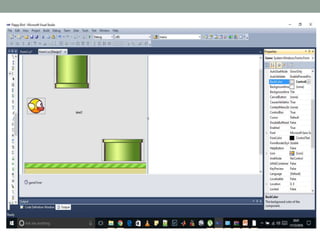
• Create Windows Form Application
• 4 Picture boxes,
• 1 Timer Object
• 4 Labels
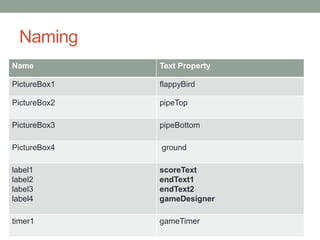
Naming
Name Text Property
PictureBox1 flappyBird
PictureBox2 pipeTop
PictureBox3 pipeBottom
PictureBox4 ground
label1
label2
label3
label4
scoreText
endText1
endText2
gameDesigner
timer1 gameTimer
Coding
the core variables for the game
bool jumping = false;
Int pipeSpeed = 5;
int gravity = 5;
Int Inscore = 0;
Set the label properties
• endText1.Text = "Game Over!";
• endText2.Text = "Your final score is: " + Inscore;
• gameDesigner.Text = "Game Designed By your name
here";
• endText1.Visible = false;
• endText2.Visible = false;
• gameDesigner.Visible = false;
Functions
• We need 3 functions that will be triggered by various
events
• 1) Timer function
• 2) keydown function
• 3) key up function
• 4) game end function
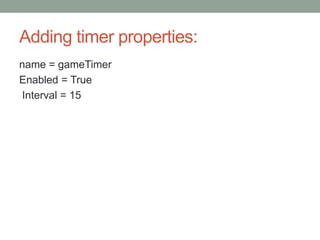
Adding timer properties:
name = gameTimer
Enabled = True
Interval = 15
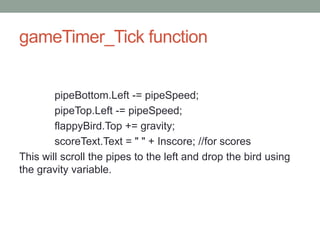
gameTimer_Tick function
pipeBottom.Left -= pipeSpeed;
pipeTop.Left -= pipeSpeed;
flappyBird.Top += gravity;
scoreText.Text = " " + Inscore; //for scores
This will scroll the pipes to the left and drop the bird using
the gravity variable.
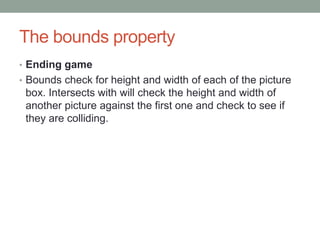
The bounds property
• Ending game
• Bounds check for height and width of each of the picture
box. Intersects with will check the height and width of
another picture against the first one and check to see if
they are colliding.
Enter the following code in the timer
function
if (flappyBird.Bounds.IntersectsWith(ground.Bounds))
{
endGame();
}
elseif (flappyBird.Bounds.IntersectsWith(pipeBottom.Bounds))
{
endGame();
}
elseif (flappyBird.Bounds.IntersectsWith(pipeTop.Bounds))
{
endGame();
}
gameTimer.Stop();
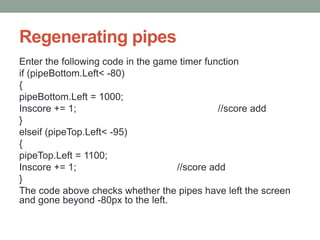
Regenerating pipes
Enter the following code in the game timer function
if (pipeBottom.Left< -80)
{
pipeBottom.Left = 1000;
Inscore += 1; //score add
}
elseif (pipeTop.Left< -95)
{
pipeTop.Left = 1100;
Inscore += 1; //score add
}
The code above checks whether the pipes have left the screen
and gone beyond -80px to the left.
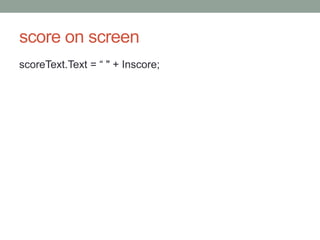
score on screen
scoreText.Text = “ " + Inscore;
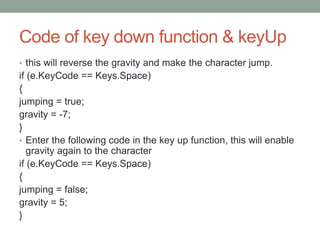
Code of key down function & keyUp
• this will reverse the gravity and make the character jump.
if (e.KeyCode == Keys.Space)
{
jumping = true;
gravity = -7;
}
• Enter the following code in the key up function, this will enable
gravity again to the character
if (e.KeyCode == Keys.Space)
{
jumping = false;
gravity = 5;
}
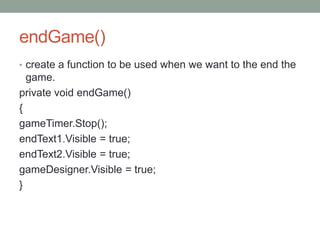
endGame()
• create a function to be used when we want to the end the
game.
private void endGame()
{
gameTimer.Stop();
endText1.Visible = true;
endText2.Visible = true;
gameDesigner.Visible = true;
}
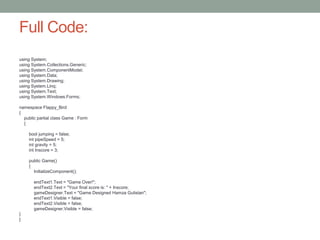
Full Code:
using System;
using System.Collections.Generic;
using System.ComponentModel;
using System.Data;
using System.Drawing;
using System.Linq;
using System.Text;
using System.Windows.Forms;
namespace Flappy_Bird
{
public partial class Game : Form
{
bool jumping = false;
int pipeSpeed = 5;
int gravity = 5;
int Inscore = 3;
public Game()
{
InitializeComponent();
endText1.Text = "Game Over!";
endText2.Text = "Your final score is: " + Inscore;
gameDesigner.Text = "Game Designed Hamza Gulistan";
endText1.Visible = false;
endText2.Visible = false;
gameDesigner.Visible = false;
}
}
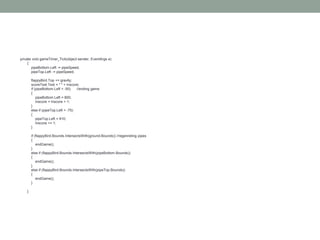
private void gameTimer_Tick(object sender, EventArgs e)
{
pipeBottom.Left -= pipeSpeed;
pipeTop.Left -= pipeSpeed;
flappyBird.Top += gravity;
scoreText.Text = " " + Inscore;
if (pipeBottom.Left < -50) //ending game
{
pipeBottom.Left = 800;
Inscore = Inscore + 1;
}
else if (pipeTop.Left < -75)
{
pipeTop.Left = 910;
Inscore += 1;
}
if (flappyBird.Bounds.IntersectsWith(ground.Bounds)) //regenreting pipes
{
endGame();
}
else if (flappyBird.Bounds.IntersectsWith(pipeBottom.Bounds))
{
endGame();
}
else if (flappyBird.Bounds.IntersectsWith(pipeTop.Bounds))
{
endGame();
}
}
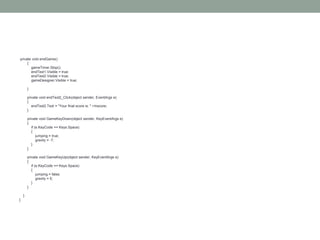
private void endGame()
{
gameTimer.Stop();
endText1.Visible = true;
endText2.Visible = true;
gameDesigner.Visible = true;
}
private void endText2_Click(object sender, EventArgs e)
{
endText2.Text = "Your final score is: " +Inscore;
}
private void GameKeyDown(object sender, KeyEventArgs e)
{
if (e.KeyCode == Keys.Space)
{
jumping = true;
gravity = -7;
}
}
private void GameKeyUp(object sender, KeyEventArgs e)
{
if (e.KeyCode == Keys.Space)
{
jumping = false;
gravity = 5;
}
}
}
}

Flappy bird game in c#

  • 1.
    FLAPPY BIRD GAME By:Hamza Gulistan Reg no: FA14-Bcs-027
  • 2.
    Introduction • It isa simple game in which one bird is moving between different obstacles. • If the bird touches any obstacle then the game will be end and the total score will show on the screen. • Every time the bird crosses any obstacle the score increases by 1.
  • 3.
    Creating a FlappyBird game in Visual Studio Using C# • Create Windows Form Application • 4 Picture boxes, • 1 Timer Object • 4 Labels
  • 4.
    Naming Name Text Property PictureBox1flappyBird PictureBox2 pipeTop PictureBox3 pipeBottom PictureBox4 ground label1 label2 label3 label4 scoreText endText1 endText2 gameDesigner timer1 gameTimer
  • 6.
    Coding the core variablesfor the game bool jumping = false; Int pipeSpeed = 5; int gravity = 5; Int Inscore = 0;
  • 7.
    Set the labelproperties • endText1.Text = "Game Over!"; • endText2.Text = "Your final score is: " + Inscore; • gameDesigner.Text = "Game Designed By your name here"; • endText1.Visible = false; • endText2.Visible = false; • gameDesigner.Visible = false;
  • 8.
    Functions • We need3 functions that will be triggered by various events • 1) Timer function • 2) keydown function • 3) key up function • 4) game end function
  • 9.
    Adding timer properties: name= gameTimer Enabled = True Interval = 15
  • 10.
    gameTimer_Tick function pipeBottom.Left -=pipeSpeed; pipeTop.Left -= pipeSpeed; flappyBird.Top += gravity; scoreText.Text = " " + Inscore; //for scores This will scroll the pipes to the left and drop the bird using the gravity variable.
  • 11.
    The bounds property •Ending game • Bounds check for height and width of each of the picture box. Intersects with will check the height and width of another picture against the first one and check to see if they are colliding.
  • 12.
    Enter the followingcode in the timer function if (flappyBird.Bounds.IntersectsWith(ground.Bounds)) { endGame(); } elseif (flappyBird.Bounds.IntersectsWith(pipeBottom.Bounds)) { endGame(); } elseif (flappyBird.Bounds.IntersectsWith(pipeTop.Bounds)) { endGame(); } gameTimer.Stop();
  • 13.
    Regenerating pipes Enter thefollowing code in the game timer function if (pipeBottom.Left< -80) { pipeBottom.Left = 1000; Inscore += 1; //score add } elseif (pipeTop.Left< -95) { pipeTop.Left = 1100; Inscore += 1; //score add } The code above checks whether the pipes have left the screen and gone beyond -80px to the left.
  • 14.
  • 15.
    Code of keydown function & keyUp • this will reverse the gravity and make the character jump. if (e.KeyCode == Keys.Space) { jumping = true; gravity = -7; } • Enter the following code in the key up function, this will enable gravity again to the character if (e.KeyCode == Keys.Space) { jumping = false; gravity = 5; }
  • 16.
    endGame() • create afunction to be used when we want to the end the game. private void endGame() { gameTimer.Stop(); endText1.Visible = true; endText2.Visible = true; gameDesigner.Visible = true; }
  • 17.
    Full Code: using System; usingSystem.Collections.Generic; using System.ComponentModel; using System.Data; using System.Drawing; using System.Linq; using System.Text; using System.Windows.Forms; namespace Flappy_Bird { public partial class Game : Form { bool jumping = false; int pipeSpeed = 5; int gravity = 5; int Inscore = 3; public Game() { InitializeComponent(); endText1.Text = "Game Over!"; endText2.Text = "Your final score is: " + Inscore; gameDesigner.Text = "Game Designed Hamza Gulistan"; endText1.Visible = false; endText2.Visible = false; gameDesigner.Visible = false; } }
  • 18.
    private void gameTimer_Tick(objectsender, EventArgs e) { pipeBottom.Left -= pipeSpeed; pipeTop.Left -= pipeSpeed; flappyBird.Top += gravity; scoreText.Text = " " + Inscore; if (pipeBottom.Left < -50) //ending game { pipeBottom.Left = 800; Inscore = Inscore + 1; } else if (pipeTop.Left < -75) { pipeTop.Left = 910; Inscore += 1; } if (flappyBird.Bounds.IntersectsWith(ground.Bounds)) //regenreting pipes { endGame(); } else if (flappyBird.Bounds.IntersectsWith(pipeBottom.Bounds)) { endGame(); } else if (flappyBird.Bounds.IntersectsWith(pipeTop.Bounds)) { endGame(); } }
  • 19.
    private void endGame() { gameTimer.Stop(); endText1.Visible= true; endText2.Visible = true; gameDesigner.Visible = true; } private void endText2_Click(object sender, EventArgs e) { endText2.Text = "Your final score is: " +Inscore; } private void GameKeyDown(object sender, KeyEventArgs e) { if (e.KeyCode == Keys.Space) { jumping = true; gravity = -7; } } private void GameKeyUp(object sender, KeyEventArgs e) { if (e.KeyCode == Keys.Space) { jumping = false; gravity = 5; } } } }