Cross-platform physics
games
Using MonoGame and
Farseer Physics
Rune Andreas Grimstad @runegri
Capgemini Norge
What to expect
• Lots of code!
• Intoduction to MonoGame and Farseer
• Playable demos
• Code on GitHub for you to play with :-)
What NOT to expect
• Deep dive into the features
• That would take days...
• 3D games
• Visit Richard Garside’s talk tomorrow at 11:40
• A complete game
Who am I?
• Rune Andreas Grimstad
• Lives in Trondheim
• Works for Cagemini
• Focus on .Net and anything mobile
• Programming since I was 8 years old...
Why games programming?
• Not my job!
• Fun
• Learning
• Becoming a billionaire after creating the next Angry
Birds Flappy Bird!
MonoGame
• Open Source implementation of XNA 4
• Runs everywhere
• C# / .Net
• Xamarin
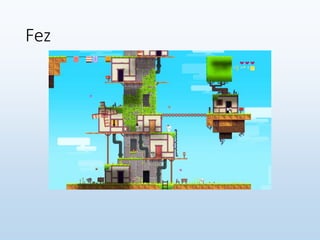
Fez
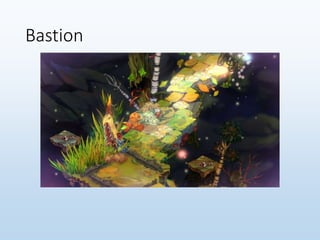
Bastion
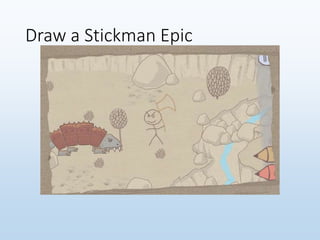
Draw a Stickman Epic
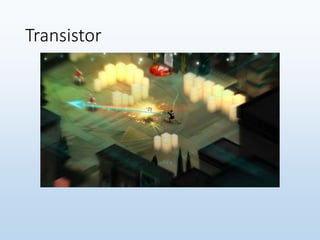
Transistor
MonoGame – getting it
• Download from monogame.net
• Clone from GitHub
• NuGet
MonoGame – features
• Supports all features of XNA4 (more or less)
• 2D
• 3D
• Content pipeline
• Input
• Sound and music
• Networking
• It’s a bare-bones framework…
Enough background!
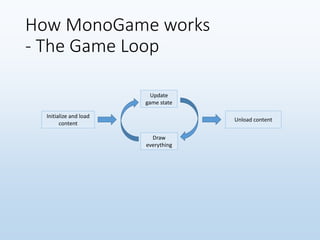
How MonoGame works
- The Game Loop
Initialize and load
content
Update
game state
Draw
everything
Unload content
How MonoGame works
- Creating content
• Most file types are supported
• Either use an XNA content project
• Requires XNA Game Studio, so Windows only
• Create a MonoGame Content project
• Or use the MonoGame Content Builder
• Runs everywhere
• Not 100% done yet, but getting close
How MonoGame works
- Loading content
• Using the ContentManager.Load method
• Usually Content.Load<Texture2D>("spaceship");
• You can also load other resources this way
• SpriteFont, SoundEffect, Song, and so on
• Store the files in the Content folder in your project
• Build Action – Content
• Copy to Output Directory – Copy if newer
How MonoGame works
- Drawing stuff
• Use the SpriteBatch class
• Start with SpriteBatch.Begin
• Do your SpriteBatch.Draw calls
• End with SpriteBatch.End
• Try to limit how many SpriteBatches you use
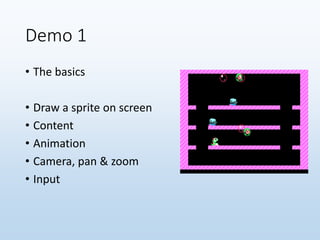
Demo 1
• The basics
• Draw a sprite on screen
• Content
• Animation
• Camera, pan & zoom
• Input
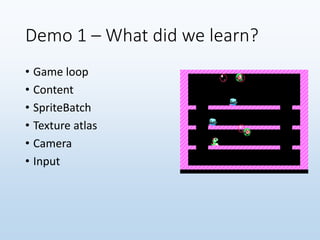
Demo 1 – What did we learn?
• Game loop
• Content
• SpriteBatch
• Texture atlas
• Camera
• Input
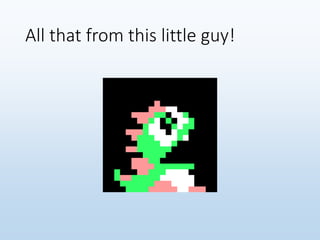
All that from this little guy!
But there is more
Farseer physics
Farseer Physics Engine is a
collision detection system
with realistic physics
responses.
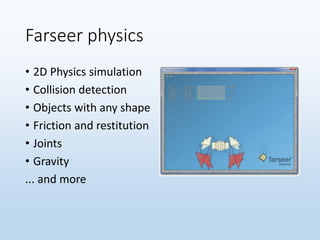
Farseer physics
• 2D Physics simulation
• Collision detection
• Objects with any shape
• Friction and restitution
• Joints
• Gravity
... and more
Farseer physics – getting it
• NuGet
• Download from
https://farseerphysics.codeplex.com/
• Build from sources
• The easiest way to combine with MonoGame?
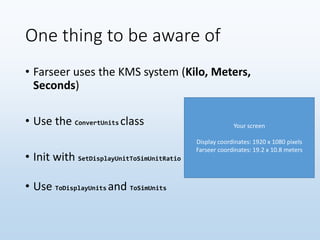
One thing to be aware of
• Farseer uses the KMS system (Kilo, Meters,
Seconds)
• Use the ConvertUnits class
• Init with SetDisplayUnitToSimUnitRatio
• Use ToDisplayUnits and ToSimUnits
Your screen
Display coordinates: 1920 x 1080 pixels
Farseer coordinates: 19.2 x 10.8 meters
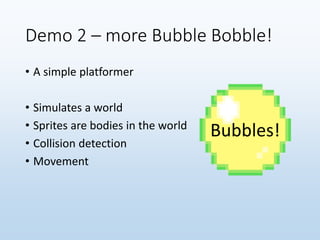
Demo 2 – more Bubble Bobble!
• A simple platformer
• Simulates a world
• Sprites are bodies in the world
• Collision detection
• Movement
Bubbles!
Demo 2 – what did we learn?
• Using Farseer!
• Worlds
• Bodies
• World and display coordinates
More features of Farseer Physics
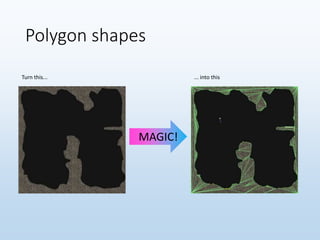
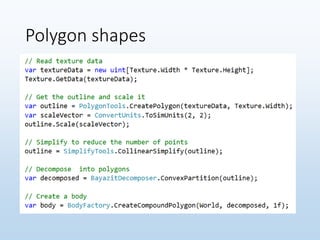
• Polygon shapes
• Turning an image into a polygon in the game world
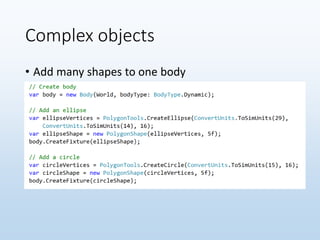
• Complex objects
• Combining many shapes into a single object
• Joints
• Attaching bodies to each other
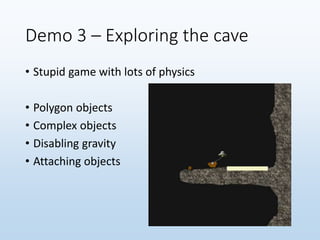
Demo 3 – Exploring the cave
• Stupid game with lots of physics
• Polygon objects
• Complex objects
• Disabling gravity
• Attaching objects
Polygon shapes
Turn this... ... into this
MAGIC!
Polygon shapes
Complex objects
• Add many shapes to one body
Complex objects
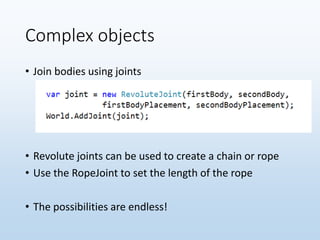
• Join bodies using joints
• Revolute joints can be used to create a chain or rope
• Use the RopeJoint to set the length of the rope
• The possibilities are endless!
Finally
• There is much more to MonoGame!
• 3D – Richard Garside will talk about this tomorrow!
• Pixel shaders and effects
• Sound and music
• Use the SoundEffect and Song classes
• Input beyond the keyboard
• Mouse
• Touch
• Joystick
Finally finally
• Find my code samples on GitHub
• github.com/runegri
• And my slides on SlideShare
• slideshare.net/runegri
Get in touch
• I’m here for the rest of the conference
• Twitter: @runegri
• Email: rag@rag.no

Cross platform physics games - NDC 2014

  • 1.
    Cross-platform physics games Using MonoGameand Farseer Physics Rune Andreas Grimstad @runegri Capgemini Norge
  • 2.
    What to expect •Lots of code! • Intoduction to MonoGame and Farseer • Playable demos • Code on GitHub for you to play with :-)
  • 3.
    What NOT toexpect • Deep dive into the features • That would take days... • 3D games • Visit Richard Garside’s talk tomorrow at 11:40 • A complete game
  • 4.
    Who am I? •Rune Andreas Grimstad • Lives in Trondheim • Works for Cagemini • Focus on .Net and anything mobile • Programming since I was 8 years old...
  • 5.
    Why games programming? •Not my job! • Fun • Learning • Becoming a billionaire after creating the next Angry Birds Flappy Bird!
  • 7.
    MonoGame • Open Sourceimplementation of XNA 4 • Runs everywhere • C# / .Net • Xamarin
  • 8.
  • 9.
  • 10.
  • 11.
  • 12.
    MonoGame – gettingit • Download from monogame.net • Clone from GitHub • NuGet
  • 13.
    MonoGame – features •Supports all features of XNA4 (more or less) • 2D • 3D • Content pipeline • Input • Sound and music • Networking • It’s a bare-bones framework…
  • 14.
  • 15.
    How MonoGame works -The Game Loop Initialize and load content Update game state Draw everything Unload content
  • 16.
    How MonoGame works -Creating content • Most file types are supported • Either use an XNA content project • Requires XNA Game Studio, so Windows only • Create a MonoGame Content project • Or use the MonoGame Content Builder • Runs everywhere • Not 100% done yet, but getting close
  • 17.
    How MonoGame works -Loading content • Using the ContentManager.Load method • Usually Content.Load<Texture2D>("spaceship"); • You can also load other resources this way • SpriteFont, SoundEffect, Song, and so on • Store the files in the Content folder in your project • Build Action – Content • Copy to Output Directory – Copy if newer
  • 18.
    How MonoGame works -Drawing stuff • Use the SpriteBatch class • Start with SpriteBatch.Begin • Do your SpriteBatch.Draw calls • End with SpriteBatch.End • Try to limit how many SpriteBatches you use
  • 19.
    Demo 1 • Thebasics • Draw a sprite on screen • Content • Animation • Camera, pan & zoom • Input
  • 20.
    Demo 1 –What did we learn? • Game loop • Content • SpriteBatch • Texture atlas • Camera • Input
  • 21.
    All that fromthis little guy!
  • 22.
  • 23.
    Farseer physics Farseer PhysicsEngine is a collision detection system with realistic physics responses.
  • 24.
    Farseer physics • 2DPhysics simulation • Collision detection • Objects with any shape • Friction and restitution • Joints • Gravity ... and more
  • 25.
    Farseer physics –getting it • NuGet • Download from https://farseerphysics.codeplex.com/ • Build from sources • The easiest way to combine with MonoGame?
  • 26.
    One thing tobe aware of • Farseer uses the KMS system (Kilo, Meters, Seconds) • Use the ConvertUnits class • Init with SetDisplayUnitToSimUnitRatio • Use ToDisplayUnits and ToSimUnits Your screen Display coordinates: 1920 x 1080 pixels Farseer coordinates: 19.2 x 10.8 meters
  • 27.
    Demo 2 –more Bubble Bobble! • A simple platformer • Simulates a world • Sprites are bodies in the world • Collision detection • Movement Bubbles!
  • 28.
    Demo 2 –what did we learn? • Using Farseer! • Worlds • Bodies • World and display coordinates
  • 29.
    More features ofFarseer Physics • Polygon shapes • Turning an image into a polygon in the game world • Complex objects • Combining many shapes into a single object • Joints • Attaching bodies to each other
  • 30.
    Demo 3 –Exploring the cave • Stupid game with lots of physics • Polygon objects • Complex objects • Disabling gravity • Attaching objects
  • 31.
    Polygon shapes Turn this...... into this MAGIC!
  • 32.
  • 33.
    Complex objects • Addmany shapes to one body
  • 34.
    Complex objects • Joinbodies using joints • Revolute joints can be used to create a chain or rope • Use the RopeJoint to set the length of the rope • The possibilities are endless!
  • 35.
    Finally • There ismuch more to MonoGame! • 3D – Richard Garside will talk about this tomorrow! • Pixel shaders and effects • Sound and music • Use the SoundEffect and Song classes • Input beyond the keyboard • Mouse • Touch • Joystick
  • 36.
    Finally finally • Findmy code samples on GitHub • github.com/runegri • And my slides on SlideShare • slideshare.net/runegri
  • 37.
    Get in touch •I’m here for the rest of the conference • Twitter: @runegri • Email: rag@rag.no