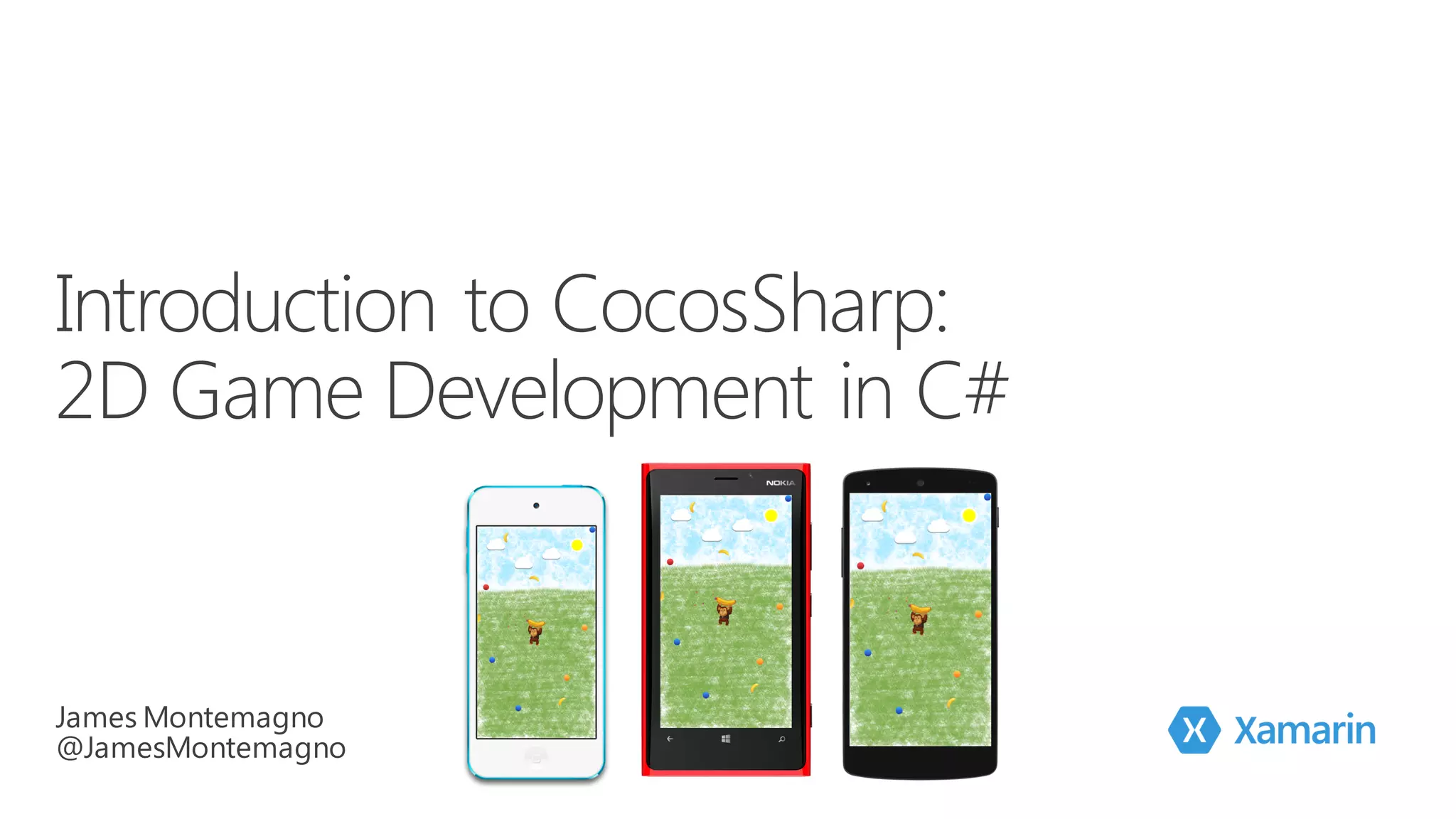








James
Montemagno
Developer Evangelist, Xamarin
james@xamarin.com motzcod.es @JamesMontemagno
DESIGN – DEVELOP -‐ INTEGRATE TEST MONITOR
LEARN
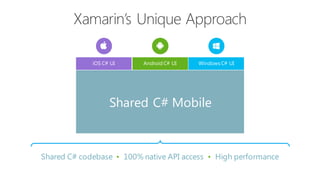
Shared C# codebase • 100% native API access • High performance
iOS C# UI Windows C# UIAndroid C# UI
Shared C# Mobile
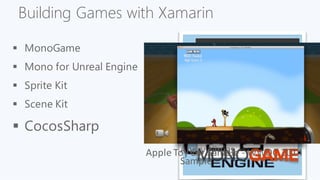
Building Games with Xamarin
§ MonoGame
Apple  Toy  Car  Sample  -­‐ WWDC  2014Angry  Ninjas  
Sample
§ Mono for Unreal Engine
§ Sprite Kit
§ Scene Kit
§ CocosSharp
What is CocosSharp?
“CocosSharp blends the power of the
Cocos2D programming model with C# and
the .NET Framework…the API has been
designed to follow C# and .NET idioms.”
Miguel de Icaza
Xamarin
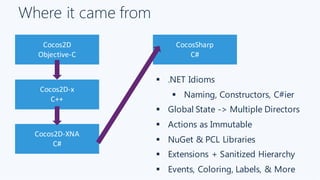
Where it came from
Cocos2D
Objective-­‐C
Cocos2D-­‐x
C++
Cocos2D-­‐XNA
C#
CocosSharp
C#
§ .NET Idioms
§ Naming, Constructors, C#ier
§ Global State -> Multiple Directors
§ Actions as Immutable
§ NuGet & PCL Libraries
§ Extensions + Sanitized Hierarchy
§ Events, Coloring, Labels, & More
CocosSharp API
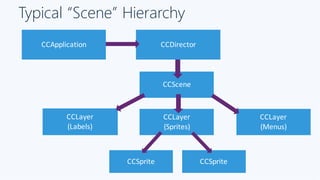
Typical “Scene” Hierarchy
CCApplication CCDirector
CCScene
CCLayer
(Sprites)
CCLayer
(Labels)
CCLayer
(Menus)
CCSprite CCSprite
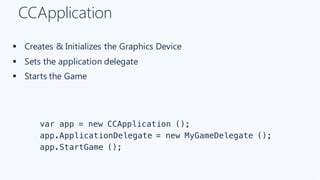
CCApplication
§ Creates & Initializes the Graphics Device
§ Sets the application delegate
§ Starts the Game
var app = new CCApplication ();
app.ApplicationDelegate = new MyGameDelegate ();
app.StartGame ();
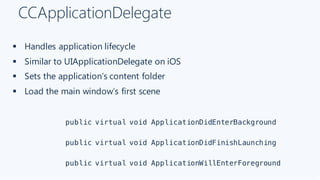
CCApplicationDelegate
§ Handles application lifecycle
§ Similar to UIApplicationDelegate on iOS
§ Sets the application’s content folder
§ Load the main window’s first scene
public virtual void ApplicationDidEnterBackground
public virtual void ApplicationDidFinishLaunching
public virtual void ApplicationWillEnterForeground
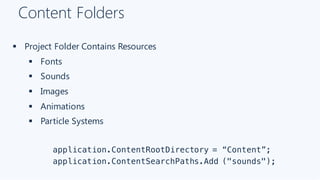
Content Folders
§ Project Folder Contains Resources
§ Fonts
§ Sounds
§ Images
§ Animations
§ Particle Systems
application.ContentRootDirectory = “Content”;
application.ContentSearchPaths.Add ("sounds");
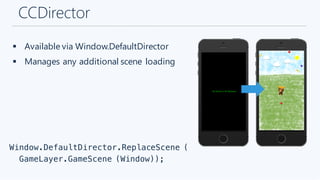
CCDirector
§ Available via Window.DefaultDirector
§ Manages any additional scene loading
Window.DefaultDirector.ReplaceScene (
GameLayer.GameScene (Window));
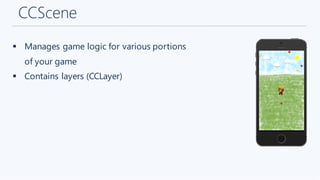
CCScene
§ Manages game logic for various portions
of your game
§ Contains layers (CCLayer)
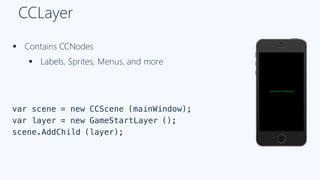
CCLayer
§ Contains CCNodes
§ Labels, Sprites, Menus, and more
var scene = new CCScene (mainWindow);
var layer = new GameStartLayer ();
scene.AddChild (layer);
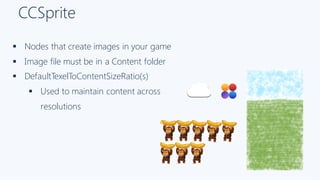
CCSprite
§ Nodes that create images in your game
§ Image file must be in a Content folder
§ DefaultTexelToContentSizeRatio(s)
§ Used to maintain content across
resolutions
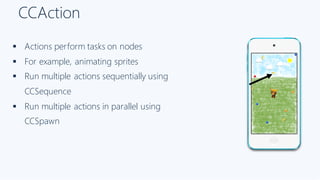
CCAction
§ Actions perform tasks on nodes
§ For example, animating sprites
§ Run multiple actions sequentially using
CCSequence
§ Run multiple actions in parallel using
CCSpawn
CCTouch
§ Encapsulates a touch on the screen
§ Override touch methods in layer
§ TouchesBegan, TouchesMoved,
TouchesEnded, etc.
§ All touches at once
§ Each touch one by one
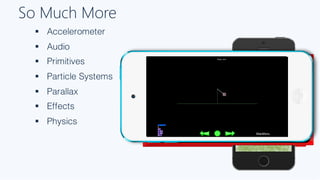
So Much More
§ Accelerometer
§ Audio
§ Primitives
§ Particle Systems
§ Parallax
§ Effects
§ Physics
Let’s  Build
A  Game!
Resources
§ Samples
§ http://github.com/mono/cocos-sharp-samples
§ Gone Bananas Walkthrough
§ http://github.com/mono/cocos-sharp-
samples/blob/master/GoneBananas/Walkthrough.md
§ Introduction to CocosSharp
§ http://developer.xamarin.com/guides/cross-
platform/game_development/cocossharp/first_game
Get Started Today
xamarin.com
Free trial - xamarin.com/university
Unrivaled Mobile
Development
Training
Live unlimited mobile development training from
mobile experts, in your time-zone,on your
schedule, and as often as you'd like.
Thank you.
James
Montemagno
Developer Evangelist, Xamarin
james@xamarin.com motzcod.es @JamesMontemagno
Questions?
16:20  -­‐ 17:20  Right  here!

Introduction to CocosSharp

  • 3.
  • 4.
    DESIGN – DEVELOP-‐ INTEGRATE TEST MONITOR LEARN
  • 5.
    Shared C# codebase• 100% native API access • High performance iOS C# UI Windows C# UIAndroid C# UI Shared C# Mobile
  • 6.
    Building Games withXamarin § MonoGame Apple  Toy  Car  Sample  -­‐ WWDC  2014Angry  Ninjas   Sample § Mono for Unreal Engine § Sprite Kit § Scene Kit § CocosSharp
  • 7.
    What is CocosSharp? “CocosSharpblends the power of the Cocos2D programming model with C# and the .NET Framework…the API has been designed to follow C# and .NET idioms.” Miguel de Icaza Xamarin
  • 8.
    Where it camefrom Cocos2D Objective-­‐C Cocos2D-­‐x C++ Cocos2D-­‐XNA C# CocosSharp C# § .NET Idioms § Naming, Constructors, C#ier § Global State -> Multiple Directors § Actions as Immutable § NuGet & PCL Libraries § Extensions + Sanitized Hierarchy § Events, Coloring, Labels, & More
  • 9.
  • 10.
    Typical “Scene” Hierarchy CCApplicationCCDirector CCScene CCLayer (Sprites) CCLayer (Labels) CCLayer (Menus) CCSprite CCSprite
  • 11.
    CCApplication § Creates &Initializes the Graphics Device § Sets the application delegate § Starts the Game var app = new CCApplication (); app.ApplicationDelegate = new MyGameDelegate (); app.StartGame ();
  • 12.
    CCApplicationDelegate § Handles applicationlifecycle § Similar to UIApplicationDelegate on iOS § Sets the application’s content folder § Load the main window’s first scene public virtual void ApplicationDidEnterBackground public virtual void ApplicationDidFinishLaunching public virtual void ApplicationWillEnterForeground
  • 13.
    Content Folders § ProjectFolder Contains Resources § Fonts § Sounds § Images § Animations § Particle Systems application.ContentRootDirectory = “Content”; application.ContentSearchPaths.Add ("sounds");
  • 14.
    CCDirector § Available viaWindow.DefaultDirector § Manages any additional scene loading Window.DefaultDirector.ReplaceScene ( GameLayer.GameScene (Window));
  • 15.
    CCScene § Manages gamelogic for various portions of your game § Contains layers (CCLayer)
  • 16.
    CCLayer § Contains CCNodes §Labels, Sprites, Menus, and more var scene = new CCScene (mainWindow); var layer = new GameStartLayer (); scene.AddChild (layer);
  • 17.
    CCSprite § Nodes thatcreate images in your game § Image file must be in a Content folder § DefaultTexelToContentSizeRatio(s) § Used to maintain content across resolutions
  • 18.
    CCAction § Actions performtasks on nodes § For example, animating sprites § Run multiple actions sequentially using CCSequence § Run multiple actions in parallel using CCSpawn
  • 19.
    CCTouch § Encapsulates atouch on the screen § Override touch methods in layer § TouchesBegan, TouchesMoved, TouchesEnded, etc. § All touches at once § Each touch one by one
  • 20.
    So Much More §Accelerometer § Audio § Primitives § Particle Systems § Parallax § Effects § Physics
  • 21.
  • 22.
    Resources § Samples § http://github.com/mono/cocos-sharp-samples §Gone Bananas Walkthrough § http://github.com/mono/cocos-sharp- samples/blob/master/GoneBananas/Walkthrough.md § Introduction to CocosSharp § http://developer.xamarin.com/guides/cross- platform/game_development/cocossharp/first_game
  • 23.
  • 24.
    Free trial -xamarin.com/university Unrivaled Mobile Development Training Live unlimited mobile development training from mobile experts, in your time-zone,on your schedule, and as often as you'd like.
  • 25.
    Thank you. James Montemagno Developer Evangelist,Xamarin james@xamarin.com motzcod.es @JamesMontemagno Questions? 16:20  -­‐ 17:20  Right  here!