basics
JERWIN ROY J
Database Adminstrator
meetjerwin@gmail.com
Agenda
★ Introduction
★ MongoDB Installation
-yum
-binary
★ Roles in MongoDb
★ User creation
★ Basic commands
★ Trace Slow queries
★ Important monitoring commands
Introduction
What is NoSQL database?
A NoSQL or Not Only SQL database provides a mechanism
for storage and retrieval of data other than the tabular relations used
in relational databases. Motivations for this approach include simplicity of
design, horizontal scaling and finer control over availability.
What is mongodb?
MongoDB is a cross-platform, document oriented database
that provides, high performance, high availability, and easy scalability.
MongoDB works on concept of collection and document. It is also one of the
leading NoSQL database.
Why should we use MongoDB?
➔ Document Oriented Storage : Data is stored in the form of JSON style
documents
➔ Index on any attribute
➔ Replication & High Availability
➔ Auto-Sharding
➔ Rich Queries
➔ Fast In-Place Updates
➔ Map Reduce functions
➔ Professional Support By MongoDB
Database
Database is a physical container for collections. Each database gets its own set of
files on the file system. A single MongoDB server typically has multiple databases.
Collection
Collection is a group of MongoDB documents. It is the equivalent of an RDBMS table.
A collection exists within a single database. Collections do not enforce a schema.
Documents within a collection can have different fields. Typically, all documents in a
collection are of similar or related purpose.
Document
A document is a set of key-value pairs. Documents have dynamic schema. Dynamic
schema means that documents in the same collection do not need to have the same
set of fields or structure, and common fields in a collection's documents may
hold different types of data.
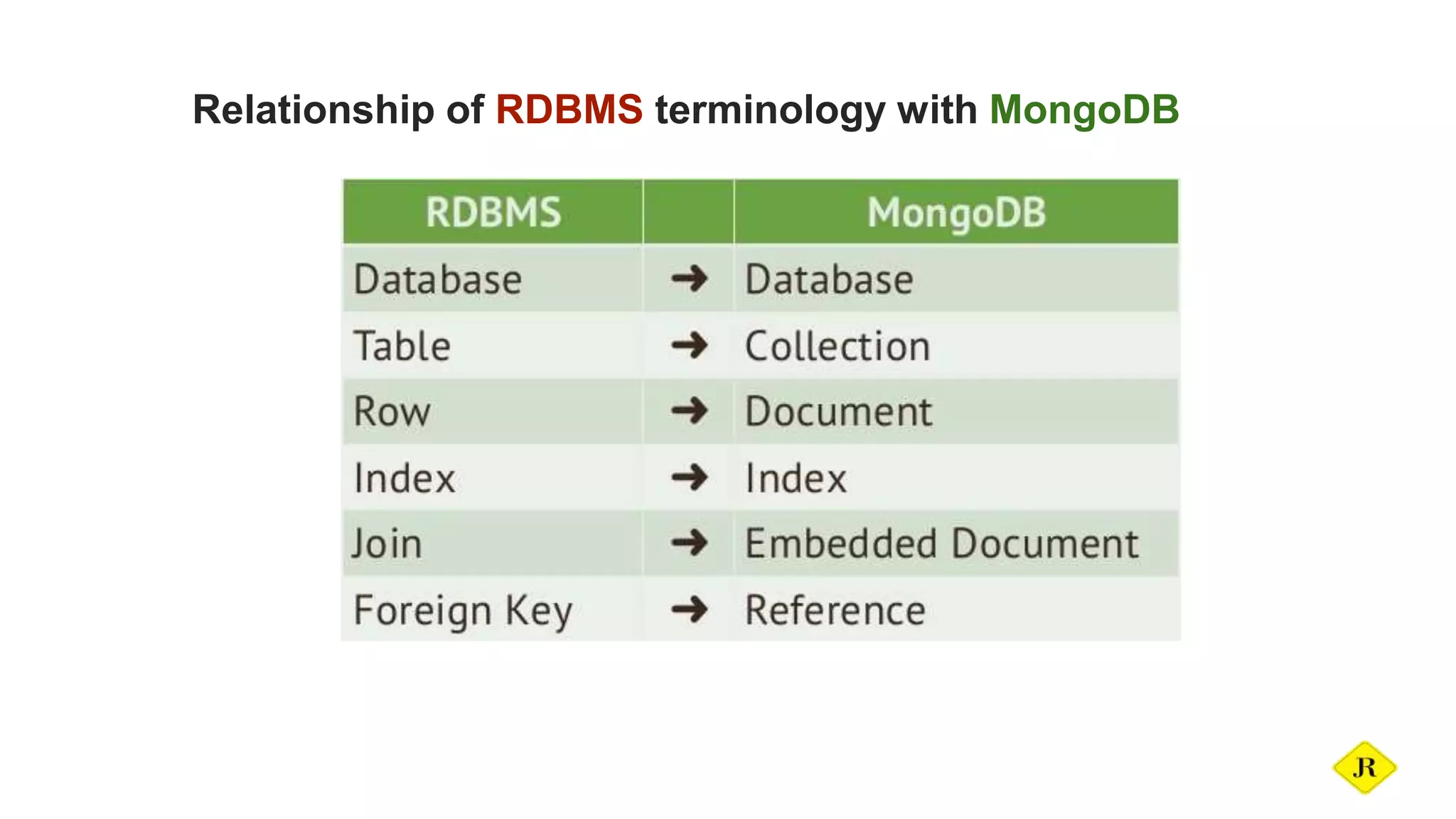
Relationship of RDBMS terminology with MongoDB
Installation - yum
1.Create a repo file as below:
vim /etc/yum.repos.d/mongodb.repo
2.For 64-bit systems type the below information in repo file and save.
[mongodb-org-3.0]
name=MongoDB 3.0 Repository
baseurl=http://downloads-distro.mongodb.org/repo/redhat/os/x86_64/
gpgcheck=0
enabled=1
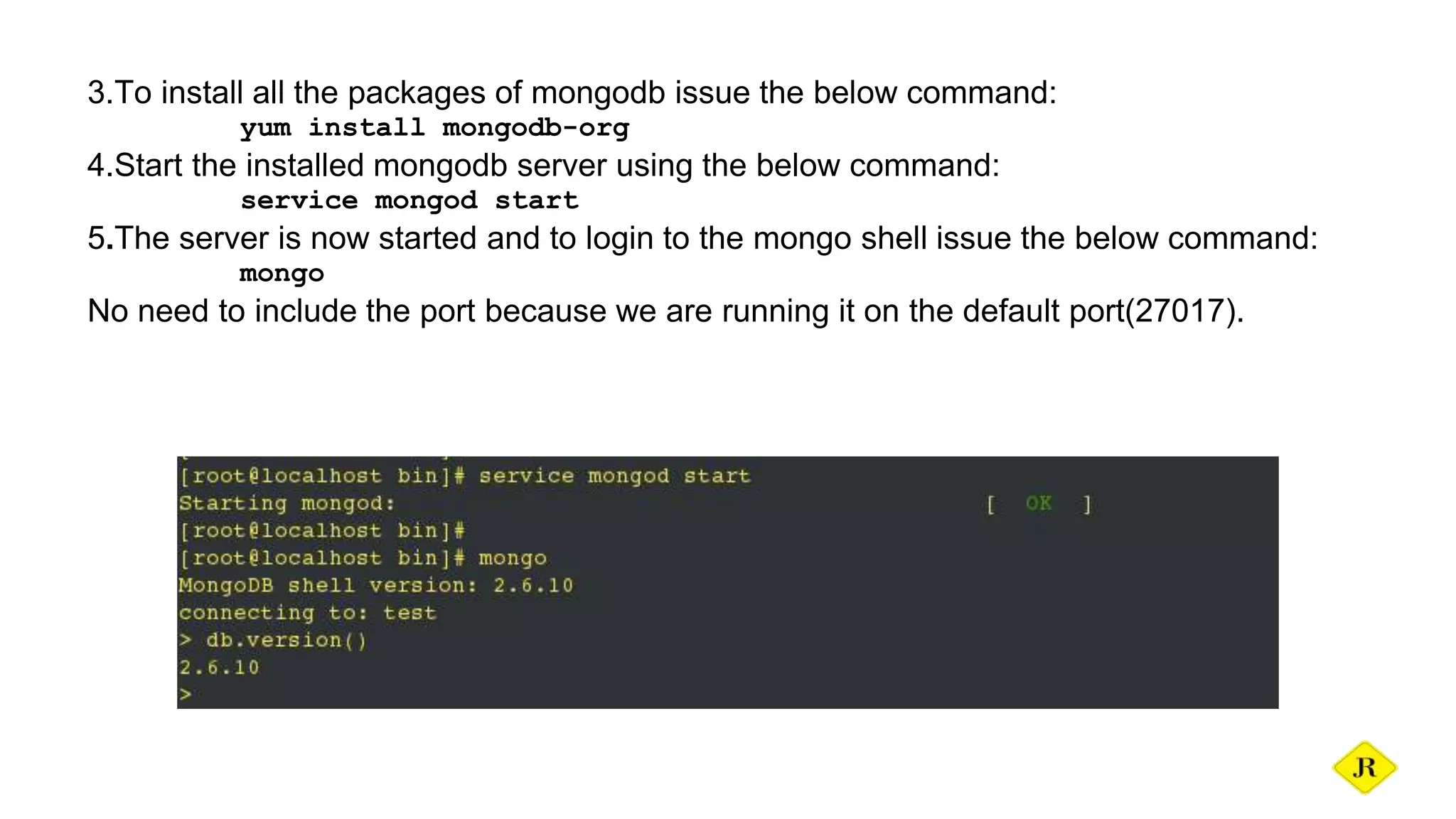
3.To install all the packages of mongodb issue the below command:
yum install mongodb-org
4.Start the installed mongodb server using the below command:
service mongod start
5.The server is now started and to login to the mongo shell issue the below command:
mongo
No need to include the port because we are running it on the default port(27017).
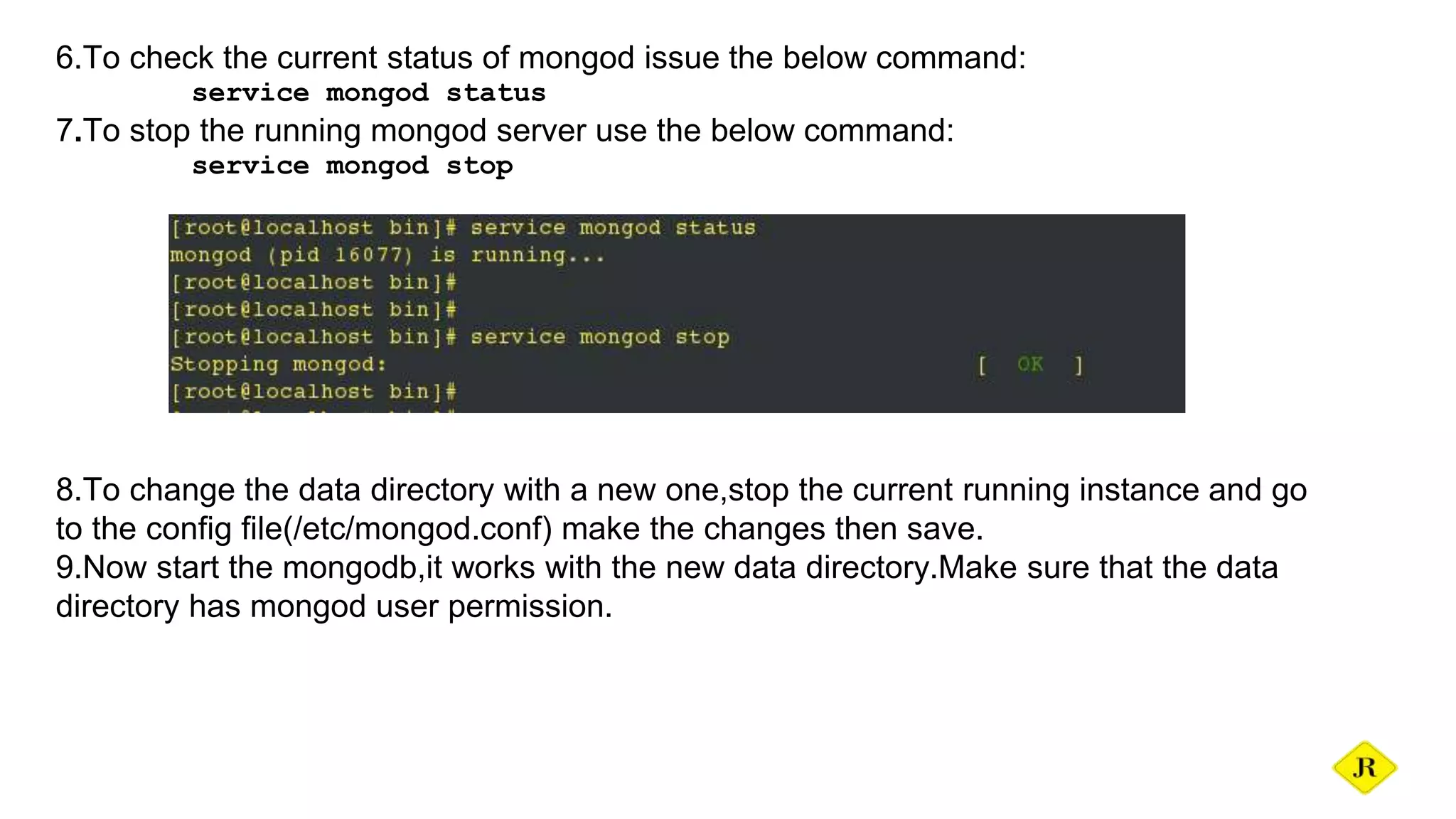
6.To check the current status of mongod issue the below command:
service mongod status
7.To stop the running mongod server use the below command:
service mongod stop
8.To change the data directory with a new one,stop the current running instance and go
to the config file(/etc/mongod.conf) make the changes then save.
9.Now start the mongodb,it works with the new data directory.Make sure that the data
directory has mongod user permission.
1.The mongodb binary are found in the official page(https://www.mongodb.org/downloads).
2.Download the binary using wget
wget https://fastdl.mongodb.org/linux/mongodb-linux-x86_64-3.0.4.tgz
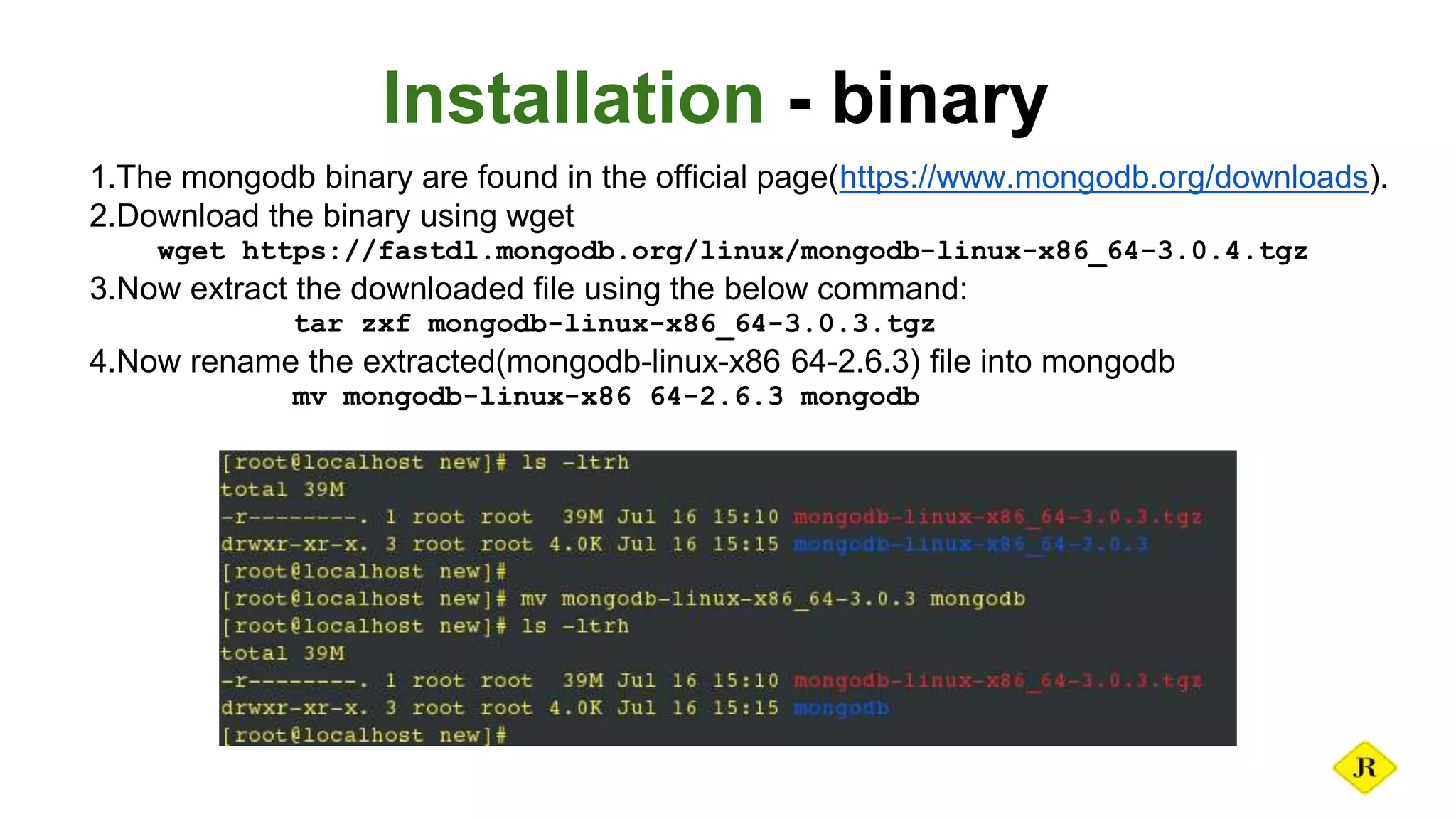
3.Now extract the downloaded file using the below command:
tar zxf mongodb-linux-x86_64-3.0.3.tgz
4.Now rename the extracted(mongodb-linux-x86 64-2.6.3) file into mongodb
mv mongodb-linux-x86 64-2.6.3 mongodb
Installation - binary
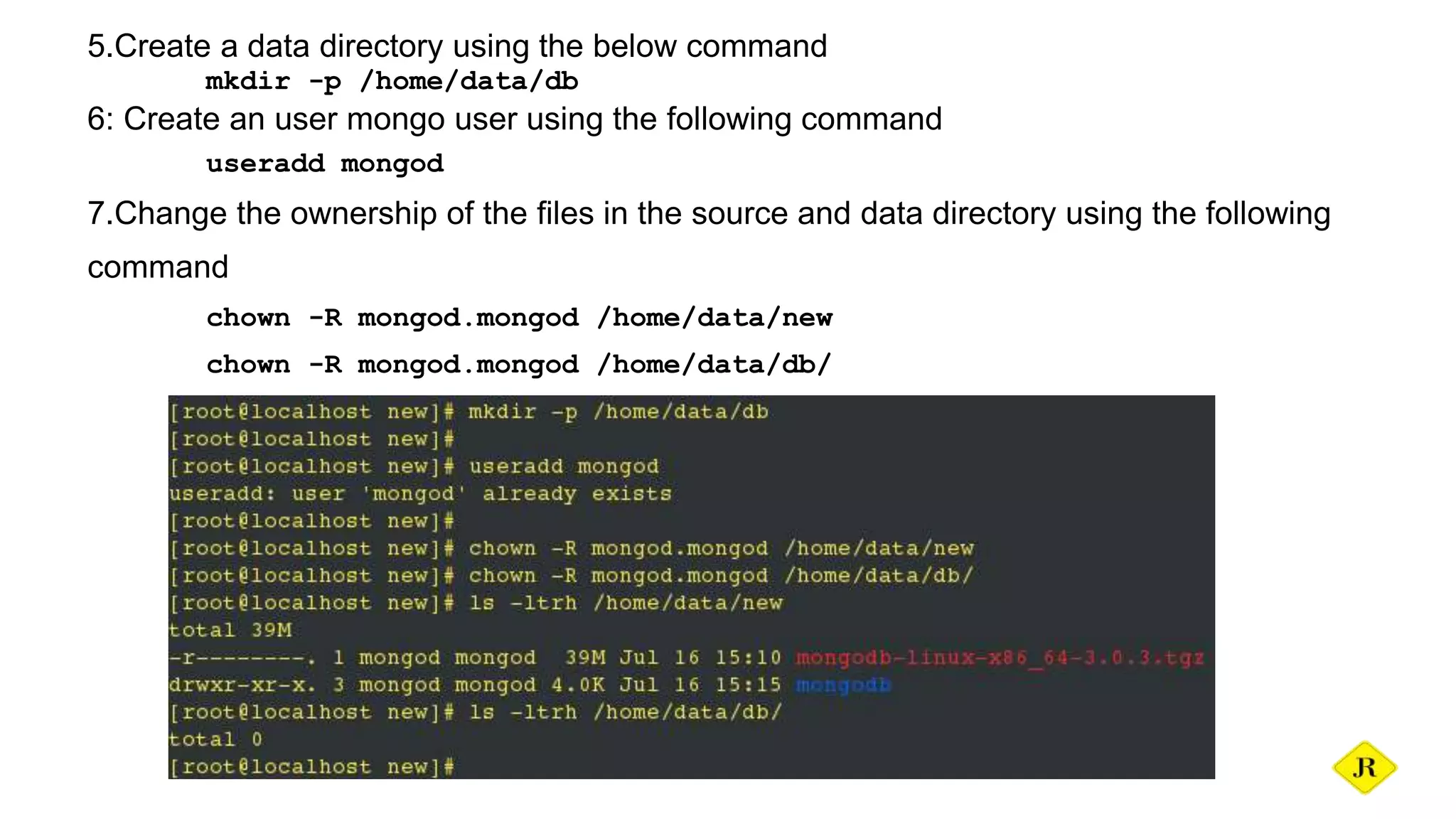
5.Create a data directory using the below command
mkdir -p /home/data/db
6: Create an user mongo user using the following command
useradd mongod
7.Change the ownership of the files in the source and data directory using the following
command
chown -R mongod.mongod /home/data/new
chown -R mongod.mongod /home/data/db/
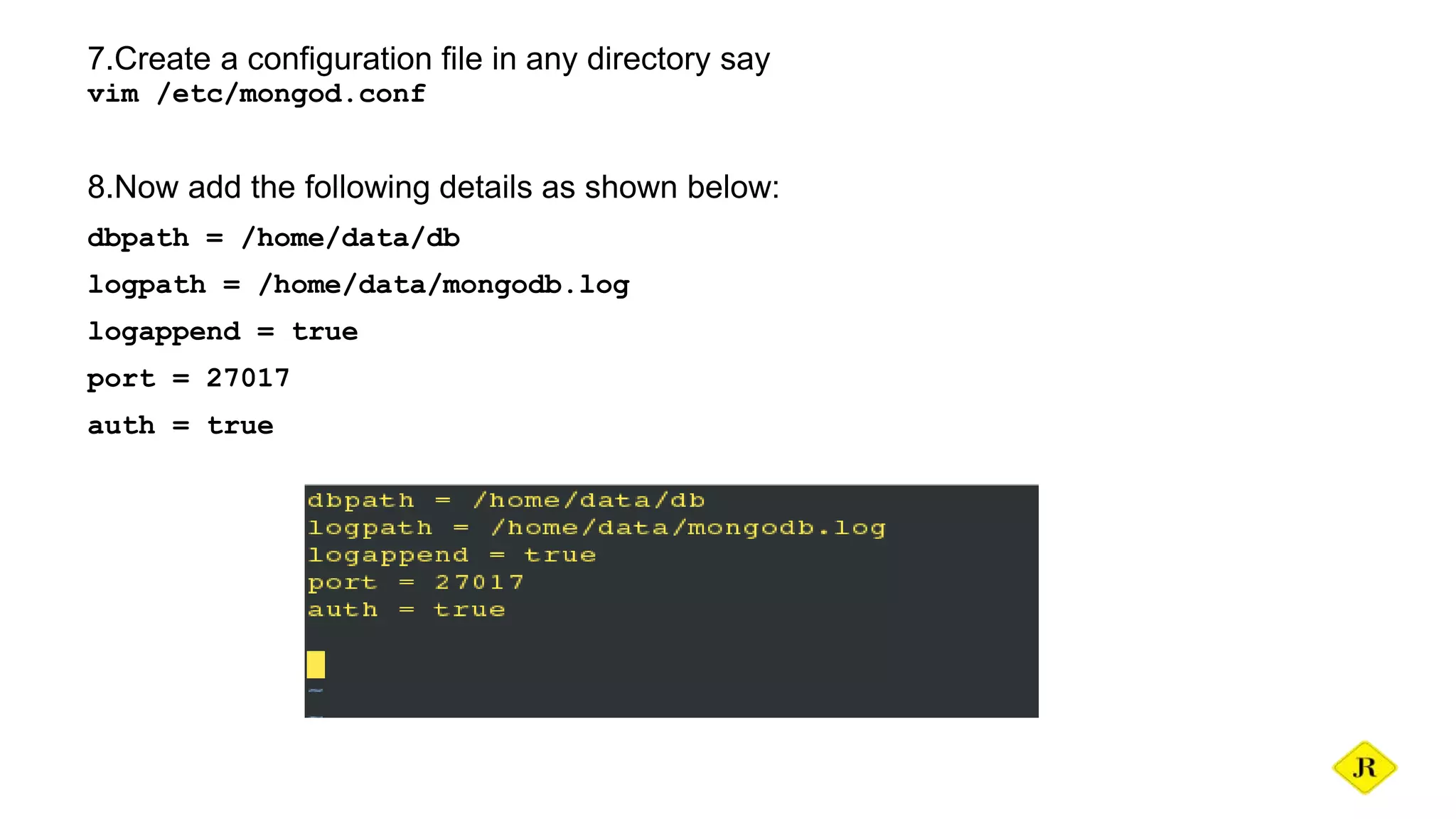
7.Create a configuration file in any directory say
vim /etc/mongod.conf
8.Now add the following details as shown below:
dbpath = /home/data/db
logpath = /home/data/mongodb.log
logappend = true
port = 27017
auth = true
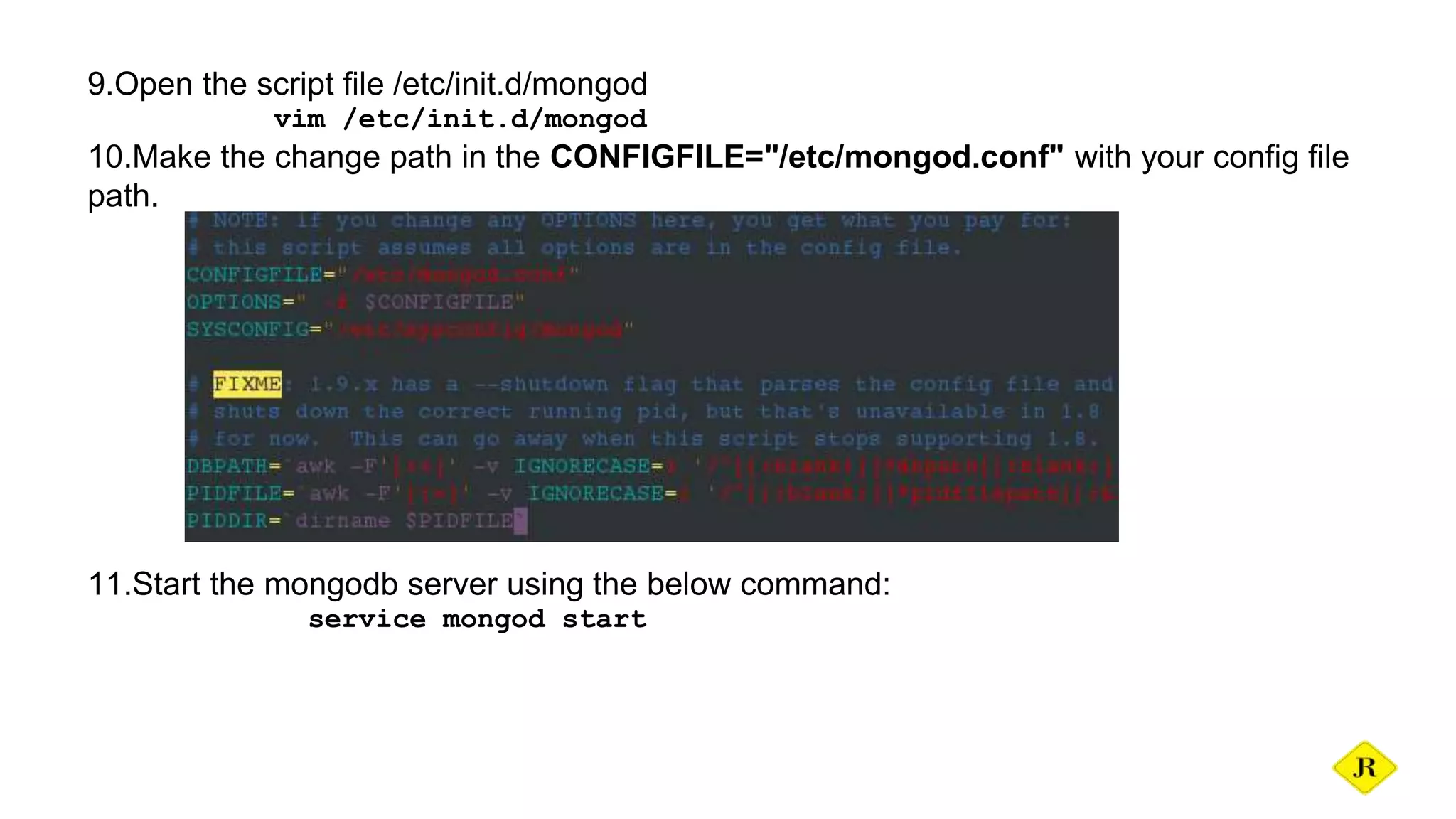
9.Open the script file /etc/init.d/mongod
vim /etc/init.d/mongod
10.Make the change path in the CONFIGFILE="/etc/mongod.conf" with your config file
path.
11.Start the mongodb server using the below command:
service mongod start
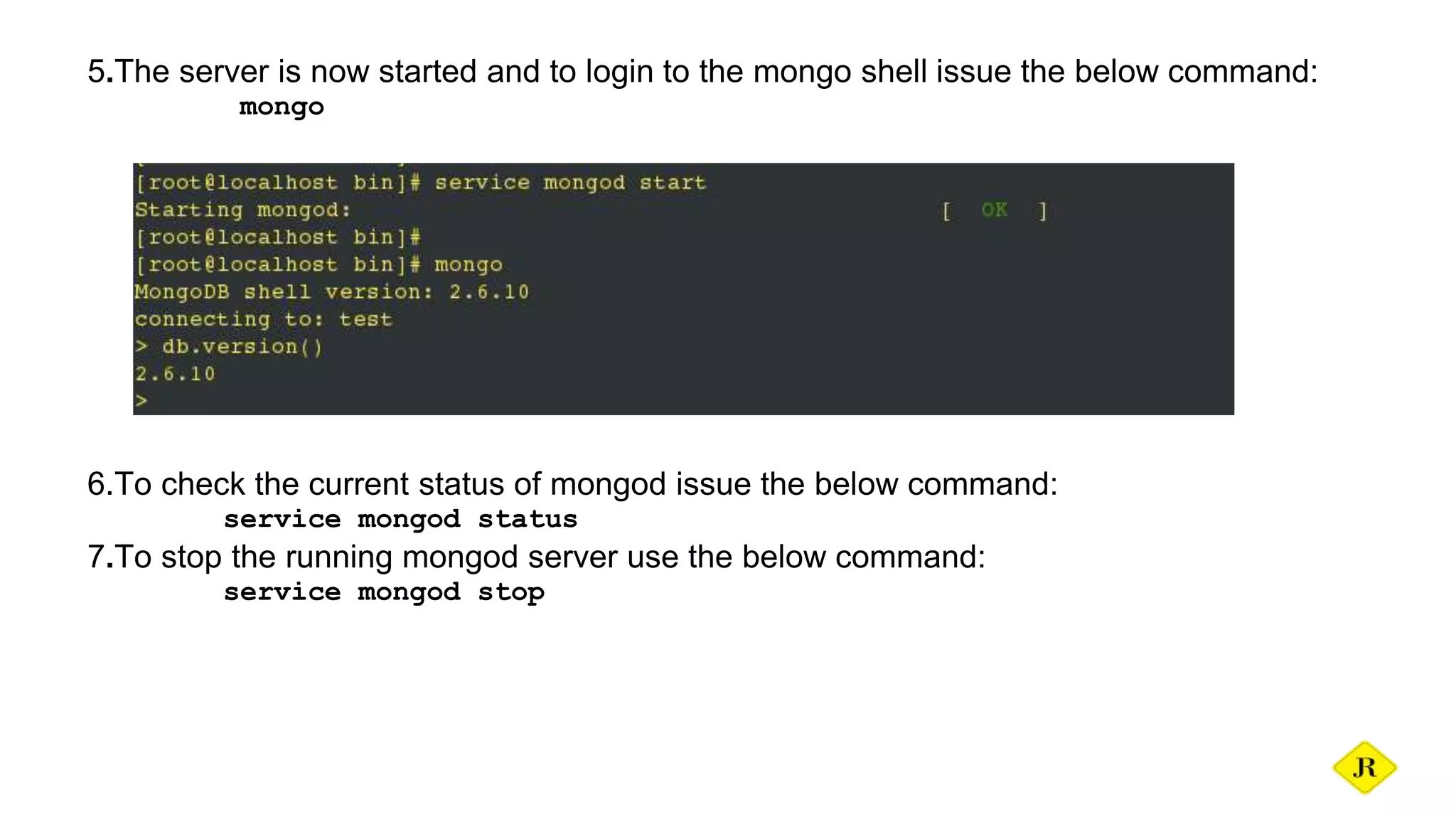
5.The server is now started and to login to the mongo shell issue the below command:
mongo
6.To check the current status of mongod issue the below command:
service mongod status
7.To stop the running mongod server use the below command:
service mongod stop
Roles in MongoDB
Super roles:
readAnyDatabase-reads any database
readWriteAnyDatabase-reads & writes any database
userAdminAnyDatabase-user admin role to any database
dbAdminAnyDatabase-database admin any database
DB user roles:
read-reads current database
readWrite-reads & writes current databadse
dbAdmin-access to system. collections in current db
userAdmin-create,modify roles & users in current db
dbOwner-readWrite, dbAdmin & userAdmin
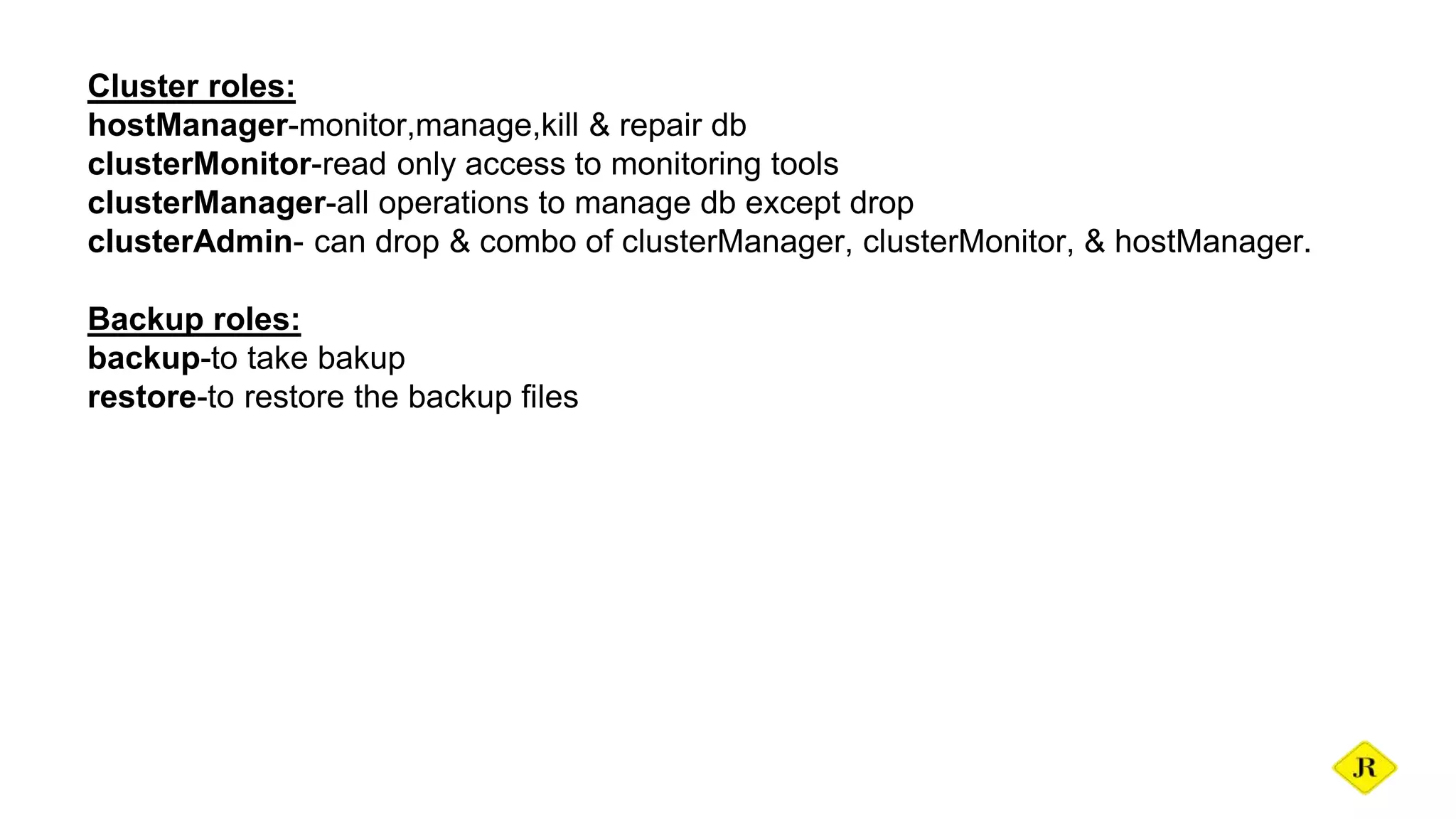
Cluster roles:
hostManager-monitor,manage,kill & repair db
clusterMonitor-read only access to monitoring tools
clusterManager-all operations to manage db except drop
clusterAdmin- can drop & combo of clusterManager, clusterMonitor, & hostManager.
Backup roles:
backup-to take bakup
restore-to restore the backup files
Creating a user
Root user:
Provides access to the operations readWriteAnyDatabase,
dbAdminAnyDatabase, userAdminAnyDatabase and clusterAdmin roles combined. It does
not include any access to collections that begin with the system. prefix.Create admin users
in the admin database so that they can access all dbs.
use admin
db.createUser( { user: “root",
pwd: “rootabc",
roles: [“root” ]
} )
So after creating the user it is possible to login only with user beacuse we have enabled
auth.
super user:
use admin
db.createUser( { user: "superuser",
pwd: "admin",
roles: [ "userAdminAnyDatabase",
"dbAdminAnyDatabase",
"readWriteAnyDatabase"
] } )
Read user for a database:
use database
db.createUser(
{
user: "read",
pwd: "password",
roles:
[ {
role: "read",
db: "database"
}
]
}
)
monitoring user:
For the monitoring this user serves best:
db.createUser(
{
user: "monitoring",
pwd: "abc123",
roles: [ "clusterMonitor" ]
}
)
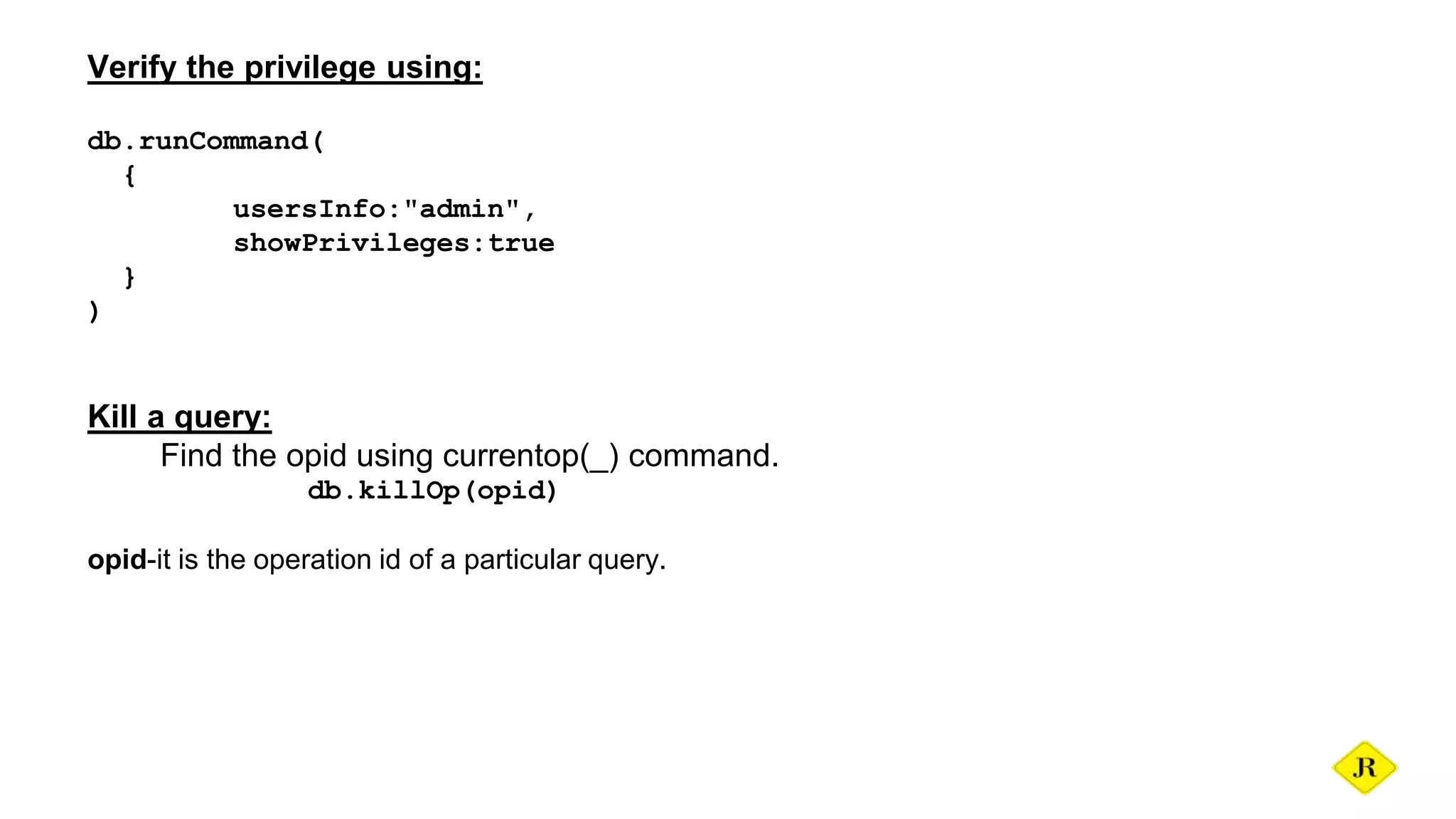
Verify the privilege using:
db.runCommand(
{
usersInfo:"admin",
showPrivileges:true
}
)
Kill a query:
Find the opid using currentop(_) command.
db.killOp(opid)
opid-it is the operation id of a particular query.
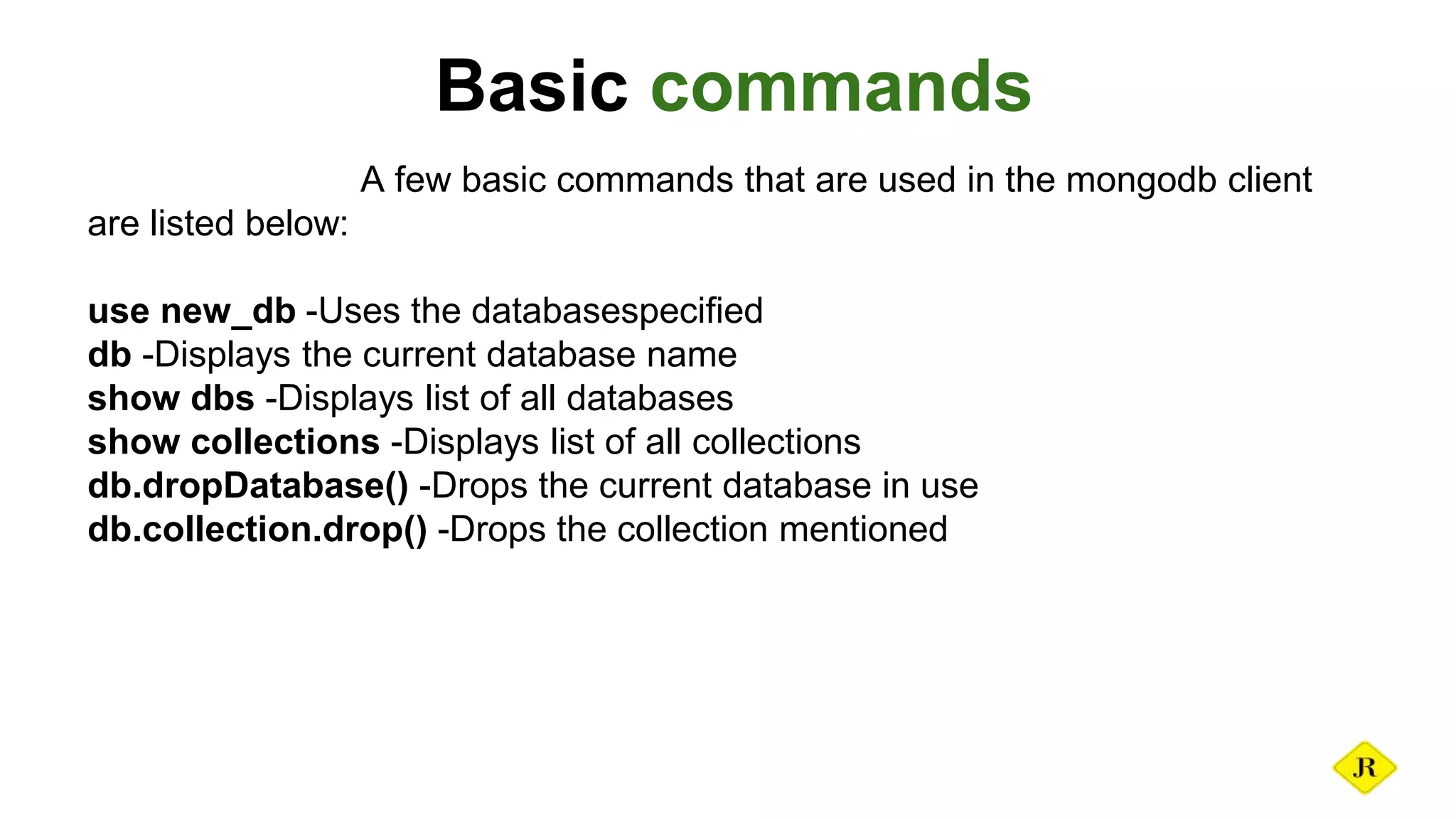
Basic commands
A few basic commands that are used in the mongodb client
are listed below:
use new_db -Uses the databasespecified
db -Displays the current database name
show dbs -Displays list of all databases
show collections -Displays list of all collections
db.dropDatabase() -Drops the current database in use
db.collection.drop() -Drops the collection mentioned
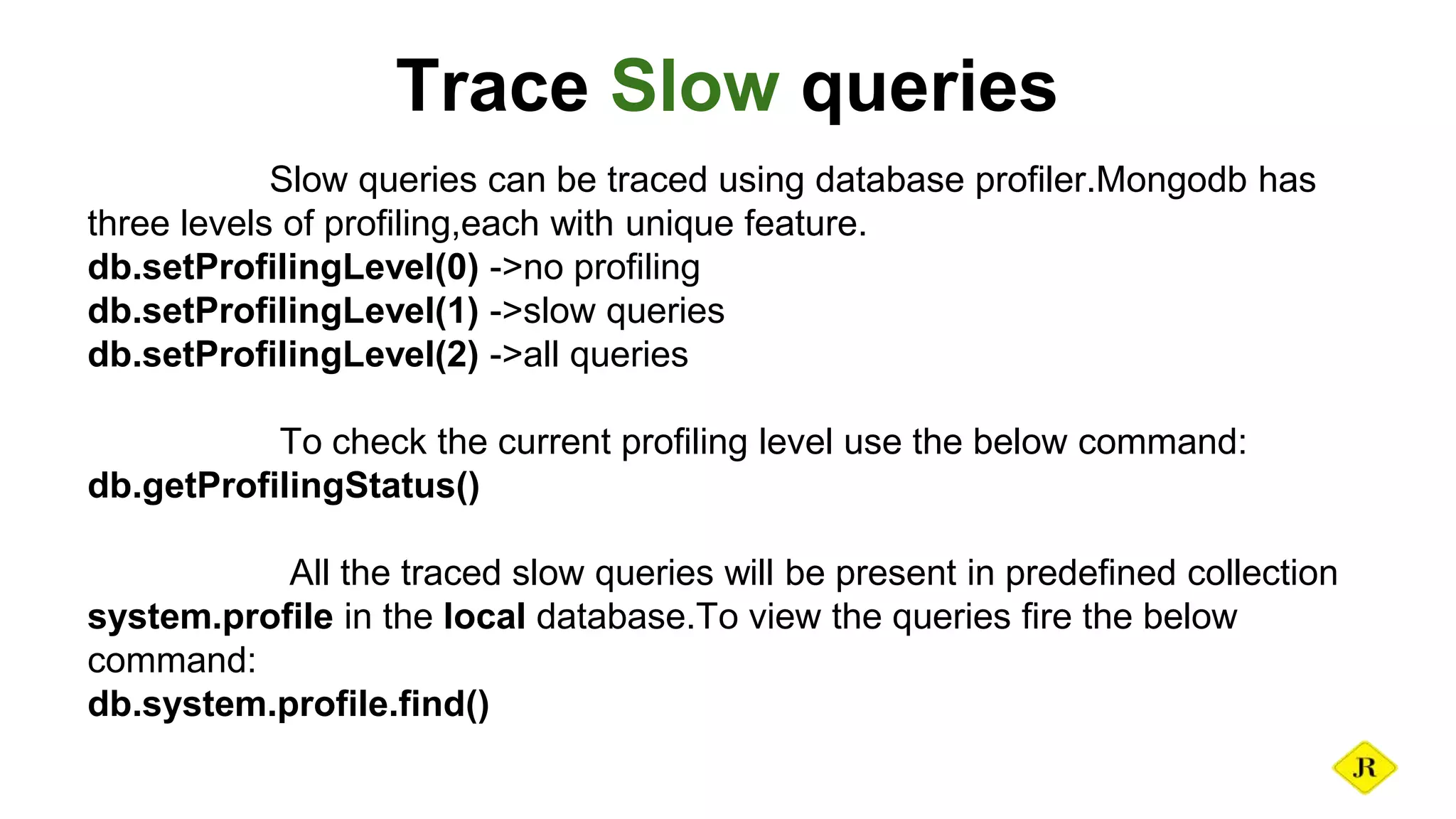
Trace Slow queries
Slow queries can be traced using database profiler.Mongodb has
three levels of profiling,each with unique feature.
db.setProfilingLevel(0) ->no profiling
db.setProfilingLevel(1) ->slow queries
db.setProfilingLevel(2) ->all queries
To check the current profiling level use the below command:
db.getProfilingStatus()
All the traced slow queries will be present in predefined collection
system.profile in the local database.To view the queries fire the below
command:
db.system.profile.find()
Important Monitoring commands
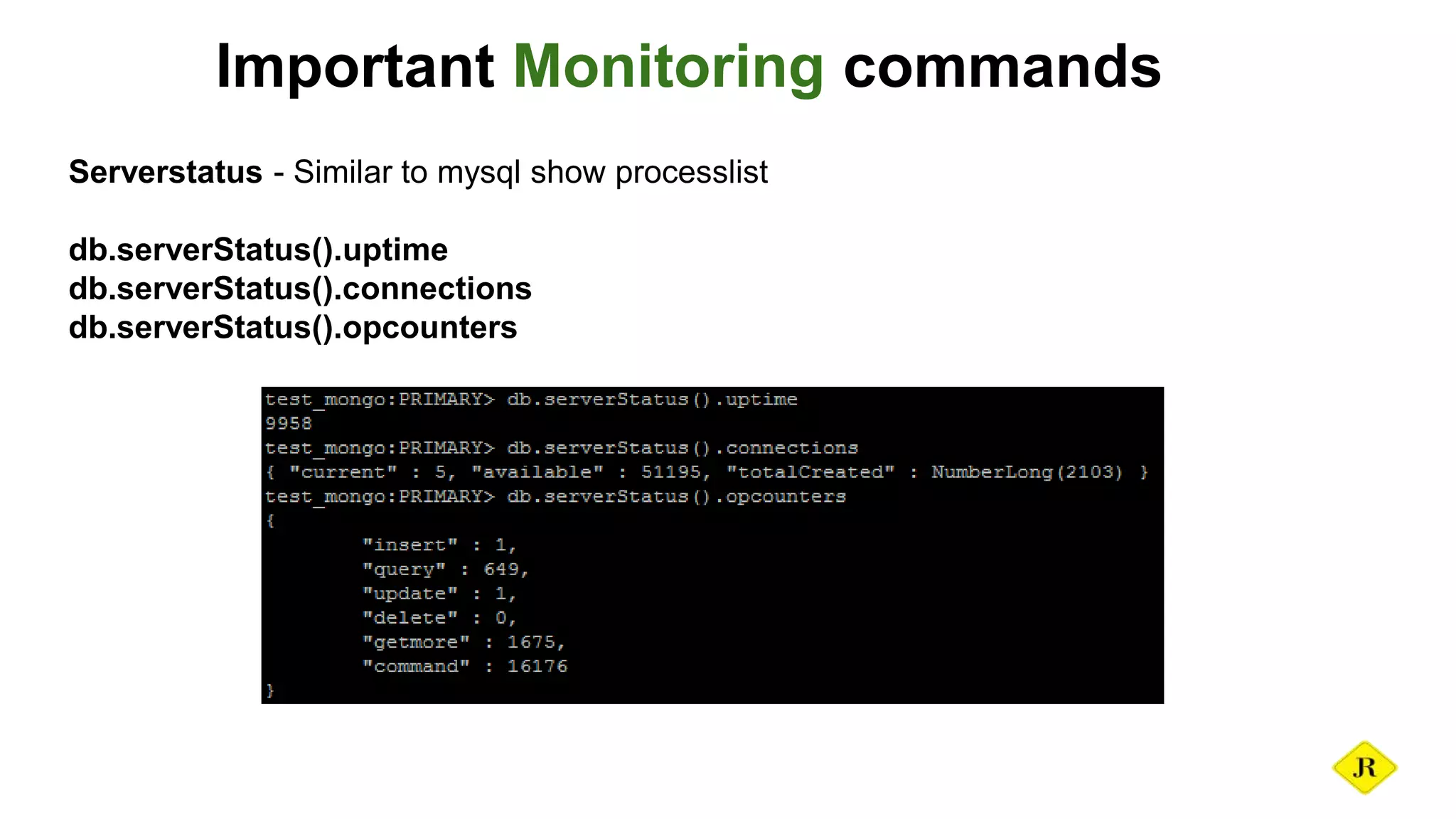
Serverstatus - Similar to mysql show processlist
db.serverStatus().uptime
db.serverStatus().connections
db.serverStatus().opcounters
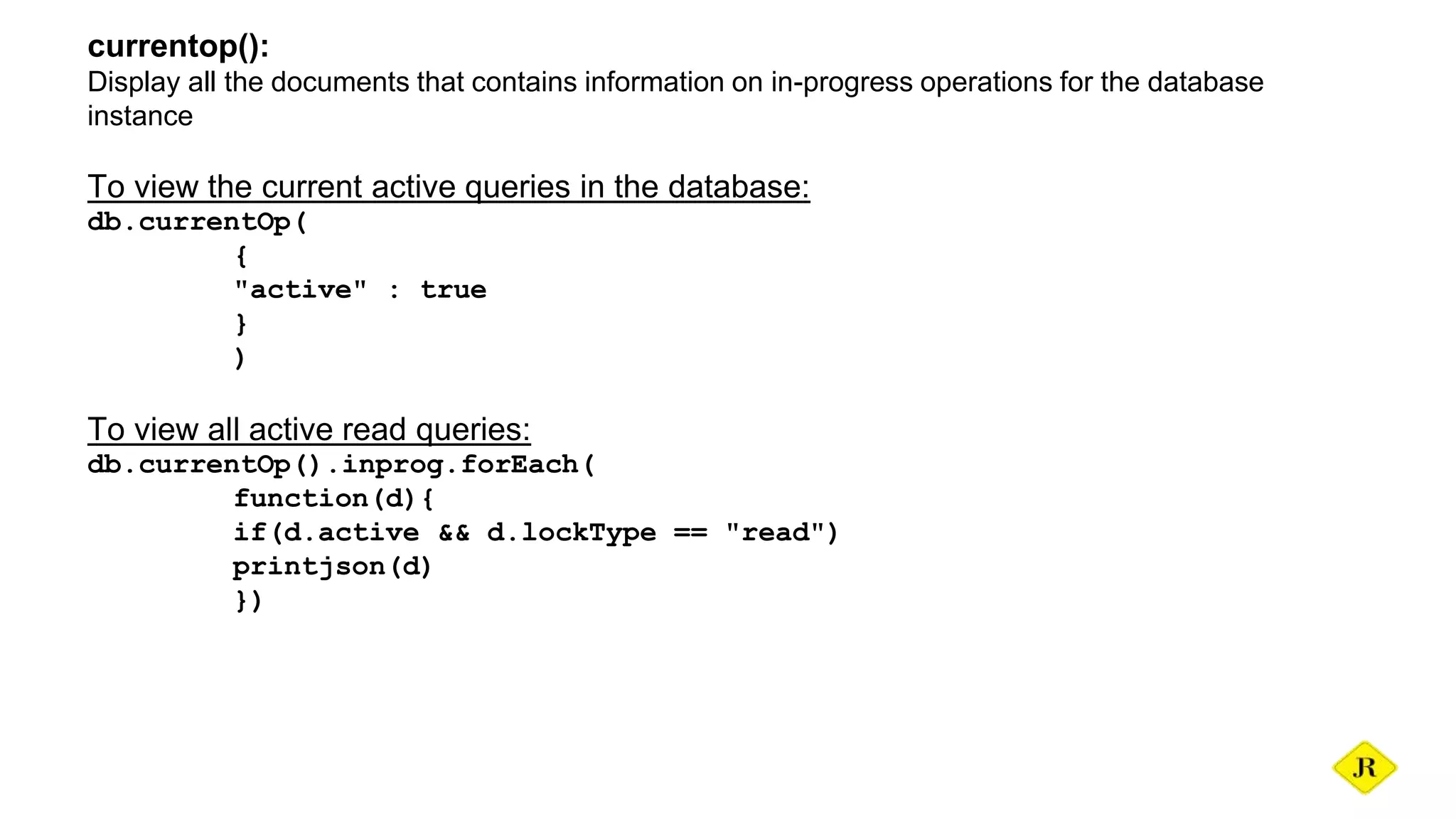
currentop():
Display all the documents that contains information on in-progress operations for the database
instance
To view the current active queries in the database:
db.currentOp(
{
"active" : true
}
)
To view all active read queries:
db.currentOp().inprog.forEach(
function(d){
if(d.active && d.lockType == "read")
printjson(d)
})
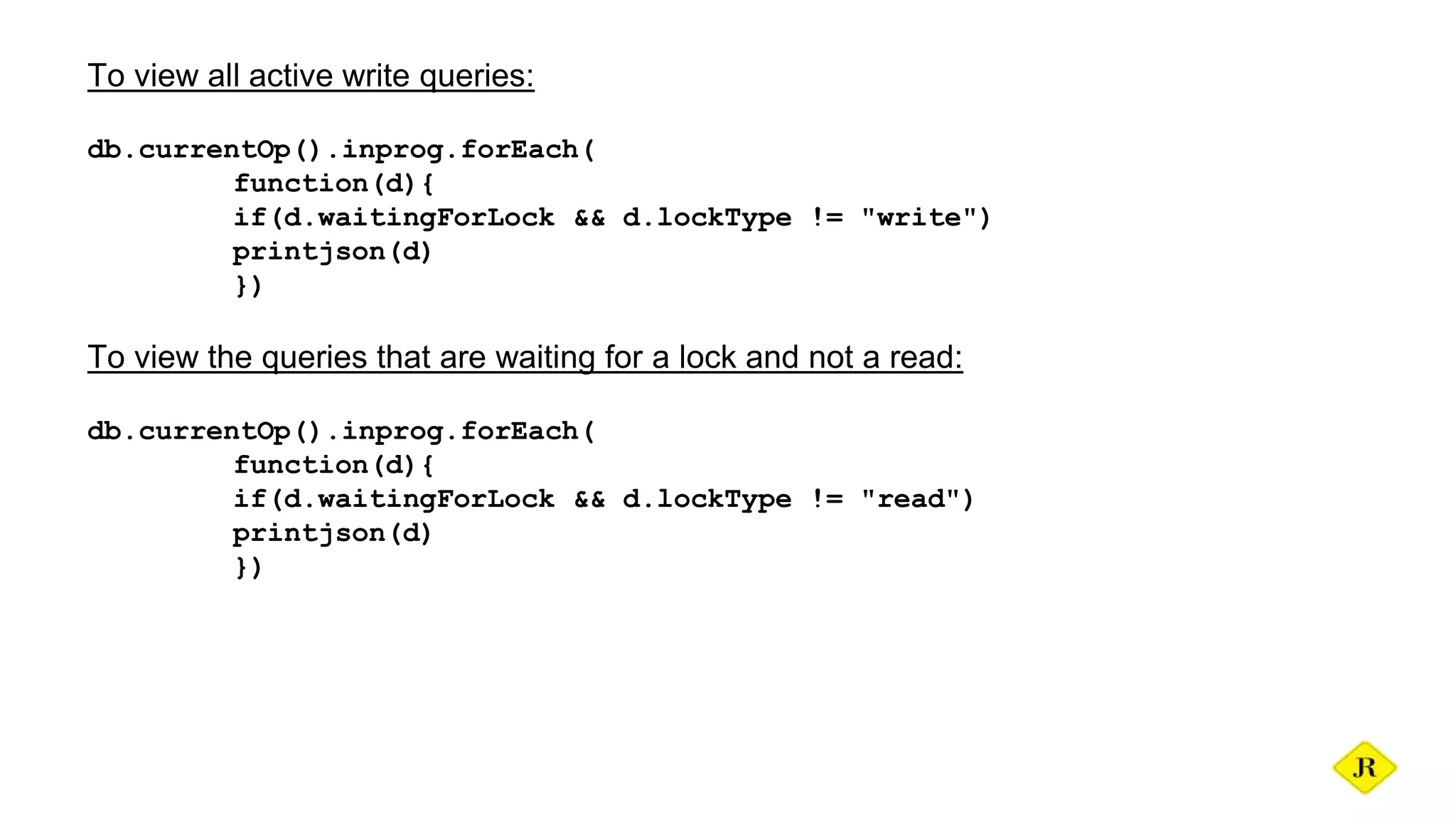
To view all active write queries:
db.currentOp().inprog.forEach(
function(d){
if(d.waitingForLock && d.lockType != "write")
printjson(d)
})
To view the queries that are waiting for a lock and not a read:
db.currentOp().inprog.forEach(
function(d){
if(d.waitingForLock && d.lockType != "read")
printjson(d)
})
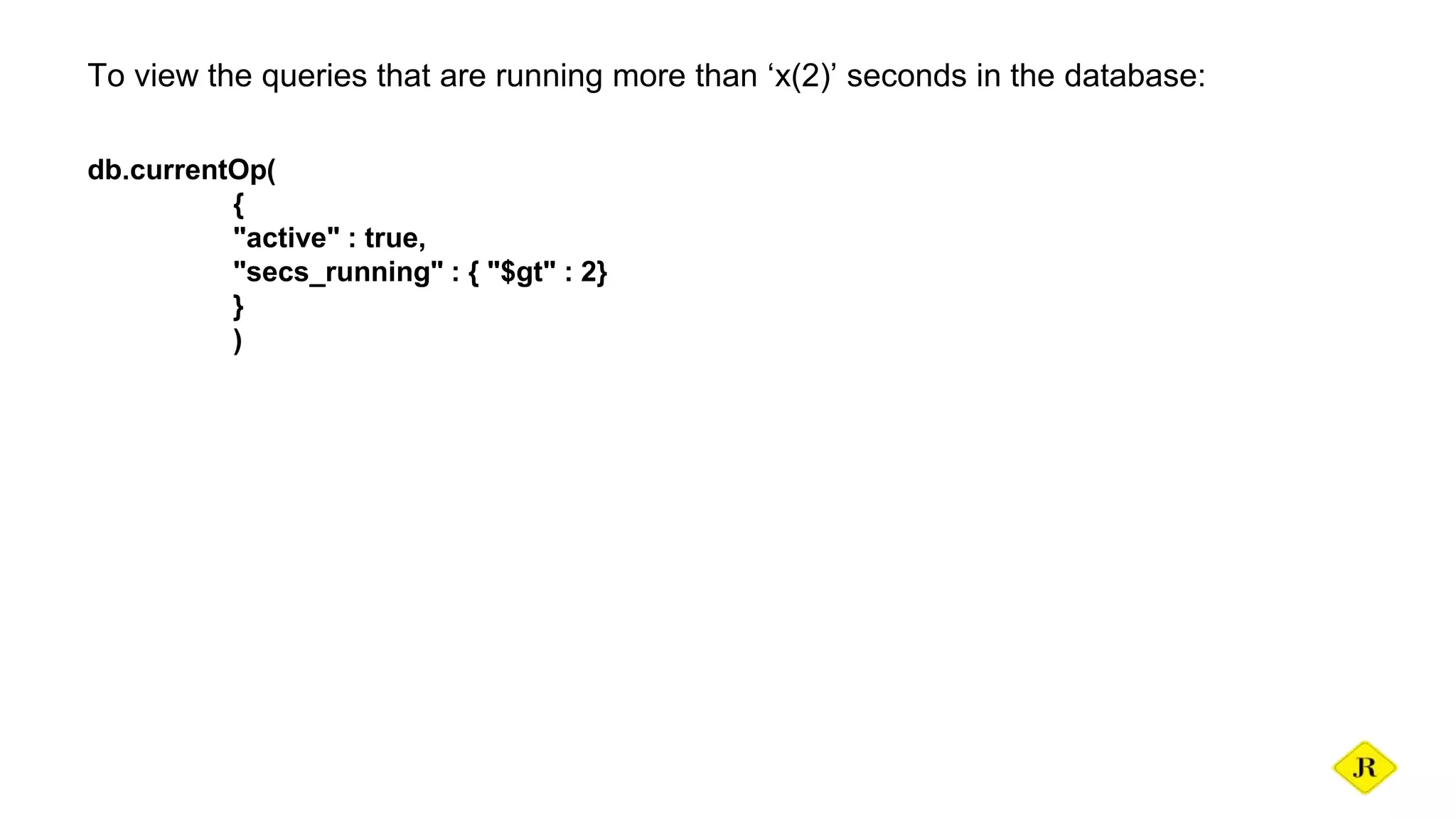
To view the queries that are running more than ‘x(2)’ seconds in the database:
db.currentOp(
{
"active" : true,
"secs_running" : { "$gt" : 2}
}
)
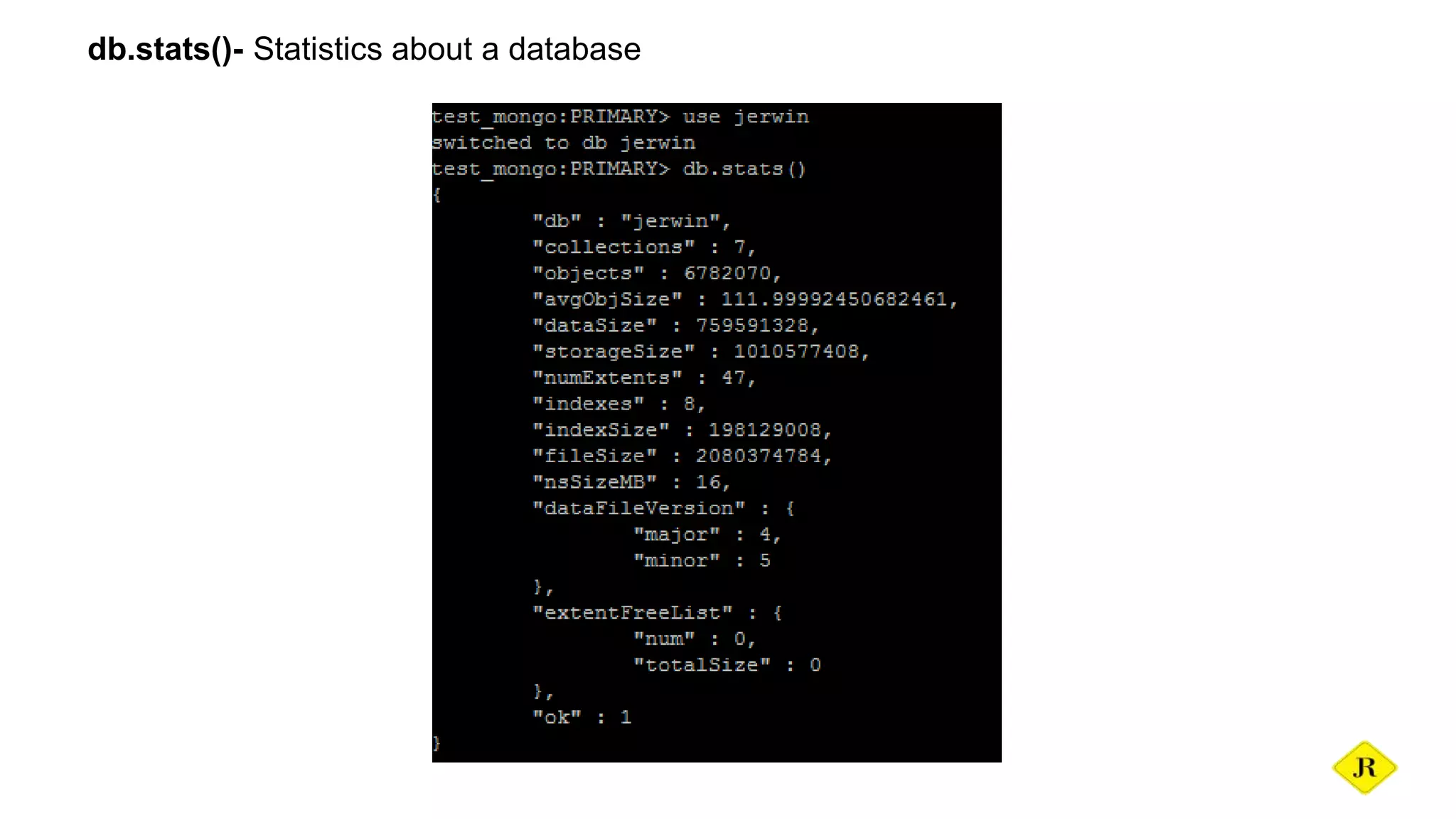
db.stats()- Statistics about a database
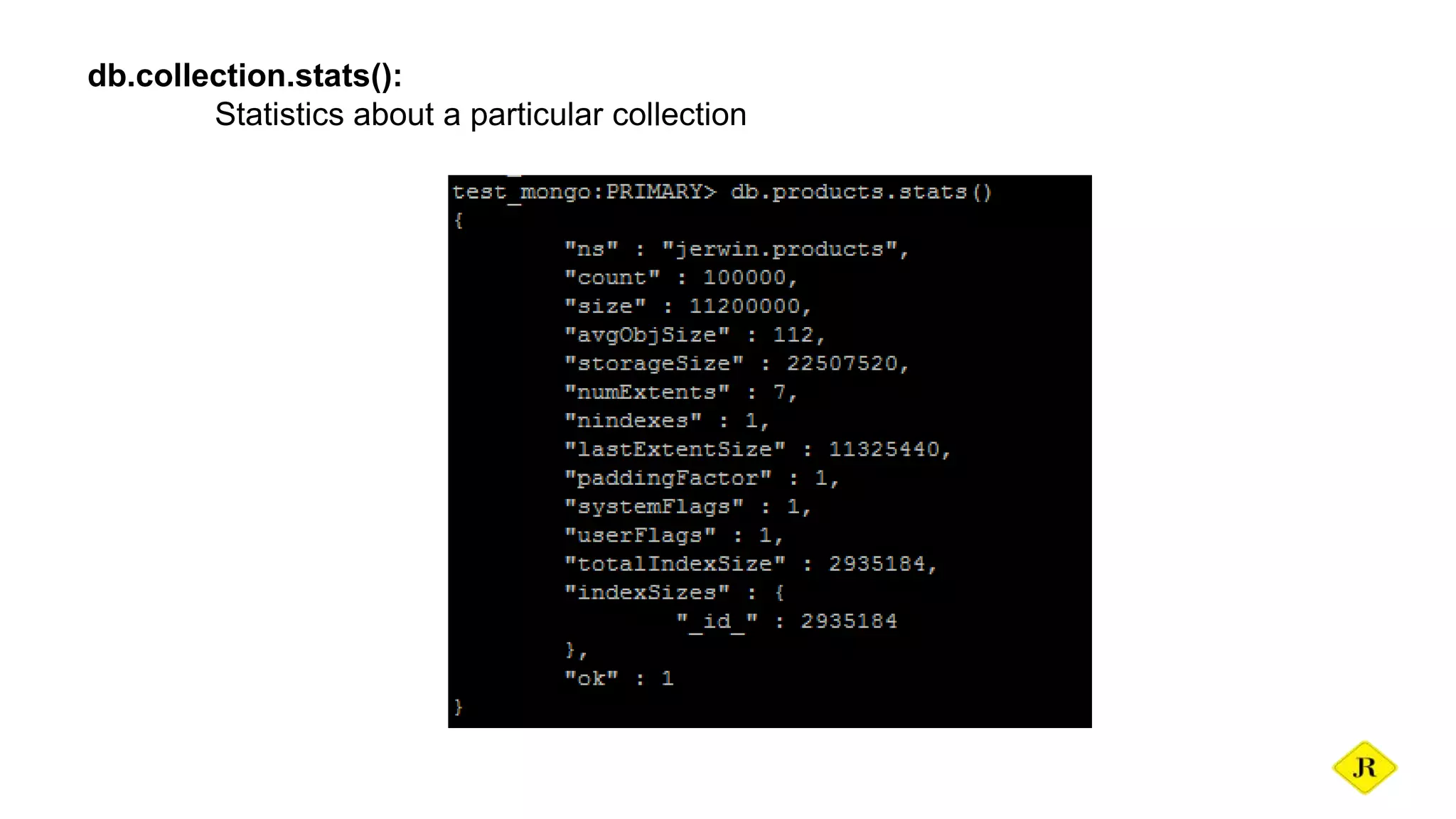
db.collection.stats():
Statistics about a particular collection
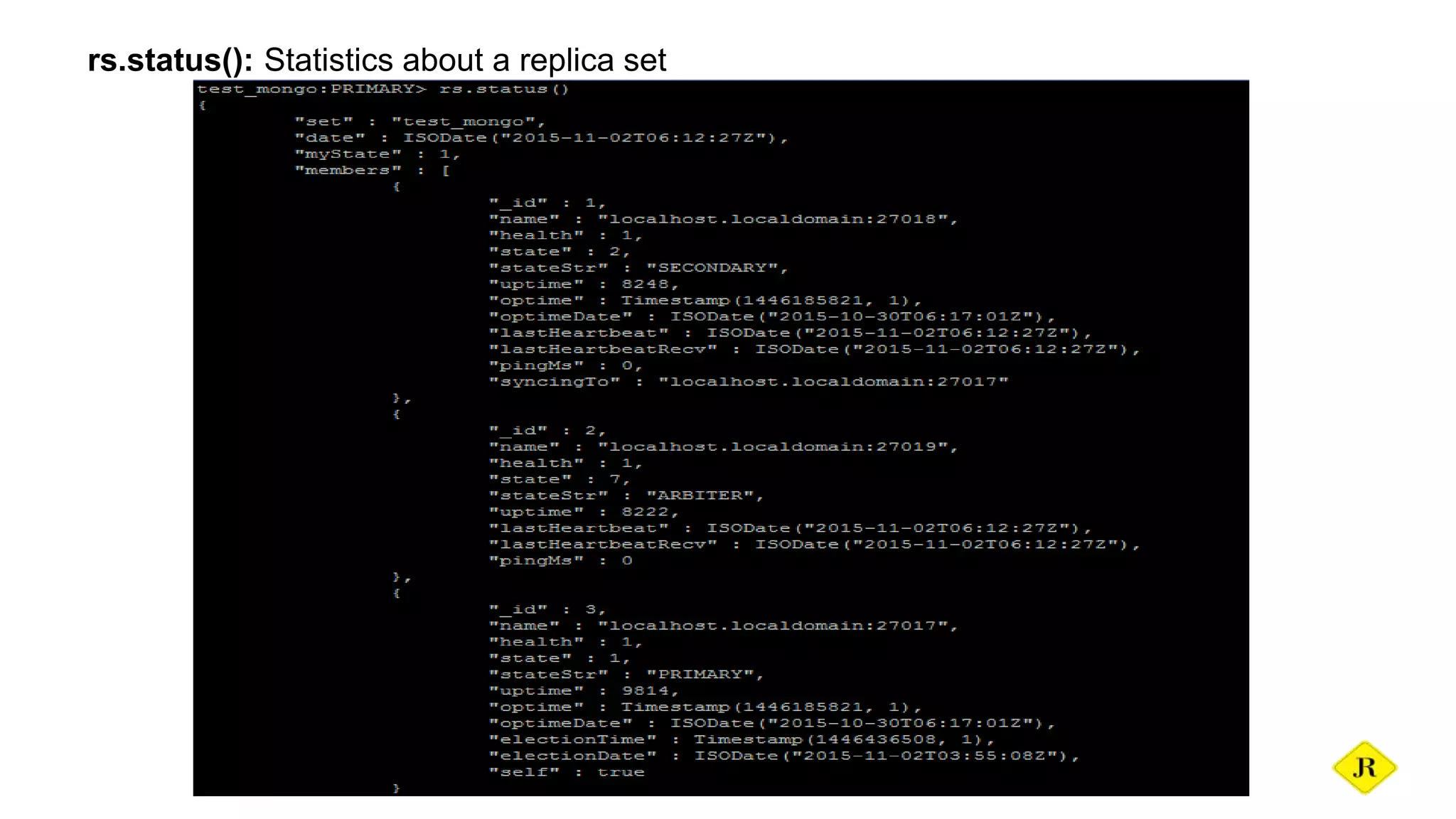
rs.status(): Statistics about a replica set
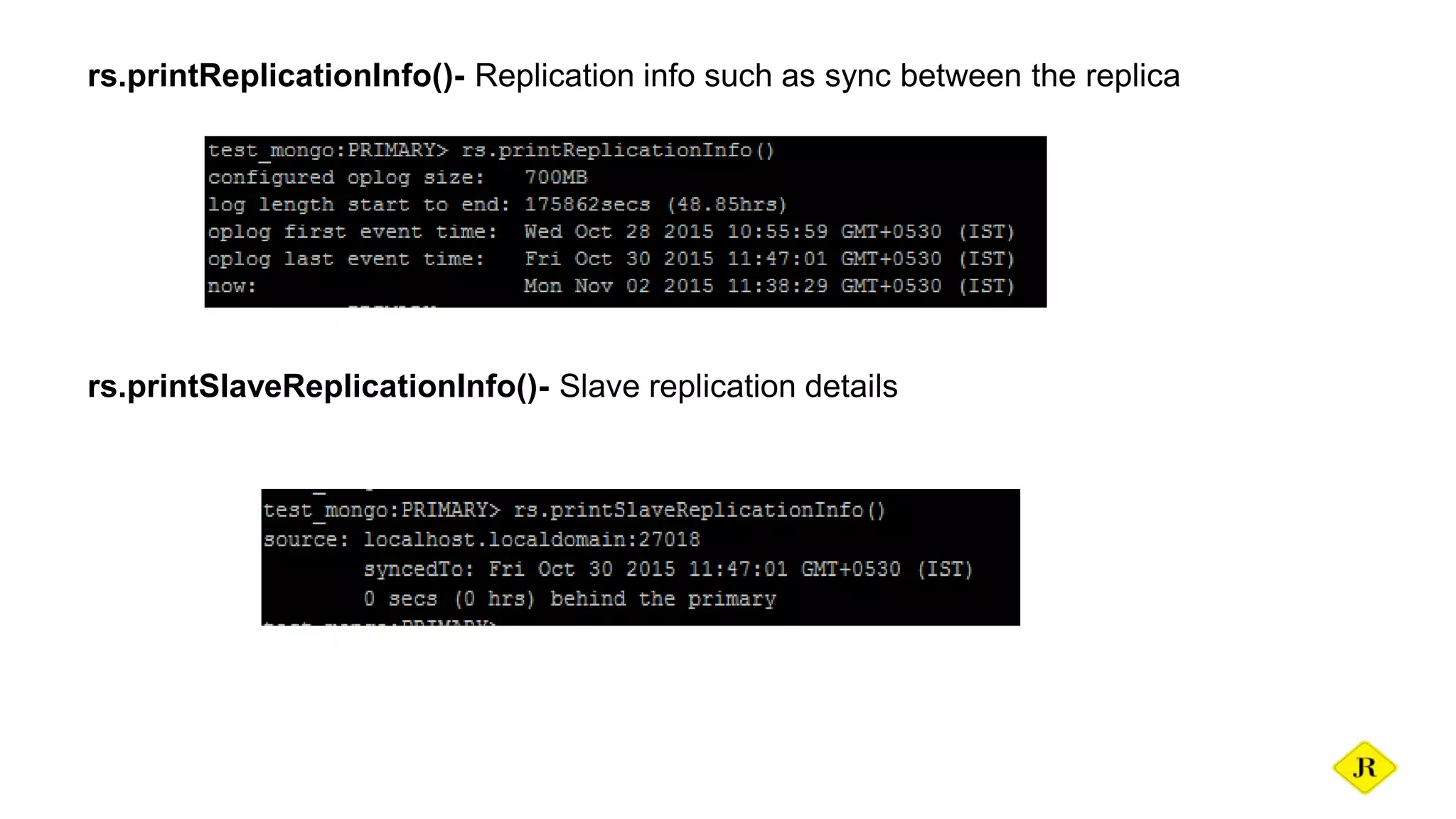
rs.printReplicationInfo()- Replication info such as sync between the replica
rs.printSlaveReplicationInfo()- Slave replication details
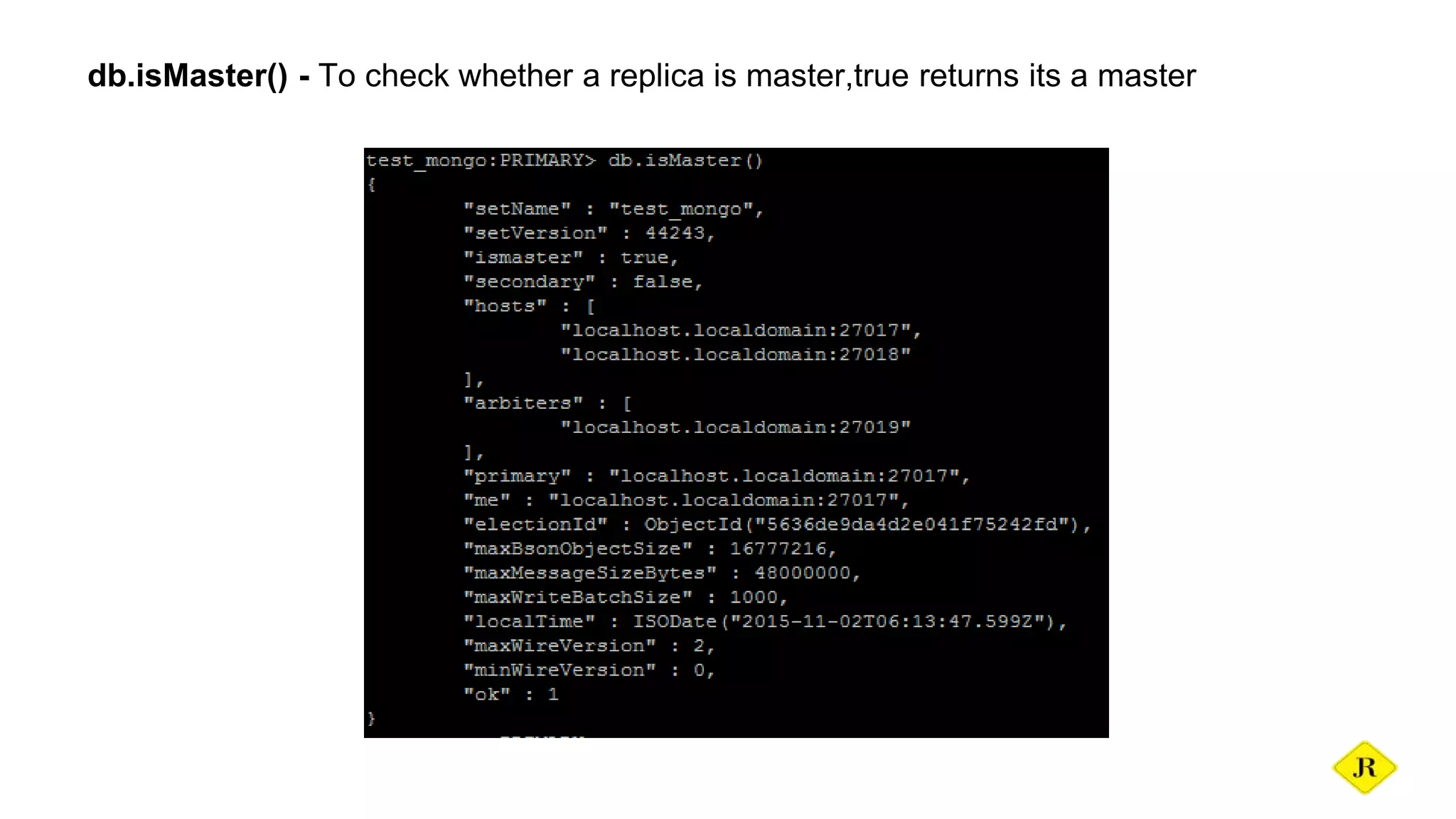
db.isMaster() - To check whether a replica is master,true returns its a master
Thank You

MongoDB basics & Introduction

  • 1.
    basics JERWIN ROY J DatabaseAdminstrator meetjerwin@gmail.com
  • 2.
    Agenda ★ Introduction ★ MongoDBInstallation -yum -binary ★ Roles in MongoDb ★ User creation ★ Basic commands ★ Trace Slow queries ★ Important monitoring commands
  • 3.
    Introduction What is NoSQLdatabase? A NoSQL or Not Only SQL database provides a mechanism for storage and retrieval of data other than the tabular relations used in relational databases. Motivations for this approach include simplicity of design, horizontal scaling and finer control over availability. What is mongodb? MongoDB is a cross-platform, document oriented database that provides, high performance, high availability, and easy scalability. MongoDB works on concept of collection and document. It is also one of the leading NoSQL database.
  • 4.
    Why should weuse MongoDB? ➔ Document Oriented Storage : Data is stored in the form of JSON style documents ➔ Index on any attribute ➔ Replication & High Availability ➔ Auto-Sharding ➔ Rich Queries ➔ Fast In-Place Updates ➔ Map Reduce functions ➔ Professional Support By MongoDB
  • 5.
    Database Database is aphysical container for collections. Each database gets its own set of files on the file system. A single MongoDB server typically has multiple databases. Collection Collection is a group of MongoDB documents. It is the equivalent of an RDBMS table. A collection exists within a single database. Collections do not enforce a schema. Documents within a collection can have different fields. Typically, all documents in a collection are of similar or related purpose. Document A document is a set of key-value pairs. Documents have dynamic schema. Dynamic schema means that documents in the same collection do not need to have the same set of fields or structure, and common fields in a collection's documents may hold different types of data.
  • 6.
    Relationship of RDBMSterminology with MongoDB
  • 7.
    Installation - yum 1.Createa repo file as below: vim /etc/yum.repos.d/mongodb.repo 2.For 64-bit systems type the below information in repo file and save. [mongodb-org-3.0] name=MongoDB 3.0 Repository baseurl=http://downloads-distro.mongodb.org/repo/redhat/os/x86_64/ gpgcheck=0 enabled=1
  • 8.
    3.To install allthe packages of mongodb issue the below command: yum install mongodb-org 4.Start the installed mongodb server using the below command: service mongod start 5.The server is now started and to login to the mongo shell issue the below command: mongo No need to include the port because we are running it on the default port(27017).
  • 9.
    6.To check thecurrent status of mongod issue the below command: service mongod status 7.To stop the running mongod server use the below command: service mongod stop 8.To change the data directory with a new one,stop the current running instance and go to the config file(/etc/mongod.conf) make the changes then save. 9.Now start the mongodb,it works with the new data directory.Make sure that the data directory has mongod user permission.
  • 10.
    1.The mongodb binaryare found in the official page(https://www.mongodb.org/downloads). 2.Download the binary using wget wget https://fastdl.mongodb.org/linux/mongodb-linux-x86_64-3.0.4.tgz 3.Now extract the downloaded file using the below command: tar zxf mongodb-linux-x86_64-3.0.3.tgz 4.Now rename the extracted(mongodb-linux-x86 64-2.6.3) file into mongodb mv mongodb-linux-x86 64-2.6.3 mongodb Installation - binary
  • 11.
    5.Create a datadirectory using the below command mkdir -p /home/data/db 6: Create an user mongo user using the following command useradd mongod 7.Change the ownership of the files in the source and data directory using the following command chown -R mongod.mongod /home/data/new chown -R mongod.mongod /home/data/db/
  • 12.
    7.Create a configurationfile in any directory say vim /etc/mongod.conf 8.Now add the following details as shown below: dbpath = /home/data/db logpath = /home/data/mongodb.log logappend = true port = 27017 auth = true
  • 13.
    9.Open the scriptfile /etc/init.d/mongod vim /etc/init.d/mongod 10.Make the change path in the CONFIGFILE="/etc/mongod.conf" with your config file path. 11.Start the mongodb server using the below command: service mongod start
  • 14.
    5.The server isnow started and to login to the mongo shell issue the below command: mongo 6.To check the current status of mongod issue the below command: service mongod status 7.To stop the running mongod server use the below command: service mongod stop
  • 15.
    Roles in MongoDB Superroles: readAnyDatabase-reads any database readWriteAnyDatabase-reads & writes any database userAdminAnyDatabase-user admin role to any database dbAdminAnyDatabase-database admin any database DB user roles: read-reads current database readWrite-reads & writes current databadse dbAdmin-access to system. collections in current db userAdmin-create,modify roles & users in current db dbOwner-readWrite, dbAdmin & userAdmin
  • 16.
    Cluster roles: hostManager-monitor,manage,kill &repair db clusterMonitor-read only access to monitoring tools clusterManager-all operations to manage db except drop clusterAdmin- can drop & combo of clusterManager, clusterMonitor, & hostManager. Backup roles: backup-to take bakup restore-to restore the backup files
  • 17.
    Creating a user Rootuser: Provides access to the operations readWriteAnyDatabase, dbAdminAnyDatabase, userAdminAnyDatabase and clusterAdmin roles combined. It does not include any access to collections that begin with the system. prefix.Create admin users in the admin database so that they can access all dbs. use admin db.createUser( { user: “root", pwd: “rootabc", roles: [“root” ] } )
  • 18.
    So after creatingthe user it is possible to login only with user beacuse we have enabled auth. super user: use admin db.createUser( { user: "superuser", pwd: "admin", roles: [ "userAdminAnyDatabase", "dbAdminAnyDatabase", "readWriteAnyDatabase" ] } )
  • 19.
    Read user fora database: use database db.createUser( { user: "read", pwd: "password", roles: [ { role: "read", db: "database" } ] } )
  • 20.
    monitoring user: For themonitoring this user serves best: db.createUser( { user: "monitoring", pwd: "abc123", roles: [ "clusterMonitor" ] } )
  • 21.
    Verify the privilegeusing: db.runCommand( { usersInfo:"admin", showPrivileges:true } ) Kill a query: Find the opid using currentop(_) command. db.killOp(opid) opid-it is the operation id of a particular query.
  • 22.
    Basic commands A fewbasic commands that are used in the mongodb client are listed below: use new_db -Uses the databasespecified db -Displays the current database name show dbs -Displays list of all databases show collections -Displays list of all collections db.dropDatabase() -Drops the current database in use db.collection.drop() -Drops the collection mentioned
  • 23.
    Trace Slow queries Slowqueries can be traced using database profiler.Mongodb has three levels of profiling,each with unique feature. db.setProfilingLevel(0) ->no profiling db.setProfilingLevel(1) ->slow queries db.setProfilingLevel(2) ->all queries To check the current profiling level use the below command: db.getProfilingStatus() All the traced slow queries will be present in predefined collection system.profile in the local database.To view the queries fire the below command: db.system.profile.find()
  • 24.
    Important Monitoring commands Serverstatus- Similar to mysql show processlist db.serverStatus().uptime db.serverStatus().connections db.serverStatus().opcounters
  • 25.
    currentop(): Display all thedocuments that contains information on in-progress operations for the database instance To view the current active queries in the database: db.currentOp( { "active" : true } ) To view all active read queries: db.currentOp().inprog.forEach( function(d){ if(d.active && d.lockType == "read") printjson(d) })
  • 26.
    To view allactive write queries: db.currentOp().inprog.forEach( function(d){ if(d.waitingForLock && d.lockType != "write") printjson(d) }) To view the queries that are waiting for a lock and not a read: db.currentOp().inprog.forEach( function(d){ if(d.waitingForLock && d.lockType != "read") printjson(d) })
  • 27.
    To view thequeries that are running more than ‘x(2)’ seconds in the database: db.currentOp( { "active" : true, "secs_running" : { "$gt" : 2} } )
  • 28.
  • 29.
  • 30.
  • 31.
    rs.printReplicationInfo()- Replication infosuch as sync between the replica rs.printSlaveReplicationInfo()- Slave replication details
  • 32.
    db.isMaster() - Tocheck whether a replica is master,true returns its a master
  • 33.