Standards
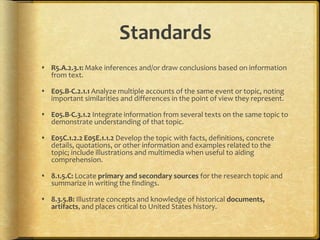
 R5.A.2.3.1: Make inferences and/or draw conclusions based on information
from text.
 E05.B-C.2.1.1 Analyze multiple accounts of the same event or topic, noting
important similarities and differences in the point of view they represent.
 E05.B-C.3.1.2 Integrate information from several texts on the same topic to
demonstrate understanding of that topic.
 E05C.1.2.2 E05E.1.1.2 Develop the topic with facts, definitions, concrete
details, quotations, or other information and examples related to the
topic; include illustrations and multimedia when useful to aiding
comprehension.
 8.1.5.C: Locate primary and secondary sources for the research topic and
summarize in writing the findings.
 8.3.5.B: Illustrate concepts and knowledge of historical documents,
artifacts, and places critical to United States history.
Outcome Goals
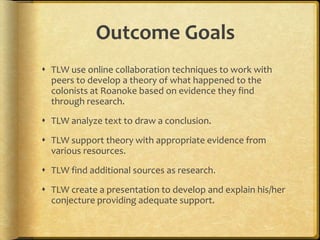
 TLW use online collaboration techniques to work with
peers to develop a theory of what happened to the
colonists at Roanoke based on evidence they find
through research.
 TLW analyze text to draw a conclusion.
 TLW support theory with appropriate evidence from
various resources.
 TLW find additional sources as research.
 TLW create a presentation to develop and explain his/her
conjecture providing adequate support.
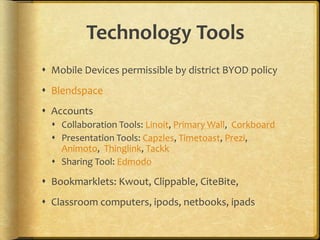
Technology Tools
 Mobile Devices permissible by district BYOD policy
 Blendspace
 Accounts
 Collaboration Tools: Linoit, Primary Wall, Corkboard
 Presentation Tools: Capzles, Timetoast, Prezi,
Animoto, Thinglink, Tackk
 Sharing Tool: Edmodo
 Bookmarklets: Kwout, Clippable, CiteBite,
 Classroom computers, ipods, netbooks, ipads
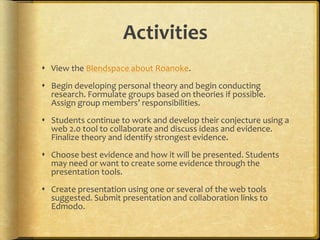
Activities
 View the Blendspace about Roanoke.
 Begin developing personal theory and begin conducting
research. Formulate groups based on theories if possible.
Assign group members’ responsibilities.
 Students continue to work and develop their conjecture using a
web 2.0 tool to collaborate and discuss ideas and evidence.
Finalize theory and identify strongest evidence.
 Choose best evidence and how it will be presented. Students
may need or want to create some evidence through the
presentation tools.
 Create presentation using one or several of the web tools
suggested. Submit presentation and collaboration links to
Edmodo.
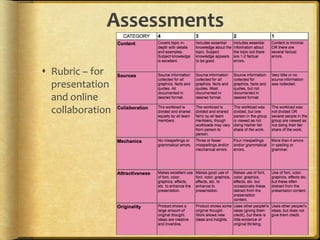
Assessments
 Rubric – for
presentation
and online
collaboration
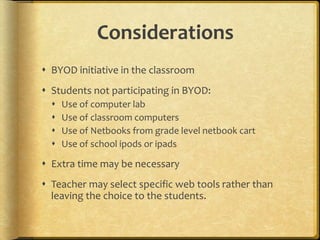
Considerations
 BYOD initiative in the classroom
 Students not participating in BYOD:
 Use of computer lab
 Use of classroom computers
 Use of Netbooks from grade level netbook cart
 Use of school ipods or ipads
 Extra time may be necessary
 Teacher may select specific web tools rather than
leaving the choice to the students.
Management of Tools
 Students need to take personal devices home to charge.
 Devices are kept in student desks. Devices may be out if the
device sticker is posted on the board.
 Students may work as a team but may not share devices and
must follow the district’s AUP.
 Students need to access a different device if the one they are
using malfunctions. If problems persist, they will fill out a
“trouble ticket” and place it in the teacher’s bin to note there is
a problem.
 School devices are numbered and students use the numbered
device that matches their personal classroom number.
Planning Tools
 ICE Model for Mobile Learning and Technology-
Integrated Lesson Planning
 Technology Integration Planning Form

Mobile Learning Lesson Plan

  • 2.
    Standards  R5.A.2.3.1: Makeinferences and/or draw conclusions based on information from text.  E05.B-C.2.1.1 Analyze multiple accounts of the same event or topic, noting important similarities and differences in the point of view they represent.  E05.B-C.3.1.2 Integrate information from several texts on the same topic to demonstrate understanding of that topic.  E05C.1.2.2 E05E.1.1.2 Develop the topic with facts, definitions, concrete details, quotations, or other information and examples related to the topic; include illustrations and multimedia when useful to aiding comprehension.  8.1.5.C: Locate primary and secondary sources for the research topic and summarize in writing the findings.  8.3.5.B: Illustrate concepts and knowledge of historical documents, artifacts, and places critical to United States history.
  • 4.
    Outcome Goals  TLWuse online collaboration techniques to work with peers to develop a theory of what happened to the colonists at Roanoke based on evidence they find through research.  TLW analyze text to draw a conclusion.  TLW support theory with appropriate evidence from various resources.  TLW find additional sources as research.  TLW create a presentation to develop and explain his/her conjecture providing adequate support.
  • 5.
    Technology Tools  MobileDevices permissible by district BYOD policy  Blendspace  Accounts  Collaboration Tools: Linoit, Primary Wall, Corkboard  Presentation Tools: Capzles, Timetoast, Prezi, Animoto, Thinglink, Tackk  Sharing Tool: Edmodo  Bookmarklets: Kwout, Clippable, CiteBite,  Classroom computers, ipods, netbooks, ipads
  • 6.
    Activities  View theBlendspace about Roanoke.  Begin developing personal theory and begin conducting research. Formulate groups based on theories if possible. Assign group members’ responsibilities.  Students continue to work and develop their conjecture using a web 2.0 tool to collaborate and discuss ideas and evidence. Finalize theory and identify strongest evidence.  Choose best evidence and how it will be presented. Students may need or want to create some evidence through the presentation tools.  Create presentation using one or several of the web tools suggested. Submit presentation and collaboration links to Edmodo.
  • 7.
    Assessments  Rubric –for presentation and online collaboration
  • 8.
    Considerations  BYOD initiativein the classroom  Students not participating in BYOD:  Use of computer lab  Use of classroom computers  Use of Netbooks from grade level netbook cart  Use of school ipods or ipads  Extra time may be necessary  Teacher may select specific web tools rather than leaving the choice to the students.
  • 9.
    Management of Tools Students need to take personal devices home to charge.  Devices are kept in student desks. Devices may be out if the device sticker is posted on the board.  Students may work as a team but may not share devices and must follow the district’s AUP.  Students need to access a different device if the one they are using malfunctions. If problems persist, they will fill out a “trouble ticket” and place it in the teacher’s bin to note there is a problem.  School devices are numbered and students use the numbered device that matches their personal classroom number.
  • 10.
    Planning Tools  ICEModel for Mobile Learning and Technology- Integrated Lesson Planning  Technology Integration Planning Form

Editor's Notes

  • #2 An activity using web-based research to develop a theory, cite evidence, and present a conjecture.
  • #3 Standards addressed include Common Core Reading, Writing and History standards for fifth graders according to www.pdesas.org
  • #4 This lesson could be broken up in various ways. I required my students to work on their research, collaboration, and creation of the presentation during their independent work times throughout the day as well as for homework. In that manner, I used only three 45-minute class periods. You may need to extend the time dependent on your students.
  • #5 Outcome goals address standards as well as technology skills with consideration to 21st century skills.
  • #6 Many of these sites require registration. I have accounts for all of them and allow my students to chose. You may want to narrow it down if you are uncomfortable using a variety of sites. I also allow my students to check additional web 2.0 tools with me before they use something different. Remember for the collaboration tools, students need to add their name or personalize their contributions for assessment purposes. Teachers will need to become familiar with these sites in order to help students. Creating a sample on each is best.
  • #7 The first day, view the blendspace and introduce the assignment in class. Students can use any extra class time to begin personal research. Their homework and independent work time in the beginning of Day 2 is to continue researching and developing personal conclusion. Day 2, formulate groups and allowed groups to discuss their theories and evidence. Students should decide the responsibilities of each group member for the next few days for homework and independent work times. Groups needs to choose a collaboration web tool. All students will be posting personal contributions (research, ideas, creations) to the web tool the team agreed upon. It is important they attach their name to everything they post. Day 2,3,4 – students need to conclude their research. They need to begin creating the team’s presentation and collecting evidence to support their theory. Teacher may need to teach students about some bookmarklets so they can select or highlight pieces of text for their presentations. Day 5 – Finalize any last minute touches to team’s presentation. Presentation and Collaboration link need to be uploaded to our Edmodo accounts.
  • #8 The students will be linking their collaboration and their presentation to our edmodo accounts for viewing and grading purposes.
  • #9 This lesson assumes a comfort level with several tools. A teacher may want to select specific tools for all to use or substitute any of the tools. Also, setting up the collaboration tools ahead of time with various theories may help students begin setting up groups and collaborating sooner. Certain responsibilities could be set up as well. These could be linked in Edmodo and students could select the theory with which they agree to begin collaboration. For example: if I used linoit.com I may set up different boards for different theories. On those boards may stickies that are labeled: research evidence and support; presentation thoughts and ideas; audio, video, picture support for presentation; and links.
  • #10 This lesson assumes students are already familiar with Edmodo, at least one of the collaboration tools, at least one of the presentation tools, as well as our classroom technology rules and district’s AUP.
  • #11 Planning forms for implementation of technology.