© Copyright 2012 Hidaya Trust (Pakistan) A Non-Profit Organization www.hidayatrust.org / www,histpk.org
Hidaya Institute of
Science &
Technology
www.histpk.org
A Division of Hidaya Trust, Pakistan
© Copyright 2012 Hidaya Trust (Pakistan) A Non-Profit Organization www.hidayatrust.org / www,histpk.org
File System Structure
© Copyright 2012 Hidaya Trust (Pakistan) A Non-Profit Organization www.hidayatrust.org / www,histpk.org
File System Structure
• A file system is the methods and data structures
that an operating system uses to keep track of
files on a disk or partition; that is, the way the files
are organized on the disk.
• A file system organizes data in an efficient
manner and is tuned to the specific
characteristics of the device.
© Copyright 2012 Hidaya Trust (Pakistan) A Non-Profit Organization www.hidayatrust.org / www,histpk.org
FSSTND
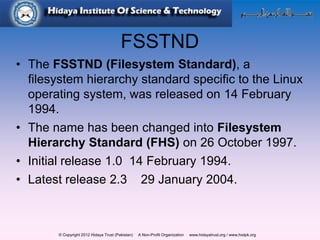
• The FSSTND (Filesystem Standard), a
filesystem hierarchy standard specific to the Linux
operating system, was released on 14 February
1994.
• The name has been changed into Filesystem
Hierarchy Standard (FHS) on 26 October 1997.
• Initial release 1.0 14 February 1994.
• Latest release 2.3 29 January 2004.
© Copyright 2012 Hidaya Trust (Pakistan) A Non-Profit Organization www.hidayatrust.org / www,histpk.org
What is a File?
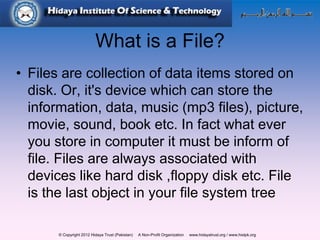
• Files are collection of data items stored on
disk. Or, it's device which can store the
information, data, music (mp3 files), picture,
movie, sound, book etc. In fact what ever
you store in computer it must be inform of
file. Files are always associated with
devices like hard disk ,floppy disk etc. File
is the last object in your file system tree
© Copyright 2012 Hidaya Trust (Pakistan) A Non-Profit Organization www.hidayatrust.org / www,histpk.org
What is a directory?
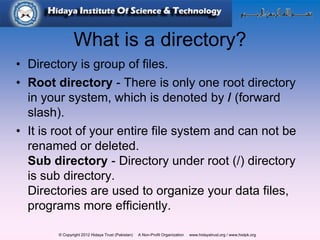
• Directory is group of files.
• Root directory - There is only one root directory
in your system, which is denoted by / (forward
slash).
• It is root of your entire file system and can not be
renamed or deleted.
Sub directory - Directory under root (/) directory
is sub directory.
Directories are used to organize your data files,
programs more efficiently.
© Copyright 2012 Hidaya Trust (Pakistan) A Non-Profit Organization www.hidayatrust.org / www,histpk.org
/ – Root
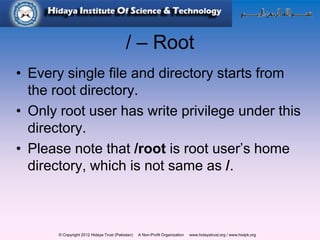
• Every single file and directory starts from
the root directory.
• Only root user has write privilege under this
directory.
• Please note that /root is root user’s home
directory, which is not same as /.
© Copyright 2012 Hidaya Trust (Pakistan) A Non-Profit Organization www.hidayatrust.org / www,histpk.org
/bin – User Binaries
• The bin directory contains several useful
commands that are of use to both the
system administrator as well as non-
privileged users.
• It usually contains the shells like bash, csh,
etc… and commonly used commands like
cp, mv, rm, cat, ls.
© Copyright 2012 Hidaya Trust (Pakistan) A Non-Profit Organization www.hidayatrust.org / www,histpk.org
/boot, Boot Loader Files
• This directory contains everything required
for the boot process.
• Contains boot loader related files.
© Copyright 2012 Hidaya Trust (Pakistan) A Non-Profit Organization www.hidayatrust.org / www,histpk.org
/dev – Device Files
• Contains device files.
• These include devices, usb, or any device
attached to the system like hda1, hda2 or
/dev/cdrom.
© Copyright 2012 Hidaya Trust (Pakistan) A Non-Profit Organization www.hidayatrust.org / www,histpk.org
/etc – Configuration Files
• This is the nerve center of your system, it
contains all system related configuration
files in here or in its sub-directories.
• A "configuration file" is defined as a local
file used to control the operation of a
programs.
© Copyright 2012 Hidaya Trust (Pakistan) A Non-Profit Organization www.hidayatrust.org / www,histpk.org
/home – Home Directories
• Home directories for all users to store their
personal files.
• Linux is a multi-user environment so each
user is also assigned a specific directory
that is accessible only to them and the
system administrator.
• ~ tilde symbol is represents the home
directory of login user.
© Copyright 2012 Hidaya Trust (Pakistan) A Non-Profit Organization www.hidayatrust.org / www,histpk.org
/lib – System Libraries
• The /lib directory contains kernel modules
and those shared library images (the C
programming code library) needed to boot
the system and run the commands in the
root filesystem, ie. by binaries in /bin and
/sbin.
© Copyright 2012 Hidaya Trust (Pakistan) A Non-Profit Organization www.hidayatrust.org / www,histpk.org
/lost+found
• Linux should always go through a proper
shutdown. Sometimes your system might
crash or a power failure might take the
machine down.
• fsck will go through the system and try to
recover any corrupt files that it finds.
© Copyright 2012 Hidaya Trust (Pakistan) A Non-Profit Organization www.hidayatrust.org / www,histpk.org
/media – Removable Media Devices
• Temporary mount directory for removable
devices.
• For examples,
• /media/cdrom for CD-ROM
• /media/floppy for floppy drives
• /media/flash for usb flash drive
© Copyright 2012 Hidaya Trust (Pakistan) A Non-Profit Organization www.hidayatrust.org / www,histpk.org
/mnt – Mount Directory
• Temporary mount directory where we can
mount the filesystems.
• This is a mount point under which you
mount your filesystems or devices.
• Mounting is the process by which you make
a filesystem available to the system.
© Copyright 2012 Hidaya Trust (Pakistan) A Non-Profit Organization www.hidayatrust.org / www,histpk.org
/opt – Optional add-on Applications
• This directory is reserved for all the
software and add-on packages that are not
part of the default installation.
© Copyright 2012 Hidaya Trust (Pakistan) A Non-Profit Organization www.hidayatrust.org / www,histpk.org
/root – Home Directory of root user
• This is the home directory of the System
Administrator, 'root'.
© Copyright 2012 Hidaya Trust (Pakistan) A Non-Profit Organization www.hidayatrust.org / www,histpk.org
/sbin – System Binaries
• Just like /bin, /sbin also contains binary
executables.
• But, the linux commands located under this
directory are used typically by system
administrator, for system maintenance
purpose.
© Copyright 2012 Hidaya Trust (Pakistan) A Non-Profit Organization www.hidayatrust.org / www,histpk.org
/usr – User Programs
• Contains binaries, libraries, documentation,
and source-code for second level
programs.
© Copyright 2012 Hidaya Trust (Pakistan) A Non-Profit Organization www.hidayatrust.org / www,histpk.org
/var – Variable Files
• Content of the files that are expected to
grow can be found under this directory.
• This includes
• System log files (/var/log)
• Packages and database files (/var/lib)…
© Copyright 2012 Hidaya Trust (Pakistan) A Non-Profit Organization www.hidayatrust.org / www,histpk.org
/srv – Service Data
• Contains server specific services related
data.
© Copyright 2012 Hidaya Trust (Pakistan) A Non-Profit Organization www.hidayatrust.org / www,histpk.org
/tmp – Temporary Files
• Directory that contains temporary files
created by system and users.
• This directory contains mostly files that are
required temporarily.
© Copyright 2012 Hidaya Trust (Pakistan) A Non-Profit Organization www.hidayatrust.org / www,histpk.org
The End

File system structure in linux

  • 1.
    © Copyright 2012Hidaya Trust (Pakistan) A Non-Profit Organization www.hidayatrust.org / www,histpk.org Hidaya Institute of Science & Technology www.histpk.org A Division of Hidaya Trust, Pakistan
  • 2.
    © Copyright 2012Hidaya Trust (Pakistan) A Non-Profit Organization www.hidayatrust.org / www,histpk.org File System Structure
  • 3.
    © Copyright 2012Hidaya Trust (Pakistan) A Non-Profit Organization www.hidayatrust.org / www,histpk.org File System Structure • A file system is the methods and data structures that an operating system uses to keep track of files on a disk or partition; that is, the way the files are organized on the disk. • A file system organizes data in an efficient manner and is tuned to the specific characteristics of the device.
  • 4.
    © Copyright 2012Hidaya Trust (Pakistan) A Non-Profit Organization www.hidayatrust.org / www,histpk.org FSSTND • The FSSTND (Filesystem Standard), a filesystem hierarchy standard specific to the Linux operating system, was released on 14 February 1994. • The name has been changed into Filesystem Hierarchy Standard (FHS) on 26 October 1997. • Initial release 1.0 14 February 1994. • Latest release 2.3 29 January 2004.
  • 5.
    © Copyright 2012Hidaya Trust (Pakistan) A Non-Profit Organization www.hidayatrust.org / www,histpk.org What is a File? • Files are collection of data items stored on disk. Or, it's device which can store the information, data, music (mp3 files), picture, movie, sound, book etc. In fact what ever you store in computer it must be inform of file. Files are always associated with devices like hard disk ,floppy disk etc. File is the last object in your file system tree
  • 6.
    © Copyright 2012Hidaya Trust (Pakistan) A Non-Profit Organization www.hidayatrust.org / www,histpk.org What is a directory? • Directory is group of files. • Root directory - There is only one root directory in your system, which is denoted by / (forward slash). • It is root of your entire file system and can not be renamed or deleted. Sub directory - Directory under root (/) directory is sub directory. Directories are used to organize your data files, programs more efficiently.
  • 7.
    © Copyright 2012Hidaya Trust (Pakistan) A Non-Profit Organization www.hidayatrust.org / www,histpk.org / – Root • Every single file and directory starts from the root directory. • Only root user has write privilege under this directory. • Please note that /root is root user’s home directory, which is not same as /.
  • 8.
    © Copyright 2012Hidaya Trust (Pakistan) A Non-Profit Organization www.hidayatrust.org / www,histpk.org /bin – User Binaries • The bin directory contains several useful commands that are of use to both the system administrator as well as non- privileged users. • It usually contains the shells like bash, csh, etc… and commonly used commands like cp, mv, rm, cat, ls.
  • 9.
    © Copyright 2012Hidaya Trust (Pakistan) A Non-Profit Organization www.hidayatrust.org / www,histpk.org /boot, Boot Loader Files • This directory contains everything required for the boot process. • Contains boot loader related files.
  • 10.
    © Copyright 2012Hidaya Trust (Pakistan) A Non-Profit Organization www.hidayatrust.org / www,histpk.org /dev – Device Files • Contains device files. • These include devices, usb, or any device attached to the system like hda1, hda2 or /dev/cdrom.
  • 11.
    © Copyright 2012Hidaya Trust (Pakistan) A Non-Profit Organization www.hidayatrust.org / www,histpk.org /etc – Configuration Files • This is the nerve center of your system, it contains all system related configuration files in here or in its sub-directories. • A "configuration file" is defined as a local file used to control the operation of a programs.
  • 12.
    © Copyright 2012Hidaya Trust (Pakistan) A Non-Profit Organization www.hidayatrust.org / www,histpk.org /home – Home Directories • Home directories for all users to store their personal files. • Linux is a multi-user environment so each user is also assigned a specific directory that is accessible only to them and the system administrator. • ~ tilde symbol is represents the home directory of login user.
  • 13.
    © Copyright 2012Hidaya Trust (Pakistan) A Non-Profit Organization www.hidayatrust.org / www,histpk.org /lib – System Libraries • The /lib directory contains kernel modules and those shared library images (the C programming code library) needed to boot the system and run the commands in the root filesystem, ie. by binaries in /bin and /sbin.
  • 14.
    © Copyright 2012Hidaya Trust (Pakistan) A Non-Profit Organization www.hidayatrust.org / www,histpk.org /lost+found • Linux should always go through a proper shutdown. Sometimes your system might crash or a power failure might take the machine down. • fsck will go through the system and try to recover any corrupt files that it finds.
  • 15.
    © Copyright 2012Hidaya Trust (Pakistan) A Non-Profit Organization www.hidayatrust.org / www,histpk.org /media – Removable Media Devices • Temporary mount directory for removable devices. • For examples, • /media/cdrom for CD-ROM • /media/floppy for floppy drives • /media/flash for usb flash drive
  • 16.
    © Copyright 2012Hidaya Trust (Pakistan) A Non-Profit Organization www.hidayatrust.org / www,histpk.org /mnt – Mount Directory • Temporary mount directory where we can mount the filesystems. • This is a mount point under which you mount your filesystems or devices. • Mounting is the process by which you make a filesystem available to the system.
  • 17.
    © Copyright 2012Hidaya Trust (Pakistan) A Non-Profit Organization www.hidayatrust.org / www,histpk.org /opt – Optional add-on Applications • This directory is reserved for all the software and add-on packages that are not part of the default installation.
  • 18.
    © Copyright 2012Hidaya Trust (Pakistan) A Non-Profit Organization www.hidayatrust.org / www,histpk.org /root – Home Directory of root user • This is the home directory of the System Administrator, 'root'.
  • 19.
    © Copyright 2012Hidaya Trust (Pakistan) A Non-Profit Organization www.hidayatrust.org / www,histpk.org /sbin – System Binaries • Just like /bin, /sbin also contains binary executables. • But, the linux commands located under this directory are used typically by system administrator, for system maintenance purpose.
  • 20.
    © Copyright 2012Hidaya Trust (Pakistan) A Non-Profit Organization www.hidayatrust.org / www,histpk.org /usr – User Programs • Contains binaries, libraries, documentation, and source-code for second level programs.
  • 21.
    © Copyright 2012Hidaya Trust (Pakistan) A Non-Profit Organization www.hidayatrust.org / www,histpk.org /var – Variable Files • Content of the files that are expected to grow can be found under this directory. • This includes • System log files (/var/log) • Packages and database files (/var/lib)…
  • 22.
    © Copyright 2012Hidaya Trust (Pakistan) A Non-Profit Organization www.hidayatrust.org / www,histpk.org /srv – Service Data • Contains server specific services related data.
  • 23.
    © Copyright 2012Hidaya Trust (Pakistan) A Non-Profit Organization www.hidayatrust.org / www,histpk.org /tmp – Temporary Files • Directory that contains temporary files created by system and users. • This directory contains mostly files that are required temporarily.
  • 24.
    © Copyright 2012Hidaya Trust (Pakistan) A Non-Profit Organization www.hidayatrust.org / www,histpk.org The End