File Searching Tools
Eric Roberts
Hoffman Lab
1
2
Presentation Guide
● In file Searching
● File / Path Searching
● Fuzzy Filtering
● Code Searching
3
Searching in files
● grep
○ ed (editor) command: g/re/p
■ Global, Regular Expression, Print
$ grep PATTERN [FILE..]
# Example
$ grep ‘^chr1’ *.bed
Regular Expression
Bash glob (implicitly adds all BED
files on the command prompt)
(Bash) Glob (not a regex)
4
grep examples
$ zcat segway.bed.gz | grep ‘^chr1’
$ grep --recursive --include ‘*.bed’ ‘^chr1’
Regular Expression
● Can be used without file patterns
5
Regular Expressions
● A syntax to specify specific subsets of characters
^chr[1-3]
Match all lines that start with “chr1”, “chr2” or “chr3”
● Different languages/libraries have different syntax
○ PCRE - Perl Compatible Regular Expressions
6
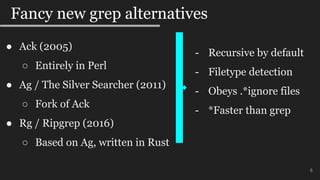
Fancy new grep alternatives
● Ack (2005)
○ Entirely in Perl
● Ag / The Silver Searcher (2011)
○ Fork of Ack
● Rg / Ripgrep (2016)
○ Based on Ag, written in Rust
- Recursive by default
- Filetype detection
- Obeys .*ignore files
- *Faster than grep
7
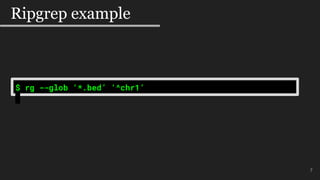
Ripgrep example
$ rg --glob ‘*.bed’ ‘^chr1’
8
Searching for files
8
● find
$ find [OPTIONS] [PATH] [expression/command]
# Example
$ find -name ‘*.bed’
● fd (alternative to find)
$ fd PATTERN [PATH]
# Example
$ fd ‘.*bed$’
Regular Expression
Bash glob
9
Fuzzy Filtering
9
● FZF
○ Takes an input source and interactively allows for fuzzy
searching
○ Defaults to a source of `find --type f`
● Example input sources:
○ Files
○ Bash History
○ Process Lists
Brief Live Demo!
10
11
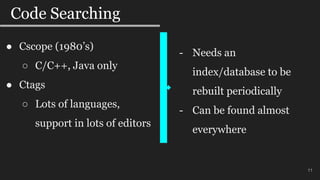
Code Searching
11
● Cscope (1980’s)
○ C/C++, Java only
● Ctags
○ Lots of languages,
support in lots of editors
- Needs an
index/database to be
rebuilt periodically
- Can be found almost
everywhere
12
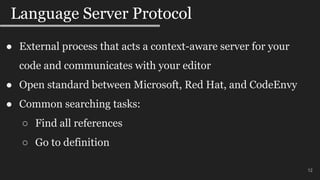
Language Server Protocol
12
● External process that acts a context-aware server for your
code and communicates with your editor
● Open standard between Microsoft, Red Hat, and CodeEnvy
● Common searching tasks:
○ Find all references
○ Go to definition
13
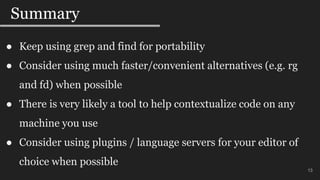
Summary
13
● Keep using grep and find for portability
● Consider using much faster/convenient alternatives (e.g. rg
and fd) when possible
● There is very likely a tool to help contextualize code on any
machine you use
● Consider using plugins / language servers for your editor of
choice when possible
Questions
14

File searching tools

  • 1.
    File Searching Tools EricRoberts Hoffman Lab 1
  • 2.
    2 Presentation Guide ● Infile Searching ● File / Path Searching ● Fuzzy Filtering ● Code Searching
  • 3.
    3 Searching in files ●grep ○ ed (editor) command: g/re/p ■ Global, Regular Expression, Print $ grep PATTERN [FILE..] # Example $ grep ‘^chr1’ *.bed Regular Expression Bash glob (implicitly adds all BED files on the command prompt)
  • 4.
    (Bash) Glob (nota regex) 4 grep examples $ zcat segway.bed.gz | grep ‘^chr1’ $ grep --recursive --include ‘*.bed’ ‘^chr1’ Regular Expression ● Can be used without file patterns
  • 5.
    5 Regular Expressions ● Asyntax to specify specific subsets of characters ^chr[1-3] Match all lines that start with “chr1”, “chr2” or “chr3” ● Different languages/libraries have different syntax ○ PCRE - Perl Compatible Regular Expressions
  • 6.
    6 Fancy new grepalternatives ● Ack (2005) ○ Entirely in Perl ● Ag / The Silver Searcher (2011) ○ Fork of Ack ● Rg / Ripgrep (2016) ○ Based on Ag, written in Rust - Recursive by default - Filetype detection - Obeys .*ignore files - *Faster than grep
  • 7.
    7 Ripgrep example $ rg--glob ‘*.bed’ ‘^chr1’
  • 8.
    8 Searching for files 8 ●find $ find [OPTIONS] [PATH] [expression/command] # Example $ find -name ‘*.bed’ ● fd (alternative to find) $ fd PATTERN [PATH] # Example $ fd ‘.*bed$’ Regular Expression Bash glob
  • 9.
    9 Fuzzy Filtering 9 ● FZF ○Takes an input source and interactively allows for fuzzy searching ○ Defaults to a source of `find --type f` ● Example input sources: ○ Files ○ Bash History ○ Process Lists
  • 10.
  • 11.
    11 Code Searching 11 ● Cscope(1980’s) ○ C/C++, Java only ● Ctags ○ Lots of languages, support in lots of editors - Needs an index/database to be rebuilt periodically - Can be found almost everywhere
  • 12.
    12 Language Server Protocol 12 ●External process that acts a context-aware server for your code and communicates with your editor ● Open standard between Microsoft, Red Hat, and CodeEnvy ● Common searching tasks: ○ Find all references ○ Go to definition
  • 13.
    13 Summary 13 ● Keep usinggrep and find for portability ● Consider using much faster/convenient alternatives (e.g. rg and fd) when possible ● There is very likely a tool to help contextualize code on any machine you use ● Consider using plugins / language servers for your editor of choice when possible
  • 14.

Editor's Notes

  • #2 This presentation will focus on searching and mostly searching for files and the stuff in files. This presentation is not just how to use grep and find though I’ll go briefly go over those since they are still very important tools. Practically though this presentation will introduce you to alternatives and a few tools that I’ve been consistently using over the past few years.
  • #4 To search in files I have to touch on the ubiquitous grep command. The command itself is extracted from the very common subcommand of the original UNIX editor somewhat aptly named ed. The command used was Global Regular Expression Print. Regular expressions is syntax for specifying specific subsets of text. Here I am giving a very brief but important example on using grep. The pattern portion of grep is a regular expression, the file portion is often a bash glob. Bash globs are *not* regular expressions. This glob pattern expands out to all BED files in the current directory. Also single quotes around the regular expression is really important so bash doesn’t accidentally interpret as a bash glob an accidentally expand out somehow.
  • #5 Here are examples with grep with no files specified. Grep can read from standard input in no files are specified and can implictly look in every file when recursive is specified. Note again the mix between GLOB patterns and regular expressions and having to single quote them so the bash shell doesn’t expand them as well.
  • #6 So here I’m going to very briefly go over regular expressions since they are often very language specific each with lots of documentation and examples. The most notable regular expression syntax “standard” if there is called “PCRE”. It is the regular expression syntax that seeks to be compatible with what comes with the Perl language. Very often search tools will have options for PCRE compliance or not or will state when/how they are not etc.
  • #7 From slower to much faster than grep in most cases. There are lots of page on benchmarks for lots of cases. It is not uncommon to see a 10x speedup of rg over grep. Rg also an explicit PCRE2 compliant flag if you so wish instead of Rust’s own regex syntax/engine. These alternatives are very convenient and much faster. Saying that grep is still very important to know and use for a few very good reasons: Portability, if you need your bash script to use a search, you should use grep obviously Older/limited system where Perl or Rust are unavailable. Also I excluded here Pg, which is the Platinum searcher, written in Go. I’ve had no experience with it but it is also very likely a better stand-in replacement for grep in most cases
  • #8 To search in files I have to touch on the ubiquitous grep command. The command itself is extracted from the very common subcommand of the original UNIX editor somewhat aptly named ed. The command used was Global Regular Expression Print. Regular expressions is syntax for specifying specific subsets of text. Here I am giving a very brief but important example on using grep. The pattern portion of grep is a regular expression, the file portion is often a bash glob. Bash globs are *not* regular expressions. This glob pattern expands out to all BED files in the current directory. Also single quotes around the regular expression is really important so bash doesn’t accidentally interpret as a bash glob an accidentally expand out somehow.
  • #9 Fd also respects ignore files Fd seems to benchmark much faster than find Fd also allows you to search for files using a regular expression. You could always do this but you would run find without any filter then pipe into grep (or ripgrep).
  • #10 Should show examples how this looks
  • #12 Should show examples how this looks
  • #13 So while there are a dime-a-dozen code-based plugins (to help search) for each editor, which are fine it is probably worth while mentioning a new rising standard in the world of code editors and that is the Language Server Protocol This is the default in the Visual Studio Code editor in which this standard came from. But if your editor supports the protocol, you should have effectively the same code-context features as Visual Studio Code does. Of course the searching tasks isn’t all that a language server provides. For example you can rename a variable across your entire codebase, autocompletion, documentation, type definitions, etc.
  • #14 So while there are a dime-a-dozen code-based plugins (to help search) for each editor, which are fine it is probably worth while mentioning a new rising standard in the world of code editors and that is the Language Server Protocol This is the default in the Visual Studio Code editor in which this standard came from. But if your editor supports the protocol, you should have effectively the same code-context features as Visual Studio Code does. Of course the searching tasks isn’t all that a language server provides. For example you can rename a variable across your entire codebase, autocompletion, documentation, type definitions, etc.