Python
Lecture 9Lecture 9
-Ravi Kiran Khareedi
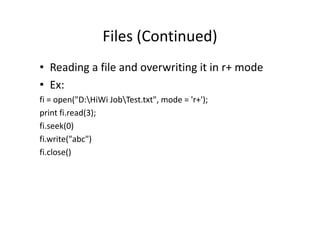
Files (Continued)
• Reading a file and overwriting it in r+ mode
• Ex:
fi = open("D:HiWi JobTest.txt", mode = 'r+');
print fi.read(3);print fi.read(3);
fi.seek(0)
fi.write("abc")
fi.close()
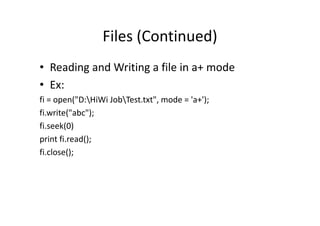
Files (Continued)
• Reading and Writing a file in a+ mode
• Ex:
fi = open("D:HiWi JobTest.txt", mode = 'a+');
fi.write("abc");fi.write("abc");
fi.seek(0)
print fi.read();
fi.close();
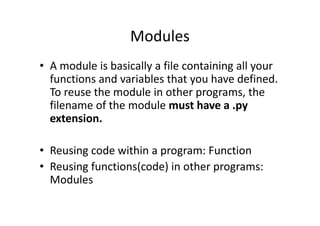
Modules
• A module is basically a file containing all your
functions and variables that you have defined.
To reuse the module in other programs, the
filename of the module must have a .py
extension.extension.
• Reusing code within a program: Function
• Reusing functions(code) in other programs:
Modules
Modules
• We have a seen few modules like
• re
• os
• sys• sys
• Same way we can create our own modules
Our own Module
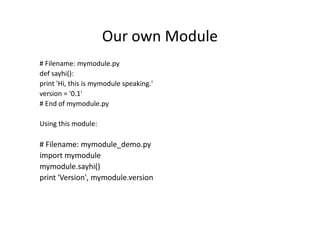
# Filename: mymodule.py
def sayhi():
print 'Hi, this is mymodule speaking.'
version = '0.1'
# End of mymodule.py
Using this module:
# Filename: mymodule_demo.py
import mymodule
mymodule.sayhi()
print 'Version', mymodule.version
Another way : from.. import
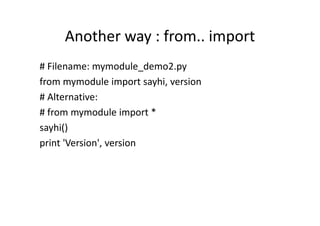
# Filename: mymodule_demo2.py
from mymodule import sayhi, version
# Alternative:
# from mymodule import *# from mymodule import *
sayhi()
print 'Version', version
Short Video on Classes and Objects
• Concept: Classes and Objects
• (https://www.youtube.com/watch?v=MeP1CztNMdo)
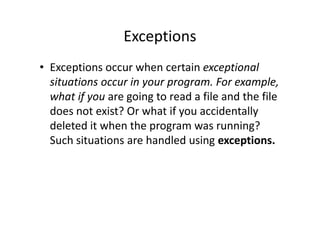
Exceptions
• Exceptions occur when certain exceptional
situations occur in your program. For example,
what if you are going to read a file and the file
does not exist? Or what if you accidentallydoes not exist? Or what if you accidentally
deleted it when the program was running?
Such situations are handled using exceptions.
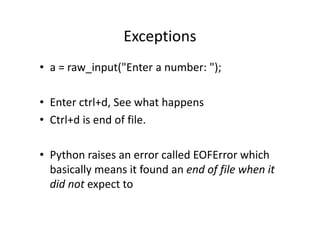
Exceptions
• a = raw_input("Enter a number: ");
• Enter ctrl+d, See what happens
• Ctrl+d is end of file.• Ctrl+d is end of file.
• Python raises an error called EOFError which
basically means it found an end of file when it
did not expect to
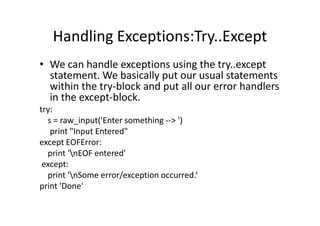
Handling Exceptions:Try..Except
• We can handle exceptions using the try..except
statement. We basically put our usual statements
within the try-block and put all our error handlers
in the except-block.
try:try:
s = raw_input('Enter something --> ')
print "Input Entered"
except EOFError:
print 'nEOF entered'
except:
print 'nSome error/exception occurred.‘
print 'Done'
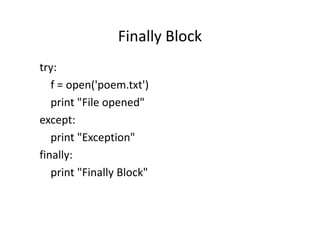
Finally Block
try:
f = open('poem.txt')
print "File opened"
except:except:
print "Exception"
finally:
print "Finally Block"
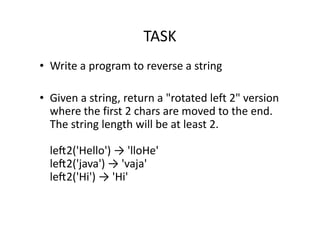
TASK
• Write a program to reverse a string
• Given a string, return a "rotated left 2" version
where the first 2 chars are moved to the end.where the first 2 chars are moved to the end.
The string length will be at least 2.
leG2('Hello') → 'lloHe'
leG2('java') → 'vaja'
leG2('Hi') → 'Hi'
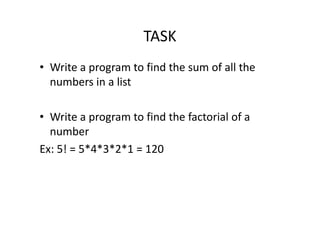
TASK
• Write a program to find the sum of all the
numbers in a list
• Write a program to find the factorial of a• Write a program to find the factorial of a
number
Ex: 5! = 5*4*3*2*1 = 120
References
• http://www.tutorialspoint.com/python/
• https://docs.python.org/2/tutorial/

Python - Lecture 9

  • 1.
  • 2.
    Files (Continued) • Readinga file and overwriting it in r+ mode • Ex: fi = open("D:HiWi JobTest.txt", mode = 'r+'); print fi.read(3);print fi.read(3); fi.seek(0) fi.write("abc") fi.close()
  • 3.
    Files (Continued) • Readingand Writing a file in a+ mode • Ex: fi = open("D:HiWi JobTest.txt", mode = 'a+'); fi.write("abc");fi.write("abc"); fi.seek(0) print fi.read(); fi.close();
  • 4.
    Modules • A moduleis basically a file containing all your functions and variables that you have defined. To reuse the module in other programs, the filename of the module must have a .py extension.extension. • Reusing code within a program: Function • Reusing functions(code) in other programs: Modules
  • 5.
    Modules • We havea seen few modules like • re • os • sys• sys • Same way we can create our own modules
  • 6.
    Our own Module #Filename: mymodule.py def sayhi(): print 'Hi, this is mymodule speaking.' version = '0.1' # End of mymodule.py Using this module: # Filename: mymodule_demo.py import mymodule mymodule.sayhi() print 'Version', mymodule.version
  • 7.
    Another way :from.. import # Filename: mymodule_demo2.py from mymodule import sayhi, version # Alternative: # from mymodule import *# from mymodule import * sayhi() print 'Version', version
  • 8.
    Short Video onClasses and Objects • Concept: Classes and Objects • (https://www.youtube.com/watch?v=MeP1CztNMdo)
  • 9.
    Exceptions • Exceptions occurwhen certain exceptional situations occur in your program. For example, what if you are going to read a file and the file does not exist? Or what if you accidentallydoes not exist? Or what if you accidentally deleted it when the program was running? Such situations are handled using exceptions.
  • 10.
    Exceptions • a =raw_input("Enter a number: "); • Enter ctrl+d, See what happens • Ctrl+d is end of file.• Ctrl+d is end of file. • Python raises an error called EOFError which basically means it found an end of file when it did not expect to
  • 11.
    Handling Exceptions:Try..Except • Wecan handle exceptions using the try..except statement. We basically put our usual statements within the try-block and put all our error handlers in the except-block. try:try: s = raw_input('Enter something --> ') print "Input Entered" except EOFError: print 'nEOF entered' except: print 'nSome error/exception occurred.‘ print 'Done'
  • 12.
    Finally Block try: f =open('poem.txt') print "File opened" except:except: print "Exception" finally: print "Finally Block"
  • 13.
    TASK • Write aprogram to reverse a string • Given a string, return a "rotated left 2" version where the first 2 chars are moved to the end.where the first 2 chars are moved to the end. The string length will be at least 2. leG2('Hello') → 'lloHe' leG2('java') → 'vaja' leG2('Hi') → 'Hi'
  • 14.
    TASK • Write aprogram to find the sum of all the numbers in a list • Write a program to find the factorial of a• Write a program to find the factorial of a number Ex: 5! = 5*4*3*2*1 = 120
  • 15.