CBSE
CLASS 12
Ch-5 File Handling
SasikalaJayaprakash
INTRODUTION
 A file in itself is bunch of byes stored on some
storage device like hard –drive etc .
 Files help in storing information permanently .
TEXT FILES
• A text file store information in ASC11 or unicode characters
• line of text is terminated,(delimited )with a special character
known EOL (end of line)
• Default mode
• Extn of text file is .txt
• Translation occur
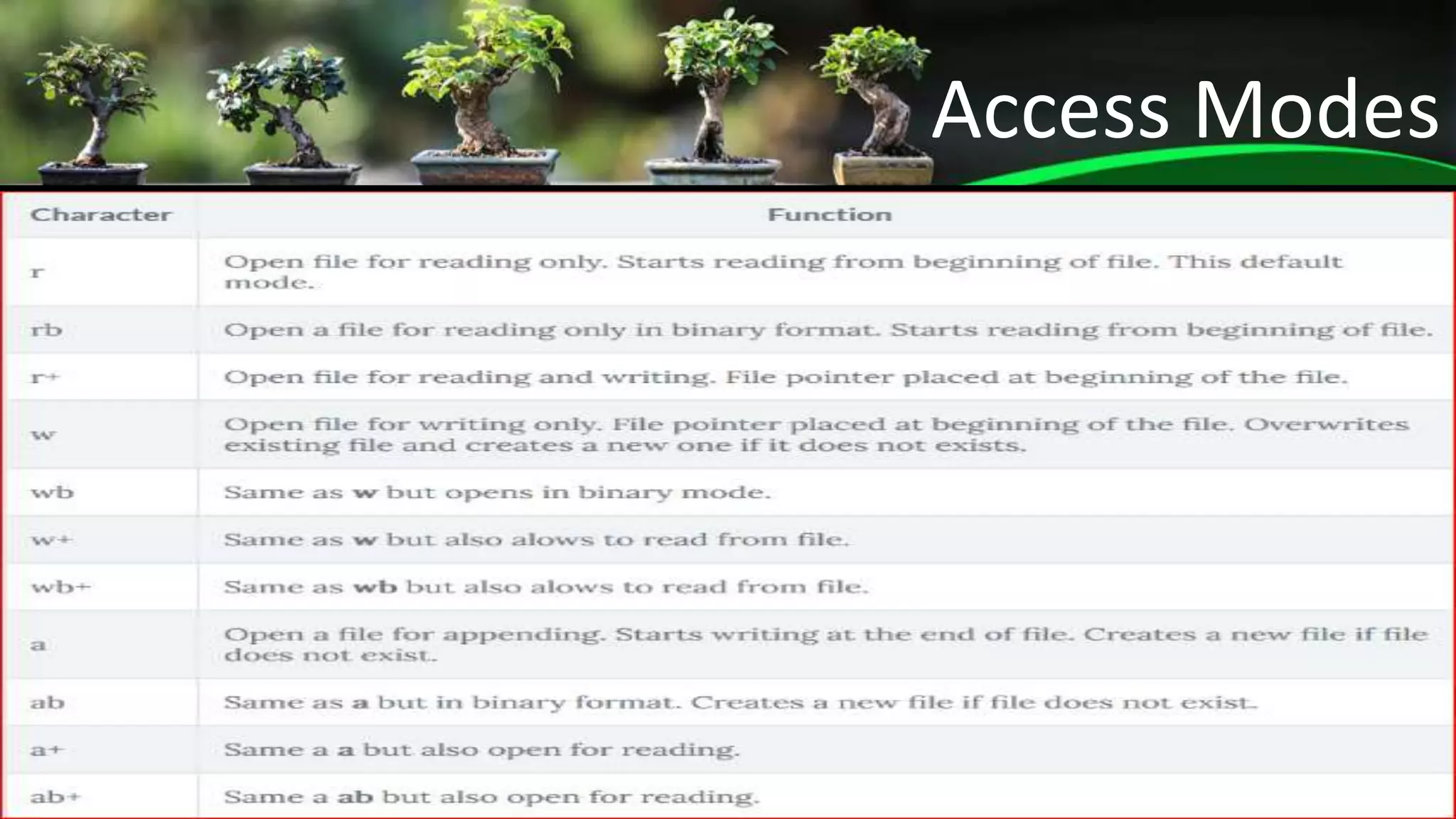
Access Modes
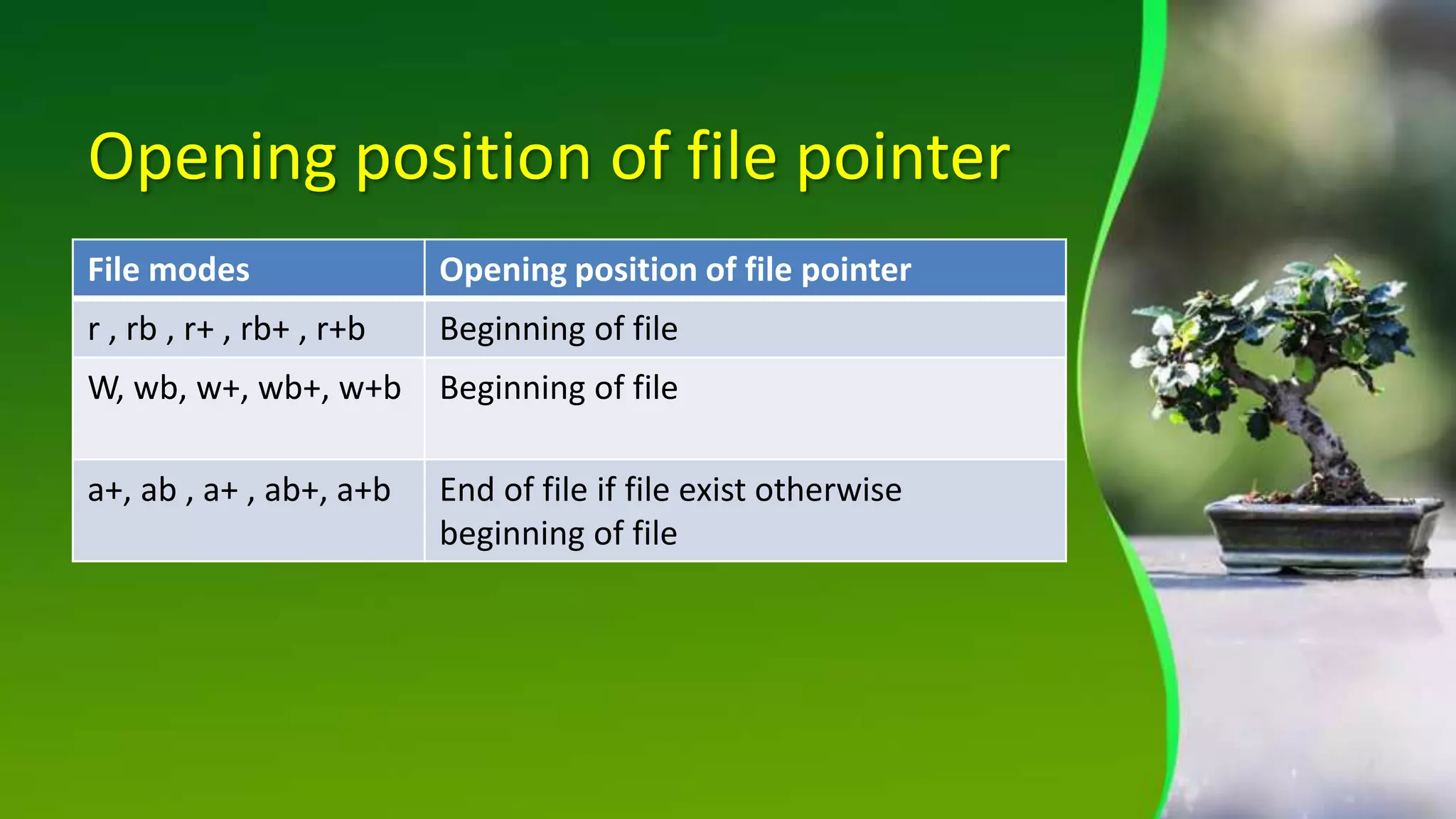
Opening position of file pointer
File modes Opening position of file pointer
r , rb , r+ , rb+ , r+b Beginning of file
W, wb, w+, wb+, w+b Beginning of file
a+, ab , a+ , ab+, a+b End of file if file exist otherwise
beginning of file
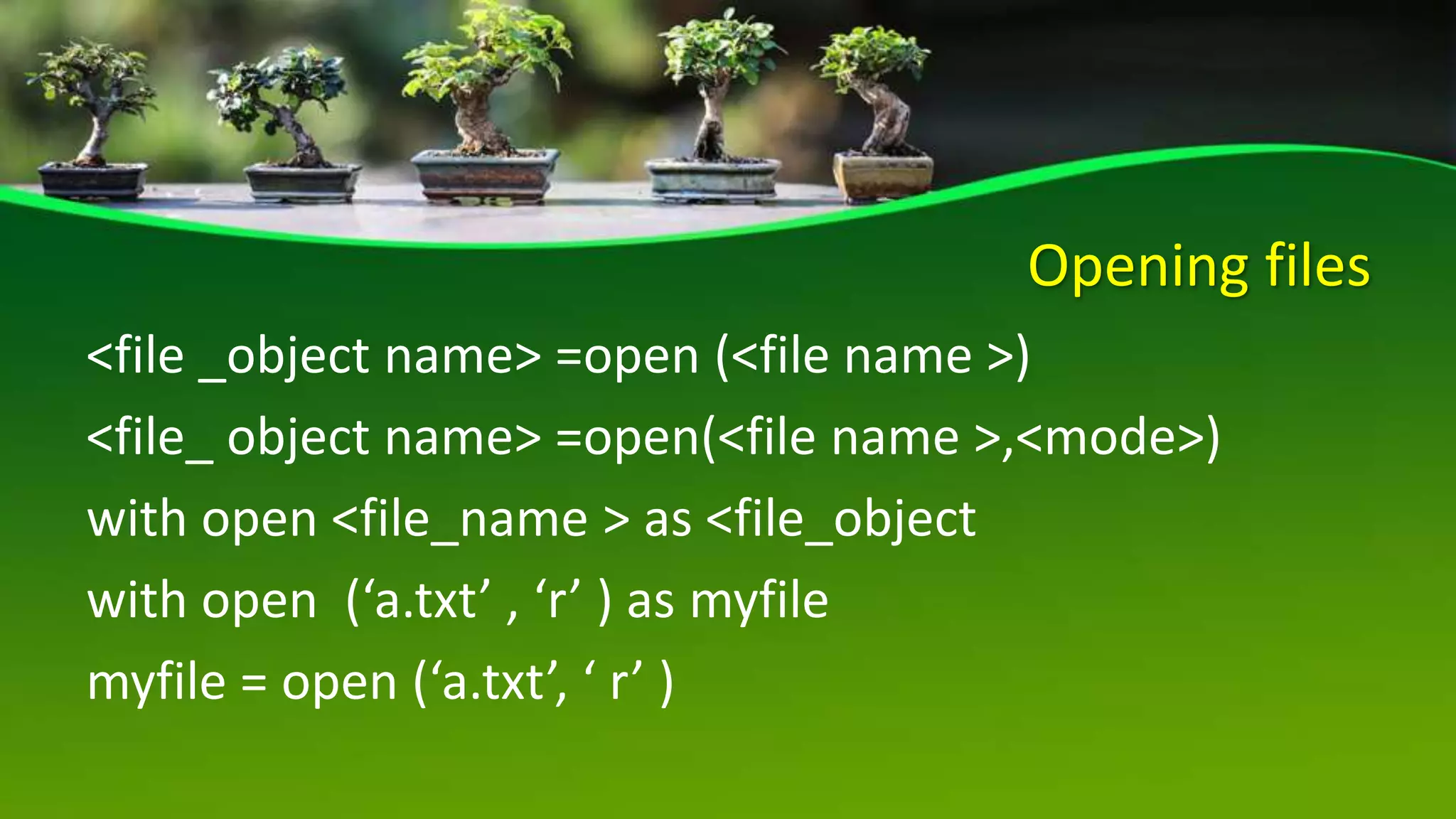
Opening files
<file _object name> =open (<file name >)
<file_ object name> =open(<file name >,<mode>)
with open <file_name > as <file_object
with open (‘a.txt’ , ‘r’ ) as myfile
myfile = open (‘a.txt’, ‘ r’ )
READING FILES
METHOD SYNTAX DESCRIPTION
Read() <filehandle>. read([n]) Read at most n bytes; if no n is
specified , reads the entire file ,
return form of string
Readline() <filehandle>.readline([n]) Reads a line of input , if n is
specified reads at most n bytes,
returns in form of string
Readlines() <filehandle> . readlines() Read all lines and return in a list
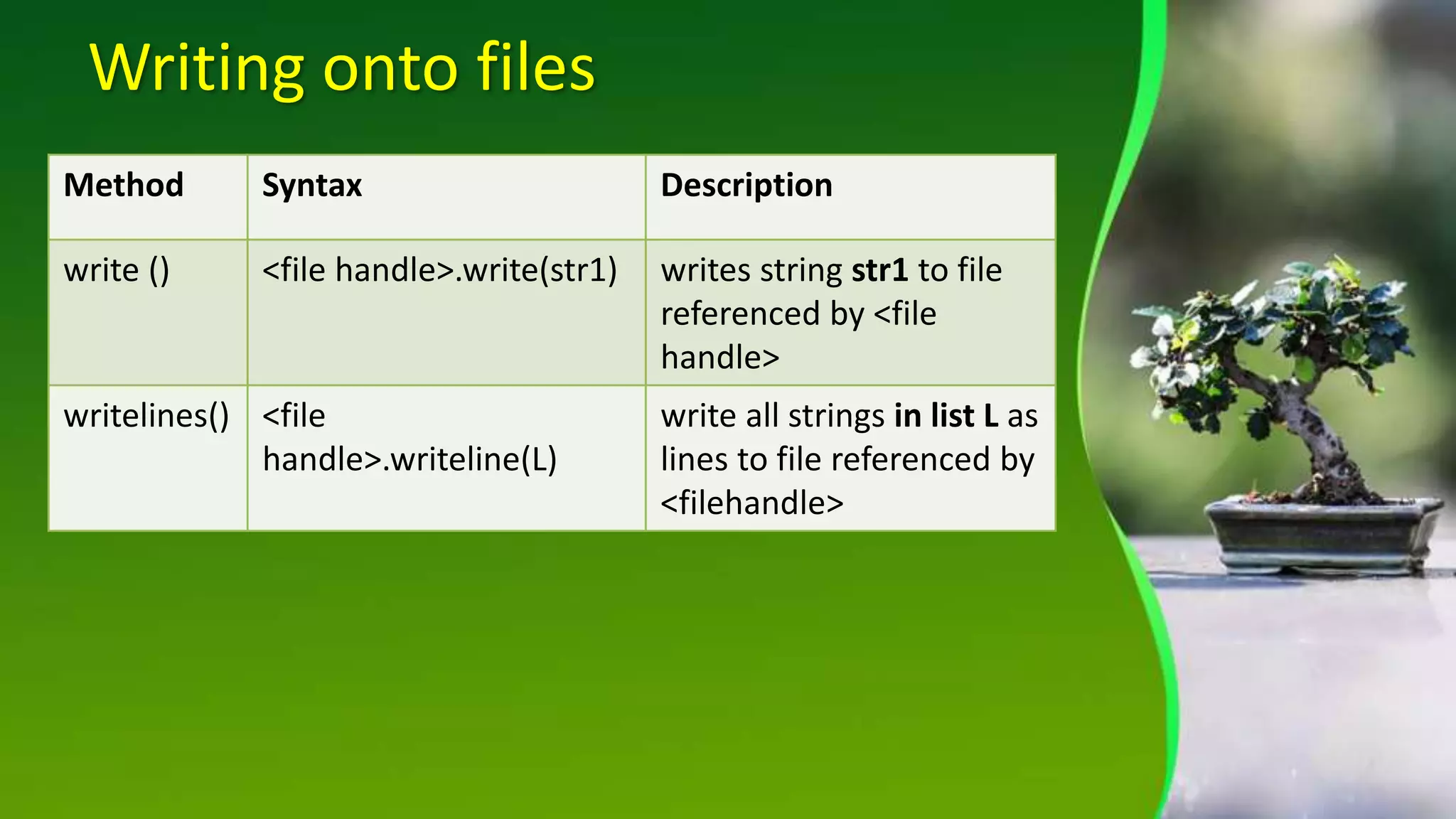
Writing onto files
Method Syntax Description
write () <file handle>.write(str1) writes string str1 to file
referenced by <file
handle>
writelines() <file
handle>.writeline(L)
write all strings in list L as
lines to file referenced by
<filehandle>
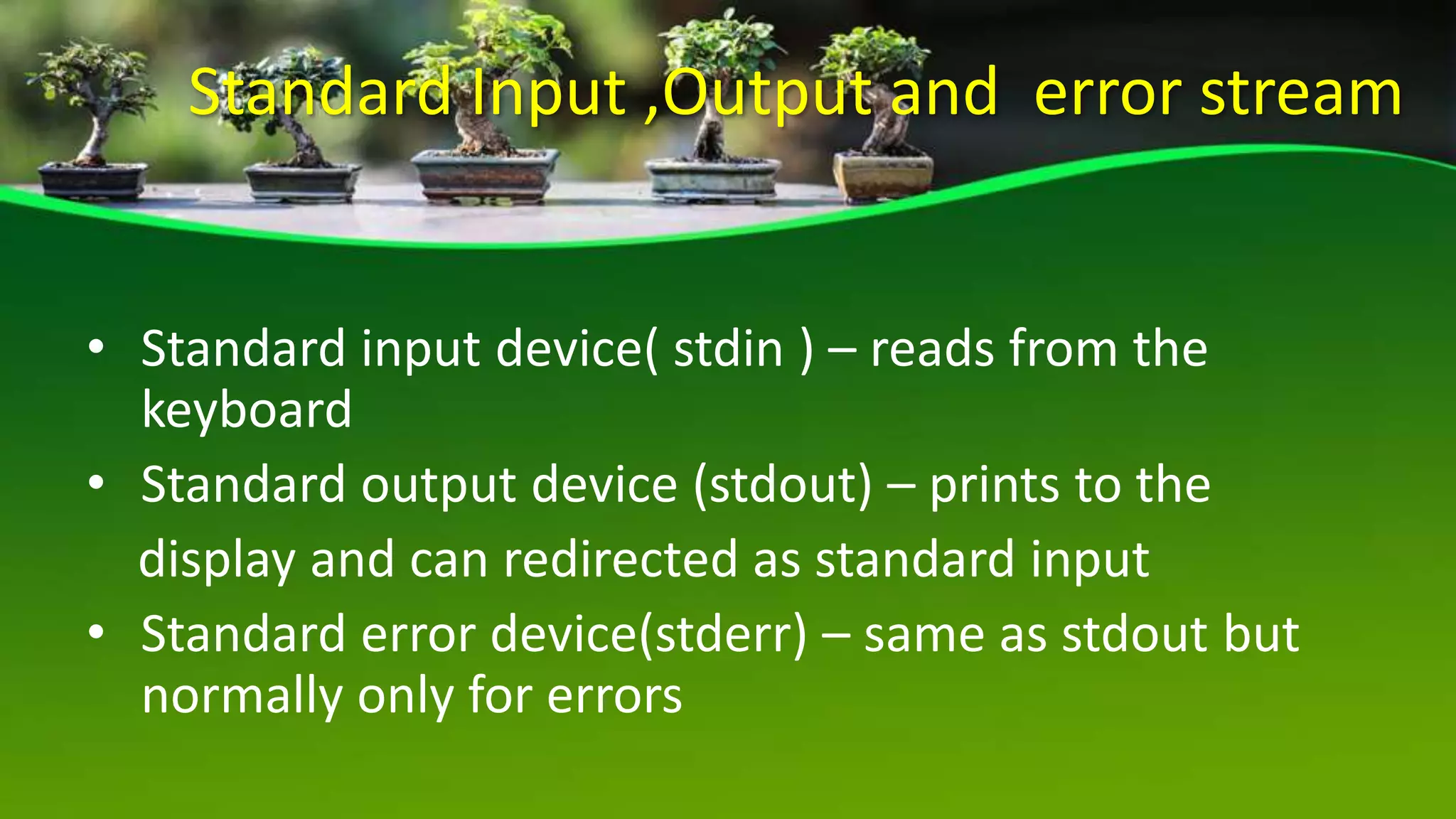
Standard Input ,Output and error stream
• Standard input device( stdin ) – reads from the
keyboard
• Standard output device (stdout) – prints to the
display and can redirected as standard input
• Standard error device(stderr) – same as stdout but
normally only for errors
Binary files
 A binary file is just a file a that contain information in the
same format in which the information is held in memory
 There is no delimiter for a line
 No translations occur required in binary files
 Faster and easier for a program to read and write
 Extn is .dat file
Pickling and unpickling
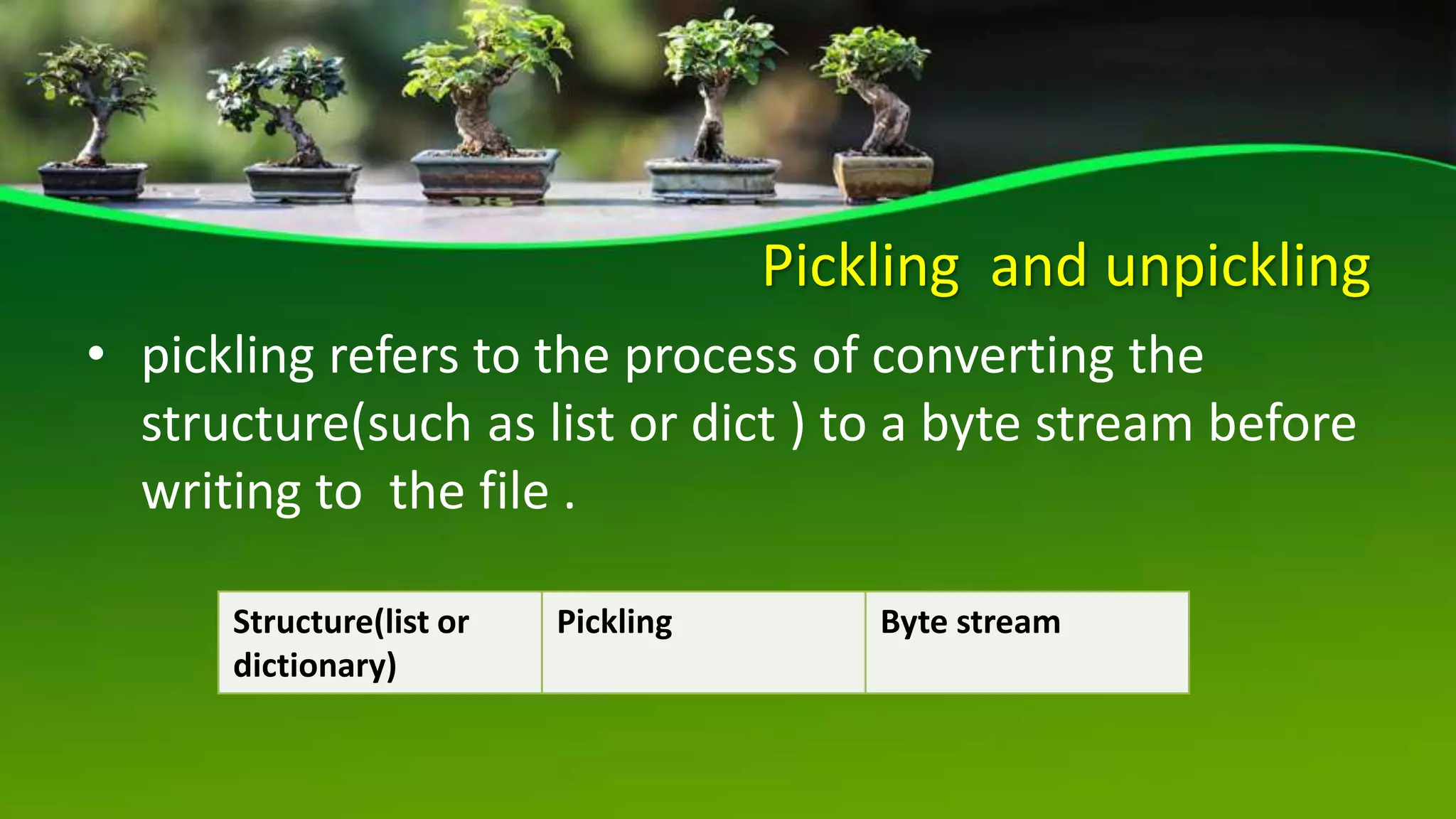
• pickling refers to the process of converting the
structure(such as list or dict ) to a byte stream before
writing to the file .
Structure(list or
dictionary)
Pickling Byte stream
pickle.dump ()
Used to write object into file
syntax : pickle.dump(<structure>,fileobject)
file object is the file handle of the file where you write
the contents
pickle.load()
• used to read data from file
• syntax : structure=pickle.load(fileobject)
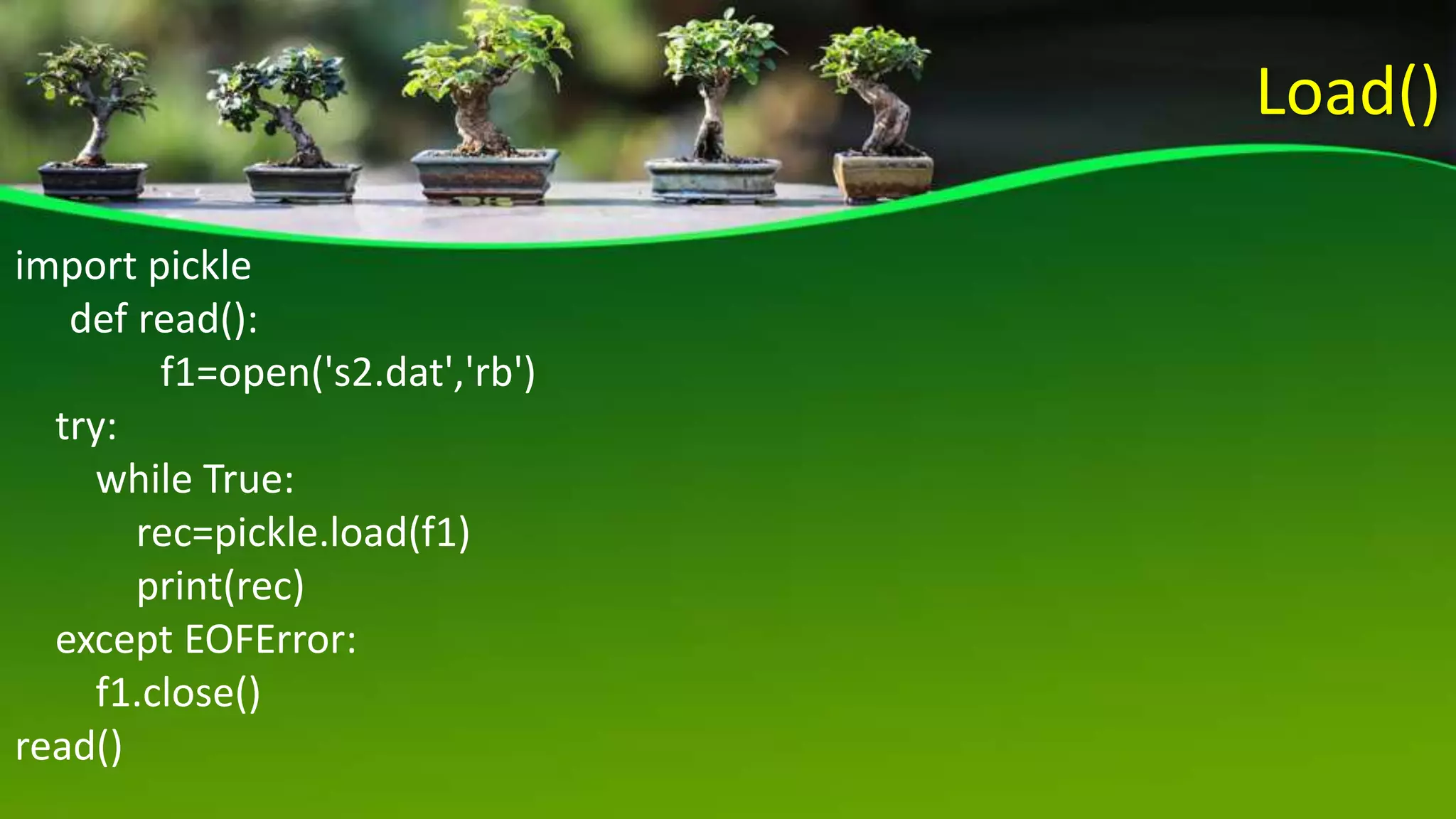
Load()
import pickle
def read():
f1=open('s2.dat','rb')
try:
while True:
rec=pickle.load(f1)
print(rec)
except EOFError:
f1.close()
read()
Dump()
import pickle
def write():
f1=open('s2.dat','wb')
rec=[ ]
while True
mark1,mark2,mark3=0,0,0
r=int(input("enter rollno:"))
n=input("enter name:")
m1=int(input("enter mark1:"))
m2=int(input("enter mark2:"))
m3=int(input("enter mark3:"))
a=(m1+m2+m3)/3
lst=[r,n,m1,m2,m3,a]
rec.append(lst)
pickle.dump(rec,f1)
f1.close()
write()
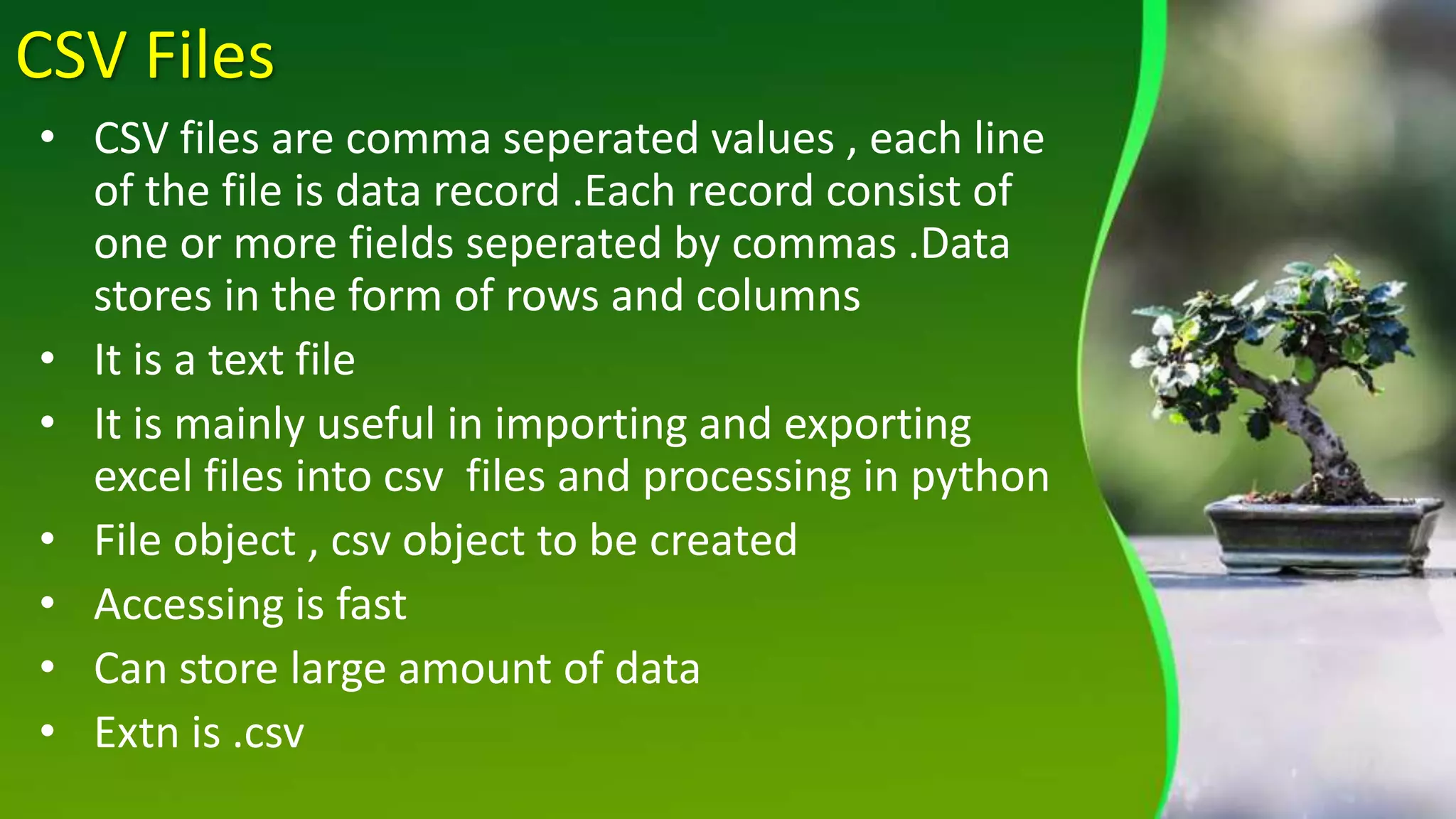
CSV Files
• CSV files are comma seperated values , each line
of the file is data record .Each record consist of
one or more fields seperated by commas .Data
stores in the form of rows and columns
• It is a text file
• It is mainly useful in importing and exporting
excel files into csv files and processing in python
• File object , csv object to be created
• Accessing is fast
• Can store large amount of data
• Extn is .csv
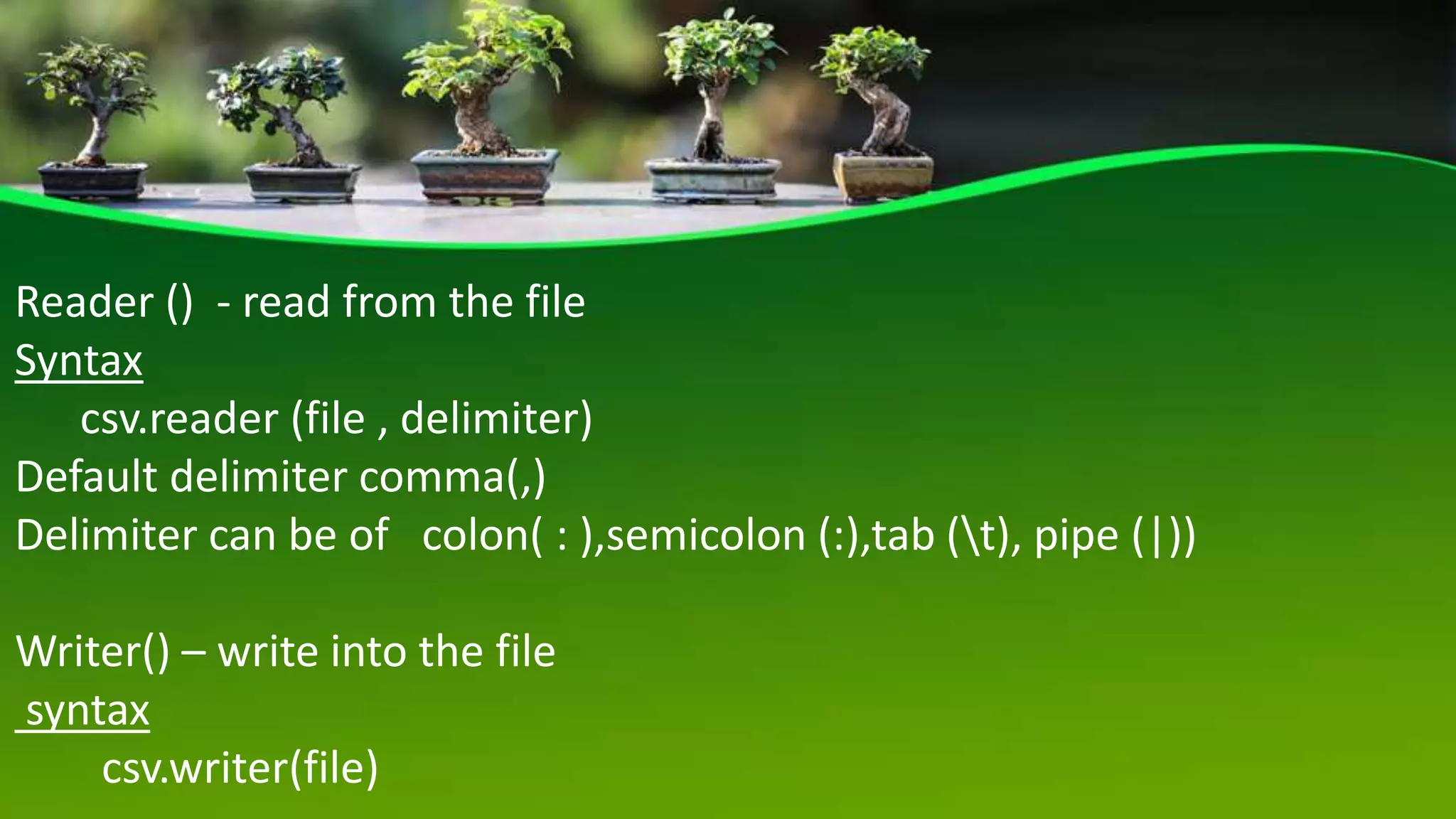
Reader () - read from the file
Syntax
csv.reader (file , delimiter)
Default delimiter comma(,)
Delimiter can be of colon( : ),semicolon (:),tab (t), pipe (|))
Writer() – write into the file
syntax
csv.writer(file)
Writer()
import csv
f1=open('new1.csv','w',newline='')
s_writer=csv.writer(f1)
s_writer.writerow(["Name","Location
"])
rec=[ ]
while True:
name=input("enter name:")
Location=input("enter location:")
lst=[name,Location]
rec.append(lst)
ch=input("do u want to enter more
records y/n: ")
if ch=='n':
break
s_writer.writerows(rec)
f1.close()
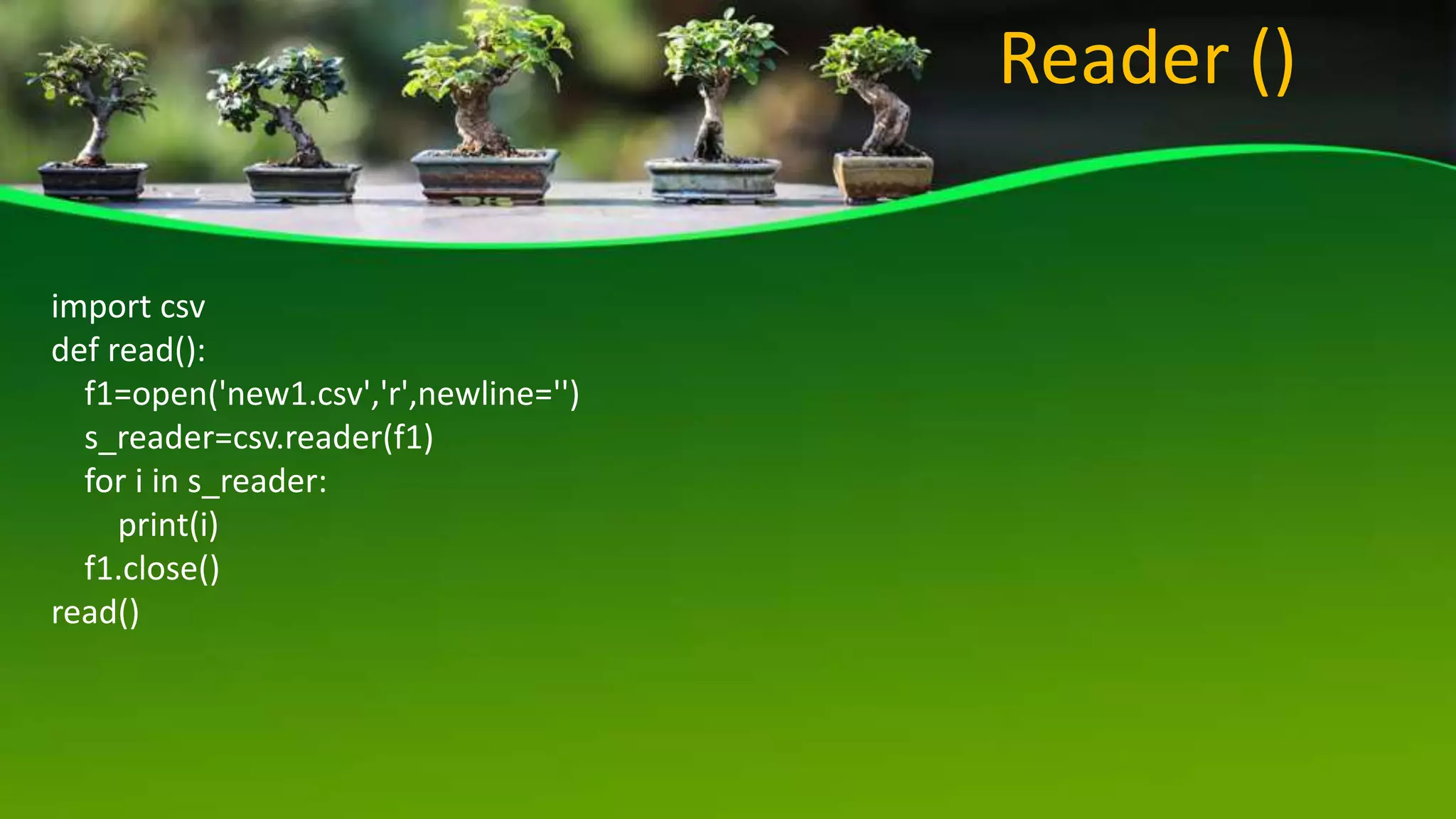
import csv
def read():
f1=open('new1.csv','r',newline='')
s_reader=csv.reader(f1)
for i in s_reader:
print(i)
f1.close()
read()
Reader ()
CBSE - Class 12 - Ch -5 -File Handling , access mode,CSV , Binary file

CBSE - Class 12 - Ch -5 -File Handling , access mode,CSV , Binary file

  • 1.
    CBSE CLASS 12 Ch-5 FileHandling SasikalaJayaprakash
  • 2.
    INTRODUTION  A filein itself is bunch of byes stored on some storage device like hard –drive etc .  Files help in storing information permanently .
  • 3.
    TEXT FILES • Atext file store information in ASC11 or unicode characters • line of text is terminated,(delimited )with a special character known EOL (end of line) • Default mode • Extn of text file is .txt • Translation occur
  • 4.
  • 5.
    Opening position offile pointer File modes Opening position of file pointer r , rb , r+ , rb+ , r+b Beginning of file W, wb, w+, wb+, w+b Beginning of file a+, ab , a+ , ab+, a+b End of file if file exist otherwise beginning of file
  • 6.
    Opening files <file _objectname> =open (<file name >) <file_ object name> =open(<file name >,<mode>) with open <file_name > as <file_object with open (‘a.txt’ , ‘r’ ) as myfile myfile = open (‘a.txt’, ‘ r’ )
  • 7.
    READING FILES METHOD SYNTAXDESCRIPTION Read() <filehandle>. read([n]) Read at most n bytes; if no n is specified , reads the entire file , return form of string Readline() <filehandle>.readline([n]) Reads a line of input , if n is specified reads at most n bytes, returns in form of string Readlines() <filehandle> . readlines() Read all lines and return in a list
  • 8.
    Writing onto files MethodSyntax Description write () <file handle>.write(str1) writes string str1 to file referenced by <file handle> writelines() <file handle>.writeline(L) write all strings in list L as lines to file referenced by <filehandle>
  • 9.
    Standard Input ,Outputand error stream • Standard input device( stdin ) – reads from the keyboard • Standard output device (stdout) – prints to the display and can redirected as standard input • Standard error device(stderr) – same as stdout but normally only for errors
  • 10.
    Binary files  Abinary file is just a file a that contain information in the same format in which the information is held in memory  There is no delimiter for a line  No translations occur required in binary files  Faster and easier for a program to read and write  Extn is .dat file
  • 11.
    Pickling and unpickling •pickling refers to the process of converting the structure(such as list or dict ) to a byte stream before writing to the file . Structure(list or dictionary) Pickling Byte stream
  • 12.
    pickle.dump () Used towrite object into file syntax : pickle.dump(<structure>,fileobject) file object is the file handle of the file where you write the contents
  • 13.
    pickle.load() • used toread data from file • syntax : structure=pickle.load(fileobject)
  • 14.
    Load() import pickle def read(): f1=open('s2.dat','rb') try: whileTrue: rec=pickle.load(f1) print(rec) except EOFError: f1.close() read()
  • 15.
    Dump() import pickle def write(): f1=open('s2.dat','wb') rec=[] while True mark1,mark2,mark3=0,0,0 r=int(input("enter rollno:")) n=input("enter name:") m1=int(input("enter mark1:")) m2=int(input("enter mark2:")) m3=int(input("enter mark3:")) a=(m1+m2+m3)/3 lst=[r,n,m1,m2,m3,a] rec.append(lst) pickle.dump(rec,f1) f1.close() write()
  • 16.
    CSV Files • CSVfiles are comma seperated values , each line of the file is data record .Each record consist of one or more fields seperated by commas .Data stores in the form of rows and columns • It is a text file • It is mainly useful in importing and exporting excel files into csv files and processing in python • File object , csv object to be created • Accessing is fast • Can store large amount of data • Extn is .csv
  • 17.
    Reader () -read from the file Syntax csv.reader (file , delimiter) Default delimiter comma(,) Delimiter can be of colon( : ),semicolon (:),tab (t), pipe (|)) Writer() – write into the file syntax csv.writer(file)
  • 18.
    Writer() import csv f1=open('new1.csv','w',newline='') s_writer=csv.writer(f1) s_writer.writerow(["Name","Location "]) rec=[ ] whileTrue: name=input("enter name:") Location=input("enter location:") lst=[name,Location] rec.append(lst) ch=input("do u want to enter more records y/n: ") if ch=='n': break s_writer.writerows(rec) f1.close()
  • 19.