Disclaimer: This presentation is prepared by trainees of
baabtra as a part of mentoring program. This is not official
document of baabtra –Mentoring Partner
Baabtra-Mentoring Partner is the mentoring division of baabte System Technologies Pvt .
Ltd
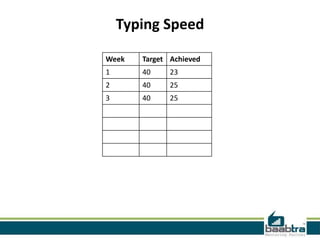
Typing Speed
Week

Target Achieved

1

40

23

2

40

25

3

40

25
Jobs Applied
Week
1
2
3

Company

Designation

Applied Date

Current Status
File Operations in c

Muhammed Noufal V T
muhammednoufalvt@gmail.com
www.facebook.com/vtnoufalvt
twitter.com/noufalurnappy
in.linkedin.com/pub/muhammed-noufal
9744003056
File management
• Data can be stored on the disk and read whenever necessary, without destroying
the data
• C uses a structure called FILE (defined in stdio.h) to store the attributes of a file.
• FILE- Place on the disk where a group of related data is stored
• C supports a number of functions that have the ability to perform basic file
operations
-Naming a file
-Opening a file
-Reading data from a file
-Writing data to a file
-Closing a file
Basic file operations
• C provides several different file operations
• fopen - open a file- specify how its opened (read/write) and type
(binary/text)
• fclose - close an opened file
• fread - read from a file
• fwrite - write to a file
• fseek/fsetpos - move a file pointer to somewhere in a file.
• ftell/fgetpos - tell you where the file pointer is located.
Different modes

• Writing mode
– if file already exists then contents are deleted,
– else new file with specified name created
• Appending mode
– if file already exists then file opened with contents safe
– else new file created
• Reading mode
– if file already exists then opened with contents safe
– else error occurs.
• Additional modes
– r+ open to beginning for both reading/writing
– w+ same as w except both for reading and writing
– a+ same as ‘a’ except both for reading and writing
Opening a FILE

• Syntax
-FILE *fp; /*variable fp is pointer to type FILE*/
fp = fopen(“filename”, “mode”); /*opens file with name filename , assigns
identifier to fp */
• fp
– contains all information about file
– Communication link between system and program
• The file mode tells C how the program will use the file.
• The filename indicates the system name and location for the file.
• We assign the return value of fopen to our pointer variable:
fp = fopen(“MYFILE.TXT”, “w”);
fp = fopen(“A:MYFILE.TXT”, “w”);
Closing a FILE

• When we finish with a mode, we need to close the file before ending the program or
beginning another mode with that same file.
• To close a file, we use fclose and the pointer variable:
fclose(spData);
• Example:
FILE *p1;
p1 = fopen(“INPUT.txt”, “r”);
……..
……..
fclose(p1);
• pointer can be reused after closing
Input/output operations on FILES
•
•
•
•
•
•
•

C provides several different functions for reading/writing
getc() – read a character
putc() – write a character
fprintf() – write set of data values
fscanf() – read set of data values
getw() – read integer
putw() – write integer
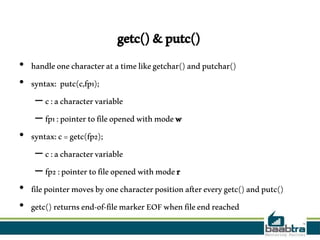
getc() & putc()
• handle one character at a time like getchar() and putchar()
• syntax: putc(c,fp1);
– c : a character variable
– fp1 : pointer to file opened with mode w
• syntax: c = getc(fp2);
– c : a character variable
– fp2 : pointer to file opened with mode r
• file pointer moves by one character position after every getc() and putc()
• getc() returns end-of-file marker EOF when file end reached
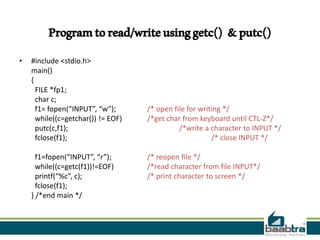
Program to read/write using getc() & putc()
•

#include <stdio.h>
main()
{
FILE *fp1;
char c;
f1= fopen(“INPUT”, “w”);
while((c=getchar()) != EOF)
putc(c,f1);
fclose(f1);
f1=fopen(“INPUT”, “r”);
while((c=getc(f1))!=EOF)
printf(“%c”, c);
fclose(f1);
} /*end main */

/* open file for writing */
/*get char from keyboard until CTL-Z*/
/*write a character to INPUT */
/* close INPUT */
/* reopen file */
/*read character from file INPUT*/
/* print character to screen */
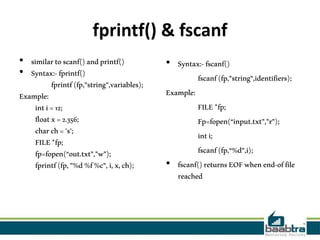
fprintf() & fscanf
• similar to scanf() and printf()
• Syntax:- fprintf()
fprintf (fp,"string",variables);
Example:
int i = 12;
float x = 2.356;
char ch = 's';
FILE *fp;
fp=fopen(“out.txt”,”w”);
fprintf (fp, "%d %f %c", i, x, ch);

• Syntax:- fscanf()
fscanf (fp,"string",identifiers);
Example:
FILE *fp;
Fp=fopen(“input.txt”,”r”);
int i;
fscanf (fp,“%d",i);
• fscanf() returns EOF when end-of file
reached
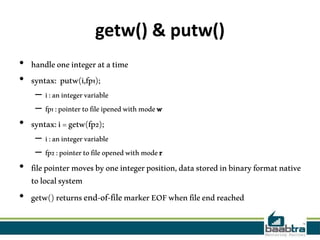
getw() & putw()
• handle one integer at a time
• syntax: putw(i,fp1);

– i : an integer variable
– fp1 : pointer to file ipened with mode w

• syntax: i = getw(fp2);

– i : an integer variable
– fp2 : pointer to file opened with mode r

• file pointer moves by one integer position, data stored in binary format native
to local system
• getw() returns end-of-file marker EOF when file end reached
fread()
• Declaration:- fread(void *ptr, size, n, FILE *stream);
• Remarks:
fread reads a specified number of equal-sized data items from an input stream into a block.
– ptr = Points to a block into which data is read
– size = Length of each item read, in bytes
– n = Number of items read
– stream = file pointer
• Example
char a[10]={'1','2','3','4','5','6','7','8','9','a'};
FILE *fs;
fs=fopen("Project.txt","w");
fwrite(a,1,10,fs);
fclose(fs)
fwrite()
• Declaration:
fwrite(const void *ptr, size, n, FILE*stream);
• Remarks:
fwrite appends a specified number of equal-sized data items to an output file.
– ptr = Pointer to any object; the data written begins at ptr
– size = Length of each item of data
– n =Number of data items to be appended
– stream = file pointer
• Example
char a[10]={'1','2','3','4','5','6','7','8','9','a'};
FILE *fs;
fs=fopen("Project.txt","w");
fwrite(a,1,10,fs);
fclose(fs);
If this presentation helped you, please visit our
page facebook.com/baabtra and like it.

Thanks in advance.
www.baabtra.com | www.massbaab.com |www.baabte.com
Contact Us
Emarald Mall (Big Bazar Building)
Mavoor Road, Kozhikode,
Kerala, India.
Ph: + 91 – 495 40 25 550

Start up Village
Eranakulam,
Kerala, India.
Email: info@baabtra.com

NC Complex, Near Bus Stand
Mukkam, Kozhikode,
Kerala, India.
Ph: + 91 – 495 40 25 550

File operations in c

  • 2.
    Disclaimer: This presentationis prepared by trainees of baabtra as a part of mentoring program. This is not official document of baabtra –Mentoring Partner Baabtra-Mentoring Partner is the mentoring division of baabte System Technologies Pvt . Ltd
  • 3.
  • 4.
  • 5.
    File Operations inc Muhammed Noufal V T muhammednoufalvt@gmail.com www.facebook.com/vtnoufalvt twitter.com/noufalurnappy in.linkedin.com/pub/muhammed-noufal 9744003056
  • 6.
    File management • Datacan be stored on the disk and read whenever necessary, without destroying the data • C uses a structure called FILE (defined in stdio.h) to store the attributes of a file. • FILE- Place on the disk where a group of related data is stored • C supports a number of functions that have the ability to perform basic file operations -Naming a file -Opening a file -Reading data from a file -Writing data to a file -Closing a file
  • 7.
    Basic file operations •C provides several different file operations • fopen - open a file- specify how its opened (read/write) and type (binary/text) • fclose - close an opened file • fread - read from a file • fwrite - write to a file • fseek/fsetpos - move a file pointer to somewhere in a file. • ftell/fgetpos - tell you where the file pointer is located.
  • 8.
    Different modes • Writingmode – if file already exists then contents are deleted, – else new file with specified name created • Appending mode – if file already exists then file opened with contents safe – else new file created • Reading mode – if file already exists then opened with contents safe – else error occurs. • Additional modes – r+ open to beginning for both reading/writing – w+ same as w except both for reading and writing – a+ same as ‘a’ except both for reading and writing
  • 9.
    Opening a FILE •Syntax -FILE *fp; /*variable fp is pointer to type FILE*/ fp = fopen(“filename”, “mode”); /*opens file with name filename , assigns identifier to fp */ • fp – contains all information about file – Communication link between system and program • The file mode tells C how the program will use the file. • The filename indicates the system name and location for the file. • We assign the return value of fopen to our pointer variable: fp = fopen(“MYFILE.TXT”, “w”); fp = fopen(“A:MYFILE.TXT”, “w”);
  • 10.
    Closing a FILE •When we finish with a mode, we need to close the file before ending the program or beginning another mode with that same file. • To close a file, we use fclose and the pointer variable: fclose(spData); • Example: FILE *p1; p1 = fopen(“INPUT.txt”, “r”); …….. …….. fclose(p1); • pointer can be reused after closing
  • 11.
    Input/output operations onFILES • • • • • • • C provides several different functions for reading/writing getc() – read a character putc() – write a character fprintf() – write set of data values fscanf() – read set of data values getw() – read integer putw() – write integer
  • 12.
    getc() & putc() •handle one character at a time like getchar() and putchar() • syntax: putc(c,fp1); – c : a character variable – fp1 : pointer to file opened with mode w • syntax: c = getc(fp2); – c : a character variable – fp2 : pointer to file opened with mode r • file pointer moves by one character position after every getc() and putc() • getc() returns end-of-file marker EOF when file end reached
  • 13.
    Program to read/writeusing getc() & putc() • #include <stdio.h> main() { FILE *fp1; char c; f1= fopen(“INPUT”, “w”); while((c=getchar()) != EOF) putc(c,f1); fclose(f1); f1=fopen(“INPUT”, “r”); while((c=getc(f1))!=EOF) printf(“%c”, c); fclose(f1); } /*end main */ /* open file for writing */ /*get char from keyboard until CTL-Z*/ /*write a character to INPUT */ /* close INPUT */ /* reopen file */ /*read character from file INPUT*/ /* print character to screen */
  • 14.
    fprintf() & fscanf •similar to scanf() and printf() • Syntax:- fprintf() fprintf (fp,"string",variables); Example: int i = 12; float x = 2.356; char ch = 's'; FILE *fp; fp=fopen(“out.txt”,”w”); fprintf (fp, "%d %f %c", i, x, ch); • Syntax:- fscanf() fscanf (fp,"string",identifiers); Example: FILE *fp; Fp=fopen(“input.txt”,”r”); int i; fscanf (fp,“%d",i); • fscanf() returns EOF when end-of file reached
  • 15.
    getw() & putw() •handle one integer at a time • syntax: putw(i,fp1); – i : an integer variable – fp1 : pointer to file ipened with mode w • syntax: i = getw(fp2); – i : an integer variable – fp2 : pointer to file opened with mode r • file pointer moves by one integer position, data stored in binary format native to local system • getw() returns end-of-file marker EOF when file end reached
  • 16.
    fread() • Declaration:- fread(void*ptr, size, n, FILE *stream); • Remarks: fread reads a specified number of equal-sized data items from an input stream into a block. – ptr = Points to a block into which data is read – size = Length of each item read, in bytes – n = Number of items read – stream = file pointer • Example char a[10]={'1','2','3','4','5','6','7','8','9','a'}; FILE *fs; fs=fopen("Project.txt","w"); fwrite(a,1,10,fs); fclose(fs)
  • 17.
    fwrite() • Declaration: fwrite(const void*ptr, size, n, FILE*stream); • Remarks: fwrite appends a specified number of equal-sized data items to an output file. – ptr = Pointer to any object; the data written begins at ptr – size = Length of each item of data – n =Number of data items to be appended – stream = file pointer • Example char a[10]={'1','2','3','4','5','6','7','8','9','a'}; FILE *fs; fs=fopen("Project.txt","w"); fwrite(a,1,10,fs); fclose(fs);
  • 18.
    If this presentationhelped you, please visit our page facebook.com/baabtra and like it. Thanks in advance. www.baabtra.com | www.massbaab.com |www.baabte.com
  • 19.
    Contact Us Emarald Mall(Big Bazar Building) Mavoor Road, Kozhikode, Kerala, India. Ph: + 91 – 495 40 25 550 Start up Village Eranakulam, Kerala, India. Email: info@baabtra.com NC Complex, Near Bus Stand Mukkam, Kozhikode, Kerala, India. Ph: + 91 – 495 40 25 550