Can you C
File Handling
Rohan K.Gajre.
Drop me a line if I can do anything else for you.
rohangajre@gmail.com
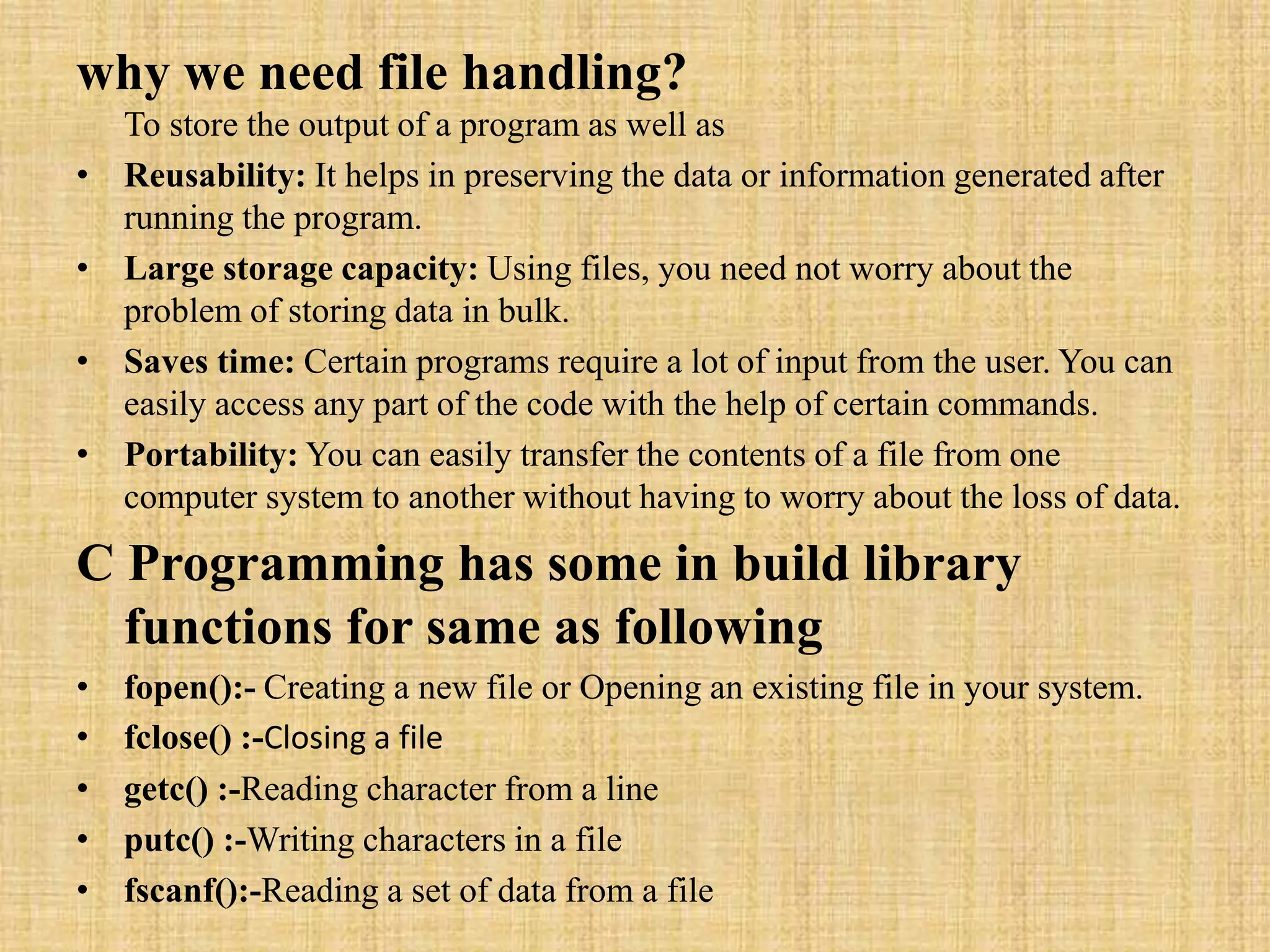
why we need file handling?
To store the output of a program as well as
• Reusability: It helps in preserving the data or information generated after
running the program.
• Large storage capacity: Using files, you need not worry about the
problem of storing data in bulk.
• Saves time: Certain programs require a lot of input from the user. You can
easily access any part of the code with the help of certain commands.
• Portability: You can easily transfer the contents of a file from one
computer system to another without having to worry about the loss of data.
C Programming has some in build library
functions for same as following
• fopen():- Creating a new file or Opening an existing file in your system.
• fclose() :-Closing a file
• getc() :-Reading character from a line
• putc() :-Writing characters in a file
• fscanf():-Reading a set of data from a file
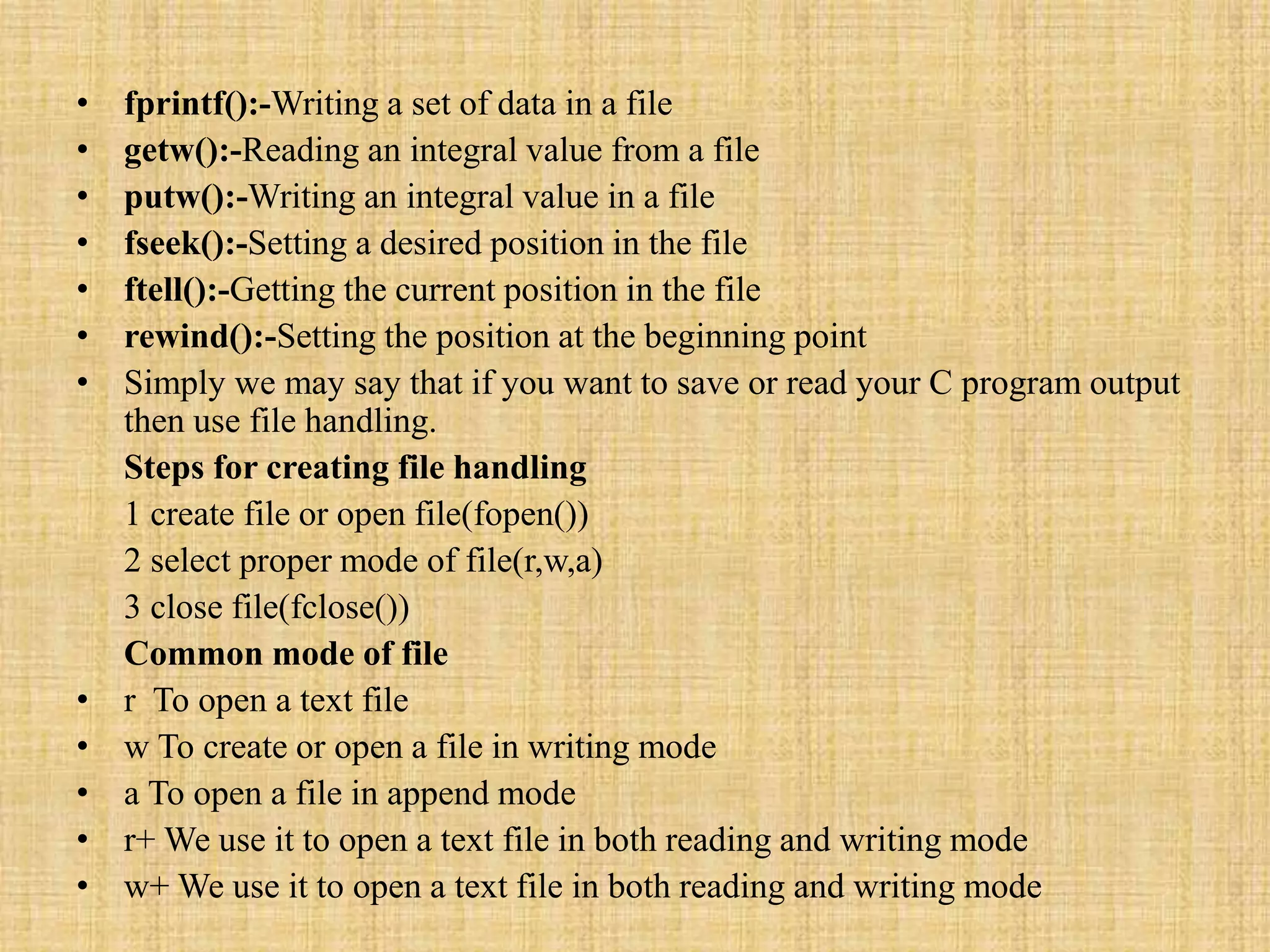
• fprintf():-Writing a set of data in a file
• getw():-Reading an integral value from a file
• putw():-Writing an integral value in a file
• fseek():-Setting a desired position in the file
• ftell():-Getting the current position in the file
• rewind():-Setting the position at the beginning point
• Simply we may say that if you want to save or read your C program output
then use file handling.
Steps for creating file handling
1 create file or open file(fopen())
2 select proper mode of file(r,w,a)
3 close file(fclose())
Common mode of file
• r To open a text file
• w To create or open a file in writing mode
• a To open a file in append mode
• r+ We use it to open a text file in both reading and writing mode
• w+ We use it to open a text file in both reading and writing mode
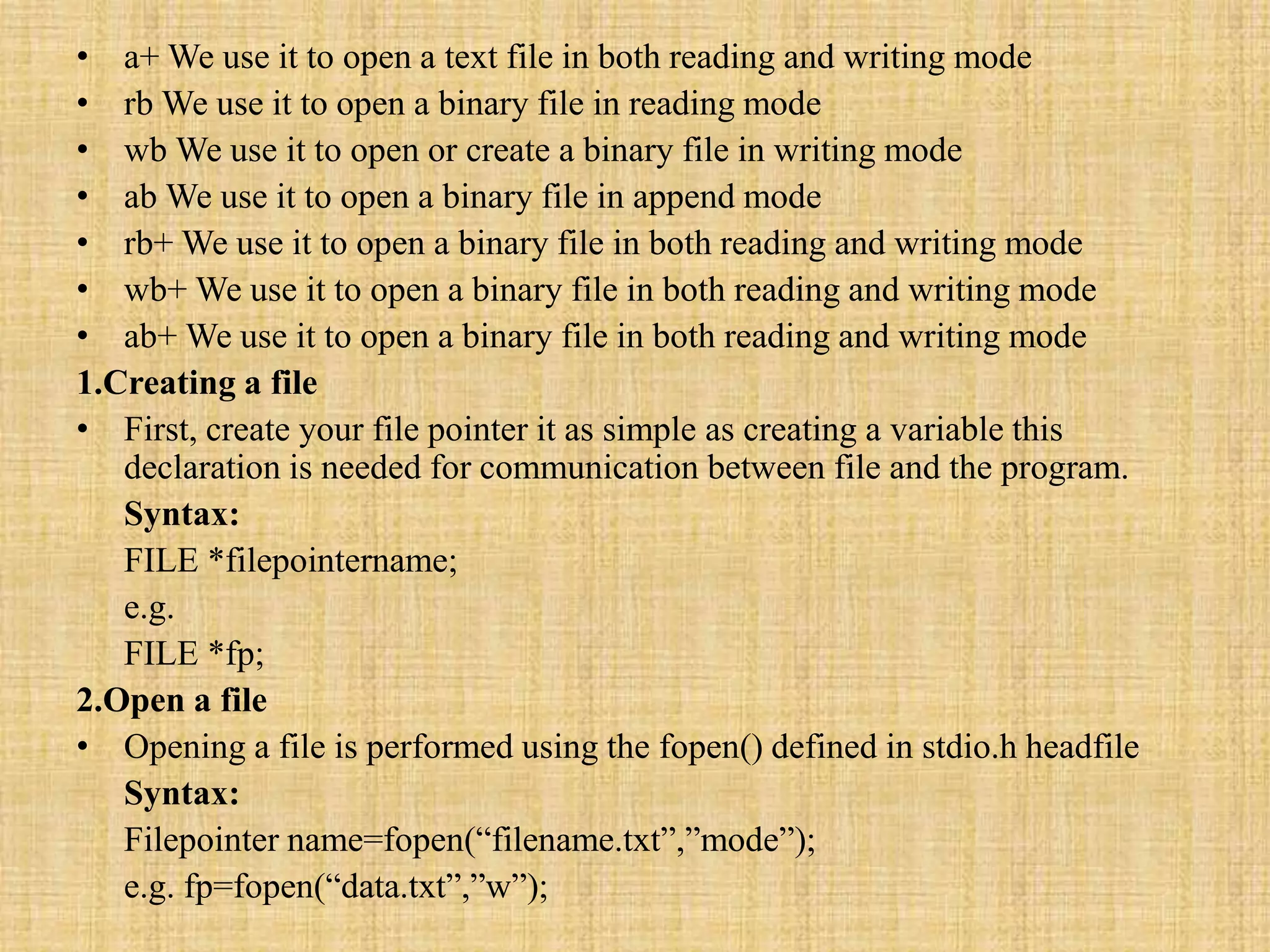
• a+ We use it to open a text file in both reading and writing mode
• rb We use it to open a binary file in reading mode
• wb We use it to open or create a binary file in writing mode
• ab We use it to open a binary file in append mode
• rb+ We use it to open a binary file in both reading and writing mode
• wb+ We use it to open a binary file in both reading and writing mode
• ab+ We use it to open a binary file in both reading and writing mode
1.Creating a file
• First, create your file pointer it as simple as creating a variable this
declaration is needed for communication between file and the program.
Syntax:
FILE *filepointername;
e.g.
FILE *fp;
2.Open a file
• Opening a file is performed using the fopen() defined in stdio.h headfile
Syntax:
Filepointer name=fopen(“filename.txt”,”mode”);
e.g. fp=fopen(“data.txt”,”w”);
3.Close a file
• The file must be closed after reading and writing.use fclose() function with
name of file pointer.
Synatx:
Fclose(filepointer);
e.g.
fclose(*fp);
• Here is a program in C that illustrates the use of file handling.
try it...
//Copy contents of one file to another
main()
{
FILE *wfp,*rfp;
char ch;
clrscr();
rfp = fopen("source","r");
wfp = fopen("target","w");
if(wfp==NULL || rfp==NULL)
{
printf("nUnable to open the file
");
getch();
exit();
}
while(!feof(rfp))
{
ch = fgetc(rfp);
fputc(ch,wfp);
}
printf("nCopied the file ");
fclose(wfp);
fclose(rfp);
getch();
return 0;
}
//WAP to accept 2 no and print result on file
void main() {
FILE *fp;
int num,i,prod;
clrscr();
fp = fopen("table.dat","w+");
printf("nEnter the integer number ");
scanf("%d",&num);
for(i=1;i<=10;i++) {
printf("n%d * %d = %d",num,i,num*i);
fprintf(fp,"%d %d %dn",num,i,num*i); }
rewind(fp);
getch(); clrscr();
printf("nThe table in the file is nnnn");
while(fscanf(fp,"%d %d %d",&num,&i,&prod)!=EOF)
printf("n%d * %d = %d",num,i,prod);
fclose(fp);
getch();
}
//Counting the number of charactrers, words and the lines in the file
main() {
FILE *rfp;
char ch;
int chars=0,words=0,lines=0;
clrscr();
rfp = fopen("source","r");
if(rfp==NULL) {
printf("nUnable to open the file ");
getch();
exit(); }
while(ch!=EOF) {
ch = fgetc(rfp);
if(ch!=' ' && ch!='n')
chars++;
else
words++;
if(ch=='n')
lines++; }
printf("nThe number of characters in the file are %d",chars);
printf("nThe number of words in the file are %d",words);
printf("nThe number of lines in the file are %d",lines);
fclose(rfp);
getch();
return 0;
}
//Reading the contents of the files
main() {
FILE *rfp;
char ch;
clrscr();
rfp = fopen("source","r");
if(rfp==NULL)
{
printf("nUnable to open the file ");
getch();
exit();
}
printf("nThe contents of the file are n");
while(!feof(rfp))
{
ch = fgetc(rfp);
printf("%c",ch);
}
fclose(rfp);
getch();
return 0; }
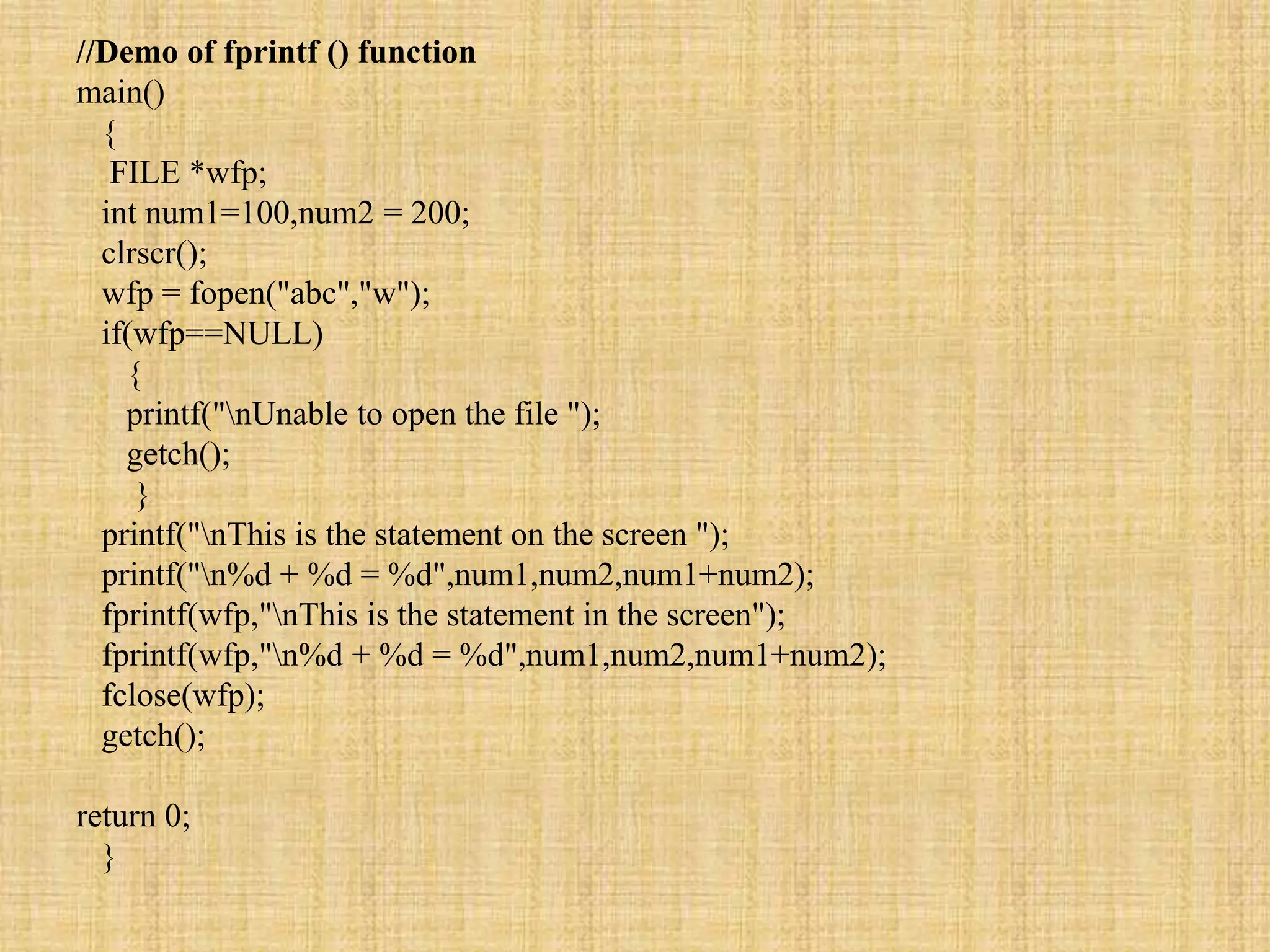
//Demo of fprintf () function
main()
{
FILE *wfp;
int num1=100,num2 = 200;
clrscr();
wfp = fopen("abc","w");
if(wfp==NULL)
{
printf("nUnable to open the file ");
getch();
}
printf("nThis is the statement on the screen ");
printf("n%d + %d = %d",num1,num2,num1+num2);
fprintf(wfp,"nThis is the statement in the screen");
fprintf(wfp,"n%d + %d = %d",num1,num2,num1+num2);
fclose(wfp);
getch();
return 0;
}
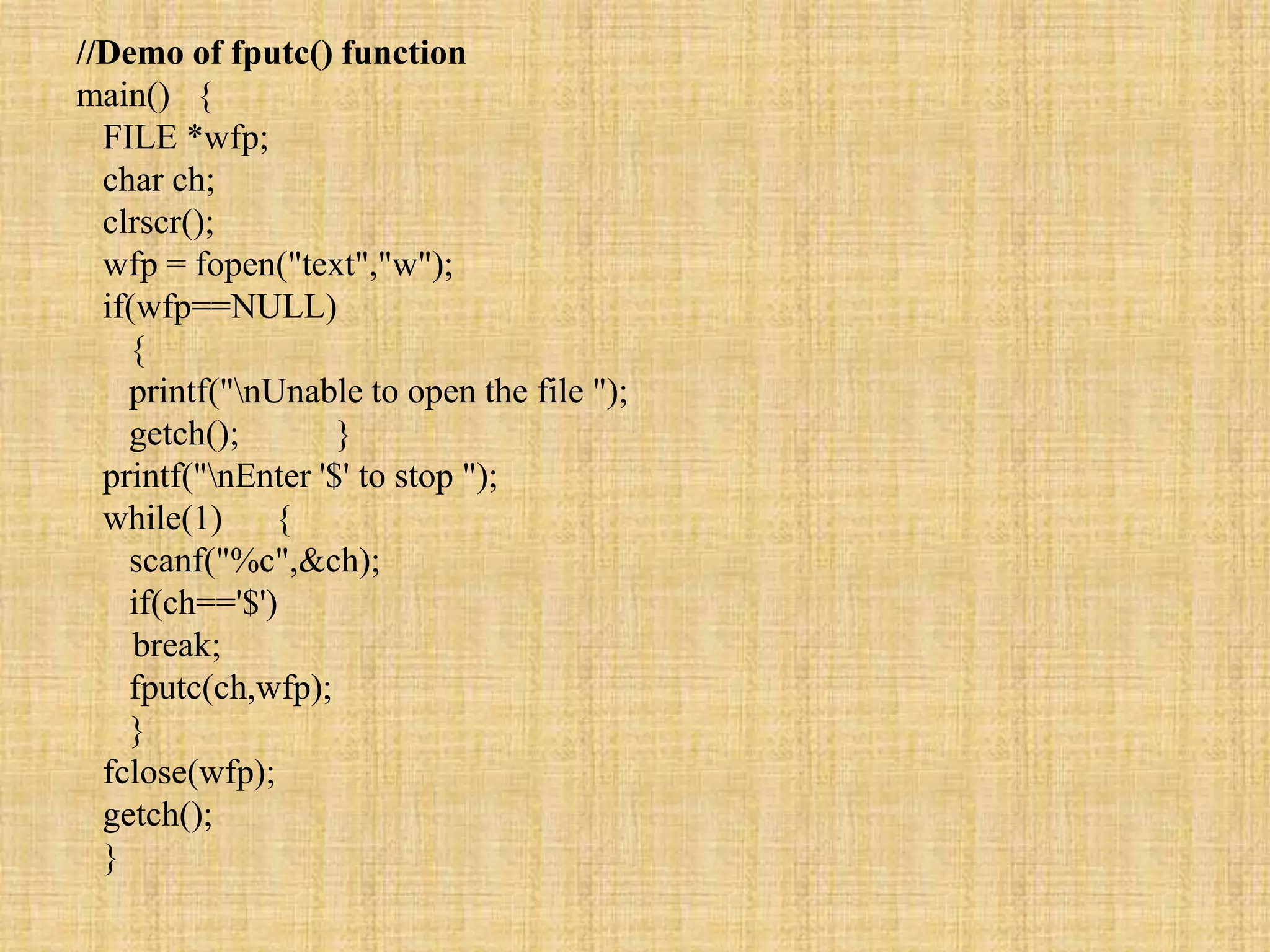
//Demo of fputc() function
main() {
FILE *wfp;
char ch;
clrscr();
wfp = fopen("text","w");
if(wfp==NULL)
{
printf("nUnable to open the file ");
getch(); }
printf("nEnter '$' to stop ");
while(1) {
scanf("%c",&ch);
if(ch=='$')
break;
fputc(ch,wfp);
}
fclose(wfp);
getch();
}
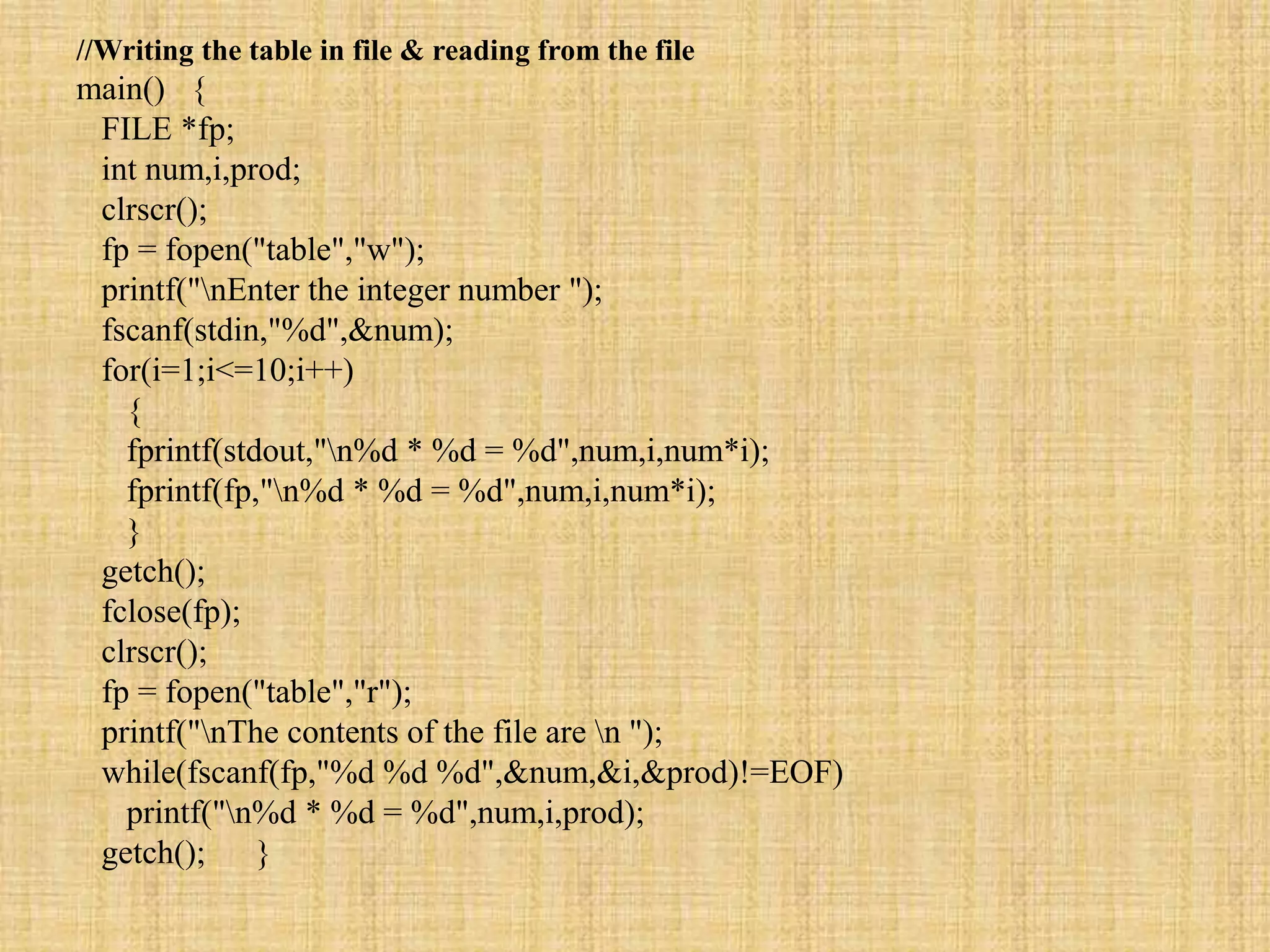
//Writing the table in file & reading from the file
main() {
FILE *fp;
int num,i,prod;
clrscr();
fp = fopen("table","w");
printf("nEnter the integer number ");
fscanf(stdin,"%d",&num);
for(i=1;i<=10;i++)
{
fprintf(stdout,"n%d * %d = %d",num,i,num*i);
fprintf(fp,"n%d * %d = %d",num,i,num*i);
}
getch();
fclose(fp);
clrscr();
fp = fopen("table","r");
printf("nThe contents of the file are n ");
while(fscanf(fp,"%d %d %d",&num,&i,&prod)!=EOF)
printf("n%d * %d = %d",num,i,prod);
getch(); }
//Record operations using the fprintf ()and fscanf () functions
struct student
{
char name[20];
int roll,age;
}S;
main() {
FILE *fp;
struct student S;
char ch;
fp = fopen("Stud.dat","a");
clrscr();
do
{
fprintf(stdout,"nEnter the details of the studemt ");
fscanf(stdin,"%s %d %d",S.name,&S.roll,&S.age);
fprintf(fp,"n%s %d %d",S.name,S.roll,S.age);
printf("nCont ..........");
fflush(stdin);
scanf("%c",&ch);
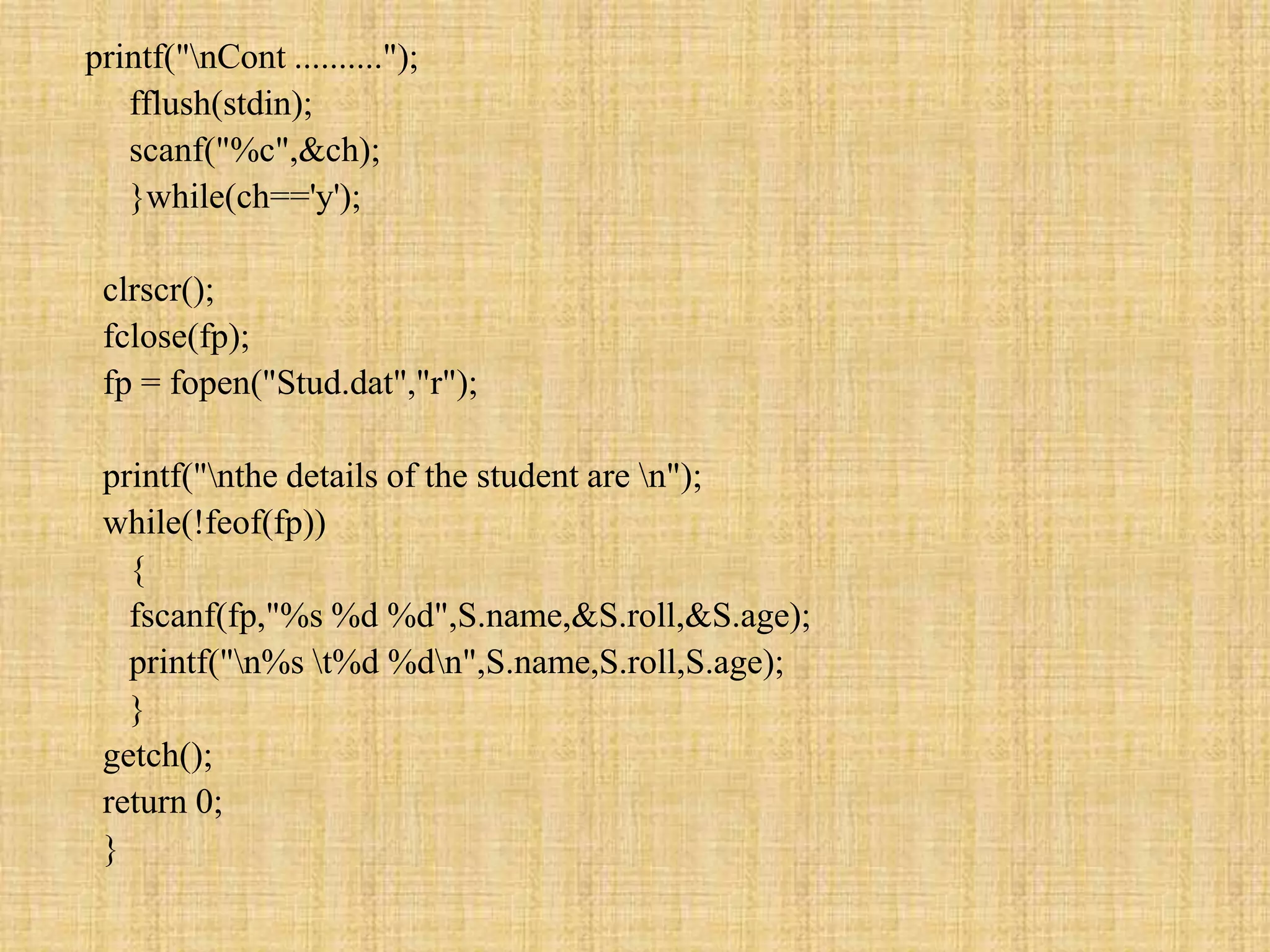
}while(ch=='y');
clrscr();
fclose(fp);
fp = fopen("Stud.dat","r");
printf("nthe details of the student are n");
while(!feof(fp))
{
fscanf(fp,"%s %d %d",S.name,&S.roll,&S.age);
printf("n%s t%d %dn",S.name,S.roll,S.age);
}
getch();
return 0;
}
//Concatenating two files in the third file
main()
{
char ch,ch1;
FILE *fp1,*fp2,*fp3;
clrscr();
fp1=fopen("file1","r");
fp2=fopen("file2","r");
fp3=fopen("file3","w");
if(fp1==NULL || fp2==NULL)
{
printf("nUnable to open the file ");
getch();
exit();
}
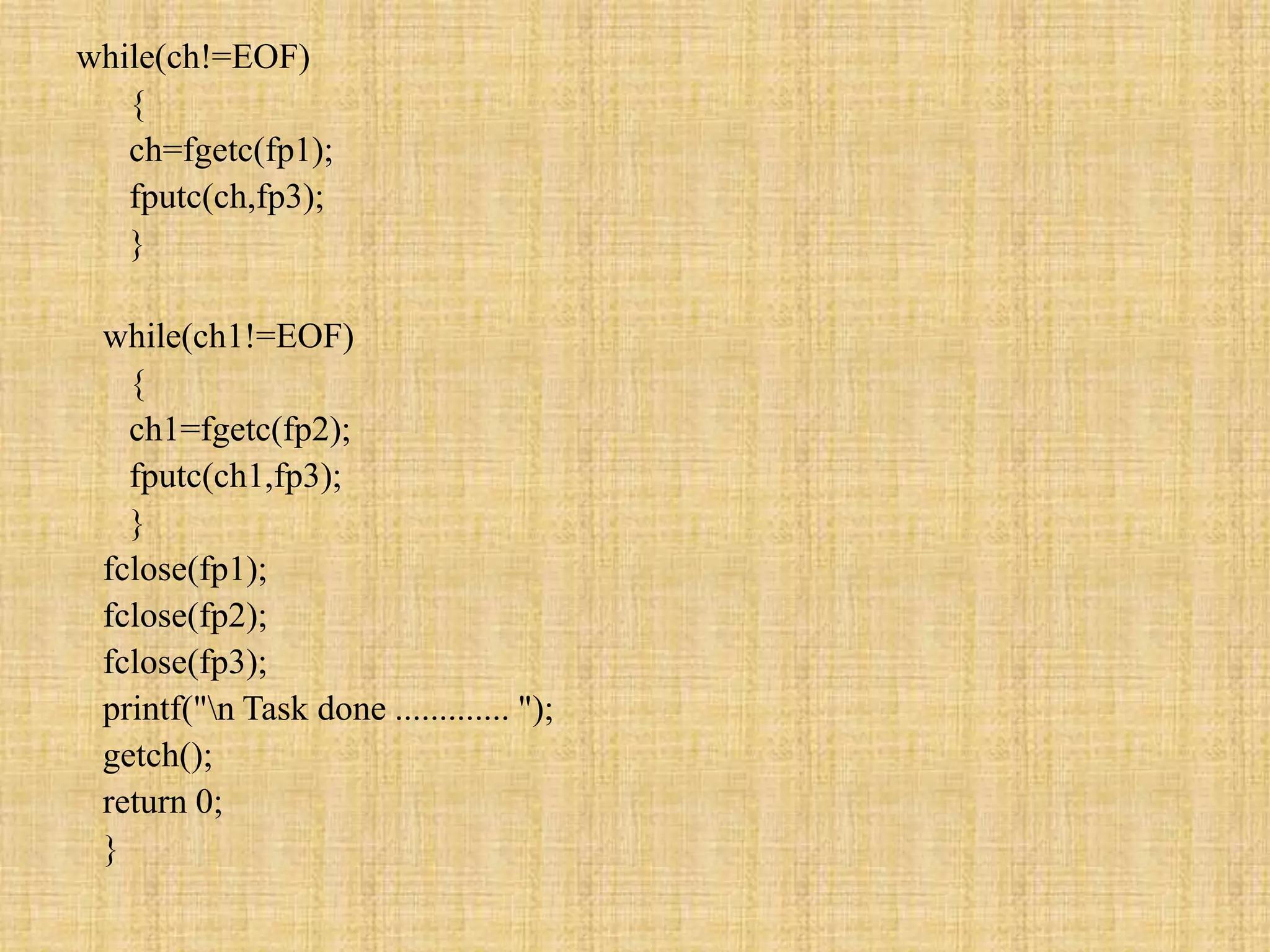
while(ch!=EOF)
{
ch=fgetc(fp1);
fputc(ch,fp3);
}
while(ch1!=EOF)
{
ch1=fgetc(fp2);
fputc(ch1,fp3);
}
fclose(fp1);
fclose(fp2);
fclose(fp3);
printf("n Task done ............. ");
getch();
return 0;
}
Thank You………

File handling With Solve Programs

  • 1.
    Can you C FileHandling Rohan K.Gajre. Drop me a line if I can do anything else for you. rohangajre@gmail.com
  • 2.
    why we needfile handling? To store the output of a program as well as • Reusability: It helps in preserving the data or information generated after running the program. • Large storage capacity: Using files, you need not worry about the problem of storing data in bulk. • Saves time: Certain programs require a lot of input from the user. You can easily access any part of the code with the help of certain commands. • Portability: You can easily transfer the contents of a file from one computer system to another without having to worry about the loss of data. C Programming has some in build library functions for same as following • fopen():- Creating a new file or Opening an existing file in your system. • fclose() :-Closing a file • getc() :-Reading character from a line • putc() :-Writing characters in a file • fscanf():-Reading a set of data from a file
  • 3.
    • fprintf():-Writing aset of data in a file • getw():-Reading an integral value from a file • putw():-Writing an integral value in a file • fseek():-Setting a desired position in the file • ftell():-Getting the current position in the file • rewind():-Setting the position at the beginning point • Simply we may say that if you want to save or read your C program output then use file handling. Steps for creating file handling 1 create file or open file(fopen()) 2 select proper mode of file(r,w,a) 3 close file(fclose()) Common mode of file • r To open a text file • w To create or open a file in writing mode • a To open a file in append mode • r+ We use it to open a text file in both reading and writing mode • w+ We use it to open a text file in both reading and writing mode
  • 4.
    • a+ Weuse it to open a text file in both reading and writing mode • rb We use it to open a binary file in reading mode • wb We use it to open or create a binary file in writing mode • ab We use it to open a binary file in append mode • rb+ We use it to open a binary file in both reading and writing mode • wb+ We use it to open a binary file in both reading and writing mode • ab+ We use it to open a binary file in both reading and writing mode 1.Creating a file • First, create your file pointer it as simple as creating a variable this declaration is needed for communication between file and the program. Syntax: FILE *filepointername; e.g. FILE *fp; 2.Open a file • Opening a file is performed using the fopen() defined in stdio.h headfile Syntax: Filepointer name=fopen(“filename.txt”,”mode”); e.g. fp=fopen(“data.txt”,”w”);
  • 5.
    3.Close a file •The file must be closed after reading and writing.use fclose() function with name of file pointer. Synatx: Fclose(filepointer); e.g. fclose(*fp); • Here is a program in C that illustrates the use of file handling. try it...
  • 6.
    //Copy contents ofone file to another main() { FILE *wfp,*rfp; char ch; clrscr(); rfp = fopen("source","r"); wfp = fopen("target","w"); if(wfp==NULL || rfp==NULL) { printf("nUnable to open the file "); getch(); exit(); } while(!feof(rfp)) { ch = fgetc(rfp); fputc(ch,wfp); } printf("nCopied the file "); fclose(wfp); fclose(rfp); getch(); return 0; }
  • 7.
    //WAP to accept2 no and print result on file void main() { FILE *fp; int num,i,prod; clrscr(); fp = fopen("table.dat","w+"); printf("nEnter the integer number "); scanf("%d",&num); for(i=1;i<=10;i++) { printf("n%d * %d = %d",num,i,num*i); fprintf(fp,"%d %d %dn",num,i,num*i); } rewind(fp); getch(); clrscr(); printf("nThe table in the file is nnnn"); while(fscanf(fp,"%d %d %d",&num,&i,&prod)!=EOF) printf("n%d * %d = %d",num,i,prod); fclose(fp); getch(); }
  • 8.
    //Counting the numberof charactrers, words and the lines in the file main() { FILE *rfp; char ch; int chars=0,words=0,lines=0; clrscr(); rfp = fopen("source","r"); if(rfp==NULL) { printf("nUnable to open the file "); getch(); exit(); } while(ch!=EOF) { ch = fgetc(rfp); if(ch!=' ' && ch!='n') chars++;
  • 9.
    else words++; if(ch=='n') lines++; } printf("nThe numberof characters in the file are %d",chars); printf("nThe number of words in the file are %d",words); printf("nThe number of lines in the file are %d",lines); fclose(rfp); getch(); return 0; }
  • 10.
    //Reading the contentsof the files main() { FILE *rfp; char ch; clrscr(); rfp = fopen("source","r"); if(rfp==NULL) { printf("nUnable to open the file "); getch(); exit(); } printf("nThe contents of the file are n"); while(!feof(rfp)) { ch = fgetc(rfp); printf("%c",ch); } fclose(rfp); getch(); return 0; }
  • 11.
    //Demo of fprintf() function main() { FILE *wfp; int num1=100,num2 = 200; clrscr(); wfp = fopen("abc","w"); if(wfp==NULL) { printf("nUnable to open the file "); getch(); } printf("nThis is the statement on the screen "); printf("n%d + %d = %d",num1,num2,num1+num2); fprintf(wfp,"nThis is the statement in the screen"); fprintf(wfp,"n%d + %d = %d",num1,num2,num1+num2); fclose(wfp); getch(); return 0; }
  • 12.
    //Demo of fputc()function main() { FILE *wfp; char ch; clrscr(); wfp = fopen("text","w"); if(wfp==NULL) { printf("nUnable to open the file "); getch(); } printf("nEnter '$' to stop "); while(1) { scanf("%c",&ch); if(ch=='$') break; fputc(ch,wfp); } fclose(wfp); getch(); }
  • 13.
    //Writing the tablein file & reading from the file main() { FILE *fp; int num,i,prod; clrscr(); fp = fopen("table","w"); printf("nEnter the integer number "); fscanf(stdin,"%d",&num); for(i=1;i<=10;i++) { fprintf(stdout,"n%d * %d = %d",num,i,num*i); fprintf(fp,"n%d * %d = %d",num,i,num*i); } getch(); fclose(fp); clrscr(); fp = fopen("table","r"); printf("nThe contents of the file are n "); while(fscanf(fp,"%d %d %d",&num,&i,&prod)!=EOF) printf("n%d * %d = %d",num,i,prod); getch(); }
  • 14.
    //Record operations usingthe fprintf ()and fscanf () functions struct student { char name[20]; int roll,age; }S; main() { FILE *fp; struct student S; char ch; fp = fopen("Stud.dat","a"); clrscr(); do { fprintf(stdout,"nEnter the details of the studemt "); fscanf(stdin,"%s %d %d",S.name,&S.roll,&S.age); fprintf(fp,"n%s %d %d",S.name,S.roll,S.age);
  • 15.
    printf("nCont .........."); fflush(stdin); scanf("%c",&ch); }while(ch=='y'); clrscr(); fclose(fp); fp =fopen("Stud.dat","r"); printf("nthe details of the student are n"); while(!feof(fp)) { fscanf(fp,"%s %d %d",S.name,&S.roll,&S.age); printf("n%s t%d %dn",S.name,S.roll,S.age); } getch(); return 0; }
  • 16.
    //Concatenating two filesin the third file main() { char ch,ch1; FILE *fp1,*fp2,*fp3; clrscr(); fp1=fopen("file1","r"); fp2=fopen("file2","r"); fp3=fopen("file3","w"); if(fp1==NULL || fp2==NULL) { printf("nUnable to open the file "); getch(); exit(); }
  • 17.
  • 18.