“
2
3
Concept
 The programs you have written till now require you
to re-enter data each time the program runs. This is
because the data stored in computer's temporary
memory disappears once the program stops running
or the computer is shut down.
 Information is saved in file, which is a collection of
data usually stored on a computer's disk.
 The smallest piece of meaningful information on a
file is called a data item.
4
5
TOPICS
1 3 5
6
4
2
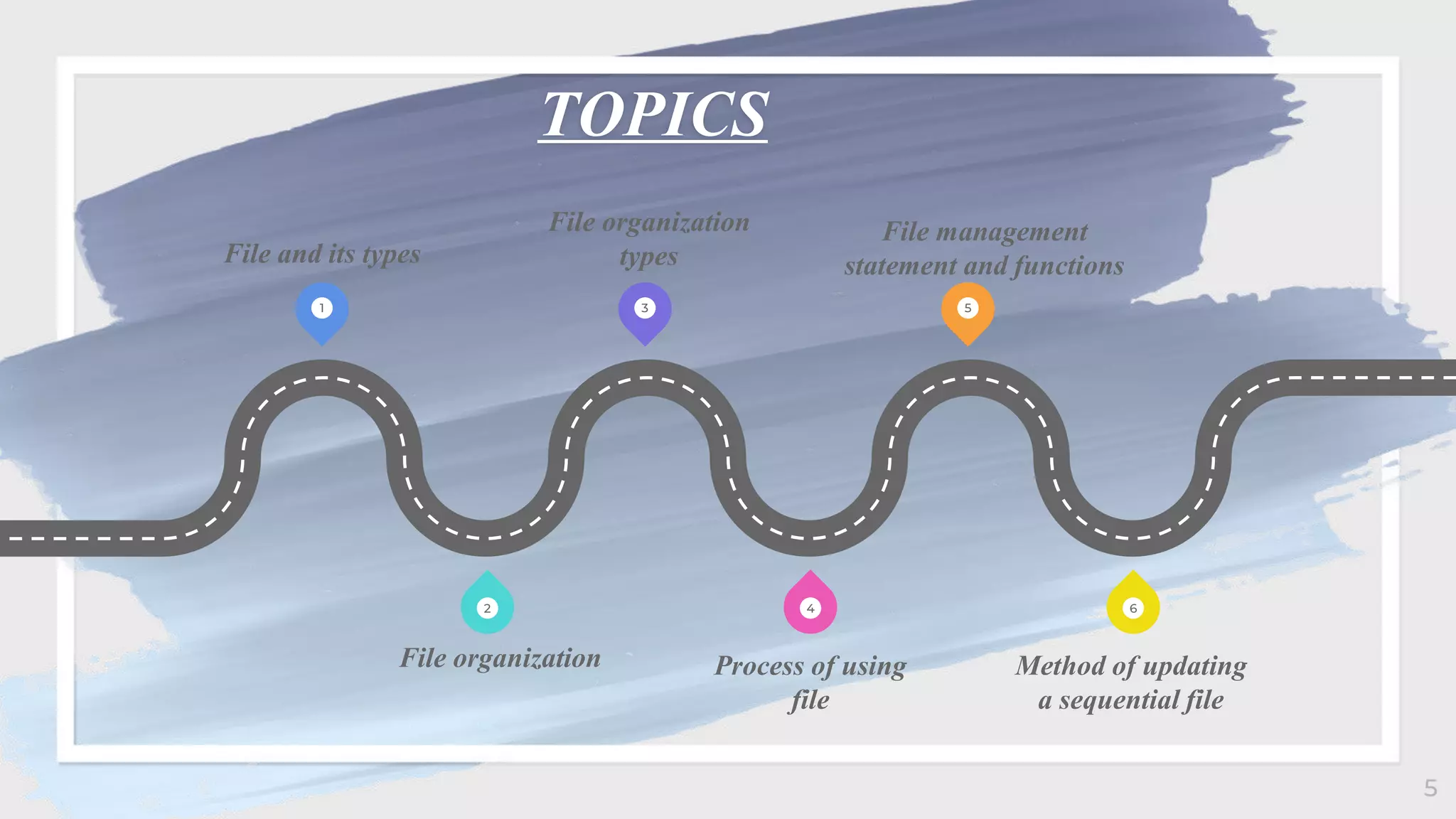
File and its types
File organization
types
File management
statement and functions
File organization Process of using
file
Method of updating
a sequential file
 A computer is a computer resource for
recording data discretely in computer
storage device.
 Files are divided into two types in data
processing. They are:
 Program Files (which record and
maintain program listings)
 Data Files(which record and maintain
a collection of related information)
6
• File Organization refers to the relationship of the key
of the record to the physical location of that record in
the computer file.
• The objectives of computer based file organization :
• Ease of file creation and maintenance
• Efficient means of storing and retrieving the
information
• BASIC supports two types of file organizations. They
are:
 Random Access Files
 Sequential Access Files
7
 Random Access file is a file that can be accessed in any
order.
 Advantages of it are:
 Records can be immediately accessed for updation.
 Several file can be simultaneously updated during
transaction processing.
 Transaction need not be stored.
 Existing records can be amended or modified
 Disadvantages of it are:
 Less efficient use of storage space.
 Expensive hardware and software are required.
 High complexity in programming.
8
• Sequential access file is a file that must be accessed in
sequential order, starting at the beginning of the data block
and preceding in order until an end-of-data marker is
encountered of the required number of items has been read.
• Advantages
 Simple to understand
 Easy to maintain and organize
 Loading a record requires only the record key
 Easy to reconstruct the files
• Disadvantages
 Entire file must be processed, to get specific information
 Very low activity rate stored
 Transaction must be stored and placed in sequence prior to
processing
 Impossible to handle random enquiries 9
Modes of
operations of
sequential access
files
 Output mode
A file is opened in output mode to write data to the file.
When a file is opened in output mode BASIC always
create a new file. If file with the name already exists
then it will overwrite without warning.
 Input mode
A file is opened in input mode to read data from the
file. The file must exist to open it in input mode
otherwise error message "file not found" is displayed.
 Append mode
A file is opened in append mode to add data to an
existing file. New data are added to the end of existing
file. It is recommended mode for writing data to a file
unless there is a specific reason to create new. 10
11
12
14
COMPETITOR MATRIX
LOW
VALUE
1
HIGH
VALUE
1
LOW VALUE 2
HIGH VALUE 2
Our
company
Competitor
Competit
or
Competit
or
Competitor
Competit
or
Comp
etitor
Function Name of Command/ function Syntax
Renaming a Disk file NAME command NAME old filename AS new
filename
Deleting a name KILL command KILL filespec
Displaying Filenames FILES command FILES [filespec]
Creating new directory MKDIR command MKDIR pathname
Changing the default directory CHDIR command CHDIR pathname
Removing a directory RMDIR command RMDIR pathname
Reading a string of n characters INPUT$ function INPUT$(n,[,[#}filenum])
Reading data from a file INPUT# statement INPUT # filenum, variable list
Detecting the end of a file EOF function EOF (filenum)
Reading an entire line from a file LINE INPUT# LINE INPUT#filenum,string
15
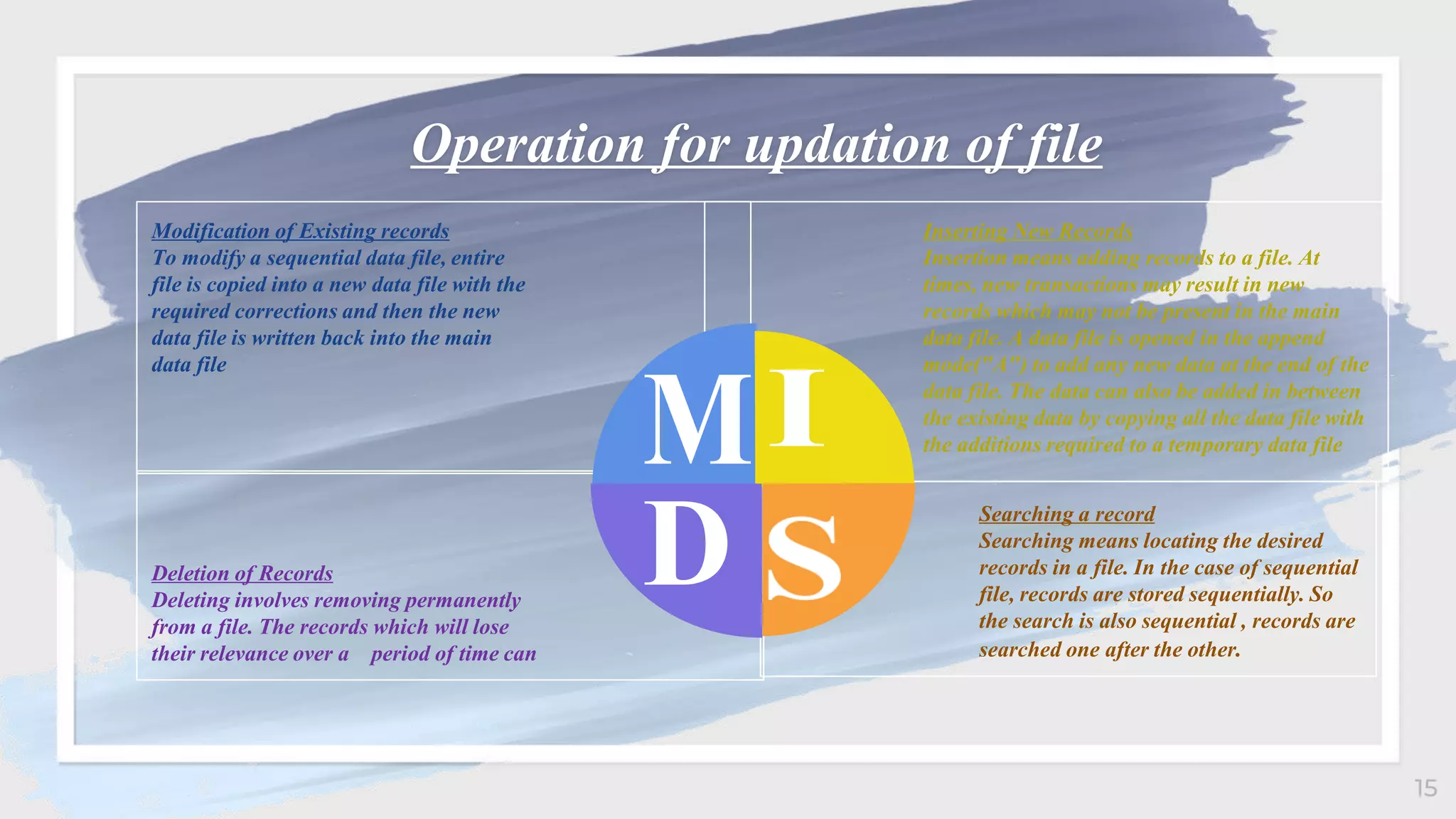
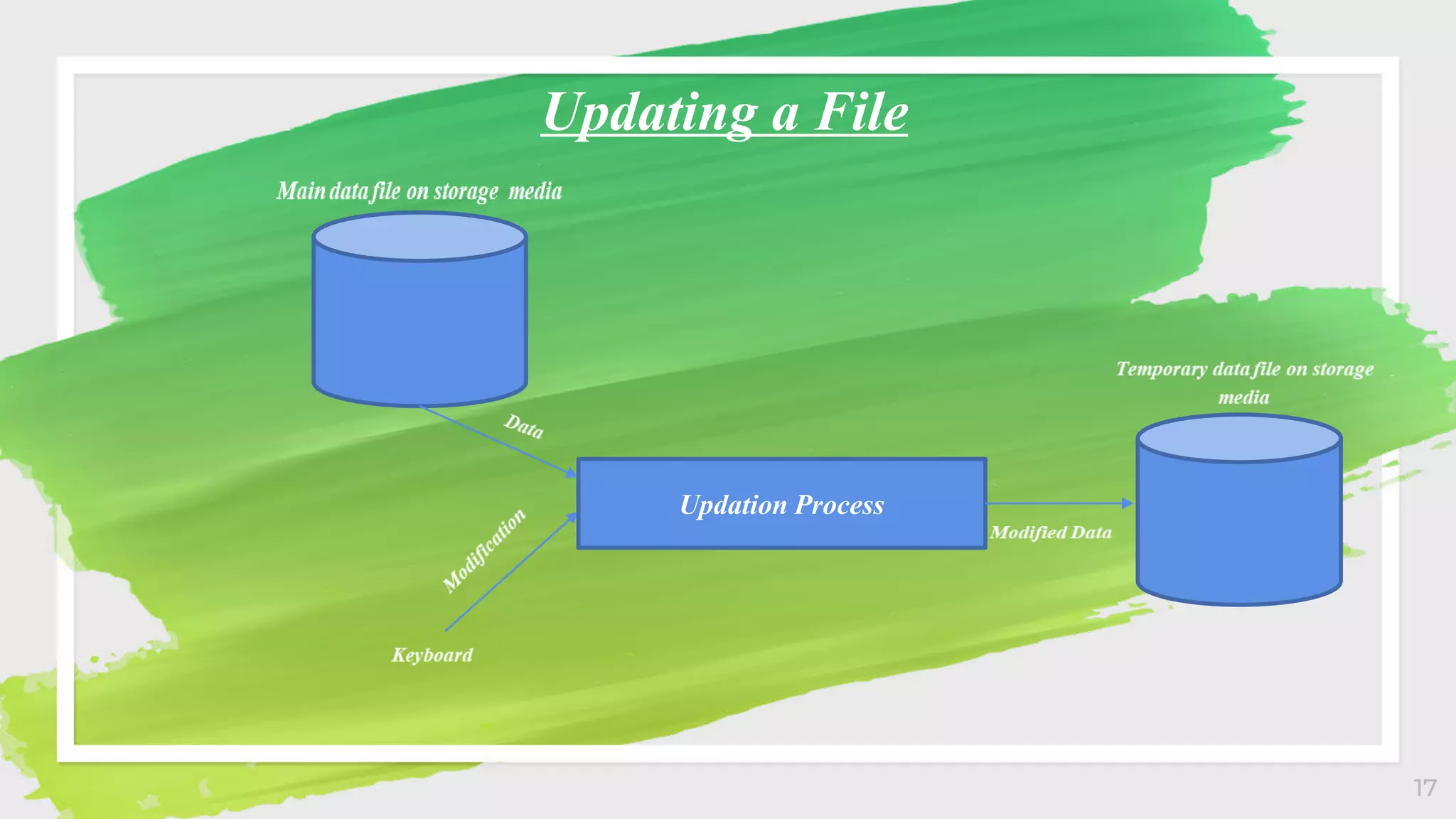
Operation for updation of file
Modification of Existing records
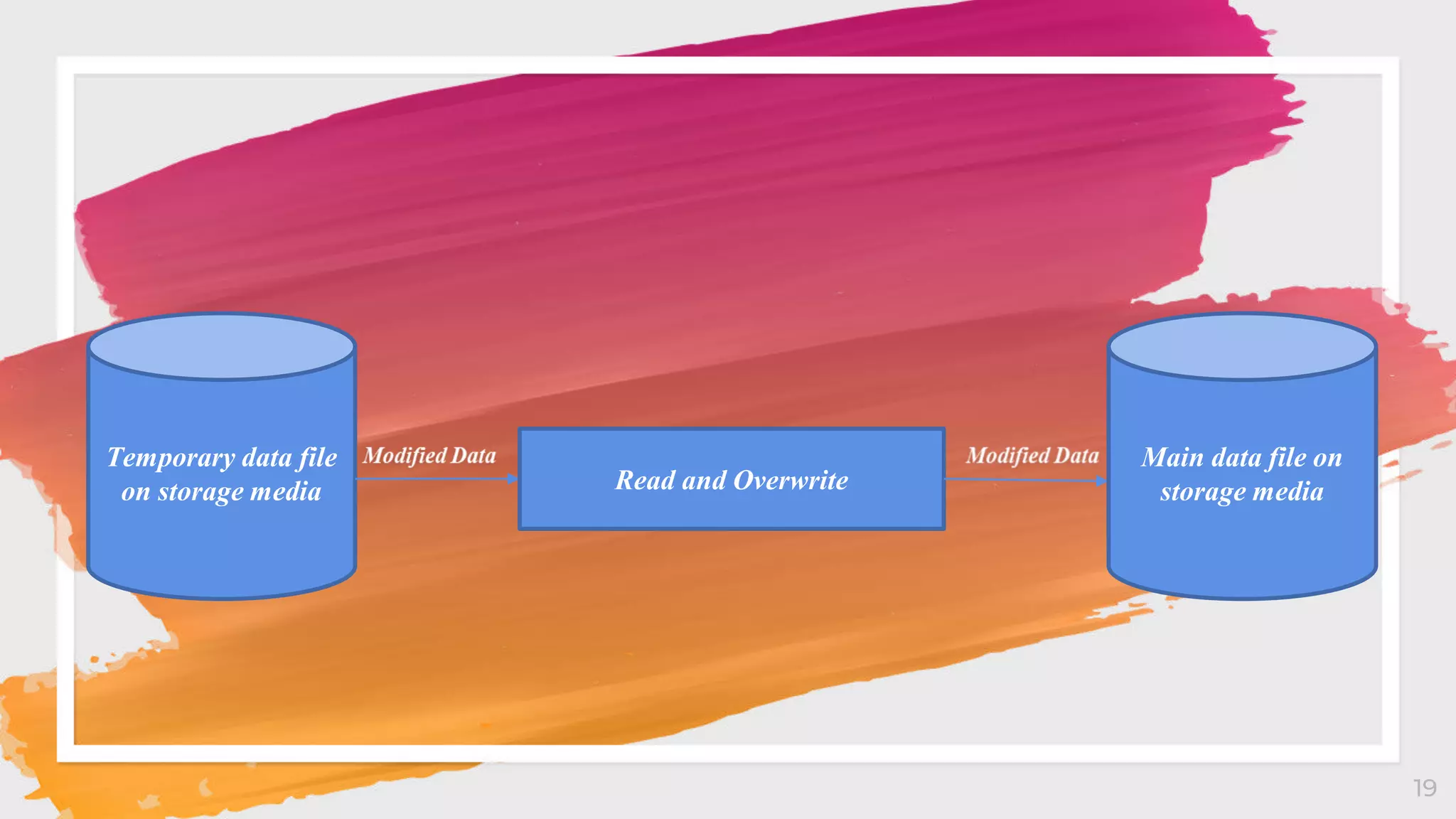
To modify a sequential data file, entire
file is copied into a new data file with the
required corrections and then the new
data file is written back into the main
data file
Inserting New Records
Insertion means adding records to a file. At
times, new transactions may result in new
records which may not be present in the main
data file. A data file is opened in the append
mode("A") to add any new data at the end of the
data file. The data can also be added in between
the existing data by copying all the data file with
the additions required to a temporary data file
Deletion of Records
Deleting involves removing permanently
from a file. The records which will lose
their relevance over a period of time can
Searching a record
Searching means locating the desired
records in a file. In the case of sequential
file, records are stored sequentially. So
the search is also sequential , records are
searched one after the other.
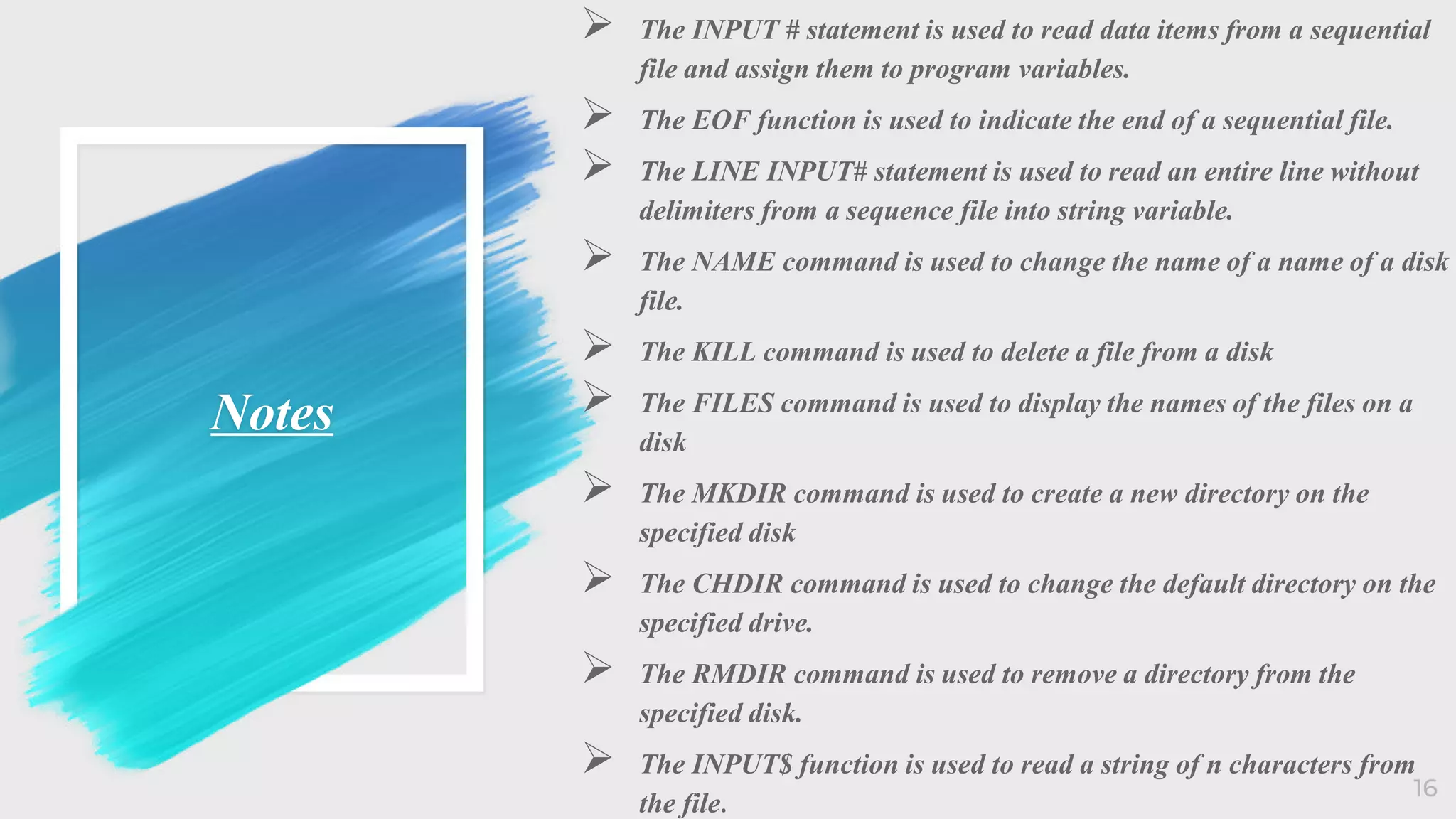
Notes
 The INPUT # statement is used to read data items from a sequential
file and assign them to program variables.
 The EOF function is used to indicate the end of a sequential file.
 The LINE INPUT# statement is used to read an entire line without
delimiters from a sequence file into string variable.
 The NAME command is used to change the name of a name of a disk
file.
 The KILL command is used to delete a file from a disk
 The FILES command is used to display the names of the files on a
disk
 The MKDIR command is used to create a new directory on the
specified disk
 The CHDIR command is used to change the default directory on the
specified drive.
 The RMDIR command is used to remove a directory from the
specified disk.
 The INPUT$ function is used to read a string of n characters from
the file.
16
17
Updating a File
Updation Process
18
19
Temporary data file
on storage media Read and Overwrite
Main data file on
storage media
20
Steps to delete a
sequential access
data files
a. Open the main data file in the input mode("I") to
read data
b. Open a new temporary data file in output mode("O")
to write a data
c. Read data from the main data file and display to the
user
d. If you want to delete any data then donot write to the
temporary data file else write it in the temporary data
file.
e. Repeat steps c and d until all the data is written into
the temporary file
f. Close both the files
g. Delete main data file from the backing storage
h. Finally, rename temporary data file as main data file
21
Steps to insert
new records
between the
existing data
◦ Open the main data file in the input mode("I") to read
data
◦ Open a new temporary file in the output ("O") mode to
write data
◦ Read data from the main data file and write to the
temporary data file until the place where new data is to be
added is reached
◦ Get new data and write to the temporary data file
◦ Read rest of the main data file and write to the temporary
data file
◦ Close both the files
◦ Delete main data file from the storage device
◦ Finally, rename temporary data file as main data file
22
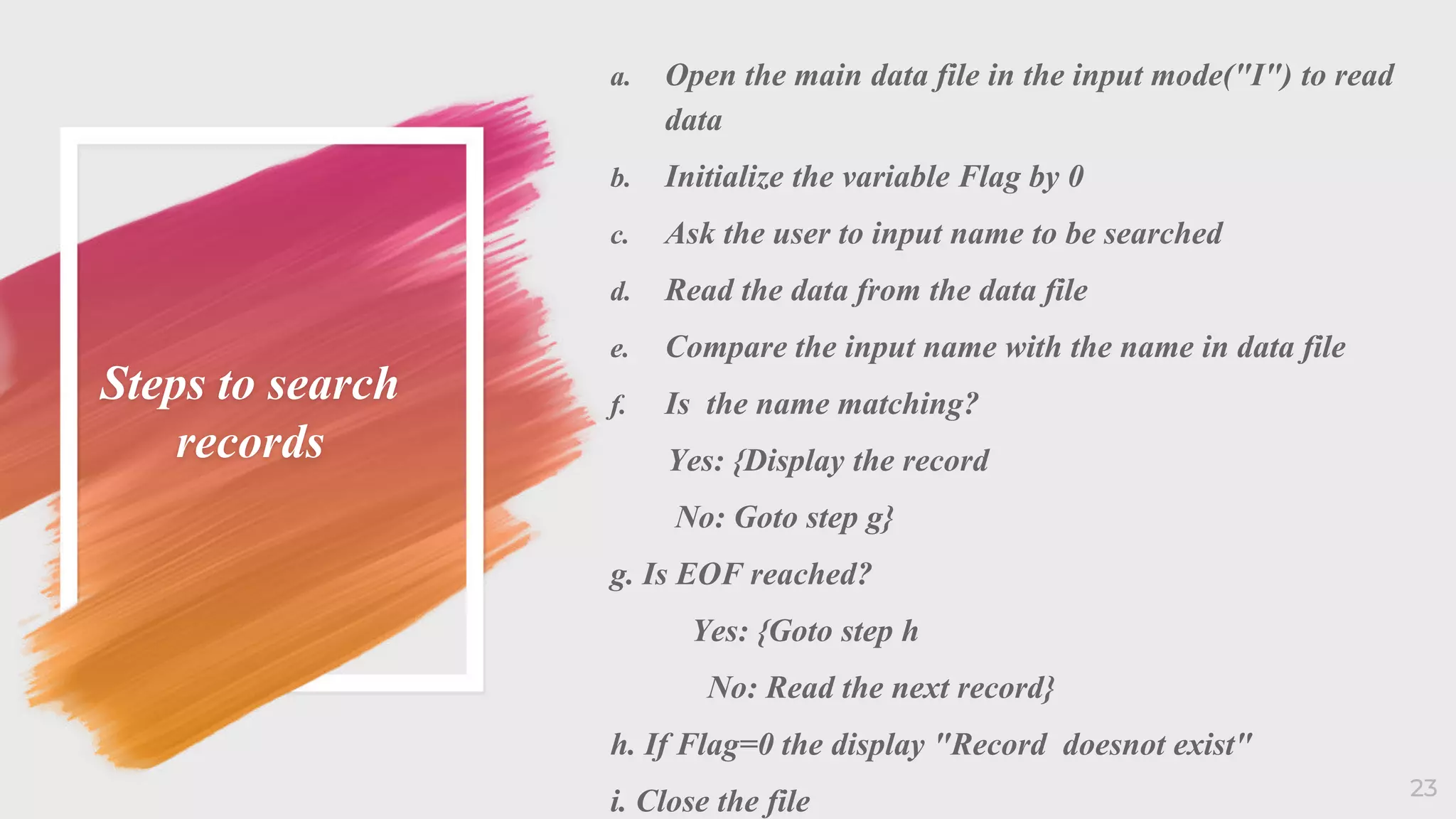
Steps to search
records
a. Open the main data file in the input mode("I") to read
data
b. Initialize the variable Flag by 0
c. Ask the user to input name to be searched
d. Read the data from the data file
e. Compare the input name with the name in data file
f. Is the name matching?
Yes: {Display the record
No: Goto step g}
g. Is EOF reached?
Yes: {Goto step h
No: Read the next record}
h. If Flag=0 the display "Record doesnot exist"
i. Close the file 23
24

File handling in qbasic

  • 2.
  • 3.
  • 4.
    Concept  The programsyou have written till now require you to re-enter data each time the program runs. This is because the data stored in computer's temporary memory disappears once the program stops running or the computer is shut down.  Information is saved in file, which is a collection of data usually stored on a computer's disk.  The smallest piece of meaningful information on a file is called a data item. 4
  • 5.
    5 TOPICS 1 3 5 6 4 2 Fileand its types File organization types File management statement and functions File organization Process of using file Method of updating a sequential file
  • 6.
     A computeris a computer resource for recording data discretely in computer storage device.  Files are divided into two types in data processing. They are:  Program Files (which record and maintain program listings)  Data Files(which record and maintain a collection of related information) 6
  • 7.
    • File Organizationrefers to the relationship of the key of the record to the physical location of that record in the computer file. • The objectives of computer based file organization : • Ease of file creation and maintenance • Efficient means of storing and retrieving the information • BASIC supports two types of file organizations. They are:  Random Access Files  Sequential Access Files 7
  • 8.
     Random Accessfile is a file that can be accessed in any order.  Advantages of it are:  Records can be immediately accessed for updation.  Several file can be simultaneously updated during transaction processing.  Transaction need not be stored.  Existing records can be amended or modified  Disadvantages of it are:  Less efficient use of storage space.  Expensive hardware and software are required.  High complexity in programming. 8
  • 9.
    • Sequential accessfile is a file that must be accessed in sequential order, starting at the beginning of the data block and preceding in order until an end-of-data marker is encountered of the required number of items has been read. • Advantages  Simple to understand  Easy to maintain and organize  Loading a record requires only the record key  Easy to reconstruct the files • Disadvantages  Entire file must be processed, to get specific information  Very low activity rate stored  Transaction must be stored and placed in sequence prior to processing  Impossible to handle random enquiries 9
  • 10.
    Modes of operations of sequentialaccess files  Output mode A file is opened in output mode to write data to the file. When a file is opened in output mode BASIC always create a new file. If file with the name already exists then it will overwrite without warning.  Input mode A file is opened in input mode to read data from the file. The file must exist to open it in input mode otherwise error message "file not found" is displayed.  Append mode A file is opened in append mode to add data to an existing file. New data are added to the end of existing file. It is recommended mode for writing data to a file unless there is a specific reason to create new. 10
  • 11.
  • 12.
  • 14.
    14 COMPETITOR MATRIX LOW VALUE 1 HIGH VALUE 1 LOW VALUE2 HIGH VALUE 2 Our company Competitor Competit or Competit or Competitor Competit or Comp etitor Function Name of Command/ function Syntax Renaming a Disk file NAME command NAME old filename AS new filename Deleting a name KILL command KILL filespec Displaying Filenames FILES command FILES [filespec] Creating new directory MKDIR command MKDIR pathname Changing the default directory CHDIR command CHDIR pathname Removing a directory RMDIR command RMDIR pathname Reading a string of n characters INPUT$ function INPUT$(n,[,[#}filenum]) Reading data from a file INPUT# statement INPUT # filenum, variable list Detecting the end of a file EOF function EOF (filenum) Reading an entire line from a file LINE INPUT# LINE INPUT#filenum,string
  • 15.
    15 Operation for updationof file Modification of Existing records To modify a sequential data file, entire file is copied into a new data file with the required corrections and then the new data file is written back into the main data file Inserting New Records Insertion means adding records to a file. At times, new transactions may result in new records which may not be present in the main data file. A data file is opened in the append mode("A") to add any new data at the end of the data file. The data can also be added in between the existing data by copying all the data file with the additions required to a temporary data file Deletion of Records Deleting involves removing permanently from a file. The records which will lose their relevance over a period of time can Searching a record Searching means locating the desired records in a file. In the case of sequential file, records are stored sequentially. So the search is also sequential , records are searched one after the other.
  • 16.
    Notes  The INPUT# statement is used to read data items from a sequential file and assign them to program variables.  The EOF function is used to indicate the end of a sequential file.  The LINE INPUT# statement is used to read an entire line without delimiters from a sequence file into string variable.  The NAME command is used to change the name of a name of a disk file.  The KILL command is used to delete a file from a disk  The FILES command is used to display the names of the files on a disk  The MKDIR command is used to create a new directory on the specified disk  The CHDIR command is used to change the default directory on the specified drive.  The RMDIR command is used to remove a directory from the specified disk.  The INPUT$ function is used to read a string of n characters from the file. 16
  • 17.
  • 18.
  • 19.
    19 Temporary data file onstorage media Read and Overwrite Main data file on storage media
  • 20.
  • 21.
    Steps to deletea sequential access data files a. Open the main data file in the input mode("I") to read data b. Open a new temporary data file in output mode("O") to write a data c. Read data from the main data file and display to the user d. If you want to delete any data then donot write to the temporary data file else write it in the temporary data file. e. Repeat steps c and d until all the data is written into the temporary file f. Close both the files g. Delete main data file from the backing storage h. Finally, rename temporary data file as main data file 21
  • 22.
    Steps to insert newrecords between the existing data ◦ Open the main data file in the input mode("I") to read data ◦ Open a new temporary file in the output ("O") mode to write data ◦ Read data from the main data file and write to the temporary data file until the place where new data is to be added is reached ◦ Get new data and write to the temporary data file ◦ Read rest of the main data file and write to the temporary data file ◦ Close both the files ◦ Delete main data file from the storage device ◦ Finally, rename temporary data file as main data file 22
  • 23.
    Steps to search records a.Open the main data file in the input mode("I") to read data b. Initialize the variable Flag by 0 c. Ask the user to input name to be searched d. Read the data from the data file e. Compare the input name with the name in data file f. Is the name matching? Yes: {Display the record No: Goto step g} g. Is EOF reached? Yes: {Goto step h No: Read the next record} h. If Flag=0 the display "Record doesnot exist" i. Close the file 23
  • 24.