CONTENTS


TOPIC


1.   ACKNOWLEDGEMENT


2.   INTRODUCTION


3.   MAIN MENU FLOWCHART


4.   PROGRAM FLOWCHART


5.   SOURCE CODE


6.   OUTPUT


7.   DESCRIPTION OF PROGRAM - STEPWISE


8.   BIBLIOGRAPHY
PROJECT REPORT


                a) Title of the project         :   Hospital Mangement

               b) Object of project         :       the program will ask for the
                                                          patient’s name another
                                                                amenities     like
            address etc.
 1)            It will ask for disease obtain by the student in different subject.

                The program will prepare the report .

2)              Report will contain name of the disease , bill like name,
                     registration etc.


c) Hardware specification of machine used :

     1)   Keyboard           :    101 buttons
     2)   Monitor            :    VGA/SVGA
     3)   CPU                :    Celeron , 1.7 GHz
     4)   Printer            :     Inkjet
     5)   Mouse              :    Three Button Mouse.
     6)   FDD                :    1.44MB


d) Software (OS, Language & packages) used along with version.

1)        Operating System            :   DOS
2)        Language                    :   C Language
3)        Packages                    :   Not Used

            Version                   :- Turbo C++

     a)      Objectives achieved Successfully : All the objectives have
            beenachieved successfully except Option 5th print record.
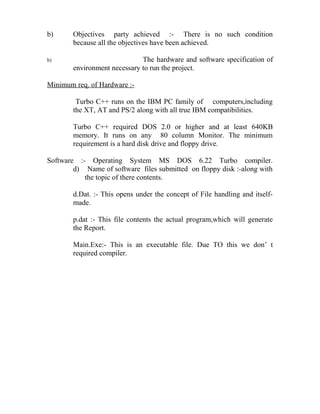
b)      Objectives party achieved :- There is no such condition
        because all the objectives have been achieved.

b)                            The hardware and software specification of
        environment necessary to run the project.

Minimum req. of Hardware :-

         Turbo C++ runs on the IBM PC family of computers,including
        the XT, AT and PS/2 along with all true IBM compatibilities.

        Turbo C++ required DOS 2.0 or higher and at least 640KB
        memory. It runs on any 80 column Monitor. The minimum
        requirement is a hard disk drive and floppy drive.

Software :- Operating System MS DOS 6.22 Turbo compiler.
        d) Name of software files submitted on floppy disk :-along with
           the topic of there contents.

        d.Dat. :- This opens under the concept of File handling and itself-
        made.

        p.dat :- This file contents the actual program,which will generate
        the Report.

        Main.Exe:- This is an executable file. Due TO this we don’ t
        required compiler.
INTRODUCTION


Project work for PGDCA has been made in “C” Language. Project work
        consist of a program for Hospital Management.


Our program consists of file on compiling the program, it asks for various
        choices from different options.

(1) Add Record

(2) List Record

(3) Modify Record

(4)Delete Record

(5) Exit

On entering the choice no. , it will reform the different functions.
DESCRIPTION OF THE PROGRAM

      Step 1.:-

              This step contains the file that is used in the whole program. In
this step there is use of the header files which are as follows :-

 1)                stidio.h : this stand for standard input output.this describes
  stdin, stdout, stdprn and stderr stream which shows the path and level of
  input & output.
   It includes:-
a) scanf() : scan and formats input from the stdin streem.
b) printf() : writes formatted output in stdout (Monitor).
c) fclose() : closes stream.
d) fopen() : opens a stream.
e) fflush() : flushes a stream.
f) fseek()     : repositions a file pointer on a stream.
                  Syntax:- Fseek (file * stream, long offset, whence );
g) fwrite() : write to a stream.
h) gets()       : gets a string from striding.
i) puts()      : outputs a string to stdoutput.
j) rename() : rename the file.
k) remove() : remove the file .
 l) rewind() : reposition a file pointer to the beginning of a string.

2) conio.h :   It regulates the different tipes of work related with input
                        /output in DOS.
 a) getch()   : gets character from keyboard and doesn’t echo to the
                        screen.
b) getche() : gets character from keyboard and echoes to the screen.
c) gotoxy() : position the cursor in the text window like 1 st in column 2nd
                 is low.
d) clrscr() :  clear the screen.

3) ctype.h :        It gives the information related to character
                           classification and character conversion in header
         file.
a) tolower() :     translate character to lower case.
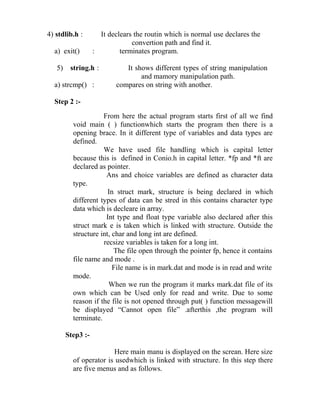
4) stdlib.h :        It declears the routin which is normal use declares the
                                convertion path and find it.
  a) exit()        :        terminates program.

   5)    string.h :           It shows different types of string manipulation
                                   and mamory manipulation path.
  a) strcmp() :            compares on string with another.

  Step 2 :-
                     From here the actual program starts first of all we find
          void main ( ) functionwhich starts the program then there is a
          opening brace. In it different type of variables and data types are
          defined.
                     We have used file handling which is capital letter
          because this is defined in Conio.h in capital letter. *fp and *ft are
          declared as pointer.
                      Ans and choice variables are defined as character data
          type.
                       In struct mark, structure is being declared in which
          different types of data can be stred in this contains character type
          data which is decleare in array.
                      Int type and float type variable also declared after this
          struct mark e is taken which is linked with structure. Outside the
          structure int, char and long int are defined.
                     recsize variables is taken for a long int.
                         The file open through the pointer fp, hence it contains
          file name and mode .
                         File name is in mark.dat and mode is in read and write
          mode.
                       When we run the program it marks mark.dat file of its
          own which can be Used only for read and write. Due to some
          reason if the file is not opened through put( ) function messagewill
          be displayed “Cannot open file” .afterthis ,the program will
          terminate.

        Step3 :-

                        Here main manu is displayed on the screan. Here size
          of operator is usedwhich is linked with structure. In this step there
          are five menus and as follows.
1.                      ADD RECORD
2.                      LIST RECORD
3.                      MODIFY RECORD
4.                      DELETE RECORD
5.                      EXIT

               In this step, switch – case statements are used. There is one
       message is printed “enter your choice” . After selecting a particular
       case program enters the particular case.

     Step 4:-
                                On selecting case no. 1, it will ask to enter
       student’s information including name, father’s name, roll no.,’
       course name, marks obtained in different subjects etc. Here fseek ( )
       function is used which searches particular position in the file. When
       any record is entered, the new record is pendent at the end of the
       file due to
                   fseek ( ) function. Here integer, character and float type
       datas are entered.

                 Different types of data are as follows :-

1.   char data type : student name, father name, date of birth, date of
       joiningcourse, resistration no.
       int data type : roll no. , mark obtd. In different subjects.
       Float data type : per.

               After entering the required data the calculation of total, per,
       result and grade is done. After the calculation the formate of the
       Mark Seet is obtained hence at the bottom of the screen a message
       is displayed “Add Another Record Y/N “. If ‘Y’ is selected then
       new record is added or if ‘N’is selected then the program will go
       back to the main menu with the help of break statement in the
       program.


     Step 5 :-
When choice no. 3 is selected, it selects the Modify Record
options. At first we get one message “Enter the name of student to
modify “then we enter the name. On entering the name with thaw
help of rewind ( ) function we reach the starting of p.dat file. With
the help of condition the name which we have entered is compared
with the name which is already in the P.dat file. On comparing, if it
is found that the both the names are same then it modifies the
record. After modifying it displays a message “ Modify another
record Y/N”. If ‘Y’ is typed then the whole process of modifying
starts again. If typed ‘N’then the program will go back to the main
menu.

If the names where found to be dissimilar then it prints the message
again.

Step 6:-

               On selecting chice no. 4, it selects the Delete Record
option and displays a message “Enter name of Patient ”. After
entering the name temp. Dat file is created in scanf mode with the
help of file pointer *fp. with the help of print (fp) function the file
pointer reaches the starting of p.dat file. Here with the help of
while statement every name is checked. With if statement every
statement every entered name is compared with the name is
compared with the name stored in p.dat file. If the name is found to
be same then those names are kept duplicate p.dat file. The names
which are not matched are sending to Temp.dat file. Now with the
help of remove ( ) function file is deleted which contains the name
of the students and its records to deleted.

Step 7:-

              On selecting choice no.5. From the main menu. The
program will terminate by closing the file p.dat and returns to the
DOS mode.
BIBLIOGRAPHY


1)   “ANSI C” by Balaguruswami.


2)   Turbo C by Moolish Cooper.


3)   Letus “C” by Kanetkar.


4)   Working with “C” by Kanetkar.


5)   Programming in “C” by Hemant Goyal
CERTIFICATE


This is to certify that the Software Development Project entitled

“HOSPITAL MANAGEMENT SYSTEM” is submitted in partial

fulfillment of the diploma of Post Graduate Diploma in Computer

Application to the C. V. RAMAN University, Bilaspur through College

Of Information Technology and Applied Social Science, Bilaspur done

by Miss Meenal Pandey is an authentic work carried out by her under my

guidance. The matter embodied in this project work has not been submitted

earlier for award of any degree or diploma to the best of my knowledge and

belief.


Place: Bilaspur                                .…………………………
Date:                                        (Head of Department)
                                         Department of Computer Science
                                              AISECT, Bilaspur
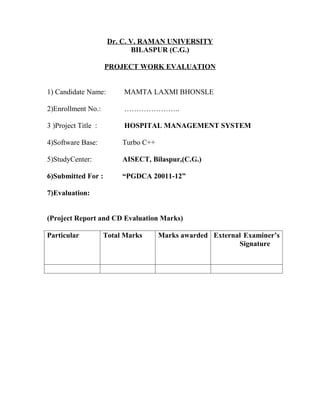
Dr. C. V. RAMAN UNIVERSITY
                             BILASPUR (C.G.)

                     PROJECT WORK EVALUATION


1) Candidate Name:        MAMTA LAXMI BHONSLE

2)Enrollment No.:         …………………..

3 )Project Title :        HOSPITAL MANAGEMENT SYSTEM

4)Software Base:          Turbo C++

5)StudyCenter:            AISECT, Bilaspur,(C.G.)

6)Submitted For :         “PGDCA 20011-12”

7)Evaluation:


(Project Report and CD Evaluation Marks)

Particular           Total Marks      Marks awarded External Examiner’s
                                                           Signature
ON


For the curriculum of the course


Submitted to the


     Dr. C. V. Raman University
Bilaspur [C.G.] SESSION 2011 – 2012

GUIDED BY:                             SUBMITTED BY:
………………..                            Miss Mamta Laxmi Bhonsle
(Head of Department)
AISECT, Bilaspur
Project report

Project report

  • 1.
    CONTENTS TOPIC 1. ACKNOWLEDGEMENT 2. INTRODUCTION 3. MAIN MENU FLOWCHART 4. PROGRAM FLOWCHART 5. SOURCE CODE 6. OUTPUT 7. DESCRIPTION OF PROGRAM - STEPWISE 8. BIBLIOGRAPHY
  • 2.
    PROJECT REPORT a) Title of the project : Hospital Mangement b) Object of project : the program will ask for the patient’s name another amenities like address etc. 1) It will ask for disease obtain by the student in different subject. The program will prepare the report . 2) Report will contain name of the disease , bill like name, registration etc. c) Hardware specification of machine used : 1) Keyboard : 101 buttons 2) Monitor : VGA/SVGA 3) CPU : Celeron , 1.7 GHz 4) Printer : Inkjet 5) Mouse : Three Button Mouse. 6) FDD : 1.44MB d) Software (OS, Language & packages) used along with version. 1) Operating System : DOS 2) Language : C Language 3) Packages : Not Used Version :- Turbo C++ a) Objectives achieved Successfully : All the objectives have beenachieved successfully except Option 5th print record.
  • 3.
    b) Objectives party achieved :- There is no such condition because all the objectives have been achieved. b) The hardware and software specification of environment necessary to run the project. Minimum req. of Hardware :- Turbo C++ runs on the IBM PC family of computers,including the XT, AT and PS/2 along with all true IBM compatibilities. Turbo C++ required DOS 2.0 or higher and at least 640KB memory. It runs on any 80 column Monitor. The minimum requirement is a hard disk drive and floppy drive. Software :- Operating System MS DOS 6.22 Turbo compiler. d) Name of software files submitted on floppy disk :-along with the topic of there contents. d.Dat. :- This opens under the concept of File handling and itself- made. p.dat :- This file contents the actual program,which will generate the Report. Main.Exe:- This is an executable file. Due TO this we don’ t required compiler.
  • 4.
    INTRODUCTION Project work forPGDCA has been made in “C” Language. Project work consist of a program for Hospital Management. Our program consists of file on compiling the program, it asks for various choices from different options. (1) Add Record (2) List Record (3) Modify Record (4)Delete Record (5) Exit On entering the choice no. , it will reform the different functions.
  • 5.
    DESCRIPTION OF THEPROGRAM Step 1.:- This step contains the file that is used in the whole program. In this step there is use of the header files which are as follows :- 1) stidio.h : this stand for standard input output.this describes stdin, stdout, stdprn and stderr stream which shows the path and level of input & output. It includes:- a) scanf() : scan and formats input from the stdin streem. b) printf() : writes formatted output in stdout (Monitor). c) fclose() : closes stream. d) fopen() : opens a stream. e) fflush() : flushes a stream. f) fseek() : repositions a file pointer on a stream. Syntax:- Fseek (file * stream, long offset, whence ); g) fwrite() : write to a stream. h) gets() : gets a string from striding. i) puts() : outputs a string to stdoutput. j) rename() : rename the file. k) remove() : remove the file . l) rewind() : reposition a file pointer to the beginning of a string. 2) conio.h : It regulates the different tipes of work related with input /output in DOS. a) getch() : gets character from keyboard and doesn’t echo to the screen. b) getche() : gets character from keyboard and echoes to the screen. c) gotoxy() : position the cursor in the text window like 1 st in column 2nd is low. d) clrscr() : clear the screen. 3) ctype.h : It gives the information related to character classification and character conversion in header file. a) tolower() : translate character to lower case.
  • 6.
    4) stdlib.h : It declears the routin which is normal use declares the convertion path and find it. a) exit() : terminates program. 5) string.h : It shows different types of string manipulation and mamory manipulation path. a) strcmp() : compares on string with another. Step 2 :- From here the actual program starts first of all we find void main ( ) functionwhich starts the program then there is a opening brace. In it different type of variables and data types are defined. We have used file handling which is capital letter because this is defined in Conio.h in capital letter. *fp and *ft are declared as pointer. Ans and choice variables are defined as character data type. In struct mark, structure is being declared in which different types of data can be stred in this contains character type data which is decleare in array. Int type and float type variable also declared after this struct mark e is taken which is linked with structure. Outside the structure int, char and long int are defined. recsize variables is taken for a long int. The file open through the pointer fp, hence it contains file name and mode . File name is in mark.dat and mode is in read and write mode. When we run the program it marks mark.dat file of its own which can be Used only for read and write. Due to some reason if the file is not opened through put( ) function messagewill be displayed “Cannot open file” .afterthis ,the program will terminate. Step3 :- Here main manu is displayed on the screan. Here size of operator is usedwhich is linked with structure. In this step there are five menus and as follows.
  • 7.
    1. ADD RECORD 2. LIST RECORD 3. MODIFY RECORD 4. DELETE RECORD 5. EXIT In this step, switch – case statements are used. There is one message is printed “enter your choice” . After selecting a particular case program enters the particular case. Step 4:- On selecting case no. 1, it will ask to enter student’s information including name, father’s name, roll no.,’ course name, marks obtained in different subjects etc. Here fseek ( ) function is used which searches particular position in the file. When any record is entered, the new record is pendent at the end of the file due to fseek ( ) function. Here integer, character and float type datas are entered. Different types of data are as follows :- 1. char data type : student name, father name, date of birth, date of joiningcourse, resistration no. int data type : roll no. , mark obtd. In different subjects. Float data type : per. After entering the required data the calculation of total, per, result and grade is done. After the calculation the formate of the Mark Seet is obtained hence at the bottom of the screen a message is displayed “Add Another Record Y/N “. If ‘Y’ is selected then new record is added or if ‘N’is selected then the program will go back to the main menu with the help of break statement in the program. Step 5 :-
  • 8.
    When choice no.3 is selected, it selects the Modify Record options. At first we get one message “Enter the name of student to modify “then we enter the name. On entering the name with thaw help of rewind ( ) function we reach the starting of p.dat file. With the help of condition the name which we have entered is compared with the name which is already in the P.dat file. On comparing, if it is found that the both the names are same then it modifies the record. After modifying it displays a message “ Modify another record Y/N”. If ‘Y’ is typed then the whole process of modifying starts again. If typed ‘N’then the program will go back to the main menu. If the names where found to be dissimilar then it prints the message again. Step 6:- On selecting chice no. 4, it selects the Delete Record option and displays a message “Enter name of Patient ”. After entering the name temp. Dat file is created in scanf mode with the help of file pointer *fp. with the help of print (fp) function the file pointer reaches the starting of p.dat file. Here with the help of while statement every name is checked. With if statement every statement every entered name is compared with the name is compared with the name stored in p.dat file. If the name is found to be same then those names are kept duplicate p.dat file. The names which are not matched are sending to Temp.dat file. Now with the help of remove ( ) function file is deleted which contains the name of the students and its records to deleted. Step 7:- On selecting choice no.5. From the main menu. The program will terminate by closing the file p.dat and returns to the DOS mode.
  • 9.
    BIBLIOGRAPHY 1) “ANSI C” by Balaguruswami. 2) Turbo C by Moolish Cooper. 3) Letus “C” by Kanetkar. 4) Working with “C” by Kanetkar. 5) Programming in “C” by Hemant Goyal
  • 10.
    CERTIFICATE This is tocertify that the Software Development Project entitled “HOSPITAL MANAGEMENT SYSTEM” is submitted in partial fulfillment of the diploma of Post Graduate Diploma in Computer Application to the C. V. RAMAN University, Bilaspur through College Of Information Technology and Applied Social Science, Bilaspur done by Miss Meenal Pandey is an authentic work carried out by her under my guidance. The matter embodied in this project work has not been submitted earlier for award of any degree or diploma to the best of my knowledge and belief. Place: Bilaspur .………………………… Date: (Head of Department) Department of Computer Science AISECT, Bilaspur
  • 11.
    Dr. C. V.RAMAN UNIVERSITY BILASPUR (C.G.) PROJECT WORK EVALUATION 1) Candidate Name: MAMTA LAXMI BHONSLE 2)Enrollment No.: ………………….. 3 )Project Title : HOSPITAL MANAGEMENT SYSTEM 4)Software Base: Turbo C++ 5)StudyCenter: AISECT, Bilaspur,(C.G.) 6)Submitted For : “PGDCA 20011-12” 7)Evaluation: (Project Report and CD Evaluation Marks) Particular Total Marks Marks awarded External Examiner’s Signature
  • 12.
    ON For the curriculumof the course Submitted to the Dr. C. V. Raman University Bilaspur [C.G.] SESSION 2011 – 2012 GUIDED BY: SUBMITTED BY: ……………….. Miss Mamta Laxmi Bhonsle (Head of Department) AISECT, Bilaspur