FACE RECOGNITION
PRESENTED BY:
AYUSHI SAXENA
120271
1
Outline
1. Introduction
2. Biometrics
3. How it works
4. Comparison
5. Stages of identification
6. Implementation
7. Strengths & Weaknesses
8. Applications
9. Conclusion
10. References
2
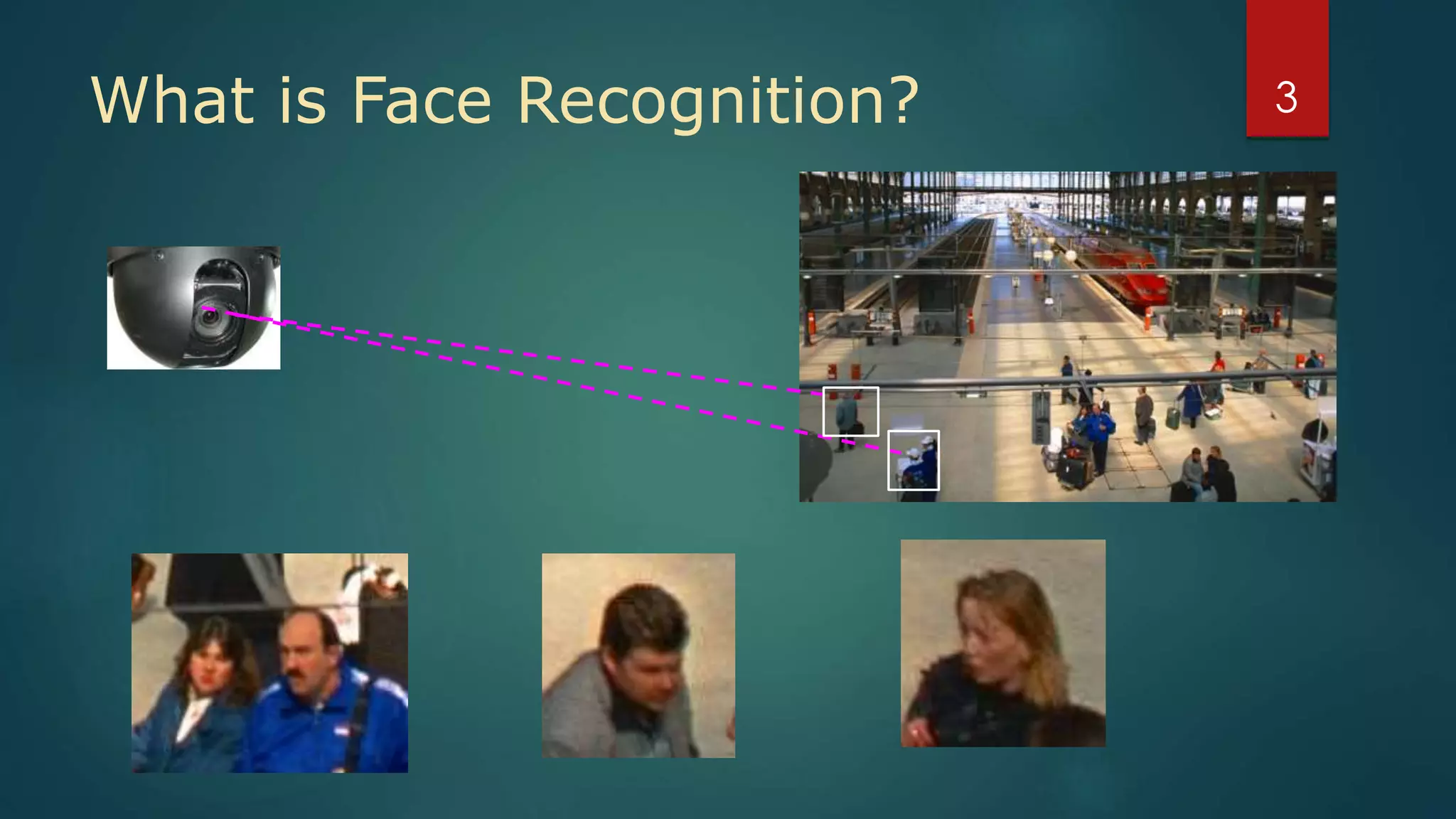
What is Face Recognition? 3
Introduction
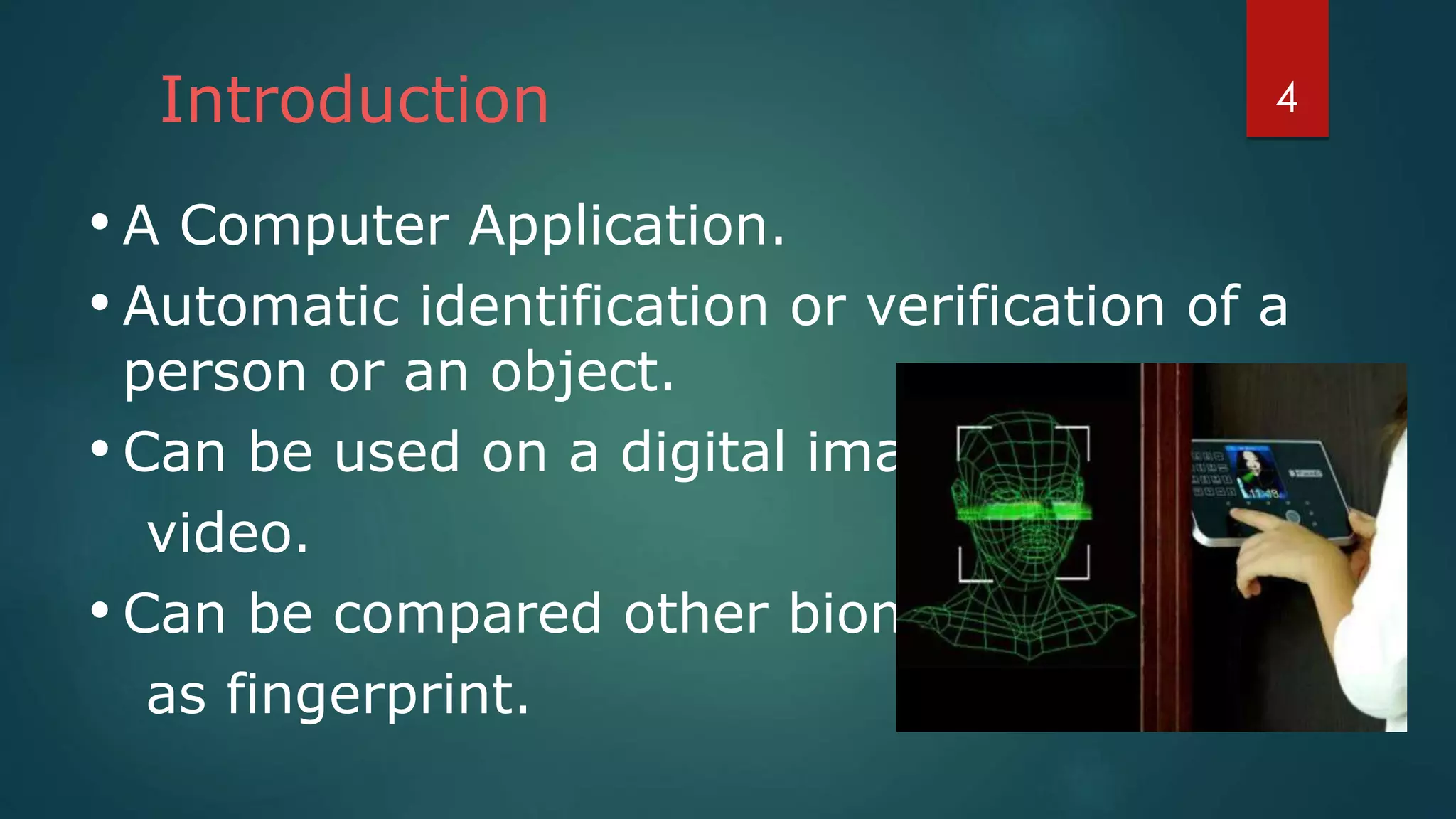
• A Computer Application.
• Automatic identification or verification of a
person or an object.
• Can be used on a digital image or a
video.
• Can be compared other biometrics such
as fingerprint.
4
WHAT IS BIOMETRICS ?
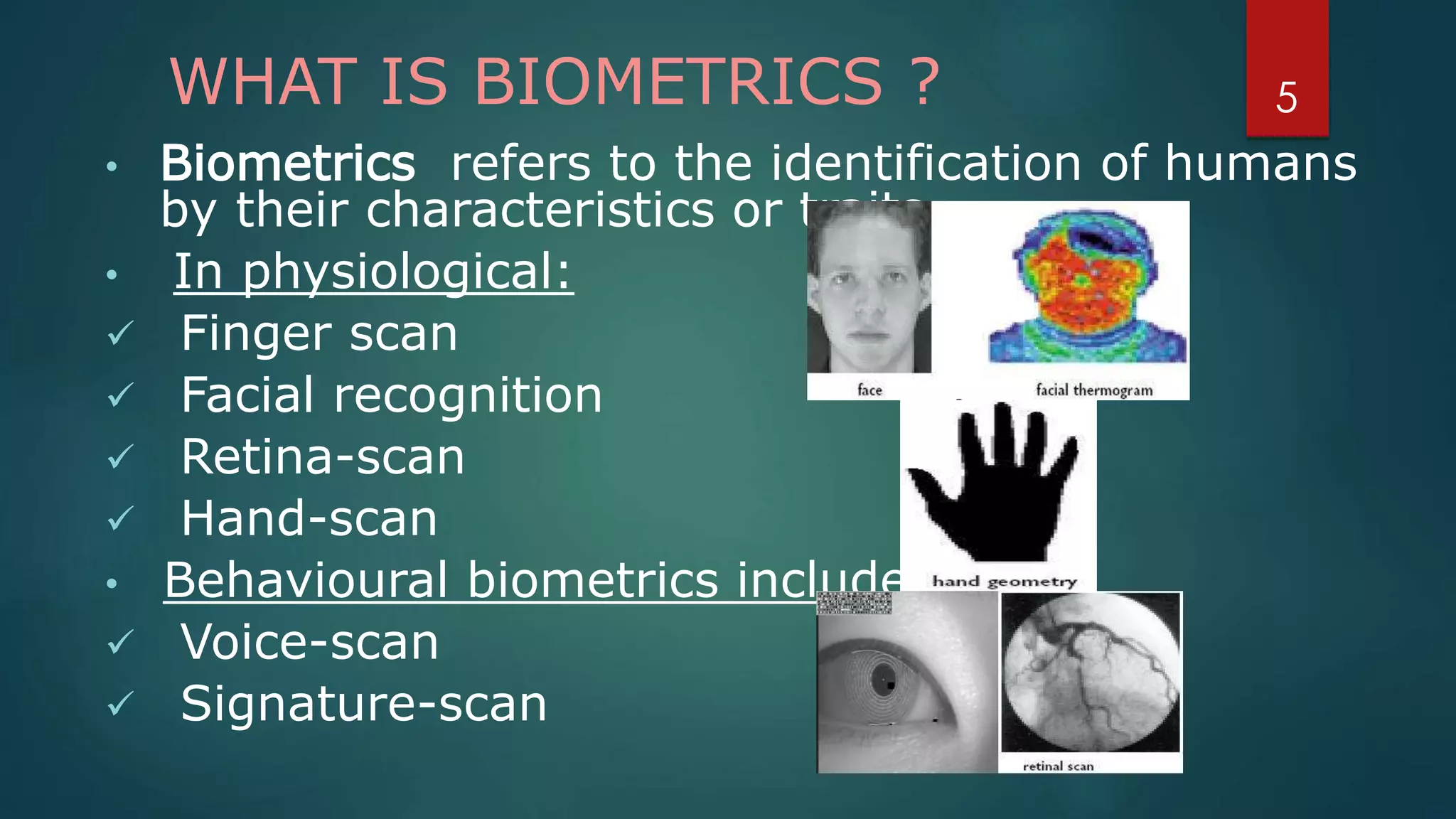
• Biometrics refers to the identification of humans
by their characteristics or traits.
• In physiological:
 Finger scan
 Facial recognition
 Retina-scan
 Hand-scan
• Behavioural biometrics include:
 Voice-scan
 Signature-scan
5
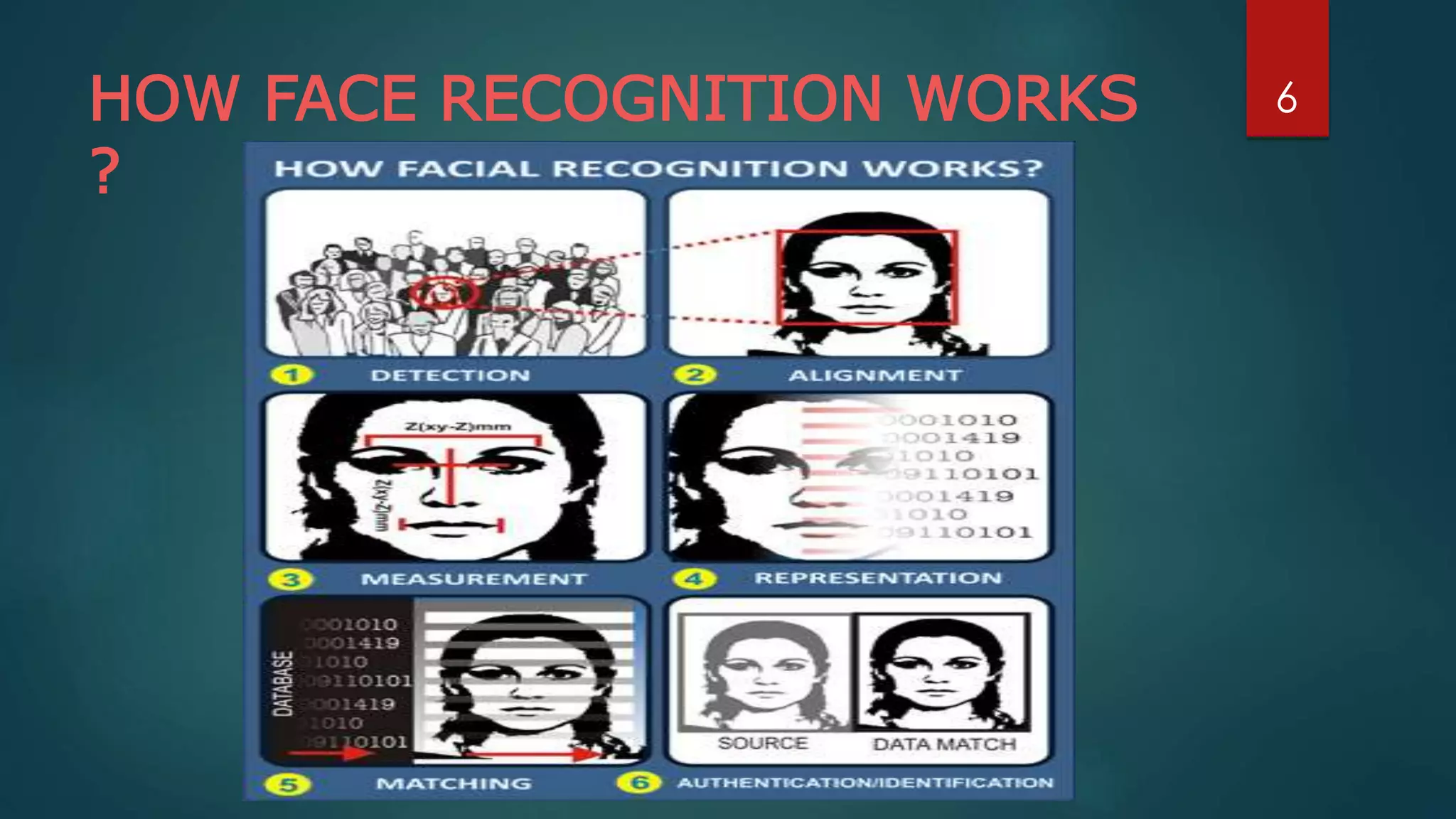
HOW FACE RECOGNITION WORKS
?
6
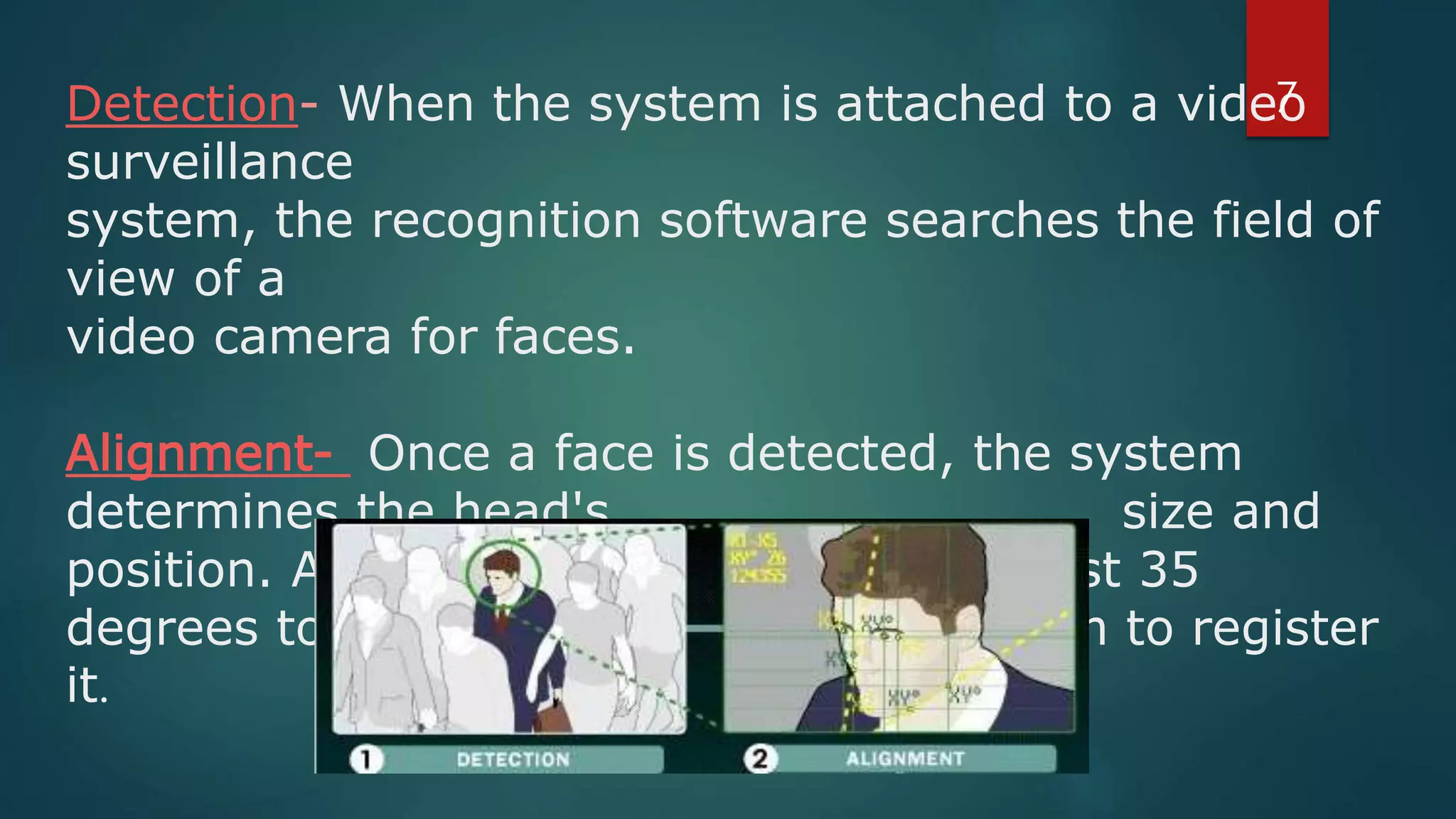
Detection- When the system is attached to a video
surveillance
system, the recognition software searches the field of
view of a
video camera for faces.
Alignment- Once a face is detected, the system
determines the head's size and
position. A face needs to be turned at least 35
degrees toward the camera for the system to register
it.
7
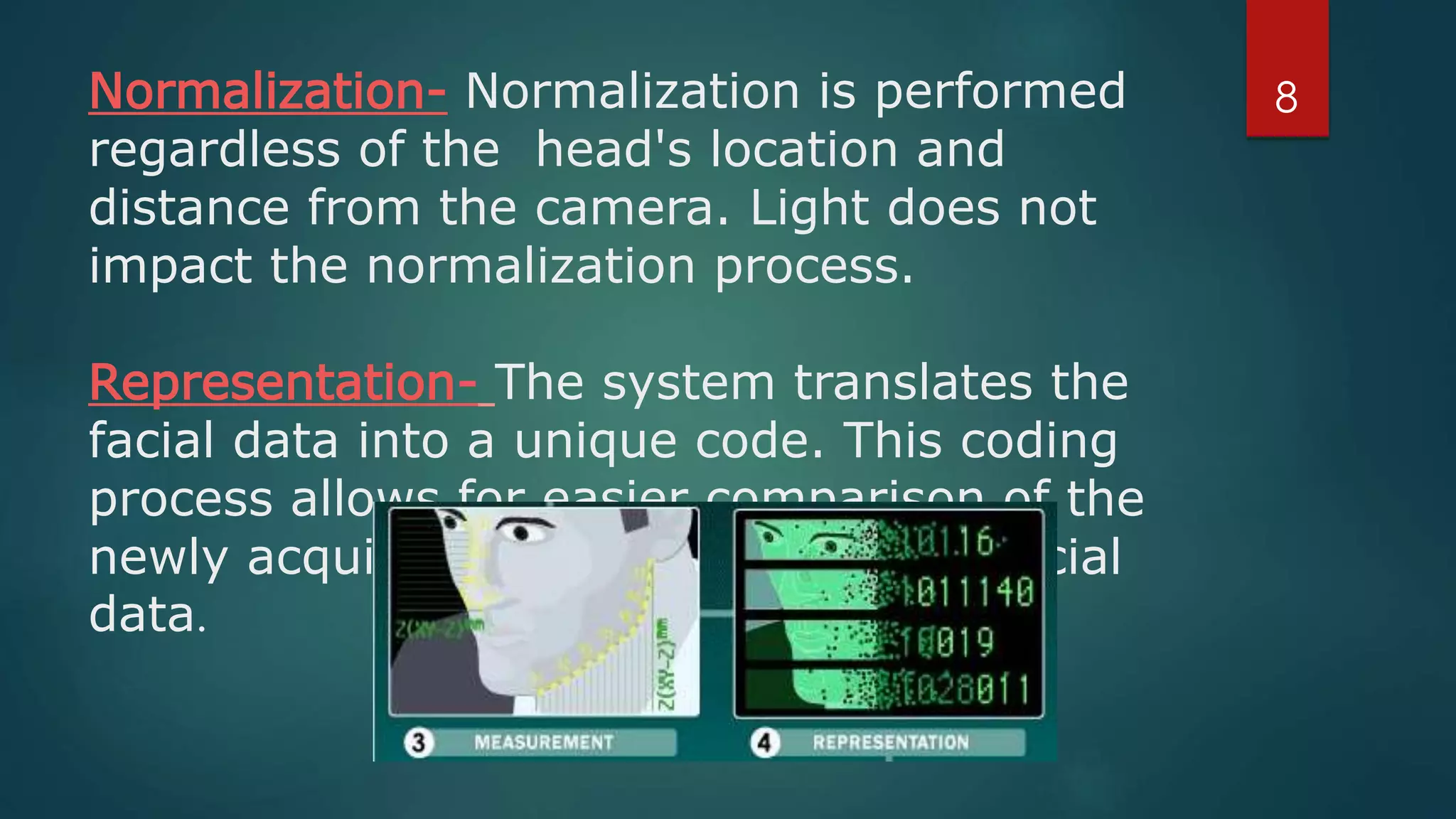
Normalization- Normalization is performed
regardless of the head's location and
distance from the camera. Light does not
impact the normalization process.
Representation- The system translates the
facial data into a unique code. This coding
process allows for easier comparison of the
newly acquired facial data to stored facial
data.
8
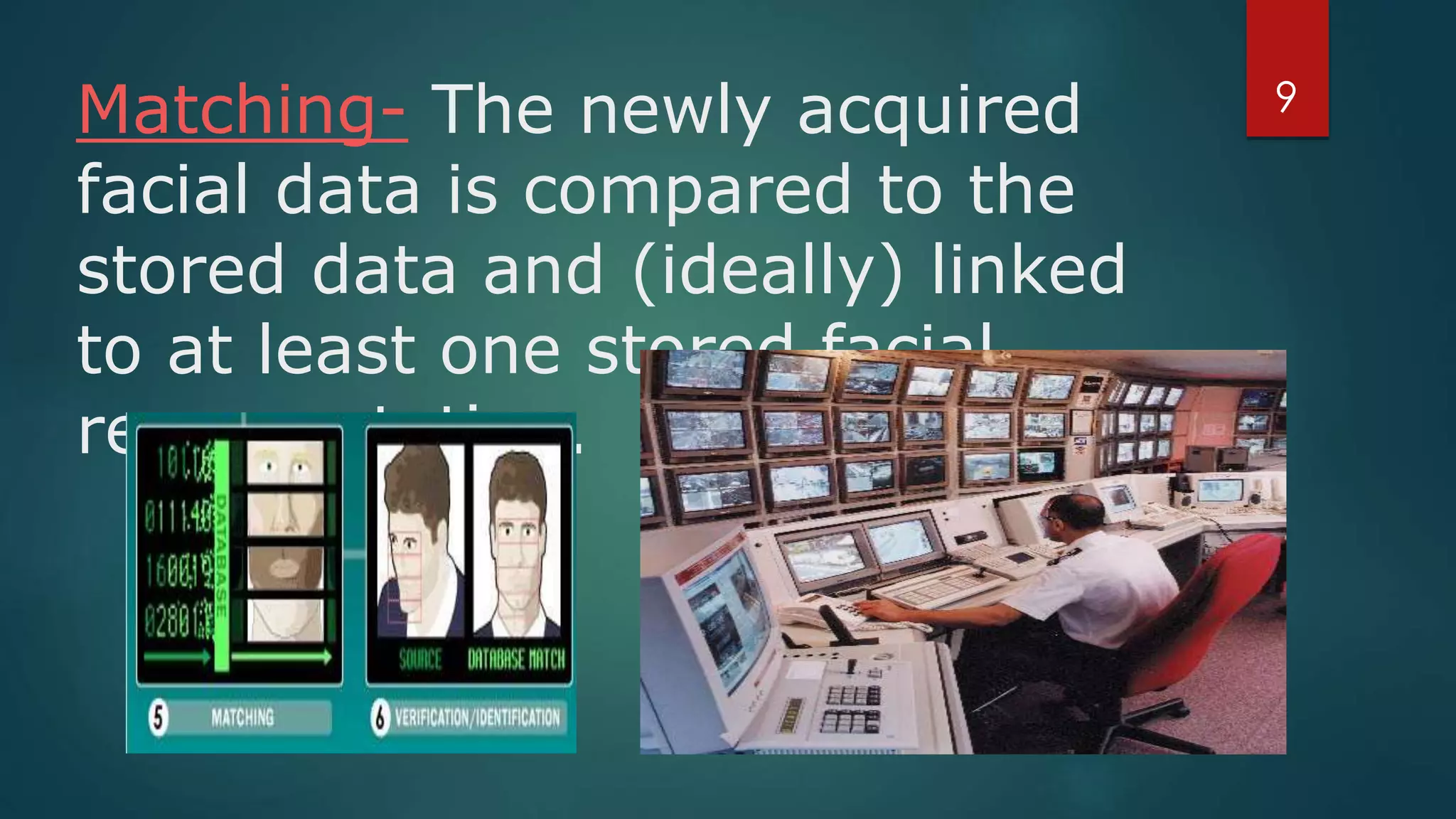
Matching- The newly acquired
facial data is compared to the
stored data and (ideally) linked
to at least one stored facial
representation.
9
COMPARISON
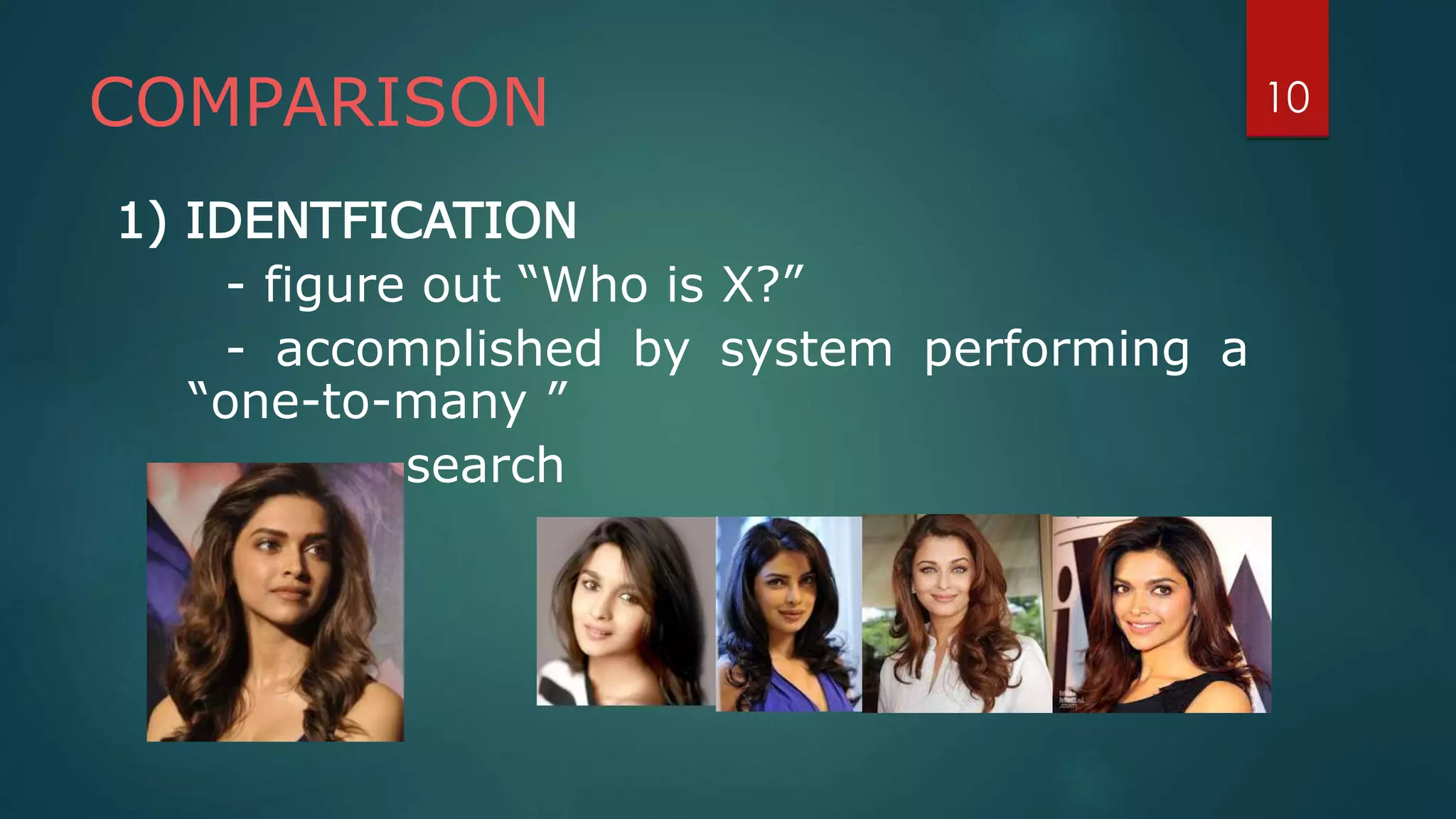
1) IDENTFICATION
- figure out “Who is X?”
- accomplished by system performing a
“one-to-many ”
search
10
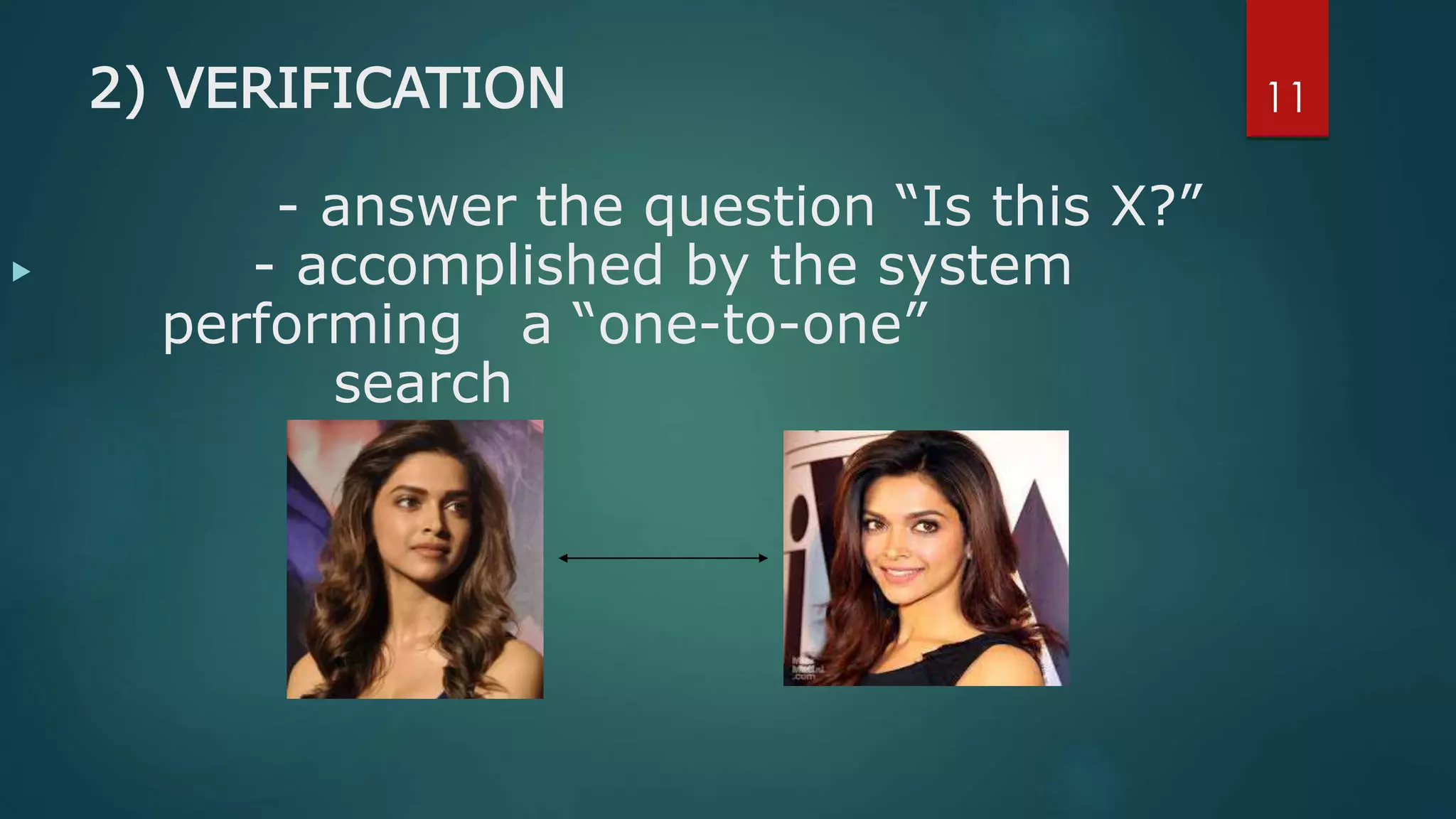
2) VERIFICATION
- answer the question “Is this X?”
- accomplished by the system
performing a “one-to-one”
search
11

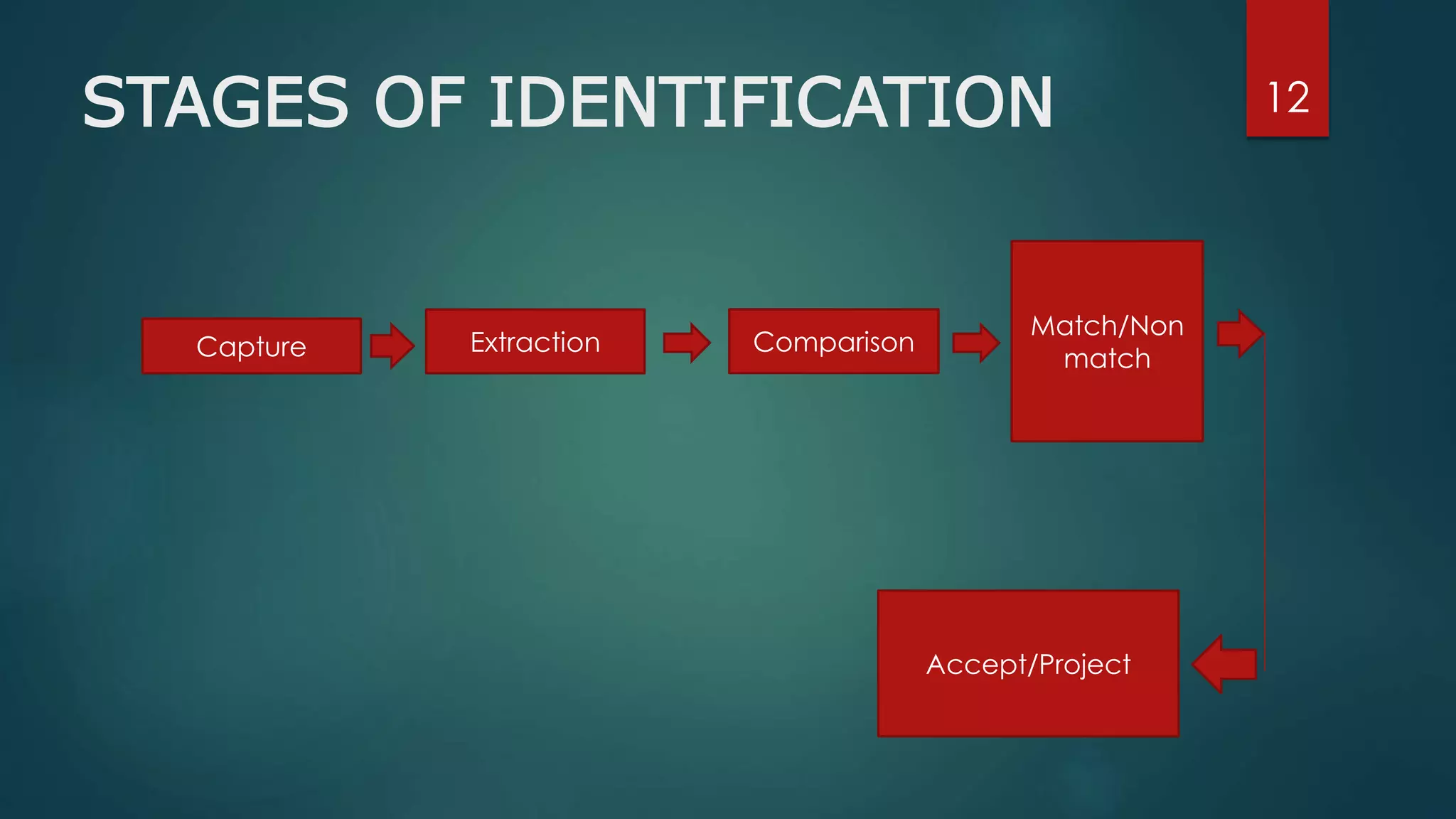
12STAGES OF IDENTIFICATION
Capture Extraction Comparison
Match/Non
match
Accept/Project
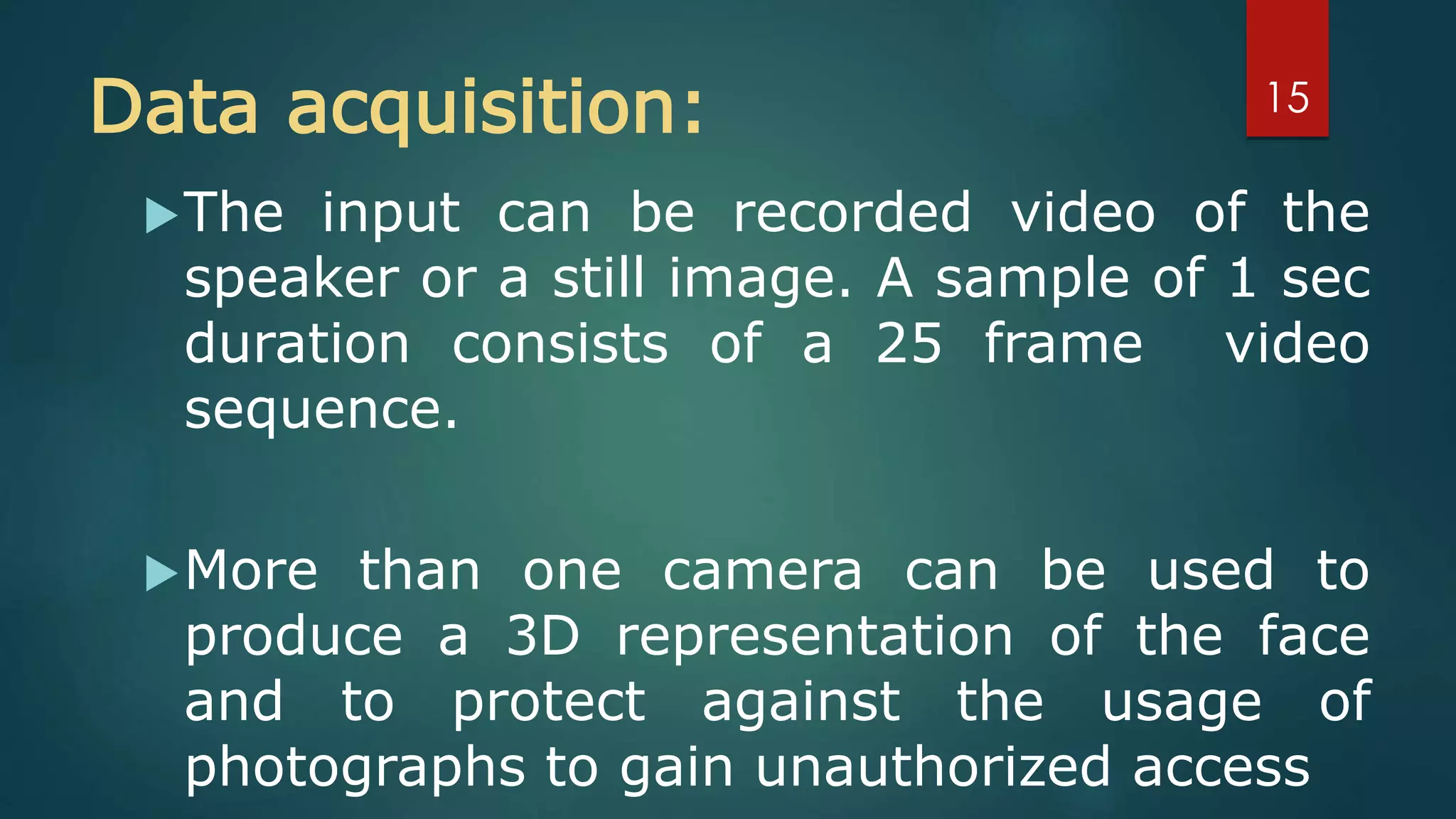
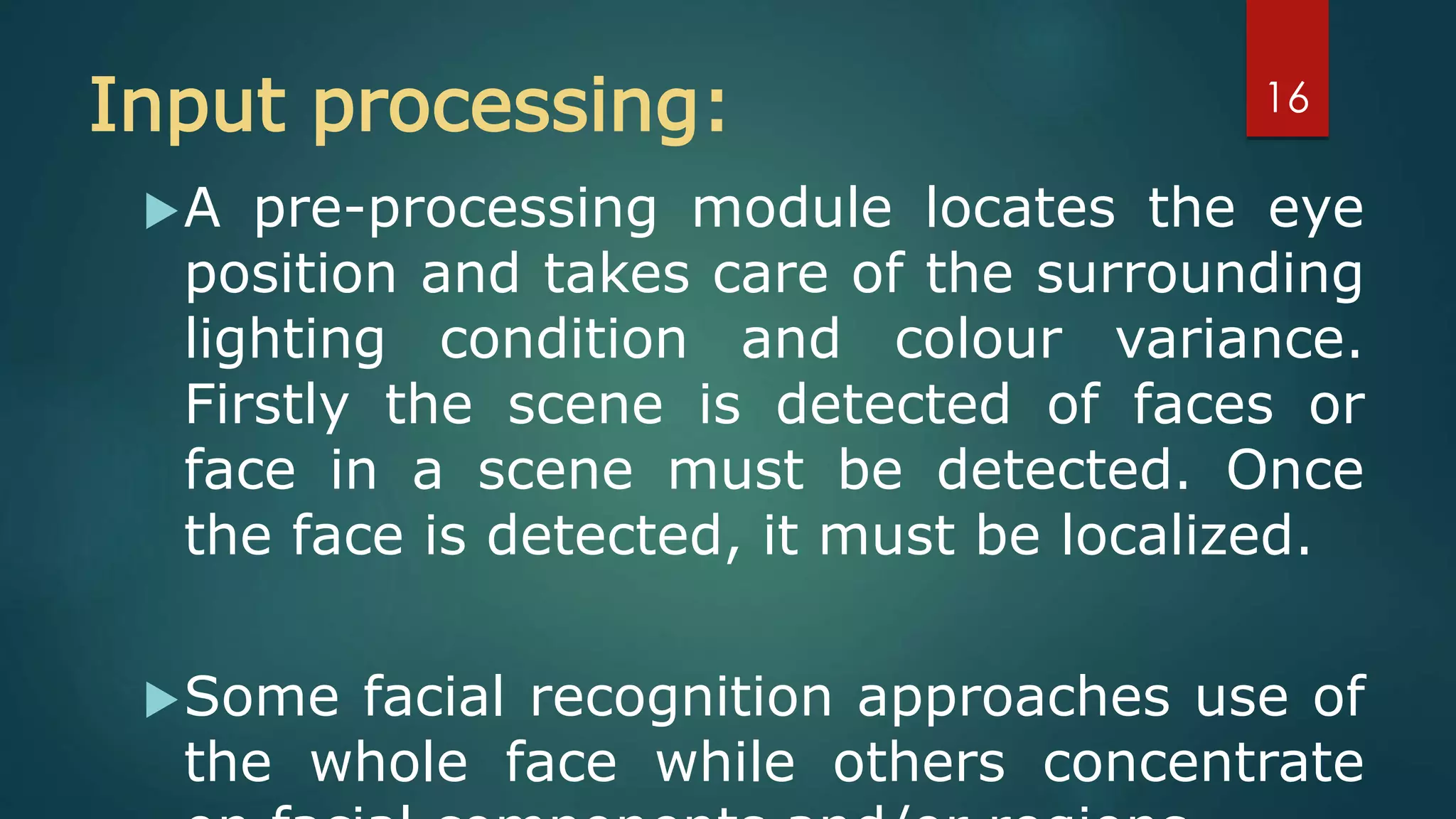
Capture- Capture the behavioral sample
Extraction- Unique data is extracted from the
sample and a template is created.
Comparison- The template is compared with a
new sample.
Match/non match- The system decides whether
the new samples are matched or not.
13
implement of face recognition
 data acquisition
input processing
 face image classification and
decision making
14
Data acquisition:
The input can be recorded video of the
speaker or a still image. A sample of 1 sec
duration consists of a 25 frame video
sequence.
More than one camera can be used to
produce a 3D representation of the face
and to protect against the usage of
photographs to gain unauthorized access
15
Input processing:
A pre-processing module locates the eye
position and takes care of the surrounding
lighting condition and colour variance.
Firstly the scene is detected of faces or
face in a scene must be detected. Once
the face is detected, it must be localized.
Some facial recognition approaches use of
the whole face while others concentrate
16
Face image classification and
decision making
 Synergetic computer are used to classify optical and
audio features, respectively.
 A synergetic computer is a set of algorithm that
simulate synergetic phenomena.
 A newly recorded pattern is preprocessed and
compared with each faceprint stored in the database.
As comparisons are made, the system assigns a value
to the comparison using a scale of one to ten. If a
score is above a predetermined threshold, a match is
declared.
17
ADVANTAGES AND
DISADVANTAGESADVANTAGES:
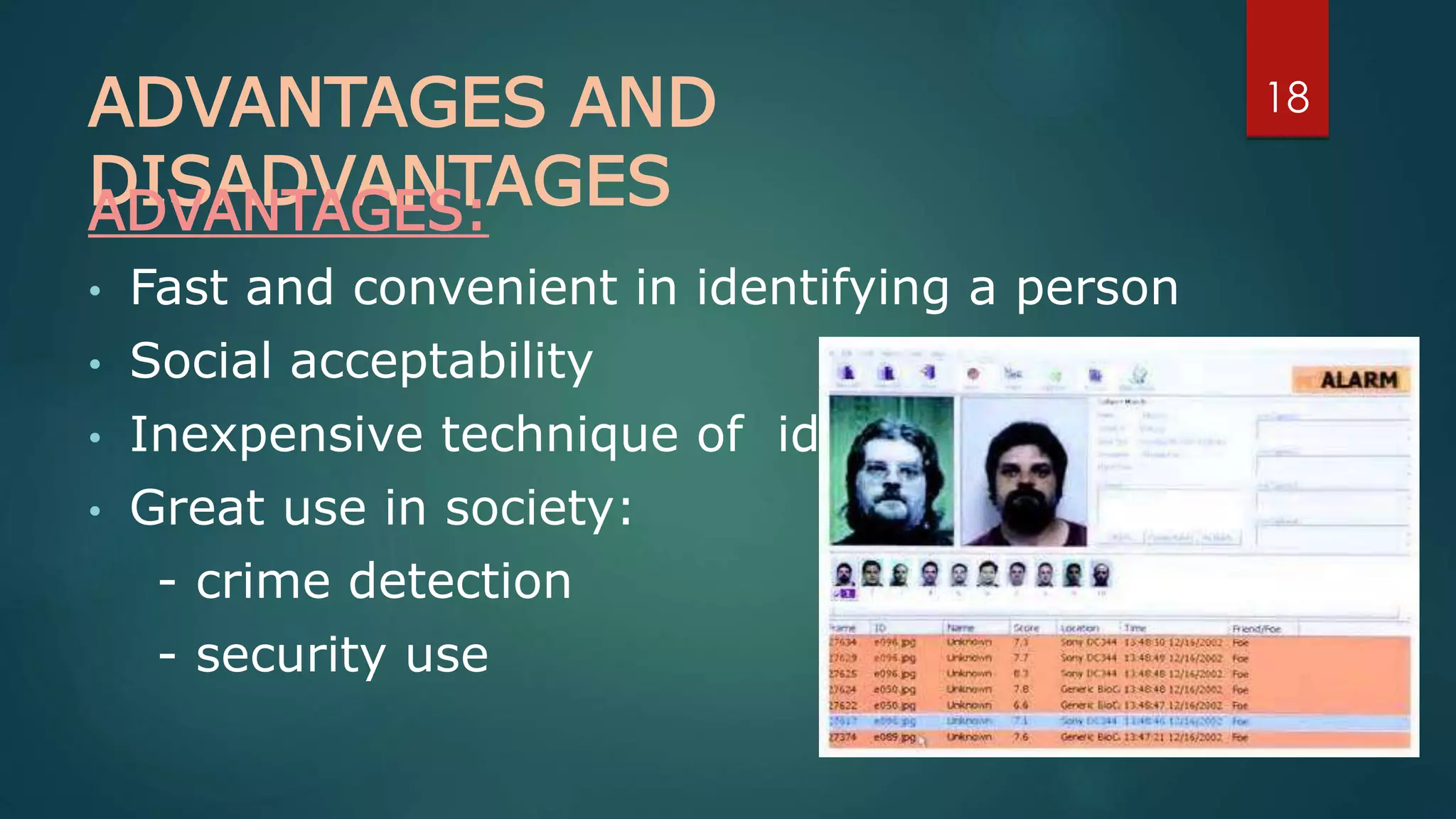
• Fast and convenient in identifying a person
• Social acceptability
• Inexpensive technique of identification
• Great use in society:
- crime detection
- security use
18
DISADVANTAGES:
1) Problem with false rejection when
people change their hair style, grow or
shave a beard or wear glasses.
2) Change of facial characteristics –
wearing of glasses.
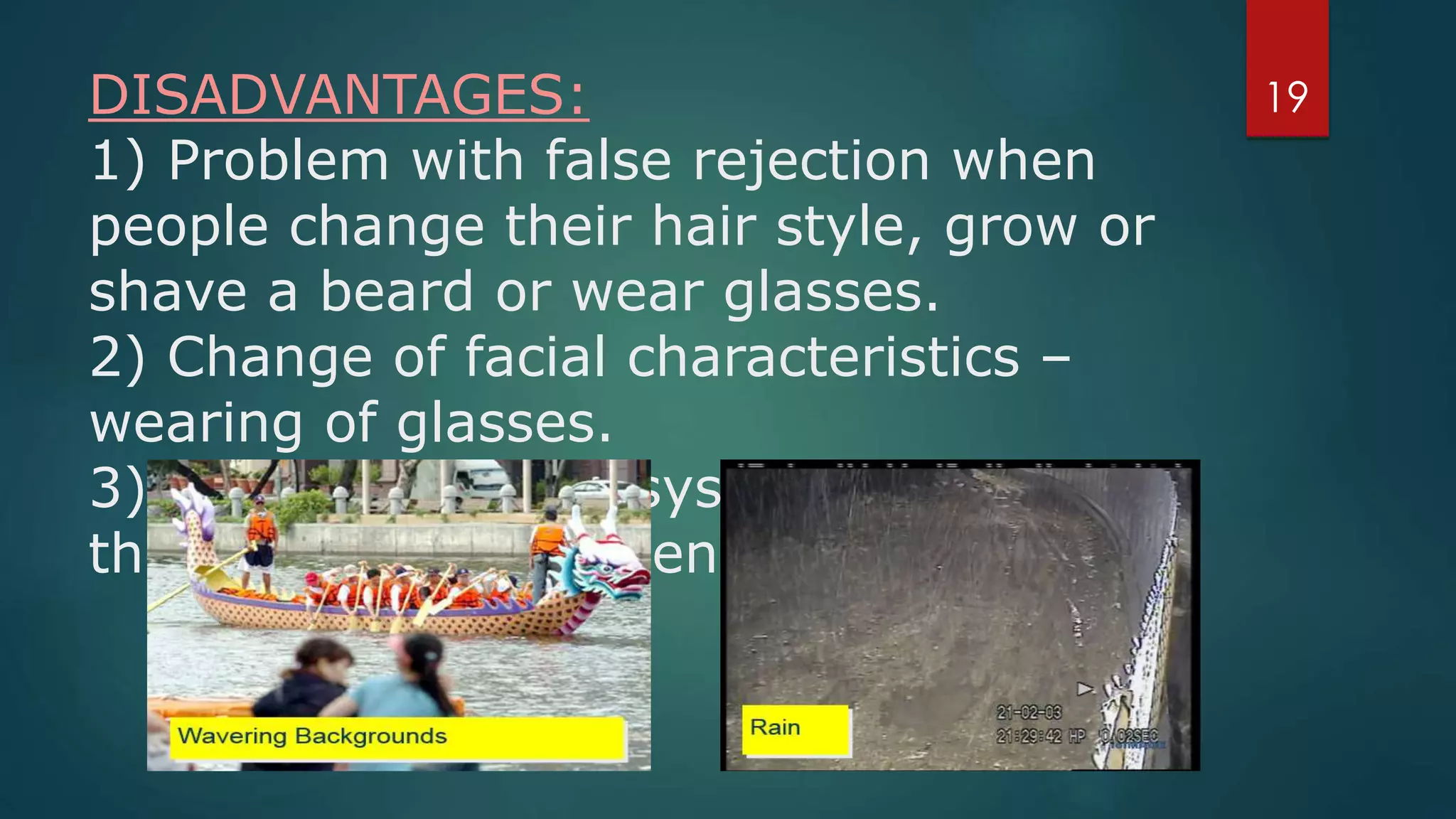
3) Face recognition systems can’t tell
the difference between identical twins.
19
APPLICATIONS
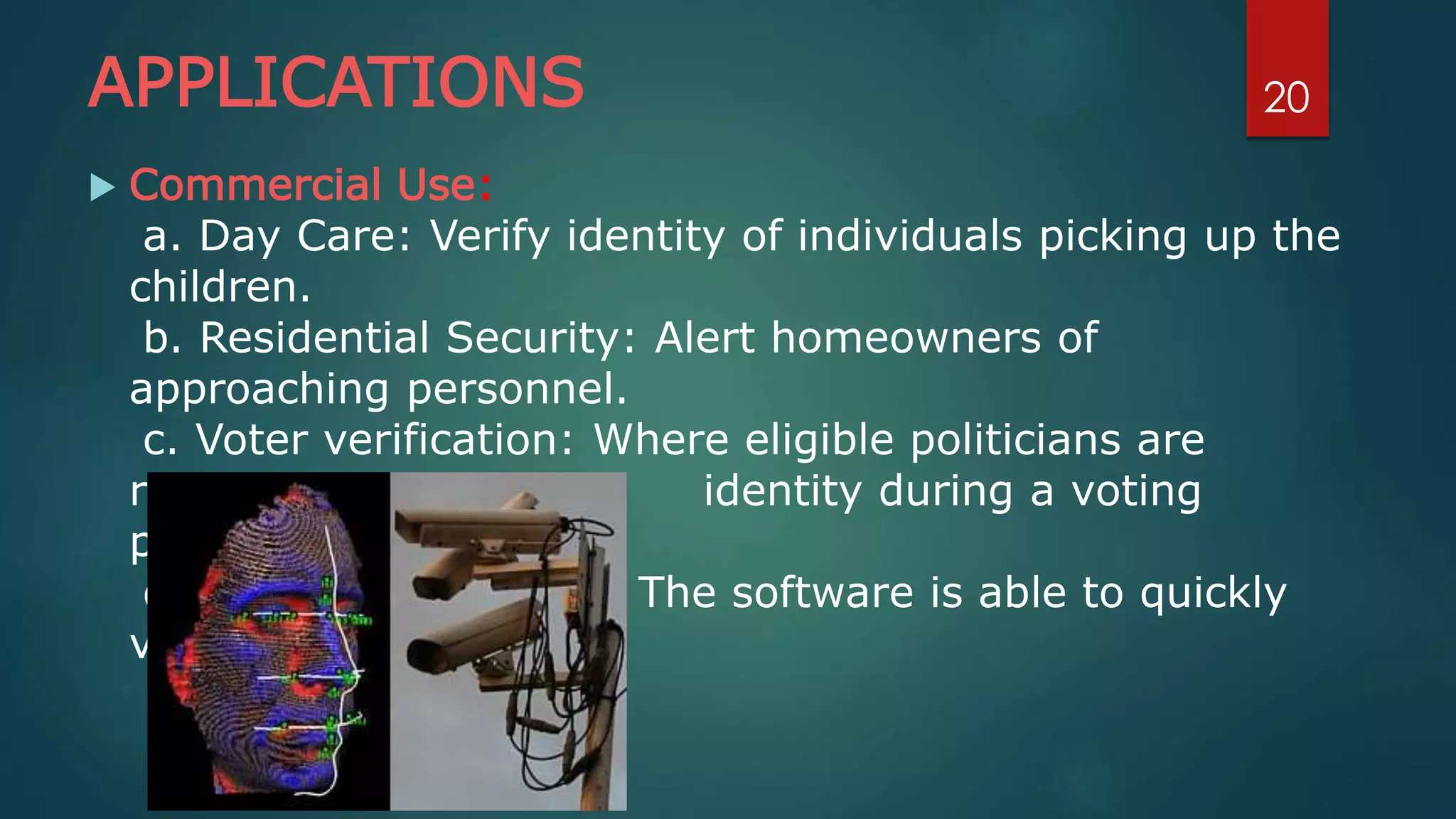
 Commercial Use:
a. Day Care: Verify identity of individuals picking up the
children.
b. Residential Security: Alert homeowners of
approaching personnel.
c. Voter verification: Where eligible politicians are
required to verify their identity during a voting
process.
d. Banking using ATM: The software is able to quickly
verify a customer.
20
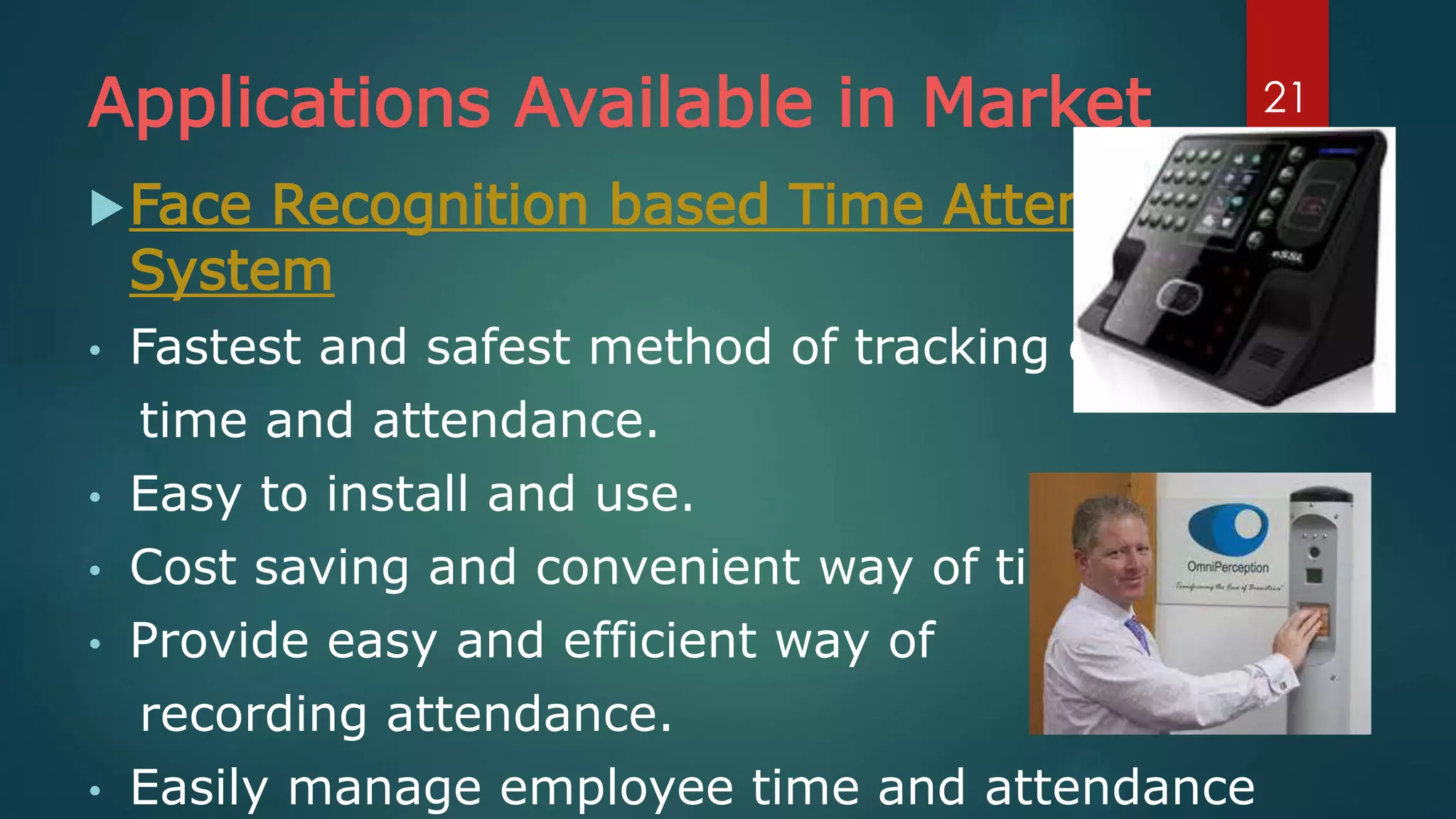
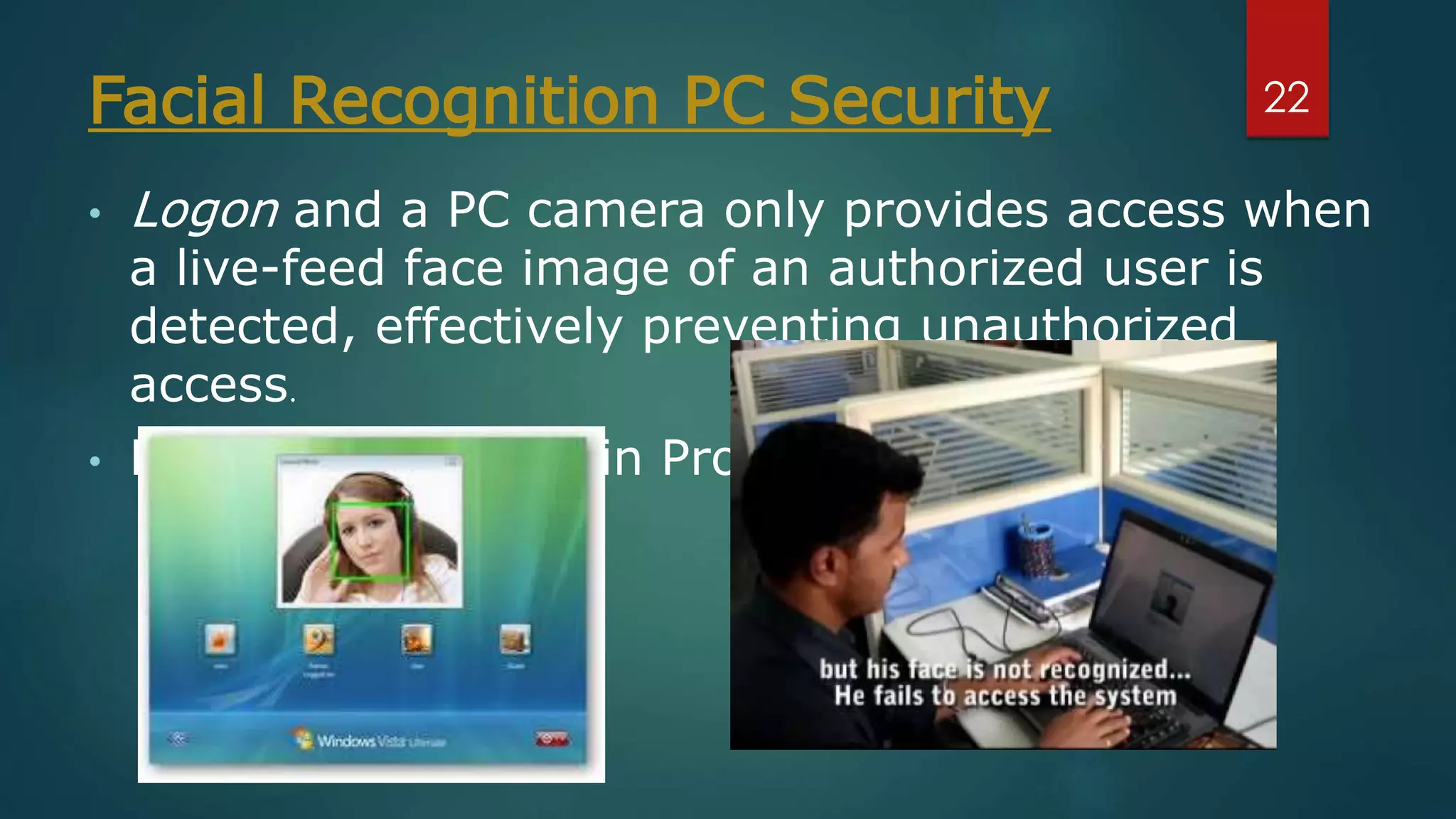
Applications Available in Market
Face Recognition based Time Attendance
System
• Fastest and safest method of tracking employee
time and attendance.
• Easy to install and use.
• Cost saving and convenient way of time tracking.
• Provide easy and efficient way of
recording attendance.
• Easily manage employee time and attendance
21
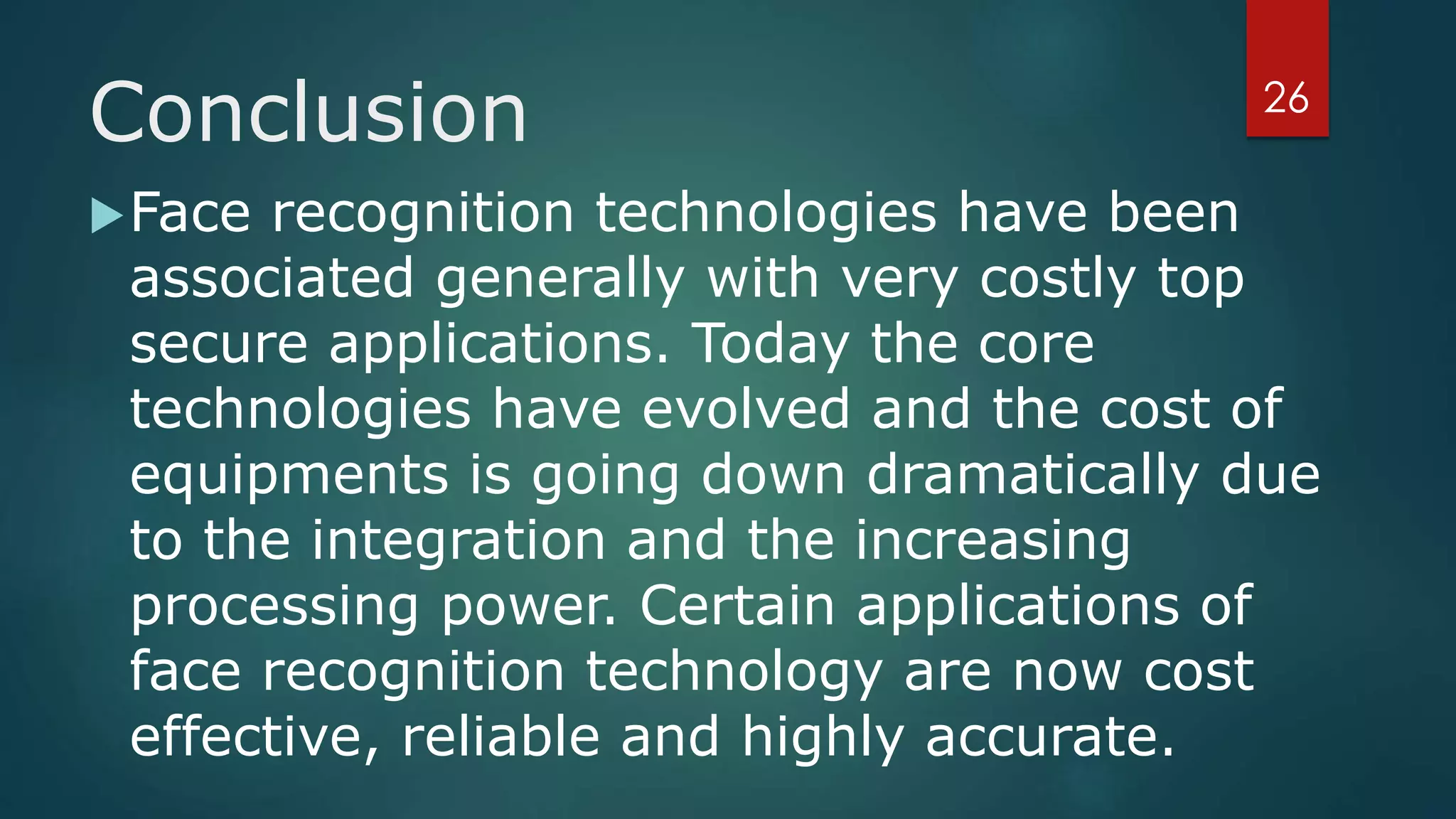
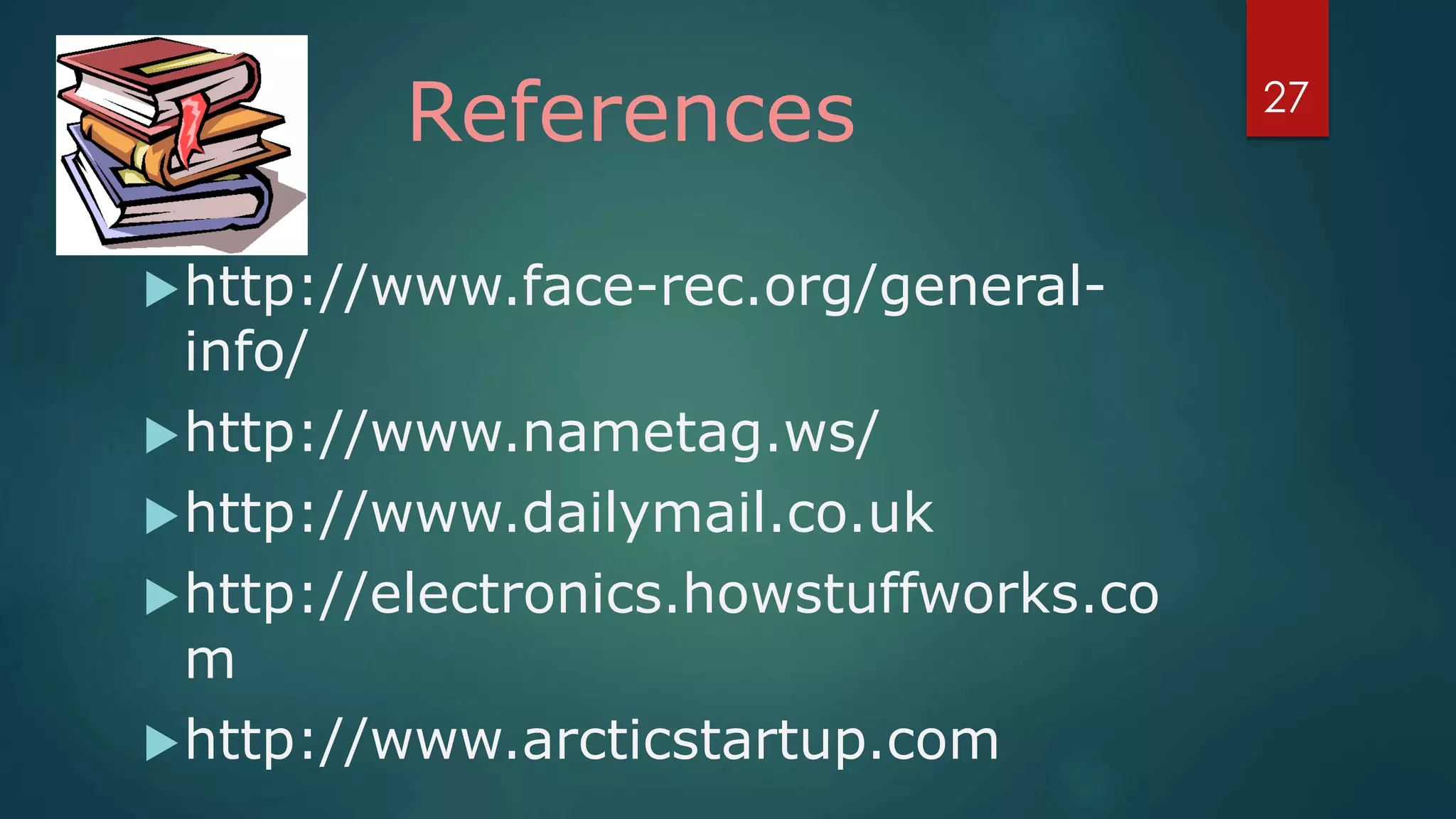
Facial Recognition PC Security
• Logon and a PC camera only provides access when
a live-feed face image of an authorized user is
detected, effectively preventing unauthorized
access.
• Fast & Secured Login Process.
22
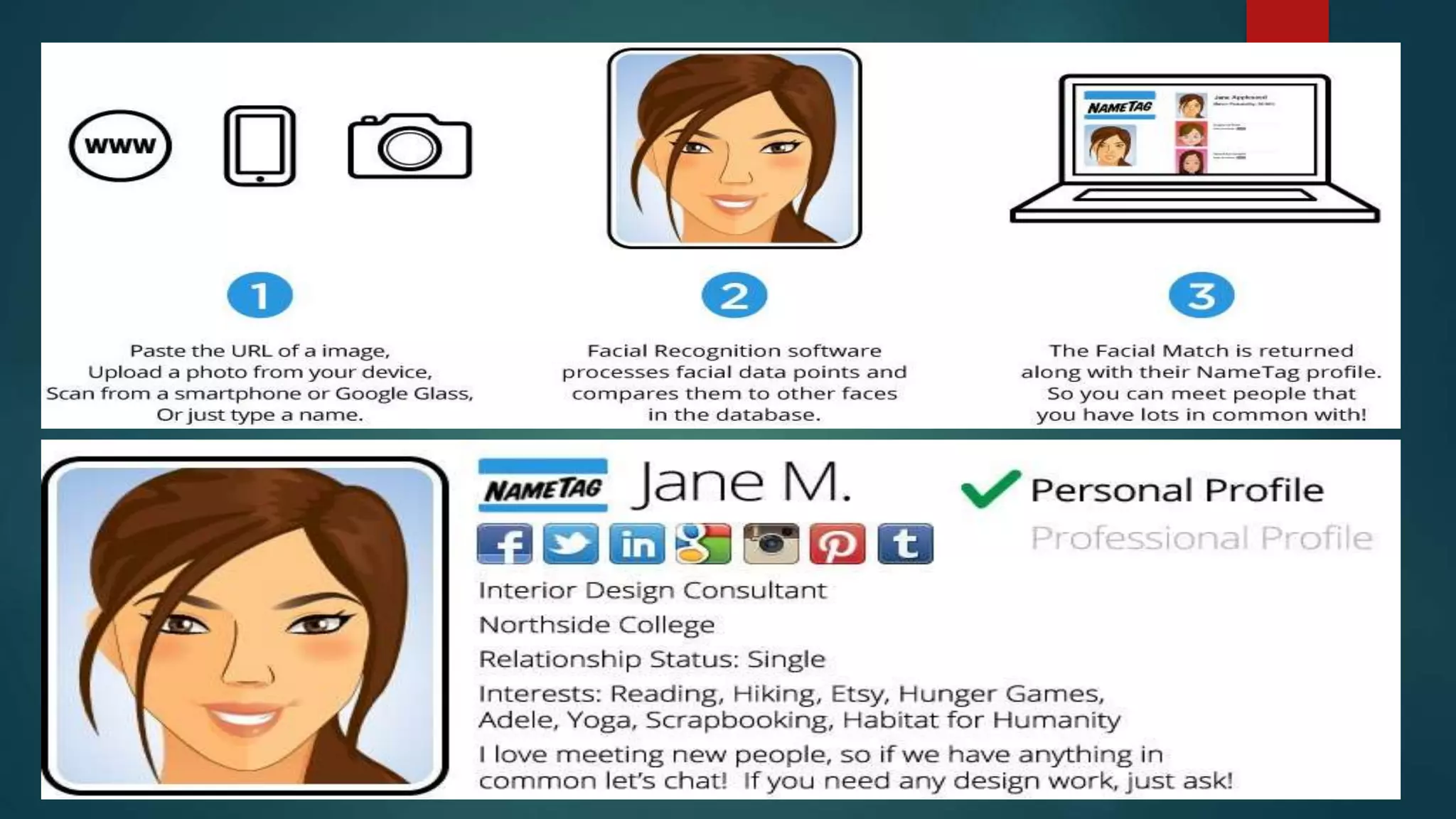
NameTag
 NameTag lets strangers get a broad range of
personal information—including a person’s name,
photos, and dating website profiles—simply by
looking at that person’s face with the Glass
camera.
 Using the NameTag smartphone or Google Glass
app, simply snap a pic of someone you want to
connect with and see their entire public online
presence in one place.
23
24
25
Conclusion
Face recognition technologies have been
associated generally with very costly top
secure applications. Today the core
technologies have evolved and the cost of
equipments is going down dramatically due
to the integration and the increasing
processing power. Certain applications of
face recognition technology are now cost
effective, reliable and highly accurate.
26
References
http://www.face-rec.org/general-
info/
http://www.nametag.ws/
http://www.dailymail.co.uk
http://electronics.howstuffworks.co
m
http://www.arcticstartup.com
27
28
29

Face Recognition

  • 1.
  • 2.
    Outline 1. Introduction 2. Biometrics 3.How it works 4. Comparison 5. Stages of identification 6. Implementation 7. Strengths & Weaknesses 8. Applications 9. Conclusion 10. References 2
  • 3.
    What is FaceRecognition? 3
  • 4.
    Introduction • A ComputerApplication. • Automatic identification or verification of a person or an object. • Can be used on a digital image or a video. • Can be compared other biometrics such as fingerprint. 4
  • 5.
    WHAT IS BIOMETRICS? • Biometrics refers to the identification of humans by their characteristics or traits. • In physiological:  Finger scan  Facial recognition  Retina-scan  Hand-scan • Behavioural biometrics include:  Voice-scan  Signature-scan 5
  • 6.
  • 7.
    Detection- When thesystem is attached to a video surveillance system, the recognition software searches the field of view of a video camera for faces. Alignment- Once a face is detected, the system determines the head's size and position. A face needs to be turned at least 35 degrees toward the camera for the system to register it. 7
  • 8.
    Normalization- Normalization isperformed regardless of the head's location and distance from the camera. Light does not impact the normalization process. Representation- The system translates the facial data into a unique code. This coding process allows for easier comparison of the newly acquired facial data to stored facial data. 8
  • 9.
    Matching- The newlyacquired facial data is compared to the stored data and (ideally) linked to at least one stored facial representation. 9
  • 10.
    COMPARISON 1) IDENTFICATION - figureout “Who is X?” - accomplished by system performing a “one-to-many ” search 10
  • 11.
    2) VERIFICATION - answerthe question “Is this X?” - accomplished by the system performing a “one-to-one” search 11 
  • 12.
    12STAGES OF IDENTIFICATION CaptureExtraction Comparison Match/Non match Accept/Project
  • 13.
    Capture- Capture thebehavioral sample Extraction- Unique data is extracted from the sample and a template is created. Comparison- The template is compared with a new sample. Match/non match- The system decides whether the new samples are matched or not. 13
  • 14.
    implement of facerecognition  data acquisition input processing  face image classification and decision making 14
  • 15.
    Data acquisition: The inputcan be recorded video of the speaker or a still image. A sample of 1 sec duration consists of a 25 frame video sequence. More than one camera can be used to produce a 3D representation of the face and to protect against the usage of photographs to gain unauthorized access 15
  • 16.
    Input processing: A pre-processingmodule locates the eye position and takes care of the surrounding lighting condition and colour variance. Firstly the scene is detected of faces or face in a scene must be detected. Once the face is detected, it must be localized. Some facial recognition approaches use of the whole face while others concentrate 16
  • 17.
    Face image classificationand decision making  Synergetic computer are used to classify optical and audio features, respectively.  A synergetic computer is a set of algorithm that simulate synergetic phenomena.  A newly recorded pattern is preprocessed and compared with each faceprint stored in the database. As comparisons are made, the system assigns a value to the comparison using a scale of one to ten. If a score is above a predetermined threshold, a match is declared. 17
  • 18.
    ADVANTAGES AND DISADVANTAGESADVANTAGES: • Fastand convenient in identifying a person • Social acceptability • Inexpensive technique of identification • Great use in society: - crime detection - security use 18
  • 19.
    DISADVANTAGES: 1) Problem withfalse rejection when people change their hair style, grow or shave a beard or wear glasses. 2) Change of facial characteristics – wearing of glasses. 3) Face recognition systems can’t tell the difference between identical twins. 19
  • 20.
    APPLICATIONS  Commercial Use: a.Day Care: Verify identity of individuals picking up the children. b. Residential Security: Alert homeowners of approaching personnel. c. Voter verification: Where eligible politicians are required to verify their identity during a voting process. d. Banking using ATM: The software is able to quickly verify a customer. 20
  • 21.
    Applications Available inMarket Face Recognition based Time Attendance System • Fastest and safest method of tracking employee time and attendance. • Easy to install and use. • Cost saving and convenient way of time tracking. • Provide easy and efficient way of recording attendance. • Easily manage employee time and attendance 21
  • 22.
    Facial Recognition PCSecurity • Logon and a PC camera only provides access when a live-feed face image of an authorized user is detected, effectively preventing unauthorized access. • Fast & Secured Login Process. 22
  • 23.
    NameTag  NameTag letsstrangers get a broad range of personal information—including a person’s name, photos, and dating website profiles—simply by looking at that person’s face with the Glass camera.  Using the NameTag smartphone or Google Glass app, simply snap a pic of someone you want to connect with and see their entire public online presence in one place. 23
  • 24.
  • 25.
  • 26.
    Conclusion Face recognition technologieshave been associated generally with very costly top secure applications. Today the core technologies have evolved and the cost of equipments is going down dramatically due to the integration and the increasing processing power. Certain applications of face recognition technology are now cost effective, reliable and highly accurate. 26
  • 27.
  • 28.
  • 29.