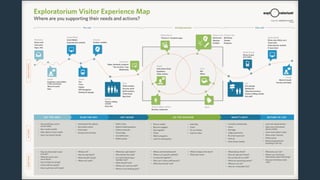
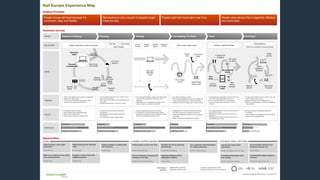
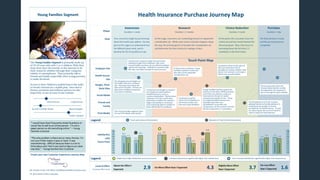
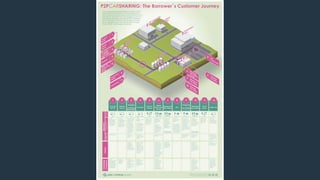
Experience Mapping Workshop 
A Technique to Understanding the Journey 
John Labriola 
@john_labriola 
Interaction14 South America El evento de Diseño de Interacción y Experiencia de Usuario más 
importante de Latinoamérica. 
B U E N O S A I R E S
Agenda 
Section 1 (9:30am - 11:00am) 
• Definition 
• Prepping 
• Gathering data 
Break (11:00am - 11:45am) 
Section 2 (11:45 - 1:00pm) 
• Mapping 
Lunch Break (1:00pm - 3:00pm) 
Section 3 (3:00pm - 3:50pm) 
• Visualizing 
Break (3:50pm - 4:40pm) 
Section 4 (4:40pm - 5:30pm) 
• Using 
• Q&A
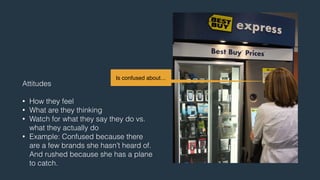
Definition 
! 
“Users are not always logical, at least not on the surface. To be a great 
designer you need to look a little deeper into how people think and act.” 
! 
- Paul Boag
A method for understanding the 
interactions of a set of connected 
experiences between a user and 
organization that happen across 
channels over time and space
A technique for storytelling. 
! 
Telling a rich in-depth story of 
someone’s experience.
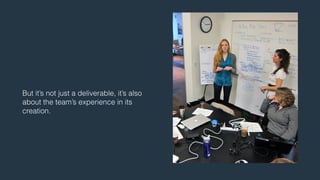
But it’s not just a deliverable, it’s also 
about the team’s experience in its 
creation.
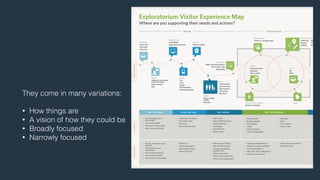
They come in many variations: 
! 
• How things are 
• A vision of how they could be 
• Broadly focused 
• Narrowly focused
Prepping 
! 
"Ask the right questions if you're going to find the right answers.” 
! 
- Vanessa Redgrave
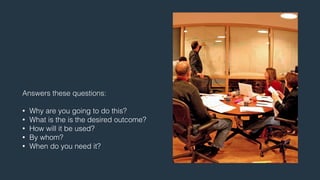
Answers these questions: 
! 
• Why are you going to do this? 
• What is the is the desired outcome? 
• How will it be used? 
• By whom? 
• When do you need it?
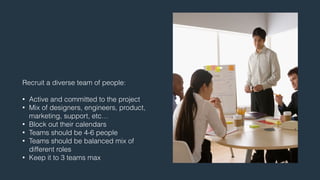
Recruit a diverse team of people: 
! 
• Active and committed to the project 
• Mix of designers, engineers, product, 
marketing, support, etc… 
• Block out their calendars 
• Teams should be 4-6 people 
• Teams should be balanced mix of 
different roles 
• Keep it to 3 teams max
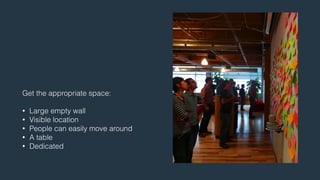
Get the appropriate space: 
! 
• Large empty wall 
• Visible location 
• People can easily move around 
• A table 
• Dedicated
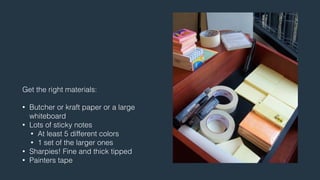
Get the right materials: 
! 
• Butcher or kraft paper or a large 
whiteboard 
• Lots of sticky notes 
• At least 5 different colors 
• 1 set of the larger ones 
• Sharpies! Fine and thick tipped 
• Painters tape
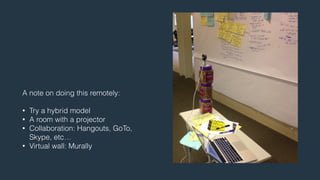
A note on doing this remotely: 
! 
• Try a hybrid model 
• A room with a projector 
• Collaboration: Hangouts, GoTo, 
Skype, etc… 
• Virtual wall: Murally
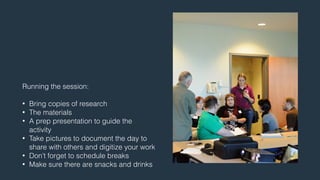
Running the session: 
! 
• Bring copies of research 
• The materials 
• A prep presentation to guide the 
activity 
• Take pictures to document the day to 
share with others and digitize your work 
• Don’t forget to schedule breaks 
• Make sure there are snacks and drinks
Gathering Data 
! 
“People’s behavior makes sense if you think about it in terms of their 
goals, needs, and motives.” 
! 
- Thomas Mann
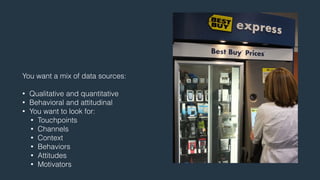
You want a mix of data sources: 
! 
• Qualitative and quantitative 
• Behavioral and attitudinal 
• You want to look for: 
• Touchpoints 
• Channels 
• Context 
• Behaviors 
• Attitudes 
• Motivators
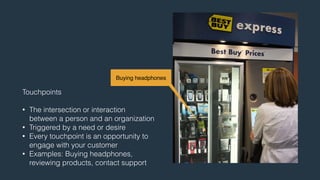
Buying headphones 
Touchpoints 
! 
• The intersection or interaction 
between a person and an organization 
• Triggered by a need or desire 
• Every touchpoint is an opportunity to 
engage with your customer 
• Examples: Buying headphones, 
reviewing products, contact support
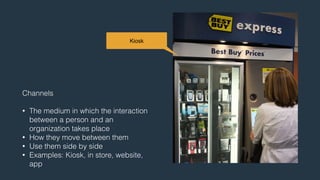
Kiosk 
Channels 
! 
• The medium in which the interaction 
between a person and an 
organization takes place 
• How they move between them 
• Use them side by side 
• Examples: Kiosk, in store, website, 
app
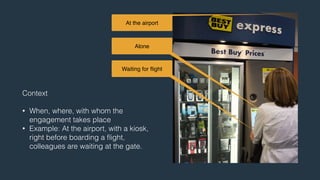
At the airport 
Alone 
Waiting for flight 
Context 
! 
• When, where, with whom the 
engagement takes place 
• Example: At the airport, with a kiosk, 
right before boarding a flight, 
colleagues are waiting at the gate.
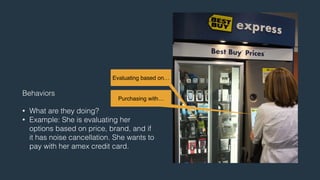
Evaluating based on… 
Behaviors 
! 
• What are they doing? 
• Example: She is evaluating her 
options based on price, brand, and if 
it has noise cancellation. She wants to 
pay with her amex credit card. 
Purchasing with…
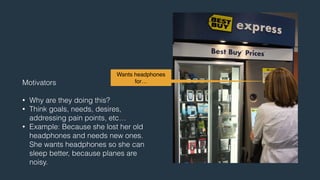
Wants headphones 
for… 
Motivators 
! 
• Why are they doing this? 
• Think goals, needs, desires, 
addressing pain points, etc… 
• Example: Because she lost her old 
headphones and needs new ones. 
She wants headphones so she can 
sleep better, because planes are 
noisy.
Is confused about… 
Attitudes 
! 
• How they feel 
• What are they thinking 
• Watch for what they say they do vs. 
what they actually do 
• Example: Confused because there 
are a few brands she hasn’t heard of. 
And rushed because she has a plane 
to catch.
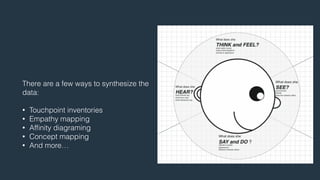
There are a few ways to synthesize the 
data: 
! 
• Touchpoint inventories 
• Empathy mapping 
• Affinity diagraming 
• Concept mapping 
• And more…
Activity - Touchpoint Inventory 
• Hotel experience 
• Go through the research provided, but feel free to add your own info 
• Look for touchpoints, channels, context, behaviors, motivators, 
attitudes 
• Put touchpoints on one color, channels on another, and so on 
• Group them around a touchpoint
Break 
11:00am - 11:45am
Building the Map 
! 
“While each discipline on the product team has its role to play, it is the 
true teamwork and collaboration of a cohesive product team that makes 
great user experiences possible.” 
! 
- Pabini Gabriel-Petit
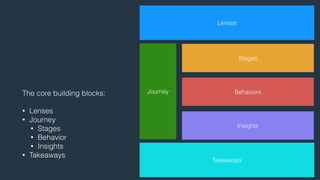
The core building blocks: 
! 
• Lenses 
• Journey 
• Stages 
• Behavior 
• Insights 
• Takeaways 
Lenses 
Journey 
Stages 
Behaviors 
Insights 
Takeaways
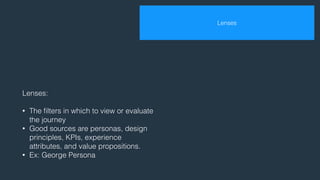
Lenses: 
! 
• The filters in which to view or evaluate 
the journey 
• Good sources are personas, design 
principles, KPIs, experience 
attributes, and value propositions. 
• Ex: George Persona 
Lenses
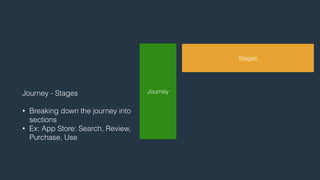
Journey - Stages 
! 
• Breaking down the journey into 
sections 
• Ex: App Store: Search, Review, 
Purchase, Use 
Journey 
Stages
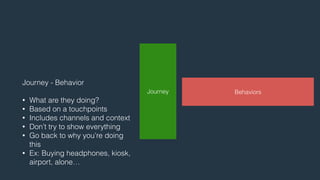
Journey - Behavior 
! 
• What are they doing? 
• Based on a touchpoints 
• Includes channels and context 
• Don’t try to show everything 
• Go back to why you’re doing 
this 
• Ex: Buying headphones, kiosk, 
airport, alone… 
Journey Behaviors
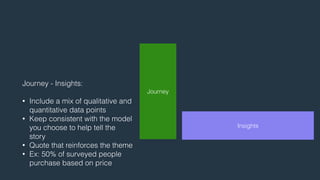
Journey - Insights: 
! 
• Include a mix of qualitative and 
quantitative data points 
• Keep consistent with the model 
you choose to help tell the 
story 
• Quote that reinforces the theme 
• Ex: 50% of surveyed people 
purchase based on price 
Journey 
Insights
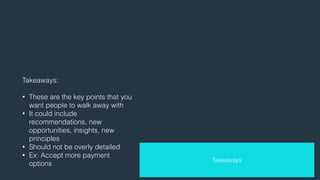
Takeaways: 
! 
• These are the key points that you 
want people to walk away with 
• It could include 
recommendations, new 
opportunities, insights, new 
principles 
• Should not be overly detailed 
• Ex: Accept more payment 
options 
Takeaways
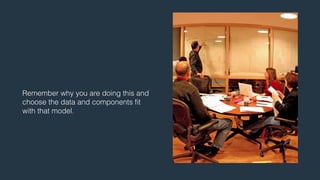
Remember why you are doing this and 
choose the data and components fit 
with that model.
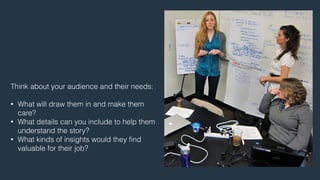
Think about your audience and their needs: 
! 
• What will draw them in and make them 
care? 
• What details can you include to help them 
understand the story? 
• What kinds of insights would they find 
valuable for their job?
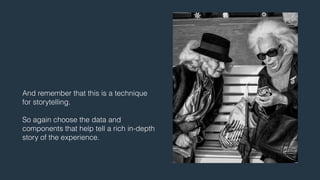
And remember that this is a technique 
for storytelling. 
! 
So again choose the data and 
components that help tell a rich in-depth 
story of the experience.
Activity - Lenses, Journey, Insights 
• Write out what lenses you want to use to view the journey 
• Think about what part of the journey you want to focus on 
• Write out the stages you want to show 
• Organize your touchpoints by stage 
• Fill in other parts of the journey that are missing to tell the story 
• Read aloud the story end to end a few times before committing to it 
• Hold off on the takeaways section
Lunch Break 
1:00pm - 3:00pm
Visualize 
! 
“…rather than create distancing caricatures, tell stories… Look for ways 
to represent what you’ve learned in a way that maintains the messiness 
of actual human beings.” 
! 
- Steve Portigal
And remember again, that this is a 
technique for storytelling. 
! 
So create a visualization that helps tell a 
rich in-depth story of the experience.
You want a core message you really 
want to get across. 
! 
So go back to why you are doing this 
and create a visualization of the data in 
a way that fits with that model.
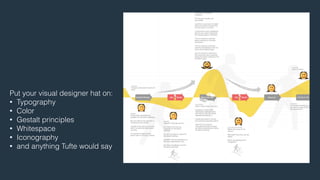
Put your visual designer hat on: 
• Typography 
• Color 
• Gestalt principles 
• Whitespace 
• Iconography 
• and anything Tufte would say
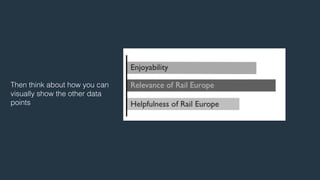
Then think about how you can 
visually show the other data 
points
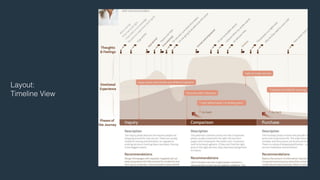
Layout: 
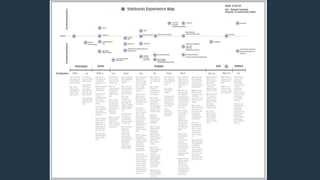
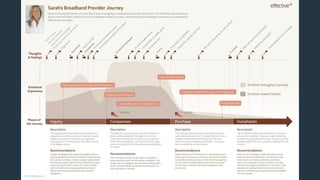
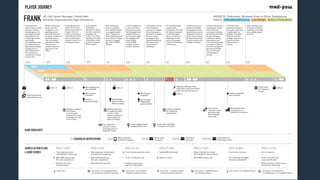
Timeline View
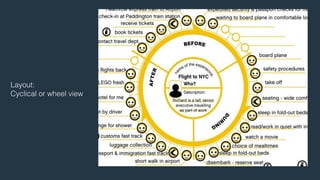
Layout: 
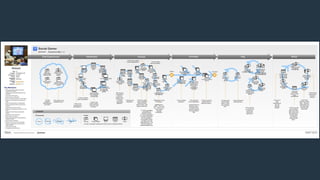
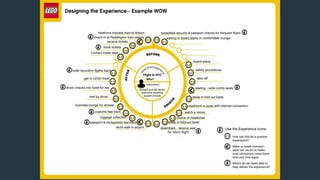
Cyclical or wheel view
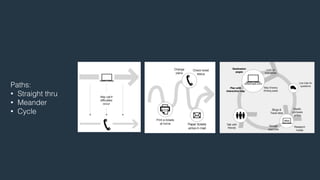
Paths: 
• Straight thru 
• Meander 
• Cycle
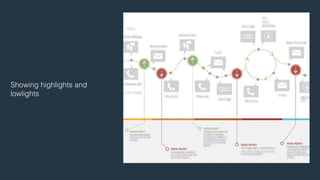
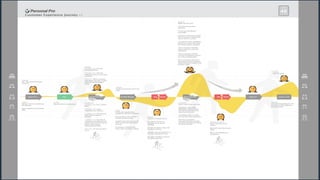
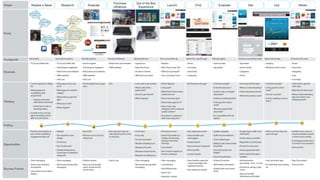
Showing highlights and 
lowlights
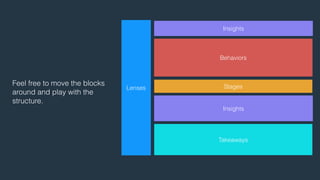
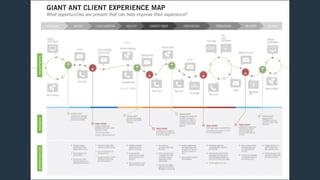
Feel free to move the blocks 
around and play with the 
structure. 
Lenses 
Insights 
Behaviors 
Stages 
Insights 
Takeaways
Activity - Visualize 
• Pick the message that you really want to get across 
• Sketch out a few ideas and narrow it down to one 
• Then think about how you can visually show the other data points
Break 
3:50pm - 4:40pm
Using the Map 
! 
“Designers need to be more than ambassadors, they need to be fully 
functioning and fully aware members of strategic decision-making teams 
in a company.” 
– Nathan Shedroff
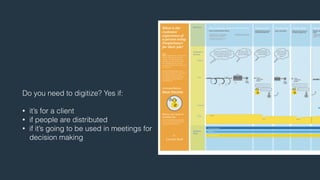
Do you need to digitize? Yes if: 
! 
• it’s for a client 
• if people are distributed 
• if it’s going to be used in meetings for 
decision making
What tools? 
! 
• Anything you’re comfortable with 
• And meets the needs of the fidelity 
• I’ve used: 
• InDesign 
• Keynote 
• Illustrator 
• Balsamiq Mockups 
• Murally (for remote sessions)
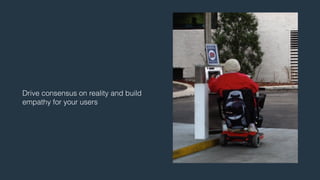
Drive consensus on reality and build 
empathy for your users
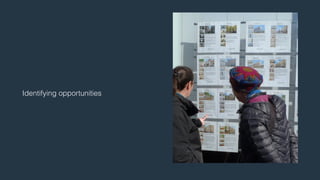
Identifying opportunities
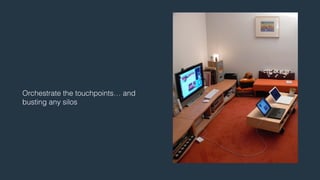
Orchestrate the touchpoints… and 
busting any silos
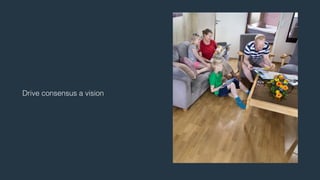
Drive consensus a vision
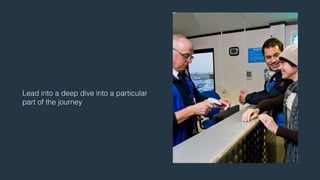
Lead into a deep dive into a particular 
part of the journey
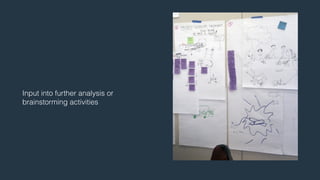
Input into further analysis or 
brainstorming activities
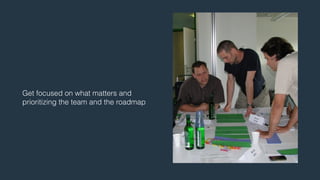
Get focused on what matters and 
prioritizing the team and the roadmap
Activity - Opportunities Ideation 
• Write out opportunities, one per sticky note 
• Tag them to a stage 
• Look for any that might be global and state as such 
• Place these at the bottom of you map, in the takeaways section
Conclusion 
! 
“As the designer moves from data, to information, to knowledge and then 
to wisdom, the problem being solved changes from a single dimensional 
issue of aesthetics or organization to one of selective contextualization, 
and then to one of experience.” 
! 
– Jon Kolko
Thanks! 
! 
Got questions? 
Murally Discount Code: ISA14 
! 
20% for 6 months 
! 
mural.ly
More Reading! 
• Mapping: http://mappingexperiences.com by Adaptive Path (also see Chris 
Risdon’s writings on their Ideas Blog) 
• Mapping: How to Create a Customer Journey Map by Megan Grocki 
• Sensemaking: Exposing the Magic of Design by Jon Kolko 
• Visualizing: Communicating Design by Dan Brown 
• Visualizing: Envisioning Information by Edward Tufte 
• Running workshops: Gamestorming by Dave Gray, Sunni Brown, James 
Macanufo
No deje de completar su evaluación online 
isa.ixda.org/encuesta 
¡Muchas gracias! 
Experience Mapping Workshop 
Interaction14 South America 
B U E N O S A I R E S 
John Labriola / @john_labriola

Experience Mapping Workshop Interaction South America 2014

  • 1.
    Experience Mapping Workshop A Technique to Understanding the Journey John Labriola @john_labriola Interaction14 South America El evento de Diseño de Interacción y Experiencia de Usuario más importante de Latinoamérica. B U E N O S A I R E S
  • 2.
    Agenda Section 1(9:30am - 11:00am) • Definition • Prepping • Gathering data Break (11:00am - 11:45am) Section 2 (11:45 - 1:00pm) • Mapping Lunch Break (1:00pm - 3:00pm) Section 3 (3:00pm - 3:50pm) • Visualizing Break (3:50pm - 4:40pm) Section 4 (4:40pm - 5:30pm) • Using • Q&A
  • 3.
    Definition ! “Usersare not always logical, at least not on the surface. To be a great designer you need to look a little deeper into how people think and act.” ! - Paul Boag
  • 4.
    A method forunderstanding the interactions of a set of connected experiences between a user and organization that happen across channels over time and space
  • 5.
    A technique forstorytelling. ! Telling a rich in-depth story of someone’s experience.
  • 6.
    But it’s notjust a deliverable, it’s also about the team’s experience in its creation.
  • 7.
    They come inmany variations: ! • How things are • A vision of how they could be • Broadly focused • Narrowly focused
  • 8.
    Prepping ! "Askthe right questions if you're going to find the right answers.” ! - Vanessa Redgrave
  • 9.
    Answers these questions: ! • Why are you going to do this? • What is the is the desired outcome? • How will it be used? • By whom? • When do you need it?
  • 10.
    Recruit a diverseteam of people: ! • Active and committed to the project • Mix of designers, engineers, product, marketing, support, etc… • Block out their calendars • Teams should be 4-6 people • Teams should be balanced mix of different roles • Keep it to 3 teams max
  • 11.
    Get the appropriatespace: ! • Large empty wall • Visible location • People can easily move around • A table • Dedicated
  • 12.
    Get the rightmaterials: ! • Butcher or kraft paper or a large whiteboard • Lots of sticky notes • At least 5 different colors • 1 set of the larger ones • Sharpies! Fine and thick tipped • Painters tape
  • 13.
    A note ondoing this remotely: ! • Try a hybrid model • A room with a projector • Collaboration: Hangouts, GoTo, Skype, etc… • Virtual wall: Murally
  • 14.
    Running the session: ! • Bring copies of research • The materials • A prep presentation to guide the activity • Take pictures to document the day to share with others and digitize your work • Don’t forget to schedule breaks • Make sure there are snacks and drinks
  • 15.
    Gathering Data ! “People’s behavior makes sense if you think about it in terms of their goals, needs, and motives.” ! - Thomas Mann
  • 16.
    You want amix of data sources: ! • Qualitative and quantitative • Behavioral and attitudinal • You want to look for: • Touchpoints • Channels • Context • Behaviors • Attitudes • Motivators
  • 17.
    Buying headphones Touchpoints ! • The intersection or interaction between a person and an organization • Triggered by a need or desire • Every touchpoint is an opportunity to engage with your customer • Examples: Buying headphones, reviewing products, contact support
  • 18.
    Kiosk Channels ! • The medium in which the interaction between a person and an organization takes place • How they move between them • Use them side by side • Examples: Kiosk, in store, website, app
  • 19.
    At the airport Alone Waiting for flight Context ! • When, where, with whom the engagement takes place • Example: At the airport, with a kiosk, right before boarding a flight, colleagues are waiting at the gate.
  • 20.
    Evaluating based on… Behaviors ! • What are they doing? • Example: She is evaluating her options based on price, brand, and if it has noise cancellation. She wants to pay with her amex credit card. Purchasing with…
  • 21.
    Wants headphones for… Motivators ! • Why are they doing this? • Think goals, needs, desires, addressing pain points, etc… • Example: Because she lost her old headphones and needs new ones. She wants headphones so she can sleep better, because planes are noisy.
  • 22.
    Is confused about… Attitudes ! • How they feel • What are they thinking • Watch for what they say they do vs. what they actually do • Example: Confused because there are a few brands she hasn’t heard of. And rushed because she has a plane to catch.
  • 23.
    There are afew ways to synthesize the data: ! • Touchpoint inventories • Empathy mapping • Affinity diagraming • Concept mapping • And more…
  • 24.
    Activity - TouchpointInventory • Hotel experience • Go through the research provided, but feel free to add your own info • Look for touchpoints, channels, context, behaviors, motivators, attitudes • Put touchpoints on one color, channels on another, and so on • Group them around a touchpoint
  • 25.
  • 26.
    Building the Map ! “While each discipline on the product team has its role to play, it is the true teamwork and collaboration of a cohesive product team that makes great user experiences possible.” ! - Pabini Gabriel-Petit
  • 27.
    The core buildingblocks: ! • Lenses • Journey • Stages • Behavior • Insights • Takeaways Lenses Journey Stages Behaviors Insights Takeaways
  • 28.
    Lenses: ! •The filters in which to view or evaluate the journey • Good sources are personas, design principles, KPIs, experience attributes, and value propositions. • Ex: George Persona Lenses
  • 29.
    Journey - Stages ! • Breaking down the journey into sections • Ex: App Store: Search, Review, Purchase, Use Journey Stages
  • 30.
    Journey - Behavior ! • What are they doing? • Based on a touchpoints • Includes channels and context • Don’t try to show everything • Go back to why you’re doing this • Ex: Buying headphones, kiosk, airport, alone… Journey Behaviors
  • 31.
    Journey - Insights: ! • Include a mix of qualitative and quantitative data points • Keep consistent with the model you choose to help tell the story • Quote that reinforces the theme • Ex: 50% of surveyed people purchase based on price Journey Insights
  • 32.
    Takeaways: ! •These are the key points that you want people to walk away with • It could include recommendations, new opportunities, insights, new principles • Should not be overly detailed • Ex: Accept more payment options Takeaways
  • 33.
    Remember why youare doing this and choose the data and components fit with that model.
  • 34.
    Think about youraudience and their needs: ! • What will draw them in and make them care? • What details can you include to help them understand the story? • What kinds of insights would they find valuable for their job?
  • 35.
    And remember thatthis is a technique for storytelling. ! So again choose the data and components that help tell a rich in-depth story of the experience.
  • 36.
    Activity - Lenses,Journey, Insights • Write out what lenses you want to use to view the journey • Think about what part of the journey you want to focus on • Write out the stages you want to show • Organize your touchpoints by stage • Fill in other parts of the journey that are missing to tell the story • Read aloud the story end to end a few times before committing to it • Hold off on the takeaways section
  • 37.
  • 38.
    Visualize ! “…ratherthan create distancing caricatures, tell stories… Look for ways to represent what you’ve learned in a way that maintains the messiness of actual human beings.” ! - Steve Portigal
  • 39.
    And remember again,that this is a technique for storytelling. ! So create a visualization that helps tell a rich in-depth story of the experience.
  • 40.
    You want acore message you really want to get across. ! So go back to why you are doing this and create a visualization of the data in a way that fits with that model.
  • 41.
    Put your visualdesigner hat on: • Typography • Color • Gestalt principles • Whitespace • Iconography • and anything Tufte would say
  • 42.
    Then think abouthow you can visually show the other data points
  • 43.
  • 44.
  • 45.
    Paths: • Straightthru • Meander • Cycle
  • 46.
  • 47.
    Feel free tomove the blocks around and play with the structure. Lenses Insights Behaviors Stages Insights Takeaways
  • 60.
    Activity - Visualize • Pick the message that you really want to get across • Sketch out a few ideas and narrow it down to one • Then think about how you can visually show the other data points
  • 61.
  • 62.
    Using the Map ! “Designers need to be more than ambassadors, they need to be fully functioning and fully aware members of strategic decision-making teams in a company.” – Nathan Shedroff
  • 63.
    Do you needto digitize? Yes if: ! • it’s for a client • if people are distributed • if it’s going to be used in meetings for decision making
  • 64.
    What tools? ! • Anything you’re comfortable with • And meets the needs of the fidelity • I’ve used: • InDesign • Keynote • Illustrator • Balsamiq Mockups • Murally (for remote sessions)
  • 65.
    Drive consensus onreality and build empathy for your users
  • 66.
  • 67.
    Orchestrate the touchpoints…and busting any silos
  • 68.
  • 69.
    Lead into adeep dive into a particular part of the journey
  • 70.
    Input into furtheranalysis or brainstorming activities
  • 71.
    Get focused onwhat matters and prioritizing the team and the roadmap
  • 72.
    Activity - OpportunitiesIdeation • Write out opportunities, one per sticky note • Tag them to a stage • Look for any that might be global and state as such • Place these at the bottom of you map, in the takeaways section
  • 73.
    Conclusion ! “Asthe designer moves from data, to information, to knowledge and then to wisdom, the problem being solved changes from a single dimensional issue of aesthetics or organization to one of selective contextualization, and then to one of experience.” ! – Jon Kolko
  • 74.
    Thanks! ! Gotquestions? Murally Discount Code: ISA14 ! 20% for 6 months ! mural.ly
  • 75.
    More Reading! •Mapping: http://mappingexperiences.com by Adaptive Path (also see Chris Risdon’s writings on their Ideas Blog) • Mapping: How to Create a Customer Journey Map by Megan Grocki • Sensemaking: Exposing the Magic of Design by Jon Kolko • Visualizing: Communicating Design by Dan Brown • Visualizing: Envisioning Information by Edward Tufte • Running workshops: Gamestorming by Dave Gray, Sunni Brown, James Macanufo
  • 76.
    No deje decompletar su evaluación online isa.ixda.org/encuesta ¡Muchas gracias! Experience Mapping Workshop Interaction14 South America B U E N O S A I R E S John Labriola / @john_labriola