Journey
Mapping
101
J.J. Toothman
jjt@lonerockpoint.com
Twitter: @jjtoothman
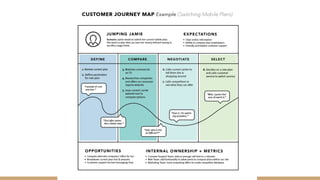
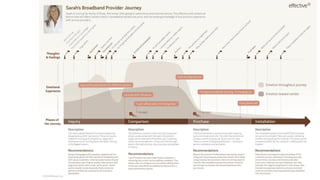
A journey map is a visualization
of the process that a person goes
through in order to accomplish a
goal.
Sometimes referred to as:
Customer Journey Map
Experience Map
Service Blueprints
2
Journey mapping is a strategic tool
within user centric design processes,
capturing and presenting key insights
into the customer journey model - an
archetypal journey created from an
aggregate of all customers going from
point A to point B as they attempt to
achieve a goal or satisfy a need.
3
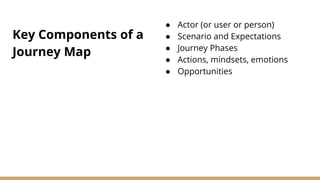
Key Components of a
Journey Map
● Actor (or user or person)
● Scenario and Expectations
● Journey Phases
● Actions, mindsets, emotions
● Opportunities
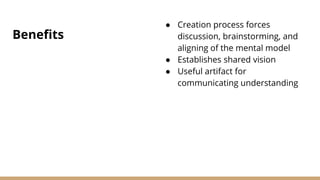
Benefits
● Creation process forces
discussion, brainstorming, and
aligning of the mental model
● Establishes shared vision
● Useful artifact for
communicating understanding
Journey Mapping’s
Secret Weapon
BRINGS PEOPLE
TOGEHTER
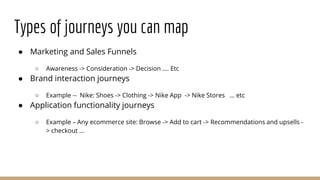
Types of journeys you can map
● Marketing and Sales Funnels
○ Awareness -> Consideration -> Decision …. Etc
● Brand interaction journeys
○ Example -- Nike: Shoes -> Clothing -> Nike App -> Nike Stores … etc
● Application functionality journeys
○ Example – Any ecommerce site: Browse -> Add to cart -> Recommendations and upsells -
> checkout …
How to make sense of
the journey
Goals
● Uncover truths
● Chart the course
● Tell the story
Steps to take
1. Define your objectives
2. Profile your personas and
define user goals
3. List out all the touch points
4. Establish the elements to show
in the map
5. Take the journey yourself and
have empathy
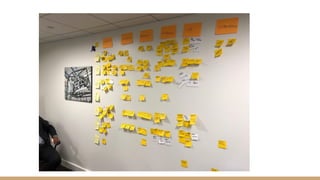
What you’ll need
A facilitator
Post it notes
● LOTS of post it notes
● Different sizes and colors
Sharpies
Blue painters tape
A big wall
A good space to work in.
Timer
Who to invite ● Organizational diversity
● Executive leadership, middle
management, etc.
● The more input the better
● Works with various group sizes
Time commitment
● Half day for the participatory
exercise
● Additional time for reports and
communicating findings
○ Some fancy diagram
○ Executive briefing
○ Findings presentation
Setting the stage ● This is a screen free exercise
● Warm up exercises / ice
breakers to get the group
interacting and activate the
mind
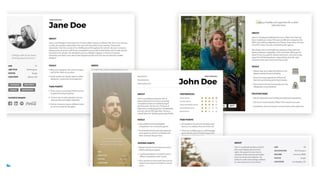
Start with user research and
personas
Define your journey phases
● This is the horizontal axis
● Use larger post it notes
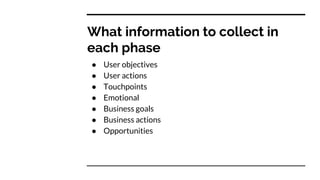
What information to collect in
each phase
● User objectives
● User actions
● Touchpoints
● Emotional
● Business goals
● Business actions
● Opportunities
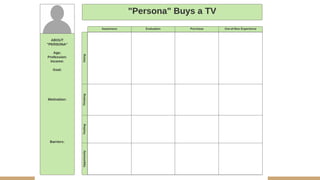
The grid is set…now what
● Do the first phase together as a large group to get people
comfortable
● Depending on group size, break into smaller groups and
assign phases to fill out
● Take a little break
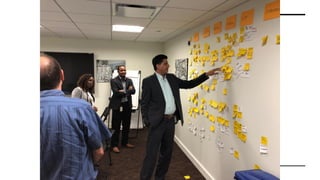
After your break
● Come back and look for trends, insights
● Feel free to move things around
● Group repeaters and duplicates.
● Duplicates may exist across phases. Those make good
discussion starters
● Gravitate towards discussing opportunities as a larger
group
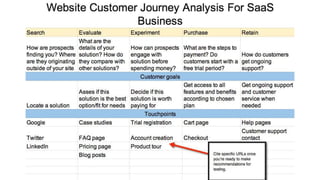
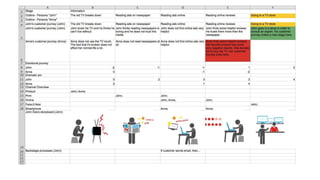
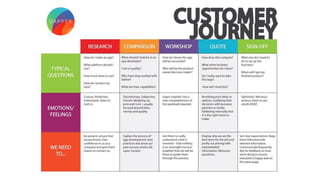
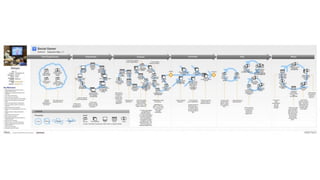
When the session is over
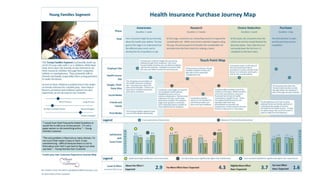
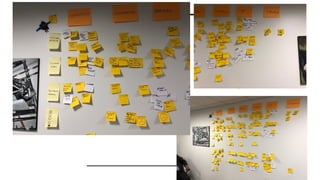
● Take pictures before you pull it all down
● Prepare a summary report
● Create a visual deliverable
○ Can be simple like excel
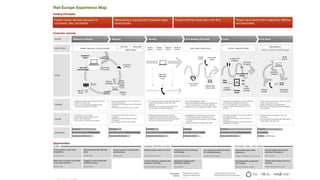
○ Or fancy like the Rail Europe example
○ Templates exist everywhere (figma, sketch, etc)
● Share and communicate your findings outward
So what does this have to do with
product management?
● Opportunities turn into user stories…user stories turn in
to back log items
● Good way to brainstorm specific new feature or
functionality
Fin.
● Thank you
● jjt@lonerockpoint.com

116 - Journey Mapping 101

  • 1.
  • 2.
    A journey mapis a visualization of the process that a person goes through in order to accomplish a goal. Sometimes referred to as: Customer Journey Map Experience Map Service Blueprints 2
  • 3.
    Journey mapping isa strategic tool within user centric design processes, capturing and presenting key insights into the customer journey model - an archetypal journey created from an aggregate of all customers going from point A to point B as they attempt to achieve a goal or satisfy a need. 3
  • 5.
    Key Components ofa Journey Map ● Actor (or user or person) ● Scenario and Expectations ● Journey Phases ● Actions, mindsets, emotions ● Opportunities
  • 6.
    Benefits ● Creation processforces discussion, brainstorming, and aligning of the mental model ● Establishes shared vision ● Useful artifact for communicating understanding
  • 7.
  • 11.
    Types of journeysyou can map ● Marketing and Sales Funnels ○ Awareness -> Consideration -> Decision …. Etc ● Brand interaction journeys ○ Example -- Nike: Shoes -> Clothing -> Nike App -> Nike Stores … etc ● Application functionality journeys ○ Example – Any ecommerce site: Browse -> Add to cart -> Recommendations and upsells - > checkout …
  • 12.
    How to makesense of the journey Goals ● Uncover truths ● Chart the course ● Tell the story Steps to take 1. Define your objectives 2. Profile your personas and define user goals 3. List out all the touch points 4. Establish the elements to show in the map 5. Take the journey yourself and have empathy
  • 14.
    What you’ll need Afacilitator Post it notes ● LOTS of post it notes ● Different sizes and colors Sharpies Blue painters tape A big wall A good space to work in. Timer
  • 16.
    Who to invite● Organizational diversity ● Executive leadership, middle management, etc. ● The more input the better ● Works with various group sizes
  • 17.
    Time commitment ● Halfday for the participatory exercise ● Additional time for reports and communicating findings ○ Some fancy diagram ○ Executive briefing ○ Findings presentation
  • 18.
    Setting the stage● This is a screen free exercise ● Warm up exercises / ice breakers to get the group interacting and activate the mind
  • 19.
    Start with userresearch and personas
  • 21.
    Define your journeyphases ● This is the horizontal axis ● Use larger post it notes
  • 23.
    What information tocollect in each phase ● User objectives ● User actions ● Touchpoints ● Emotional ● Business goals ● Business actions ● Opportunities
  • 24.
    The grid isset…now what ● Do the first phase together as a large group to get people comfortable ● Depending on group size, break into smaller groups and assign phases to fill out ● Take a little break
  • 25.
    After your break ●Come back and look for trends, insights ● Feel free to move things around ● Group repeaters and duplicates. ● Duplicates may exist across phases. Those make good discussion starters ● Gravitate towards discussing opportunities as a larger group
  • 28.
    When the sessionis over ● Take pictures before you pull it all down ● Prepare a summary report ● Create a visual deliverable ○ Can be simple like excel ○ Or fancy like the Rail Europe example ○ Templates exist everywhere (figma, sketch, etc) ● Share and communicate your findings outward
  • 33.
    So what doesthis have to do with product management? ● Opportunities turn into user stories…user stories turn in to back log items ● Good way to brainstorm specific new feature or functionality
  • 34.
    Fin. ● Thank you ●jjt@lonerockpoint.com