



Powerful Techniques to
Understand Customer
Motivations
February 28th, 2017
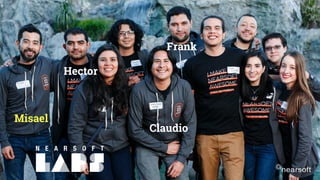
Hello!
Who are you?
Misael
Claudio
Frank
Hector
Why this workshop?
Customer input for a meaningful solution
Products must fit lifestyle of users
Human mind is complicated
Conversations with users
can feel incomplete...
What to ask next?
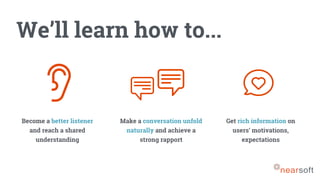
We’ll learn how to...
Become a better listener
and reach a shared
understanding
Make a conversation unfold
naturally and achieve a
strong rapport
Get rich information on
users’ motivations,
expectations
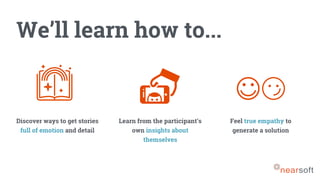
We’ll learn how to...
Discover ways to get stories
full of emotion and detail
Learn from the participant’s
own insights about
themselves
Feel true empathy to
generate a solution
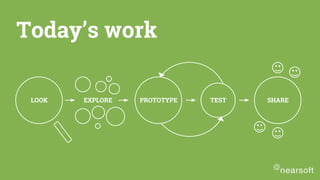
LOOK EXPLORE PROTOTYPE TEST SHARE
Today’s work
Generative Research
Participants create an
artifact with their hands
Because...
Hands-on exercises to
enable conversations??
Why?
?!
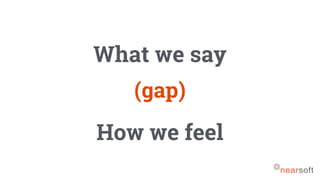
What we say
How we feel
(gap)
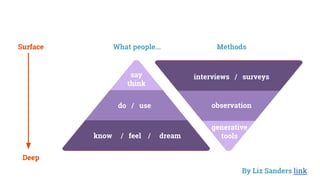
SAY
DO
MAKE
EXPLICIT
OBSERVABLE
LATENT
interviews / surveys
observation
generative
tools
say
think
do / use
know / feel / dream
What people... MethodsSurface
Deep
By Liz Sanders link
Easier to think
when we make stuff
with our hands
Recollection exercises
Remember, select, talk about, and interpret
past events
Describe behavior, thoughts, and feelings
Projective exercises
Talk about sensitive topics
Express abstract feelings and thoughts
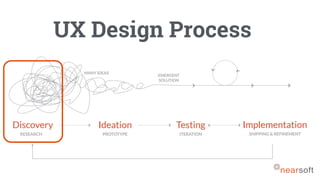
UX Design Process
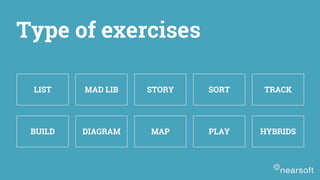
LIST MAD LIB STORY SORT TRACK
BUILD DIAGRAM MAP PLAY HYBRIDS
Type of exercises
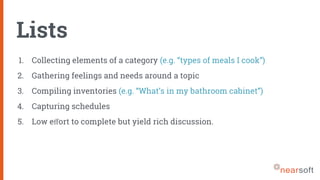
Lists
1. Collecting elements of a category (e.g. “types of meals I cook”)
2. Gathering feelings and needs around a topic
3. Compiling inventories (e.g. “What’s in my bathroom cabinet”)
4. Capturing schedules
5. Low effort to complete but yield rich discussion.
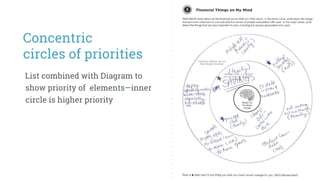
List combined with Diagram to
show priority of elements—inner
circle is higher priority
Concentric
circles of priorities
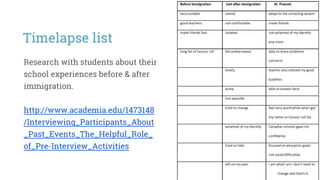
Research with students about their
school experiences before & after
immigration.
http://www.academia.edu/1473148
/Interviewing_Participants_About
_Past_Events_The_Helpful_Role_
of_Pre-Interview_Activities
Timelapse list
Mad lib
1. Eliciting associations, desires, preferences, values
2. Gathering participant’s own words around a prompt to help with
evaluating the symbolic meanings associated with the topic
3. Can be used to assess motivations and attitudes
4. These are easier to create and offer high value results!
(Sentence completion)
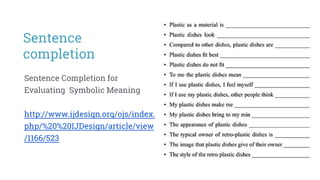
Sentence Completion for
Evaluating Symbolic Meaning
http://www.ijdesign.org/ojs/index.
php/%20%20IJDesign/article/view
/1166/523
Sentence
completion
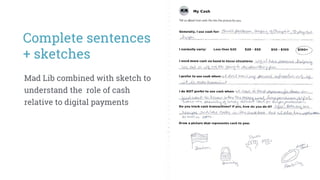
Mad Lib combined with sketch to
understand the role of cash
relative to digital payments
Complete sentences
+ sketches
Story
1. Learning about negative/positive events
2. Exploring a category—understanding perspectives and values
around a topic
3. Gathering lessons learned
4. These are best as solo-work to enable enough time for reflection.
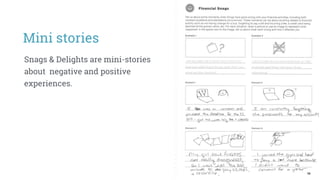
Snags & Delights are mini-stories
about negative and positive
experiences.
Mini stories
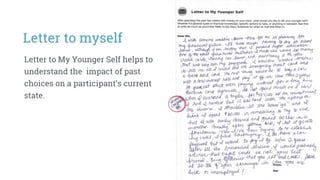
Letter to My Younger Self helps to
understand the impact of past
choices on a participant’s current
state.
Letter to myself
The love and
break up letter
A personal letter written to a
product often reveals
profound insights about what
people value and expect from
the objects in their everyday
lives.
Sort
1. Identifying and exploring categories
2. Understanding relationships among elements - leads to
uncovering mental models
3. Learning about preferences and priorities (when participants
rank order elements)
4. Remembering stories (when participants select or sort images)
5. Always collaborative to create a deck of triggers/images — it
helps eliminate gaps in your individual thinking
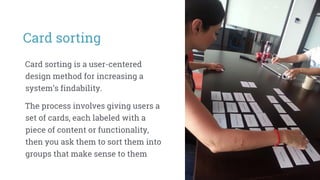
Card sorting
Card sorting is a user-centered
design method for increasing a
system’s findability.
The process involves giving users a
set of cards, each labeled with a
piece of content or functionality,
then you ask them to sort them into
groups that make sense to them
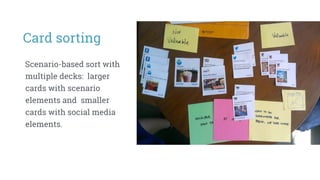
Card sorting
Scenario-based sort with
multiple decks: larger
cards with scenario
elements and smaller
cards with social media
elements.
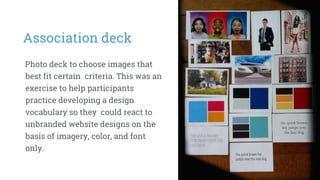
Association deck
Photo deck to choose images that
best fit certain criteria. This was an
exercise to help participants
practice developing a design
vocabulary so they could react to
unbranded website designs on the
basis of imagery, color, and font
only.
Track
1. Recording behavior, routines, feelings over time
2. Gathering photos from participant POV—empowers your
participants!
3. Enabling awareness of automatic behavior around a topic
4. Good platform for comparing moments (e.g. does this log reflect
what is normal?)
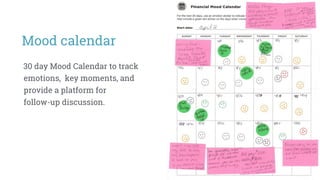
Mood calendar
30 day Mood Calendar to track
emotions, key moments, and
provide a platform for
follow-up discussion.
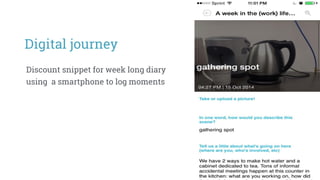
Digital journey
Discount snippet for week long diary
using a smartphone to log moments
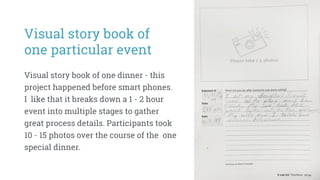
Visual story book of
one particular event
Visual story book of one dinner - this
project happened before smart phones.
I like that it breaks down a 1 - 2 hour
event into multiple stages to gather
great process details. Participants took
10 - 15 photos over the course of the one
special dinner.
Make
1. Using metaphors & analogies to express hard-to-articulate ideas
2. Capturing moods & feelings
3. Generating future scenarios
4. Participants need lots of time to create and explain - do not rush!
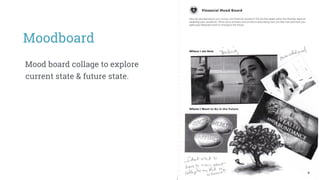
Moodboard
Mood board collage to explore
current state & future state.
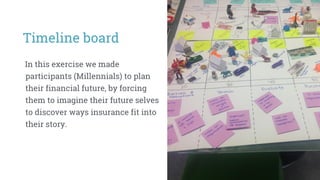
In this exercise we made
participants (Millennials) to plan
their financial future, by forcing
them to imagine their future selves
to discover ways insurance fit into
their story.
Timeline board
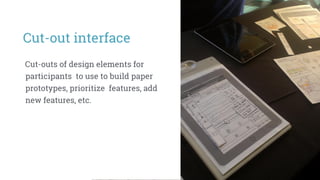
Cut-outs of design elements for
participants to use to build paper
prototypes, prioritize features, add
new features, etc.
Cut-out interface
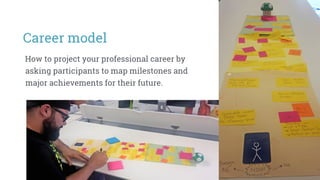
How to project your professional career by
asking participants to map milestones and
major achievements for their future.
Career model
Diagram
1. Understanding timelines and steps in a process
2. Looking at relationships (e.g. people, objects, activities)
3. Exploring conceptual categories
4. Use simple Venns, 2x2s and linear scales as frameworks
5. Unless you know the user’s native terms, resist using internal
labels on process steps—be vague (e.g. “how it begins”)
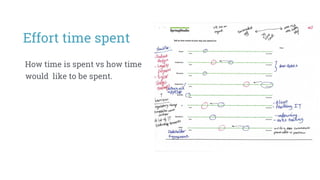
How time is spent vs how time
would like to be spent.
Effort time spent
Map
1. Understanding relationships among elements in a category
2. Comparing activities to locations
3. Creating multiple layers of meaning. Create ways to code and
annotate the base layer in order to explore:
- likes/dislikes/feelings
- channel use
- purpose/role of mapped items
- priority of mapped items
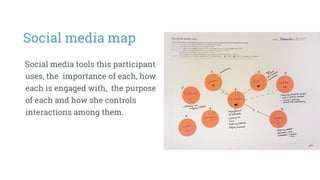
Social media tools this participant
uses, the importance of each, how
each is engaged with, the purpose
of each and how she controls
interactions among them.
Social media map
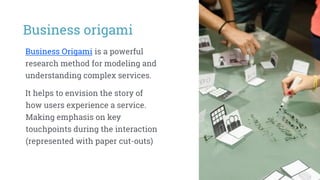
Business origami
Business Origami is a powerful
research method for modeling and
understanding complex services.
It helps to envision the story of
how users experience a service.
Making emphasis on key
touchpoints during the interaction
(represented with paper cut-outs)
Play
1. Exploring important scenarios - and noticing
emotions/assumptions in scenarios
2. Lessening pressure around sensitive topics
3. Gathering values, norms, rules, and native language
4. Exploring solution spaces
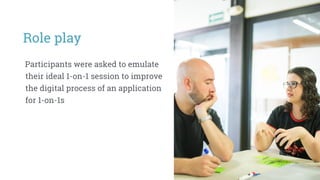
Role play
Participants were asked to emulate
their ideal 1-on-1 session to improve
the digital process of an application
for 1-on-1s
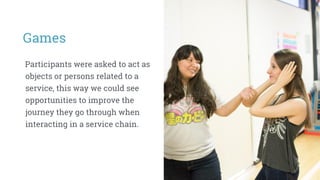
Games
Participants were asked to act as
objects or persons related to a
service, this way we could see
opportunities to improve the
journey they go through when
interacting in a service chain.
...you can also
create your own
Time to work!
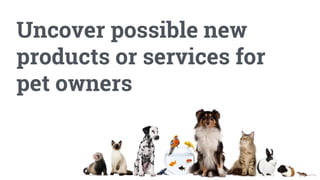
Uncover possible new
products or services for
pet owners
You will research:
The emotional range and hidden
nuances of the relationship
between owners and their pets
We are creating the exercise
not the product idea
I haz rezearch!
1. As a team, discuss what
information you would like to
get from your users
2. Review each of the exercises
from the list
3. Decide what kind of exercise
applies best for the given
scenario… you can customize
them!
10 MINS
EXERCISE #1
Choose the type
of exercise
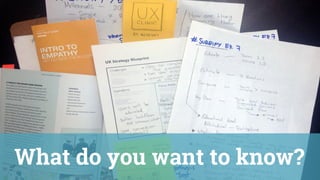
What do you want to know?
EXERCISE #2
Prototype your
exercise draft
15 MINS
1. For the sketch, use a whole
page per exercise
2. Sketch one exercise for now
3. Make it quick, it’s just a draft!
… Avoid perfectionism
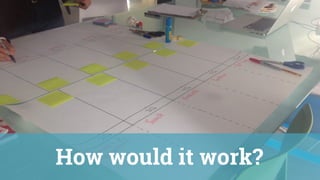
How would it work?
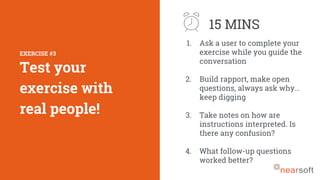
1. Ask a user to complete your
exercise while you guide the
conversation
2. Build rapport, make open
questions, always ask why…
keep digging
3. Take notes on how are
instructions interpreted. Is
there any confusion?
4. What follow-up questions
worked better?
EXERCISE #3
Test your
exercise with
real people!
15 MINS
I volunteer!
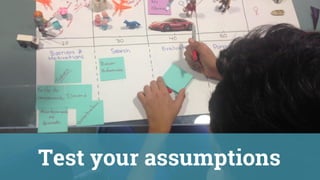
Test your assumptions
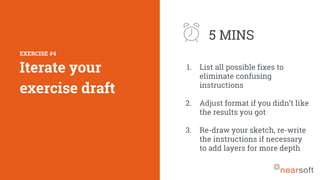
1. List all possible fixes to
eliminate confusing
instructions
2. Adjust format if you didn’t like
the results you got
3. Re-draw your sketch, re-write
the instructions if necessary
to add layers for more depth
EXERCISE #4
Iterate your
exercise draft
5 MINS
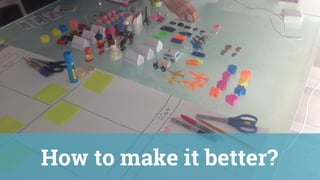
How to make it better?
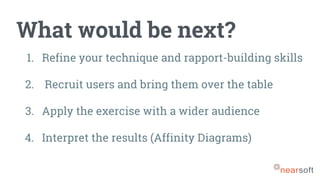
What would be next?
1. Refine your technique and rapport-building skills
2. Recruit users and bring them over the table
3. Apply the exercise with a wider audience
4. Interpret the results (Affinity Diagrams)
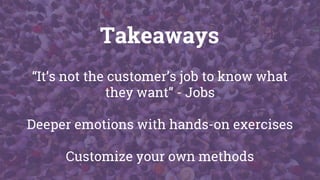
Takeaways
“It’s not the customer’s job to know what
they want” - Jobs
Deeper emotions with hands-on exercises
Customize your own methods
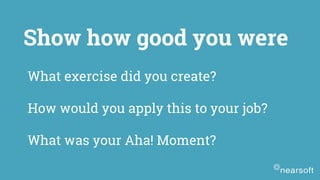
What exercise did you create?
How would you apply this to your job?
What was your Aha! Moment?
Show how good you were
mleon@nearsoft.com
misaello
misaelleon
You were awesome,
Misael Leon
Product Designer
___________________________________________________________________________
thanks!
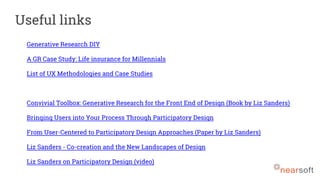
Generative Research DIY
A GR Case Study: Life insurance for Millennials
List of UX Methodologies and Case Studies
Convivial Toolbox: Generative Research for the Front End of Design (Book by Liz Sanders)
Bringing Users into Your Process Through Participatory Design
From User-Centered to Participatory Design Approaches (Paper by Liz Sanders)
Liz Sanders - Co-creation and the New Landscapes of Design
Liz Sanders on Participatory Design (video)
Useful links

Generative Research Workshop by Nearsoft — Amsterdam Material

  • 1.
    Powerful Techniques to UnderstandCustomer Motivations February 28th, 2017
  • 2.
  • 3.
  • 4.
    Why this workshop? Customerinput for a meaningful solution Products must fit lifestyle of users Human mind is complicated
  • 5.
    Conversations with users canfeel incomplete... What to ask next?
  • 6.
    We’ll learn howto... Become a better listener and reach a shared understanding Make a conversation unfold naturally and achieve a strong rapport Get rich information on users’ motivations, expectations
  • 7.
    We’ll learn howto... Discover ways to get stories full of emotion and detail Learn from the participant’s own insights about themselves Feel true empathy to generate a solution
  • 8.
    LOOK EXPLORE PROTOTYPETEST SHARE Today’s work
  • 9.
    Generative Research Participants createan artifact with their hands Because...
  • 10.
    Hands-on exercises to enableconversations?? Why? ?!
  • 11.
    What we say Howwe feel (gap)
  • 12.
    SAY DO MAKE EXPLICIT OBSERVABLE LATENT interviews / surveys observation generative tools say think do/ use know / feel / dream What people... MethodsSurface Deep By Liz Sanders link
  • 14.
    Easier to think whenwe make stuff with our hands
  • 15.
    Recollection exercises Remember, select,talk about, and interpret past events Describe behavior, thoughts, and feelings
  • 16.
    Projective exercises Talk aboutsensitive topics Express abstract feelings and thoughts
  • 17.
  • 18.
    LIST MAD LIBSTORY SORT TRACK BUILD DIAGRAM MAP PLAY HYBRIDS Type of exercises
  • 19.
    Lists 1. Collecting elementsof a category (e.g. “types of meals I cook”) 2. Gathering feelings and needs around a topic 3. Compiling inventories (e.g. “What’s in my bathroom cabinet”) 4. Capturing schedules 5. Low effort to complete but yield rich discussion.
  • 20.
    List combined withDiagram to show priority of elements—inner circle is higher priority Concentric circles of priorities
  • 21.
    Research with studentsabout their school experiences before & after immigration. http://www.academia.edu/1473148 /Interviewing_Participants_About _Past_Events_The_Helpful_Role_ of_Pre-Interview_Activities Timelapse list
  • 22.
    Mad lib 1. Elicitingassociations, desires, preferences, values 2. Gathering participant’s own words around a prompt to help with evaluating the symbolic meanings associated with the topic 3. Can be used to assess motivations and attitudes 4. These are easier to create and offer high value results! (Sentence completion)
  • 23.
    Sentence Completion for EvaluatingSymbolic Meaning http://www.ijdesign.org/ojs/index. php/%20%20IJDesign/article/view /1166/523 Sentence completion
  • 24.
    Mad Lib combinedwith sketch to understand the role of cash relative to digital payments Complete sentences + sketches
  • 25.
    Story 1. Learning aboutnegative/positive events 2. Exploring a category—understanding perspectives and values around a topic 3. Gathering lessons learned 4. These are best as solo-work to enable enough time for reflection.
  • 26.
    Snags & Delightsare mini-stories about negative and positive experiences. Mini stories
  • 27.
    Letter to MyYounger Self helps to understand the impact of past choices on a participant’s current state. Letter to myself
  • 28.
    The love and breakup letter A personal letter written to a product often reveals profound insights about what people value and expect from the objects in their everyday lives.
  • 29.
    Sort 1. Identifying andexploring categories 2. Understanding relationships among elements - leads to uncovering mental models 3. Learning about preferences and priorities (when participants rank order elements) 4. Remembering stories (when participants select or sort images) 5. Always collaborative to create a deck of triggers/images — it helps eliminate gaps in your individual thinking
  • 30.
    Card sorting Card sortingis a user-centered design method for increasing a system’s findability. The process involves giving users a set of cards, each labeled with a piece of content or functionality, then you ask them to sort them into groups that make sense to them
  • 31.
    Card sorting Scenario-based sortwith multiple decks: larger cards with scenario elements and smaller cards with social media elements.
  • 32.
    Association deck Photo deckto choose images that best fit certain criteria. This was an exercise to help participants practice developing a design vocabulary so they could react to unbranded website designs on the basis of imagery, color, and font only.
  • 33.
    Track 1. Recording behavior,routines, feelings over time 2. Gathering photos from participant POV—empowers your participants! 3. Enabling awareness of automatic behavior around a topic 4. Good platform for comparing moments (e.g. does this log reflect what is normal?)
  • 34.
    Mood calendar 30 dayMood Calendar to track emotions, key moments, and provide a platform for follow-up discussion.
  • 35.
    Digital journey Discount snippetfor week long diary using a smartphone to log moments
  • 36.
    Visual story bookof one particular event Visual story book of one dinner - this project happened before smart phones. I like that it breaks down a 1 - 2 hour event into multiple stages to gather great process details. Participants took 10 - 15 photos over the course of the one special dinner.
  • 37.
    Make 1. Using metaphors& analogies to express hard-to-articulate ideas 2. Capturing moods & feelings 3. Generating future scenarios 4. Participants need lots of time to create and explain - do not rush!
  • 38.
    Moodboard Mood board collageto explore current state & future state.
  • 39.
    In this exercisewe made participants (Millennials) to plan their financial future, by forcing them to imagine their future selves to discover ways insurance fit into their story. Timeline board
  • 40.
    Cut-outs of designelements for participants to use to build paper prototypes, prioritize features, add new features, etc. Cut-out interface
  • 41.
    How to projectyour professional career by asking participants to map milestones and major achievements for their future. Career model
  • 42.
    Diagram 1. Understanding timelinesand steps in a process 2. Looking at relationships (e.g. people, objects, activities) 3. Exploring conceptual categories 4. Use simple Venns, 2x2s and linear scales as frameworks 5. Unless you know the user’s native terms, resist using internal labels on process steps—be vague (e.g. “how it begins”)
  • 43.
    How time isspent vs how time would like to be spent. Effort time spent
  • 44.
    Map 1. Understanding relationshipsamong elements in a category 2. Comparing activities to locations 3. Creating multiple layers of meaning. Create ways to code and annotate the base layer in order to explore: - likes/dislikes/feelings - channel use - purpose/role of mapped items - priority of mapped items
  • 45.
    Social media toolsthis participant uses, the importance of each, how each is engaged with, the purpose of each and how she controls interactions among them. Social media map
  • 46.
    Business origami Business Origamiis a powerful research method for modeling and understanding complex services. It helps to envision the story of how users experience a service. Making emphasis on key touchpoints during the interaction (represented with paper cut-outs)
  • 47.
    Play 1. Exploring importantscenarios - and noticing emotions/assumptions in scenarios 2. Lessening pressure around sensitive topics 3. Gathering values, norms, rules, and native language 4. Exploring solution spaces
  • 48.
    Role play Participants wereasked to emulate their ideal 1-on-1 session to improve the digital process of an application for 1-on-1s
  • 49.
    Games Participants were askedto act as objects or persons related to a service, this way we could see opportunities to improve the journey they go through when interacting in a service chain.
  • 50.
  • 51.
  • 52.
    Uncover possible new productsor services for pet owners
  • 53.
    You will research: Theemotional range and hidden nuances of the relationship between owners and their pets
  • 54.
    We are creatingthe exercise not the product idea I haz rezearch!
  • 55.
    1. As ateam, discuss what information you would like to get from your users 2. Review each of the exercises from the list 3. Decide what kind of exercise applies best for the given scenario… you can customize them! 10 MINS EXERCISE #1 Choose the type of exercise
  • 56.
    What do youwant to know?
  • 57.
    EXERCISE #2 Prototype your exercisedraft 15 MINS 1. For the sketch, use a whole page per exercise 2. Sketch one exercise for now 3. Make it quick, it’s just a draft! … Avoid perfectionism
  • 58.
  • 59.
    1. Ask auser to complete your exercise while you guide the conversation 2. Build rapport, make open questions, always ask why… keep digging 3. Take notes on how are instructions interpreted. Is there any confusion? 4. What follow-up questions worked better? EXERCISE #3 Test your exercise with real people! 15 MINS
  • 60.
  • 61.
  • 62.
    1. List allpossible fixes to eliminate confusing instructions 2. Adjust format if you didn’t like the results you got 3. Re-draw your sketch, re-write the instructions if necessary to add layers for more depth EXERCISE #4 Iterate your exercise draft 5 MINS
  • 63.
    How to makeit better?
  • 64.
    What would benext? 1. Refine your technique and rapport-building skills 2. Recruit users and bring them over the table 3. Apply the exercise with a wider audience 4. Interpret the results (Affinity Diagrams)
  • 65.
    Takeaways “It’s not thecustomer’s job to know what they want” - Jobs Deeper emotions with hands-on exercises Customize your own methods
  • 66.
    What exercise didyou create? How would you apply this to your job? What was your Aha! Moment? Show how good you were
  • 67.
    mleon@nearsoft.com misaello misaelleon You were awesome, MisaelLeon Product Designer ___________________________________________________________________________ thanks!
  • 68.
    Generative Research DIY AGR Case Study: Life insurance for Millennials List of UX Methodologies and Case Studies Convivial Toolbox: Generative Research for the Front End of Design (Book by Liz Sanders) Bringing Users into Your Process Through Participatory Design From User-Centered to Participatory Design Approaches (Paper by Liz Sanders) Liz Sanders - Co-creation and the New Landscapes of Design Liz Sanders on Participatory Design (video) Useful links