MODULE 1

   COMPUTER HARDWARE
EVOLUTION AND TYPES OF THE
        COMPUTER
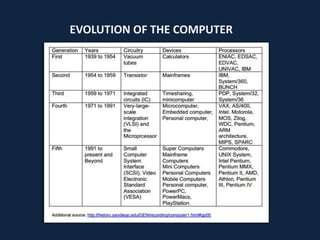
EVOLUTION OF THE COMPUTER
TYPES OF COMPUTER
Single User System

A system which is used by a single person, i.e., the
entire information of the hard disk only used by only
one person is called single user system.

Multi User System

A multi user system can be used by many persons, i.e., the
hard disk contents can be used by many persons at the
same time is called multi user system.
DIFFERENT TYPES OF COMPUTER


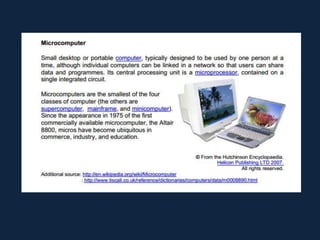
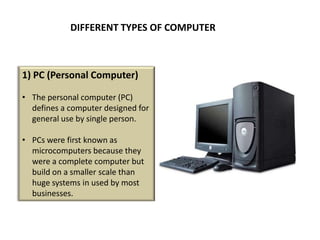
1) PC (Personal Computer)

• The personal computer (PC)
  defines a computer designed for
  general use by single person.

• PCs were first known as
  microcomputers because they
  were a complete computer but
  build on a smaller scale than
  huge systems in used by most
  businesses.
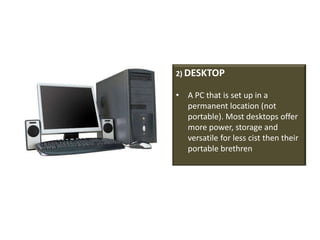
2) DESKTOP

• A PC that is set up in a
  permanent location (not
  portable). Most desktops offer
  more power, storage and
  versatile for less cist then their
  portable brethren
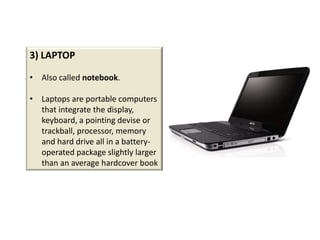
3) LAPTOP

• Also called notebook.

• Laptops are portable computers
  that integrate the display,
  keyboard, a pointing devise or
  trackball, processor, memory
  and hard drive all in a battery-
  operated package slightly larger
  than an average hardcover book
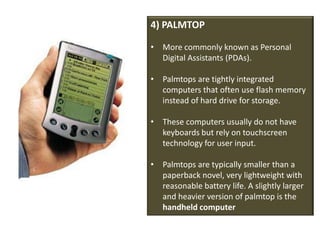
4) PALMTOP

• More commonly known as Personal
  Digital Assistants (PDAs).

• Palmtops are tightly integrated
  computers that often use flash memory
  instead of hard drive for storage.

• These computers usually do not have
  keyboards but rely on touchscreen
  technology for user input.

• Palmtops are typically smaller than a
  paperback novel, very lightweight with
  reasonable battery life. A slightly larger
  and heavier version of palmtop is the
  handheld computer
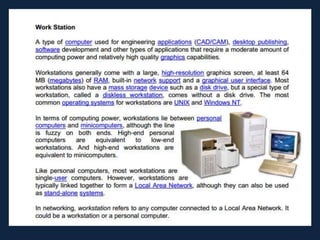
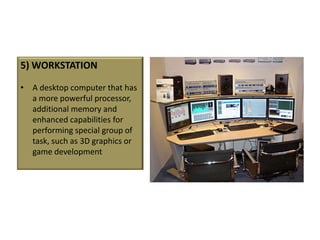
5) WORKSTATION

• A desktop computer that has
  a more powerful processor,
  additional memory and
  enhanced capabilities for
  performing special group of
  task, such as 3D graphics or
  game development
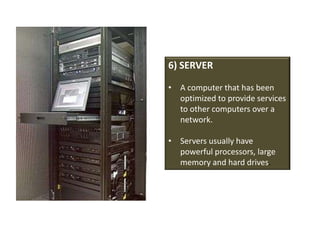
6) SERVER

• A computer that has been
  optimized to provide services
  to other computers over a
  network.

• Servers usually have
  powerful processors, large
  memory and hard drives.
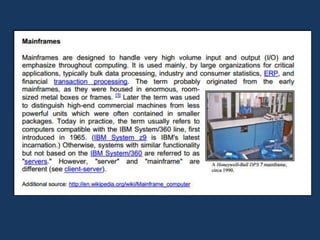
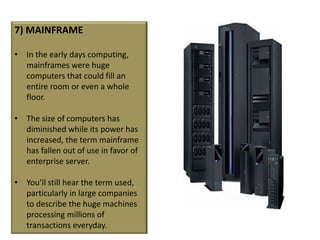
7) MAINFRAME

• In the early days computing,
  mainframes were huge
  computers that could fill an
  entire room or even a whole
  floor.

• The size of computers has
  diminished while its power has
  increased, the term mainframe
  has fallen out of use in favor of
  enterprise server.

• You’ll still hear the term used,
  particularly in large companies
  to describe the huge machines
  processing millions of
  transactions everyday.
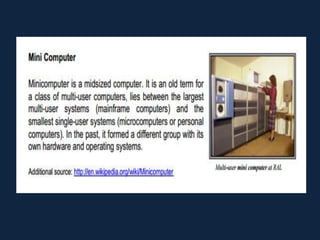
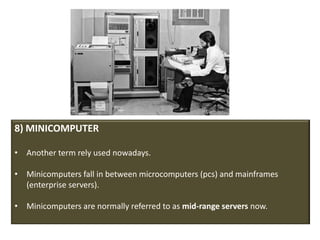
8) MINICOMPUTER

• Another term rely used nowadays.

• Minicomputers fall in between microcomputers (pcs) and mainframes
  (enterprise servers).

• Minicomputers are normally referred to as mid-range servers now.
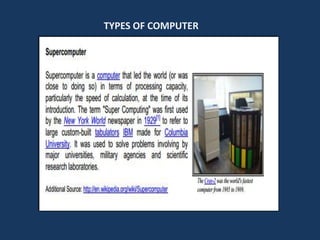
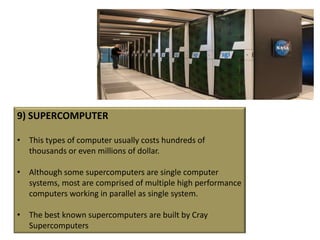
9) SUPERCOMPUTER

• This types of computer usually costs hundreds of
  thousands or even millions of dollar.

• Although some supercomputers are single computer
  systems, most are comprised of multiple high performance
  computers working in parallel as single system.

• The best known supercomputers are built by Cray
  Supercomputers
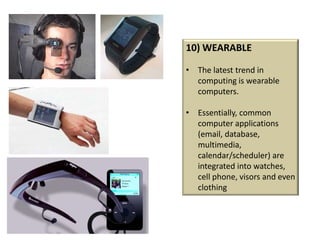
10) WEARABLE

• The latest trend in
  computing is wearable
  computers.

• Essentially, common
  computer applications
  (email, database,
  multimedia,
  calendar/scheduler) are
  integrated into watches,
  cell phone, visors and even
  clothing

Evolution and Types of the Computer

  • 1.
    MODULE 1 COMPUTER HARDWARE EVOLUTION AND TYPES OF THE COMPUTER
  • 2.
  • 3.
  • 8.
    Single User System Asystem which is used by a single person, i.e., the entire information of the hard disk only used by only one person is called single user system. Multi User System A multi user system can be used by many persons, i.e., the hard disk contents can be used by many persons at the same time is called multi user system.
  • 9.
    DIFFERENT TYPES OFCOMPUTER 1) PC (Personal Computer) • The personal computer (PC) defines a computer designed for general use by single person. • PCs were first known as microcomputers because they were a complete computer but build on a smaller scale than huge systems in used by most businesses.
  • 10.
    2) DESKTOP • APC that is set up in a permanent location (not portable). Most desktops offer more power, storage and versatile for less cist then their portable brethren
  • 11.
    3) LAPTOP • Alsocalled notebook. • Laptops are portable computers that integrate the display, keyboard, a pointing devise or trackball, processor, memory and hard drive all in a battery- operated package slightly larger than an average hardcover book
  • 12.
    4) PALMTOP • Morecommonly known as Personal Digital Assistants (PDAs). • Palmtops are tightly integrated computers that often use flash memory instead of hard drive for storage. • These computers usually do not have keyboards but rely on touchscreen technology for user input. • Palmtops are typically smaller than a paperback novel, very lightweight with reasonable battery life. A slightly larger and heavier version of palmtop is the handheld computer
  • 13.
    5) WORKSTATION • Adesktop computer that has a more powerful processor, additional memory and enhanced capabilities for performing special group of task, such as 3D graphics or game development
  • 14.
    6) SERVER • Acomputer that has been optimized to provide services to other computers over a network. • Servers usually have powerful processors, large memory and hard drives.
  • 15.
    7) MAINFRAME • Inthe early days computing, mainframes were huge computers that could fill an entire room or even a whole floor. • The size of computers has diminished while its power has increased, the term mainframe has fallen out of use in favor of enterprise server. • You’ll still hear the term used, particularly in large companies to describe the huge machines processing millions of transactions everyday.
  • 16.
    8) MINICOMPUTER • Anotherterm rely used nowadays. • Minicomputers fall in between microcomputers (pcs) and mainframes (enterprise servers). • Minicomputers are normally referred to as mid-range servers now.
  • 17.
    9) SUPERCOMPUTER • Thistypes of computer usually costs hundreds of thousands or even millions of dollar. • Although some supercomputers are single computer systems, most are comprised of multiple high performance computers working in parallel as single system. • The best known supercomputers are built by Cray Supercomputers
  • 18.
    10) WEARABLE • Thelatest trend in computing is wearable computers. • Essentially, common computer applications (email, database, multimedia, calendar/scheduler) are integrated into watches, cell phone, visors and even clothing