Evernote &
Beyond!
Tools to Save Time & Make Your Life Easier
!

Crystal Paradis | @laughtercrystal
Crystal Paradis
@laughtercrystal

Founder, #portsbkfstclub, weekly
local tech / marketing meetup

Co-Organizer,
TEDxPiscataquaRiver
2013 & 2014

Copywriter &
Content Strategist,
vital.

Spreader of
#PortsmouthLOVE

Board member, Seacoast Social Media
Presenter, Social Media Breakfast NH

PR & Media Relations,
New Hampshire Film
Festival
Please Participate!
Ask Questions!
Share / Post: #SWNevernote!
Answer Questions !
Share your challenges & successes
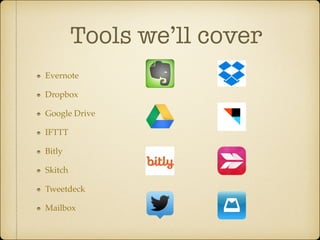
Tools we’ll cover
Evernote!
Dropbox!
Google Drive!
IFTTT!
Bitly!
Skitch!
Tweetdeck!
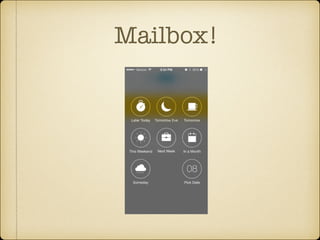
Mailbox
So many tools!

So little time. Let’s go.
*Question*

Have you ever emailed yourself a document?
!

How about a website link or article?
*Question*

Have you ever hunted through paper files for
bills, account numbers, etc.?
*Question*

Have you ever had to go through the

“Forgot Password” process 

more than once on the same website?
Evernote
Remember Everything
What is Evernote?

Tool / App!
“External Brain”
What does Evernote
do?
Stores:!
Text notes!
Pictures / image files!
Audio files / MP3s (record on mobile app)!
Documents: PDFs, Word, Excel!
Web pages / articles
What does Evernote
do?
View by date, title, notebook, tag!
Reminders!
Attachments!
Checklists!
Mark-up (highlight / Skitch)!
Links (URLs or links to other Evernote notes)
How can I use it?
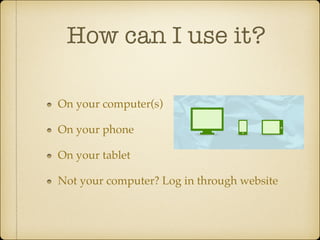
On your computer(s)!
On your phone!
On your tablet!
Not your computer? Log in through website
How can I use it?
Document storage (Dropbox / iCloud)!
Links / Articles / Bookmarks (Delicious, Pocket)!
Inspiration / Research (Pinterest / scrapbook)!
Archive of communications (Gmail / Outlook)!
To-do Lists (Siri / Wunderlist / pen & paper)!
Personal reference information (your brain / files)
How do I add stuff?
Type or paste directly into it on mobile, desktop, or web
interface!
Email to your Evernote account email address (find under
Account Info)!
Drag & drop files to desktop app!
Page Camera/Microphone in mobile app!
Browser extension (Web Clipper) or mobile apps (EverClip,
Lightly)!
IFTTT recipes
Best feature:

Search!
Search
Lightning-fast, very robust search function !
Title!
Tag or notebook name!
Body text!
Text in images, PDFs, Word docs, Excel files, etc.!
Filenames of attachments
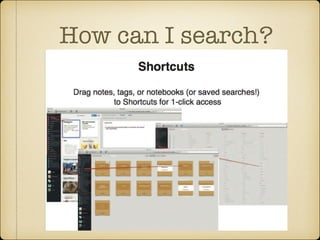
How can I search?
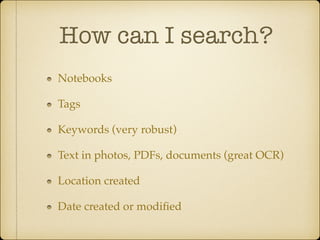
Notebooks!
Tags!
Keywords (very robust)!
Text in photos, PDFs, documents (great OCR)!
Location created!
Date created or modified
How can I search?
Sharing
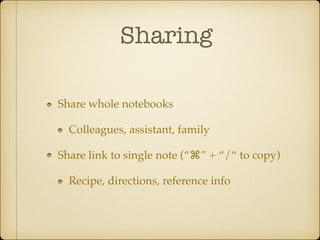
Share whole notebooks!
Colleagues, assistant, family!
Share link to single note (“⌘” + “/“ to copy)!
Recipe, directions, reference info
Document Storage	
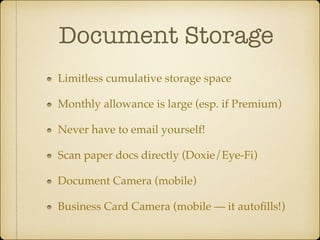
Limitless cumulative storage space!
Monthly allowance is large (esp. if Premium)!
Never have to email yourself!!
Scan paper docs directly (Doxie/Eye-Fi)!
Document Camera (mobile)!
Business Card Camera (mobile — it autofills!)
Run Your Business
Keep track of bills (reminders)!
Keep track of clients (tags)!
Clip / collect inspiration from the web!
Meeting notes, to-do lists!
Learn more: evernote.com/business
Link / Article Saver
Copy / Paste!
Web clipper (browser)!
EverClip (mobile)!
IFTTT / Pocket!
Forward emailed articles!
Available offline! (Premium feature)
Inspiration Board
Project lists!
Inspirational photos!
Household projects!
Travel plans!
Design / decorating inspiration!
Blog post ideas / drafts!
Personal & Professional goals!
Shareable with friends / family / team (Premium feature)
Archive of
Communications
Meeting minutes!
Notes from calls!
Emails (forwarded to Evernote)!
Mail (scanned to Evernote / document camera)!
Confirmation numbers / order history!
Access, reference, and search easily
To-do Lists
Default Inbox notebook (empty constantly)!
Mark Reminders / Due dates for all actionable
items!
Ordered by notebook / project!
Link to / between notes for accessing complex
projects (Table of Contents)!
Reminder IS the note you’re working on
Personal Reference
Information
Login usernames / passwords!
Account numbers!
Bills, pay stubs, reference documents!
Manuals (QR linked to item / equipment)!
Scan everything—Going paperless
Is my information
safe?
Export & archive your information for backup, as you
would your laptop/desktop!
Read more in Evernote’s Terms & Conditions!
Very respected reputation for security & encryption!
Like emails or Dr./Patient privilege, can be
subpoenaed
Should I go
Premium?
Larger monthly upload allowance (Cumulative always
free)!
Larger single note allowance/attach larger files!
Share notebooks with others (accepting shared
notebooks always free)!
See all note history/previous versions!
Search within PDFs (text in photos always free)!
Annotate PDFs with Skitch
Fun Stuff

Extras & Examples
Ditch Instruction
Manuals
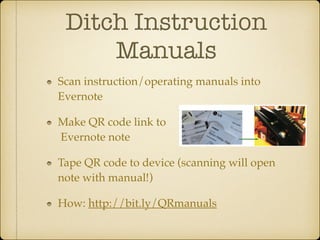
Scan instruction/operating manuals into
Evernote!
Make QR code link to

Evernote note!
Tape QR code to device (scanning will open
note with manual!)!
How: http://bit.ly/QRmanuals
Collaborate At Work	
Invite team members to various notebooks!
Record audio messages from mobile & save to
shared notebook w/ team members/assistants!
Easily clip articles/web content to share or
archive for projects!
Related notes pulls up notes you may not
know/remember that are relevant
Decide What To Eat
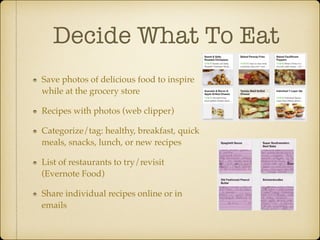
Save photos of delicious food to inspire
while at the grocery store!
Recipes with photos (web clipper)!
Categorize/tag: healthy, breakfast, quick
meals, snacks, lunch, or new recipes!
List of restaurants to try/revisit
(Evernote Food)!
Share individual recipes online or in
emails
Remember Where
You Parked	
Open new note & type “Parked” or small note
& drop a pin.!
Upon returning, open that note & tap
“Location” to lead yourself back to parking
spot
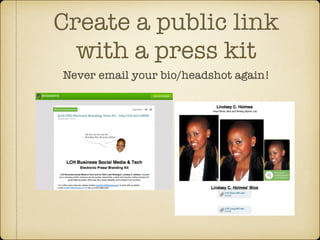
Create a public link
with a press kit
Never email your bio/headshot again!
SmartFiling: 

Emails to Reminders
Forward to Evernote address (save to address book for quick autocomplete forwarding)!
Simply sending will send to default inbox!
Sending with “!” at the end will add Reminder!
Smart Filing by subject line SRNT!
Subject !Reminder @Notebook #Tag (Should Really Note This)!
Example: Sign up for this !tomorrow @work #todo #events!
Reminder options: “!tomorrow”, “!monday”, “!YYYY/MM/
DD”, or simply “!”
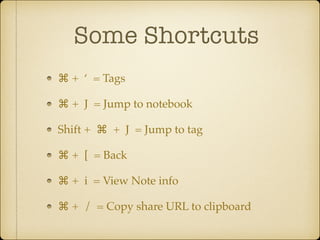
Some Shortcuts
⌘ + ‘ = Tags!
⌘ + J = Jump to notebook!
Shift + ⌘ + J = Jump to tag!
⌘ + [ = Back!
⌘ + i = View Note info!
⌘ + / = Copy share URL to clipboard
More resources
Endless case studies, examples, tutorials at
blog.evernote.com!
Evernote Paperless: jamierubin.net!
My tips & tricks: laughtercrystal.com
Next!
*Question*

Have you ever waited for your outbox to send
a large file?
Wondered if a person received an email with a
large attachment?
Dropbox
Share Everything
Dropbox

Cloud storage!
Desktop / mobile / web
Personal Storage	
Auto-backup mobile photos !
*Beware space limit!
Access frequently-used files anywhere!
Headshots, bios, PDF of contacts, etc.
Best feature:

Sharing!
Easy sharing
Free storage (up to 2GB)!
No more large attachments!
Send link to view or download a file or folder!
*Bonus: If the recipient is low on space, they can simply
download!
Invite to join folder!
Pro/Business accounts with larger storage & number of users
is available
Privacy Levels
Personal storage!
Copy public link and send to anyone!
anyone with link can view/download!
Invite other dropbox users to folder(s)!
only their email address can access)
Next!
*Question*

Have you ever wondered which version of a
document was the most current or correct?
Google Drive
Collaborate in real time!
*Formerly “Google Docs”
Google Drive

Free storage !
Connected to your Google account!
Upload images, files (.doc, .xls, .ppt, PDF, etc.)!
Create, edit, and save files (.doc, .xls, .ppt, PDF, etc.)
Best feature:

Real-time sync!
Real-time Sync
PRO: Say goodbye to versions!!
Those shared can edit / alter!
Everyone can be confident that they have the most
recent version (attendee lists, etc.)!
CON: Say goodbye to versions!!
Those shared can edit / alter!
*History is still saved
Privacy Levels
Private (only your Google account can access)!
Invite-only (only specific Google users or those with
Google sign-in set up may view)!
Anyone with link (Email list where some may not have
or know how to access Google sign-in)!
Public / searchable (Stuff you want to promote)
Next!
*Question*

Have you ever been busy?
IFTTT
If This, Then That
Automate!
Automate ALL the
things!
Connect Channels!
Browse or create Recipes!
Add Trigger & Action!
Sit back & finally finish that book
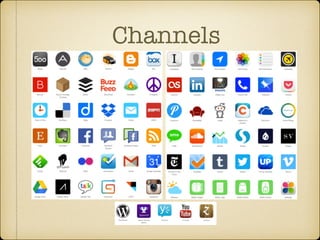
Channels
Automate social
media posts
Cross-channel posting
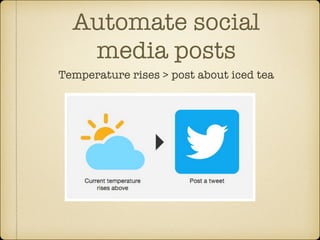
Automate social
media posts
Temperature rises > post about iced tea
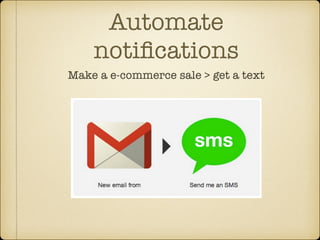
Automate
notifications
Make a e-commerce sale > get a text
Reminders for stellar
networking
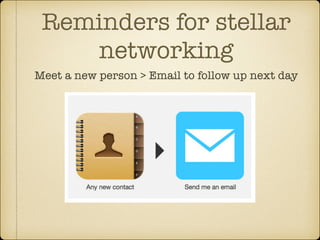
Meet a new person > Email to follow up next day
Next!
*Question*

Have you ever tried to type out a long URL on
your phone?
*Question*

Do you wonder if anyone is visiting the links
you post?
bitly
Shrink Links & Track Clicks
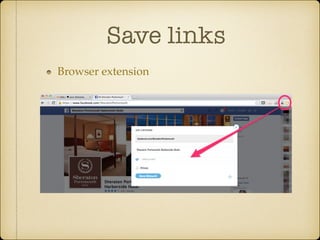
Save links
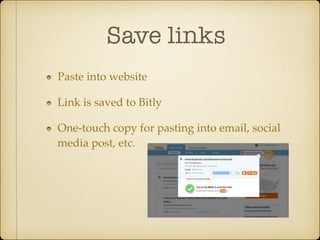
Paste into website!
Link is saved to Bitly!
One-touch copy for pasting into email, social
media post, etc.
Save links
Browser extension
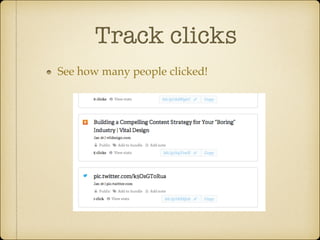
Track clicks
See how many people clicked!
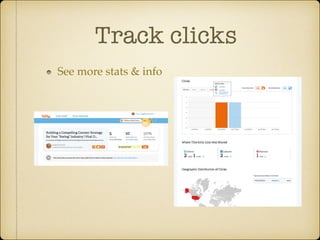
Track clicks
See more stats & info
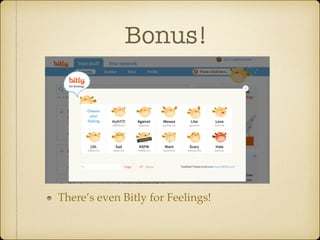
Bonus!

There’s even Bitly for Feelings!
Next!
*Question*
If you need to mark up a photo or screenshot,
what do you use?
!

A.
B.
C.
D.

Photoshop
Word
Other program
I just describe with a long message
Skitch
Annotate!
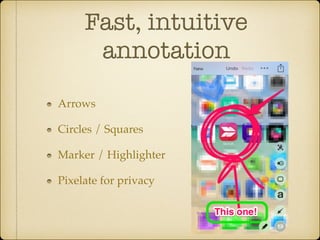
Fast, intuitive
annotation
Arrows!
Circles / Squares!
Marker / Highlighter!
Pixelate for privacy
Where can I use
Skitch?
Desktop!
Mobile!
iPad!
Nook!
Within Evernote
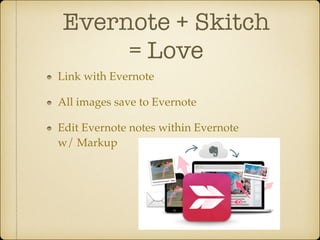
Evernote + Skitch 

= Love
Link with Evernote!
All images save to Evernote!
Edit Evernote notes within Evernote 

w/ Markup
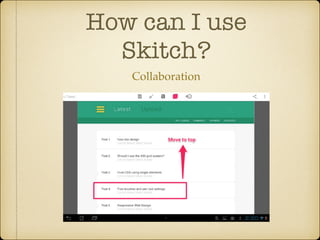
How can I use
Skitch?
Collaboration
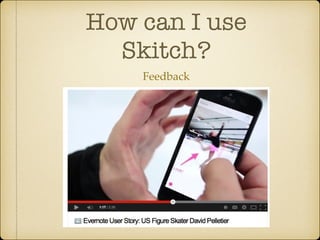
How can I use
Skitch?
Feedback
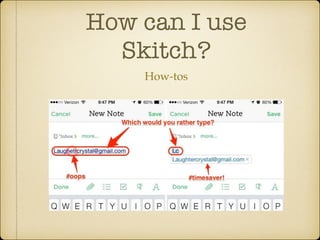
How can I use
Skitch?
How-tos
Next!
*Question*

How many of you are on Twitter personally?
*Question*

How many of you are on Twitter
professionally?
*Question*

How many of you actively USE more than one
Twitter account?
Tweetdeck
Tame Twitter
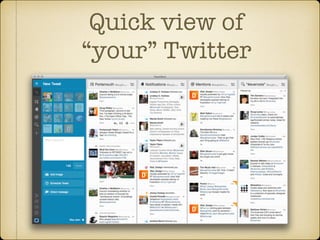
Quick view of 

“your” Twitter
Arrows!
Circles / Squares!
Marker / Highlighter!
Pixelate for privacy
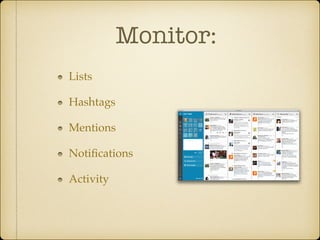
Monitor:
Lists!
Hashtags!
Mentions!
Notifications!
Activity
Best feature:

Multiple accounts!
Best feature:
ALL of your accounts!
Personal & Biz!
No signing in & out!!
!

*Make sure you double-check which account
before posting!
Next!
*Question*

Who has an iPhone?
!

(4, 4S, 5, 5C, 5S)
*Question*

How about an iPad?
*Question*
Has this ever happened to you?
1. Check email!
2. Forget to add to a list / write down
/mark “unread”!
3. Lose track / forget about it until
3am next Tuesday morning (or
never!)
Mailbox
for iPhone / iPad
Achieve #InboxZero
Why do I need to
achieve Inbox Zero?

What’s wrong with a perpetually full Inbox?
Inbox ≠ To-Do List
Inboxes are not designed for task management!
Inboxes don’t allow you to sort or prioritize!
Inboxes don’t show a comprehensive view of
all projects/tasks (ongoing projects, calls,
meetings, verbal to-dos, etc.)
Sure, But How?

So many emails coming in, how to keep track
of it all?
Best feature:

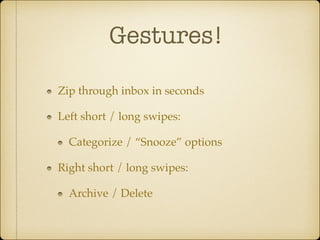
Gestures!
Gestures!
Zip through inbox in seconds!
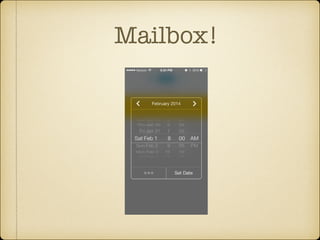
Left short / long swipes:!
Categorize / “Snooze” options!
Right short / long swipes:!
Archive / Delete
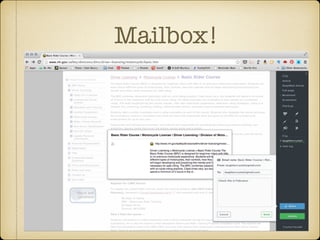
Mailbox!
Mailbox!
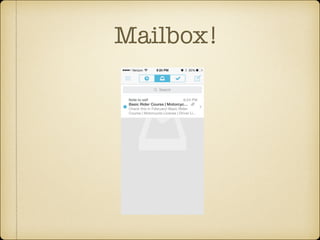
Mailbox!
Mailbox!
These were just a
few!

So many great tools!!
!

What are some of your favorites?
Questions?
Evernote!
Dropbox!
Google Drive!
IFTTT!
Bitly!
Skitch!
Tweetdeck!
Mailbox
Thank you!

!

Crystal Paradis |@laughtercrystal!
vital. | vtldesign.com!

Evernote & Beyond! Tools to Save Time and Make Your Life Easier