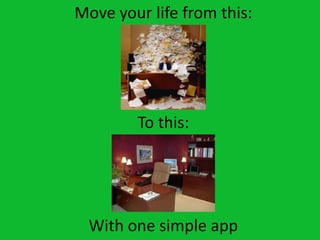
Move your life from this:


        To this:


  With one simple app
Quick Poll
      How have you used Evernote before?

A. I have never used it before
B. I have used it in my personal life
C. I have used it in my professional life
D. I used it in my personal and professional life
What is it?!
• Evernote is a multiplatform app that allows
  you to create and sync information from your
  computer, online and on your mobile devices
• You can use it to store links, pictures and
  content from online
• Can also create new content, organize it, easily
  search it, and share it with other users
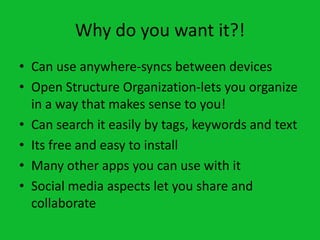
Why do you want it?!
• Can use anywhere-syncs between devices
• Open Structure Organization-lets you organize
  in a way that makes sense to you!
• Can search it easily by tags, keywords and text
• Its free and easy to install
• Many other apps you can use with it
• Social media aspects let you share and
  collaborate
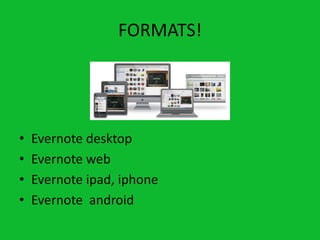
FORMATS!


•   Evernote desktop
•   Evernote web
•   Evernote ipad, iphone
•   Evernote android
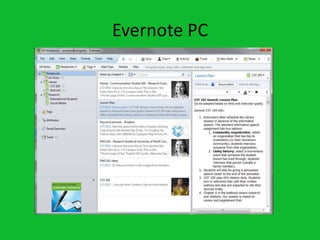
Evernote PC
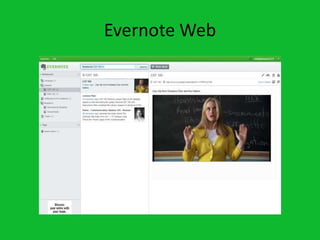
Evernote Web
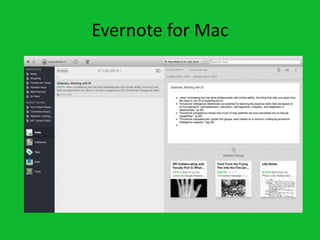
Evernote for Mac
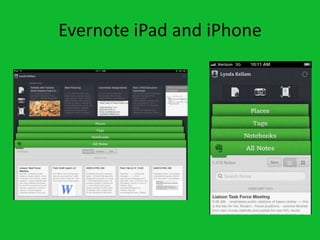
Evernote iPad and iPhone
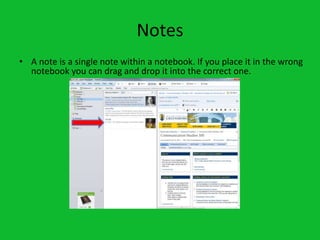
Notes
• A note is a single note within a notebook. If you place it in the wrong
  notebook you can drag and drop it into the correct one.
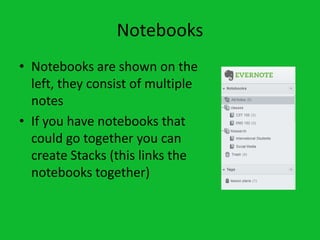
Notebooks
• Notebooks are shown on the
  left, they consist of multiple
  notes
• If you have notebooks that
  could go together you can
  create Stacks (this links the
  notebooks together)
Tips and Tricks
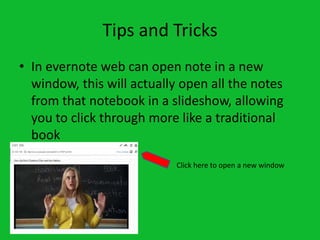
• In evernote web can open note in a new
  window, this will actually open all the notes
  from that notebook in a slideshow, allowing
  you to click through more like a traditional
  book
                           Click here to open a new window
Tips and Tricks
• If you have a note template you use a lot you
  can grab it and pull it into the “favorites bar”
  on the desktop version for PC and Mac
• You can merge notes into one
How to organize it!
• Recommendations
• Tagging or searching or both?
• Case uses –
  dissertation/thesis, classes, meetings
Challenges
• Emailing
• Being online on app version
• Over organizing syndrome
Cool extra features
•   Sharing notebooks
•   Public notebooks
•   Integration with other apps (Skitch, etc)
•   Premium access
Need More Information?
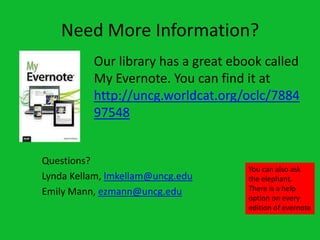
          Our library has a great ebook called
          My Evernote. You can find it at
          http://uncg.worldcat.org/oclc/7884
          97548


Questions?
                                     You can also ask
Lynda Kellam, lmkellam@uncg.edu      the elephant.
Emily Mann, ezmann@uncg.edu          There is a help
                                     option on every
                                     edition of evernote

Evernote

  • 2.
    Move your lifefrom this: To this: With one simple app
  • 3.
    Quick Poll How have you used Evernote before? A. I have never used it before B. I have used it in my personal life C. I have used it in my professional life D. I used it in my personal and professional life
  • 4.
    What is it?! •Evernote is a multiplatform app that allows you to create and sync information from your computer, online and on your mobile devices • You can use it to store links, pictures and content from online • Can also create new content, organize it, easily search it, and share it with other users
  • 5.
    Why do youwant it?! • Can use anywhere-syncs between devices • Open Structure Organization-lets you organize in a way that makes sense to you! • Can search it easily by tags, keywords and text • Its free and easy to install • Many other apps you can use with it • Social media aspects let you share and collaborate
  • 6.
    FORMATS! • Evernote desktop • Evernote web • Evernote ipad, iphone • Evernote android
  • 7.
  • 8.
  • 9.
  • 10.
  • 11.
    Notes • A noteis a single note within a notebook. If you place it in the wrong notebook you can drag and drop it into the correct one.
  • 12.
    Notebooks • Notebooks areshown on the left, they consist of multiple notes • If you have notebooks that could go together you can create Stacks (this links the notebooks together)
  • 13.
    Tips and Tricks •In evernote web can open note in a new window, this will actually open all the notes from that notebook in a slideshow, allowing you to click through more like a traditional book Click here to open a new window
  • 14.
    Tips and Tricks •If you have a note template you use a lot you can grab it and pull it into the “favorites bar” on the desktop version for PC and Mac • You can merge notes into one
  • 15.
    How to organizeit! • Recommendations • Tagging or searching or both? • Case uses – dissertation/thesis, classes, meetings
  • 16.
    Challenges • Emailing • Beingonline on app version • Over organizing syndrome
  • 17.
    Cool extra features • Sharing notebooks • Public notebooks • Integration with other apps (Skitch, etc) • Premium access
  • 18.
    Need More Information? Our library has a great ebook called My Evernote. You can find it at http://uncg.worldcat.org/oclc/7884 97548 Questions? You can also ask Lynda Kellam, lmkellam@uncg.edu the elephant. Emily Mann, ezmann@uncg.edu There is a help option on every edition of evernote