Get Organized!
EVERNOTE for
Genealogists
Dick Eastman
January 28, 2017
Today’s slides may be found at:
http://www.eogn.com/handouts/evernote
Do you have a photographic memory?
If not, Evernote is a great tool for you!
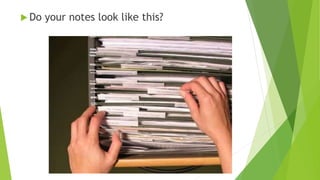
Do your genealogy notes look like this?
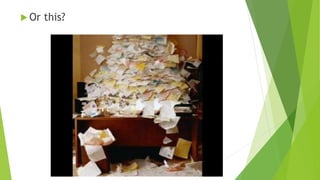
Or this?
If so, Evernote is for you.
I use Evernote to fulfill my pack-rat and archiving needs,
both for genealogy and for many other purposes as well.
A “note” can be…
A Photograph
Can I Use It On My Mobile Device?
Limited storage space, so...
Evernote does not store all notes (except for recent
notes) in the device.
Instead, these devices retrieve notes from servers online
as needed.
Synchronize!
Easy synchronization of notes across multiple devices and
platforms, even when offline.
Access notes from your desktop, laptop, or tablet
computers, a “smartphone,” “smartwatch,” or any other
computer by opening a web browser.
Save, edit and share notes among different devices and
with multiple users—great for collaborations and jotting down
ideas on-the-go.
Evernote is sometimes called:
"everything bucket"
"brain dump"
"universal inbox"
 Evernote can store tens of thousands of notes…
 Research notes, research logs, documents,
timelines, to do lists, checklists, post-it notes,
email messages, audio files, pictures, videos,
business cards, web pages, PowerPoint
presentations, seminar notes, webinar notes,
reminder notes, prescriptions, and more.
 Even better, Evernote can RETRIEVE any of those
notes within seconds when you need them!
 Why Should a Genealogist Use Evernote?
Notes taken during genealogy presentations
Ideas for future research
Articles from blogs
Web pages
“to do” list
User IDs and passwords
Subscription and membership renewal dates
And more…
I’m a User!
Capture notes, scanned images, and photographs when doing
genealogy research in libraries, archives, courthouses, or “on
site.”
Keep research notes in folders by surname, just as I did with
tablets and notebooks. But now those notes are searchable
across all notebooks at one time. So, wherever there is a person
that appears in more than one family the search will find them.
 I can have more than one type of media contained in one
research note. Examples:
 A section of a web page clipped into a note
 An image and a PDF file, along with typed notes or handwritten
markup in the note.
 Hundreds of other purposes as well.
 At first, Evernote may look like a disorganized app,
but it could be your very best personal assistant.
 Now you know what you are dealing with.
 Learn how to use it proficiently to organize your ideas and
tasks.
 The best way to learn Evernote? Dive and start using it!
 One more thing: Evernote is FREE!
 There is no maximum size to your Evernote account, even for the free
version.
 There are paid versions for those who upload thousands of notes per
month or for business users who share notes amongst team members.
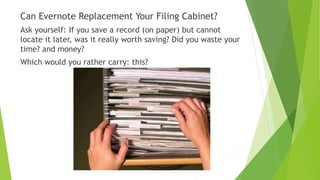
Can Evernote Replacement Your Filing Cabinet?
Ask yourself: If you save a record (on paper) but cannot
locate it later, was it really worth saving? Did you waste your
time? and money? Did you really “save” it?
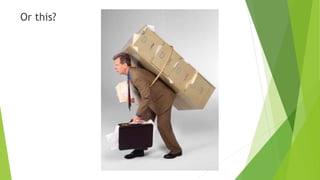
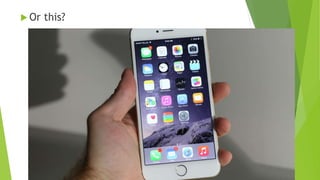
Which would you rather carry: this?
Or this?
Or this?
 Evernote is not only a tool to save everything
but also to later FIND everything quickly and
easily! It is primarily a note saving and retrieval
tool. A note may be text, a picture, a web
page, a video, a sound recording.
 It works on Windows, Macintosh, Android, iOS
(iPhone, iPad, iPod Touch), Blackberry or via a
web browser. All notes are compatible with all
operating systems.
 Evernote is not designed only for genealogists.
It is used by college students, engineers,
doctors, and others who need to keep track of a
lot of details.
 I also use Evernote to store recipes.
 And a lot more.
With Evernote, there is no need to save
screenshots on your computer and then
print them. Instead, use Evernote to "clip"
the web page and save it.
Don't write notes.
Don't use "sticky notes."
Don’t have 100s or 1000s of files on your
hard drive.
You can drag-and-drop any document into
Evernote: doc files, spreadsheets, HTML
pages, pictures, and more.
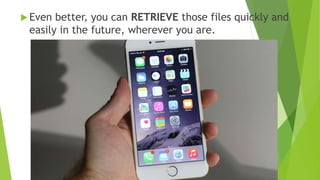
Even better, you can RETRIEVE those files quickly and
easily in the future, wherever you are.
Are your notes presently buried "someplace" on your
computer? You will love Evernote's search capability.
You can also copy-and-paste from Evernote to other
programs.
Add reminders to any note(s) to pop-up at a future date
and time you specify.
Share notes by any of multiple methods:
 email
 Facebook, Twitter, or LinkedIn
 Web
Copy the URL and put it into a document or email.
Every note you create in Evernote can be a separate
web page.
Visible only to you unless you take steps to make a note
public. It then becomes visible to others, even if they do
not have Evernote installed. You can optionally allow
them to edit and update the note so that you have the
benefit of their input.
You can share individual notes or an entire notebook.
Also can export notes to XML or to HTML
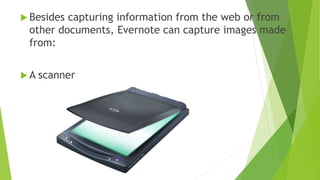
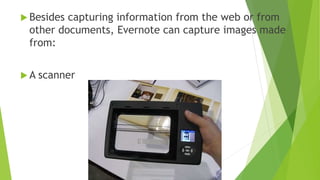
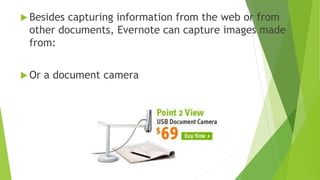
Besides capturing information from the web or from
other documents, Evernote can capture images made
from:
A scanner
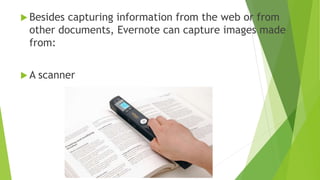
Besides capturing information from the web or from
other documents, Evernote can capture images made
from:
A scanner
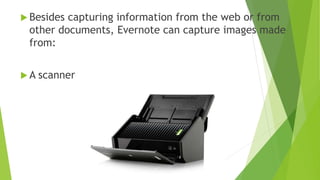
Besides capturing information from the web or from
other documents, Evernote can capture images made
from:
A scanner
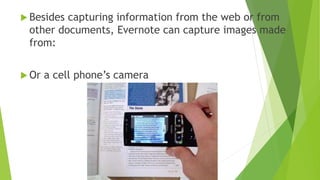
Besides capturing information from the web or from
other documents, Evernote can capture images made
from:
A scanner
Besides capturing information from the web or from
other documents, Evernote can capture images made
from:
Or a cell phone’s camera
Besides capturing information from the web or from
other documents, Evernote can capture images made
from:
Or a document camera
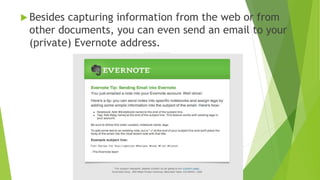
Besides capturing information from the web or from
other documents, you can even send an email to your
(private) Evernote address.
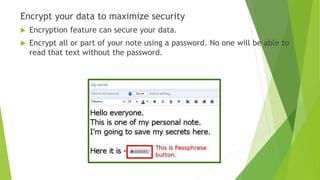
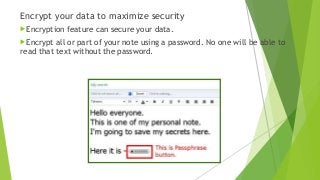
Encrypt your data to maximize security
Encryption feature can secure your data.
Encrypt all or part of your note using a password. No one will be able to
read that text without the password.
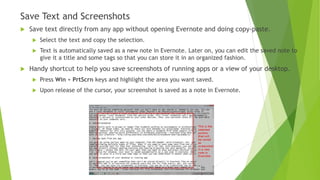
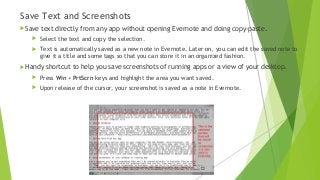
Save Text and Screenshots
Save text directly from any app without opening Evernote and doing copy-paste.
 Select the text and copy the selection.
 Text is automatically saved as a new note in Evernote. Later on, you can edit the saved note to
give it a title and some tags so that you can store it in an organized fashion.
Handy shortcut to help you save screenshots of running apps or a view of your desktop.
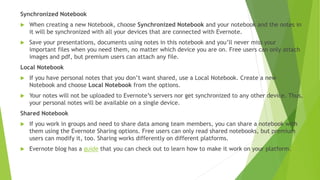
 Press Win + PrtScrn keys and highlight the area you want saved.
 Upon release of the cursor, your screenshot is saved as a note in Evernote.
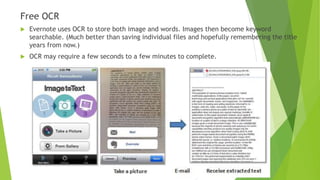
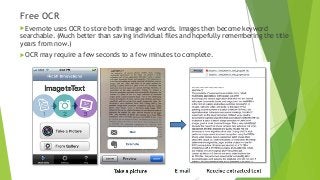
Free OCR
Evernote uses OCR to store both image and words. Images then become keyword
searchable. (Much better than saving individual files and hopefully remembering the title
years from now.)
OCR may require a few seconds to a few minutes to complete.
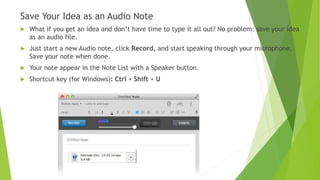
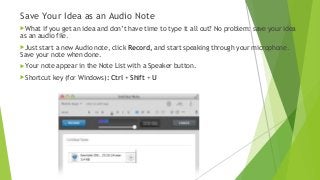
Save Your Idea as an Audio Note
What if you get an idea and don’t have time to type it all out? No problem: save your idea
as an audio file.
Just start a new Audio note, click Record, and start speaking through your microphone.
Save your note when done.
Your note appear in the Note List with a Speaker button.
Shortcut key (for Windows): Ctrl + Shift + U
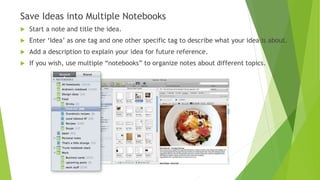
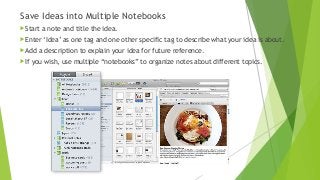
Save Ideas into Multiple Notebooks
Start a note and title the idea.
Enter ‘Idea’ as one tag and one other specific tag to describe what your idea is about.
Add a description to explain your idea for future reference.
If you wish, use multiple “notebooks” to organize notes about different topics.
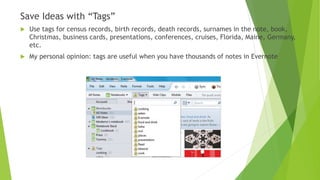
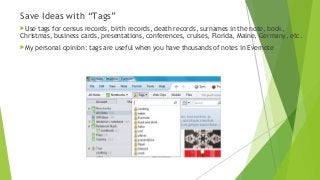
Save Ideas with “Tags”
Use tags for census records, birth records, death records, surnames in the note, book,
Christmas, business cards, presentations, conferences, cruises, Florida, Maine, Germany, etc.
My personal opinion: tags are useful when you have thousands of notes in Evernote
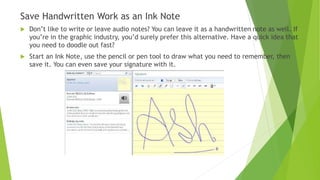
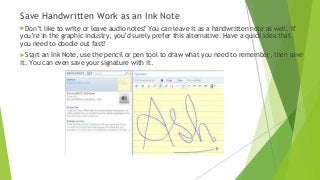
Save Handwritten Work as an Ink Note
Don’t like to write or leave audio notes? You can leave it as a handwritten note as well. If
you’re in the graphic industry, you’d surely prefer this alternative. Have a quick idea that
you need to doodle out fast?
Start an Ink Note, use the pencil or pen tool to draw what you need to remember, then save
it. You can even save your signature with it.
Evernote allows you to Share your
notebook
Evernote allows you to Share your
notebook
Keep projects, resources and
ideas in one shared place
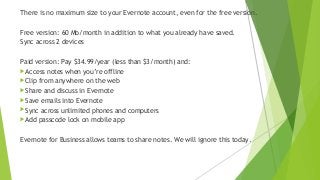
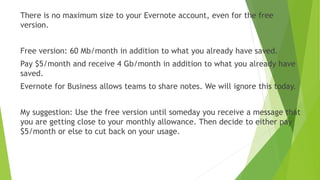
There is no maximum size to your Evernote account, even for the free version.
Free version: 60 Mb/month in addition to what you already have saved.
Sync across 2 devices
Paid version: Pay $34.99/year (less than $3/month) and:
Access notes when you’re offline
Clip from anywhere on the web
Share and discuss in Evernote
Save emails into Evernote
Sync across unlimited phones and computers
Add passcode lock on mobile app
Evernote for Business allows teams to share notes. We will ignore this today.
My suggestion: Use the free version until
someday you receive a message that you
are getting close to your monthly
allowance. Then decide to either pay less
than $3/month or else to cut back on
your usage.
Want more?
Lots of third-party programs created by other companies to add more
functionality to Evernote.
Some are free; others cost money (usually modest prices).
Drawing programs
Hand-write notes
Organize recipes
Mark up maps and images
… and more.
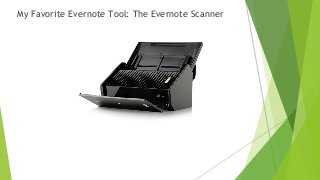
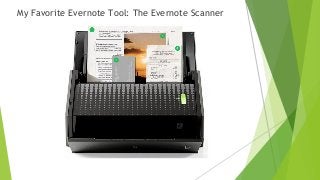
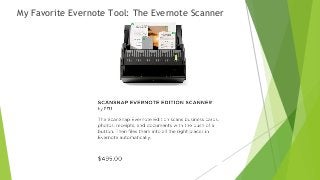
My Favorite Evernote Tool: The Evernote Scanner
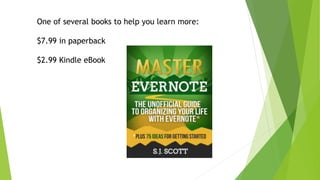
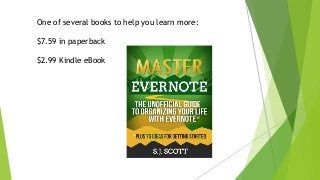
One of several books to help you learn more:
$7.59 in paperback
$2.99 Kindle eBook
Evernote is certainly the fastest-
growing (and FREE) note-taking
technology out there, so it’s no
wonder that it is incredibly popular
with genealogists.
“Where did I put that?”
Problem solved!
More information may be found at:
http://facebook.com/groups/evernotegeneal
ogists/
Today’s slides may be found at:
http://www.eogn.com/handouts/evernote

EverNote for-genealogists

  • 1.
  • 2.
    Today’s slides maybe found at: http://www.eogn.com/handouts/evernote
  • 3.
    Do you havea photographic memory? If not, Evernote is a great tool for you!
  • 4.
    Do your genealogynotes look like this?
  • 5.
  • 6.
    If so, Evernoteis for you. I use Evernote to fulfill my pack-rat and archiving needs, both for genealogy and for many other purposes as well.
  • 9.
  • 12.
  • 17.
    Can I UseIt On My Mobile Device? Limited storage space, so... Evernote does not store all notes (except for recent notes) in the device. Instead, these devices retrieve notes from servers online as needed.
  • 18.
    Synchronize! Easy synchronization ofnotes across multiple devices and platforms, even when offline. Access notes from your desktop, laptop, or tablet computers, a “smartphone,” “smartwatch,” or any other computer by opening a web browser. Save, edit and share notes among different devices and with multiple users—great for collaborations and jotting down ideas on-the-go.
  • 19.
    Evernote is sometimescalled: "everything bucket" "brain dump" "universal inbox"
  • 20.
     Evernote canstore tens of thousands of notes…  Research notes, research logs, documents, timelines, to do lists, checklists, post-it notes, email messages, audio files, pictures, videos, business cards, web pages, PowerPoint presentations, seminar notes, webinar notes, reminder notes, prescriptions, and more.  Even better, Evernote can RETRIEVE any of those notes within seconds when you need them!
  • 21.
     Why Shoulda Genealogist Use Evernote? Notes taken during genealogy presentations Ideas for future research Articles from blogs Web pages “to do” list User IDs and passwords Subscription and membership renewal dates And more…
  • 22.
    I’m a User! Capturenotes, scanned images, and photographs when doing genealogy research in libraries, archives, courthouses, or “on site.” Keep research notes in folders by surname, just as I did with tablets and notebooks. But now those notes are searchable across all notebooks at one time. So, wherever there is a person that appears in more than one family the search will find them.
  • 23.
     I canhave more than one type of media contained in one research note. Examples:  A section of a web page clipped into a note  An image and a PDF file, along with typed notes or handwritten markup in the note.  Hundreds of other purposes as well.
  • 24.
     At first,Evernote may look like a disorganized app, but it could be your very best personal assistant.  Now you know what you are dealing with.  Learn how to use it proficiently to organize your ideas and tasks.  The best way to learn Evernote? Dive and start using it!
  • 25.
     One morething: Evernote is FREE!
  • 26.
     One morething: Evernote is FREE!  There is no maximum size to your Evernote account, even for the free version.  There are paid versions for those who upload thousands of notes per month or for business users who share notes amongst team members.
  • 27.
    Can Evernote ReplacementYour Filing Cabinet? Ask yourself: If you save a record (on paper) but cannot locate it later, was it really worth saving? Did you waste your time? and money? Did you really “save” it? Which would you rather carry: this?
  • 28.
  • 29.
  • 30.
     Evernote isnot only a tool to save everything but also to later FIND everything quickly and easily! It is primarily a note saving and retrieval tool. A note may be text, a picture, a web page, a video, a sound recording.  It works on Windows, Macintosh, Android, iOS (iPhone, iPad, iPod Touch), Blackberry or via a web browser. All notes are compatible with all operating systems.  Evernote is not designed only for genealogists. It is used by college students, engineers, doctors, and others who need to keep track of a lot of details.  I also use Evernote to store recipes.  And a lot more.
  • 31.
    With Evernote, thereis no need to save screenshots on your computer and then print them. Instead, use Evernote to "clip" the web page and save it. Don't write notes. Don't use "sticky notes."
  • 35.
    Don’t have 100sor 1000s of files on your hard drive. You can drag-and-drop any document into Evernote: doc files, spreadsheets, HTML pages, pictures, and more.
  • 36.
    Even better, youcan RETRIEVE those files quickly and easily in the future, wherever you are.
  • 37.
    Are your notespresently buried "someplace" on your computer? You will love Evernote's search capability. You can also copy-and-paste from Evernote to other programs. Add reminders to any note(s) to pop-up at a future date and time you specify.
  • 38.
    Share notes byany of multiple methods:  email  Facebook, Twitter, or LinkedIn  Web Copy the URL and put it into a document or email. Every note you create in Evernote can be a separate web page. Visible only to you unless you take steps to make a note public. It then becomes visible to others, even if they do not have Evernote installed. You can optionally allow them to edit and update the note so that you have the benefit of their input. You can share individual notes or an entire notebook. Also can export notes to XML or to HTML
  • 39.
    Besides capturing informationfrom the web or from other documents, Evernote can capture images made from: A scanner
  • 40.
    Besides capturing informationfrom the web or from other documents, Evernote can capture images made from: A scanner
  • 41.
    Besides capturing informationfrom the web or from other documents, Evernote can capture images made from: A scanner
  • 42.
    Besides capturing informationfrom the web or from other documents, Evernote can capture images made from: A scanner
  • 43.
    Besides capturing informationfrom the web or from other documents, Evernote can capture images made from: Or a cell phone’s camera
  • 44.
    Besides capturing informationfrom the web or from other documents, Evernote can capture images made from: Or a document camera
  • 45.
    Besides capturing informationfrom the web or from other documents, you can even send an email to your (private) Evernote address.
  • 46.
    Encrypt your datato maximize security Encryption feature can secure your data. Encrypt all or part of your note using a password. No one will be able to read that text without the password.
  • 47.
    Save Text andScreenshots Save text directly from any app without opening Evernote and doing copy-paste.  Select the text and copy the selection.  Text is automatically saved as a new note in Evernote. Later on, you can edit the saved note to give it a title and some tags so that you can store it in an organized fashion. Handy shortcut to help you save screenshots of running apps or a view of your desktop.  Press Win + PrtScrn keys and highlight the area you want saved.  Upon release of the cursor, your screenshot is saved as a note in Evernote.
  • 48.
    Free OCR Evernote usesOCR to store both image and words. Images then become keyword searchable. (Much better than saving individual files and hopefully remembering the title years from now.) OCR may require a few seconds to a few minutes to complete.
  • 49.
    Save Your Ideaas an Audio Note What if you get an idea and don’t have time to type it all out? No problem: save your idea as an audio file. Just start a new Audio note, click Record, and start speaking through your microphone. Save your note when done. Your note appear in the Note List with a Speaker button. Shortcut key (for Windows): Ctrl + Shift + U
  • 50.
    Save Ideas intoMultiple Notebooks Start a note and title the idea. Enter ‘Idea’ as one tag and one other specific tag to describe what your idea is about. Add a description to explain your idea for future reference. If you wish, use multiple “notebooks” to organize notes about different topics.
  • 51.
    Save Ideas with“Tags” Use tags for census records, birth records, death records, surnames in the note, book, Christmas, business cards, presentations, conferences, cruises, Florida, Maine, Germany, etc. My personal opinion: tags are useful when you have thousands of notes in Evernote
  • 52.
    Save Handwritten Workas an Ink Note Don’t like to write or leave audio notes? You can leave it as a handwritten note as well. If you’re in the graphic industry, you’d surely prefer this alternative. Have a quick idea that you need to doodle out fast? Start an Ink Note, use the pencil or pen tool to draw what you need to remember, then save it. You can even save your signature with it.
  • 53.
    Evernote allows youto Share your notebook
  • 54.
    Evernote allows youto Share your notebook Keep projects, resources and ideas in one shared place
  • 55.
    There is nomaximum size to your Evernote account, even for the free version. Free version: 60 Mb/month in addition to what you already have saved. Sync across 2 devices Paid version: Pay $34.99/year (less than $3/month) and: Access notes when you’re offline Clip from anywhere on the web Share and discuss in Evernote Save emails into Evernote Sync across unlimited phones and computers Add passcode lock on mobile app Evernote for Business allows teams to share notes. We will ignore this today.
  • 56.
    My suggestion: Usethe free version until someday you receive a message that you are getting close to your monthly allowance. Then decide to either pay less than $3/month or else to cut back on your usage.
  • 57.
    Want more? Lots ofthird-party programs created by other companies to add more functionality to Evernote. Some are free; others cost money (usually modest prices). Drawing programs Hand-write notes Organize recipes Mark up maps and images … and more.
  • 58.
    My Favorite EvernoteTool: The Evernote Scanner
  • 59.
    My Favorite EvernoteTool: The Evernote Scanner
  • 60.
    My Favorite EvernoteTool: The Evernote Scanner
  • 62.
    One of severalbooks to help you learn more: $7.59 in paperback $2.99 Kindle eBook
  • 63.
    Evernote is certainlythe fastest- growing (and FREE) note-taking technology out there, so it’s no wonder that it is incredibly popular with genealogists.
  • 64.
    “Where did Iput that?”
  • 65.
    “Where did Iput that?”
  • 66.
    “Where did Iput that?” Problem solved!
  • 67.
    More information maybe found at: http://facebook.com/groups/evernotegeneal ogists/
  • 68.
    Today’s slides maybe found at: http://www.eogn.com/handouts/evernote