#ever123 :
            How To Use Evernote
  to Totally Transform Organize Your Life

a delightful presentation by @laughtercrystal
Prologue


    Evernote
         &
@laughtercrystal:
     a love story
Like all modern romances,

this one started with an app:

    An Annotation App.
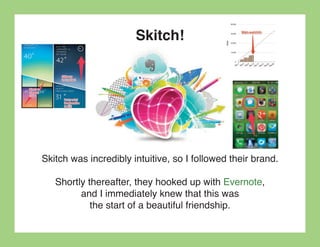
Skitch!


Skitch was incredibly intuitive, so I followed their brand.

   Shortly thereafter, they hooked up with Evernote,
         and I immediately knew that this was
            the start of a beautiful friendship.
Evernote
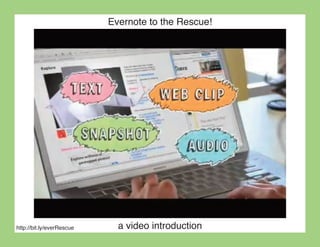
Evernote to the Rescue!


http://bit.ly/everRescue     a video introduction
I was born in 1983


 That puts me right at the beginning of “Gen Y.”


I think technology should be able to do anything!
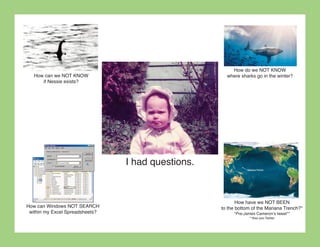
How do we NOT KNOW
   How can we NOT KNOW                                where sharks go in the winter?
      if Nessie exists?


                                 I had questions.


                                                           How have we NOT BEEN
How can Windows NOT SEARCH                          to the bottom of the Mariana Trench?*
 within my Excel Spreadsheets?                           *Pre-James Cameron’s tweet**
                                                                **Also pre-Twitter
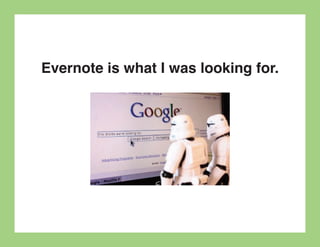
Evernote is what I was looking for.
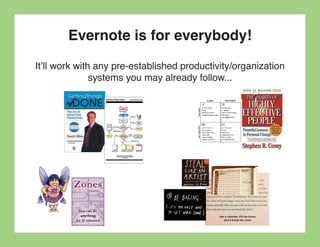
Evernote is for everybody!
It’ll work with any pre-established productivity/organization
               systems you may already follow...
...or no system at all!
Two fundamentals of Evernote:
   Input/Output               Collect/Select

           Add/Search   File/Find

Deposit/Withdrawal           Gather/Retrieve
Two fundamentals of Evernote:


    1. Putting stuff in via many methods


  2. Quickly finding exactly what you want


                                  aha!
Adding stuff to Evernote:
                     - Email
                  - Text (SMS)
               - Tweet (@myEN)
- Evernote Desktop Application (Mac, Windows)
   - Evernote Mobile App (iPhone, Android)
           - Website (evernote.com)
- Web clipper (Browser extension/bookmarklet)
        - ifttt recipe (ifttt.com/evernote)
          - etc. (trunk.evernote.com)
                      Pro Tip: Create an easy-to-remember email account that
                      auto-forwards to your evernote email (which has lots of
                      numbers), in case you’re ever without your saved contacts.
Adding stuff to Evernote:
                     Accumulative storage is unlimited*—
              only new uploads count towards your monthly limit


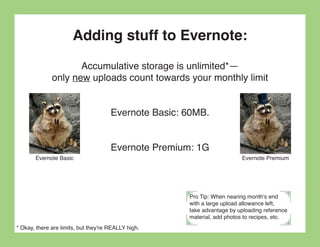
                                      Evernote Basic: 60MB.


                                      Evernote Premium: 1G
       Evernote Basic                                                    Evernote Premium


                                                      Pro Tip: When nearing month's end
                                                      with a large upload allowance left,
                                                      take advantage by uploading reference
                                                      material, add photos to recipes, etc.
* Okay, there are limits, but they're REALLY high.
Finding stuff in Evernote
The search function is what makes Evernote amazing!


                - All text (obviously)
              - Tags, Notebooks, etc.
       - Even searches text in photos/PDFs!


                   I knew it was possible!
Finding stuff in Evernote
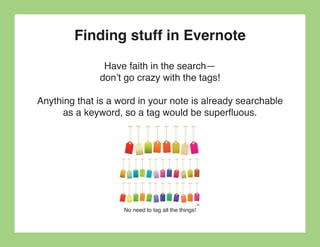
               Have faith in the search—
              don’t go crazy with the tags!

Anything that is a word in your note is already searchable
      as a keyword, so a tag would be superfluous.


                    No need to tag all the things!
The Three Levels of Organizers
Chances are, you fall into one of three categories:

              - Level One Organizer


              - Level Two Organizer


       - Level Three Organizer (aka “Monica”)


               Which one are you?
Level One Organizer


“It is while trying to get everything straight in my head
                    that I get confused.”

                ― Mary Virginia Micka
Level One Organizer
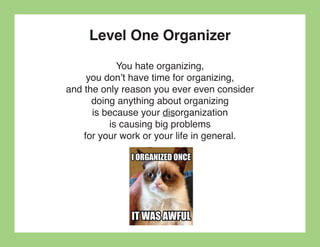
            You hate organizing,
     you don’t have time for organizing,
and the only reason you ever even consider
      doing anything about organizing
      is because your disorganization
          is causing big problems
    for your work or your life in general.
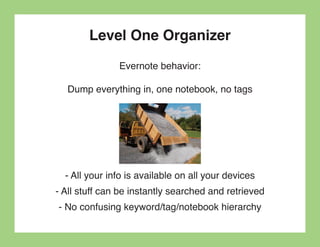
Level One Organizer
               Evernote behavior:

  Dump everything in, one notebook, no tags


  - All your info is available on all your devices
- All stuff can be instantly searched and retrieved
- No confusing keyword/tag/notebook hierarchy
Level Two Organizer


        You’ve got to think of the big things
          while you’re doing small things,
so that all the small things go in the right direction.


                   —Alvin Toffler
Level Two Organizer
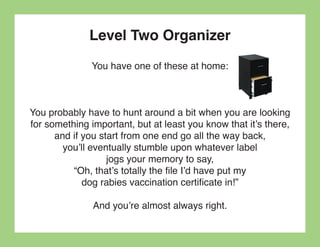
              You have one of these at home:


You probably have to hunt around a bit when you are looking
for something important, but at least you know that it’s there,
      and if you start from one end go all the way back,
        you’ll eventually stumble upon whatever label
                   jogs your memory to say,
          “Oh, that’s totally the file I’d have put my
             dog rabies vaccination certificate in!”

               And you’re almost always right.
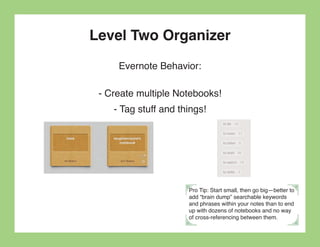
Level Two Organizer
     Evernote Behavior:

 - Create multiple Notebooks!
    - Tag stuff and things!


                      Pro Tip: Start small, then go big—better to
                      add “brain dump” searchable keywords
                      and phrases within your notes than to end
                      up with dozens of notebooks and no way
                      of cross-referencing between them.
Level Two Organizer
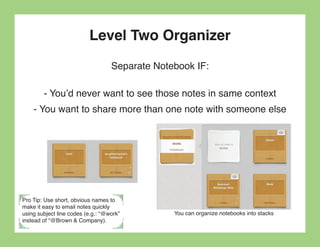
                                   Separate Notebook IF:

        - You’d never want to see those notes in same context
    - You want to share more than one note with someone else


Pro Tip: Use short, obvious names to
make it easy to email notes quickly
using subject line codes (e.g.: “@work”         You can organize notebooks into stacks
instead of “@Brown & Company).
Level Two Organizer
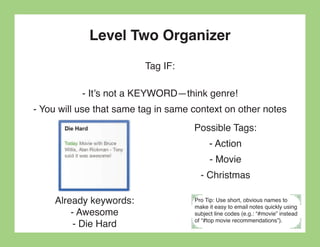
                          Tag IF:

           - It’s not a KEYWORD—think genre!
- You will use that same tag in same context on other notes
                                     Possible Tags:
                                          - Action
                                           - Movie
                                       - Christmas

     Already keywords:               Pro Tip: Use short, obvious names to

         - Awesome
                                     make it easy to email notes quickly using
                                     subject line codes (e.g.: “#movie” instead

          - Die Hard                 of “#top movie recommendations”).
Level Three Organizer


Rule your mind or it will rule you.


            —Horace
Level Three Organizer
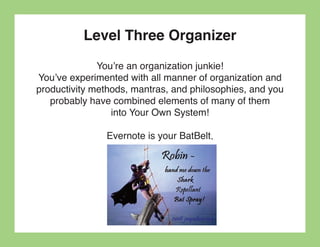
              You’re an organization junkie!
You’ve experimented with all manner of organization and
productivity methods, mantras, and philosophies, and you
   probably have combined elements of many of them
                 into Your Own System!

               Evernote is your BatBelt.
Level Three Organizer
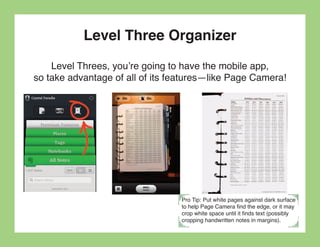
    Level Threes, you’re going to have the mobile app,
so take advantage of all of its features—like Page Camera!


                                 Pro Tip: Put white pages against dark surface
                                 to help Page Camera find the edge, or it may
                                 crop white space until it finds text (possibly
                                 cropping handwritten notes in margins).
Level Three Organizer
     To the Level Threes out there, I give you this:


                        -tag:*
                 “Inbox” saved search
   - Anything that hasn’t been processed/tagged yet

It ONLY works if you check it regularly! (Like, every day.)


                                     Pro tip: If you are using Inbox, you’ll
                                     want a “reference” tag to get things out
                                     of your inbox that don’t necessarily
                                     require attention or categorization, but
                                     that you want on file if needed.
Evernote Everyday

The constant, unproductive preoccupation
    with all the things we have to do
     is the single largest consumer
          of time and energy.


            —Kerry Gleeson
Types of Notes
                                    A note can contain:

                                              - Text
                                          - Hyperlinks
                                            - Photos
                                - Voice notes/recordings
                        - Attachments (PDF, .doc, .xls, etc.)
                     - Checklists, numbered lists, bullet lists


*Note size limit: Basic accounts—25MB / Premium accounts—100MB
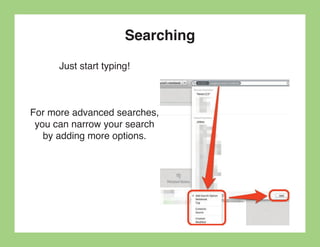
Searching
      Just start typing!


For more advanced searches,
 you can narrow your search
   by adding more options.
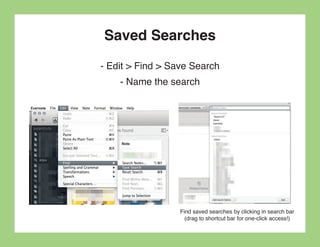
Saved Searches
- Edit > Find > Save Search
    - Name the search


                  Find saved searches by clicking in search bar
                    (drag to shortcut bar for one-click access!)
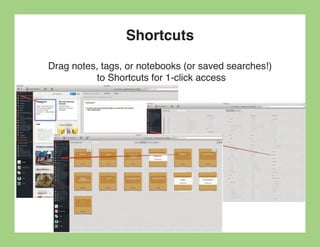
Shortcuts
Drag notes, tags, or notebooks (or saved searches!)
           to Shortcuts for 1-click access
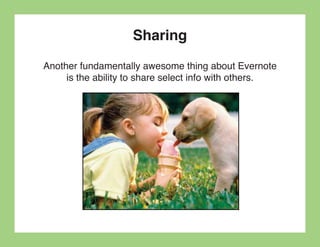
Sharing
Another fundamentally awesome thing about Evernote
     is the ability to share select info with others.
Sharing
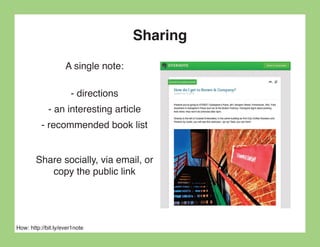
                    A single note:

                      - directions
             - an interesting article
          - recommended book list


        Share socially, via email, or
           copy the public link


How: http://bit.ly/ever1note
Sharing
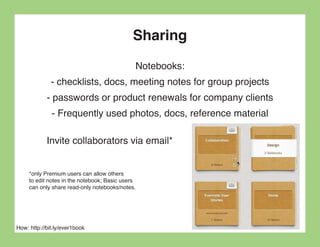
                                              Notebooks:
              - checklists, docs, meeting notes for group projects
            - passwords or product renewals for company clients
              - Frequently used photos, docs, reference material

            Invite collaborators via email*


     *only Premium users can allow others
     to edit notes in the notebook; Basic users
     can only share read-only notebooks/notes.


How: http://bit.ly/ever1book
Fave Evernote Lifehack:
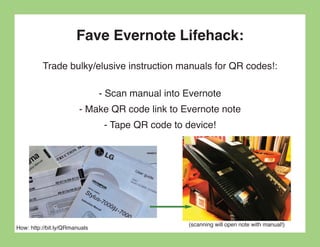
          Trade bulky/elusive instruction manuals for QR codes!:

                               - Scan manual into Evernote
                        - Make QR code link to Evernote note
                                - Tape QR code to device!


                                                  (scanning will open note with manual!)
How: http://bit.ly/QRmanuals
More great resources for
Evernote organization goodness:
              Official Evernote Blog:
               http://bit.ly/everBlog

Darren Crawford: My Simple GTD & Evernote Combo:
              http://bit.ly/DarrenGTD

31 Ninja Tricks for Making Evernote More Awesome:
                 http://bit.ly/everNinja

       Jamie Todd Rubin: Going Paperless:
               http://bit.ly/everJTR
Remember Everything!


There is no reason, ever, to have the same thought twice,
           unless you like having that thought.
          —David Allen, Getting Things Done
The End!


                             I hope you found this delightful!
                                   — @laughtercrystal
http://laughtercrystal.com

#ever123: How To Use Evernote to Organize Your Life

  • 1.
    #ever123 : How To Use Evernote to Totally Transform Organize Your Life a delightful presentation by @laughtercrystal
  • 2.
    Prologue Evernote & @laughtercrystal: a love story
  • 3.
    Like all modernromances, this one started with an app: An Annotation App.
  • 4.
    Skitch! Skitch was incrediblyintuitive, so I followed their brand. Shortly thereafter, they hooked up with Evernote, and I immediately knew that this was the start of a beautiful friendship.
  • 5.
  • 6.
    Evernote to theRescue! http://bit.ly/everRescue a video introduction
  • 7.
    I was bornin 1983 That puts me right at the beginning of “Gen Y.” I think technology should be able to do anything!
  • 8.
    How do weNOT KNOW How can we NOT KNOW where sharks go in the winter? if Nessie exists? I had questions. How have we NOT BEEN How can Windows NOT SEARCH to the bottom of the Mariana Trench?* within my Excel Spreadsheets? *Pre-James Cameron’s tweet** **Also pre-Twitter
  • 9.
    Evernote is whatI was looking for.
  • 10.
    Evernote is foreverybody! It’ll work with any pre-established productivity/organization systems you may already follow...
  • 11.
  • 12.
    Two fundamentals ofEvernote: Input/Output Collect/Select Add/Search File/Find Deposit/Withdrawal Gather/Retrieve
  • 13.
    Two fundamentals ofEvernote: 1. Putting stuff in via many methods 2. Quickly finding exactly what you want aha!
  • 14.
    Adding stuff toEvernote: - Email - Text (SMS) - Tweet (@myEN) - Evernote Desktop Application (Mac, Windows) - Evernote Mobile App (iPhone, Android) - Website (evernote.com) - Web clipper (Browser extension/bookmarklet) - ifttt recipe (ifttt.com/evernote) - etc. (trunk.evernote.com) Pro Tip: Create an easy-to-remember email account that auto-forwards to your evernote email (which has lots of numbers), in case you’re ever without your saved contacts.
  • 15.
    Adding stuff toEvernote: Accumulative storage is unlimited*— only new uploads count towards your monthly limit Evernote Basic: 60MB. Evernote Premium: 1G Evernote Basic Evernote Premium Pro Tip: When nearing month's end with a large upload allowance left, take advantage by uploading reference material, add photos to recipes, etc. * Okay, there are limits, but they're REALLY high.
  • 16.
    Finding stuff inEvernote The search function is what makes Evernote amazing! - All text (obviously) - Tags, Notebooks, etc. - Even searches text in photos/PDFs! I knew it was possible!
  • 17.
    Finding stuff inEvernote Have faith in the search— don’t go crazy with the tags! Anything that is a word in your note is already searchable as a keyword, so a tag would be superfluous. No need to tag all the things!
  • 18.
    The Three Levelsof Organizers Chances are, you fall into one of three categories: - Level One Organizer - Level Two Organizer - Level Three Organizer (aka “Monica”) Which one are you?
  • 19.
    Level One Organizer “Itis while trying to get everything straight in my head that I get confused.” ― Mary Virginia Micka
  • 20.
    Level One Organizer You hate organizing, you don’t have time for organizing, and the only reason you ever even consider doing anything about organizing is because your disorganization is causing big problems for your work or your life in general.
  • 21.
    Level One Organizer Evernote behavior: Dump everything in, one notebook, no tags - All your info is available on all your devices - All stuff can be instantly searched and retrieved - No confusing keyword/tag/notebook hierarchy
  • 22.
    Level Two Organizer You’ve got to think of the big things while you’re doing small things, so that all the small things go in the right direction. —Alvin Toffler
  • 23.
    Level Two Organizer You have one of these at home: You probably have to hunt around a bit when you are looking for something important, but at least you know that it’s there, and if you start from one end go all the way back, you’ll eventually stumble upon whatever label jogs your memory to say, “Oh, that’s totally the file I’d have put my dog rabies vaccination certificate in!” And you’re almost always right.
  • 24.
    Level Two Organizer Evernote Behavior: - Create multiple Notebooks! - Tag stuff and things! Pro Tip: Start small, then go big—better to add “brain dump” searchable keywords and phrases within your notes than to end up with dozens of notebooks and no way of cross-referencing between them.
  • 25.
    Level Two Organizer Separate Notebook IF: - You’d never want to see those notes in same context - You want to share more than one note with someone else Pro Tip: Use short, obvious names to make it easy to email notes quickly using subject line codes (e.g.: “@work” You can organize notebooks into stacks instead of “@Brown & Company).
  • 26.
    Level Two Organizer Tag IF: - It’s not a KEYWORD—think genre! - You will use that same tag in same context on other notes Possible Tags: - Action - Movie - Christmas Already keywords: Pro Tip: Use short, obvious names to - Awesome make it easy to email notes quickly using subject line codes (e.g.: “#movie” instead - Die Hard of “#top movie recommendations”).
  • 27.
    Level Three Organizer Ruleyour mind or it will rule you. —Horace
  • 28.
    Level Three Organizer You’re an organization junkie! You’ve experimented with all manner of organization and productivity methods, mantras, and philosophies, and you probably have combined elements of many of them into Your Own System! Evernote is your BatBelt.
  • 29.
    Level Three Organizer Level Threes, you’re going to have the mobile app, so take advantage of all of its features—like Page Camera! Pro Tip: Put white pages against dark surface to help Page Camera find the edge, or it may crop white space until it finds text (possibly cropping handwritten notes in margins).
  • 30.
    Level Three Organizer To the Level Threes out there, I give you this: -tag:* “Inbox” saved search - Anything that hasn’t been processed/tagged yet It ONLY works if you check it regularly! (Like, every day.) Pro tip: If you are using Inbox, you’ll want a “reference” tag to get things out of your inbox that don’t necessarily require attention or categorization, but that you want on file if needed.
  • 31.
    Evernote Everyday The constant,unproductive preoccupation with all the things we have to do is the single largest consumer of time and energy. —Kerry Gleeson
  • 32.
    Types of Notes A note can contain: - Text - Hyperlinks - Photos - Voice notes/recordings - Attachments (PDF, .doc, .xls, etc.) - Checklists, numbered lists, bullet lists *Note size limit: Basic accounts—25MB / Premium accounts—100MB
  • 33.
    Searching Just start typing! For more advanced searches, you can narrow your search by adding more options.
  • 34.
    Saved Searches - Edit> Find > Save Search - Name the search Find saved searches by clicking in search bar (drag to shortcut bar for one-click access!)
  • 35.
    Shortcuts Drag notes, tags,or notebooks (or saved searches!) to Shortcuts for 1-click access
  • 36.
    Sharing Another fundamentally awesomething about Evernote is the ability to share select info with others.
  • 37.
    Sharing A single note: - directions - an interesting article - recommended book list Share socially, via email, or copy the public link How: http://bit.ly/ever1note
  • 38.
    Sharing Notebooks: - checklists, docs, meeting notes for group projects - passwords or product renewals for company clients - Frequently used photos, docs, reference material Invite collaborators via email* *only Premium users can allow others to edit notes in the notebook; Basic users can only share read-only notebooks/notes. How: http://bit.ly/ever1book
  • 39.
    Fave Evernote Lifehack: Trade bulky/elusive instruction manuals for QR codes!: - Scan manual into Evernote - Make QR code link to Evernote note - Tape QR code to device! (scanning will open note with manual!) How: http://bit.ly/QRmanuals
  • 40.
    More great resourcesfor Evernote organization goodness: Official Evernote Blog: http://bit.ly/everBlog Darren Crawford: My Simple GTD & Evernote Combo: http://bit.ly/DarrenGTD 31 Ninja Tricks for Making Evernote More Awesome: http://bit.ly/everNinja Jamie Todd Rubin: Going Paperless: http://bit.ly/everJTR
  • 41.
    Remember Everything! There isno reason, ever, to have the same thought twice, unless you like having that thought. —David Allen, Getting Things Done
  • 42.
    The End! I hope you found this delightful! — @laughtercrystal http://laughtercrystal.com