Instructional Technology
            &
  Instructional Design
Faculty Center for Learning Development
         University of Hartford

              Lorelle Wilson
         lpwilson@hartford.edu
     http://uhaweb.hartford.edu/fcld
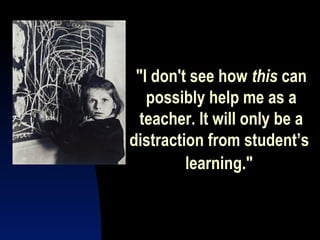
"I don't see how this can
   possibly help me as a
  teacher. It will only be a
distraction from student’s
         learning."
Instructional Design Process
      1.   Define instructional goals and
           objectives, Who is my learner?
      2.   Choose active instructional
           methods
      3.   Choose activities and
           technologies which support
           teaching methods
      4.   Assess learning
      5.   Revise and fine tune for next time
2. Define Educational Objectives
            Cognitive
              Knowledge, comprehension,
               application, analysis,
               synthesis, evaluation
            Affective
              Interests, attitudes, values,
               etc.
            Psychomotor
              Movement, physical,
               kinesthetic, etc.
Active Learning
        Click to begin Quiz
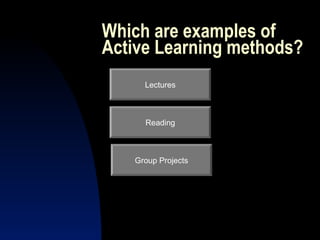
Which are examples of
Active Learning methods?
     Lectures


     Reading


   Group Projects
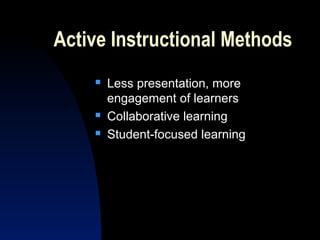
Active Instructional Methods
       Less presentation, more
        engagement of learners
       Collaborative learning
       Student-focused learning
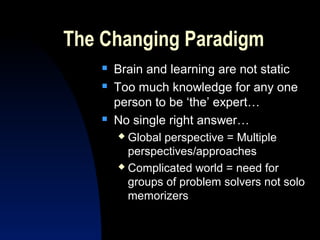
The Changing Paradigm
       Brain and learning are not static
       Too much knowledge for any one
        person to be ‘the’ expert…
       No single right answer…
         Global perspective = Multiple
          perspectives/approaches
         Complicated world = need for

          groups of problem solvers not solo
          memorizers
3. Choose Appropriate Technology
             Choice of technology should follow
              instructional goals & objectives
             Choice should be part of overall
              instructional design process
             Be practical
             Ask for help
               Faculty development and support
               Media centers

               Colleagues
Technology and Active Learning
          Communication Tools
          Simulations
          Games
          Collaborations
          Worldwide resources
Like what?
   Games
   Blackboard Course Management
   References – Medicine Textbook
   Learning Objects from MERLOT
    Ex. The Auscultation Assistant
    Christopher Cable, MD
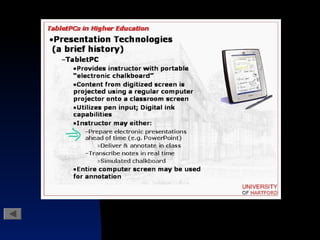
   Electronic Whiteboards, Tablet PCs
   Listservs
   Nursecom      Web Resources
Reasons to Use Teaching Technology
            It can help promote active learning
              Global communication tools
              Less presentation in classroom =

               more time for discussion
            Prepares students for 21st Century
            Can promote efficiency
              Developing instructional materials
              Delivering instruction
Best Practices
   Be practical about investment of
    your time and energy
   Practice using technology before
    you get to the classroom
   Schedule equipment ahead of time
   Be casual; have a backup plan
Investigate Support Resources
          Training Centers
          Classroom Technology support
          General computing services and
           support
          Online learning
4. Assess & Revise
   Formative Assessment
     Pilots, learners trying out instruction
     Field studies & observation
   Summative Assessment
     Did they learn? What didn’t go so well?

     What should be revised for next time?
   Embedded, innovative assessments

      Teaching a dynamic process!
Know the Legal Issues
                    FERPA
                      Online communications
                      Grades

                      Access to other student’s info.

                    Copyright
                      Fair Use
                      Teach Act


http://www.utsystem.edu/ogc/intellectualproperty/cprtindx.htm
Summary of Process

• Who is my learner?
• What do I want them to know?
• How will they get there?
• How will I know when they get there
New technologies are a constant!

    “The Book” UTube Television
Sorry!
Click here to try again!

Enhancing teaching with technology

  • 1.
    Instructional Technology & Instructional Design Faculty Center for Learning Development University of Hartford Lorelle Wilson lpwilson@hartford.edu http://uhaweb.hartford.edu/fcld
  • 2.
    "I don't seehow this can possibly help me as a teacher. It will only be a distraction from student’s learning."
  • 3.
    Instructional Design Process 1. Define instructional goals and objectives, Who is my learner? 2. Choose active instructional methods 3. Choose activities and technologies which support teaching methods 4. Assess learning 5. Revise and fine tune for next time
  • 4.
    2. Define EducationalObjectives  Cognitive  Knowledge, comprehension, application, analysis, synthesis, evaluation  Affective  Interests, attitudes, values, etc.  Psychomotor  Movement, physical, kinesthetic, etc.
  • 5.
    Active Learning Click to begin Quiz
  • 6.
    Which are examplesof Active Learning methods? Lectures Reading Group Projects
  • 8.
    Active Instructional Methods  Less presentation, more engagement of learners  Collaborative learning  Student-focused learning
  • 9.
    The Changing Paradigm  Brain and learning are not static  Too much knowledge for any one person to be ‘the’ expert…  No single right answer…  Global perspective = Multiple perspectives/approaches  Complicated world = need for groups of problem solvers not solo memorizers
  • 10.
    3. Choose AppropriateTechnology  Choice of technology should follow instructional goals & objectives  Choice should be part of overall instructional design process  Be practical  Ask for help  Faculty development and support  Media centers  Colleagues
  • 11.
    Technology and ActiveLearning  Communication Tools  Simulations  Games  Collaborations  Worldwide resources
  • 12.
    Like what?  Games  Blackboard Course Management  References – Medicine Textbook  Learning Objects from MERLOT Ex. The Auscultation Assistant Christopher Cable, MD  Electronic Whiteboards, Tablet PCs  Listservs  Nursecom Web Resources
  • 13.
    Reasons to UseTeaching Technology  It can help promote active learning  Global communication tools  Less presentation in classroom = more time for discussion  Prepares students for 21st Century  Can promote efficiency  Developing instructional materials  Delivering instruction
  • 14.
    Best Practices  Be practical about investment of your time and energy  Practice using technology before you get to the classroom  Schedule equipment ahead of time  Be casual; have a backup plan
  • 15.
    Investigate Support Resources  Training Centers  Classroom Technology support  General computing services and support  Online learning
  • 16.
    4. Assess &Revise  Formative Assessment  Pilots, learners trying out instruction  Field studies & observation  Summative Assessment  Did they learn? What didn’t go so well? What should be revised for next time?  Embedded, innovative assessments Teaching a dynamic process!
  • 17.
    Know the LegalIssues  FERPA  Online communications  Grades  Access to other student’s info.  Copyright  Fair Use  Teach Act http://www.utsystem.edu/ogc/intellectualproperty/cprtindx.htm
  • 18.
    Summary of Process •Who is my learner? • What do I want them to know? • How will they get there? • How will I know when they get there
  • 19.
    New technologies area constant! “The Book” UTube Television
  • 22.