How to create the
Audio-Only Podcast
1
©Karen L. Thompson ● Department of English ● University of Idaho
English 313: Business
Writing
2
Table of Contents
About Podcasts............................................................................................................ 3-5
How to Create Your Podcast: Options for Tools and Required Test Recording .......... 6-8
General Subject, Audience, and Purpose of Your Podcast................................... 9
Presentation Speaking Style Concepts ................................................................. 10-21
Choosing a Specific Focus for Your Podcast ......................................................... 22
Writing the Podcast Script.................................................................................... 23-28
About Podcasts
3
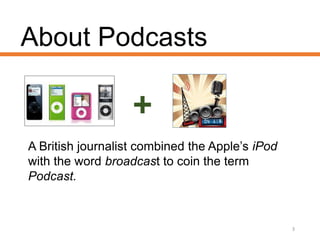
A British journalist combined the Apple’s iPod
with the word broadcast to coin the term
Podcast.
Podcasts can be:
•Audio-only Files
•Video Files
and/or
• Broadcasted (live or prerecorded)
4
Business and Organizations
Use Podcasts:
• Externally: to promote products and services
to clients and customers.
• Internally: to share information between
employees, particularly, in project teams.
• You will compose an audio only podcast
aimed at an external audience.
5
How to create your podcast.
• You need a microphone, and the one in your
computer will be fine for this project.
• Your podcast must be hosted on a site that allows
users to play it without having to download the file.
• The next two slides explain options for creating the
podcast.
6
Option 1: Use PodSnack
• PodSnack is a free cloud
computing tool that allows you to
record and will also host your file.
• You will find a link to PodSnack
under Tools and Resources and
also a slidedoc tutorial on how to
use it.
7
Option 2: Create an Audio File and
Upload to Host Site.
• If you know how to create an audio file (MP3, .WAV
etc.), record your podcast and upload to a host site
such as YouTube or SoundCloud.
8
• Digital audio files (mp3, wav etc.) are not accepted in this
course.
• Here’s why. You are practicing how to create and share these
types of files as they are shared in workplace settings.
• So, if you choose to create an audio file on your computer, be
certain it is uploaded to a host site and will play without a user
needing to download the file.
• Audio files uploaded to bblearn will not be graded nor earn
credit for this part of the project.
9
Test Recording
• First, be certain you completed the technology check
on Orientation Day 1, and are using the recommended
browser for this course. If not, go there, do that.
• Close all other programs and browser windows to
ensure you have enough memory.
• If the test recording fails, follow the troubleshooting
steps under Tools & Resources.
10
Podcast:
subject, audience, and purpose.
• The subject of your podcast will be presentation
speaking style.
• Your audience will be fellow interns at
Kirchmeier Industries who are interested in
improving their speaking style.
• Your purpose will be to explain concepts and
suggest exercises for developing an effective
speaking style.
11
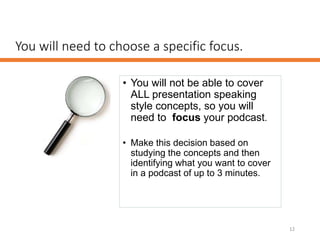
You will need to choose a specific focus.
• You will not be able to cover
ALL presentation speaking
style concepts, so you will
need to focus your podcast.
• Make this decision based on
studying the concepts and then
identifying what you want to cover
in a podcast of up to 3 minutes.
12
After you have chosen the focus and taken some
notes, you will need to write a script and practice
it.
13
The goal is not to try to
sound like a professional
broadcaster, but to practice
and develop clarity in your
presentation speaking style.
Practice the principles of effective prose style when
writing the script but adapt these for the ear by
keeping sentences short.
14
You should be able to say
each sentence in your script
in a single breath.
Your script will need:
15
Introduction
About 30
seconds.
Key Points
About 2
minutes
Conclusion
About 30
seconds.
Timing
Introduction:
16
About 30 seconds
Brief salutation: greet the audience and give them
an idea of what you will be presenting in the podcast.
You can also start with an engaging question:
• Such as “have you ever wondered how to……?”
and then use the salutation.
Body:
17
About 2 minutes.
Key Points: think about how many points you can
reasonably talk about in 2 minutes.
About four key points and 30 seconds to talk about
each one should work well, but don’t follow this as a
rigid rule. Think about what works best for what you
will talk about.
Closing:
18
About 30 seconds
Wrap it Up. Have a clear conclusion, here are
some ideas:
• What’s next? – point listeners to future
podcasts,
• Where can I learn more? – point listeners to
where they learn more about the
presentation speaking style.
• ETC.
• Remember to thank audience for listening.
Presentation Speaking Style Concepts
• Vocal Variety
• Pitch
• Tone
• Volume
• Rate
• Pause
• Diction
19
The content on the following slides had been adapted from: Write-Out-Loud.
What is vocal variety?
20
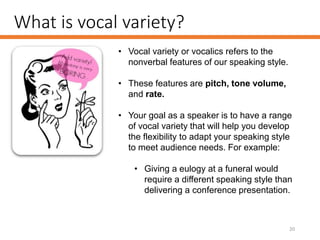
• Vocal variety or vocalics refers to the
nonverbal features of our speaking style.
• These features are pitch, tone volume,
and rate.
• Your goal as a speaker is to have a range
of vocal variety that will help you develop
the flexibility to adapt your speaking style
to meet audience needs. For example:
• Giving a eulogy at a funeral would
require a different speaking style than
delivering a conference presentation.
Vocal Variety: Pitch
21
• Our voices all have a natural pitch,
which is like music with high and
low notes.
• If your pitch range is narrow,
mostly high or mostly low notes,
your voice will have a monotonous
effect on listeners.
Exercises to develop your pitch range.
Vocal Variety: Tone
22
• Our voices carry emotional content
through the tone we use.
• If your voice lacks expression, it will
be flat and lack energy.
• If you fill your speech with too much
energy, it will seem overly
exuberant and forced.
Exercises to develop your tone.
Vocal Variety: Volume
23
• Some of us naturally speak
softer or louder than others.
• Volume affects how the
audience perceives your
trustworthiness.
• Learn how to consciously
control the volume of your
voice.
Exercises to develop volume control.
Vocal Variety: Rate
24
• When we speak, rate refers to
the pace of our speech.
• Speech rate is calculated at
the number of words spoken
in a minute.
Exercises to develop an effective speaking rate.
Vocal Variety: Rate continued
25
Slow speech is usually regarded as
less than 110 wpm, or words per
minute.
Conversational speech generally
falls between 120 wpm at the slow
end, to 160 - 200 wpm in the fast
range.
People who read books for radio or
podcasts are often asked to speak at
150-160 wpm.
Auctioneers or commentators who
practice speed speech are usually in
the 250 to 400 wpm range.
Vocal Variety: Rate continued
26
• When giving a presentation
whether it is in person or
recorded, it is important to be
flexible in your rate of speech.
Vocal Variety: Rate continued
27
• One study analyzed the
speaking rate of 9 six-minute
TED Talks.
• The average speaking rate
was 163 words per minute
and ranged between 153 and
168 words per minute.
Read more about this study and information about how to calculate
your speaking rate here: Six Minutes.
Exercises to develop an effective speaking rate.
Use the power of a pause.
• When you pause, you are:
• helping the audience to understand
you,
• controlling the rate of your speech,
• avoiding distracting filler words (um, er,
ah),
• allowing your mind to “catch up” to
what your mouth.
28
Tips for how to use pauses when speaking.
Diction
29
• Diction is not about changing your
accent (yes, we all have an accent).
• It’s about clearly enunciating the words
you speak.
• Your rate of speech affects diction.
Speaking too fast will prevent you from
clearly enunciating your words.
• Tip for ESL speakers. Pausing after a
word you find difficult to say in English
will greatly help the audience to
understand you.
Exercises to improve diction.
Articulate.
• Good diction is NOT about changing your speaking
style to sound more elegant.
• It is about clarity - making sure what you say is
understood.
30
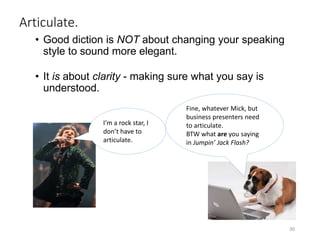
I’m a rock star, I
don’t have to
articulate.
Fine, whatever Mick, but
business presenters need
to articulate.
BTW what are you saying
in Jumpin’ Jack Flash?

Engl313 project1 slidedoc4_howto_createaudioonly_podcast

  • 1.
    How to createthe Audio-Only Podcast 1 ©Karen L. Thompson ● Department of English ● University of Idaho English 313: Business Writing
  • 2.
    2 Table of Contents AboutPodcasts............................................................................................................ 3-5 How to Create Your Podcast: Options for Tools and Required Test Recording .......... 6-8 General Subject, Audience, and Purpose of Your Podcast................................... 9 Presentation Speaking Style Concepts ................................................................. 10-21 Choosing a Specific Focus for Your Podcast ......................................................... 22 Writing the Podcast Script.................................................................................... 23-28
  • 3.
    About Podcasts 3 A Britishjournalist combined the Apple’s iPod with the word broadcast to coin the term Podcast.
  • 4.
    Podcasts can be: •Audio-onlyFiles •Video Files and/or • Broadcasted (live or prerecorded) 4
  • 5.
    Business and Organizations UsePodcasts: • Externally: to promote products and services to clients and customers. • Internally: to share information between employees, particularly, in project teams. • You will compose an audio only podcast aimed at an external audience. 5
  • 6.
    How to createyour podcast. • You need a microphone, and the one in your computer will be fine for this project. • Your podcast must be hosted on a site that allows users to play it without having to download the file. • The next two slides explain options for creating the podcast. 6
  • 7.
    Option 1: UsePodSnack • PodSnack is a free cloud computing tool that allows you to record and will also host your file. • You will find a link to PodSnack under Tools and Resources and also a slidedoc tutorial on how to use it. 7
  • 8.
    Option 2: Createan Audio File and Upload to Host Site. • If you know how to create an audio file (MP3, .WAV etc.), record your podcast and upload to a host site such as YouTube or SoundCloud. 8
  • 9.
    • Digital audiofiles (mp3, wav etc.) are not accepted in this course. • Here’s why. You are practicing how to create and share these types of files as they are shared in workplace settings. • So, if you choose to create an audio file on your computer, be certain it is uploaded to a host site and will play without a user needing to download the file. • Audio files uploaded to bblearn will not be graded nor earn credit for this part of the project. 9
  • 10.
    Test Recording • First,be certain you completed the technology check on Orientation Day 1, and are using the recommended browser for this course. If not, go there, do that. • Close all other programs and browser windows to ensure you have enough memory. • If the test recording fails, follow the troubleshooting steps under Tools & Resources. 10
  • 11.
    Podcast: subject, audience, andpurpose. • The subject of your podcast will be presentation speaking style. • Your audience will be fellow interns at Kirchmeier Industries who are interested in improving their speaking style. • Your purpose will be to explain concepts and suggest exercises for developing an effective speaking style. 11
  • 12.
    You will needto choose a specific focus. • You will not be able to cover ALL presentation speaking style concepts, so you will need to focus your podcast. • Make this decision based on studying the concepts and then identifying what you want to cover in a podcast of up to 3 minutes. 12
  • 13.
    After you havechosen the focus and taken some notes, you will need to write a script and practice it. 13 The goal is not to try to sound like a professional broadcaster, but to practice and develop clarity in your presentation speaking style.
  • 14.
    Practice the principlesof effective prose style when writing the script but adapt these for the ear by keeping sentences short. 14 You should be able to say each sentence in your script in a single breath.
  • 15.
    Your script willneed: 15 Introduction About 30 seconds. Key Points About 2 minutes Conclusion About 30 seconds. Timing
  • 16.
    Introduction: 16 About 30 seconds Briefsalutation: greet the audience and give them an idea of what you will be presenting in the podcast. You can also start with an engaging question: • Such as “have you ever wondered how to……?” and then use the salutation.
  • 17.
    Body: 17 About 2 minutes. KeyPoints: think about how many points you can reasonably talk about in 2 minutes. About four key points and 30 seconds to talk about each one should work well, but don’t follow this as a rigid rule. Think about what works best for what you will talk about.
  • 18.
    Closing: 18 About 30 seconds Wrapit Up. Have a clear conclusion, here are some ideas: • What’s next? – point listeners to future podcasts, • Where can I learn more? – point listeners to where they learn more about the presentation speaking style. • ETC. • Remember to thank audience for listening.
  • 19.
    Presentation Speaking StyleConcepts • Vocal Variety • Pitch • Tone • Volume • Rate • Pause • Diction 19 The content on the following slides had been adapted from: Write-Out-Loud.
  • 20.
    What is vocalvariety? 20 • Vocal variety or vocalics refers to the nonverbal features of our speaking style. • These features are pitch, tone volume, and rate. • Your goal as a speaker is to have a range of vocal variety that will help you develop the flexibility to adapt your speaking style to meet audience needs. For example: • Giving a eulogy at a funeral would require a different speaking style than delivering a conference presentation.
  • 21.
    Vocal Variety: Pitch 21 •Our voices all have a natural pitch, which is like music with high and low notes. • If your pitch range is narrow, mostly high or mostly low notes, your voice will have a monotonous effect on listeners. Exercises to develop your pitch range.
  • 22.
    Vocal Variety: Tone 22 •Our voices carry emotional content through the tone we use. • If your voice lacks expression, it will be flat and lack energy. • If you fill your speech with too much energy, it will seem overly exuberant and forced. Exercises to develop your tone.
  • 23.
    Vocal Variety: Volume 23 •Some of us naturally speak softer or louder than others. • Volume affects how the audience perceives your trustworthiness. • Learn how to consciously control the volume of your voice. Exercises to develop volume control.
  • 24.
    Vocal Variety: Rate 24 •When we speak, rate refers to the pace of our speech. • Speech rate is calculated at the number of words spoken in a minute. Exercises to develop an effective speaking rate.
  • 25.
    Vocal Variety: Ratecontinued 25 Slow speech is usually regarded as less than 110 wpm, or words per minute. Conversational speech generally falls between 120 wpm at the slow end, to 160 - 200 wpm in the fast range. People who read books for radio or podcasts are often asked to speak at 150-160 wpm. Auctioneers or commentators who practice speed speech are usually in the 250 to 400 wpm range.
  • 26.
    Vocal Variety: Ratecontinued 26 • When giving a presentation whether it is in person or recorded, it is important to be flexible in your rate of speech.
  • 27.
    Vocal Variety: Ratecontinued 27 • One study analyzed the speaking rate of 9 six-minute TED Talks. • The average speaking rate was 163 words per minute and ranged between 153 and 168 words per minute. Read more about this study and information about how to calculate your speaking rate here: Six Minutes. Exercises to develop an effective speaking rate.
  • 28.
    Use the powerof a pause. • When you pause, you are: • helping the audience to understand you, • controlling the rate of your speech, • avoiding distracting filler words (um, er, ah), • allowing your mind to “catch up” to what your mouth. 28 Tips for how to use pauses when speaking.
  • 29.
    Diction 29 • Diction isnot about changing your accent (yes, we all have an accent). • It’s about clearly enunciating the words you speak. • Your rate of speech affects diction. Speaking too fast will prevent you from clearly enunciating your words. • Tip for ESL speakers. Pausing after a word you find difficult to say in English will greatly help the audience to understand you. Exercises to improve diction.
  • 30.
    Articulate. • Good dictionis NOT about changing your speaking style to sound more elegant. • It is about clarity - making sure what you say is understood. 30 I’m a rock star, I don’t have to articulate. Fine, whatever Mick, but business presenters need to articulate. BTW what are you saying in Jumpin’ Jack Flash?