Agenda
•

Learn to use the library catalog to find books from Pace and
other libraries

•

Understand the difference between key words and subject
headings

•

Learn advanced database searching, including using Boolean
operators

•

Learn how to find the full-text of articles

•

Get library barcodes and create InterLibrary loan accounts

•

Gain a basic understanding of hand searching

•

Learn how to use Google more effectively
Getting started
0 Who has a library barcode?
0 If you don’t have a barcode (or you don’t have it with

you) place your Pace ID in the basket as it goes around
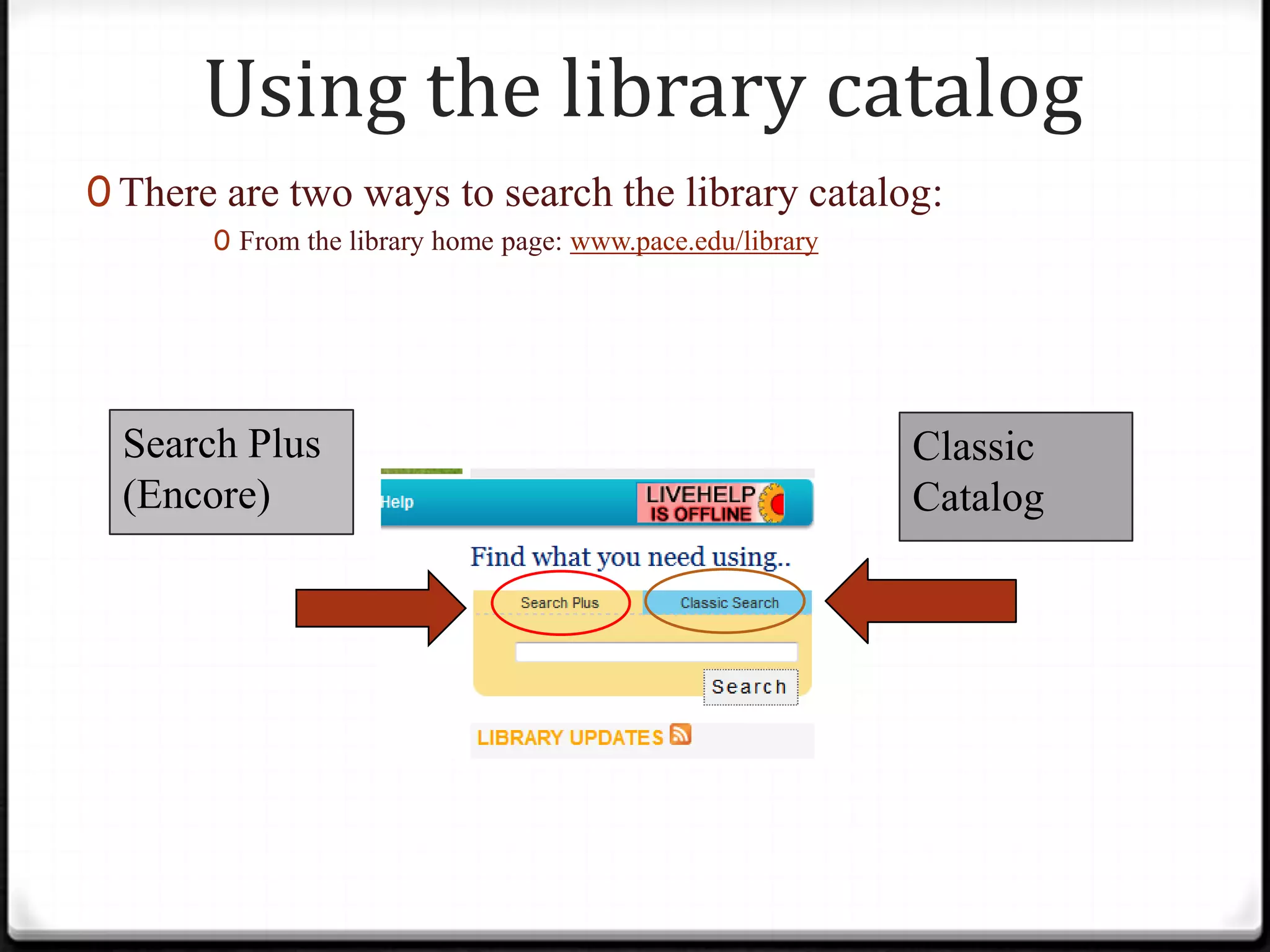
Using the library catalog
0 There are two ways to search the library catalog:
0 From the library home page: www.pace.edu/library

Search Plus
(Encore)

Classic
Catalog
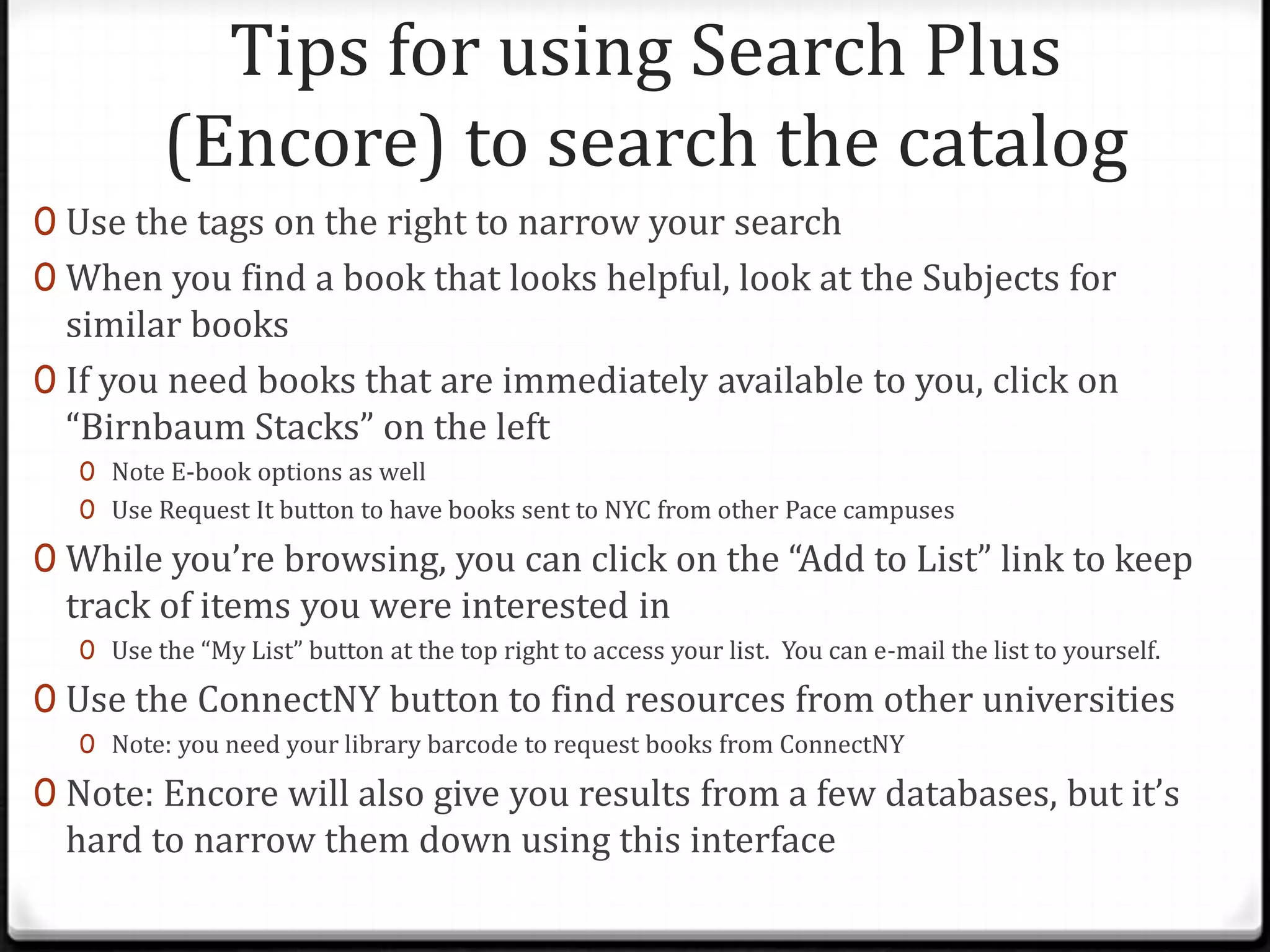
Tips for using Search Plus
(Encore) to search the catalog
0 Use the tags on the right to narrow your search
0 When you find a book that looks helpful, look at the Subjects for

similar books
0 If you need books that are immediately available to you, click on
“Birnbaum Stacks” on the left
0 Note E-book options as well
0 Use Request It button to have books sent to NYC from other Pace campuses

0 While you’re browsing, you can click on the “Add to List” link to keep

track of items you were interested in

0 Use the “My List” button at the top right to access your list. You can e-mail the list to yourself.

0 Use the ConnectNY button to find resources from other universities
0 Note: you need your library barcode to request books from ConnectNY

0 Note: Encore will also give you results from a few databases, but it’s

hard to narrow them down using this interface
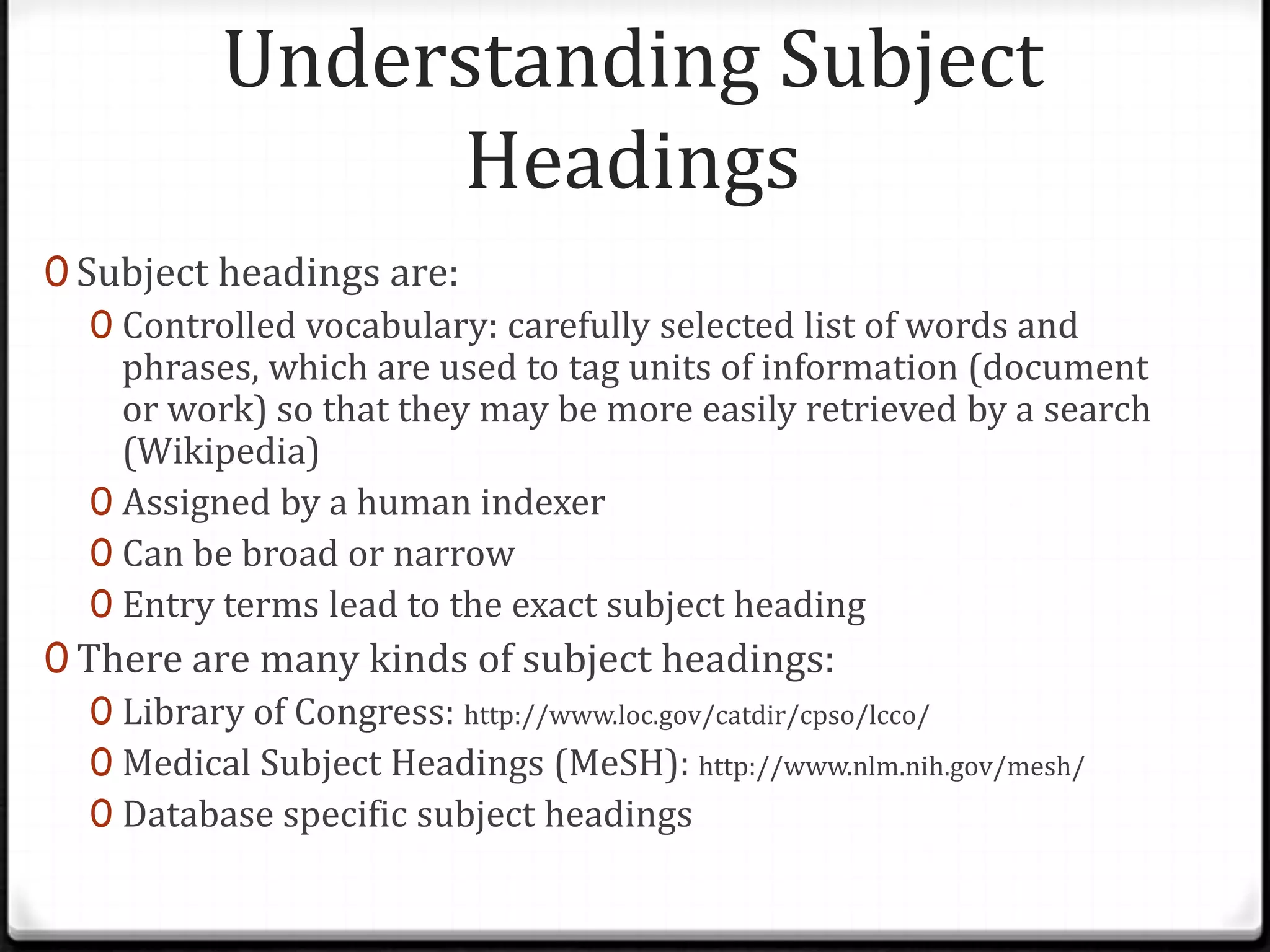
Understanding Subject
Headings
0 Subject headings are:
0 Controlled vocabulary: carefully selected list of words and
phrases, which are used to tag units of information (document
or work) so that they may be more easily retrieved by a search
(Wikipedia)
0 Assigned by a human indexer
0 Can be broad or narrow
0 Entry terms lead to the exact subject heading
0 There are many kinds of subject headings:
0 Library of Congress: http://www.loc.gov/catdir/cpso/lcco/
0 Medical Subject Headings (MeSH): http://www.nlm.nih.gov/mesh/
0 Database specific subject headings
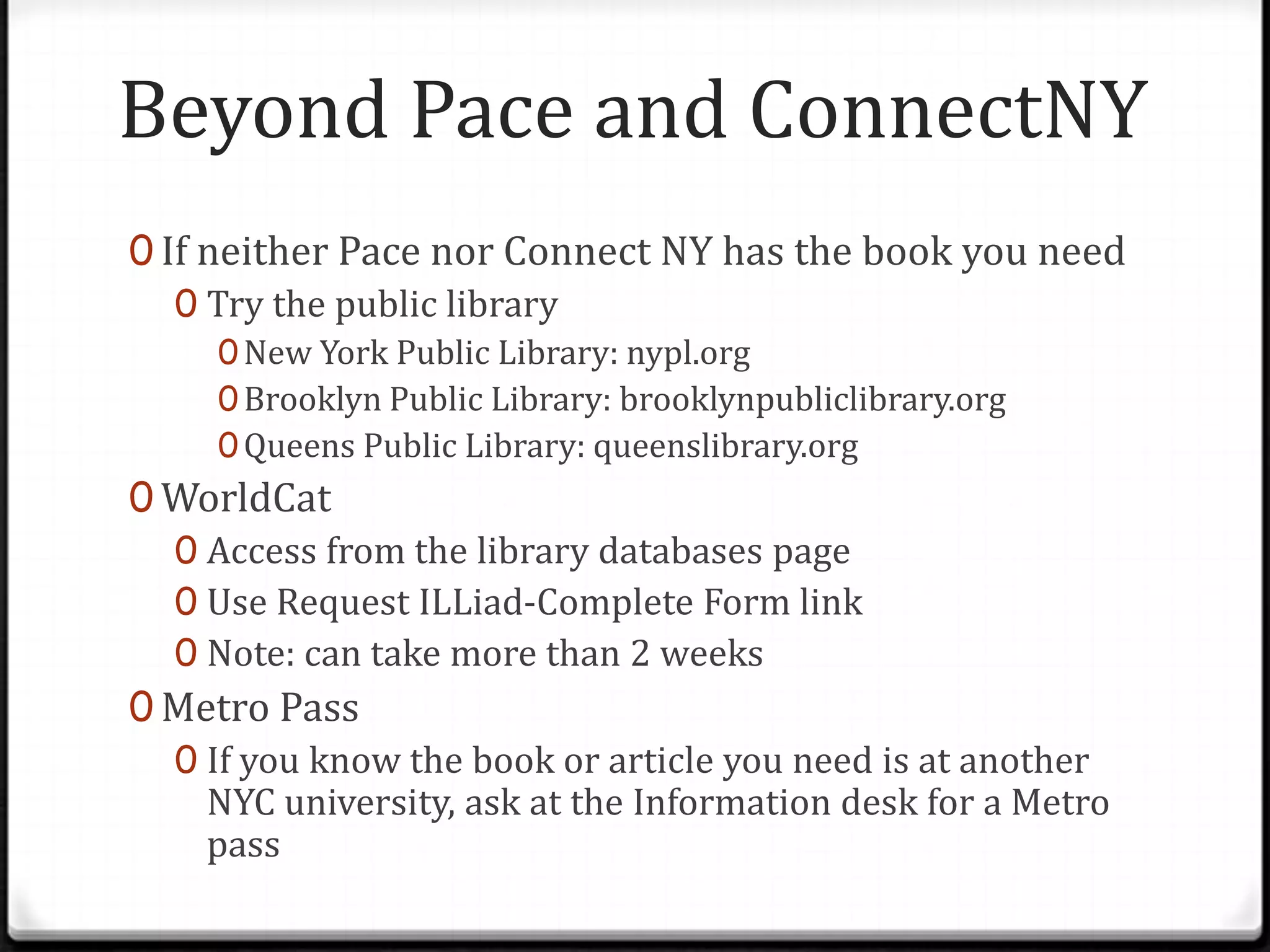
Beyond Pace and ConnectNY
0 If neither Pace nor Connect NY has the book you need
0 Try the public library
0 New York Public Library: nypl.org
0 Brooklyn Public Library: brooklynpubliclibrary.org
0 Queens Public Library: queenslibrary.org

0 WorldCat
0 Access from the library databases page
0 Use Request ILLiad-Complete Form link
0 Note: can take more than 2 weeks
0 Metro Pass
0 If you know the book or article you need is at another
NYC university, ask at the Information desk for a Metro
pass
Independent practice
0 10 min: Use Encore and/ or the classic catalog to look

for books on your topic
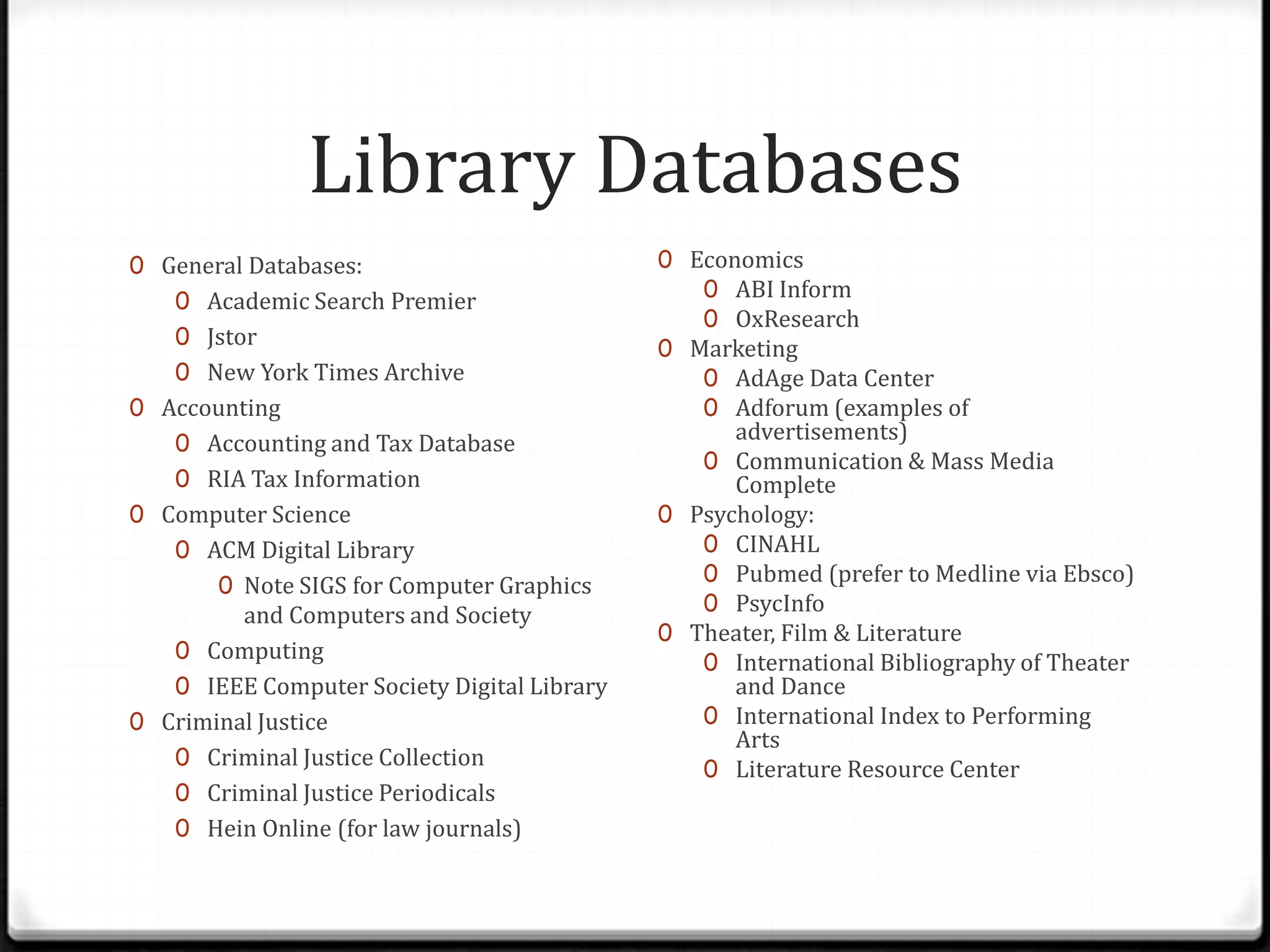
Library Databases
0 General Databases:
0 Academic Search Premier

0 Jstor
0 New York Times Archive
0 Accounting
0 Accounting and Tax Database
0 RIA Tax Information
0 Computer Science

0 ACM Digital Library
0 Note SIGS for Computer Graphics

and Computers and Society
0 Computing
0 IEEE Computer Society Digital Library
0 Criminal Justice
0 Criminal Justice Collection
0 Criminal Justice Periodicals
0 Hein Online (for law journals)

0 Economics
0 ABI Inform
0 OxResearch
0 Marketing
0 AdAge Data Center
0 Adforum (examples of

advertisements)
0 Communication & Mass Media
Complete
0 Psychology:
0 CINAHL
0 Pubmed (prefer to Medline via Ebsco)
0 PsycInfo
0 Theater, Film & Literature
0 International Bibliography of Theater
and Dance
0 International Index to Performing
Arts
0 Literature Resource Center
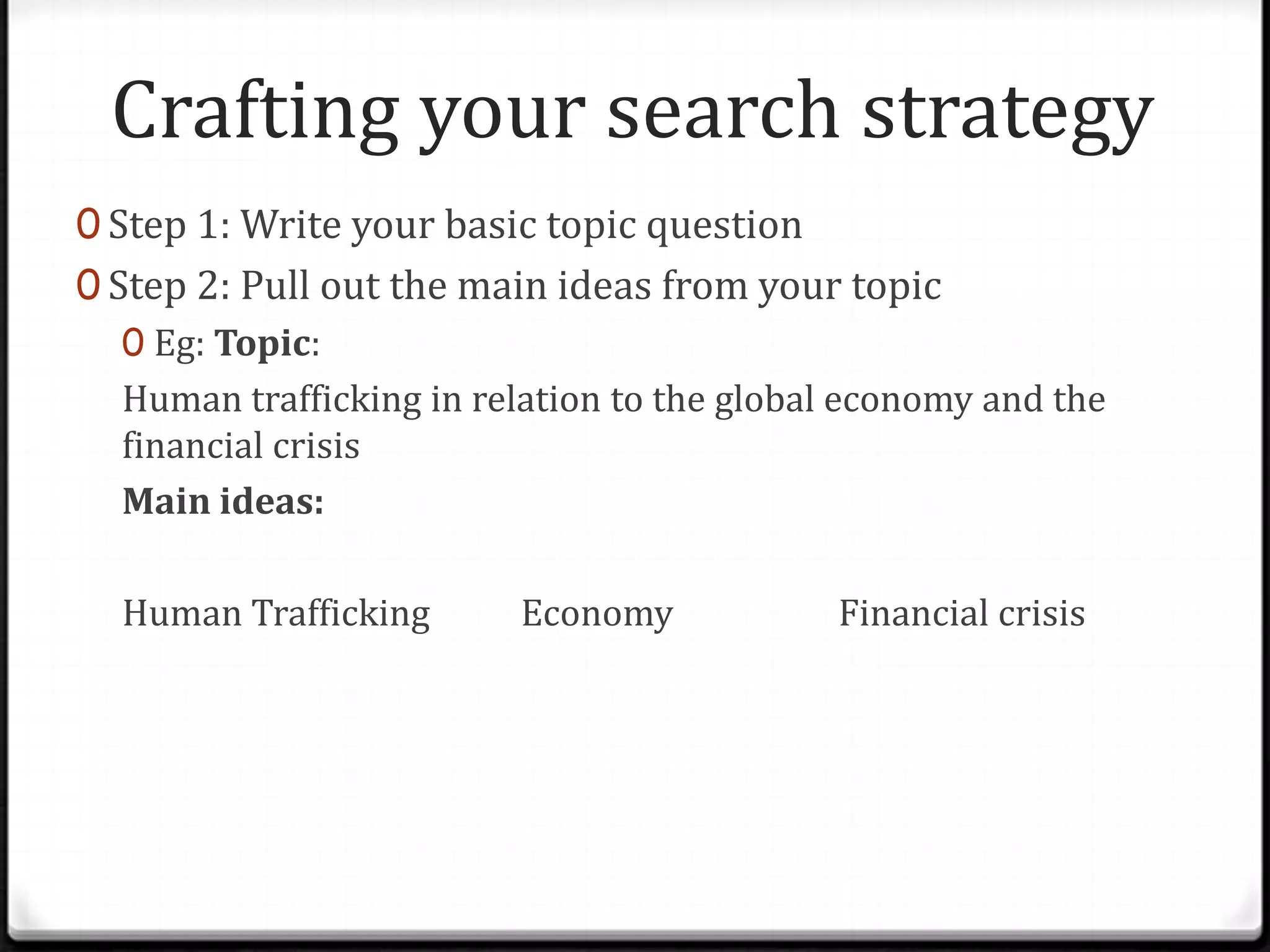
Crafting your search strategy
0 Step 1: Write your basic topic question
0 Step 2: Pull out the main ideas from your topic
0 Eg: Topic:
Human trafficking in relation to the global economy and the
financial crisis
Main ideas:
Human Trafficking

Economy

Financial crisis
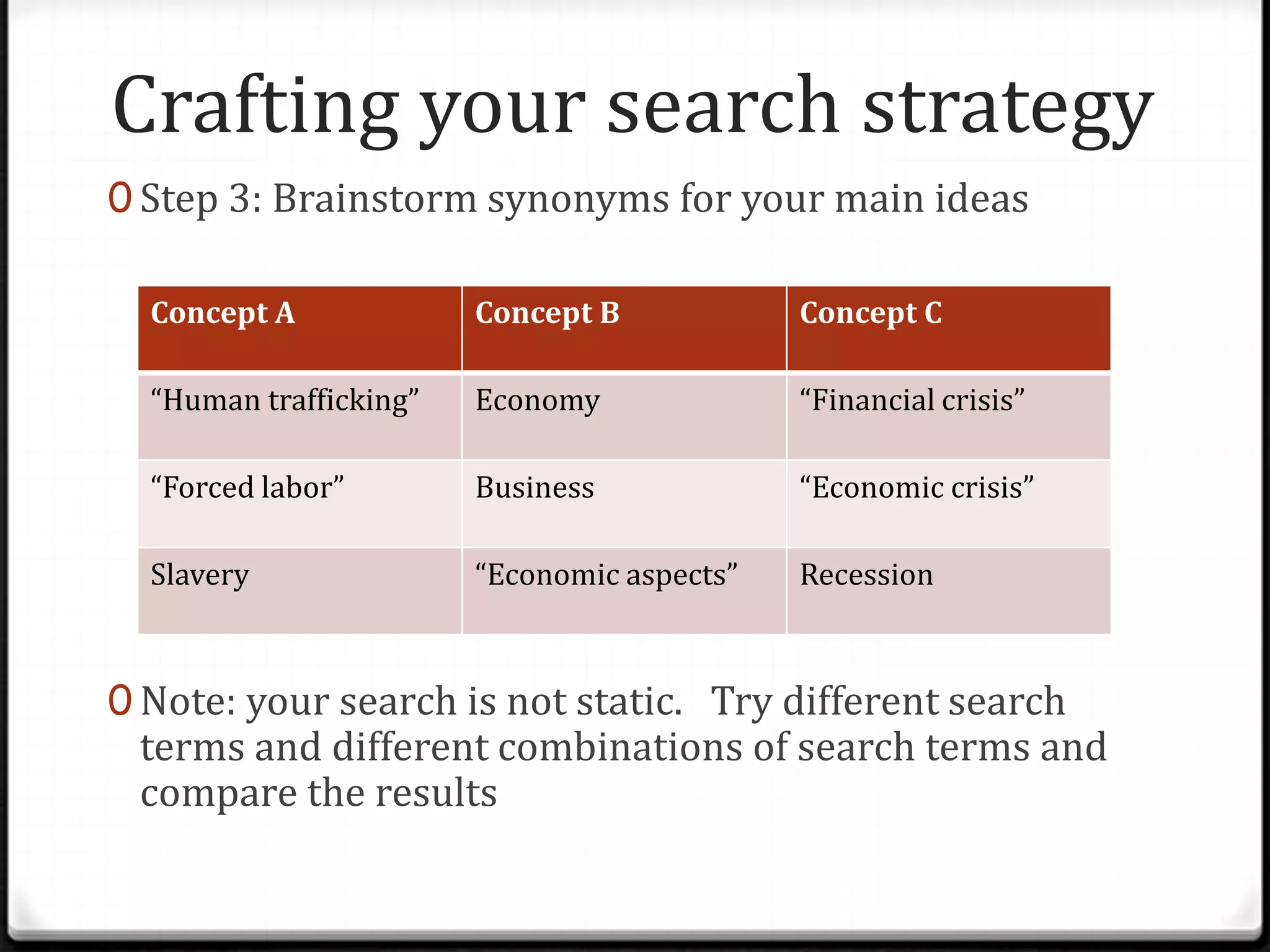
Crafting your search strategy
0 Step 3: Brainstorm synonyms for your main ideas
Concept A

Concept B

Concept C

“Human trafficking”

Economy

“Financial crisis”

“Forced labor”

Business

“Economic crisis”

Slavery

“Economic aspects”

Recession

0 Note: your search is not static. Try different search

terms and different combinations of search terms and
compare the results
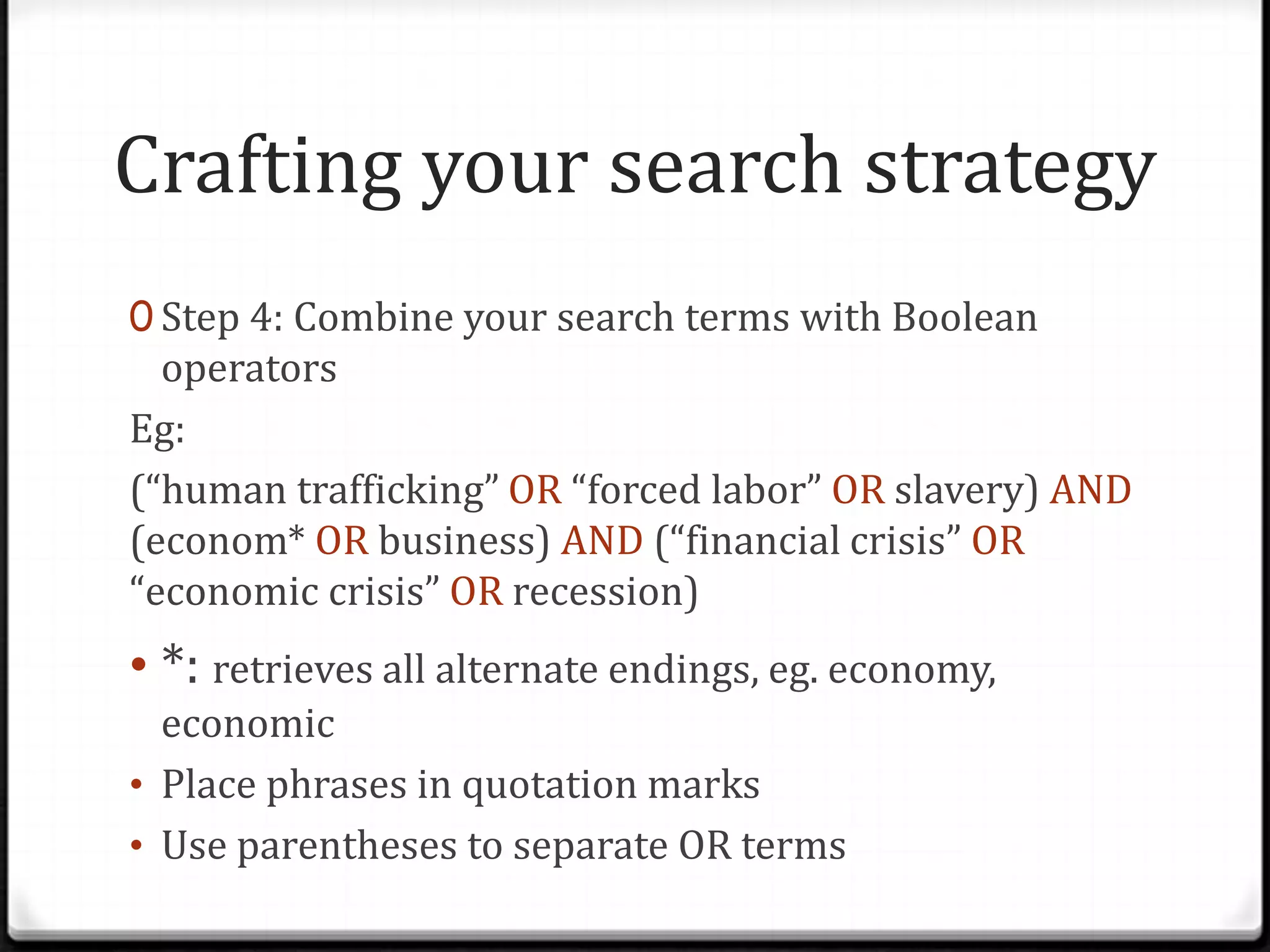
Crafting your search strategy
0 Step 4: Combine your search terms with Boolean

operators
Eg:
(“human trafficking” OR “forced labor” OR slavery) AND
(econom* OR business) AND (“financial crisis” OR
“economic crisis” OR recession)

• *: retrieves all alternate endings, eg. economy,
economic
• Place phrases in quotation marks
• Use parentheses to separate OR terms
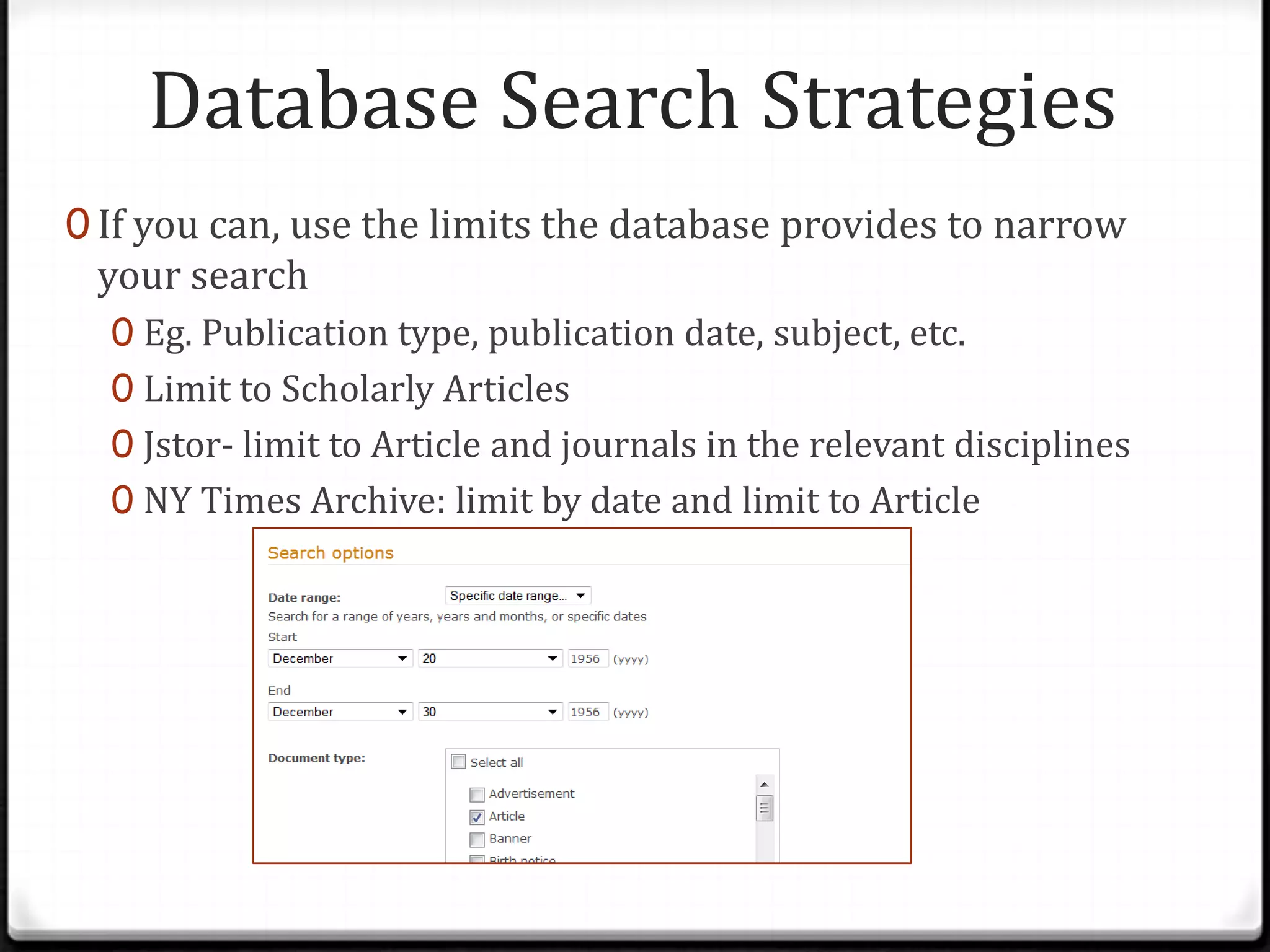
Database Search Strategies
0 If you can, use the limits the database provides to narrow

your search

0 Eg. Publication type, publication date, subject, etc.
0 Limit to Scholarly Articles
0 Jstor- limit to Article and journals in the relevant disciplines
0 NY Times Archive: limit by date and limit to Article
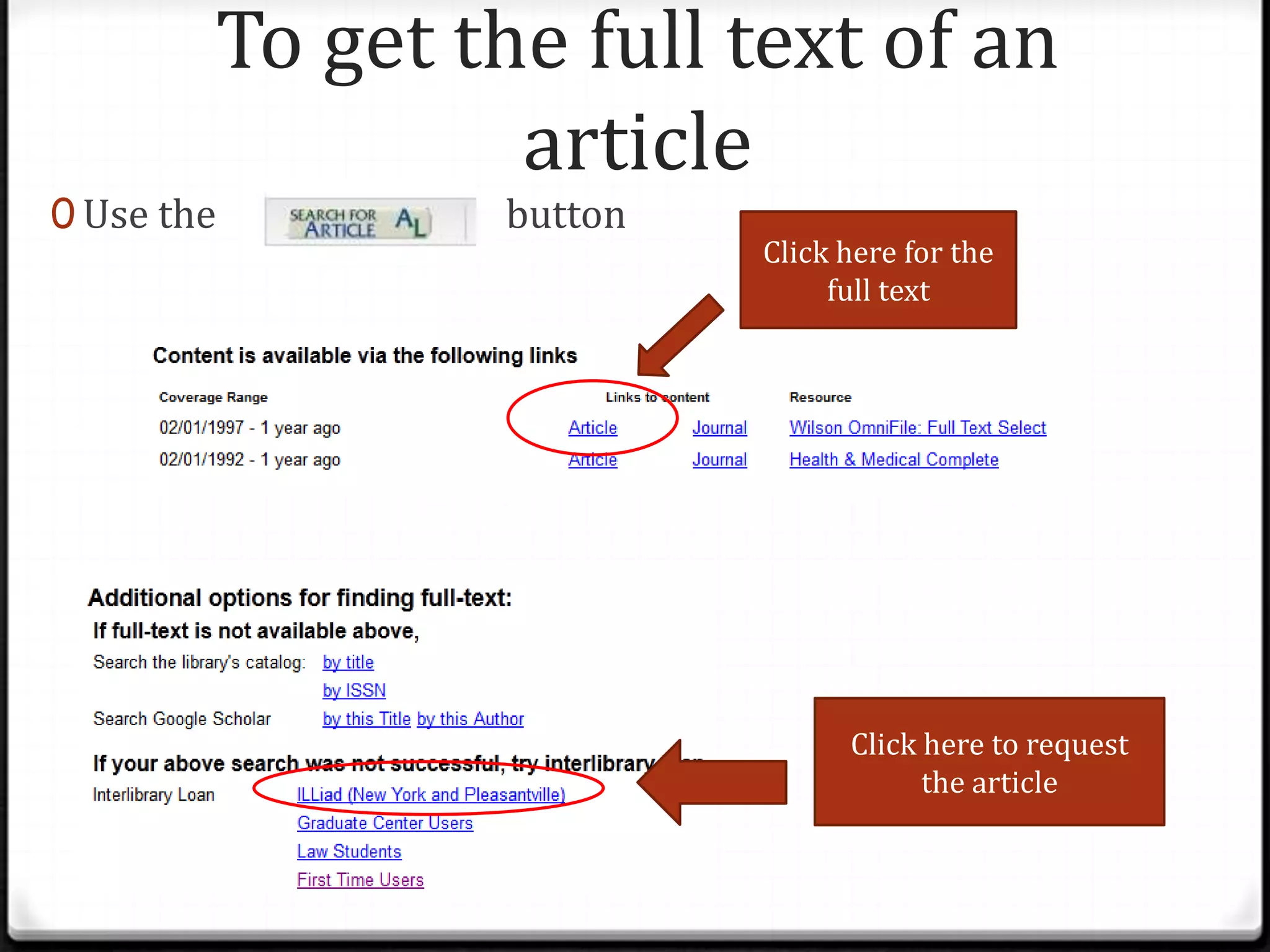
To get the full text of an
article

0 Use the

button

Click here for the
full text

Click here to request
the article
Independent Practice
0 10 min: Try searching Academic Search Premier for

your topic

0 Let me know if you don’t find anything and I can suggest

a different database
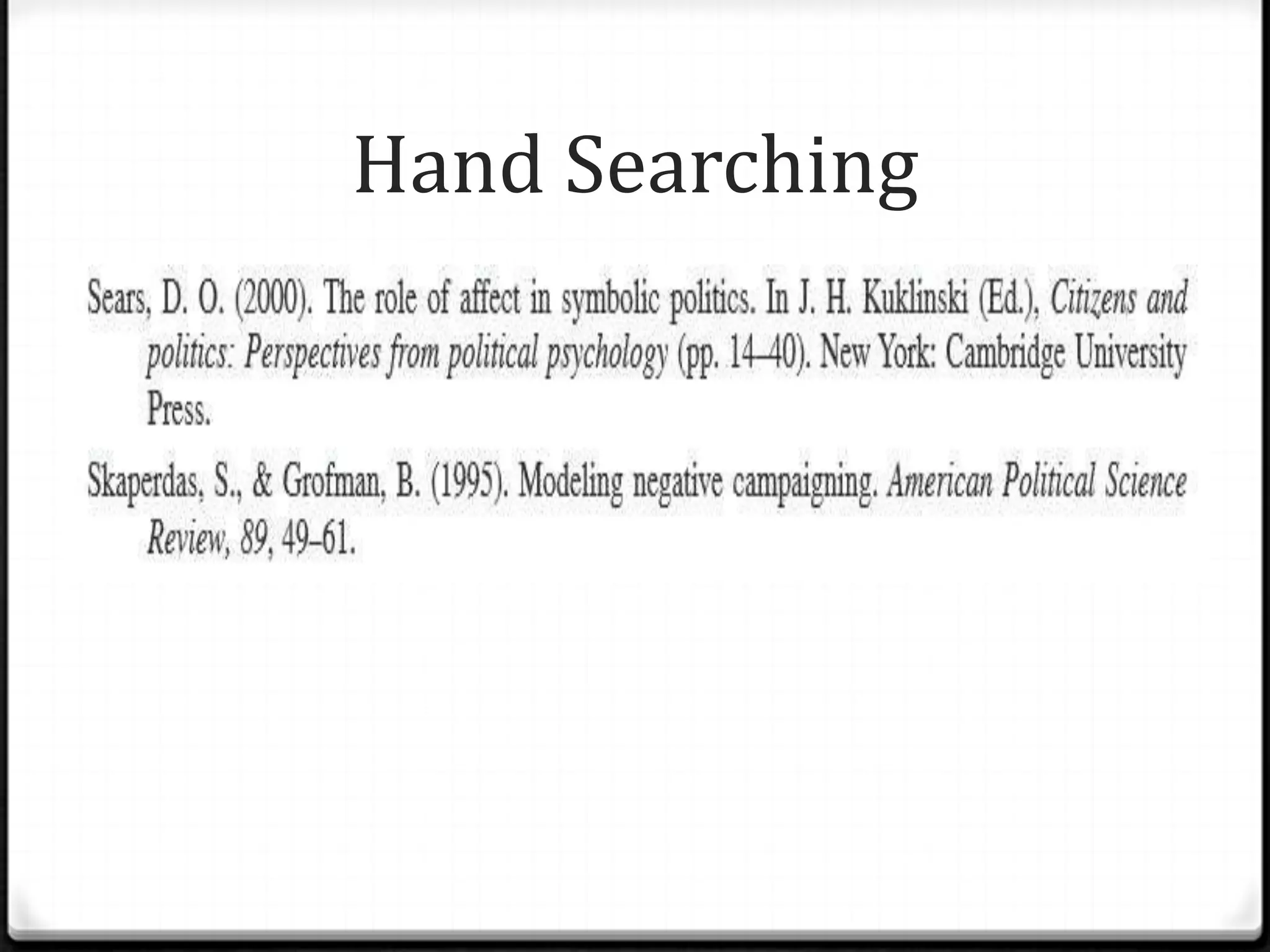
Hand Searching
0 Mining a list of references for more sources
0 Watch the video for more information:
0 http://youtu.be/IicVsNIe-K0
0 If it’s a book, search for the book title in the library

catalog
0 If it’s an article search for the journal or publication title
using Journal Title Search
0 If Pace doesn’t have access to the journal you can fill out an

Interlibrary Loan request
Hand Searching
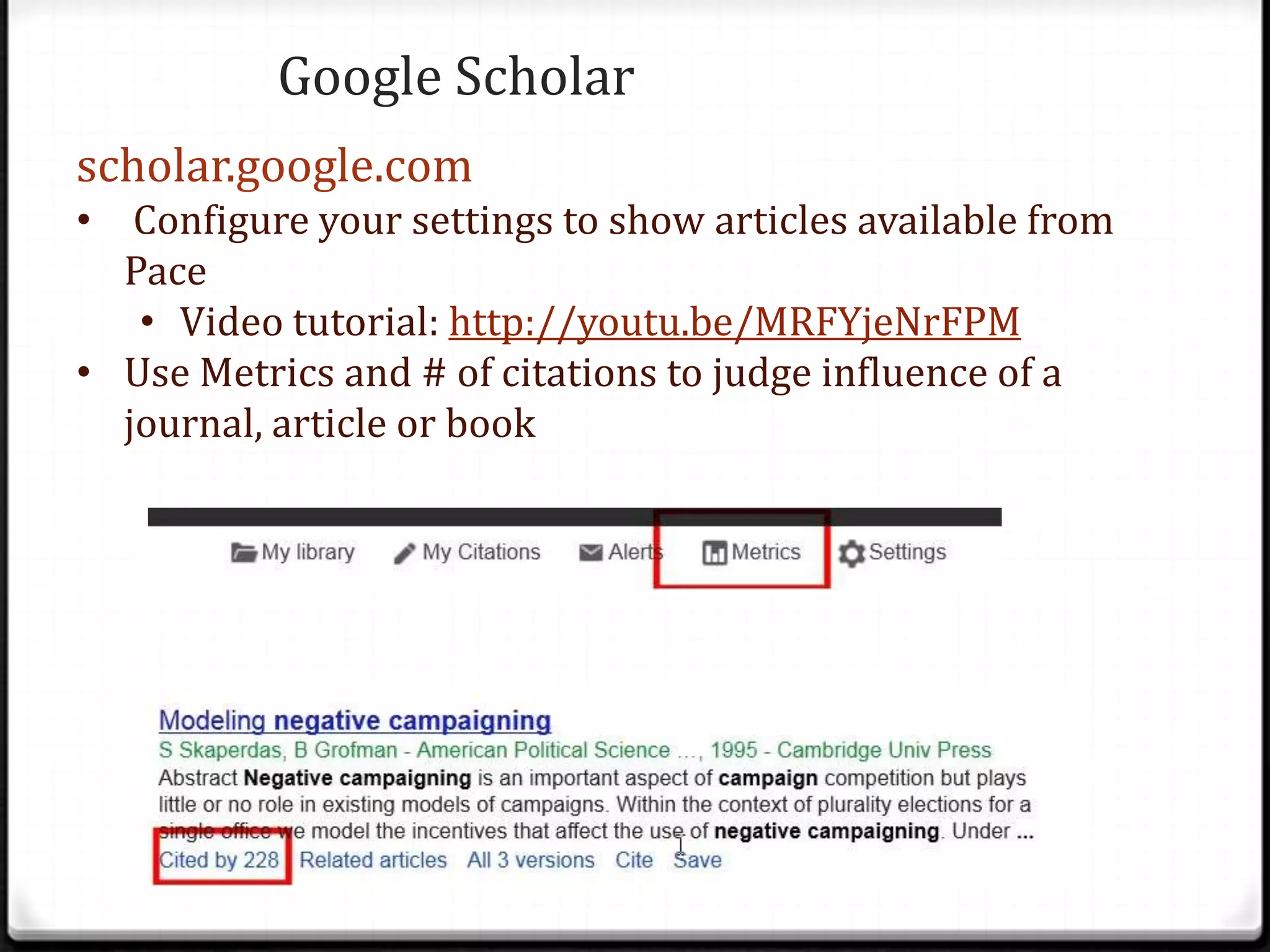
Google Scholar
scholar.google.com
• Configure your settings to show articles available from
Pace
• Video tutorial: http://youtu.be/MRFYjeNrFPM
• Use Metrics and # of citations to judge influence of a
journal, article or book
General Google Searching
0 Get More Out of Google:

http://tinyurl.com/bmhugdj
0 Evaluating websites:
0 Who is the author? What are their credentials?
0 Who publishes the site? What is their agenda/bias?
0 Look for date updated, make sure it’s current
0 Note: .org doesn’t mean there’s no bias
0 Look for “About” link
Citation Resources
0 On the library home page, use the How do I? link and then Cite

Resources
0 The Bedford Handbook:
http://bcs.bedfordstmartins.com/resdoc5e/
0 Purdue OWL: https://owl.english.purdue.edu/owl/

0zotero.org: free citation manager from Mozilla, the
makers of Firefox

0Questions? :
0E-mail Jennifer: jrosenstein@pace.edu
Wrapping up
0Please fill out a brief, anonymous

evaluation:

0http://tinyurl.com/n9lgu9x

Eng 201 richie 2014

  • 2.
    Agenda • Learn to usethe library catalog to find books from Pace and other libraries • Understand the difference between key words and subject headings • Learn advanced database searching, including using Boolean operators • Learn how to find the full-text of articles • Get library barcodes and create InterLibrary loan accounts • Gain a basic understanding of hand searching • Learn how to use Google more effectively
  • 3.
    Getting started 0 Whohas a library barcode? 0 If you don’t have a barcode (or you don’t have it with you) place your Pace ID in the basket as it goes around
  • 4.
    Using the librarycatalog 0 There are two ways to search the library catalog: 0 From the library home page: www.pace.edu/library Search Plus (Encore) Classic Catalog
  • 5.
    Tips for usingSearch Plus (Encore) to search the catalog 0 Use the tags on the right to narrow your search 0 When you find a book that looks helpful, look at the Subjects for similar books 0 If you need books that are immediately available to you, click on “Birnbaum Stacks” on the left 0 Note E-book options as well 0 Use Request It button to have books sent to NYC from other Pace campuses 0 While you’re browsing, you can click on the “Add to List” link to keep track of items you were interested in 0 Use the “My List” button at the top right to access your list. You can e-mail the list to yourself. 0 Use the ConnectNY button to find resources from other universities 0 Note: you need your library barcode to request books from ConnectNY 0 Note: Encore will also give you results from a few databases, but it’s hard to narrow them down using this interface
  • 6.
    Understanding Subject Headings 0 Subjectheadings are: 0 Controlled vocabulary: carefully selected list of words and phrases, which are used to tag units of information (document or work) so that they may be more easily retrieved by a search (Wikipedia) 0 Assigned by a human indexer 0 Can be broad or narrow 0 Entry terms lead to the exact subject heading 0 There are many kinds of subject headings: 0 Library of Congress: http://www.loc.gov/catdir/cpso/lcco/ 0 Medical Subject Headings (MeSH): http://www.nlm.nih.gov/mesh/ 0 Database specific subject headings
  • 7.
    Beyond Pace andConnectNY 0 If neither Pace nor Connect NY has the book you need 0 Try the public library 0 New York Public Library: nypl.org 0 Brooklyn Public Library: brooklynpubliclibrary.org 0 Queens Public Library: queenslibrary.org 0 WorldCat 0 Access from the library databases page 0 Use Request ILLiad-Complete Form link 0 Note: can take more than 2 weeks 0 Metro Pass 0 If you know the book or article you need is at another NYC university, ask at the Information desk for a Metro pass
  • 8.
    Independent practice 0 10min: Use Encore and/ or the classic catalog to look for books on your topic
  • 9.
    Library Databases 0 GeneralDatabases: 0 Academic Search Premier 0 Jstor 0 New York Times Archive 0 Accounting 0 Accounting and Tax Database 0 RIA Tax Information 0 Computer Science 0 ACM Digital Library 0 Note SIGS for Computer Graphics and Computers and Society 0 Computing 0 IEEE Computer Society Digital Library 0 Criminal Justice 0 Criminal Justice Collection 0 Criminal Justice Periodicals 0 Hein Online (for law journals) 0 Economics 0 ABI Inform 0 OxResearch 0 Marketing 0 AdAge Data Center 0 Adforum (examples of advertisements) 0 Communication & Mass Media Complete 0 Psychology: 0 CINAHL 0 Pubmed (prefer to Medline via Ebsco) 0 PsycInfo 0 Theater, Film & Literature 0 International Bibliography of Theater and Dance 0 International Index to Performing Arts 0 Literature Resource Center
  • 10.
    Crafting your searchstrategy 0 Step 1: Write your basic topic question 0 Step 2: Pull out the main ideas from your topic 0 Eg: Topic: Human trafficking in relation to the global economy and the financial crisis Main ideas: Human Trafficking Economy Financial crisis
  • 11.
    Crafting your searchstrategy 0 Step 3: Brainstorm synonyms for your main ideas Concept A Concept B Concept C “Human trafficking” Economy “Financial crisis” “Forced labor” Business “Economic crisis” Slavery “Economic aspects” Recession 0 Note: your search is not static. Try different search terms and different combinations of search terms and compare the results
  • 12.
    Crafting your searchstrategy 0 Step 4: Combine your search terms with Boolean operators Eg: (“human trafficking” OR “forced labor” OR slavery) AND (econom* OR business) AND (“financial crisis” OR “economic crisis” OR recession) • *: retrieves all alternate endings, eg. economy, economic • Place phrases in quotation marks • Use parentheses to separate OR terms
  • 13.
    Database Search Strategies 0If you can, use the limits the database provides to narrow your search 0 Eg. Publication type, publication date, subject, etc. 0 Limit to Scholarly Articles 0 Jstor- limit to Article and journals in the relevant disciplines 0 NY Times Archive: limit by date and limit to Article
  • 14.
    To get thefull text of an article 0 Use the button Click here for the full text Click here to request the article
  • 15.
    Independent Practice 0 10min: Try searching Academic Search Premier for your topic 0 Let me know if you don’t find anything and I can suggest a different database
  • 16.
    Hand Searching 0 Mininga list of references for more sources 0 Watch the video for more information: 0 http://youtu.be/IicVsNIe-K0 0 If it’s a book, search for the book title in the library catalog 0 If it’s an article search for the journal or publication title using Journal Title Search 0 If Pace doesn’t have access to the journal you can fill out an Interlibrary Loan request
  • 17.
  • 18.
    Google Scholar scholar.google.com • Configureyour settings to show articles available from Pace • Video tutorial: http://youtu.be/MRFYjeNrFPM • Use Metrics and # of citations to judge influence of a journal, article or book
  • 19.
    General Google Searching 0Get More Out of Google: http://tinyurl.com/bmhugdj 0 Evaluating websites: 0 Who is the author? What are their credentials? 0 Who publishes the site? What is their agenda/bias? 0 Look for date updated, make sure it’s current 0 Note: .org doesn’t mean there’s no bias 0 Look for “About” link
  • 20.
    Citation Resources 0 Onthe library home page, use the How do I? link and then Cite Resources 0 The Bedford Handbook: http://bcs.bedfordstmartins.com/resdoc5e/ 0 Purdue OWL: https://owl.english.purdue.edu/owl/ 0zotero.org: free citation manager from Mozilla, the makers of Firefox 0Questions? : 0E-mail Jennifer: jrosenstein@pace.edu
  • 21.
    Wrapping up 0Please fillout a brief, anonymous evaluation: 0http://tinyurl.com/n9lgu9x

Editor's Notes

  • #6 Use American Indians as an example
  • #15 Have students create ILLiad accounts