Using the Thesaurus                                             Results Page
                                                           Too many results? Results don’t quite                     Library, Information
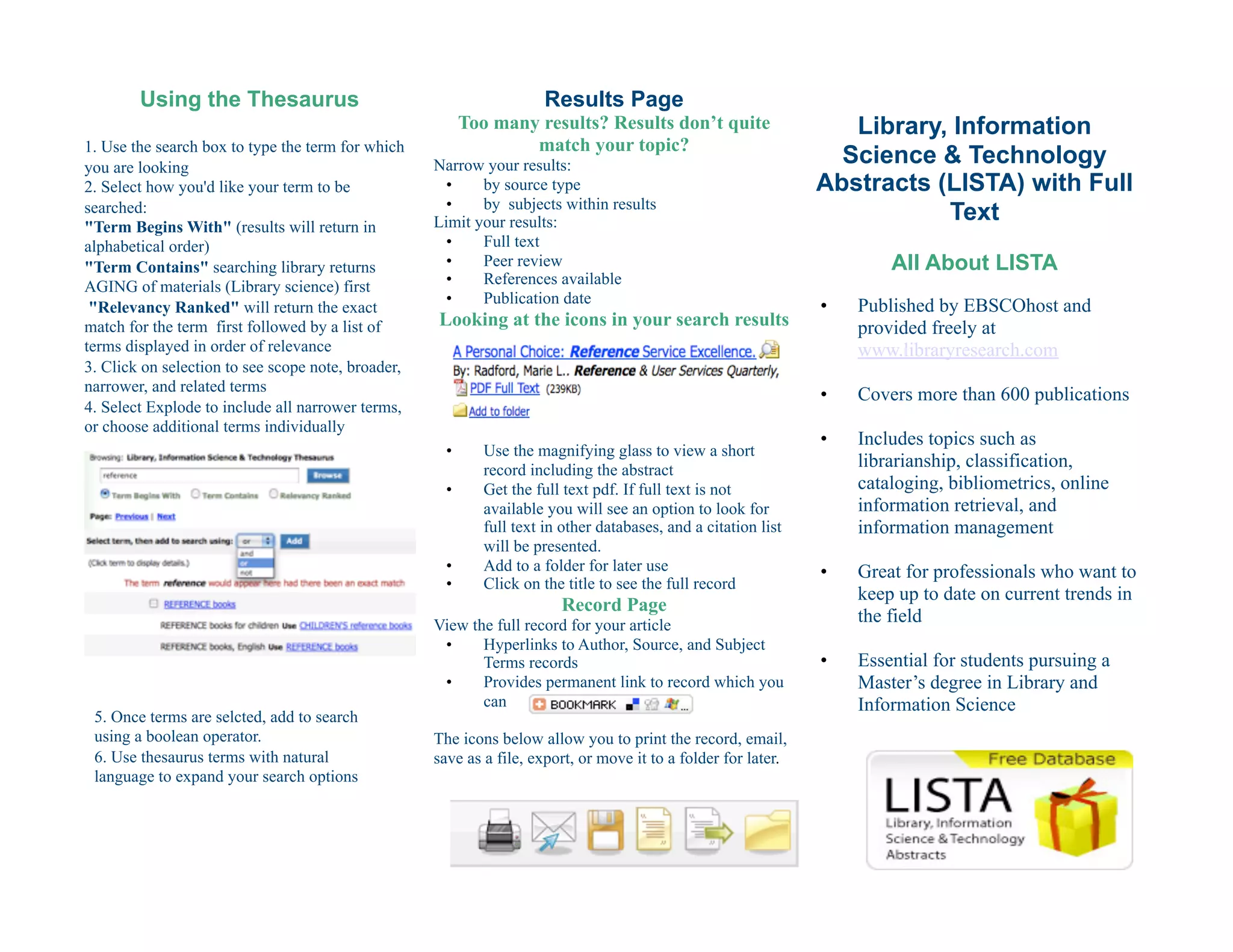
1. Use the search box to type the term for which                   match your topic?
you are looking                                     Narrow your results:                                            Science & Technology
2. Select how you'd like your term to be              •    by source type                                         Abstracts (LISTA) with Full
                                                      •    by subjects within results
searched:
"Term Begins With" (results will return in          Limit your results:                                                      Text
alphabetical order)                                   •    Full text
"Term Contains" searching library returns             •    Peer review                                                     All About LISTA
AGING of materials (Library science) first            •    References available
                                                      •    Publication date                                       •    Published by EBSCOhost and
 "Relevancy Ranked" will return the exact
match for the term first followed by a list of      Looking at the icons in your search results                        provided freely at
terms displayed in order of relevance                                                                                  www.libraryresearch.com
3. Click on selection to see scope note, broader,
narrower, and related terms
                                                                                                                  •    Covers more than 600 publications
4. Select Explode to include all narrower terms,
or choose additional terms individually
                                                                                                                  •    Includes topics such as
                                                      •       Use the magnifying glass to view a short
                                                              record including the abstract
                                                                                                                       librarianship, classification,
                                                      •       Get the full text pdf. If full text is not               cataloging, bibliometrics, online
                                                              available you will see an option to look for             information retrieval, and
                                                              full text in other databases, and a citation list        information management
                                                              will be presented.
                                                      •       Add to a folder for later use                       •    Great for professionals who want to
                                                      •       Click on the title to see the full record
                                                                                                                       keep up to date on current trends in
                                                                          Record Page
                                                    View the full record for your article
                                                                                                                       the field
                                                     •     Hyperlinks to Author, Source, and Subject
                                                           Terms records                                          •    Essential for students pursuing a
                                                     •     Provides permanent link to record which you                 Master’s degree in Library and
                                                           can                                                         Information Science
 5. Once terms are selcted, add to search
 using a boolean operator.                          The icons below allow you to print the record, email,
 6. Use thesaurus terms with natural                save as a file, export, or move it to a folder for later.
 language to expand your search options
Strategies for Smart Searching
Beginning your research
 •     Choose a topic
         o    Virtual Reference Service
 •     Turn your topic into a research question
         o    How are libraries using virtual
              reference services?
 •     Choose key words in your question which
       will identify the key concepts you'll use
       for your search
         o    How are libraries using virtual
              reference services?
 •     Use your key words and any synonyms to
       create searches with boolean operators

Adding in Boolean Operators
OR will expand your search
  •    online OR virtual OR email OR "instant
       message"
  •    retrieves any result with any of these
       terms
AND will narrow your search
  •    virtual AND reference
  •    only retrieves articles that include both of
       the terms
NOT will further narrow your search by
excluding items
  •    reference NOT "academic libraries"
  •    will retrieve articles that include
       reference but none that refer to academic                                         Search Options
       libraries
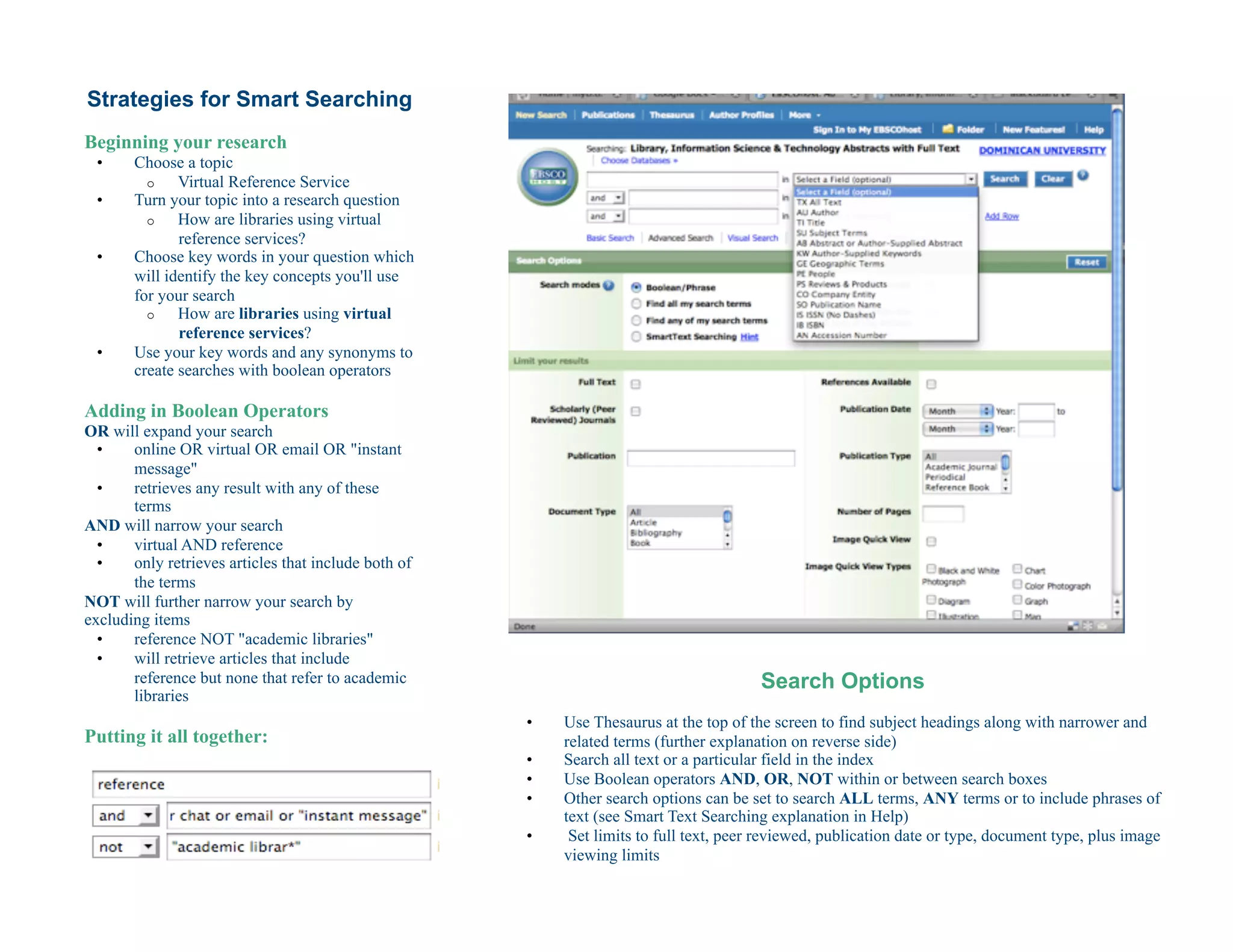
                                                      •    Use Thesaurus at the top of the screen to find subject headings along with narrower and
Putting it all together:                                   related terms (further explanation on reverse side)
                                                      •    Search all text or a particular field in the index
                                                      •    Use Boolean operators AND, OR, NOT within or between search boxes
                                                      •    Other search options can be set to search ALL terms, ANY terms or to include phrases of
                                                           text (see Smart Text Searching explanation in Help)
                                                      •     Set limits to full text, peer reviewed, publication date or type, document type, plus image
                                                           viewing limits

LISTA

  • 1.
    Using the Thesaurus Results Page Too many results? Results don’t quite Library, Information 1. Use the search box to type the term for which match your topic? you are looking Narrow your results: Science & Technology 2. Select how you'd like your term to be •  by source type Abstracts (LISTA) with Full •  by subjects within results searched: "Term Begins With" (results will return in Limit your results: Text alphabetical order) •  Full text "Term Contains" searching library returns •  Peer review All About LISTA AGING of materials (Library science) first •  References available •  Publication date •  Published by EBSCOhost and "Relevancy Ranked" will return the exact match for the term first followed by a list of Looking at the icons in your search results provided freely at terms displayed in order of relevance www.libraryresearch.com 3. Click on selection to see scope note, broader, narrower, and related terms •  Covers more than 600 publications 4. Select Explode to include all narrower terms, or choose additional terms individually •  Includes topics such as •  Use the magnifying glass to view a short record including the abstract librarianship, classification, •  Get the full text pdf. If full text is not cataloging, bibliometrics, online available you will see an option to look for information retrieval, and full text in other databases, and a citation list information management will be presented. •  Add to a folder for later use •  Great for professionals who want to •  Click on the title to see the full record keep up to date on current trends in Record Page View the full record for your article the field •  Hyperlinks to Author, Source, and Subject Terms records •  Essential for students pursuing a •  Provides permanent link to record which you Master’s degree in Library and can Information Science 5. Once terms are selcted, add to search using a boolean operator. The icons below allow you to print the record, email, 6. Use thesaurus terms with natural save as a file, export, or move it to a folder for later. language to expand your search options
  • 2.
    Strategies for SmartSearching Beginning your research •  Choose a topic o  Virtual Reference Service •  Turn your topic into a research question o  How are libraries using virtual reference services? •  Choose key words in your question which will identify the key concepts you'll use for your search o  How are libraries using virtual reference services? •  Use your key words and any synonyms to create searches with boolean operators Adding in Boolean Operators OR will expand your search •  online OR virtual OR email OR "instant message" •  retrieves any result with any of these terms AND will narrow your search •  virtual AND reference •  only retrieves articles that include both of the terms NOT will further narrow your search by excluding items •  reference NOT "academic libraries" •  will retrieve articles that include reference but none that refer to academic Search Options libraries •  Use Thesaurus at the top of the screen to find subject headings along with narrower and Putting it all together: related terms (further explanation on reverse side) •  Search all text or a particular field in the index •  Use Boolean operators AND, OR, NOT within or between search boxes •  Other search options can be set to search ALL terms, ANY terms or to include phrases of text (see Smart Text Searching explanation in Help) •  Set limits to full text, peer reviewed, publication date or type, document type, plus image viewing limits