The Great DebateFinding the latest news and more at your library
All the news that’s fit to printYour STU library makes it easy to find the latest information on current events around the world.We offer print and online resources where you can access scholarly and popular articles on local and world events.
Info at your LibraryThe STU library offers a variety of services and sources to help you find the information you need.Including:Reference servicesBooks and e-BooksPrint and online journals, magazines, and newspapersInter-Library LoanOnline databases
What’s the difference?Scholarly journals vs. Journalistic sources
How can I tell…What’s the difference?Journalistic articles: Popular news style. Approachable, mass-media writing that appeals to a wide audience.Scholarly, journal articles: Research-based, often peer-reviewed articles written by academics. Advanced writing style that appeals to scholars and researchers.
Journalistic WritingIncludes sources such as:Newspapers: New York Times, Miami Herald, USA TodayNewsperiodicals: Time, Newsweek, US News and World ReportOnline news sources: Associated Press (http://www.ap.org), CNN (http://www.cnn.com), BBC News (http://news.bbc.co.uk/)
Scholarly/Peer-Reviewed WritingPeer-reviewed articles are available through library databases and subscription services. These articles are published in print and e-journals.
Journalistic sources and moreLet’s find some news articles
Sources for Journalistic ArticlesDatabases on our e-research page:NewsBank – the latest information and Special Reports on significant events and issues in the news. Includes Regional and World news.New York TimesMiami HeraldAcademic Search Premier – has an option for searching newspapers and periodicals
More Journalistic sourcesYou can also find sources by title or subject/topic by searching the library’s catalog.Go to: http://stulibrary.worldcat.orgSearch for the title of a source, such as Newsweek or TimeLimit search results to “Journal/Magazine” (see the Format list on the left side of the results page)Items with a “view now” link are available online and can be accessed on campus and from home
Let’s try it!Go to: http://stulibrary.worldcat.orgEnter “Newsweek” in the search box.Hover over the item to see “View now” options.Try the “Access Journal” links to access the journal and search for articles.For this example, click on the second “Access Journal” link.
Let’s find an ArticleIf you selected the second Access Journal option, you have now reached Ebsco’s Newsweek portal.Let’s Search for an article on the current situation in Libya.Click on the “Advanced Search” link below the search box. Let’s Search!
Accessing articles from homeTo access articles through the library’s catalog from home, you will need to log in to your library account.
Create a Library AccountTo create an account, click on the Your Library Account “Sign In” link on the top right corner of catalog’s homepage. Next, click on the “forgot your password?” link.Enter your student number. You will receive an email in your STU account with instructions on how to create a new password for your account.
Finding Peer Reviewed Sources
Sources for Peer-Reviewed ArticlesDatabases on our e-research page:Academic Search Premier– to find peer-reviewed articles, limit your search to Academic or Scholarly JournalsProQuest Central – to find peer-reviewed articles, check the “Peer reviewed” box under the search areaInfoTrac OneFile– to find peer-reviewed articles, check “to peer-reviewed publications”
Latin American & Caribbean PortalGale’s World Scholar: Latin American & the Caribbean PortalFor information on Latin America and the Caribbean, check out this database. The portal provides access to information, statistics, maps, and primary sources (first-hand accounts) on Latin America and the Caribbean.You can find the link to the portal on the library’s e-Research page.
APSA and RefWorksCite your sources
Why Cite?There is no such thing as “borrowing” someone else’s ideas in academic writing. Avoid plagiarism by citing your sources.If you….
Quote it
Paraphrase it
Summarize itCITE IT!
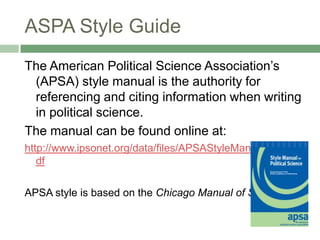
The American Political Science Association’s (APSA) style manual is the authority for referencing and citing information when writing in political science. The manual can be found online at:http://www.ipsonet.org/data/files/APSAStyleManual2006.pdfAPSA style is based on the Chicago Manual of Style.ASPA Style Guide
RefWorksRefWorks is a service that helps you keep track of the articles and resources that you find online and in print. You can use your RefWorks account to save bibliographic information for future use and to create a list of references for your paper.Note: RefWorks does not support APSA style, but that does not mean you can’t use it! It is still a great tool to help you organize your sources.
RefWorks - Try it out!Open a new browser window and let’s create a new RefWorks account!
Signing up forGo to the Library’s e-research page: http://www.stu.edu/libraryClick on the Research link on the menu (left side of screen)Select the “RefWorks” link at the top of the list.
Creating a RefWorks accountClick on the “Sign up for an Individual account” link on the main pageThis will take you to the new user registration page, where you will create your account.When your account has been created, you will be able to save citations using the RefWorks link provided on many database articles, or by manually saving the link yourself.
Saving a link – Let’s try it!Open another tab or window on your browser.Let’s search for an article to import into RefWorks.Go to STU’s e-research page and click on the “Academic Search Premier” linkLet’s Search for an article on the Libyan conflict.
Exporting a ReferenceSelect an article to view and click on the “Export” icon on the menu to the right of the screen. Select the option to export to RefWorks and Save.This will redirect you to you RefWorks account, where you can organize your citations and create a Reference list.
What if the library doesn’t have what you need?Inter Library Loan
A few tipsIf you cannot find an article or book, you have the option of submitting an Inter-Library Loan request. The library will do its best to bring the source to you. However, ILL can be a slow process, so place requests as early as possible and allow time for it to arrive. Do NOT rely on ILL if you need a source within a few days.
Requesting an ILLYou can request an ILL in person by visiting the library Circulation desk.Or online, by filling out an Inter Library Loan request form (found on the library’s main page).
And rememberThe library is more than a place for books. Our librarians are always available to help you find the information you need in person or over the phone. To get in touch with a reference librarian, you can call:305-628-6667 (Circulation)305-628-6668 (Reference)

The Great Debate - Finding News and Journal Articles for Political Science Research

  • 1.
    The Great DebateFindingthe latest news and more at your library
  • 2.
    All the newsthat’s fit to printYour STU library makes it easy to find the latest information on current events around the world.We offer print and online resources where you can access scholarly and popular articles on local and world events.
  • 3.
    Info at yourLibraryThe STU library offers a variety of services and sources to help you find the information you need.Including:Reference servicesBooks and e-BooksPrint and online journals, magazines, and newspapersInter-Library LoanOnline databases
  • 4.
    What’s the difference?Scholarlyjournals vs. Journalistic sources
  • 5.
    How can Itell…What’s the difference?Journalistic articles: Popular news style. Approachable, mass-media writing that appeals to a wide audience.Scholarly, journal articles: Research-based, often peer-reviewed articles written by academics. Advanced writing style that appeals to scholars and researchers.
  • 6.
    Journalistic WritingIncludes sourcessuch as:Newspapers: New York Times, Miami Herald, USA TodayNewsperiodicals: Time, Newsweek, US News and World ReportOnline news sources: Associated Press (http://www.ap.org), CNN (http://www.cnn.com), BBC News (http://news.bbc.co.uk/)
  • 7.
    Scholarly/Peer-Reviewed WritingPeer-reviewed articlesare available through library databases and subscription services. These articles are published in print and e-journals.
  • 8.
    Journalistic sources andmoreLet’s find some news articles
  • 9.
    Sources for JournalisticArticlesDatabases on our e-research page:NewsBank – the latest information and Special Reports on significant events and issues in the news. Includes Regional and World news.New York TimesMiami HeraldAcademic Search Premier – has an option for searching newspapers and periodicals
  • 10.
    More Journalistic sourcesYoucan also find sources by title or subject/topic by searching the library’s catalog.Go to: http://stulibrary.worldcat.orgSearch for the title of a source, such as Newsweek or TimeLimit search results to “Journal/Magazine” (see the Format list on the left side of the results page)Items with a “view now” link are available online and can be accessed on campus and from home
  • 11.
    Let’s try it!Goto: http://stulibrary.worldcat.orgEnter “Newsweek” in the search box.Hover over the item to see “View now” options.Try the “Access Journal” links to access the journal and search for articles.For this example, click on the second “Access Journal” link.
  • 12.
    Let’s find anArticleIf you selected the second Access Journal option, you have now reached Ebsco’s Newsweek portal.Let’s Search for an article on the current situation in Libya.Click on the “Advanced Search” link below the search box. Let’s Search!
  • 13.
    Accessing articles fromhomeTo access articles through the library’s catalog from home, you will need to log in to your library account.
  • 14.
    Create a LibraryAccountTo create an account, click on the Your Library Account “Sign In” link on the top right corner of catalog’s homepage. Next, click on the “forgot your password?” link.Enter your student number. You will receive an email in your STU account with instructions on how to create a new password for your account.
  • 15.
  • 16.
    Sources for Peer-ReviewedArticlesDatabases on our e-research page:Academic Search Premier– to find peer-reviewed articles, limit your search to Academic or Scholarly JournalsProQuest Central – to find peer-reviewed articles, check the “Peer reviewed” box under the search areaInfoTrac OneFile– to find peer-reviewed articles, check “to peer-reviewed publications”
  • 17.
    Latin American &Caribbean PortalGale’s World Scholar: Latin American & the Caribbean PortalFor information on Latin America and the Caribbean, check out this database. The portal provides access to information, statistics, maps, and primary sources (first-hand accounts) on Latin America and the Caribbean.You can find the link to the portal on the library’s e-Research page.
  • 18.
  • 19.
    Why Cite?There isno such thing as “borrowing” someone else’s ideas in academic writing. Avoid plagiarism by citing your sources.If you….
  • 20.
  • 21.
  • 22.
  • 23.
    The American PoliticalScience Association’s (APSA) style manual is the authority for referencing and citing information when writing in political science. The manual can be found online at:http://www.ipsonet.org/data/files/APSAStyleManual2006.pdfAPSA style is based on the Chicago Manual of Style.ASPA Style Guide
  • 24.
    RefWorksRefWorks is aservice that helps you keep track of the articles and resources that you find online and in print. You can use your RefWorks account to save bibliographic information for future use and to create a list of references for your paper.Note: RefWorks does not support APSA style, but that does not mean you can’t use it! It is still a great tool to help you organize your sources.
  • 25.
    RefWorks - Tryit out!Open a new browser window and let’s create a new RefWorks account!
  • 26.
    Signing up forGoto the Library’s e-research page: http://www.stu.edu/libraryClick on the Research link on the menu (left side of screen)Select the “RefWorks” link at the top of the list.
  • 27.
    Creating a RefWorksaccountClick on the “Sign up for an Individual account” link on the main pageThis will take you to the new user registration page, where you will create your account.When your account has been created, you will be able to save citations using the RefWorks link provided on many database articles, or by manually saving the link yourself.
  • 28.
    Saving a link– Let’s try it!Open another tab or window on your browser.Let’s search for an article to import into RefWorks.Go to STU’s e-research page and click on the “Academic Search Premier” linkLet’s Search for an article on the Libyan conflict.
  • 29.
    Exporting a ReferenceSelectan article to view and click on the “Export” icon on the menu to the right of the screen. Select the option to export to RefWorks and Save.This will redirect you to you RefWorks account, where you can organize your citations and create a Reference list.
  • 30.
    What if thelibrary doesn’t have what you need?Inter Library Loan
  • 31.
    A few tipsIfyou cannot find an article or book, you have the option of submitting an Inter-Library Loan request. The library will do its best to bring the source to you. However, ILL can be a slow process, so place requests as early as possible and allow time for it to arrive. Do NOT rely on ILL if you need a source within a few days.
  • 32.
    Requesting an ILLYoucan request an ILL in person by visiting the library Circulation desk.Or online, by filling out an Inter Library Loan request form (found on the library’s main page).
  • 33.
    And rememberThe libraryis more than a place for books. Our librarians are always available to help you find the information you need in person or over the phone. To get in touch with a reference librarian, you can call:305-628-6667 (Circulation)305-628-6668 (Reference)

Editor's Notes

  • #11 Show students how
  • #12 Show students how to find an article, Explain how to Login from home
  • #18 Take students to portal.
  • #25 Provide example online… show them how.