EndNote Web:  Bibliographic Management Software H. Stephen McMinn HSM Iowa State University
EndNote & EndNote Web Reference Database  Helps gather, store, and organize references/citations Bibliographic Management - Works in parallel with MS Word to: Generate a bibliography in the correct style following the 'instructions to authors' you need to successfully submit your articles Use the database to link to references in word-processed documents
Why????? Save Time & Be better Organized! Example  Using EndNote with Microsoft Word  to Create Bibliography
Live Demo! HSM
EndNote Web Web Based Bibliographic Management Software Free with Library’s Web of Knowledge subscription Integrated with Web of Knowledge Databases Over 3,000 output styles Over 600 import filters – Potential Data Sources
EndNote vs. EndNote Web Main Differences Paid vs. Free Web vs. PC based Customization Integration with ISI Databases Duplicates See Handout / Table HSM
EndNote Web Advantages Web based access from anywhere Works with Word via plug-in Can Share References with others (clunky in some respects) Numerous Input and Output Styles SFX Integration to locate full text
EndNote Web Disadvantages Web based – working offline problematic No screen capture Clunky web capture applications Sharing is read only unless owner No storing of full text objects
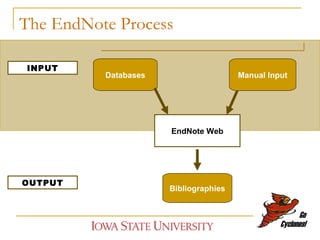
The EndNote Process EndNote Web Databases Manual Input Bibliographies INPUT OUTPUT
Outline Getting Started Creating Account Organizing Records Getting Info In –  Methods Manual Creation of Records ( Not Covered ) Connect Files ( Not Covered ) Direct Exporting Manual Importing Getting Out – CWYW HSM
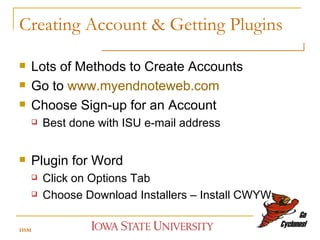
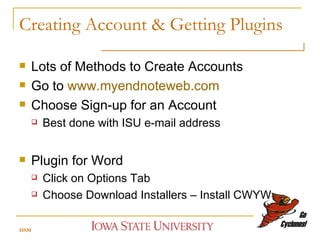
Creating Account & Getting Plugins Lots of Methods to Create Accounts Go to  www.myendnoteweb.com Choose Sign-up for an Account Best done with ISU e-mail address Plugin for Word Click on Options Tab Choose Download Installers – Install CWYW  HSM
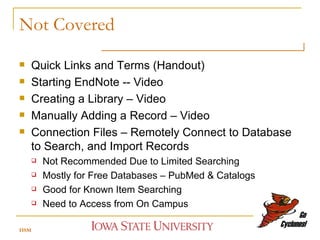
Not Covered Quick Links and Terms (Handout) Starting EndNote -- Video Creating a Library – Video Manually Adding a Record – Video Connection Files – Remotely Connect to Database to Search, and Import Records Not Recommended Due to Limited Searching Mostly for Free Databases – PubMed & Catalogs Good for Known Item Searching Need to Access from On Campus HSM
Hands-On! HSM
Creating Account & Getting Plugins Lots of Methods to Create Accounts Go to  www.myendnoteweb.com Choose Sign-up for an Account Best done with ISU e-mail address Plugin for Word Click on Options Tab Choose Download Installers – Install CWYW  HSM
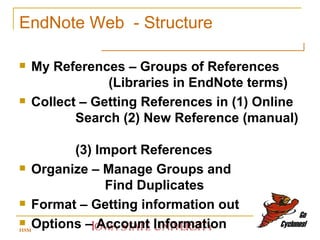
EndNote Web  - Structure My References – Groups of References    (Libraries in EndNote terms) Collect – Getting References in (1) Online    Search (2) New Reference (manual)    (3) Import References Organize – Manage Groups and    Find Duplicates  Format – Getting information out Options – Account Information HSM
My References and Organize Searching Duplicates Moving between Libraries Adding Notes and Searching HSM
Populating Libraries – Getting it in!    Importing Records Capture Tool – Not that Good! Direct Export – Only Need to Know Library Import References Other Methods –  Not Covered Options under the    Collect Tab Online Search New Reference HSM
Collect Tab Online Search – Libraries and PubMed    (Connect in EndNote) New Reference -- Manual Creation of    Records (Not Covered) Import References – Manual Method of    Importing Need to Know Import Filter (Database), and  Saving/Downloading/Exporting Instructions for Database HSM
Manual Creation and Connection Files New Record – Choose Reference Type and Type or Paste Information Connection Files – Remotely Connect to Database to Search, and Import Records Not Recommended Due to Limited Searching Mostly for Free Databases – PubMed & Catalogs Good for Known Item Searching Need to Access from On Campus HSM
Direct Export Import to Unfiled area Choose export option from the database depends on the vendor Recommend turning off “remove records from set” until after 1 st  download Watch out for pop-up blockers preventing results from being downloaded HSM
Examples Academic Search Elite  ABI/Inform Engineering Index Food Science and Technology Index Textile Index Web of Science HSM
Live Demo & Hands On! HSM
Example -- Textile Technology Index Start at Library Home Page www.lib.iastate.edu Choose Indexes and Abstracts under the Collections area Browse to  Textile Technology Index Do a Search on a topic – ex. “biofuels” Select some records Choose Export to EndNote Web HSM
Import References - 2 Steps Step One – Getting Records Out of the Database Search  Save in the Right Format Step Two – Getting Records Into EndNote Locate File Locate Filter Clean-up (If Needed) HSM
Importing – How To Save? Wayne State University Link for instructions on formatting records from various database vendors:  http://www.endnote.com/endnote_export.asp Look at the Vendors or Databases Website Help File See Library LibGuide for Help http://instr.iastate.libguides.com/endnoteweb
Importing -- Basic Steps Wayne State University Logon to EndNote Web and Choose Import   References under the Collect Option Use the Browse option to locate the    downloaded file of references  Select the Filter corresponding to the   database and platform (vendor)  and Select the Group to import the    references into then click on the    Import button.
Live Demo & Hands On! HSM
Example - PsycINFO (CSA Database) Library…Indexes & Abstracts….PsycINFO Search Database and Get Records Save/Download/Export Full Record Tagged Format Save as Text File (txt) Save File to Computer  Remember Name and Location HSM
Format  -  Getting Information Out Bibliography – Manually created Static   Bibliographies/Reading Lists   (text, rich text, and html formats) CWYW (Cite While You Write) Plug-In – Information & Downloads CWYW – Integrates with MS Word to Import Citations and Automatically Format Bibliography Format Paper – Manual Formatting Export References – Backup/Saving HSM
Basic CWYW Steps 1. Open your Word document. Place cursor where the citation needs to be inserted.  2. Select the citation you would like to insert from your Endnote Web Library (search works best) 3. Click on Insert Selected Citation 4. When completed Format Bibliography HSM
Hands-On! HSM
Basic CWYW Steps 1. Open your Word document. Place cursor where the citation needs to be inserted.  2. Select the citation you would like to insert from your Endnote Web Library (search works best) 3. Click on Insert Selected Citation 4. When completed Format Bibliography HSM
Help & Evaluation/Survey EndNote Web LibGuide  http://instr.iastate.libguides.com/endnoteweb   Blog -- Citation Help for ISU and Beyond    http://citehelp.blogspot.com/   Me --  H. Stephen McMinn Phone: (515) 294-4789 E-Mail:  [email_address] HSM
Thank You ! Please complete the online survey!  On the Endnote Web LibGuide http://instr.iastate.libguides.com/endnoteweb   Zotero Workshop –  Tuesday, November 17 th  at 2:00 – 3:00 pm  Room 134 Parks Library HSM

End Note Web 2009

  • 1.
    EndNote Web: Bibliographic Management Software H. Stephen McMinn HSM Iowa State University
  • 2.
    EndNote & EndNoteWeb Reference Database Helps gather, store, and organize references/citations Bibliographic Management - Works in parallel with MS Word to: Generate a bibliography in the correct style following the 'instructions to authors' you need to successfully submit your articles Use the database to link to references in word-processed documents
  • 3.
    Why????? Save Time& Be better Organized! Example Using EndNote with Microsoft Word to Create Bibliography
  • 4.
  • 5.
    EndNote Web WebBased Bibliographic Management Software Free with Library’s Web of Knowledge subscription Integrated with Web of Knowledge Databases Over 3,000 output styles Over 600 import filters – Potential Data Sources
  • 6.
    EndNote vs. EndNoteWeb Main Differences Paid vs. Free Web vs. PC based Customization Integration with ISI Databases Duplicates See Handout / Table HSM
  • 7.
    EndNote Web AdvantagesWeb based access from anywhere Works with Word via plug-in Can Share References with others (clunky in some respects) Numerous Input and Output Styles SFX Integration to locate full text
  • 8.
    EndNote Web DisadvantagesWeb based – working offline problematic No screen capture Clunky web capture applications Sharing is read only unless owner No storing of full text objects
  • 9.
    The EndNote ProcessEndNote Web Databases Manual Input Bibliographies INPUT OUTPUT
  • 10.
    Outline Getting StartedCreating Account Organizing Records Getting Info In – Methods Manual Creation of Records ( Not Covered ) Connect Files ( Not Covered ) Direct Exporting Manual Importing Getting Out – CWYW HSM
  • 11.
    Creating Account &Getting Plugins Lots of Methods to Create Accounts Go to www.myendnoteweb.com Choose Sign-up for an Account Best done with ISU e-mail address Plugin for Word Click on Options Tab Choose Download Installers – Install CWYW HSM
  • 12.
    Not Covered QuickLinks and Terms (Handout) Starting EndNote -- Video Creating a Library – Video Manually Adding a Record – Video Connection Files – Remotely Connect to Database to Search, and Import Records Not Recommended Due to Limited Searching Mostly for Free Databases – PubMed & Catalogs Good for Known Item Searching Need to Access from On Campus HSM
  • 13.
  • 14.
    Creating Account &Getting Plugins Lots of Methods to Create Accounts Go to www.myendnoteweb.com Choose Sign-up for an Account Best done with ISU e-mail address Plugin for Word Click on Options Tab Choose Download Installers – Install CWYW HSM
  • 15.
    EndNote Web - Structure My References – Groups of References (Libraries in EndNote terms) Collect – Getting References in (1) Online Search (2) New Reference (manual) (3) Import References Organize – Manage Groups and Find Duplicates Format – Getting information out Options – Account Information HSM
  • 16.
    My References andOrganize Searching Duplicates Moving between Libraries Adding Notes and Searching HSM
  • 17.
    Populating Libraries –Getting it in! Importing Records Capture Tool – Not that Good! Direct Export – Only Need to Know Library Import References Other Methods – Not Covered Options under the Collect Tab Online Search New Reference HSM
  • 18.
    Collect Tab OnlineSearch – Libraries and PubMed (Connect in EndNote) New Reference -- Manual Creation of Records (Not Covered) Import References – Manual Method of Importing Need to Know Import Filter (Database), and Saving/Downloading/Exporting Instructions for Database HSM
  • 19.
    Manual Creation andConnection Files New Record – Choose Reference Type and Type or Paste Information Connection Files – Remotely Connect to Database to Search, and Import Records Not Recommended Due to Limited Searching Mostly for Free Databases – PubMed & Catalogs Good for Known Item Searching Need to Access from On Campus HSM
  • 20.
    Direct Export Importto Unfiled area Choose export option from the database depends on the vendor Recommend turning off “remove records from set” until after 1 st download Watch out for pop-up blockers preventing results from being downloaded HSM
  • 21.
    Examples Academic SearchElite ABI/Inform Engineering Index Food Science and Technology Index Textile Index Web of Science HSM
  • 22.
    Live Demo &Hands On! HSM
  • 23.
    Example -- TextileTechnology Index Start at Library Home Page www.lib.iastate.edu Choose Indexes and Abstracts under the Collections area Browse to Textile Technology Index Do a Search on a topic – ex. “biofuels” Select some records Choose Export to EndNote Web HSM
  • 24.
    Import References -2 Steps Step One – Getting Records Out of the Database Search Save in the Right Format Step Two – Getting Records Into EndNote Locate File Locate Filter Clean-up (If Needed) HSM
  • 25.
    Importing – HowTo Save? Wayne State University Link for instructions on formatting records from various database vendors: http://www.endnote.com/endnote_export.asp Look at the Vendors or Databases Website Help File See Library LibGuide for Help http://instr.iastate.libguides.com/endnoteweb
  • 26.
    Importing -- BasicSteps Wayne State University Logon to EndNote Web and Choose Import References under the Collect Option Use the Browse option to locate the downloaded file of references Select the Filter corresponding to the database and platform (vendor) and Select the Group to import the references into then click on the Import button.
  • 27.
    Live Demo &Hands On! HSM
  • 28.
    Example - PsycINFO(CSA Database) Library…Indexes & Abstracts….PsycINFO Search Database and Get Records Save/Download/Export Full Record Tagged Format Save as Text File (txt) Save File to Computer Remember Name and Location HSM
  • 29.
    Format - Getting Information Out Bibliography – Manually created Static Bibliographies/Reading Lists (text, rich text, and html formats) CWYW (Cite While You Write) Plug-In – Information & Downloads CWYW – Integrates with MS Word to Import Citations and Automatically Format Bibliography Format Paper – Manual Formatting Export References – Backup/Saving HSM
  • 30.
    Basic CWYW Steps1. Open your Word document. Place cursor where the citation needs to be inserted. 2. Select the citation you would like to insert from your Endnote Web Library (search works best) 3. Click on Insert Selected Citation 4. When completed Format Bibliography HSM
  • 31.
  • 32.
    Basic CWYW Steps1. Open your Word document. Place cursor where the citation needs to be inserted. 2. Select the citation you would like to insert from your Endnote Web Library (search works best) 3. Click on Insert Selected Citation 4. When completed Format Bibliography HSM
  • 33.
    Help & Evaluation/SurveyEndNote Web LibGuide http://instr.iastate.libguides.com/endnoteweb Blog -- Citation Help for ISU and Beyond http://citehelp.blogspot.com/ Me -- H. Stephen McMinn Phone: (515) 294-4789 E-Mail: [email_address] HSM
  • 34.
    Thank You !Please complete the online survey! On the Endnote Web LibGuide http://instr.iastate.libguides.com/endnoteweb Zotero Workshop – Tuesday, November 17 th at 2:00 – 3:00 pm Room 134 Parks Library HSM

Editor's Notes

  • #26 Different databases have different import instructions Refer to the endnote website for details on how specific online database information needs to be saved in a format that Endnote can recognize.
  • #27 Different databases have different import instructions Refer to the endnote website for details on how specific online database information needs to be saved in a format that Endnote can recognize.