
Email etiquette
  Dr. Pavanaja U. B.
CEO, Vishva Kannada Softech
  www.vishvakannada.com
pavanaja@vishvakannada.com
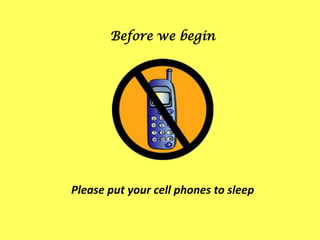
Before we begin


Please put your cell phones to sleep
Email
• Short for electronic mail
• Electronic mail, commonly called email or e-
  mail, is a method of exchanging digital messages
  across the Internet or other computer networks.
• Types
   – POP3/SMTP
      • pavanaja@excelindia.com
   – IMAP
      • Exchange Server, Lotus Domino
   – Web-based
      • Hotmail, Gmail, Yahoomail
Remember
•   Email is permanent – it provides a record
•   Email is a valid document as per IT Act
•   Email can be accessible anytime anywhere
•   Email can be forwarded and copied
Purpose
•   Informatory –to colleague, friend, business partner
•   Applying for job
•   Invitation
•   Enquiry email –from colleague, business
    partner, friend, customer, HR Manager
•   Problem reporting –to customer support, manager
•   Problem response –reply to problem reporting
•   Status reports –to colleague, manager, client
•   Minutes of meeting –to colleague, manager, client
•   Friendly email –to friends (whom else?)
Etiquette
• Etiquette – is the conduct or procedure required by
  good breeding or prescribed by authority to be
  observed in social or official life
• Email etiquette –etiquette while using emails
The need for email etiquette
• Professionalism
   – by using proper email language you will convey a professional image.
• Efficiency
   – emails that get to the point are much more effective than poorly
     worded emails.
• Protection from liability
   – awareness of email risks will protect you from costly law suits.
Keep these points in mind
•   Purpose
•   Person to whom it is addressed
•   Tone you should adopt
•   Completeness of the message
•   Action required
•   Conciseness of expression
Salutation
• Dear Sir/Madam
  (when we are writing to a total stranger whom we do not know at all)
• Dear Mr/Ms/Dr/Professor + Surname as in: Dear Dr
  Pavanaja
  (when it is a formal relationship with the addressee and the writer does
  not know him or her personally).
• Dear Mahesh
  (when the writer knows the addressee personally and the two share a
  semi-formal relationship)
• Hi/Hello
  (International/US convention/Friendly)
Subject line
• Never ever leave it blank
• Should be concise, precise and unambiguous
   Ex. Seminar on email etiquette, Help required in rolling out VSTS
   Wrong: Seminar, VSTS
• Applying for job –
   Ex. Resume of Arpita –Fresher, Gopal –Java-2+ yrs
• Should not look like a spam message
   Wrong: Greetings, Hi, Hello, Urgent, Congratulations, …
• Change the subject if the topic is changed while
  replying in a long thread and put the original subject
  in bracket with ‘was’ in the beginning
   Ex. Email etiquette (was Re: Introduction to Internet)
To, Cc and Bcc
• ‘To’ and ‘Cc’ are not the same
• The addresses in the 'To' are for the people whom
  you are directly addressing
• The addresses in the 'Cc' are for the people you are
  indirectly addressing –for information purpose only
• People in ‘To’ are supposed to action on the email
  whereas for those in ‘Cc’ it is just an info
• ‘Bcc’ is same as ‘Cc’ except that people in ‘To’ and
  ‘Cc’ won’t know the addresses in ‘Bcc’
• Use ‘Bcc’ very sparingly
Reply and Reply All
• ‘Reply’ and ‘Reply All’ are not the same
• ‘Reply’ will send the reply email only to the sender
• ‘Reply All’ will send reply email to everyone in the
  ‘To’ and ‘Cc’ fields
• Use ‘Reply All’ judiciously
• Never ever click ‘Reply All’ if your address is in the
  ‘Bcc’ field
Closure & Signature
Closure
• Keep it simple
   Ex. Thanks and regards, Regards, Sincerely, With warm regards, ..
   Don’t – Yours faithfully, Yours obediently,
Signature
• Put your name only
• Put a full name & address as part of the signature
• Use the email client’s signature feature
• Have a disclaimer/footer as per company’s email
   policy
Content
•   Depends on the type of email
•   Always be precise and to the point
•   Introduce the topic first
•   Have a spelling check done before sending
•   Read the email fully before sending
•   Have proper paragraph break, when appropriate
•   Use formatting when appropriate
    – Bold, Italic, Underline, Color
Content –Applying for Job
• Dear Sir/Madam –if you don’t know the person
• Dear Mr Ishwar Hegde –if you know the person
• Responding to advertisements-
   – I am writing with regards to the job you advertised.../I am writing in response
     to your ad...
• If you know there is some opening -
   – I came to know that there is some opening in your company for a …
• If you are a fresher -
   – I am a fresh … graduate … looking for an opportunity …
• If you are applying through a connection –
   – I would like to introduce myself as a friend of …
• Promote yourself-
   – I consider myself suitable for that position because...
• Finish with an optimistic note-
   – I'm looking forward to hearing from you. /I am expecting a favourable reply
     from you soon.
Attaching resume
• Most people accept MS Word .doc files
• Many people are yet to move to .docx file (Word
  2007/2010)
• Preferably save as Word 97-2003 file in Word
  2007/2010
• To be safe–
   – Also create .RTF and/or PDF files
   – Some companies request for HTML file
• Don’t create huge files (don’t include unnecessary
  images in the resume)
• Don’t send resume as PPT/Flash/animation file
   – Exception –creative person/field
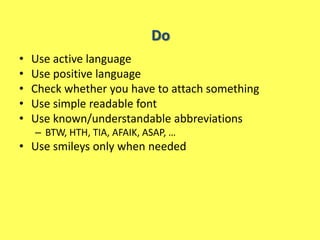
Do
•   Use active language
•   Use positive language
•   Check whether you have to attach something
•   Use simple readable font
•   Use known/understandable abbreviations
    – BTW, HTH, TIA, AFAIK, ASAP, …
• Use smileys only when needed
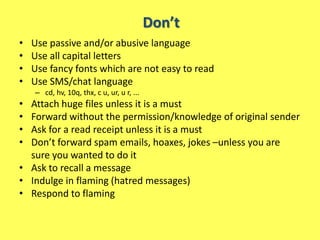
Don’t
•   Use passive and/or abusive language
•   Use all capital letters
•   Use fancy fonts which are not easy to read
•   Use SMS/chat language
    – cd, hv, 10q, thx, c u, ur, u r, ...
• Attach huge files unless it is a must
• Forward without the permission/knowledge of original sender
• Ask for a read receipt unless it is a must
• Don’t forward spam emails, hoaxes, jokes –unless you are
  sure you wanted to do it
• Ask to recall a message
• Indulge in flaming (hatred messages)
• Respond to flaming
Questions?
Thank you


 Gracias
       Merci       Danke

Σε ευχαριστώ       谢谢您
    ありがとうございました

Email etiquette

  • 1.
    Email etiquette Dr. Pavanaja U. B. CEO, Vishva Kannada Softech www.vishvakannada.com pavanaja@vishvakannada.com
  • 2.
    Before we begin Pleaseput your cell phones to sleep
  • 3.
    Email • Short forelectronic mail • Electronic mail, commonly called email or e- mail, is a method of exchanging digital messages across the Internet or other computer networks. • Types – POP3/SMTP • pavanaja@excelindia.com – IMAP • Exchange Server, Lotus Domino – Web-based • Hotmail, Gmail, Yahoomail
  • 4.
    Remember • Email is permanent – it provides a record • Email is a valid document as per IT Act • Email can be accessible anytime anywhere • Email can be forwarded and copied
  • 5.
    Purpose • Informatory –to colleague, friend, business partner • Applying for job • Invitation • Enquiry email –from colleague, business partner, friend, customer, HR Manager • Problem reporting –to customer support, manager • Problem response –reply to problem reporting • Status reports –to colleague, manager, client • Minutes of meeting –to colleague, manager, client • Friendly email –to friends (whom else?)
  • 6.
    Etiquette • Etiquette –is the conduct or procedure required by good breeding or prescribed by authority to be observed in social or official life • Email etiquette –etiquette while using emails
  • 7.
    The need foremail etiquette • Professionalism – by using proper email language you will convey a professional image. • Efficiency – emails that get to the point are much more effective than poorly worded emails. • Protection from liability – awareness of email risks will protect you from costly law suits.
  • 8.
    Keep these pointsin mind • Purpose • Person to whom it is addressed • Tone you should adopt • Completeness of the message • Action required • Conciseness of expression
  • 9.
    Salutation • Dear Sir/Madam (when we are writing to a total stranger whom we do not know at all) • Dear Mr/Ms/Dr/Professor + Surname as in: Dear Dr Pavanaja (when it is a formal relationship with the addressee and the writer does not know him or her personally). • Dear Mahesh (when the writer knows the addressee personally and the two share a semi-formal relationship) • Hi/Hello (International/US convention/Friendly)
  • 10.
    Subject line • Neverever leave it blank • Should be concise, precise and unambiguous Ex. Seminar on email etiquette, Help required in rolling out VSTS Wrong: Seminar, VSTS • Applying for job – Ex. Resume of Arpita –Fresher, Gopal –Java-2+ yrs • Should not look like a spam message Wrong: Greetings, Hi, Hello, Urgent, Congratulations, … • Change the subject if the topic is changed while replying in a long thread and put the original subject in bracket with ‘was’ in the beginning Ex. Email etiquette (was Re: Introduction to Internet)
  • 11.
    To, Cc andBcc • ‘To’ and ‘Cc’ are not the same • The addresses in the 'To' are for the people whom you are directly addressing • The addresses in the 'Cc' are for the people you are indirectly addressing –for information purpose only • People in ‘To’ are supposed to action on the email whereas for those in ‘Cc’ it is just an info • ‘Bcc’ is same as ‘Cc’ except that people in ‘To’ and ‘Cc’ won’t know the addresses in ‘Bcc’ • Use ‘Bcc’ very sparingly
  • 12.
    Reply and ReplyAll • ‘Reply’ and ‘Reply All’ are not the same • ‘Reply’ will send the reply email only to the sender • ‘Reply All’ will send reply email to everyone in the ‘To’ and ‘Cc’ fields • Use ‘Reply All’ judiciously • Never ever click ‘Reply All’ if your address is in the ‘Bcc’ field
  • 13.
    Closure & Signature Closure •Keep it simple Ex. Thanks and regards, Regards, Sincerely, With warm regards, .. Don’t – Yours faithfully, Yours obediently, Signature • Put your name only • Put a full name & address as part of the signature • Use the email client’s signature feature • Have a disclaimer/footer as per company’s email policy
  • 14.
    Content • Depends on the type of email • Always be precise and to the point • Introduce the topic first • Have a spelling check done before sending • Read the email fully before sending • Have proper paragraph break, when appropriate • Use formatting when appropriate – Bold, Italic, Underline, Color
  • 15.
    Content –Applying forJob • Dear Sir/Madam –if you don’t know the person • Dear Mr Ishwar Hegde –if you know the person • Responding to advertisements- – I am writing with regards to the job you advertised.../I am writing in response to your ad... • If you know there is some opening - – I came to know that there is some opening in your company for a … • If you are a fresher - – I am a fresh … graduate … looking for an opportunity … • If you are applying through a connection – – I would like to introduce myself as a friend of … • Promote yourself- – I consider myself suitable for that position because... • Finish with an optimistic note- – I'm looking forward to hearing from you. /I am expecting a favourable reply from you soon.
  • 16.
    Attaching resume • Mostpeople accept MS Word .doc files • Many people are yet to move to .docx file (Word 2007/2010) • Preferably save as Word 97-2003 file in Word 2007/2010 • To be safe– – Also create .RTF and/or PDF files – Some companies request for HTML file • Don’t create huge files (don’t include unnecessary images in the resume) • Don’t send resume as PPT/Flash/animation file – Exception –creative person/field
  • 17.
    Do • Use active language • Use positive language • Check whether you have to attach something • Use simple readable font • Use known/understandable abbreviations – BTW, HTH, TIA, AFAIK, ASAP, … • Use smileys only when needed
  • 18.
    Don’t • Use passive and/or abusive language • Use all capital letters • Use fancy fonts which are not easy to read • Use SMS/chat language – cd, hv, 10q, thx, c u, ur, u r, ... • Attach huge files unless it is a must • Forward without the permission/knowledge of original sender • Ask for a read receipt unless it is a must • Don’t forward spam emails, hoaxes, jokes –unless you are sure you wanted to do it • Ask to recall a message • Indulge in flaming (hatred messages) • Respond to flaming
  • 19.
  • 20.
    Thank you Gracias Merci Danke Σε ευχαριστώ 谢谢您 ありがとうございました