E-Learning management
system
by: Robemar J. Fortaleza
E-LEARNING SYSTEM
Learning Management Systems range from systems for managing
training and educational records to software for distributing online or
blended/hybrid college courses over the Internet with features for
online collaboration. Colleges, universities, school districts, and schools
use LMSs to deliver online courses and augment on-campus courses.
LMSs also act to augment the lessons the teacher is giving in a brick
and mortar environment, not just replace them. Corporate training
departments use LMSs to deliver online training, as well as to
automate record-keeping and employee registration
E-learning is broadly inclusive of all forms
of educational technology in learning and teaching.
E-learning is inclusive of, and is broadly synonymous
with multimedia learning, technology-enhanced
learning (TEL),
computer-based instruction (CBI), computer-based
training (CBT),
computer-assisted instruction or computer-aided
instruction (CAI),internet-based training (IBT),
web-based training(WBT), online education, virtual
education, virtual learning environments (VLE)
(which are also called learning platforms).
LMS and CMS
 The inappropriate use of LMS in the literature is
perhaps most commonly associated with computer
applications which are virtual learning
environments (Course Management Systems, CMS).
These systems are used primarily for online or
blended learning, supporting the placement of
course materials online, associating students with
courses, tracking student performance, storing
student submissions, and mediating communication
between the students as well as their instructor.
Some of this same functionality can be seen within
LMSs as well, so it is understandable why confusion
might exist about the differences between the two
types of systems. However, the systemic nature of an
LMS does not limit its functionality to that of a CMS
LMS Functionalit
• Course Content Delivery
• Student Registration and Administration
• Training Event Management (i.e., scheduling, tracking)
• Curriculum and Certification Management
• Skills and Competencies Management
• Skill Gap Analysis
• Individual Development Plan (IDP)
• Assessing and resulting
• Reporting
• Training Record Management
• Courseware Authoring
• Resource Management
• Virtual Organizations
• Performance Management System Integration
IMPORTANCE
• Profitable
• Less Expensive
• Learning program
• Create great interest
• Can be used at large scale
• Reducing paper work
• Less time consuming
• Faster communication
• Vast knowledge
• Performance Analysis Repot
• Online assessments, assignments, MCQ’s
• Almost cover all department of your institute
SUBJECT & TOPIC
EXAMPLE
• All subject and topics will be updated by your institute
requirements. Few examples are given below
• Science
• Arts
• Mathematics
• Technology
• Languages
• Health & Physical Education
• Our Community & Culture
• Events & Activities
• Message or comments by senior person on the top of each blog
TEACHER ROLE
• Provide Learning Resources Like different web links for
the reference of the topic that is under discussion
• Students action response on different activities assigned
by teacher
• Creating, Deleting, Editing, Assigning & Reassigning
assessment test
• Evaluate & Feedback on the assessment results
(Performance)
• Encourage Collaboration like inviting students for
discussion regarding useful topics
• Communicate with individual or group regarding raised
issues and problems
STUDENT ROLE
• Participate in every assigned activity with given time
• Reassigning request for any test
• Can view performance
• Can reach to his senior one (Class Monitor) and discuss
given topic or assignment
• Communicate with any depart of teacher in order to
enhance knowledge
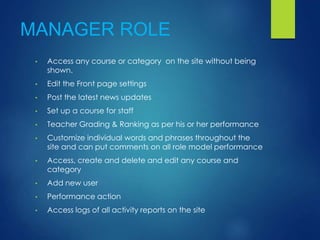
MANAGER ROLE
• Access any course or category on the site without being
shown.
• Edit the Front page settings
• Post the latest news updates
• Set up a course for staff
• Teacher Grading & Ranking as per his or her performance
• Customize individual words and phrases throughout the
site and can put comments on all role model performance
• Access, create and delete and edit any course and
category
• Add new user
• Performance action
• Access logs of all activity reports on the site
HUMAN RESOURCE
• Recruit and select staff for appointment to the school;
• Determine the school’s staffing complement;
• Regulate staff conduct and discipline as required by law;
• Take decisions on payments relating to staff dismissals or
resignations;
• Exercise other employment functions, such as the
management of the performance of the principal, staff
attendance, staff training and development.
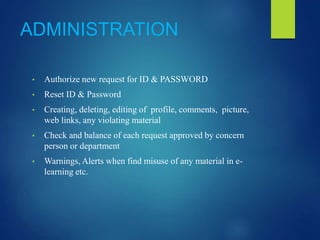
ADMINISTRATION
• Authorize new request for ID & PASSWORD
• Reset ID & Password
• Creating, deleting, editing of profile, comments, picture,
web links, any violating material
• Check and balance of each request approved by concern
person or department
• Warnings, Alerts when find misuse of any material in e-
learning etc.
ACCOUNTS & FINANCE
MANAGEMENT
• Fee schedule of a month or year will be updated by the
department
• Profitability report will be maintained by monthly and can
be viewed by only authorized persons.
• Fee alerts set by the department
• Events fee schedule will be updated.

Elearningmanagementsystem

  • 1.
  • 2.
    E-LEARNING SYSTEM Learning ManagementSystems range from systems for managing training and educational records to software for distributing online or blended/hybrid college courses over the Internet with features for online collaboration. Colleges, universities, school districts, and schools use LMSs to deliver online courses and augment on-campus courses. LMSs also act to augment the lessons the teacher is giving in a brick and mortar environment, not just replace them. Corporate training departments use LMSs to deliver online training, as well as to automate record-keeping and employee registration
  • 3.
    E-learning is broadlyinclusive of all forms of educational technology in learning and teaching. E-learning is inclusive of, and is broadly synonymous with multimedia learning, technology-enhanced learning (TEL), computer-based instruction (CBI), computer-based training (CBT), computer-assisted instruction or computer-aided instruction (CAI),internet-based training (IBT), web-based training(WBT), online education, virtual education, virtual learning environments (VLE) (which are also called learning platforms).
  • 4.
    LMS and CMS The inappropriate use of LMS in the literature is perhaps most commonly associated with computer applications which are virtual learning environments (Course Management Systems, CMS). These systems are used primarily for online or blended learning, supporting the placement of course materials online, associating students with courses, tracking student performance, storing student submissions, and mediating communication between the students as well as their instructor. Some of this same functionality can be seen within LMSs as well, so it is understandable why confusion might exist about the differences between the two types of systems. However, the systemic nature of an LMS does not limit its functionality to that of a CMS
  • 5.
    LMS Functionalit • CourseContent Delivery • Student Registration and Administration • Training Event Management (i.e., scheduling, tracking) • Curriculum and Certification Management • Skills and Competencies Management • Skill Gap Analysis • Individual Development Plan (IDP) • Assessing and resulting • Reporting • Training Record Management • Courseware Authoring • Resource Management • Virtual Organizations • Performance Management System Integration
  • 6.
    IMPORTANCE • Profitable • LessExpensive • Learning program • Create great interest • Can be used at large scale • Reducing paper work • Less time consuming • Faster communication • Vast knowledge • Performance Analysis Repot • Online assessments, assignments, MCQ’s • Almost cover all department of your institute
  • 7.
    SUBJECT & TOPIC EXAMPLE •All subject and topics will be updated by your institute requirements. Few examples are given below • Science • Arts • Mathematics • Technology • Languages • Health & Physical Education • Our Community & Culture • Events & Activities • Message or comments by senior person on the top of each blog
  • 8.
    TEACHER ROLE • ProvideLearning Resources Like different web links for the reference of the topic that is under discussion • Students action response on different activities assigned by teacher • Creating, Deleting, Editing, Assigning & Reassigning assessment test • Evaluate & Feedback on the assessment results (Performance) • Encourage Collaboration like inviting students for discussion regarding useful topics • Communicate with individual or group regarding raised issues and problems
  • 9.
    STUDENT ROLE • Participatein every assigned activity with given time • Reassigning request for any test • Can view performance • Can reach to his senior one (Class Monitor) and discuss given topic or assignment • Communicate with any depart of teacher in order to enhance knowledge
  • 10.
    MANAGER ROLE • Accessany course or category on the site without being shown. • Edit the Front page settings • Post the latest news updates • Set up a course for staff • Teacher Grading & Ranking as per his or her performance • Customize individual words and phrases throughout the site and can put comments on all role model performance • Access, create and delete and edit any course and category • Add new user • Performance action • Access logs of all activity reports on the site
  • 11.
    HUMAN RESOURCE • Recruitand select staff for appointment to the school; • Determine the school’s staffing complement; • Regulate staff conduct and discipline as required by law; • Take decisions on payments relating to staff dismissals or resignations; • Exercise other employment functions, such as the management of the performance of the principal, staff attendance, staff training and development.
  • 12.
    ADMINISTRATION • Authorize newrequest for ID & PASSWORD • Reset ID & Password • Creating, deleting, editing of profile, comments, picture, web links, any violating material • Check and balance of each request approved by concern person or department • Warnings, Alerts when find misuse of any material in e- learning etc.
  • 13.
    ACCOUNTS & FINANCE MANAGEMENT •Fee schedule of a month or year will be updated by the department • Profitability report will be maintained by monthly and can be viewed by only authorized persons. • Fee alerts set by the department • Events fee schedule will be updated.