Why An LMS?
Christy Tucker
January 12, 2015
SyniadLearning.com
christytucker.wordpress.com
CC-By-NC
Meet Anna
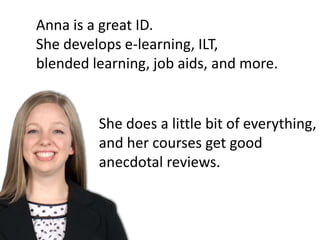
Anna is a great ID.
She develops e-learning, ILT,
blended learning, job aids, and more.
She does a little bit of everything,
and her courses get good
anecdotal reviews.
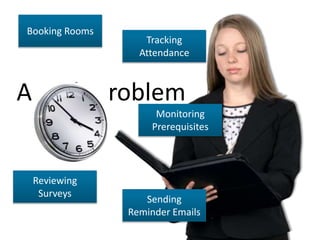
Anna’s Problem
Too much time
on administrative
tasks
Booking Rooms
Tracking
Attendance
Reviewing
Surveys
Sending
Reminder Emails
Monitoring
Prerequisites
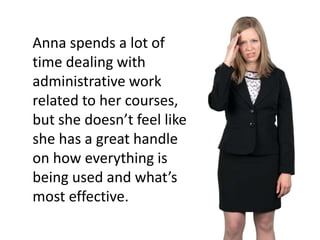
Anna spends a lot of
time dealing with
administrative work
related to her courses,
but she doesn’t feel like
she has a great handle
on how everything is
being used and what’s
most effective.
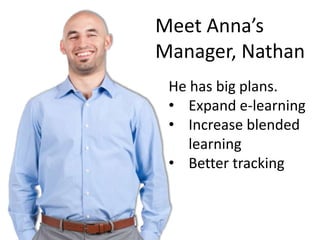
Meet Anna’s
Manager, Nathan
He has big plans.
• Expand e-learning
• Increase blended
learning
• Better tracking
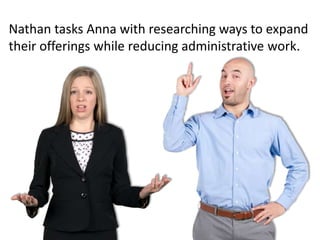
Nathan tasks Anna with researching ways to expand
their offerings while reducing administrative work.
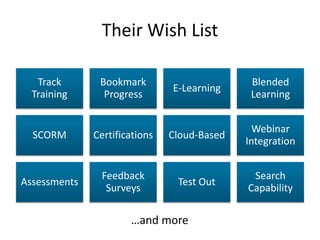
Their Wish List
Track
Training
Bookmark
Progress
E-Learning
Blended
Learning
SCORM Certifications Cloud-Based
Webinar
Integration
Assessments
Feedback
Surveys
Test Out
Search
Capability
…and more
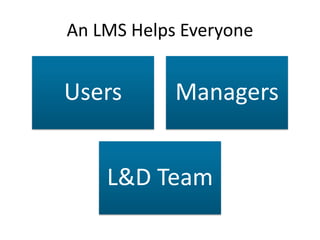
An LMS Helps Everyone
Users Managers
L&D Team
LMS Screenshots
The following slides contain screenshots from a
number of different LMSs. These are designed to
provide a very high level snapshot of LMS
capabilities, rather than a detailed feature
review of any particular system.
HOW IT HELPS USERS
User Accounts
Permissions
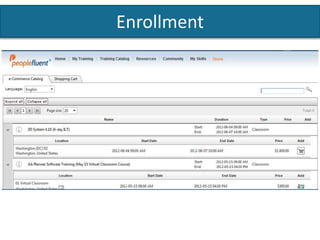
Enrollment
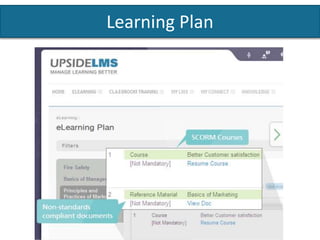
Learning Plans
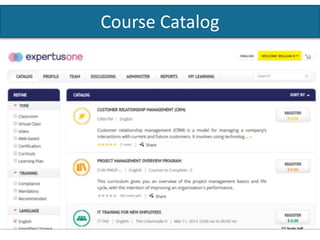
Course Catalog
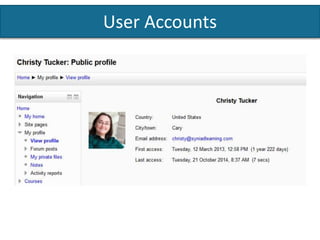
User Accounts
Moodle/Totara
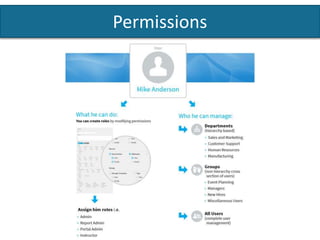
Permissions
Absorb LMS
Enrollment
PeopleFluent
Learning Plan
Upside LMS
Course Catalog
ExpertusOne
HOW IT HELPS MANAGERS
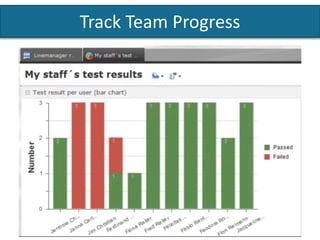
Track Team Progress
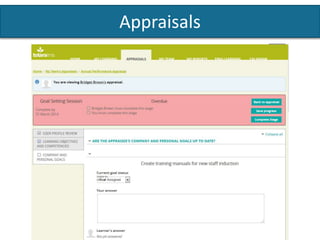
Appraisals
Track Team Progress
IMC
Appraisals
Totara
HOW IT HELPS THE L&D TEAM
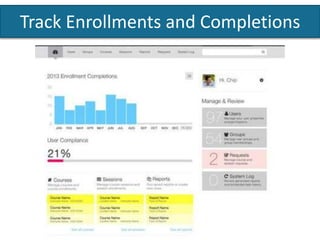
Track Enrollments and Completions
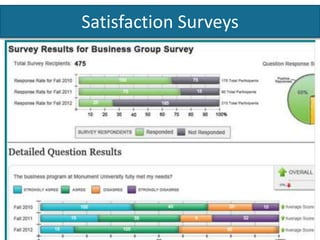
Satisfaction Surveys
Upload from Any Tool
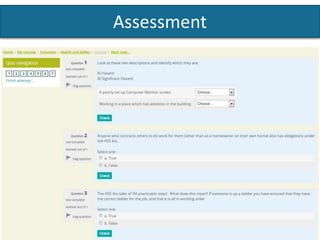
Assessment
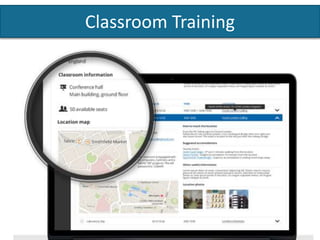
Classroom Training
Track Enrollments and Completions
Intellum Exceed LMS
Satisfaction Surveys
Blackboard Learn
Upload From Any Tool
Assessment
Totara
Classroom Training
Docebo
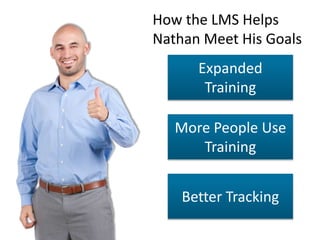
Expanded
Training
More People Use
Training
Better Tracking
How the LMS Helps
Nathan Meet His Goals
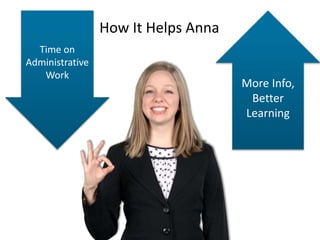
Time on
Administrative
Work
More Info,
Better
Learning
How It Helps Anna
Everybody wins!
Users, managers, the L&D team, Nathan, and Anna all benefit from the
new system. More people are using training, managers and IDs know
what’s being used and how successful learners are. The L&D team is
growing, and the organization as a whole is stronger because people are
getting the support and training they need.

Why an LMS

Editor's Notes

  • #2 This presentation was originally developed for a client in the early stages of selecting an LMS. They currently do very little e-learning, and their classroom training is all managed manually with spreadsheets and email. These slides are licensed CC-By-NC (you may use the slides for non-commercial purposes as long as you provide attribution, including a link to the original). https://creativecommons.org/licenses/by-nc/3.0/us/ Background image from GraphicStock: http://www.graphicstock.com/stock-image/abstract-bubbles-backdrop-183773.html
  • #3 Anna is a great ID. She develops e-learning, ILT, blended, vILT, etc. She’s a “jack of all trades” and does a little bit of everything. Her courses get good anecdotal reviews. All character photos are from eLearning Brothers: http://elearningbrothers.com/
  • #4 Anna is a great ID. She develops e-learning, ILT, blended, vILT, etc. She’s a “jack of all trades” and does a little bit of everything. Her courses get good anecdotal reviews.
  • #5 Anna has a problem. Anna is spending a lot of time dealing with administrative work related to her courses--booking rooms, tracking attendance, monitoring prereqs, reviewing surveys, sending reminder emails, etc. Even though she spends that time, she doesn’t feel like she has a great handle on how everything is being used, what’s most effective, etc.
  • #6 Anna has a problem. Anna is spending a lot of time dealing with administrative work related to her courses--booking rooms, tracking attendance, monitoring prereqs, reviewing surveys, sending reminder emails, etc. Even though she spends that time, she doesn’t feel like she has a great handle on how everything is being used, what’s most effective, etc.
  • #8 Anna’s manager, Nathan, has big plans--expansion of e-learning and blended learning, better tracking of everything.
  • #9 Nathan tasks Anna with researching ways to manage the whole formal training process.
  • #10 Working with Nathan and the rest of the team, Anna starts making a list of what’s needed. She feels a little overwhelmed.
  • #11 Anna finds a solution: an LMS.
  • #12 Emphasize that different systems do different things better or worse (or just differently). This is a very quick tour of the possibilities.
  • #15 Users register or accounts are created with different permissions Totara/Moodle profile
  • #16 Users have different permissions depending on their role and responsibilities Absorb LMS
  • #17 Users sign up for courses (and pay for them if appropriate) PeopleFluent http://www.peoplefluent.com/ecommerce-learning-portal
  • #18 Users can see what they’ve taken and what they’re going to take Upside LMS has an eLearning Plan
  • #19 Users can search a course catalog and find new courses
  • #21 Managers can track their team’s progress IMC http://www.im-c.de/en/products/imc/software-solutions/learning-suite/highlights/
  • #22 In some systems, they can report appraisals for their team or set learning goals Totara https://demo.totaralms.com/
  • #24 L&D team can track who has signed up and what courses they take Intellum Exceed LMS http://www.intellum.com/join-the-think-tank/
  • #25 User satisfaction surveys can often be included with courses and tracked easily Blackboard Learn
  • #26 Easily upload e-learning created with any tool, whether built by the team or by a vendor IDs can choose whatever tool is best to build content b/c as long as it’s SCORM, it works in the LMS. Not limited to just Articulate or just Captivate etc.
  • #27 Learning assessments built and tracked within the system Totara
  • #28 Book rooms, manage training calendar Docebo
  • #29 How it helps Nathan He gets his vision of expanded training. More people use the training Better tracking means easier to justify cost of developing training and growing the team
  • #30 How it helps Anna She spends less time on administrative work She has lots more info about her courses so she can learn to build better learning
  • #31 Everybody wins! Users, managers, the L&D team, Nathan, and Anna all benefit from the new system. More people are using training, managers and IDs know what’s being used and how successful learners are. The L&D team is growing, and the organization as a whole is stronger because people are getting the support and training they need.