1
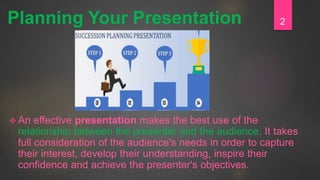
 An effective presentation makes the best use of the
relationship between the presenter and the audience. It takes
full consideration of the audience's needs in order to capture
their interest, develop their understanding, inspire their
confidence and achieve the presenter's objectives.
2Planning Your Presentation
 The first step in preparing a presentation is to
learn more about the audience to whom you'll
be speaking. It's a good idea to obtain some
information on the backgrounds, values, and
interests of your audience so that you
understand what the audience might expect
from your presentation.
Step 1: Analyze your audience
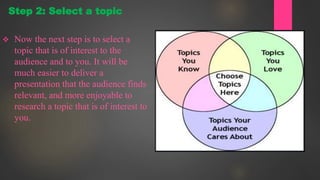
 Now the next step is to select a
topic that is of interest to the
audience and to you. It will be
much easier to deliver a
presentation that the audience finds
relevant, and more enjoyable to
research a topic that is of interest to
you.
Step 2: Select a topic
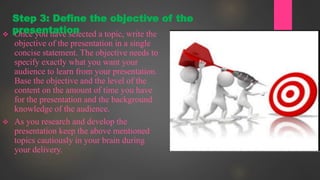
 Once you have selected a topic, write the
objective of the presentation in a single
concise statement. The objective needs to
specify exactly what you want your
audience to learn from your presentation.
Base the objective and the level of the
content on the amount of time you have
for the presentation and the background
knowledge of the audience.
 As you research and develop the
presentation keep the above mentioned
topics cautiously in your brain during
your delivery.
Step 3: Define the objective of the
presentation
 Determine how much information you can present in the amount of
time allowed. The body of the presentation is where you present your
ideas convincingly and you need to illustrate and support them in the
following ways:
 Present data and facts
 Read quotes from experts
 Relate personal experiences
 Provide vivid descriptions
 Provide variety.
 Listeners may quickly become bored by lots of facts and tire of
hearing story after story
Step 4: Prepare the body of the presentation
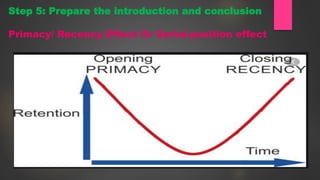
Step 5: Prepare the introduction and conclusion
Primacy/ Recency Effect Or Serial-position effect
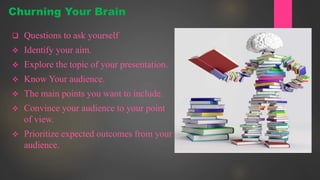
 Questions to ask yourself
 Identify your aim.
 Explore the topic of your presentation.
 Know Your audience.
 The main points you want to include.
 Convince your audience to your point
of view.
 Prioritize expected outcomes from your
audience.
Churning Your Brain
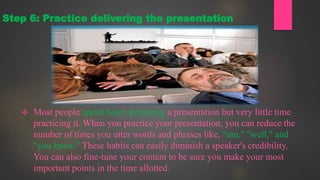
 Most people spend hours preparing a presentation but very little time
practicing it. When you practice your presentation, you can reduce the
number of times you utter words and phrases like, "um," "well," and
"you know." These habits can easily diminish a speaker's credibility.
You can also fine-tune your content to be sure you make your most
important points in the time allotted.
Step 6: Practice delivering the presentation
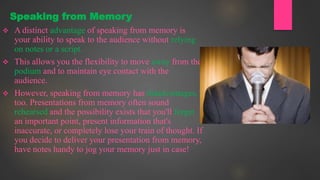
 A distinct advantage of speaking from memory is
your ability to speak to the audience without relying
on notes or a script.
 This allows you the flexibility to move away from the
podium and to maintain eye contact with the
audience.
 However, speaking from memory has disadvantages,
too. Presentations from memory often sound
rehearsed and the possibility exists that you'll forget
an important point, present information that's
inaccurate, or completely lose your train of thought. If
you decide to deliver your presentation from memory,
have notes handy to jog your memory just in case!
Speaking from Memory
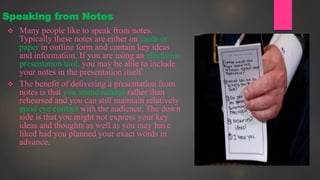
 Many people like to speak from notes.
Typically these notes are either on cards or
paper in outline form and contain key ideas
and information. If you are using an electronic
presentation tool, you may be able to include
your notes in the presentation itself.
 The benefit of delivering a presentation from
notes is that you sound natural rather than
rehearsed and you can still maintain relatively
good eye contact with the audience. The down
side is that you might not express your key
ideas and thoughts as well as you may have
liked had you planned your exact words in
advance.
Speaking from Notes
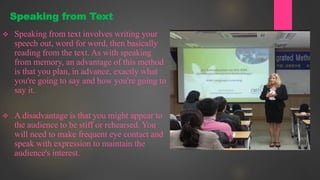
 Speaking from text involves writing your
speech out, word for word, then basically
reading from the text. As with speaking
from memory, an advantage of this method
is that you plan, in advance, exactly what
you're going to say and how you're going to
say it.
 A disadvantage is that you might appear to
the audience to be stiff or rehearsed. You
will need to make frequent eye contact and
speak with expression to maintain the
audience's interest.
Speaking from Text
 The best method of all the three is combination
method. For instance, experts suggest you
memorize the first and last ten minutes of your
talk so that you can speak flawlessly and
without notes. Notes may be suitable for
segments of your presentation that you know
very well, for example, relating a personal story.
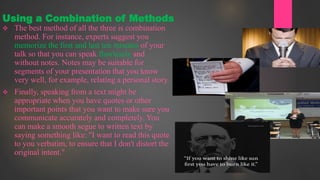
 Finally, speaking from a text might be
appropriate when you have quotes or other
important points that you want to make sure you
communicate accurately and completely. You
can make a smooth segue to written text by
saying something like: "I want to read this quote
to you verbatim, to ensure that I don't distort the
original intent."
Using a Combination of Methods
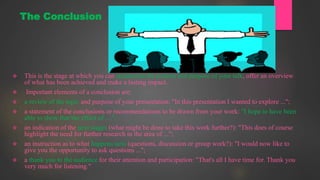
 This is the stage at which you can summarise the content and purpose of your talk, offer an overview
of what has been achieved and make a lasting impact.
 Important elements of a conclusion are:
 a review of the topic and purpose of your presentation: "In this presentation I wanted to explore ...";
 a statement of the conclusions or recommendations to be drawn from your work: "I hope to have been
able to show that the effect of ....";
 an indication of the next stages (what might be done to take this work further?): "This does of course
highlight the need for further research in the area of ...";
 an instruction as to what happens next (questions, discussion or group work?): "I would now like to
give you the opportunity to ask questions ...";
 a thank you to the audience for their attention and participation: "That's all I have time for. Thank you
very much for listening."
The Conclusion
15
• Q 1: Which of the following is a requirement that a presenter should
know to prepare effectively for a presentation?
• Presentation duration
• Available attire
• Foods the presenter can eat during the presentation
• Number of bullet points allowed per slide
QUIZ TIME QN.1
16
• 2: It is generally NOT a good practice to deliver a presentation by:
• Reading the entire presentation line by line
• Paraphrasing what is on the presentation materials
• Elaborating each bullet point on the presentation materials
• Mentioning the highlights of what is on the screen
QUIZ TIME QN.2
17
• Q 3: The outline of a presentation is a:
• List of major headings or topics to be covered in the presentation
• List of technologies that will be used to deliver the presentation
• List of external sources used in the presentation
• List of requirements and purpose of the presentatio
QUIZ TIME QN.3
18
• Q 4: Proper eye contact with the audience when delivering a
presentation involves
• Making a sweeping glance of the audience from the left to the right
and front to back of the room
• Making a sweeping glance of the audience from left to right in the
front row of the room
• Staring at each audience member
• Looking above the audience’s heads
QUIZ TIME QN.4
19
• Q 5: Font size of the bullet points on presentation materials should be large
enough:
• For the audience in the first few rows of the presentation to view the
presentation clearly
• For you to be able to read from the screen during the presentation
• For your team members to be able to view the presentation clearly
• For the audience in the last row of the presentation room to view the
presentation clearly
QUIZ TIME QN.5
20
• Q 6: When rehearsing a presentation, it is helpful to recognize and
prevent:
• Fillers such as umm and ahh
• Possible questions from the audience
• Criticism from friends in the room
• Possible gestures
QUIZ TIME QN.6
21
• Q 7: When an audience member without a microphone in a large audience
asks a question during or after your presentation, it is important for the
presenter to:
• Ask others in the audience to shout the question
• Ask the audience member to come to the front of the room and ask the
question
• Repeat the question for the benefit of others in the audience who might not
have heard it
• Respond to the question immediately
QUIZ TIME QN.7
22
• Q 8: Important considerations in rehearsing a presentation are:
• Timing and pace
• Attire
• Audience
• Food and beverages
QUIZ TIME QN.8
23
• 1 Presentation duration
• 2 Reading the entire presentation line by line
• 3 List of major headings or topics to be covered in the presentation
• 4 Making a sweeping glance of the audience from the left to the right and
front to back of the room
• 5 For the audience in the last row of the presentation room to view the
presentation clearly
• 6 Fillers such as umm and ahh
• 7 Repeat the question for the benefit of others in the audience who might
not have heard it
• 8 Timing and pace
ANSWERS
THANK
YOU
24

Effective presentation strategies 2

  • 1.
  • 2.
     An effectivepresentation makes the best use of the relationship between the presenter and the audience. It takes full consideration of the audience's needs in order to capture their interest, develop their understanding, inspire their confidence and achieve the presenter's objectives. 2Planning Your Presentation
  • 3.
     The firststep in preparing a presentation is to learn more about the audience to whom you'll be speaking. It's a good idea to obtain some information on the backgrounds, values, and interests of your audience so that you understand what the audience might expect from your presentation. Step 1: Analyze your audience
  • 4.
     Now thenext step is to select a topic that is of interest to the audience and to you. It will be much easier to deliver a presentation that the audience finds relevant, and more enjoyable to research a topic that is of interest to you. Step 2: Select a topic
  • 5.
     Once youhave selected a topic, write the objective of the presentation in a single concise statement. The objective needs to specify exactly what you want your audience to learn from your presentation. Base the objective and the level of the content on the amount of time you have for the presentation and the background knowledge of the audience.  As you research and develop the presentation keep the above mentioned topics cautiously in your brain during your delivery. Step 3: Define the objective of the presentation
  • 6.
     Determine howmuch information you can present in the amount of time allowed. The body of the presentation is where you present your ideas convincingly and you need to illustrate and support them in the following ways:  Present data and facts  Read quotes from experts  Relate personal experiences  Provide vivid descriptions  Provide variety.  Listeners may quickly become bored by lots of facts and tire of hearing story after story Step 4: Prepare the body of the presentation
  • 7.
    Step 5: Preparethe introduction and conclusion Primacy/ Recency Effect Or Serial-position effect
  • 8.
     Questions toask yourself  Identify your aim.  Explore the topic of your presentation.  Know Your audience.  The main points you want to include.  Convince your audience to your point of view.  Prioritize expected outcomes from your audience. Churning Your Brain
  • 9.
     Most peoplespend hours preparing a presentation but very little time practicing it. When you practice your presentation, you can reduce the number of times you utter words and phrases like, "um," "well," and "you know." These habits can easily diminish a speaker's credibility. You can also fine-tune your content to be sure you make your most important points in the time allotted. Step 6: Practice delivering the presentation
  • 10.
     A distinctadvantage of speaking from memory is your ability to speak to the audience without relying on notes or a script.  This allows you the flexibility to move away from the podium and to maintain eye contact with the audience.  However, speaking from memory has disadvantages, too. Presentations from memory often sound rehearsed and the possibility exists that you'll forget an important point, present information that's inaccurate, or completely lose your train of thought. If you decide to deliver your presentation from memory, have notes handy to jog your memory just in case! Speaking from Memory
  • 11.
     Many peoplelike to speak from notes. Typically these notes are either on cards or paper in outline form and contain key ideas and information. If you are using an electronic presentation tool, you may be able to include your notes in the presentation itself.  The benefit of delivering a presentation from notes is that you sound natural rather than rehearsed and you can still maintain relatively good eye contact with the audience. The down side is that you might not express your key ideas and thoughts as well as you may have liked had you planned your exact words in advance. Speaking from Notes
  • 12.
     Speaking fromtext involves writing your speech out, word for word, then basically reading from the text. As with speaking from memory, an advantage of this method is that you plan, in advance, exactly what you're going to say and how you're going to say it.  A disadvantage is that you might appear to the audience to be stiff or rehearsed. You will need to make frequent eye contact and speak with expression to maintain the audience's interest. Speaking from Text
  • 13.
     The bestmethod of all the three is combination method. For instance, experts suggest you memorize the first and last ten minutes of your talk so that you can speak flawlessly and without notes. Notes may be suitable for segments of your presentation that you know very well, for example, relating a personal story.  Finally, speaking from a text might be appropriate when you have quotes or other important points that you want to make sure you communicate accurately and completely. You can make a smooth segue to written text by saying something like: "I want to read this quote to you verbatim, to ensure that I don't distort the original intent." Using a Combination of Methods
  • 14.
     This isthe stage at which you can summarise the content and purpose of your talk, offer an overview of what has been achieved and make a lasting impact.  Important elements of a conclusion are:  a review of the topic and purpose of your presentation: "In this presentation I wanted to explore ...";  a statement of the conclusions or recommendations to be drawn from your work: "I hope to have been able to show that the effect of ....";  an indication of the next stages (what might be done to take this work further?): "This does of course highlight the need for further research in the area of ...";  an instruction as to what happens next (questions, discussion or group work?): "I would now like to give you the opportunity to ask questions ...";  a thank you to the audience for their attention and participation: "That's all I have time for. Thank you very much for listening." The Conclusion
  • 15.
    15 • Q 1:Which of the following is a requirement that a presenter should know to prepare effectively for a presentation? • Presentation duration • Available attire • Foods the presenter can eat during the presentation • Number of bullet points allowed per slide QUIZ TIME QN.1
  • 16.
    16 • 2: Itis generally NOT a good practice to deliver a presentation by: • Reading the entire presentation line by line • Paraphrasing what is on the presentation materials • Elaborating each bullet point on the presentation materials • Mentioning the highlights of what is on the screen QUIZ TIME QN.2
  • 17.
    17 • Q 3:The outline of a presentation is a: • List of major headings or topics to be covered in the presentation • List of technologies that will be used to deliver the presentation • List of external sources used in the presentation • List of requirements and purpose of the presentatio QUIZ TIME QN.3
  • 18.
    18 • Q 4:Proper eye contact with the audience when delivering a presentation involves • Making a sweeping glance of the audience from the left to the right and front to back of the room • Making a sweeping glance of the audience from left to right in the front row of the room • Staring at each audience member • Looking above the audience’s heads QUIZ TIME QN.4
  • 19.
    19 • Q 5:Font size of the bullet points on presentation materials should be large enough: • For the audience in the first few rows of the presentation to view the presentation clearly • For you to be able to read from the screen during the presentation • For your team members to be able to view the presentation clearly • For the audience in the last row of the presentation room to view the presentation clearly QUIZ TIME QN.5
  • 20.
    20 • Q 6:When rehearsing a presentation, it is helpful to recognize and prevent: • Fillers such as umm and ahh • Possible questions from the audience • Criticism from friends in the room • Possible gestures QUIZ TIME QN.6
  • 21.
    21 • Q 7:When an audience member without a microphone in a large audience asks a question during or after your presentation, it is important for the presenter to: • Ask others in the audience to shout the question • Ask the audience member to come to the front of the room and ask the question • Repeat the question for the benefit of others in the audience who might not have heard it • Respond to the question immediately QUIZ TIME QN.7
  • 22.
    22 • Q 8:Important considerations in rehearsing a presentation are: • Timing and pace • Attire • Audience • Food and beverages QUIZ TIME QN.8
  • 23.
    23 • 1 Presentationduration • 2 Reading the entire presentation line by line • 3 List of major headings or topics to be covered in the presentation • 4 Making a sweeping glance of the audience from the left to the right and front to back of the room • 5 For the audience in the last row of the presentation room to view the presentation clearly • 6 Fillers such as umm and ahh • 7 Repeat the question for the benefit of others in the audience who might not have heard it • 8 Timing and pace ANSWERS
  • 24.